Author: Parul Ritvik Sood

  • Look Out, Snapchat : Facebook Plans its Own Snap Service

    Look Out, Snapchat : Facebook Plans its Own Snap Service

    Mark Zuckerberg, Facebook’s chief, has been supervising a top-secret project after failing to woe Snapchat’s creators Evan Spiegel and Bobby Murphy to sell. Facebook knew Snapchat had an edge and wanted to pick up the startup last year for a reported $3 billion. But that number didn’t affect Snapchat as it continued adding features to the app that made people want it more.

    Last month, it updated the app (with wild success) to include video chatting and text-based messaging as well, thereby fully deploying its messaging store without losing its core feature – all communication from Snapchat still get deleted after a short period.

    Facebook is now working on its own private sharing app called “SlingShot”, which would primarily be a video-based service. But can it dethrone Snapchat, which already has a big user base, longer market exposure and exciting features?

    poke-v-snap-icons1

    The one area where Facebook can truly capitalize is by going after Snapchat’s weaknesses. One of them is that the app had to pay a large settlement in a lawsuit which alleged messages don’t get destroyed permanently or immediately. Snapchat agreed to the charges and decided to settle with the FTC. Currently it’s credibility is lost and there’s definitely a bit of stink attached to the app at the moment. Facebook has this moment’s window to make their play, by releasing a completely secure, self-destructing chat service.

    Facebook’s supposed SlingShot app will upset Snapchat’s growth course, but to what degree is presently unknown. Facebook could do maximum damage by bundling it with its Messenger, rather than releasing it as a standalone app.  This added feature would go a long way towards ensuring more engaged users.

    3Snapchat_Facebook

    Slingshot takes a different approach. It is said to resemble TapTalk, a new video-messaging app from Berlin-based Wit Dot Media released last month, in which users tap or hold a contact’s profile picture to instantly send a photo or short video, which can be viewed only once by the recipient.

    Private messaging is a big portion of all smartphone usage. One thing is certain: Facebook will have a enormous user base to tap into with SlingShot and the numbers dwarfs Snapchat’s active user base. So if SlingShot is any good at all, it may be worrying days for Snapchat.


  • Top 6 Pocket Cameras : Pick One Which is Right For You

    Top 6 Pocket Cameras : Pick One Which is Right For You

    No, we refuse to acknowledge the statement that smartphones are point-and-shoot replacements. No matter how good your camera phone may be, it still doesn’t have the technology to beat the image quality of the following cameras. Unlike DSLR’s, where you have to manage several lenses – these are handy, cheaper and super convenient if you’re constantly on the go.

    Here are a list of pocket size cameras that you’d wish you’d bought earlier:  

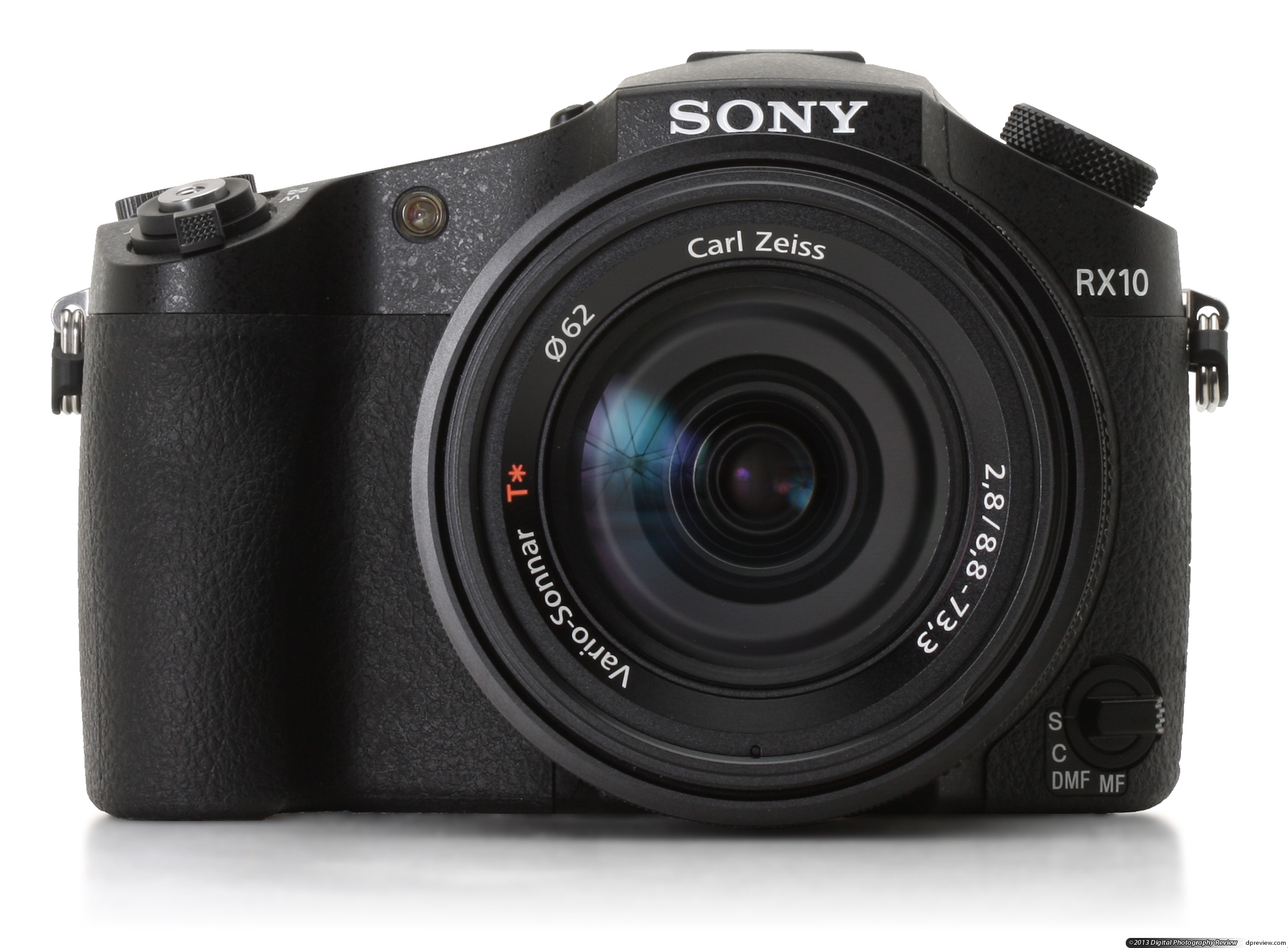
    1. Sony Cyber-shot DSC-RX10

    IntroKey features

    • 20MP 1″-type BSI CMOS sensor (13.2 x 8.8mm)
    • 24-200mm equivalent stabilized F2.8 lens
    • Weather-sealed magnesium alloy body
    • Manual zoom and aperture rings
    • Tilting 1.23 million dot rear LCD
    • 1.44M dot OLED viewfinder
    • ISO 125 – 12800 (expandable down to ISO 80)
    • Built-in 3EV Neutral Density filter
    • Approx 10 fps continuous shooting in ‘Speed Priority mode’
    • 1080/60p video with full-sensor sampling, uncompressed HDMI output
    • Wi-Fi with NFC

    To many photographers, amateurs and professionals alike, digital SLRs represent quality. The fact that you can remove the lens and swap it for another is inconsequential to those who never buy a second optic. It’s that segment of the market that Sony’s targeting with its Cyber-shot RX10.  We love the Sony RX10. But your $1,300 goes a very long way here, and if you need to capture sharp images and full-HD video clips in pretty much any lighting condition, with a vast focal range, you’d be hard pressed to find a more suitable shooter. This is the best fixed-lens camera we’ve ever used, and we wouldn’t be surprised if the RX10 Mark II, whenever that comes about, is the only comparable model worth considering.

    [button link=”http://www.flipkart.com/sony-dsc-rx10-point-shoot-camera/p/itmdvx7gbgwkg62r?pid=CAMDVX66GZXTG8RQ&srno=t_2&query=rx+10&affid=bhnagpalgm” size=”large” text_size=”beta” newtab=”on”]Price : Rs79989[/button]

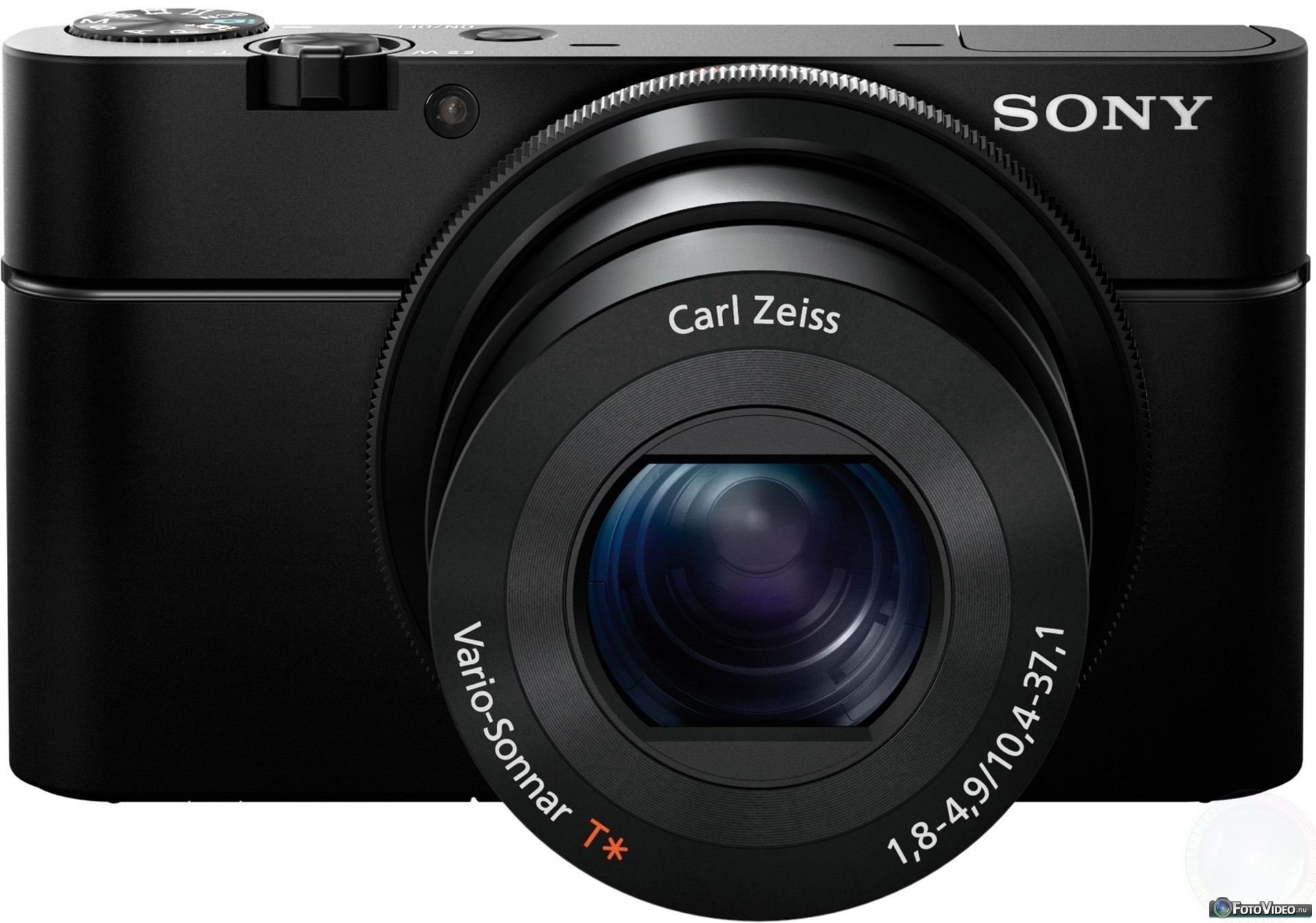
    2.Sony Cyber-shot DSC-RX100 III

    sony_cybershot_dscrx100_black

    Key Features:

    • 20.1 megapixel 1″-type Exmor R BSI-CMOS sensor
    • 24-70mm equiv. F1.8-2.8 Carl Zeiss Vario-Sonnar T* lens
    • Pop-up SVGA OLED electronic viewfinder with 1.44M dots
    • 3-inch tilting WhiteMagic LCD with 1.23M dots
    • 1080/60p video with full sensor readout and 50Mbps XAVC S support
    • Clean HDMI output
    • Zebra pattern and focus peaking
    • Customizable front lens ring
    • 3-stop neutral density filter
    • Wi-Fi with NFC and downloadable apps
    • 320 shots per charge (CIPA standard)

     The pocket-sized shooter processes video in XAVC S format, which, according to Sony, lets you record 1080p videos at a much faster data rate and with very little compression — in other words, this will make your movies look a lot better and crisper. To go with that, Sony also added a built-in, retractable OLED electronic viewfinder (which wasn’t present on either of the older editions), WiFi/NFC for wireless sharing and the ability to capture 4K still images, making the newest RX100 an even more powerful little camera.

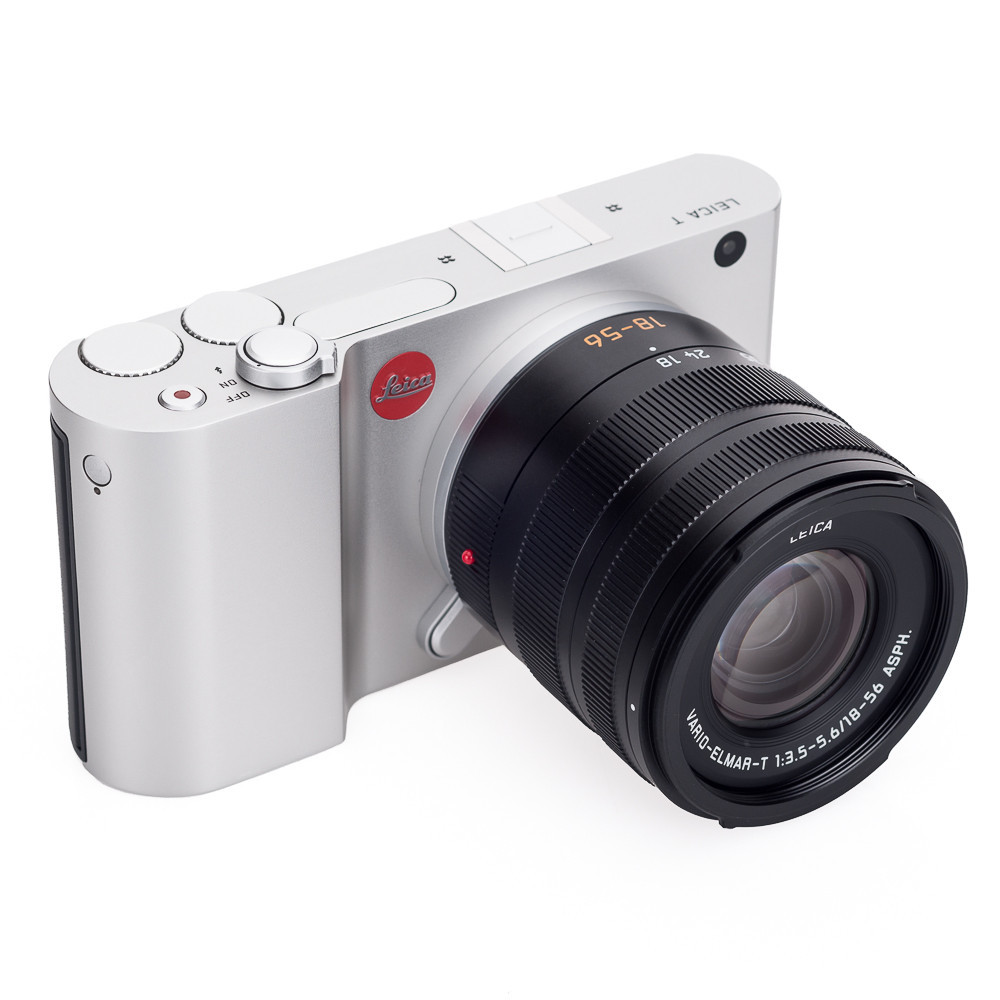
    3.Leica T (Typ 701)

    TBPhotography-2518_1024x1024

    Key features:

    • 16MP APS-C CMOS sensor
    • ISO 100-12500
    • 3.7″ 1.3M dot 16:9 touchscreen LCD
    • Twin top-plate control dials
    • Approx 5 fps continuous shooting
    • 1920 x 1080 Full HD movie recording at 30 fps; built-in stereo microphones
    • Built-in Wi-Fi for easy image sharing, and remote control by smartphone or tablet
    • Optional 2.36M dot electronic viewfinder with built-in GPS unit
    • Built-in 16GB memory
    • Brand new Leica T mount
    • 18-56mm f/3.5-5.6 and 23mm f/2 lenses
    • 11-23mm f/3.5-4.5 and 55-135mm f/3.5-4.5 coming later in the year (at photokina 2014)
    • Available in anodized black or natural aluminum finish

    This is a Leica for the modern age! It’s also quite a bit smaller than the company’s rangefinder cameras (134 x 69 x 33mm), especially in terms of height, not to mention a whole lot lighter (339g without battery, 384g with). That’s actually a little surprising, because the Leica T’s attractive, Audi Design-styled body is milled from a solid block of aluminum. A first for any camera, claims its maker.

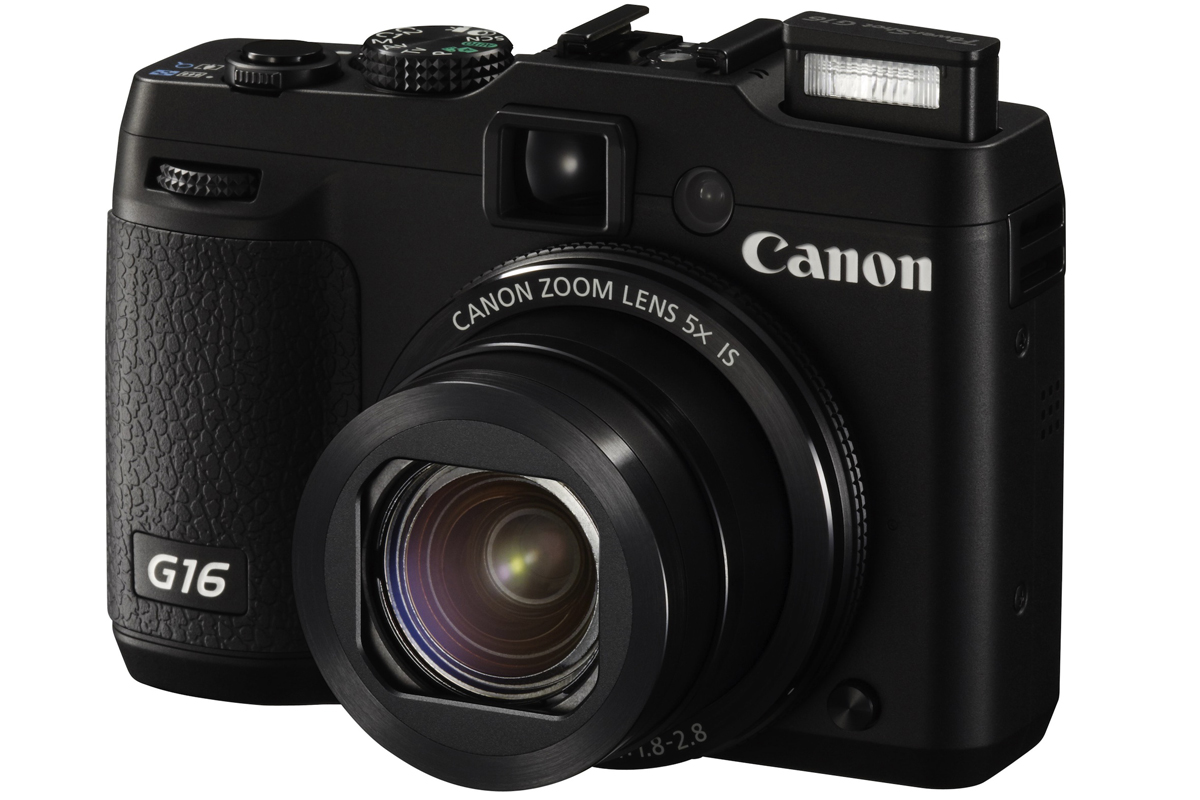
    4.Canon G16

    PowerShot-G16_BLK_FSL_01-1

    Key features

    • 12.1 Megapixel 1/1.7″ CMOS Sensor
    • Canon 5x Optical Zoom Lens (28-140mm)
    • Optical Zoom Viewfinder and 3.0″ LCD
    • Full HD 1080/60p Video
    • DIGIC 6 Image Processing Engine
    • Enhanced Wi-Fi Capabilities
    • Continuous Shooting at 9.3 fps
    • Intelligent IS Image Stabilization
    • ISO 12800 and Canon HS SYSTEM

    The Canon PowerShot G16 belongs to a long line of chunky compacts aimed at enthusiasts. Announced in August 2013 it’s the replacement for the PowerShot G15. The G series has earned a reputation as a serious compact with image quality, performance and handling that won’t disappoint those who’d probably rather be using a DSLR, if it weren’t for the added bulk. The Canon PowerShot G16 is a reassuring camera that does a good job. Its only real stand-out feature is improved responsiveness brought by the Digic 6 image processor. It is an ideal companion for users looking for a classic safe bet and who aren’t tempted by originality or eye-catching innovations. This camera is certainly built to stand the test of time, but the G series also needs to move with the times, otherwise it risks being left behind.

    5.FUJIFILM XF1

    xf1_tan_front_zoom

    Key features

    • 12MP 2/3″ EXR-CMOS sensor
    • ISO 100-3200, ISO 4000-6400 at 6MP resolution, ISO 12800 at 3MP
    • 25-100mm equivalent, F1.8-4.9 lens with optical image stabilization (4 stops benefit claimed)
    • Manual zoom ring and lens retraction mechanism
    • Full manual control, RAW format recording
    • 3″ 460k dot LCD
    • Full HD movie recording with built-in stereo microphones
    • Film simulation modes for different colour and monochrome ‘looks’
    • In-camera RAW conversion with all in-camera processing parameters adjustable
    • ‘Advanced Filters’ image-processing controls, previewed live on-screen

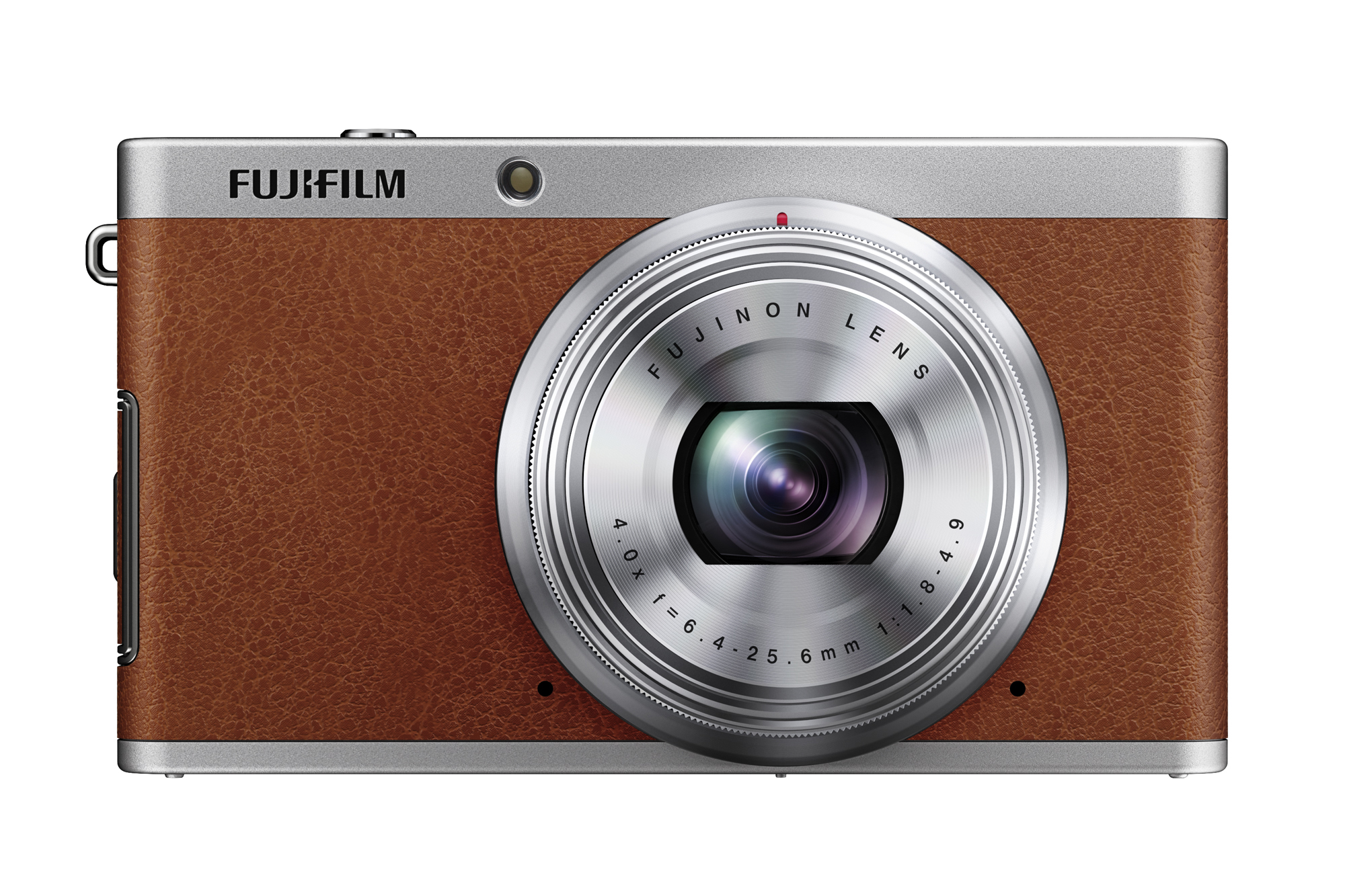
    Fuji’s XF1 is the latest high-end compact camera to compete with the likes of Sony’s RX100 and brings with it a 12-megapixel sensor, f/1.8 lens, manual controls. It is a beautiful retro design that can’t fail to impress everyone that sees it. The camera’s image quality is markedly better than virtually all other compacts. The camera’s “average low-light performance” as a downside. While it may not beat the RX100 , the XF1 is still a camera for photographers who like something a little bit more unusual than the standard run of the mill point and shoots.

    6.Nikon Coolpix A

    Intro (1)

     Key features

    • 16.2MP ‘DX’ format CMOS sensor
    • 18.5mm (28mm equivalent) F2.8 lens
    • ISO 100-6400 (with 12,800 and 25,600 equivalent extension settings)
    • 3.0″ 920k dot LCD
    • 14-bit uncompressed NEF Raw shooting capability
    • Up to 4fps continuous shooting
    • 1080p movies at 24, 25 or 30fps
    • i-TTL compatible hot shoe

    The Nikon COOLPIX A Digital Camera is a point-and-shoot equipped with a 16.2MP DX-format CMOS sensor for clear, detailed images, even in low light. The lack of an optical low-pass filter enables maximized resolution for exceptionally sharp details. The NIKKOR prime lens features a focal length of 18.5mm  for wide-angle shooting, as well as a fast f/2.8 maximum aperture. Frame shots using the large 3.0-inch LCD monitor, which has a resolution of 921k pixels. Record Full HD 1080p video with stereo sound, and connect the supplied EG-CP16 cable for playback on your TV. Capture RAW still images for a higher level of creative control. Manual options like focus ring adjustment allow you to wield precision control over your compositions. Most of the operation system and the GUI are consistent with Nikon DSLRs. Exposure bracketing is available in both manual and auto modes.

  • The New-Age Talking Elevators

    The New-Age Talking Elevators

    Norwegian comedy duo Vegard and Bård Ylvisåker, more famously known as Ylvis, pulled a series of pranks on unsuspecting hotel guests. After gaining international attention through their funny EDM joke-jam called “The Fox (What Does the Fox Say?)”, they are in the spotlight again for this hilarious prank.

    The brothers got together and used a pseudo talking elevator called ‘Intelevator’ to confuse hotel visitors.

    You have to watch the videos to love it, so go ahead:

  • Top 5 Apps to Manage Your Passwords

    Top 5 Apps to Manage Your Passwords

    There’s a slight possibility that in next five years, we will not need pins and passwords to access any of our accounts. Instead, we simply need to look into cameras or speak into the device’s microphone and the work is done.

    While we wait for that, we are stuck trying to manage multiple passwords. There’s a way out –  thank god for companies attempting to providing us password managing apps to make our life much easier. This way you only need to remember one complex password  to excess your secure website, credit card information and even documents that you keep inside encrypted data. Here are some of the best password manager available in market that can make your life easier:

    LastPass

    mzl.kyvjmzsk

    If you’re starting from scratch, chances are good you’ve used your browser’s built-in password management feature. LastPass will import those passwords, delete them from the browser, and turn off the browser’s password management. It provides various in-app features like automated form fill-out, allows for import and export, and permits sharing of passwords through the Internet (a better alternative than using plain text email, which is insecure). It also lets you create and keep simple notes, generate complex passwords, and create a USB key using Google Authenticator Support.

    Price: Free for desktop, $12/year for mobile

    Password Genie

    Capture

    Password Genie extends beyond passwords and PINs, serving as an information management app. It is especially useful for travelers. It can be installed on up to five PCs or Macs and can sync between devices, including Android and (soon) iOS. It automatically saves login credentials and replays as needed. It have option to lock automatically after inactivity and very effectively handles password change and new account signup.Password Ginie can stores a wide variety of personal data and automatically fills web forms. Built in live-chat and remote-control support is also available.

    Price: $19.95/year (free 30-day trial)

    Dashlane

    dashlane-12-535x535

    Dashlane promises instant logins and checkouts. Offering many features that extend beyond password management, Dashlane incorporates social into its product by use of a points system that rewards you for securing passwords or storing online receipts. You can then use the points to unlock premium features, get free iOS apps and more. Dashlane facilitates online shopping through use of easy-to-understand color-coded information, enabling users to complete online transactions by clicking a few tabs. The basic version offers all the features of premium, but with limited support, a limited number of notes, and no mobile help. The premium account also includes all future premium features. Version 1.6 introduced Dashlane Courier, a secure way to transfer confidential data.

    Price:$4.99/month or $39.99/year

    Security Everywhere

    mSecure-iPad-App-Screenshot

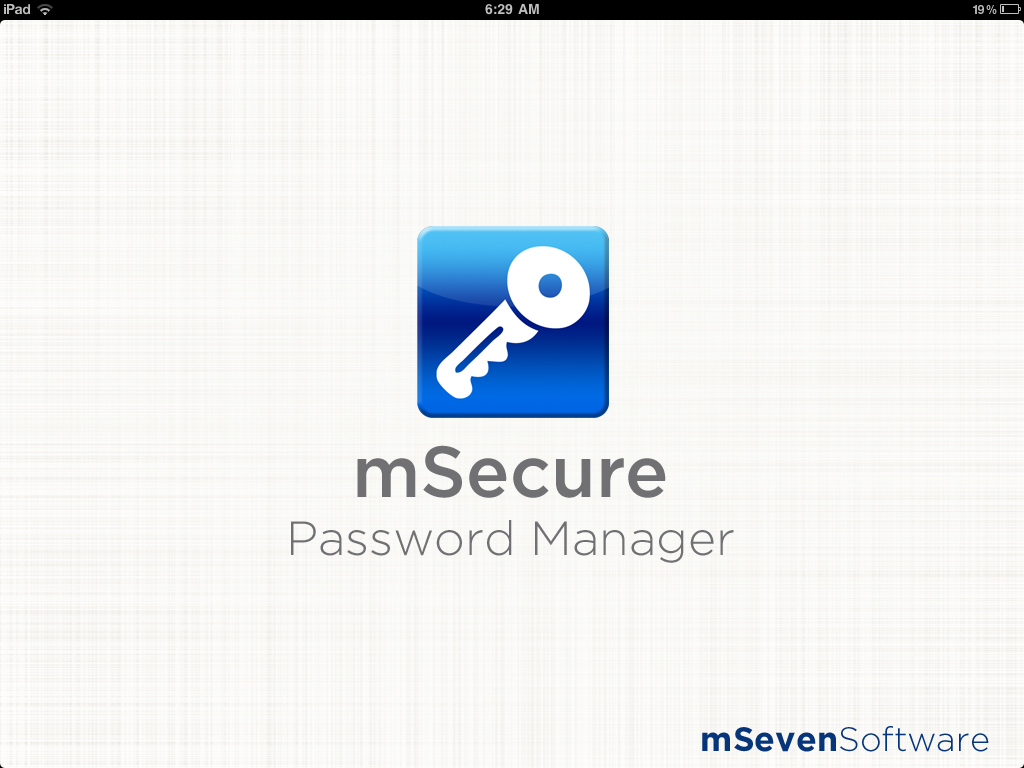
    Security Everywhere, made by mSeven Software, is a sync and security architecture that integrates with third-party cloud storage services. Currently, it only integrates with Dropbox, but according to the company’s website, support for iCloud is in development and other cloud systems are under consideration. Security Everywhere uses industry-standard 256-bit Blowfish encryption, 256-bit SHA password hash, file compression and enforcement of minimum sync passwords to keep data safe even if your Dropbox account is compromised. mSecure’s password manager comes with 17 standard templates for Web logins, credit cards, email accounts and frequent flyer numbers. You can also create custom templates with an unlimited number of fields. The app allows you to categorize records into groups and mark favorite records for fast access. The password generator creates stronger passwords that include symbols, upper- and lower-case, alpha-numeric combinations and more.

    Price: Desktop: $19.99, Android and iOS: $9.99

    Norton’s Identity Safe

    mzl.tvqtnjxw

    Well-known security tool vendor Norton offers Identity Safe. Along with standard features such as support for multiple browsers, iOS and Android support, a form filler and unlimited notes, Identity Safe includes Safe Web, a browser extension that alerts you when a site might not be what it appears to be. Norton Identity Safe is a free download, with no premium upgrade, but you’ll need to link it to a new or existing Norton account.

    Price: Free for desktop, iOS and Android

    1Password

    1password-logo-round

    1Password is perhaps one of the most widely used password managing apps. It captures and replays passwords in IE, Firefox, Chrome, and Safari and can generate strong passwords. It manages many categories of personal information while syncing with multiple devices by storing password database in Dropbox. It has a very effective password rating security. 1Password stores more personal data than most password managers, but only some of that data is available for form filling. It handles password capture and playback well, but differently from browser to browser. It’s works decently well, but you can get the same functionality from popular free tools.

    Price$49.99 for desktop, iOS and Android

  • Online Business Startups: Tips from the Pros

    Online Business Startups: Tips from the Pros

    Facebook was once deemed a startup, along with Twitter, Pinterest and Instagram. Clearly, the internet has helped boost and encourage innovations. If you’ve spent any time researching social media then you may be familiar with the term “startup”. This generally describes a new business launched in a particular market.

    10-tech-startups-change-life2

    For many “born-on-the-internet” companies, slow growth isn’t an option. These are companies that started on the web with a global marketplace in mind. Many are finding that you’d either scale or be considered irrelevant. They work hard to achieve market leadership, to realize economies of scale and economies of scope, and to be recognized as the brand leader. These types of business startups often start fast and never stay up; leaving the company financially drained. To maintain advantage, they need to have the proper building blocks in place and go full speed ahead with the best chances for success.

     

    images

    Standing out in the crowd is key since thousands of start ups go online every day. Mostly, these entrepreneurial dreams get crushed in the flood of new start ups and lose their audience. Today at iGyaan, our editor Bharat Nagpal and Harsh Agarwal, founder of The Asylum-  A refuge for authors, tell us how to stay on top: 

    From the Editor’s Desk

    Bharat Nagpal 

    Founder and Chief Editor of iGyaan. Bharat likes to keep on top of technology and loves to help people around him get through the day to day trouble they face with technology. So that, they can love technology as much as he does.

    [quote text_size=”small”]

    I have learnt a lot of things while running my own company the past few years, but the most crucial lesson that I have learnt is to never underestimate the power of an idea! In the most simplest form; everything begins with an idea, and while we grow from one stage to another in our lives, our mind and our experiences throw ideas at us. In our day to day process, we often tend to ignore our “far fetched ideas” and soon forget them. The lifespan of the idea is only as long as you chose to build on it. While iGyaan was not the first idea that ever struck me, and not every idea is perfect, I did experiment with a lot of ideas prior to that, and failure only led me to be that much more adamant in believing in the power of my ideas. With each failure, I was that much closer to achieving what I wanted from each idea.  Running a business is tough, particularly in India. Most of the things we take for granted are usually the most difficult things that we need done. Finding help for your business is the toughest part, and if you are afraid to go hands on with the dirtiest bits of the job, don’t expect someone else to do them for you. Whatever is beneath you is the most essential piece of the puzzle you forget to pick up, and hence the easiest way to break a structure.  So if you have an idea, run with it, but run harder than you imagined. Pick up pieces as you go if you don’t have a plan, and don’t be afraid to be at the bottom, especially if you wish to reach the top.

    [/quote]

    Chat with the Pro

    Harsh Agarwal:

    An artist by soul, entrepreneur by profession and engineering student by education, Harsh has three books in his credit. Apart from that, he has himself worked as an editor, freelance editor, mentor and speaker at the same time.

    iGyaan: What inspired you to start an initiative like Asylum?

    HA: I wanted to start with something I am passionate about and Asylum is the outcome of the same passion. Asylum means a refuge and that was the basic reason to start Asylum; creating a refuge for debutante authors. It wasn’t an impulsive decision. It’s hard to come up with an idea, but it’s harder to execute the same. 

    iGyaan: Tell us about some challenges that you face as young entrepreneur.

    HA:  One of the challenge – people fail to take me seriously and put their ego before everything. However that’s not always true; other than that, one of the major challenge is to survive, being from a middle class family and having parents who see a secured job as the definition of success. Choosing the road not taken is not a cake walk.

    iGyaan: What is your take on internet being a tool for business?

    HA: Internet is a saviour, I didn’t have good internet for first two years in college and I just wonder how much I would have progressed if I had it. Internet has a solution for every possible thing. There are all sorts of people, all sorts of services and products available on the internet. Being a budding entrepreneur, you need to do a hell lot of stuff yourself, which includes stuff that you don’t even have a clue about but now, there is nothing that can’t be learnt! There is nothing that can’t be found online. You just need to know how to look for it and the internet teaches you that as well.

    iGyaan: And Finally, specifically for Asylum,what major steps you took to make it what it is?

    HA: First of all, I checked what resources I have and what I don’t, that included both monetary and non monetary resources. Since I was from an engineering college, I got a friend to design the website for free and hired students to work for me. Facebook helped as a platform to hire more writers. More than money, interest mattered for people who were working for me and I had to make sure that the work they were doing was not monotonous for them; I had to give them a good variety. Thankfully, I built myself an amazing team. All in all, I had to know my team, clients and their expectations; and then to stabilize the demand and supply.

     

  • Identity Theft : How Safe is Your Personal Information Online?

    Identity Theft : How Safe is Your Personal Information Online?

    Clicking on the ‘Buy Now’ tab on Amazon or Flipkart surely gives you that good feeling of owning the very product you wanted to have for long time. But have you ever thought of the possibility of you compromising your personal information in internet Eco-system; that may be used against you or for stealing your money. We’re sure you are aware of these crimes but you think they won’t happen to you. Well you are wrong, and statistics say otherwise.

    photo-4

    According to ‘Internet Security Threat’ report that was recently released by Norton (Symantec), India has 42 million cyber crimes affecting 42 million cyber crime victims every year on a pan-India basis. During the last year, 52 per cent of such victims had suffered attacks such as malware, viruses, hacking, scams, fraud and theft. The report adds eighty people are vicitimised under various cyber crimes, every minute across India. The study reports seven out of 10 adults have been victims of different modes of cyber crime in their life time.

    Anonymous_emblem.svg_
    Anonymous Group Embelem

    With the Internet becoming available at the touch of a button and wannabe computer whiz kids dabbling in hacking for sport, cyber crime has seen an unprecedented upsurge. What makes it infinitely more dangerous than any other crime is the comparative lack of awareness and identification. How could you be expected to know that behind the innocent looking website lurks a compulsive hacker, or worse, consummate identity thief?

    History of hacking and identity theft can be traced back to 2004 with the rise of collective called ‘Anonymous‘ who targeted government organisations and corporate. Wikileaks is another major example of hacking and recent one’s like Heartbleed bug posed a major threat to many international organisations. Think if these hacker can bring down biggest names in the global business, where we stand in this mayhem of cyber-crime and identity theft.

    Identity theft is a crime whereby criminals impersonate individuals, usually for financial gain. In today’s society, you often need to reveal personal bits of information about yourself, such as your social security number, signature, name, address, phone number, cell number or even banking and credit card information. If a thief is able to access this personal information, he or she can use it to commit fraud in your name.

    Armed with your personal information, a malicious person could do any number of things, like apply for loans or new credit card accounts. This individual could request a billing address change and run up your existing credit card without your knowledge. A thief could use counterfeit checks and debit cards or authorize electronic transfers in your name and wipe out funds in a bank account.

    Supposedly, Identity theft is one of the biggest practiced crime of our generation and you need to secure your self with these thefts. Almost every worldwide government agency responsible for identity theft issues will tell you the same thing: The first step to fighting identity theft is to minimize the risk.

    To do this they urge consumers to protect their personal information. Start by asking companies how they use your information, and for online transaction, take a moment to review a website’s privacy policy.  For Internet transactions, be sure the Web site offers secure data encryption and other services to protect your personal information.

    cc-ID_Theft

    In offline transactions don’t provide credit card numbers, financial account numbers, and personal identifying information over the phone unless you know the communication line is secure. Ideally, you should initiate the phone conversation.

    Lastly, there are recommended everyday practices, such as keeping an eye on postal mail to ensure your bills are arriving when they should be, and taking the time to properly dispose of paper documents that may contain credit card numbers and other identifying personal information.

    Remember: The more private and secure you keep your personal identifying information, the less susceptible to identify theft you are.

  • Shop Online For The Perfect Mothers Day Gift

    Shop Online For The Perfect Mothers Day Gift

    Mothers day is around the corner and we know most of you haven’t planned anything yet. Last minute shopping is a lousy alternative. Be we are here to give you some Ideas to shop online the perfect gift for your mom this Mother’s day. At iGyaan we want to make sure you pick just the right gift for the most important woman in your life.

    Spa Deals

    1329364200_24337814_1-Pictures-of--Mothers-Day-Spa-Specials

    Buy a spa deal for a well deserved Sunday for your mom. There are various sites that offer such deals like groupon.co.in and dealsandyou.com

    Gift sites

    gifts111

    There are various sites which are dedicated to mothers . You can send her flowers, cakes, Jewelry etc.  Some of these site who provide services are Indiangiftportal.com, mothersdaygiftgallery.com etc.

    Cookbooks and Kitchen appliances

    5135063957_58503ba895_b

    Is your mom always trying out a new recipe? Does she love cooking and feeding people? Gift her something that will help her show off those culinary skills to everyone else!  You can buy her a cook book or a kitchen appliance online. You can order the cookbook on Flipkart or Amazon.

    Gadgets

    gadgets

    If your mom loves her gadgets then your life has just been made easier! Get her the latest Samsung S5 or the iPad that she’s been eyeing for a while now. You’ve noticed that she’s been putting up photos on Instagram lately; maybe buying her a new camera would encourage her to take up photography more seriously. 
  • 6 Things To Make Your Daily Social Networking More Productive

    6 Things To Make Your Daily Social Networking More Productive

    There is no doubt that social networking is the thing of our generation. Moreover with the growth of social network there are an impeccable amount of sources and opportunity. Twitter is on track to hit 500 million accounts by February. At the same time, Facebook is looking at hitting 1 billion users in August.

    And it seems as if every day there are profusion of achievement stories of how people found a job through Twitter, how they found new clients or speaking gigs via Facebook, or connected to new people to expand their network. So the profit from using social networks proficiently are extremely powerful. Yet building up your personal brand through Twitter and Facebook is often a hard and overshadowing task.

    So here are some tips to make your daily social networking more productive.

    1. Like Maps

    Like-Map-More-Info

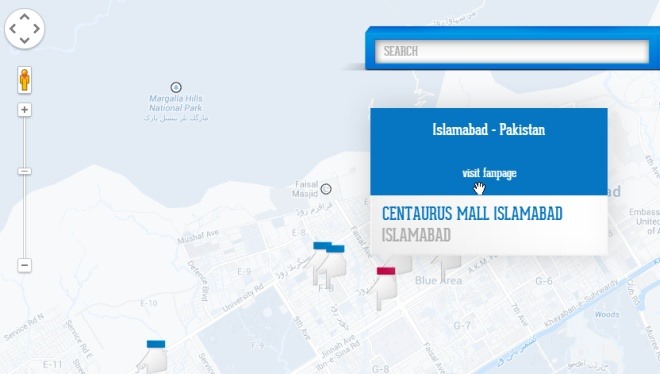
    The great bit about having a social network that reaches over a billion people every month is that you can find all kinds of interesting information using data users share. That’s right, I’m referring to none other than Facebook, besides sharing bathroom selfies, Facebook is an awesome place to effectively promote your business in many powerful ways, one of which is the ability to attach the physical address of its location. Many pages we like on Facebook may have a physical address, but Facebook doesn’t offer a way to locate them using an interactive map of sorts. That’s what “Like Map” has tried to do, a web app that enables you to find your liked pages or search for new ones using the Google Maps API. Not only does this let you use Facebook as something like the yellow pages for finding an address, but it also makes it very easy to find other places close to the ones you’ve already visited.

    2. Frequency

    Capture1

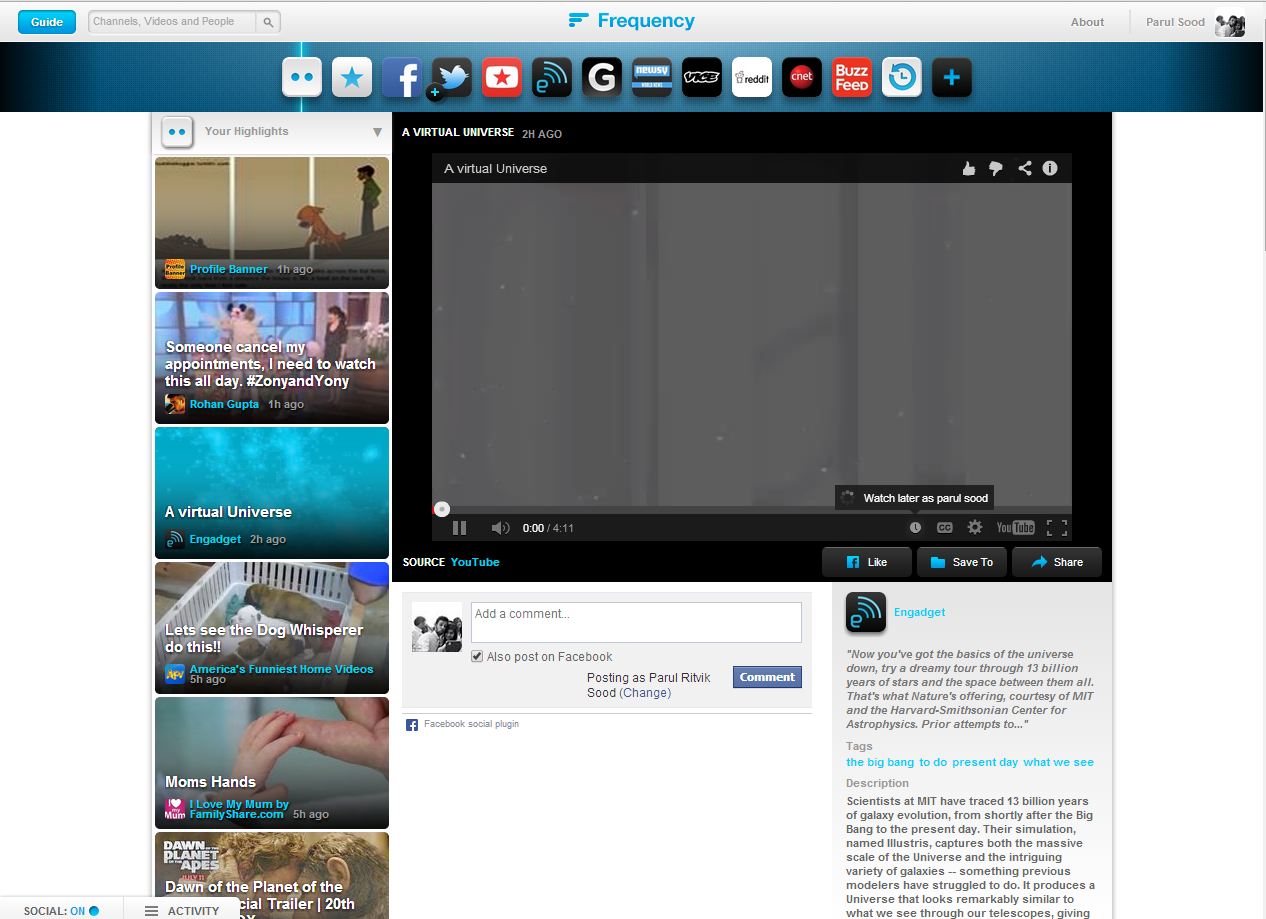
    Frequency is a personal video service that lets you watch videos from anywhere on the internet in one place. Frequency turns the best websites and social media sites into video channels, gathering all the videos you love in real time. You’ll find videos from all of your favorite sources and all the videos your friends are sharing on Facebook, Twitter, YouTube and more. You can just sit back, get some popcorn and watch you whole news feed comfortably lying on your bed.

    3. Jumptuit

    Jumptuit_Dashboard

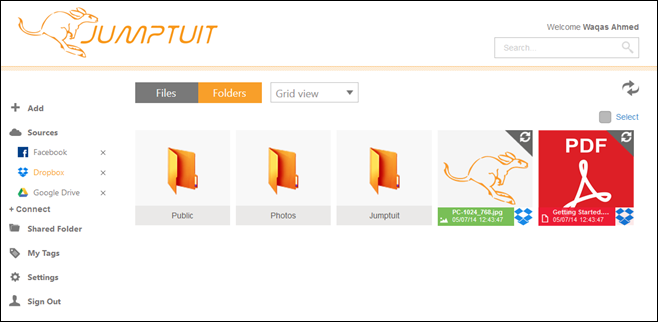
    With so many cloud storage services and social networks out there, it can get fairly hard to manage them all. Many of us try to be everywhere at once, while others need a unified place where they can easily keep an eye on their virtual presence. If you’re looking for an easy solution to consolidate your life on the cloud, Jumptuit is a new cross-platform service that aims to help you organize, move and copy files between multiple cloud storage and social media services without much hassle. It boasts a decent interface, offers a ton of great features, and supports multiple mobile and desktop platforms. Jumptuit allows you to connect a ton of different cloud and social media services including Dropbox, Google Drive, OneDrive, Flickr, Facebook, Vimeo, Box, YouTube and more. Once that is done, you can easily move files from one service to another, or access the same content from multiple devices thanks to the native apps available for supported platforms. It even has a web interface that can be used in any web browser on your mobile or PC.

    4. Tweetbits

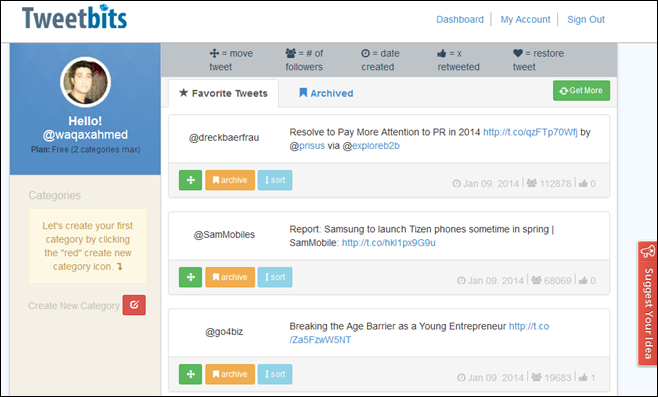
    Tweetbits

    Nothing beats Twitter when it comes to micro-blogging. The service has proven to everyone that much can be said in 140 characters, and the ability to gain a strong following online is very much plausible for anyone who puts the effort into it (you might have heard of them Twittelebrities). Twitter fame aside, letting you organize your favorite Tweets isn’t exactly a strong point of Twitter when it comes to its native features. And if you’re one of those people who love favoriting one tweet after another, you would know how tedious it can become to find a particular previously favored tweet from the list at a future point. Enter Tweetbits – a third-party web app for Twitter that lets you organize your favorite tweets by grouping them in custom categories.

    5. Mypermission Cleaner

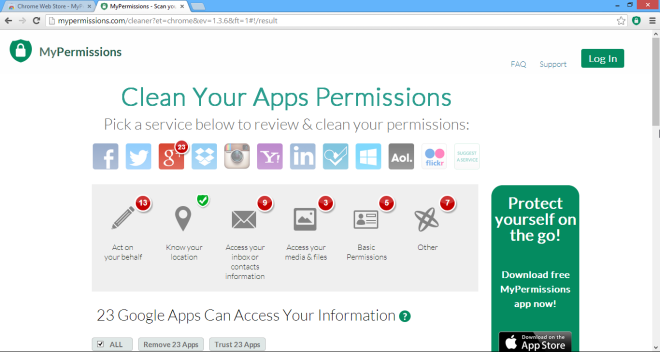
    MyPermissions-Cleaner_Apps

    Every time we get on the internet, we put our privacy at stake, owing to the fact that the very services we heavily rely on are leaking our private info to third parties. That the data is mostly mined by marketing companies for advertisement purposes, or lately by intelligence agencies like NSA for mass surveillance of internet users. Though recently, a new breed of personal data collection has emerged in the form of app permissions. If you’ve ever used cloud services like Dropbox or SkyDrive and social network such as Facebook and Twitter, and have linked one of your accounts to a new web app, you might already be aware what app permissions are. MyPermissions Cleaner is a web service with a Chrome extension and apps for iOS and Android that lets you quickly clean up any previous app permissions of web apps that you may have granted during sign up process. MyPermissions Cleaner automatically scans your major online accounts on services like Google, Facebook, AOL, Dropbox, Microsoft, Instagram, Flickr etc. and lets you know what apps have access to your personal data, allowing you to manage these permissions under one roof, as well as revoke the ones you don’t need anymore.

    6. Cortex

    Cortex-Share

    They say sharing is caring, and in today’s modern society, the internet is the best resource to gather and share information with others. Therefore, people are constantly engaged in sharing pictures, photos, videos and other form of media through social networks and other content sharing services.  But if you still find it hard to instantly share any type of content with your friends and others on social media, and use Google Chrome as your primary web browser, Cortex is probably one of the best extensions to help you tackle this problem. It lets you share photos, videos, news, blog posts, graphics and other type of links to a wide array of networks with a single mouse click. Cortex supports pretty much every popular online sharing service as of this writing, including Facebook, Twitter, Tumblr, Instapaper, Pocket, Gmail, Backplane, Postrous as well as Share to all. In addition, it allows you to share almost any kind of content you come across the web.

  • Back With a Vengence: Sony Unveils 185 TB Cassette Tapes

    Back With a Vengence: Sony Unveils 185 TB Cassette Tapes

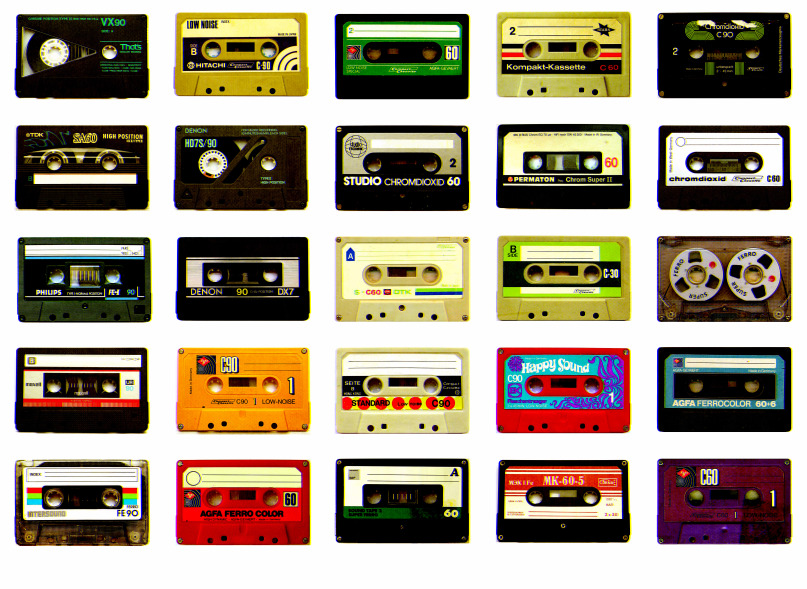
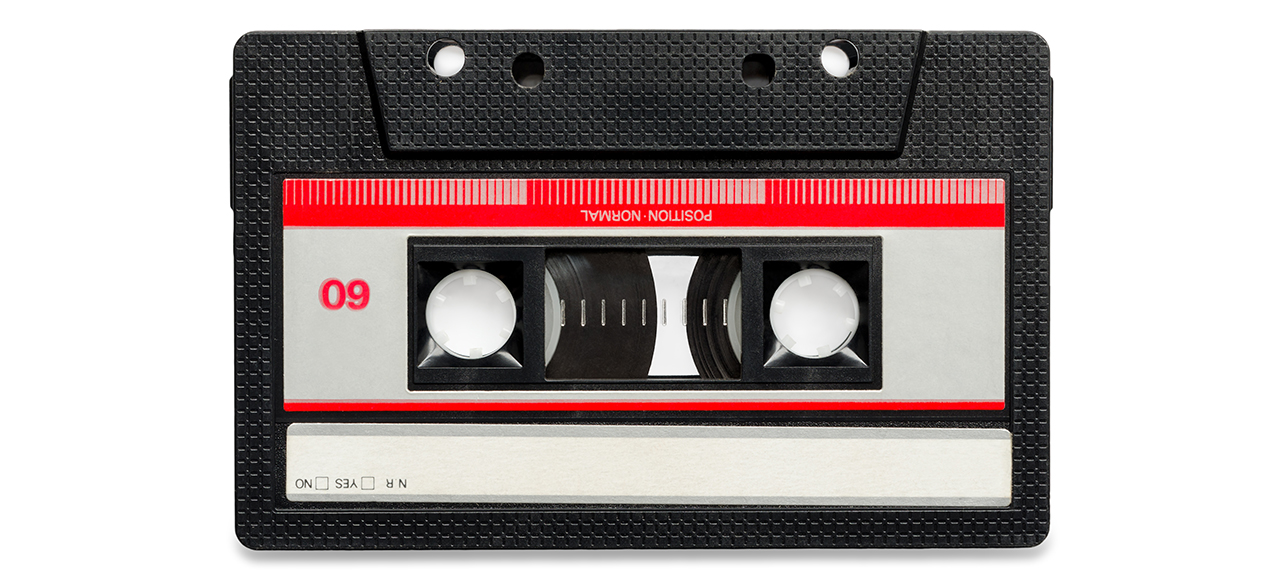
    CD’s and iPods made you stuff your old Michael Jackson, Enigma and Celine Dion cassettes in your attic. But remember a time when the cassette tapes dominated the sales market?  In 1990 alone, a overwhelming 442 million tapes were sold. However, with the rise of the CD, the birth of the MP3, and the ultimate restoration of vinyl, sales of cassettes dwindled. By 2007 only a mere 274,000 individual cassettes were sold.

    Now, though, Sony has brought the cassette back from the dead by unveiling a tape that can hold a massive 148 gigabytes per square inch. If you can’t do the math, that’s 185 terabytes of total data. Well I guess, we will soon be tossing our iPods into the trashcans.

    cassette1

    185 Tb actually is huge data size; if calculated the super tape can hold 3,700 Blue-ray’s or a total of 64,750,000 average 3 min. songs

    The tapes were unveiled in International magnetic conference. These Sony cassettes can hold data 74 times more than the standard cassettes. According to Gizmodo:

    [quote text_size=”medium”]

    “The tape uses a vacuum-forming technique called sputter deposition to create a layer of magnetic crystals by shooting argon ions at a polymer film substrate. The crystals, measuring just 7.7 nanometers on average, pack together more densely than any other previous method.”

    [/quote]

    The tape will be accessible for commercial sale, but no word yet on a release date. However, as Gizmodo points out, the super tape was formerly developed for “long-term, industrial-sized data backup” and not essentially for music, game, and video storage and playback.

  • Quick Tip: Sync Your iPod to a New Desktop Without Losing Music

    Quick Tip: Sync Your iPod to a New Desktop Without Losing Music

    Picture this: You’ve recently bought a new computer (the last one died out on you.) Once you sync your iPod to it, all your old songs vanish. Still aching from pains of your laptop dying, losing out on all the music you’ve collected through the years – might just be too much to handle.

    There is an alternative, it’s quite a simple task to change the sync settings on your iPod. Here’s what you need to do:

     Things You’ll Need
    [icon name=”square-o”] iTunes
    [icon name=”square-o”] iPod

     Instructions

    [icon type=”rectangle” size=”small” name=”e-check”]Download and install iTunes on the new computer.

    [icon type=”rectangle” size=”small” name=”e-check”]Connect the iPod you’re syncing to the new computer using the player’s USB cable.

    [icon type=”rectangle” size=”small” name=”e-check”]Open the iTunes software. Wait a few seconds and the name of the player will appear in the left iTunes column (under “Devices”). Click the iPod name.

    [icon type=”rectangle” size=”small” name=”e-check”]Various tabs will appear listed near the top of the iTunes program

    [icon type=”rectangle” size=”small” name=”e-check”]Click the “Summary” tab. Options will be visible in the middle of iTunes.

    [icon type=”rectangle” size=”small” name=”e-check”]Click on the box that is positioned directly next to the “Manually manage music and videos” option.

    [icon type=”rectangle” size=”small” name=”e-check”]Click the “Apply” button, found under the previous mentioned options. The iPod will sync to the new computer without any damage.

  • World’s Most Luxurious Aircraft: A Look at Etihad’s A380

    World’s Most Luxurious Aircraft: A Look at Etihad’s A380

    Etihad Airways has reached sky limits in terms of luxury by introducing a private suite complete with a living room, double bedroom, dining table separate, and an en-suite shower room. The three-section personal cabin on their new A380 features a lounge area, a bedroom and a bathroom.

    Luxury Lobby for First class ticket holders.
    Luxury Lobby for First class ticket holders.

    Each of the Abu-Dhabi based airline will feature one residence, which can be occupied by two people. The residence bedroom features a double bed, joined to the living room by a short corridor. The living room features a two-seat leather couch, a dining table and private minibar. Both the living room and bedroom feature LCD television screens for in-flight entertainment.

    Personal Sky Suites with LCD TV and Bed
    Personal Sky Suites with LCD TV and Bed

    By the middle of next year, Etihad’s A380 servicing the Sydney-Abu Dhabi route. The prospective passengers flying to London, Melbourne,New York and Paris will next in line to get their own luxuriously equipped A380’s.

    Etihad’s aircraft’s already feature private chefs, but this is the first time any airline has offered a dedicated, skilled butler. This new aircraft will also feature nine first-class “apartments” in a 1-1 configuration on the upper deck. Six of which will have linking doors for those traveling together, and all will have access to a shower room. The first class suites will be 74 per cent larger than the existing Etihad first class product.

    Full Size beds for a hotel in air experience.
    Full size beds for a hotel-in-air experience.

    The A380 is the world’s largest airliner, measuring 72-metres long and with a wingspan of just under 80 metres. It’ll carry 498 passengers, with two residence guests, nine first class, 70 business class and 417 economy class passengers. The size of the A380 has allowed Etihad to do dabble around with the interiors, which was impossible before. Singapore Airlines, the first airline to take delivery of A380s, set the precedent by creating private “suites” in its first class cabin. Emirates, too, broke new ground with its A380 by becoming the first airline to install showers on-board.

    First plane to provide Showers In-Flight.
    First plane to provide Showers In-Flight.

    The price has not yet announced officially , but considering the amount of money and effort they have put in  for this service, it is speculated to be approximately $20,000.

    Carriers in the Middle-East and Asia are competing on their finest hand-outs in order to draw high-end travelers. The airlines in other parts of the world, including Qantas, have reduced the number of planes offering first class seats to put a focus on mid-range premium economy travel.

  • Snapchat Update: Video Chat and Texting Features Added

    Snapchat Update: Video Chat and Texting Features Added

    Snapchat claims that over 700 million pictures are shared everyday on their service, which would make it the most-used photo-sharing app — compared to Facebook, WhatsApp, and others. And now they have come up with new feature by which you can text and video chat as well. Staying true to their philosophy the text messages disappear as soon as the conversation is over. They hope to make video chats feel unforeseen, attempting to reproduce momentary meets on a street corner. Unlike Skype calls, which always prove to be tedious to plan out with friends.

    snapchat23-year-old CEO, Evan Spiegel in an interview with ‘The Verge’ said that the reason none of his friends video call each other on a daily basis is because “calling” was born of an era where software needed to imitate real-world tools. “What does a phone look like without a ringer?” he asks. He sums up his idea more neatly. “For Snapchat, the closer we can get to ‘I want to talk to you’ — that emotion of wanting to see you and then seeing you — the better and better our product and our view of the world will be.” To Spiegel, the future of communication isn’t about rethinking or upgrading phone calls as Skype, FaceTime, and Hangouts have done. It’s about imagining a future that leaves the phone metaphor behind entirely.
    Snapchat stripped out conventional texting-app features like read receipts, typing indicators, online statuses, and photo attachments. “Typing and read receipts make a lot of sense for messaging,” says Spiegel. “You write a letter, you put it in an envelope, you send it to a friend, and you want to know when they get it.” According to Spiegel, a modern chat app should feel like you’re really in the same room as the person you’re talking to.

    It started with sharing short-lived pictures, but Spiegel’s vision is faraway from just photos. You can call it anything — social network, utility, future-phone — Snapchat has managed to stick around, though it’s addictive features are still not so easy to classify. He’s trying to produce digital spaces with the identical closeness and immediateness we get in actual world conversations. Smartphones have altered the way we all commune with one another. But if Spiegel can achieve his vision, Snapchat could be the app that changes it back.

  • Websites We Wish We Had in India

    Websites We Wish We Had in India

    The last decade saw the entrance of e-commerce giants Ebay and Amazon, in India. The interest of overseas websites in the Indian market has consistently increased. Undeniably, our country has a huge untapped market of online users. Yet we’re still waiting and wishing to experience some amazing websites, which are a part of everyday lives abroad.

    Here’s a list of websites, we’re hoping launch here soon:

    Television and Movies

    Netflix

    netflix

    Netflix, Inc. is an American supplier of on-demand Internet streaming media accessible to viewers in North and South America, the Caribbean, and parts of Europe. They also have a service of flat rate DVD-by-mail in the United States, where mailed DVDs are sent via Permit Reply Mail. Whenever you try to access Netflix India, they crush your hopes and send you a notification informing you that it is not available in India. Though, they ask you to register and promise to inform you when it launches.

    Hulu

    hulu

    Hulu is a website subscription service offering on-demand streaming video of TV shows, movies, webisodes, trailers, clips, and behind-the-scenes footage from NBC, Fox, ABC, TBS, WWE, and many other major networks and studios. Hulu videos are currently offered only to users in the United States, its overseas territories and Japan.
    Earlier many people outside the US used to access Hulu from their respective nations. But now TV streaming service supplier is functioning on rigid rules to make sure that people out of the country are not able to access its program library. Going a step further. the company is now trying to make sure that it is able to stop anyone trying to access its library from virtual private network (VPN) or through proxy.

    Red Box Instant

    redbox

    Redbox Automated Retail, LLC is a contributory of Outerwall, Inc. specializing in DVD, Blu-ray Discs, and video game rentals via computerized retail kiosks. As of the end of November 2012, Redbox had over 42,000 kiosks at more than 34,000 locations. Redbox titles can be rented or purchased, in SD or HD quality. Redbox is also cheaper than Netflix. For $8(Rs 480 approx) a month, Redbox Instant provides unlimited streaming of movies and lets you borrow four DVDs. When customers rent a title, they have 30 days to begin watching it and then 48 hours to watch it as many times as they like. It seems like we are a long way from seeing Redbox kiosks or any similar services in India.

    Music

    Spotify

    spotify-logo

    Spotify is a profitable music streaming service providing digital rights management-restricted content from record labels including Sony, EMI, Warner Music Group and Universal. Music can be browsed by artist, album, genre, playlist, or record label, as well as by direct searches. Spotify was launched in 2008, and now it is available in over 40 countries all over the world, however India is not a part of that exclusive list. 

    There are many websites and apps which are tagged as ‘Indian Spotify’  such as Saavn,  Dhingaana and Gaana but none of the as good as Spotify. These websites are trying hard to compete with each other, but none of them have impressive music lists or social media integration – which Spotify  is known for.

    Vevo

    Screenshot-75

    Vevo is a video hosting service owned and operated by a joint undertaking of Universal Music Group, Google, Sony Music Entertainment and Abu Dhabi Media. It launched on December 8, 2009. The videos on Vevo are syndicated across the web, with Google and Vevo sharing the advertising revenue. 

    Since launching in 2009, Vevo has become the go-to place for watching music videos online. But it hasn’t been available everywhere. Though you can watch most of Vevo videos on its YouTube channel,  it doesn’t have the entire collection of videos launched by them.

    Pandora Radio

    pandora-radio

    Pandora Radio is a music streaming and automated music recommendation service operated by Pandora Media, Inc. It is only available in the United States, Australia and New Zealand. It is a feedback-based music recommendation in which the user  provides positive or negative feedback for songs chosen by the service, which are taken into account when Pandora selects future songs. While listening, users are offered the ability to buy the songs or albums at various online retailers. Over 400 different musical attributes are considered when selecting the next song.

    India’s internet market, not only misses Pandora, it currently has no such service available. Last.fm has similar features, but it is not as user-friendly as Pandora Radio. 

  • Print Goes Pocket Size

    Print Goes Pocket Size

    Some people say print is dead. With pendrives and cloud sharing, printing documents and pictures seems unnecessary. But what if you could carry a printer in your pocket or you bag. Wouldn’t that be awesome?

    the-pocket-printer-07-570x490

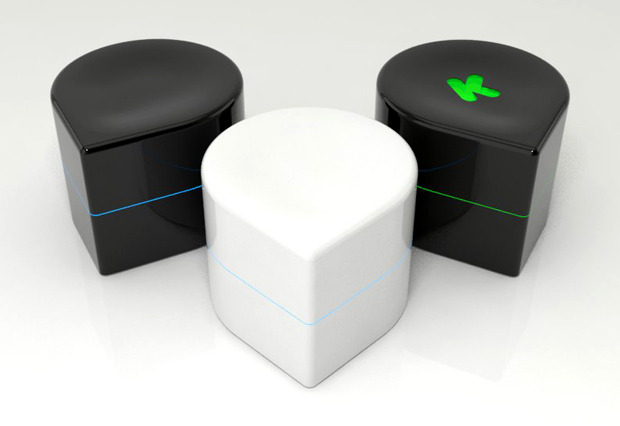
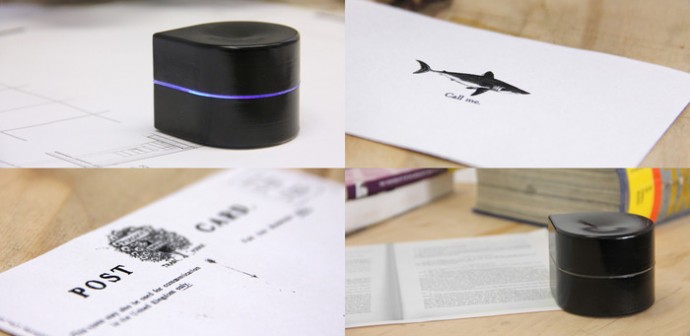
    ZUtA Pocket Printer is a simple, softball sized and is compatible with any electronic device and can be used anywhere, anytime. The idea was born when a team of students in Jerusalem College of Technology got together to add some innovation to the printing industry. As students they finishes assignments in library’s, trains, parks, and cafes. Once their work was done, they always had a hard time finding a place to print. Hence, they came up with the idea of  this portable printer. 

    Since it doesn’t necessitate any special drivers, it can be accessed via computers, smart phones or tablets, by using the traditional print function or an app. It will work with paper of any size and will print roughly 1,000 sheets of paper on a standard, disposable ink cartridge. The printer will last for up to an hour on full battery and can be recharged via a USB cable.

    Its teardrop design allow users to line it up with the angle of the paper to make sure their documents come out straight. It then rolls athwart the blank sheet on small, multi-directional wheels while ejecting ink. The printer is intended not only for smaller documents, such as tickets or notes from a meeting, but also for larger documents with multiple pages. It will be designed to wait for the user to place it on a new sheet of paper before continuing the job. An average page of text will be able to print in approximately 40-45 second.

    feaa91817c70831f55aeb41e84108a1b_large

    The design for the ZUtA Pocket Printer was stimulated by private inevitability. Elbaum, co-founder of ZUtA Labs, said that as an entrepreneur he has often found himself functioning on the go and it befuddled him that, given everything else we can do, we still can’t print from mobile devices. Other devices advertised as portable are constrained to the size of the paper they use, which means that they can’t be nearly as mobile as the ZUtA product.

    The Kickstarter campaign for the ZUtA Pocket Printer has been widely successful. It has raised more than $450,000 out of a $400,000 goal with 12 days still on the clock. The device, which will retail for about $240, is expected to go to production in September and be shipped to Kickstarter backers in January.


  • Decoded: Top 5 Cloud Storage Services

    Decoded: Top 5 Cloud Storage Services

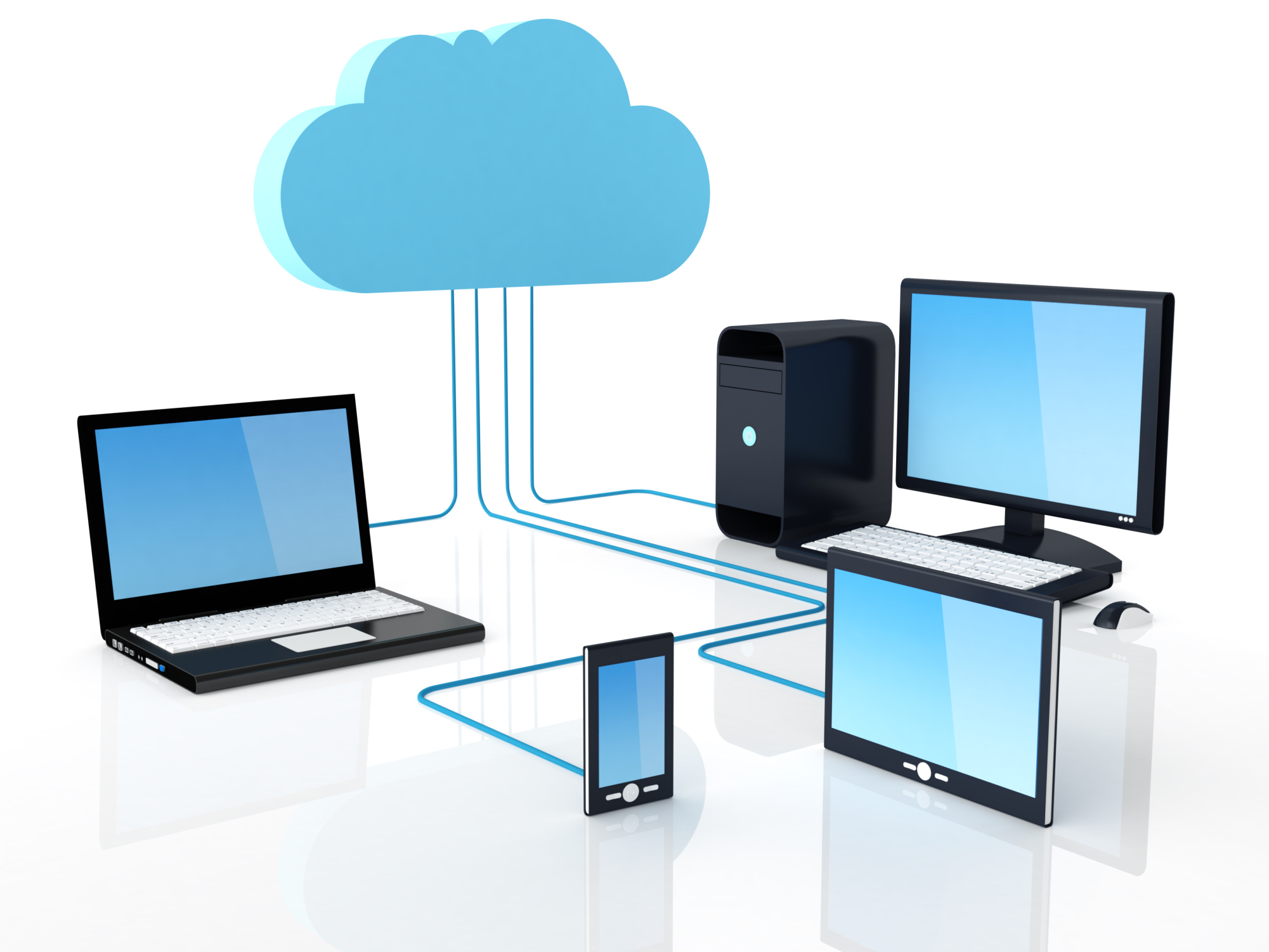
    Juggling between smartphones, desktops, laptops and tablets makes it increasingly hard to keep track of all our files. For example, as easy it is to snap a picture, the harder its become to keep tabs of the every-growing bulk of images. We tend to keep scattered folders for our pictures on various storage devices and laptops. Cloud storage rescues us from these restraints, ensuring that the files we need are available where and when we want them. Clearly, it should now be a fundamental part of our modern, mobile lives.

    The ultimate advantage? You never have depend on your gadgets or fear losing any important data. We review the best cloud storage services and see what each of them have to offer:

    Dropbox

    9dfac0a1-f48a-128f-bbe2-c70fd89c9d80-mzl.fezmebazDropbox is the only online storage solutions to offer clients for Linux and Blackberry, along with the usual Windows, Mac OS X, Android and iOS standards – even though an official Windows Phone app still remains indefinable. This goes a long way to ensuring that your data can be with you, no matter what kind of technology you want to use. The basic free account provides a with a somewhat small – in contrast to competitor services – 2GB of storage. For documents, this amount works, however if you want to store any kind of media – photos, music, or video – it will fade away very fast. You have an option of investing and upgrading to the 100GB plan. Dropbox also offers 500MB of additional free storage for each friend you get to sign up to the service – with a limit of 16GB.
    Overall it is an excellent cross-platform service, a benchmark which is hard to compete. It may lack several services which others provide, but its user-friendly interface and multi-technology compatibility makes it one of the most popular choices.

    Google Drive

    google_drive_logo_39631 Google drive is a heart of various services Google currently offers. It offers 15 GB of free space on signup or when you link it with your old Google account. Drive works in the same fashion as most cloud storage solutions, with a local folder on your PC linked to a replica for cloud version. The interface across the apps is smart and simple to navigate, with a basic file tree showing where your data is kept. You can choose specific files to be available offline on the mobile versions, and these can be edited – if they were created in Google Docs – then synced when you return online.

    Google Drive is the most munificent of all the services in this category. If you live in the Google universe then it actually is an brilliant storage option, predominantly if you use Google Docs a lot.

    Streem

    streem

    Our Favourite find! The lesser known Streem is a cloud-based hard drive that offers unlimited storage space for your files. All files are securely stored in the cloud and streamed to you on-demand, saving you terabytes of space on your devices. Unlike other cloud storage services, you are not require to store your files on your hard drive and sync them to the cloud. All your files are securely stored on the servers and streamed to you on-demand.

    The edge about this storage service is that they give you free unlimited storage and that you don’t have to keep a copy on all of your computers in order to access them. As long as you have an internet connection, you’re set.

    Box

    BoxSometimes mistaken for the similarly named Dropbox, Box is the eldest of it’s competitors, having launched in 2005. It’s major focus is cloud computing for business side of the market and has impressive enterprise reputation.

    Box still offers solid personal storage options, however, with a generous 10GB of space for any new account. However Box limits the file size to 250MB, which is a major drawback. This is noticeably lower than the 10GB limits of both Google Drive and Dropbox, with OneDrive’s 2GB limit still plenty for most people. Of course 250MB is more than sufficient for most documents and spreadsheets, but if large media files – especially videos – are part of your plan then this could be a problem.

    OneDrive

    onedrive

    Much of the functionality of OneDrive (previously SkyDrive) is equivalent to Dropbox, with its apps available to Windows, Mac, Android, iOS, and of course, Windows Phone users. Microsoft to attract more users launched as offer whereby users gain 500MB of storage for every friend that signs up to an account through them.There’s also an added 3GB offered if you link OneDrive to your mobile phone’s camera roll, enabling it to routinely back up your photos online.

    The OneDrive interface is similar to Windows 8’s Modern UI design. You have a choice between the boxy style or a more traditional file tree. Folders and files can be created on the web, including Office and OneNote formats thanks to tight Office Online integration. They’ve also added a social element to the web version – a range of popular messaging services are accessible to be connected to your OneDrive account.


iGyaan Network
Privacy Overview

This website uses cookies so that we can provide you with the best user experience possible. Cookie information is stored in your browser and performs functions such as recognising you when you return to our website and helping our team to understand which sections of the website you find most interesting and useful.