Category: Apps and Software

Games, Apps, Softwares, Operating Systems and Software Hacks

  • Now Enjoy High Frame Rate Videos on YouTube App

    Now Enjoy High Frame Rate Videos on YouTube App

    Today, Google has announced that the YouTube’s iOS and Android app will support HFR playback, meaning that you can watch Mario steer through obstacles at a smooth 60fps on your phone, just like you see it on your Xbox or PS4. The announcement follows the one Google made in October last year, as it rolled out HFR video for YouTube, allowing users to watch videos with a smooth playback on web browsers.

    Over the past few years, High Frame Rate (HFR) video playback has been a craze around the world. The feature plays videos at 48-or-60 fps, as compared to the normal 24 fps playback. Videos playing in high frame rates appear silky smooth and without motion blurs. It is usually used by gamers who upload footage from video games and want the same quality they expect from a  PS4 or Xbox. YouTube currently offers HFR playback only on HD videos.

    Since Google is updating the content from the servers, Android and iOS users don’t have to update their apps to access HFR videos. If the video has been uploaded in HFR format, all users would have to do is select the resolution, which will be marked as 720p60 or 1080p60. The app users won’t be able to view live streaming in HFR though. In May, Google extended HFR support for live streaming for desktop users.

    youtube

    If you have no idea how HFR video looks like, play the video below and select 720p60 or 1080p60 to enjoy the smooth playback. Trust us, you’ll know the difference.

  • Ola Will Counter Uber by Launching its Own Courier Service in India

    Ola Will Counter Uber by Launching its Own Courier Service in India

    It seems Ola is bent on conquering the Indian market before its rival Uber does. After venturing into food delivery service and groceries, the company now wants to get into logistics services. According to a report, Ola has started testing a delivery service along the lines of UberRUSH, Uber’s courier service. The service will reportedly launch by mid-July.

    As reported, the service will deliver shopping orders at the customer’s doorstep within three hours. Apart from that, customers can also use Ola app for various purposes, from sending parcels to picking up laundry. Ola is said to have tied up with several businesses including florists, bakeries, laundries and ice-cream parlors. Moreover, apart from cabs, the deliveries will also be carried out on motorbikes and bicycles.

    It will be interesting to see how Ola’s new move will disrupt the traditional logistics service. Ola already operates more than 18000 taxis across India, and if the company adds bicycles and motorbikes for its delivery service, it could become one of the most efficient logistics services in the country. It will be a matter of concern for major logistic providers such as BlueDart and DTDC if Ola decides to foray into shipping services. So far, there is no mention of such intentions by Ola.

    Ola is probably playing it smarter by launching a service similar to Uber’s courier service before Uber does it. If the move is successful, Ola might achieve the same level of success that Uber has achieved in the US.

    Source : [tw-button size=”small” background=”” color=”” target=”_blank” link=”http://www.bgr.in/news/ola-to-launch-an-uberrush-like-courier-service-in-india-report/”]BGR[/tw-button] [tw-button size=”small” background=”” color=”” target=”_blank” link=”http://www.thehindubusinessline.com/industry-and-economy/logistics/ola-set-to-do-a-uber-in-india-with-collection-and-delivery-service/article7367614.ece”]The Hindu Business Line[/tw-button]

  • Google Updates Hangouts for iOS Users

    Google Updates Hangouts for iOS Users

    Good news for iOS users who still use Hangouts. In a blog post, the company announced “Hangouts 4.0”, an improved version of the messaging app for iOS. The new update includes bugs and performance fixes and a new design.

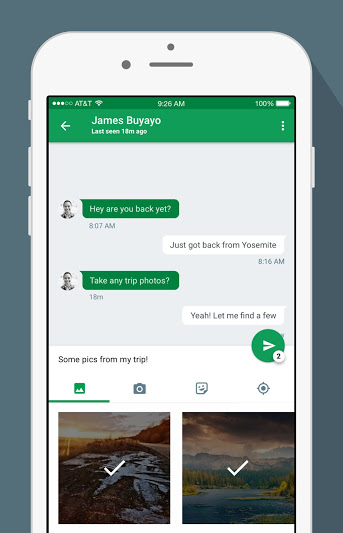
    The most notable improvement in the new Hangouts is the easier access to send photos and stickers. In the previous versions, the option was hidden behind a paperclip button. In the new version, the attachment options are now located on a strip below the text entry field.

    Hangouts_iOS_Share_Photos

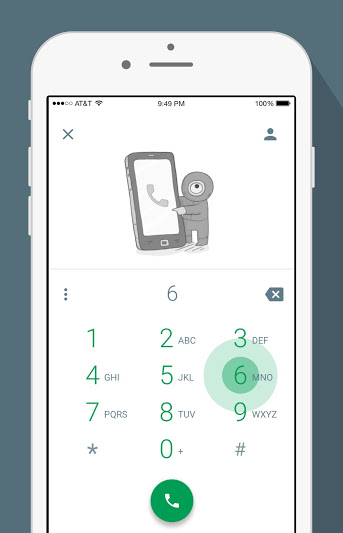
    The strip makes it easier to select photographs and stickers without exiting the chat window. The camera button will open a mini viewfinder below the text field. The new version features a Quick Compose button that finds the most frequent contacts and starts a new conversation. The dialler gets a new user interface as the standard buttons have been replaced by green floating action buttons – circular buttons that lift and display an ink reaction on a press.

    Hangouts_iOS_Dailer

    The update also includes many bugs fixes and performance improvements. Hangouts 4.0 is currently available on the App Store. Google will soon announce the Android update for Hangouts.

  • Windows Phone Users Can Finally Make Calls Via WhatsApp

    Windows Phone Users Can Finally Make Calls Via WhatsApp

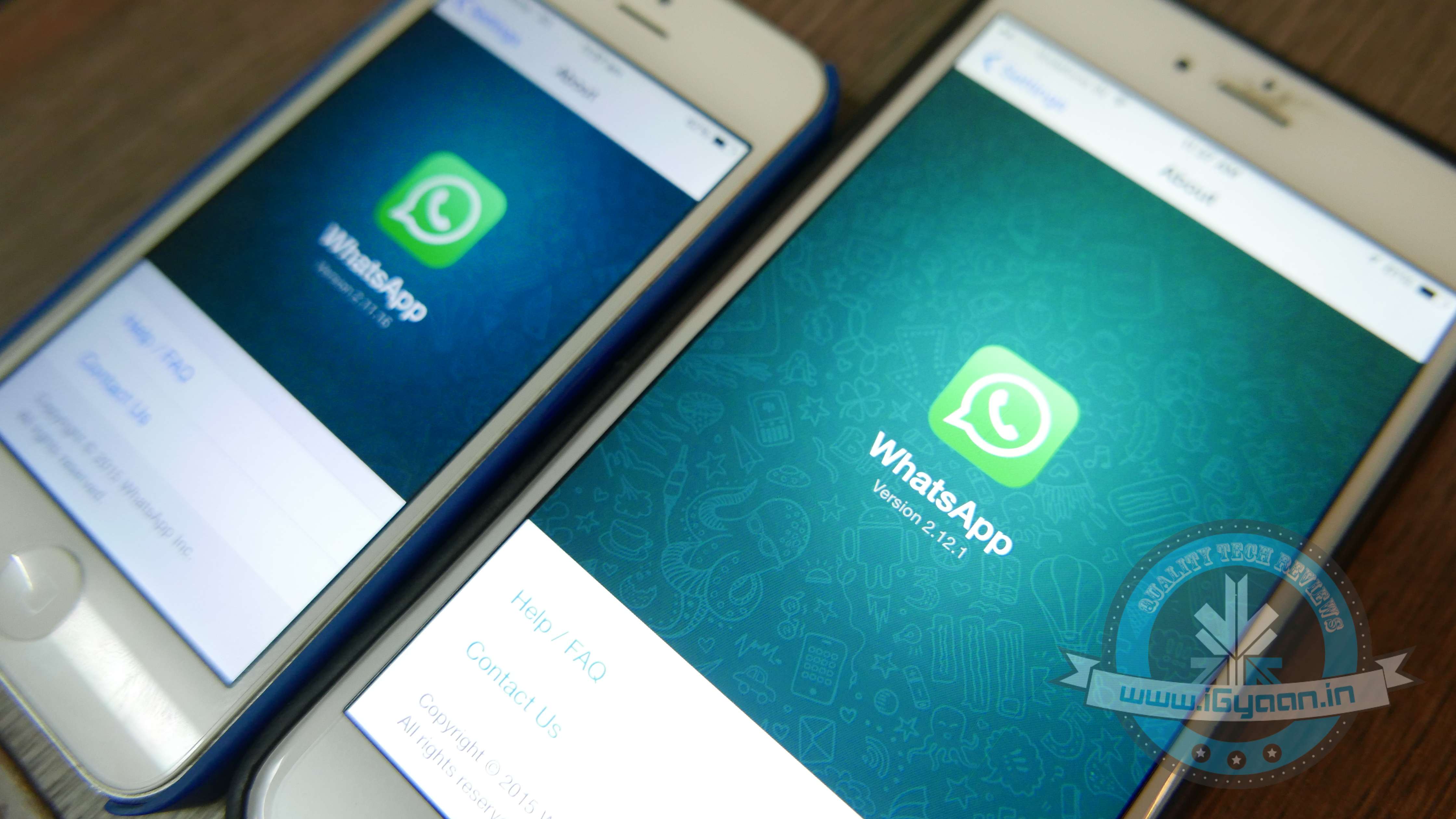
    Windows Phones users were left behind in the race to get WhatsApp’s most coveted feature. They were disappointed when WhatsApp introduced the voice-calling feature for Android and iOS users in April. Today, they can celebrate as the popular messaging app has enabled voice-calling for devices supporting Windows 8 and above.

    WhatsApp first introduced the voice-calling feature in March for Android users. In April, the feature was rolled out in an update for iOS users.

    WhatsApp 1

    Voice-calling will be made available in the version 2.12.60. The feature allows WhatsApp users to call each other for free using the Internet. Users have noticed that the interface is similar to the one used by Android for making regular calls. WhatsApp previously allowed users to make regular calls from the app itself, which has since been replaced by its own call-making feature.

    Although smartphone users were thrilled to be able to make VOIP calls through their favourite messaging app, they soon realised it wasn’t that big a deal. The feature is still not popular in India due to slow internet connectivity.

  • Microsoft Office Apps Now Officially Available for Android Smartphones

    Microsoft Office Apps Now Officially Available for Android Smartphones

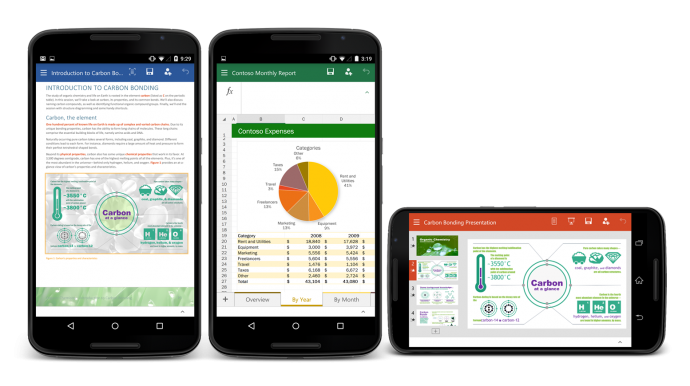
    From today, Android users can create and edit documents on-the-go using the Microsoft Office on their smartphones. Microsoft has released Office for Android smartphones and it is available for free on the Play store. Last year, Microsoft released a version of its popular productive suite for iOS platform and in January, it released a version of Android tablets.

    Like the tablet version, Ofiice for Android will only support KitKat and above.The app’s interface is similar to its iOS counterpart, due to the cross-platform approach adopted by Microsoft. Users can make simple edits to documents, spreadsheets and presentations. Unlike Office 365, which requires subscription, Office for Android hasn’t been designed to handle full workload. Microsoft has also introduced full Dropbox and One Drive support for the Android version.

    Office For Android

    In April this year, CEO Satya Nadella revealed that Microsoft Office for iOS and Android was downloaded approximately more than 100 million times. For the past few months, Microsoft has been ensuring that its products are available across all platforms. Microsoft is trying to retain the MS Office customers by offering them a free version of its popular software on Android, iOS and Windows phone platforms. The move is seen as a counter against the various free productivity suites available on iOS and Android.

  • Another Useful Hidden Feature of iOS 9 Discovered

    Another Useful Hidden Feature of iOS 9 Discovered

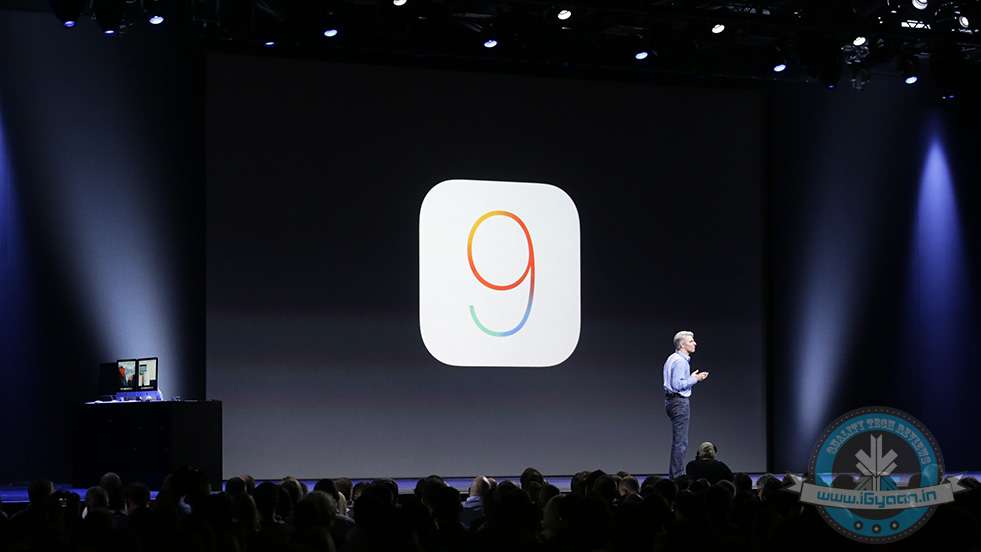
    At this year’s WWDC, Apple made a string of announcements about its future. Especially Apple iOS 9 was seen to be a major overhaul. The company showed off the software’s multitasking featurelow power mode and Siri’s Proactive mode. However, Apple didn’t disclose many fresh apps and exciting features, which make its OS all the more seamless.

    According to a new report, iOS 9 can delete apps temporarily to accommodate software updates. If the operating system is short of storage, it will prompt the user to temporarily delete the apps before installing the updates. After updates have been installed, iOS 9 will automatically re-install those apps.

    https://twitter.com/Kaleb_Butt/status/613403921512411136/photo/1

    The feature was discovered by developers who installed the new beta version of iOS 9, as per a report by 9to5Mac. According to the report, the data will remain intact.

    One of the main criticisms of iOS 8 was the amount of exorbitant space it took for installing updates. To make up for it, Apple announced at 2015 WWDC that the new iOS would only require only 1.35 GB of space, a huge improvement from iOS 8, which used 5.5 GB. The announcement was a relief to the iPhone users who use the 16 GB variant.

    With iOS 9, Apple is making efforts to utilize the storage space. At WWDC, Apple mentioned that developers will be able to “thin” their apps, freeing up more storage for media and other content.

  • Microsoft Again Clarifies About Who Gets Windows 10 for Free

    Microsoft Again Clarifies About Who Gets Windows 10 for Free

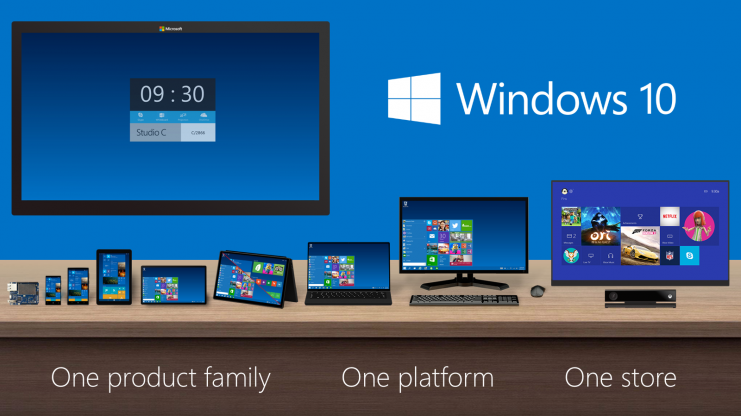
    A few days ago, Microsoft declared that anyone who has signed up and installed the preview version of Windows 10 would get a free upgrade. It seemed an easy way out for those who were using the pirated or non-genuine versions of Windows XP/Vista/7/8.1. In a recent blog post, Microsoft has clarified that the method is not as simple as it seems.

    According to Microsoft’s Gabe Aul, those who have installed the Windows 10 preview will get a free copy, as long as they keep receiving the pre-release updates. “Since we’re continuing the Windows Insider Program you’ll be able to continue receiving builds and those builds will continue to be activated under the terms of the Windows Insider Program,” Gabe wrote in the blog post.

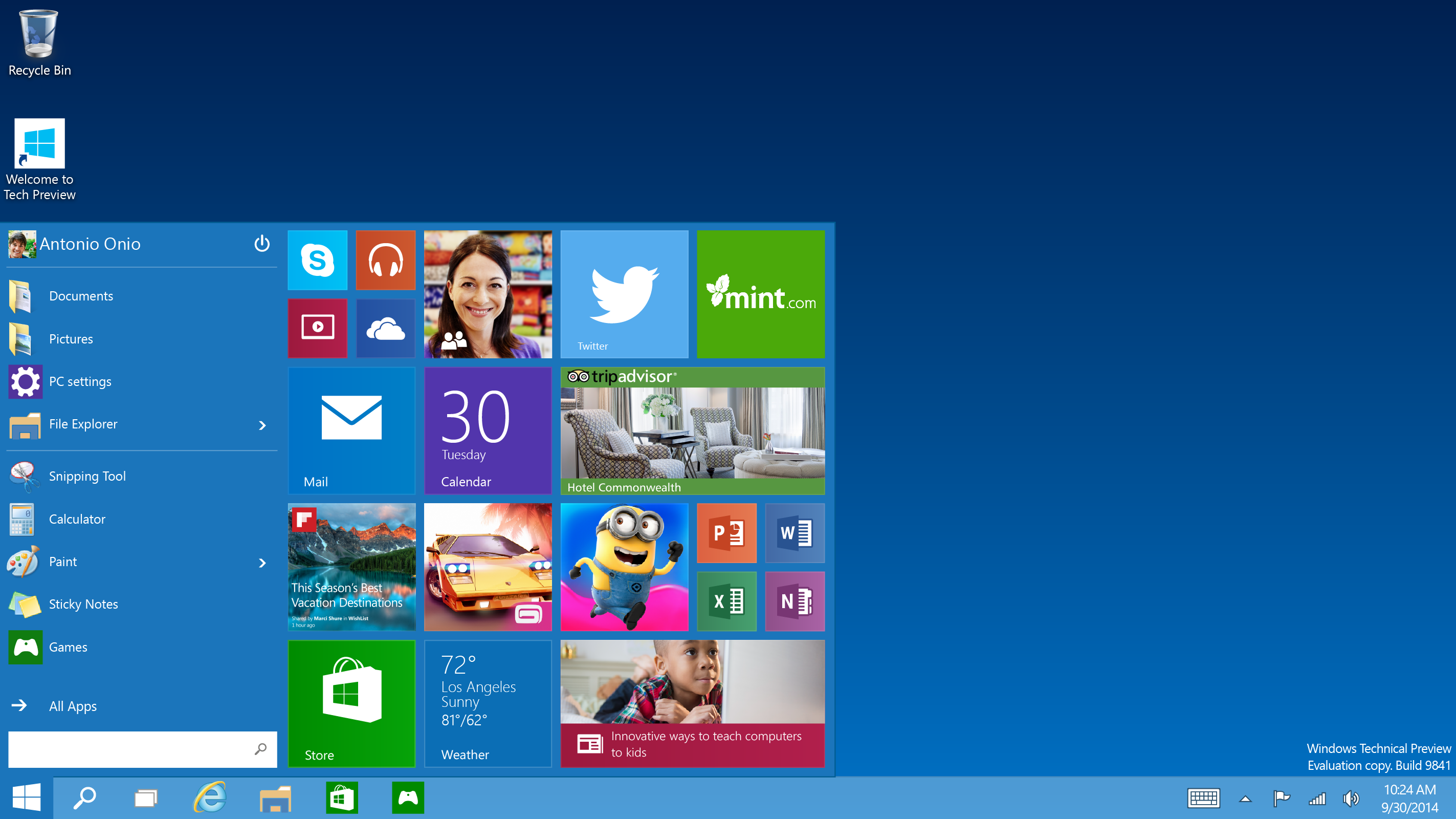
    Tech-Preview_Start-menu

    If a user installs the preview version, upgrades to the final version on July 29th and then opts-out of pre-release updates, he/she will not receive the free copy. According to Microsoft, the preview build will expire without the updates. The user then either has to buy a new license to keep the build or roll back to the previous OS version. “This is not a path to attain a license for Windows XP or Windows Vista systems,” Gabe wrote.

    Genuine Windows 7 or 8.1 users will still receive a Windows 10 free upgrade on July 29th.

  • The One App You Should Download for Easy, Quick and Safe Photo-Sharing

    The One App You Should Download for Easy, Quick and Safe Photo-Sharing

    Exchanging pictures and videos through emails or messaging apps comes with two problems – one is the procedure of attaching them, and two, sometimes, we are not sure if it is safe or not.

    If you are one of those people who face the above dilemma, then ‘Shoot’ is the perfect app for you.

    shoot for windows

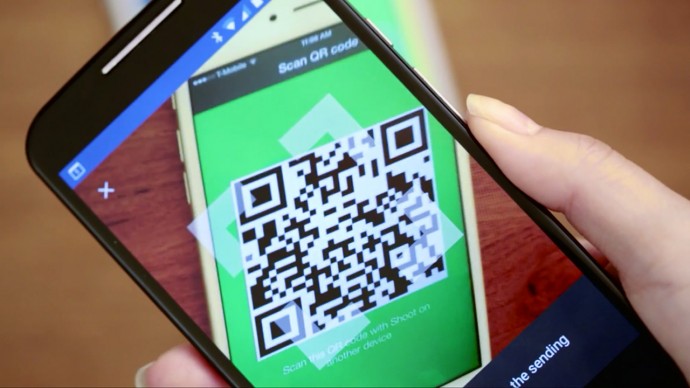
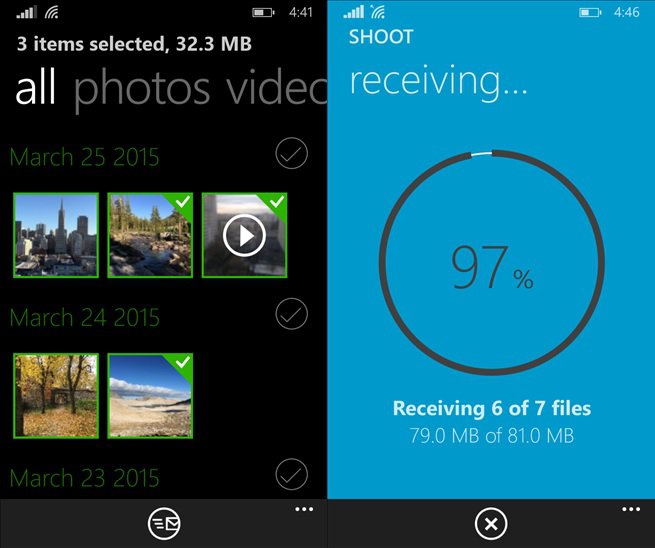
    The app is developed by one of the famous companies that are best known for its torrent clientele, BitTorrent. Via Shoot, you can easily share your photos with your friends, regardless whether it is an iOS, Android device or a Windows Phone using QR codes for authentication. If you want to send some files to your friend, you can choose the file you wish to send and your phone will display a QR code. The person to whom you are sending the file to, the receiver, will have to scan the QR code, and the data will be transferred using the BitTorrent Sync Technology. Since Shoot is powered by the BitTorrent protocol, files move instantly between devices without going through the cloud, and hence they are less likely to be hijacked. Also, they are transferred faster, regardless of the network of the connected device.

    You may say that we have Bluetooth and other messaging apps that do not require the hassle. Well, Shoot’s two main winning points are:

    • It is easy to send large batches of media files to several devices at one time. There is no limit on the quantity of files that can be moved using the Shoot app.
    • Privacy, since nothing goes up on the Cloud service. That is, the files are only being accessed by you and the recipient – the company’s servers aren’t acting like a middleman in the process. Data is shared directly instead of requiring files to be uploaded to a central server and then downloaded by the recipient.
    • BitTorrent Shoot doesn’t require the two devices to be on the same Wi-Fi network, which is a plus.

    Erik Pounds, BitTorrent Sync’s VP of product management, explained:

    If you’ve ever experienced a situation where you’re on iOS and a friend next to you has an Android phone, sending something like a big batch of photos or a long video is a challenge. We based the use case around spontaneity: You could be at a concert with friends, recording a video; on vacation with your family, taking tens/hundreds of pictures; maybe at a birthday dinner, capturing a group serenade.

    You can download the app now directly from Google Play, Apple’s App Store, and the Windows Phone Store. Just for trial, you can send three files for free using Shoot. After this, you will be asked to pay a one-time fee of $1.99. Receiving is free. Though, this is how the app generates revenue (yes, Shoot does not show any ads.)

    It will be interesting to see how QR codes work out in the future for exchanging data through different devices.

    You can check out how the app works below:

    https://www.youtube.com/watch?v=GOaOycHcNO0

  • Tech Giants Collaborate to Build a Program That Speeds Up Browsers by 20 Times

    Tech Giants Collaborate to Build a Program That Speeds Up Browsers by 20 Times

    Top minds of the tech industry are making collective efforts to construct WebAssembly. Known as ‘wasm’ in short, WebAssembly is a new intermediate representation for safe code on the Web, being prepared by Google, Apple, Microsoft, and Mozilla. The new bytecode enhances the speed of the browser by 20 times, therefore, decreasing the computing time of the content to milliseconds. In simple words, bytecode is a set of instructions read by computers that helps browsers load faster.

    Currently, the conversational language of browsers is JavaScript, through which they interpret codes and flash content on any website. Mozilla’s asm.js has been in use since long, which decreases the loading time of a webpage, but WebAssembly bytecode makes the browser even faster. It is more efficient for both desktop and mobile browsers than the full source code of a Web page or app.

    web-assembly

    JavaScript creator and former Mozilla CEO Brendan Eich said in a blog post:

    asm.js is great, but once engines optimize for it, the parser becomes the hot spot — very hot on mobile devices. Transport compression is required and saves bandwidth, but decompression before parsing hurts.

    The project aims at providing features of JavaScript’s low-level subset asm.js that produces optimized JS code, and improves its range to other programming languages, like Microsoft’s C#, Google’s Go, and Mozilla’s Rust. Some sources state of it administering the complex data visualizations, Web-based animations, and large JS-driven Web or mobile apps.

    The collective project is under development stage and there is no mention of when the project will conclude. But this is sure to be a norm in the recent future.

    [tw-button size=”medium” background=”” color=”blue” target=”_blank” link=”https://brendaneich.com/2015/06/from-asm-js-to-webassembly/”]Source[/tw-button]

  • 10 Hidden iOS 9 Features That are Sure to Make iPhones Way Smarter

    10 Hidden iOS 9 Features That are Sure to Make iPhones Way Smarter

    Apple iOS 9, announced at WWDC, was seen to be a major overhaul. The company showed off the software’s multitasking feature, low power mode and Siri’s Proactive mode. However, Apple didn’t disclose many fresh apps and exciting features, which make its OS all the more seamless, bridging the gap between the two major operating systems – Android and iOS. Apple has borrowed many features from Android, along with incorporating many firsts.

    A few of you may not agree with us if you go by the announcements made at the launch, but there’s lots more. We have listed some of the hidden features that prove iOS 9 is a cut above the previous iterations.

    1. Universal App Search
    ios-9-settings-search

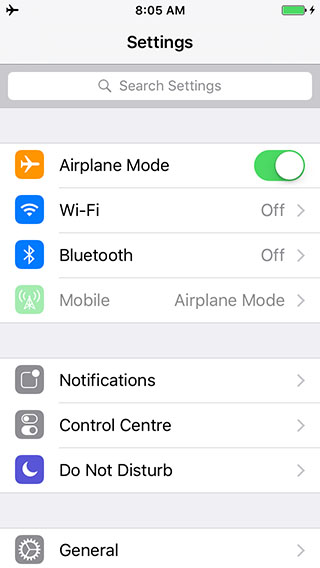
    We are sure you’re going to love this. The newest iOS 9 accommodates a Search bar on top of Settings, allowing you to search any app within the menu. The Settings option is better than ever, enabling you to pick any specific app from the mess just by typing its initials or the full name. For example, if you type ‘Battery’, the Battery feature will appear in front, hiding all in the background. You can tap on it, and its settings will come up, allowing you to make a choice.

    2. Tweaked Shift Key
    swiftkey-ios 9

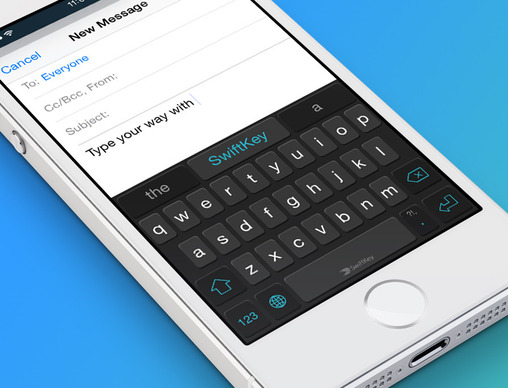
    This one was on Android since long, but Apple has incorporated it now with iOS 9. Pressing the shift key allows you to switch between upper case and lower case, rather than only the shift key changing colour and characters not swapping to lower case. We soon won’t need to remember which colour was for caps.

    3. Your Keyboard Now Acts as a Trackpad
    two-finger-gesture-ios 9

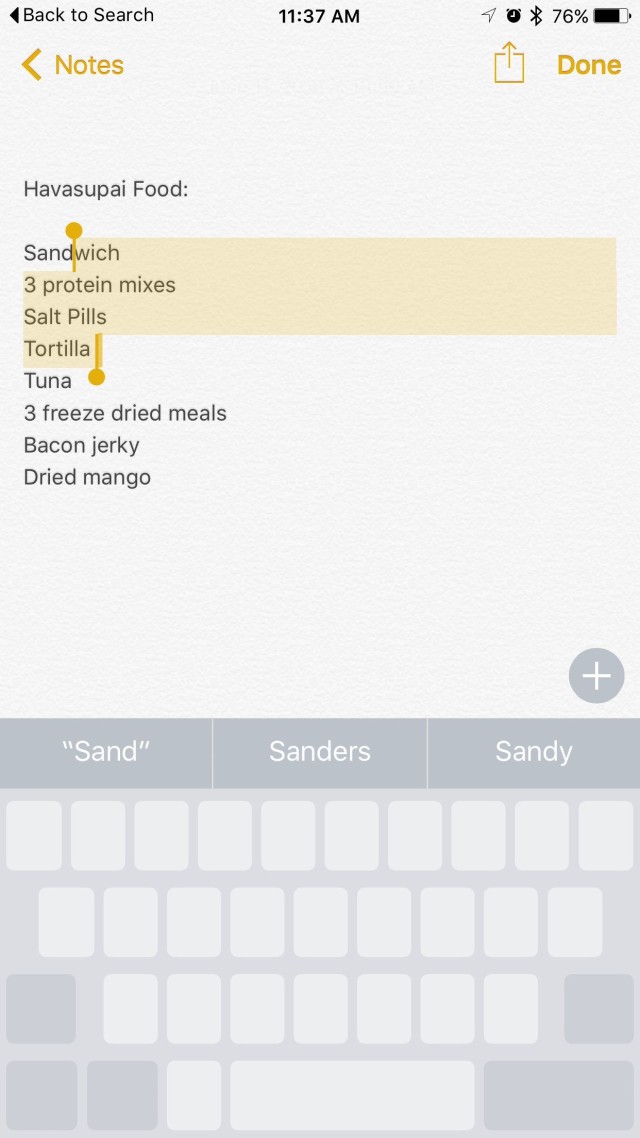
    Even Android disciples will shift their loyalty to Apple after hearing this; well, some might. Earlier limited to iPad, this feature has now landed on the iPhone as well. Drop two fingers onto the keyboard of your iPhone to make a selection, edit and shift text from one place to another. The keypad becomes your trackpad, increasing the productivity of your phone. The feature first debuted on iPad.

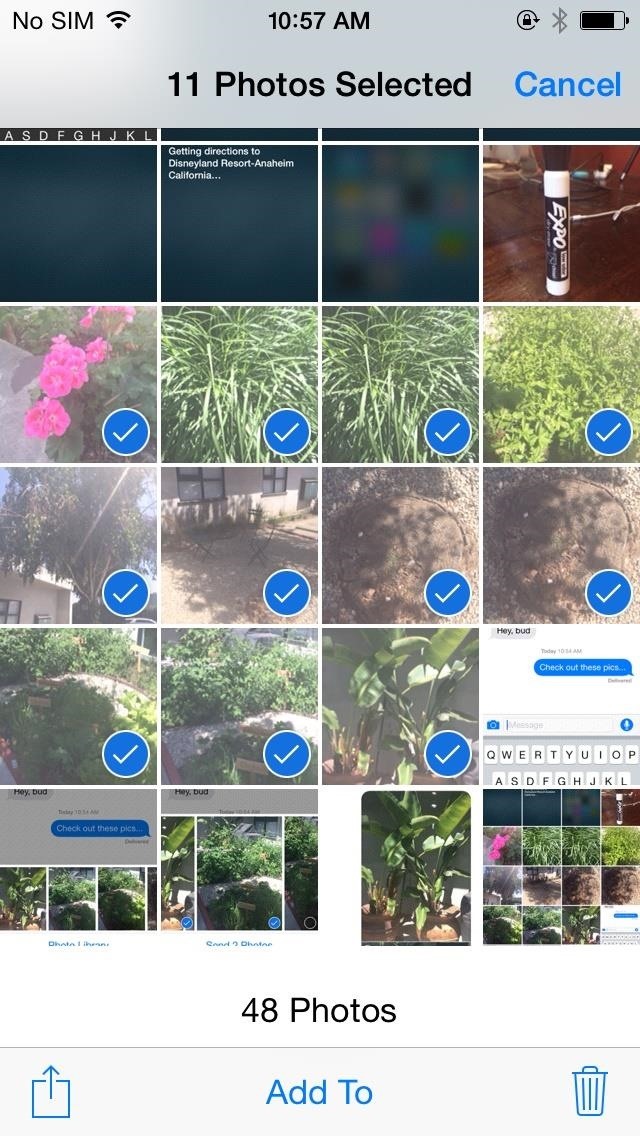
    4. Swipe to Select Multiple Photos
    multiple photo selection

    Ok. Selecting multiple photos on iPhone’s preceding OS iterations was a pain. The company has altered the tedious approach, and the new operating system comes with multiple photo selection support, allowing you to use your finger as a cursor. Widen the cursor to increase the selection area and mass-pictures will be selected as per requirement. No need to tap one-by-one to delete bulk pictures now. Just swipe to choose and dump them in the bin or on cloud.

    Along with this, the Photo app features a ‘scrubber’ beneath, enabling you to flip quickly through the images secured in the camera roll.

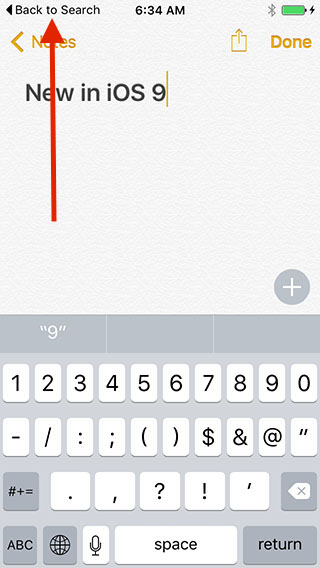
    5. “Back to Search/App” Shortcut
    ios-9-back-to-search

    Apple has taken modification real serious this time. Emphasizing on cultivating the already built, iOS 9 includes a ‘Back to Search’ or ‘Back to App’ option that directs you straight to Spotlight without the need of pressing a back button repeatedly. Swipe down on the Home screen, search for content on Spotlight and once you’re done, press ‘Back to Search’ on the top left to reach the main screen.

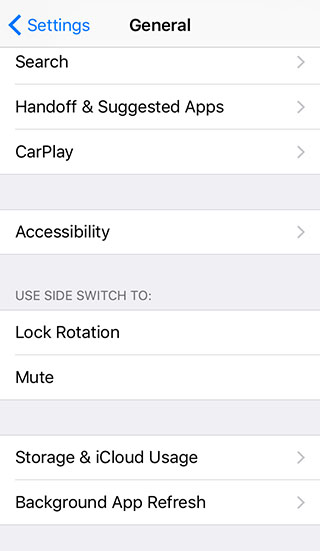
    6. Customizable Side Switch
    ios-9side-switch

    iOS 9 gives you the option to use side switch for locking rotation of the display or to mute the phone. This option has been available on iPad. Unfortunately, you can choose between the two only.

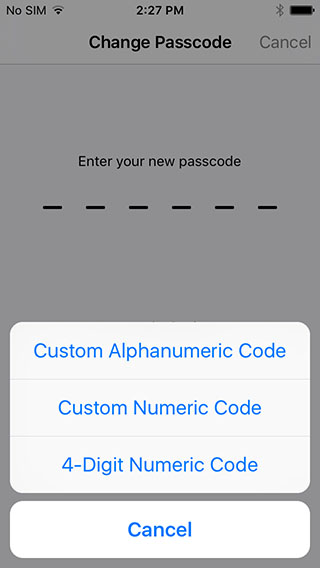
    7. 6-Digit Passcode Option
    ios-9-password-option

    In an attempt to increase the security of the iPhone, a user with iOS 9 installed on their handsets now has the option to extend the password to 6 digits, which was 4 digits in the previous versions. Above is a screenshot establishing the same.

    8. Mute Phone
    ios-9-vibration mute

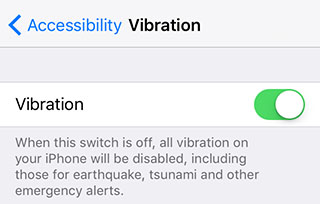
    No matter how cool and secure a iPhone is, its inability to go mute has drawn embarrassment to the user at times. iOS 9 resolves the issue by introducing vibration disable button that lets you shut all vibrations on your iPhone in a single go. Under Settings menu, there is an Accessibility option, which when turned off disables all vibrations including earthquake, tsunami and other emergency alerts.

    9. Save To and Add from iCloud
    ios-9-save-attachment

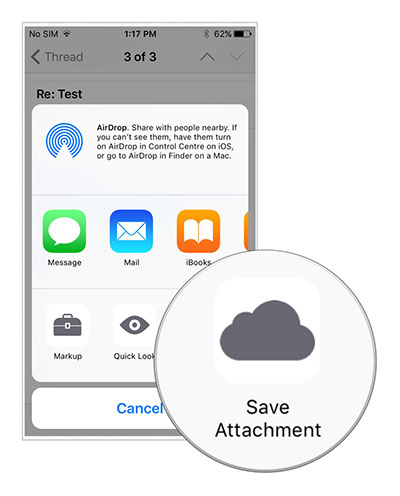
    Emails are an indispensable part of any smartphone and so is Cloud when it comes to low memory storage. Until now, iPhone users have been using third-party apps to attach files to emails, but now attachments can be added from iCloud Drive in the Mail app. Also, files can be saved on iCloud by long pressing the attachment. A new window with Save Attachment icon will then open, clicking which the file will go to iCloud Drive.

    10. Customizable Assistive Touch
    ios-9-assistive-touch

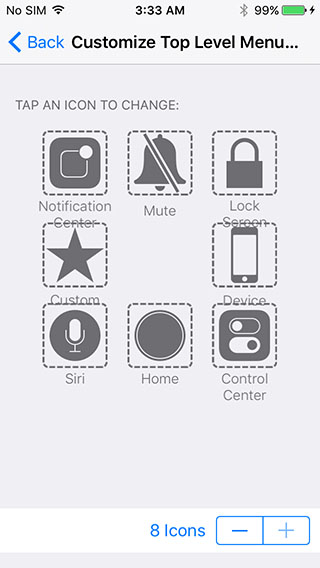
    Assistive touch is the binding element that draws users back to the main screen from where ever a person is. But since long, we have been viewing the same four options on the main screen of the top level menu in Assistive touch. Now, you don’t need to compromise any longer as iOS 9 is giving you the freedom to customize the Assistive Touch menu. Add 2 or more buttons to the menu list and quickly navigate through the app.

    [tw-button size=”medium” background=”” color=”” target=”_self”]Image Source[/tw-button] [tw-button size=”medium” background=”” color=”blue” target=”_blank” link=”http://www.iphonehacks.com/2015/06/ios-9-hidden-features.html”]iPhone Hacks[/tw-button]


  • Jott Messenger : How to Text Your Friends Without Using Wi-fi or Data

    Jott Messenger : How to Text Your Friends Without Using Wi-fi or Data

    Most of us got our first phones when we were 16 or maybe 14 (if you were lucky). A recent study proved that 88% of teenagers these days actually get their phones between ages 13 to 17. Naturally, no teen is spotted without his or her mobile phone today as they are active on social networking sites and are constantly texting their peers, whether in school or outside.

    In India, most schools don’t permit phones within school campus but in the US, it’s okay to carry your device and be logged in all day. However, what happens when you can’t text due to limited balance or an improper data plan? You get Jott!

    jott

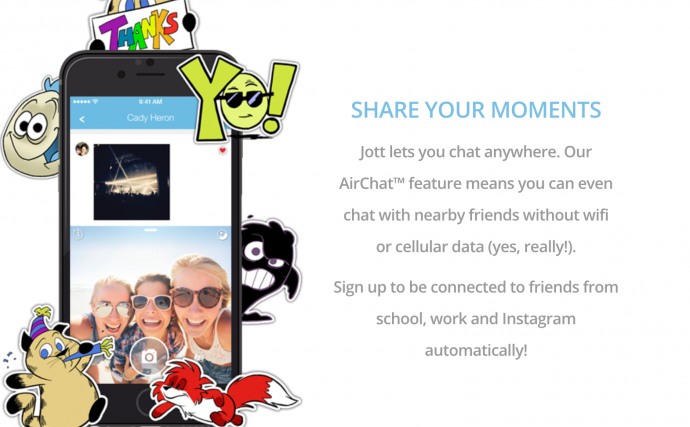
    Jott is the perfect app for Junior high schoolers and high schoolers as it functions without the internet or a data plan. Sounds ideal? Yes, this app lets you chat with anyone within a closed network and within a 100 foot radius of the school campus. This means you can stay connected all day, whether its social or just exchanging notes.

    Jared Allgood, creator of Jott has managed to push the app in the top 75 apps being used by iOS and this is no easy feat. Jott already has a huge user base of half a million users, as of March and is growing from strength to strength with 15,000-20,000 users joining the app, everyday. So how does this app work?

    jott 3

    It works using the help of a mesh network “that operates on Bluetooth low energy or using a router that can reach within 100 feet of each user,” according to Techcrunch. This is different from sending a normal text messages that uses the help of cell towers to convey your text. Thus, anyone within close proximity, that is, a 100 feet can be easily accessed and spoken to.

    Make Friends Within Your School or Any Closed Network

    jott 2

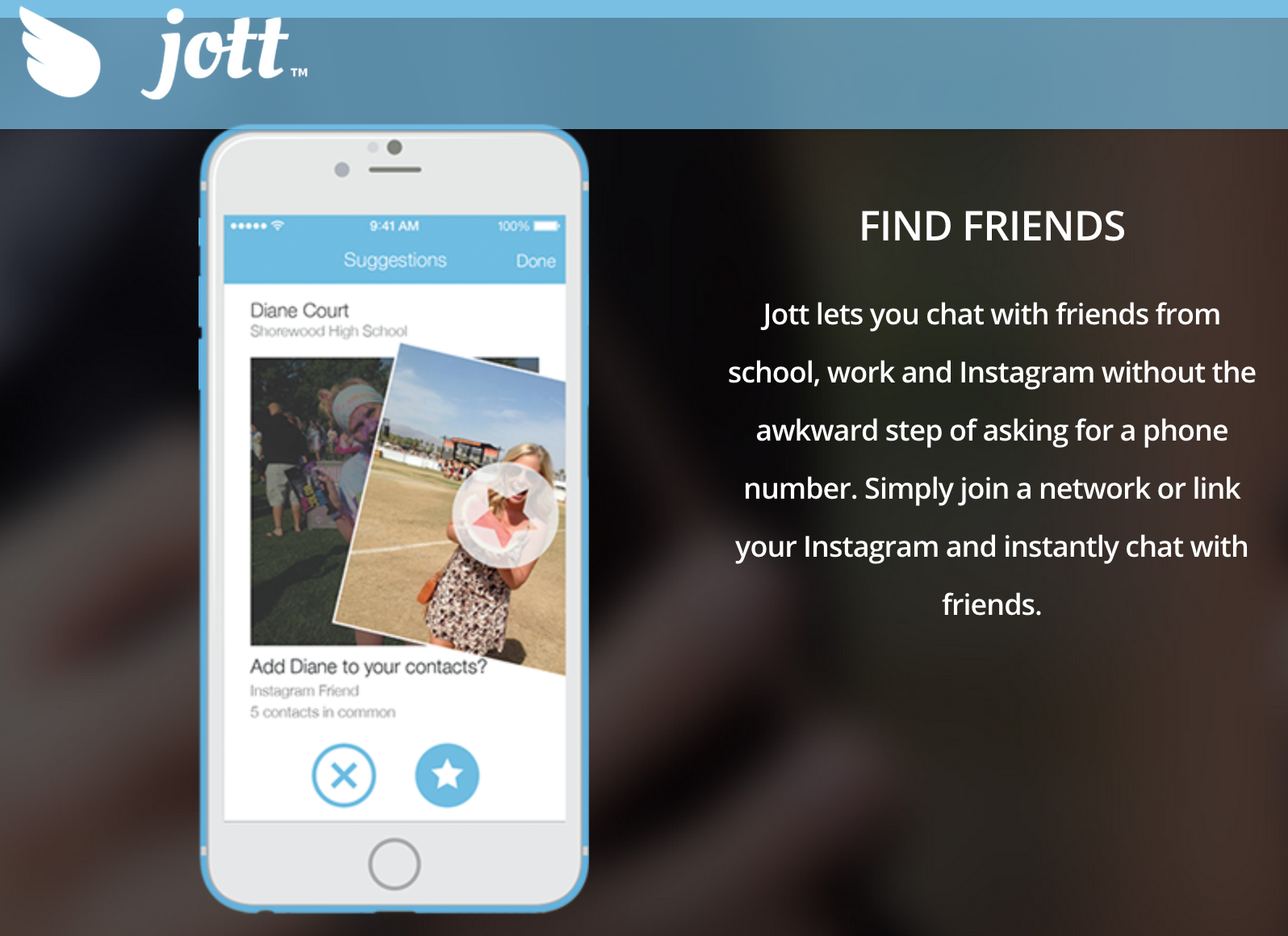
    Jott only allows you to be a part of the network, if you share your real phone number. This actually benefits students because a lot of teens find it tough to talk face to face, so they can find out their class mate’s details via the school network and then approach them. Also, even if you don’t want to use it to get a pretty girl’s number or ask someone out, you can use it for studious purposes. You can actually get that one nerdy classmates number who will send you the whole years class notes and thus save you from failing your finals. It does sound very cool, indeed.

    No Security?

    jott 1

    The internet is rampant with cyber bullying and teenagers being at the impressionable age they are, can often be harassed through these types of apps. That’s why Jott stands out. It has a strong security and privacy settings where in, those who are a part of school networks (that are closed) must create an account with their actual name and age and verify that they actually go to the school, they’re claiming to be a part of. If you do give a fake ID, other students will call your bluff because they will know for sure and you will be immediately removed from the network.

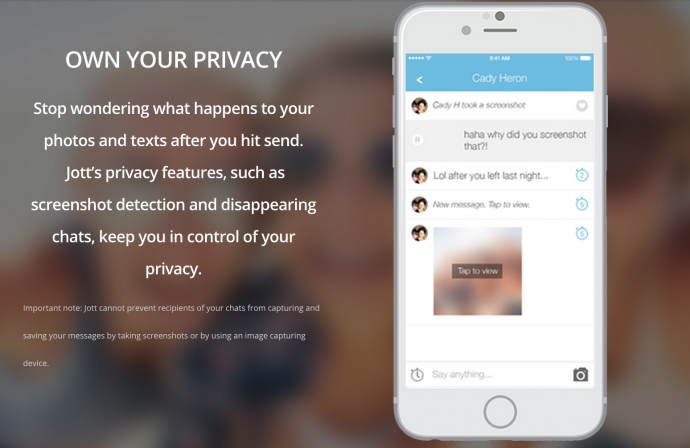
    If this wasn’t enough, Jott also has disappearing messages and screenshot detection just like Snapchat. Therefore, there is no room for disaster and anyone using it is efficiently safeguarded.

    Jott had been tested and tried by Allgood, first in a set of schools until it started majorly trending and reached the phenomenal following it has today. According to Niche data, about 87% of teens text daily, compared to 61% of those who say they use Facebook. Therefore, Allgood has actually used this data to his advantage and created an app that will further simplify and revolutionise texting. We suggest you try it out today as it is available on all iOS and Android devices and can be used on your iPods and iPads as well.

  • Here’s Why Twitter is Breaking Free From the 140-Character Restriction

    Here’s Why Twitter is Breaking Free From the 140-Character Restriction

    Twitter had added direct messaging service (DMS) but it was always restricted to just 140-characters. Now, frequent Twitter users will be happy to know that the social network is finally putting an end to the restriction, and making it 10,000 characters as opposed to just 140. Thus DMS will function like any other regular instant messaging service, effective this July.

    In a rather smart move, they announced:

    We’ve done a lot to improve Direct Messages over the past year and have much more exciting work on the horizon. One change coming in July that we want to make you aware of now (and first!) is the removal of the 140 character limit in Direct Messages.

    It is a welcoming change as having a limit over DMS was more of a nuisance than a boon. However, while the DMS will no longer have a restriction, public tweets will continue to be within the 140 character limit.

    twitter-profile-1024x681

    This comes as a great relief to the social networking giant because it might finally give them a chance to compete with other instant messaging services like WhatsApp and Facebook and even add to their user base.

    In a short span of time, Facebook’s standalone app, Messenger has grown immensely. Recently Facebook announced that the Messenger service already has a staggering 700 Million monthly active user base. It added a 100 Million users in the past three months. While Facebook’s new app’s numbers are growing at an unfathomable rate, Twitter is currently stuck at a mere 302 Million Active users. Back in April, even WhatsApp had announced that it had crossed the 800 Million monthly active user mark.

    This change might give Twitter a fair chance to compete. Also, according to Forbes, people spend 86% of their Twitter time via smart phones, this will therefore, be further enhanced as people will now be able to have long chats on the social handle, without even needing to ‘follow’ one another. Naturally, this will increase Twitter’s fortunes as well.

    Along with this, Twitter is planning a few other updates and changes that will further improve the performance of the site. We hope to hear more good news soon. Watch this space for more.

  • Google Search to Get Faster and Cheaper on Indian 2G Network

    Google Search to Get Faster and Cheaper on Indian 2G Network

    Though fast wireless networks like 3G and 4G have hit certain parts of the world, emerging countries are still a victim of slow internet connectivity, which constitutes over half the globe. Tech powerhouses have understood the fact that their expansion lies in reaching that majority and providing them the best of their services. Today, Google has launched a slimmer version of Google Search called ‘Search Lite’ on Android phones that optimize web pages on slow 2G network.

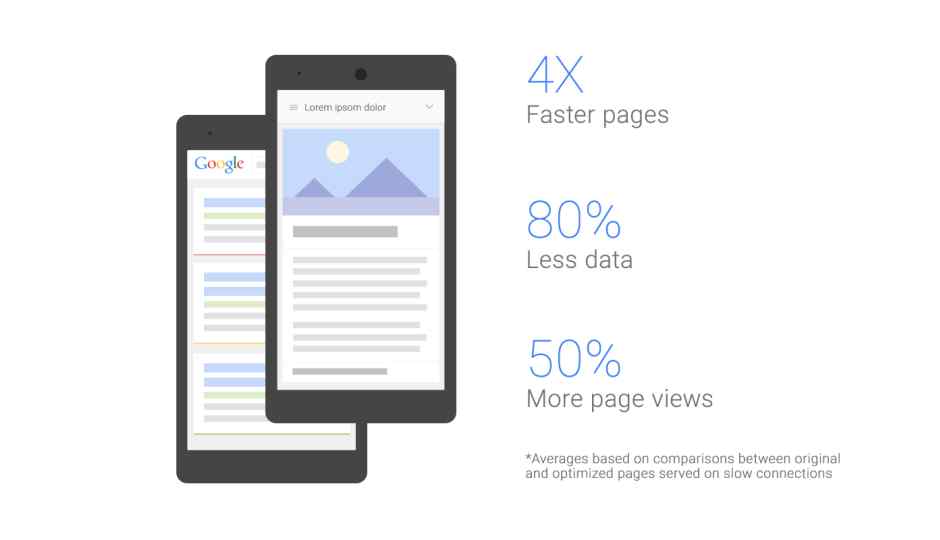
    The feature shows streamlined search results, and the pages load four times faster than with the original Google Search. Also, it consumes lesser data, saving your monthly pack to last for few more days. Google’s blog post by Product Manager Hiroto Tokusei reads –

    If you’re in India, with an Android phone and on a slow connection, like 2G, you should start to see pages loading a whole lot faster, while using far less data, via your Chrome or Android browser from Google’s search results.

    To accommodate users with faster loading on slow mobile connections, Search Lite transcodes web pages on the go. As per Hiroto, the new feature gets triggered when an Android user surfs something on Google on a slow 2G connection. Google makes out the connection speed and activates the Search Lite tool. The search biggie has tested the feature in Indonesia and is geared to bring it to Indians in another two weeks.

    google search lite

    Google’s testing period showed more than 50% increase in web page traffic. The firm says that it would be extremely beneficial for publishers as the page views will encounter a jump. These faster-optimized pages help publishers and advertisers reach new audiences. Publishers can choose to optimize the page or reject the compressed format. There are other measures that Google is currently working on like Google Analysis for tracking page views, AdSense for ad support, and a few more.

    Also, the Search Lite tool will be brought as an option and not as a compulsion. Users can choose to switch to the original page any time through the link provided at the bottom of the page. The feature will be arriving in India as well as Brazil in the coming weeks.

  • Apple Watch OS 2 Improves Performance, Adds Native Apps

    Apple Watch OS 2 Improves Performance, Adds Native Apps

    Apple’s new Watch OS 2 has added new features to Apple Watch, including many of those that were suggested by current owners and app developers.

    Apple has now allowed moving the logic and processing directly to the Apple Watch improving the long and nagging load times everyone has been complaining about.

    apple watch 2 0

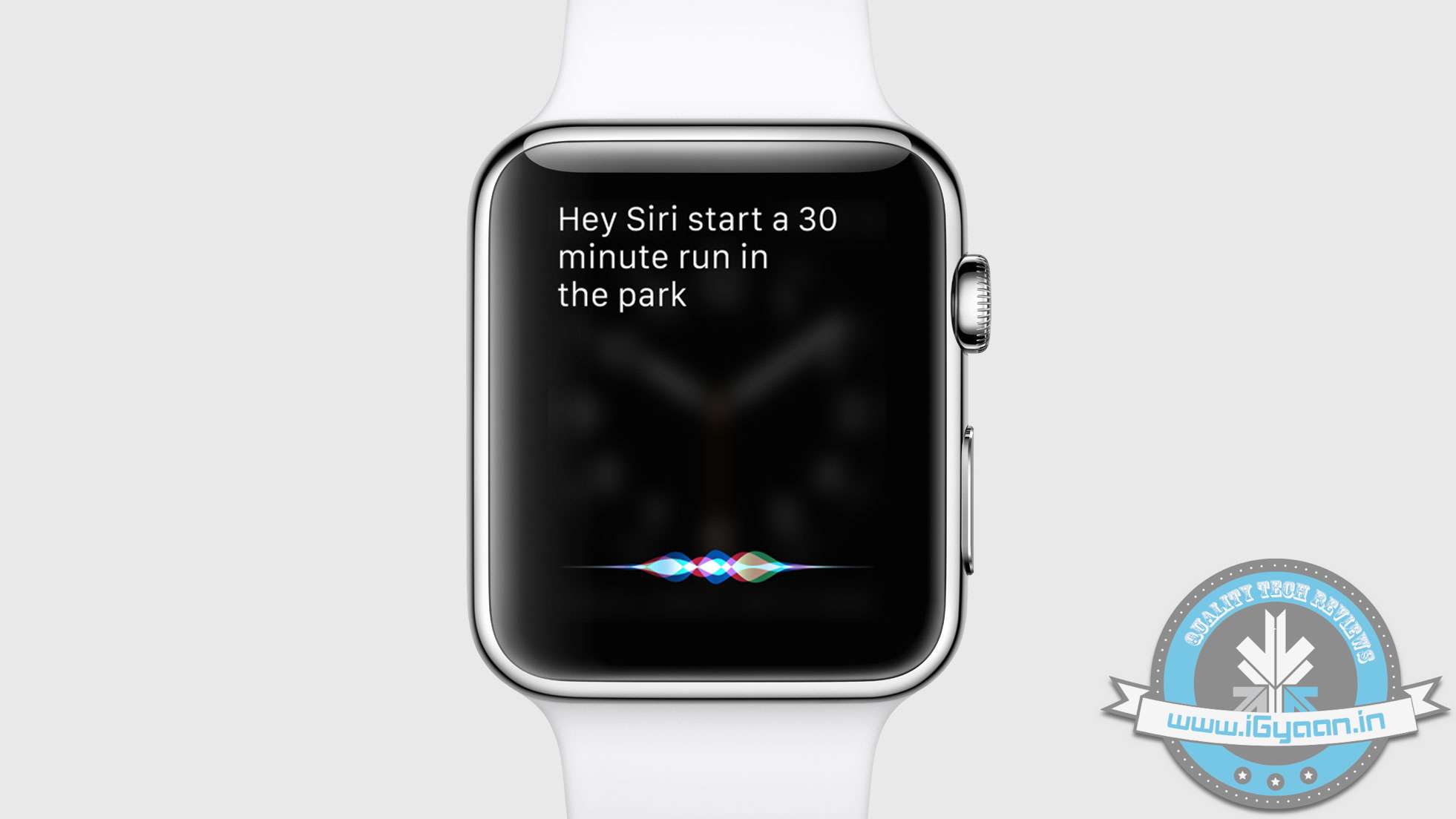
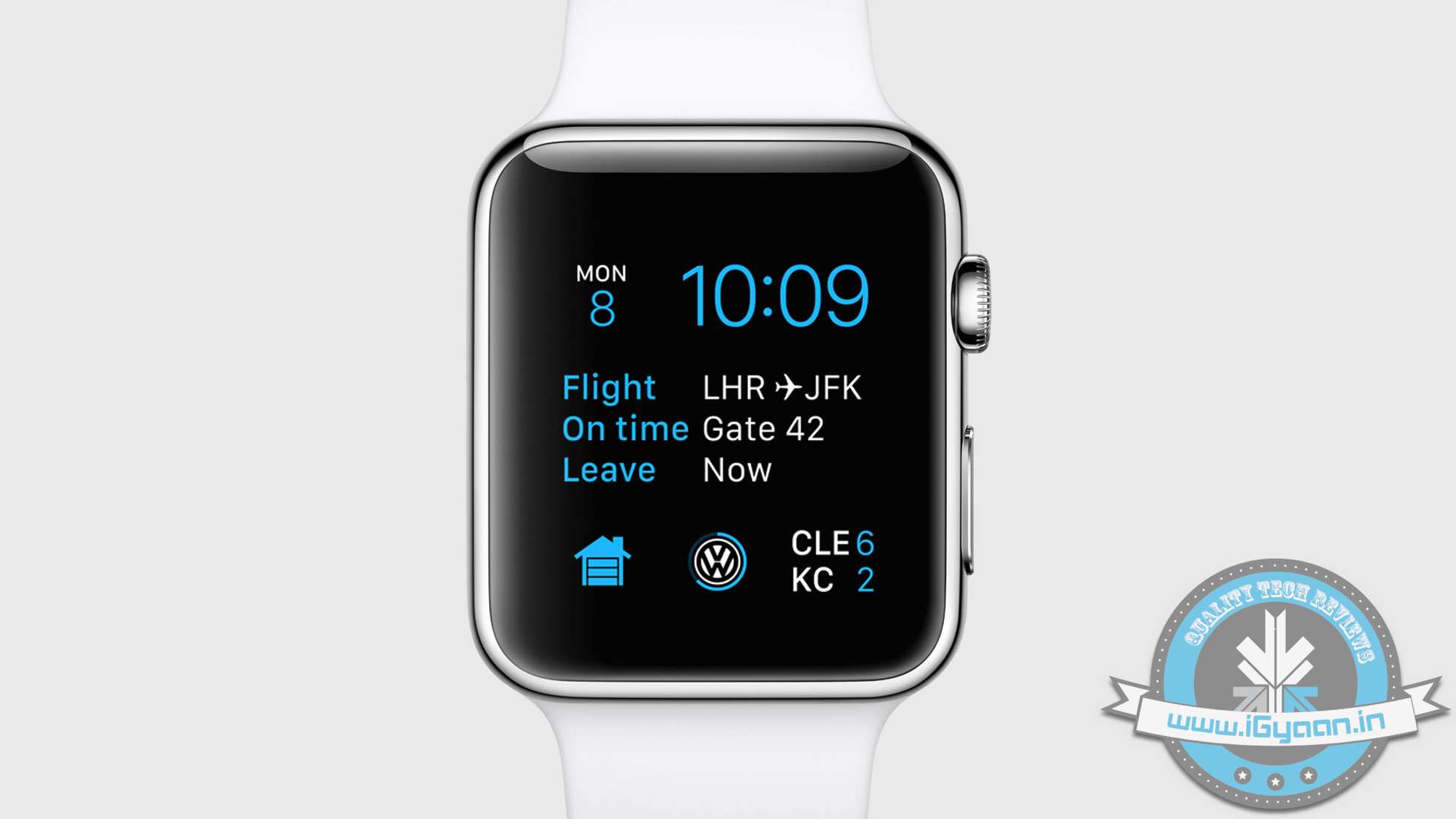
    All the new features from Siri are going to be available on Apple Watch. Apple claims that only 6 weeks from launch thousands of apps are already available on Apple Watch. The new Apple Watch OS 2 allows for third party apps to display their information on the watch face.

    apple watch 2 8

    The new Watch OS 2 also allows for custom watch faces, use your own photos and art to make your own watch dials.

    apple watch 2 5


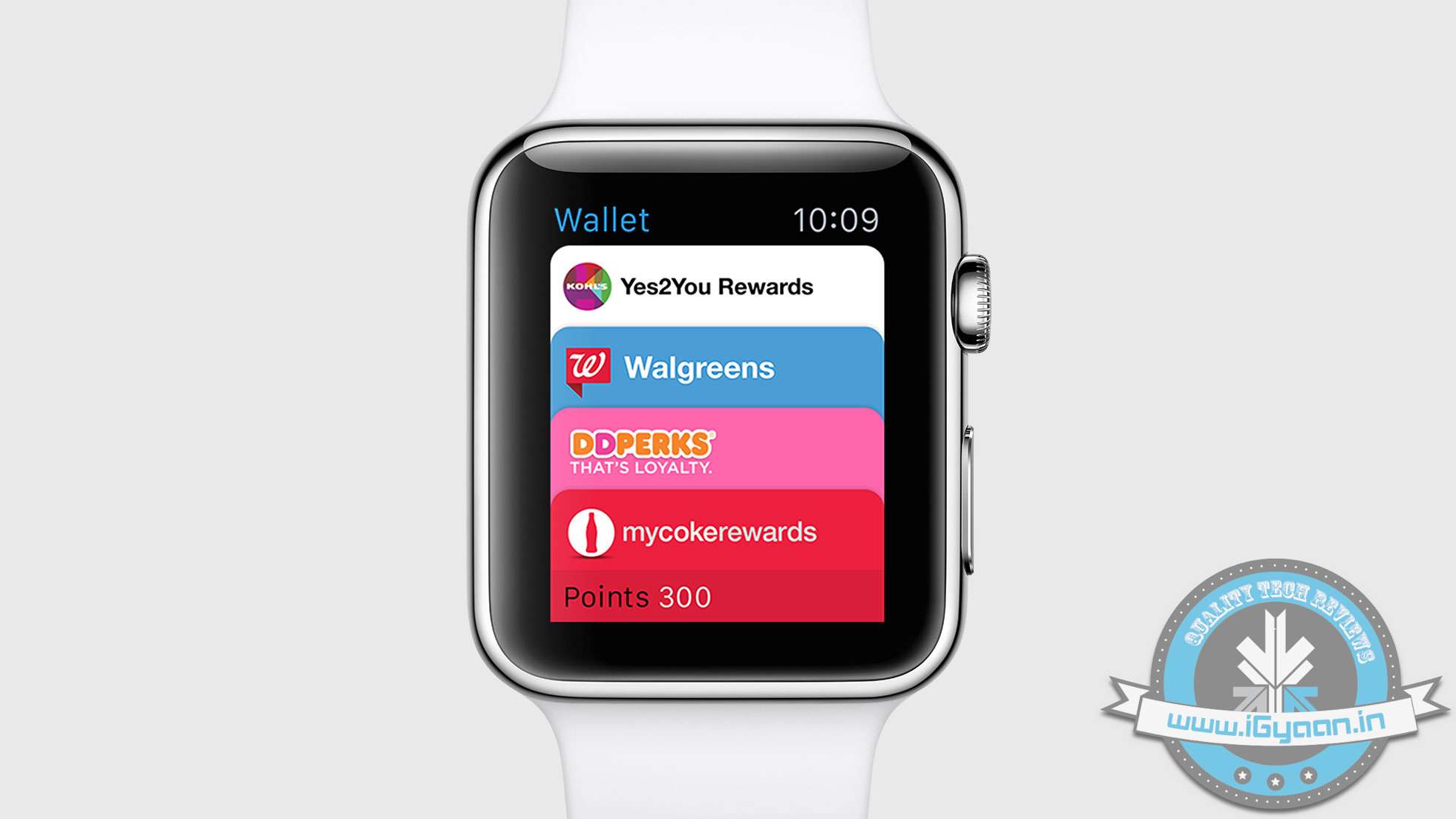
    The new Apple Pay features will be coming to Watch OS 2, including the new Wallet app, previously called Passbook. This app holds all financial and loyalty cards along with tickets and passes and is available directly on your Apple Watch.

    apple watch 2 6


    Other features include addition of more favourites in the quick dial, multi coloured sketches and enhancements in the performance of the UI.

  • WWDC15 | Apple’s Biggest Stab at Android is Open Source Swift Code

    WWDC15 | Apple’s Biggest Stab at Android is Open Source Swift Code

    Apple’s new launches at WWDC 2015 showed off many new features and capabilities of both the new iOS 9 and OS X El Capitan. However, the highlight of the evening was when Craig Federighi announced on the stage today that one of the most powerful coding languages, Swift,  would become “Open Source”

    Swift 2.0 adds a bunch of features that developers have been asking for, to ensure that apps written in Swift are faster and can do more.

    “Open source” means  that any developer, anywhere in the world, can contribute new features and updates to a software project — totally for free.

    apple swift open

    Google’s popular Android mobile OS, for example, is open source, which is how smartphone manufacturers can release devices with versions of Android that are slightly different from each other.

    Does this mean other manufacturers will be able to make iOS devices – probably not. However with the code becoming open-source, bug fixes and features would develop faster. Swift becoming Open Source will also allow other operating system manufacturers including Google and Microsoft to utilise the features and apply them to their code if they so choose to.

    This will allow Android forks like Cyanogen and MiUi to add enhancements to their performance and capability. However, this will also depend on inclination and need to do so from others. 

iGyaan Network
Privacy Overview

This website uses cookies so that we can provide you with the best user experience possible. Cookie information is stored in your browser and performs functions such as recognising you when you return to our website and helping our team to understand which sections of the website you find most interesting and useful.