Tag: App

  • Pokémon Go: Nintendo’s First Augmented Reality Game for Android and iPhone

    Pokémon Go: Nintendo’s First Augmented Reality Game for Android and iPhone

    ’90s kids rejoice. If you thought you had grown out of the Pokémon craze then think again. Nintendo has announced Pokémon GO, an augmented reality app for Android and iOS users that allows users to become Pokémon trainers in the real world where they can hunt for and battle Pokémon.

    604437

    The app will use real-time location information that will encourage players to explore their neighbourhood, communities, find friends and rivals to play, trade, duel, and discover Pokémons together.

    Let’s be honest, as kids we’ve always wanted a Pokémon game that was more than what the Game Boy offered (though they were pretty cool as well). Now, as slightly older kids we can finally live the dream.

    We’ll just leave this video here for you.

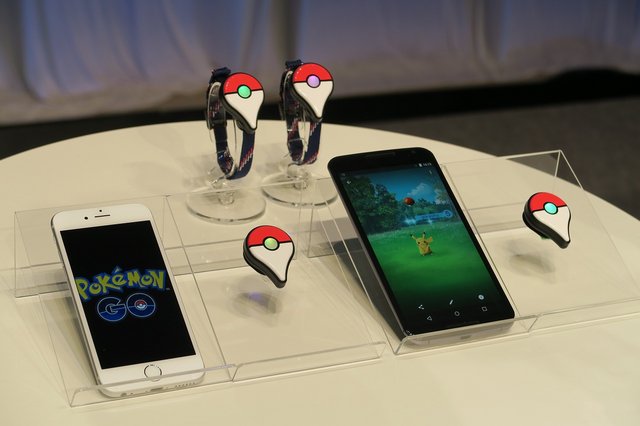
    Nintendo will also bring out the Pokémon Go Plus. This is a wearable Nintendo-built Bluetooth device for the wrist so that you can play the game without having to open the app on your phone. Basically this device will beep and buzz when a virtual Pokémon is detected near your area. So if a virtual Pikachu is hanging around in your backyard, the device will buzz and flash notifying you that a Pokémon is nearby and ready to be captured. All you need now is an Ash Ketchum cap and you’re ready to ‘Go’.

    inline-576×240-150871

    Nintendo has teamed up with Google Spin-off company Niantic and The Pokémon Company to develop this AR game. Nintendo has released 3D augmented realtiy games on the Nintendo 3DS. This, however, will be the first time Nintendo enters the smartphone gaming area.

    The game is expected to come out next year. It is still too early to know whether Pokémon fans are ready to walk out on to the street and wave their hands and phones in the air, trying to catch Pokémon. But for now, the video sure blows us away and the excitement is real.

  • Here’s a Camera App that Can Make Your Pictures Look Professional

    Here’s a Camera App that Can Make Your Pictures Look Professional

    When we purchase a smartphone today, one of our primary concerns is having a phone with an excellent camera, especially for the amateur photographers and Instagrammers out there. Gone are the days of carrying around a separate digital camera, and rightly so if your phone has the capabilities of taking quality photographs almost as clear as a DSLR camera. And one cannot deny that today’s iPhones are winning in the camera department.

    Tap, tap, tap, a company that created the third-party camera app, Camera+ for iOS users, is selling its app for free now. The app currently has a strong 14 million user base, and has earned $18 million dollars in sales. The app is useful for those who want a little more from their iPhones, providing a bunch of extra editing tools – both basic and advanced – such as special effects and lighting filters, an image stabilizer, and integrated sharing with Facebook, Flickr, and Twitter. But until now, the app was only available as a paid download.

    http://theawesomer.com/app-camera/44278/
    Edited using Camera+

    The company will continue to have the paid version for users who want the complete set of features. The free app will have most of the basic features for free and select advanced features via in-app purchases, which include manual shooting, advanced editing, and lossless TIFF, to name a few. The free app will be a great advantage for those iPhone users who have a hobby for photography and like to play around with various editing features without having to pay for it.

    060910_App_Camera_plus_4
    Edited using Camera+

    The app has received favorable reviews. PC Advisor gave the app 4-and-a-half stars out of 5 and declared it a “must-have” app for iPhone photographers. Wired gave the app a 9 out of 10, describing it as a “secret weapon” for photographers, stating that it contained so much functionality that it was “too easy to get lost in the deeply layered menus or forget where you found that killer function the other day.”

    Click here to download the app. Who knows, maybe you could start your very own phone photography blog and click amazing pictures like the ones given below:

    Natali Prosvetova ~ This will be my monument
    Claude Panneton ~ Abandoned

    Source: [tw-button size=”medium” background=”#07ABE2″ color=”” target=”_blank” link=”http://theawesomer.com/app-camera/44278/”][/tw-button]

    [tw-button size=”medium” background=”#07ABE2″ color=”” target=”_blank” link=”http://www.pixelsatanexhibition.com/”][/tw-button]

  • Flipkart Will Now Let You ‘Ping’ Your Friends While Shopping Online

    Flipkart Will Now Let You ‘Ping’ Your Friends While Shopping Online

    Flipkart has announced a social networking service called ‘Ping’ today. It is a part of the Flipkart app and is an initiative by the company to bring a social element to your e-commerce shopping experience.

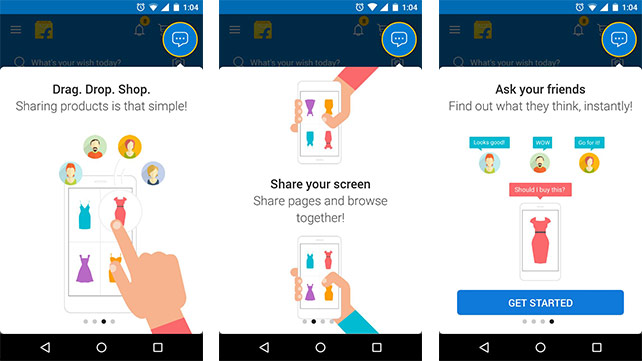
    How does it work? Ping essentially allows you to talk to your friends and family when you are shopping for a particular product. So now, the store experience will come alive, whether you’re buying a gift for your mother on her birthday and you need your dad’s opinion or if you’re simply contemplating on buying shoes that you’ve been eyeballing for a while.

    Ping allows you to share photos, wish lists and the products in your cart so that you can show them off to your loved ones and get an opinion. It automatically adds your friends through your smartphones Phonebook too. All you have to do is send them a text inviting them to Ping and if they don’t already have the feature, they will be asked to install it. 
    Flipkart-Ping

    Flipkart’s Chief Product Officer Punit Soni stated that Ping’s design was original but the deign and UI look pretty similar to Facebook messenger. This app has been optimised to suit India and the network problems our country faces. Hence, Ping is 2MB in size, consuming less data, battery and is compatible with any smartphone running on Android 2.1 and above.

    For now though, Ping is available only between you and your friends. However, the chat will soon become available to sellers, customer service and stakeholders in the e-commerce chain. You’ll be able to chat with anyone you like then.

    Right now Ping has been launched with an invite model which means that only those who have an invite will be able to use the service and will also be able to share 10 invites with their friends.

    Whatever said and done, this feature seems to be a well thought out and a convenient one.

  • Here’s How Facebook Might Become Your Go-to News Source

    Here’s How Facebook Might Become Your Go-to News Source

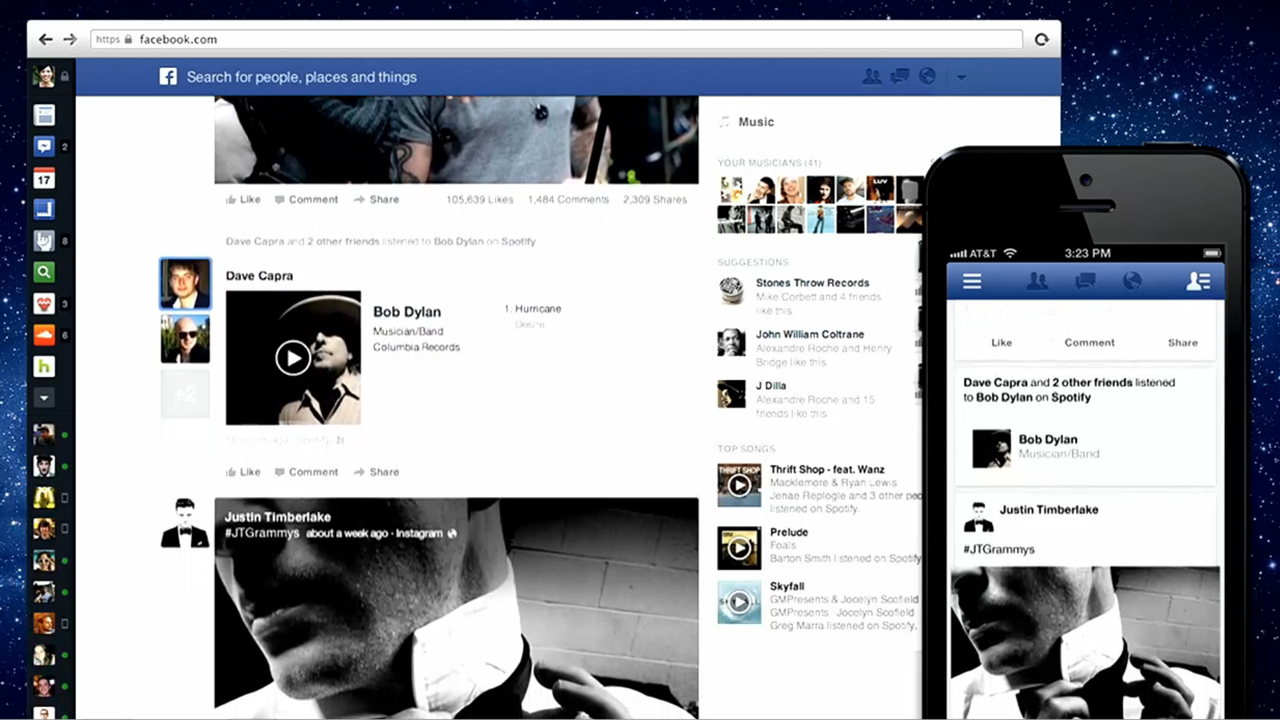
    According to reports, Facebook is working on a new mobile application as part of its Facebook for Business Initiative. It is said that a few companies were chosen by Facebook to pilot the app. However, Facebook has declined to comment on the story.

    Fb Screenshot

    With vague details and reports, it is suggested that the app is currently in an early testing phase and will work once users download a new mobile app created by Facebook. Users can also choose publications and topics that they want to follow; this will allow them to receive news alerts and articles specifically from those publications.

    The report stated that the partnering publications will be able to create mobile notifications that can blast out to all of the followers instantly, as fast as a tweet would. The alerts allow up to a hundred characters of text and URL to the news article, so that one publication cannot create a notification for another. Once the blasts go out, the user can click on the link to read the article.

    Source: [tw-button size=”medium” background=”#07ABE2″ color=”” target=”_blank” link=”http://www.businessinsider.in/Facebook-is-working-on-a-Twitter-like-app-that-lets-publishers-send-mobile-breaking-news-alerts-to-the-masses/articleshow/48444931.cms”]Business Insider[/tw-button]

  • Jott Messenger : How to Text Your Friends Without Using Wi-fi or Data

    Jott Messenger : How to Text Your Friends Without Using Wi-fi or Data

    Most of us got our first phones when we were 16 or maybe 14 (if you were lucky). A recent study proved that 88% of teenagers these days actually get their phones between ages 13 to 17. Naturally, no teen is spotted without his or her mobile phone today as they are active on social networking sites and are constantly texting their peers, whether in school or outside.

    In India, most schools don’t permit phones within school campus but in the US, it’s okay to carry your device and be logged in all day. However, what happens when you can’t text due to limited balance or an improper data plan? You get Jott!
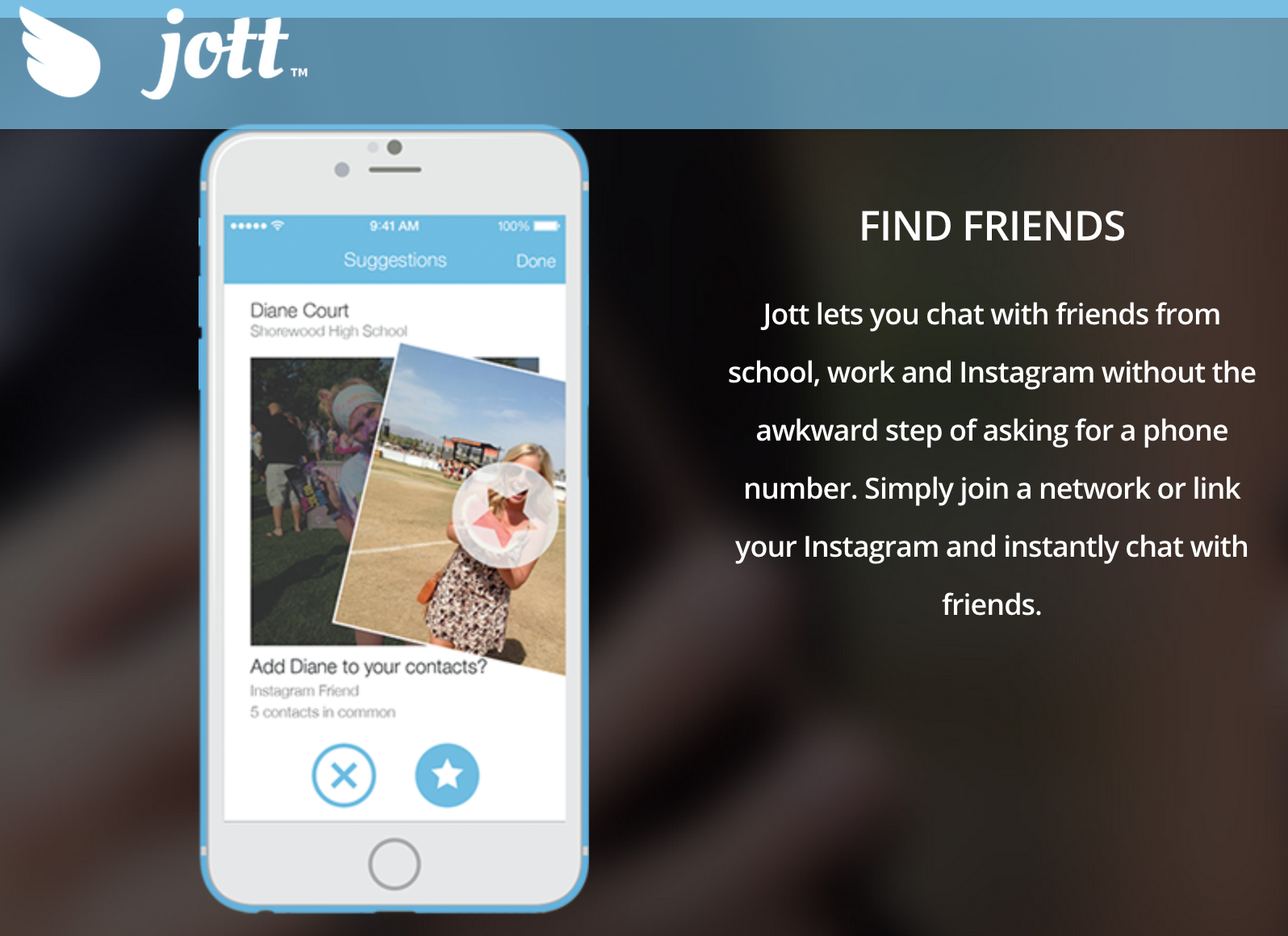
    jott

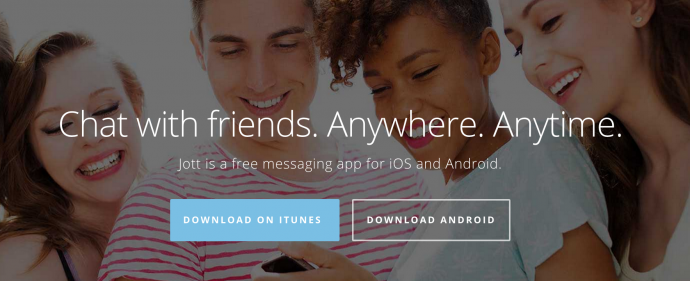
    Jott is the perfect app for Junior high schoolers and high schoolers as it functions without the internet or a data plan. Sounds ideal? Yes, this app lets you chat with anyone within a closed network and within a 100 foot radius of the school campus. This means you can stay connected all day, whether its social or just exchanging notes.

    Jared Allgood, creator of Jott has managed to push the app in the top 75 apps being used by iOS and this is no easy feat. Jott already has a huge user base of half a million users, as of March and is growing from strength to strength with 15,000-20,000 users joining the app, everyday. So how does this app work?
    jott 3

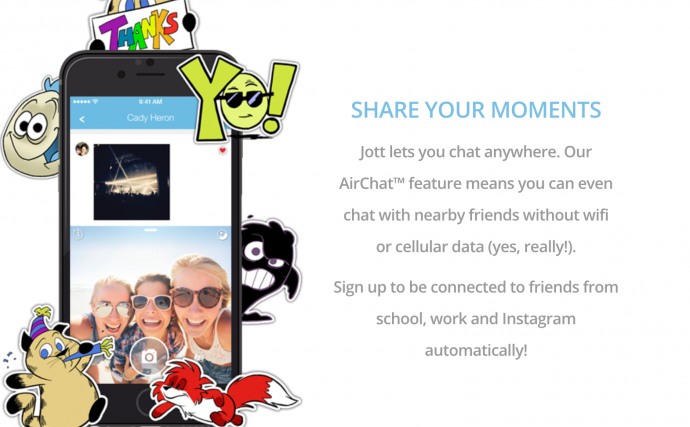
    It works using the help of a mesh network “that operates on Bluetooth low energy or using a router that can reach within 100 feet of each user,” according to Techcrunch. This is different from sending a normal text messages that uses the help of cell towers to convey your text. Thus, anyone within close proximity, that is, a 100 feet can be easily accessed and spoken to.

    Make Friends Within Your School or Any Closed Network
    jott 2

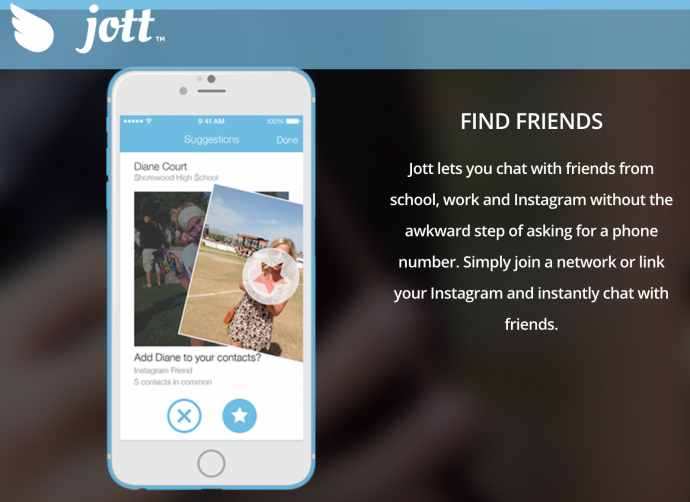
    Jott only allows you to be a part of the network, if you share your real phone number. This actually benefits students because a lot of teens find it tough to talk face to face, so they can find out their class mate’s details via the school network and then approach them. Also, even if you don’t want to use it to get a pretty girl’s number or ask someone out, you can use it for studious purposes. You can actually get that one nerdy classmates number who will send you the whole years class notes and thus save you from failing your finals. It does sound very cool, indeed.

    No Security?
    jott 1

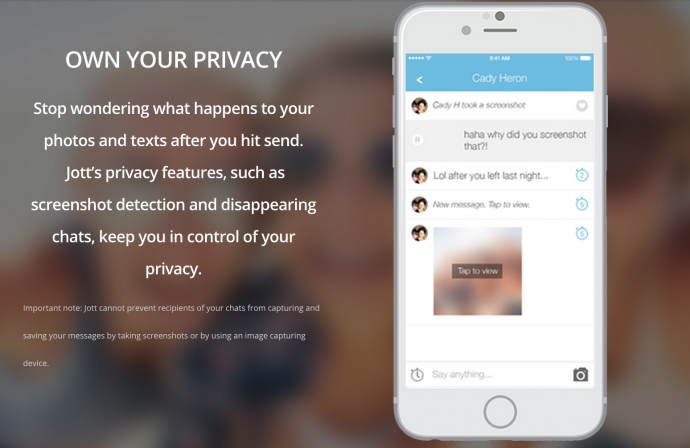
    The internet is rampant with cyber bullying and teenagers being at the impressionable age they are, can often be harassed through these types of apps. That’s why Jott stands out. It has a strong security and privacy settings where in, those who are a part of school networks (that are closed) must create an account with their actual name and age and verify that they actually go to the school, they’re claiming to be a part of. If you do give a fake ID, other students will call your bluff because they will know for sure and you will be immediately removed from the network.

    If this wasn’t enough, Jott also has disappearing messages and screenshot detection just like Snapchat. Therefore, there is no room for disaster and anyone using it is efficiently safeguarded.

    Jott had been tested and tried by Allgood, first in a set of schools until it started majorly trending and reached the phenomenal following it has today. According to Niche data, about 87% of teens text daily, compared to 61% of those who say they use Facebook. Therefore, Allgood has actually used this data to his advantage and created an app that will further simplify and revolutionise texting. We suggest you try it out today as it is available on all iOS and Android devices and can be used on your iPods and iPads as well.

  • Here is Why Uber has Become Uber Safe

    Here is Why Uber has Become Uber Safe

    It is shocking when one of the largest cab services in the world suffer a blow like Uber did in 2014, in India. The rape unnerved thousands and the company’s fortunes sank in a country where they had the largest following, after the US.

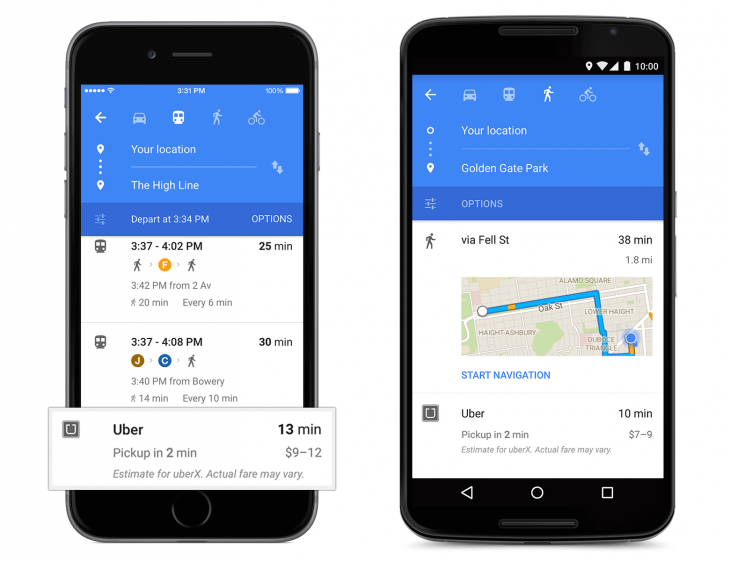
    Uber-card-in-Google-Maps-730x561

    A year later, Uber has recovered and has come a long way from having a marred reputation. They recently revised their privacy policies and have resolved to tighten their riders security. There’s no room for worry because here’s why Uber just got safer and hence, cooler.

    We care deeply about the privacy of our riders and drivers.  It’s why we’re always looking at ways to improve our practices.

    [pullquote_right] the driver can access your personal data and past rides only if you wish. [/pullquote_right] Recently, Uber’s Katherine Tassi, who manages the Counsel of Data Privacy at Uber Technologies, announced that Uber has doubled the size of their privacy team and tightened the leash on their policies. That means three important benefits:

    • Uber will now make sharing background information of the rider, optional. This means that the driver can access your personal data and past rides only if you wish.
    • The texts that have been shared between the driver and rider will be accessible to the company so there is a limited scope of malicious activities.
    • It will also have an option to share your contacts with the app. This means that your friends and family can receive exciting new offers, if you wish to give Uber that information.

    With their privacy and security in place, the app is likely to be updated on July 15th.

    [tw-divider][/tw-divider]

    uber-spotify

    Unfortunately, India isn’t going to experience the other updates that have taken place. Uber has partnered with Spotify to bring your type of music to your cab ride, when you’re party hopping or just heading home on a regular day. It would’ve been great to have this feature as one can just connect their Spotify account to the music tab of their Uber app and listen to their favourite tracks, instead of balmy item numbers or loud Radio Jockeys. Hopefully, Uber will develop an alternative for their growing number of riders in India.

    Lastly, many might not know that one can only book an Uber minutes or half an hour before they want a ride. This is very tricky for nervous travellers who want to be organised and book a cab at least a day in advance. You don’t want to bank on it if you have an early morning flight to catch. Nevertheless, if you do trust Uber showing up on time and if you’re a disorganised traveller, this feature wouldn’t bother you too much.

  • Zomato Takes Online Food Delivery to the Next Level with its New App ‘Order’

    Zomato Takes Online Food Delivery to the Next Level with its New App ‘Order’

    In March, Zomato launched a delivery system where customers can place an order on its site and the same is delivered at their homes. More recently, Zomato had partnered along with Uber to help customers book cabs to the restaurant they are planning to eat. Now, the company is preparing to launch another new app called Zomato Order for its Android and iOS users.

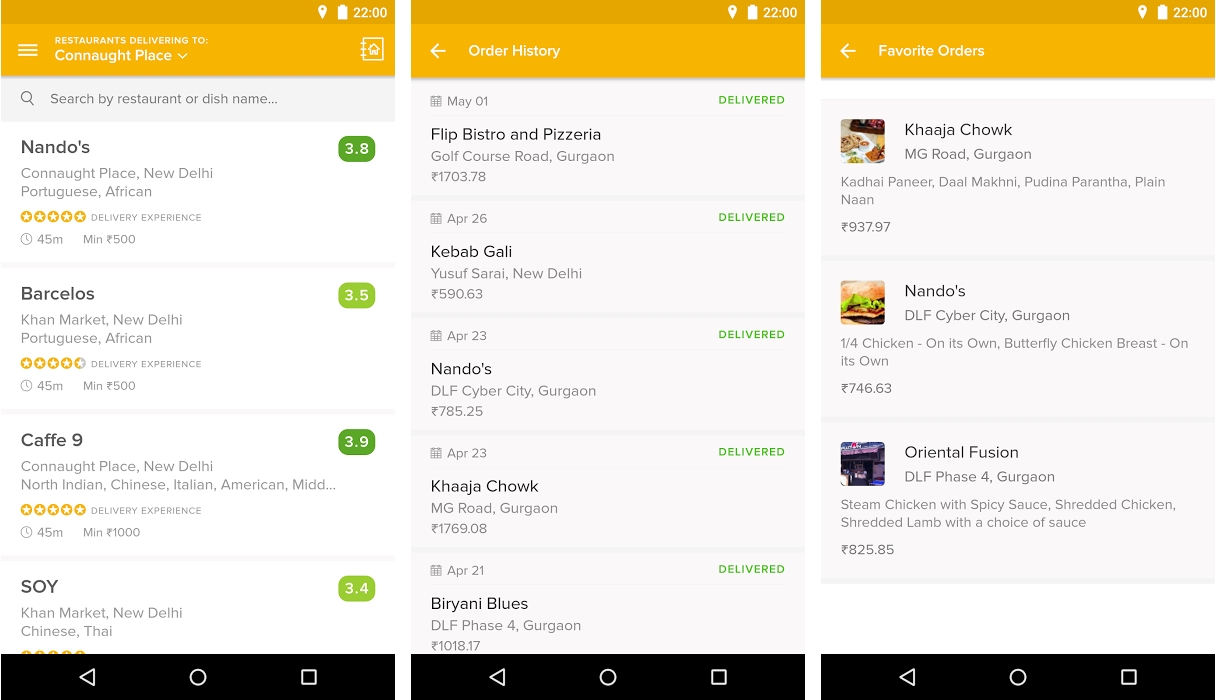
    The new yellow app’s primary functionality lies only on delivery of food. However, both, the native app and the new Order app, are intertwined in functionality. Users can switch from the older Zomato app to the new one instantly.

    zomato-order-1

    Zomato’s official blog reads that there are three main reasons as to why a new app is being launched. One, the focus on a single function will improve user experiences, thus making it a hassle-free app. Second, the new app will not have to be updated along with the native app and vice versa. Lastly, the two apps will be linked to each other in such a way that users will be able to look up to the restaurant in the Zomato app, and place the delivery order in the Order app.

    Zomato explained,

    Having two separate apps allows us to build lightweight apps that get straight to solving the problems you face. Actions that are core to the app experience can be given priority of position, and we aren’t forced into making real estate compromises.

    The Order app is currently available for users in NCR and will soon be released for Bangalore, Mumbai, Hyderabad, Pune and Kolkata users. Zomato is also working on a variety of new apps. One such app is ‘Zomato Book’ which will deal only with table reservations and is scheduled for launch in the next few months.

  • This Upcoming App Converts Your Facebook Page into a Full-fledged Website

    This Upcoming App Converts Your Facebook Page into a Full-fledged Website

    The Facebook Page feature helps businesses, brands and other organisations create public profiles. They use this to gain followers or fans, with people who ‘like’ their page. Now if you ever thought of converting your page into a full fledged website, you may very well have a chance of doing so. An experimental app is being worked upon that shows potential of achieving this feat.

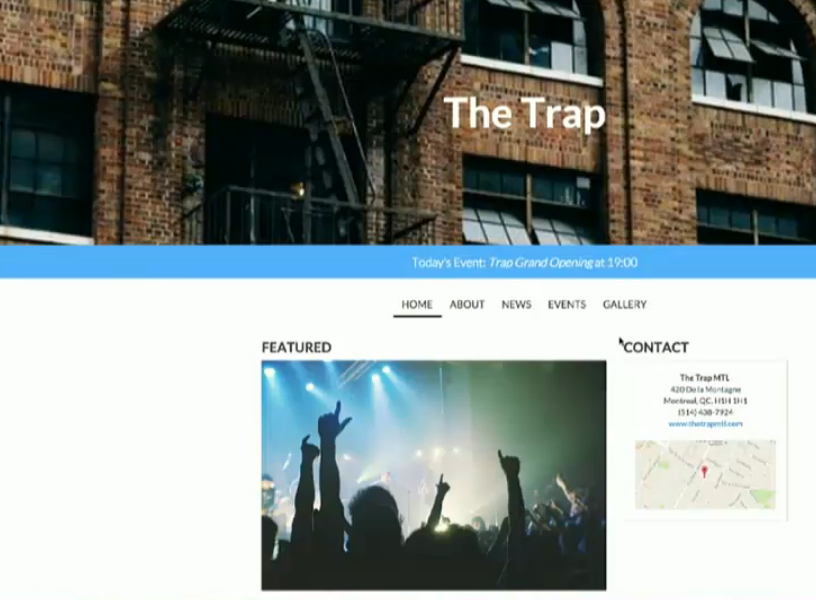
    The app, named Pager, has been developed by a team of three engineers. The rough framework was developed within 24 hours. All you need to do is link your Facebook account, and a list of pages owned by you pops out. You can then choose your desired page and save it, after which the site goes live. The site is divided into four categories, namely, ‘About’, ‘News’, ‘Events’ and ‘Gallery’.

    Pager 1
    ‘The Trap’ page converted into a website

    The ‘About’ gallery displays your business details like name, site information, etc. The ‘News’ section works pretty much like a wall post and ‘Events’ and ‘Gallery’ displays upcoming events and photos/videos, respectively. Alex llea, Anton Shevchenko and Darrel-Day Guerrero, who developed this app during the Disrupt NY Hackathon said that the central idea behind this was to allow small businesses who use Facebook to manage their website. The app is still in its infancy stage, but the team is laying down all the codes that can support the Facebook API.

  • Report: Android Apps Might Soon Be Available for Windows Users

    Report: Android Apps Might Soon Be Available for Windows Users

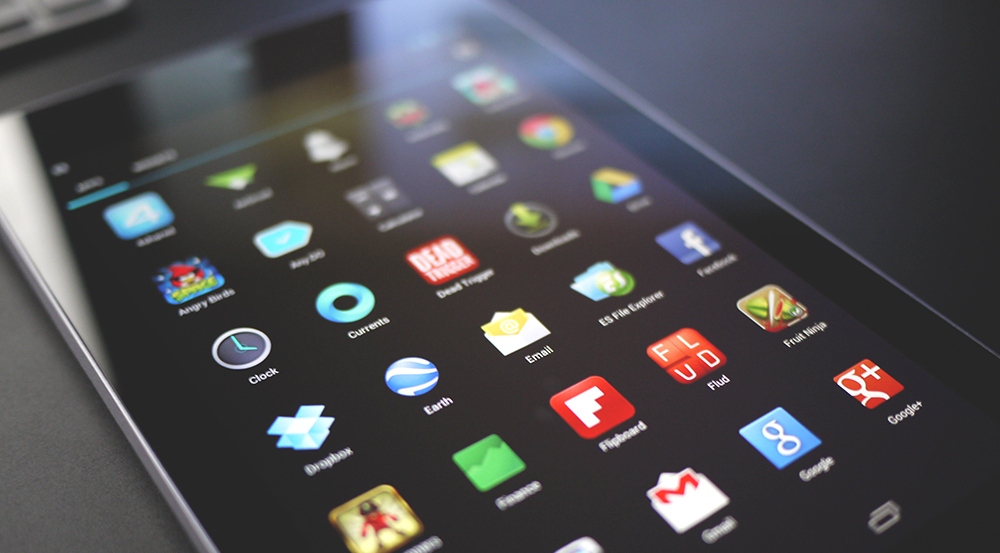
    Windows Phones have been in the smartphone race since long, but their App Store is still remains constrained. Microsoft is committed to eliminating the glitch and is ready to offer its users the luxury of the Android app ecosystem. The company is reportedly working on a feature that will open the doors of the Android app store for Windows users.

    A trusted blogger Paul Thurrot has commented on Microsoft’s plans that they might come out with at the BUILD conference scheduled for tonight. He revealed that Microsoft is likely to introduce a feature that will let users run Android apps on Windows 10 devices like smartphones, tablets and PCs.

    Android-Apps-Games

    This means the confined app network will now grow to the maximum by encompassing all the apps that are developed for Android till date. It will give a major push to the Windows Phone market, which was till date lagging because of its limited App Store.

    It is still unclear how Microsoft will integrate the change. It remains to be seen if it will create a new app store for Android apps or allow support for Android stores by third-party developers. The move will help the company in the long run, but it is dubious how it will go with Microsoft’s Universal App strategy.

  • Facebook Brings Out a ‘Lite’ App For Low-End Android Devices

    Facebook Brings Out a ‘Lite’ App For Low-End Android Devices

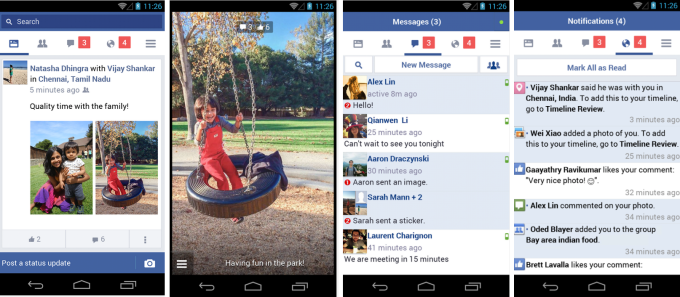
    Facebook launched a handful of standalone apps last year including the newest offerings called Rooms. Facebook’s strategy to monopolize and drive funds from its already established multi-billion user base is quite clear. Now, another app, called Facebook Lite has been launched by the company for emerging markets.

    Technically, Facebook Lite is specifically designed for low-end Android devices in emerging markets. The app has been quietly rolled out in a handful of countries such as Asia and Africa over the weekend (Bangladesh, Nepal, Nigeria, South Africa, Sudan, Sri Lanka, Vietnam and Zimbabwe to be precise) where it is being tested with the aim to further expand.

    Facebook Lite is only 252k in size and look quite similar to the simplified version of the mobile website launched in 2009. The smaller size will accommodate low-end and dated Android devices and those on 2G/poor quality internet connections.

    fb-lite

    The app is based on Snaptu, Facebook’s feature phone client, however, it includes some familiar Android features such as  push notifications and camera integration, to make the experience a more sophisticated one.

    Primary focus of the app will be tapping soaring sales of low-end smartphones in Asia. A stand alone app seems to be a perfect way out and taking advantage of the emerging markets. Apparently, the move has seen fruitful results already. It has already crossed 10,000 downloads, with a 4.6 rating from an initial 693 reviewers.

  • AAP Brings Out Muffler Man, an Android Game ‘That Fights Corruption’

    AAP Brings Out Muffler Man, an Android Game ‘That Fights Corruption’

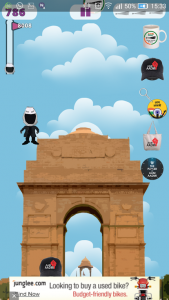
    Just when you thought AAP (Aam Admi Party) peaked at becoming the laughing stock among the Indian public, the party volunteered a bigger and better joke. Its digital agents have developed an Android Game called Muffler Man, in an effort to increase donations. Muffler Man (who looks quite similar to Mr. Arvind Kejriwal, but faceless) jumps all the way from India Gate to limitless sky.

    Download Now!


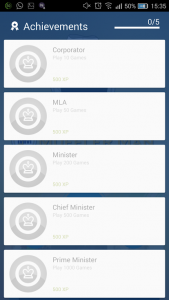
    The funny faceless Muffler man jumps on various platforms overcoming hurdles like corruption and bribe to win the game. According to the developers, they decided to keep the protagonist faceless to represent the common man. There are platforms like bribe, scam and corruption that will bring you down. Also there are brooms or ‘JHARU’ (party’s official symbol) which gives the Muffler Man the power to fly with a funny red cape.

    In the latest bid to garner more donations, AAP has linked this game with all new campaign hash tags. Well, even if it is quite a new thing in Indian politics, one thing is true, we couldn’t stop laughing when Muffler Man collected 3 ‘JHARUS’ to fly like Superman!

  • Snap 360 Degree Pictures on Your iPhone with 3DAround

    Snap 360 Degree Pictures on Your iPhone with 3DAround

    Well are you tired of clicking pictures from every angle to get better perspective. What if you could click a picture which can swivel around same as you see in those e-commerce websites? Well, it is now possible with your iPhones.

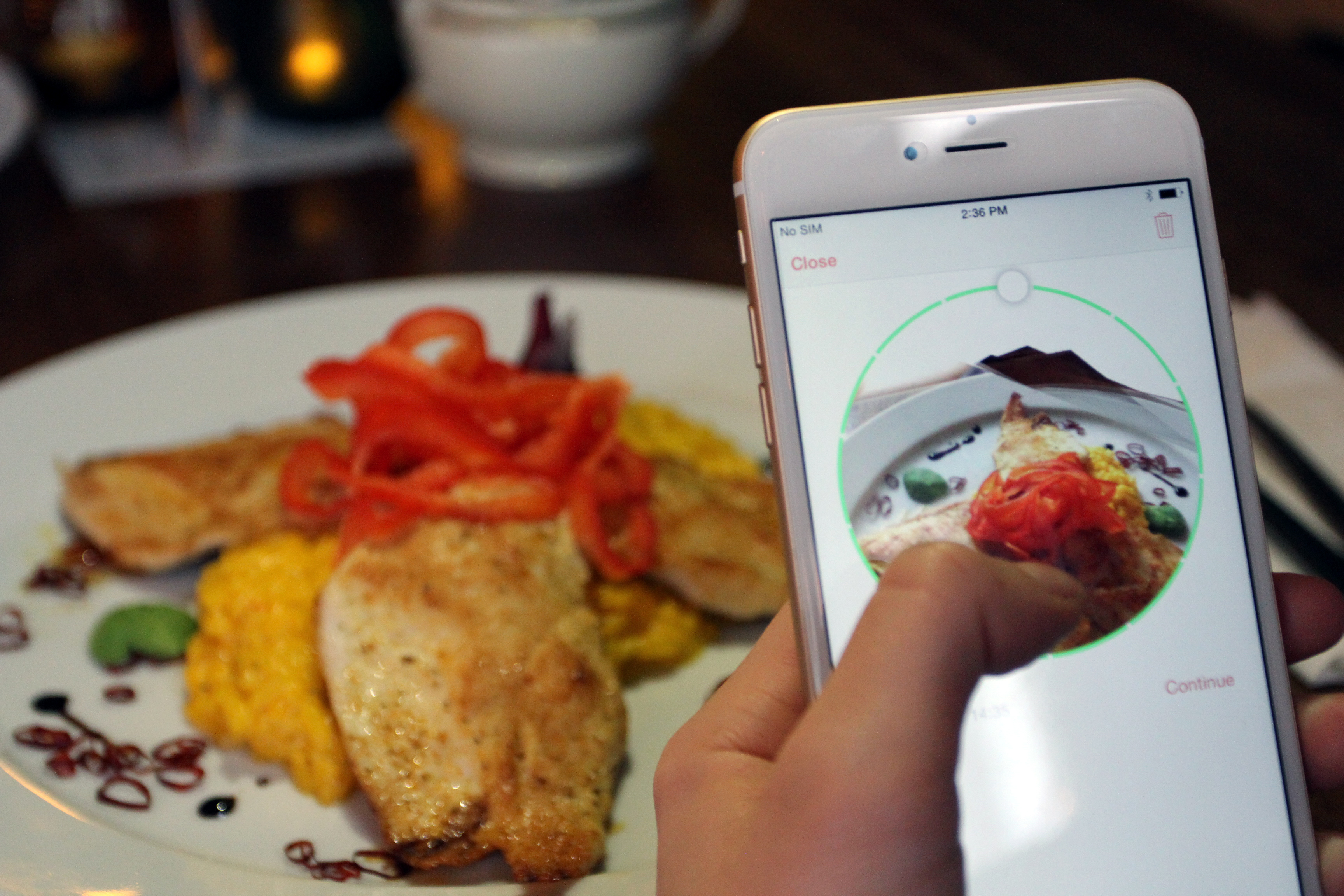
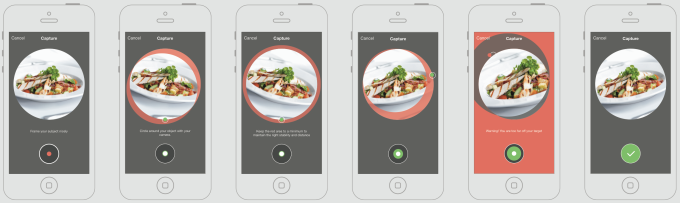
    A new iOS app, 3DAround allows iPhone 6 users to take 360 degree pictures of objects and then show them as 3D photographs. Made by Swiss software company Dacuda, this app  takes pictures that are not just 3-dimensional, but interactive too.

    dacuda-3daround-gif-small

    All you have to do is revolve your camera phone around an object and 3DAround stitches together all the photos into a 3D image which the viewer can spin at will. Free to download, this app primarily targets food photography but it works just as well with any similarly sized object.

    The 3DAround app extracts depth and structure information from a success of rapid-fire photos to create the 360-degree views. You’ll be able to interactively view the swivel-able photo through the 3DAround app or WebGL-equipped browsers like Chrome, and share some version of the images to Facebook, Twitter, and Pinterest.

    screen-shot-2014-10-24-at-1-05-03-pm

    By tilting the phone, the image shifts and pans around the object with movements.

    With the recent launch of devices like HTC EVO sporting stereoscopic double cameras that can take slightly “3D” photos, 3DAround for iOS gives iPhone users an edge.  Apple’s iOS8 camera is a key component of 3DAround functionality, according to the company. The phone’s integrated gyro sensor lets the app capture in holographic detail, the presentation of all types of food.

  • Google’s Inbox Update Lets You Email Through Your Wrist

    Google’s Inbox Update Lets You Email Through Your Wrist

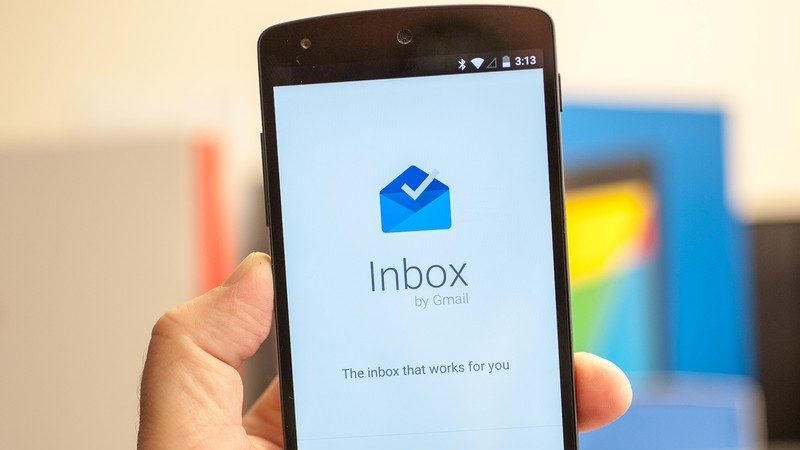
    People are still itching to getting their hands on the Google’s new email client Inbox, though the company is all ready to update the new app. The task-oriented email client has been widely appreciated for its de-clustered and powerful algorithms that sought out your emails based on priority.

    The new 1.2 version of Google Inbox will bring Android Wear support, letting you check mail, send replies and mark completed items from the comfort of your wrist. Earlier, when an email through Inbox was sent to your Android Wear device, it only let you dismiss or open the message on your device. This new update now allows you to read the entire message, reply, and mark it as done, without your phone.

    Additionally, Inbox is getting an improved tablet layout, which is better optimised for devices with larger screens, especially for Nexus tablets. The new update has brought some useful features in the core app too, including suggestions for reminders and a better tablet interface.

    The update is already rolling out to the users worldwide starting from the US. However, if you don’t want to wait and manually install it, you can download the .apk here.

  • 5 Reasons Why AirDroid 3 Might Be The Best Thing to Happen to Android

    5 Reasons Why AirDroid 3 Might Be The Best Thing to Happen to Android

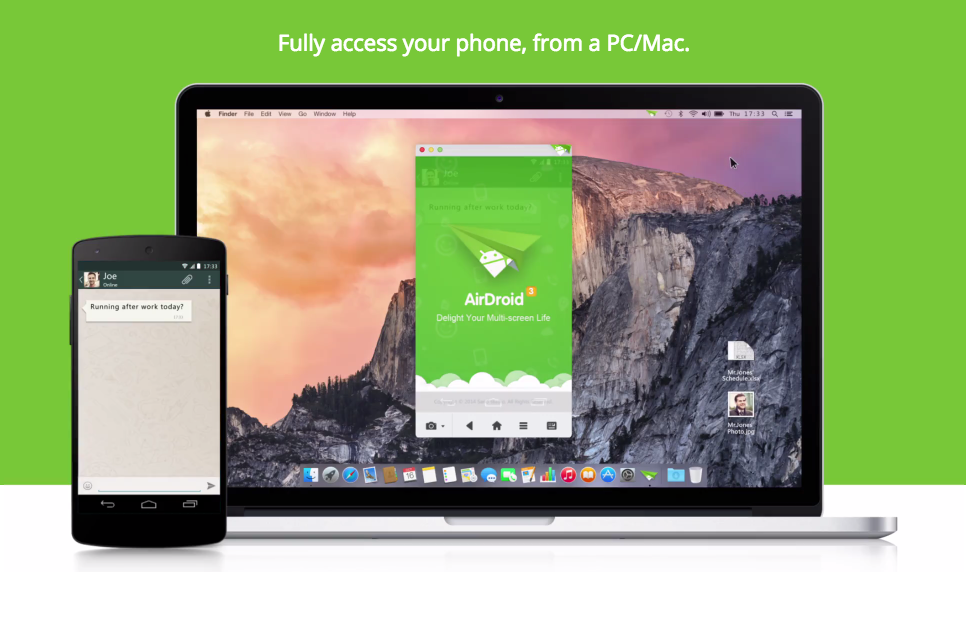
    AirDroid is a tool that allows Android users to perform actions like transferring files, pasting links and text from their web browsers. The third version of the app is finally out of the beta stage and available on Play Store, along with the much-requested desktop clients with Mac and Windows support.

    The new app has an updated UI and a myriad of new features, but the biggest change is the addition of standalone clients for Windows and OS X, besides the app’s famous desktop browser management. It basically brings the Apple’s Continuity feature to Android.

    Here are 5 reasons why AirDroid 3 might be the best thing to happen to Android:

    1. AirMirror

    airmirror_feature_whatsapp_chat_blog_airdroid

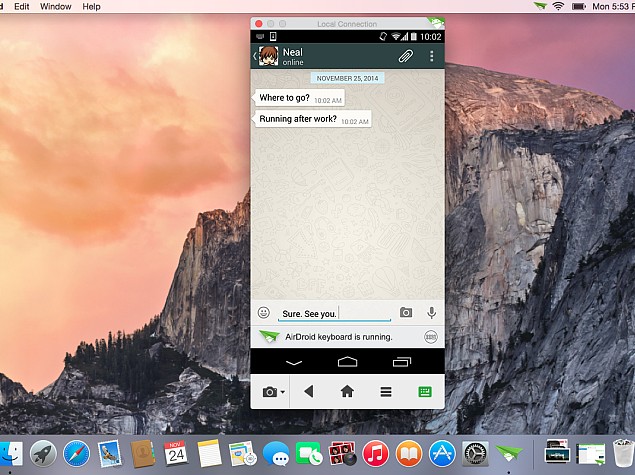
    AirMirror allows users to wirelessly display all of the happenings on their smartphone, directly to their desktop. You can use the mouse to navigate through the app, or make calls, reply to SMS or WhatsApp etc. It is worth mentioning that the AirMirror feature is only supported by rooted devices running Android 4.0 Jelly Bean and higher (or if the Android device is AirDroid-certified). They have not yet provided support to Android 5.0 Lollipop.

    2. Superfast file sharing

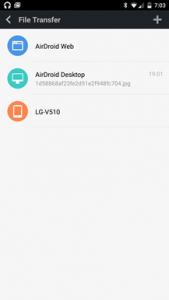
    Though AirDroid has evolved to do a lot more than transfer files, but that has been its USP. You can transfer movies within less than a minute between your Android and PC, using Wi-Fi. Once you get hold of this, it is going to be the default file sharing app for you. It is easy, quick and hassle free.

    nexus2cee_airdroid_thumb

    3. Managing your contact lists and SMS

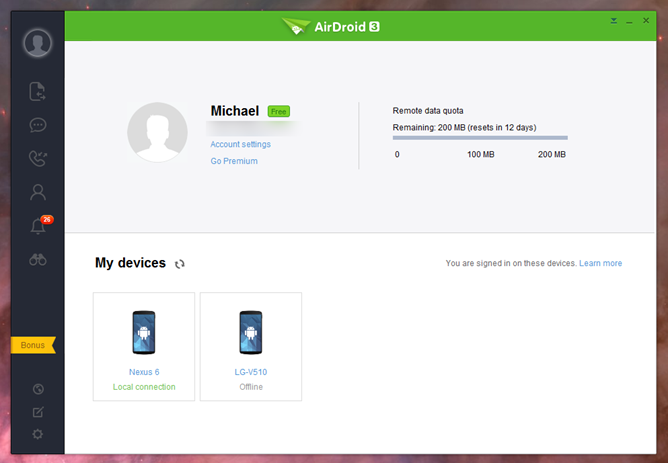
    AirDroid is one of the most sophisticated desktop clients we have ever used. This app is quite handy when you need to send a ton of messages while working on a project, you can directly reply to your messages from your desktop. You can send, delete texts and even search through your inbox, simply by typing the keyword in the search bar. You can also manage your contact lists, create groups, add new contacts, disconnect calls and dial numbers directly from your PC.

    4. Security

    You can also use AirDroid directly to clear data from a remote location. Although, the same functionality can be sourced directly from Android device manager, but to have that functionality incorporated in a frequently used app, makes it more convenient. The intruder feature will take a selfie shot if you fail to enter the correct lock code.

    5. Web Version

    Well, even though AirDroid App has improved tremendously with the version 3, web version remains the best part of the service. The desktop client directly links to the Web version, with which you can then access both front and back cameras via your PC and display real time footage. The feature is easy to use and you won’t even waste your battery as the camera app and display won’t be engaged.

iGyaan Network
Privacy Overview

This website uses cookies so that we can provide you with the best user experience possible. Cookie information is stored in your browser and performs functions such as recognising you when you return to our website and helping our team to understand which sections of the website you find most interesting and useful.