Tag: security

  • Google Rolls Out New Features to Strengthen Online Security

    Google Rolls Out New Features to Strengthen Online Security

    In wake of the privacy scare haunting all netizens, specifically so in recent times, Google has announced the roll-out of new features to strengthen online security of users.Google security

    The new features include easing the filtering of messages from trusted sources. This would be achieved by the company by simplifying security settings and making them more user-friendly. Google also plans to run various initiatives to make Indian users more aware of ways of ensuring their security online.

    “We are adding five million new users a month taking the user base of a connected’ Indians to 500 millions online by 2018-2019. It’s more important now than ever before to ensure the data and profiles of these users is safe online,” says Sunita Mohanty, director, Trust and Safety, Google India.

    Along with this announcement, Google India also revealed trends in security related searches from last year. According to the collated data, there has been a 20% increase in searches for “change password”. The trend also shows another 97% increase in searches for “two-step verification”, which is basically a process of signing in to your Google account by using more than one password. An example of this is a 6-digit code sent on your cellphone, along with the usual password.

    Privacy settings are becoming an immediate concern for all inhabitants of the virtual space with every passing day. Consequently, the added security that Google promises its users comes as welcomed news making us feel ever so slightly safer on the Internet.

  • BlackBerry Confirms Security Updates for BB 10, New Android Device for 2016

    BlackBerry Confirms Security Updates for BB 10, New Android Device for 2016

    BlackBerry has seen a lot of ups and downs in the past couple of months. From being one of the most popular mobile brands at one time with its innovative BlackBerry Messenger to becoming a company struggling to keep itself on its feet -it has seen it all.Blackberry Priv

    We recently heard rumours about how BlackBerry might be letting go of its operating system BB 10. However, these rumours have been proven false by a post on the official BlackBerry blog. John Chen, the company’s CEO revealed that the operating system is “far from” dead and that BlackBerry devices like Passport, Classic and other phones by the company running on BB 10 would receive updates for the operating system soon.

    There will be security and privacy updates for BB 10 this year, along with an enhanced 10.3.4 version of the OS slated to arrive later this year with more security and privacy related features.

    Additionally, BlackBerry which is all set to bring out more of its own Android devices in the future also confirmed that 2016 will see the launch of only one such device. Would you be willing to put your trust in BlackBerry’s Android devices?

    Source

  • Blackberry Exits Pakistan Due To Government’s Data Requests

    Blackberry Exits Pakistan Due To Government’s Data Requests

    Blackberry is withdrawing its services and operations in Pakistan, and has ascribed ‘security concerns’ as the main cause. Earlier in July, the Pakistan Telecommunications Authority sent out notifications to the country’s mobile phone operators stating that BlackBerry’s BES servers won’t be allowed to operate in the country starting December due to “security reasons”.

    blackberry q10

    These “security reasons” have not been specified, but speculation suggests that it has to do with the fact that the Pakistani government requested for an unrestricted access to their customers’ information/data. Blackberry refused to consent to this request and has therefore, received the notification to shut down.

    “The truth is that the Pakistani government wanted the ability to monitor all BlackBerry Enterprise Service traffic in the country, including every BES e-mail and BES BBM message; but BlackBerry will not comply with that sort of directive.” said BlackBerry.

    However, the government had only requested for Blacberry’s BES servers, the company has decided to stick to its decision of exiting the country altogether.

  • Android Safer Than iOS According to Reports

    Android Safer Than iOS According to Reports

    The mythbusters are back, and this time one of the all time popular myths regarding iOS has been busted. According to a new study, it turns out that iOS isn’t as malware-proof as people have come to believe. In fact, reports suggest that Android is safer and more secure than iOS.

    The study carried out by Checkmarx and AppSec Labs claim that Apple’s ‘wall garden’, that is the App Store, is filled with apps that have greater percentage of critical or high severity security vulnerabilities when compared to Android apps.

    According to the report, a critical vulnerability is defined as one “that exposes a major security risk with a direct exploit (not needing user involvement). If exploited, the security threat might cause major damage to the application and/or have major impact on the company.”

    Here’s what the claim means for everyone. Firtsly, it breaks the image of iOS being regarded as the most fool-proof operating system. Secondly, it also means that there is now no safe operating system out there as all the major players are now on the same boat. Of course, it was only a matter of time for a report such as this to come out. Hackers do tend to target big names, especially ones that claim to be unbreakable.

    “With more than 1.5 million apps available in the two main app stores, Apple and Android, and hundreds of billions of downloads to date, the mobile landscape has quickly become the main playground for hackers and attackers.”

    ios-vs-android-security

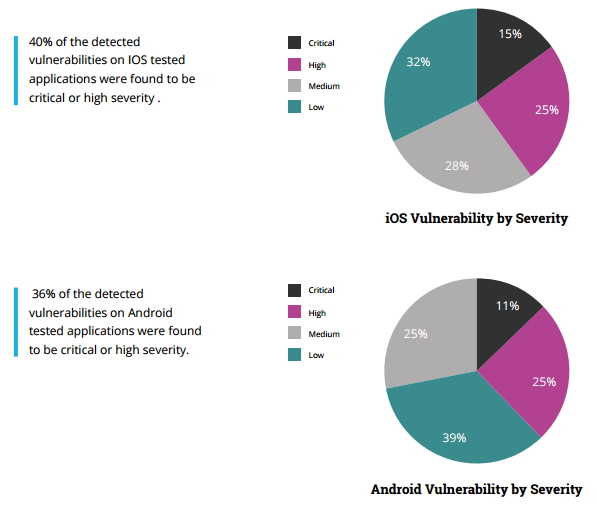
    As the reports suggest, 36 percent of Android apps were found to be potentially critical or highly severe while a surprising 40 percent of iOS apps were deemed critical, crushing the common misconception that iOS is a safer platform.

    There seems to be some credibility to this report, especially after the recent news that a popular app on the App Store, called InstaAgent, has been leaking Instagram username and passwords and sending them off to a remote server as well as publishing unauthorized images to users account without their consent.

    Checkmarx’s Amit Ashbel explained to GeekTime that most of the security flaws are the result of vulnerabilities in developers’ code. “The mobile application industry as a whole is lagging behind on secure coding best practices,” he added.

    Well, that’s one less thing for iPhone users to brag about now.

    Source: [tw-button size=”medium” background=”#07ABE2″ color=”” target=”_blank” link=”https://www.checkmarx.com/2015/11/05/the-state-of-mobile-app-security/”]Checkmarx[/tw-button]


  • Apple Says No To Revealing Personal Details of Users to Cops

    Apple Says No To Revealing Personal Details of Users to Cops

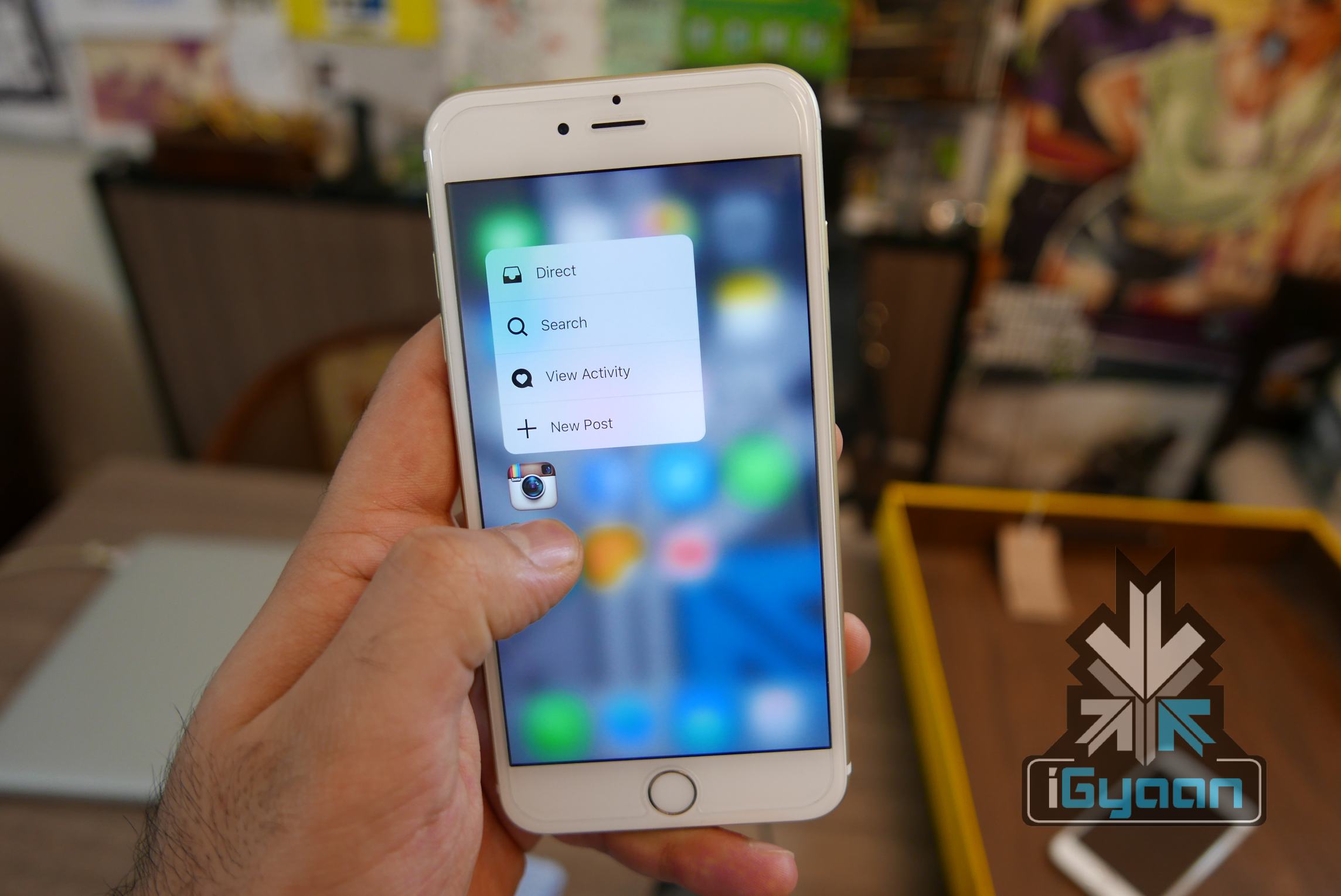
    Apple drops a not-so-subtle reminder once again and says it cannot and will not reveal personal details of iPhone users to cops. It started with iOS 8 when Apple made it clear to law enforcement that it’s incapable of retrieving data from locked iPhones.iPhone 6s and 6s plus igyaan camera  8

    It was at the invitation of the U.S. Magistrate Judge James Orenstein and the Justice Department that Apple was asked to help extract information from a seized iPhone. The invitation led to the filing of the following brief by Apple:

    In most cases now and in the future, the government’s requested order would be substantially burdensome, as it would be impossible to perform. For devices running iOS 8 or higher, Apple would not have the technical ability to do what the government requests—take possession of a password protected device from the government and extract unencrypted user data from that device for the government. Among the security features in iOS 8 is a feature that prevents anyone without the device’s passcode from accessing the device’s encrypted data. This includes Apple.
    Apple is essentially confirming what we already know: there’s no backdoor built into iOS, meaning that in theory no-one can pull data off an iPhone running iOS 8 or later—the information is protected by encryption that is tied to the user’s PIN.

    However it should be made clear at this juncture that because Apple refuses to dirty its hands with the deep, dark secrets of your phones, this in no way means that others can’t. When iOS first came out with its ‘improved’ security, security researcher Jonathan Zdziarski did a blog post revealing how some user information can still be grasped by the government.

    Apple is being the knight in tin foil for iPhone users, promising security as well as discretion, which is a comforting gesture, needless to say. However, let it not mislead you into believing that your iPhone is beyond security breaches and access to personal data.

  • USA Financial Market Dow Jones Hacked

    USA Financial Market Dow Jones Hacked

    Dow Jones and Co. ran into a security breach when records of over 3,500 employees were broken into. The cyber-attack involved carte blanche access to payment card and contact information of the people involved. The publishing and financial information firm said in an official statement:

    “Out of an abundance of caution, we are notifying you that we recently determined there was unauthorized access to our systems. While we recognize that no company is immune to cyberattacks, we are committed to doing everything we can to protect our customers.”

    The goal of the hack is mostly assumed to be an attempt to obtain contact information and send fraudulent solicitations to current and former subscribers.  Dow Jones Chief Executive William Lewis mentioned in the letter written to customers yesterday that a potential breach had been reported by law-enforcement in late July this year. However, it was confirmed only post investigation that unauthorised access to company records had begun as early as August 2012 and lasted right till July 2015. To read the full letter by William Lewis, click here.Dow Jones

    This cyber-attack does not come across as an isolated incident but more like part of a larger scheme that targets other private firms and companies as well. With names like Ashley Madison and Sony that have already been victims of cyber crime, let’s see which company lands itself next in hacking trouble.

  • ‘Unhackable’ Turing Phone’s Shipment Timeline Revealed

    ‘Unhackable’ Turing Phone’s Shipment Timeline Revealed

    The Turing phone is an Android phone that is designed around the idea of it being unhackable. It does not come with a USB port or headphone jack or any other extension that could be used to manipulate the software. The Turing Robotic Industries has posted a release and order timeline for the Turing Phone.

    TuringPhoneFrontBack-932x583

    The features of this phone include a 5.5-inch 1080p LCD, a Snapdragon 801, 3GB of RAM, a 13MP camera, and 3,000mAh battery. You may not be impressed by these specifications, but the main selling point of this device is the hardened version of Android 5.1 with built-in end-to-end encryption and a fingerprint reader.

    Here is a convenient timeline for you:

    On the 21st of September 2015, those of you who have reserved the phone during the initial reservation period will receive your first “Circle of Friends” invites.

    On the 24th of September 2015 you can start pre-ordering the Dark Wyvern special edition. Along with this all reservations will be informed to pay for the order (full payment required) and an upgrade to Dark Wyvern option will also be available.

    The official shipment of the Turing Phones will begin on the 18th of December 2015. The dark Wyvern special edition Turing phone will be available for $999 (approx. Rs.66,023) and the Dark Wyvern “Glaedr” special edition will also be made available for $1299 (approx. Rs. 85,850)

    Apart from this if you are going to purchase the “regular” Turing Phones, you will be able to pre-order it at $610 (approx. Rs.40,312) for the 32GB and $740 (approx. Rs.48,858) for the 64GB, starting 24th of September 2015. The special edition 128GB will cost $870 (approx. Rs.57,472).

  • 7 Simple Ways to Protect Your Privacy While Using Windows 10

    7 Simple Ways to Protect Your Privacy While Using Windows 10

    Sixty seven million Windows users are rejoicing at the thought of being upgraded to Windows 10 and are enjoying the convenience that comes with Bing knowing your location, Cortana knowing your name and sometimes other personal information. All your contacts, photos and everything are constantly being processed by the new software. It sounds perfect. However, one minor detail is missing. What is Windows 10 doing to protect your privacy as it constantly saves passwords, credit card numbers and personal information?

    Here are a few things you can do to protect you privacy, while using Windows 10 and enjoying its features at the same time:

    1.  Know your Apps:

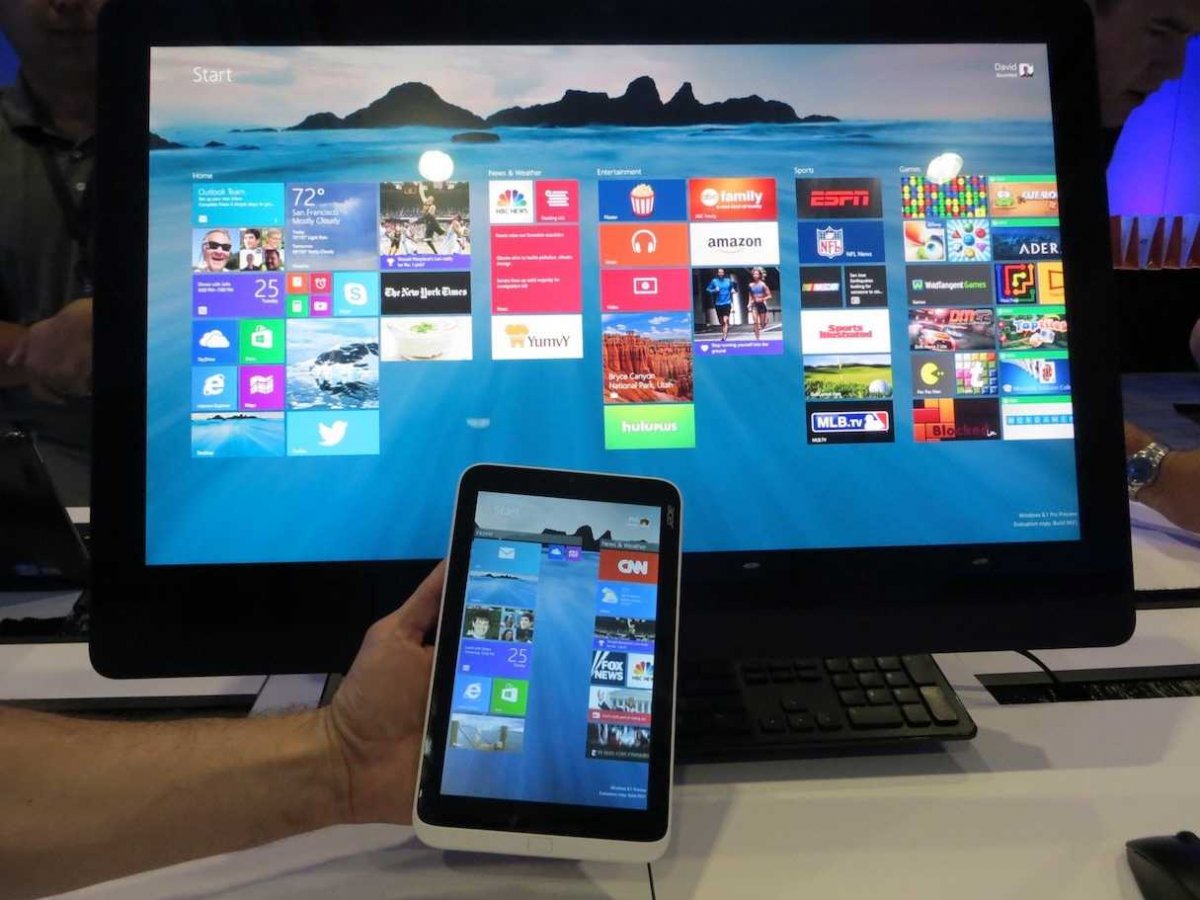
    microsoft

    Many applications on Windows 10 require your personal information. For example, Maps, which needs your location in order to function. While Maps tells you where its using your personal information, many apps on Microsoft don’t necessarily follow the same protocol. Therefore, it is important to tweak the privacy settings of any app you use so that your personal information going out is limited, if not completely inaccessible.

    2. Communications:

    Microsoft tends to take in all the contact information of their users, just incase their primary means of communicating, fail. It does this so that it can send you information as well as promotions. In order to manage these communications better, click here (if you have a Microsoft account) and here, if you don’t.

    3. Ads:

    ads

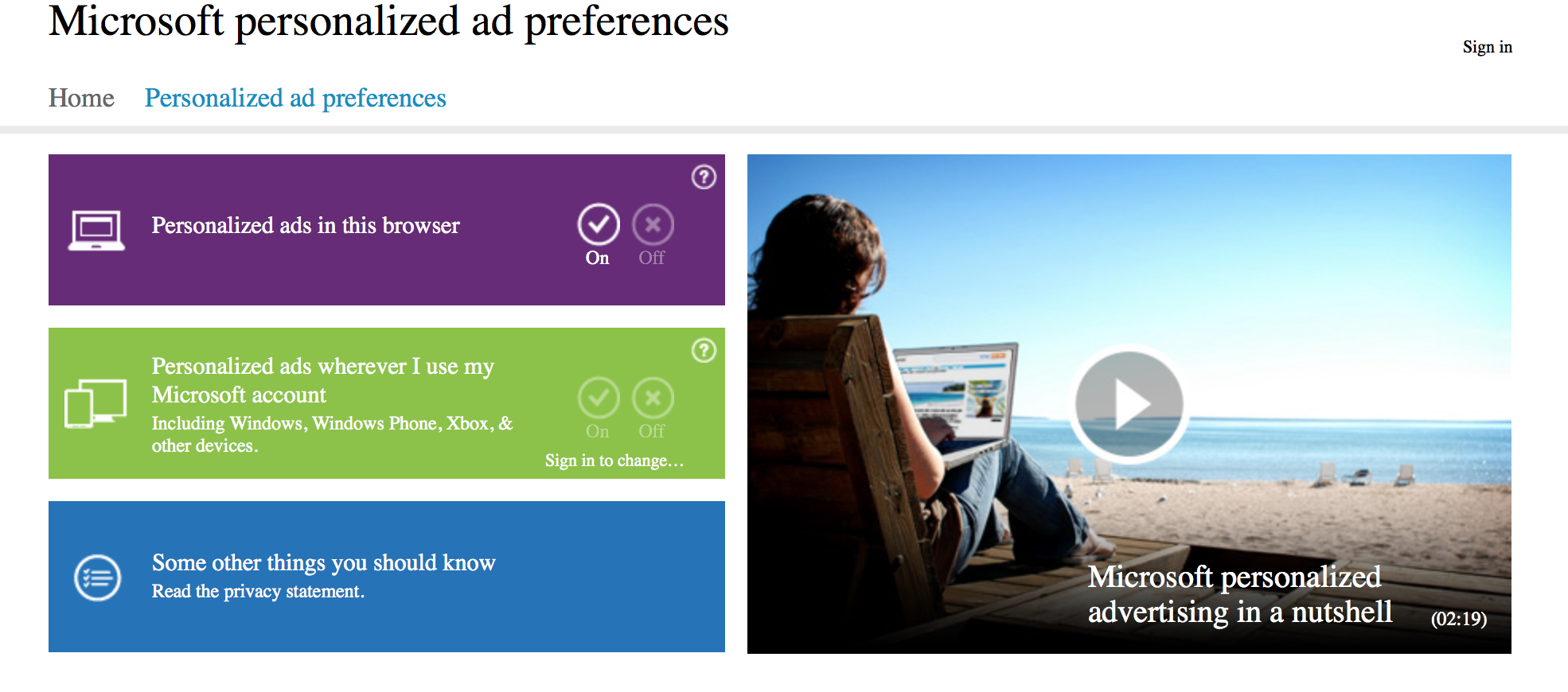
    We all know that advertisements generate revenue. So if Facebook and Google can track you to sell ads, so can Microsoft. Microsoft does it according to your interests and even gives you your own advertising ID to make it simple. However, you can choose not to be a part of interest-based ads by clicking here. Opting out of that though, doesn’t mean that data won’t be collected or the number of ads that pop up will reduce.

    4. Turn off the tracking:

    Follow these steps to prevent Microsoft from collecting random data and information –

    Start > Settings > Privacy > Feedback and Diagnostics > Click “never” to change the feedback frequency and Usage Data to “basic”

    Also, while in the Privacy menu, you can regulate any information from your location, camera, microphone etc. It can be controlled from that menu.

    5. Guard Your Browser History:

    Web Browser

    You can stop the sending of your browsing history by Edge by clicking on the top right corner of Edge, then settings > Advanced Settings > View Advanced Settings, under Privacy and Services, turn off “Have Cortana Assist Me in Microsoft Edge.” This is essential because Edge only sends your information to Microsoft so that Cortana can be further personalised. So all you got to do, is turn her off. And while you’re in the Privacy and Services menu, make sure you turn off “use page prediction to speed up browsing, improve reading, and make my overall experience better.”

    “If you received your Microsoft account from a third party, like an Internet service provider, that third party may have rights over your account, including the ability to access or delete your Microsoft account.” — Microsoft

    6. Don’t Get Tricked Into Creating a Microsoft Account:

    Try and keep all your information within your local computer only. Even if Microsoft urges you to create an account, don’t do it because once done, it pieces together all your metadata and connects it to you ID. This can be a tricky situation and one must be extremely careful while sharing this information. Its never a good idea to share accounts. In order to delete or manage your Microsoft account go to Settings > Accounts > Your Account.

    7. Cortana Can be Creepy:

    cortana

    Yes, at first it is fascinating to have an attractive voice talking back to you and calling you by your name. But, Cortana doesn’t know just your name. She has access to more information than you think she does and the whole situation sounds a little intrusive. So if you want to snap Cortana out of being too clingy, click here. There, you will be able to clear the Interests section as well as the Speech Inking and Typing information.

    Source: [tw-button size=”medium” background=”#07ABE2″ color=”” target=”_blank” link=”http://www.wired.com/2015/08/windows-10-security-settings-need-know”]Wired[/tw-button]

  • How to Effectively Block Someone on Facebook

    How to Effectively Block Someone on Facebook

    In the physical world, it may be difficult for you to cut some annoying people from your life. And admit it, we’ve all been in that situation where we wish we could ‘block’ that obnoxious boss, a lecherous acquaintance or maybe a spiteful ex, without confrontation. Facebook understands this and makes it super easy to shut someone out, without being harassed. Here is a three-step process to severe ties, instantly. Just virtually, of course.

    1. Go to the profile of the person you wish to block.

    Screen Shot 2015-05-29 at 4.44.05 PM

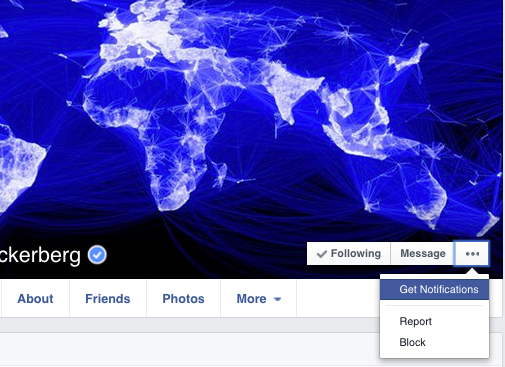
    2. Click the three dots “…” alongside Message and a list will appear

    Screen Shot 2015-05-29 at 4.42.56 PM

    3. Select ‘Block’ to restrict the person from sharing things with you.

    How Does Facebook Blocking Help?

    As soon as you confirm, the user will be blocked from receiving any notifications from you. Blocking is not permanent and you may choose to unblock anyone, anytime. It’s extremely efficient and the person will not be notified about the blocking. He/She can’t even find you on the social networking site, even if they try. If that sounds a bit harsh, then there are options to unfriend them or hide the particular post which you don’t want to see on your wall.

    Let the blocking begin.

  • To Strengthen Android Security, Samsung Partners With Blackberry

    To Strengthen Android Security, Samsung Partners With Blackberry

    Smartphones are not just a communication device anymore. They are business gadgets and a storage for tons of personal information. With the number of revelations of hacking and stealing content from users phones and cloud account, security of the smartphones has become an important topic of discussion amongst all stakeholders. Samsung has decided to step up its game on security and has partnered with Blackberry for the effort.

    Samsung’s own Knox was reported to have a flaw that apparently left the system ‘completely compromised.’ Here Blackberry can come really useful as it has been unanimously praised for having one of the best enterprise security.

    This will also be a good opportunity for Blackberry to share the limelight with the global consumer electronics giant. Blackberry has had serious issues in the recent past with the rapid decline in sales.

    Blackberry will provide its expertise to enhance the performance of Samsung’s Knox system. It will integrate its BES12 end-to-end encryption system with Samsung’s Knox. The offspring of this alliance will be introduced early next year.

    The security option is essential for corporate and government sectors as they deal in sensitive information. These sectors also consume massive inventories from the companies so it would be important for Samsung to convince them of its security standard.

  • PlayDrone Discovers a Serious Security Breach in Google Play

    PlayDrone Discovers a Serious Security Breach in Google Play

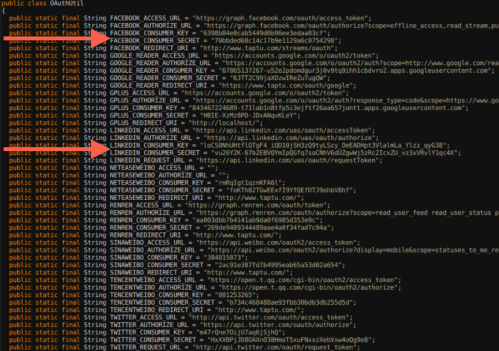
    By developing a new tool called PlayDrone, Jason Nieh, professor of computer science at Columbia Engineering, and PhD candidate Nicolas Viennot reported that they have discovered a crucial security problem in Google Play – the official Android app store where millions of Android users get their apps.

    PlayDrone uses hacking techniques to find a way around Google’s security to download Google Play apps, and then recover and analyse their sources. It scales down by simply adding more servers and in this way, it manages to compile over 880,000 of the 1.1 million free apps it downloads.

    columbiaengi
    An image of the secret keys discovered by PlayDrone

    While analyzing this, it was found that developers often store their secret keys of their app’s software similar to username and password data, which can be further used to steal user data or resources from entities such as Amazon and Facebook.

    Even the “Top Developers” promoted by Google Play have included these vulnerabilities in their apps. These vulnerabilities can affect users even if they are not actively running the Android apps.

    This tool, Playdrone, not only revealed this security loophole but also used it to provide insight into Android apps and improve the quality of Google Play. For example, the tool also found that roughly 25 percent of all free apps on Google Play are clones of other apps. This information could be used to help Google crack down on cloned content, which would be great news for developers who are creating original apps. Google Play has more than one million apps and over 50 billion app downloads.

    It also performed an analysis of the 10 best rated and 10 worst rated apps on the Google Play store, and found that even the worst-rated app has over a million downloads. Google is now using the techniques to scan all the apps for such problems to prevent this from happening again in the future.

  • Top 5 Apps to Manage Your Passwords

    Top 5 Apps to Manage Your Passwords

    There’s a slight possibility that in next five years, we will not need pins and passwords to access any of our accounts. Instead, we simply need to look into cameras or speak into the device’s microphone and the work is done.

    While we wait for that, we are stuck trying to manage multiple passwords. There’s a way out –  thank god for companies attempting to providing us password managing apps to make our life much easier. This way you only need to remember one complex password  to excess your secure website, credit card information and even documents that you keep inside encrypted data. Here are some of the best password manager available in market that can make your life easier:

    LastPass

    mzl.kyvjmzsk

    If you’re starting from scratch, chances are good you’ve used your browser’s built-in password management feature. LastPass will import those passwords, delete them from the browser, and turn off the browser’s password management. It provides various in-app features like automated form fill-out, allows for import and export, and permits sharing of passwords through the Internet (a better alternative than using plain text email, which is insecure). It also lets you create and keep simple notes, generate complex passwords, and create a USB key using Google Authenticator Support.

    Price: Free for desktop, $12/year for mobile

    Password Genie

    Capture

    Password Genie extends beyond passwords and PINs, serving as an information management app. It is especially useful for travelers. It can be installed on up to five PCs or Macs and can sync between devices, including Android and (soon) iOS. It automatically saves login credentials and replays as needed. It have option to lock automatically after inactivity and very effectively handles password change and new account signup.Password Ginie can stores a wide variety of personal data and automatically fills web forms. Built in live-chat and remote-control support is also available.

    Price: $19.95/year (free 30-day trial)

    Dashlane

    dashlane-12-535x535

    Dashlane promises instant logins and checkouts. Offering many features that extend beyond password management, Dashlane incorporates social into its product by use of a points system that rewards you for securing passwords or storing online receipts. You can then use the points to unlock premium features, get free iOS apps and more. Dashlane facilitates online shopping through use of easy-to-understand color-coded information, enabling users to complete online transactions by clicking a few tabs. The basic version offers all the features of premium, but with limited support, a limited number of notes, and no mobile help. The premium account also includes all future premium features. Version 1.6 introduced Dashlane Courier, a secure way to transfer confidential data.

    Price:$4.99/month or $39.99/year

    Security Everywhere
    mSecure-iPad-App-Screenshot

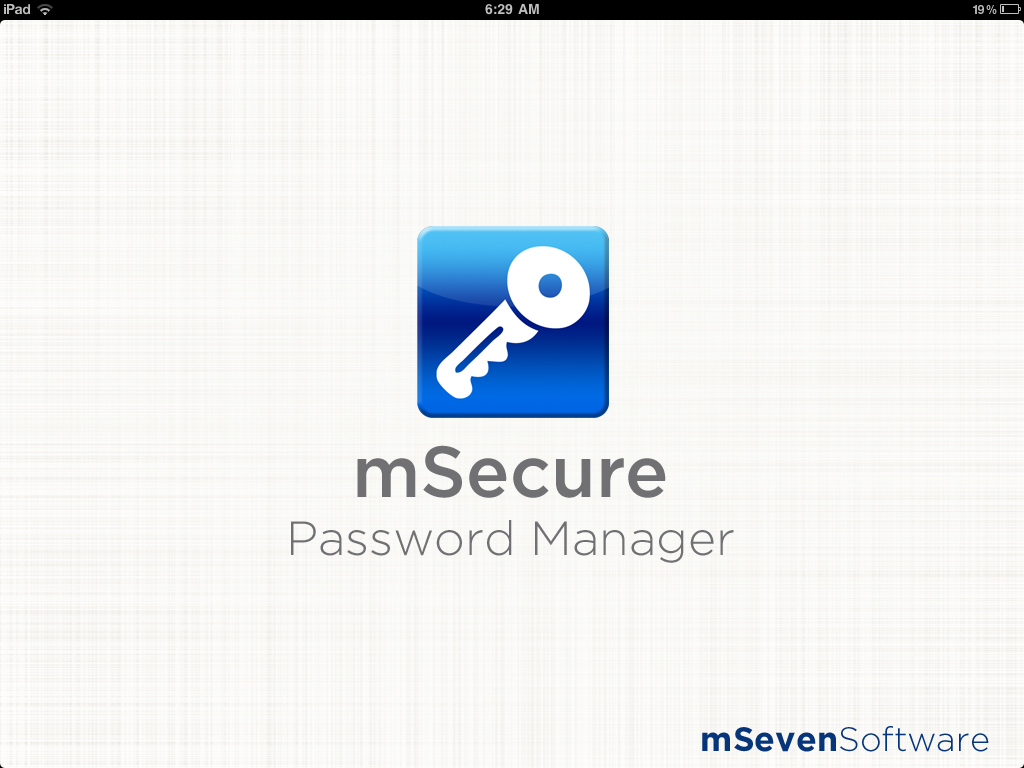
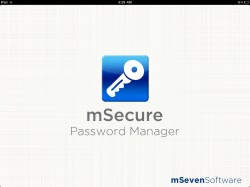
    Security Everywhere, made by mSeven Software, is a sync and security architecture that integrates with third-party cloud storage services. Currently, it only integrates with Dropbox, but according to the company’s website, support for iCloud is in development and other cloud systems are under consideration. Security Everywhere uses industry-standard 256-bit Blowfish encryption, 256-bit SHA password hash, file compression and enforcement of minimum sync passwords to keep data safe even if your Dropbox account is compromised. mSecure’s password manager comes with 17 standard templates for Web logins, credit cards, email accounts and frequent flyer numbers. You can also create custom templates with an unlimited number of fields. The app allows you to categorize records into groups and mark favorite records for fast access. The password generator creates stronger passwords that include symbols, upper- and lower-case, alpha-numeric combinations and more.

    Price: Desktop: $19.99, Android and iOS: $9.99

    Norton’s Identity Safe

    mzl.tvqtnjxw

    Well-known security tool vendor Norton offers Identity Safe. Along with standard features such as support for multiple browsers, iOS and Android support, a form filler and unlimited notes, Identity Safe includes Safe Web, a browser extension that alerts you when a site might not be what it appears to be. Norton Identity Safe is a free download, with no premium upgrade, but you’ll need to link it to a new or existing Norton account.

    Price: Free for desktop, iOS and Android

    1Password
    1password-logo-round

    1Password is perhaps one of the most widely used password managing apps. It captures and replays passwords in IE, Firefox, Chrome, and Safari and can generate strong passwords. It manages many categories of personal information while syncing with multiple devices by storing password database in Dropbox. It has a very effective password rating security. 1Password stores more personal data than most password managers, but only some of that data is available for form filling. It handles password capture and playback well, but differently from browser to browser. It’s works decently well, but you can get the same functionality from popular free tools.

    Price$49.99 for desktop, iOS and Android

  • Identity Theft : How Safe is Your Personal Information Online?

    Identity Theft : How Safe is Your Personal Information Online?

    Clicking on the ‘Buy Now’ tab on Amazon or Flipkart surely gives you that good feeling of owning the very product you wanted to have for long time. But have you ever thought of the possibility of you compromising your personal information in internet Eco-system; that may be used against you or for stealing your money. We’re sure you are aware of these crimes but you think they won’t happen to you. Well you are wrong, and statistics say otherwise.
    photo-4

    According to ‘Internet Security Threat’ report that was recently released by Norton (Symantec), India has 42 million cyber crimes affecting 42 million cyber crime victims every year on a pan-India basis. During the last year, 52 per cent of such victims had suffered attacks such as malware, viruses, hacking, scams, fraud and theft. The report adds eighty people are vicitimised under various cyber crimes, every minute across India. The study reports seven out of 10 adults have been victims of different modes of cyber crime in their life time.

    Anonymous_emblem.svg_
    Anonymous Group Embelem

    With the Internet becoming available at the touch of a button and wannabe computer whiz kids dabbling in hacking for sport, cyber crime has seen an unprecedented upsurge. What makes it infinitely more dangerous than any other crime is the comparative lack of awareness and identification. How could you be expected to know that behind the innocent looking website lurks a compulsive hacker, or worse, consummate identity thief?

    History of hacking and identity theft can be traced back to 2004 with the rise of collective called ‘Anonymous‘ who targeted government organisations and corporate. Wikileaks is another major example of hacking and recent one’s like Heartbleed bug posed a major threat to many international organisations. Think if these hacker can bring down biggest names in the global business, where we stand in this mayhem of cyber-crime and identity theft.

    Identity theft is a crime whereby criminals impersonate individuals, usually for financial gain. In today’s society, you often need to reveal personal bits of information about yourself, such as your social security number, signature, name, address, phone number, cell number or even banking and credit card information. If a thief is able to access this personal information, he or she can use it to commit fraud in your name.

    Armed with your personal information, a malicious person could do any number of things, like apply for loans or new credit card accounts. This individual could request a billing address change and run up your existing credit card without your knowledge. A thief could use counterfeit checks and debit cards or authorize electronic transfers in your name and wipe out funds in a bank account.

    Supposedly, Identity theft is one of the biggest practiced crime of our generation and you need to secure your self with these thefts. Almost every worldwide government agency responsible for identity theft issues will tell you the same thing: The first step to fighting identity theft is to minimize the risk.

    To do this they urge consumers to protect their personal information. Start by asking companies how they use your information, and for online transaction, take a moment to review a website’s privacy policy.  For Internet transactions, be sure the Web site offers secure data encryption and other services to protect your personal information.

    cc-ID_Theft

    In offline transactions don’t provide credit card numbers, financial account numbers, and personal identifying information over the phone unless you know the communication line is secure. Ideally, you should initiate the phone conversation.

    Lastly, there are recommended everyday practices, such as keeping an eye on postal mail to ensure your bills are arriving when they should be, and taking the time to properly dispose of paper documents that may contain credit card numbers and other identifying personal information.

    Remember: The more private and secure you keep your personal identifying information, the less susceptible to identify theft you are.

  • Apple Details iPhone 5s Touch ID Scanner

    Apple Details iPhone 5s Touch ID Scanner

    Apple has updated its iOS Security document to include intricate, detailed information pertaining to the Touch ID sensor that is found on the iPhone 5s. 

    Apple reiterates that Touch ID and its Secure Enclave store only data from scanned fingerprints, rather than actual images. Using a secure boot process, the Enclave – a coprocessor inside of Apple’s A7 processor – verifies and signs information independently of other iOS hardware and software.

    All Secure Enclaves can function independently even if a kernel is compromised and each one contains a unique ID inaccessible to other parts of the system and unknown to Apple, preventing the company or any other third parties from accessing data contained within.

    “Each Secure Enclave is provisioned during fabrication with its own UID (Unique ID) that is not accessible to other parts of the system and is not known to Apple. When the device starts up, an ephemeral key is created, tangled with its UID, and used to encrypt the Secure Enclave’s portion of the device’s memory space,” the document said.

    “Additionally, data that is saved to the file system by the Secure Enclave is encrypted with a key tangled with the UID and an anti-replay counter.”

     And while the A7 processor deals with data from Touch ID, this information is encrypted by the scanner, making it unreadable to the rest of the phone. Only Secure Enclave can authenticate the data.

    “It’s encrypted and authenticated with a session key that is negotiated using the device’s shared key that is built into the Touch ID sensor and the Secure Enclave,” the document reads. “The session key exchange uses AES key wrapping with both sides providing a random key that establishes the session key and uses AES-CCM transport encryption.”

    Apple has also spelt out that it has strict no-third party app rule when it comes to TouchID data. “Touch ID authentication and the data associated with the enrolled fingerprints are not available to other apps or third parties,” reads the document.

iGyaan Network
Privacy Overview

This website uses cookies so that we can provide you with the best user experience possible. Cookie information is stored in your browser and performs functions such as recognising you when you return to our website and helping our team to understand which sections of the website you find most interesting and useful.