Ever since Microsoft announced the latest iteration of the Windows operating system last year, users have been patiently waiting for its arrival in the market. The demos presented by the company has got the market excited for the plethora of cool features. Microsoft also corrects its blunder of removing the start menu in its last offering by bring back the menu in Windows 10. The company is now ready to bring the latest OS to its customers worldwide and will be launching it this summer in 190 countries.
Microsoft will offer a one-year free upgrade which will be available to the customers running Windows 7, Windows 8.1 and Windows Phone 8.1. Users can choose from 111 language options for the new operating system.
Terry Myerson of Microsoft commented on the official blog post –
We continue to make great development progress and shared today that Windows 10 will be available this summer in 190 countries and 111 languages.
Microsoft has a strategic plan to roll out Windows 10 in China. The firm stated that it would partner with leading companies like Lenovo, Tencent and Qihu 360 to deliver the new Windows OS to its customers. As said earlier, more countries will soon get the update by summer this year.
Along with announcing the launch time of Windows 10, Microsoft brought out few more interesting tools to make computing more personal. Windows Hello is one of the recent features added on Windows 10. This innovative offering eliminates the need for passwords and gives instant access to your devices through biometric authentication, i.e. analyzing your face, iris or fingerprint.
Microsoft has also put major focus on Internet of Things(IoT) devices with this new launch. This advanced Windows OS will also work with major institutional devices like ATM’s, ultrasound machines, gateways, and more. The company plans to connect with more machines and is in talks to collaborate with companies lke the Raspberry Pi Foundation, Intel, Qualcomm and other tech organizations.
One revelation that caught the eye was that Microsoft signing up with Chinese smartphone Xiaomi for the developmental of Windows 10. A select group of Xiaomi Mi 4 power users will be invited to test Windows 10 and share their feedback with the company. Seems like Microsoft is trying everything its powers to capture some of Android’s massive market share. Microsoft though would not have to convince the massive number of Windows desktop users as they would be elated to get the free upgrade and of course the Start menu that comes with it.
To know more about Windows Hello, check the video below:
Redmond giant Microsoft has released the first preview of Windows 10 for phones. Lumia owners can now install the preview and check out what the new OS has to offer. Several prominent Windows 10 features will be available in the preview, including the new UI, new action center, custom background images on the start screen and better voice dictation.
In a blog post, Microsoft’s Gabe Aul says the company is looking for feedback.
This preview is still very much under development and you’re going to see some rough edges. We’re sharing it with you so you can be with us at every step, and provide your feedback to help make this the best release ever.
[/quote]
Though the preview does not get the new universal apps, the new Office apps, the Spartan browser, Xbox integration, Skype in Messaging and Cortana, among other things.
We’ll hear more about Windows 10 for phones at Microsoft’s event at MWC on March 2, while the final OS launch is expected this summer.
To get the preview, you’ll need a Lumia 630, Lumia 635, Lumia 636, Lumia 638, Lumia 730, or Lumia 830.
Make sure you back up your data.
Go to insider.windows.com and sign up for the Windows Insider program. Then on your PC, go to the this link and click install to send the Windows 10 insider app on your phone.
When you access the Windows Insider app on your phone, you’ll get two options – ‘fast and ‘slow’ build schedules. Microsoft says the slow schedule has improvements coming less often, hence it’ll be less buggy.
This will be followed by a series of long downloads and restarts, and you’ll finally be running the Windows 10 Preview for phones.
Users are advised to be patient as the whole process takes a significant amount of time.
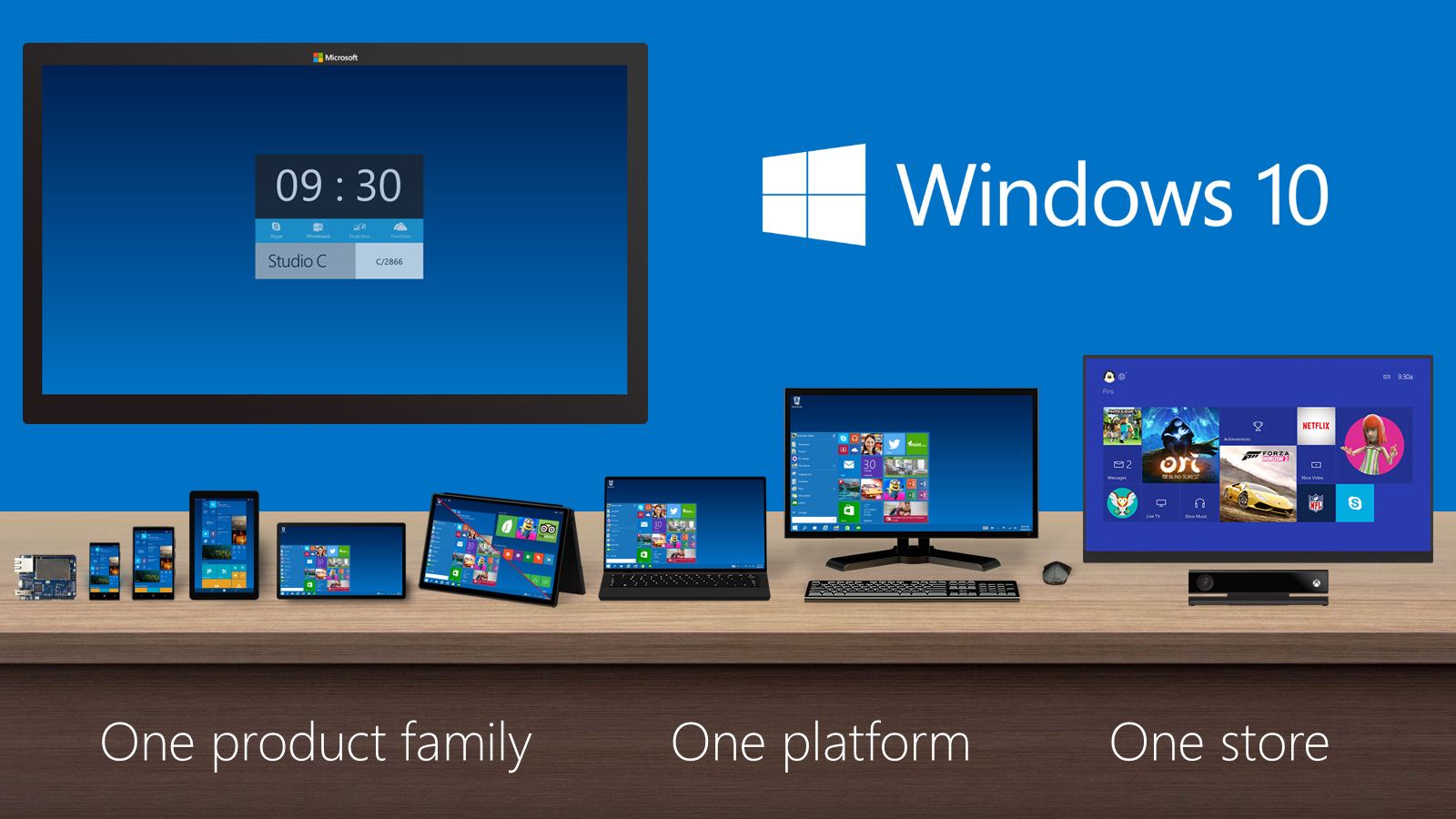
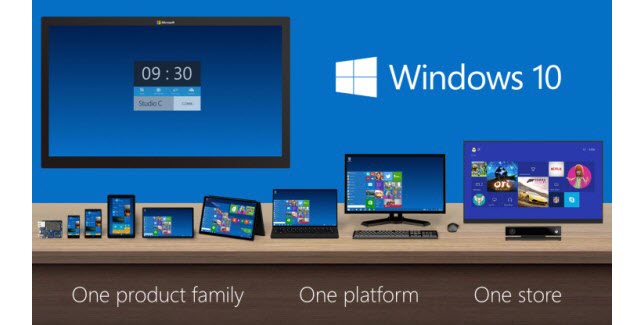
Microsoft has presented its new operating system, Windows 10, and it has impressed a lot of its critics. The latest Windows offering will act as Microsoft’s initiative to create an ecosystem for its devices. It will work on all the Microsoft devices – from desktops to tablets to smartphones. Microsoft just announced that even the lower end smartphones running on Windows 8.1 will also be getting the Windows 10 upgrade.
In a tweet, Joe Belfiore, the Corporate Vice President of Operating Systems Group for Microsoft has said that they are making a version of Windows 10 for devices running on 512 MB RAM. The tweet specifically mentions the Lumia 520. But he also added that the features would vary in these devices. It would probably be a stripped down version of the operating system made to run on devices with lower specs.
Hey all: we ARE working on Win10 for 512MB, including 520. Our ambition is to make #Win10 available for these devices but features may vary
Microsoft has been struggling with its smartphone business. Its smartphone operating system runs in just about 3% of the devices sold. It has some good features, but the mass appeal of Android and iOS from Apple has not given it a chance to grow. Joe also announced that the insider build announced at the Windows event would be coming out sometime in February.
Also, we’re on track for Insider build coming “in Feb” as Terry said at our 1/21 event. We need to complete internal testing 1st, hang in!
Few days back, Microsoft unveiled the much-awaited consumer version of Windows 10. The company announced that the upgrade will be free for the buyers for one year, but unfortunately, the free deal doesn’t extend to the enterprise segment.
The confirmation came from the General Manager of Security at Microsoft, Jim Alkove, who stated in a blog post –
Windows 7 Enterprise and Windows 8/8.1 Enterprise are not included in the terms of free Windows 10 Upgrade offer we announced last week…
He further added, “Windows 7 Enterprise and Windows 8/8.1 Enterprise are not included in the terms of free Windows 10 Upgrade offer we announced last week, given active Software Assurance customers will continue to have rights to upgrade to Windows 10 Enterprise offerings outside of this offer – while also benefitting from the full flexibility to deploy Windows 10 using their existing management infrastructure.”
The company wants to attract more business for upgrade and has rolled out two new operating system service plans for firms to get updates. These are Long Term Servicing Branch and the Current Branch for Business.
The Long Term Servicing Branch is designed for the companies who don’t require all the features and plan for long-term installation. To such firms, Microsoft will dispatch security and critical updates. On the other hand, Current Branch for Business, is what Microsoft hopes most companies will opt for. In this, critical patches and security fixes will be installed automatically, and IT people will be able to experience many new features.
The news is no surprise as Microsoft aims at making profit from Windows 10 and business sector is the primary source from which it produces maximum revenue.
The much-awaited consumer preview of Microsoft’s new operating system, Windows 10 is here. This is, of course, the best Windows OS yet and tries to repent for Microsoft’s follies in Windows 8. There are a lot of amazing features such as the return of the Start menu, Cortana, a new browser dubbed Spartan and much more. Windows 10 seems like it might also give a boost to Microsoft’s ailing smartphone business that it acquired from Nokia. But the gizmo that won everybody’s heart was the HoloLens, a one of a kind wearable that brings science fiction into reality. We look at this amazing innovation from Microsoft and see if the biggest tech company in the world finally found its winning formula.
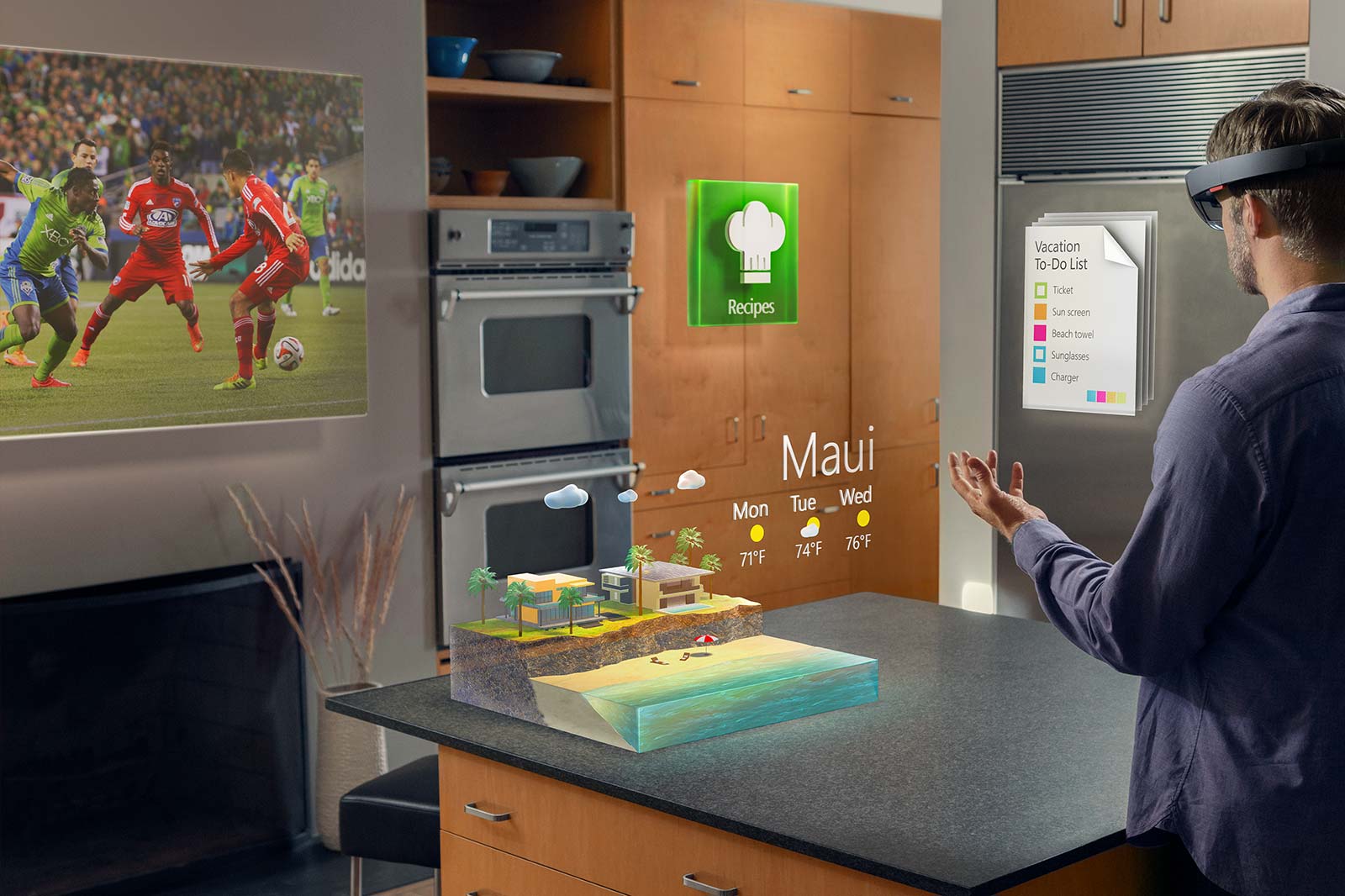
HoloLens can make all our displays obsolete as it can conjure a display anywhere you want
A Seamless Interaction between Digital Life and Real Life
Microsoft hits the top podium stand with the HoloLens at least in terms of imagination and innovation. The HoloLens has no match if you consider the manner in which it is presented. There have been previous attempts at making augmented reality based holographic glasses like Meta 1, but they appeared rather rudimentary. Google’s HoloLens gets the power of Windows 10 that will give it a boost above the rest. Also, with this product, Microsoft finally gets to stand up to Apple, whose biggest innovative offering has been the Apple Watch, which suffers from an extreme battery draining problem.
HoloLens bring Holographs into your everyday life.
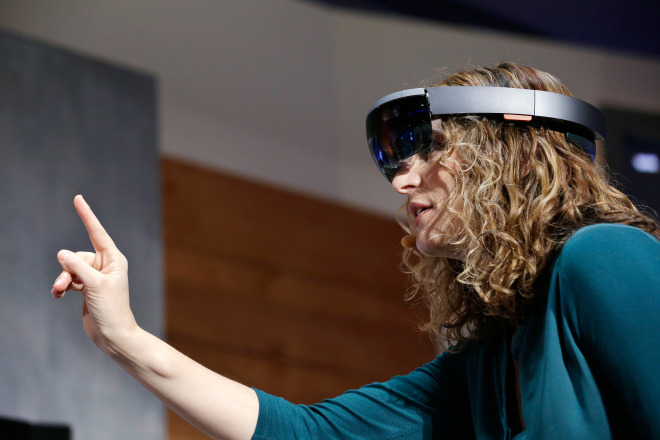
The demos of the HoloLens were definitely mind blowing. The virtual holographic objects appear as if they are a part of the real world. Interaction with this world also feels like a breeze. Microsoft has also unveiled the Holo Studio that lets you create 3D objects in a 3D environment and then using 3D printers, bring them into the real world. Unlike most of the product demo videos that exaggerate the possibilities of the technology, HoloLens seemed to perform exactly as it was presented. The creation process of the quad copter literally felt as if we were in Tony Stark’s workspace.
The Technology
The HoloLens is a self contained computer on its own and doesn’t require connection to Phone or a PC.
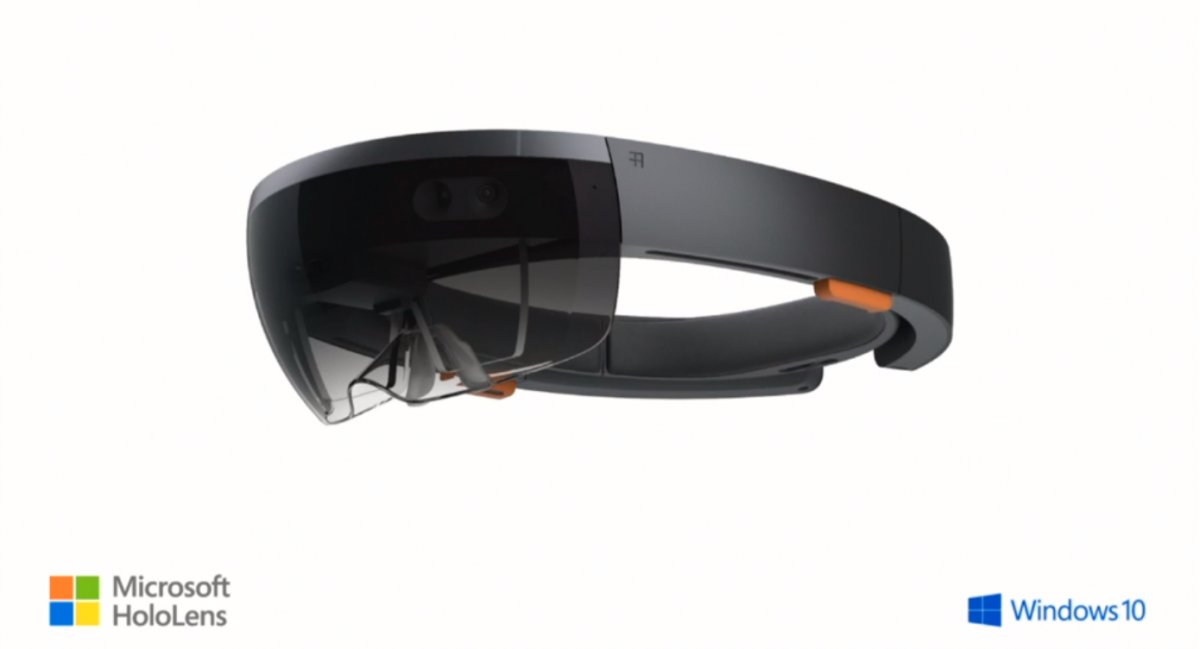
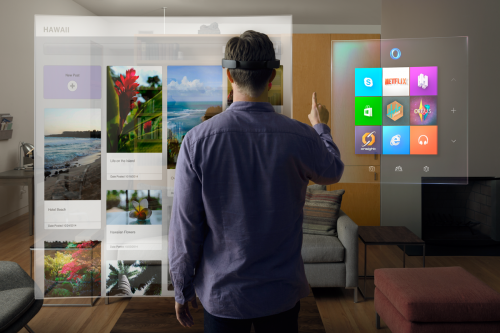
The HoloLens is a self-contained computer. It includes a CPU, a GPU, and a dedicated holographic processor unit (HPU). It neither has wire nor does it require a connection to a phone, PC or any other device. It has 120 by 120 field of view, which is even wider than the Kinect. The wide view lets it see what your hands are doing even while they’re completely outstretched. The device has to process a lot of information that might lead to a lot of heat, to solve the issue; there are air vents on the side that disperse the heat. On the right side of the device are the buttons that let you adjust the volume and contrast of the Holographs.
Applications
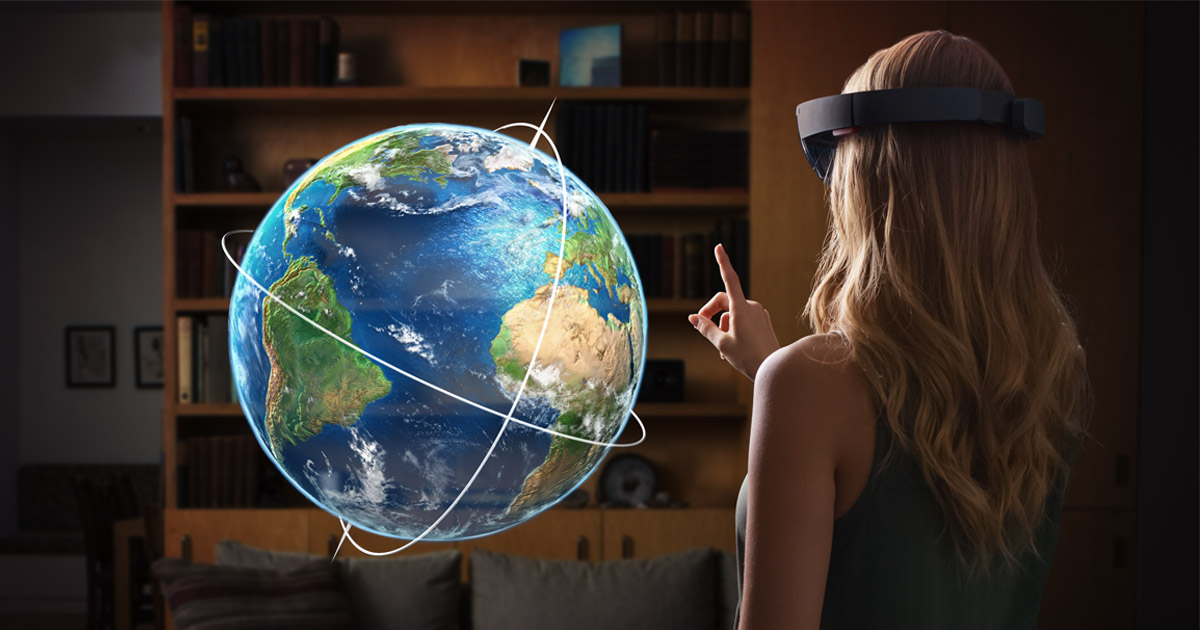
HoloLens doesn’t just present an amazing bunch of features it also makes several previous technology such as various displays almost obsolete. With the HoloLens, you can conjure a display anywhere and of any size you desire. It can be used as a teaching tool and would bring a whole new meaning to “learning by doing”. Students can be given lessons in an interactive format where they’ll get the option to manipulate the lessons to see what happens. For e.g.; a holographic globe can be used in the class learning Geography that shows the movement of ocean currents and the formation clouds caused by it. This would be a lot more interactive than a dull map with lines drawn on them.
Lessons get interactive and more engaging with HoloLens.
You can also bid goodbye to the game boards, and the gaming consoles as the entire world becomes a virtual gaming space. As the technology will progress, developers are bound to introduce virtual reality gaming that with the might of HoloLens, will be better than anything we’ve experienced till now.
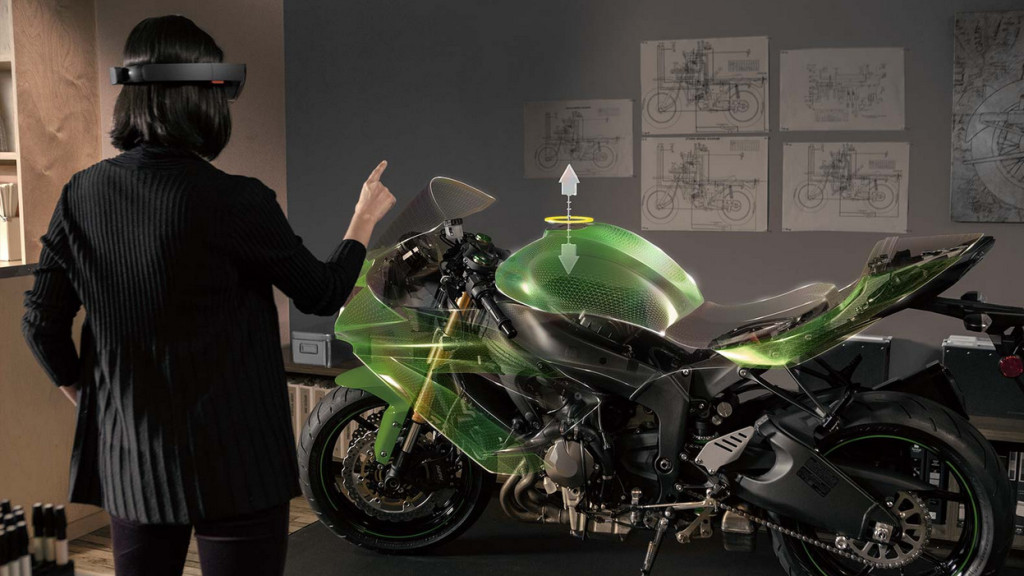
Designing process gets real easy with real time 3D modelling coupled with 3D printing.
On the enterprise front, the HoloLens will allow for virtual interactions between the entire team even if they are sitting thousands of kilometres away. Industrial designing, when coupled with 3D printing, would make the design process a lot more interactive. A vehicle designer or an architect can have an all-round view of their project and can find deficiencies and solve it after which they can get a 3D model printed.
Mars, just a HoloLens away
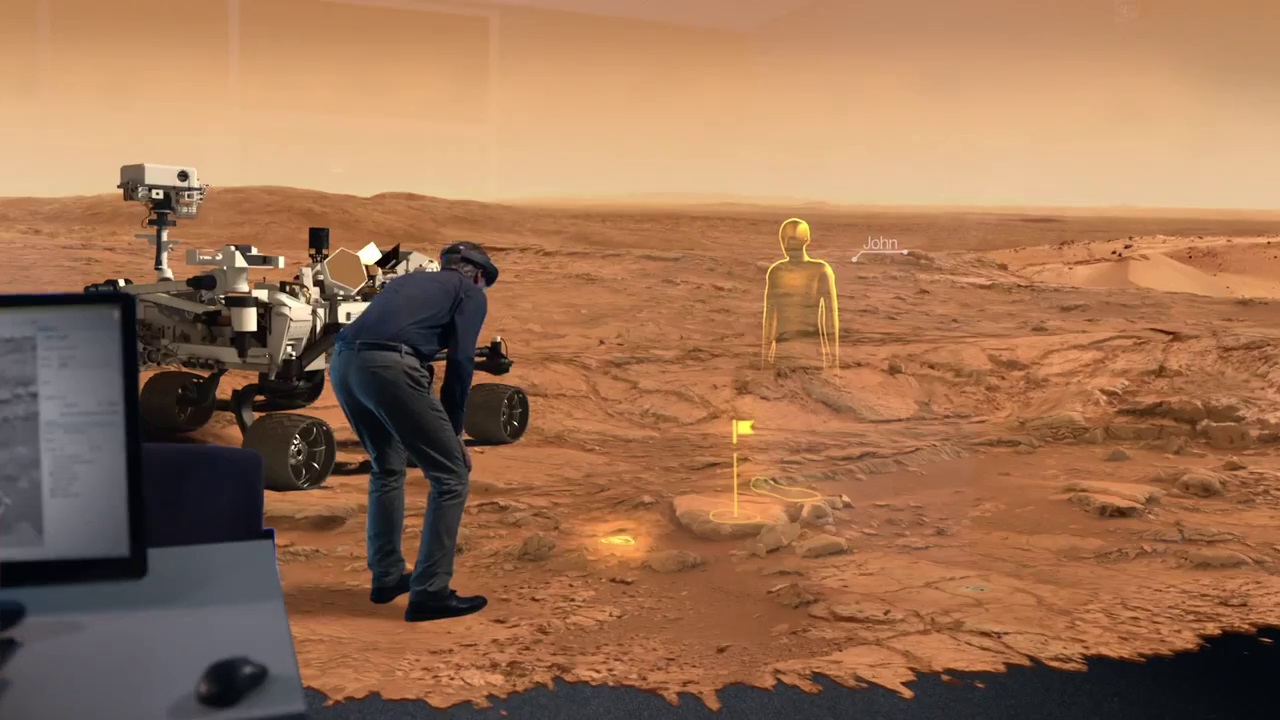
Microsoft has partnered with Nasa to create OnSight that lets scientists walk on Mars surface.
The coolest aspect of the HoloLens is how it is useful for the scientists at NASA. Now the researchers can have an immersive view of the Martian surface. To aid the scientists, Nasa and Microsoft have created a software called OnSight. Using the data sent by the Curiosity Rover on Mars, the scientist can have access to the surroundings of the rover to almost the same degree as a geologist on earth. Nasa plans to proactively use the OnSight software for the research. They also plan to integrate the technology in future missions including the next Mars rover expected to launch in 2020.
Microsoft will be opening the platform for developers this spring. The developers will get access to all the information during Microsoft’s Build conference from April 29 to May 1, 2015. Microsoft has said that it will be priced for both enterprise as well as consumer users. With the HoloLens and the successful preview of the Windows 10, Microsoft has finally managed to win our hearts again. With the HoloLens, everybody gets to be Tony Stark. Microsoft has not just pushed boundaries of holography but has also set a technological standard for others to match.
Dear Apple, that Watch just doesn’t cut it anymore, show us something that really blows our minds.
Microsoft was serious when it called yesterday’s Windows 10 event as the unveiling of the ‘next chapter’ for the software giant. The company not only showed that it’s slowly moving away from its past failures but also managed to introduce some wildly futuristic concepts.
We are listing the top 7 announcements from yesterday’s Windows 10 event.
1. Cortana Comes to the desktop
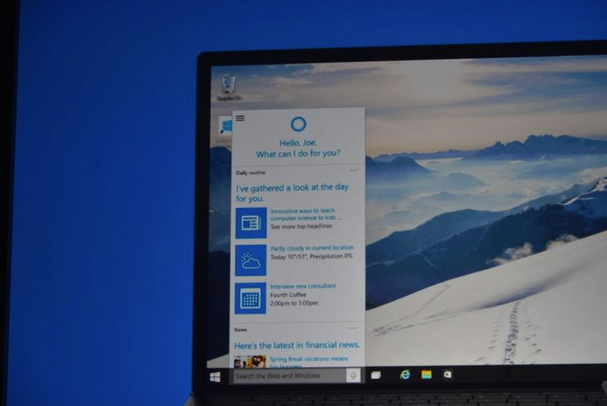
Microsoft’s sassy virtual assistance has become first amongst others to get a desktop support. As rumored earlier, you can find Cortana just next to the task bar on your Windows 10 desktop. Cortana will be able to answer your typed or spoken questions and open documents from your local library or OneDrive. The PC version of Cortana can also take notes and tailor your experience. For example, Cortana is also integrated with a new Maps app which enables her to remind you where you have parked your car or how much time will it take to reach home. Along with this, Cortana will regularly pop-in with the latest updates on flights, football scores, stocks or whatever she understands you like, with course of time.
2. Gamers Delight
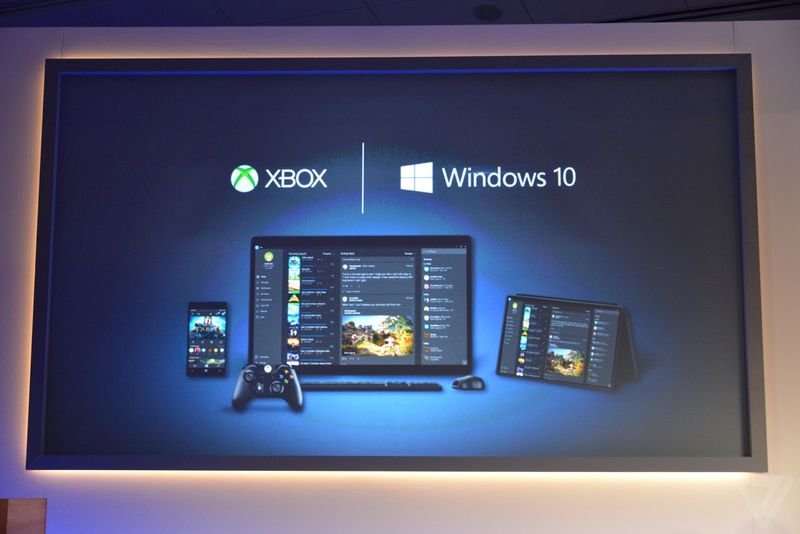
This is the announcement that made us exclaim in delight. We have been ranting about the defunct PC gaming network and Games for Windows Live being inadequate. Well, Microsoft changed it with yesterday. The company announced a new Xbox app on every Windows device allowing you to view your games collection and chat with people on Xbox Live. And the bigger news is that with Windows 10, you can stream Xbox One games to any PC or tablet. You’re no longer restricted to the gaming console. Streaming will require a one-time set up to establish a relationship between the devices, after which Xbox One games can be accessed on a Windows 10 device by clicking on the game’s name in the Windows 10 Xbox App.
3. Goodbye Internet Explorer, Hello Spartan!
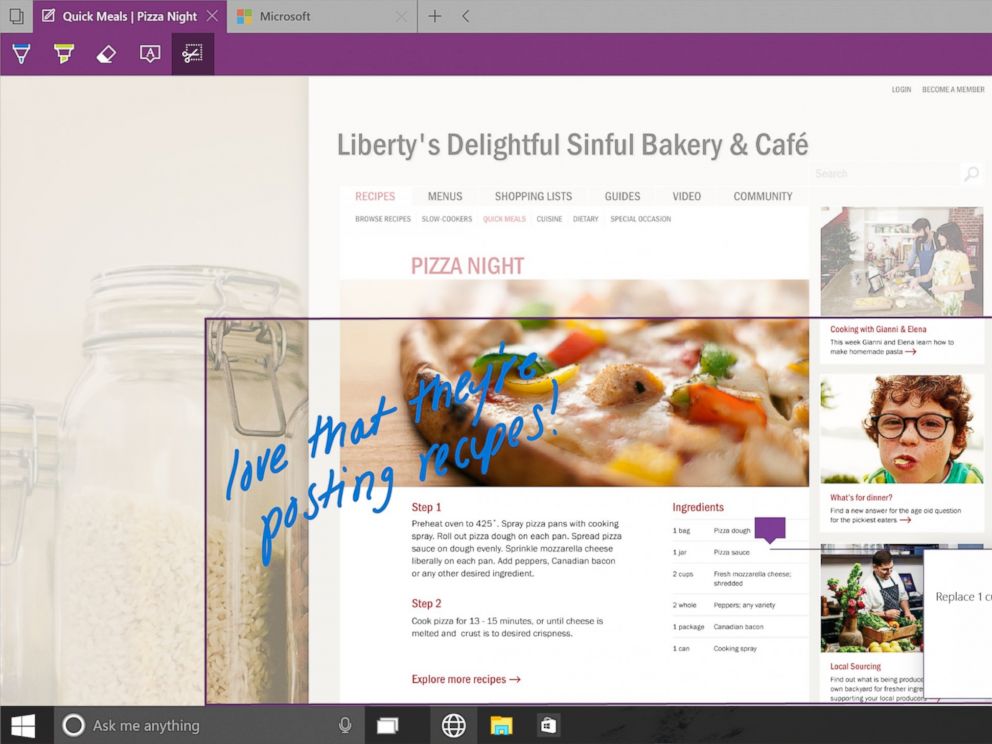
Spartan has been in the news for sometime now. Microsoft’s new browsing app is a cleaner browser with a lot of shiny new features. There’s a “note-taking mode” that lets you draw over pages with a stylus or add comments with a keyboard, then save the results on OneNote. A clean “reading mode” formats a page like a book and adds a syncable reading list that’s basically “Pocket for Microsoft” or Safari’s page-saving feature. Another added bonus – Spartan has Cortana built into it.
4. Return Of the Start Menu
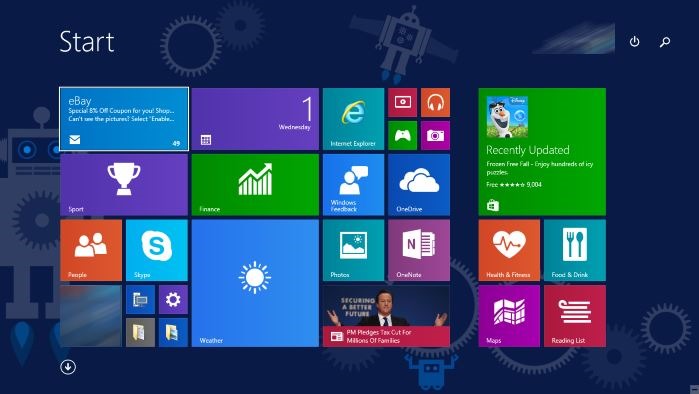
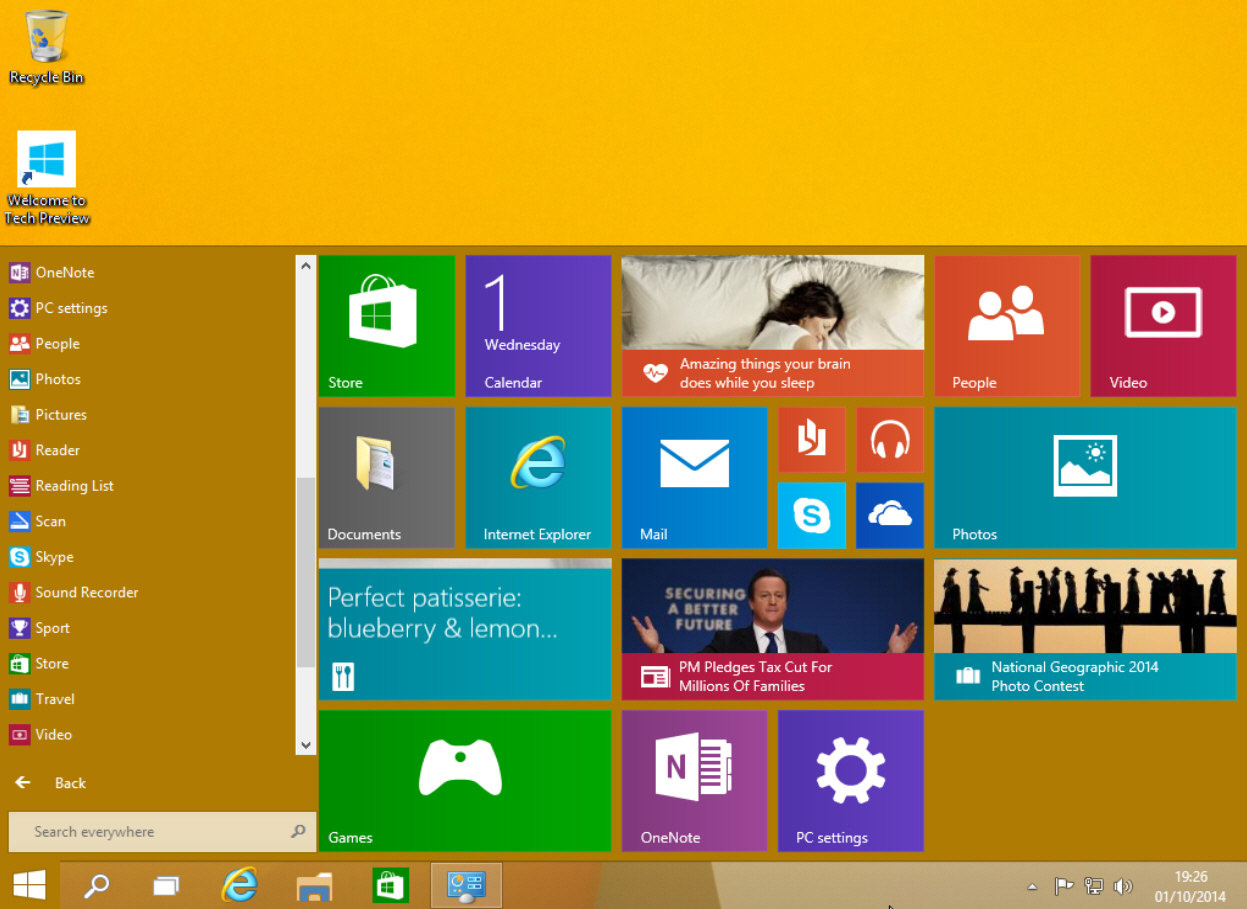
The new OS update is so radical it prompted Microsoft to skip straight from Windows 8 to 10. One of the biggest iterations in Windows 10 is the return of Start Menu. It not only made its come back with the new upgrade but is also said be better than ever. Windows 10’s Start Menu will now expand to a full-screen view that looks like Windows 8.1’s home screen. A new Android-style Action Center provides quick access to Wi-Fi options, Bluetooth, and other settings. Along with this Microsoft has also added the Continuum feature which is designed specifically for convertible devices, switching almost instantly from a mouse and keyboard to a tablet screen.
5. Giant Display For Enterprise
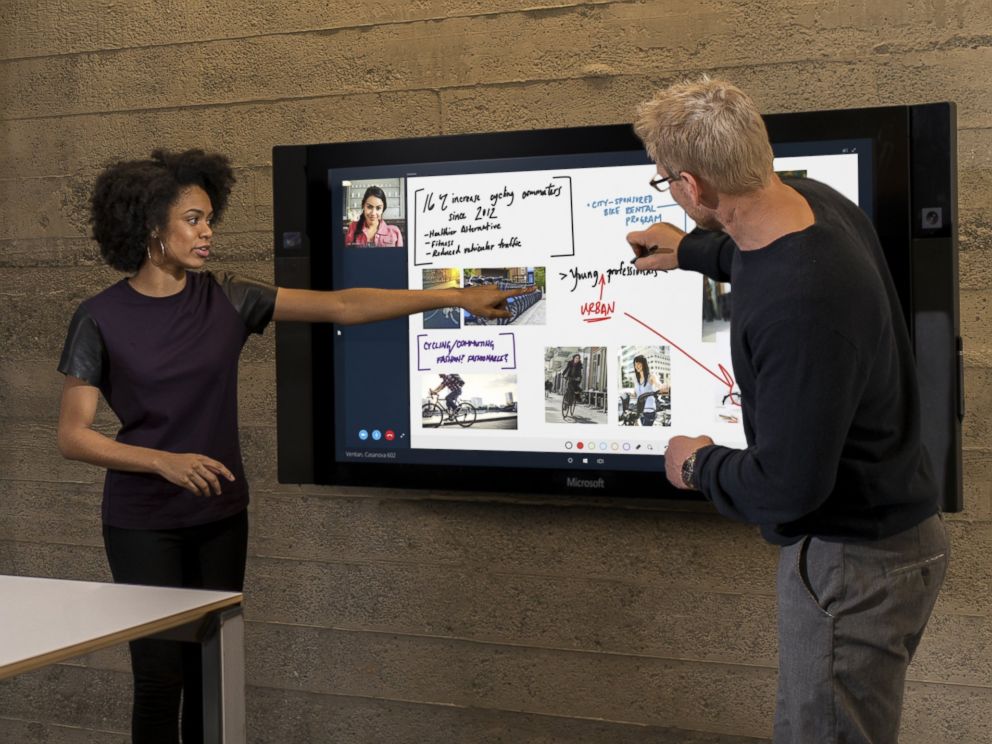
Surface hub is a giant 84-inch 4K screen meant for the workplace.The 4K display has a built-in camera, speakers, mics, Bluetooth and NFC along with a stylus as a main input device for its touchscreen interface. The new display is the outcome of Microsoft’s acquisition of Perceptive Pixel, a research company it acquired in 2012. The idea is to provide enterprises with a one stop solution for meetings with members – appearing via Skype, drawing on screen and easily sharing work between everyone’s devices.
6. HoloLens
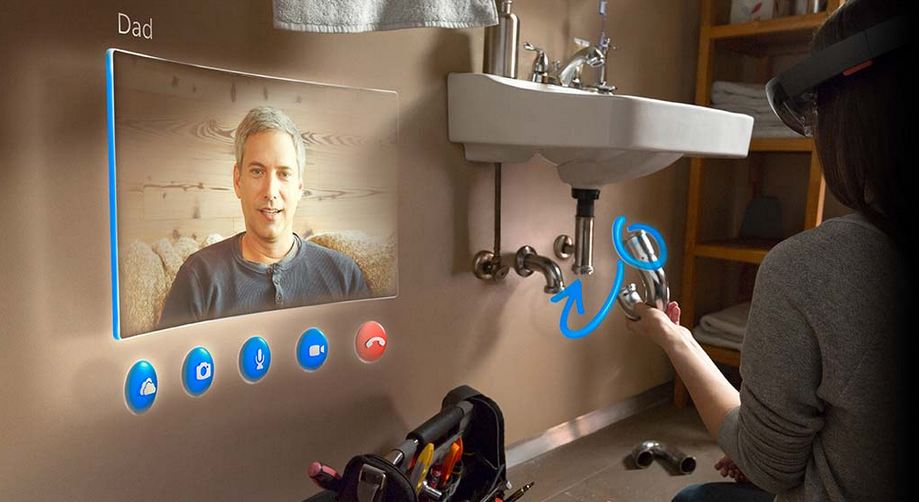
As mentioned above, the company has also announced a wild and futuristic hardware. We were talking about HoloLens. The Microsoft HoloLens is a see-through visor that overlays holographic imagery over the real world. Born as the project codenamed as Project Baraboo, or sometimes just “B”, Hologram is powered by a new processor, what the company called a holographic processing unit. It’s equipped with sensors to detect the real world and gestures of the users, as well as holographic sound. It has no wires and doesn’t need to connect to phones or PCs.
7. Unified Role of OneDrive
With Windows 10, OneDrive will become an important aspect of the unified app system. It will allow documents to sync across devices. Cortana has also been integrated with OneDrive and now can search documents in your cloud storage through your PC. OneDrive will also play a bigger role in photo and music section with Windows 10. For example, music will sync between devices using OneDrive. Up until now, OneDrive was focused on just photo and document sharing.
Microsoft has basically followed in Apple’s path, and made Windows 10 a free update for their existing consumers. There are limitations and this will only be applicable for the first year, which does not seem to be much of an excuse for complaining.
To explain it further Microsoft states :
This is more than a one-time upgrade: once a Windows device is upgraded to Windows 10, we will continue to keep it current for the supported lifetime of the device – at no additional charge. With Windows 10, the experience will evolve and get even better over time. We’ll deliver new features when they’re ready, not waiting for the next major release. We think of Windows as a Service – in fact, one could reasonably think of Windows in the next couple of years as one of the largest Internet services on the planet.
Enterprise customers are not left behind and continue to get the same service and support as previous paid “enterprise” versions.
Microsoft has taken the curtain off the next version of the largest used OS aka Windows and just like rumors suggested they skipped the 9. The next version of Windows aka Windows 10.
Microsoft has followed in the lines of Apple and mostly Mobile methods by making an upgrade to Windows 10 free for all Windows 7, Windows 8.1 and Windows Phone 8.1 users. Calling Windows mostly a service and not a product.
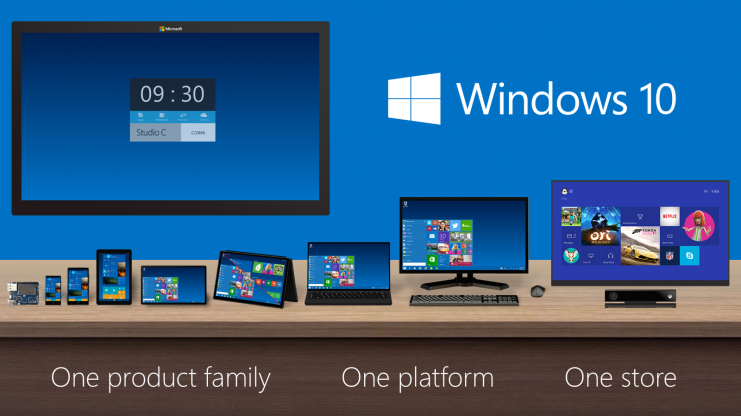
The biggest news that fits into the picture is the seamless integration with Apps across hardware segments, Microsoft has been gunning for this and with Windows 10 it may have become more of a reality.
Now coders will have to make one app which will work across platforms including mobile, tablet and PC.
The new version of Windows will also come with voice assistant “Cortana”. The center of the Cortana experience is housed in the “Notebook”, which should be familiar with those on Windows Phone. Opening this Notebook will show you just what she knows about you.
You can do voice search as well as voice to text typing, which will be a much appreciated add-on.
With previous version of Windows leaving everyone complaining, Microsoft execs are pretty much sure that they have rebuilt their OS from the ground up, and unlike Windows 8 it is not a hasty decision or rollout.
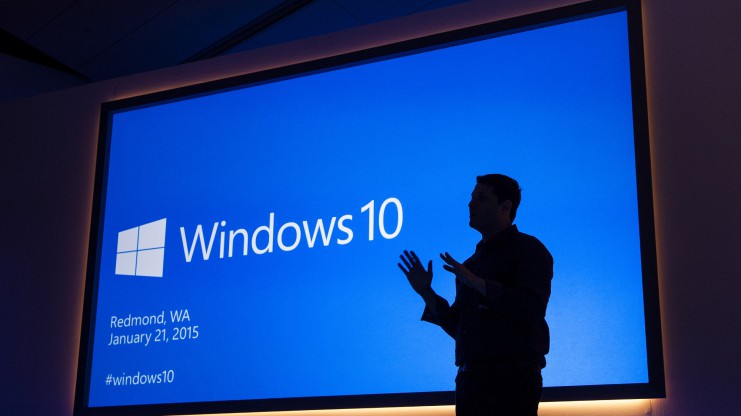
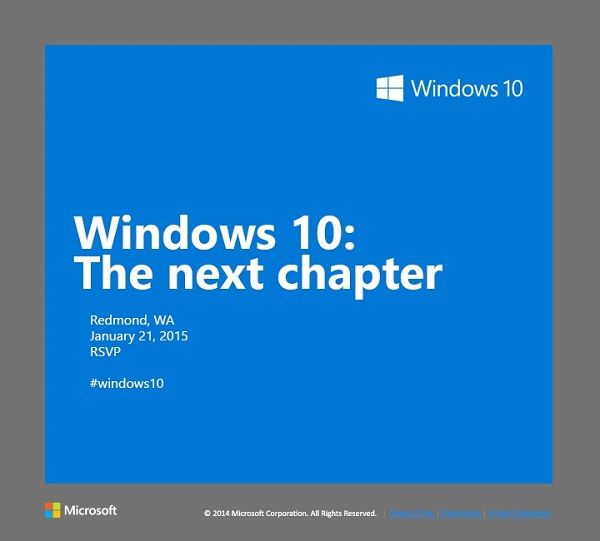
Microsoft is holding a special Windows 10 event in Redmond on January 21st. The software giant has already rolled out invites to members of the press, asking them to be a part of the unveiling of “the next chapter.” The new OS is expected to bring new advancements in the consumer-end of the software. The 21st will give us the first glimpse into how Microsoft plans to compete in the consumer field of tablets and phones.
Let’s look at what we can expect for Microsoft’s January 21st event:
Windows Phone 10
It is no secret that Windows Phones so far has been a failure, with Android and iOS giving it a tough competition. According to IDC, Windows Phone holds petty 3% of market share which is the result of drastic dip in 2014. With Windows Phone 10, Microsoft is betting to change this scenario. The company is expected to take wraps off the first version of Windows Phone 10 on January 21. According to the reports, the next mobile OS will be a combination of the Windows Phone and Windows RT operating systems. Microsoft is aiming to take advantage of its universal applications model to align its tablet and phone software to run the same apps across tablets and phones.
Windows 10
Windows 10, in particular, is a crucial tipping point for the company. It’s first and foremost an opportunity for the company to follow through on its promise to make good with consumers, many of whom were turned off by the company’s last version, Windows 8. The most important change in the next installment will be the unification of the OS’s touch and traditional software. Another significant change is the return of Start Menu which was eliminated in Windows 8.
In a recent tweet, Microsoft teased Windows 10’s ability to handle multiple desktops on a single device – saying that more is coming 1.21.15. Multiple desktops allows users to open a number of “virtual desktops” and spread their work out amongst them all – imagine them as virtual monitors you can flip between.
‘Spartan’ Internet Browser
Microsoft’s new Windows 10 internet browser, codenamed Spartan, is expected to debut with Windows 10 as a separate app along with Internet Explorer. Various leaks and rumors suggest that Spartan will be one of the major elements of Microsoft’s upcoming Windows 10 operating system and will come with some ground-breaking features which are currently missing in competing browsers such as Chrome and Firefox.
According to the reports, Spartan will include digital inking support which allows Windows 10 users to annotate a web page with a stylus and send the notes and annotations to a friend or colleague. It is also said that Spartan web browser will be heavily linked to Microsoft’s Cortana digital assistant.
PC Gaming
A post on Xbox Wire noted that Phil Spencer, head of Microsoft’s Xbox unit, will be shedding light on Windows 10’s consumer experience, by including the role of gaming in consumer products. According to the post, the company’s goal is “to help PC gaming flourish”, part of which will involve extending the Xbox experience across Windows 10 gaming PCs and other devices.
The company previously announced that Windows 10 will ship with DirectX 12, which promises to help developers deliver better performance from hardware, in addition to bringing benefits to integrated graphics solutions such as Intel’s HD Graphics series.
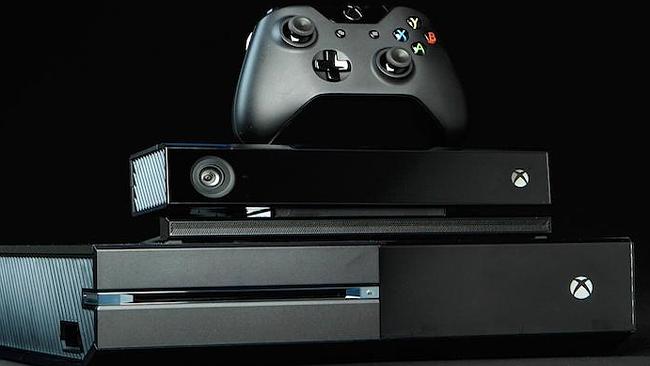
Microsoft’s Xbox One had a good holiday season last year where it outsold its arch nemesis, the Sony Playstation. The trick Microsoft used was selling the Kinect motion sensor as a separate device and slashing down the cost of the gaming console by $50. But the company has bigger plans for its gaming ecosystem, and it will be unveiling them real soon.
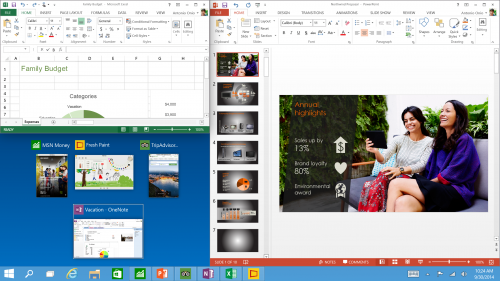
Microsoft will be holding a consumer preview of its next operating system, Windows 10 on the 21st of January. It has already held a developer’s preview where it showcased several new features along with the return of the trusty old Start Menu that it unceremoniously pulled out in Windows 8. The new OS also comes with features like multiple desktops and a Task View for multitasking.
Microsoft will be presenting a consumer preview of Windows 10 on January 21
During the event, Xbox’s Head, Phil Spencer will unveil the company’s plans for increasing the gaming ability of the desktop systems. In a post on the Xbox Weblog page, the company has said, “Our goal is to help PC gaming flourish, and we’re excited to be helping shape the future of Windows. Phil Spencer will be sharing on the Windows consumer experience at a Windows event on January 21, including the role that gaming will play.”
We are eagerly waiting for the new Windows operating system. Also, prospects of additional gaming support would really make hardcore PC gamer’s brains’ tingle.
Microsoft’s new Windows 10 internet browser, codenamed Spartan, has started to garner attention. Various leaks and rumors suggest that Spartan will be one of the major elements of Microsoft’s upcoming Windows 10 operating system and will come with some ground-breaking features which are currently missing in competing browsers such as Chrome and Firefox.
We’ve listed the top 5 expected features of the Windows 10 internet browser, Spartan.
1. Digital Inking Support
Word has it that Spartan will include digital inking support which allows Windows 10 users to annotate a web page with a stylus and send the notes and annotations to a friend or colleague. According to The Verge, the annotated Web pages will be capable to be stored on OneDrive, “which can be accessed by any browser across multiple platforms”.
2. Cortana Integration
The recent rumors claim that the Spartan web browser will be heavily linked to Microsoft’s Cortana digital assistant. Moreover, current features that work with Bing on Internet Explorer will be used on the Cortana interface in Spartan. Given that the company has already revealed that Cortana will form an integral part of the Windows 10 operating system, this speculation makes sense.
3. Group Tabs
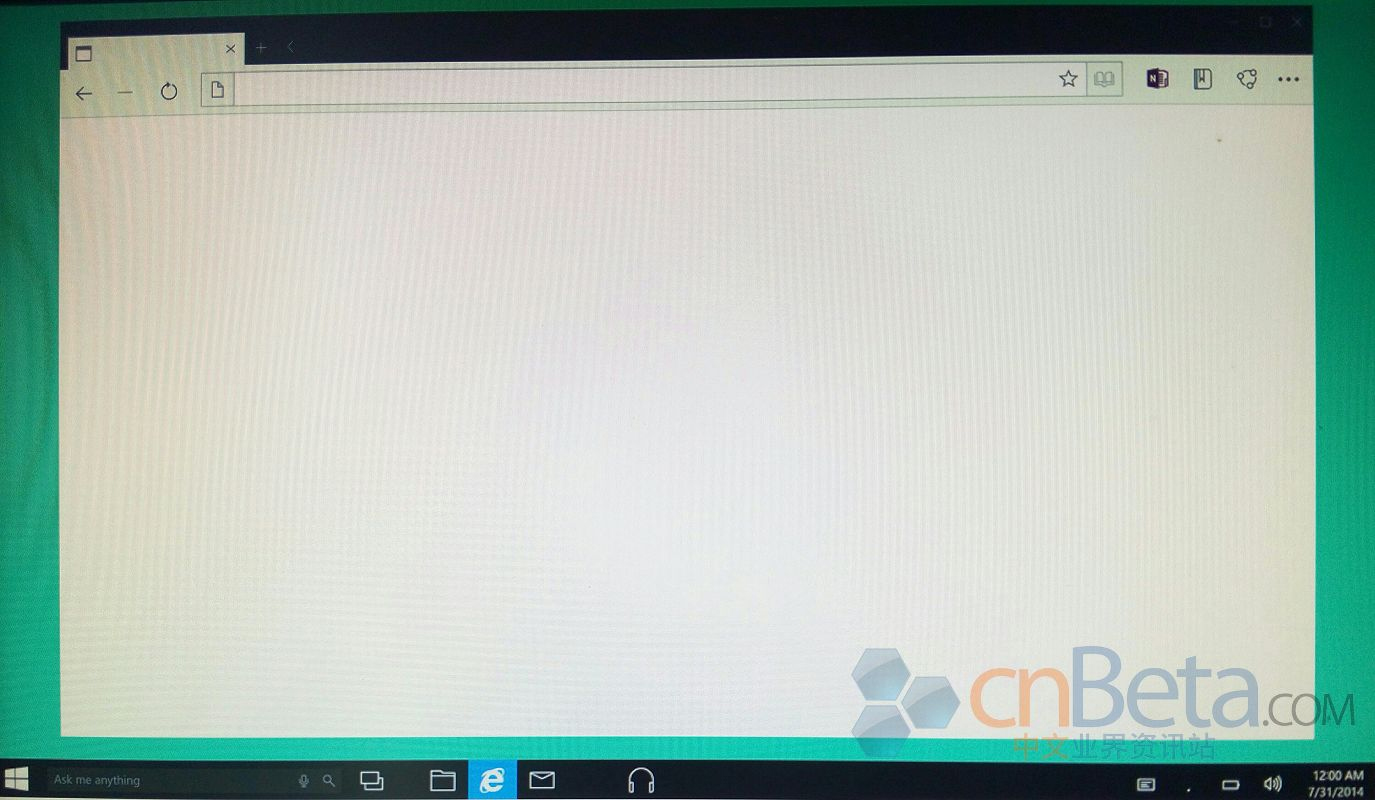
Leaked images of Spartan by Cnbeta
A third major feature of Spartan will be a new way to group tabs together which will help declutter the occasionally messy interface of multiple browser tabs. Spartan may allow users to open multiple sites in grouped tabs together, so they can do things like compare prices of a new phone without having to switch between tabs or split up personal tabs from work ones.
4. Fast Updates
According to leaks, Microsoft is planning to feature Spartan as an app in order to facilitate smooth and faster updates. Right now, Internet Explorer isn’t an app that Windows 8 or Windows Phone users get via the Windows Store or Windows Phone Store; it’s part of the OS platform. By making Spartan an app, Microsoft should be able to update it more quickly.
5. Minimalistic Design
Spartan will use the Trident rendering engine and the Chakra JavaScript engine that are a part of the Internet Explorer. It is expected to look and work more like lightweight browsers such as Google’s Chrome and Mozilla’s Firefox. It will allegedly support extensions. Also, the company originally was expected to add custom themes to the new browser. It appears that will not be the case at launch. However, it is possible custom themes may come in future updates.
Microsoft has said that the browser is not just a newer version of the Internet Explorer but a different browser altogether. Microsoft is expected to show off and discuss Spartan during the 21st January Windows 10 preview event it is hosting in Redmond, Wash.
Well, everyone has been waiting eagerly for the Microsoft’s new OS Windows 10 but unfortunately we might not see it anytime soon. The new version, which is a significant upgrade from Windows 8, is now expected to launch next year in spring. That means, we will have to wait until late summer of next year to get our hands on it.
Mary Jo Foley, an influential ZDNet reporter, has revealed that Microsoft might delay the launch of the new OS to next year’s late summer or early fall. The report also added that the new Technical Preview of Windows 10 will be coming early summer.
Microsoft is also expected to roll out Windows 10 Mobile SKU, which is compatible with Windows Phones, ARM tablets and Intel tablets, late January, along with the consumer preview of Windows 10 which will integrate Cortana into desktop OS. The mobile version of Windows is believed to integrate itself into the desktop OS.
Foley also confirmed that Microsoft will be holding its Build 2015 Conference late april, where it is expected to launch the enterprise version of the Windows 10, which will be constantly updated and tweaked until it gets ready for the public roll out.
Foley further stated that we could expect the touch version of Office 365 to launch with the Windows 10. Microsoft has made a great deal of iterations with the new OS. The company has emphasised on the return of the Start Menu, and the Continuum mode which detects whether the keyboard and mouse are hooked to the desktop or not and provides you suitable UI.
Well, it has been a month since the technical preview of Windows 10 is out; although, it doesn’t run Cortana as for now. Cortana is Microsoft’s obvious response to Apple’s Siri, and with Apple looking to integrate Siri into OS X, Microsoft desperately needs to do it right. Right now, Cortana doesn’t have much of a personality in Windows 10, but we expect that it will be there by the time the company rolls it out to the public.
Anyway, it is pretty much clear and evident that Cortana be will coming to desktops once Windows 10 is available commercially. We are still waiting to see Cortana in action on desktops.
In a recent video post, WinBeta got access to Cortana on Windows 10. The early version of the Microsoft’s virtual assistant isn’t pretty, however, we can expect Microsoft to tweak it before the roll out of public version.
This early version, which the popular publication got hold off, got most of the basic stuff in place, such as calling Skype contacts, reading out your calendar and setting reminders just like on Windows Phone. The hard truth is, there are not many Windows Phone users out there and so, this might be the golden chance for the company to push out Cortana to a larger user base.
Google Now has been available on Chrome and other platforms for some time now. These companies’ devotion towards virtual assistants shows how important they have become. The mere fact that all the big names have come up with their virtual assistants and are looking out to integrate them into desktops defines the future of personal computing.
Everyone is excited about the upcoming Windows 10. Not only is Microsoft bringing back the familiar look that we have come to love and appreciate, it is bound to come with better features than ever before. The company already unveiled a beta version for developers, and it touched on the basic tweaks. But coming January, the company will be unveiling a preview for the consumers and will give more details of its arrival in the market.
The Verge reports that Microsoft is expected to hold its press conference to unveil the product by the end of January. The preview by Microsoft seems to be taking things to a new level. The best bit of this new OS update is that it works across multiple platforms as one operating system. They have also introduced a feature called ‘Continuum’ that makes it easier to switch from touch to non-touch devices.
Windows 10 Start menu
The other important upgrades in the upcoming version include the return of the much-missed Start menu. This time around, the menu is empowered with Windows 8 style live tiles and is customisable. Taking cues from Mac OS X, the company is also adding multiple desktops to Windows 10. For the nerds out there, Microsoft has made it easy to use Command prompt in this version, well about time.
Microsoft has also said that Windows 10 will be a free upgrade for personal users, which is just fantastic. The company will be making an official announcements on dates by the end of the year, and we’ll get you all the latest on its arrival.