Tag: windows 7

  • Microsoft Decides To Pull The Plug On Windows 7

    Microsoft Decides To Pull The Plug On Windows 7

    Microsoft Windows 7 was the operating system that defined a decade for desktops and laptops. With one of the most loyal user base of a Microsoft-designed OS, Windows 7 held its position as one of the most stable operating systems ever. Even after the company released Windows 8.1 and Windows 10, Windows 7 users found it extremely tough to migrate to the newer operating systems. After almost 10 years of a very successful run, Microsoft has finally decided to terminate support for the OS.

    Microsoft’s Response

    Microsoft has already started notifying Windows 7 users regarding the removal of support for the same. The company is also recommending its users what OS should they move to next. Furthermore, it is also eager to clear any doubts regarding the end of support with the OS. As per reports, Windows users will have a time period of approximately 9 months to upgrade to the OS to Windows 10, which is the latest (and widely used) operating system from the company.

    By the beginning of January 2020, Microsoft will not only stop the sale of Windows 7 digital keys but will also stop providing technical support and security patches for the same. No new bugs will be addressed by the American Multinational Technology company, which will make the device running Windows 7 extremely vulnerable to malware and other security threats such as viruses, trojans and even phishing bots. Since the new virus signatures won’t be updated by the OS, the system may get infected far more easily.

    How To Migrate To Windows 10?

    Also Read: Google Stadia’s Viability, What Resources Does The Cloud Gaming Service Need?

    Microsoft states that Windows 10 will act as a welcoming interface to Windows 7 users. All the support required for backing up the user data and documents is being extended by Microsoft itself. Step-by-step guides available on the company’s website will help users safely move over to a new PC or the new OS. In order to prepare users for moving to Windows 10, Microsoft claims that the new OS starts up 28 percent faster than Windows 7, and has a better security detail than the outgoing OS. With this move, Microsoft may attain the number of 1 billion Windows 10 devices by the end of the year 2019, with the current user count standing at around 800 million.

  • Microsoft Windows 10 Overtakes Windows 7

    Microsoft Windows 10 Overtakes Windows 7

    According to a market research study, Microsoft’s Windows 10 has overtaken the famous Windows 7 in terms of number of users. Windows 10 has now 39.22% share followed by Windows 7’s 36.90% as of December, 2018. 

    Brief History of Windows 7 and Windows 10

    Windows 7 operating system was released in 2009 and it became one of the most successful operating systems in the world. Before that, Windows XP was a widely used platform. After a string of failure with Vista and Windows 8, Microsoft finally released the Windows 10. It was made as an OS that mixed the tablet, mobile and laptop formats in their design cue. The Windows 10 OS was well received, with additional features like Microsoft’s digital assistant – Cortana being just one click away. It mixed the App ecosystem with features that a personal computer or laptop has such as a full fledged desktop, start buttons etc. Microsoft Windows 10 had a great start. As high as 14 million devices adopted the new operating system in less than 24 hours of its release. It was a free upgrade and it changed the user experience drastically when compared to Windows 7. 

    Patch Tuesday

    Microsoft has also started an update cycle unofficially called Patch Tuesday. The updates occur on the second, and sometimes fourth, Tuesday of each month. Larger updates are pushed out in even-numbered months while smaller updates in odd-numbered months. Microsoft had also previously stated that Windows 10 would be the last version of the Windows platform. They had stated that the OS will be regularly changed and updated with time according to the demands of the industry. According to recent reports, Microsoft might be pushing the Windows 10 update forcefully even though Microsoft has vowed to not push updates on it’s users. The company has also very recently received flak for various issues cropping up on users’ devices after updates. It was also one of the reasons as to why one of the recent updates was pulled back as well. 

    It is yet to be seen how Windows tackles the constant issues with updates causing problems for users and how Windows 10 is developed and modified in the coming years, when bendable screen phones finally arrive. But for now, we will have to make do with the Windows 10 version and updates that we have. 

  • Microsoft To Discontinue Windows 7 and 8 By October 2016

    Microsoft To Discontinue Windows 7 and 8 By October 2016

    On a mission to secure a goal of having Windows 10 power 1 billion devices, Microsoft’s “Window’s life cycle fact sheet” shows us that October 31st 2016 could be the last day for sales of PCs pre-installed with Windows 7 professional or Windows 8.1. This means, that post the given date, all new computers will come with Windows 10 pre-installed. However, businesses with license agreements which entitle them to choose whichever version they prefer can continue working on Windows 7 or 8.1.

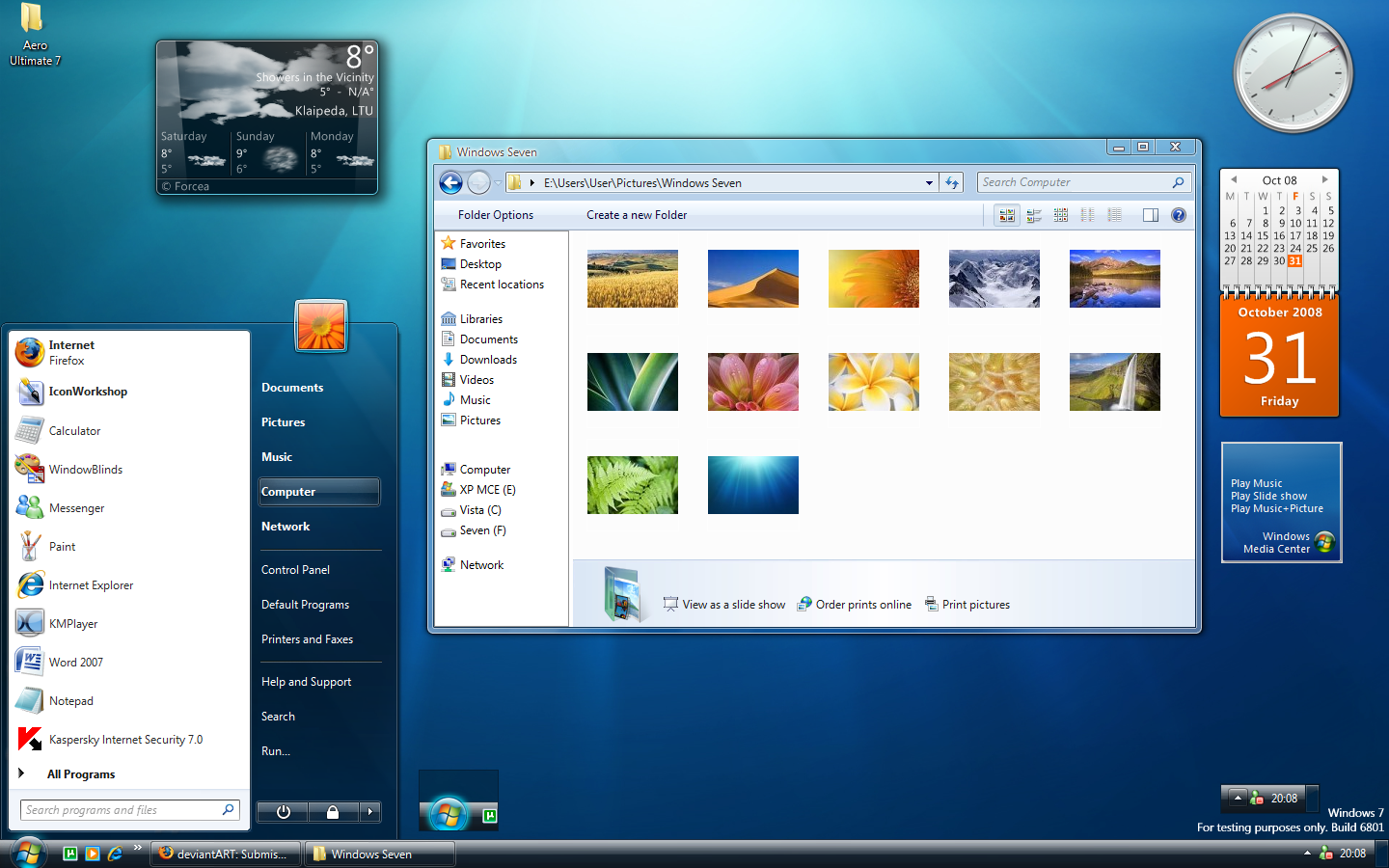
    Windows 7 Start Screen

    This deadline is probably not the best news for users who have become comfortable with the Windows 7 and have been procrastinating the update to Windows 10. Microsoft will however benefit from this deadline, because they will finally be able to tie together PCs and other devices with apps that can run on all the devices.

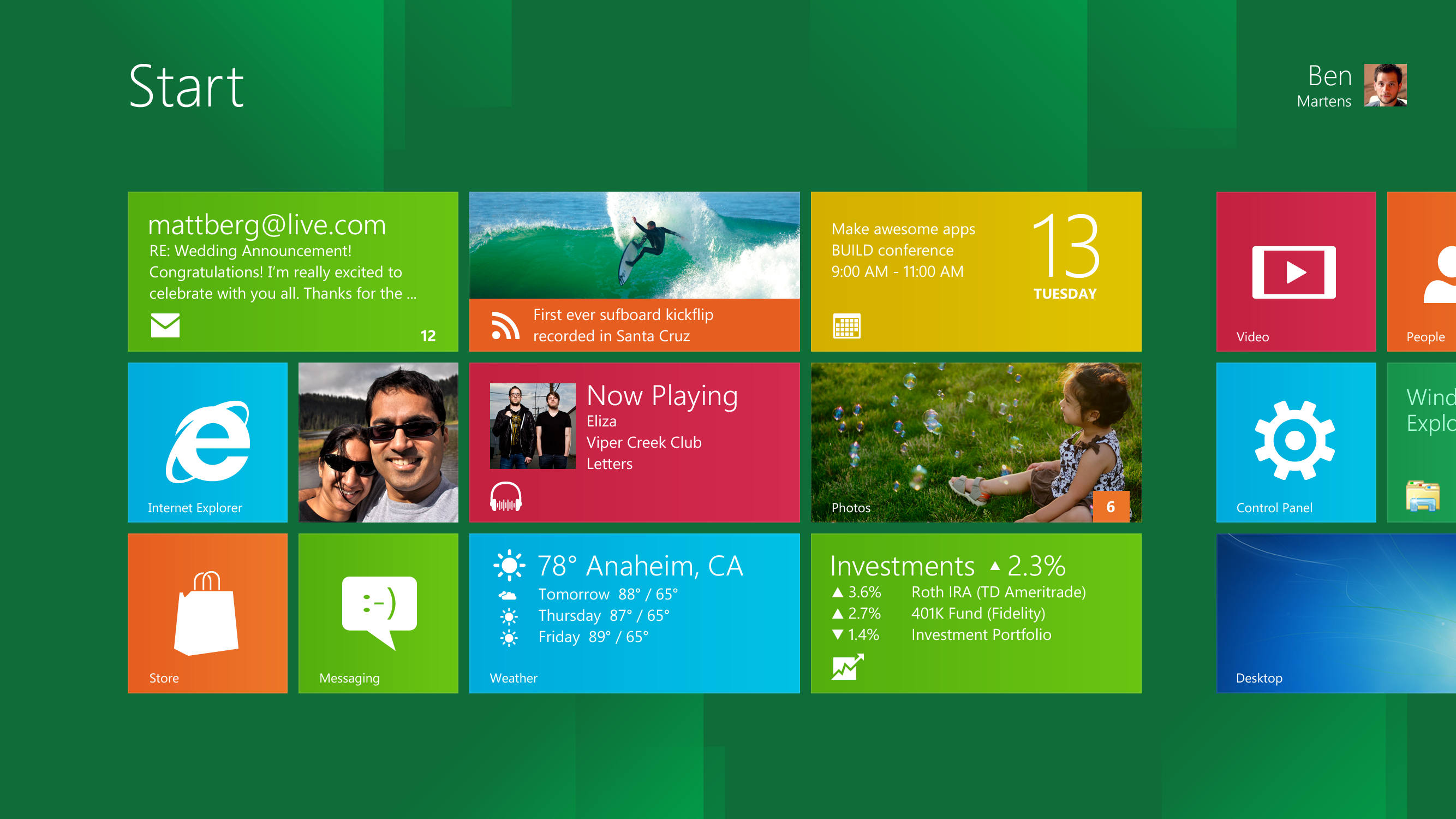
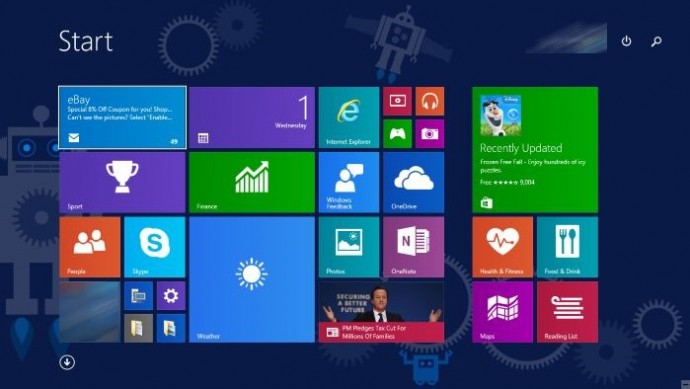
    Windows 8 Start Screen

    Microsoft usually sets their end-of-sales date for each version of Windows after two years of the release of a new version. However, since Windows 8 didn’t receive the best of responses, Windows 7 continued to be available. This privilege may not be available anymore because of the positive response that Windows 10 has mustered up.

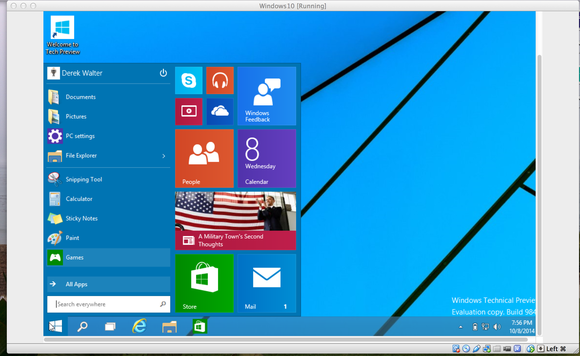
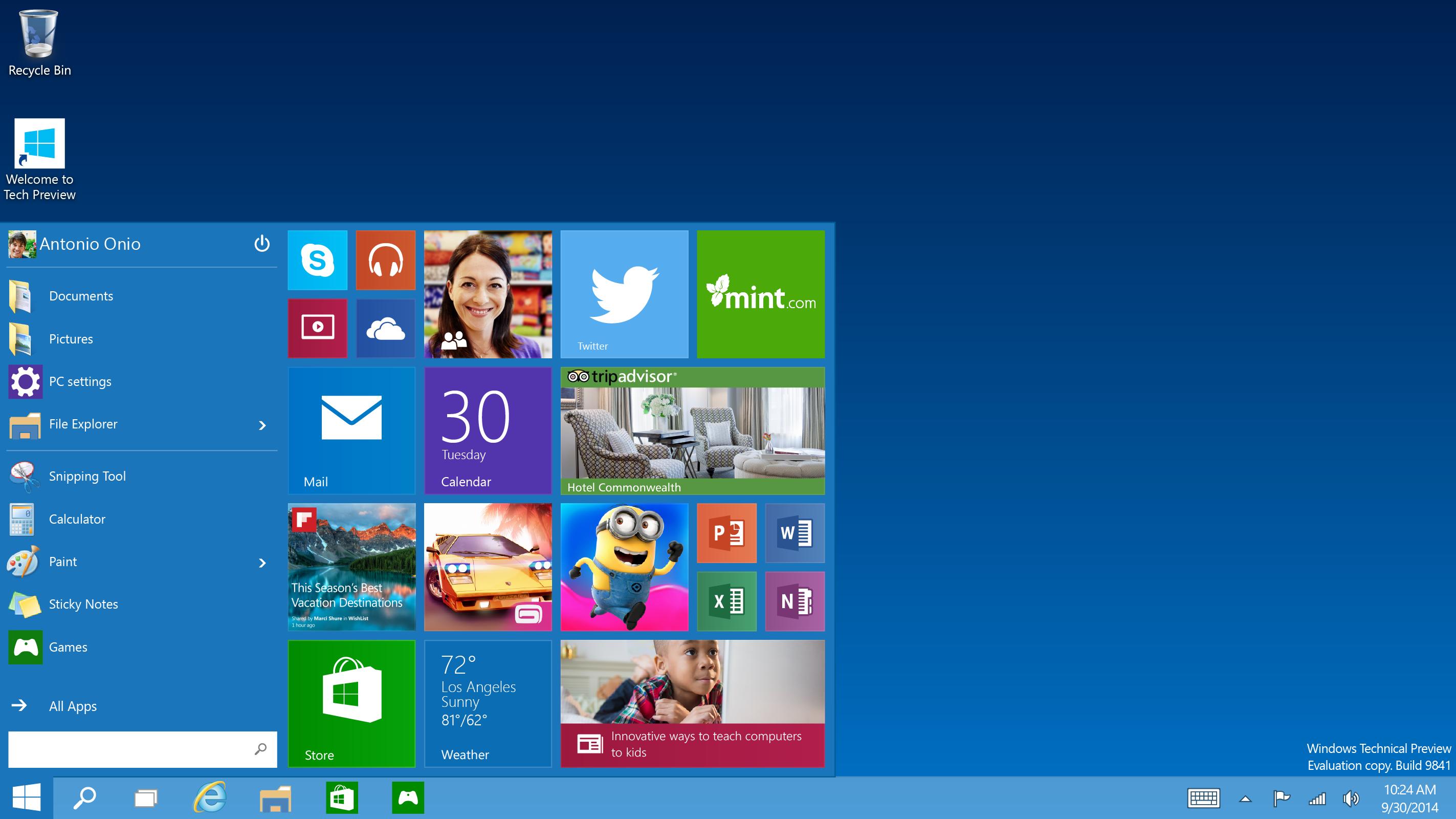
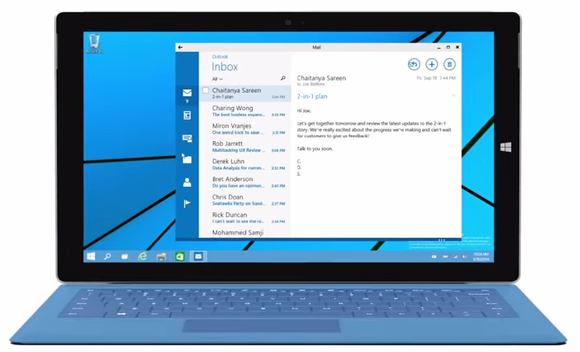
    Windows 10

    But, for users who really want to continue with the Windows 7, technical support has been extended up to January 14th, 2020 for all users and up till January 10th 2023 for Windows 8 users. As of now, Windows 10 is available as an “optional update” on all PCs, however, early next year, reports suggest that it could become a “recommended update”.

    Windows 10 is slowly finding acceptance, so Microsoft is probably just trying to make things easier for themselves and their users. All we can do is watch and wait for the response.

  • Here’s a Little Help if You Haven’t Received the Windows 10 Upgrade Notification Yet

    Here’s a Little Help if You Haven’t Received the Windows 10 Upgrade Notification Yet

    It is safe to say, that the most awaited update of this month is the Windows 10 update. While many Windows users have still not received the little Windows 10 notification button on their System Tray, what is it that you can do to get your system to step up?

    source: PCworld
    source: PCworld

    The process to prepare your laptop for this upgrade will differ according to the Windows version you are using. If you are running the Windows 7, then the solution is to simply update, because the older version of the Windows 7 is not equipped to a new OS without intermediary updates. What you can do is go over to the Control panel, click on System and then choose the Automatic Updates option, moreover, one can also manually update everything. Once your computer is through with the process, just reboot it and you should be able to see the notification icon for the Windows 10 upgrade.

    continuum windows 10

    What is to be noted here, is that, the icon works solely for the Windows 7 SP1 version and not the Windows 7 Enterprise yet. If the updates aren’t working properly, or if you don’t want to update everything then you can manually update the necessary requirements. The two necessary updates are here and here, after which you can download the app itself. Without these updates, Windows 7 won’t be equipped to upgrade to the Windows 10.

    For more detailed information on the upgrade click here.

    Similarly, for the Windows 8 or 8.1 user, you will need to upgrade your operating system. If you haven’t chosen the automatic updating option then you will have to go to your Settings and select the Change PC Settings option then pick the Update and Recovery button. There are different options to update your PC on a Windows 8/8.1, so if you want to control the update installation, then simply pick the Choose How Updates get Installed option.

    Start-screen-in-Windows-10

    Here also, however, the Windows 8/8.1 Enterprise and Windows RT/RT 8.1 cannot get the Windows 10 update icon or app. Although, for a manual update, the process is similar to that for Windows 7, for which the links have been given above.

    For computers on a professional network, the option to upgrade is out of your hands. This is because, most schools, colleges and business organizations run networks with a tight firewall protection which is managed by the administration or IT department. Therefore, in these cases one can only hope that one’s organization also plans to eventually update their version of Windows.

    Finally, for older Windows operating systems, if you have picked the “no update for you” option on Windows 7 and 8, one might have already noticed that the new upgrade cannot be downloaded on to your system yet. But, according to sources such as PCgamer.com, Windows is offering an upgrade even for ‘non-genuine’ users. As posted in a Windows blog on May 15th, Terry Myerson wrote that the company would be releasing an attractive Windows 10 upgrade for those running older devices on a non-genuine state.

    windows10invite.0

    So let us wait and see, what the much anticipated Windows Upgrade, holds for us.

  • Microsoft Backtracks, Announces Pirated Softwares Will Not Receive Free Windows 10 Upgrade

    The arrival of Windows 10 is the next big thing every Windows OS user is looking forward to. Of course, the latest Windows version has many distinctive features, but Microsoft’s promise to provide free Windows 10 upgrade to everyone is another major cause of wait for users running pirated copies.Unexpectedly, Microsoft has pulled back its support for the non-genuine versions of Windows 7 and 8.1.

    Microsoft responded to all customer queries regarding how this will work for genuine and non-genuine Windows. The hardware and software giant commented on its blog post stating that Genuine Windows 7 and Windows 8.1 customers will be upgraded to Windows 10 for free and will continue receiving ongoing Windows innovation and security updates for the supported lifetime of that device.

    continuum windows 10

    On the other hand, Non-Genuine users are suggested to purchase a licensed copy of the ubiquitous Windows to save their personal data from getting exposed publicly. Microsoft said that the Windows 10 update will not be free for Non-Genuine Windows devices and customers have to pay a certain cost depending on what the offer is. As per the company statement, some offers would be run by Microsoft to shift users from the pirated version to the original. The new version will be accessible on devices running pirated copies, but that will again be a non-genuine version. It will come with a watermark notifying its piracy.

    Microsoft hasn’t clarified the pricing scheme and has asked to stay tuned for further announcements. Windows 10 is scheduled to release this summer. It will release in 190 countries and will support 111 languages. The fresh Windows OS will bring major upgrades and innovative features like Cortana, Continuum and many more. Read more about the same here.

  • Microsoft Suspends Support, No Further Updates and Assistance for Windows 7 Users

    Microsoft Suspends Support, No Further Updates and Assistance for Windows 7 Users

    Microsoft’s former version Windows 7 is an addictive one. It has all the necessary features and most important of all, it’s user-friendly. Even after the roll out of Windows 8 a couple of years ago, there are many people across the globe who still rely on updates and support for Windows 7. However, Microsoft seems to think otherwise. The US-based company has decided to retire the 5-year-old operating system still prominent on more than half of the desktop population running Windows.

    The announcement read that Windows 7 users will neither get new updates nor any help related to the OS. Nevertheless, according to a publishing daily, the company will continue to patch security vulnerabilities until 2020. The suspension of support to Windows 7 will make way for the forthcoming Windows 10.

    The up and coming Windows 10 is one of the most anticipated operating systems by the company. The new OS is expected to come with a ton of features and is said to integrate Cortana onto the desktop. The update will release late summer this year.

  • Internet Explorer 11 Now Officially Available on Windows 7

    Internet Explorer 11 Now Officially Available on Windows 7

    Internet Explorer 11 was already available on Windows 7 as a Release Preview, however, today the latest version of internet explorer is official is available for download.

    internet

    Starting today, you can download the final make of internet explorer 11 which brings some security and performance improvements, along with some features like Pre-fetch and Pre-render for faster load times. It seems Microsoft wants to improve its web browser which is generally ignored by masses. Overall, the browser seems to have improved with this update and works faster than any previous version of of explorer, only if you have used one lately. You might want to update your internet explorer, click the source to download the latest version.

    [Microsoft]


  • Slow Growth: Windows 8 Reached 8 Percent of Web Traffic

    Slow Growth: Windows 8 Reached 8 Percent of Web Traffic

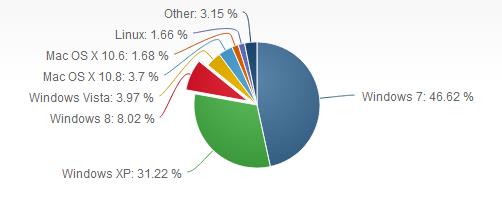
    When Windows 7 was newly launched the web traffic for Windows xp went down, which is because whenever a new operating system comes up in the market it usually grows faster than the previous generation of OS.

    windows 8

    Windows 8 does not seem to behave the same way, as the total web traffic on windows 8 reached 8 percent worldwide, whereas Windows 7 grew faster and has 46.4 percent of web traffic currently. Ever since its launch Windows 8 is been treated with mixed emotions, some like the way it looks some find it to be complicated. The rise in Windows 7 use corresponds to a drop for Windows XP, which shows that customers are less likely to choose a new Operating System. However, Microsoft has faced problems with the new Operating System overall, but they might have a different plan considering Microsoft to take over Nokia for Its Lumia, we might have something big coming up soon.

    [via]

  • Internet Explorer 11 Release Preview For Windows 7 Now Available

    Internet Explorer 11 Release Preview For Windows 7 Now Available

    For the past few months, Windows 8.1 Release Preview users have been able to test drive the latest Internet Explorer – Internet Explorer 11. Now Windows 7 users are getting that same opportunity.

    Microsoft announced today that the Internet Explorer 11 Release Preview is now available on Windows 7. Just like the Windows 8 version, IE11 will make extensive use of hardware acceleration. According to Microsoft, this new version is about 9% faster than IE10 and 5% faster than the developer preview. Microsoft also claims Internet Explorer 11 is 30% faster than any other browser.

    Microsoft also has removed the prefixes from the Pointer Events API for HTML5. That means that the API will no longer an IE-specific flag to work in non-IE browsers. The API governs how the browser reacts to input from multiple “pointers,” including mouse, pen, and touch screens, which are of utmost importance to Microsoft now that most Windows 8 hardware ships with touch screens.

    “This release also signals the final preview release before general availability of IE11 for Windows 7 later this fall,” said Roger Capriotti, Microsoft’s senior director of product marketing for Internet Explorer, in a statement.

    No word yet on the final release, but given the timing, certainly by the end of the year, we’re guessing within 30 days of the general availability of Windows 8.1.

    It can be downloaded from the Microsoft Download site here:  Internet Explorer 11 Release Preview for Windows 7

  • HP is dubious about the past, Releases the new Slate 2 (PR)

    HP is dubious about the past, Releases the new Slate 2 (PR)

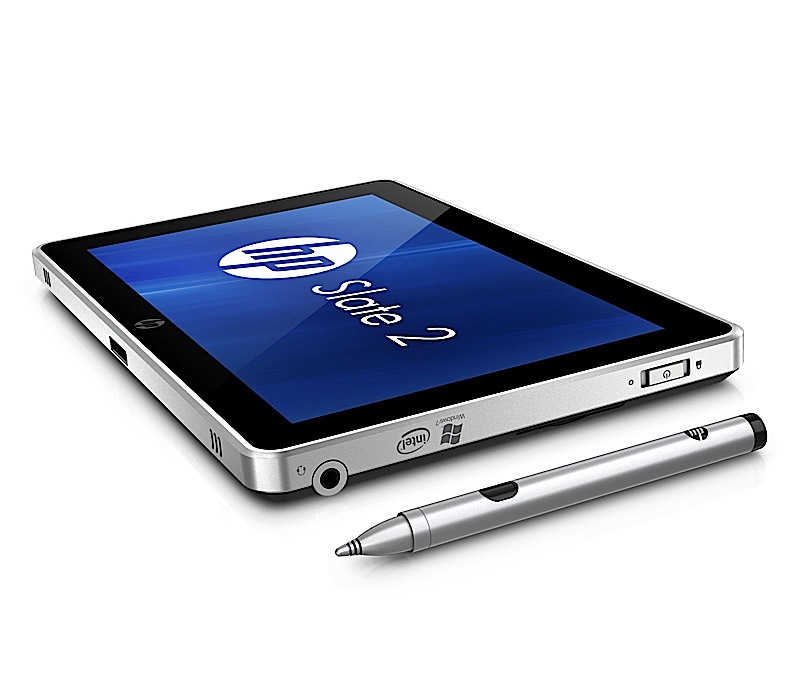
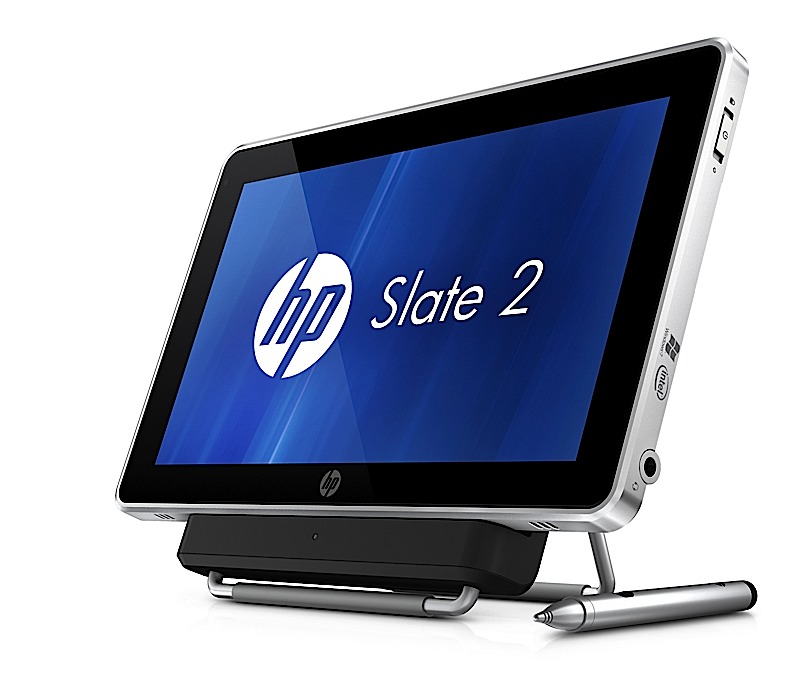
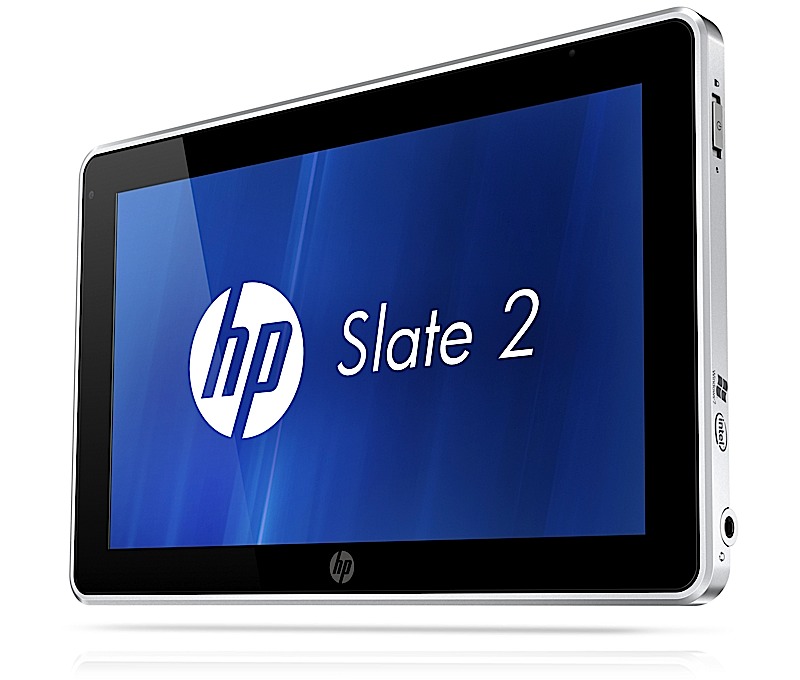
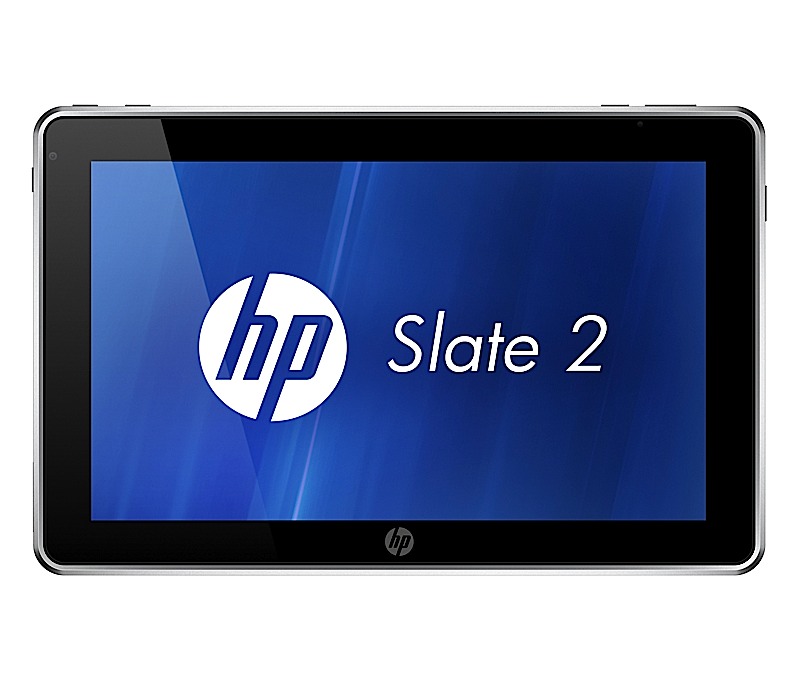
    Remember the HP Slate 500? Well we don’t either. Thats possibly because it never made it to consumers let alone India. But, HP plans to change that with the new HP Slate 2, the next version of the unpopular HP Slate 500.The device still remains mostly targeted at the enterprise level users, but will be available to the general public as well. The device still looks and feels the same with the same outer shell and an 8.9 ” display. The price however has been lowered to US $ 699 ( approx. INR 35,000/-) . The interior however is a bit changed, it packs Windows 7 with a HP UI on top, a Z670 Intel Atom processor and a smaller 32GB SSD. The added layer of security includes TPM circuitry and Computrace Pro for tracking lost or stolen laptops and then deleting the data remotely. The device goes on sale worldwide by the end of this month.


    [toggle title_open=”HP Slate 2 Press Release” title_closed=”HP Slate 2 Press Release” hide=”yes” border=”yes” style=”default” excerpt_length=”0″ read_more_text=”Read More” read_less_text=”Read Less” include_excerpt_html=”no”]HP Introduces Multitouch Slate Tablet PC for Business
    PALO ALTO, Calif., Nov. 3, 2011 – HP today announced the HP Slate 2 Tablet PC with expanded touch capabilities, enhanced multitasking performance and embedded security, providing added flexibility to mobile business users.

    The company also announced a new notebook PC targeting business, education and government customers.

    The HP Slate 2 Tablet PC provides instant deployment for business and vertical markets such as education, healthcare, government and retail, where jobs frequently take users away from a traditional desk. With a full-featured Microsoft Windows® environment, the 1.5 pound HP
    Slate 2 Tablet PC provides professionals with the flexibility to create, edit and review content on one highly mobile and lightweight device.

    “HP is dedicated to the tablet PC category and continues to listen to customers and improve the product in ways that best address their business needs,” said Dan Forlenza, vice president and general manager, Commercial Managed IT Segment, HP. “The HP Slate includes the right mix of rich features, support for custom-built applications, and the security and connectivity needed for today’s highly mobile and rigorous day-to-day professional environment.”

    The HP Slate 2 Tablet PC features an 8.9-inch diagonal capacitive multitouch display for touch and pen input plus includes a new Swype keyboard. The Swype applet enhances the touch experience with comfortable and efficient data entry via one continuous finger or stylus motion across the screen keyboard.

    The HP Slate 2 Tablet PC comes with an Intel® Atom Z670 processor with mSATA SSM technology to deliver faster boot times, improved battery life of up to six hours and increased performance for business customers.

    “The Slate Tablet PC’s combination of an Intel Atom processor and flash memory deliver excellent performance,” said Dr. Rick LeMoine of Sharp HealthCare in San Diego. ?I don’t know how they do it, but sometimes it seems to me that the Slate runs these applications faster than my desktop PC does.”

    Additional hardware and software enhancements to the HP Slate 2 Tablet PC’s security and experience include:
    – A TPM Embedded Security Chip protects data – from email to information on the hard drive.
    – Embedded Security for HP ProtectTools provides user control and management of the TPM chip to increase secure user authentication, improved personal secure drive integrity, secure email and support protected digital certificate applications.
    – BIOS support for Computrace Pro helps protect against data theft by allowing customers to remotely delete data at the file, directory or operating system level and keep confidential information more secure.
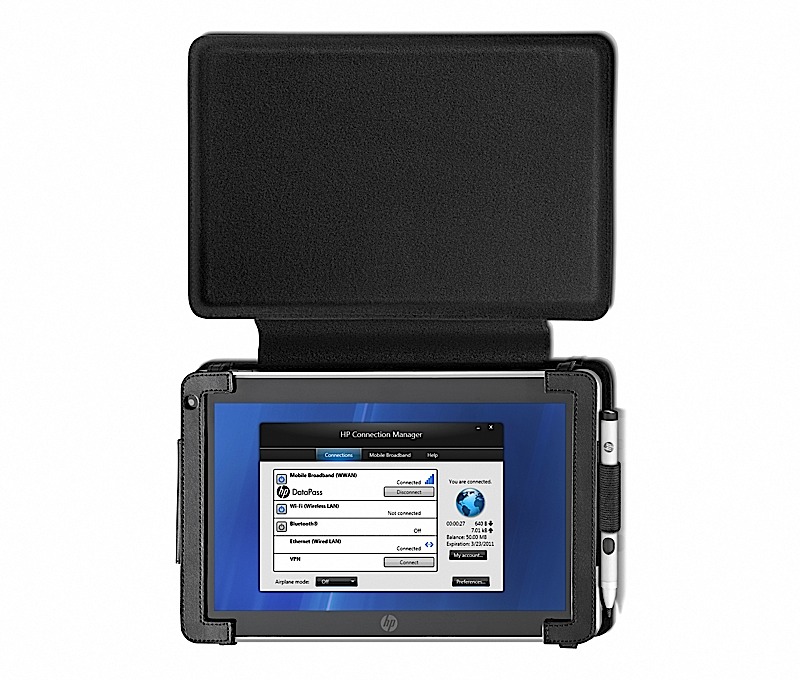
    – Through a single user interface, HP Connection Manager offers easy control over wireless connections, including Wi-Fi, Ethernet, Bluetooth® and optional integrated 3G Mobile Broadband for convenient internet and intranet access from more places around the world.

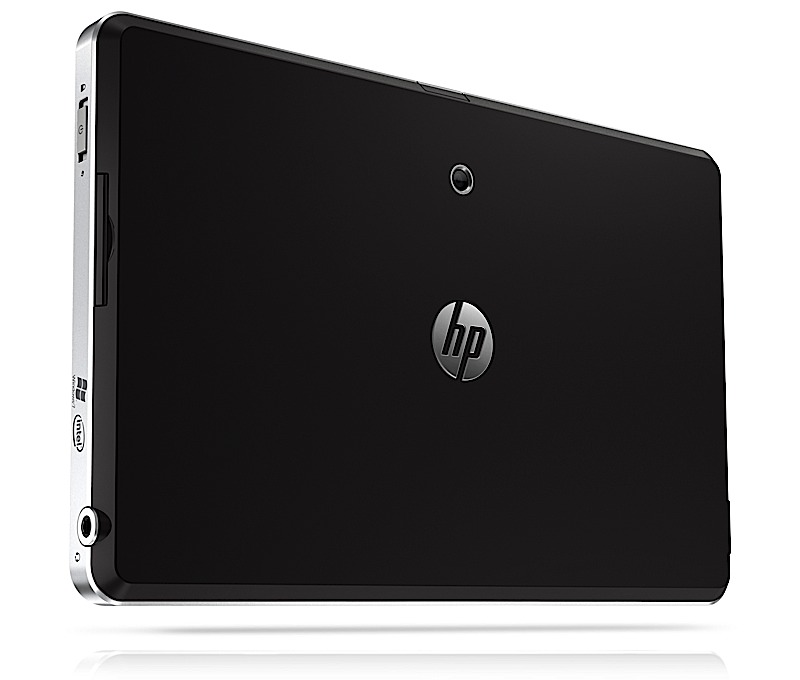
    For remote workers, a front-facing VGA webcam enables videoconferencing, and a 3-megapixel camera on the back allows for still image and video capture. SRS Premium Sound provides optimized audio settings for voice and multimedia applications and an SD card slot allows for expanded storage and sharing capabilities. The HP Slate Dock provides device connection via two USB 2.0 ports and an HDMI port.

    Flexible HP Slate solutions for business
    The HP Slate 2 Tablet PC comes with optional additional accessories and business solutions including the HP Retail Mobile Point of Sale (POS) Case, which features an integrated magnetic stripe reader and barcode scanner for retailers. The case attaches to the HP Slate 2 and creates a secure portable POS solution that personalizes transactions, boosts productivity and sales, and integrates into existing application and hardware infrastructure. In addition, the HP Slate 2 helps retailers combine online and enterprise access to applications and services including task management workflows, inventory data and custom orders. The optional HP Slate Bluetooth® Keyboard and Case accessory is a new sleek, stylish executive-class carrying solution that bundles the HP Slate 2, a rechargeable Bluetooth keyboard, HP Slate Digital Pen, and ID, business, or credit cards inside a single case.

    Lightweight business notebooks
    Designed for mobile professionals, the HP 3115m offers up to 11.5 hours of battery life, flexible wireless capabilities, an 11.6-inch diagonal LED-backlit HD display, Beats Audio™ and a high-definition webcam for collaboration with peers. The new AMD E450 dualcore Fusion APU with AMD Radeon HD 6320 graphics provides greater performance than a netbook without weighing professionals down.

    Pricing and availability
    – The HP Slate 2 Tablet PC starts at $699 and is expected to be available worldwide later this month.
    – The HP 3115m starts at $429 and is expected to be available Nov. 11 in the Americas only. More information about the products, including product specifications and images, is available at www.hp.com/personal.[/toggle]
  • Windows 8 Minimum requirements consist of Intel Atom and 1GB RAM

    Windows 8 Minimum requirements consist of Intel Atom and 1GB RAM

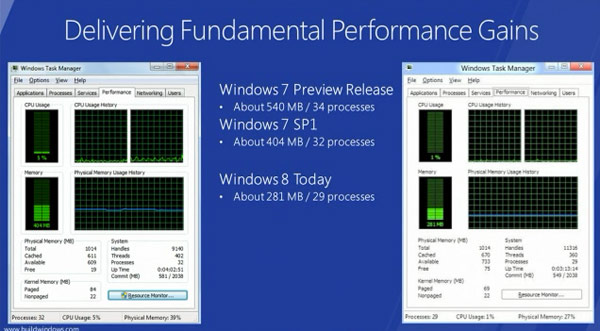
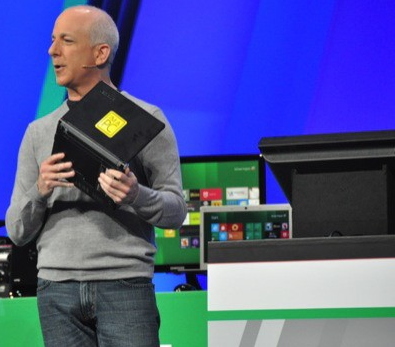
    Microsoft Windows President Steven Sinofsky after a quick announcement  and a simple demonstration explained that Win8 demanded fewer system resources than Win7 with the same hardware specs

    With a Lenovo S10 in his hand he showed that  an early-gen Atom CPU and 1GB of RAM is “enough” to run the new OS (AKA Windows 8 )


  • Logitech Wireless Touchpad to beat Apple’s by 19$ available this month (PR)

    Logitech Wireless Touchpad to beat Apple’s by 19$ available this month (PR)

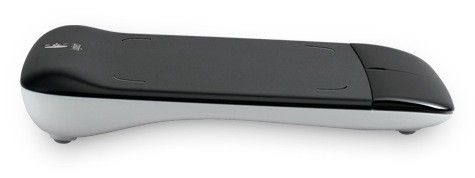
    Logitech is finally bringing something to compete with the Magic Trackpad by Apple. Called the Wireless Touchpad, it will let you use a variety of two, three of four-finger gestures to scroll, navigate and switch between applications or simply control a cursor. Logitech has also intro’d a new unifying receiver which will allow for usage of unto 5 Logitech peripherals.

    The device will be available to all Windows and Mac users for a US$ 49.99 Price tag (or INR 2250 approx)

    [toggle title_open=”Press Release” title_closed=”Press Release” hide=”no” border=”yes” style=”default” excerpt_length=”0″ read_more_text=”Read More” read_less_text=”Read Less” include_excerpt_html=”no”]New Logitech Wireless Touchpad Lets You Point, Scroll and Swipe with Ease
    Multi-Touch PC Device Makes it Easy to Go Wherever You Want on the Web

    FREMONT, Calif., Sep 13, 2011 (BUSINESS WIRE) — Today Logitech unveiled the Logitech(R) Wireless Touchpad, making it easy to point, scroll and swipe your way to wherever you go on the Web — and beyond.

    With multi-touch navigation and intuitive, gesture-based controls, the Logitech(R) Wireless Touchpad lets you navigate your computer naturally. The large touch surface gives you plenty of room to let your fingertips do the clicking. And since there are no cords, there’s no clutter and no hassles. Just put the touchpad anywhere on your desk or tabletop, insert the plug-and-forget Logitech(R) Unifying receiver into your computer’s USB port and let the fun begin. Plus, the receiver stays in your computer and enables you to easily connect up to five other compatible devices.

    “The Logitech Wireless Touchpad is perfect for people who want to surf the Web in a more fun and natural way,” said Rory Dooley, Logitech’s senior vice president and general manager of the Control Devices business unit. “It lets Web surfers flick through websites and effortlessly scan long pages — making browsing easier than ever.”

    The Logitech(R) Wireless Touchpad’s multi-touch navigation offers up to four-finger gestures and swipes to scroll pages, jump tabs and switch applications. Advanced 2.4 GHz wireless virtually eliminates delays, dropouts and interference. And you can easily stay powered up — with up to four months of battery life and an LED indicator light that tells you when the touchpad is on and your batteries are running low.

    Pricing and Availability

    The Logitech Wireless Touchpad is expected to be available in the U.S. and Europe beginning in September 2011, for a suggested retail price of $49.99. For more information please visit our blog or www.logitech.com .

    About Logitech

    Logitech is a world leader in products that connect people to the digital experiences they care about. Spanning multiple computing, communication and entertainment platforms, Logitech’s combined hardware and software enable or enhance digital navigation, music and video entertainment, gaming, social networking, audio and video communication over the Internet, video security and home-entertainment control. Founded in 1981, Logitech International is a Swiss public company listed on the SIX Swiss Exchange (LOGN) and on the Nasdaq Global Select Market (LOGI).

    Logitech, the Logitech logo, and other Logitech marks are registered in Switzerland and other countries. All other trademarks are the property of their respective owners. For more information about Logitech and its products, visit the company’s Web site at www.logitech.com .[/toggle]

  • Windows 8 Developer Preview Launched, Downloads Commenced(PR)

    Windows 8 Developer Preview Launched, Downloads Commenced(PR)

    With the commencement of the Microsoft Build conference, the company has also launched the Developer version of Windows 8.

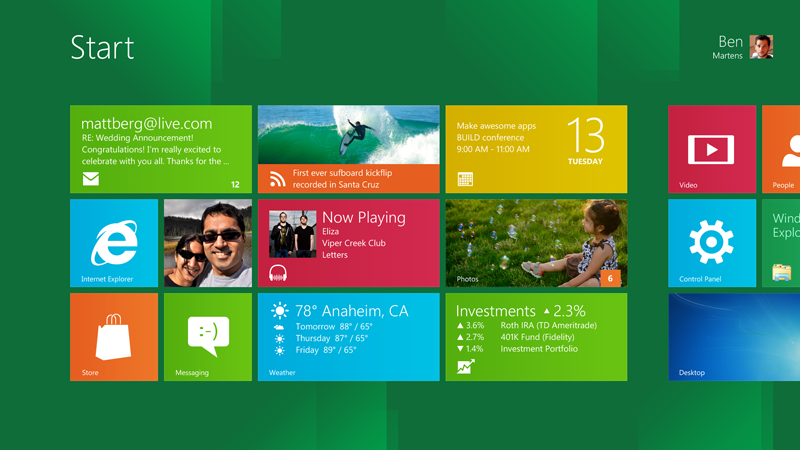
    Widows 8 is a remained version of Windows, that offers a practically new way to interact with the personal computer. The new platform also bring a new range of capabilities that can let developers bring the easy and graphics of the Windows Phone 7 Metro UI .

    Steven Sinofsky- President Windows.


    Get Your version of the Dev Preview Here : Link – Microsoft Dev Downloads


    [toggle title_open=”Press Release” title_closed=”Press Release” hide=”no” border=”yes” style=”default” excerpt_length=”0″ read_more_text=”Read More” read_less_text=”Read Less” include_excerpt_html=”no”]Microsoft Reimagines Windows, Presents Windows 8 Developer Preview

    BUILD Conference attendees and developers get first access to new operating system.

    LOS ANGELES – Sept. 13, 2011 – Today at its developer-focused BUILD conference, Microsoft Corp. showcased a detailed preview of the next major release of Windows, code-named “Windows 8.” The company also detailed new tools for developers to help write applications for more than 1 billion people around the world who use Windows every day.
    “We reimagined Windows,” said Steven Sinofsky, president of the Windows and Windows Live Division at Microsoft, in his keynote address to the thousands of developers in attendance. “From the chipset to the user experience, Windows 8 brings a new range of capabilities without compromise.”

    The company also highlighted a variety of new features in Windows 8, including the following:

    Touch-First User Interface
    • Metro style. Windows 8 introduces a new Metro style interface built for touch, which shows information important to you, embodies simplicity and gives you control.
    • Touch-first browsing, not just browsing on a touch device. Providing a fast and fluid touch-browsing experience, Internet Explorer 10 puts sites at the center on new Windows 8 devices.
    More Ways to Engage With Powerful, Connected Apps
    • Powered by apps. Metro style apps built for Windows 8 are the focal point of your experience, filling your entire screen so there are no distractions.
    • Apps can work together. Apps communicate with each other in Windows 8. For example, you can easily select and email photos from different places, such as Facebook, Flickr or on your hard drive.
    • The content you create syncs across your devices. Live roams all the content from the cloud services you use most – photos, email, calendar and contacts – keeping them up-to-date on your devices. With Windows SkyDrive, you can access content anywhere with your Microsoft account.
    Enhanced Fundamentals
    • The best of Windows 7, only better. Windows 8 is built on the rock-solid foundation of Windows 7, delivering improvements in performance, security, privacy and system reliability.
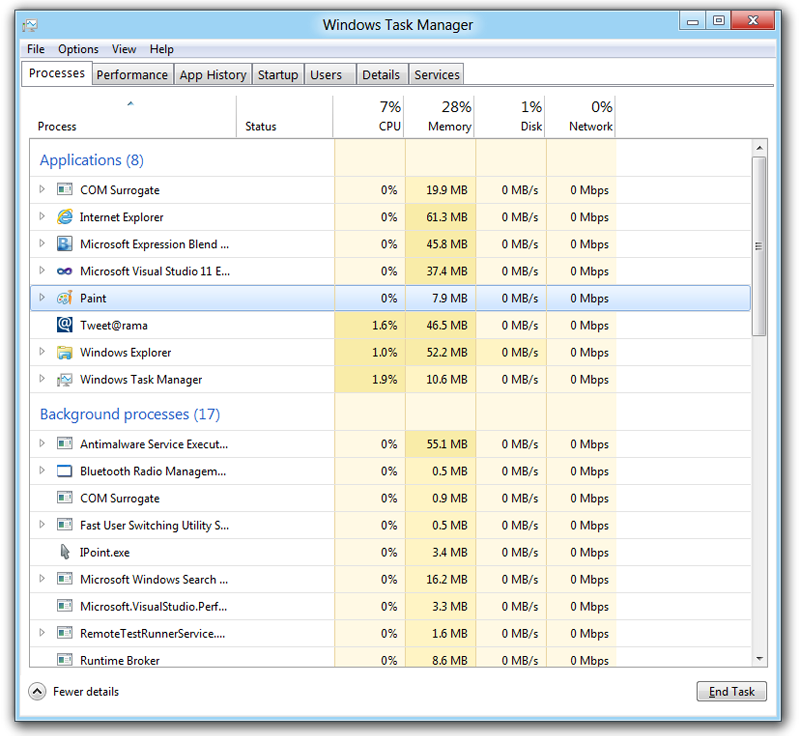
    • Preserving power-user favorites and making them better. For those who push the limits of their PC, Windows 8 features an enhanced Task Manager and Windows Explorer and new, flexible options for multimonitor setups.
    New Developer Opportunities
    • Windows Store. The Windows Store will allow developers to sell their apps anywhere Windows is sold worldwide, whether they’re creating new games or familiar productivity tools.
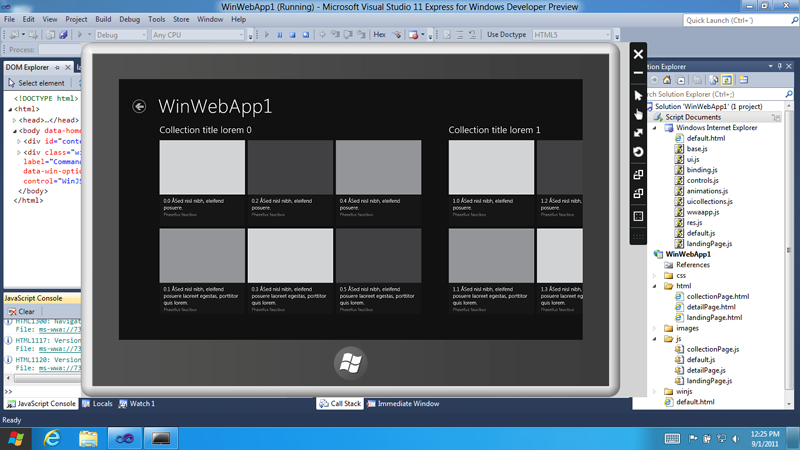
    • Build using more languages. Windows 8 lets you leverage your existing skills and code assets to create great experiences using the programming language you prefer.
    • Rich hardware integration leads to richer experiences – particularly for games. DirectX 11 gaming power underlies Windows 8, allowing the easy creation of full-screen games with smooth, flicker-free action.
    New Generation of Hardware
    • One Windows – many shapes and sizes. Support for ARM-based chipsets, x86 devices, touch and sensors means Windows 8 works beautifully across a spectrum of devices, from 10-inch tablets and laptops to all-in-ones with 27-inch high-definition screens.
    • Always connected. With Windows 8, new ultrathin PCs and tablets turn on instantly, run all day on a single charge and stay connected to the Internet so your PC is ready when you are.
    • Tap the full power of your PC. Windows 8 runs on PCs and is compatible with the devices and programs you use today on Windows 7, without compromise, to deliver the performance you expect of a PC.

    Developers will be able to download the Windows Developer Preview via the new Windows Dev Center later this week. Webcasts of sessions will be posted on the BUILD site as well.
    Founded in 1975, Microsoft (Nasdaq “MSFT”) is the worldwide leader in software, services and solutions that help people and businesses realize their full potential.
    Some information relates to a prerelease product, which may be substantially modified before it’s commercially released. Microsoft makes no warranties, express or implied, with respect to the information provided here.[/toggle]

  • ViewPad 7x and 10pro and cheap 7e Tablets Announced

    ViewPad 7x and 10pro and cheap 7e Tablets Announced

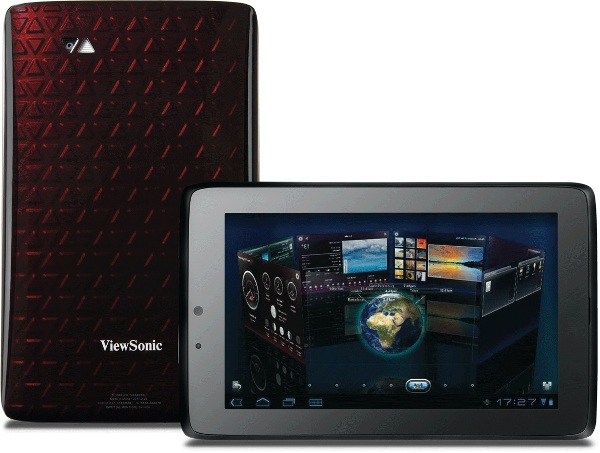
    Viewsonic is taking its tablet business seriously, and has announced the impending launch of three new tablets – The ViewPad 7x, ViewPad 10 Pro and the budget friendly ViewPad 7e.

    The ViewPad 10 Pro runs Android 2.3 and Windows 7 and will be available from  September 5th  at €499 (INR 35000) for the WiFi only version.

    The ViewPad 7x is a 7 inch tablet and will run Honeycomb with custom, 3D ViewScene skin. It has 8GB onboard, Tegra 2-chipset, launching this month for €349 (INR 25000) The Budget 7e will have a price tab of  €169 (INR 12000) , a 7 inch screen a single core processor and 2 point multitouch system, with only 4GB of onboard storage this device will prove to be quite popular as an alternative to the Reliance Pad.

iGyaan Network
Privacy Overview

This website uses cookies so that we can provide you with the best user experience possible. Cookie information is stored in your browser and performs functions such as recognising you when you return to our website and helping our team to understand which sections of the website you find most interesting and useful.