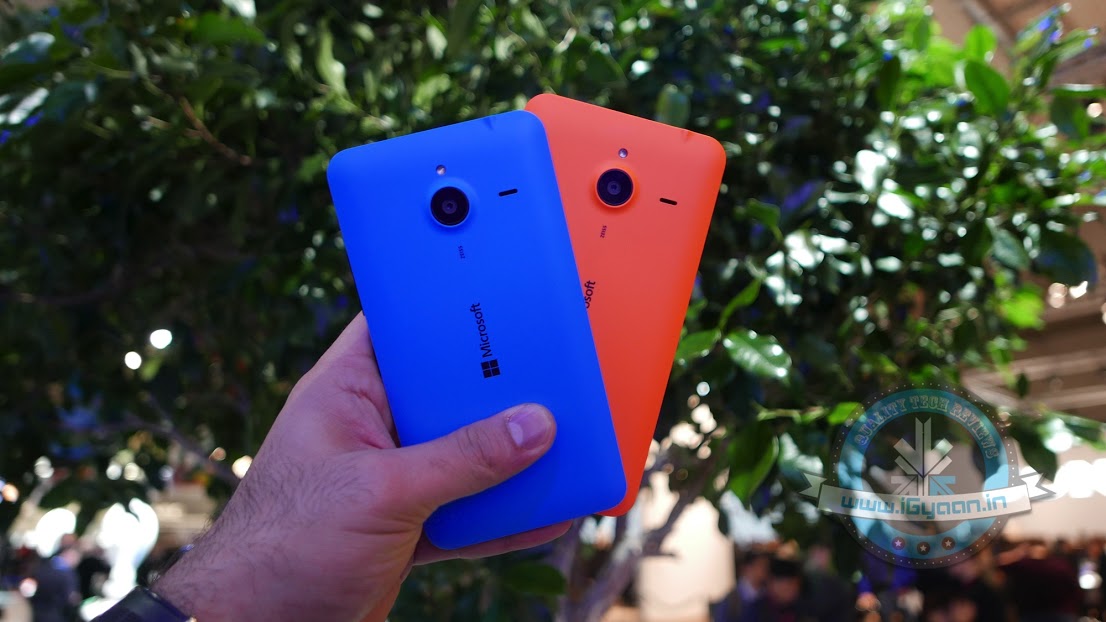
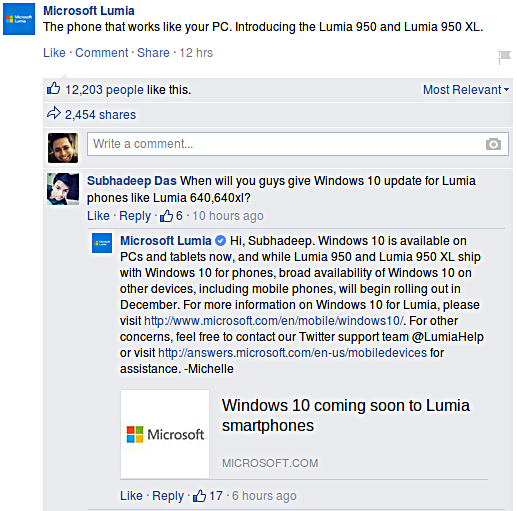
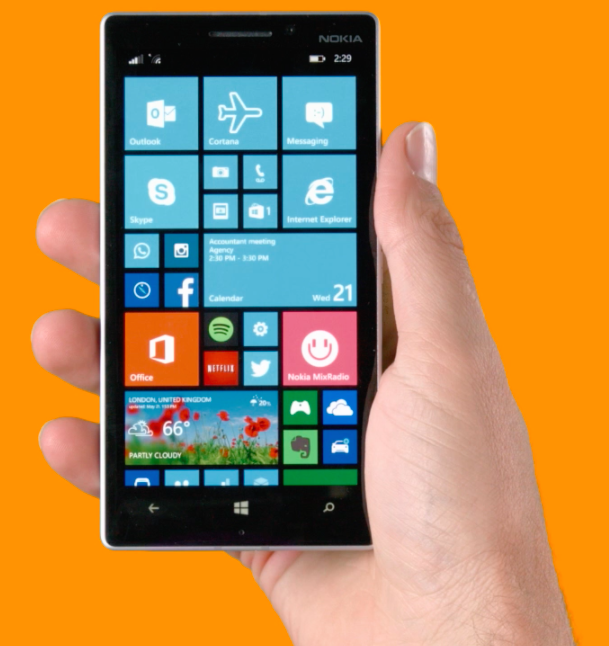
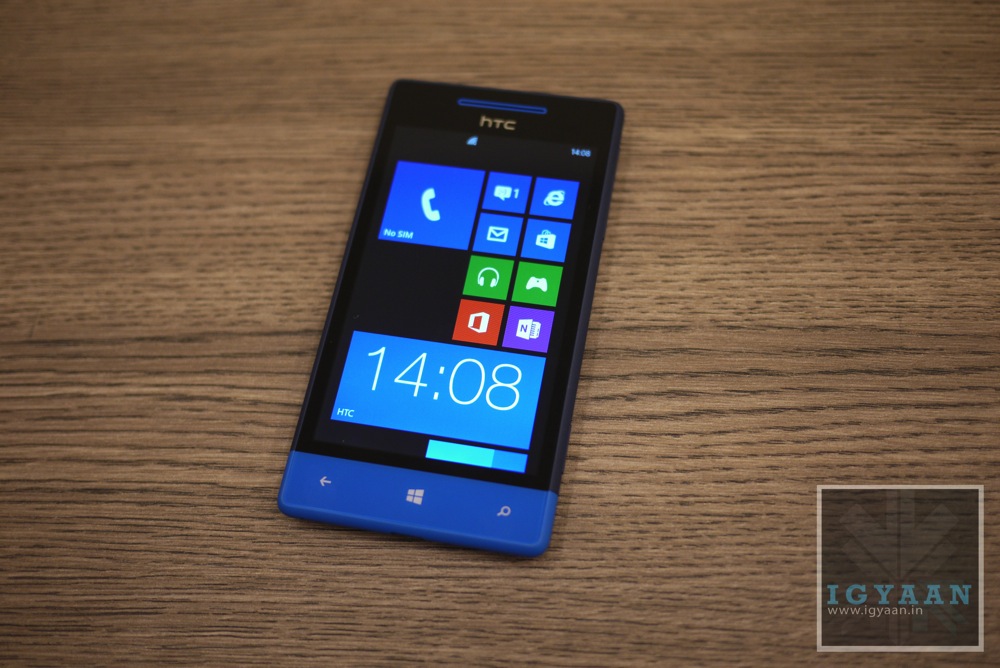
After Microsoft’s mega event yesterday, we found out that both its Lumia 950 and 950 XL will be powered by the new Windows 10 software. The current Lumia users though, had nothing to gain from this announcement, until now. Recent reports suggest that the existing Lumia owners will also be receiving the Windows 10 update by December.
This bit of information was seen on Facebook when Microsoft responded to a comment on its official Lumia page. Here is what the conversation looked like :
Furthermore, they also added that they would “make an upgrade available for majority of Lumia smartphones running Windows Phone 8.1,” however, this announcement is only good for Lumia phones that have an internal memory of 8GB or above. Fair enough. What do you think?
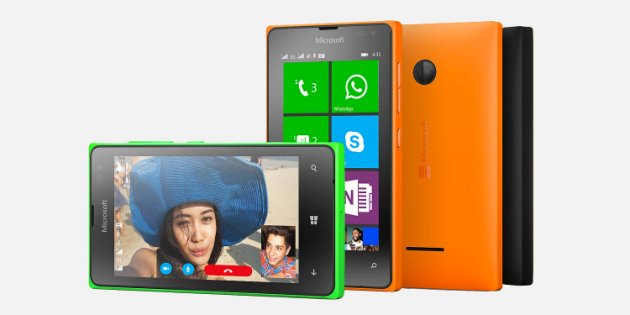
Microsoft is a giving a push to its smartphone business in the affordable segment of the market. The company has launched the Lumia 435 in India to strengthen its portfolio at the lower end of the smartphone market.
The Lumia 435 sports a 4 inch display with a resolution of 480×800 pixels with a pixel density of 233 PPI. It is powered by a Dual-core 1.2 GHz, Snapdragon 200 processor along with 1 GB RAM. It has 8 GB internal storage but can be expanded up to a massive 128 GB that is great for a budget device.
This device has a 2 MP camera on the back and a VGA camera at the front. It gets its juice from a 1560 mAh battery. The device runs on Microsoft Windows Phone 8.1 and will be upgraded to Windows 10 in the coming future.
To attract the customers to its ecosystem, Microsoft is offering a 500 MB data connection from Airtel for 7 months. Along with the data connection, the company is also offering a 6 months premium package of Truecaller.
The device is priced at Rs. 5,999 which is identical pricing for the Moto E, which offers a 4.3 inch qHD ( 540 x 960) display and will also be getting the latest Android Lollipop update soon. The 435’a expandable storage and the free data plans are its only attractive features, so it remains to be seen how many takers it manages to find in the Indian market.
Microsoft has presented its new operating system, Windows 10, and it has impressed a lot of its critics. The latest Windows offering will act as Microsoft’s initiative to create an ecosystem for its devices. It will work on all the Microsoft devices – from desktops to tablets to smartphones. Microsoft just announced that even the lower end smartphones running on Windows 8.1 will also be getting the Windows 10 upgrade.
In a tweet, Joe Belfiore, the Corporate Vice President of Operating Systems Group for Microsoft has said that they are making a version of Windows 10 for devices running on 512 MB RAM. The tweet specifically mentions the Lumia 520. But he also added that the features would vary in these devices. It would probably be a stripped down version of the operating system made to run on devices with lower specs.
Hey all: we ARE working on Win10 for 512MB, including 520. Our ambition is to make #Win10 available for these devices but features may vary
Microsoft has been struggling with its smartphone business. Its smartphone operating system runs in just about 3% of the devices sold. It has some good features, but the mass appeal of Android and iOS from Apple has not given it a chance to grow. Joe also announced that the insider build announced at the Windows event would be coming out sometime in February.
Also, we’re on track for Insider build coming “in Feb” as Terry said at our 1/21 event. We need to complete internal testing 1st, hang in!
It had been in people’s imagination for a long while. An instrument through which you can translate the other person’s language has always been desired. Human translators are great, but you cannot call a person every time you want to have a conversation with another person from a new country. In the global interconnectivity age, when people can connect to each other from any part of the world, the only hindrance has been the language. The solution to this problem may lie in the Skype’s new real-time translation feature called Skype Translator.
The translator’s preview is only for Windows 8.1 devices. This feature can give a great boost to the operating system as most translation needs are required in the government and corporate sectors, where Windows is still a dominant power.
The real-time translation feature listens to the conversation and converts it into the native language on the other side. There is a short delay in this process as the engine has to convert what’s been said, but you get to hear both the speaker and the translation. There is also an on-screen transcript of what’s being said by the person for added convenience. The software can take care of the instant messaging translations in 45 languages currently.
This will also be a great feature if you want to date people on the other side of the planet. The language barrier can be beaten through features like these, and they will keep both the languages valid and usable. If you have a Windows 8.1 device, go ahead and communicate with the world.
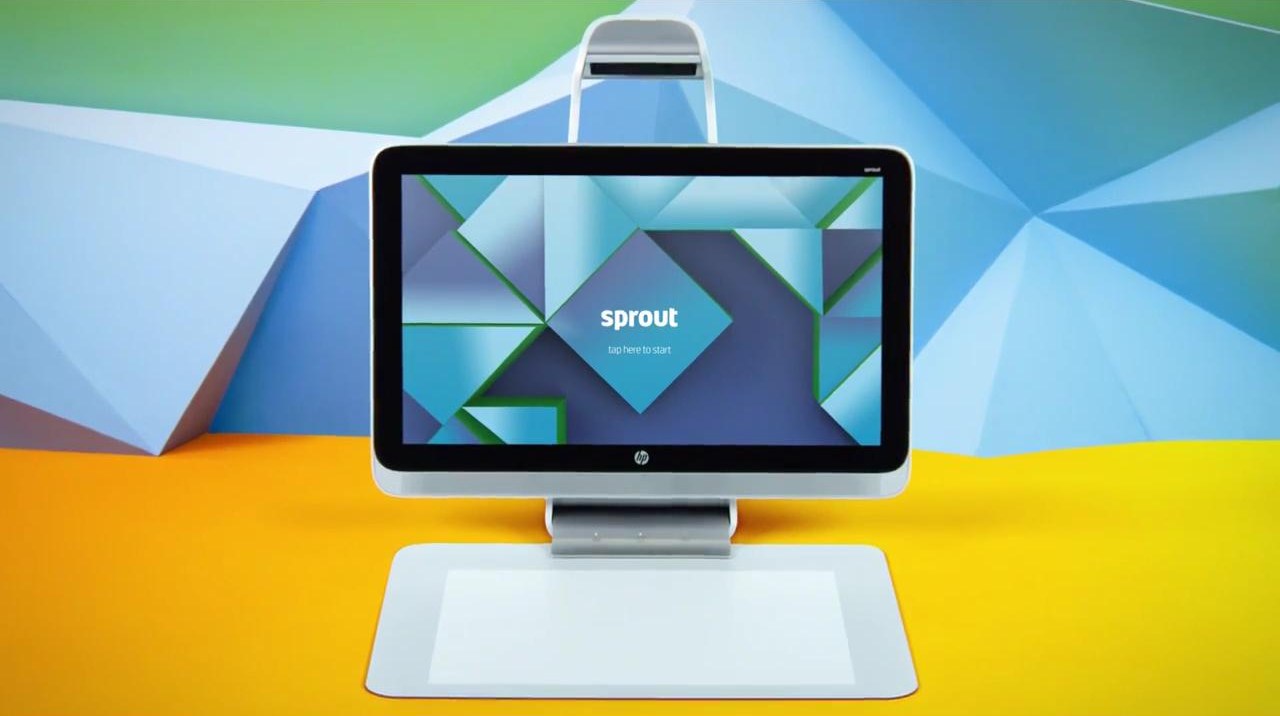
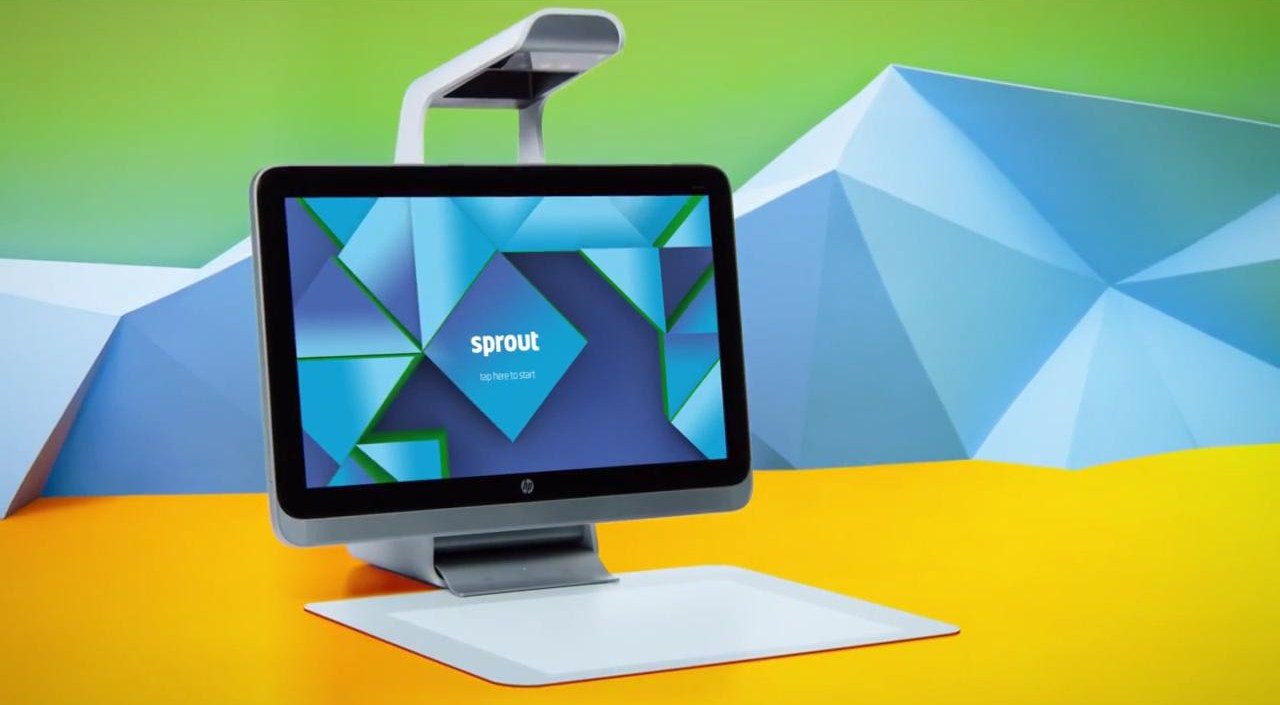
HP had announced recently that it would be unveiling an all new form factor, and it’s here. HP calls it the ‘Sprout’ and it connects the digital and analog with an ease that till now was only possible on Sci-fi features.
Sprout consists of two screens. The first one is a 23-inch LCD screen with 10 point multi-touch capabilities. The second and more interesting one is a 20 inch touch mat which is capable of 20-point multi-touch. The touch functionalities are integrated under the mat.
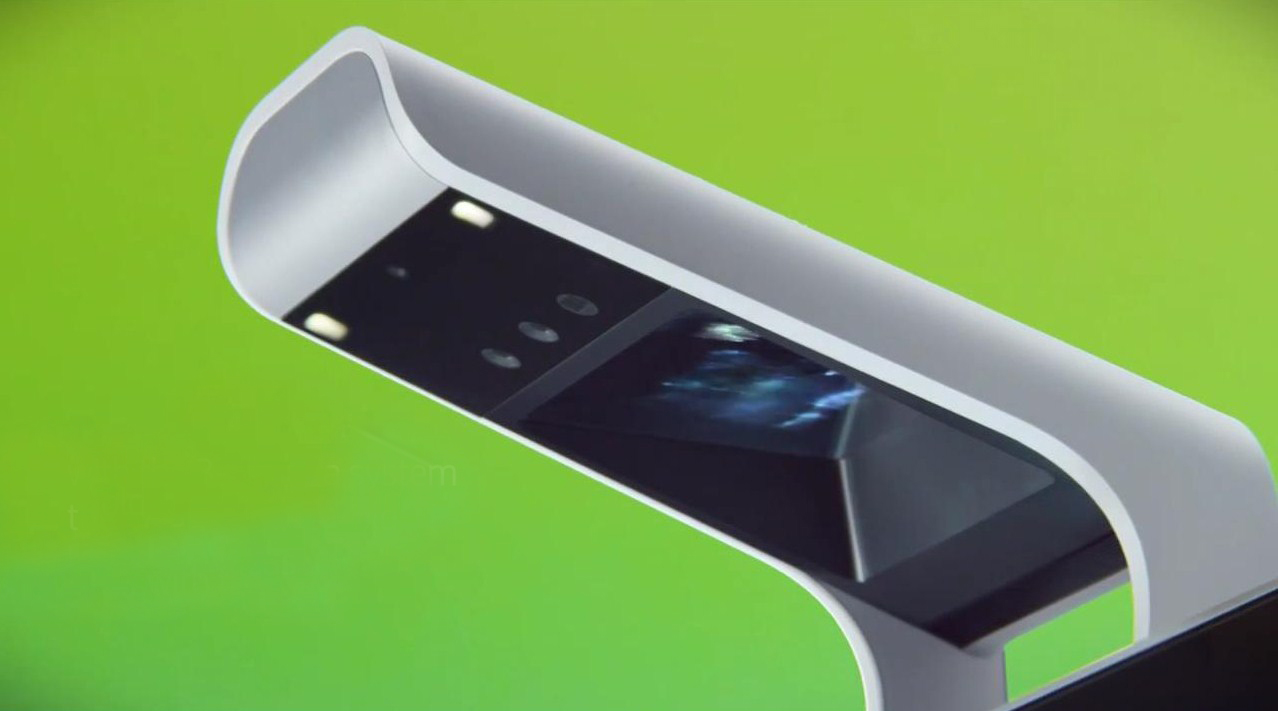
The Illuminator is where all the magic happens.
What makes the Sprout fully functional is the ‘Illuminator’, which sure sounds like a name for a cyborg. The Illuminator is made up of a set of imaging technologies that are pooled together and placed on an extended arm on the top of the LCD display. It holds in itself a 14.6-megapixel digital camera, a DLP projector, and Intel’s RealSense 3D camera. The 3D camera lets users easily scan 3D Objects and being working on them right away.
HP has created its own UI called the Workspace that is built on Windows 8.1 interface. The company will be releasing a Software development kit for the developers to create app for this innovative new product.
With the specs on hand this is a creative professionals dream come true.
It is powered by a 4th generation Intel Core i7 Processor. The graphics are taken care of by an NVIDIA GeForce GT 745A graphic card with 2GB DDR3 dedicated memory. It comes with 8 GB DDR3 SDRAM (2x4GB and is expandable up to 16 GB). The device flaunts 1TB SATA 6G Solid State Hybrid Drive with 8GB flash acceleration cache. It will also sport an Adonit Jot Pro stylus to write and draw comfortably, and it can be attached magnetically to the upper-right side of the Sprout display.
Sprout is targeted mostly toward artists, designers, architects, publishers and other creative professionals. It will cost $1,899, which is a great price for a debut product with such innovative features. It ships with a 20-inch touchscreen monitor, a physical keyboard and a mouse. Though you may want to do away with the peripherals and just use the digital keyboard and feel its fantastic, futuristic pleasures.
Windows Phone a bit too confusing for you? Well, in hopes to encourage and increase users, Microsoft has created a new ‘How To’ website for newbies that will teach them tricks to master each and every aspect of its newly released Windows Phone 8.1 software.
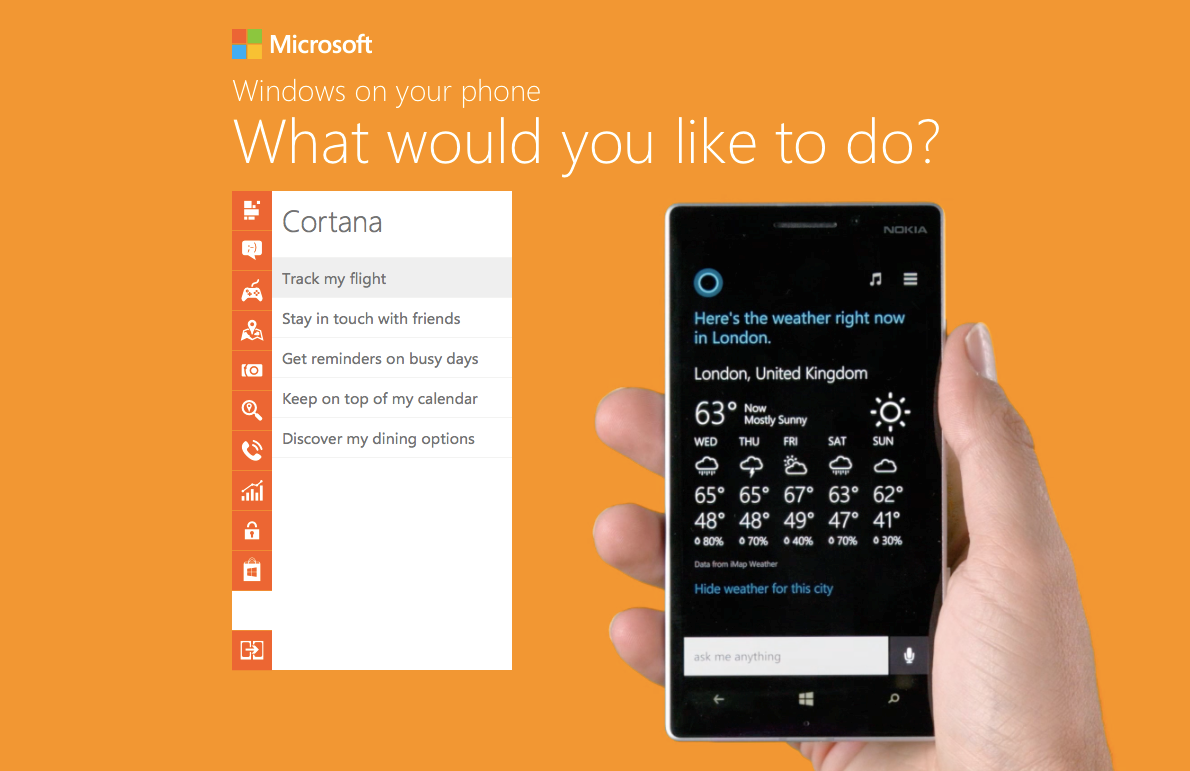
This step-by-step guide by Microsoft shows and explains the basic things that Windows Phone is capable of doing. Microsoft has compiled a well thought out and extensive list of all the things a regular user might want to do on his/her Windows Phone and provides the shortest way to complete that task.
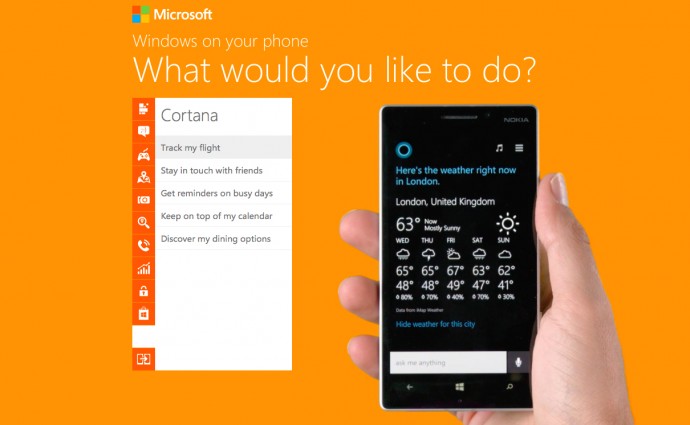
It bears a simple design with a list of actions organized neatly into different categories, and a large Windows Phone device (funnily, a Nokia) performing the selected action on the side. The list includes a vast array of operations that users can perform on their phone, like personalizing your home screen, making calls, playing games, working on Microsoft Office, taking pictures, searching for places, protecting personal information, and even using the latest and most awaited feature of Windows Phone 8.1, Cortana. Yes, the site also includes demonstrations of Windows Phone’s own little personal assistant that is soon going to make it’s first appearance worldwide.
This is a pretty good move, as Nokia has just pushed out the Lumia Cyan update for it’s Lumia devices, and Microsoft is almost ready to release Windows Phone 8.1 to a majority of Windows Phone devices. It will also help build up some hype for the release.
Now some of you may feel that they are a bit late to release a ‘How To’ website for an OS that is nearly four years of age, but better late than never right? So for all those users out there who need help completing a normal task on their phone, or those who are just curious as to what all Windows Phone is capable of doing, we encourage you to check out the website.
The Verge has reported that Microsoft is in the process of inducting Kinect features in its next Windows phone, code named “Mclaren”. The Mclaren was introduced to the world through phone tripsters EVLeaks.
The phone will be a successor to the Lumia 1020 and will boast propriety technology like 3D touch and Real Motion. These features will assist in interaction with the phone without actually touching the display.
Kinect is now integral to the Xbox experience
Kinect was reveled at the 2010 E3 conference. Kinect made sense on a large screen system like the Xbox. Its features which made technology invisible was appreciated by people. The question that everyone seems to be asking is whether a phone version of Kinect will actually have some benefits or will be just another gimmicky add-on.
Some of the reported features include the ability to answer a phone call by just bringing it to your ears or cutting a call when the phone is dropped back in the pocket. The phone can also be put on a table to start an speakerphone conversation. These features have to be utility based or else they will end up as the Air Gestures in the Samsung phones.
The phone will also be fitted with pressure sensing instruments on the sides to detect changes in grip. They want to make external buttons completely obsolete. One of the way this can be used is gripping the phone can power on the device. Even the Camera can be zoomed in and out just by doing the usual pinching motions near the device.
These features were originally intended to be used on the Windows 8.1 powered Nokia Goldfinger phones. This phone is now being pushed back for a later release, while the Mclaren is being given priority. This is one more way in which Microsoft is pushing the Nokia name off the edge. Some have said that Nokia’s innovations are being stripped for profitable parts in Microsoft’s research labs.
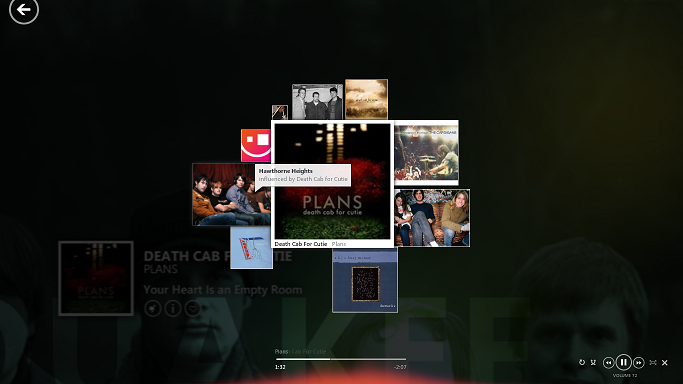
The new UI will be inspired by Zune Mixview
The phones will also have a tiny UI renovation with the Kinect induction. When pointed above a tile it will open multiple floating tiles. This is inspired by the Zune Mixview. The tech makes sense on a big screen where there was minimum learning curve, but in a small screen it will be a whole different story. Microsoft would have had to go back to the drawing board to make the technology featurable on a handheld device.
Now as these are still leaks and we’d have to wait for the device to come in our hands before we comment on the functionality of these features. This of course will be a good experiment to look forward to. Microsoft Xbox’s Kinectic abilities suit it well for a home entertainment system, but it has to take some real efforts to convince people that hovering fingers over your phone is as good as having a touch response.
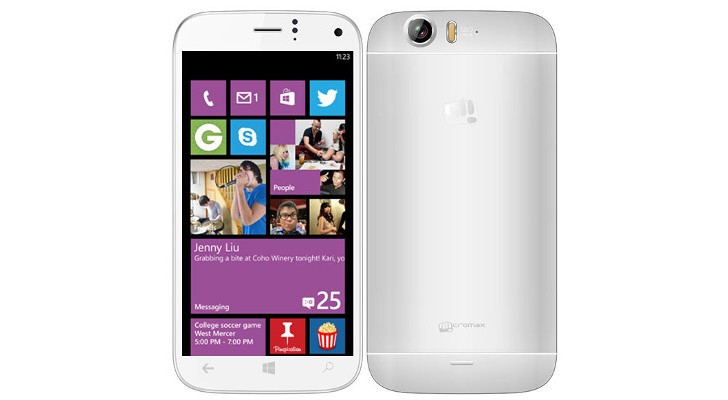
The biggest Indian mobile company is having quite a good year. According to several leads, Micromax has just decided to cross the Rs. 20K point and enter into the premium segment with a Windows phone. Microsoft identified Micromax as one of its hardware partners at its build conference.
The phone is reported to be have a 5-inch full HD 1080p screen. The battery stands at 2600 MaH. It is expected to be priced around 23,000-25,000 INR.
In a first for Micromax, the Smartphone will be powered by Snapdragon 800 chipset with 2GB RAM. It will run Windows 8.1 operating system.
The main camera is a 13 megapixel shooter with LED flash. The selfie shooter is a 5 megapixel camera. The phone will have 16 GB of internal memory expandable to 64 GB which is a welcome step.
The specs look pretty impressive for a Micromax Windows phone. We hope to bring you a hands on review, as soon as we can, to tell you if it’s worth the glitter.
[poll id=”2″]
P.S: We would like to Thank AmitAgarwal2 for bring the update on the leak on this Story. The source on twitter Leakster Inc has stated that the Snapdragon device and the Windows phone are two different devices. As this is still a leak story we won’t confirm anything yet but we appreciate AmitAgarwal2 for being an awesome IGyaani .
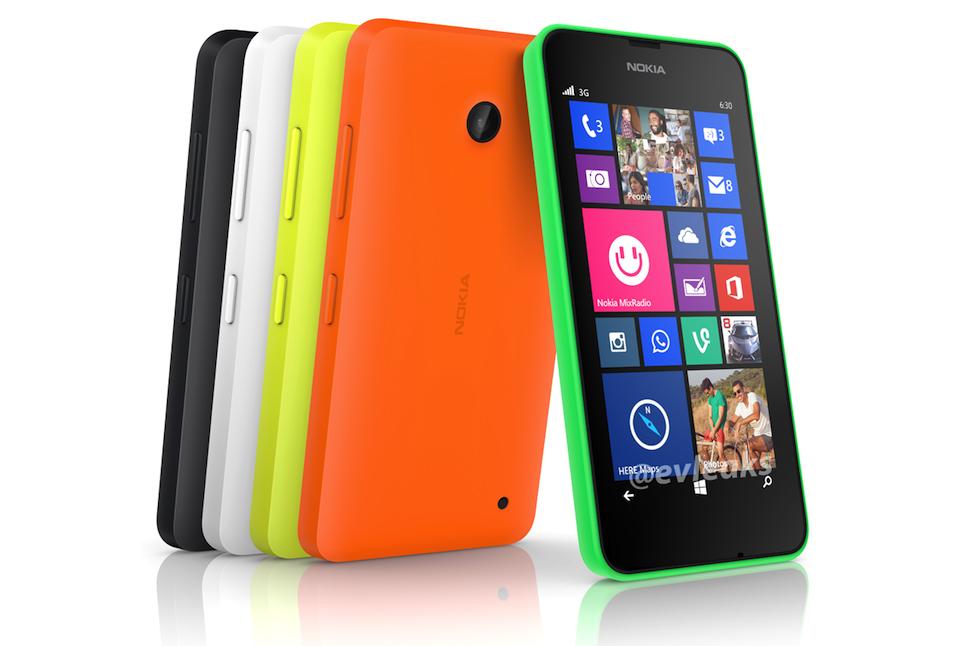
The rumored Nokia Lumia 630 is thought to be one of the first handsets to run Microsoft’s incoming Windows Phone 8.1 OS and it was shown off today in a leaked press render.
The phone has been leaked through the @evleaks Twitter account, and is a traditional press-style glamor shot of a phone apparently named the Lumia 630. Pictured in five different colors, it’s shown running Windows Phone 8.
Some of the notable feature here include a lack of fixed hardware controls on the front of the device. Rather, the new version of Windows Phone will allow for the inclusion of on-screen prompts for the usual back, Windows, and search commands.
The leaked shot also shows that the Nokia Lumia 630 lacks a camera flash and, in a first for a Windows Phone, a physical camera shutter button.
Not much is known about the handset at this point, but according to one of the images posted on Baidu, the Lumia 630 will feature a 4.5-inch display with a decent enough resolution of 854 x 480 pixels. Under the hood with be the mid-range Snapdragon 400 processor accompanied by 1GB of RAM.
Sources close to Microsoft have reported this week that the company is currently developing and experimenting with a new free version of its Windows 8.1 operating system.
Bing, which will be at the center of the low-cost operating system, is already growing as a platform and Microsoft hopes that will continue into the future.
While early versions of the software have leaked online, we understand that Windows 8.1 with Bing is an experimental project that aims to bring a low-cost version of Windows to consumers.
Considering that the company has already cut licensing fees by as much as 70%, Microsoft is already looking to make Windows 8.1 a low-cost OS for manufacturers interested in using the platform.
More details of a low-cost Windows 8.1 operating system as well as the merging of Windows RT and Windows Phone are expected to be made available by Microsoft during their Build conference later this year.
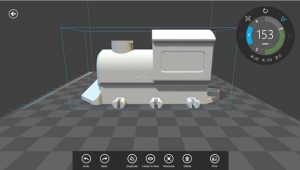
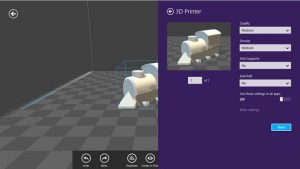
Microsoft’s Windows 8.1 was announced with 3D printer support into the OS and today the company is releasing a tool that will allow everyone to create objects of their own.
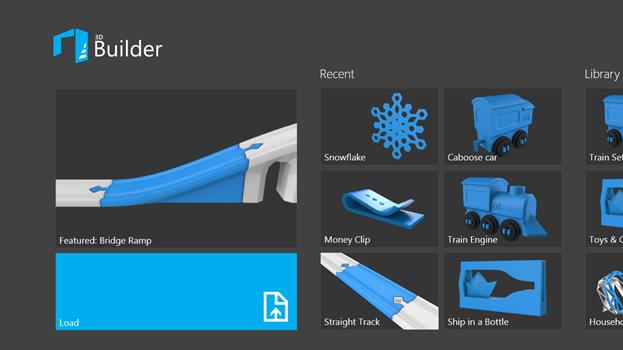
Microsoft has announced a new 3D Builder app, which includes a catalog of pre-designed templates that will help everyone to start printing right away.
“I get excited about 3D printing. Really excited. Like Tom Cruise on Oprah’s couch excited. So, I couldn’t be more thrilled that we are releasing a 3D printing app for Windows 8.1,” Microsoft consumer PR Kristina Libby.
“We’re entering an exciting new era in which everyone will be able to create and print three dimensional objects. Just imagine being able to print a spare part for a household appliance, or creating your own jewelry line of custom 3D-printed earrings.”
The percentage of PC users running Windows 8.1 doubled in a month’s time, according to the latest October data compiled by metrics firm Net Applications.
The Windows 8.1 OS rose from 0.87% market share to 1.72%, for a 0.85% gain. The trend is expected to continue in November and beyond as Microsoft herds its customers away from its previous operating systems and towards 8.1.
Windows 8 fell 0.49 percentage points (from 8.02 percent to 7.49 percent), its first loss ever.
At the same time, Windows 7 grabbed 0.03 percentage points (from 46.39 percent to 46.42 percent). Last month, Windows 7 gained more share than Windows 8 for the first time, but in October it remained flat.
Notably, Windows XP dropped only slightly, from 31.42% to 31.24%–not a very big fall, considering Microsoft wants to move everyone off that OS before it cuts off all support for it in a few months.
Linux dropped from 1.65% market share to 1.61%, remaining a well kept secret as ever–or well avoided bogey, depending on your perspective.
We expect Windows 8.1’s share to be much higher next month.
Apple yesterday announced a flurry of new products from the new iPad Air to the iPad Mini with Retina Display, brand new Mac Pro and a revamped Macbook Pro with retina display. Possibly the most subtle and less talked about are the software launches. Apple launched the new Mac OS X 10.9 Mavericks and 7 new applications including a revamp of popular iMovie, iPhoto and Garage Band which made the iLife suite and work based Pages, Numbers and Keynote which made the iWork suite. The best part being the fact that all of the above comes free to Mac owners.
Logically all these Apps and Operating System updates are meant for consumption on Apple products, and by making these crucial applications and a major Operating System update free, Apple may have stirred the industry and the likes of Microsoft who basically survive by selling their operating systems and apps.
Highlights
Prices of Apple’s Mac OS X have dropped in cost considerably over the years. Apple charged users US $129 for four main OS updates, then Apple dropped the operating system’s upgrade price to $29 with 2009’s OS X 10.6 Snow Leopard, and then to $19 with last year’s OS X 10.8 Mountain Lion.
Microsoft was forced to lower the price of its expensive Windows 8 to a mere US $ 29 to compete with Apple last year, where the Redmond company offered its previous OS owners a cheaper upgrade to the new Operating System. However post a golden period the price was returned to a whopping US $ 199 which the company charges for their PRO variant of Windows 8. Microsoft this year however offered Windows 8.1 as a free upgrade to Windows 8 owners, and while many may call it an incremental upgrade, Microsoft continues to claim that Windows 8.1 is a major software overhaul which is “worthy of a price tag”.
Back in the 80’s software was a part of commuters as a vertically integrated product. Apple with OS X Mavericks has suddenly sprung that era into present day. Since Apple is the only company that manufactures hardware for their software or vice versa, it makes sense for the company to gain profit from hardware sales and make the software free. In essence the user sees it as a freebie especially since it had a price tag prior to it being free.
Apple has also ensured that anyone with a Mac computer upto 4 years ago can update to the new Mac OS X Mavericks, which will make old owners of Apple computers happy, since they won’t need to spend money for new operating systems each year.
What’s more, Apple has also enabled users to get Apple own apps like the iLIfe suite and iWork suite free of cost, making it a boon for students and daily users. Apple used to drive huge profits from selling applications and operating system upgrades. Most people don’t upgrade their Operating Systems till they buy a new computer, Apple however has sort of changed that, or has tried to change it. Just like software updates on the iPhone that drove more than 80% iPhone owners to upgrade to iOS 7, it is expected that a whole chunk of Mac owners have probably already upgraded to Mac OS X 10.9 Mavericks, or plan to over the weekend.
Installer
The upgrade process is simple, hit the Mac App Store download the Mavericks installer, run the installer and about 20 minutes later you are upgraded. As Steve Jobs would say “It just Works!”, exactly how upgrading a modern operating system should feel like. It gets done with the minimal of fuss and fanfare, and then the operating system steps aside and lets the user get back to work.
For Apple owners this may not seem as a big deal, however the folks over at Microsoft are probably festering out new plans as we speak to keep their investors happy. Do you think OS should be free? Let us know below!
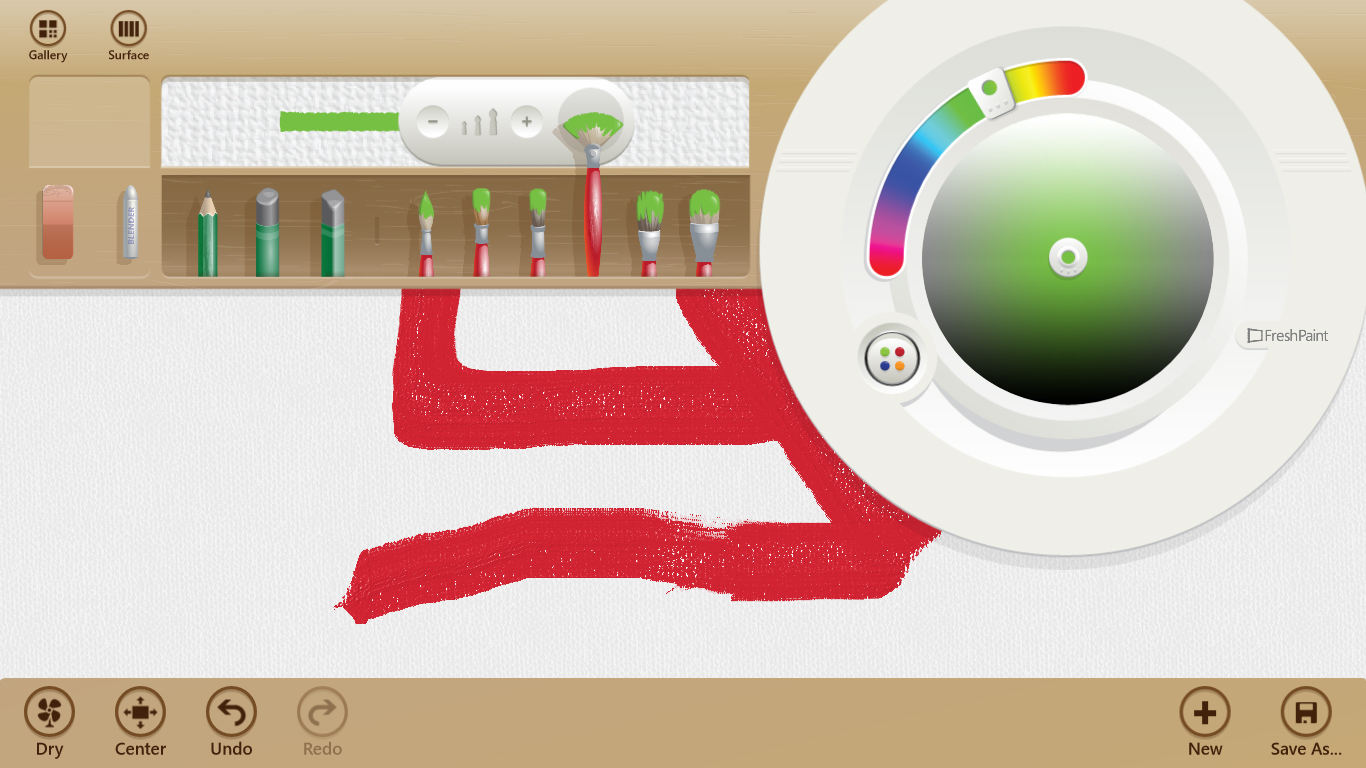
Microsoft recently launched a port of its Windows 8 drawing app Fresh Paint for Windows Phone 8 and today the company announced that it has released an updated Fresh Paint app for the people who are using the public preview version of Windows 8.1.
In a blog post, Microsoft said that the Windows 8.1 preview version of the app adds a new watercolor medium alongside the previous oil color paint. Microsoft states, “Like the oil paint medium in Fresh Paint, the colors can mix and blend, but, like real watercolors, they will bleed into your canvas or paper to create vibrant works of art.”
In addition to image filters and new options, Fresh Paint also brings several other goodies supposed to improve the overall experience on a tablet.
“We’ve improved pen and stylus input to better work with pressure and the eraser (pick up a Surface to try out a great stylus experience). We’ve added the ability to save custom palettes, so if you have a favorite set of colors you can keep them handy. And, we’ve made dozens of other little changes throughout the product–such as adding the ability to import a painting directly from SkyDrive,” Microsoft explained.
In case you’re already running Windows 8 and you installed Fresh Paint, the new version will be automatically deployed on your computer once you make the move to Windows 8.1, Microsoft noted.
With the app on Windows Phone, you can starting a painting and save it to SkyDrive. You can then finish your work on your PC by selecting the “Save To” icon in the Fresh Paint app.
Fresh Paint for Windows 8.1 launches alongside the operating system update on October 18th. The app for Windows Phone 8 launches on October 14th.
Today, Microsoft announced one researcher, James Forshaw, has been awarded a whopping $100,000 for finding and reporting a new mitigation bypass exploit in Windows 8.1.
James Forshaw, who heads vulnerability research at London-based security consulting firm Context Information Security, won Microsoft’s first US$100,000 bounty for identifying a new “exploitation technique” in Windows, which will allow it to develop defenses against an entire class of attacks, the software maker said on Tuesday.
Forshaw earned another US$9,400 for identifying security bugs in a preview release of Microsoft’s Internet Explorer 11 browser, Katie Moussouris, senior security strategist with Microsoft Security Response Center, said in a blog.
“Coincidentally, one of our brilliant engineers at Microsoft, Thomas Garnier, had also found a variant of this class of attack technique. Microsoft engineers like Thomas are constantly evaluating ways to improve security, but James’ submission was of such high quality and outlined some other variants such that we wanted to award him the full $100,000 bounty,” Microsoft explained.
Microsoft has now paid out over $128,000 in bug bounties. Six “very smart people” received the prizes, said Moussouris.
Not all of them kept the cash. Ivan Fratric of the Google security team was awarded $1,100 for finding an Internet Explorer 11 (IE 11) bug, but donated it to the Save the Children Fund. Fermin Serna, also from Google, gave $500 for finding a bug in the IE 11 Preview release to the Seattle Humane Society.