Author: Nitya Uppal

  • Apple Finally Introduces its Very Own Music Streaming Service

    Apple Finally Introduces its Very Own Music Streaming Service

    Apple has always been about building a secure, healthy ecosystem. They’re now bringing this philosophy to their new music streaming service. At the Worldwide Developers Conference, the company announced ‘Apple Music’, a service that seems to have the capabilities to put several successful music companies out of business. Provided it’s successful, of course.

    On Apple Music, all the ways you love music can live together.

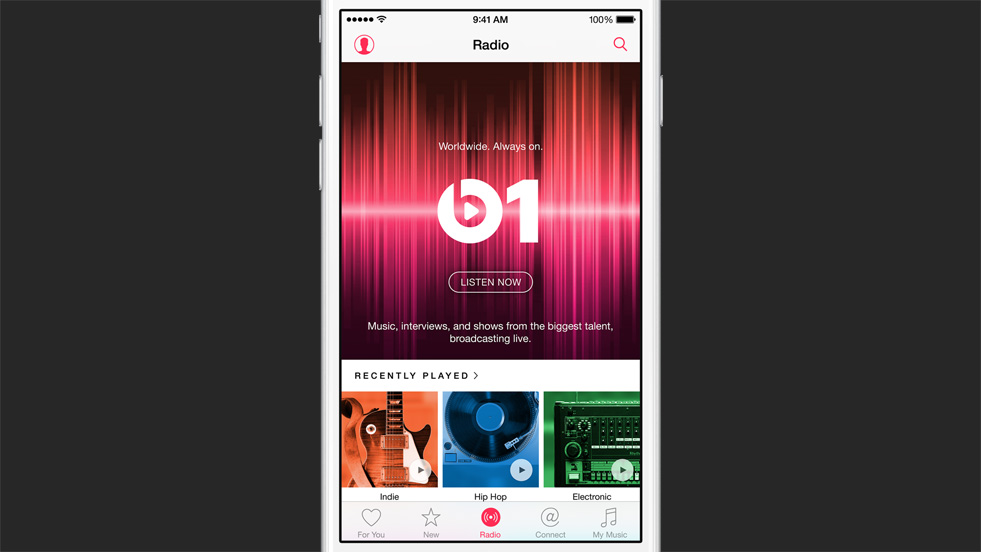
    Here’s how the company plans to do it – with the new app, millions of tracks will be available to stream, and can be saved offline (bye-bye Spotify.) This library will also give recommendations an the playlists would be curated by popular musicians such as Drake, Will I Am and Pharrell.

    At the launch, the company emphasised on how they’d like established, as well as emerging artists to interact with the users. For this, Apple introduced ‘Connect’, where artists can share pictures, music and messages with their audience. Fans can then comment, like, or share it via Messages, Facebook, Twitter and email. This feature takes SoundCloud a step ahead.

    Lastly, an introduction that seems the most refreshing, is Apple’s new 24/7 global music radio station – Beats 1. With the radio feature, more than 100 countries worldwide will be listening in to programming and stations created by some of the world’s most popular musicians. It will have genres such as Indie rock, Hip-hop classical, etc.

    apple music

    Apple Music will be available 30th June onwards. For the initial three months, the service is available for free. After which, there will be a charge of 9.99$ per month. There is also a family plan providing the service for up to six family members, for $14.99 per month.

  • With iOS 9, Apple Finally Brings Multitasking

    With iOS 9, Apple Finally Brings Multitasking

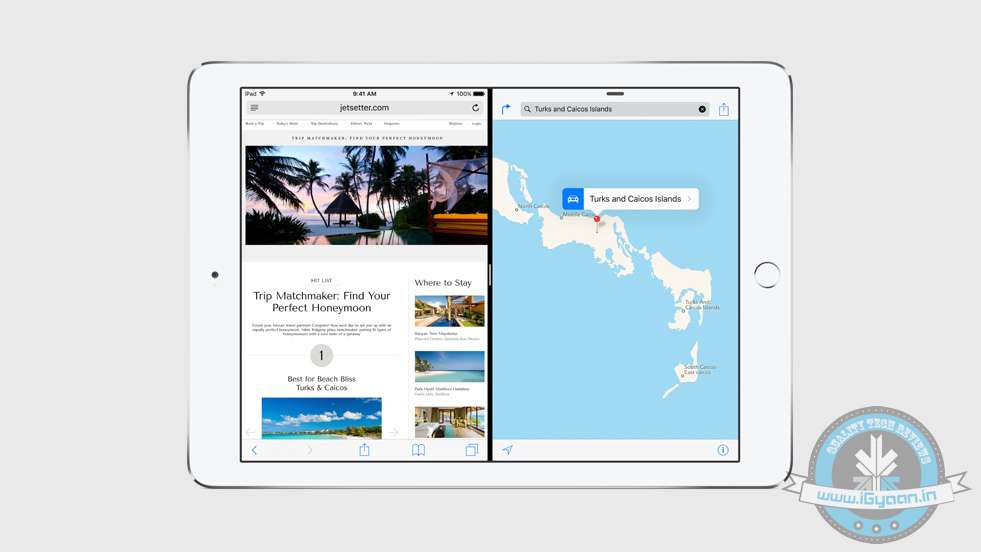
    The Side-by-Side multitasking feature has been sorely missed on Apple devices. At the Worldwide Developers Conference today, the company finally introduced how they plan on taking it forward. Apple has only introduced it on iPads, for now.

    Multitasking has been broken down into three basic features – Slide Over, Picture in Picture, and Split View.

    New multitasking features and tools on iOS 9 help you do more of the things you love — at the same time.

    ‘Slide Over’ allows you to open another app, without leaving the app you’re working on. All you have to do is, swipe the screen from the right to bring in another app. Next, using the ‘Split View’ Mode, two apps can be open and proactive on the same screen, at the same time. As expected, using the Split Screen, you can drag and drop between the two working apps. Lastly, the ‘Picture in Picture’ feature allows you to watch a video, while you work on another app on your iPad. These features will be available when iOS 9 releases. According to the company, the developer API will be made available for the three new features.

    Stay tuned, more details coming up soon.

  • With These New Features, Siri Might Actually Become Helpful

    With These New Features, Siri Might Actually Become Helpful

    At the Worldwide Developers Conference (WWDC) 2015, Apple announced major software changes. Amongst other things, Apple threw light on how they’ve been spending time further improving their digital voice assistant. It seems that Siri is trying hard to keep up with Google Now, its arch enemy, which has speedily raced ahead in the game.

    However, at the event Apple claimed that Siri takes over 1 billion requests per week. They expect the new and improved Siri to further improve this number. According to the company, on iOS 9, Siri is going to be 40% faster, as well as 40% more accurate.

    Here’s how the company plans to achieve that:

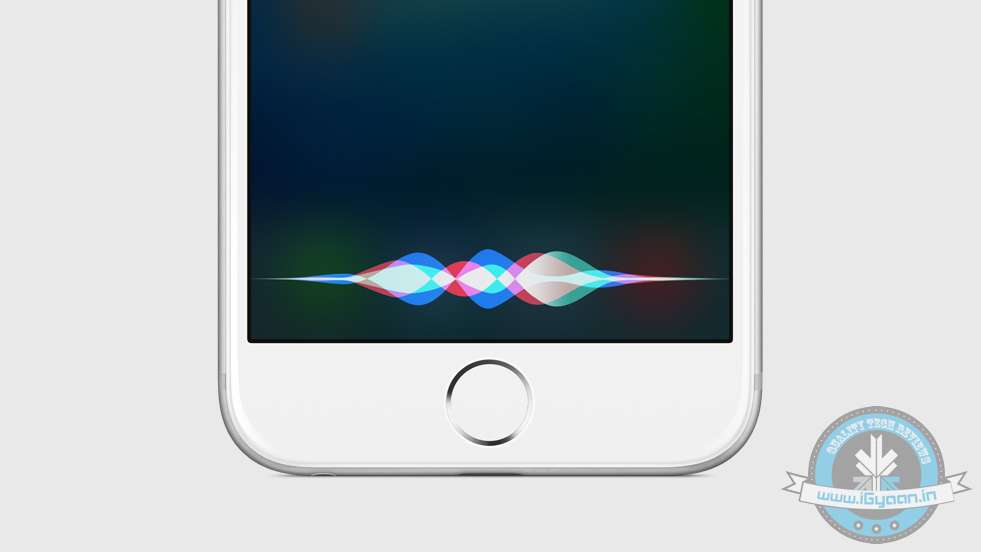
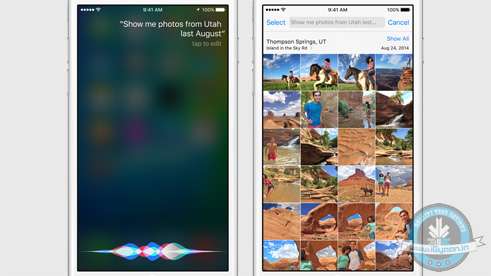
    Like we had suspected, Siri gets more ‘Proactive’. The easiest way to explain this would be the fact that the new and improved digital voice assistant not only answers to your requests, but is present at all times, noting your daily habits and patterns of how you use your phone. Apple gave an example, when you plug in your headphones, Siri would read the sign and automatically launch iTunes.

    Apple wwdc ios 9 siri 0

    Siri can now also view the apps you’re viewing, and help you make plans accordingly.  The Calendar app helps the cause. It gives you suggested times when you should leave your house, based on the traffic on your way to your destination.

    These announcements seem reminiscent of Google’s introduction of Android M. Android’s new feature ‘Now on Tap’ can also be used while you’re viewing a particular webpage or an app. For example, if you’re viewing a friend’s Facebook profile, you can use Now on Tap to find out more details about the person. It may then link you to the person’s Twitter and Instagram profile.

    While the world squabbles about which company came up with the idea first, we feel that Google, as well as Apple may have found the perfect formula on making their digital assistants more useful.

  • What Happened to the iPod?

    What Happened to the iPod?

    The annual Worldwide Developers Conference begins tonight at 10.30PM IST, with a special event hosted by Apple. Every year, the company hosts the event in the first week of June, to unveil major changes in software and relatively minor hardware upgrades. While the iPhone launches are slated for later in the year, the company uses this event as an opportunity to announce the upgrades they’ve made to their various software offerings. Last year, Apple introduced us to the iOS 8, OS X Yosemite and a range of continuity features. This year, we expect them to announce iOS 9, a revamped music service and something more. Having tracked Apple’s movements closely, we’re wondering if we’re in for a surprise iPod announcement.

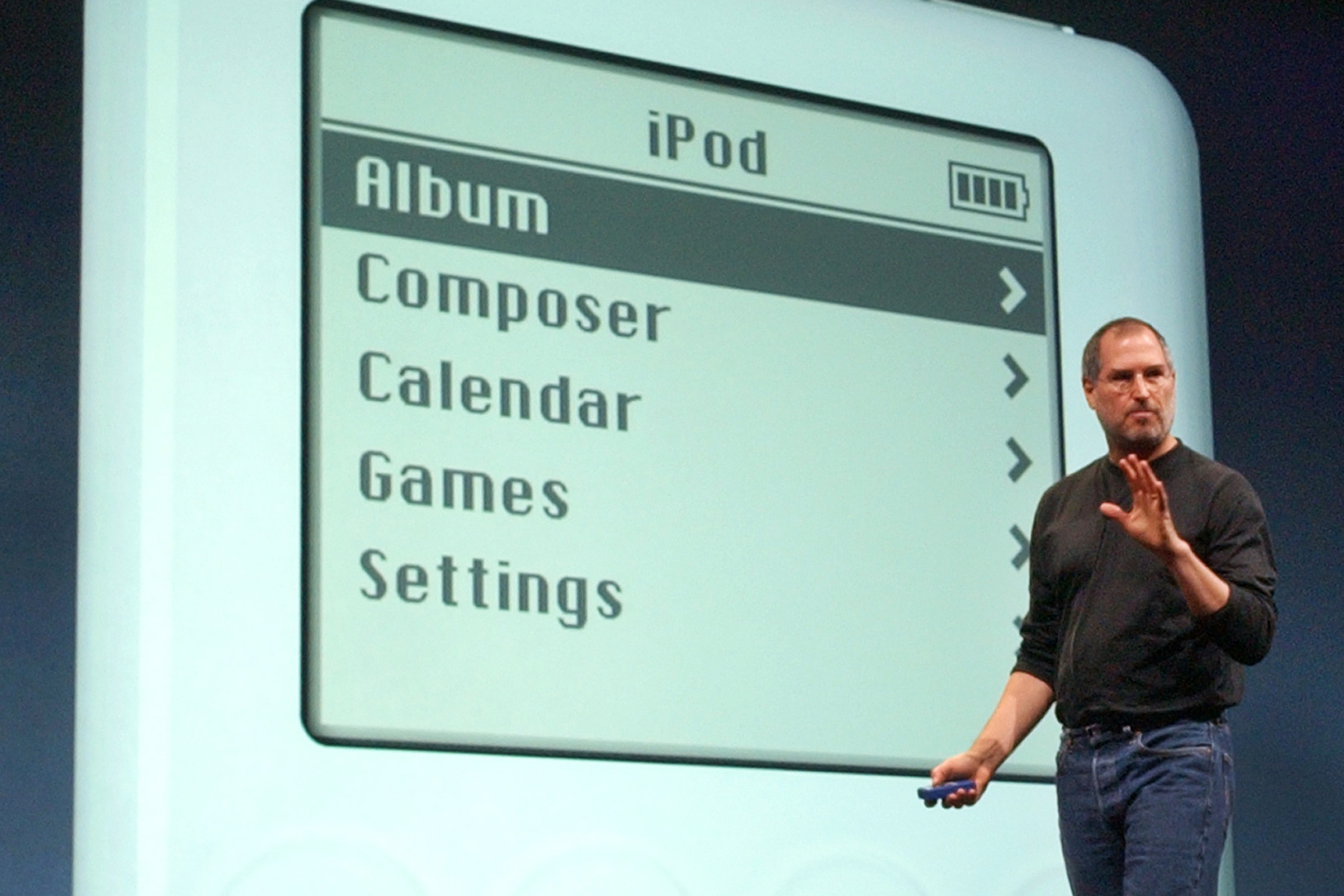
    The Apple iPod, when it was first introduced by Steve Jobs in 2001, single-handedly took over the online music industry, subsequently killing the MP3 CD movement. A music device, which could hold a 1000 songs and portable, was unheard of at the time. Much like the iPhone, it was a game-changer in its own field.

    Apple Computer Inc. chief executive Steve Jobs gestures as he introduces the new iPod during Apple's launch of their new online "Music Store" in San Francisco, Monday, April 28, 2003.  (AP Photo)
    Apple Computer Inc. chief executive Steve Jobs gestures as he introduces the new iPod during Apple’s launch of their new online “Music Store” in San Francisco, Monday, April 28, 2003. (AP Photo)

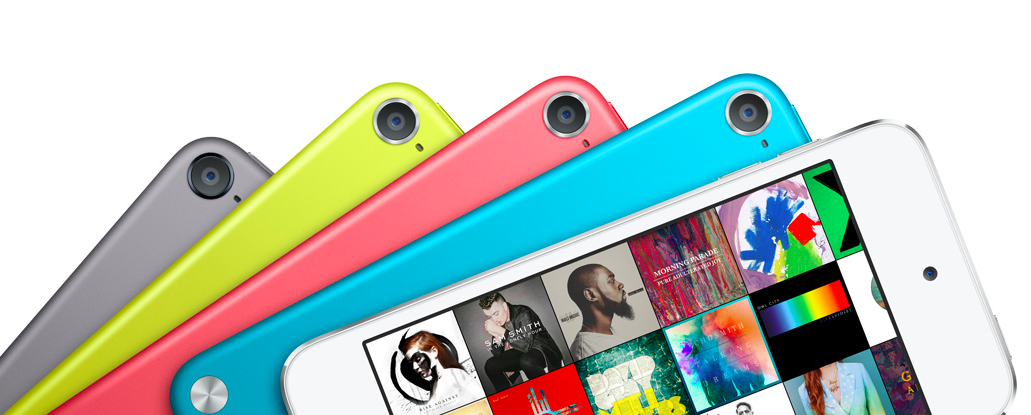
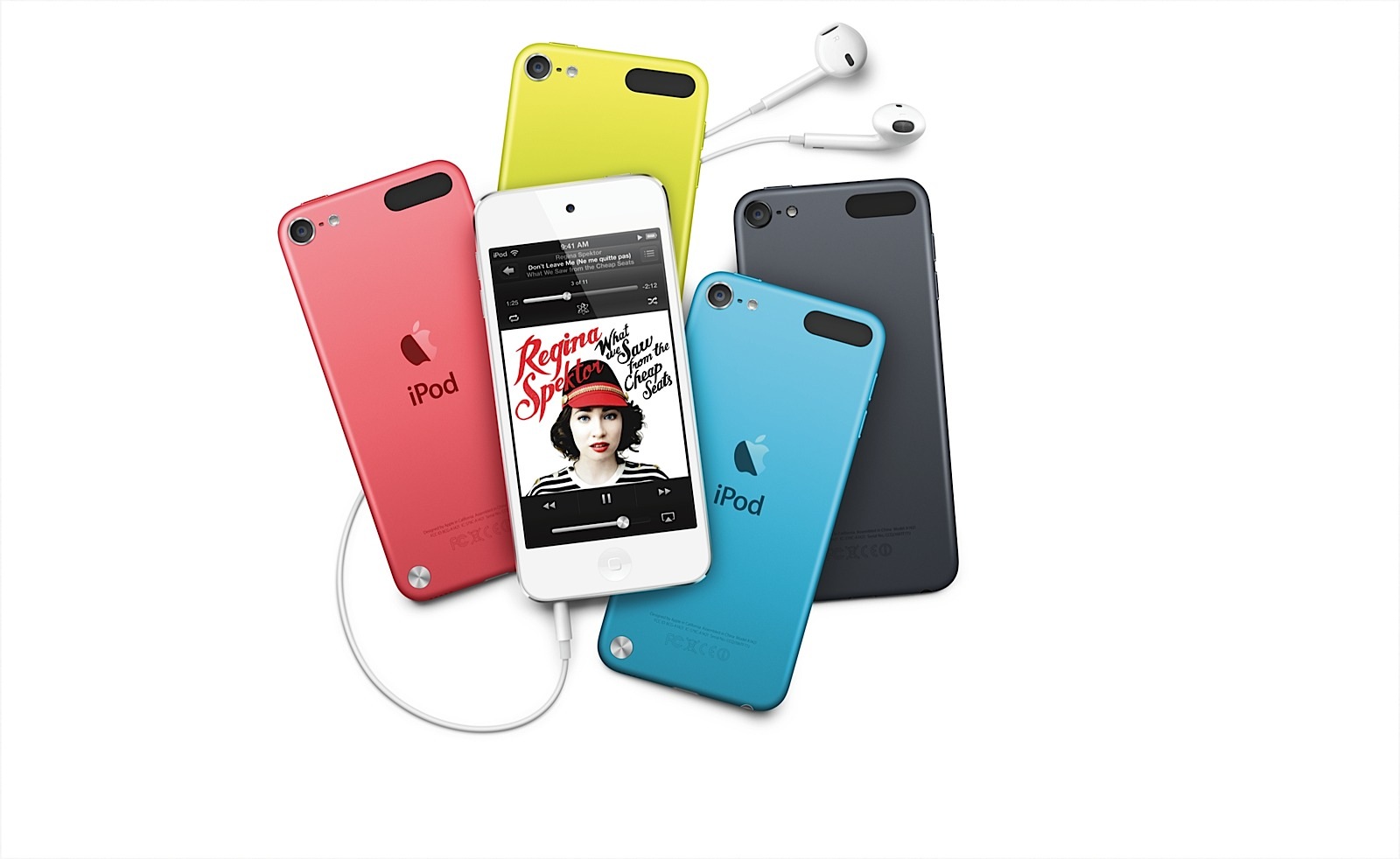
    Since our smartphones are now compact devices that have been designed to cater to our every need (including music), the spotlight on the iPod has faded. Apple continues to retail the iPod Touch, iPod Nano and iPod Shuffle, however, the last time the Cupertino-based tech giant announced an iPod was back in 2012. The 5th Generation iPod arrived the same year iPhone 5 did. In the past three years, the company has advanced by leaps and bounds, to say the least. We’re now impatiently waiting on the next iteration to arrive.

    The 5th generation Apple iPod Touch comes in 16GB, 32GB and 64GB variants, with a 4-inch retina display. The device comes with a 5MP iSight Camera and a 1.2MP FaceTime camera.

    Evidently, Apple currently has an empty canvas to paint on. There is a buzz that the 6th generation iPod will be made available in two sizes – a choice between a 4.7-inch and a 5.5-inch display. The multimedia device would come with iOS 9, out of the box; and may even come with the Apple Pay feature. There is also a high possibility we will see more action from Apple’s go-to ingredients such as USB Type-C, Force Touch and their ever-favourite, Finger-Print Scanner.

    ipodtouchfamily4pbpfnowplayingprint

    According to the rumour mill, the sixth-generation iPod is expected to arrive until later this year, along with the iPhone 6s. However we suspect otherwise; although tonight’s conference focuses on developers, Apple is known to make surprise hardware announcements. While the company is yet to confirm the details, we think it’s about time that Apple unveils another consolidated entertainment device. One with an endless battery life and a massive storage capacity.

  • List of the First Smartphones Most Likely to Run Android M When it Launches

    List of the First Smartphones Most Likely to Run Android M When it Launches

    While Android Lollipop was a complete overhaul from its previous iteration (in terms of design and features), Android M is said to be a mere improvement. At the Google I/O conference, Senior VP Sunder Pichai announced that the company has spent effort on improving the software, rather than redesigning it. Nonetheless, we can’t wait to have the brand new set of features on our smartphones.

    Well, we’ve now decided to take on the burning question everyone wants answered, “Will my smartphone be upgraded to Android M?”.

    Here’s a list of smartphones that are most likely to receive the update first.

    Nexus Devices

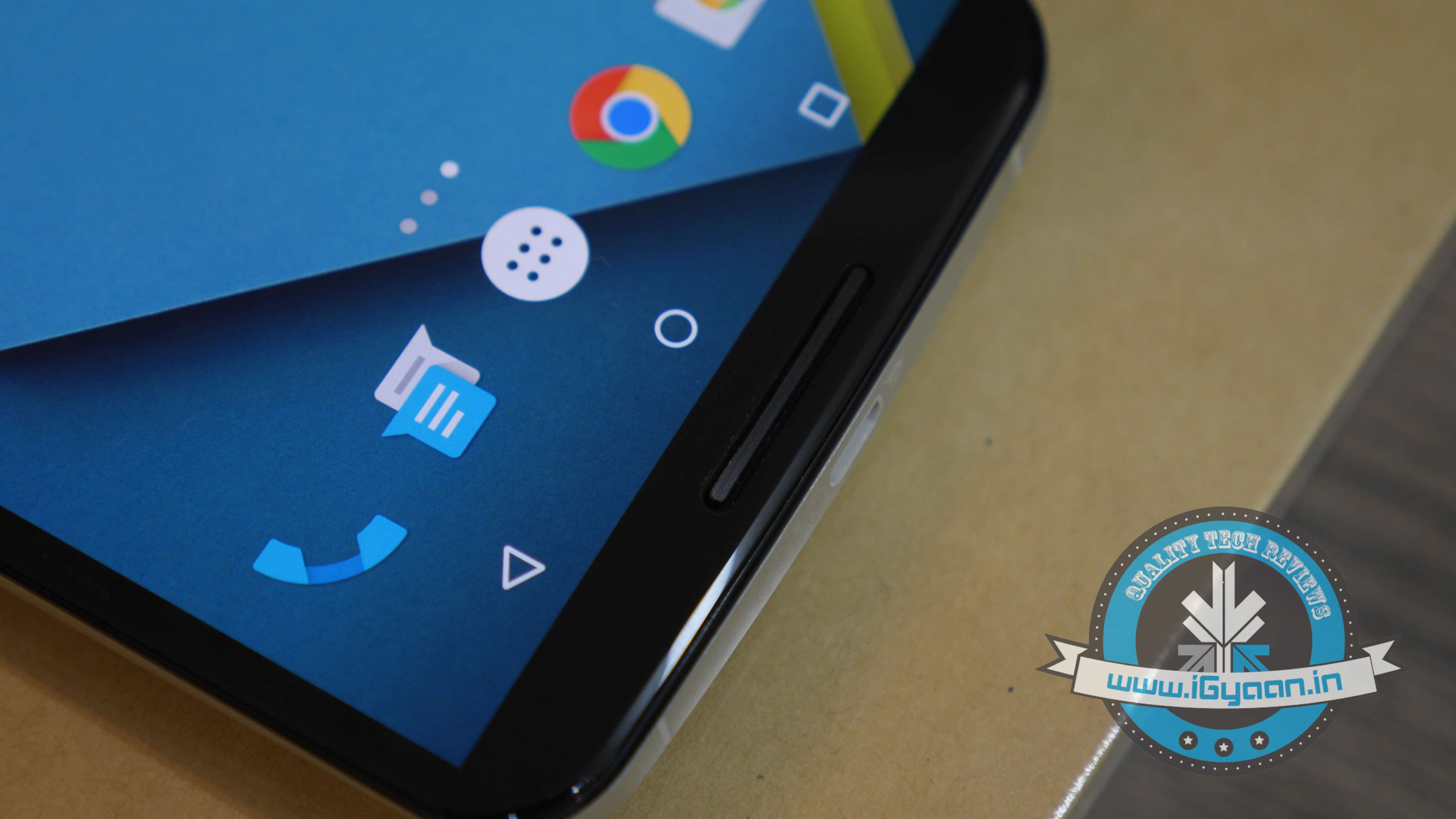
    Google Nexus 6 3

    No surprise here. The Developer Preview is already out for Nexus 5, Nexus 6, Nexus 9, Nexus Player; and it sure looks good. As tradition goes, Google’s very own line-up of Nexus devices will be the first ones to receive the official update.

    The Moto Brigade

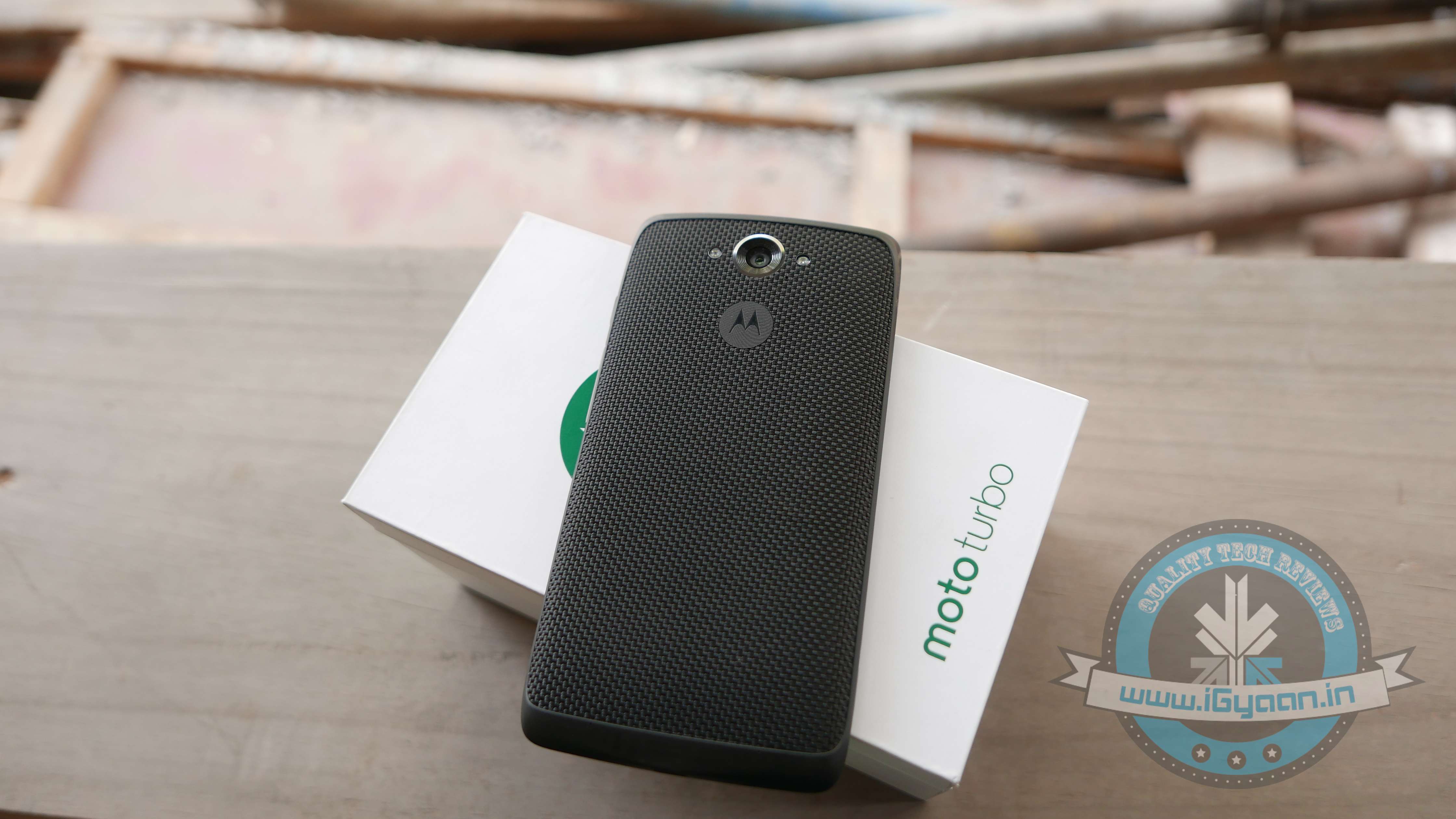
    Moto Turbo India 5

    Motorola has always been efficient in providing timely software updates. Even when Android Lollipop released, Motorola ensured its customers had it before many others. Moto X and Moto Turbo are first in line to get the Android M update, followed by the Moto G. Unfortunately, Moto E may not make the cut.

    OnePlus

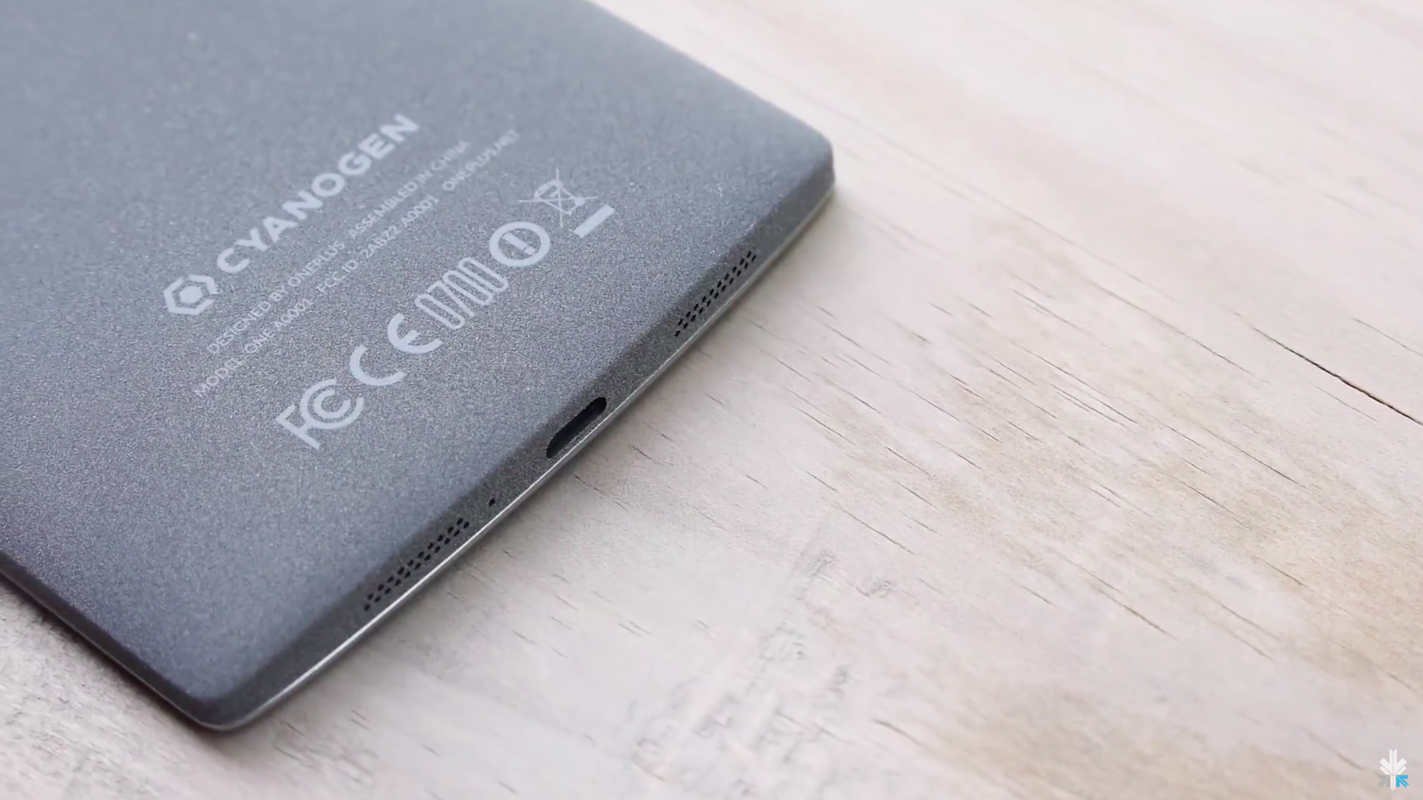
    cyanogen oneplus

    By the time Android M rolls out, we expect OnePlus would have announced its next flagship, the OnePlus Two. The company, just like Motorola, has been known to provide timely updates. Also heeding to the fact that the company has buried the hatchet with Cyanogen, we can expect both, OxygenOS as well as Cyanogen to be out in their Android M versions soon. In fact, all devices powered by Cyanogen (such as Yuphoria, Yureka) would be the privileged ones to receive Google’s latest update.

    Samsung Devices

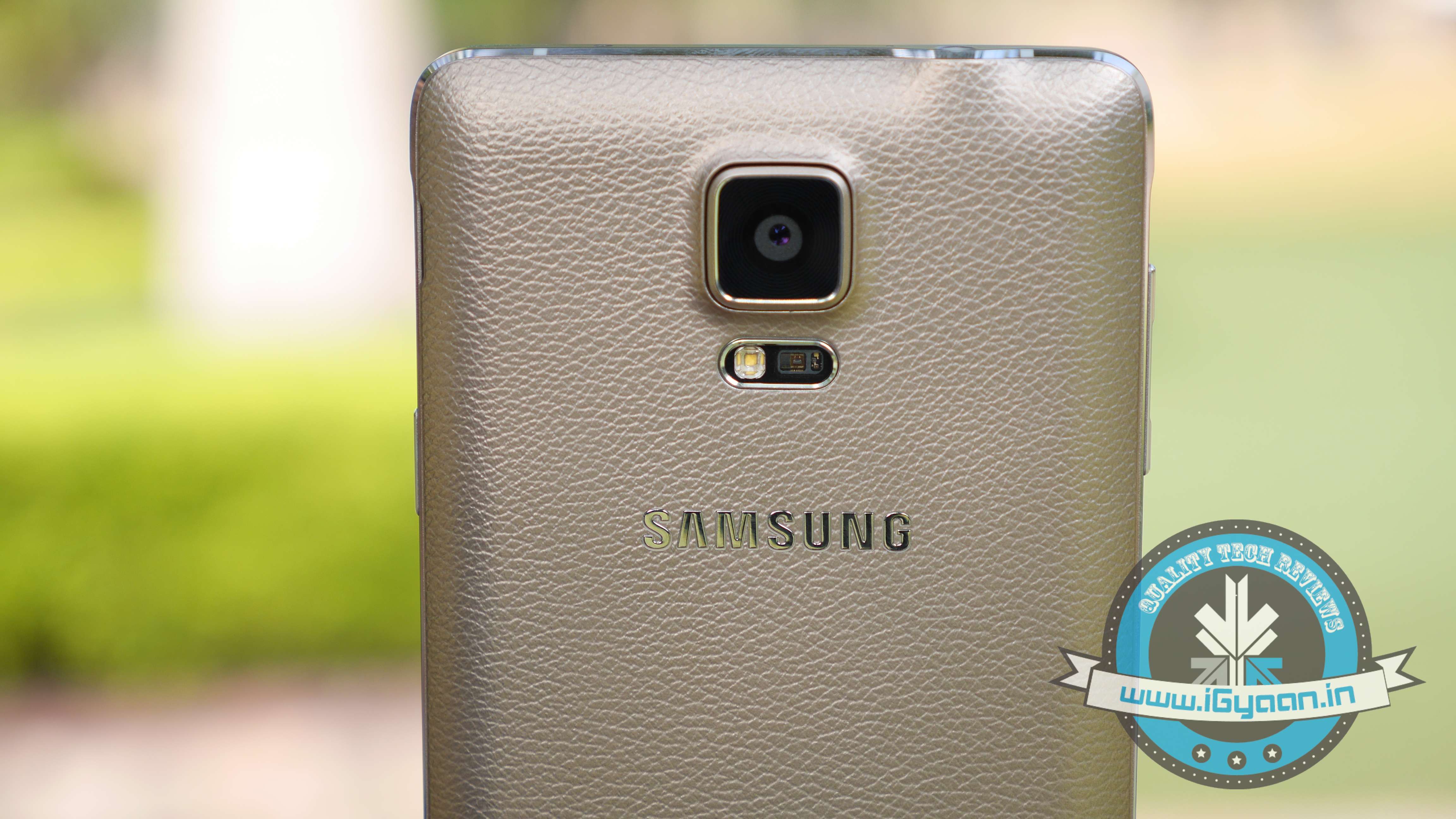
    Samsung Note 4 2

    While there is no official word from the company, Samsung Galaxy S6, Galaxy S5 and Samsung Note 4 are expected to be the first few devices to receive the Android M update. Also, the Samsung Galaxy Note 5 which is expected to launch between October and September 2015, will be upgraded to Android’s latest operating system.

    HTC

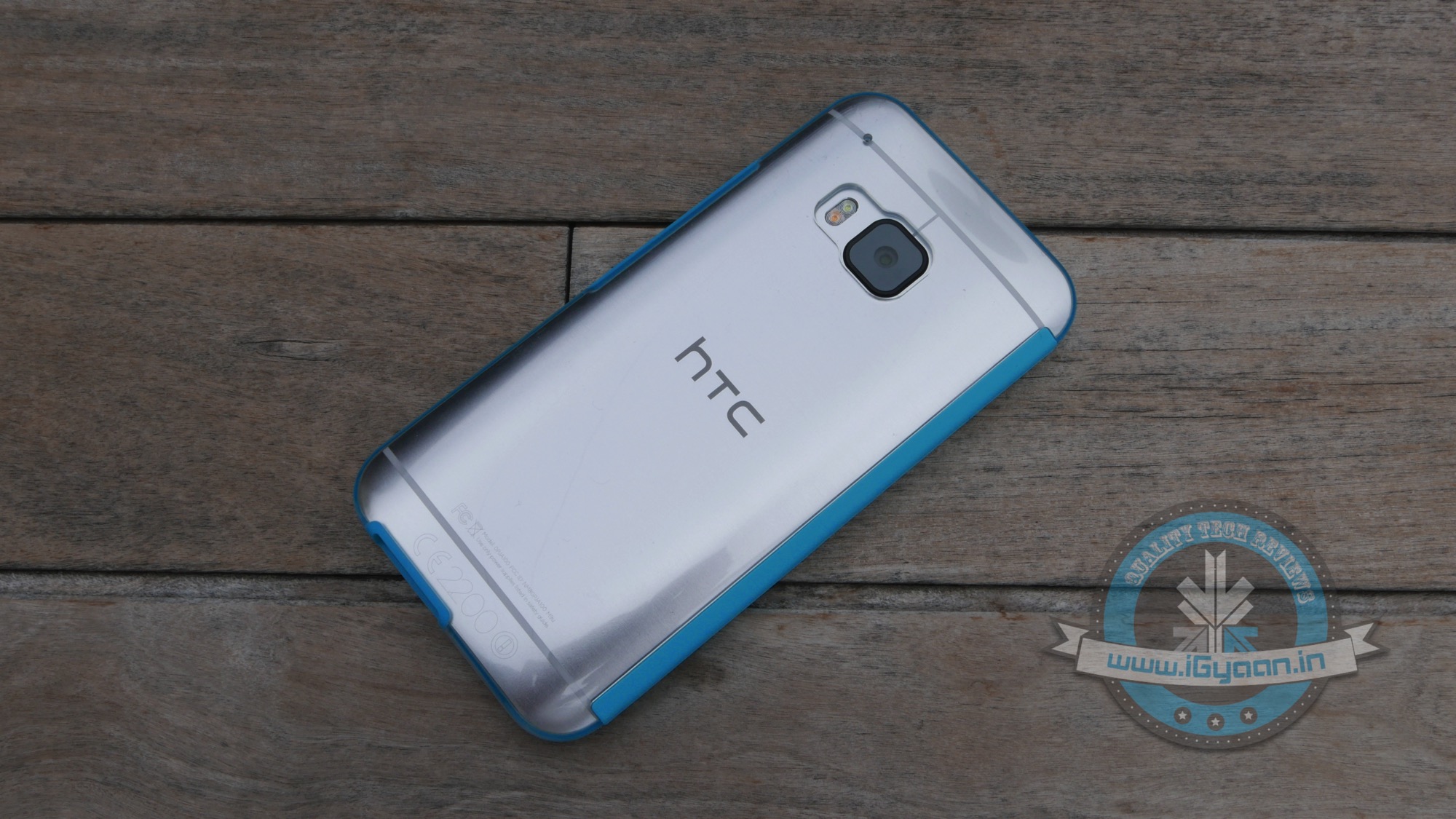
    HTC ONE M9 iGyaan 26

    HTC is one of the few companies that has jumped the gun and officially announced that their line-up of smartphones will be receiving the Android M update. The company recently stated that HTC One M9 and One M9+ are going to get it first, followed by other devices. The company was unclear about which these ‘other devices’ might be, we’re guessing they were talking about the HTC One E9 and the previous-gen One M8.

  • Yu Yuphoria Extreme Drop Test (Video)

    Yu Yuphoria Extreme Drop Test (Video)

    Yu Televentures recently launched its latest budget offering the Yuphoria, at a mere Rs. 6,999. According to our review, the YU Yuphoria may be a budget handset, but its build quality and design feels like a lot more. The phone has a fantastic construction for its price, an all-metal frame, made from stamped parts, which have been laser welded into place. The edges give the phone a lot of rigidity and strength, which in turn gives a reassuring feeling to the holder. The back has a soft touch rubberized back panel, which is not prone to fingerprints.

    That was our initial feedback of the device. Now we decided to really test the sturdiness of the phone. What better way to do that than to have the phone take a drop test?

    Want to know how it fared? Watch the video below:

  • Top 9 Apps to Download if You’re Travelling Abroad This Summer

    Top 9 Apps to Download if You’re Travelling Abroad This Summer

    If you’re one of the lucky few who get to escape the country’s blistering summer, we’ve got some handy tips for you. We’re here to tell you how to utilise what technology has to offer to ensure you have a safe, fun, and stress-free vacation.

    First things first, figure out the best way to get an affordable data connection on your phone, in the countries you’re visiting. There are several companies (Lyca, Matrix) that provide you with international calling cards, even before you leave the country.

    So, let’s get started.

    Pack Up!

    The excitement of the journey begins when you start deciding the stuff you’re going to be carrying with you. If you’re willing to spend a minimal amount on an app, we’d recommend Packing Pro (iOS). Just like its name suggests, it helps you pack like a pro. You can make customised to-do lists, but the best part about this app would be the ‘Expert List’ assistant. This has already got packing lists ready depending on if you’re a male/female, if you’re going camping or if you’re stepping out for a short business trip. The app is intuitive and customisable, and in our opinion, worth every rupee spent.

    How to Fill the Language Gap

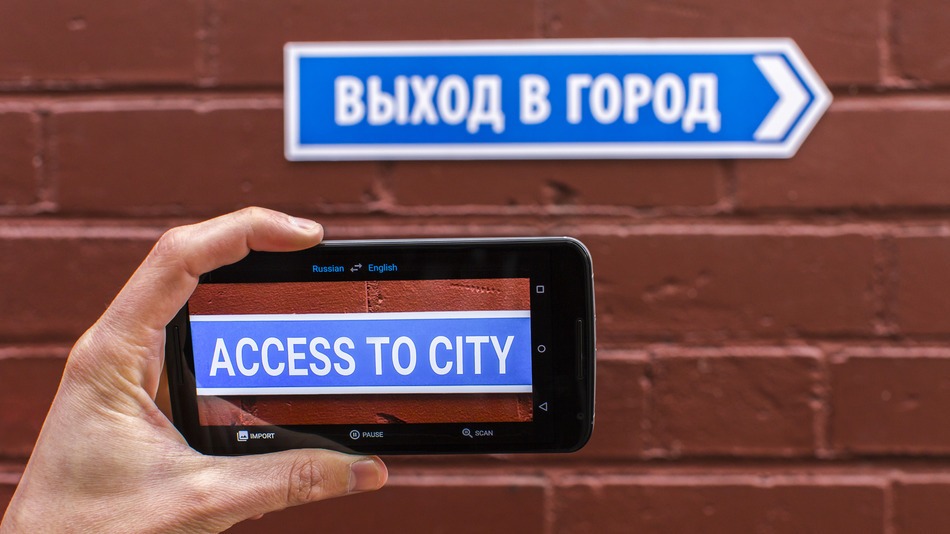
    google-translate-word-lens

    A recent update to the Google Translate app, integrated a World Lens tool. Word Lens uses the smartphone’s camera to scan scenes, identify writing and then display it as if it were written in English. You can hover your device in front of menus, road signs, and more, and see the translated text overlaid on the screen immediately without any internet connection. Pretty neat, right? A super useful feature when you’re jet-setting across the world and trying to make your way through foreign cities, where English isn’t the first or second language.

    TripLingo, on the other hand, gives you some of the commonly used phrases in a particular language. Believe us when we say this, you’d want to memorise how to say “Where is the Bathroom?” in Mandarin, before you land in China. This app also gives you a crash course in local customs and etiquette.

    Both Google Translate and TripLingo, are available for free on the Play Store.

    Make Some Lists 

    to-do

    To prepare for a trip abroad, the first thing any travel magazine will recommend is that you make a list. A list of things to pack, a list of places you’d want to visit and even a list of things you want to buy. If you’re flying solo, the Notes app provided on your smartphone would suffice. However, in case you’re travelling in a group, ask everyone to download a single note-taking app. Go for Slack or Evernote.  You can make a checklist and multiple people can contribute and edit the list while on the go. While these apps may be designed for businesses, they serve the purpose just as well.

    Both Slack and Evernote are available for free on the Google Play Store.

    How to Make Sure You Never Get Lost

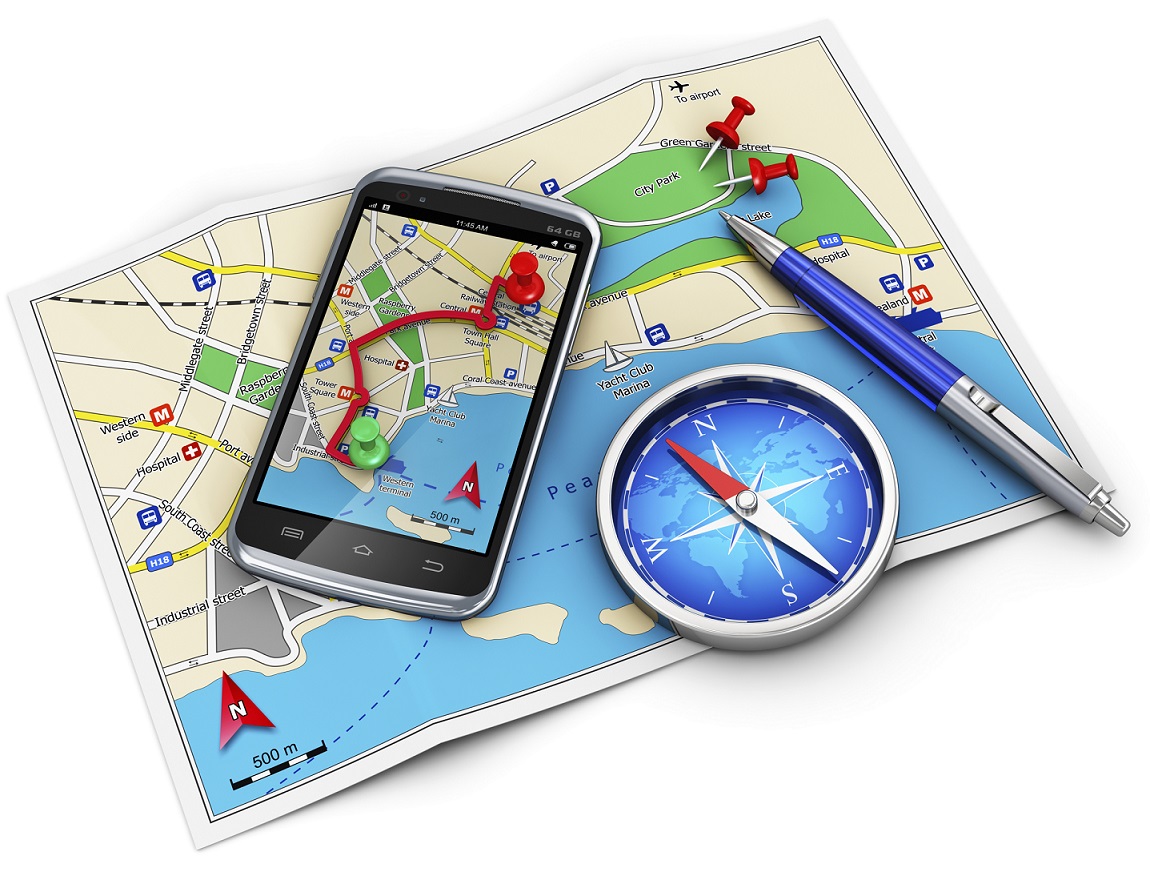
    travel-apps-11

    Other than Google Maps, there are a slew of apps available to help you navigate your way through an unknown city. From the bunch, we would recommend City Mapper and Moovit. The two help you make your way around a city’s public transport system. Just add your destination and it will tell you how to get there. Other than route-navigation, it gives you step-by-step instructions which include local modes of travel (ferry timings, cycle pick-up, etc.) The highlight about the apps is the fact that they provide real-time updates. For example, if the bus you’re waiting for is held up in traffic, it will tell you exactly how much longer you would have to wait for.

    Google Maps, City Mapper and Moovit, are available for free on the Play Store.

    So, What do Locals Do Around Here?

    The traditional way to find out the hidden gems of a city, would be to try and strike a conversation with a local resident of the town you’re visiting. We now have an app which will help you with this, and much more. Available in more than 40 cities worldwide, Like a Local gives you genuine reviews about the local restaurants and markets to check out. The app promises that their recommendations have been curated solely by local editors. If you hate being a tourist in a foreign city, this one’s for you.

    Like a Local Offline CityGuide is available for free on the Google Play Store. If you’re still contemplating where to head to this summer, you can click here for inspiration.

  • How to Install Android M on Your Nexus Device

    How to Install Android M on Your Nexus Device

    At the I/O 2015 conference, Google announced the next version of Android. The company detailed some interesting features that will be available on Android devices later this year. With Android M, they have focused on improving the system’s overall quality and fixing the bugs found on Lollipop. While Google SVP Sundar Pichai’s speech seemed impressive, we wanted to see for ourselves what the fuss was all about.

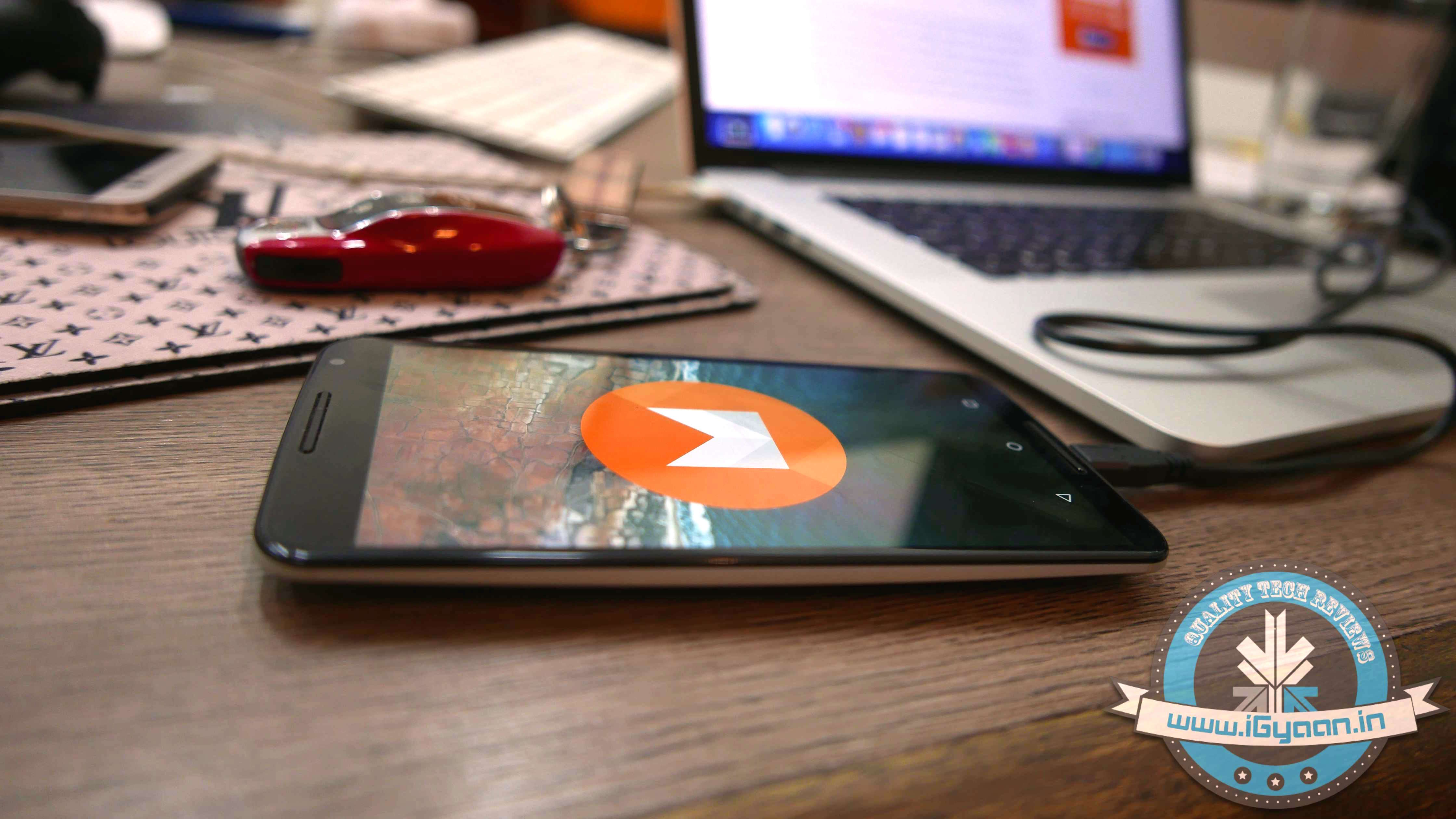
    We installed Google’s Android M developer preview on our Nexus 6 and decided to share the step-by-step procedure.

    Disclaimer: 

    • Before you decide to install Android M on your device, consider the fact that it will wipe the smartphone’s memory entirely.
    • The developer preview also contains several bugs and may be unstable.
    • We wouldn’t recommend installing the OS on the Nexus device you use on an everyday basis. Some of the major applications are having trouble loading on Android M.
    • The Developer Preview is only out for Nexus 5, Nexus 6, Nexus 9 and Nexus Player.

    Preparation 

    • Back-up your Nexus Device.
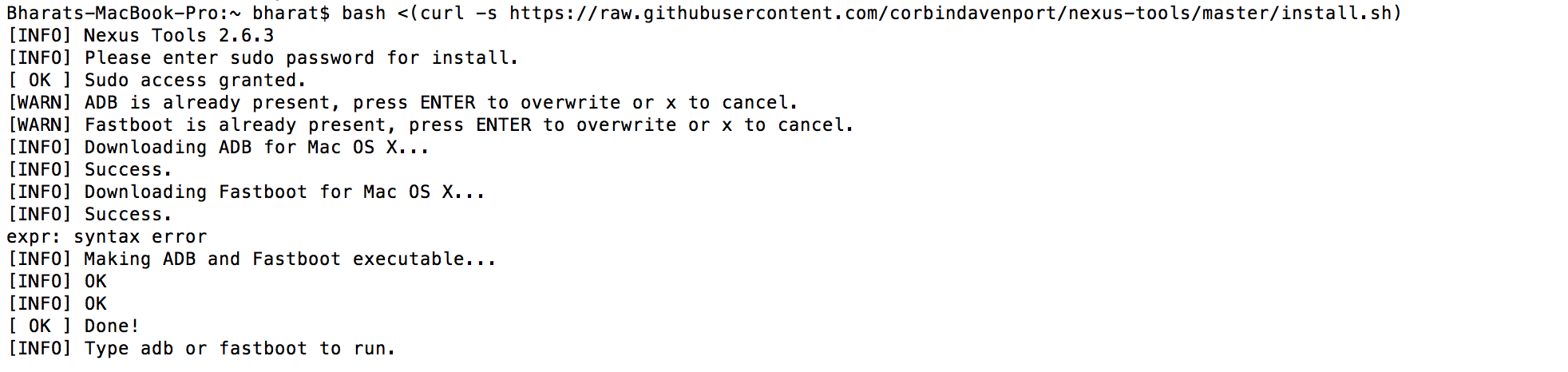
    • To make this quick and easy, before you begin, make sure you have ADB and fastboot installed on your computer.  The easiest way to install ADB on your machine is by inserting the following command on your Command Line/Terminal:
      bash <(curl -s https://raw.githubusercontent.com/corbindavenport/nexus-tools/master/install.sh)Android M 3
    • Download the factory images for your device here. Unzip and save them on a file on your desktop.

    Method

    • Now to begin, enable your device’s debugging mode and connect it to your computer via a USB cable.
    • Open an ADB command line and enter ‘adb reboot boot loader’Android M
    • Open the folder containing your factory images.
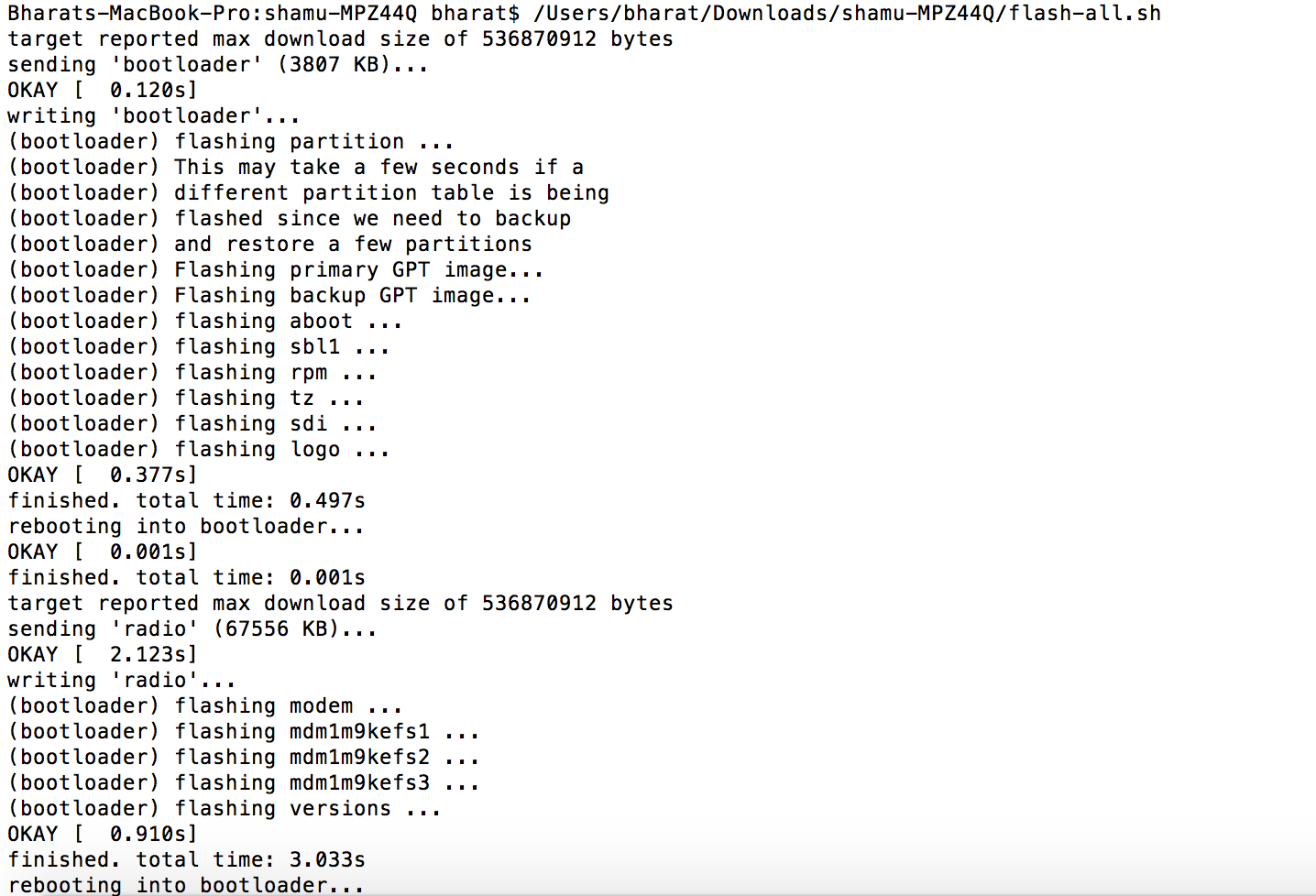
    • Now on the ADB command line, enter ‘flash-all’ to run the installation. This is the final step and it will initiate the process, as seen below: android M 2

    You will now have to wait till it gets installed. It took us approximately 5 minutes.

    Now you can enjoy fiddling around. To read more about Android M, click here.

  • Power Struggle: Xiaomi and OnePlus Play Tug of War

    Power Struggle: Xiaomi and OnePlus Play Tug of War

    These days if there is another gadget which is more sought after than a smartphone, it’s a powerbank. Since smartphone manufacturers have failed miserably at providing batteries that last more than a day, the powerbank industry is currently booming.

    OnePlus and Xiaomi, two manufactures that entered the Indian market last year, recently launched their own battery packs in the country.  If you haven’t noticed, the young Chinese companies have kept an eye on each other. Their current flagships, the Mi4 and the One, both come with similar specifications and a similar price tag. So much so that the OnePlus One and Xiaomi Mi4 have even faced price cuts at the same time.

     Now it seems like OnePlus and Xiaomi are playing the same game with their powerbanks.

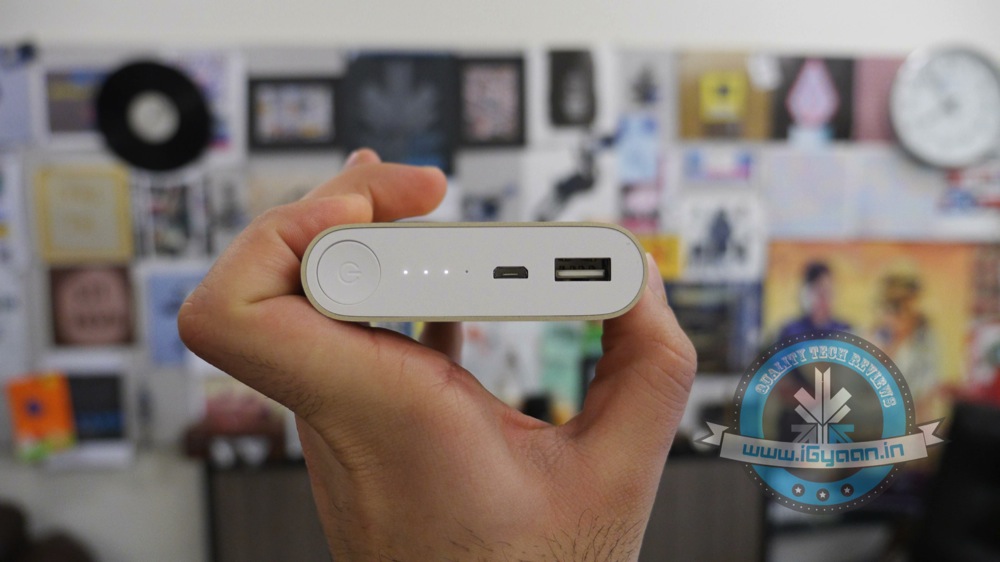
    OnePlus, after teasing their portable charger endlessly, finally brought it to India earlier this month. The charger provides 10,000mAh of power, can easily slip in your pocket and apparently charges the OnePlus One 3 times on a single charge. OnePlus introduced the power bank at an affordable price tag of Rs. 1,399.  Less than a month later, Xiaomi retaliated.

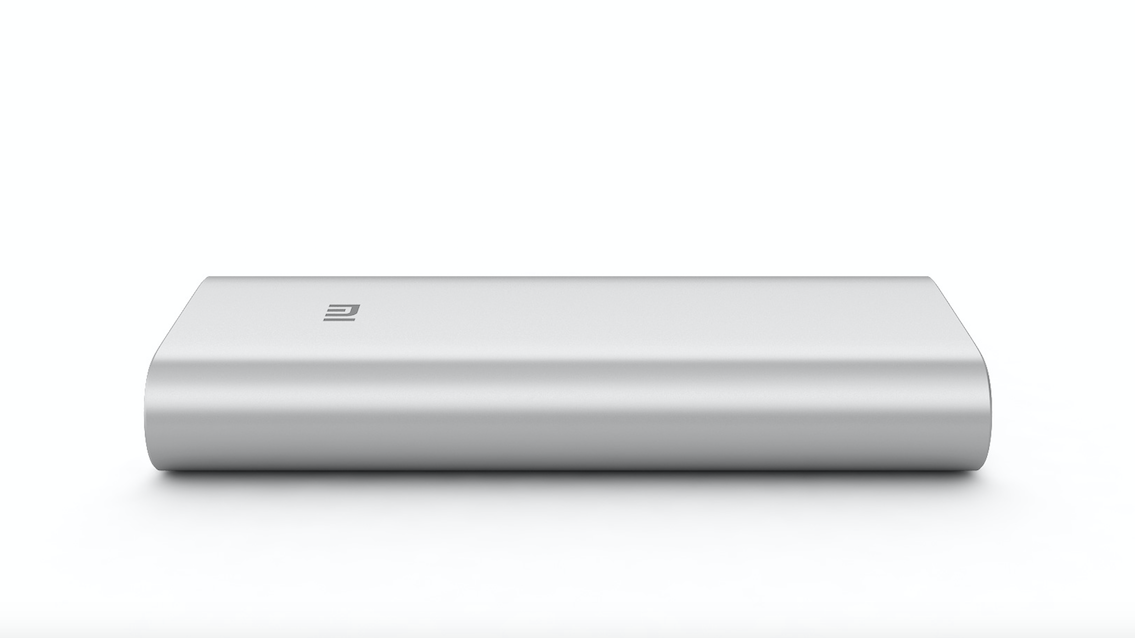
    Yesterday, Xiaomi announced they’re bringing in the massive 16,000mAh external battery, priced same as OnePlus’ power bank, down to the last Rupee.

    xiaomi powerbank

    Other than the amount of power they provide and their design, the two power banks are almost identical in features. Both feature two USB 2.0 ports and one Micro-USB port; both can charge two devices at the same time.  Since it’s an additional device you need to carry around, it is worth mentioning that the OnePlus power bank weighs 225g and the Xiaomi power bank weighs, 350g.

    We have an inkling that the OnePlus powerbank may face a price cut within the next few weeks. Only time will tell how the company decides to play its cards – it’s time for their move.

  • Ahead of Movie Release, Mark Wahlberg Reveals How Entourage Became Entourage

    Ahead of Movie Release, Mark Wahlberg Reveals How Entourage Became Entourage

    If you’ve been following the rich and fabulous life of Vincent Chase and his crew since the beginning, we know what you’re going to be doing on 3rd June. One of the most anticipated movies of the year, Entourage, releases next week, and creator Mark Wahlberg is doing everything he can to make sure we stay excited.

    He reveals how closely the show resembles his life and tells us about the people behind the characters of Johnny, E and our personal favourite, Turtle.

    Watch him talk about the upcoming movie here:

    If you didn’t know already, Entourage is based on a HBO Comedy TV series. The show/movie trails the life of movie star Vincent Chase (Adrian Grenier) and his boys, “E” (Kevin Connolly), Turtle (Jerry Ferrara), Drama (Kevin Dillon) and agent Ari Gold (Jeremy Piven). The boys live the life, in Los Angeles, trying to make their way into Hollywood.

    While the movie releases on 3rd June, in the US, Book My Show states that we Indians might have to wait till the 19th of June to watch it in theatres. Get ready, the boys are back.

  • This Might be the Best Time to Get Moto-ed

    This Might be the Best Time to Get Moto-ed

    A few days back, under the cover of Flipkart’s Electronics Sale, Motorola was offering its devices at a considerably lower price tag. The marketing strategy rushed customers to buy devices from Flipkart, since the sale only lasted for two days. Now, the good news is, most of Motorola’s phones have retained the tempting offers even after the sale is over. It gets us wondering, if should we ready ourselves for the 2015 lineup. Is Motorola clearing up stocks to make room for this year’s iterations?

    Here’s a quick look at the ongoing offers – the high-end Moto X (Gen 2) is currently available for Rs. 21,999, a massive drop from its original launch price of Rs. 31,999. According to our review, the right mix of design build quality and top notch hardware makes the Moto X (Gen 2) an aggressive competitor in the major smartphone market. In most countries, the phone is available at a cheap price and with a contract, but in countries like India, it has to be bought outright.

    Watch the Moto X (2nd Gen) Review here:

    The Moto 360, Motorola’s coveted smartwatch, is now available in the market for a mere Rs. 12,999. This isn’t news, the smartwatch globally faced a price cut, shortly after the Apple Watch went on sale. Motorola’s first wearable went on sale in India back in October last year, priced at Rs. 17,999. It is one of the few Android Wear devices with a round display.

    Moto G (Gen 2) is available for Rs. 10,999, which was originally priced at Rs. 12,999. The only two products by the company which are being sold at the prices they were launched at, are the premium Moto Turbo (Rs.41,999) and the budget Moto E(Gen 2.)

    Moto Turbo India 19
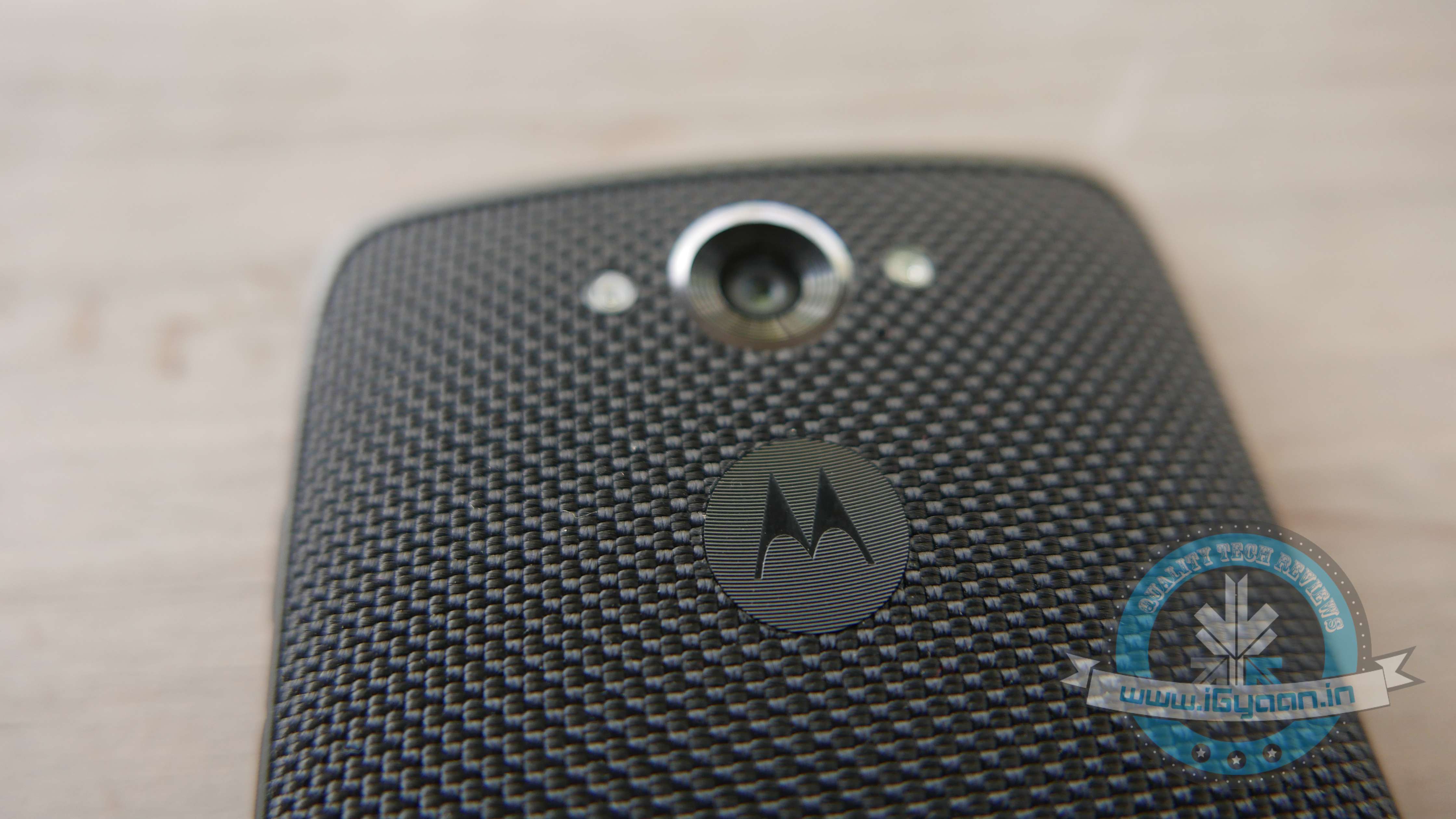
    Only Moto Turbo’s price remains unchanged.

    The reduction of pricing on Motorola devices isn’t anything new, the company has been steadily cutting them down since the past year. This also leads to the question; should you invest in the current models, or wait and save till the new ones arrive? Recently, both Moto G (Gen 3) and Moto X (Gen 3) were leaked, indicating their imminent release. We’ve even heard that the next iteration of the Android Wear-based Moto 360 is on the cards.

    Over the past few years, Motorola has established its place well in the Indian smartphone market. Other than the Chinese contenders, OnePlus and Xiaomi, Motorola is the company known for delivering noteworthy products at affordable pricing. Though the company only retails online via Flipkart, they have recently made efforts to reach potential customers, offline. The company opened up its first experience store in Bangalore where consumers can test and try their products, before making their purchase online. They’ve also attempted to strengthen their after-sales services.

    Like we said, if you’re thinking about investing in a Motorola product – now would be the right time!

  • 5 Nifty Tricks Every Mac Owner Should Know

    5 Nifty Tricks Every Mac Owner Should Know

    Do you think you’re taking full advantage of using one of the best computer systems in the world? Apple has hidden a few interesting hacks on your Apple MacBook, which are worth taking note of.

    Here’s a list of 5 fun things you could do with your MacBook:

    1. Have Your Emails Read to You, in an English Accent

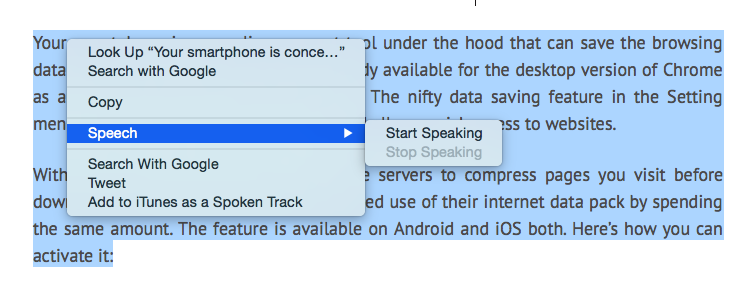
    Not only is it super simple to get your Mac to read out text for you, you can even pick and choose the voice/accent you like. To have text read out to you, highlight the text, right click and pick the ‘Speech’ option, followed by ‘Start Speaking’. To change the voice, visit ‘Diction and Speech’ in System Preferences. Since we’re partial towards English accents, we like ‘Daniel’ from United Kingdom read out our articles to us.

    mac reader

    2. No, you don’t need to print a document to sign it.

    In this age of technology, did you really think you had to print a document, sign it, and then scan it again? No. Those days are long gone. You can have signatures saved up on your Mac for quickly sending out a document.

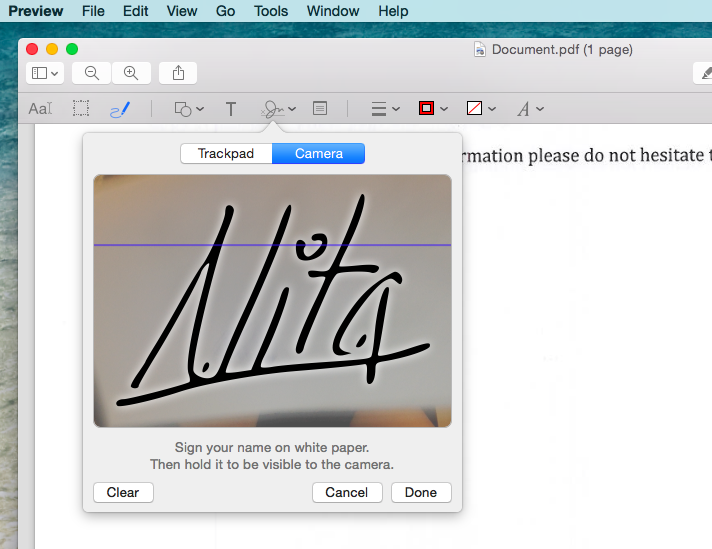
    To save your signature, launch the Adobe Reader, pick ‘Tools’ from the top bar and then ‘Annote’. Which will then give you the option to manage your signatures. Now ‘Create Your Signature’ by signing a white piece of paper and holding it up for the camera which has been launched.

    This might sound like a tedious procedure, but it’s way better than relying on your printer/scanner in the future. Not just that, you can save multiple signatures at the same time.

    mac sign

    3. Too Lazy to Open the Calculator? No Problem.

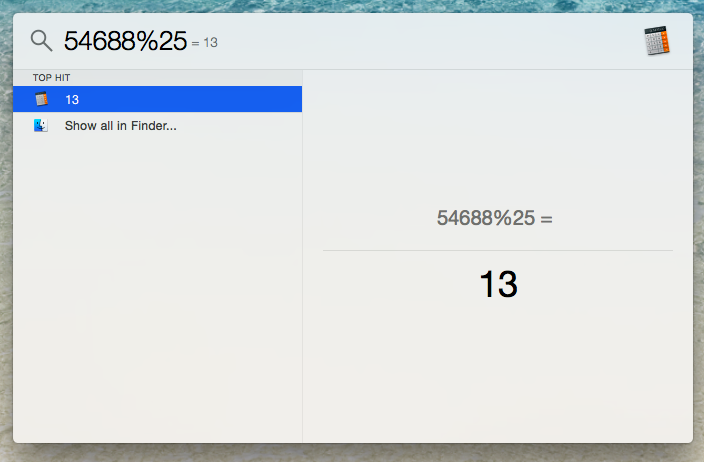
    You can use the search bar of your computer to work out a quick calculation. It isn’t too hard to locate a calculator on your desktop, but this trick saves that extra second.

    mac calculator

    4. Selective Screenshot

    We’re all aware that by using Command + 3, you can screenshot the entire screen, but have to tested out Command + 4? You can pick and choose exactly the area of the screen you’d like to grab, without getting the unnecessary background of your desktop.

    5. Quickly hide your browser

    For times when you’re sneakily keeping up with the Kardashians, this is a nifty trick everyone should know. Command + H, and your browser is instantly hidden. We suggest you keep an official looking document in the background, just to add authenticity.

  • OnePlus DR-1 | Unboxing, Hands-On and Giveaway Announcement

    OnePlus DR-1 | Unboxing, Hands-On and Giveaway Announcement

    The OnePlus DR-1 arrived on 1st April, this year. Hence, it was no surprise that most considered it an April Fool’s prank and had trouble taking it seriously. Well, we checked out the quadcopter and we have to admit that it is no joke.

    Watch the Unboxing and Hands-On with the OnePlus DR-1 here:

    Along with the unboxing and hands on, we also announced that we’re giving away a OnePlus DR-1 to one lucky winner.  To play, all you need to do is share the following video on Twitter, Google+ or Facebook and tell us why you want it. Use the hashtag #iGDR1 and make sure your posts are public! Read the terms and conditions of the giveaway here. 

    Update: We’d like to congratulate the winner, Vishal Kalia. Hope you have as much fun flying the drone as we did!

  • Review: SanDisk iXpand Flash Drive

    Review: SanDisk iXpand Flash Drive

    With every update, Apple makes it simpler to click pictures using an iPhone. With the ability to launch the camera without having to unlock the phone, it is now easier to click a picture than make a call. Inevitably iPhone users use the excellent camera and effortless launcher to click a ton of pictures, which poses a problem on the storage of the phone. Especially for users with 8/16GB smartphones, with no expandable storage options, the available memory vanishes sooner than expected.

    SanDisk claims to offer an easy solution to this problem. Meet the iXpand Flash Drive; it’s portable and promises to help you easily shift files between devices, subsequently expanding the storage of your iPhone. The flash drive we checked out, costs Rs. 4,490 and provides 16GB of extra storage. Here we explore if it’s worth the money spent.

    Overview

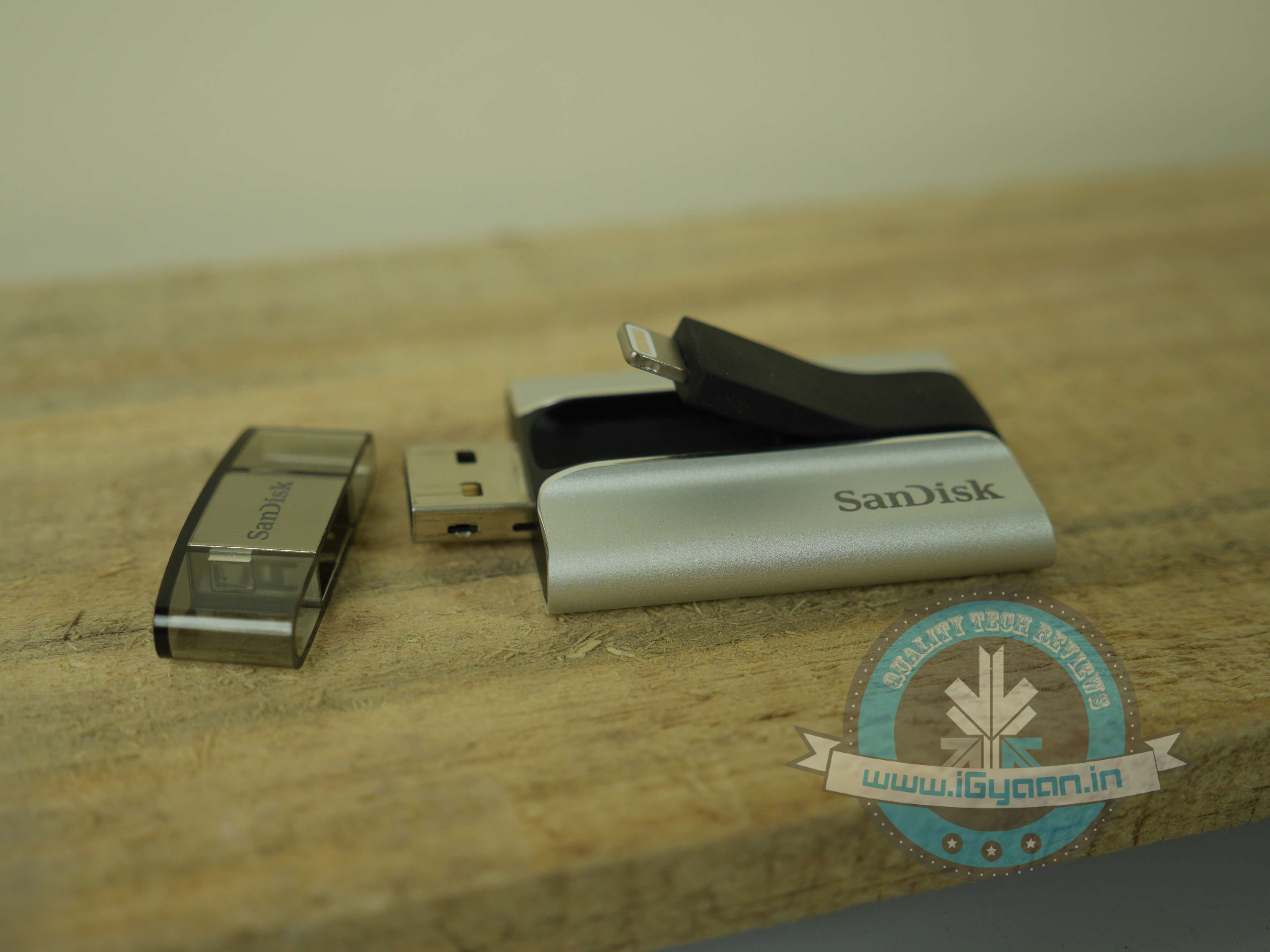
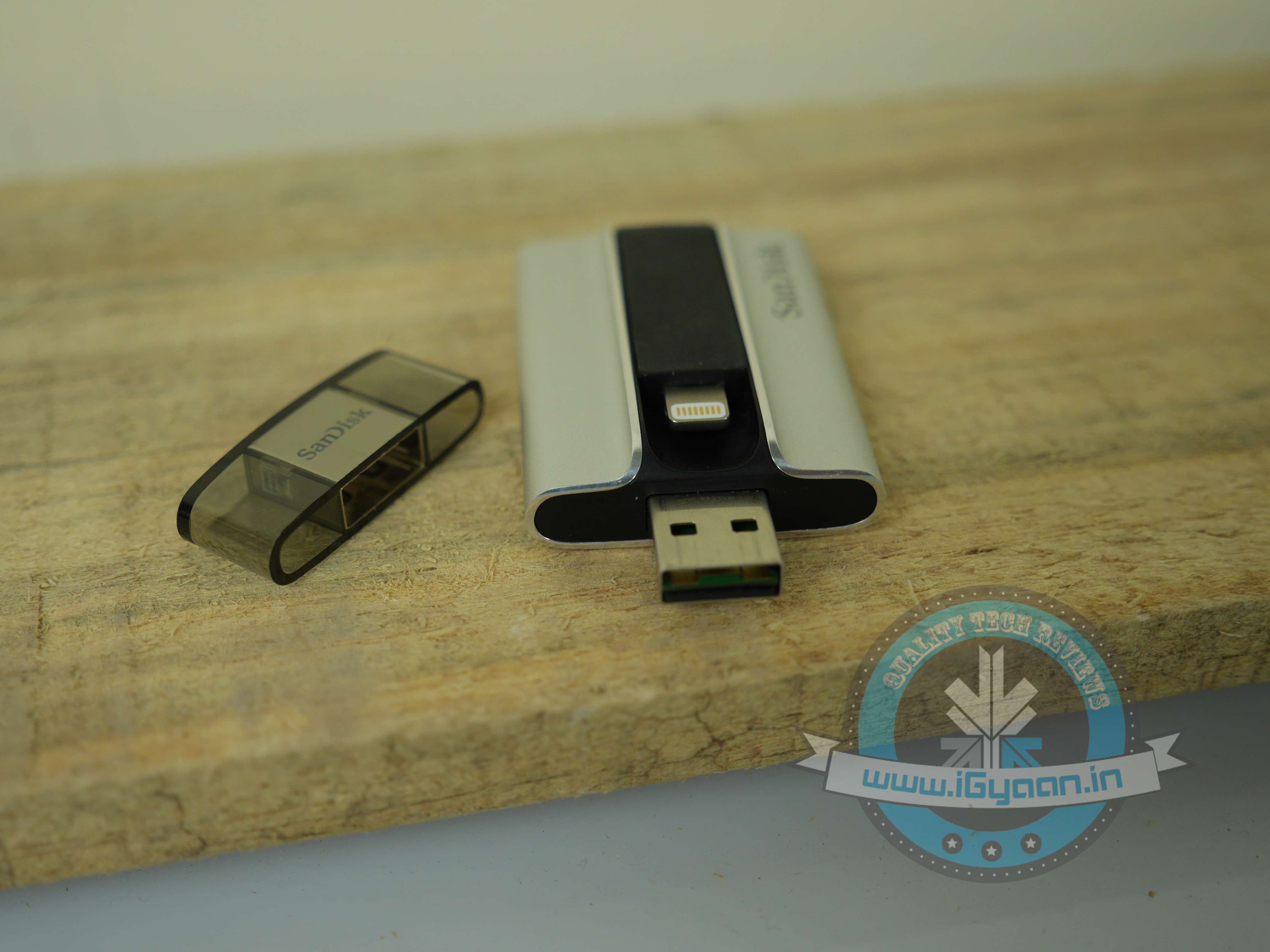
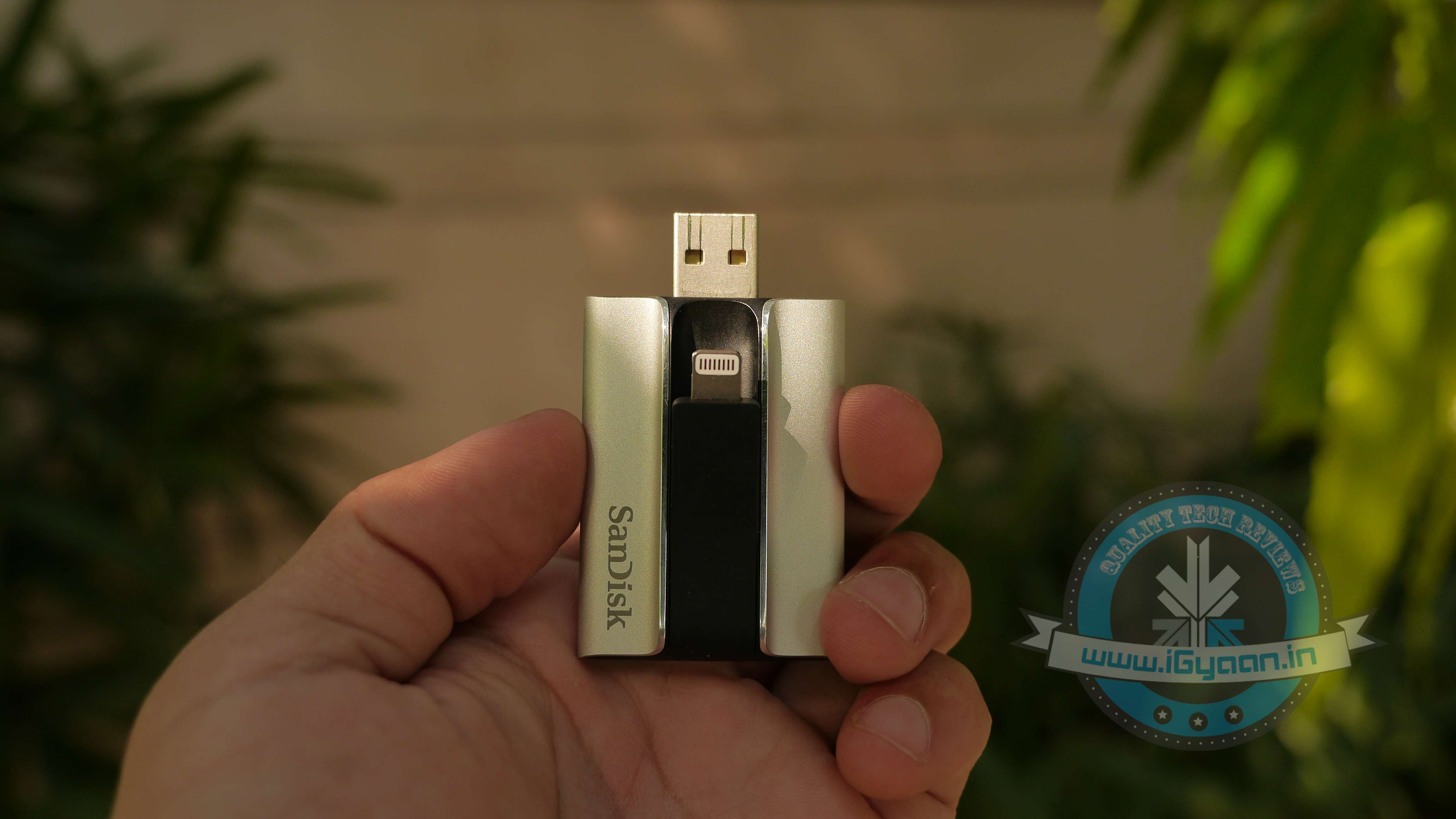
    The SanDisk iXpand flash drive is a solid dual flash drive that comes with both, a USB 2.0 jack and a lighting connector. It is available in 16/32/64/128 GB variants, priced at Rs. 4,490/5,990/7,999/11,490 respectively. The drive is recognized easily on iPhones, iPads and desktops. To use the flash drive, you are also required to download a free app on your Apple device.
    iXpand Sandisk 1

    Design and Build Quality

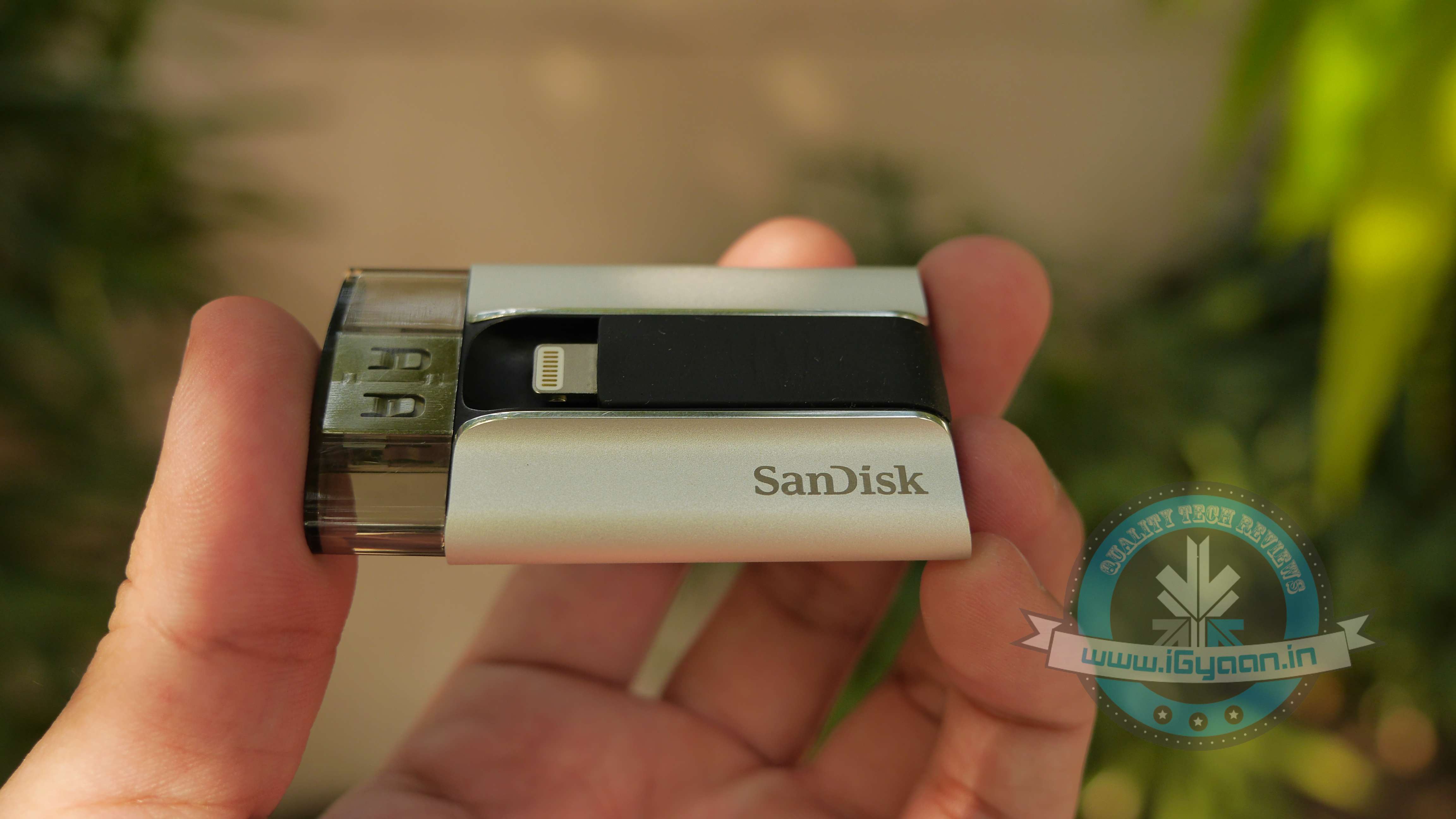
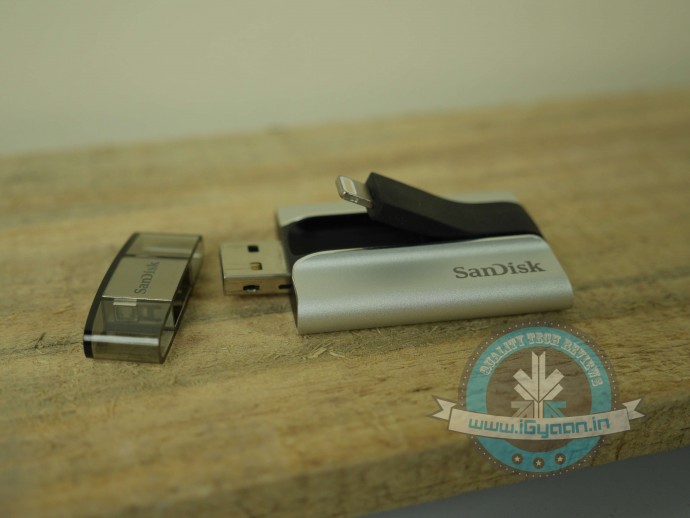
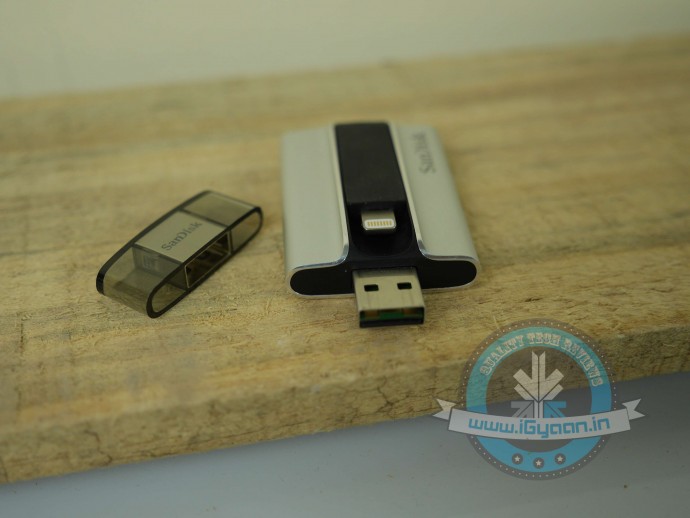
    Most parts of the device are covered in a solid encased brushed aluminium shell, which is complemented by a rubberised centre. The USB side of the flash drive is provided with a plastic cover. As a compact device, it is quite sturdy. You can easily dump it in your bag, without worrying about possible scratches.

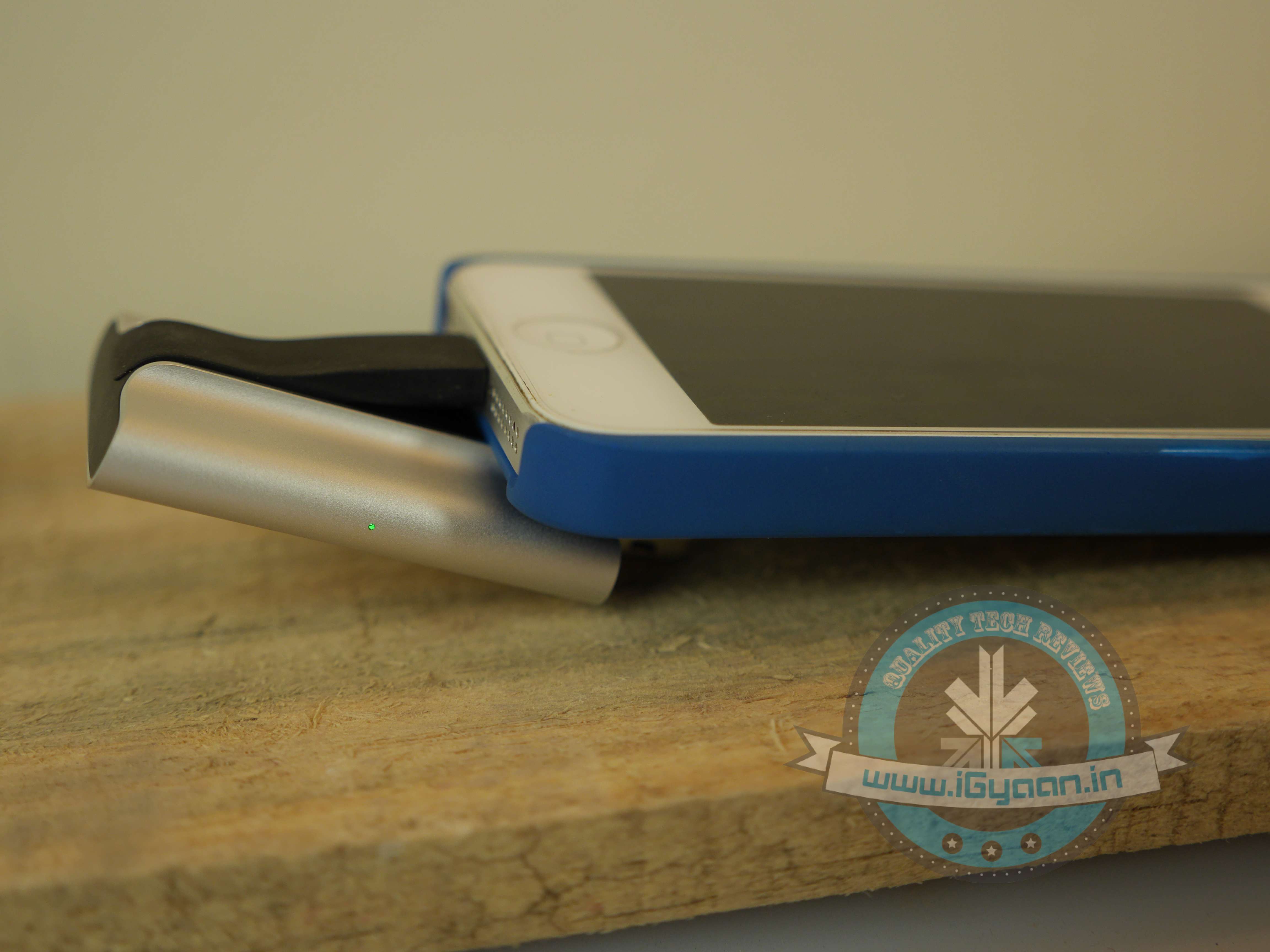
    While it looks solid, usability-wise, the design fails to work. The lightning port being stuck in the centre makes it an awkward device to use. If you latch your iPhone onto the flash drive and the USB onto your laptop at the same time, your smartphone is going to end up covering most part of your keyboard. Basically, the two devices cannot be accommodated at the same time, they need to be used separately. This also means that you can’t use it to charge your device, which is a shame.

    After using the flash drive for a while, we also noticed that the lightning port, which is connected to the rubberised centre, got displaced and started sticking out of the device, making it prone to damage.
    iXpand Sandisk 8

    Performance

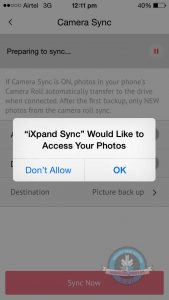
    The iXpand App : To manage data, you need to install an app onto your App device. Downloading the App is fairly simple. When you connect the flash drive to your smartphone, it automatically opens up a message asking if you’d wish to download the app. In case the pop-up is missing, simply go to the App Store and download the ‘SanDisk iXpand Sync’. It’s sized 45.9MB, requires iOS 7.1 or later versions. While we have our problems with the design of the flash drive, the design of the iXpand app is quirky, clean and easy-to-use. With the app, you have an option of setting a mode which helps automatically sync the camera’s picture roll onto the SanDisk iXpand.

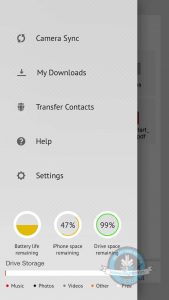
    One of the super helpful features of the app is that with the use of a pie chart, it shows you exactly the amount of free or used space on your iPhone/iPad, as well as on the drive. And using colour codes, it illustrates the different things (Music, Photos, Videos etc.) taking up space on your flash drive.

    Syncing pictures: By turning on the Camera Sync option, you can automatically sync files when the iXpand is plugged onto your iPhone. There is another option, which helps you delete photos and videos after sync, you can use it to conveniently free up space on your iPhone. This way you don’t have to go back and manually pick and delete files you’ve synced. In case you’re nervous you might delete the wrong pictures from your iPhone, remember they remain in the “Recently Deleted” album in your photos app for 30 days.

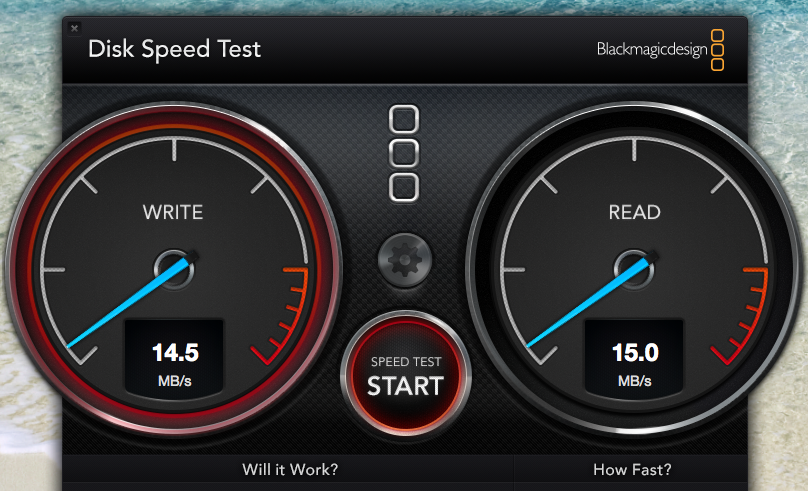
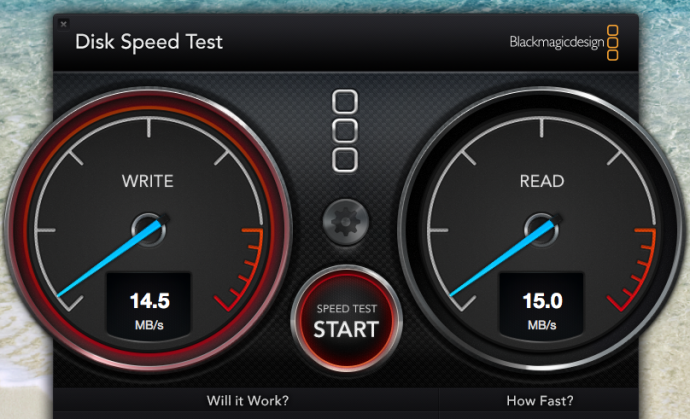
    Speed Test: The SanDisk flash drive uses USB 3.0, and one of its major advantages is supposed to be its high transfer speed.  It can give upto 640MBps but our speed test only gave us a maximum speed of 15.0 MB/s. We ran the same test on the USB 2.0 and the maximum speed we got was 4.5 MB/s. There is a considerable improvement in the speed, however it doesn’t utilise its true potential.
    ixpand speed test

    Watching Movies Using iXpand: Most Apple users have trouble admitting it, but iOS comes with several limitations. One of the major restrictions has been the tedious task to transfer videos/movies onto an ‘iDevice’. While Android users  can transfer movies onto their phones with ease and watch them on-the-go, what do iPhone/iPad users need to do? First, Apple products support only certain kinds of formats, such as P4, M4V and MOV files. So videos are required to be converted to those format. Secondly, you  need to install iTunes onto your laptop. Sure, there are third-party apps which cut short the procedure, but we need to admit, it is quite a hassle.

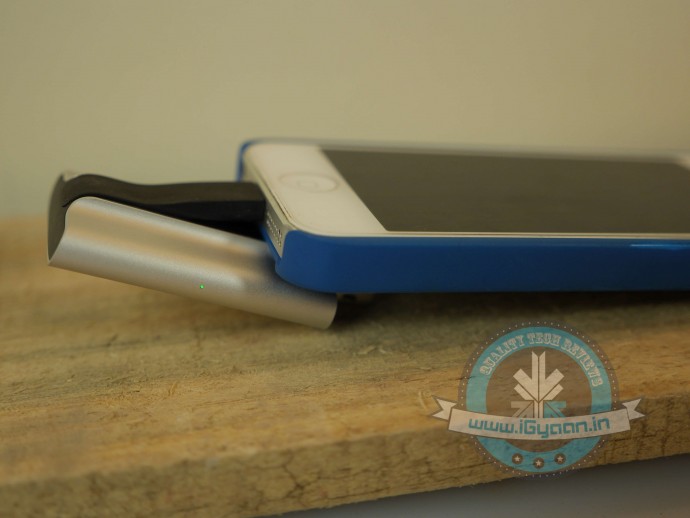
    With the iXpand Flash Drive, all you need to do is dump the movie onto the drive and insert it into your smartphone and enjoy. Point to note: while you’re watching the movie, the iXpand drive might make the phone slightly uncomfortable to hold, but the drive is extremely sturdy and it really latches onto your phone. In case you’re shifting around, nudging the pen drive will not cause any damage to your movie. The app also has excellent playback speed; as soon as you tap on your video of choice, it plays it almost instantly.
    iXpand Sandisk 6

    Charging the Flash Drive: The iXpand flash drive requires charging. An LED light on the right side of the device reminds you if the drive needs to be plugged in for charging. This is so it doesn’t take any juice from your iPhone/iPad, when being used and it automatically charges itself when plugged onto a computer.
    iXpand Sandisk 10

    Conclusion

    Overall, the Sandisk iXpand Flash Drive is a convenient device to have around. If you’re looking to free up some space on your iPhone, it might be the simplest solution available. However, instead you could also invest in extra iCloud storage, that way your files remain online, and can be accessed any place and at any time. On the other hand, with the iXpand, you wouldn’t need an internet connection to retrieve your files. We would, without doubt, recommend the device for its ability to play videos/movies on the go.

    You can pick up the device here:

    [tw-column width=”one-half”]

    GOOD THINGS

    • Sturdy build
    • Excellent media playback speed
    • User-friendly apps
    • Supports all video formats

    [/tw-column]

    [tw-column width=”one-half” position=”last”]

    BAD THINGS

    • Awkaward design
    • Slow speed
    • High price

    [/tw-column]
  • Xiaomi’s Q1 Earnings May Not be as Good as You Think

    Xiaomi’s Q1 Earnings May Not be as Good as You Think

    Lately, Xiaomi has been in the news for all the good reasons. They’re constantly announcing high-speced affordable smartphones and earnings that are constantly on a rise. But seems like the good days of the company may be over played. The Chinese equipment manufacturer that took over Apple’s sales on its home ground a while back, is now witnessing a steep decline in its revenue.

    Ben Bajarin from the market research firm Creative Strategies revealed the quarterly sales of Xiaomi. The figure shown below depicts a decline in the Q1 2015 from the last quarter of 2014.

    According to the statement by Ben Bajarin, Xiaomi sold a total of 100 million handsets, which is less than its previous records. One of the major reasons for lesser business for the Chinese tech giant is the supply shortage. The flash sale model adopted by the company has worked both in its favour and against. When the company’s supply does not meet the demand, interested buyers begin looking for other options.

    There is a possibility that the latest Mi phone may help recover the revenue. The new Xiaomi Mi 4i consists of the Mi 4 parts, which are easily available in the market. Their supply chain is expected to achieve an overall boost by this, consequently helping Xiaomi build its sales numbers. Let’s hope Xiaomi pays heed to these figures, and increases its units in the future.

iGyaan Network
Privacy Overview

This website uses cookies so that we can provide you with the best user experience possible. Cookie information is stored in your browser and performs functions such as recognising you when you return to our website and helping our team to understand which sections of the website you find most interesting and useful.