Author: Sanket Vijay

  • App of the Week: Pintasking

    App of the Week: Pintasking

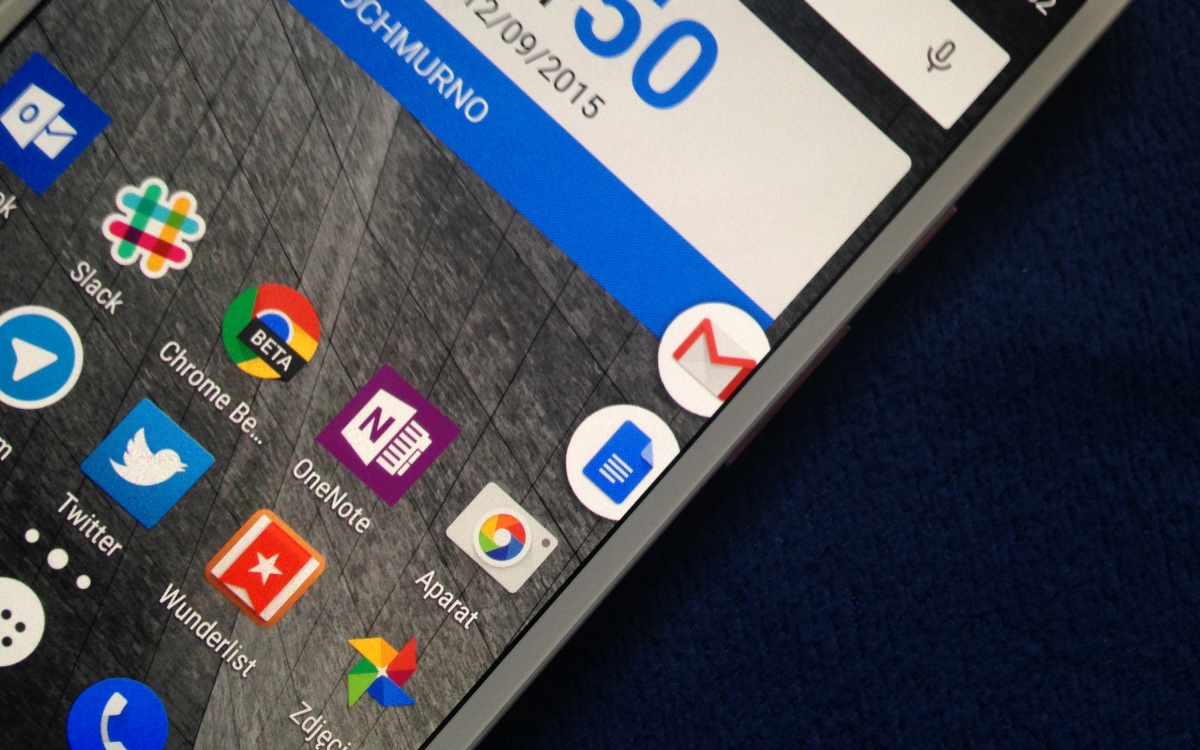
    Move over, Apple, Android has arrived with its own multitasking app called Pintasking, that creates bubble shortcuts on the homescreen allowing users to switch between favorite apps and webpages, quicker. The app was launched last month and has since seen positive reviews.

    Pintasking

    Pintasking uses Facebook Messenger-like bubbles which will stay in the corner of your screen or anywhere else according to your preference. You can pin apps and documents of your choice and switch between them with ease. You can even pin an app by pulling down the notification drawer and tapping on the “Tap to Pin” option. Once you choose the apps and websites you want pinned to your homescreen, the bubbles will appear on the right edge which you can reposition to your choice.

    Basically, the app works like a Windows taskbar that allows you to quickly access those applications that you use most often. You can have apps like Google Hangouts and Android Messenger pinned right there for you to switch back and forth. Another way to pin apps is by tapping and holding the Home button and dragging it up (an action that usually launches Google Now). You then open the setting of Pintasking and customize your pins. Once you’ve set it up, you can switch between two or more apps by pulling up the Home button. It works kind of like the Alt-Tab on Windows.
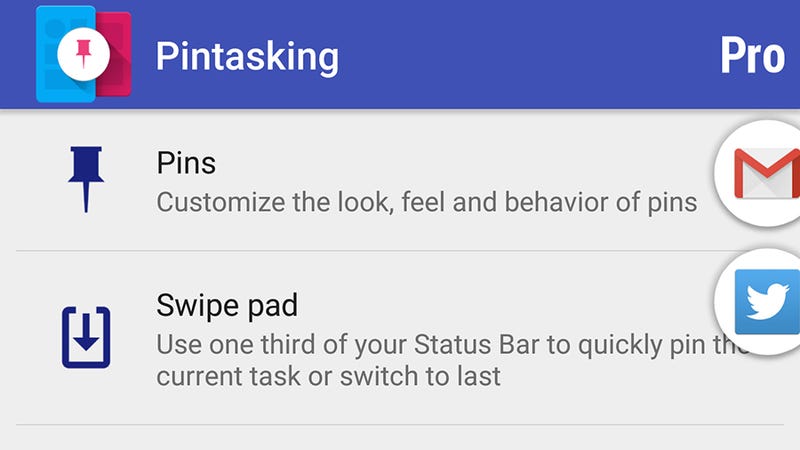
    Pintasking Gives Your Android Device a Shortcut Taskbar

    While the free version allows for only two pins and limits the way you want them to appear on your screen, it’s still enough for you to check out whether the app is worth your time and money in case you wish to go for the full features. Though Android already has a fast app switcher, we think this app adds an extra bit of speed which is always welcomed for smartphone users. You can download the app here and let us know whether it eases the way you use your phone or not. The app works on Android 4.1 and above.
  • This Camera That Has a Mind of its Own

    This Camera That Has a Mind of its Own

    Have you ever felt that the pictures you take of popular places around you have been photographed to no end? You go to a beautiful location and you’re ready to take pictures to upload on Instagram and Pinterest, but you look around and find everyone else doing the same thing – taking pictures from generic positions and angles.

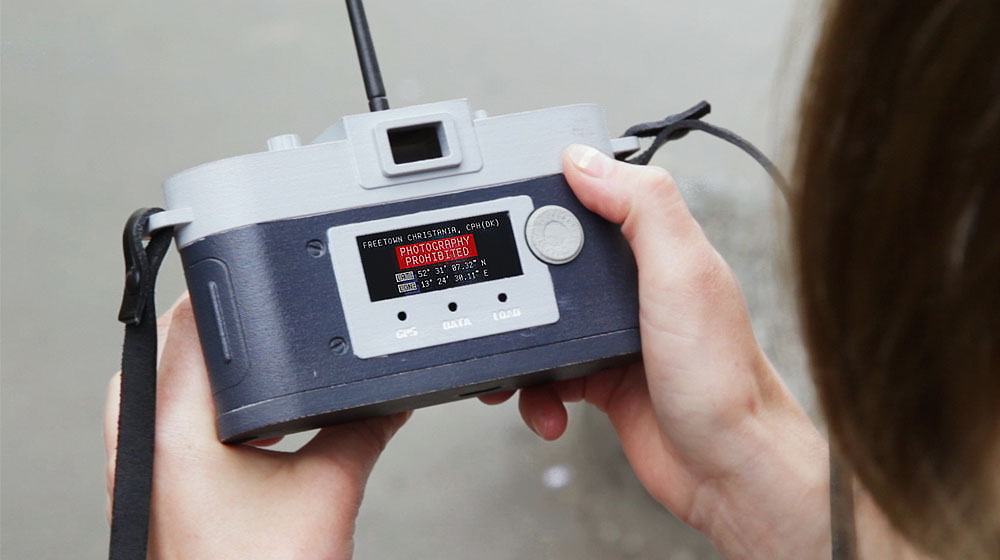
    Well, what if we told you that there is a camera that pushes you to take new and innovative pictures of popular locations and won’t let you click them from angles that are too common? This is exactly what a German designer Philipp Schmitt has developed. Schmitt has created a concept camera called, Camera Restricta, that stops you from taking pictures from frequently snapped locations.

    The camera uses geotagging to find pictures on the internet that are posted too many times from that particular location and will make a clicking sound and the lens will retract back into the body. Yes, the camera will disobey you if it has to. Unless you find a place from where you can take a picture that is new and different, the camera will refuse to listen to you.

    Schmitt stated in his website that geotagging is mainly used as an indicator to determine whether the photo lacks originality. He says that “the camera scans an area of roughly 35×35 meters around its exact location for geotagged photos. Cities and especially tourist sights are so thoroughly photographed that it often finds dozens or even thousands of photos.”

    Would you buy a camera that only lets you take new and original photographs? The camera is an open-source software and can be found here.

  • 5 Easy Ways To Cool Down Your Laptop

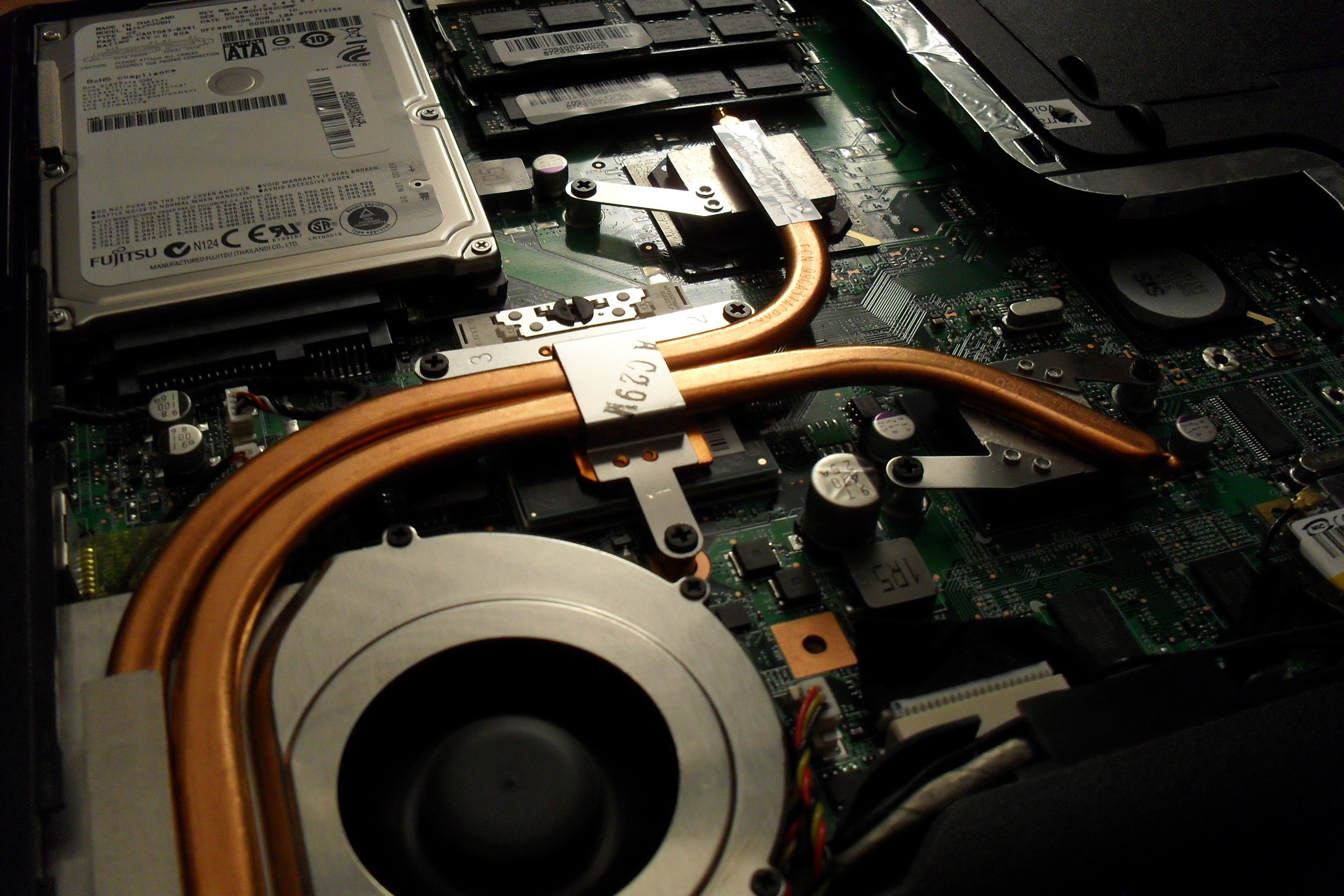
    5 Easy Ways To Cool Down Your Laptop

    Has your laptop been heating up way too often for the past few days, making you worried about it crashing or burning your fingers? You know you’ve got a heating problem when your laptop sounds like an airplane taking off. We understand your plight and have a few ways to beat the heat.

     Find a flat surface

    One of the reasons your laptop is burning up is because you’re keeping it in all the wrong places. Keeping the laptop on your lap, or the bed, or any soft surface will cause it to heat up as you’re blocking the airflow vent that’s under the laptop. Make sure your laptop is sitting on a flat, hard surface and try to work in a cool room on a hot summer day.

    Don’t keep it constantly charged

    Make sure that the moment your laptop reaches a hundred percent charge, you take it off the charger. Keeping the laptop constantly charged won’t increase the battery life, but will only harm the battery further. The charger adds to the heat that is already being produced inside your laptop.

    Keep limited open tabs

    We tend to keep multiple tabs open when browsing the net. You may have YouTube open in one tab, Facebook in another, Gmail in one more, and so on. While its perfectly okay to do that because background tabs become inactive, however, having multiple tabs open in your internet browser (which include video and heavy data sites) does take its toll on the processor. So keep as few tabs open as possible.

    Close all idle apps

    Sometimes we tend to minimize apps not being used rather than closing it. Minimizing the apps such as VLC player, or Office programs, only clears up the screen, but the app is still active in the background. These apps continue to take up processing space and consume battery, so it’s recommended you close the apps not being used. Basically, close down those apps that demand excessive amounts ( 90% and above).

     Use a cooling pad

    Finally, the most obvious tip is to use a cooling pad. This is so obvious that almost all of you might already be using it. However, some may find it a troublesome affair to carry around a cooling pad everywhere you go. A cooling pad is handy if you plan to use your laptop in one fixed place. The important thing is to find a cooling pad that is right for your laptop and your work environment.

    Here is a neat pad that you can keep on your lap, desk, or even on one leg while lounging around.

    Though many of you may already be aware of some or most of these tips, there are always some tech novices out there who could use a little help. We hope these suggestions are helpful. If you know of more ways to cool a laptop, leave a comment below.

  • Chatroulette Users Stumble Into Live-Action Game and It Is Epic

    Chatroulette Users Stumble Into Live-Action Game and It Is Epic

    You may have heard of an online chat website called Chatroulette, that pairs random people from around the world for webcam-based conversations. Visitors on the website can begin chatting with another visitor, and either of them can leave at any point to join a chat with another random visitor. Since the website went live in 2009, the number of visitors has grown and today millions of people visit the site every day.

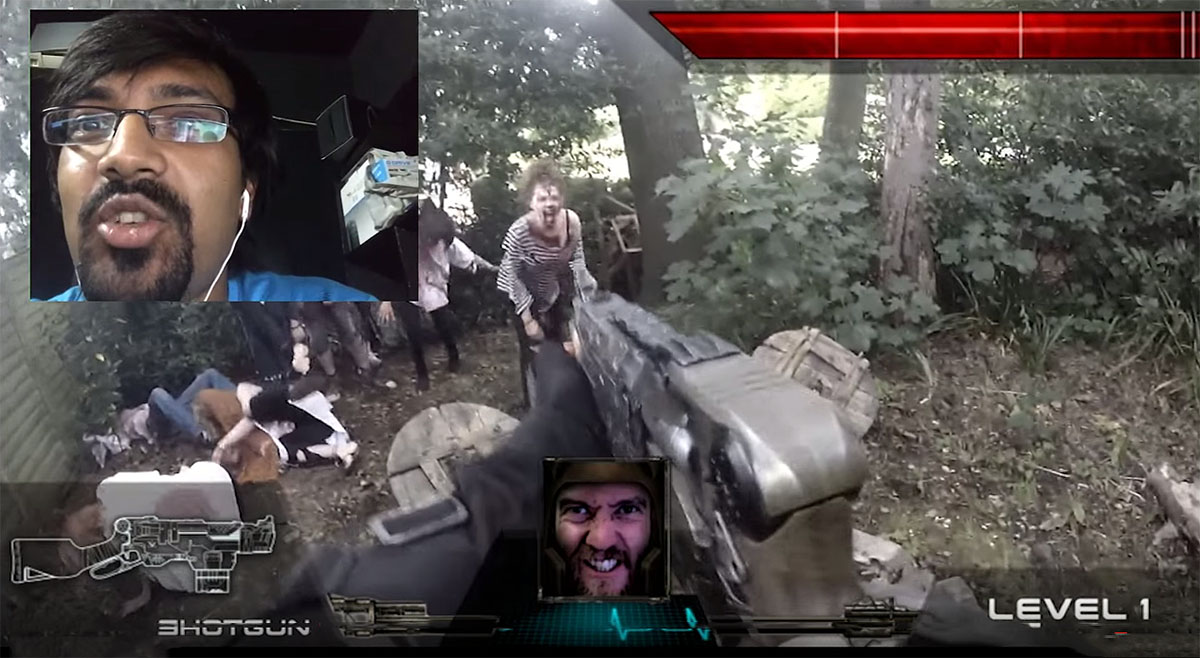
    Now, apart from normal web chatting there are other innovative ways to spend time on the site as well. For example, British independent film company Realm Pictures came out with a short video of its new project: a homemade, real-life first-person shooter game – that operates in Chatroulette.

    Realm Pictures used special cameras to stream the game’s elaborate zombie set, and then invited a select number of users on the webcam-conversation site to play in real-time. Creative Director, David M Reynolds, explains that “rather than just prerecording something that looks like a first-person [shooter game], we thought we’d actually include the most important element there—which is the player.”

    At this point, we find it hard to accurately describe the epicness of a shooter game like this, so we’ll let you watch the video instead.

    You might be interested to know that the main actor wore a motorcycle helmet with a GoPro camera, light and Teradek HDMI transmitter. 30 intrepid extras from a nearby town played the zombies. If that video left you wanting for more, here’s the behind-the-scenes video of how the team pulled it off.

  • Spec Battle: Moto X Play vs OnePlus 2

    Spec Battle: Moto X Play vs OnePlus 2

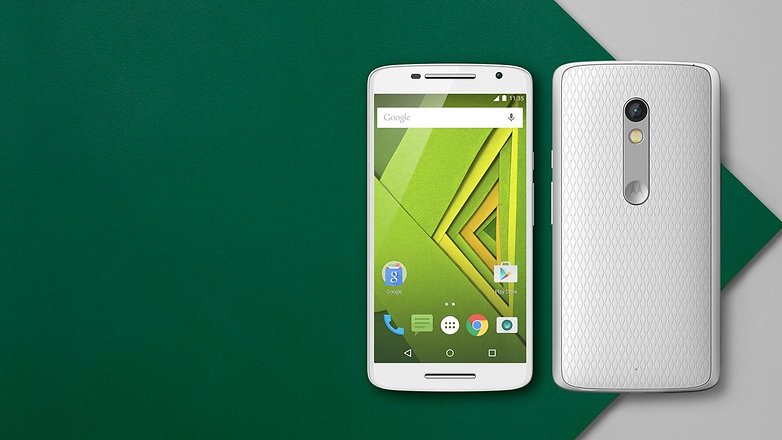
    Motorola launched the Moto X Play in India today. The smartphone packs in a lot for a starting price of Rs 18,499 for the 16 GB variant.

    The Moto X Play boasts of features that are sure to excite the masses. With a 21 MP camera, 3630 mAh battery, and expandable memory up to 128 GB, the Moto X Play is definitely worth its price. Other features include a 5.5 inch screen with Corning Gorilla Glass 3, Snapdragon 615, and an Octa-core 1.7 GHz Cortex-A53 CPU.

    moto-x-play-colours_thumb800

    When comparing it to the OnePlus 2 that was released last month, we found that the Moto X Play has a lot more going for it. Take a look at the specs yourself.

    Specs

    Moto X Play

    OnePlus 2

    Display 5.5 inch, Capacitive touchscreen, Corning Gorilla Glass 3 5.5-inch, LTPS LCD capacitive touchscreen, Corning Gorilla Glass
    Resolution 1080 x 1920 pixels, 403 ppi 1080 x 1920 pixels, 401 ppi
    Chipset Qualcomm MSM8939 Snapdragon 615 Qualcomm MSM8994 Snapdragon 810 v2.1
    Processor Octa-core 1.7 GHz Cortex-A53 & Quad-core 1.0 GHz Cortex-A53 Quad-core 1.5 GHz Cortex-A53 & Quad-core 2 GHz Cortex-A57
    GPU Adreno 405 Adreno 430
    RAM 2 GB 3/4 GB
    Storage 16 GB/ 32 GB 16 GB/ 64 GB
    Camera 21 MP rear, auto-HDR, dual-LED flash 13 MP with OIS, laser autofocus, dual-LED flash
    Expandability MicroSD expandable up to 128 GB N/A
    Battery 3630 mAh battery Non-removable Li-Po 3300 mAh battery
    Connectivity Wi-Fi 802.11 a/b/g/n, dual-band

    Bluetooth v4.0, Micro USB v2.0

    Wi-Fi 802.11 a/b/g/n/ac, Wi-Fi Direct, DLNA, hotspot

    Bluetooth v4.1, A2DP, Micro USB, Type-C reversible connector

    OS Android OS, v5.1.1 (Lollipop) Android OS, v5.1 (Lollipop)
    Price 18499 (16 GB), 19999 (32 GB) 22,999 (16 GB), Rs 24,999 (64 GB)

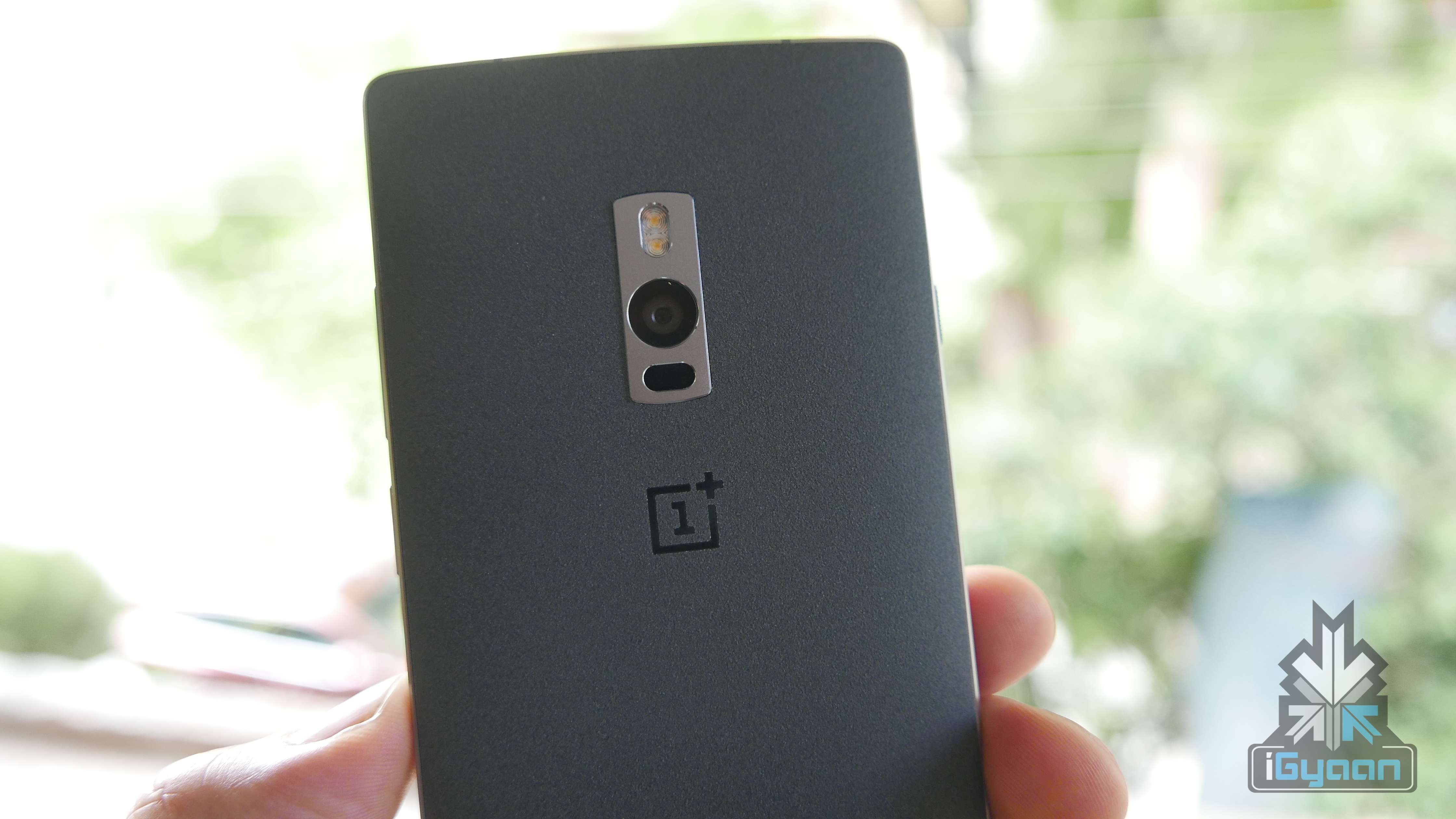
    As we can see above, the Moto X Play offers a lot more for a lot less. In the camera and battery department, the Moto X Play has the OnePlus 2 beat, at least on paper. Added to this is the the Moto X Play’s microSD card that allows up to 128 GB more memory, whereas the OnePlus 2 does not. The OnePlus 2 received some flak for its non-removable battery, non-expandable storage, and a regular full-HD display. However, the OnePlus 2 comes with a Snapdragon 810 processor which is far superior than the 615 in Moto X Play. While the former delivers on performance, the latter promises experience.

    OnePlus 2 20

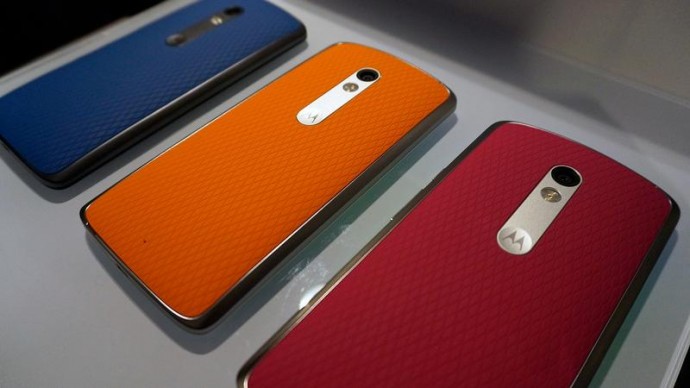
    Both handsets are designed for comfort and offer similar resolution. However, with the Moto X Play starting at a fairly low price of Rs 18,499, and offering a variety of changeable colored back covers, the appeal is greater. Which smartphone would you choose? Let us know in the comments below.

  • How To: 5 Things You Can Do With Your Old Android Phone

    How To: 5 Things You Can Do With Your Old Android Phone

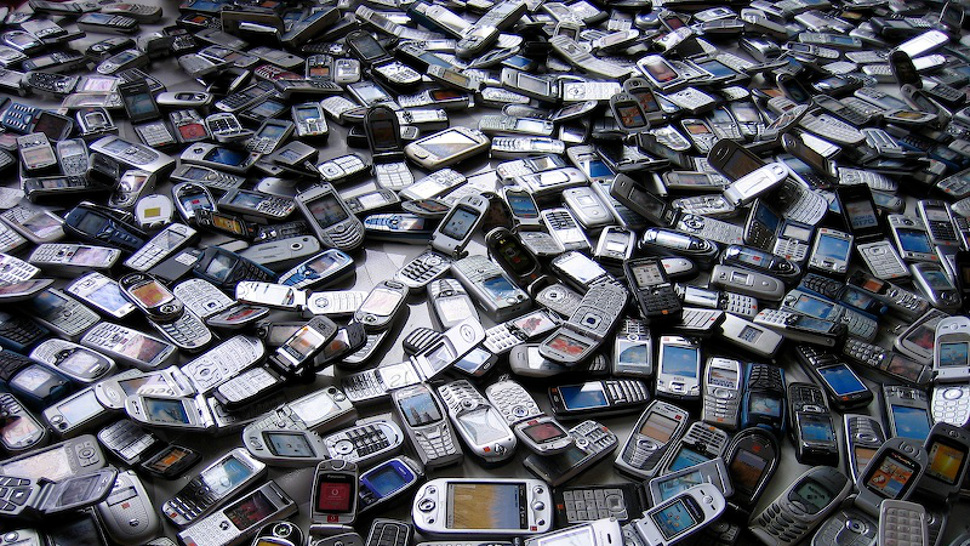
    So you have an old Android phone and you’re wondering whether you should trade it in for a newer one. How about you keep the old phone and get a new one anyway? There are plenty of things you could do with your old Android phone than you probably thought. So, before you plan on selling it for a price much lower than what your phone is still worth, here are 5 things you can do instead:

    1. Turn it into a home media controller

    chromecast-despicable-me

    Your smartphone can actually do a lot if you know the right apps for it. It can be used as a home entertainment controller through a couple of ways.

    If you pair your device with Google’s Chromecast streaming stick, you can stream content wirelessly from apps like YouTube, Netflix, Google Play Movies, Wynk, YuppTV, and Eros Now to your TV over your Wi-Fi network. The device is available on Amazon, Flipkart, and Snapdeal.

    Another way to set-up your home media controller is by downloading an app called Plex. This is a free app that allows you to stream content to your TV.

    2. A permanent GPS system for your car

    Quad-Lock-Car-Mount-01

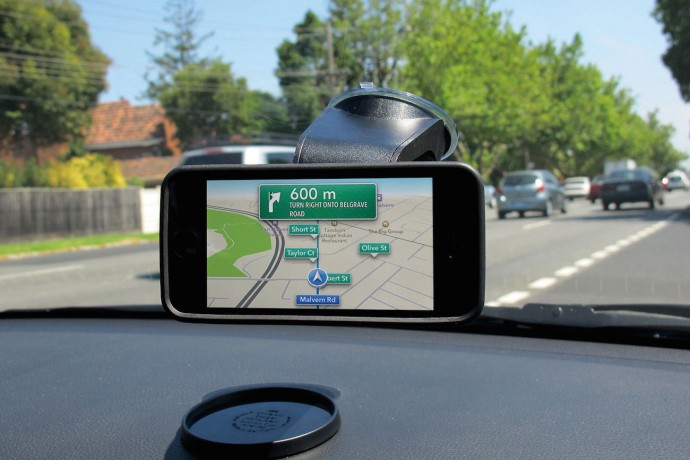
    Why buy an expensive GPS system when your old Android smartphone can do it for free (apart from the data charges, of course). Mount your phone into your car’s dashboard and let it serve you as a dedicated GPS device.

    The added advantage to this is that, since you can leave it permanently in your car, the device can also serve as a tracker via. apps like “Wheres My Droid”, if you ever you find your car missing from the parking spot.

    3. An MP3 player for the car

    If you are going to use the device as a permanent GPS system, you might as well use it as an MP3 player by attaching an aux cable or connecting the phone to your car via Bluetooth. Just fill her up with all your favorite music using as much storage as you want (since you won’t need it for anything else) and you can forget about CDs or the radio.

    A home security cam

    Android-Mobile-Surveillance-Camera-App

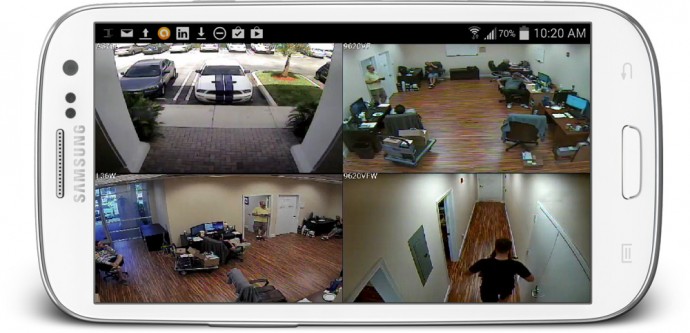
    Chances are your old smartphone still has a decent camera. And if you want a little more security in your office or home, you can turn that phone into a web-security camera.  All you need to do is download the free IP Webcam app and follow the instructions to set it up. Within seconds you’ll be able to view your camera from any platform using VLC player or web browser.

    Another popular app called Presence can turn your old smartphone into a security camera and motion detector.

    Make it kid-friendly

    desktop

    Children need something to distract them. Nowadays a Lego set just doesn’t cut it. Your child may just be at peace if you let them fiddle with your old smartphone. Clear your phone of all the apps that do not concern them and add a few apps made just for toddlers, and then let them take it from there. Not only is it a great way to distract your child allowing you time alone with your TV, but a few educational apps and games can really be fun and helpful as well.

    If you can think of more ways to get the most out of your old smartphone, let us know in the comments below.

  • Motorola Releases the Moto X Play in India

    Motorola Releases the Moto X Play in India

    The mid-range Moto X Play has finally arrived in India. Like other Motorola smartphones before, the X Play will be available exclusively on Flipkart starting at Rs 18,499. The Moto range for 2015 includes two variants, the Moto X Play and the Moto X Style which is scheduled to come out later this month.

    MotXPlay-Lite-PDP-Editorial-Card-2-Retina-Desktopnba7jza1gv6h1jvamrwmv25o

    While the X Style will focus on design, the X Play is built for experience. The Moto X Play will have a 21-megapixel primary camera with dual-LED flash, and a 5-megapixel front camera. The rear camera will have an auto-HDR mode, which means the camera will automatically adapt to the conditions so you won’t have to spend time adjusting the settings manually. The phone will come with a standard HD quality video with 1080p at 30fps.

    What the Moto X Play boasts of is its 3630 mAh battery, which will give you plenty of juice between charges. Both the Moto X Play and the X Style will have a microSD slot expandable up to 128 GB. This is welcomed as many smartphones today refuse to come with an SD slot. Other features include a 5.5 inch screen with Corning Gorilla Glass 3, Snapdragon 615, and an Octa-core 1.7 GHz Cortex-A53 CPU.

    In terms of value for money, we think the Moto X Play packs in a lot. The camera and battery life are its main attraction and is a good choice for those who like to play a lot of games on the go and still expect to have enough battery life for the rest of the day.

    moto-x-3

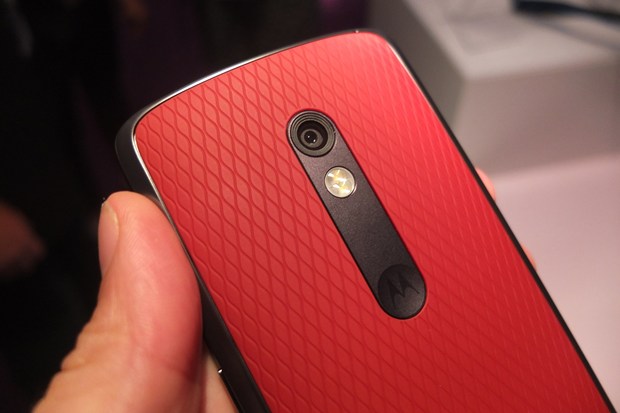
    The design of the X Play is pretty solid with a textured back that has a rubbery finish, which feels comfortable in your hand. The back panel can be swapped for a different coloured one depending on your mood that day. The feisty phone will be available on Flipkart from midnight onwards so the wait isn’t long either.

    Watch out for the Moto X Play hands on video and more information about it, today.

    Specs

    Display 5.5 inch, Corning Gorilla Glass 3
    Resolution 1080 x 1920 pixels, 403 ppi
    Chipset Qualcomm MSM8939 Snapdragon 615
    Processor Octa-core 1.7 GHz Cortex-A53 & Quad-core 1.0 GHz Cortex-A53
    GPU Adreno 405
    RAM 2 GB
    Storage 16 GB/ 32 GB
    OS Android OS, v5.1.1 (Lollipop)
    Camera 21 MP rear, auto-HDR, dual-LED flash5 MP front
    Expandability MicroSD, up to 128
    Connectivity Wi-Fi 802.11 a/b/g/n, dual-bandBluetooth v4.0, Micro USB v2.0, Type-C reversible connector
    Battery 3630 mAh battery
    Price 18499 (16 GB), 19999 (32 GB)
  • The Console That Redefined Gaming

    The Console That Redefined Gaming

    PlayStation turned 20 this month and it has come a long way. With the first console launched in 1995, PlayStation has come to define gaming experience. As a nostalgic homage we will look at how the original console redefined the way games would be played in the years to come.

    Future of Gaming

    11s2xiq


    Prior to its launch, people would have only been familiar with the Sega and Nintendo consoles. The PlayStation introduced CD based gaming in a huge way. Not that CD games didn’t exist before, but it was the PlayStation that used CDs in a big way instead of the cartridges used by Nintendo and Sega. The cartridges were more expensive compared to CDs and was more limited in terms of space. The PlayStation arrived at an important time. 1995 saw the beginnings of the World Wide Web and CD-ROM technology that allowed games to include real videos and music soundtracks.

    Since CDs were cheaper and could hold a lot more data, Sony was able to attract more third-party publishers. Developers such as Squaresoft (Final Fantasy VII) and Enix (Dragon Quest VII) left Nintendo and joined Sony to release their games in CD format. The success of the PlayStation is widely believed to have cause the demise of the cartridge-based consoles.

    The Definitive Controller

    Sony PlayStation 3
    Sony PlayStation
    SONY DSC
    Nintendo 64


    Nintendo may have popularized the four-faced diamond shaped buttons, the analogue stick, and the shoulder buttons, but the PlayStation set the standard for controllers.

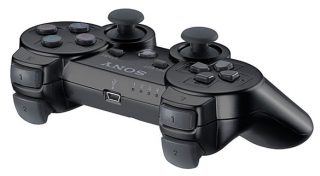
    The PlayStation had four shoulder buttons (L1, R1, L2, and R2) rather than the traditional two found in Nintendo. Moreover, it also introduced the Dual Analogue Controller, where Nintendo had one one, allowing for greater camera and action controls. And this has become the standard controller for gaming since.

    Narrative Gameplay

    Another significant change were the games themselves. Before the PlayStation, Super Mario and Sonic the Hedgehog were the most popular names in the gaming world. Yet these games offered a simple, linear gameplay where story did not matter. However, Sony wanted more out of games and with the CD-ROM technology at its disposal, it had the power to add more to gaming than ever before.

    The PlayStation brought in story-driven games that had a narrative structure to it. Games had an entire movie-like experience with major action moments and cutscenes. The idea of playing a game that was like a story in itself was quite exciting. And over the years the stories grew bigger, more engrossing, and more intricately woven.

    These are only some of the major features that changed and defined the way games would be played in the years to come. And it all started 20 years ago.

    For nostalgia sake, here is a video showing some of the most popular games from the first PlayStation, and we’re sure they’ll will bring a smile to your face (except for Silent Hill). How many of them have you played? Let us know in the comments below.


  • App Of The Week: Pac-Man 256 Comes With The Best Glitch Ever

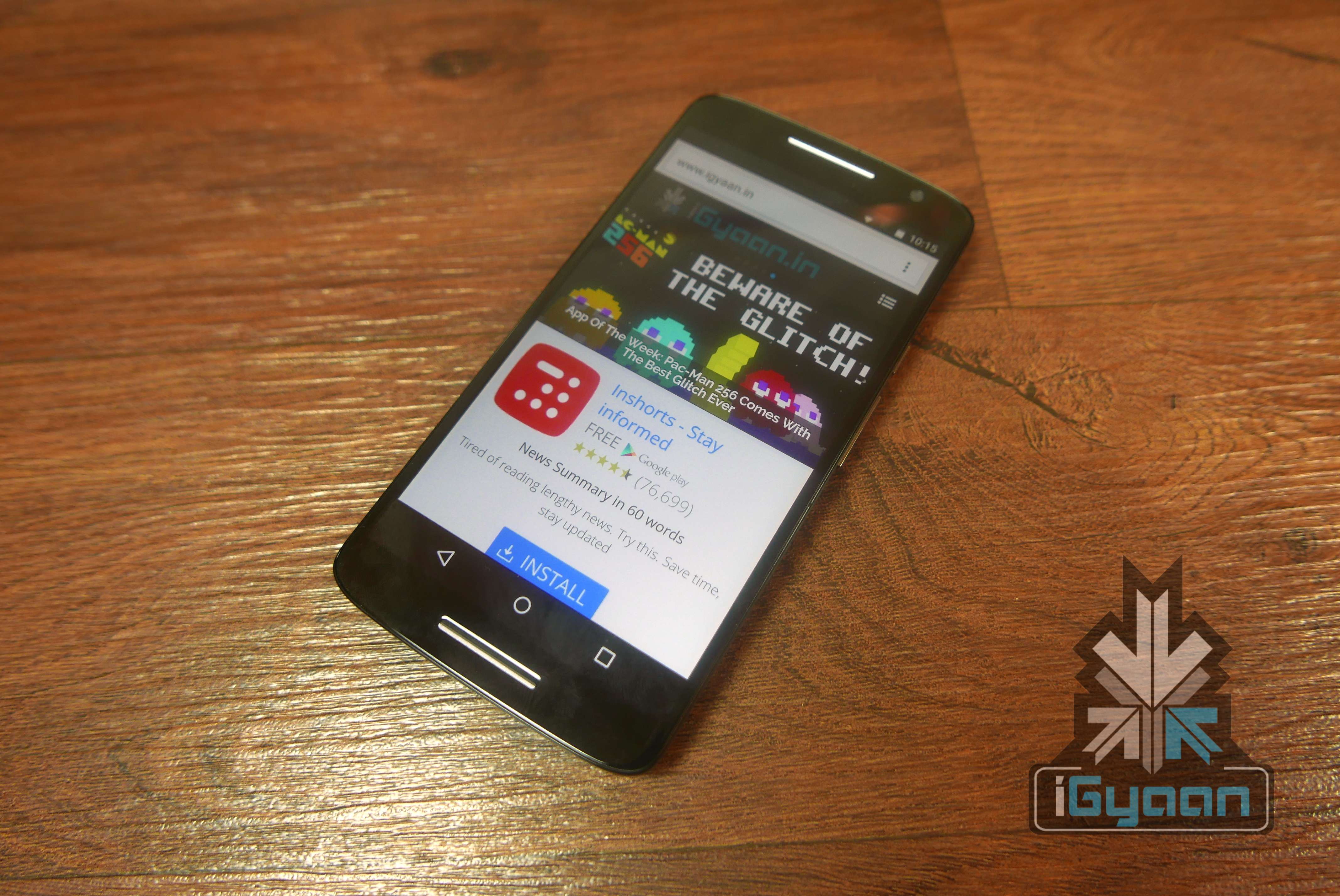
    App Of The Week: Pac-Man 256 Comes With The Best Glitch Ever

    From the makers who brought you ‘Crossy Road’ comes another fun, addictive, and nostalgia-driven game – Pac-Man 256. Hipster Whale has developed what you may call an update of the original Pac-Man, including its ‘glitches’. Yes, you read it correctly. The game builds on the famous Pac-Man glitch that appeared once the player made it to level 256. In that glitch, the player was met with half-a-screen of scrambled alphanumeric characters and an endless, unbeatable level due to limitations in the game’s coding. Pac-Man 256 uses that bug and makes it the enemy of the game.

    The new Pac-Man is very much like the original. There are ghosts chasing after you while you escape them and eat up the dots and fruits in your way. But players are also navigating endlessly upwards to escape the ‘Glitch’, which starts eating away at the bottom of the board.  If the ‘Glitch’ catches up to you, or you get eaten by a ghost, you will die and need to use a credit to play again. Credits are earned via in-app purchases. You didn’t think it was that easy, did you?

    We had mentioned the addictiveness of ‘Crossy Road’ and the new Pac-Man follows the trend. It will bring back memories of the original, and will remind you of that ever crazy glitch, if you were one of the great souls who made it to level 256. If you thought the original Pac-Man was a great way to kill time, then the new one will surely take up your whole day. We suggest you either play ‘Crossy Road’ or ‘Pac-Man 256’ but not both at once.

    If you find yourself with some spare time head over to Apple Store, Google Play, or Amazon Appstore to download Pac-Man 256.

  • Apple Watch Expected in India Next Week

    Apple Watch Expected in India Next Week

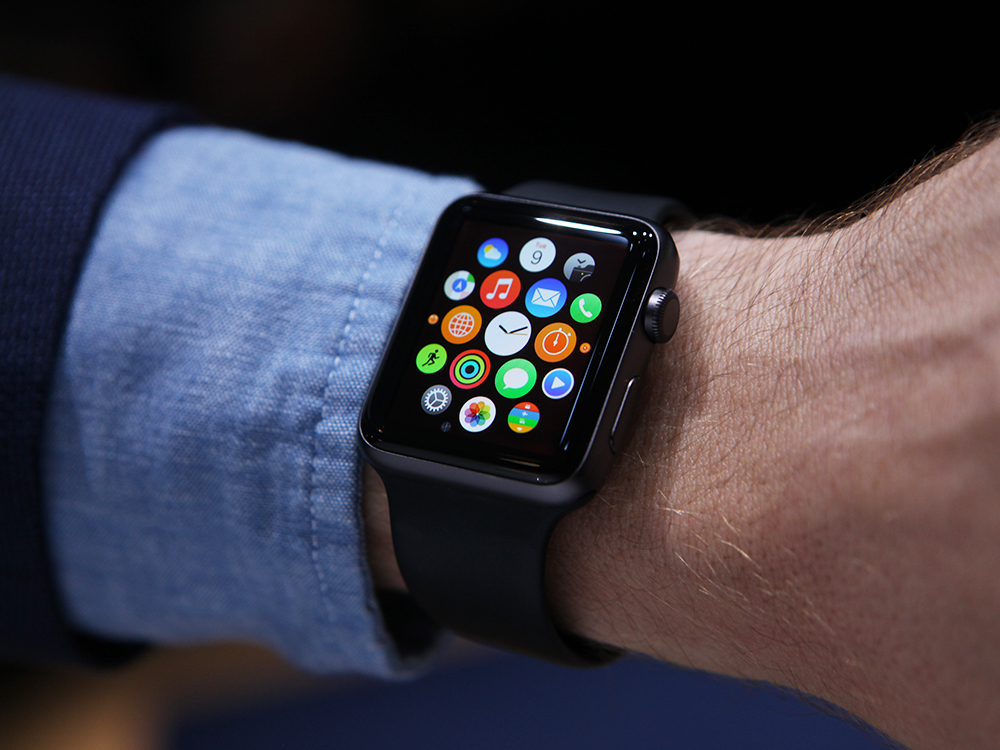
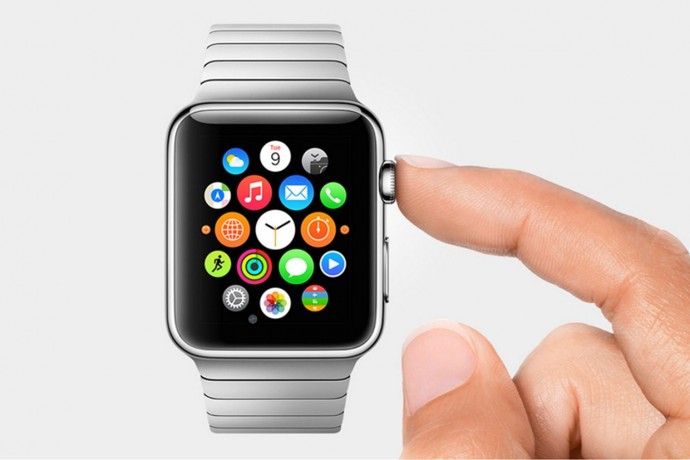
    The wait is almost over for Apple fanatics in India who have been itching to get their hands on the Apple Watch. The Economic Times reported that the Apple Watch will enter the Indian market next week. Just a few days ago, Apple had launched its new iPhones and iPads as well as an upgraded WatchOS 2 to the Apple Watch.

    apple-watch-6_1

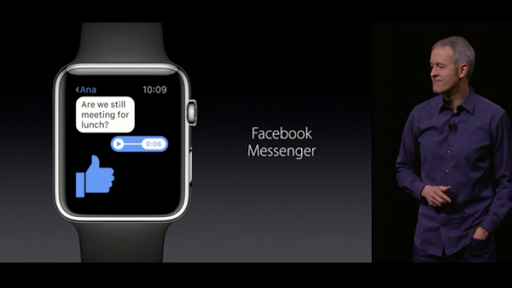
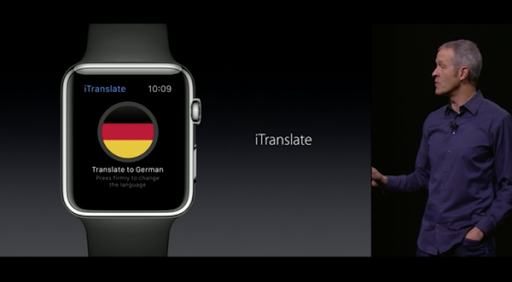
    While the new iPhones are scheduled to come out in mid-October, the Apple Watch will be here before the festive Navratri period which starts in October. The Apple Watch has been introduced in limited countries and the company is also set for the software upgrade. The upgrade will introduce Facebook Messenger and an app called iTranslate.

    COeiE10WEAAI2-Y COeiFQIWEAAmYUv

    Apple has tied up with Hermes for brand new bands. But whether the gold and rose gold bands will make it to India next week is still not known, though Apple CEO, Tim Cook, has stated that the new options will be available in all the 24 markets where the watch is currently sold.

    The Apple Watch is expected to be priced somewhere in between Rs 25,000-30,000. It will be interesting to see whether the watch will make it big in the Indian market as it has not seen much popularity in wearable technology, yet.

  • What Makes ‘Crossy Road’ So Addictive?

    What Makes ‘Crossy Road’ So Addictive?

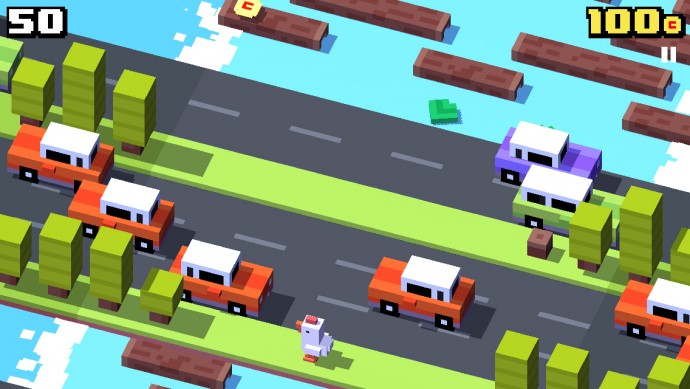
    Now that the popular mobile game Crossy Road will be available on the new Apple TV, we decided to dig a little deeper into the game and other such games and the reasons behind their addictiveness. Andy Sum, developer of Crossy Road, had a big moment when he took to stage to talk about his game. He described Crossy Road as an endless arcade hopper game. The game is simple enough to understand: players control a mascot such as a chicken, koala, bunny etc. and hop across the road and obstacles to get as far as possible and achieve a high score.

    Here’s a look at the game in action presented by Sum at the Apple event

    https://www.youtube.com/watch?v=OfPMaqC-WSw

    Clearly, Crossy Road draws inspiration from the classic 1981 arcade game Frogger, and other more recent ones like Temple Run and Flappy Bird. So what is it about these games that make them so addictive and popular, so much so that they get to take the stage at an Apple Event?

    Simple gameplay

    One of the reasons for the growing popularity of these games is the simplicity of it all. Games like Crossy Road, Flappy Bird, and Frogger have a simple manner of progression. There are obstacles to cross using mostly your thumbs to tap on the screen. With no tricky controls, these games can actually be played with one hand tied behind your back.

    flappy-bird crossy_road_header_1

    Old style graphics

    The simplicity of graphics also makes the game fun to play. Almost everyone would like to play games that have almost real-life graphics, but sometimes we just like to get back to the good old minecraft-like days. It doesn’t ask for much, and is a good way to pass time while going to work. Or at work (Yes, we all do it.)

    Tests patience

    In a busy world like ours, patience is a rarity. Yet these games require incredible patience. And those who manage to reach a higher level or rake up high points have it in them to deal with the rest of the day. The game also has the ability to frustrate you into pulling out your hair. But it all adds to the fun of it.

    7702ad502ebb74b4f7ca42413941d60b

    Here’s a video of someone who scored a 580 in Crossy Road, which, if one has played the game would know is not an easy feat to achieve.

    And finally a look at how people from the ’80s passed their time. You can see where Crossy Road comes from.
    If you haven’t played the game yet, you can download it here for Android and here for iOS. Let us know what you think about the game in the comments below.

  • Google Finally Releases its NFC Payment System Android Pay

    Google Finally Releases its NFC Payment System Android Pay

    Android Pay, the revamped Google Wallet app, was launched in the US in a number of locations. The Android Pay will be a one-touch payment app much like the Apple Pay, using NFC technology and Android 4.4 KitKat operating system.

    Android-Pay

    Existing Google Wallet customers can update the app and see it morph into the Android Wallet. Google launched a separate app Google Wallet app that focuses on person-to-person payments between friends and family like Square Cash and Venmo.

    In their blog Google describes the new app as “easy, fast, and free to send money directly from your bank account, debit card or Wallet Balance. When you receive money through Google Wallet, you can spend it using your Google Wallet Card wherever Debit MasterCard® is accepted in the US, use your Wallet Card to withdraw it from participating ATMs, or cash out to a debit card or linked bank account.”

    google wallet

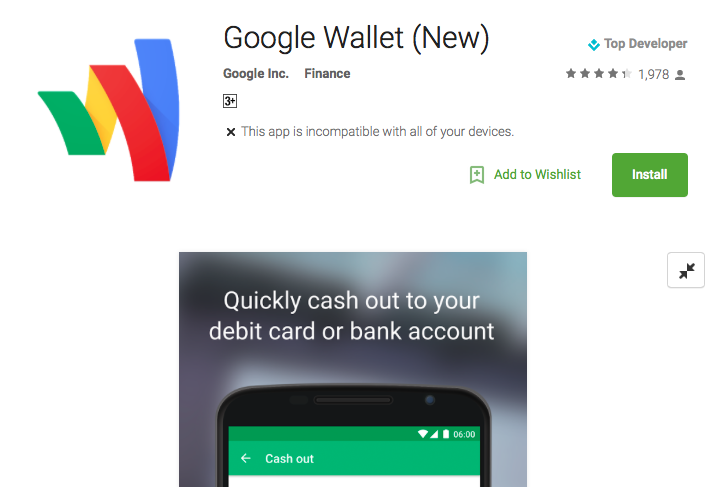
    However, as of now if one tries to download the new app, users will not find it as Android Pay, but rather Google Wallet (New) with its logo similar to the old Google Wallet app but with softer colors much like the recently changed Google logo. This can cause some confusion to users initially. Google will most likely work out the bugs and come out with a separate Android Pay.

    The app will be made available in new locations and will support Visa, MasterCard, American Express, and Discover cards from banks including Bank of America, US Bank, PNC, and others. The app will come pre-loaded on new Android phones. No details on when the app will come to India.

    Click here to download.

  • Sony’s Alpha 7s II to Have 4K Video, Up to 409,600 ISO

    Sony’s Alpha 7s II to Have 4K Video, Up to 409,600 ISO

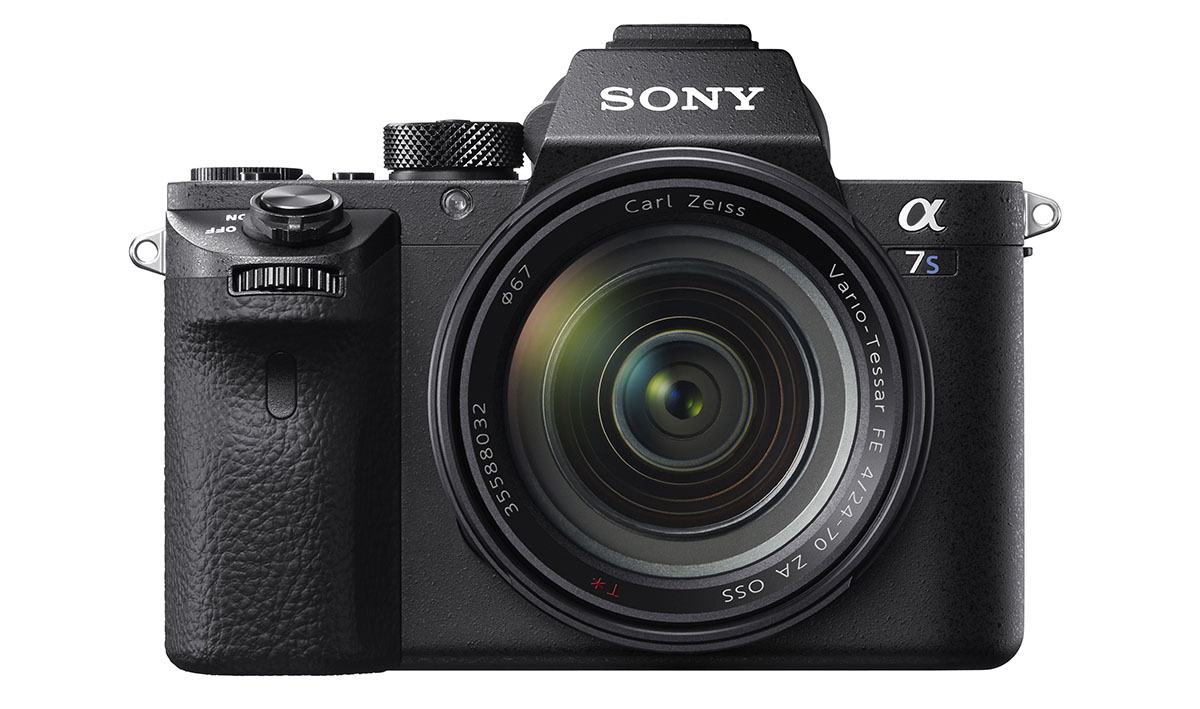
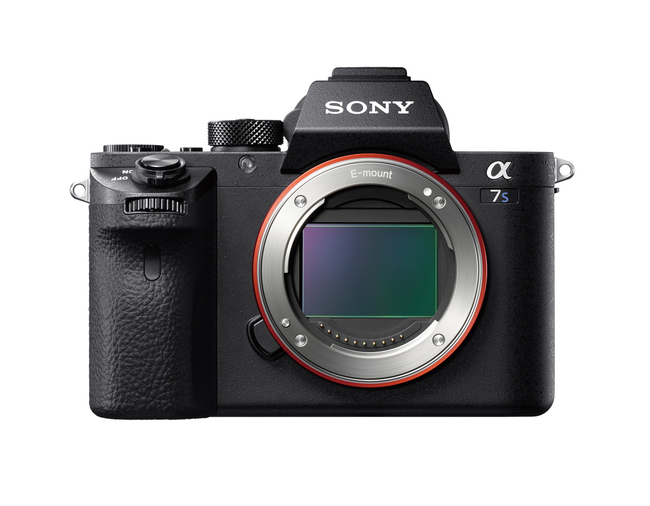
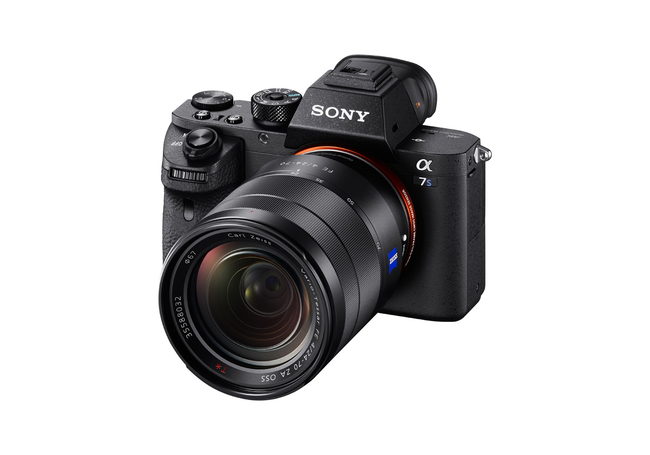
    The Alpha 7s II is Sony’s latest offering and a successor to the Alpha 7s that was released last year. The Alpha 7s II will be a mirrorless, full-frame digital camera and will come with a 12-megapixel sensor much like the original. But it is in the new internal 4K video recording that makes the Alpha 7s II stand apart. While the original model could record 4K videos using an external recorder, the A7s II will have an in-built 4K recording (3,840 x 2,160) capability which can shoot at 24 or 30 fps. It can also record 1080p footage at 120 fps.

    phpbr9dhf

    Furthermore, the A7s II boasts of a massive 50-409,600 ISO range that comes with a 12.2-megapixel sensor and the BIONZ X image processing. While the original model triumphed in capturing images in low-level light, the A7s II promises even better low-level light pictures.

    phpz7xz6w

    One of the new features of this model is the 5-axis stabilization which will reduce the jitter on shots taken at night or with a long, telephoto lenses. The A7s II will also be Wi-Fi and NFC compatible, which will allow users to hook the camera to an Android or iOS device. Though the 12 megapixel camera may come as a disappointment for many, the 4K video recording will make up for it as videographers are sure to appreciate this feature. The A7s II will be available in Europe from November with no details about it coming to India.

  • Amazing Videos Shot On a GoPro That You Ought To See

    Amazing Videos Shot On a GoPro That You Ought To See

    Since 2005, GoPro has been one of the leading names in producing high-definition action cameras that are used in extreme-action videography. Extreme sport atheletes love to record videos of themselves in action. From flying through a 2 meter cave to jumping off a helium balloon, 127,852 feet above earth (yes, we’re talking about Felix Baumgartner), there is no extreme sport too dangerous to be shot on the GoPro camera.

    Obviously there are tons of wondrous GoPro videos but, here are some of our favourites:

    This guy makes flying through a 2 meter cave ridiculously easy.


    This video of a fireman saving a kitten will melt the toughest hearts


    Here’s a compilation that includes the famous Baumgartner jump.


    This one is shot by the GoPro Hero3 that was launched in 2012 will make you question whether you’ve lived at all


    And finally we have a dance-off that could only be captured by GoPro

    Last year GoPro released its first ever GoPro HERO+LCD, which provides video recording at 1080p at 60 fps and 8 megapixel photos. As of June 2015, GoPro announced that the company is working on creating six cameras on the sides of a cube that can shoot 360°-panoramic videos, as well as a quadrocopter drone with cam.

  • Pokémon Go: Nintendo’s First Augmented Reality Game for Android and iPhone

    Pokémon Go: Nintendo’s First Augmented Reality Game for Android and iPhone

    ’90s kids rejoice. If you thought you had grown out of the Pokémon craze then think again. Nintendo has announced Pokémon GO, an augmented reality app for Android and iOS users that allows users to become Pokémon trainers in the real world where they can hunt for and battle Pokémon.

    604437

    The app will use real-time location information that will encourage players to explore their neighbourhood, communities, find friends and rivals to play, trade, duel, and discover Pokémons together.

    Let’s be honest, as kids we’ve always wanted a Pokémon game that was more than what the Game Boy offered (though they were pretty cool as well). Now, as slightly older kids we can finally live the dream.

    We’ll just leave this video here for you.

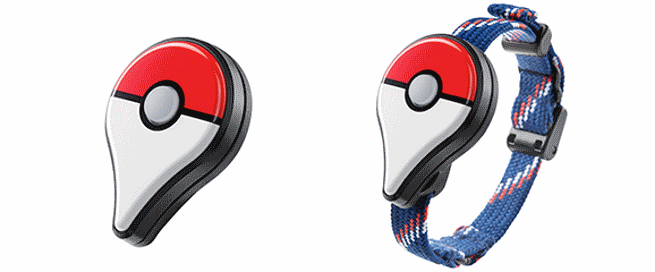
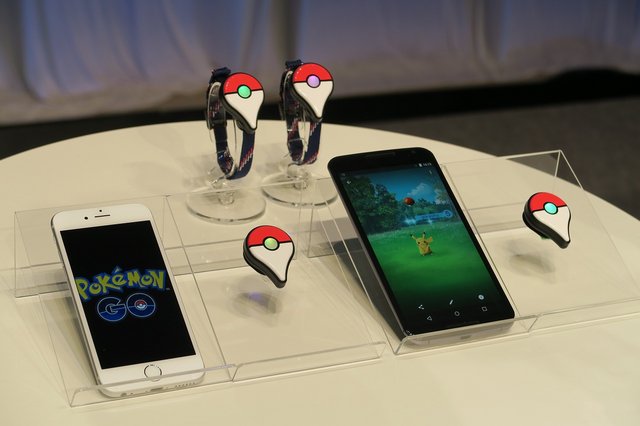
    Nintendo will also bring out the Pokémon Go Plus. This is a wearable Nintendo-built Bluetooth device for the wrist so that you can play the game without having to open the app on your phone. Basically this device will beep and buzz when a virtual Pokémon is detected near your area. So if a virtual Pikachu is hanging around in your backyard, the device will buzz and flash notifying you that a Pokémon is nearby and ready to be captured. All you need now is an Ash Ketchum cap and you’re ready to ‘Go’.

    inline-576×240-150871

    Nintendo has teamed up with Google Spin-off company Niantic and The Pokémon Company to develop this AR game. Nintendo has released 3D augmented realtiy games on the Nintendo 3DS. This, however, will be the first time Nintendo enters the smartphone gaming area.

    The game is expected to come out next year. It is still too early to know whether Pokémon fans are ready to walk out on to the street and wave their hands and phones in the air, trying to catch Pokémon. But for now, the video sure blows us away and the excitement is real.

iGyaan Network
Privacy Overview

This website uses cookies so that we can provide you with the best user experience possible. Cookie information is stored in your browser and performs functions such as recognising you when you return to our website and helping our team to understand which sections of the website you find most interesting and useful.