Category: Microsoft

  • Microsoft’s Surface Book is a Gorgeous Piece of Machinery

    Microsoft’s Surface Book is a Gorgeous Piece of Machinery

    If you want to put on a spectacular show, you need to learn a thing or two from Microsoft. Not only did the company showcase some jaw dropping devices such as the Lumia phones and the Surface Pro 4, along with a bunch of other delectables yesterday, but it also had an ace up its sleeve. We knew the devices that were expected to be revealed at the event, however, Microsoft cleverly managed to hide perhaps their best creation yet, until last night.

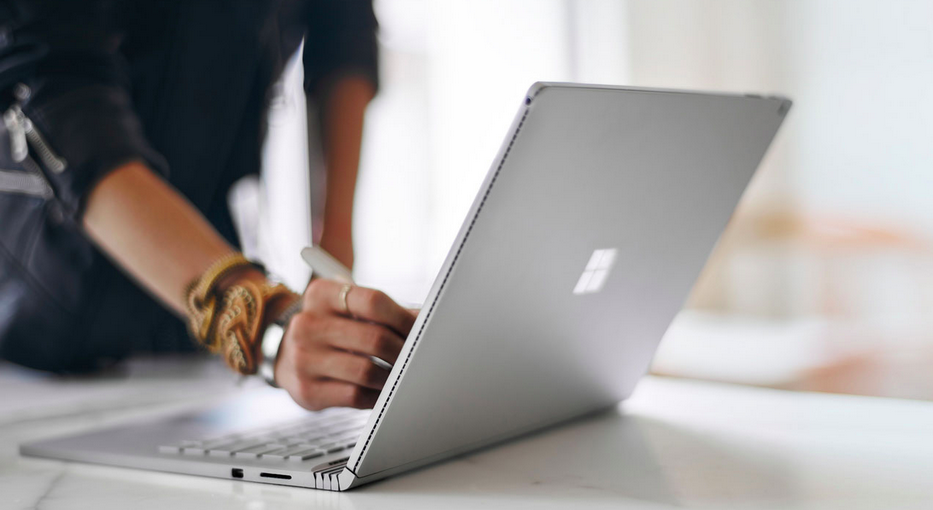
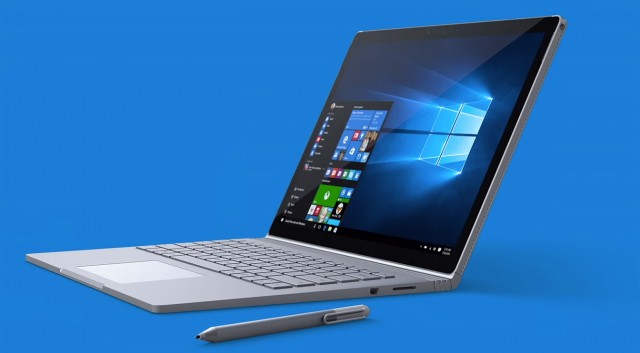
    Arguably the star of the show, Microsoft unveiled the Surface Book laptop and it is simply gorgeous. The Surface Book is Microsoft’s very first laptop, so to say. Though it is surprising since the Surface Pro was pegged as the laptop killer. But once you’ve had a glimpse of the Surface Book all is forgiven. This 3.34 pound Windows 10 laptop features a 13.5-inch display with a ridiculously high 3,000 x 2,000 pixel resolution and 267 ppi optically bonded to the screen. So it goes without saying that videos and images are as crisp as it’s going to get.
    Surface Book

    It’s Microsoft’s first laptop but it’s more than just a laptop. Consider it a laptop-tablet hybrid if you will. The screen is fully removable so that it can be used as a tablet. You can also pop the screen back on and flip it around and have the keyboard as a stand.

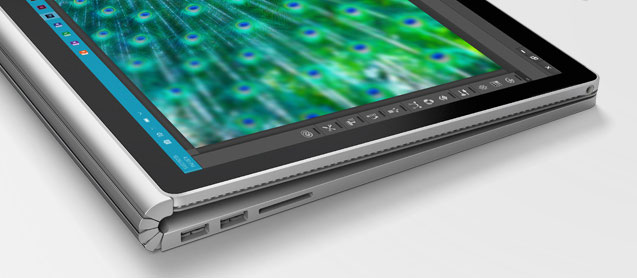
    It is a silver metal laptop but looks different than the MacBook, but challenges the MacBook in every way. One of the highlights in the design is the Surface Book’s hinge, which Microsoft calls a “dynamic fulcrum.” From the side it appears it can flex and bend, and leaves a little gap when the laptop is closed, but also elevates the display at an angle.
    Surface Book (2)

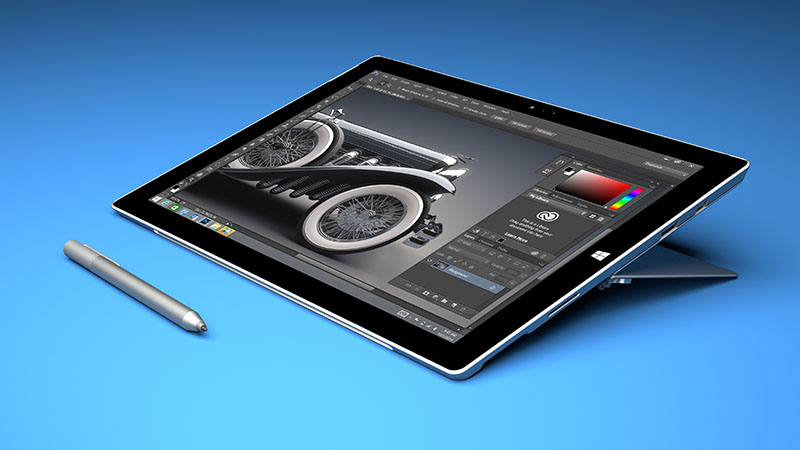
    More on the look of things, the Surface Book has a backlit keyboard and keys with 1.6mm of travel, which Microsoft is particularly proud of. It’s calling it “perfect” saying that it’ll type almost silently. And to top it off, the laptop comes with a large glass trackpad with five points of touch sensitivity. The Surface Pen stylus attaches magnetically to the side of the laptop as well as the Surface Pro 4.

    Let’s talk about the interiors now. The laptop has the latest Intel Core i5 and i7 processors and Nvidia GeForce GPU with GDDR5 memory. The dock includes two USB 3.0 ports and an SD card slot. Here’s the cherry on the cake – the machine will give you 12 hours of battery life on a single charge. Are you listening, Apple?

    Microsoft claims this is “the fast is the fastest 13-inch laptop ever made anywhere on any planet.” And the company also added that it will be twice as fast as the MacBook Pro. We can’t stress it enough, but the Surface Book is a beauty of a machine and the company seems to have nailed every aspect of it. The laptop will go on sale October 26th and is expected to have a steep price tag starting at $1,499. Follow this space as we’ll be looking at other devices Microsoft unveiled yesterday.

    Till then, check out the video of the Surface Book below in all its glory.

    https://www.youtube.com/watch?v=XVfOe5mFbAE
     

  • Microsoft Surface Pro Tablets May Be Sold in India Next Year Onwards

    Microsoft Surface Pro Tablets May Be Sold in India Next Year Onwards

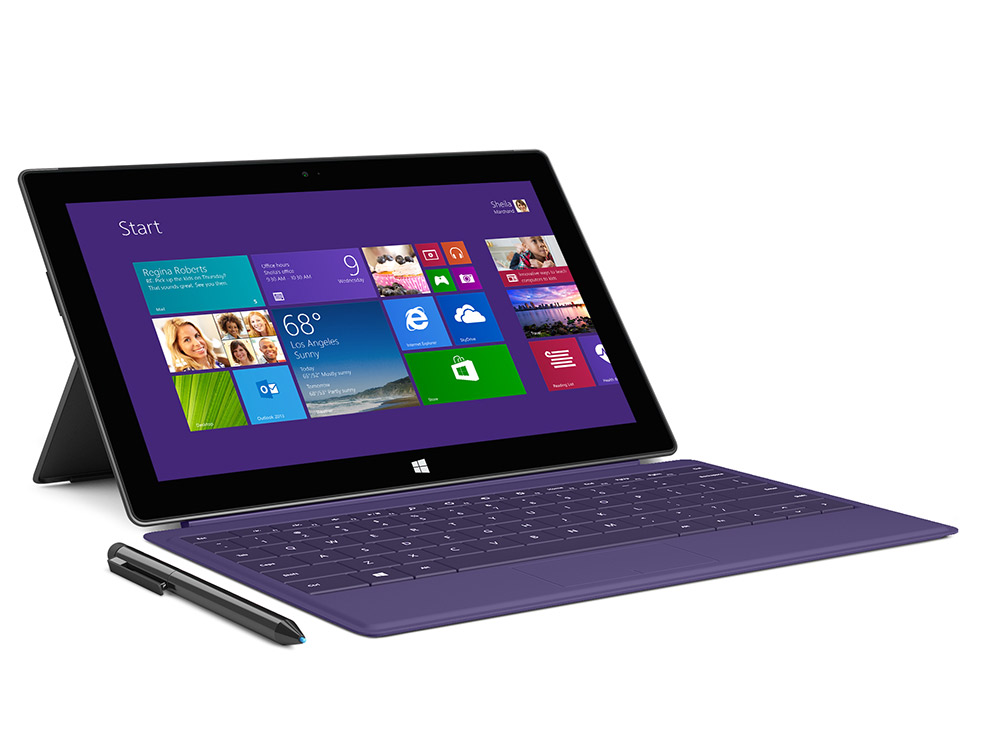
    Microsoft has shied away from introducing its Surface Tablets to Indian markets because of its high price range. The numbers goes as high as over a lakh, as is in the case of Surface Pro 3, when it comes to the price of these tablets.

    Surface Pro

    However, if rumours are to be believed, Microsoft has plans of launching its Surface Pro 4 in India in February, 2016. It will be available in authorised priority resellers stores. The Priority stores that have recently been branded from Nokia to Microsoft by the latter will also have other Tablets and 2 in 1 devices from companies like Lenovo and HP, to name a few.

    Surface Pro 4 is a device all set to be announced at today’s event in New York. Make sure to tune in at 7:30 PM IST to catch all the latest updates from Microsoft.

  • Here’s How You Can Watch the Windows Event Live

    Here’s How You Can Watch the Windows Event Live

    Tech year has kept its hand full for a while now with all major brands coming out with their flagship devices and significant updates to their offerings, one after another. Taking a look at the recent past, Apple is an important name which triggered a new season of sorts in the technology circuit just a couple of weeks ago.

    Come September and 2015 would see not only Apple, but also the Google Nexus event. We were just done drawing comparisons between these two events when Microsoft has now arrived with its contribution to the events song and dance. Both Apple and Google events offered the latest in technology, showcasing top-drawer devices, updates, software and accessories. Hopes ride high as we sit back to see if Microsoft too will follow the league of its counterparts.Windows Event '15

    There is much to expect from the company as it comes out with its first high-end smartphones of the year at event today. There are lots of hardware updates in store, along with additions to the Lumia phones category, a new variant of the Microsoft band, and the Surface Pro can be expected to found at the launch among other things. We might also get to see smartphones and tablets compatible with Windows by the end of the event.

    Windows will be hosting the event in New York today at 10 AM ET. The event can be watched live here  at 7:30pm IST.

  • Here’s What You Can Expect From Microsoft’s Surface Pro 4

    Here’s What You Can Expect From Microsoft’s Surface Pro 4

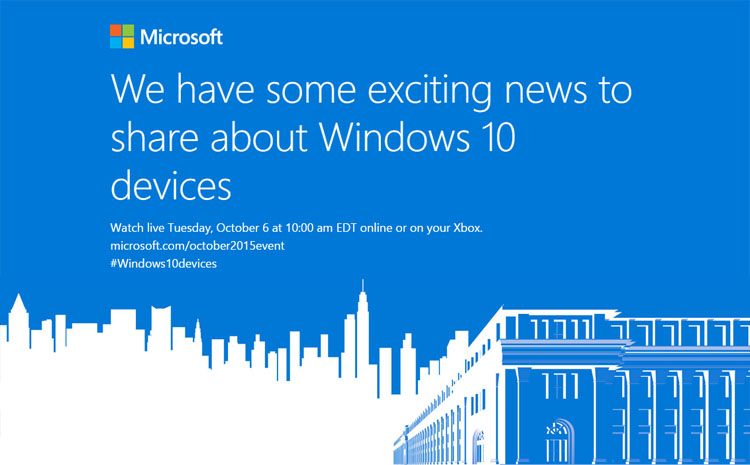
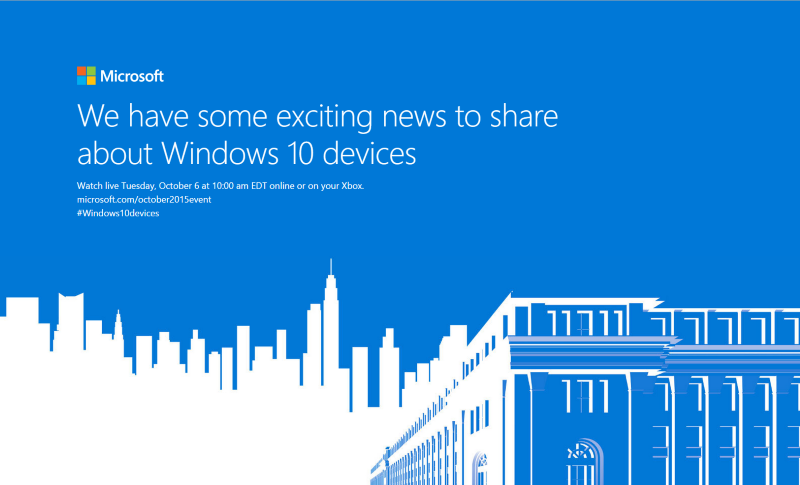
    There’s an event happening on October 6 and invites for it are already out. Microsoft is gearing up unveil the new Surface Pro 4 along with the Lumia 950 and Lumia 950 XL. We’ve already spoken about the Lumia phones and what you can expect. Now we have some dirt on the Surface Pro 4 as well.

    Microsoft Invite

    Whispers suggest that Microsoft is planning to come out with two variants of the Surface Pro 4. While one is expected to have a 12-inch display, much like the Surface Pro 3, the other is rumoured to feature a huge 14-inch screen with a 1440 x 2160 resolution and 185 ppi. The Surface Pro line are known for their sharp displays and the Surface Pro 4 looks to maintain the name. This could be Microsoft’s answer to Apple’s new iPad Pro, but we can only confirm this once the device is out in the open.

    Other features of the upcoming Surface Pro 4 suggest that the tablet will use the new Skylake Core chipset from Intel. Up to 16 GB RAM will be available, with internal storage as high as 500 GB, and will run on the latest Windows 10 OS. We could also see a better battery backup as that’s one area that has been wanting.

    Microsoft Surface

    In terms of design, makers at Microsoft have expressed that they are likely to stick with the current Surface Pro 3 look. You can also expect to see a new stylus in the offing considering the new Microsoft Edge browser on Windows 10 uses some new handwriting functions.

    No information of what the Surface Pro 4 will cost, but it is expected to be priced similar to its predecessor, which means you could see a base price tag of $799. The event will be held on Tuesday, October 6th in New York City. Follow this space for updates on the announcements.

    [tw-button size=”medium” background=”#07ABE2″ color=”” target=”_blank” link=”http://www.pocket-lint.com/news/135508-microsoft-surface-pro-4-release-date-rumours-and-everything-you-need-to-know”]Pocket Lint[/tw-button]

  • Microsoft Acquires Physics Firm Havok to Boost Gaming Efforts

    Microsoft Acquires Physics Firm Havok to Boost Gaming Efforts

    Something is cooking up at Microsoft in the gaming department. The company recently bought Irish physics firm Havok for an undisclosed amount. Havok is behind games such as Call of Duty, Assassin’s Creed, Elder Scrolls, and Microsoft’s own Halo, and is one of the leading firms in 3D physics. It looks like Microsoft is planning big things by integrating Havok’s physics engine into the existing Windows and Xbox toolset.

    Havok has been known for real-time collisions and dynamics of rigid bodies in 3D. By using dynamical simulation, Havok Physics allows for more realistic virtual worlds in games. “Throughout the company’s history, they’ve partnered with Activision, EA, Ubisoft, Nintendo, Sony, Microsoft and many others to create more than 600 games,” Microsoft stated in a blog. The firm is also known for powering more special effects for films like The Matrix and Troy.

    Havok shares Microsoft’s vision for empowering people to create worlds and experiences that have never been seen before, and we look forward to sharing more of this vision in the near future.

    In 2007, Intel had acquired Havok, and now Microsoft has taken over. The company is excited to add Havok to its portfolio for developer tools and components like DirectX 12, VisualStudio app development kit, and the Azure cloud platform. Microsoft said that it plans to continue letting Havok license its technology with existing and future gaming platforms.  “We will continue to license Havok’s technology to the broad AAA games industry,” Microsoft said in a statement to IGN. “This also means that we will continue to license Havok’s technology to run across various game consoles including Sony and Nintendo.”

    Source: [tw-button size=”medium” background=”#07ABE2″ color=”” target=”_blank” link=”http://blogs.microsoft.com/blog/2015/10/02/havok-to-join-microsoft/”]Microsoft[/tw-button]

  • Leaked Images Reveal Specs of Three New Microsoft Lumia Models

    Leaked Images Reveal Specs of Three New Microsoft Lumia Models

    Over the past few months, Microsoft has been leaking images of its two new flagship phones – the Lumia 950 and the Lumia 950 XL. The handsets will be launched on the 6th of October in New York City, along with the Surface Pro 2 and Microsoft Band 2

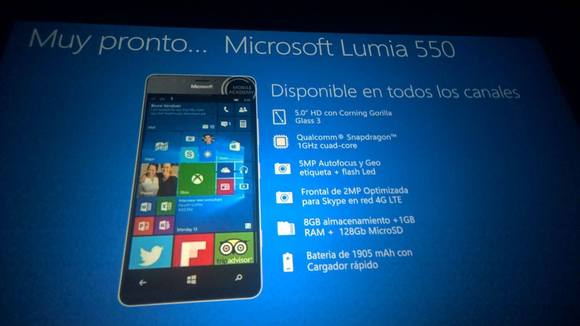
    Now apart from these devices, Microsoft also plans on bringing out a new budget device called the Lumia 550. The Lumia 550 is rumored to have a 5-inch display, 1GHz processor, and 5-megapixel camera. The lumia 550 will look to replace other 5xx models such as the 540.

    Lumia 950 and Lumia 950 XL

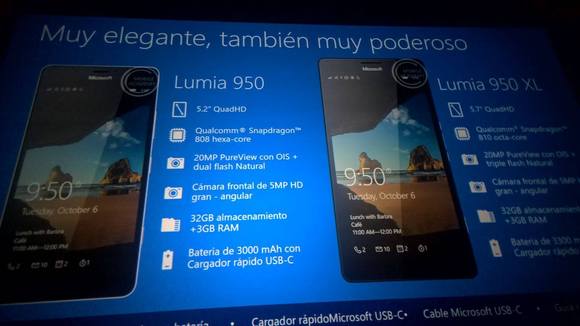
    Some slides of what appears to be a Microsoft presentation in Spanish were posted in Forever Nokia Latin America’s Facebook page. The slides reveal a whole bunch of specs and features for the three new Lumia phones. The slides also show that the phones (except the 550) will feature a version of Windows Hello, which is Windows 10’s facial recognition technology.

    According to the slides, here are the specs for the Lumia 950 and the Lumia 950 XL. These specs also match the earlier leaks that have been floating around.

    Lumia 950

    • Display: 5.2 inches, QuadHD
    • Processor: Qualcomm 6-core Snapdragon 808
    • Camera: 20MP PureView rear camera with optical image stabilization (OIS) and dual flash; 5MP HD front camera
    • Storage: 3GB RAM, 32GB internal storage
    • Battery: 3,000 mAh, with rapid charging via USB-C

    Lumia 950 XL

    • Display: 5.7 inches, QuadHD
    • Processor: Qualcomm 8-core Snapdragon 810
    • Camera: 20MP PureViw rear camera with OIS and triple LED flash; 5 MP front camera
    • Storage: 3GB RAM, 32GB internal storage
    • Battery: 3,300 mAh, with rapid charging via USB-C

    Lumia 550

    The Lumia 550, on the other hand, reveal specs that suggest the handset will aim at the low-end market. According to the slide, the Lumia 550 is set to have the following features:

    Lumia 550

    • Display: 5 inches, HD resolution
    • Processor: Qualcomm quad-core Snapdragon 1GHz
    • Camera: 5MP rear autofocus camera with flash; 2MP front camera optimized for Skype
    • Storage: 1GB RAM, 8GB internal storage; 128GB microSD card
    • Battery: 1,905 mAh with rapid charging

    Microsoft will also look to incorporate other Windows 10 features such as Cortana, OneDrive cloud storage, and others. No details on the price or release dates of the phones have been revealed yet.

    Image Source: [tw-button size=”medium” background=”#07ABE2″ color=”” target=”_blank” link=”https://www.facebook.com/NokiaForeverLatinoamerica/photos_stream”]Nikia Forever Latinoamérica[/tw-button]

  • Cortana Will Soon Be Available On the Cyanogen OS

    Cortana Will Soon Be Available On the Cyanogen OS

    Microsoft’s Cortana has previously been integrated into the Windows Phone 8.1, Windows 10 as well as on Android devices and are soon planning to be available to iOS devices. New reports now suggest, that the latest partner to collaborate with Microsoft is Cyanogen.

    Cyanogen has previously included Microsoft in it’s OS by incorporating apps such as – Bing, Skype, Office etc. But in a recent interview with International Business Times, Cyanogen’s CEO Kirt Mcmaster announced that they are definitely planning to incorporate Cortana into their OS. He also mentioned that this incorporation will be more than just adding an app on to their devices, but will in fact “deeply intergrate” Cortana into their system as a function.

    This he believes will truly showcase the capabilities of Cortana, as compared to other digital personal assistants.

    “When Apple launched Apple Music at WWDC, they showed the Siri integration with Apple Music. Siri doesn’t power Spotify like that so we can do these kind of things with for example, integration of Microsoft’s Cortana into the OS enabling natural language to power Spotify and other services.”

    However, he did not mention how exactly this integration will function, so we cannot tell you anything more. It could be integrated into the UI’s control, which would then allow it to be used in apps, but really nothing is confirmed about it’s further usage.

    So, let us know what you think about this new partnership. Do you think Cyanogen is the best platform for Cortana?

     Source: [tw-button size=”medium” background=”#07ABE2″ color=”” target=”_self” link=”http://www.ibtimes.com/cortana-cyanogen-ceo-kirt-mcmaster-building-next-great-smartphone-os-2093032″]ibtimes[/tw-button]

  • Cortana is Finally Here: Windows Voice Assistant Hits Indian Markets

    Cortana is Finally Here: Windows Voice Assistant Hits Indian Markets

    Following suit with its Apple and Android counterparts, Windows had launched its own voice assistant called Cortana, this year. And now India too has been made part of the limited launch of the personalised digital assistant by Microsoft.

    And She Has Arrived!
    And she has arrived!

    Demonstrated for the first time at the Microsoft BUILD Developer Conference (April 2–4, 2014) in San Francisco, Cortana is part of Microsoft’s attempt to revamp its operating system. Available in India with Windows 10 Insider Preview builds 10532+, Cortana can be used only by the members of Windows Insider programme which lets users test features before their official release.

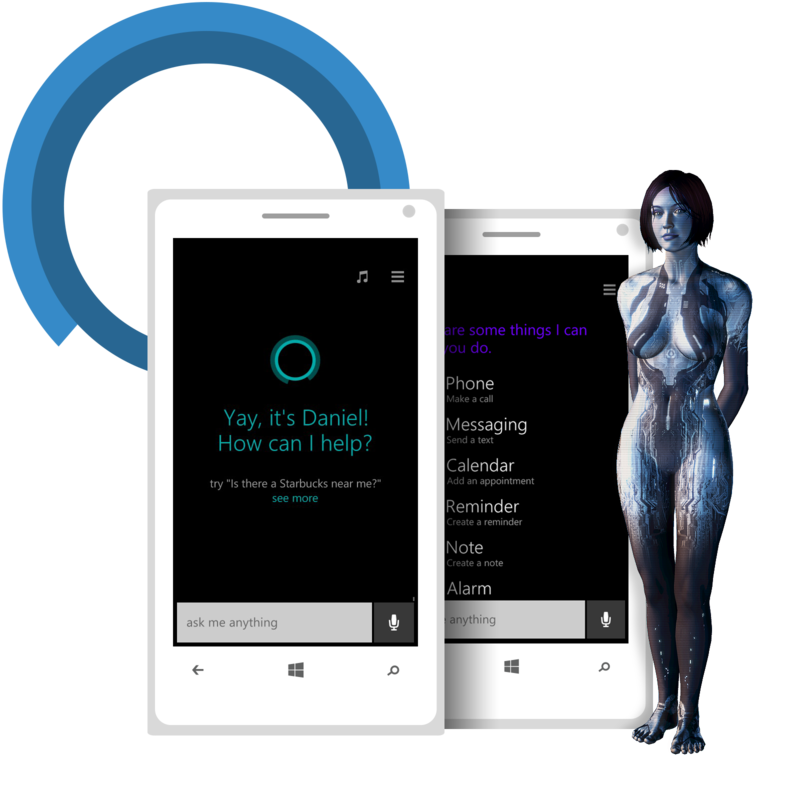
    Cortana, the blue-skinned beauty is ready to take the Indian tech circuit by storm with a voice and character of her own. In a first of its kind software for Windows phones in the country, the personal assistant offers features that include setting reminders, recognising natural voice without the user having to input a predefined series of commands, and answering questions using information from Bing.

    The company also added that the assistant “will be updated with an improved voice later this month.” The voice assistant is available as an optional download in Nihongo for Japan and in English for Australia and Canada. After this, Microsoft is expected to prepare the voice assistant for Brazil and Mexico, along with releasing a French version in Canada.

    Considered one of the best features of Windows so far, Times of India praised this cool new addition to the tech world by saying, “In our Windows 10 review, we found it to be pretty accurate in terms of recognizing our voice and offering answers to our questions.”

  • Images and Specs of Microsoft’s Upcoming Flagship Leaked

    Images and Specs of Microsoft’s Upcoming Flagship Leaked

    We already know that Microsoft has been preparing to launch two new Lumia devices in October. Today, new reports suggest that new leaks show us the official press renders for both devices codenamed – Cityman and Talkman.

    lumia leak

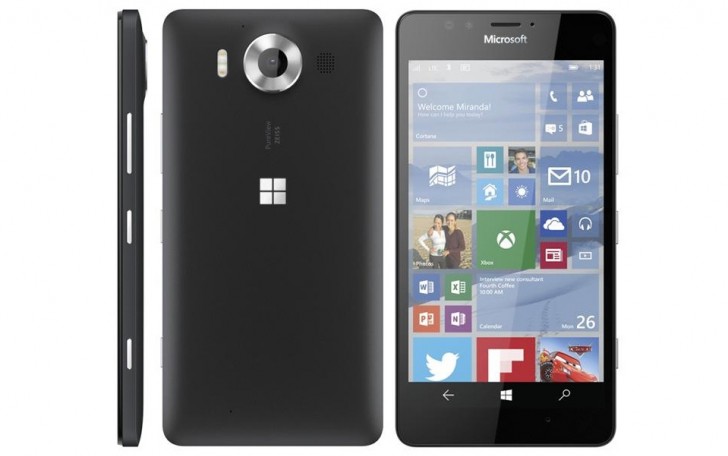
    It is expected that the devices will be called the Lumia 950 (Talkman) and Lumia 950 XL (Cityman). Leaked renders show a slight hump for the camera at the rear, both seem to sport a Windows logo at the back and sport a square look. The Cityman is cyan in colour and the talkman is shown in black.

    lumia leak 2

    The Cityman is larger with a 5.7-inch WQHD display and 20MP PureView rear camera with triple LED flash. It is also said to include a support for the Surface Pen and a new smart cover that has a circular cut out for easy access to notifications. Both the Cityman and the talkman are expected to have a USB Type-C and Qi wireless charging, while another leak apparently suggests that the Cityman will support the Continuum feature of Windows 10 Mobile and the ability to attach additional USB devices to the phone.

    Here are the speculated spec of both devices:

    Features

    Lumia 950 (Talkman)

    Display 5.2 inch WQHD (1440×2560) OLED
    Body Matte White or black polycarbonate body
    Processor Snapdragon 808, 64-bit Hexa core
    RAM 3GB of RAM
    Storage 32GB of internal storage with a microSD card slot
    Rear Camera 20MP PureView
    Front Camera 5MP Wide-angle
    Battery 3000 mAh removable battery
    Other Qi wireless charging with flip cover, Iris scanner (infrared) for Windows Hello,
    USB Type-C


    Feature

    Lumia 950 XL (Cityman)

    Body Matte White or black polycarbonate body
    Display 5.7 inch WQHD (1440×2560) OLED display
    Processor Snapdragon 810, 64-bit Octa core
    RAM 3GB of RAM
    Storage 32GB of internal storage with a microSD card slot
    Rear Camera 20MP PureView with triple LED flash
    Front Camera 5MP Wide-angle front facing camera
    Battery 3300 mAh removable battery
    USB USB Type-C
    Other Qi wireless charging, 1mm silver ring inside the circumference of the black camera pod, Aluminum side buttons, Iris scanner (infrared) for Windows Hello

  • Microsoft’s New project To make 3D Scanning Possible On the iPhone Soon

    Microsoft’s New project To make 3D Scanning Possible On the iPhone Soon

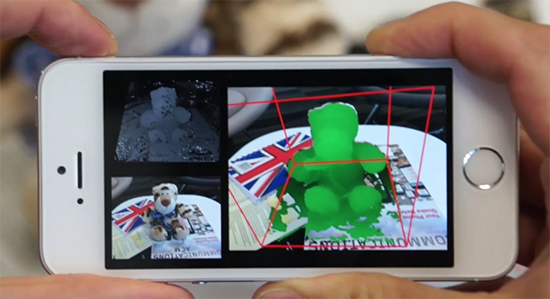
    Microsoft is now creating a camera for smartphones, that can also be a 3D scanner. The name of this project is – MobileFusion and the first research has been conducted on an iPhone 5S to scan objects by moving the phone around them. Kind of like the new pen scanner we just reported about.

    The phone is said to be able to capture and track objects and then build up a model as the camera captures it from different angles. Microsoft has stated that no additional hardware would be required to turn the iPhone or any other smartphone into a 3D scanner. All the computation is done within the phone itself.

    MobileFusion

    Microsoft’s project is quoted as being different from other projects such as, Google’s Tango project, which uses additional hardware. It has also been said, that Microsoft’s single camera should be enough to make models for printing or use in augmented reality gaming.

    As of now, they are trying to get it running on the iOS, Android and Windows Phone.However, the date of release or any news of mass production is unavailable. Stay tuned and watch the video below:

  • There is a Way You Can Get Cortana On Your Mac

    There is a Way You Can Get Cortana On Your Mac

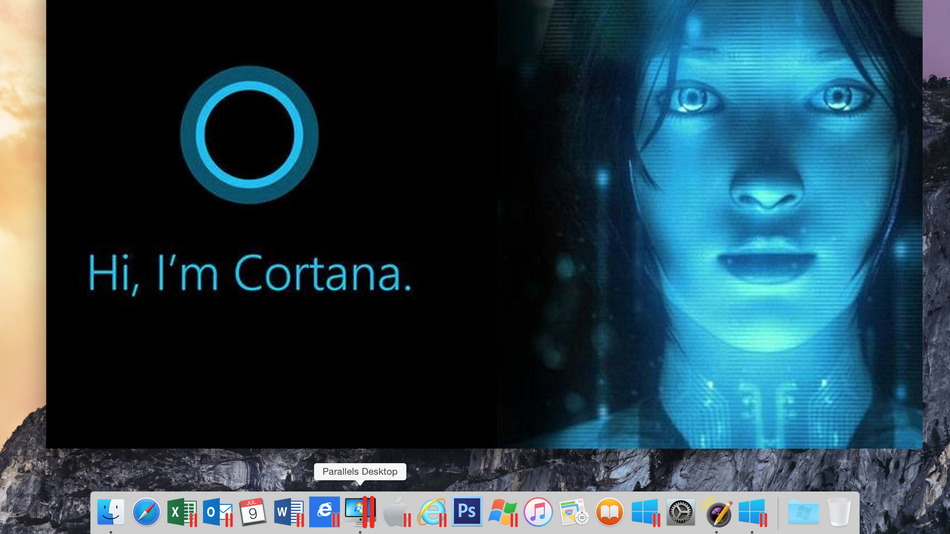
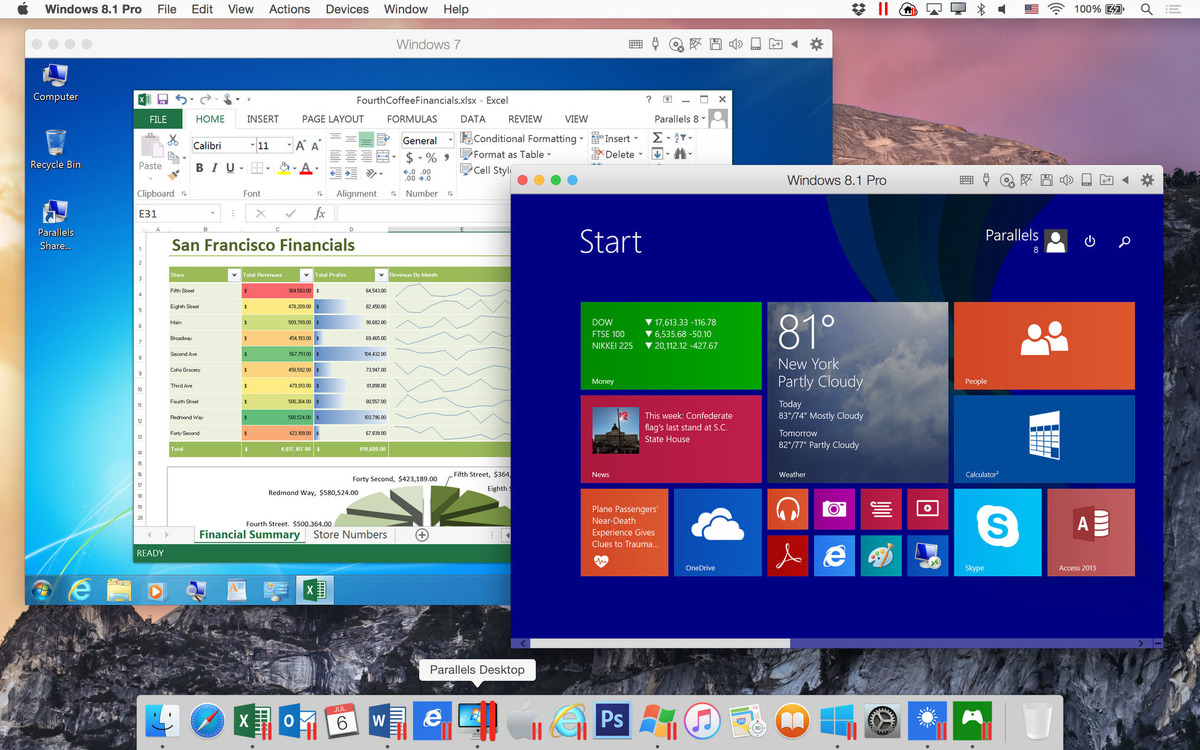
    Parallels is a software that is now putting a fully virtualized Windows 10 on a Mac OS X Yosemite system. This gives you the ability to run a licensed version of the OS on a Mac while also being able to access all the apps that would normally run only in Windows.

    The twist that the Parallels Desktop 11 for Mac brings is that it introduces Microsoft’s digital assistant, Cortana to the OS X desktop. As reported, it also goes on to blend the Windows 10 elements into the OS X; for example – Cortana can appear on the OS X dock when you say “Hey Cortana”. One can also use the Cortana to launch Mac apps apart from its usual functions.

    Win10 Yosemite cortana

    The Windows notification center has also been added to the Mac desktop just like how it is on the Windows 10 desktop. But, the Parallels Desktop also brings Mac features to the virtualized Windows system, such as – Quick Look, and Force Touch-supporting touchpad (if your macBook already has it).

    According to further reports, one can also transfer files between both operating systems easily. For example, if one prints a windows file, you will also have full access to the Mac print dialog box.

    Win 7 and Win 8.1 in Parallels Desktop

    The Parallels Desktop 11 for Mac is said to be available and will support all the new licensed Windows 10 installations and migrations from existing machines. Standalone Parallels Desktop 11 for the Mac is priced at $79.99 (aprrox Rs.5220) while the price for an upgrade for those using the 9 or 11 version is $49.99 (approx Rs.3262). The Pro edition is priced at $49.99 a year.

    You can buy or upgrade here.

    Here’s what it looks like:


  • Now Use Your Home Button to Summon Cortana Instead of Google Now

    Now Use Your Home Button to Summon Cortana Instead of Google Now

    Just last month, Microsoft released a private beta version of its Cortana digital assistant which had similar features to the Windows 10 and Windows phone version. Now, Microsoft, while going further in Android’s direction, has come up with an updated app. You will now be able to replace the Google Now shortcut (by pressing and holding the home button) with Cortana, instead.

    The updated Cortana version will not include the “Hey Cortana” support because of hardware limitations that prevent her from always listening to your command. This new update lets Microsoft take over a common way of launching Google Now, although, you will still be able to access Google Now’s features. Microsoft hopes that Android users will experience Cortana and even make it their default home button setting, if possible.

    Click here if you want to test Cortana.

  • 7 Simple Ways to Protect Your Privacy While Using Windows 10

    7 Simple Ways to Protect Your Privacy While Using Windows 10

    Sixty seven million Windows users are rejoicing at the thought of being upgraded to Windows 10 and are enjoying the convenience that comes with Bing knowing your location, Cortana knowing your name and sometimes other personal information. All your contacts, photos and everything are constantly being processed by the new software. It sounds perfect. However, one minor detail is missing. What is Windows 10 doing to protect your privacy as it constantly saves passwords, credit card numbers and personal information?

    Here are a few things you can do to protect you privacy, while using Windows 10 and enjoying its features at the same time:

    1.  Know your Apps:

    microsoft

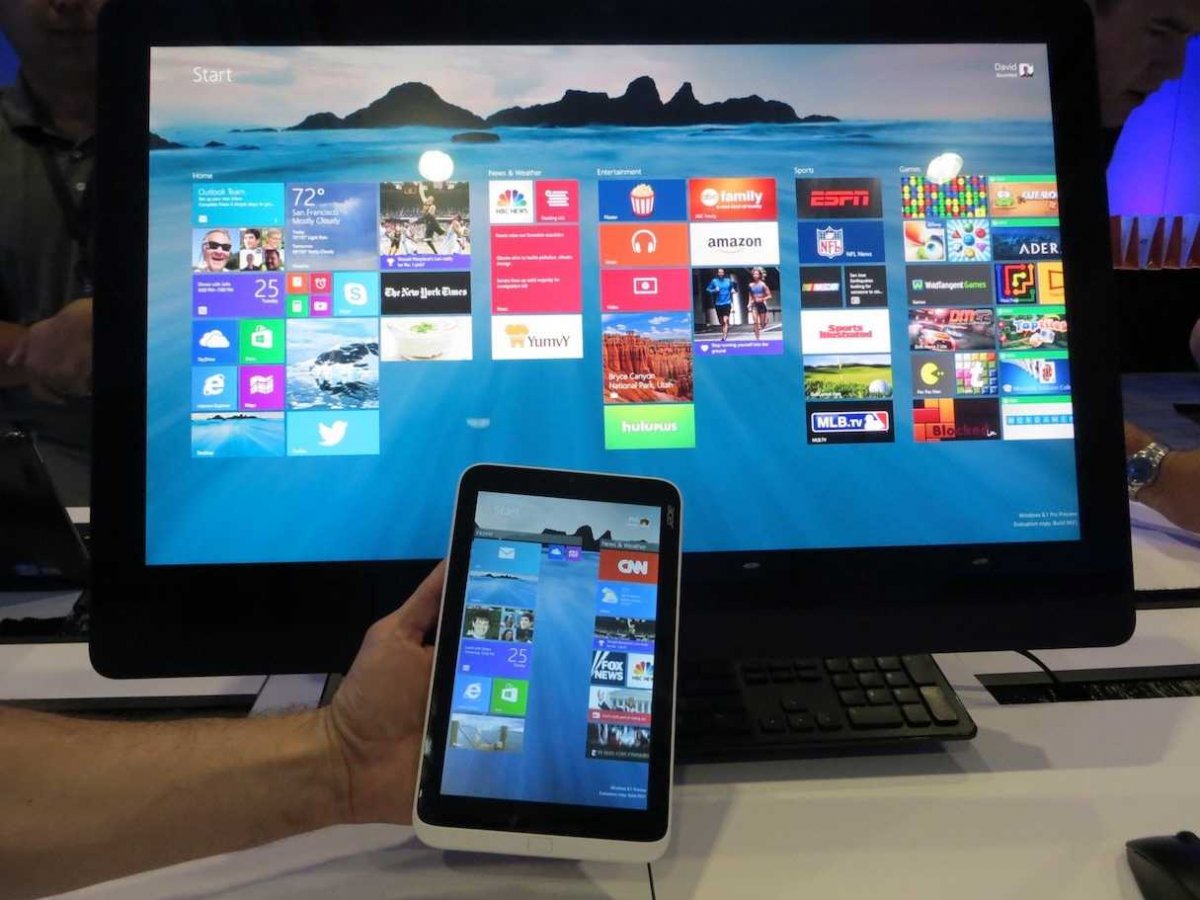
    Many applications on Windows 10 require your personal information. For example, Maps, which needs your location in order to function. While Maps tells you where its using your personal information, many apps on Microsoft don’t necessarily follow the same protocol. Therefore, it is important to tweak the privacy settings of any app you use so that your personal information going out is limited, if not completely inaccessible.

    2. Communications:

    Microsoft tends to take in all the contact information of their users, just incase their primary means of communicating, fail. It does this so that it can send you information as well as promotions. In order to manage these communications better, click here (if you have a Microsoft account) and here, if you don’t.

    3. Ads:

    ads

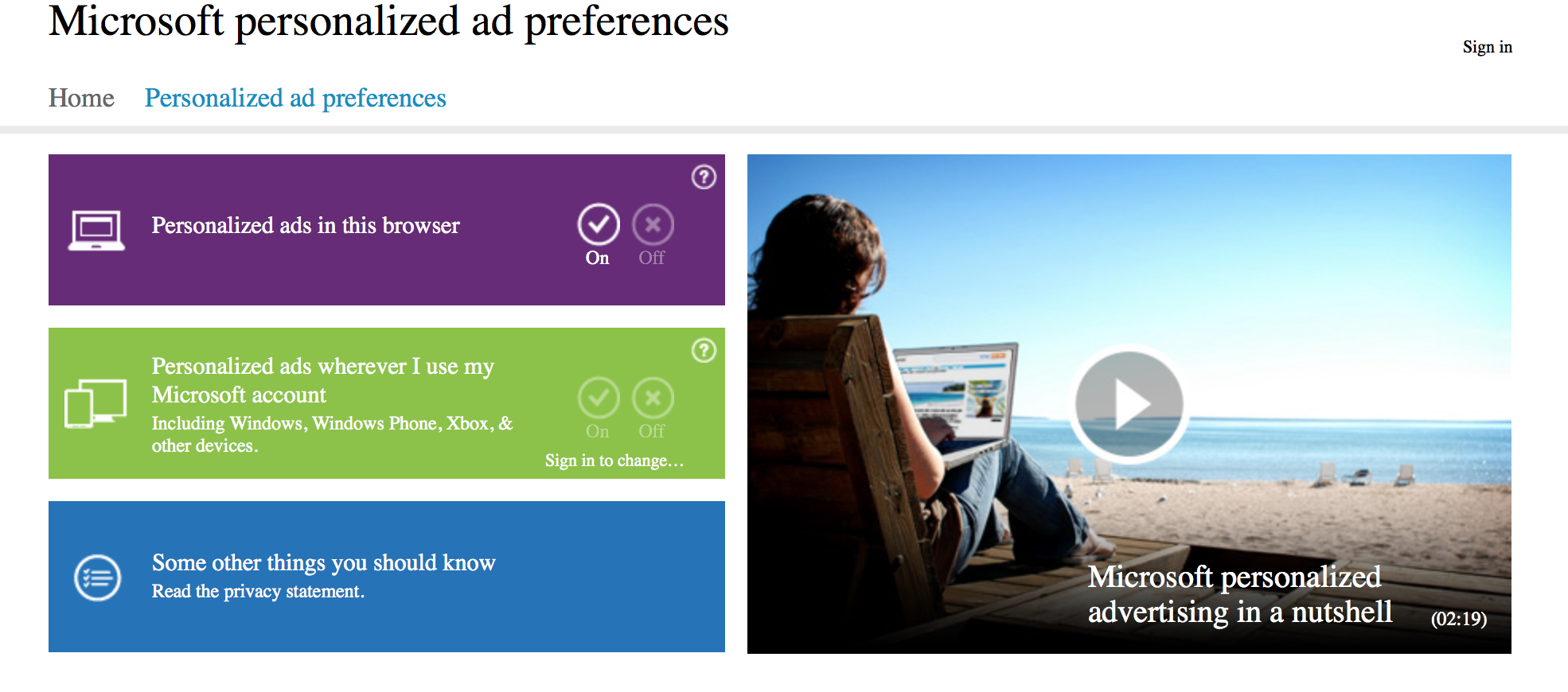
    We all know that advertisements generate revenue. So if Facebook and Google can track you to sell ads, so can Microsoft. Microsoft does it according to your interests and even gives you your own advertising ID to make it simple. However, you can choose not to be a part of interest-based ads by clicking here. Opting out of that though, doesn’t mean that data won’t be collected or the number of ads that pop up will reduce.

    4. Turn off the tracking:

    Follow these steps to prevent Microsoft from collecting random data and information –

    Start > Settings > Privacy > Feedback and Diagnostics > Click “never” to change the feedback frequency and Usage Data to “basic”

    Also, while in the Privacy menu, you can regulate any information from your location, camera, microphone etc. It can be controlled from that menu.

    5. Guard Your Browser History:

    Web Browser

    You can stop the sending of your browsing history by Edge by clicking on the top right corner of Edge, then settings > Advanced Settings > View Advanced Settings, under Privacy and Services, turn off “Have Cortana Assist Me in Microsoft Edge.” This is essential because Edge only sends your information to Microsoft so that Cortana can be further personalised. So all you got to do, is turn her off. And while you’re in the Privacy and Services menu, make sure you turn off “use page prediction to speed up browsing, improve reading, and make my overall experience better.”

    “If you received your Microsoft account from a third party, like an Internet service provider, that third party may have rights over your account, including the ability to access or delete your Microsoft account.” — Microsoft

    6. Don’t Get Tricked Into Creating a Microsoft Account:

    Try and keep all your information within your local computer only. Even if Microsoft urges you to create an account, don’t do it because once done, it pieces together all your metadata and connects it to you ID. This can be a tricky situation and one must be extremely careful while sharing this information. Its never a good idea to share accounts. In order to delete or manage your Microsoft account go to Settings > Accounts > Your Account.

    7. Cortana Can be Creepy:

    cortana

    Yes, at first it is fascinating to have an attractive voice talking back to you and calling you by your name. But, Cortana doesn’t know just your name. She has access to more information than you think she does and the whole situation sounds a little intrusive. So if you want to snap Cortana out of being too clingy, click here. There, you will be able to clear the Interests section as well as the Speech Inking and Typing information.

    Source: [tw-button size=”medium” background=”#07ABE2″ color=”” target=”_blank” link=”http://www.wired.com/2015/08/windows-10-security-settings-need-know”]Wired[/tw-button]

  • Leak : This is the New Flagship Phone from Microsoft

    Leak : This is the New Flagship Phone from Microsoft

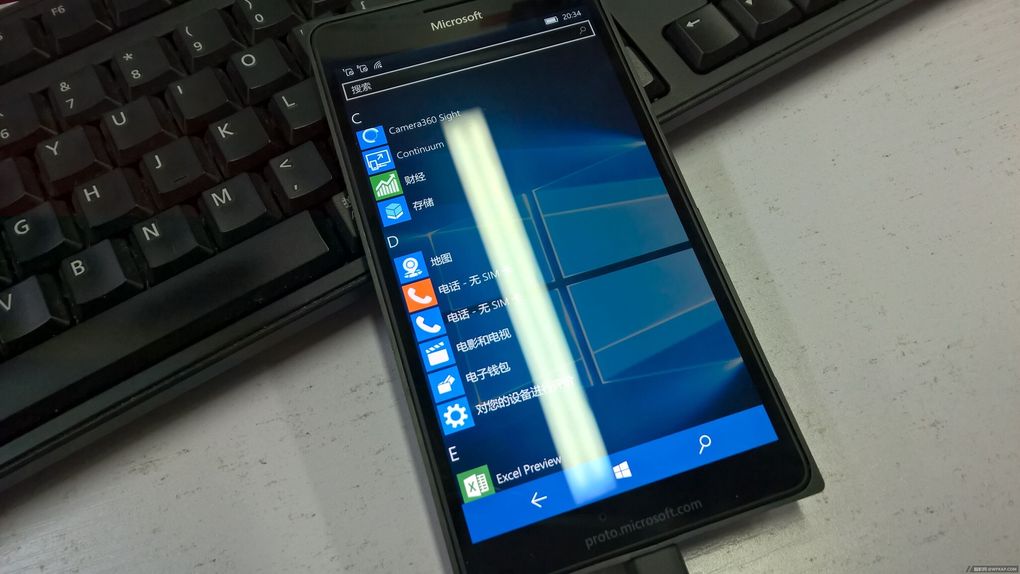
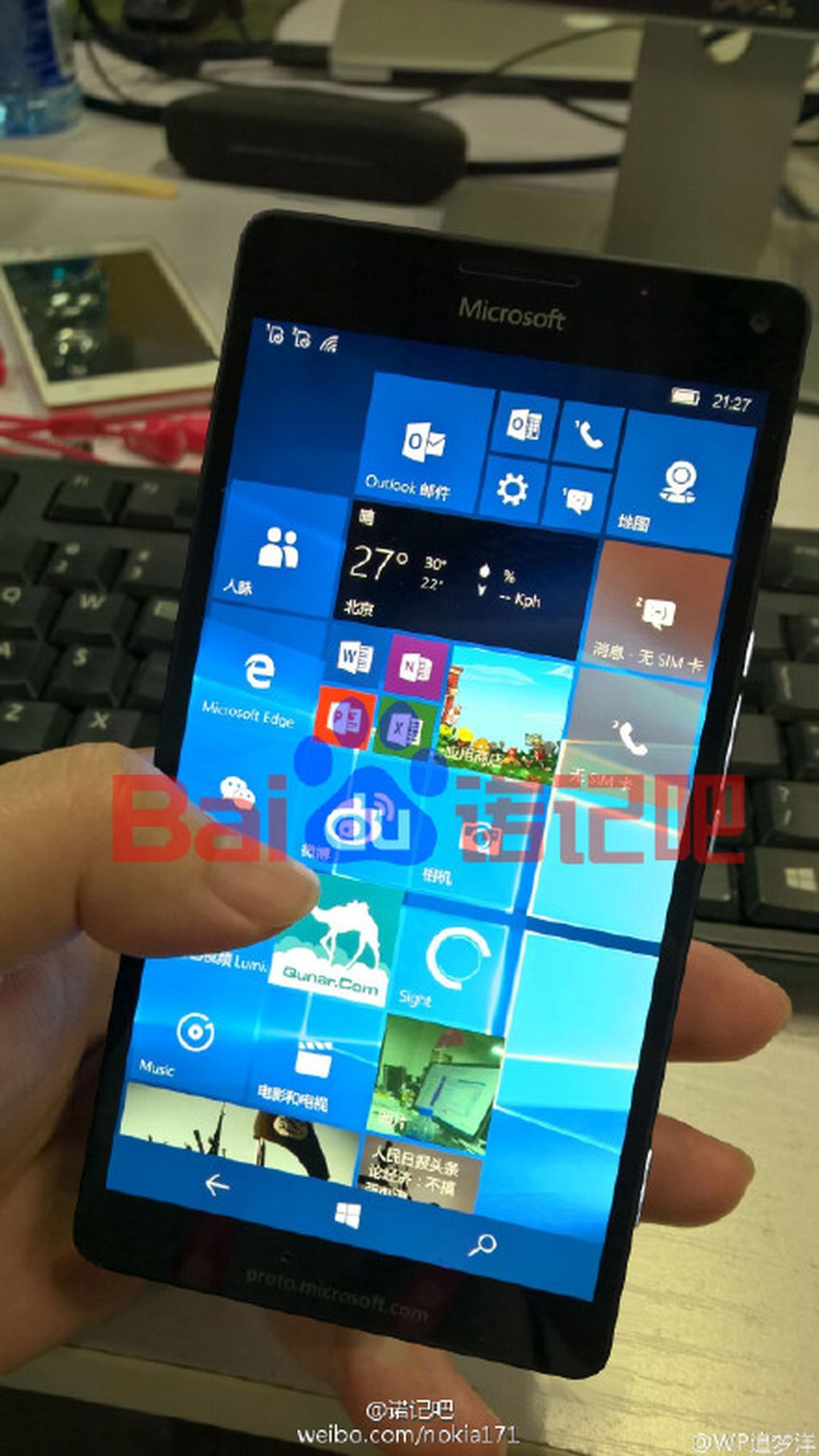
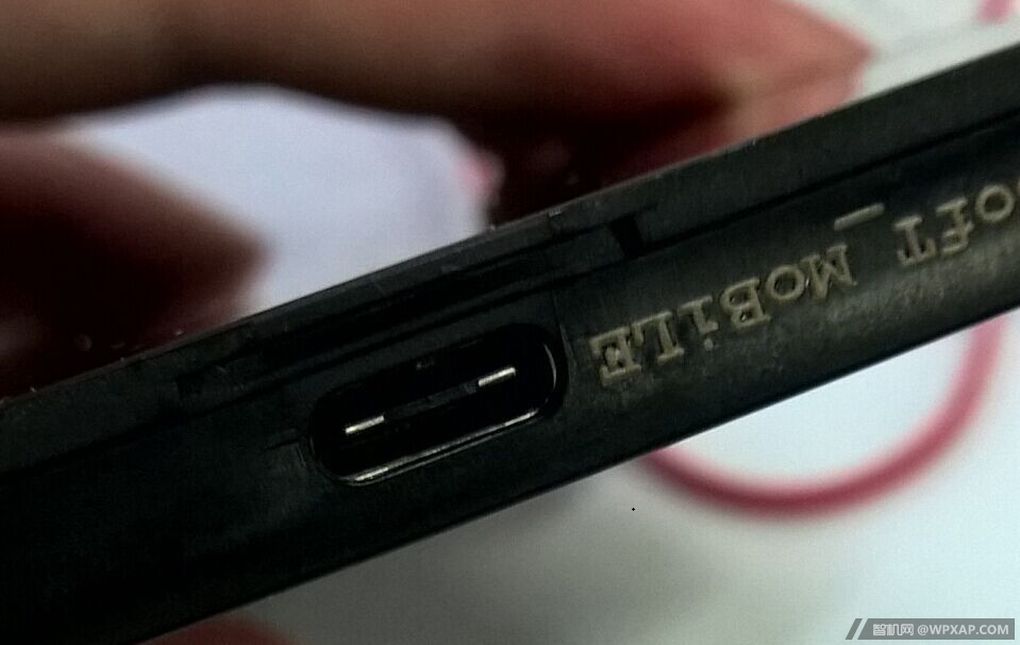
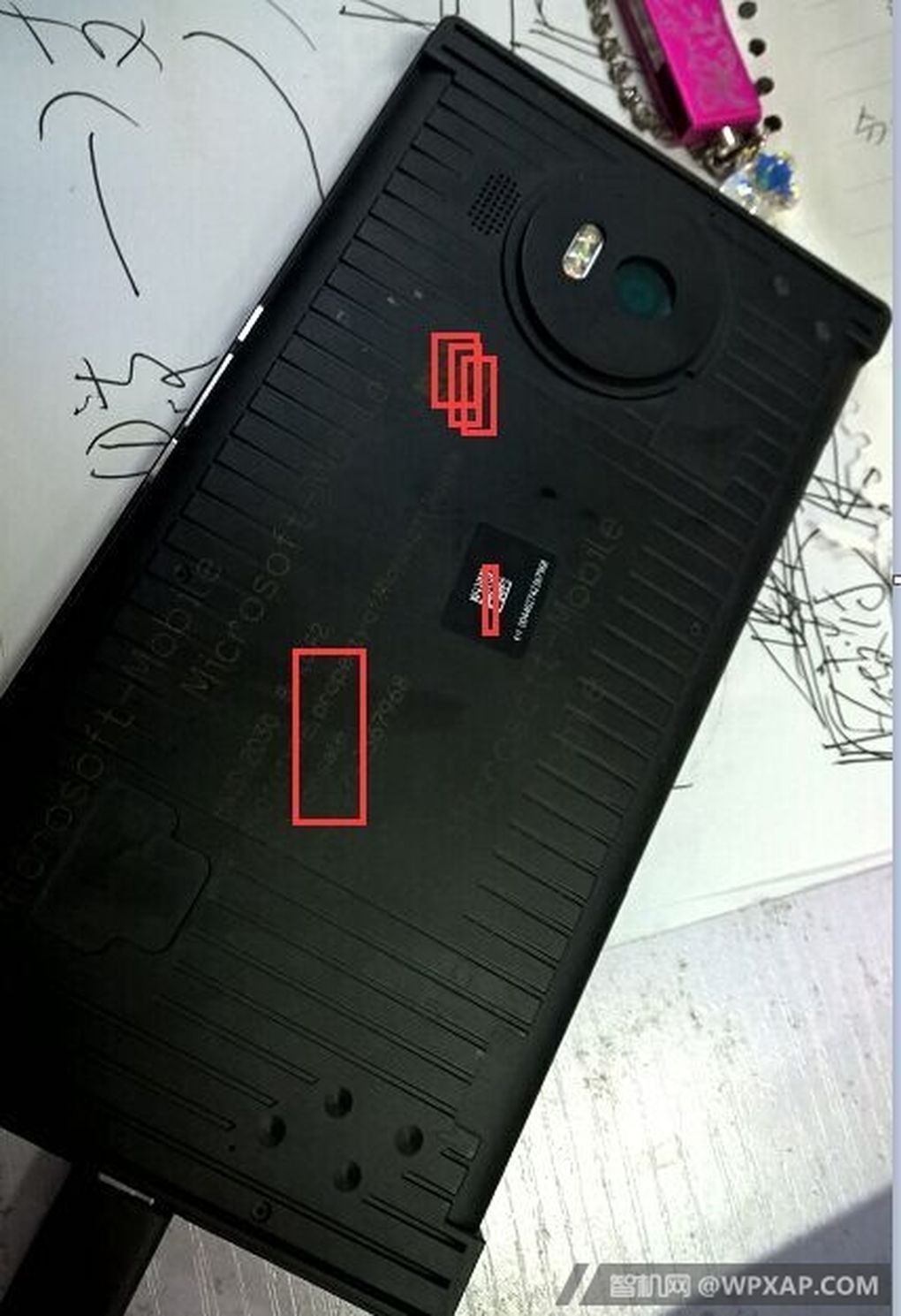
    There have been many rumours afloat, about Microsoft launching their new Lumia 950 and Lumia 950 XL. Along with these rumours we have had leaks about their specifications, and now, thanks to a Chinese website WPXAP, we have a prototype of what the new Microsoft phone could look like.

    Lumia 950 XL Leak 2

    The prototype seems encased in a black casing, so what we do know, is that the new Microsoft phone will come with a USB port Type C. It is reported that Microsoft is currently testing the handset in this casing in order to prevent anymore leaks.

    Lumia 950 XL leak 4

    Microsoft is expected to unveil the 5.2 inch Lumia 950 and the 5.7 inch Lumia 950 XL in late September or October. It is said that the Lumia 950 XL will include Microsoft’s Pen Technology, a new smart cover with a circular cut out. Both handsets are said to be high-end and will come with a 20MP PureView camera with a triple LED flash.

    Lumia 950 XL Leak

    Do you think the Windows phones would make a good comeback with these two devices? Let us know.

    Source: [tw-button size=”medium” background=”#07ABE2″ color=”” target=”_blank” link=”http://www.wpxap.com/thread-853886-1-1.html”]wpxap.com[/tw-button]

  • Microsoft Assures Users Will Be Able To Access WhatsApp on Edge Soon

    Microsoft Assures Users Will Be Able To Access WhatsApp on Edge Soon

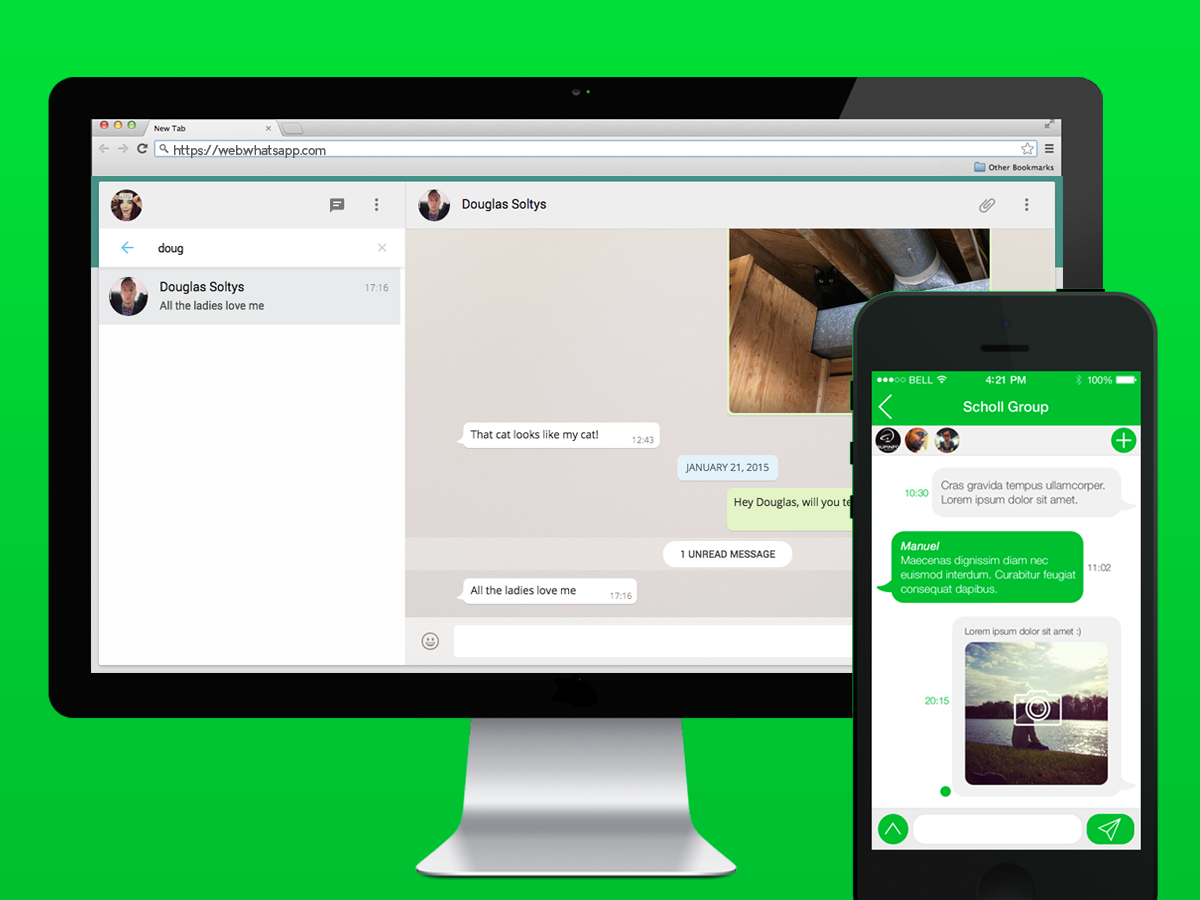
    Microsoft released Windows 10 on 29th July but, if you are an avid WhatsApp Web user, it is likely that you may not be able to use this feature on your brand new Edge browser. At least, not yet.

    If you have been using Internet Explorer, or Microsoft’s brand new browser called Edge in Windows 10, you’ve been out of luck – so far. Currently, WhatsApp Web is not cooperative with Microsoft’s Edge browser, though it can be accessed on Mozilla Firefox, Opera, Apple Safari and Google Chrome, which are all consistent on Windows.

    According to a Windows Central report, a Microsoft program manager revealed that the company is, in fact, striving to get WhatsApp Web support to Edge.

    Softpedia has quoted Microsoft’s Program Manager Greg Witworth (on Twitter), as stating that the Redmond-based company is working with the instant message service company to allow WhatsApp Web to support Edge users.

    The report says that WhatsApp Web for Edge may be made accessible as an OS update; however, there is no particular timeline given for the launch of the service.

    Moreover, Microsoft’s Internet Explorer (IE) does not support WhatsApp Web. Hence, those on Windows need to use other browsers to access WhatsApp on their desktops.

    Meanwhile, WhatsApp Web has been updated to feature aspects at par with the smartphone version of the popular messaging service. You will notice a new “edit” icon adjacent to “current status”, which allows you to make changes to your status and share it with friends. You can also hover over their current profile image, and an option is displayed that can be used for editing the image.

    With the roll out of Windows 10 happening on a global scale, Microsoft has announced the price of the operating system in India. Microsoft’s official online store has listed the Home version under Rs 7,999 and the Pro version for Rs 14,999. For those users who are using Windows XP and earlier versions, or are assembling new PCs or laptops need to purchase the software. And, for those who are operating original Windows 7 and Windows 8, you are eligible for the free upgrade.

    Windows 10 brings a new Edge browser, a new Windows Store, Office 2016 suite and completely redesigned Photos, Videos, Music, Maps, People, Mail and Calendar apps, among other upgrades.

iGyaan Network
Privacy Overview

This website uses cookies so that we can provide you with the best user experience possible. Cookie information is stored in your browser and performs functions such as recognising you when you return to our website and helping our team to understand which sections of the website you find most interesting and useful.