Category: iOS

  • Apple Might Introduce New NFC Features For iOS 12 At WWDC 2018

    Apple Might Introduce New NFC Features For iOS 12 At WWDC 2018

    The buzz around the 2018 iPhone lineup has not even reached its peak yet and we have already numerous leaks about it. However, before Apple hosts one of the biggest launch events of the year, it will play host to one of the biggest developer’s conferences in June. The World Wide Developer’s Conference will commence on June 4th and many software-based announcements are expected. We will learn more about iOS 12 as well and it appears that the new iOS version will have more NFC functionalities than before.

    [amazon_link asins=’B072LPF91D’ template=’ProductAd’ store=’igyaan-21′ marketplace=’IN’ link_id=’53058b71-6253-11e8-8773-95b303cdbdff’]

    A new report claims that Apple will introduce interesting features pertaining to NFC functionalities with iOS 12. Apple first introduced NFC in the iPhone 6 and 6 Plus back in 2014. So far, NFC has mainly been used for Apple Pay which is not available in India right now. With iOS 12, however, there will be a lot more, that an iPhone user will be able to do with NFC.

    The report by The Information claims that:

    The change to the near-field communication, or NFC, chip, which is expected to be announced next month, could pave the way for people to use iPhones for other security-sensitive interactions, from paying transit fares and opening car doors to verifying their identity in other ways.

    With new functionalities, iPhone users will be able to unlock NFC-enabled doors and even use it to transmit data to transit systems, personal authentication devices and more. How much of it will be usable in a country like India is yet to be seen.

    Apple employees are already using their iPhones to unlock doors at Apple Park, likely via custom badge readers detailed in Federal Communications Commission filings last year.

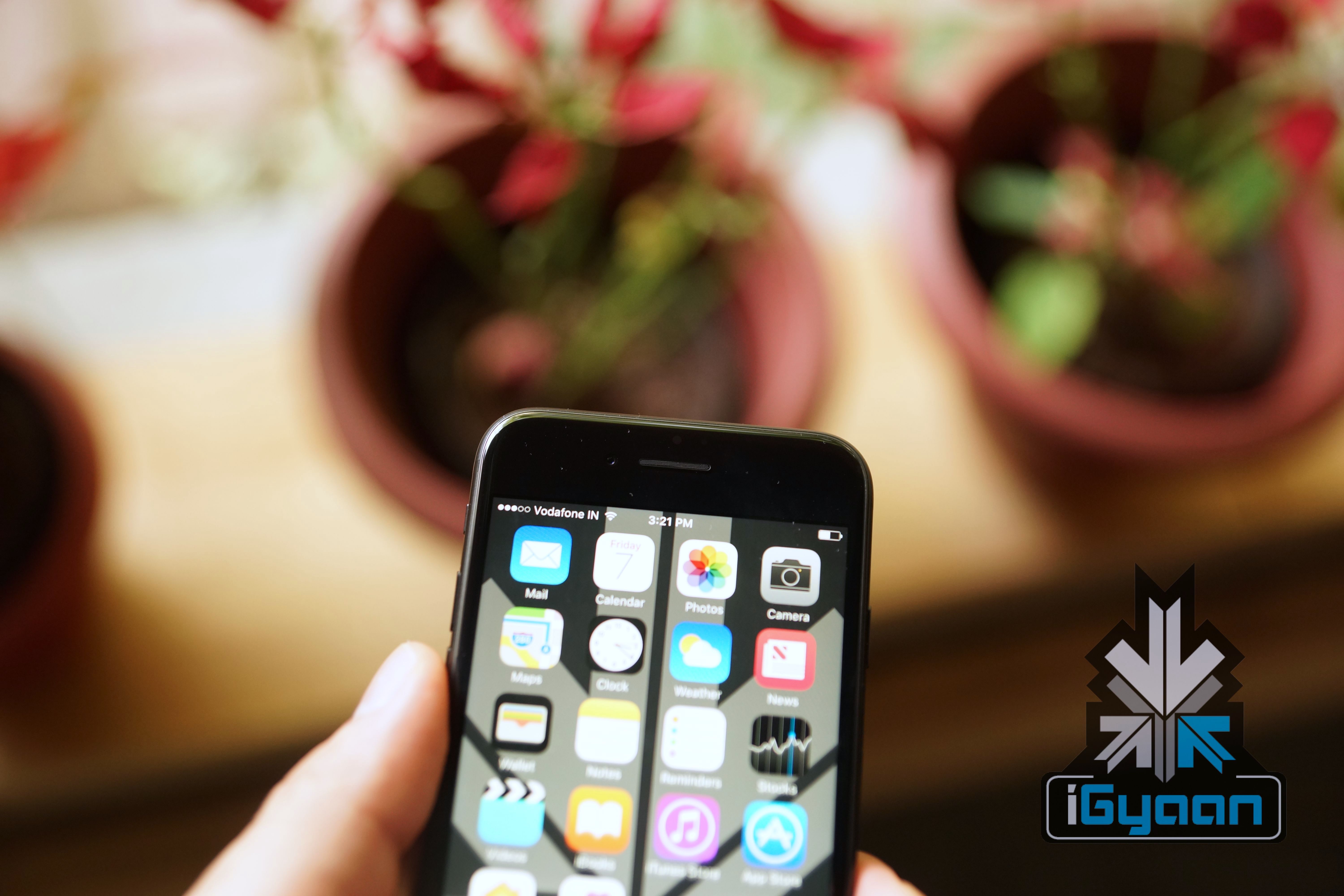
    Apple has iterated that iOS 12 will concentrate more on performance aspect than UI. This means that visually, iOS 12 might not look a lot different from iOS 11 but, there will be performance enhancements which iPhone users will be able to notice once they upgrade to the latest version of iOS. Apple was scrutinised recently for slowing down iPhones without making it clear to iPhone users as to why the company was doing so. With iOS 11.3, users can choose whether to let the battery degrade with time or prolong battery life by capping the CPU power.

    With iOS 12, there will be more changes in the back-end processes and less visual changes. Users with older iPhones would definitely appreciate that if it means that their iPhones will be smoother than before. It is rumoured that the iPhone 5s will also receive an update to iOS 12 which means an iPhone launched in 2013 will run on the latest version of iOS. More details to follow when WWDC 2018 kicks off on June 4th.
  • 76% iOS Devices Are On iOS 11 While Only 4.1% Android Devices Are On Android 8 Oreo

    76% iOS Devices Are On iOS 11 While Only 4.1% Android Devices Are On Android 8 Oreo

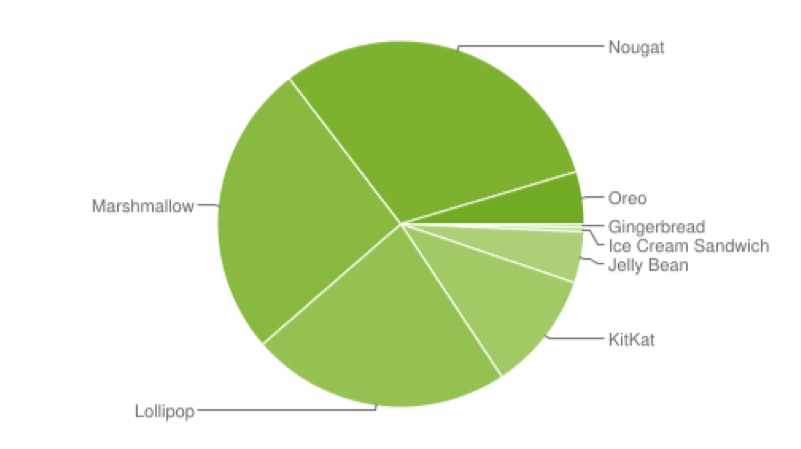
    The debate of Android vs iOS might never reach a conclusion. However, there is one area where Android has to always accept defeat, and that is OS adoption rate. Thanks to so many Android OEMs and their own custom skins, new versions of Android are very slow to reach to a majority of Android devices. iPhones on the other hand, are only made by Apple, which means the adoption rate of iOS is extremely high. And new data proves just that.

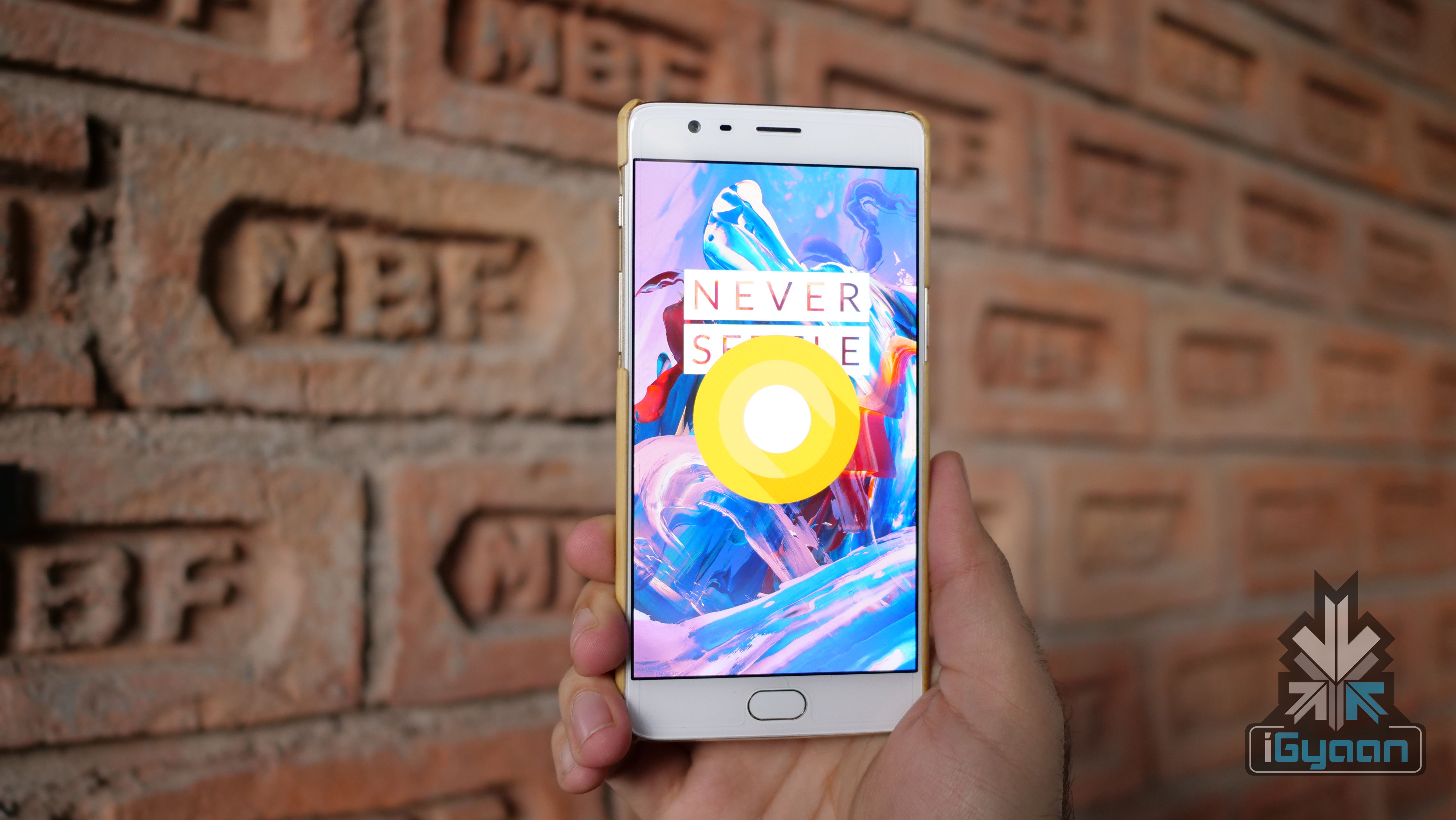
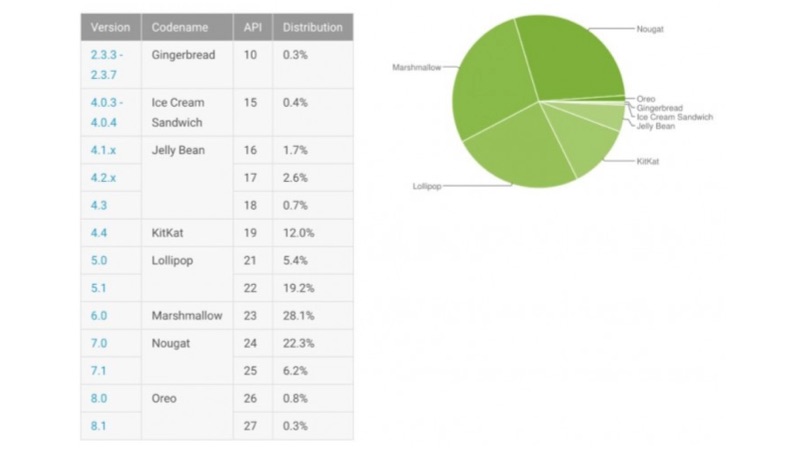
    As of April 16th, 2018, Android 8.1 Oreo, the latest version of Android is only available on 0.5% Android devices. Android 8.0 Oreo, which was launched in August 2017, is only available 4.1% of devices. Astonishingly, the most predominant Android version is Android 6 Marshmallow, with a 26% adoption rate. Android 7.0 Nougat is a close second at 23%.

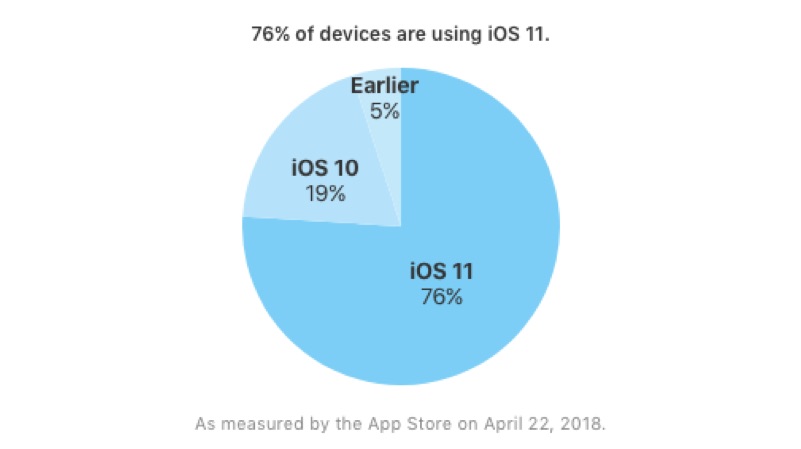
    While on the iOS side of things, as of April 22nd, 2018, iOS 11 is running on 75% of the iOS devices. It is worth noting that this also includes iPads as well since they also run iOS. Apple’s latest iOS version, iOS 11 had a rocky start to life with a lot of bugs pailing its initial phase. However, constant updates to fix various bugs has made iOS 11 a much better upgrade to iOS 10, as we noted in our iPhone X review.

    You may also like: Why Are New Android Phones Launching With Old Android OS?

    Project Treble is Google’s effort at reducing the time it takes for OEMs to receive the new OS and optimise it for its devices and then push out the update. A few months ago, Android received a new Vendor Interface, which is largely what Project Treble is about. The VI’s aim is to separate the “Vendor Implementation” (that is, “the device-specific, lower-level software written in large part by the silicon manufacturers”), from the Android OS framework.

    The new VI is supposed to sit between the Android OS framework and Vendor Implementation. And the new VI will be validated by a Vendor Test Suite (VTS), which is analogous to the Compatibility Test Suite (CTS) that Google has been using for API testing of apps. The VTS ensures forward-compatibility of the VI.

    Time will tell whether Google’s efforts will be of any fruition. Right now, however, iOS is way ahead of Android OS in the race of OS adoption.

  • Apple iPhone 5s Might Receive The iOS 12 Update

    Apple iPhone 5s Might Receive The iOS 12 Update

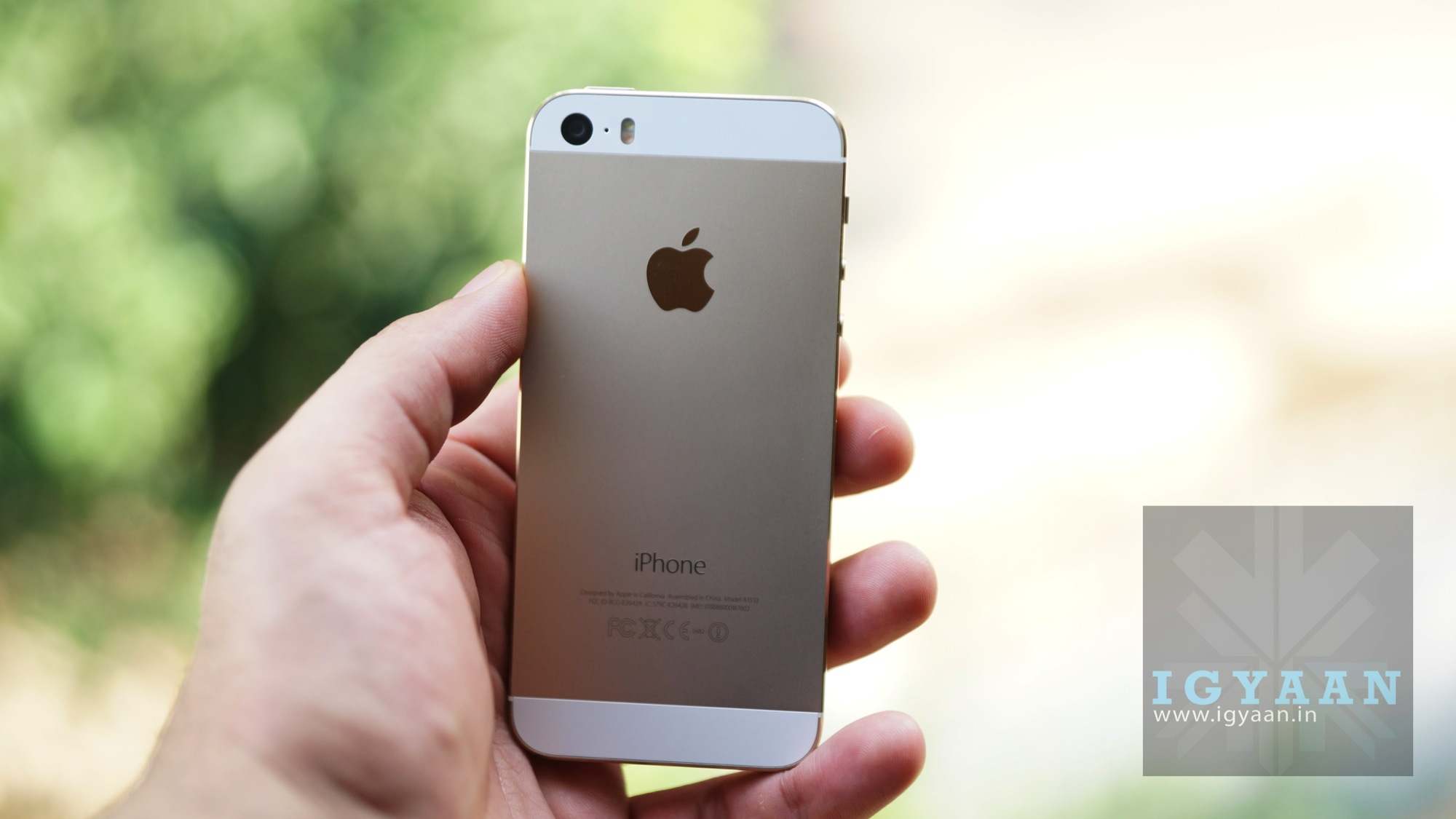
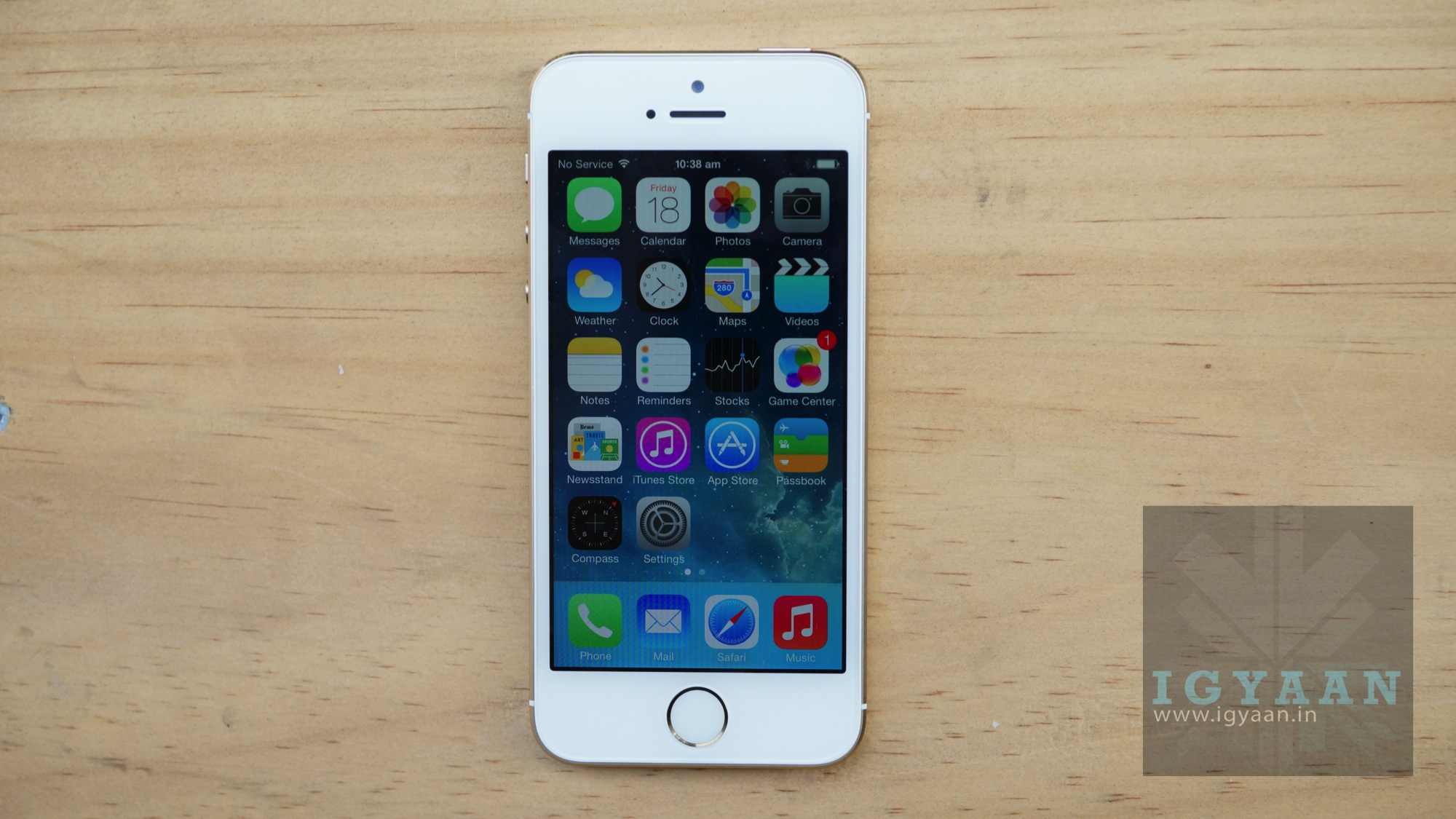
    Launched back in September 2013, the iPhone 5s was one of the many iPhones to receive an update to iOS 11. Since the iPhone 5 was left out of the lot, it appeared that iOS 11 would be the last major update for the 5s. However, that might not be completely true as Apple might be planning to update the 5s to iOS 12 this year.

    In a test on WebKit (an open source browser engine that’s used within Safari), iPhone 5s was shown running on iOS 12 software. While this does not guarantee an update for the iPhone 5s, it certainly means that Apple has fiddled around with the idea. If Apple does update the iPhone 5s to iOS 12, it will mean that a five-year-old iPhone would be running the official version of the latest iOS.

    An update to iOS 12 will hinge upon how the iPhone 5s’ hardware handles the new update. Our iPhone 5s became considerably laggy after the update to iOS 11 which means that another update might be asking too much from its A7 chipset. However, Apple has conceded that iOS 12 will focus on reliability and improved battery life on all devices, instead of adding new features to change the usability of iOS. This could mean that iOS 12 might not be as big an upgrade as iOS 11 was from iOS 10.

    Apple’s annual World Wide Developer’s Conference is scheduled to begin on June 4th, 2018 where we will learn more about iOS 12 and its new features. The official update will start seeding in mid-September after the launch of the 2018 iPhone lineup. We expect to learn about the fate of iPhone 5s and iOS 12 during the conference.

  • Apple Has Released The Biggest iOS Update Since iOS 11

    Apple Has Released The Biggest iOS Update Since iOS 11

    Soon after the launch of the iPhone X, Apple started rolling out the new iOS 11 update to all compatible iOS devices. Keeping up with its reputation for extensive software support for its older devices, the iPhone 5s received the iOS 11 update. For context, the iPhone 5s was launched in September 2013. However, everything wasn’t rosy for iOS 11 as it was marred with many bugs. Initially, it had the slowest adoption rate when compared to previous iOS versions.

    After multiple software updates, the iOS 11 experience has become much better but, still leaves a lot to be desired in some aspects. But, the new iOS 11 update is much more significant than the previous ones so far. As promised by Tim Cook, the new iOS 11 update has brought about a major change.

    Battery Health And CPU Throttling

    In late-December 2017, it was unearthed that Apple was deliberately slowing down older iPhones. The company came out and laid down the reasons for which it took those measures. Apple admitted that it capped the peak demands of the processors of older iPhones to battle battery degradation. This lead to a huge uproar and Apple faced multiple class action lawsuits as well.

    Tim Cook then conceded that an iOS 11 update would let users choose between battery health and unadulterated performance. With iOS 11.3, users can head to the battery settings to check the battery health of their iPhone and whether it has been slowed down via software or not.

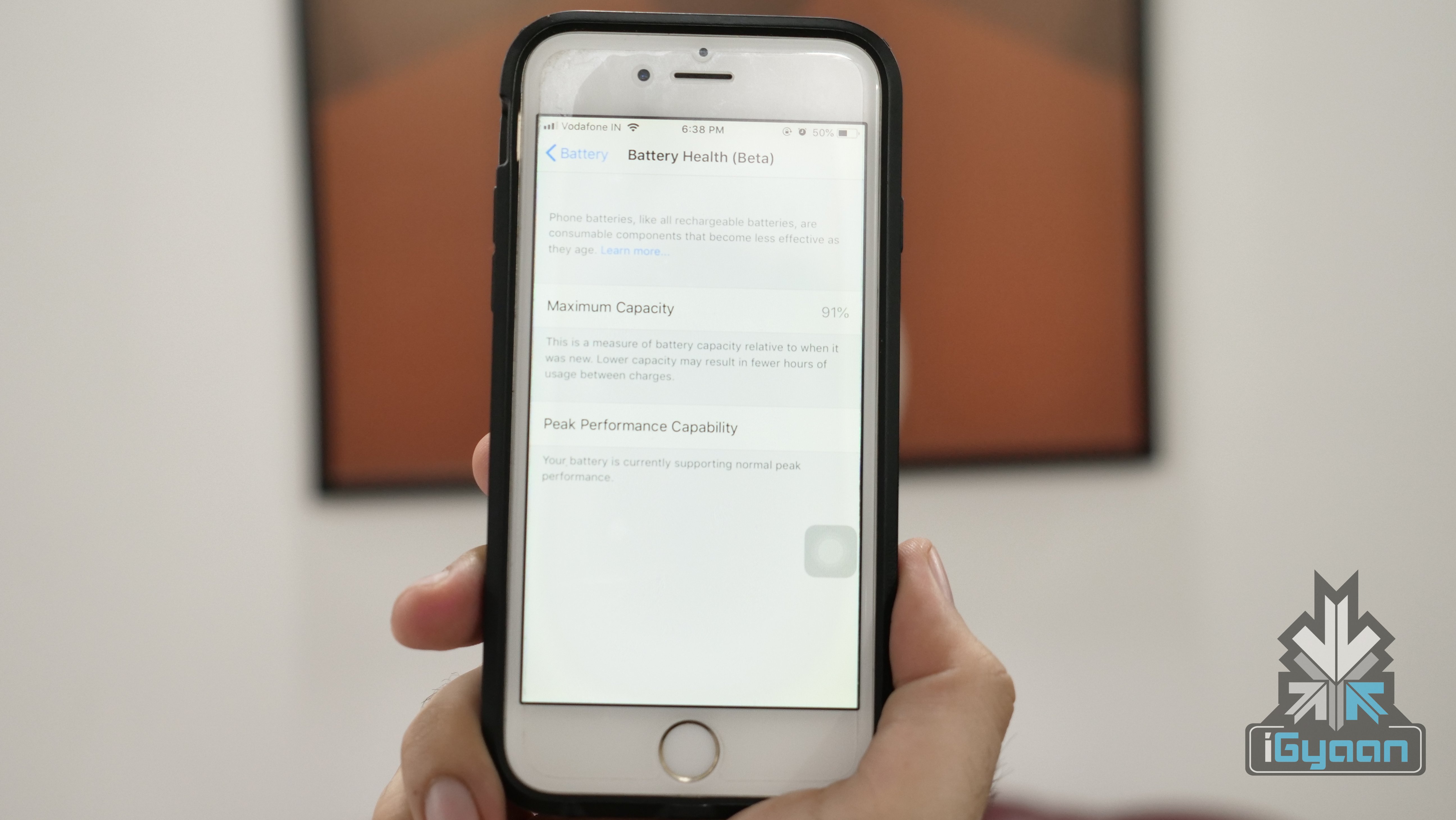
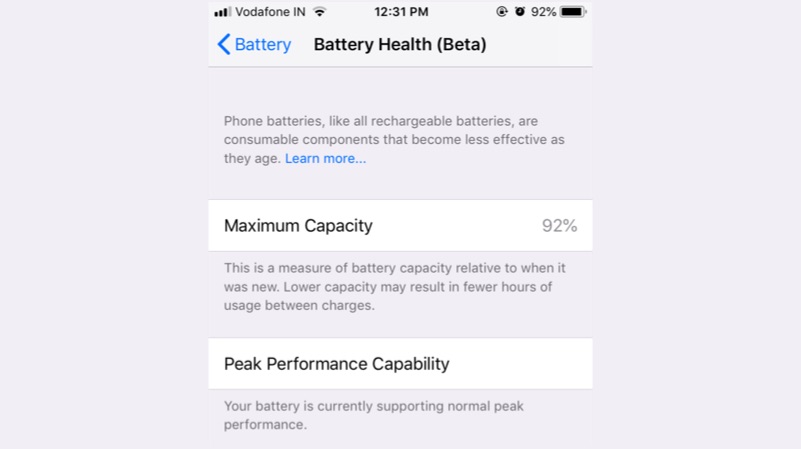
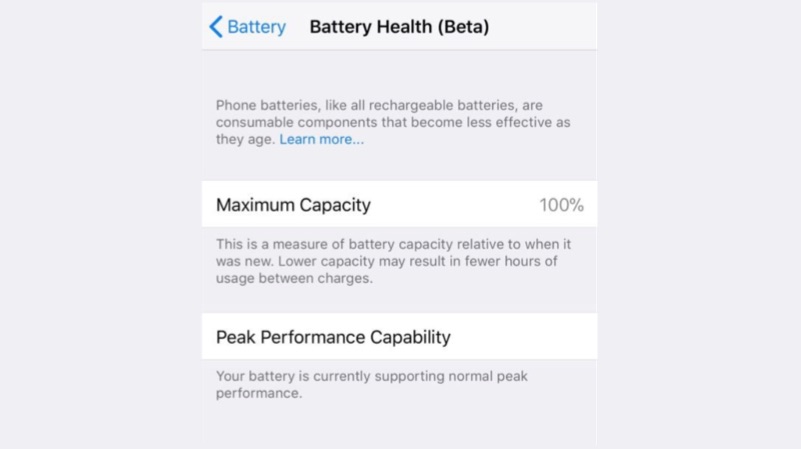
    This was a necessary step for Apple and now gives a lot of control to the user. Some users would choose battery health in order to avoid replacing the old battery. However, there is a majority of people who’d rather use their iPhone to its full potential. The new feature, right now, is in its Beta mode. Once you click on Battery Health (Beta), the window displays the iPhone battery’s maximum capacity. This is a measure of the battery capacity relative to when it was new.

    The lower section of the screen is labelled “Peak Performance Capacity,” and has two types of sub-headings. If your phone has never experienced an unexpected shutdown, it will say, “Your battery is currently supporting normal peak performance.” However, in the opposite case, the message will read:

    Your battery’s health is significantly degraded. An Apple Authorized Service Provider can replace the battery to restore full performance and capacity.

    How to check battery health: Settings>Battery>Battery Health (Beta)

    New Animojis

    It is hard to fathom that the most famous feature of a brilliant smartphone like the iPhone X is dancing animated characters. Apple showed off Animojis on stage during the launch of the iPhone X and the craze has fizzled away since. Companies like Samsung and Huawei have come up with their own rendition of Animojis but failed to impress.

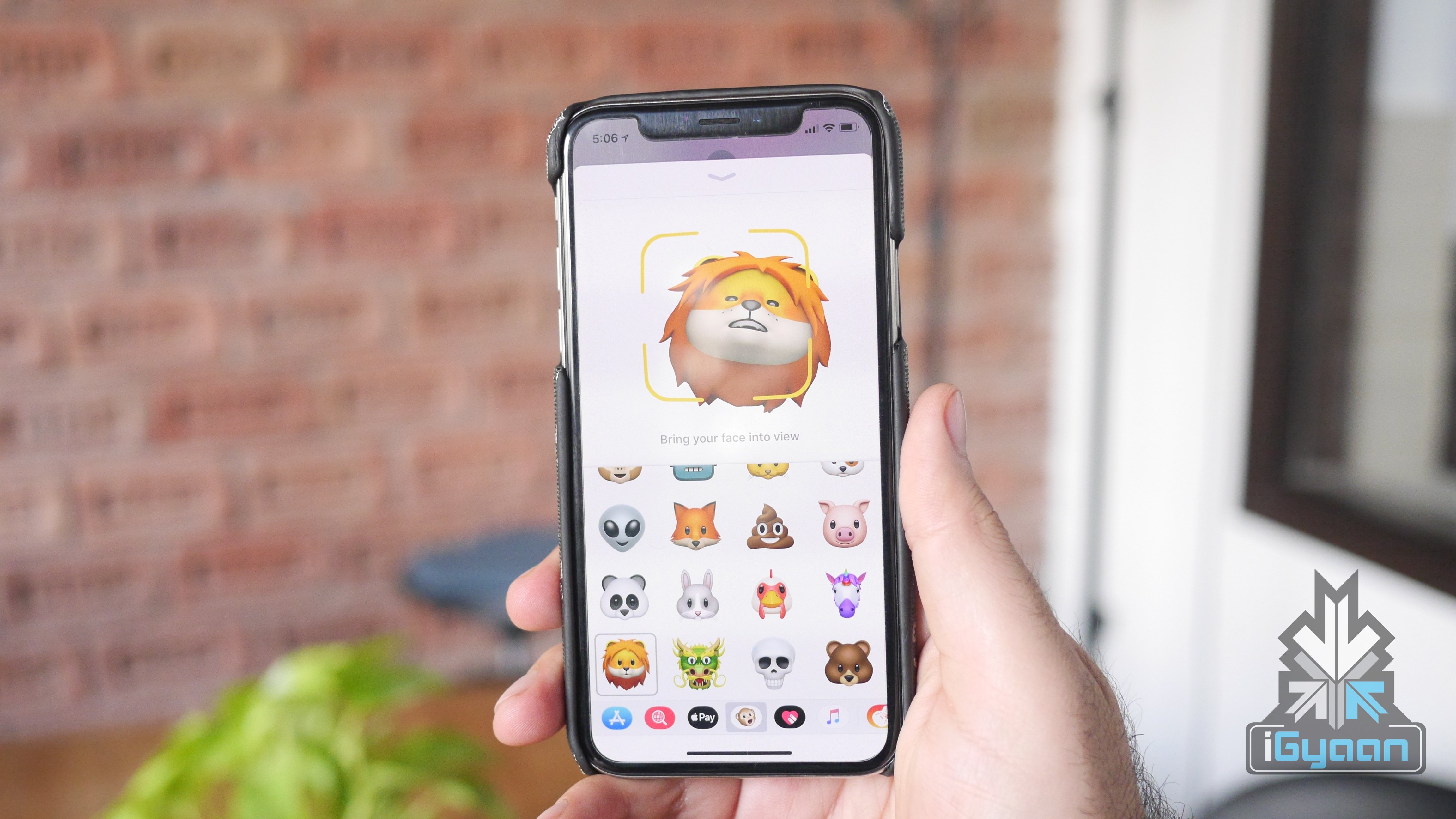
    With iOS 11.3, Apple has added more characters to Animojis. The update adds a skeleton, a lion, a dragon, and a bear, not to be confused with the existing panda bear Animoji. It is worth noting that these new Animojis don’t add any functionality to the existing system, they’re just new skins to play around with.

    ARKit 1.5

    At the World Wide Developer Conference 2017, Apple introduced ARKit. This is Apple’s AR application programming interface. Its main function is to handle the lower-level processing so that developers can focus on the experience of the app. Up until the new update, ARKit could only place objects on flat surfaces or horizontal planes. But, with ARKit 1.5, developers can place objects on surfaces like a wall or any other vertical plane. Also, accuracy is now increased while mapping objects on a vertical plane.

    Another interesting feature is image-recognition. For example, the ARKit can project a full-size robot if a poster for an associated robot movie is seen by the phone’s camera. These developments prove that Apple has a lot of focus on AR and will come out with even more functions in the future updates.

    This also means that we could see great developments in AR at the upcoming WWDC 2018.

  • iOS 11.3 Finally Lets You Choose Between Battery Health And Performance

    iOS 11.3 Finally Lets You Choose Between Battery Health And Performance

    In December 2017, a series of benchmark tests revealed that Apple was deliberately slowing down older iPhones. Apple then came out and cleared the air around what was the motive behind such a drastic decision. While many conspiracy theories believed that Apple did this to force people into buying new iPhones, the reality was something different. The new iOS 11.3 update now fixes this issue.

    However, Apple took full responsibility for its actions and promised to make amends. Tim Cook, CEO of Apple Inc. conceded that a future iOS update will let people choose between peak performance and battery health. And now, the new iOS 11.3 update lets users do exactly that. With iOS 11.3, users can head to the battery settings to check the battery health of their iPhone and whether it has been slowed down via software or not.

    This was a necessary step for Apple and now gives a lot of control to the user. Some users would choose battery health in order to avoid replacing the old battery. However, there is a majority of people who’d rather use their iPhone to its full potential. The new feature, right now, is in its Beta mode.

    How to check battery health: Settings>Battery>Battery Health (Beta)


  • Google Assistant Now Available For Apple iPads

    Google Assistant Now Available For Apple iPads

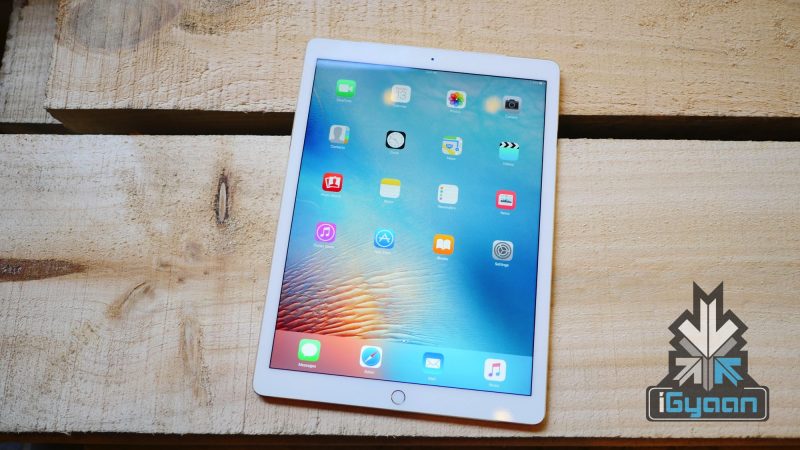
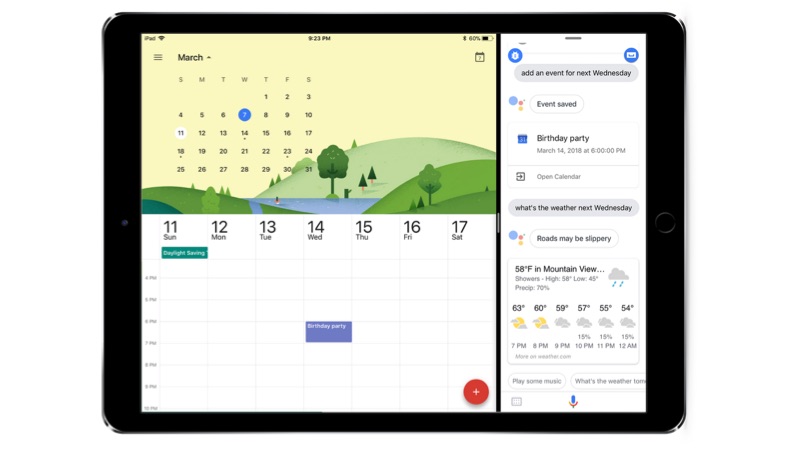
    Google Assistant is one of the best AI assistants right now. It competes closely with Amazon Alexa but, has a much better integration with the mobile OS. Also, Android is the most used OS in the world which means Google Assistant is available on more devices. But, Google Assistant has not limited itself to just Android devices. Google made the Assistant available for iPhones in 2017 and has now rolled out the support for iPad as well. However, unlike an Android device, the Google Assistance has some limitations due to API restrictions.

    The Google Assistant on Apple iPads can perform tasks like setting a reminder, turning on the light etc. In fact, it can also be used to make a video call or sending a text message.

    The Assistant can also be used with another app using iOS multitasking capabilities. However, as this is an Apple device, Google Assistant cannot be revoked by long pressing the home similar to Siri. The Google Assistant will be available in English, French, German, Italian, Japanese, Portuguese (Brazil) and Spanish.

    Google Assistant

    One has to download the app from Apple app store

    Here are the some of the basic commands that can be used with Google Assistant
    • Set the mood by having the Assistant “dim the lights”
    • Cast to your TV by asking the Assistant to “watch the latest news on the living room TV”
    • Stay in touch by asking the Assistant to “video call mom” or “text Lauren”
    • Keep up with your chores by asking the Assistant to “remind me to take out the recycling at 8 PM”
    Minimum hardware and software required
    • iOS 10 or latest operating system
    • 155.6 MB of Data
    • 300 MB of Storage
  • One Telugu Letter Can Crash Your iPhone Or iPad

    One Telugu Letter Can Crash Your iPhone Or iPad

    A Telugu character is all over the internet, causing massive app-crash on iOS devices. Some users have reported, whenever they receive a message with the specific Telugu character, the app crashes and becomes unresponsive. The bug is affecting the iPhones and iPads running on iOS 11.2. However, if the iPhone/iPad runs on iOS 11.3, then your device will not be affected. So, if a user receives a text with the Telugu character on WhatsApp, iMessage, or Gmail the app goes unresponsive.

    Apple has officially responded, stating that the company is working on a software update to fix the issue. So, we might expect an interim iOS update, which should patch the bug.

    Apple has responded to iMore stating:

    The bug has been patched on the beta version of iOS 11.3. Users will receive a software update very soon that patches the bug.

    How to fix this on an affected iPhone or iPad:
    • If the third-party app like WhatsApp or Gmail are affected, then uninstall and re-install the app (delete the complete thread after re-installing)
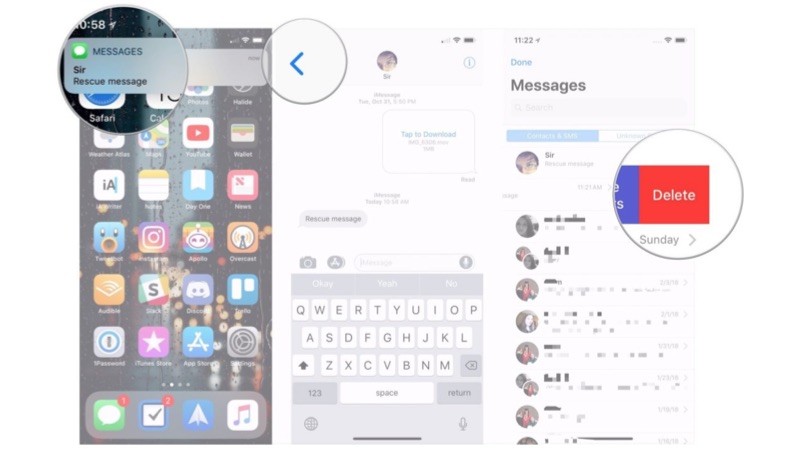
    • If the iMessage app is affected, then tell your other friend to send a text and open the text message from notification shade, go back to the main page and delete the complete thread.


  • Apple Intern Leaked iPhone Source Code

    Apple Intern Leaked iPhone Source Code

    A few days ago, a part of the iOS source code was posted online. It has now been revealed that apparently, it was an ex-Apple intern that leaked the source code.

    According to a report, the intern stole the code to help out his group of friends in the iOS jailbreaking community. He did that in order to help them with their ongoing efforts to find a way around Apple’s locked down iOS. According to one of his friend, he took “all sorts of Apple internal tools and whatnot.” This included additional source code that was not included in the initial leak.

    Apple
    The source code was taken down

    The report claims that the initial plan was to make sure the source code never left the group of five friends. However, that did not hold up for too long as the code spread beyond the original group sometime last year. Eventually, the source code made its way to Reddit but, apparently, the post was initially deleted by a moderation bot automatically.

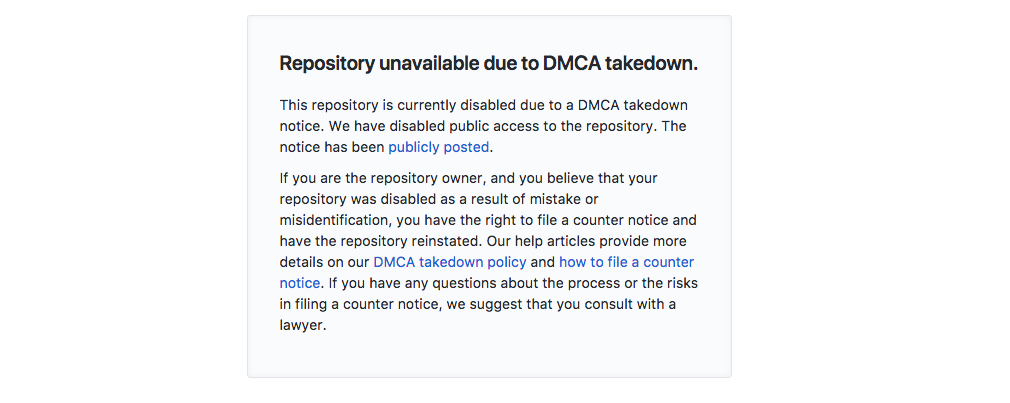
    That is not where the circulation of the source code and eventually made its way to GitHub this week. Since then, Apple has ordered GitHub to remove the code. According to a source at Apple, the company already knew about the leak. This does make sense since the source code was generously circulated in the jailbreaking community. Someone from Apple was bound to come across this source code just roaming about on the internet.

    The leak of the source code was considered to be a security concern in the beginning. The leak could allow hackers to discover iOS vulnerabilities more easily and make creating iPhone jailbreaks simpler. At the time, Apple’s lawyers described the leak as a “reproduction of Apple’s ‘iBoot’ source code, which is responsible for ensuring trusted boot operation of Apple’s iOS software.”

    Since then, Apple has seem unfazed about the potential security issues. Apple claims that the code is already three years old and that the security of its products doesn’t depend on the secrecy of their source code.

  • Apple Releases CPU Throttling Fix In iOS 11.3 Beta 2

    Apple Releases CPU Throttling Fix In iOS 11.3 Beta 2

    Back in December 2017, Apple invoked a collective ‘gasp’ around the world. Following many conspiracy theories around why older iPhones get slower, Apple came out to clear the air. It accepted that it does indeed make older iPhones slower. However, the reasons the company gave were nowhere the near the conclusions that came out of some mindboggling theories.

    Apple said that with time, iPhone batteries become weak, hence, it slows down the CPU speed in order to elongate the battery life. After the backlash, Tim Cook conceded that Apple would soon release a feature wherein users would have the option of choosing. A user can choose whether to slow down their iPhone or let it run normally and risk shutdowns.

    In the latest Beta build of iOS 11.3, Apple has released the feature. The new feature is contained within a new “Battery Health” menu. The page has two fields: Maximum Capacity, which shows what percentage of the original charge the battery can still hold; and Peak Performance Capacity, which tells users if their phone’s performance is being throttled due to the battery.

    As of now, there aren’t any options to change anything on the menu. For context, Maximum Capacity should be at 100% for new phones, and it should fall down to around 80% after about two years of normal usage. As the battery health decreases, the option will read differently.

    For example, the Peak Performance Capability will read differently once the battery has aged:

    [blockquote right=”pull-right”]This iPhone has experienced an unexpected shutdown because the battery was unable to deliver the necessary peak power. Performance management has been applied to help prevent this from happening again.[/blockquote]

    Ever since Apple accepted to slowing down older iPhones, consumers and national governments have reacted. Apple has been sued by multiple consumers. One such lawsuit was filed by Stefan Bogdanovich and Dakota Speas, the suit claims that Apple’s deliberate effort to throttle CPU performance on the iPhone amounts to “breach of contract.” It also notes that Apple’s behaviour lowers the resale value of existing iPhones and underhandedly coerces iPhone owners to upgrade to newer models.

    The feature to disable CPU throttling is expected to make its way to iOS 11.3 stable build soon.

  • Only 1% Android Smartphones Are Running Android 8 Oreo

    Only 1% Android Smartphones Are Running Android 8 Oreo

    Back in August 2017, Google officially launched Android 8.0 Oreo. In September, iOS 11 started seeding to compatible iPhones. According to a recent market share data, it was revealed that Android 8 Oreo is present in about 1% of Android devices. In late-January, it was revealed that iOS 11 is present in about 65% iPhones. This margin is enormous and Android OEMs need to address it.

    Android and iOS are the two most popular mobile operating systems in the world. WindowsPhone OS came to the fore but, slowly faded into oblivion. Top smartphone makers like Samsung, LG, Huawei, Xiaomi, OnePlus use Android OS to power their devices. Although it seems unfair to compare the adoption rate of Android and iOS since Android’s market is very fragmented.

    According to the latest data, Android 7 Nougat is the most popular version of Android right now. Nougat is now at 28.5% of the pie, while Marshmallow dropped to 28.1%, from 28.6%. Android 8 Oreo has now reached 1% of smartphones while Android 5 Lollipop is present in 24.6% smartphones.

    You may also like: Why Are New Android Phones Launching With Old Android OS?

    On the contrary, the App Store Distribution page says that 65% of active devices are running iOS 11, followed by 28% running iOS 10, and 7% running earlier versions. This will further change as Apple prepares to roll out an iOS 11 version that will let users switch off CPU throttling.

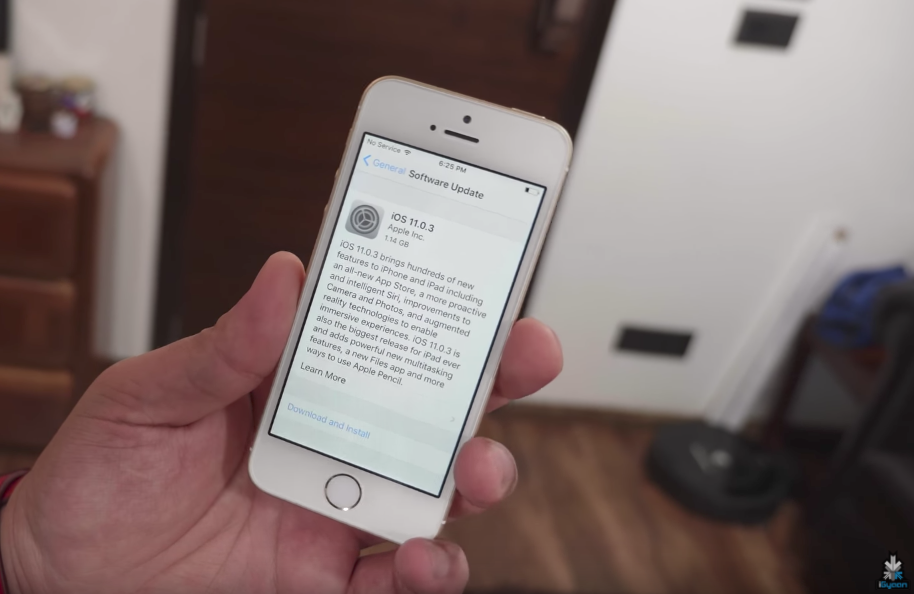
    Apple iPhone SE Running iOS 11

    It is okay for old smartphones to run on older Android versions but, even in 2018, there are smartphones being launched running Android 7 Nougat. Google’s Android One resurgence shows that the company wants more people to adopt to the latest OS and not wait for other OEMs to make a skin based on the latest Android OS and then push it out to consumers. Whether the Android One project will be a success is yet to be seen and how the adoption rate will change for Android 8.0 Oreo.

    [poll id=49]

  • Tim Cook Says Next iOS Update Will Allow Users To Disable Intentional iPhone Slowdowns

    Tim Cook Says Next iOS Update Will Allow Users To Disable Intentional iPhone Slowdowns

    Apple recently admitted to slowing down iPhones intentionally in order to prolong the battery life of older iPhones. While Apple sees no harm in this, there is a section of iPhone consumers who are against the step and would like the control on their devices back. Apple CEO Tim Cook has shared that the next update to iOS 11 will allow users to disable battery performance throttling on their device.

    In an interview, Tim Cook said the update will seed next month in a developer release before a wider public rollout:

    We’re going to give people the visibility of the health of their battery so it’s very, very transparent. This hasn’t been done before.

    He also says that the update will more clearly inform users when their iPhone is automatically reducing its performance in an effort to prevent unexpected shutdowns. To that, Cook says, “If you don’t want it, you can turn it off.” Although, he has conceded that this is not recommended and Apple stands by its decision to throttle the CPU performance.

    Ever since the news broke out, Apple has taken steps to curb the backlash. Apple conceded that it would cut the price of an out-of-warranty battery replacement from US $79 (Rs. 5000 approx.) to US$29 (Rs. 1850 approx.) for an iPhone 6 or later.

    For years, iPhone users claimed to notice a discernible system slowdown with some iOS updates. However, the issue came in the spotlight thanks to a widely circulated Reddit thread.

    Following that, Geekbench founder John Poole did some performance testing on various iPhones running different versions of iOS. Poole found that Apple does, in fact, limit performance on older iPhone models with lower-capacity batteries in the interest of battery life and preventing unexpected shutdowns.

    iPhone 6s

    As Cook suggests, Apple is adamant that this feature is for the betterment of old iPhones. In its apology letter, the company stated:

    This feature’s only intent is to prevent unexpected shutdowns so that the iPhone can still be used. Only if these variables require it, iOS will dynamically manage the maximum performance of some system components, such as the CPU and GPU in order to prevent unexpected shutdowns.

    Apple currently faces multiple class action lawsuits after admitting to intentionally slowing down iPhones. One such lawsuit is filed by Stefan Bogdanovich and Dakota Speas and claims that Apple’s deliberate effort to throttle CPU performance on the iPhone amounts to “breach of contract.” It also notes that Apple’s behaviour lowers the resale value of existing iPhones and underhandedly coerces iPhone owners to upgrade to newer models.

    The next iOS 11 developer beta is expected in early February, which means a public release will follow sometime in March.

  • Apple Releases iOS 11.2 which Brings Fast Wireless Charging To iPhone 8 / 8 Plus And iPhone X

    Apple Releases iOS 11.2 which Brings Fast Wireless Charging To iPhone 8 / 8 Plus And iPhone X

    Apple has released iOS 11.2 for all iOS 11 compatible devices. The update seems a bit unusual since Apple usually releases new iOS updates on Tuesday.

    The update seemingly fixes an iOS 11.1.2 bug that was causing iPhones to crash because of third-party apps that use recurring notifications for things like reminders. An update from Apple, for a bug that was reported just a few hours ago, is an extremely fast reaction to the problem.

    Other features that iOS 11.2 brings are fast wireless charging for the iPhone 8, iPhone 8 Plus and the iPhone X. The update introduces 7.5-watt speeds through Qi-based charging pads, so devices top up battery quicker than before.

    Another big introduction in the latest version of iOS 11 is Apple Pay Cash in the US. This is Apple’s peer-to-peer transaction service. Apple Pay Cash is available inside the Messages app, and allows iPhone users to send money through iMessage. Cash is then deposited on an Apple Pay Cash card inside the Wallet app on iOS 11.2, and can be used to purchase goods through Apple Pay or the money can be transferred to a bank account.

    Other little updates include a pop-up that explain that the Control Centre Wi-Fi and Bluetooth toggles have changed. There are also new live wallpapers for the iPhone X.

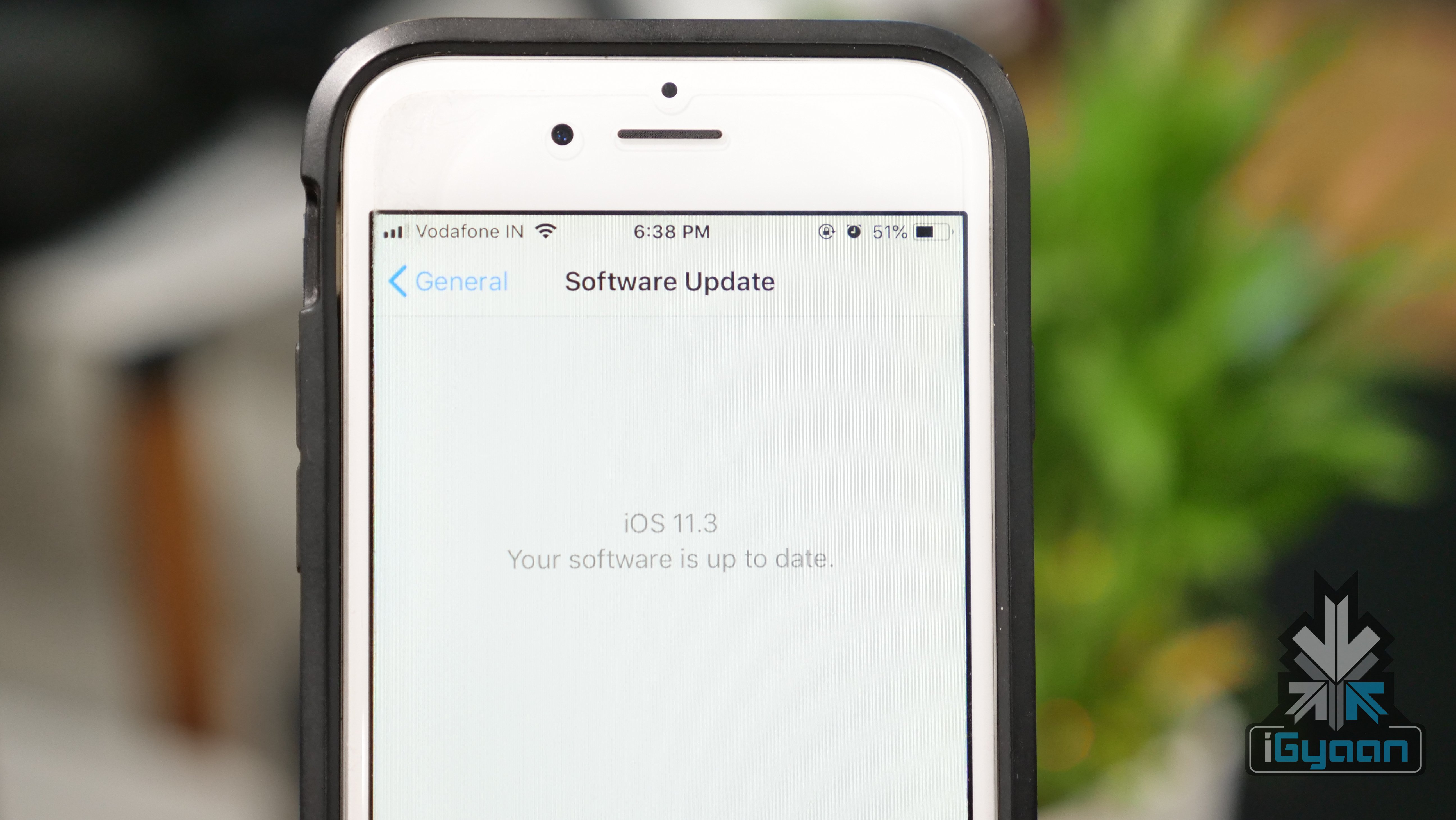
    You can download the update by going to Settings < General < Software Update.

  • 52% iOS Devices Now Run iOS 11 While Only 0.2% Devices Run Android 8.0 Oreo

    52% iOS Devices Now Run iOS 11 While Only 0.2% Devices Run Android 8.0 Oreo

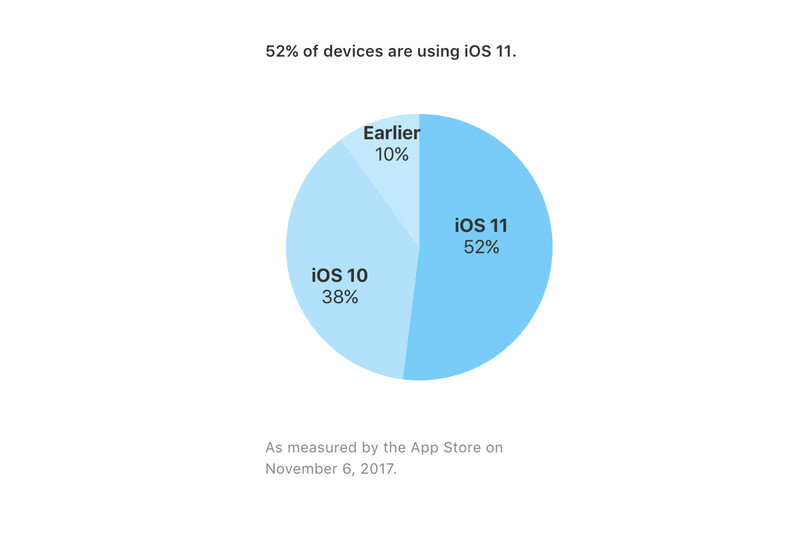
    The latest version of Apple’s operating system for iPhones and iPads, iOS 11, has now been adopted by 52% users. The information was updated on Apple’s App Store support page for developers. The iOS 11 was released for all users on the 19th of September and has had its fair share of hiccups so far.

    The adoption rate of iOS 11 at 52% is less than what it was for previous versions. Last year, Tim Cook, at the “Hello Again” Mac event on October 27th, 2016 announced that iOS 10 had reached 60% of devices, while iOS 9 had been adopted by 67% of devices by November 16th, 2015. This adoption rate is significantly higher than Google new OS version, Android 8.0 Oreo. Google’s developer portal estimates that about 0.2% of devices are running Android 8.0 Oreo as of 2nd of October.

    iOS 11’s slow rate of popularity or acceptance can be due to the issues found in the new OS. There have been several bugs that have hampered the growth of iOS 11 and a lot of people have refrained from updating their devices to iOS 11. Users have complained that ever since they updated to iOS 11, they have had issues battery draining, UI jitteriness, and random force restart.

    In a new bug reported, some users can’t type the letter “I.” Reddit user TheCravin documented the bug and said that Apple’s predictive keyboard feature suggests a random character like “A,” “#,” or “!” followed by the unicode symbol, and then automatically replaces the “I” unless the user takes corrective action.

  • I Spent A Day With The iPhone X And I Am Done With The Home Button

    I Spent A Day With The iPhone X And I Am Done With The Home Button

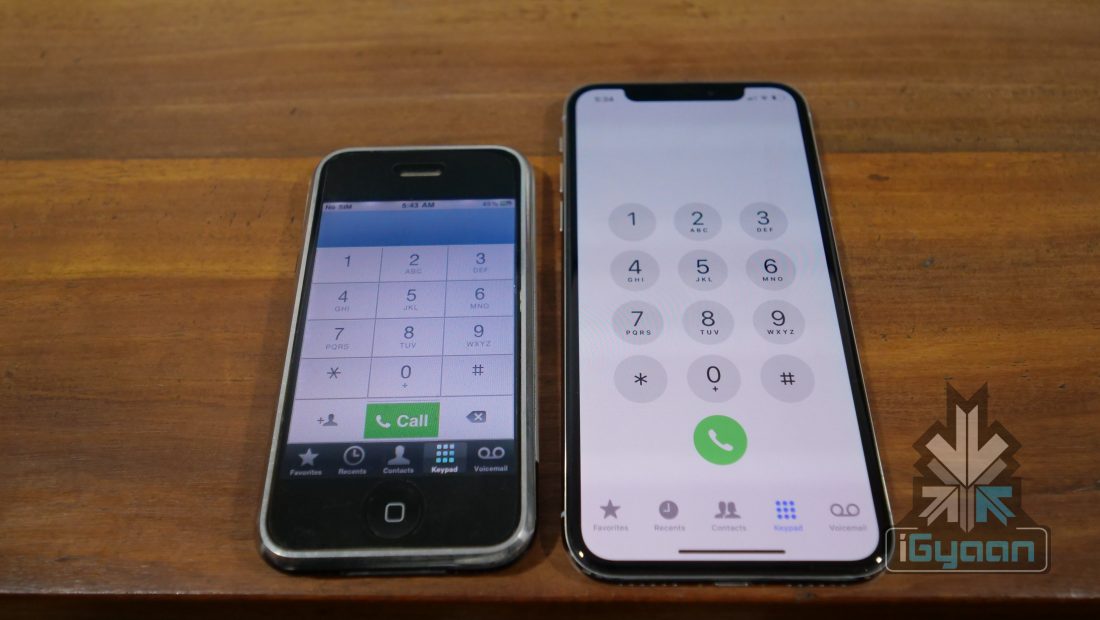
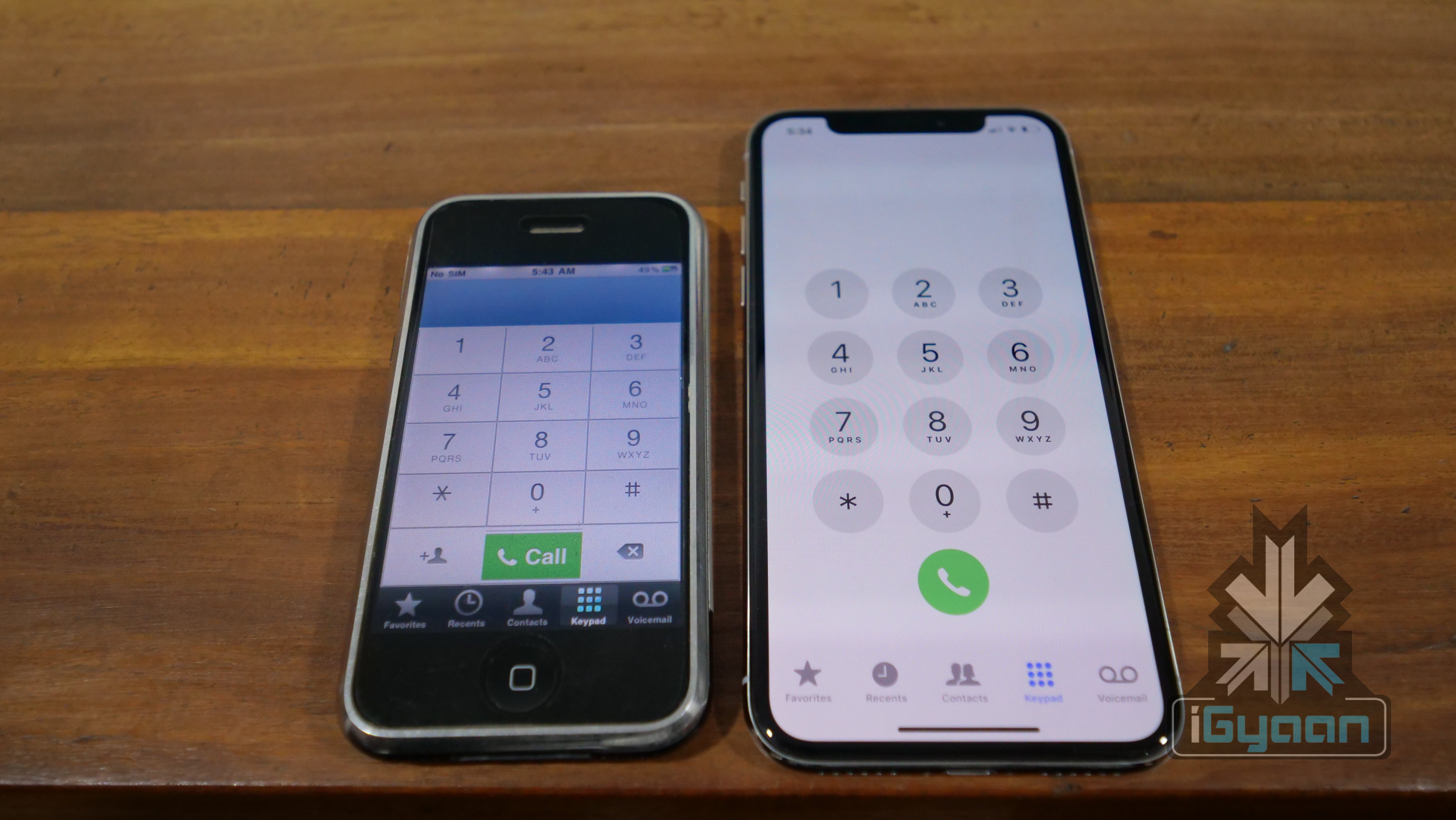
    The iPhone has been one of my two primary devices for many years. When Apple announced the iPhone X back in September the biggest concern as a potential iPhone X user was the lack of the two main things that had been engraved in my muscle memory; the home button and the Touch ID.

    The iPhone X has a new modern edge to edge design, and with this the iPhone X also loses the home button, the most iconic iPhone feature since the launch of the first iPhone. Using an iPhone required a lot of interaction with the home button and Touch-ID sensor which was also placed in the home button since the iPhone 5s. And it was this high usage of the sensor and button , that made Apple change the fragile physical button with a press mechanism with a more long lasting pressure sensitive sensor with no physical movement. This potentially means that the home button on the iPhone 7 and iPhone 8 will last you as long as the phone is functional.


    The Touch ID is also engraved into muscle memory, on an iPhone the Touch ID does a lot more than simply allow access to the phone, it allows access and security to auto-fill forms, logins for apps and passwords for the iCloud Keychain. TouchID is also fused with banking apps and security wallets to enable access. Apple Pay is one of the most common use case scenarios where the Touch ID is used frequently and it is pretty seamless as a payments system.

    Being a fan of physical and tactile keys, I was already disappointed that Apple had removed the physical button with a seamless pressure sensitive glass on the iPhone 7. But, since Apple had added a Taptic Engine inside the iPhone 7 and iPhone 8 the feeling of pressing button does remain for each time you press the home button, at least when the phones are powered on.

    With the iPhone X, I was pretty sure that getting used to an iPhone without Touch ID and more importantly without a home button would be rather disastrous, and time consuming. But, I couldn’t have been more wrong. The iPhone X has a natural feeling design, and even though that tiny bar at the bottom may appear to have no significance apart from being a design/visual cue, it seems to do a lot more. Only a few minutes into the usage of the iPhone X and the need of the home button seems to fade away. It also helps that apple has made the animations and the transitions very detailed and smooth.  iOS 11 for the iPhone X is also designed to fully make use of the large screen real estate using the edges in different areas differently. In Apple’s words “It just works”.

    Face ID on the other hand is something you will take some time with. The fact that you have to look at your phone before you unlock it means, that reaching the home screen from the lock-screen seems to take longer. Normally due to muscle memory you would place your thumb on the iPhone’s Touch ID before you even looked at the display, and would have found your phone already at the home screen by the time you glanced at the screen. This prior action would make the unlock process feel faster than the time it takes for Face ID to unlock, simply because now you have to stare at the phone while it unlocks.

    Face ID is also surprisingly good, works in pitch darkness and even in bright light, in sunlight the phone does see IR interference from the sunlight and thus would require you to bring the phone closer to the face, but it works. It however is not ideal, not after how simple it was to unlock with Touch ID.

    The home button, however, is something that I have happily forgotten, and only realised this when I picked up my iPhone 8 Plus and attempted to swipe up to reach the home screen. This just after spending 24 hours with the iPhone X .

    #RIPHomeButton

  • You Can Scan QR Codes From The Camera App In iOS 11

    You Can Scan QR Codes From The Camera App In iOS 11

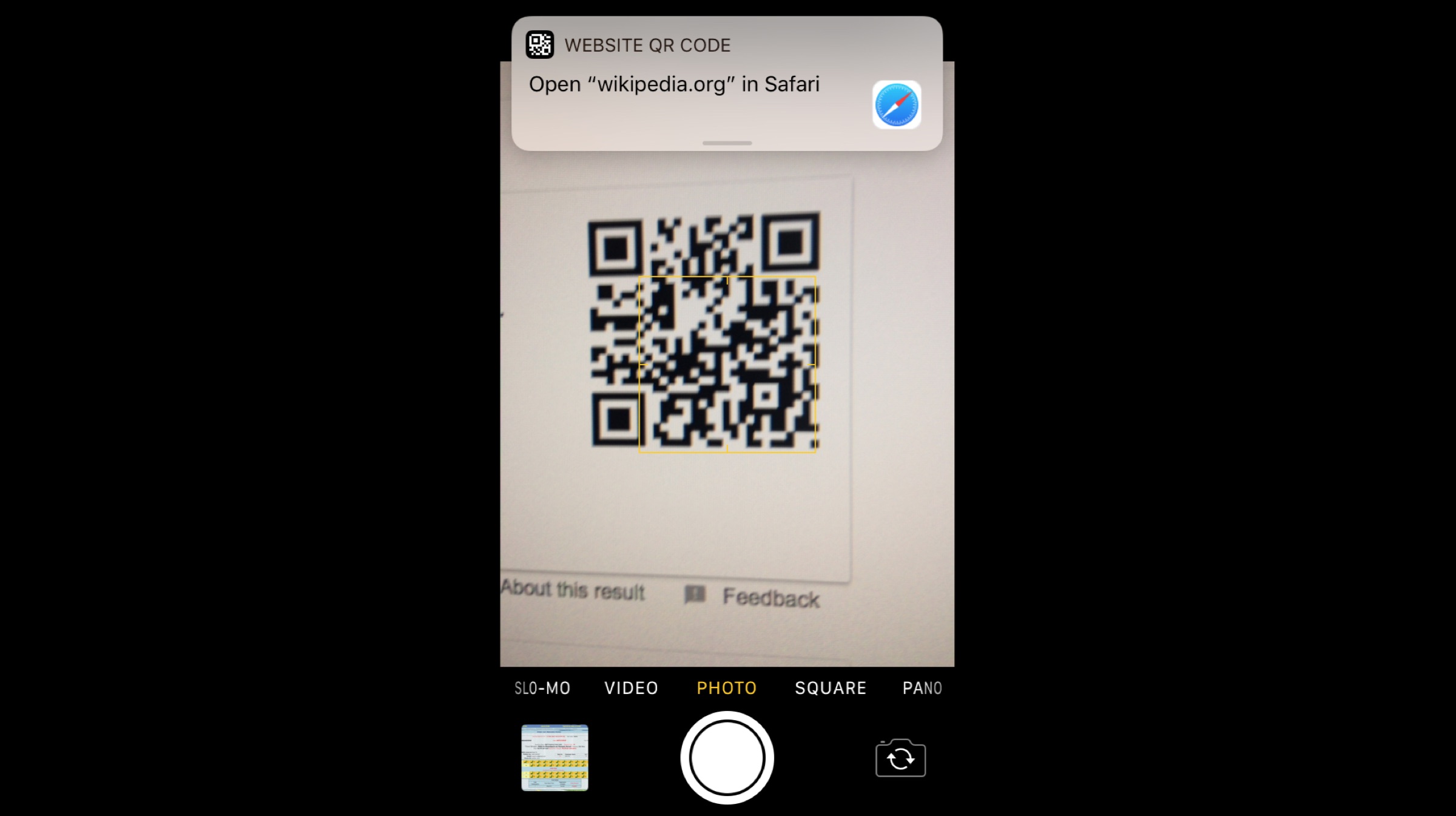
    The new version of Apple’s OS, iOS 11 started rolling out to compatible devices on 19th of September. The new iOS 11 brings an overhaul of the control centre, notification panel and other new features. However, there is one hidden feature which hasn’t been talked about is the ability to scan QR codes directly from the camera app. All you need to do is point your phone to the QR code and your phone will instantly display relevant information.

    This nifty little feature can come in handy in a lot of cases and might go unnoticed. In a case of shopping, simply pull out your iPhone, open the camera app and scan the QR code. A second later, a small notification will drop down from the top of the screen with a preview of the link to the relevant webpage.

    iOS 11 has received mixed reviews so far. New features in the Notes app, ability to customise the control centre and subtle animations have been appreciated but, the overall instability and battery drain issues has left a bad taste in consumers’ mouth.

    You might also like : iOS 11 – Top New Features

iGyaan Network
Privacy Overview

This website uses cookies so that we can provide you with the best user experience possible. Cookie information is stored in your browser and performs functions such as recognising you when you return to our website and helping our team to understand which sections of the website you find most interesting and useful.