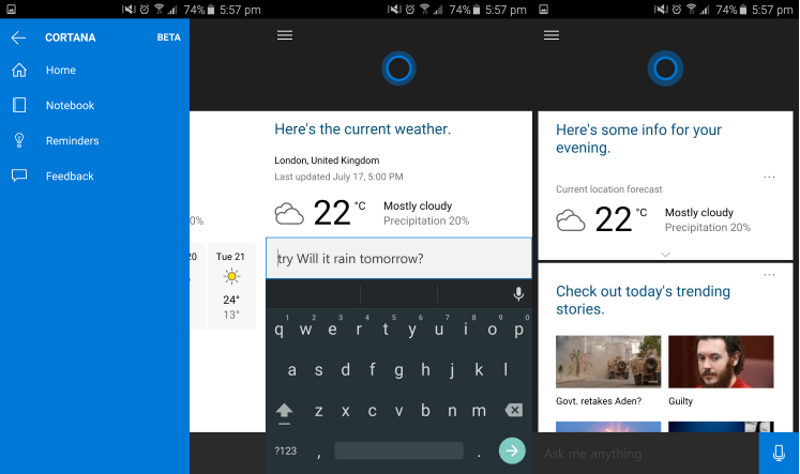
Microsoft’s plan to release Cortana for Android to coincide with the release of Windows 10 may have received a bit of setback. According to sources, a version of Cortana for Android has leaked earlier than expected. It’s still a beta version, so Microsoft has nothing to worry about.
Android users who have used the Windows version before, will find nothing new in the Android version. Except for one detail, the beta version is identical to the one found in Windows devices. You can check for weather, set reminders, see sport results, ask it to tell you Rahul Gandhi’s age etc.
Source: Microsoft News
Named after a character in the Halo video game series, Cortana is Microsoft’s answer to Apple’s Siri. The virtual assistant is currently available to only Windows 8.1 phone users. After Microsoft launches Windows 10 later this month, the feature will be made available to both PC and mobile phone users, as well as for Android, iOS and XBox.
Cortana has proved itself time and time again that it is equivalent to Siri. Last year, Cortana gained its fame when it successfully predicted most of the FIFA World Cup games.
It is impossible to overlook the fact that mobile cameras have changed a lot in the last few years. Far before the now memorialized words of “Let me take a Selfie,” having a camera in your back pocket or purse was something most of us took for granted. But just how far have mobile cameras actually come, and where are they headed in the future?
The first instant camera was made back in 1923. But, it wasn’t until 1948 that these devices gained popularity when the Polaroid camera came out, enabling the user to print instantly a photo in less than a minute.
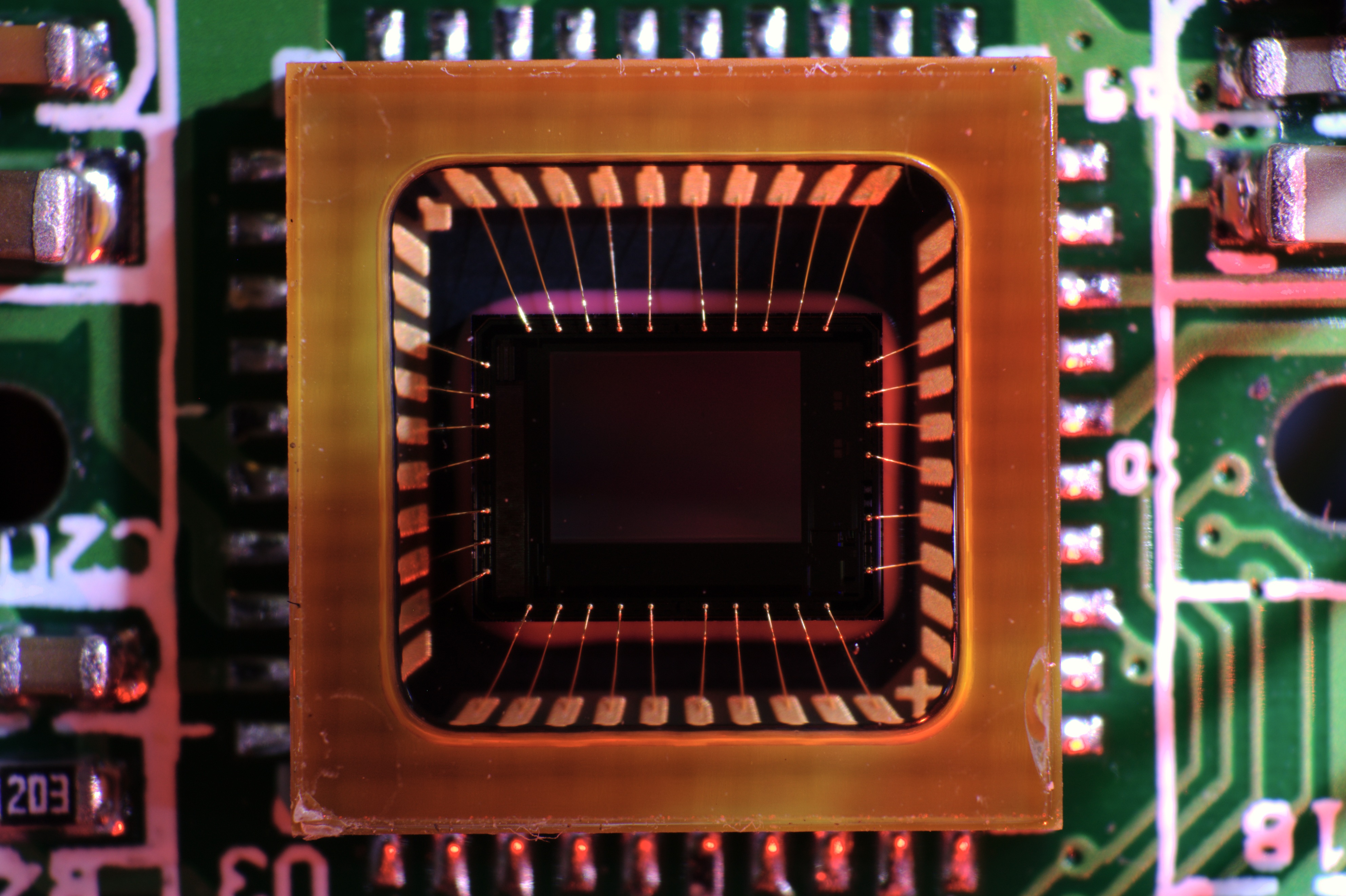
But that was just it. Enter Willard Boyle and George Smith, who invented the CCD Chip (Charge-Coupled Device Chip), which paved the way for digital cameras in 1969.
CCD Chip
However, it wasn’t until 1981 that a commercially available version would hit the market in the form of the Sony Mavica. This monster of a camera let users save up to 50 images on a video floppy disk and view them on a television screen. It paved the way for digital cameras to go mainstream, and it changed how photography would be perceived both literally and metaphorically.
The First Camera Phone
Just as digital cameras began to rise in popularity, cell phone manufacturers could not help but notice the rising trend. In 2000, Sharp produced the J-SH04, the very first phone with an inbuilt camera. It was a 0.1MP camera and was priced at $500.
Sharp J-SH04
This device became so popular that within two years, Sharp’s device served 40% of J-Phone users around the world. American phone businesses took note of the phone’s success and brought the technology to the U.S. in 2002, in the form Sanyo 5300 flip phones. The camera phone wars had officially begun.
The Second Camera Phone
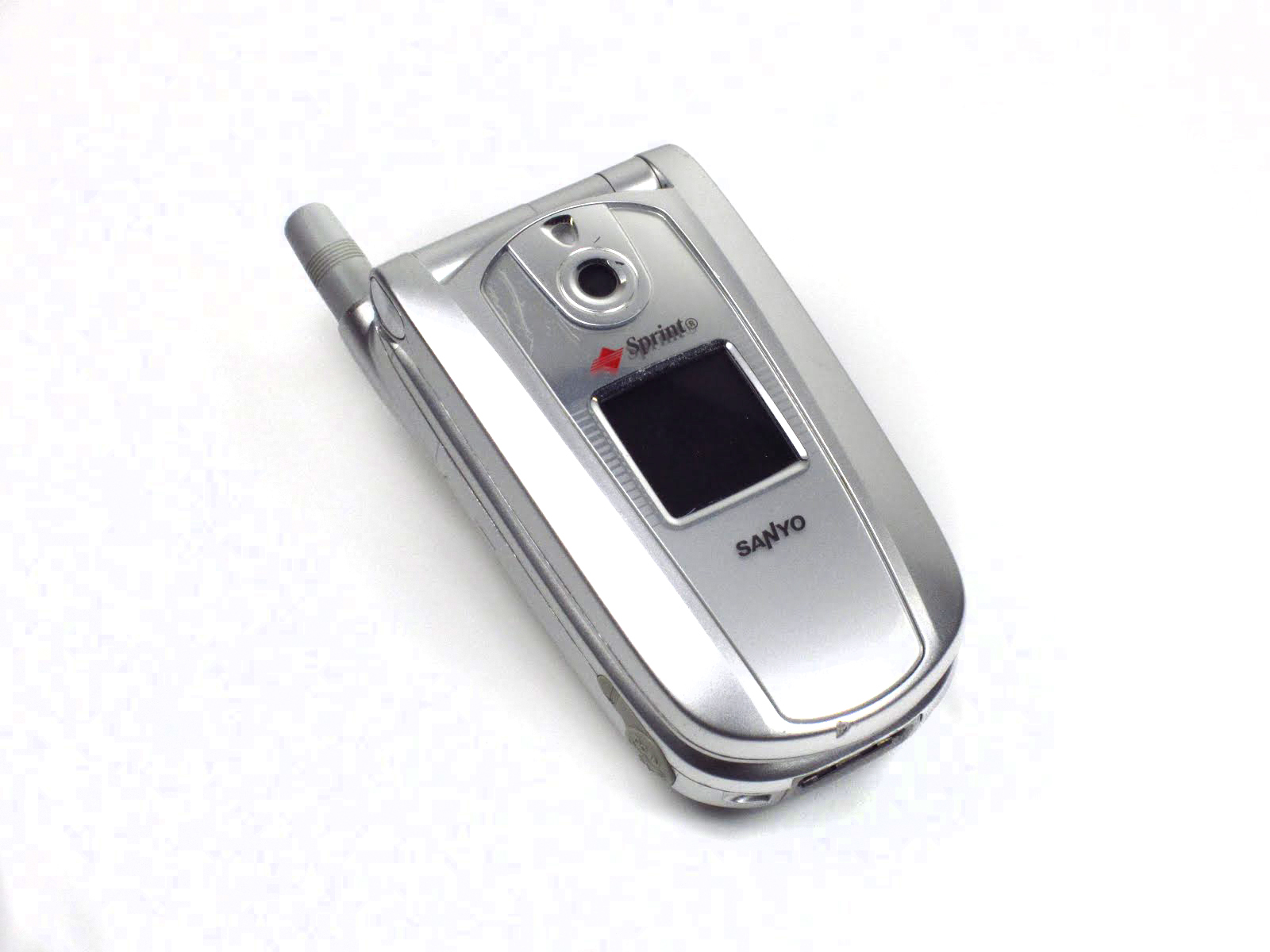
It was November 2002 before the U.S. embraced the crazy Japanese trend with the Sanyo SCP-5300 handset. It costed $400, and it highlighted a chunky clamshell design.
Sanyo SCP-5300
With a 0.3MP capability, it could capture shots at 640 x 480 pixels.The Sanyo SCP-5300 also had a basic flash, white balance control, self-timer, digital zoom, and several filter effects like sepia, black and white, and negative colors.
By the end of 2004 the camera phone was riding high. Over half of the phones sold worldwide had cameras in them in the first nine months of 2004, and two-thirds of all the phones shipped in the third quarter were camera phones. Leading the way was the Finnish manufacturer, Nokia.
Nokia Battles Its Way To The Top
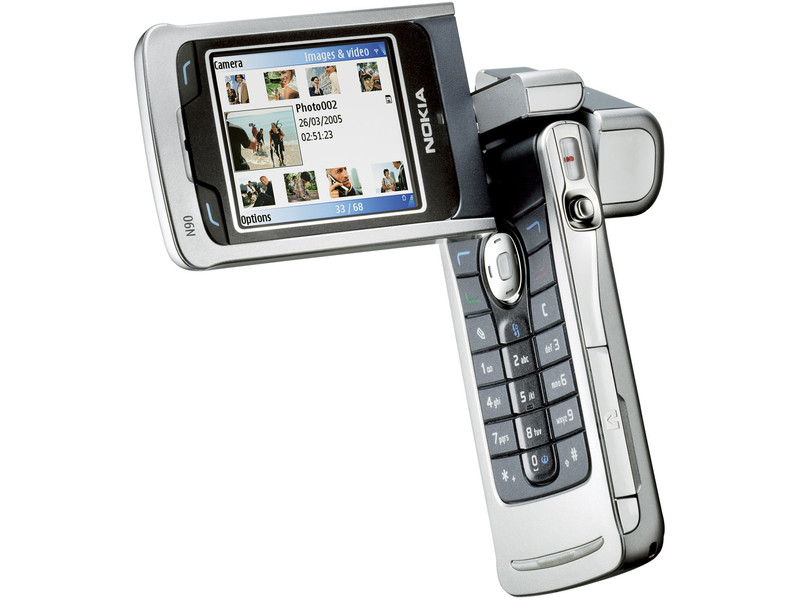
Nokia released the N90 in 2005, thus landing the camera phones to new heights. It featured a 2MP camera, along with Carl Zeiss optics, autofocus, and an LED flash. It instantly became famous because the rotating screen gave a feel of a camcorder.
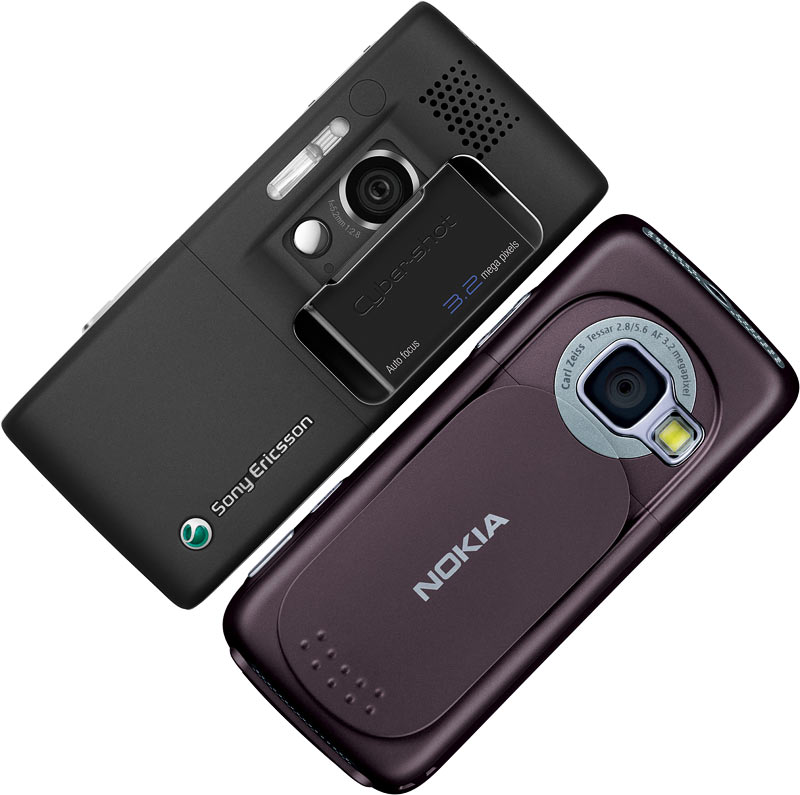
But, Nokia was not the only one who was reaching new heights of mobile cameras. Sony Ericsson’s K800i that was released in 2006 had a 3.2MP camera with auto-focus, image stabilization, and a Xenon flash. Naturally, Nokia countered with models like the 3.2MP N73, but in 2007 the feature phone reached its zenith.
Sony Ericsson’s K800i that was released in 2006 had a 3.2MP camera. Later, Nokia countered with models like the 3.2MP N73.
Nokia 95 was the first phone to feature a 5MP camera with the Carl Zeiss lens. It took excellent photos, and it could record video at 30 frames-per-second. In fact, 5MP remained as a high-end standard for several years. Sadly for Nokia, the smartphone debacle was just around the corner, and a good camera would not be adequate to keep Nokia on the rise.
Next In Line, Samsung and LG
In 2008, the Samsung i8510, also known as the INNOV8, held the first 8MP camera to hit the market, but in design terms, it looked like part of Nokia’s N range, which were getting steadily less popular.
Sample Photo using a Samsung i8510
Nokia followed suit with the N86, but it was LG that released the first touchscreen camera phone with an 8MP camera. It was called the LG Renoir.
The competition for megapixels proceeded, and Samsung hit 12MP first with the M8910 Pixon12 in 2009. It was soon surpassed by Nokia’s N8 in 2010 and the 16MP Sony Ericsson S006 at the end of the year.
The Rise Of Software Features For Cameras
Google gave Photosphere; Apple came out with Panorama mode, even BlackBerry came out with TimeShift. We have seen a lot of filters and effects mixed into various mobile platforms and are proving great for people who click photos in a not-so-normal perspective.
Shot by David K. in Dubai, United Arab Emirates as a part of Shot on iPhone 6 campaign
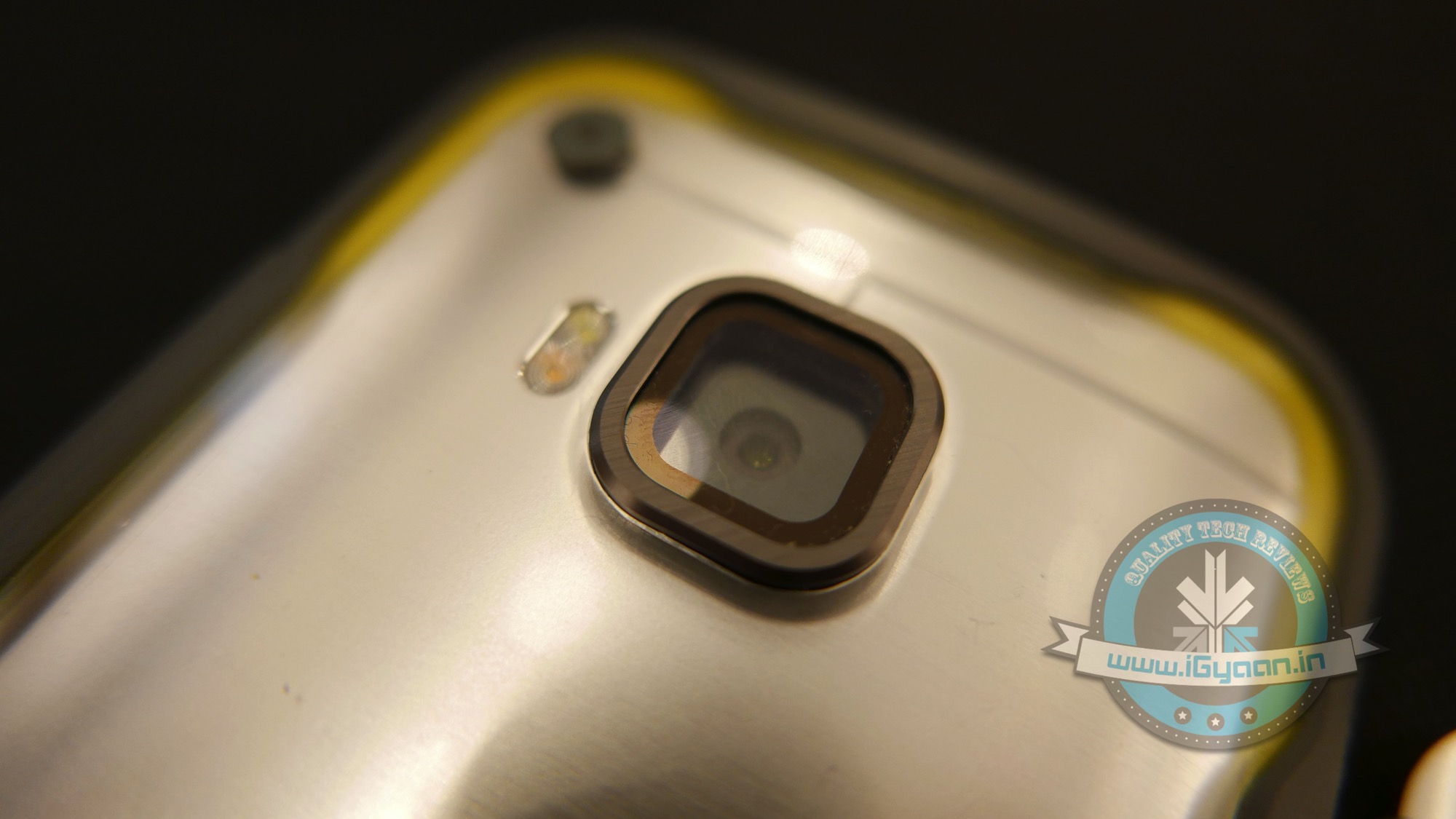
Camera Phones are not just developing the sensors and resolutions. They are also improving on the lenses, flashes, focussing capabilities and zooming capabilities too.
Apple’s Autofocus feature
We are observing today the acceptance of xenon flash, Dual-LED flash, Carl-Zeiss lens on camera phones. Camera phone hardware is bettering the hardware specs of stand-alone digital cameras. With the improved availability of raw processing power, location-awareness and the brilliant touchscreen displays, today’s camera phone’s are equipped to manipulate blink-detection, face-detection, smile-detection, touch-focus (sheer ability to focus on a particular spot on the frame by just tapping the touch-screen), Geo-tagging (thanks to GPS capabilities), Image stabilizer, Video Stabilizer, HD image resolutions, 4K Video Recording and much more.
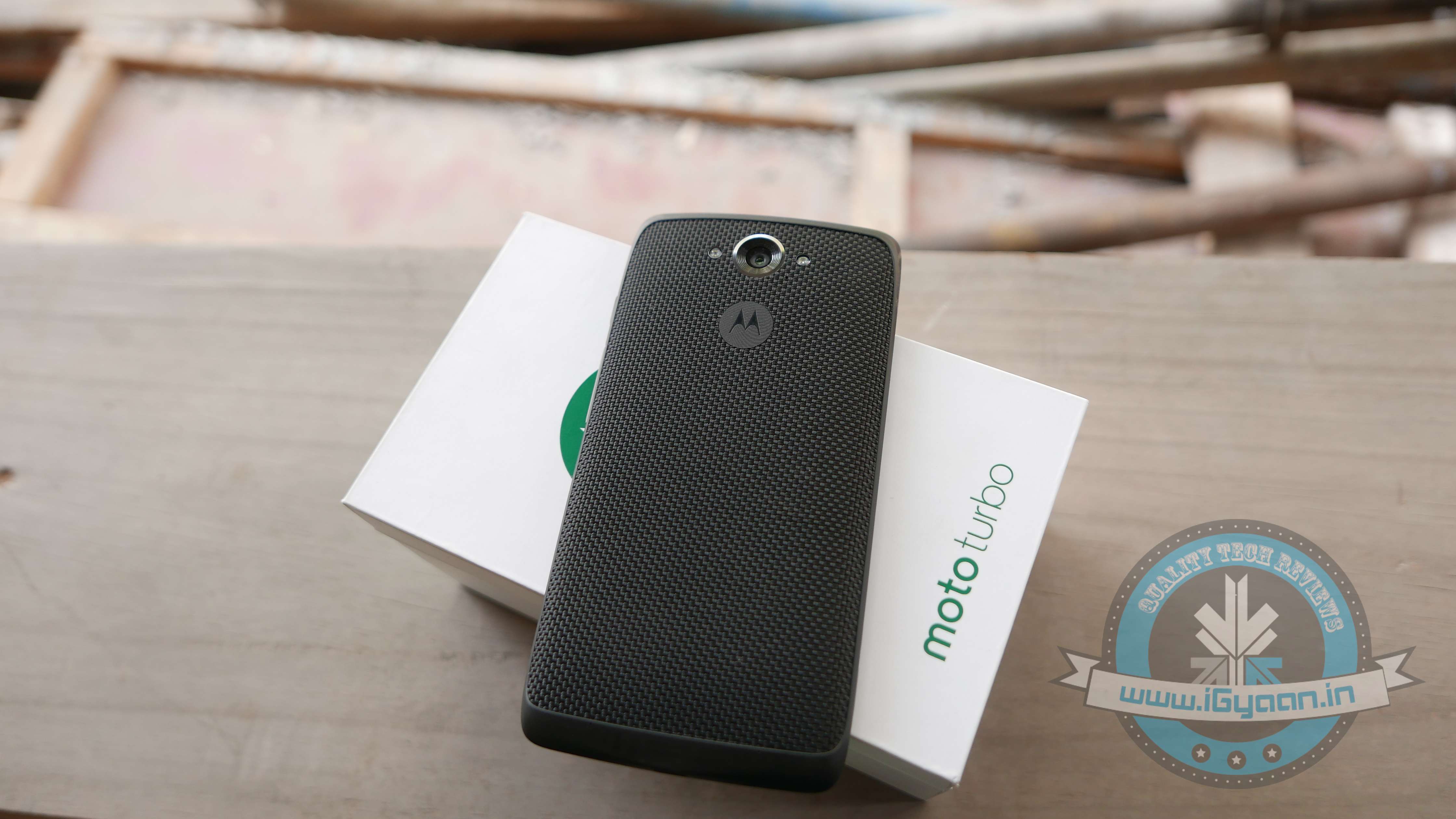
We should talk about the full-HD Video recording capabilities that are made possible now. Optical Zoom and stand-alone camera capability (using a camera while the phone is switched off) are getting upgraded as well. In a new experiment, we mounted the Moto Turbo on a drone and got phenomenal results.
As smartphones become universal, they are quickly replacing traditional point-and-shoot cameras as the go-to devices for capturing quick photos. But not all smartphone cameras are designed equally. The iPhone 6 Plus, for example, has extremely fast autofocus and a dual-LED flash, and the Samsung Galaxy S5 Active can withstand dunks underwater and drops to the ground. In a high-tech world driven by steady consumer demand for bigger and better, it will be exciting to see where our tech will take us next!
Let us look at some of the brilliant iPhone photography that may give professional photographers a run for their money.
Shot by Brendan Ó. in Copenhagen, Denmark
Shot by Renee M. in Union City, CaliforniaShot by Satoshi H. in Tokyo, JapanShot by Dudley W. in Glen Etive, ScotlandShot by Robyn W. in Corvallis, Oregon
You can check out more of these amazing photographs here.
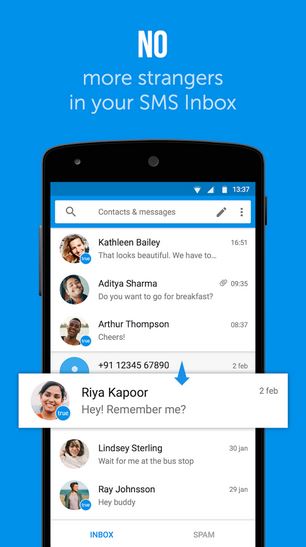
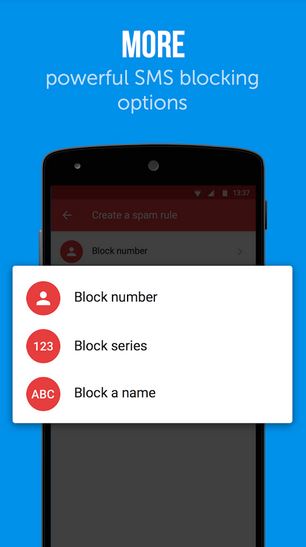
Truecaller is one of the most popular apps used around the world, with 80 million users in India alone. The app, which is basically a user-generated phonebook, can identify calls made from unknown numbers and label it as spam. Now you can do the same thing with your messages. The company has released a companion app, Truemessenger, which performs the same function as Truecaller – filter texts from unknown numbers and spams.
According to the developers, Truemessenger will identify the person who has sent a text from an unknown number. Like Truecaller, it screens the messages and identifies the sender using the phone’s contact list and the Truecaller database. The app will also search through the same database to identify spam messages, which gets collected in a different folder.
Moreover, Truemessenger will use your Facebook feed to assign the identified number a name, photographs and other information.
According to Truecaller, the app is currently available only on Android platform and only for Indian users. It is not a surprising move, considering that more than half of its users are from India. The timing of the app is a bit perplexing though, considering that popular messaging services like Whatsapp and Hike have disrupted the SMS service in the past three years, which has become the bone of contention between the Indian telecom sector and net neutrality activists.
Truemessenger is now available at the Google Play store.
Motorola has started rolling out Android 5.1 Lollipop for Moto X (1st gen) users in India, according to an announcement by David Schuster, VP of Product Sales and Operations. He also announced that the update would be received by users in 14 other countries including Australia, Hong Kong and Singapore.
The latest update brings many improvements in Moto X (Gen 1) such as improved natural touchscreen interactions, automatically connecting your phone to home WiFi network. As BGR points out, the update has also fixed the heads up notification bug, which removed the notifications from the drop down notification menu when users swiped it from the lock screen.
Since the update is being rolled out over-the-air, it will take some time before your phone receives the update.
Moto X (Gen 2) already received Android Lollipop update in December last year. Motorola is speculated to launch the Moto X (Gen 3) in November this year. The new generation will run on Snapdragon 810 chipset and will house a 16MP rear camera with Clear Pixel Technology. The battery powering the new Moto X will be at 3280 mAh. The device will come in two storage variants – 32GB and 64GB.
If you don’t want to wait for Moto X (Gen 3) till November, here are the specifications for Moto X (Gen 2):
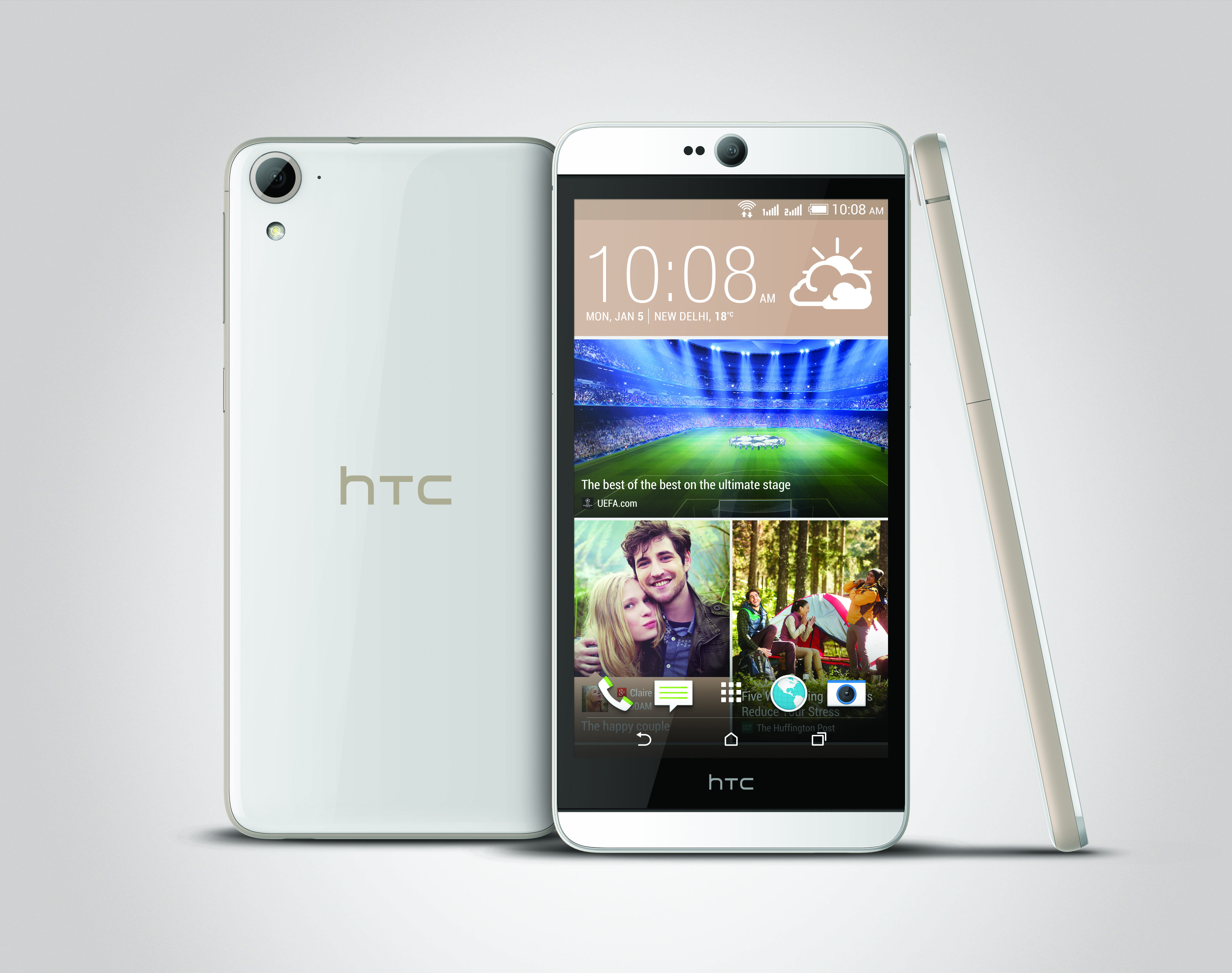
Today, HTC launched Desire 826 in India. This is the 20th addition to the HTC Desire series, which was first launched in 2010. The Desire 826 runs on Qualcomm Snapdragon 615 octa-core 1.7GHz 64-bit processor and uses Android Lollipop with HTC Sense. The phone comes with 2 GB of RAM and has a storage capacity of 16 GB, which can expand upto an additional 128 GB.
A dual SIM phone, it supports 2G, 3G, CDMA and 4G LTE, which will lure the Indian users towards it. The battery capacity is 2600 mAh, which seems a little less since the phone is supporting four different types of network.
HTC claims that the 5.5-inch display with 1080p resolution will bring “cinematic quality to your mobile world”. To enhance the audio, HTC has used HTC BoomSound with Dolby Audio, just like in the One ME phone, which was launched yesterday.
The Desire 826 sports a 13 MP rear camera and an UltraPixel front camera, both capable of recording video in 1080p resolution.
The phone is available in a variety of colors such as White Birch, Blue Lagoon and Purple Fire. The phone can also be customised with HTC Dot View Case.
HTC Desire 826 will be made available in India by the end of June 2015 and is priced at Rs. 26,900.
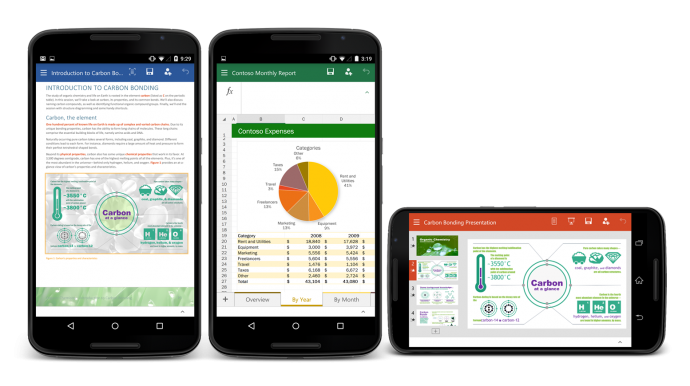
From today, Android users can create and edit documents on-the-go using the Microsoft Office on their smartphones. Microsoft has released Office for Android smartphones and it is available for free on the Play store. Last year, Microsoft released a version of its popular productive suite for iOS platform and in January, it released a version of Android tablets.
Like the tablet version, Ofiice for Android will only support KitKat and above.The app’s interface is similar to its iOS counterpart, due to the cross-platform approach adopted by Microsoft. Users can make simple edits to documents, spreadsheets and presentations. Unlike Office 365, which requires subscription, Office for Android hasn’t been designed to handle full workload. Microsoft has also introduced full Dropbox and One Drive support for the Android version.
In April this year, CEO Satya Nadella revealed that Microsoft Office for iOS and Android was downloaded approximately more than 100 million times. For the past few months, Microsoft has been ensuring that its products are available across all platforms. Microsoft is trying to retain the MS Office customers by offering them a free version of its popular software on Android, iOS and Windows phone platforms. The move is seen as a counter against the various free productivity suites available on iOS and Android.
Most of us got our first phones when we were 16 or maybe 14 (if you were lucky). A recent study proved that 88% of teenagers these days actually get their phones between ages 13 to 17. Naturally, no teen is spotted without his or her mobile phone today as they are active on social networking sites and are constantly texting their peers, whether in school or outside.
In India, most schools don’t permit phones within school campus but in the US, it’s okay to carry your device and be logged in all day. However, what happens when you can’t text due to limited balance or an improper data plan? You get Jott!
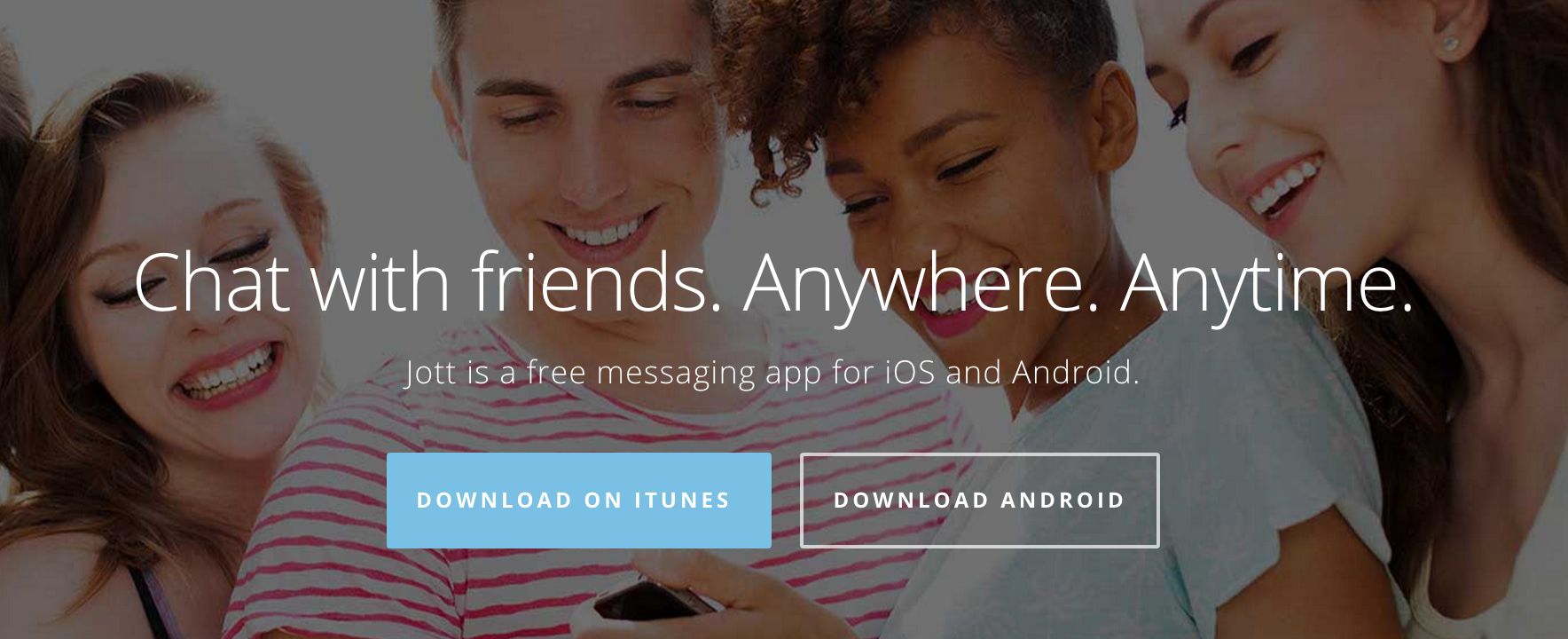
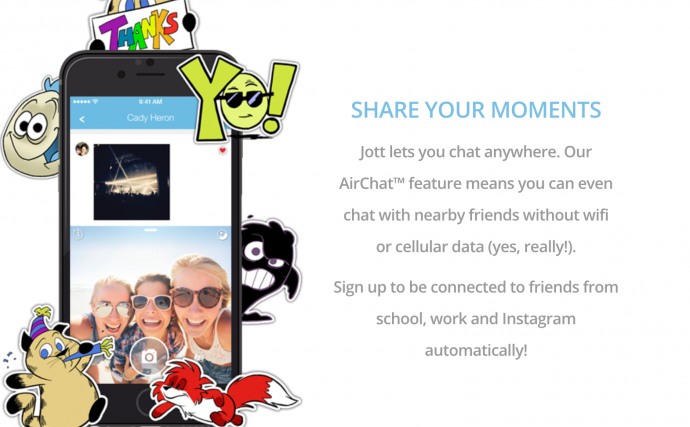
Jott is the perfect app for Junior high schoolers and high schoolers as it functions without the internet or a data plan. Sounds ideal? Yes, this app lets you chat with anyone within a closed network and within a 100 foot radius of the school campus. This means you can stay connected all day, whether its social or just exchanging notes.
Jared Allgood, creator of Jott has managed to push the app in the top 75 apps being used by iOS and this is no easy feat. Jott already has a huge user base of half a million users, as of March and is growing from strength to strength with 15,000-20,000 users joining the app, everyday. So how does this app work?
It works using the help of a mesh network “that operates on Bluetooth low energy or using a router that can reach within 100 feet of each user,” according to Techcrunch. This is different from sending a normal text messages that uses the help of cell towers to convey your text. Thus, anyone within close proximity, that is, a 100 feet can be easily accessed and spoken to.
Make Friends Within Your School or Any Closed Network
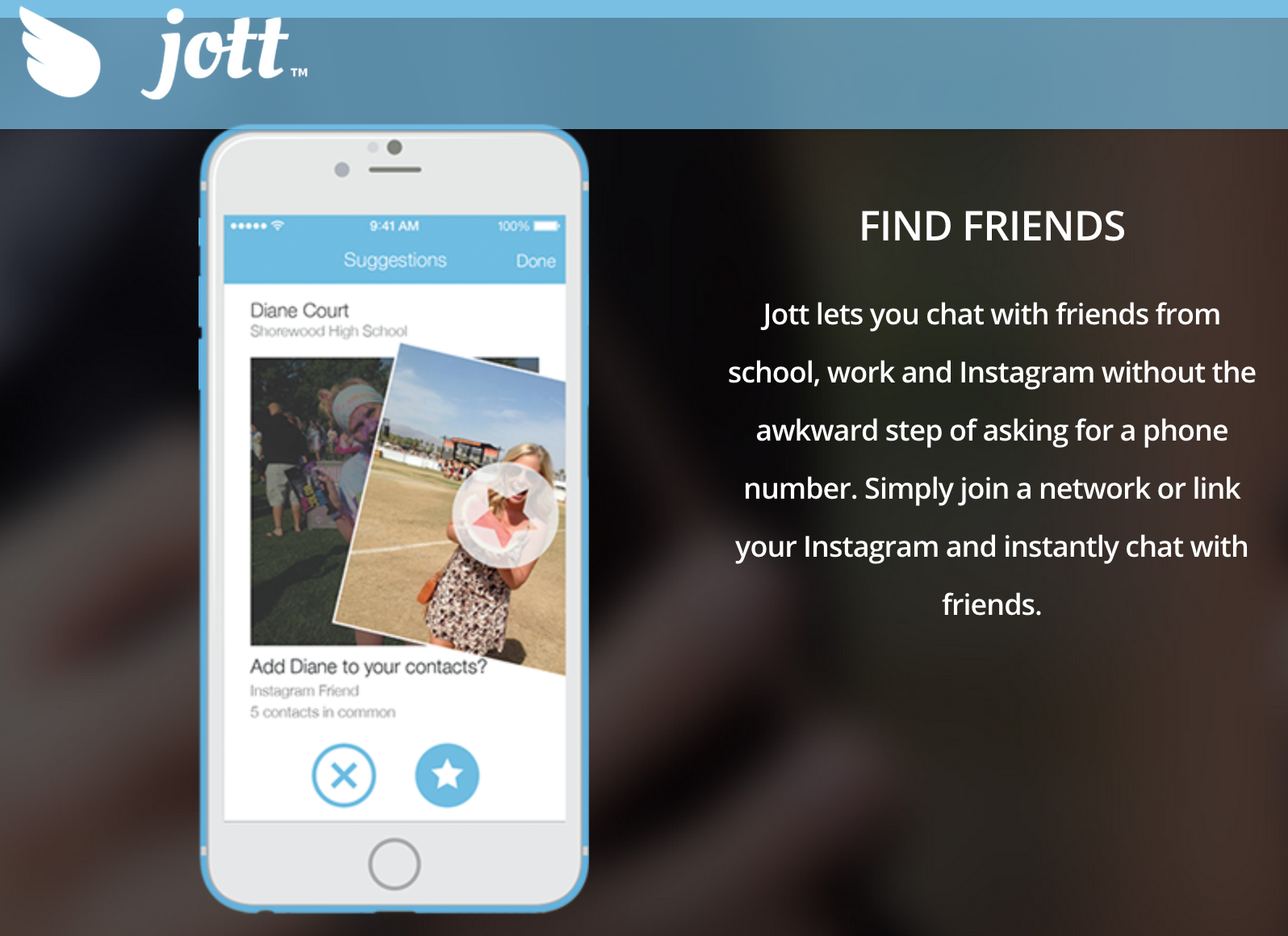
Jott only allows you to be a part of the network, if you share your real phone number. This actually benefits students because a lot of teens find it tough to talk face to face, so they can find out their class mate’s details via the school network and then approach them. Also, even if you don’t want to use it to get a pretty girl’s number or ask someone out, you can use it for studious purposes. You can actually get that one nerdy classmates number who will send you the whole years class notes and thus save you from failing your finals. It does sound very cool, indeed.
No Security?
The internet is rampant with cyber bullying and teenagers being at the impressionable age they are, can often be harassed through these types of apps. That’s why Jott stands out. It has a strong security and privacy settings where in, those who are a part of school networks (that are closed) must create an account with their actual name and age and verify that they actually go to the school, they’re claiming to be a part of. If you do give a fake ID, other students will call your bluff because they will know for sure and you will be immediately removed from the network.
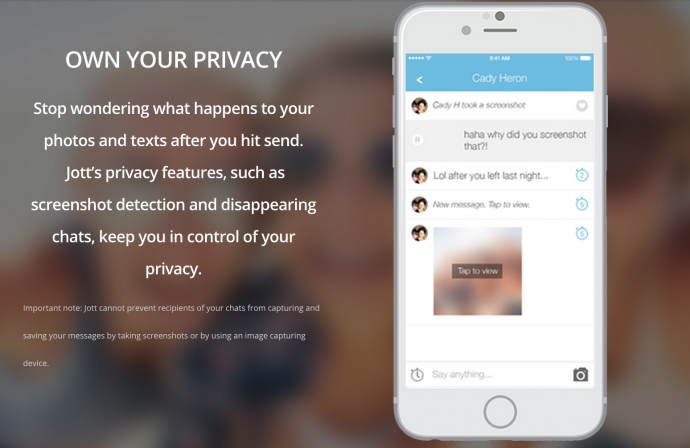
If this wasn’t enough, Jott also has disappearing messages and screenshot detection just like Snapchat. Therefore, there is no room for disaster and anyone using it is efficiently safeguarded.
Jott had been tested and tried by Allgood, first in a set of schools until it started majorly trending and reached the phenomenal following it has today. According to Niche data, about 87% of teens text daily, compared to 61% of those who say they use Facebook. Therefore, Allgood has actually used this data to his advantage and created an app that will further simplify and revolutionise texting. We suggest you try it out today as it is available on all iOS and Android devices and can be used on your iPods and iPads as well.
BlackBerry was synonymous with BBM and had the reputation of being a reliable business phone. This had loyalists from all over the world, tied to its device, despite all the ups and downs the company went through. However, the market soon saw a wave of smartphone companies like Apple, Samsung and Motorola, which ultimately washed away the resilient giant.
Sales dropped and profits dwindled because let’s face it, there are more options now, that overshadowed BBM and we also underwent a touch screen revolution. Thus, Blackberry has allegedly come up with a solution to get back on track. We might see them collaborating with Android in a bid to increase revenues and turn a new leaf.
BlackBerry is known for its strong security system and that was something that Android was lacking. Therefore, the collaboration will benefit both these parties. Yes, this means that BlackBerry will have to vouch for not just their own platform but also for Android. However, the gain is more than the loss they might go through. Reuters reported:
“From the standpoint of marketing, this is a great way for BlackBerry to get visibility. It really doesn’t hurt them much, and the upside is high,” said Rob Enderle, who runs technology consulting firm Enderle Group.
BlackBerry has been focussing on its software and device management system as its market share dropped to less that 1% due to its low demand of the devices. In order to execute this turnaround then, the company will have to come up with a strong and efficient device, that will be able to collaborate with Android. “BlackBerry doesn’t have much to lose. There’s little downside and they just need one hit phone to justify the handset business,” said Brian Colello, Morningstar analyst.
The company has said that it is ready to have a test run with Android. Its upcoming device, the BES12 will be able to secure not just BlackBerry devices, but also others that run on Android, iOS and Windows operating systems. This attribute should impress potential corporate and government clients. Ramon Llamas, an analyst with technology research firm IDC told Reuters:
“In order for BES12 to succeed it has to be viewed by all as platform agnostic, and what better way to demonstrate that other than by doing it yourself.”
BlackBerry has a history of delivering outdated hardware at a premium cost. While the Android partnership will help, BlackBerry needs to ensure it stays with the times and gives customers a product which is worth their money.
Let’s hope this change spells good fortune to the company that once created its own era and revolution.
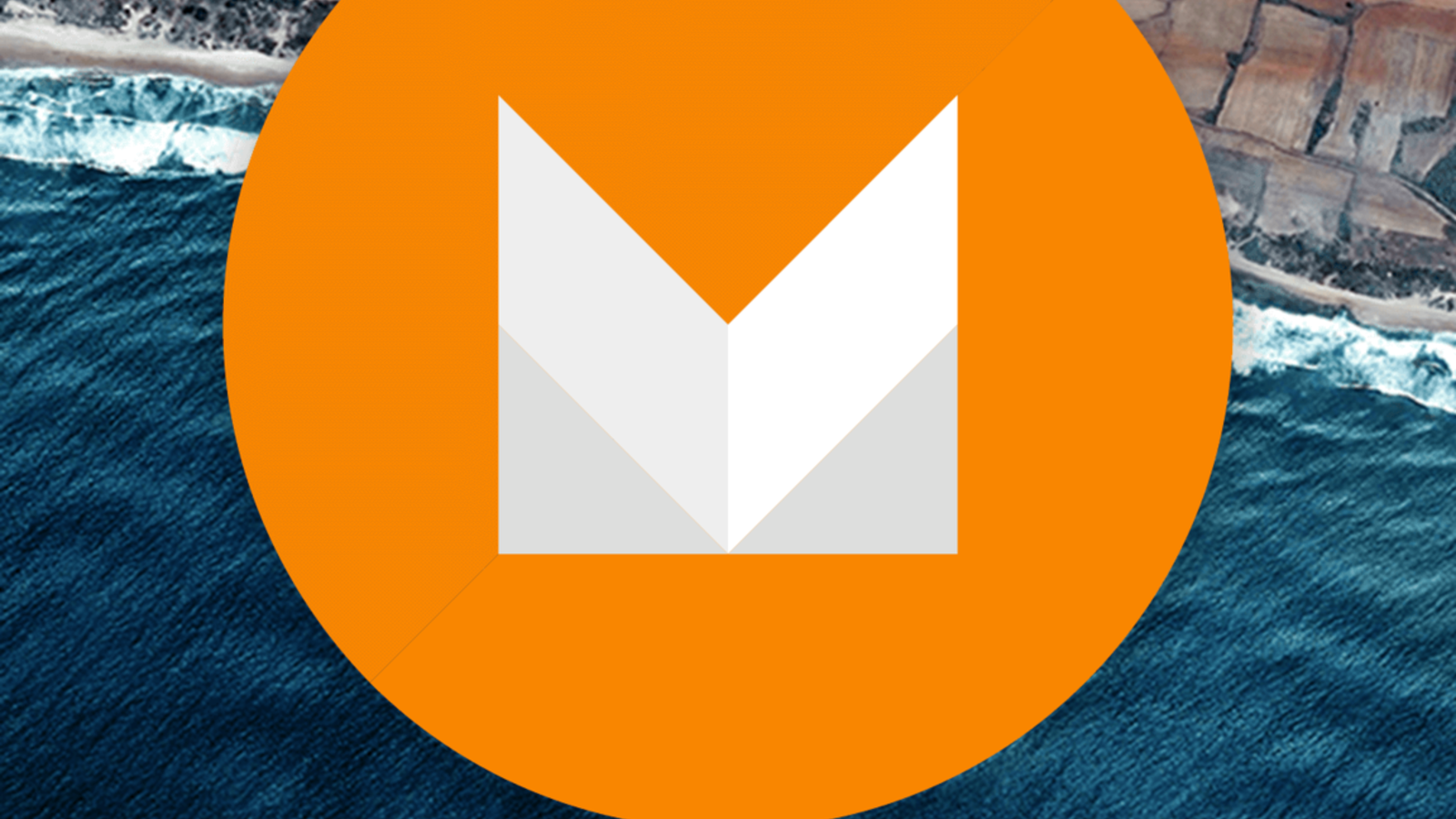
While Android Lollipop was a complete overhaul from its previous iteration (in terms of design and features), Android M is said to be a mere improvement. At the Google I/O conference, Senior VP Sunder Pichai announced that the company has spent effort on improving the software, rather than redesigning it. Nonetheless, we can’t wait to have the brand new set of features on our smartphones.
Well, we’ve now decided to take on the burning question everyone wants answered, “Will my smartphone be upgraded to Android M?”.
Here’s a list of smartphones that are most likely to receive the update first.
Nexus Devices
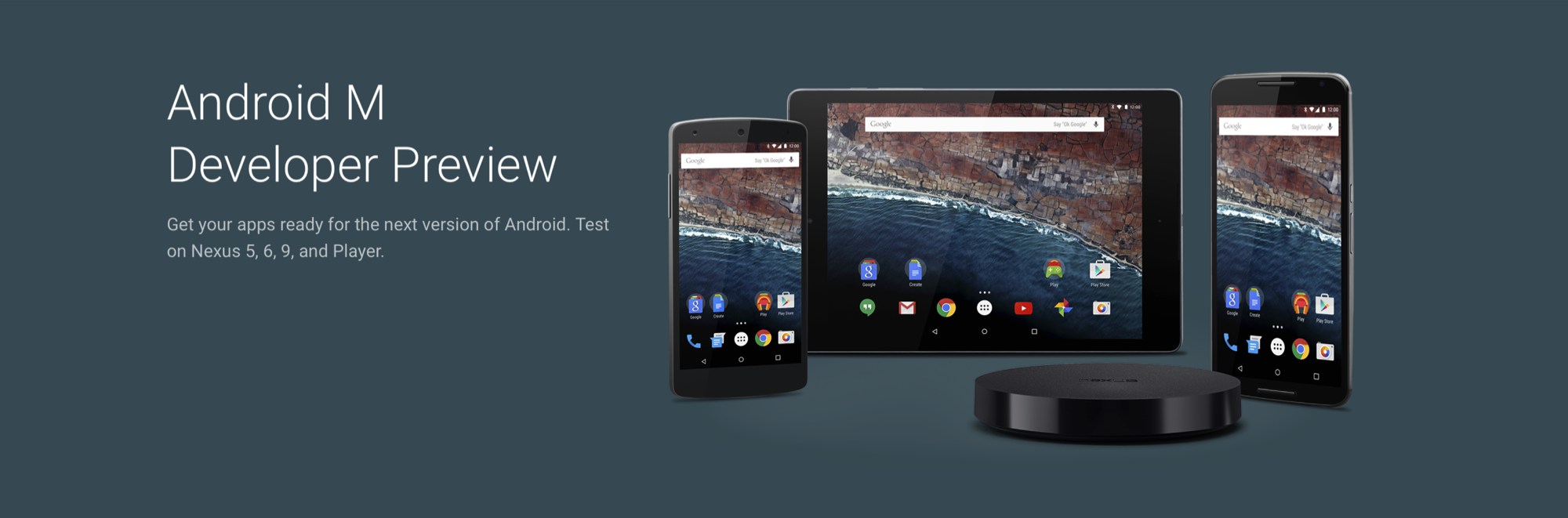
No surprise here. The Developer Preview is already out for Nexus 5, Nexus 6, Nexus 9, Nexus Player; and it sure looks good. As tradition goes, Google’s very own line-up of Nexus devices will be the first ones to receive the official update.
The Moto Brigade
Motorola has always been efficient in providing timely software updates. Even when Android Lollipop released, Motorola ensured its customers had it before many others. Moto X and Moto Turbo are first in line to get the Android M update, followed by the Moto G. Unfortunately, Moto E may not make the cut.
OnePlus
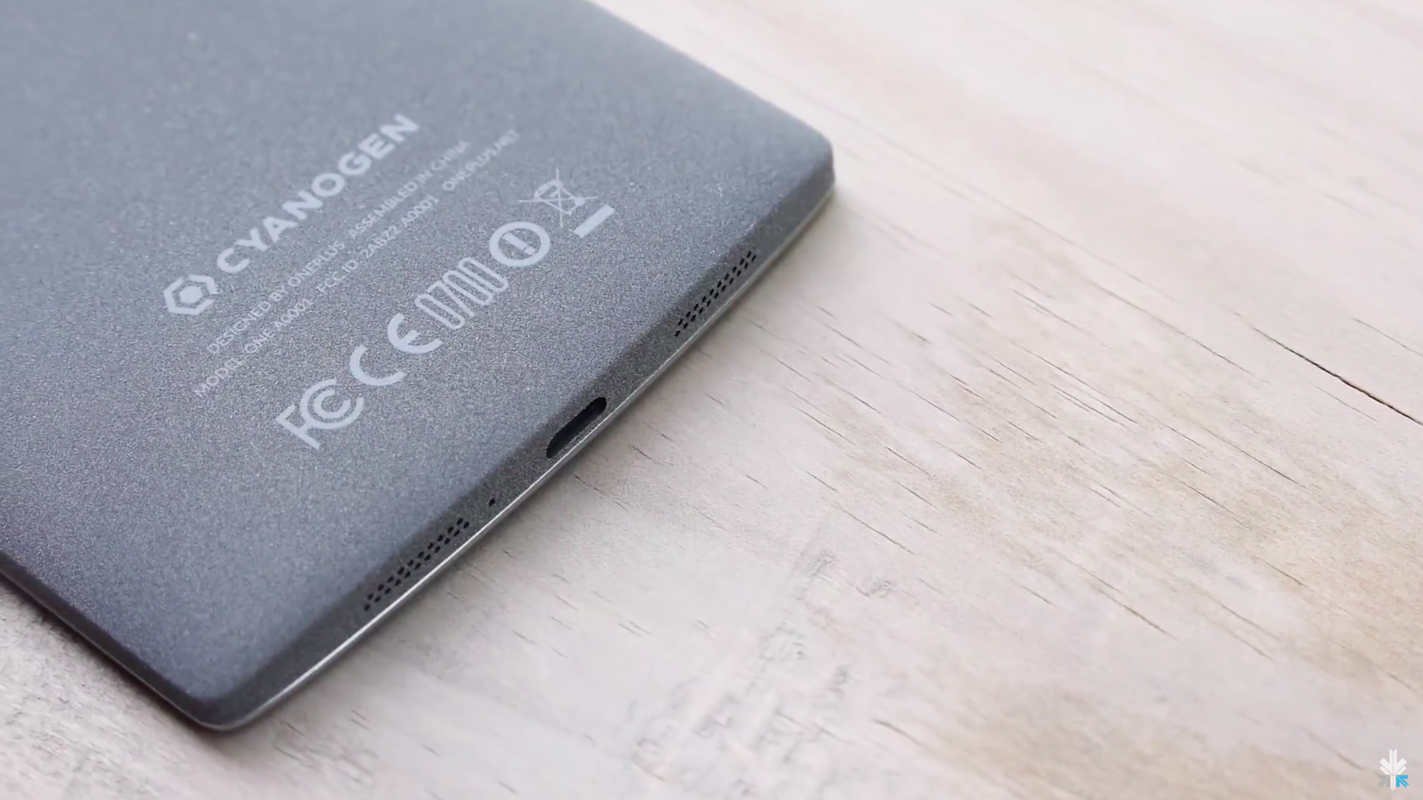
By the time Android M rolls out, we expect OnePlus would have announced its next flagship, the OnePlus Two. The company, just like Motorola, has been known to provide timely updates. Also heeding to the fact that the company has buried the hatchet with Cyanogen, we can expect both, OxygenOS as well as Cyanogen to be out in their Android M versions soon. In fact, all devices powered by Cyanogen (such as Yuphoria, Yureka) would be the privileged ones to receive Google’s latest update.
Samsung Devices
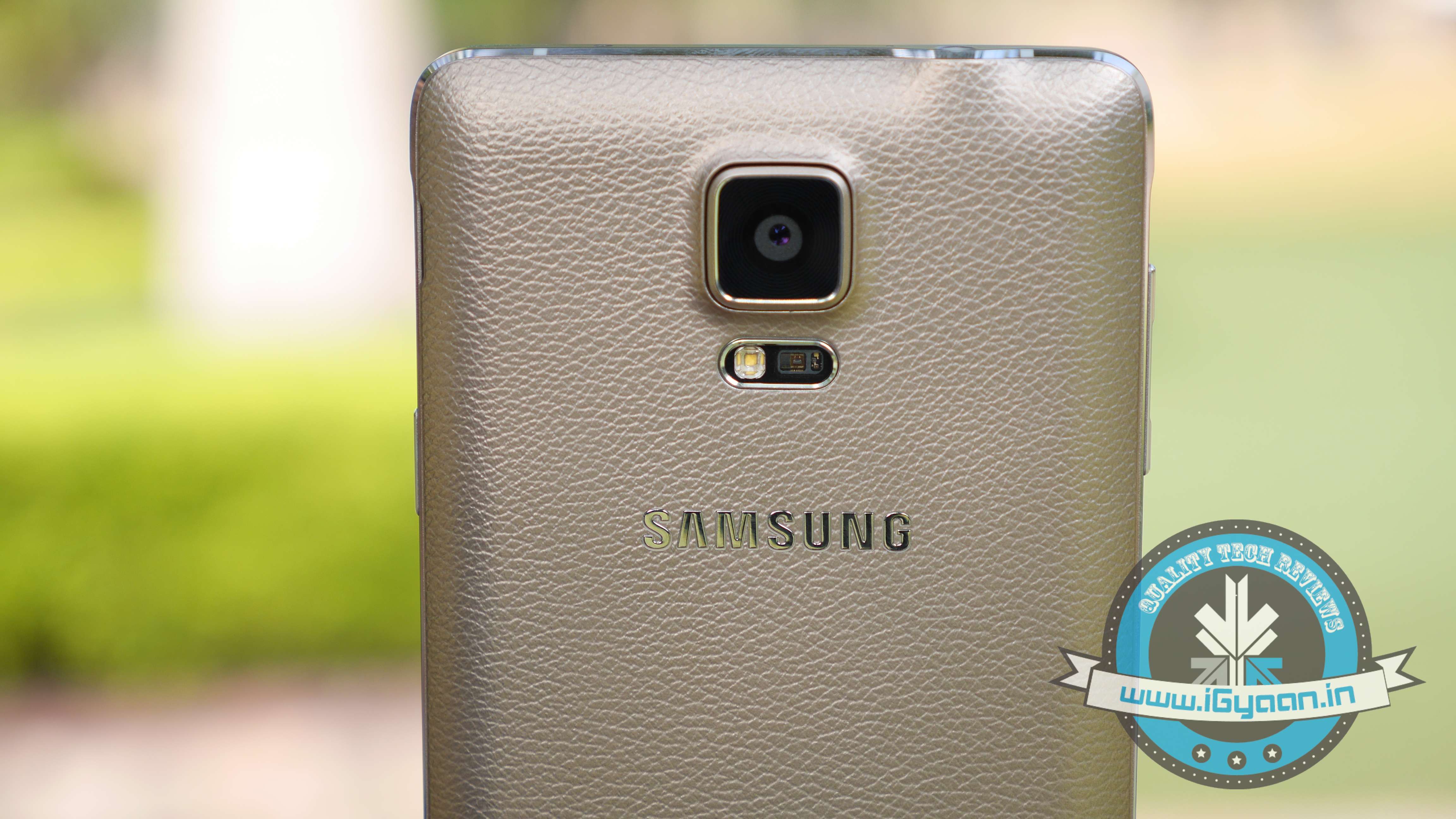
While there is no official word from the company, Samsung Galaxy S6, Galaxy S5 and Samsung Note 4 are expected to be the first few devices to receive the Android M update. Also, the Samsung Galaxy Note 5 which is expected to launch between October and September 2015, will be upgraded to Android’s latest operating system.
HTC
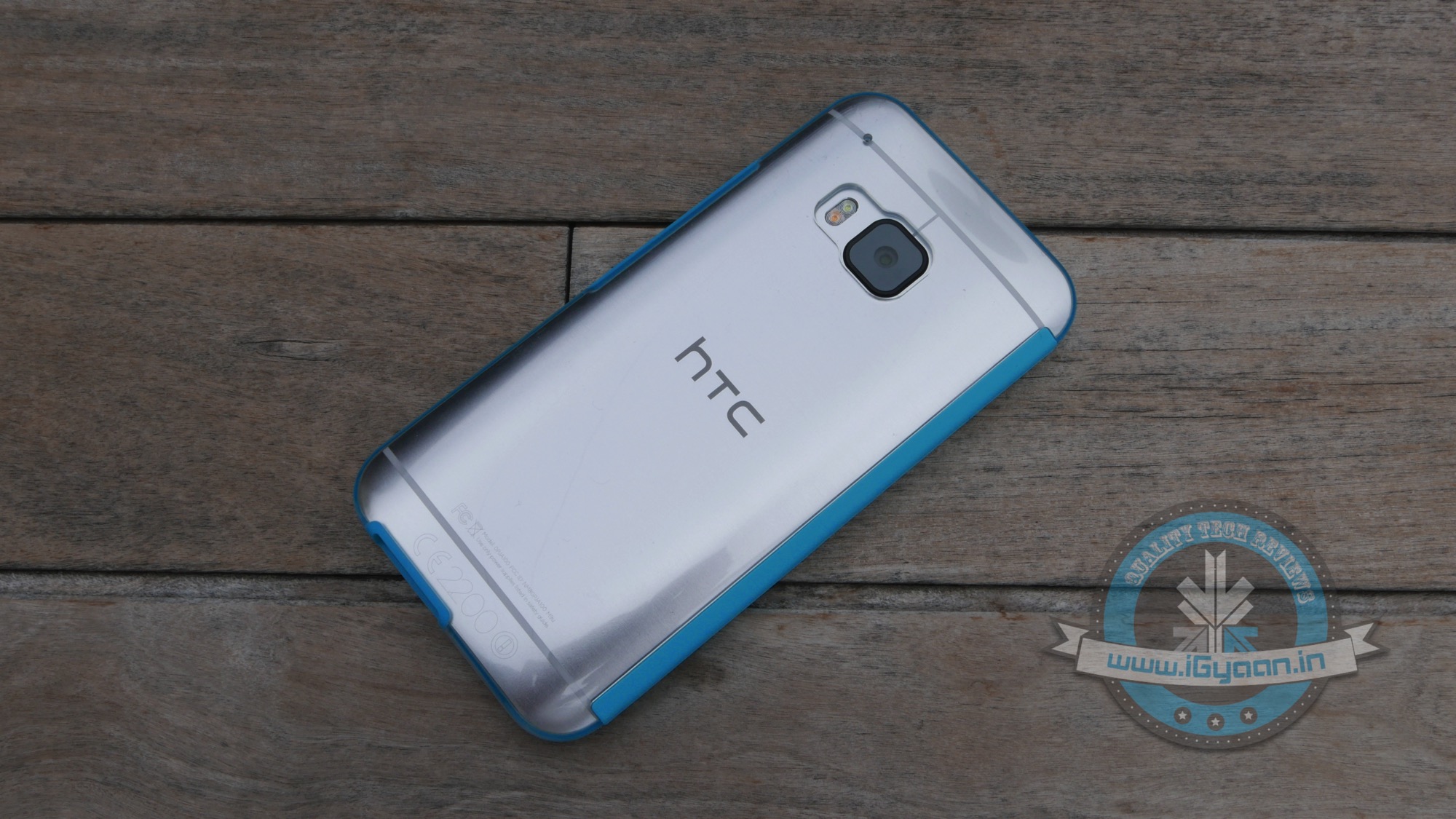
HTC is one of the few companies that has jumped the gun and officially announced that their line-up of smartphones will be receiving the Android M update. The company recently stated that HTC One M9 and One M9+ are going to get it first, followed by other devices. The company was unclear about which these ‘other devices’ might be, we’re guessing they were talking about the HTC One E9 and the previous-gen One M8.
At the I/O 2015 conference, Google announced the next version of Android. The company detailed some interesting features that will be available on Android devices later this year. With Android M, they have focused on improving the system’s overall quality and fixing the bugs found on Lollipop. While Google SVP Sundar Pichai’s speech seemed impressive, we wanted to see for ourselves what the fuss was all about.
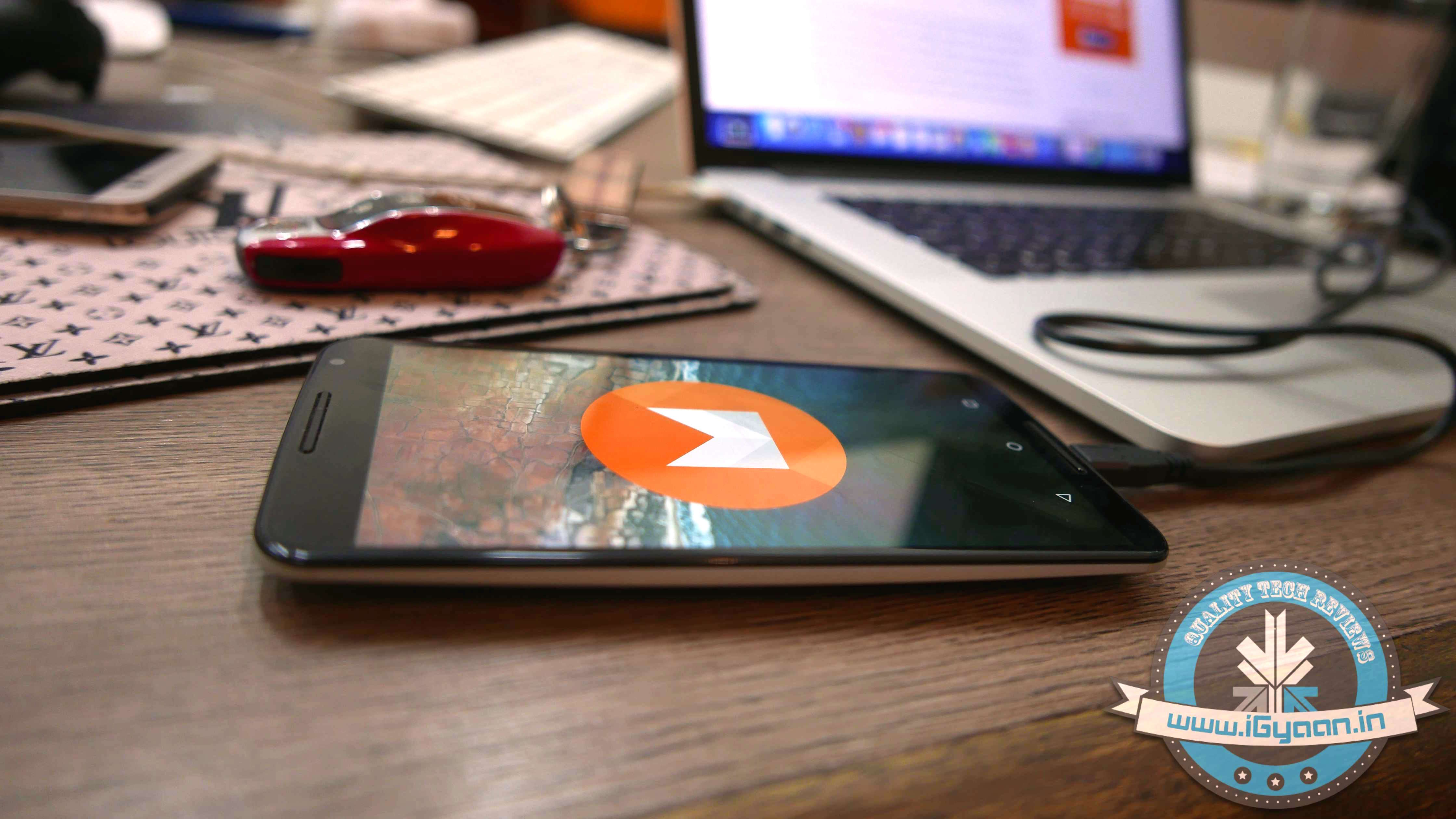
We installed Google’s Android M developer preview on our Nexus 6 and decided to share the step-by-step procedure.
Disclaimer:
Before you decide to install Android M on your device, consider the fact that it will wipe the smartphone’s memory entirely.
The developer preview also contains several bugs and may be unstable.
We wouldn’t recommend installing the OS on the Nexus device you use on an everyday basis. Some of the major applications are having trouble loading on Android M.
The Developer Preview is only out for Nexus 5, Nexus 6, Nexus 9 and Nexus Player.
Preparation
Back-up your Nexus Device.
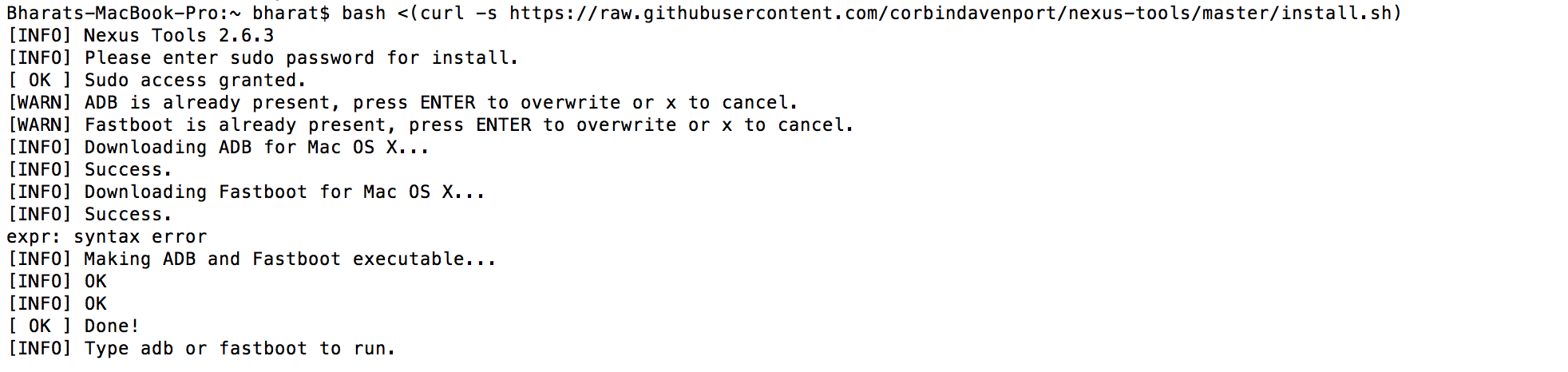
To make this quick and easy, before you begin, make sure you have ADB and fastboot installed on your computer. The easiest way to install ADB on your machine is by inserting the following command on your Command Line/Terminal:
bash <(curl -s https://raw.githubusercontent.com/corbindavenport/nexus-tools/master/install.sh)
Download the factory images for your device here. Unzip and save them on a file on your desktop.
Method
Now to begin, enable your device’s debugging mode and connect it to your computer via a USB cable.
Open an ADB command line and enter ‘adb reboot boot loader’
Open the folder containing your factory images.
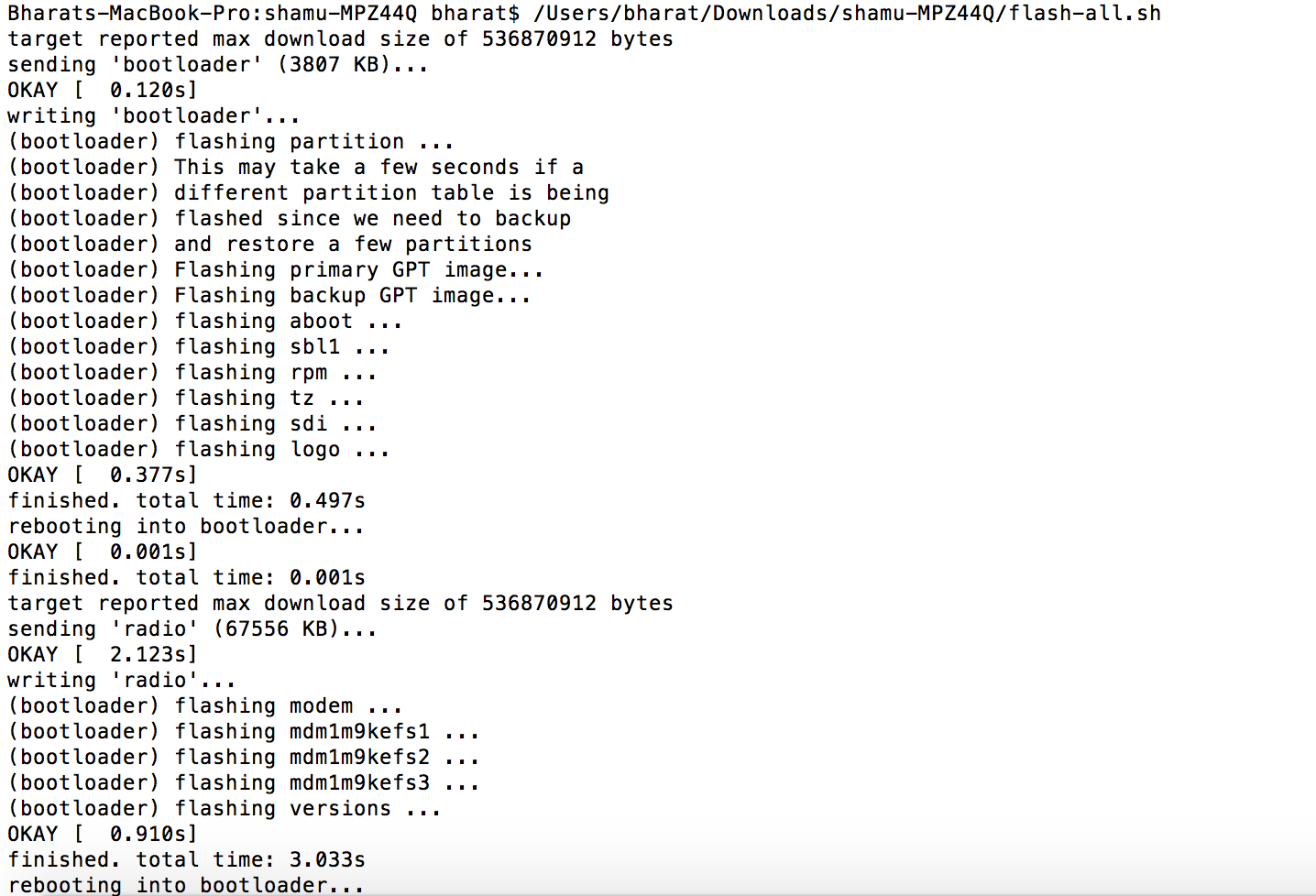
Now on the ADB command line, enter ‘flash-all’ to run the installation. This is the final step and it will initiate the process, as seen below:
You will now have to wait till it gets installed. It took us approximately 5 minutes.
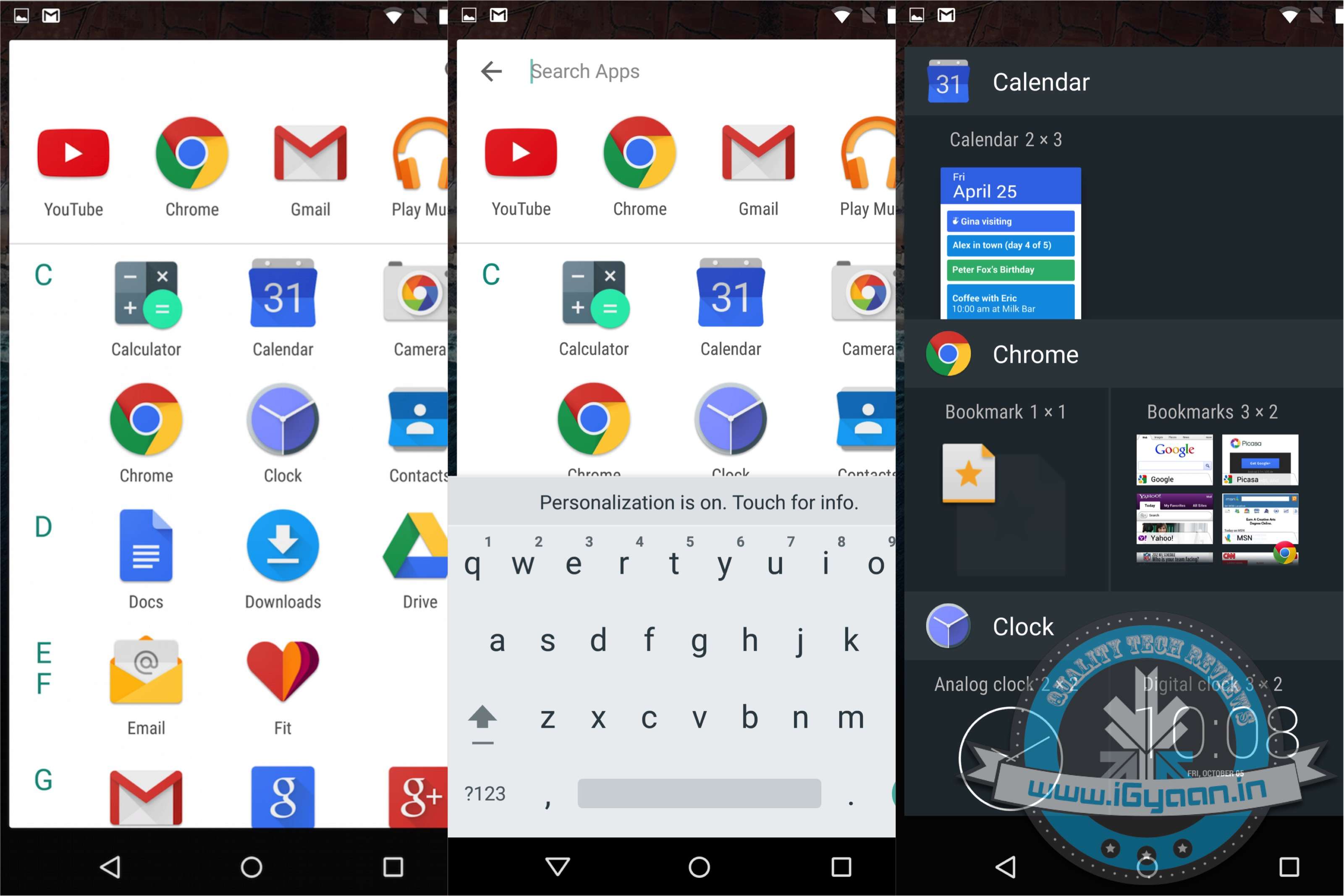
Now you can enjoy fiddling around. To read more about Android M, click here.
Despite all the announcements made at Google I/O for the new Android M OS , Google left out a set of updates that may be slightly more crucial to some people. With the developer preview of Android M now available to those with Nexus devices, some of the new features we saw are interesting.
However, one big thing that will affect every Android phone buyer in India is the new handling of microSD storage. With Android M, all new handsets will have the ability to turn microSD card storage into system memory. This is a very big deal, especially because it will make buying a larger capacity smartphone redundant. Companies often charge premiums for higher capacity variants of the same hardware, differentiating them only on the inbuilt storage.
Google Now Launcher
Sources tell us that Samsung intentionally left out microSD card storage from the Galaxy S6 and S6 Edge to earn premiums on higher capacities. They also did this because they were aware of this feature being launched in the next update of Google’s Android operating system. If Samsung had given the ability to install a microSD on the Galaxy S6 and S6 Edge, after the launch of Android M and Samsung’s update, it would have meant either lower earnings on the higher storage variants or a halt in sale all together as people would get the cheapest and then install a microSD.
Here are the other hidden features of Android M:
Uninstall apps using the Google Now Launcher. Long tap any app and drag up and right.
Head over to Settings > Device > Apps > Advanced > Memory to visit the RAM Manager. This feature lets you seethe performance of each App on your device per the RAM available on the handset. This nifty feature also allows you to kill Apps that consume too much memory.
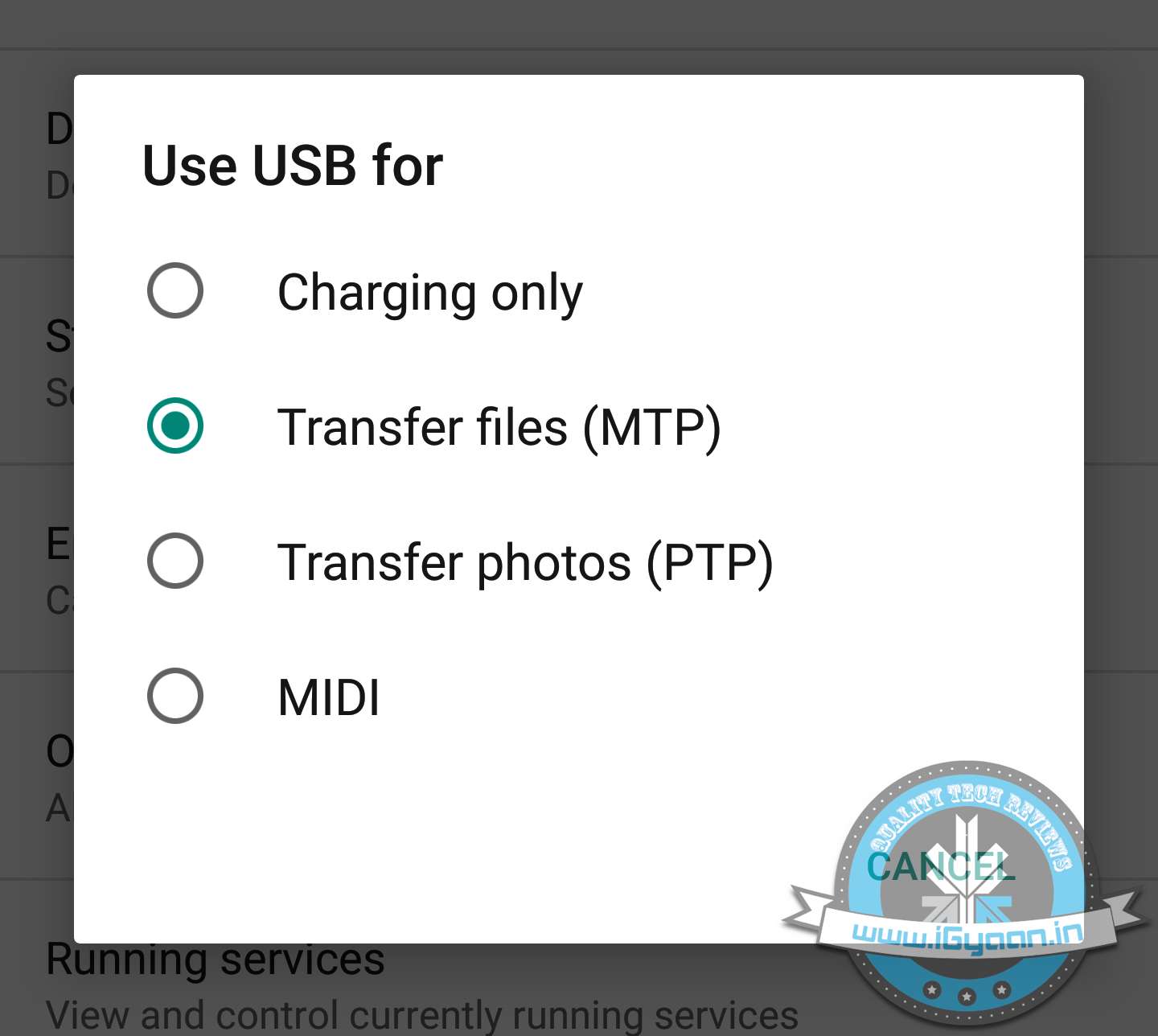
Support for MIDI devices: a feature that budding musicians have had on the iOS devices for a while now comes to Android and will allow you to attach Keyboards and DJ decks that support MIDI connections.
USB OTG is also standard, and all devices with Android M will support USB OTG. This mixed with the new microSD management will essentially end the high price variant devices.
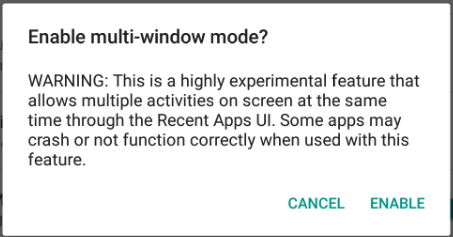
Multi-window support can also be enabled by going through a slightly back end process.
Hotspot 2.0 allows you to create Wireless Hotspots on both the 2.4 GHz and 5 GHz bands.
Swiping from the bottom left to right on the Lock Screen will now launch Google Now Voice search vs the dialer in Android Lollipop.
The new Doze feature is highly customisable and can be turned on or off on a per app basis. Allowing you to save battery on the usage of apps you do not need in the background.
Google is restlessly dispatching the Lollipop version of its Android operating system to maximum number of devices. Some smartphones are enjoying the sweetness of the Android Lollipop, but there is a huge per cent patiently waiting to for an OTA update on their handsets. Google is simultaneously working on bringing out a fresh version of Android OS, temporarily titled as Android M, that is estimated to see a launch in the forthcoming Google I/O conference. Rumours have been rife about Android M for quite a while. Let’s see what they have to say about the upcoming mobile OS.
Much to our surprise, the next Android OS won’t have any special design aspects to wait for, as per a report by Android PIT. It is reported to be a minor upgrade of the present Android version with slight changes in design and features. The report by Android PIT cites that the upcoming version will not be a major overhaul in terms of design. It said to “expect evolutionary change and refinement rather than a gee-whiz new look.”
If we talk about the features, the Android M is speculated to bring a major improvement that will bring Android OS closer to Windows OS and iOS, by a step. If rumours are to be believed, the forthcoming Android M will have a revamped notifications setting where alerts are unified across different platforms. That means, the notificationswill appear on your smartphone, the tablet and the PC as well.
Connected devices will be another area of focus on Android M. The Smart Home feature will be tweaked majorly to improve wireless control over connected devices.
Meanwhile, there were reports of the new OS handling over the privacy policy to users, which was needed since quite long. However, there has been no confirmation on any of these reports as yet. Know more about Android M here.
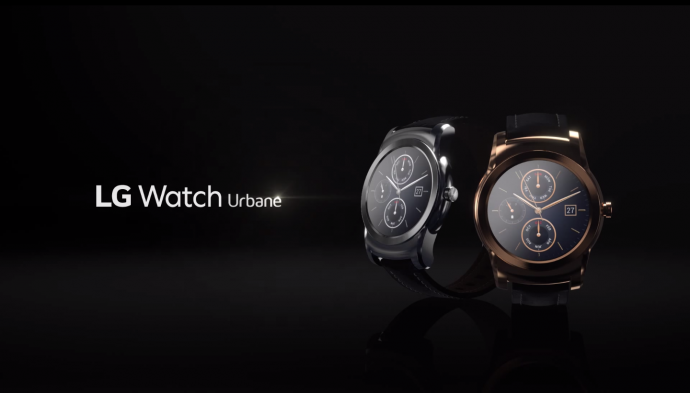
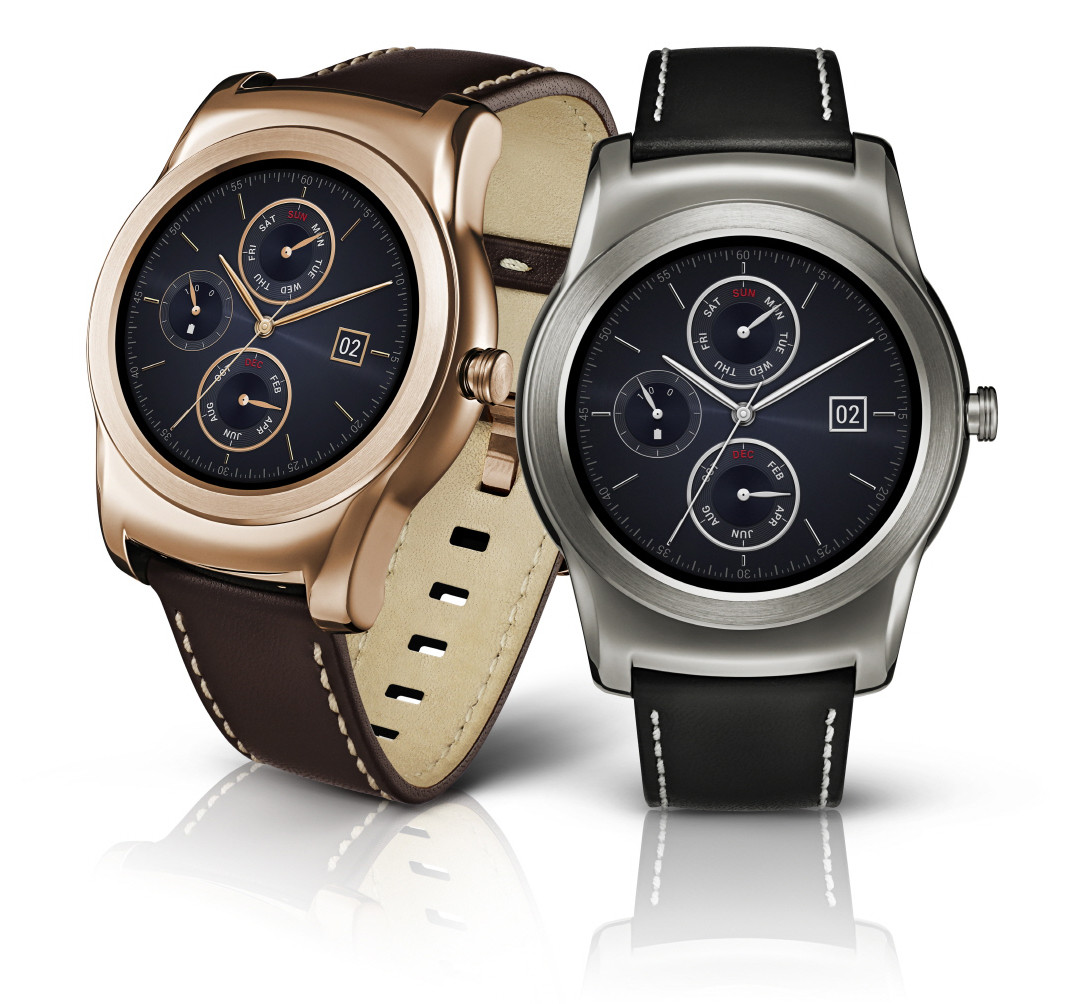
Since Apple has released its Apple Watch successfully, many companies like Samsung, Timex, etc. are coming out with their versions of smart watches. LG does not seem far behind in the trend of creating smartwatches. The South Korean manufacturer raised its bar with the revelation of the G Watch R. Later, the company unveiled yet another smartwatch called the LG Watch Urbane. A fusion of style and technology, this watch is for both men and women.
According to NDTV Gadgets, India will be only receiving the WiFi variant of the watch, not the LTE version. As of now, there are no official statements given by the company, although it is expected this week.
Other than this, the LG Watch Urbane boasts of a 1.3-inch circular P-OLED (320x320p resolution) display, just like the G Watch R. Its bezels are narrow, which gives it a more elegant and classy look. The device is driven by 1.2GHz Qualcomm Snapdragon 400 chipset paired with 512 MB RAM. The Watch Urbane can hold data in the 4GB inbuilt memory and runs on Android Wear. The 410mAh battery of the smartwatch can be a bit disappointing and one has to charge it time and again to keep it going. The Watch Urbane packs Gyro, Accelerometer, Compass, Barometer and a heart rate sensor.
LG has priced the fashionable smartwatch at $349 (Rs. 22,000 approx). It is available in two variants, silver and gold but there is a nip to it; currently the watch is only available in the US and the sales begin from May 8. We don’t have an official confirmation about the watch’s arrival in India, but it is expected to launch sometime in end May.
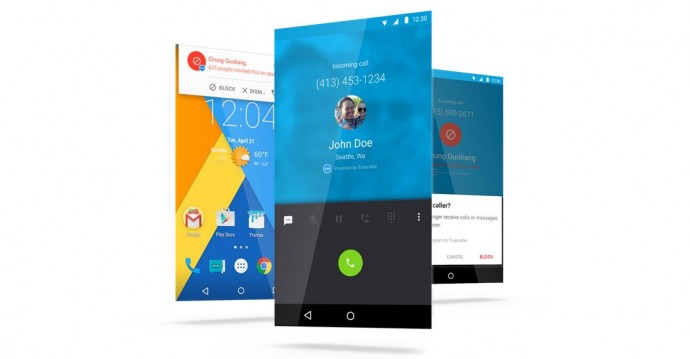
Truecaller gained huge popularity when it first launched in 2009. This was due to the fact that the integrated caller ID service was among the first of its kind that displayed the name of the person calling from an unknown number and provided a call-blocking facility. This app has achieved 100 million downloads till now. Now, Truecaller has decided to raise up its stakes of removing spam phone calls by collaborating with Cyanogen and pre-installing its technology on Android handsets.
Truecaller recently announced their partnership with Cyanogen OS. The app aims at eliminating spam calls and improving the overall calling experience for Android device users. All future mobile devices will have Truecaller pre-installed and it will be made available to existing users by over-the-air update in the next few months.
[quote text_size=”small” author=”Dave Herman” author_title=”VP of Product Development at Cyanogen Inc.”]
Truecaller shares our vision of enabling an open platform that gives users the ultimate choice in their core app experiences. The new integrated dialer experience is a seamless, frictionless way for users to screen calls and block unwanted spam without ever leaving the native dialer.
[/quote]
Truecaller previously had signed up deals with Nokia/Microsoft, Lenovo, Airtel that let its users pre-load the app via a third party. With Cyanogen, it will be the first time the technology will be integrated with the operating system directly.
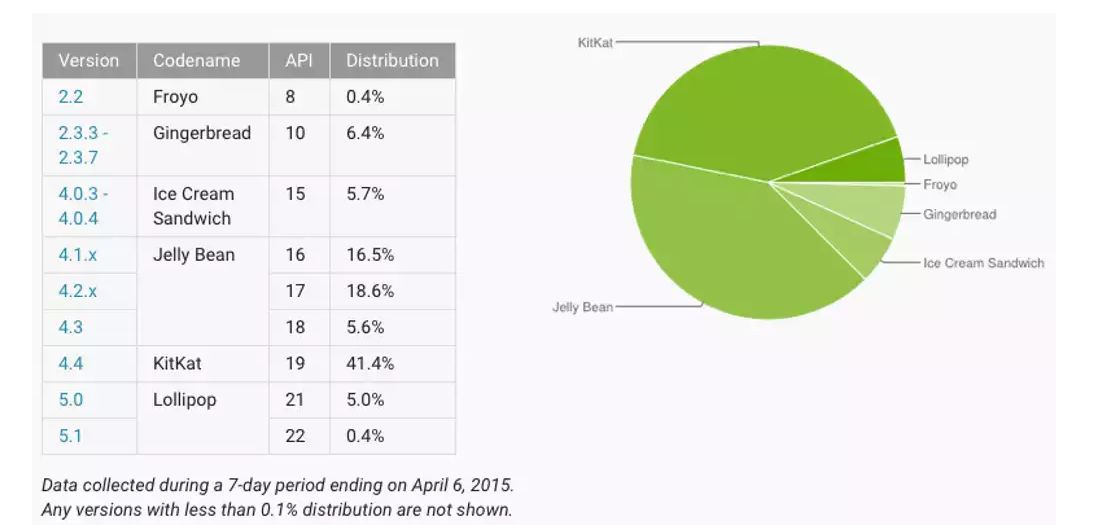
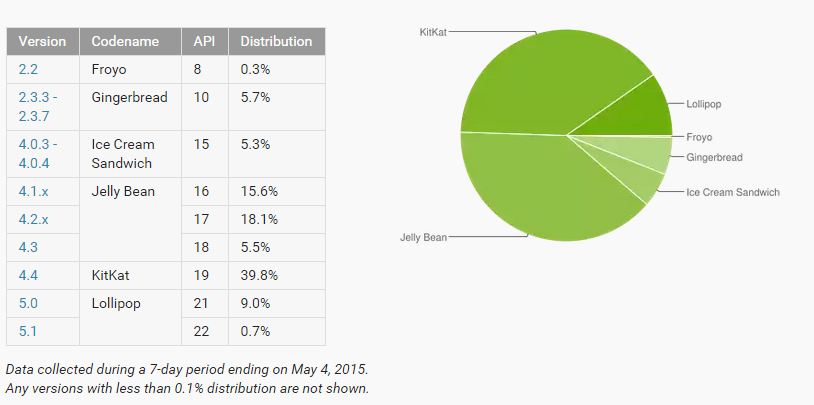
Officially introduced in early-March 2014, Lollipop is the newest Android software release available now. Steadily, it seems that Android has started to grasp the ways of the competitive market. However, after being made available, Lollipop was being used by only 0.7% of the market. Now, Lollipop’s market almost doubled within this month, whose surge can be attributed to the launch of Samsung Galaxy S6 and Galaxy S6 Edge. Both the handsets came pre-loaded with the operating system.
Meanwhile, its predecessor, KitKat, slipped from 41.4% to 39.8%, which could very well hint towards the rate of the upgrade of the OS. In the similar fashion, all the previous versions of Android saw a decline. Surprisingly, Froyo, the first Android OS, still hangs at the tip with 0.3% market share.
As you can see in the above figure, the number of active Android handset space has increased eventually. Lollipop now operates in 9.7% of the Android smartphones around the world. Google released a report on the steady growth of Android 5.0 Lollipop’s market share, rising from 0.1% in December 2014 to 1.6% in January and over 5% in March. If the jump crosses above 10% in April, it may be one of the biggest wins for Android.
First introduced in the summers of 2014 at Google’s I/O, a 10% growth in a year may not seem too much for most of the other companies. Reasons for the slow increase? Patchwork arrangements between Google and various other manufacturers, the large collection of Android devices of the companies, many more variants required by each carrier – all contribute towards the fact that it is not easy for Android to roll out its updates for handsets in the same way as Apple does for iOS.