Category: Apps and Software

Games, Apps, Softwares, Operating Systems and Software Hacks

  • India Will Need to Wait a While to Experience Cortana

    India Will Need to Wait a While to Experience Cortana

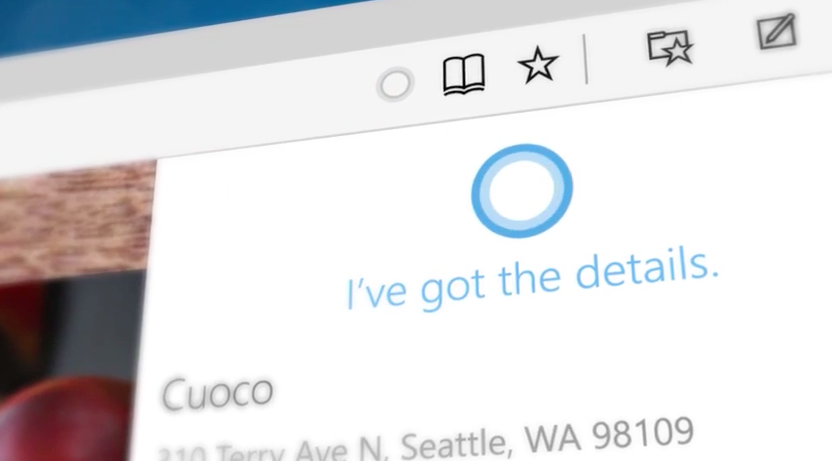
    We’ve all been talking about how iOS’ Siri finally has competition with Microsoft’s voice-activated digital assistant in Windows 10, Cortana. Set to have been seen with the global launch of Windows 10, Microsoft users in India may be left disappointed. Why? Because Cortana isn’t going to be available to us anytime soon due to Microsoft updating the software with “strong local content”, according to Microsoft India Director (Windows Business Group) Vineet Durani.

    source: Microsoft-news
    source: Microsoft-news

    The decision has been made due to a number of reasons. Durani said that Cortana wasn’t just an assistant. Since she is used to find data, track information, set reminders etc, they wanted to make sure that Cortana was synchronised, geographically and locally so that she could cater to the Indian users with more efficiency. Therefore, it isn’t just about getting the Indian accent right, its about being completely in tune to the user’s needs.

    This seems like an understandable move from the Redmond-based firm because Windows 10 is banking on making a comeback from the mild debacle Windows 8 was. They want to make sure they give stiff competition to Apple’s iOS, without any glitches. Hence, we can only hope that when Cortana does make an appearance in India, she’s flawless.
  • This is How Google Helps You Avoid Long Queues

    This is How Google Helps You Avoid Long Queues

    Google has introduced a new search feature which can now show you the busiest hours of a particular business, so that you can avoid transactions during that period.

    The location card search will now show a “popular time” section, which shows you the address, phone number and hours of the business’. You can use this feature by typing in the name of a restaurant, store, or any other business and then select the “more about” button. This will give you more information about the place and will show you the “popular times” panel. This section, is based on the “historical visits to this place”.

    This feature also keeps you updated about the traffic throughout the week on an hourly basis, in case it varies. The graph will not provide you with specific numbers but will show you the busiest hours in comparison to the rest of the day.
    It is available on Google’s Android app and searches within Chrome and Safari Apps on iOs. Google says it has enabled the feature for millions of places and businesses around the world.

  • Windows 10 is Finally Here

    Windows 10 is Finally Here

    All Windows users have been anticipating this day for months now, and it is finally here. The Windows 10 launches today, though with mixed reviews. It is being called a great combination of the Windows 7 & 8, especially with the return of features like the Start Button. Other features include Cortana, a new browsing experience with different modes such as the reading mode.

    source: PCworld
    source: PCworld

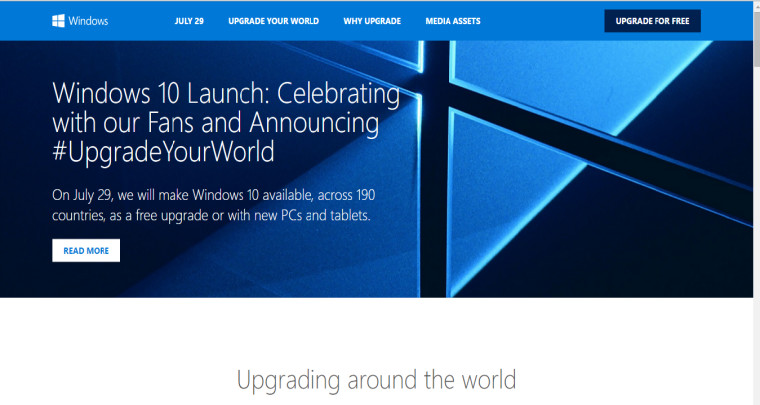
    One can upgrade to the Windows 10 by clicking on the ‘get windows 10’ icon on the Systems Tray of your PC. Otherwise, Windows has also provided a Quick Guide along with a website pertaining to the launch. Those of you who have already clicked on this button and have registered for the new Windows, have only to wait till Windows updates you about the download. The installation might take a day or two, depending on the traffic.

    Windows 10 Upgrade Website

    Most reports don’t call it a ‘traditional launch,’ since Windows 10 has been available to several users for a couple of months. Although, Microsoft says, that Windows 10 will perhaps be the last version of the Windows software program, which will keep updating itself gradually for free, over months and years.

    windows 10

    As of now the Windows 10 will come with many guide videos to help upgraders use the new features such as, the cortana, XBox game streaming, built-in universal apps, and the improved security of Windows 10.

    Windows 10

    However, with mixed reviews, it is yet to be seen, whether Windows 10 will tighten its hold on the market. Let us know about your Windows 10 upgrade.

  • Here’s How You Can Destroy Sent Email Even After a Year

    Here’s How You Can Destroy Sent Email Even After a Year

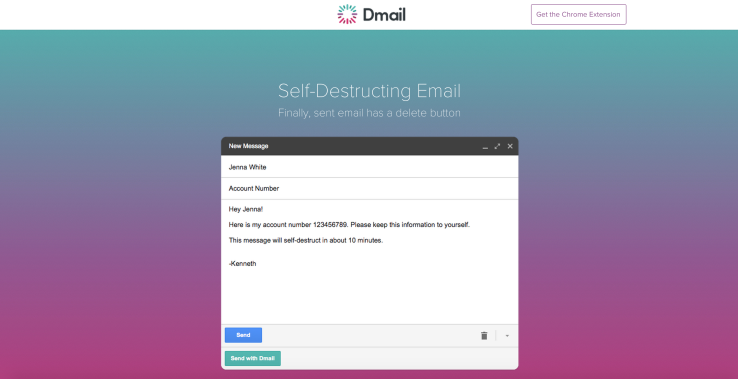
    Gmail had recently announced a new feature called the Undo save button, which allowed you to retrack your email within 30 seconds of the it having been sent. Now Gmail has an extention feature called Dmail created by Delicious (an online social bookmarking company) with a tagline that reads ‘Finally sent email has a delete button’.

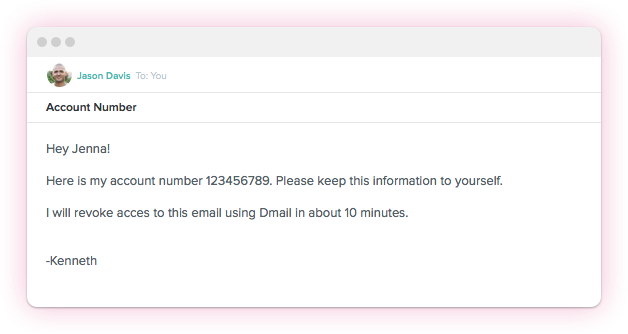
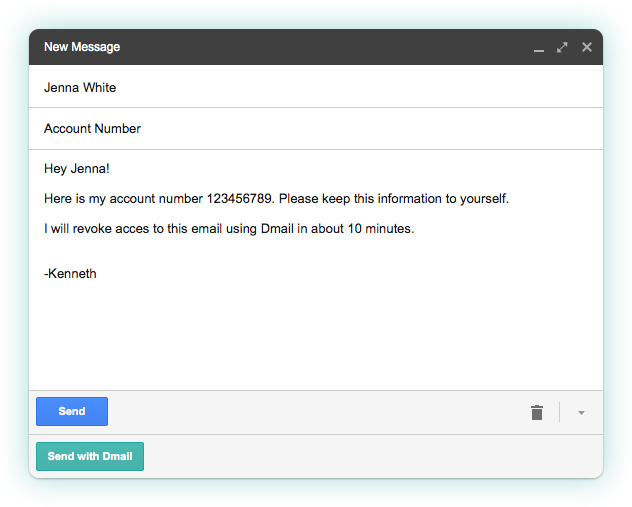
    Dmail 1 Dmail is well aware that the concept of re-tracking one’s email isn’t new and has therefore introduced its self-destruct feature, which needs to be installed by the user from the Google Web Browser Extension and for the first time allows you to destroy a sent email whenever you want to. The Dmail button can also be controlled by you with the help of a toggle switch.

    Dmail 2

    How this works is, that, once loaded, you will have a new option on Gmail, within the ‘compose’ interface which allows you to turn on the Dmail service. Ahead of sending the email, you can specify as to when you want the email to destroy itself. The options given are ‘an hour’ to a day, week or never. And even if you choose the never option you can go back and click on the revoke email button which removes access to that email from all recipients.

    Dmail 3

    What is different about Dmail is that the recipent doesn’t need to be a user of the service in order to access the email. In case one is not a Dmail user and receives a Dmail encrypted mail, you will receive a message that says “This secure message was sent using Dmail. To view this message, simply click the button below.”   This will direct the viewer to a web view where they can read the email.

    The product has been in development for a long time and was built by a seven member subset of Delicious’s team. Currently, the feature is available online for all Gmail users, but not for smartphone users. Hence, the company is looking to expand their business by making this feature accessible to iOS devices in August followed by Android devices. They also plan on making Dmail a fremium service, this means that though some aspects of the service will remain free for individuals; power users and businesses will have to pay for other specific security features.

    Meanwhile, a document control feature is already in development, and Jones expects this feature to launch before this winter. Click here to download Dmail. Meanwhile, tell us what you think about this feature?

    Source: [tw-button size=”medium” background=”#07ABE2″ color=”” target=”_blank” link=”http://mail.delicious.com/”]Delicious[/tw-button]

  • New WhatsApp Update Enables ‘Mark As Unread’ Feature

    New WhatsApp Update Enables ‘Mark As Unread’ Feature

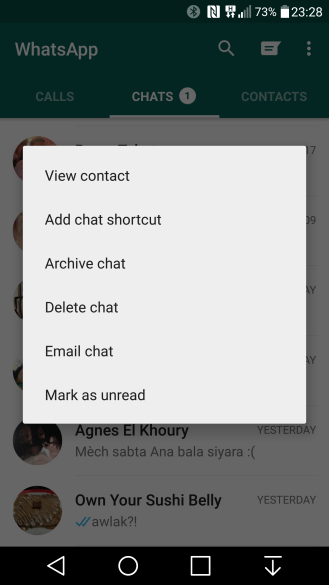
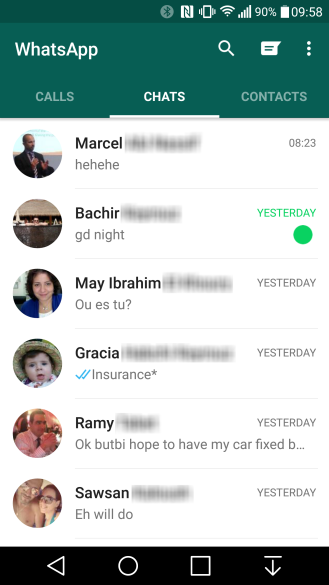
    Few months back, WhatsApp announced a much talked about ‘calling’ update, and just recently it announced another update that enables you to mark a conversation as unread. To activate the updated feature you have to tap and hold the conversation you wish to respond to later. This doesn’t change the status of the conversation if you have already read it, rather, it acts as a reminder for a conversation you didn’t have the time to respond to immediately, and in the process, avoids many a conflict that has been caused by the little blue tick marks.

    Image Source: AndroidPolice
    Image Source: AndroidPolice

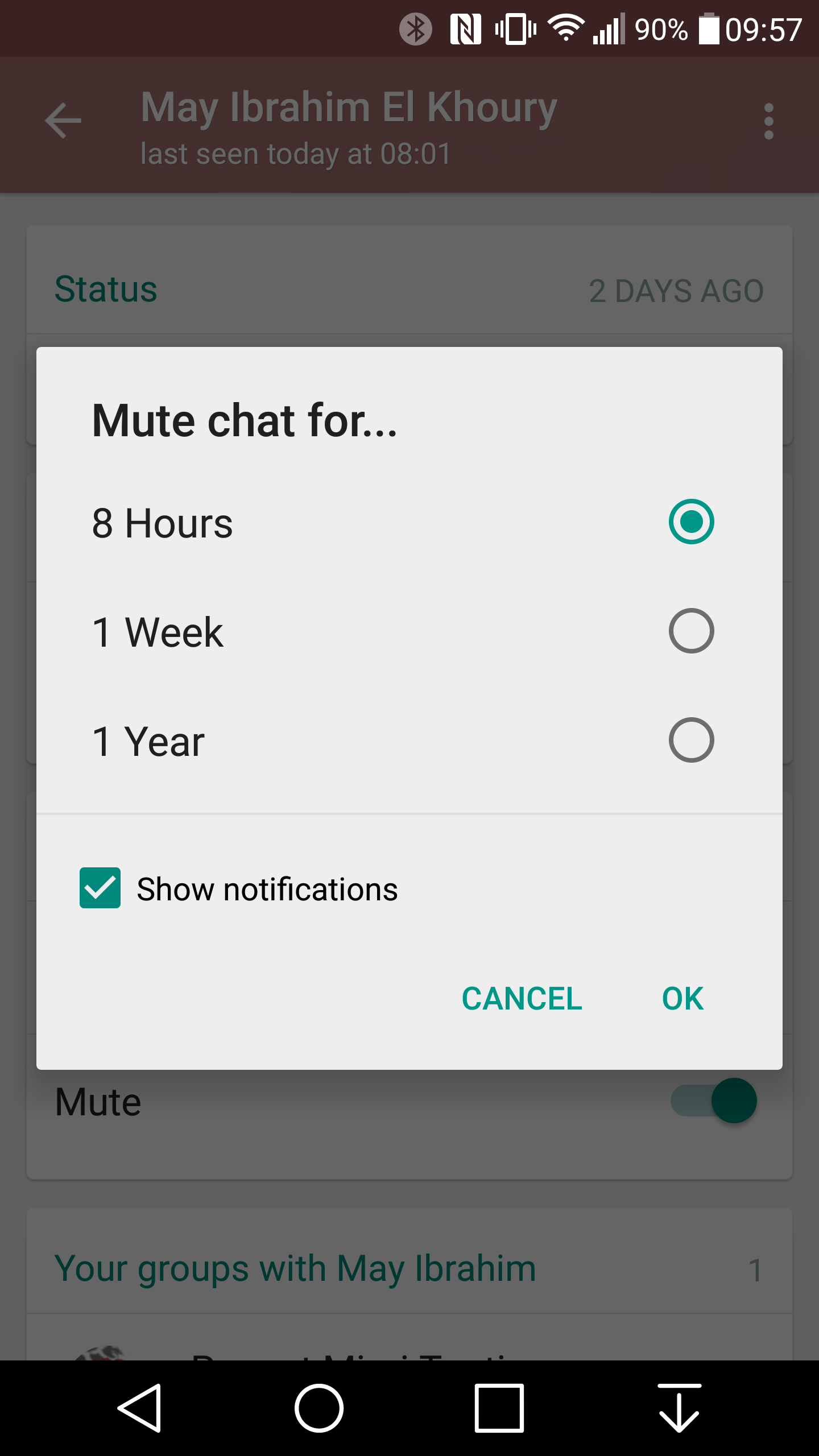
    WhatsAppApart from this WhatsApp has made itself very efficient by introducing other updates such as the low data usage feature  for voice calls, useful when you’re on a limited or slow data plan and the ‘mute’ button on the customized settings options. This feature enables you to mute a group conversation for up to a full year! One can also customize settings for specific tone, vibration length, light, popup notification, as well as the call ringtone and vibration.

    Mute Option

    low data usage

    With multiple updates and new features it seems like WhatsApp is here to stay, at least till the near future.


  • Now, Trash Cans Provide Faster Internet Than Starbucks

    Now, Trash Cans Provide Faster Internet Than Starbucks

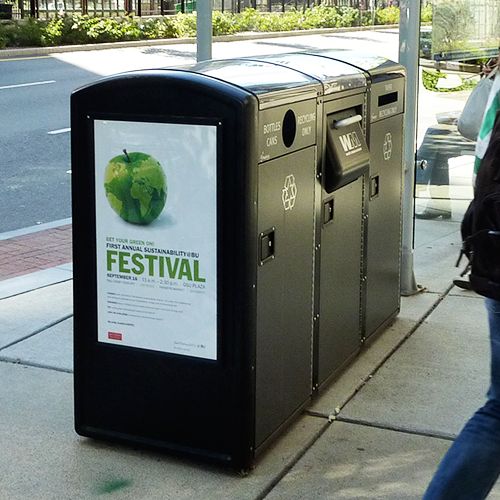
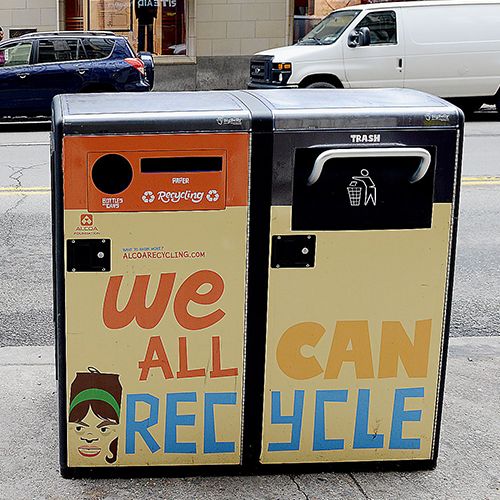
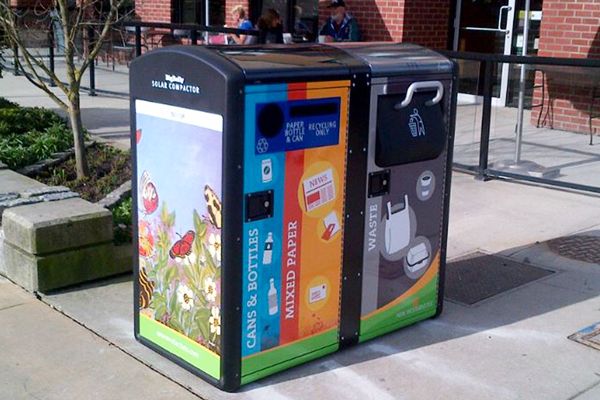
    Trash cans or dustbins are normally used to dump waste in, it is then, taken out and recycled or disintegrated. Trash cans are extremely vital for the modern concept of ‘a clean city is a healthy city’. Bigbelly, a New York Based firm, recognized as an industry leader in waste management, environmental, and innovative technology spaces, announced the use of their new smart-cans. As an initial test New York’s Downtown Alliance have already taken two trashcans to turn them into Wi-Fi hotspots.

    Image Source: Gizmo
    Image Source: Gizmo

    Bigbelly’s main aim was to create the best-possible waste-management system and it started off with the solar-powered recycling bins, which allowed the bins to collect five times more trash before needing to be emptied.

    Bigbelly Solar wifi trash cans

    The idea of the ‘smart-can’ dawned on them when they realised that their cloud-based connectivity, could provide additional services, such a free public Wi-Fi with the use of a wireless repeater installed on the bottom of each station.

    These Wi-Fi spots provide browsing speed up to at least 75mbps and can function smoothly, as long as there is no obstruction between the bin and the user. Which according to DigitalTrends is more than what Starbucks with 9Mbps can say for itself.The Wi-Fi service is free and runs solely on advertising revenue.The plan being to add more of these trash-cans soon with the focus on under privileged areas.

    Teenagers using Wi-Fi near Smart Can

    Leila Dillon, Bigbelly’s vice president of global marketing, told CityLab,

    “We are a smart, solar-powered, connected technology platform that is literally sitting in the streets of New York. We are exactly where the people are.”

    And as reported by Gizmo they also plan on tracking urban intelligence data to provide services, applications and benefits to “core city infrastructure that every city and town has and needs.”

    Will the cities and towns become smarter with such new innovations? Let us know what you think.

    Source : [tw-button size=”medium” background=”#07ABE2″ color=”” target=”_blank” link=”http://www.gizmag.com/bigbelly-wi-fi-hotspot-solar-powered-recycling-garbage-bins/38561/”]Gizmag[/tw-button]

  • Google Photos to Replace Google+ Photos Starting 1st August

    Google Photos to Replace Google+ Photos Starting 1st August

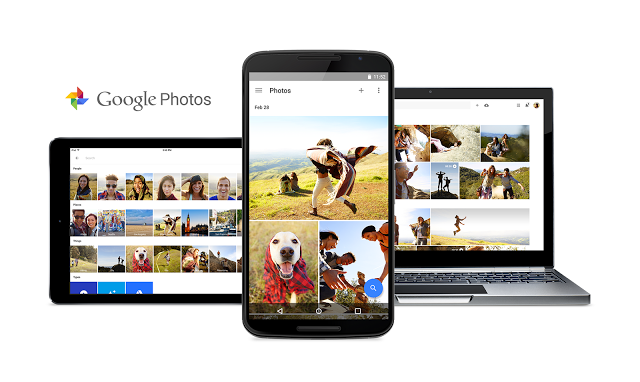
    In a bid to connect with their audience and to up their usage, Google has finally decided that it will be shutting down Google+ photos and making way for Google Photos by August 1st.

    This announcement sounds like good news for two reasons. Firstly, Google Photos will provide unlimited storage and will automatically sort out your photos in various categories and timelines. Secondly, anything that is free is always worth it. Google will provide unlimited storage, organise your folders and allow you to edit, share and save all your photos for free. 

    Google announced that they will begin the shutdown process with Android phones, then iOS and the Web thereafter. The Plus now has prompts asking people to switch to Google Photos and download it before the 1st of August. Doing this, will be of great convenience as Plus will soon stop working and one will have to access their photos from Google Takeout. The company ensures that all your photos and videos will still be saved and available after you switch to the new, stand-alone Google Photos app. So download soon, it can only benefit you.

  • Yahoo Messenger: Is It Back?

    Yahoo Messenger: Is It Back?

    Today we have moved on from the age of emails and PCs to the age of texting and mobile phones, and with apps such as Viber, WhatsApp, FaceTime, Skype etc. the use of emails has become almost limited to being used exclusively for official purposes. In the process, age old apps like Yahoo have almost become redundant, especially with the growing popularity of new apps such as Google because of their efficiency and ability to cater to the growing needs of the modern lifestyle.

    yahoo

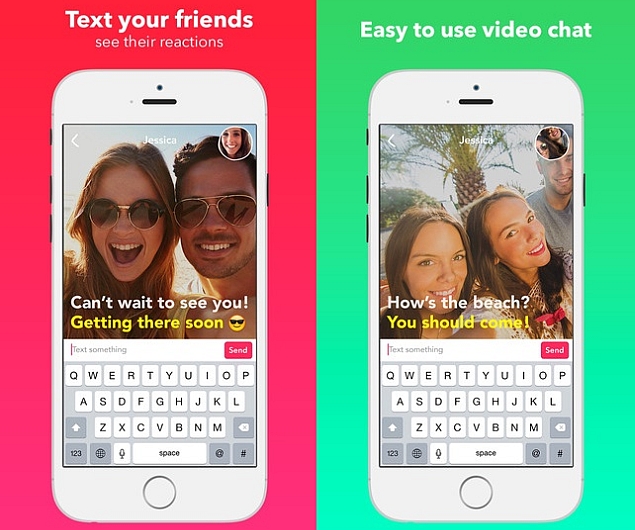
    Recently though, Yahoo has made a silent comeback with the launch of its Livetext app on the iTunes app store. The unique feature of this app is that it is a peculiar combination of silent video chatting combined with texting. This app is unlike Skype or FaceTime. Users can have a virtual face-to-face chat and text each other simultaneously, without the voice getting in the way of the messaging. It should be very useful for people in business or classroom situations.

    http://cdn.ndtv.com/tech/images/yahoo_livetext_video_messenger_app_screenshots_itunes.jpg

    The advertisement for this app as the iTunes description states is as follows:

    “Welcome to Livetext for iOS, the most natural way to have REAL conversations. It’s live video texting, without sound. You will feel like your friends are right there with you.”

    Therefore, according to Yahoo, this new app should allow people to interact more naturally. This is Yahoo’s answer to making communication and interactions in the modern world efficient, interesting but yet personal and REAL.

    The reviews for the app have been mixed. Some consider it a worthwhile comeback while others term it as ‘odd’. The necessity of silent video chatting has been questioned, although as previously mentioned it could be of use in certain situations. Apart from that, we also have apps such as FaceTime and Yahoo’s ultimate usurper, Gmail with functions such as Google+ Hangout which is basically “free video chat service from Google that enables both one-on-one chats and group chats with up to ten people at a time.” Yahoo Livetext on the other hand, is still not equipped for more than a 1:1 interaction- at least for the time being.

    Yahoo made its app live, on July 11,2015. Livetext for iOS can use either a WiFi or cell connection. With the app having been launched only on the Hong Kong iTunes, it is yet to be seen whether it will hit the global market.

    So, will you revert back to the revamped Yahoo? Let us know.

  • Cortana’s Beta Version for Android Leaked

    Cortana’s Beta Version for Android Leaked

    Microsoft’s plan to release Cortana for Android to coincide with the release of Windows 10 may have received a bit of setback. According to sources, a version of Cortana for Android has leaked earlier than expected. It’s still a beta version, so Microsoft has nothing to worry about.

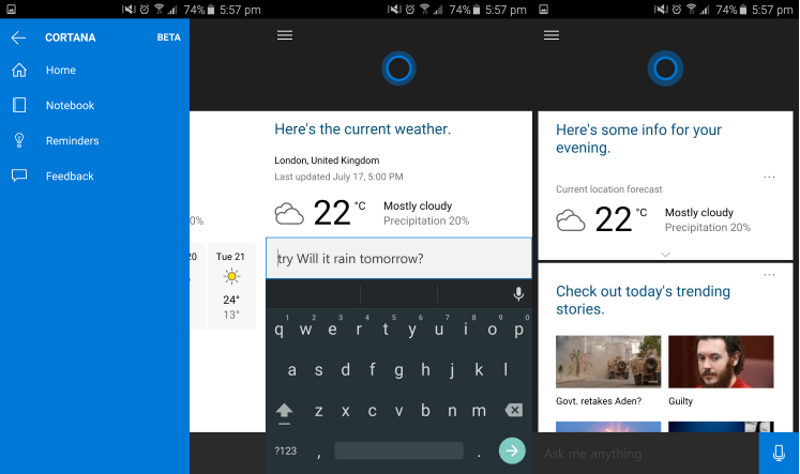
    Android users who have used the Windows version before, will find nothing new in the Android version. Except for one detail, the beta version is identical to the one found in Windows devices. You can check for weather, set reminders, see sport results, ask it to tell you Rahul Gandhi’s age etc.

    cortana for android
    Source: Microsoft News

    Named after a character in the Halo video game series, Cortana is Microsoft’s answer to Apple’s Siri. The virtual assistant is currently available to only Windows 8.1 phone users. After Microsoft launches Windows 10 later this month, the feature will be made available to both PC and mobile phone users, as well as for Android, iOS and XBox.

    Cortana has proved itself time and time again that it is equivalent to Siri. Last year, Cortana gained its fame when it successfully predicted most of the FIFA World Cup games.

  • Tech Highlights of the Week: More OnePlus 2 Details, iOS 9 Beta Available for Public and Much More

    Tech Highlights of the Week: More OnePlus 2 Details, iOS 9 Beta Available for Public and Much More

    This week was loaded with new product releases and announcements from around the world. We have compiled a list of news that made the rounds.

    Here are the top highlights of the week:

    LG hints at Google Nexus Handset

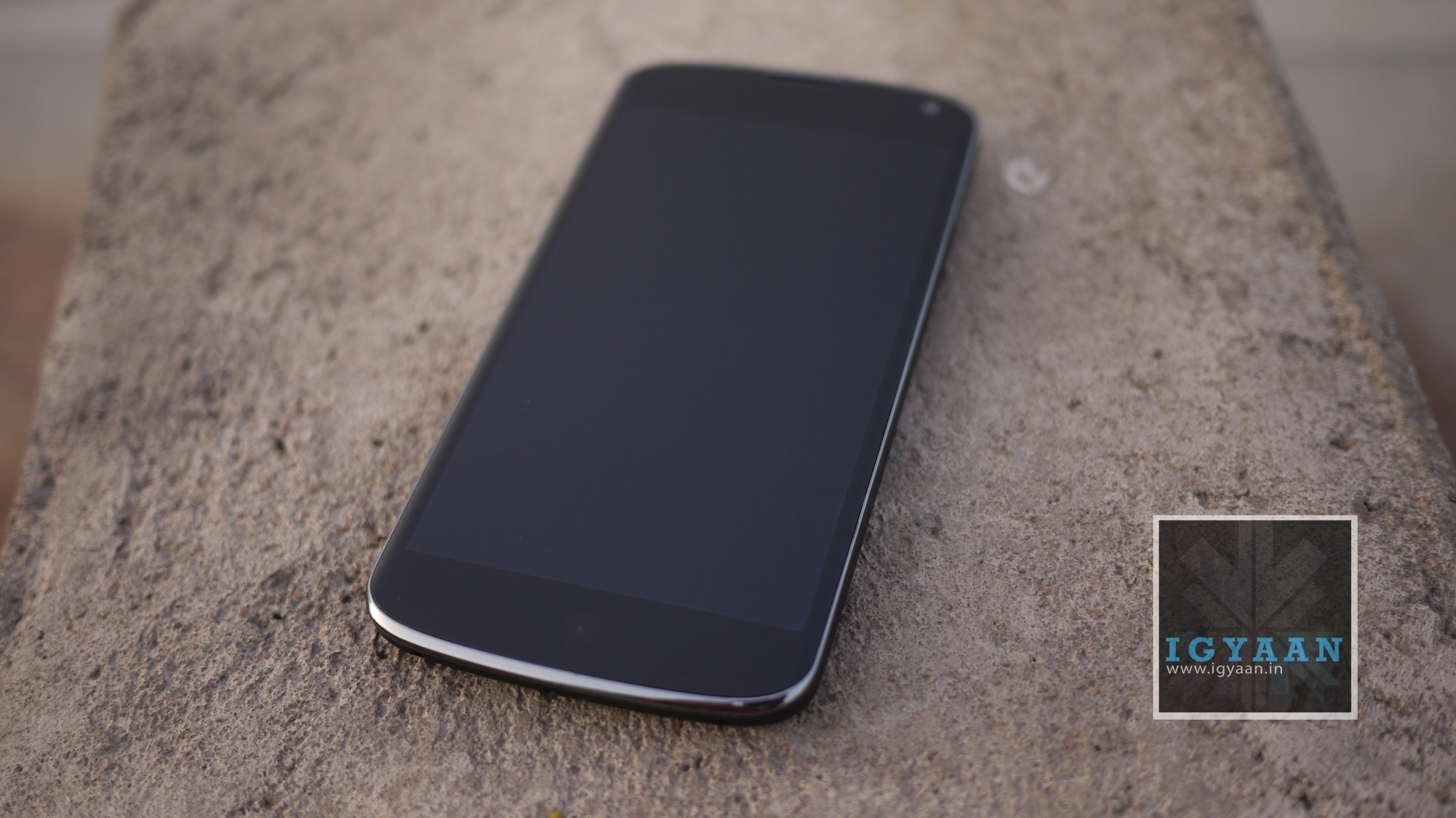
    LG Google Nexus 4 India Review iGyaan 48

    According to rumors, Google has teamed up with LG to produce the next Google Nexus handset. The device will reportedly sport a 5.2-inch screen display, six-core Snapdragon 808 processor by Qualcomm, and 2700mAh battery pack. It seems Google wants to recreate the success of Nexus 5, which was manufactured by LG.

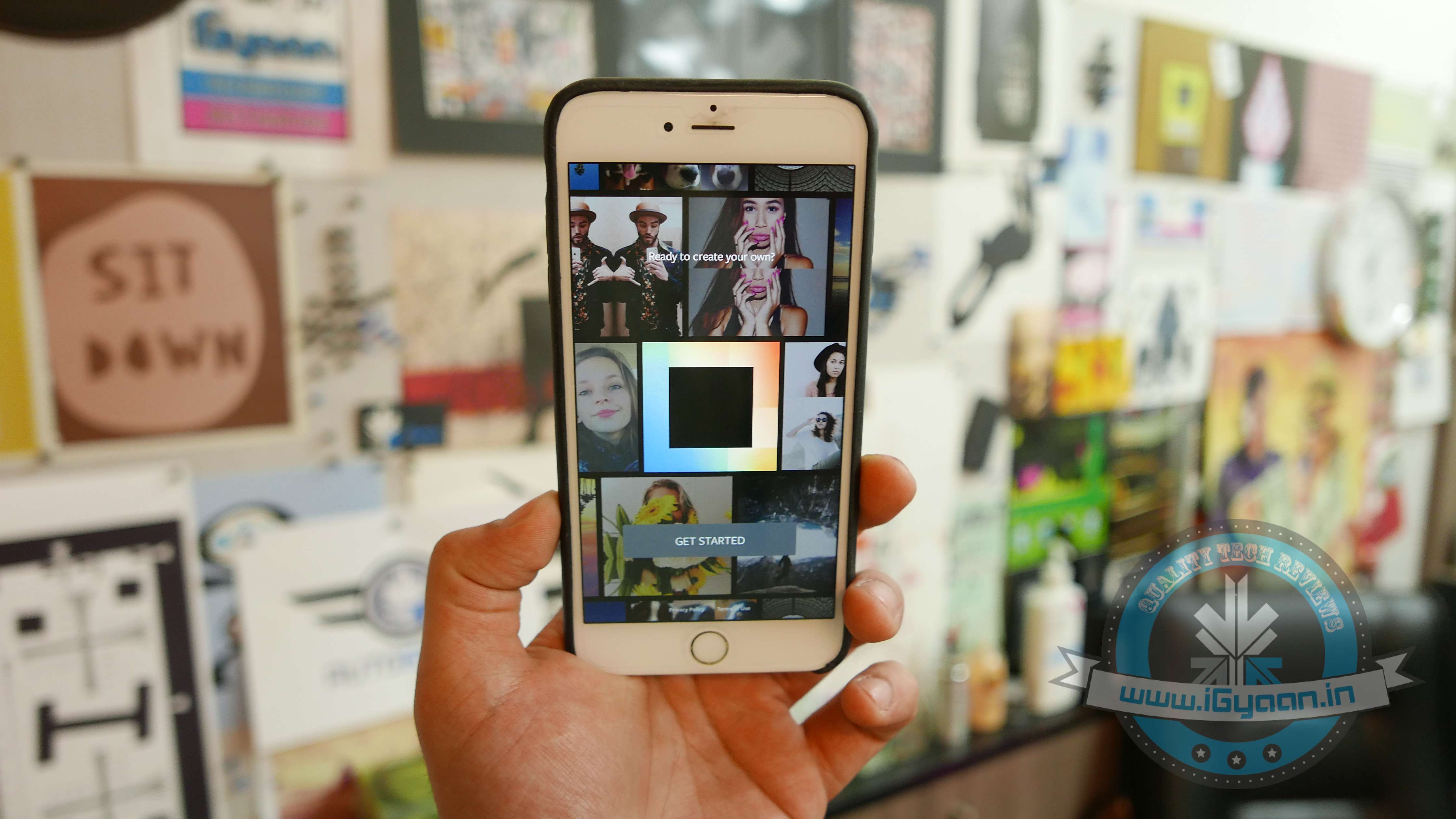
    Instagram Now Allows 1080x1080p Squares

    instagram

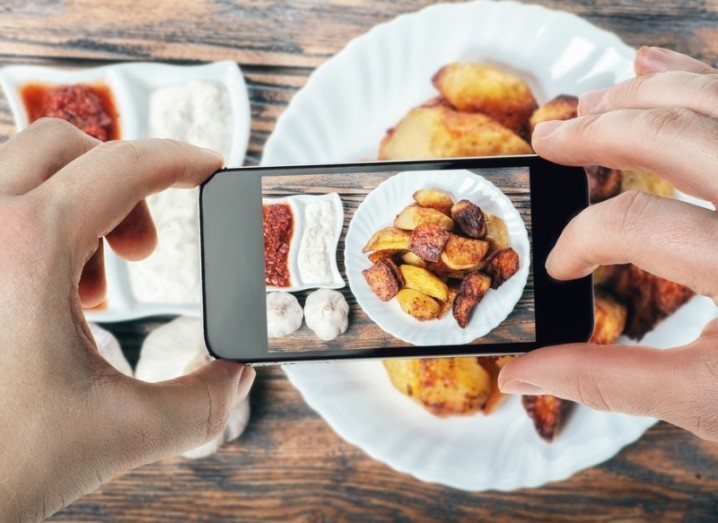
    What’s the point of clicking photographs in HD if you can’t view it in Instagram? Instagram users can now rejoice as they can store images in HD resolution. The app has upgraded the resolution from 640 x 640 pixels to 1080×1080 pixels.

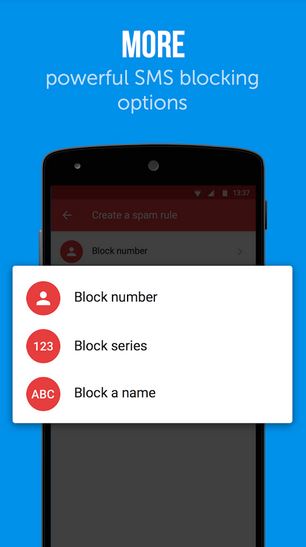
    Truecaller Launches Messaging App to Keep Your Inbox Spam Free

    truemessenger by truecaller

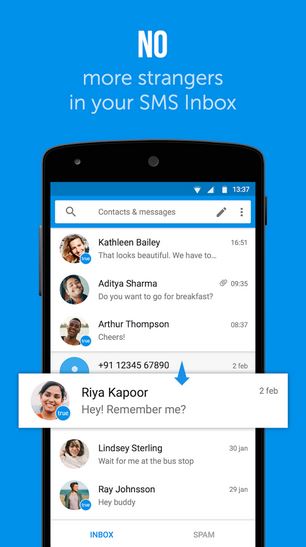
    Truecaller has launched its messaging app, Truemessenger, which basically serves the same function as its parent app – filter out spam and messages from unknown numbers.

    OnePlus Two Details

    oneplus two 810

    With just two weeks left for the OnePlus 2 launch, here are some of the key details that have been revealed about the upcoming phone –

    • The phone will not be priced more than Rs. 28,500, OnePlus confirmed on Twitter.
    • OnePlus 2 will arrive with a 4GB RAM and may sport a metal body.

    LG G4 Review

    Lg G4 Hands On 14

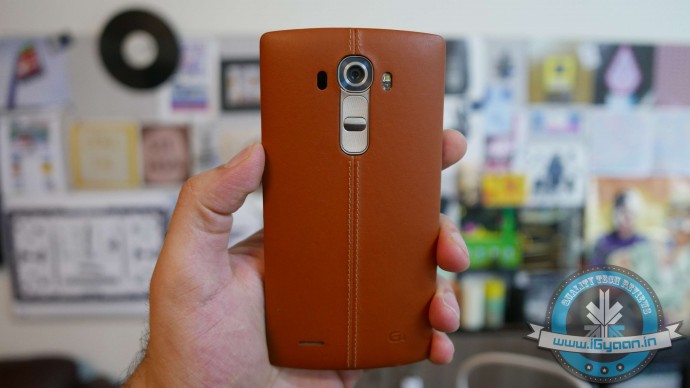
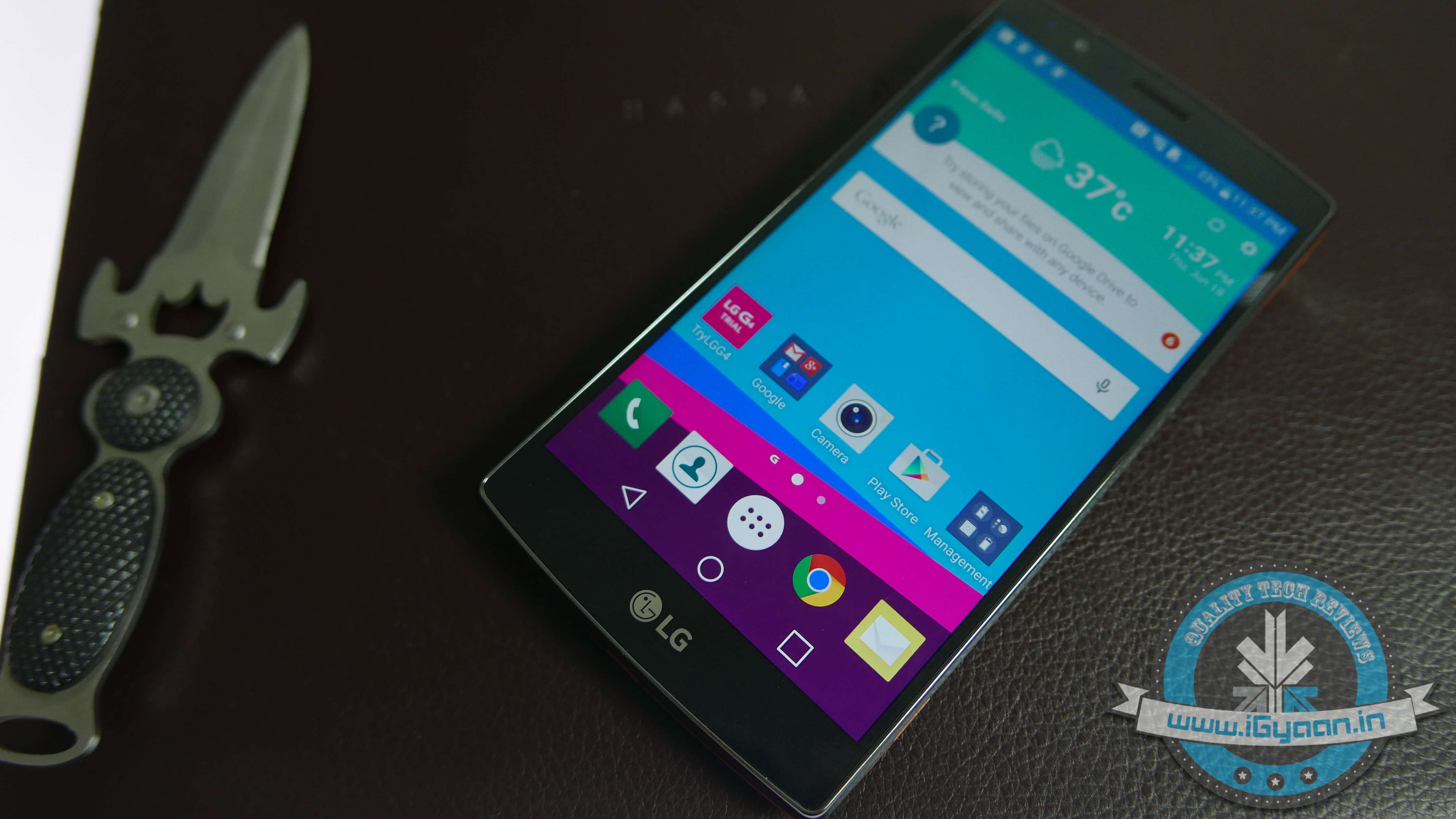
    Check out our review of the LG G4 and find out if it is worth a hole in your pocket.

    LG launches two new G4 variants

    LG G4

    LG has released two new variants in its G4 lineup, the LG G4 Stylus and the G4 Beat.

    Xolo Launches Black

    xolo black

    Xolo has launched “Black” through Flipkart priced at Rs. 12,999. The company hopes the phone will be able beat to rivals Motorola and Xiaomi.

    iOS 9 beta released for public

    iOS 9

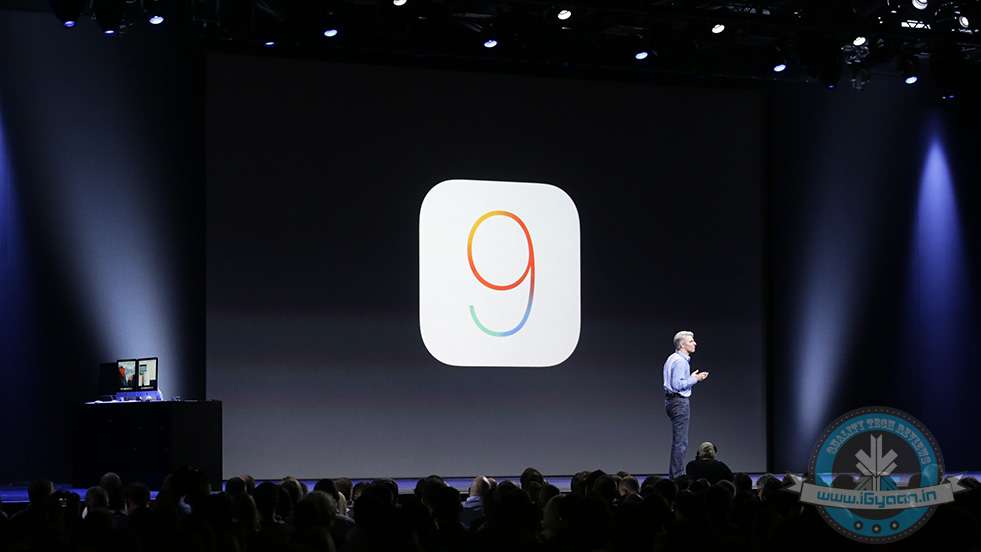
    Apple has released the beta version of iOS 9 for the public. The company has introduced some new features such as separate folder for selfies and screenshots and Apple News.

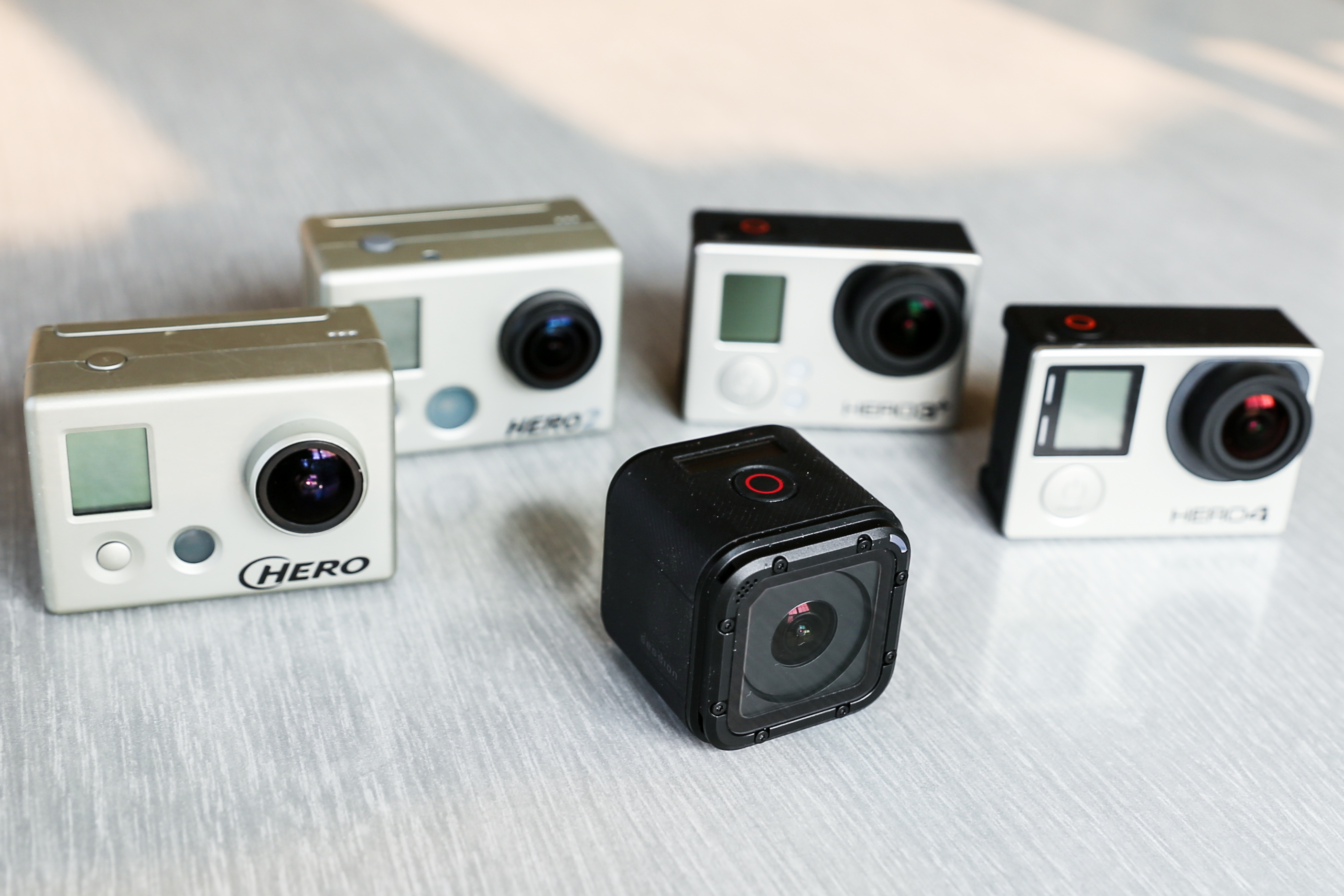
    GoPro Is Back With the New Tinier GoPro Hero4 Session

    gopro

    GoPro, the company well known for making incredible cameras for adventure and sports terrain, has unleashed their newest and the smallest beast yet, the GoPro Hero4 Session. The new camera is the first significant redesign of the company’s omnipresent camera in nine years.

  • Taxi For Sure is Operating Illegally, Says Delhi Government

    Taxi For Sure is Operating Illegally, Says Delhi Government

    Delhi government has described the operation of ‘Taxi For Sure’ as ‘illegal’. The statement comes days after a driver of the app-based company was alleged to be indulging in a vulgar act while driving a woman to Faridabad from South Delhi.

    The Delhi government said that it was not against app-based taxi services in Delhi, but it will not compromise on women safety. ”The government is not against app-based taxi services in the national capital but it will not compromise on women safety, which is its top priority,” the government said. ”Taxi For Sure has not been authorized by the Government of National Capital Territory of Delhi and hence its operations are illegal.”

    On July 3, a woman posted her ordeal with Taxi For Sure on Facebook and Twitter. She alleged that the driver committed a vulgar act while driving her from Faridabad to South Delhi. “When I was about 25 minutes away from my destination, the driver got impatient and kept motioning something to himself. I asked him to drive properly… I noticed he was ma********** while driving,” the woman wrote in her post. For her, the experience was traumatizing. “He (the driver) had a smile on his face that will haunt me for nights to come.”

    Ola Cabs acquired Taxi For Sure in March and last month integrated its service in its own app. Taxi For Sure executives visited the woman and assured her that the driver had been fired.

    This latest incident puts app-based taxi services into danger as the current Delhi government is looking for ways to regulate it. It also raises questions about the safety standards in such services, as women prefer to book cabs through apps.

  • Truecaller Launches Messaging App to Keep Inbox Spam Free

    Truecaller Launches Messaging App to Keep Inbox Spam Free

    Truecaller is one of the most popular apps used around the world, with 80 million users in India alone. The app, which is basically a user-generated phonebook, can identify calls made from unknown numbers and label it as spam. Now you can do the same thing with your messages. The company has released a companion app, Truemessenger, which performs the same function as Truecaller – filter texts from unknown numbers and spams.

    According to the developers, Truemessenger will identify the person who has sent a text from an unknown number. Like Truecaller, it screens the messages and identifies the sender using the phone’s contact list and the Truecaller database. The app will also search through the same database to identify spam messages, which gets collected in a different folder.

    truemessenger by truecaller truemessenger by truecaller

    Moreover, Truemessenger will use your Facebook feed to assign the identified number a name, photographs and other information.

    According to Truecaller, the app is currently available only on Android platform and only for Indian users. It is not a surprising move, considering that more than half of  its users are from India. The timing of the app is a bit perplexing though, considering that popular messaging services like Whatsapp and Hike have disrupted the SMS service in the past three years, which has become the bone of contention between the Indian telecom sector and net neutrality activists.

    Truemessenger is now available at the Google Play store.

  • HDFC Will Now Provide Banking Services Through Apple Watch

    HDFC Will Now Provide Banking Services Through Apple Watch

    HDFC has introduced WatchBanking, an app that allows you to carry out transactions from your Apple Watch. It’s another matter that the watch hasn’t been very popular in India, unlike its cousins iPhone and iPad. Still, it’s refreshing to see HDFC take the “better-now-than-later” approach, considering that Indian banks are known for being slow when it comes to adapting new technology.

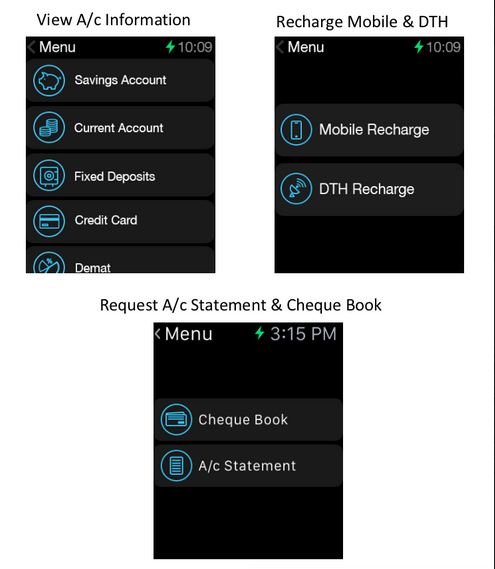
    HDFC claims that the app has been designed by keeping the functionality of Apple Watch in mind. For now, the app allows you to carry out ten types of transactions such as Bill Payments and Recharges. It allows you to see your account information and locate nearest ATMs, just like the regular HDFC app for iOS.

    hdfc watch banking

    The bank scores extra points as customers won’t have to download a separate app for Apple Watch. They can activate WatchBanking from an upgraded version of HDFC Bank’s MobileBanking App itself. The bank assures no security flaws since the watch will act as a projection device. The data will flow from the mobile phone to the bank’s servers. Additionally, there is a watch banking PIN that the user himself will set during the one-time setup process, using his unique id and password.

    HDFC says that it aims to provide banking services through all wearable devices across all platforms, including iOS and Android.

    With WatchBanking, HDFC follows CitiBank, which recently launched its own banking app for Apple Watch. The trend will continue to follow if the market for smart wearable grows.

  • Motorola Announces Android Lollipop Update for Moto X (Gen 1)

    Motorola Announces Android Lollipop Update for Moto X (Gen 1)

    Motorola has started rolling out Android 5.1 Lollipop for Moto X (1st gen) users in India, according to an announcement by David Schuster, VP of Product Sales and Operations. He also announced that the update would be received by users in 14 other countries including Australia, Hong Kong and Singapore.

    https://plus.google.com/+DavidSchuster/posts/CVeStkHUbak

    The latest update brings many improvements in Moto X (Gen 1) such as improved natural touchscreen interactions, automatically connecting your phone to home WiFi network. As BGR points out, the update has also fixed the heads up notification bug, which removed the notifications from the drop down notification menu when users swiped it from the lock screen.

    Since the update is being rolled out over-the-air, it will take some time before your phone receives the update.

    Moto X (Gen 2) already received Android Lollipop update in December last year. Motorola is speculated to launch the Moto X (Gen 3) in November this year. The new generation will run on Snapdragon 810 chipset and will house a 16MP rear camera with Clear Pixel Technology. The battery powering the new Moto X will be at 3280 mAh. The device will come in two storage variants – 32GB and 64GB.

    If you don’t want to wait for Moto X (Gen 3) till November, here are the specifications for Moto X (Gen 2):

    • Specs

      Display 5.2-inch 1080P Display – 401 pixels per inch
      Processor 2.5 GHz Snapdragon 801 Quad-core processor
      RAM 2GB
      Storage 16GB and 32GB
      Main Camera 13 MP with 4k video,
      Front Camera  2MP
      Battery 2,300mAh
      Operating System Android 4.4.4 KitKat

    Source: [tw-button size=”small” background=”” color=”” target=”_blank” link=”http://www.bgr.in/manufacturers/motorola/motorola-moto-x-1st-gen-now-receiving-android-5-1-lollipop-update-in-india/”]BGR[/tw-button] [tw-button size=”small” background=”” color=”” target=”_blank” link=”https://plus.google.com/+DavidSchuster/posts/CVeStkHUbak”]David Schuster[/tw-button]

iGyaan Network
Privacy Overview

This website uses cookies so that we can provide you with the best user experience possible. Cookie information is stored in your browser and performs functions such as recognising you when you return to our website and helping our team to understand which sections of the website you find most interesting and useful.