Category: Apps and Software

Games, Apps, Softwares, Operating Systems and Software Hacks

  • Spartan Vs Internet Explorer : 6 Factors That Give Microsoft’s New Browser an Edge

    Spartan Vs Internet Explorer : 6 Factors That Give Microsoft’s New Browser an Edge

    When Microsoft made official its biggest innovation of the year, Windows 10, everybody was excited to hear about all the modifications it brought with it. It was not just another Windows upgrade, but was a whole new effort to push something fresh. Among other revelations that thrilled the audience, a huge amount of attention was gathered by the modern browser Spartan.

    Spartan is an entirely new web browsing platform for Windows 10 that holds a bunch of really cool new features. The browser has been designed to meet the demands of the today’s fast striding world with a pinch of simplicity. Spartan is the way ahead for Internet Explorer (IE) and a dive into the revolutionary world of the future.

    Here are some of the major differences that makes Spartan stand apart from the fast-fading Internet Explorer.

    1. Faster Rendering Engine:
    spartan edge

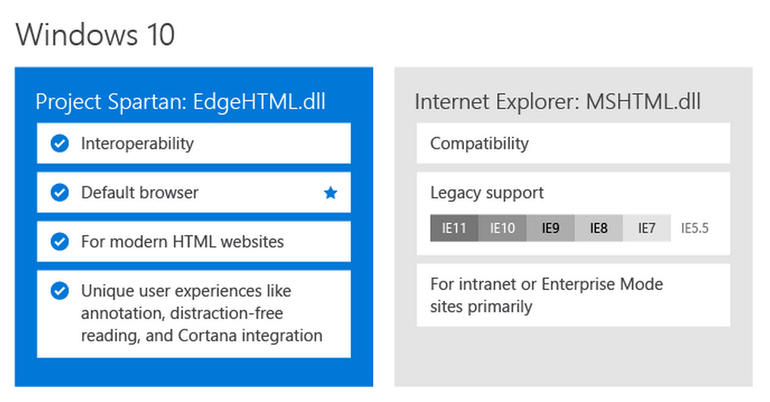
    The most vital and unnoticeable change that makes Spartan a real spartan is the all-new rendering engine ‘Edge’. It is the core of Spartan and is much faster than the existing renderer, Trident. It loads complex pages many times faster than the IE, making it a strong competitor of Google Chrome.

    Meanwhile, Windows 10 comes with two rendering engines as the latest Windows version comprises of two browsers. The Explorer works on Trident, while Spartan is powered by Edge; the latter is the default rendering engine on Windows 10.

    2. Voice Assistant Cortana:
    cortana-03

    Cortana is another significant development that has made Windows and Chrome users restless to try their hands on it. The web browser assimilates with the company’s digital assistance service, Cortana. Through the smart assistance, Windows 10 users can get information on flights, hotel bookings and other vital data on their browser. One can track a particular flight just by typing its name and all the data like departure time, arrival time and current status will appear.

    3. Note-Taking Mode:
    project spartan

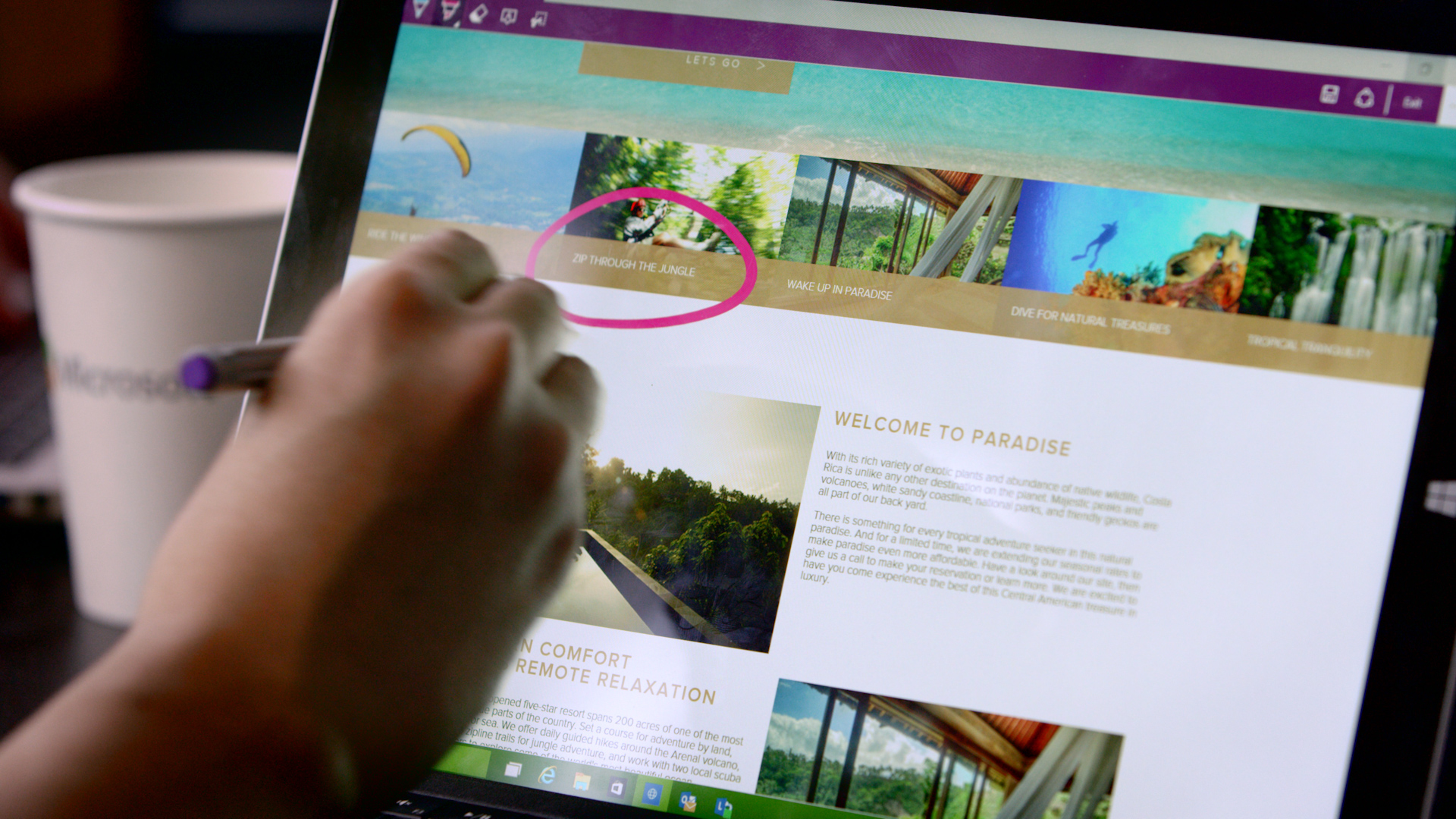
    Spartan has made it easy for users to highlight a specific section on the web page. The note-taking tool facilitates users to add comments and annotations to the web pages with the help of stylus. These pages can also be sent to a friend. As all the browsers support the web note service, the messages can easily be read by any of your friends or colleagues using a different version or OS.

    4. Clutter-free reading mode:
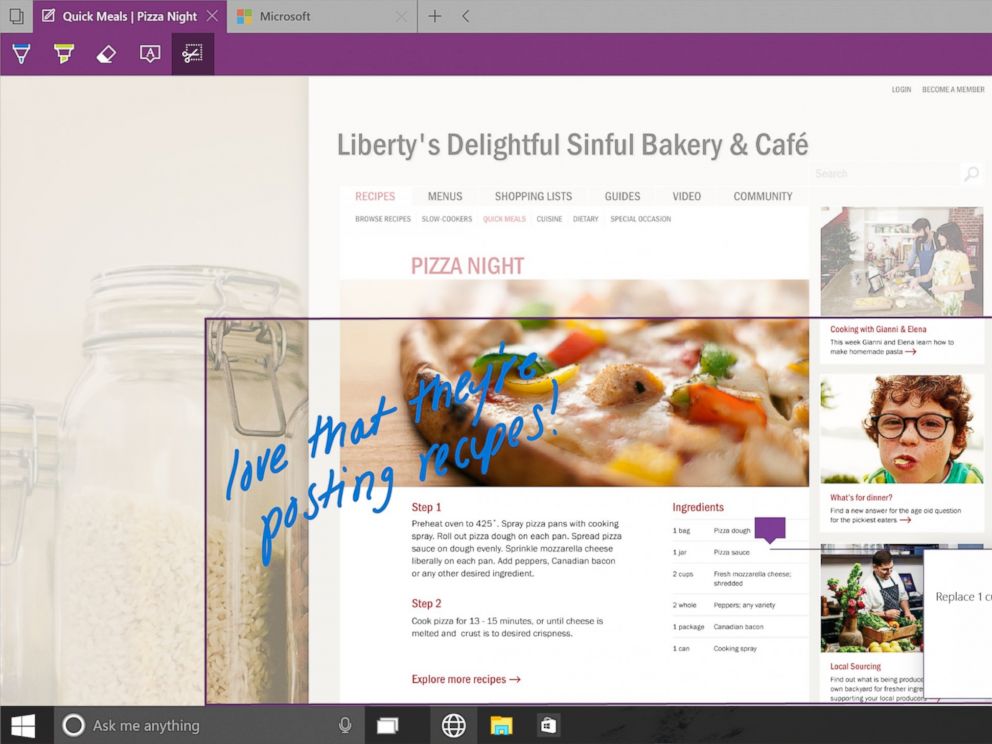
    IE will be replaced with Spartan which will be the browser of the future for Microsoft.
    IE will be replaced with Spartan which will be the browser of the future for Microsoft.

    One of the major modulation that is sure to mesmerise users is the clutter-free reading mode. The feature crops the important details and throws it ahead to focus on the information. The rest unwanted stuff is dumped in the background by default, giving users a de-cluttered view of the web page.

    5. Customizable reading list:
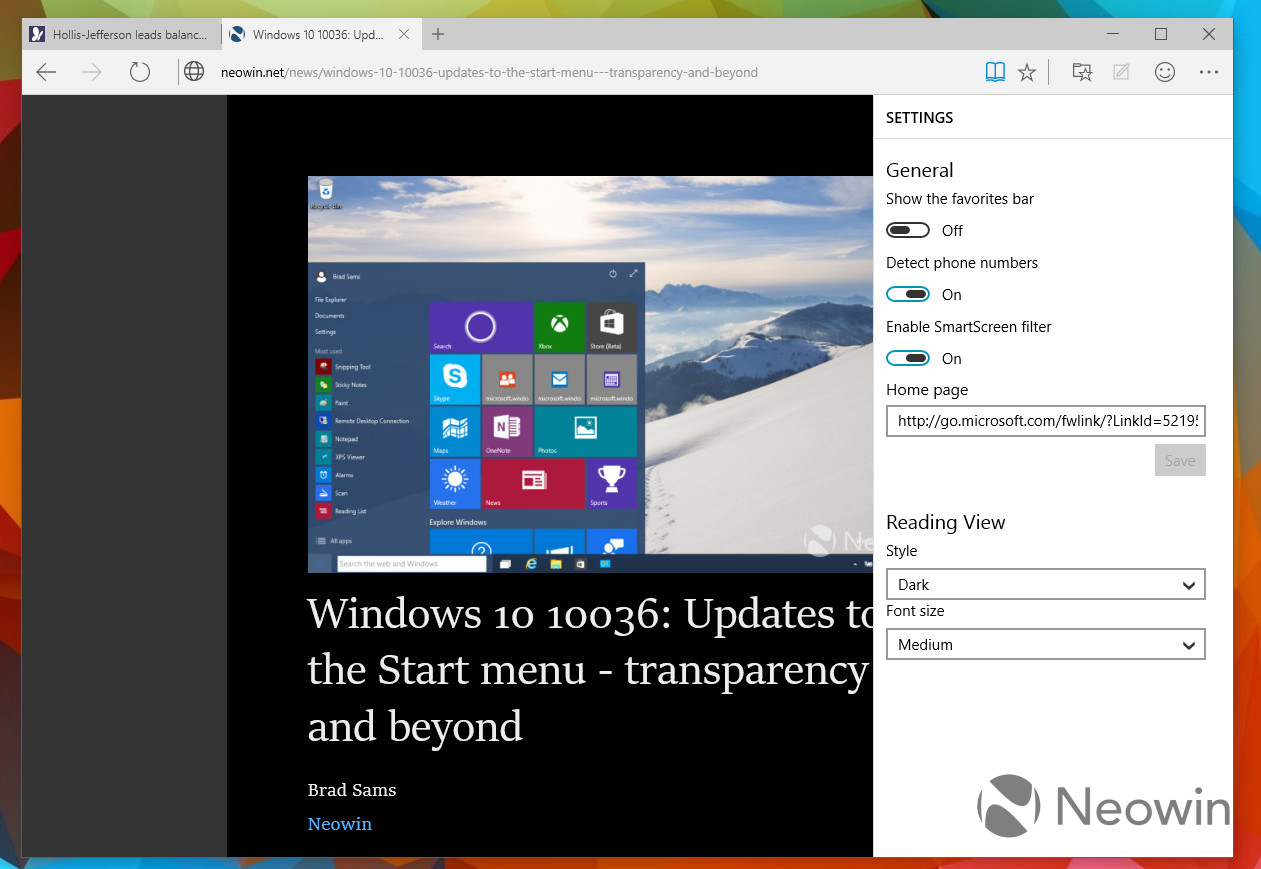
    spartan reading list

    It’s an another new feature in Spartan that offers users a facility of read PDFs and web pages offline. It’s a cross-platform feature that syncs URLs between devices. The feature is almost exactly like what Apple has already offered with its Safari browser.

    6. Simple interface with Group Tab Feature
    spartan interface

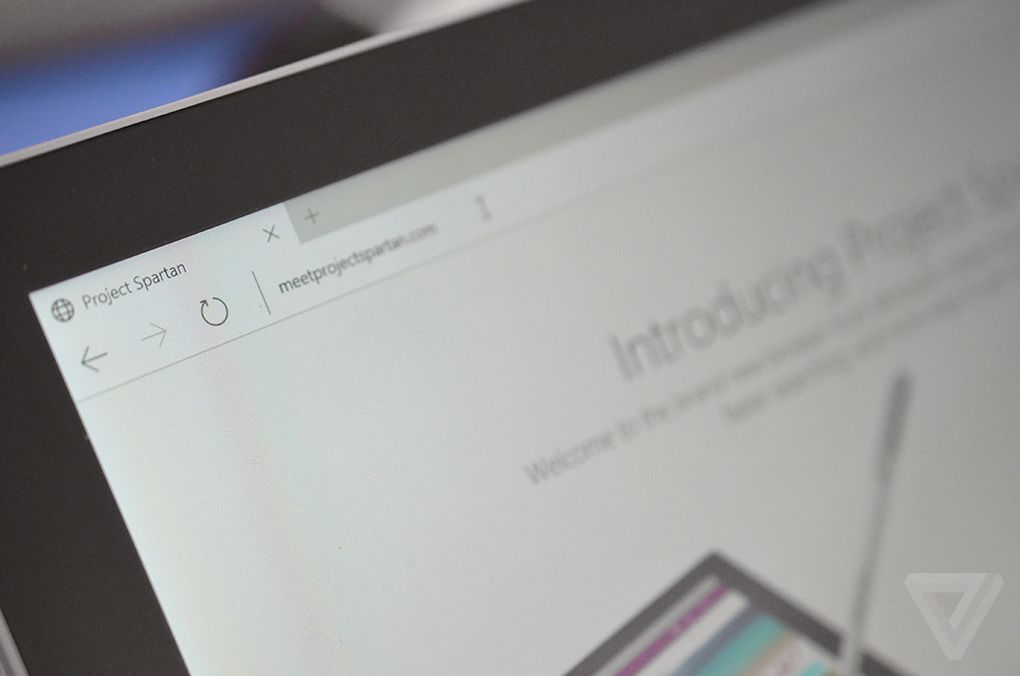
    Microsoft has kept its web browser simple because the more simple, the more elegant it looks. The interface is quite light, which makes it all the more appealing, and the icons have been designed for easy and quick understandability. Along with that, there’s a group tab feature that keeps multiple tabs in an organized manner. One can split work tab from personal tab to declutter the messy screen.

    With the launch of Spartan, Internet Explorer – one of the vital means to bring internet to the masses since 1995 – has taken a backseat in Windows 10. It is estimated that Project Spartan will soon be a pivotal part of the golden tech history.

  • Myntra to Completely Shut Down its Web Division and Become an App-Only Platform

    Myntra to Completely Shut Down its Web Division and Become an App-Only Platform

    The online fashion retailer Myntra has decided to shut down its website completely. From May 1 this year, the online vendor will become an mobile retailer, limiting itself to the app only. It’s a first by any e-commerce player to slay off its web division to become a mobile only entity.

    We earlier reported about Myntra is shutting down its mobile website, now at the end of this month, its website will also shut down.

    The reputed publishing daily says that although Myntra officials haven’t commented on the report, they’ve got a trusted insider source who has revealed about the company’s advertising and marketing plans. According to the source, the same will soon be made official by the company.

    myntra

    With the earlier announcement, Myntra officials unfolded their revenue source and stated that almost 80% of the traffic comes from mobile. Sales rate is also high through mobile application, reaching 70% as compared to the desktop platform.

    The growing innovation in tech sector is drastically changing the shopping behaviour of buyers. The e-tailer has seen rapid growth rate in just nine months and Flipkart is likely to follow soon. This all indicates the progress in the mobile technology domain and the ability of Indians to adapt quickly.

  • Quick Look at the Coolest Features of OnePlus’ OxygenOS

    Quick Look at the Coolest Features of OnePlus’ OxygenOS

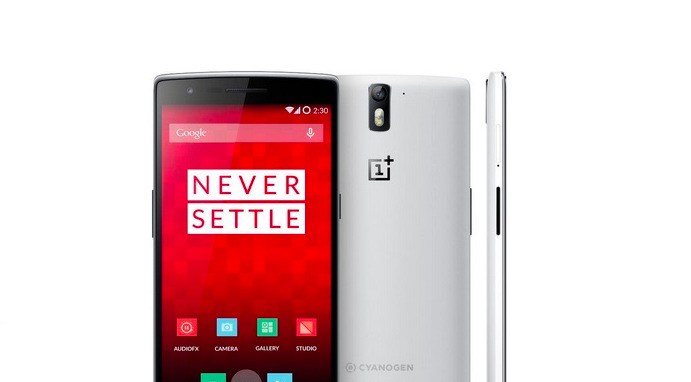
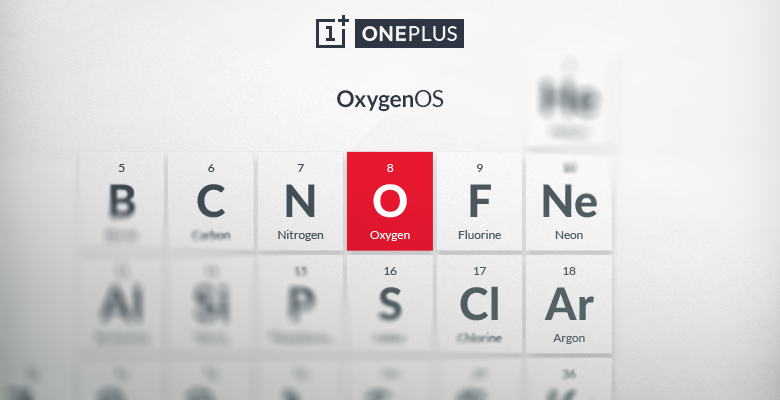
    A couple of days back, OnePlus launched its promised Android-based ROM OxygenOS, thereby reducing its dependance on Cyanogen. It’s the first in-house version of OxygenOS by the Chinese firm and is based on Android 5.0.2 Lollipop.

    The new custom ROM is built on “back to basics” approach and is said to be light with subtle essential features. The company hasn’t played on gimmicks or bloated features, and has built OxygenOS to provide maximum performance and battery life.

    Let’s have a look at its features:

    1. Quick Notifications Customization

    notification

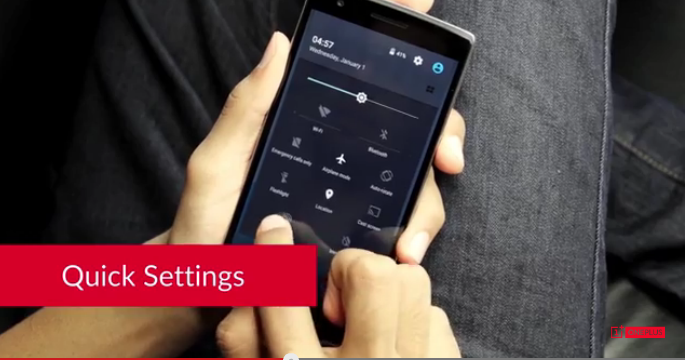
    The OnePlus’ OxygenOS offers the Quick Settings option which brings with itself the freedom to customise tiles. In the notifications bar, users can add, remove and re-arrange toggles and can make them disappear just by turning them off. This way, you can have an absolutely empty notifications tray.

    2. Freedom of Customization

    file manager

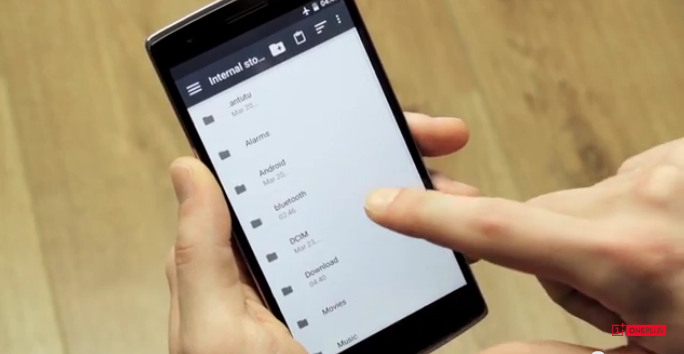
    OnePlus One users really have the freedom to customize with OxygenOS. One can pick from the various wallpapers and set it as thier lock screen. Besides which, users can choose from hardware and software navigation keys from the Setting menu and can disable the capacitive touch screen buttons at the bottom. They’ve provided various short keys for the hardware navigation keys like adjusting the backlight, customizing home button, menu button and more.

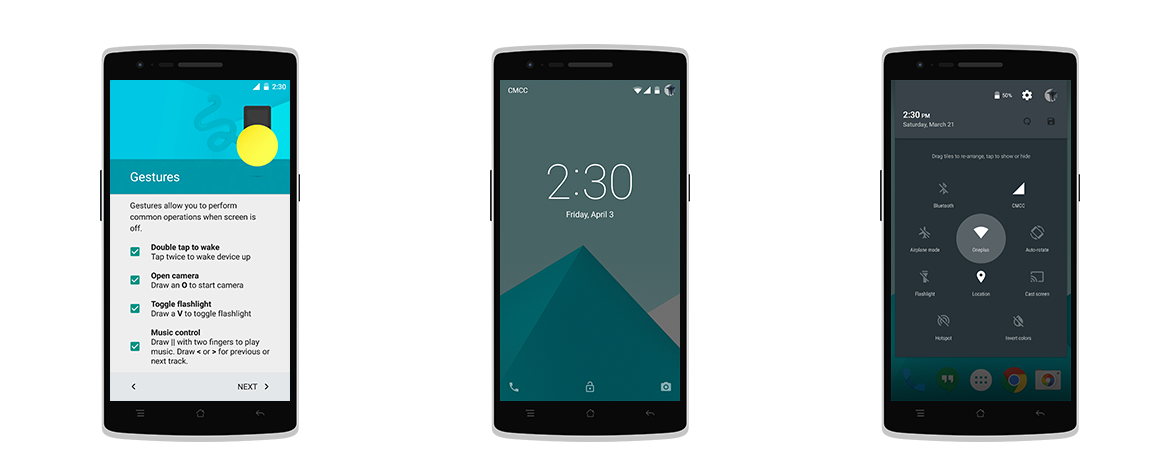
    3. Off-Screen Gestures

    gestures

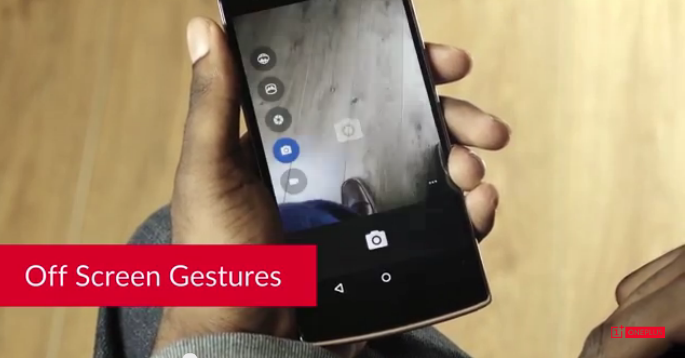
    OxygenOS incorporates many off-screen gestures like Double tap to wake up the screen, drawing O to open camera, drawing V to toggle flashlight and pressing three fingers together to start music.

    All the other features are unaltered and OnePlus has opted for a minimal-change strategy. OnePlus will release more versions of OxygenOS and the company has asked users’ to provide feedback to help them further make a better and user-friendly OS. The Chinese brand hasn’t released an OTA update and the One users have to install the update using a 6-step installation guide, which is slightly tedious for an average smartphone user.

  • LG Teases its New User Interface Ahead of the G4 Launch

    LG Teases its New User Interface Ahead of the G4 Launch

    The South Korean equipment manufacturer LG is forcing spotlight on itself, by revealing information about the LG G4 bit by bit. A recent disclosure by LG’s display manufacturing department claimed that the G4 will have an enhanced 5.5-inch Quad HD display and now LG has officially announced the arrival of its ultra-advanced user interface, UX 4.0.

    A teaser video publicized by LG exhibits the UX 4.0 as a step towards making UI friendly to customers. The clip depicts quite a lot of features that seem to be a step in the right direction. The Quick Shot feature allows users to click photos instantly. One doesn’t need to unlock the screen first and surf into the vast array of apps to start a camera. Just tap the volume button twice and the camera will be ready to shoot.

    LG-UX-4.0

    The camera comes with various camera modes along with Expert mode that is claimed to have DSLR-like qualities. This mode is said to use geo-location to group photos into an album taken at a single location.

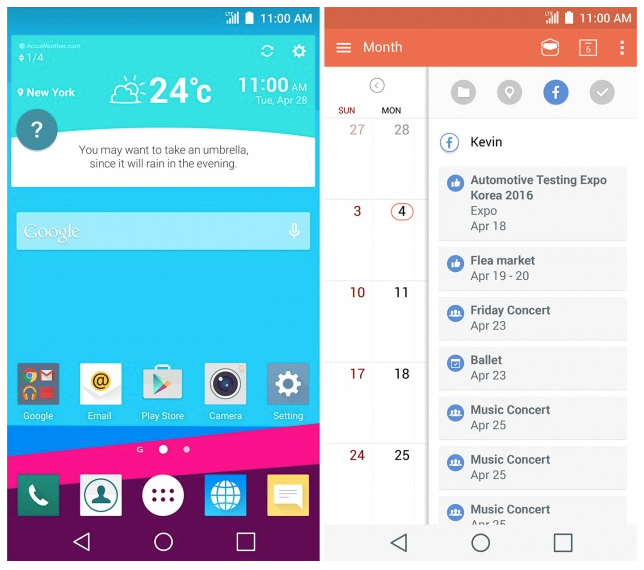
    Then there are a few other smart injections like its updated Calendar app, Gallery, Smart Board and Smart Alert. With the Calendar on LG G4, users can drag and drop any event to Calendar from their social networking site. The refurbished Gallery now lets you commemorate memories by grouping them according to date or location.

    lg ux4.0

    The Smart Board feature accumulates information from various apps within your device like Calendar, heath and music, and throws them on a single widget as collective information. The Smart Alert is where the smartness of the new UX 4.0 gets apparent. It not just notifies users about the weather, but also gives suggestions depending on the climatic conditions. Which means it will suggest you to go for a swim, play basketball, go for cycling on a sunny day.

    Nevertheless, we would be able to see UX 4.0 in action only with the launch of LG G4 on April 28. Till then, here’s the official teaser:

    https://www.youtube.com/watch?feature=player_detailpage&v=IXjlzW2P-jA

  • WhatsApp To Bring Voice Calling To Windows Phone

    WhatsApp To Bring Voice Calling To Windows Phone

    Android users of WhatsApp are elated to find the voice calling feature of the messaging app has finally come to their devices. At its recent developers conference, it was announced that the voice calling feature might be available for the iOS ecosystem soon. This lead many Windows Phone users to ask whether they’ll be getting the feature soon. Well looks like the Facebook owned messaging giant now has good news for its Windows users.

    WhatsApp has confirmed that the voice calling feature is in its developmental stage. This was revealed when one Windows user inquired about the arrival of the feature on their devices.

    There is no timeframe mentioned as of yet for the arrival of the voice calling feature on Windows phones. WhatsApp’s founder had stated during the developers conference that voice calling would be available on its iOS app in a few weeks. So as of now it isn’t sure which of the two will get the feature first, but considering the massive user base of Apple, our bet is on iOS devices.

  • Where is Cyanogen’s CM12S for the OnePlus One?

    Where is Cyanogen’s CM12S for the OnePlus One?

    OnePlus users were finally delighted to see the launch of the new Oxygen OS by the company. It had been in works for quite a while and it has now finally reached OnePlus One devices. In the meanwhile, the company was also supposed to launch the new version of CyanogenMod for its customers but it seems like they have to wait a while to get their update.

    OnePlus has said that the new update has been delayed due to certification issues at Google. Cyanogen is proactively working to release the new update, and its boss, Kirt McMaster was visibly frustrated with the mounting queries for the date of arrival. It was the OnePlus bosses who had promised an estimated time of arrival (ETA) for the latest CyanogenMod OTA update.

    Cyanogen - Google+ 2015-04-03 14-36-33

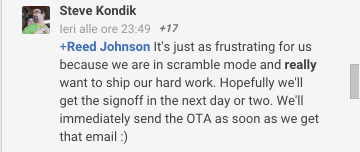
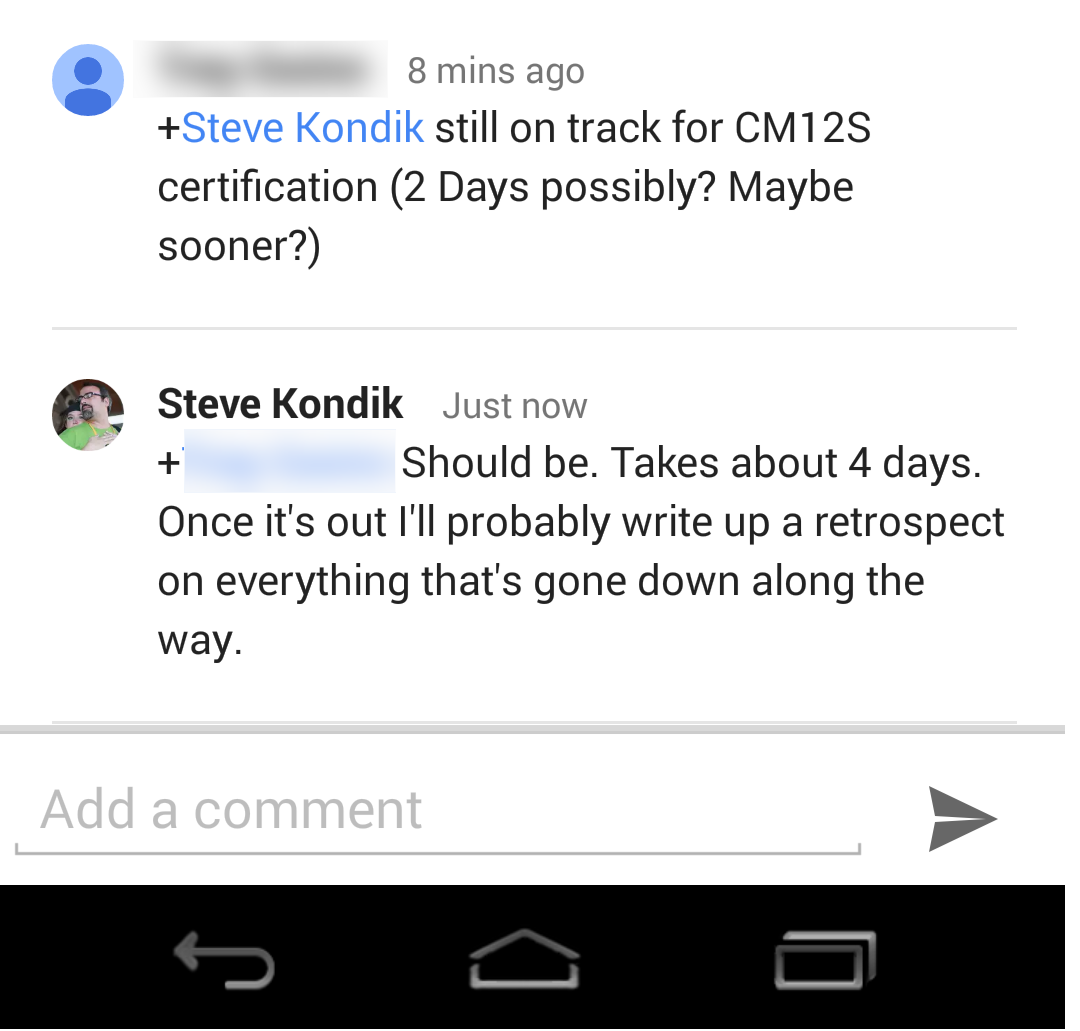
    An interaction with the co-founder of CyanogenMod, Steve Kondik was posted on the forums of OnePlus. Steve said that they are in a scramble mode and really want to bring their hard work to the public. In one of the latest posts, Steve has said that it might take about four more days to get the certifications done. He added that he might write about what all transpired behind the scenes to bring the new update once it came to the market that we bet would be exciting to read.

    Screenshot_2015-04-04-18-56-32

    The comment was posted on Friday, hence we should expect the update within the next two days. OnePlus updates have faced delays in the past and though it is appreciable that it wants to give top-notch service to its customers but it’s rather necessary to give them a quality bug-free update.

  • The First Glimpse at How Facebook Plans to Integrate WhatsApp

    The First Glimpse at How Facebook Plans to Integrate WhatsApp

    It’s barely been a few days since Facebook gave an adrenaline boost to its Messenger platform by opening it for third-party developers. The independent platform gave users freedom to interact with businesses and made it an all-around service. The social networking giant is now making one more modification to the messaging tool that will incorporate WhatsApp to Facebook.

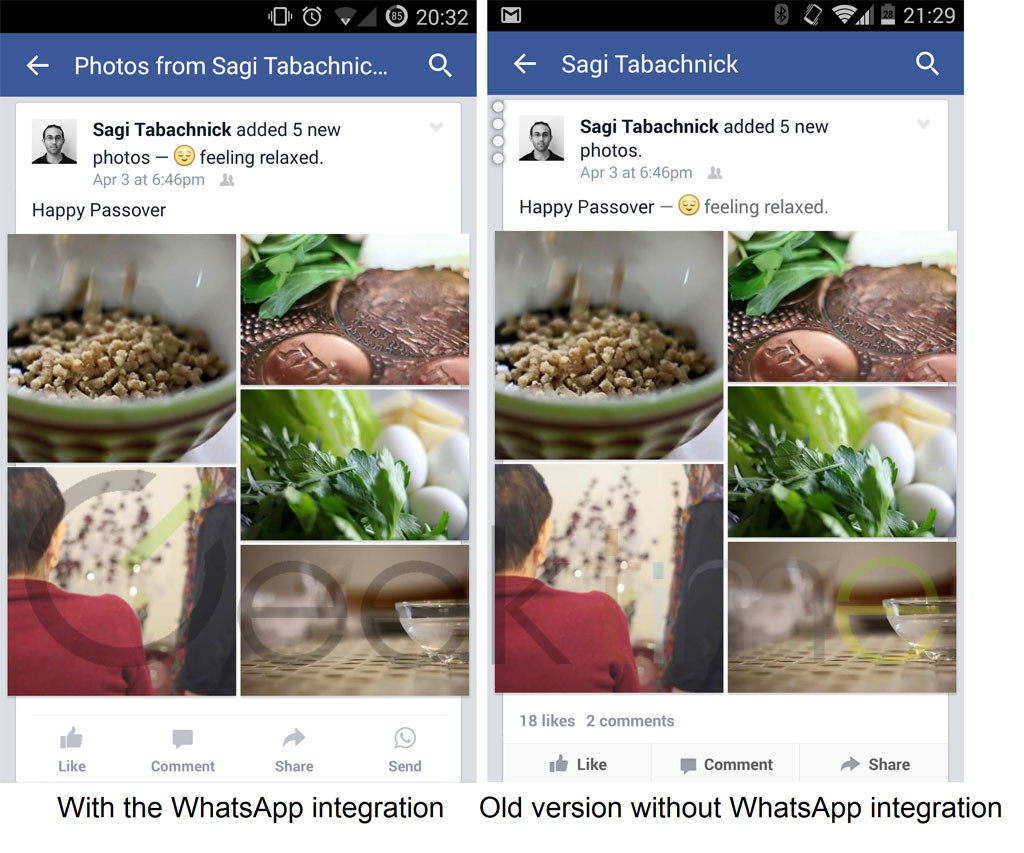
    According to a report by Geek Time, Facebook is testing a new feature on its app for Android operating system that will mark the first major integration of WhatsApp to it parent company Facebook. The company has reportedly added a ‘Send’ button to Facebook’s latest version 31.0.0.7.13. The new feature is a part of the status actions buttons that appear beneath every status update, and it looks exactly like the WhatsApp icon.

    As per the source, the button is spotted at the right side of the window for some users (for left-to-right languages) in the recent update. The pictures depicting the new feature inclusion is provided below:

    whatsapp facebookIt’s just the first glimpse at how Facebook is planning to play its WhatsApp acquisition. The same report also confirms of a deeper integration between the two that would allow users to send messages directly from Facebook Messenger to WhatsApp. It took Facebook more than a year to merge its buyout with its central tool, but it seems like the parent firm was mulling over on how to use it wisely. The social networking tool seems to be making slow but steady moves, towards becoming the ruler of the messaging market.

    Without leaving its ground, Facebook is firming its grasp into several other domains as well. Recently, we reported that Facebook is also developing a new caller ID and call blocking tool ‘Phone‘ and has built a solar-powered drone to beam down internet to the earth.

  • OnePlus Finally Rolls Out OxygenOS for the One

    OnePlus Finally Rolls Out OxygenOS for the One

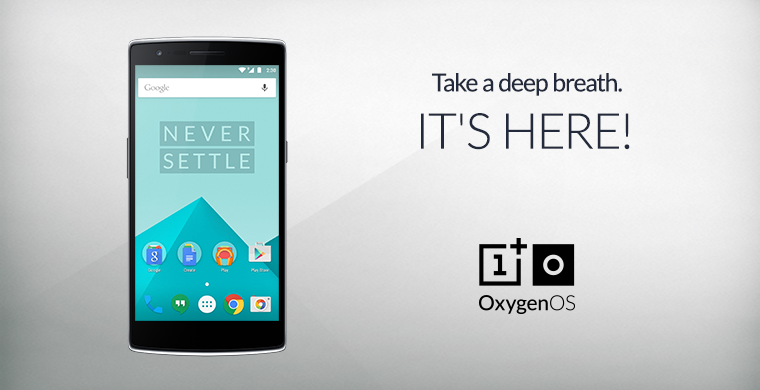
    OnePlus One users had been patiently waiting for the fresh operating system – OxygenOS, which the company had announced would release by March end. The deadline passed, however OnePlus didn’t keep its vast user base longing for too long. The Chinese electronics giant today officially unveiled its first, much-talked about operating system, the Oxygen OS, based on Android 5.0.2 Lollipop.

    oxygen os

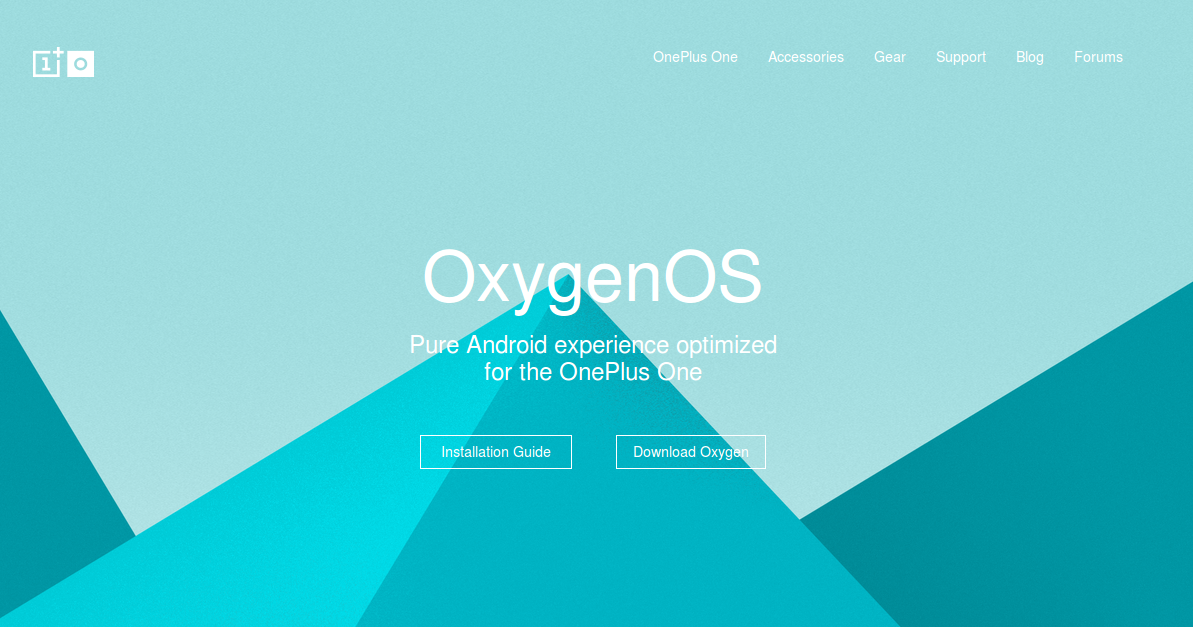
    OnePlus updated its official website with an introduction to OxygenOS. The web page reads, “OxygenOS, a Pure Android experience optimized for the OnePlus One.” Below the text are two links, one is the Installation Guide that walks users through the various installation steps, and the other is the Download Oxygen link, clicking on which the download of the OS starts.

    Coming to what OnePlus’ first own operating system has to offer, then the foremost notable point of the OS is that it’s light with subtle essential features. It comes with a slew of features such as smart off-screen gestures, improved file manager and Quick Settings. Users can wake the screen up by performing simple gestures on the lock screen of the OnePlus One. These include O to start camera, V to toggle flash, and pressing three fingers together to play music.

    Screenshot from 2015-04-04 14:04:24OxygenOS offers a customizable lock screen and allows users to switch between hardware and software navigation keys. The Quick setting feature offers users to add, remove and re-arrange tiles with with few simple clicks.

    OnePlus commented that instead of gimmicks and bloated features, they have focused on performance and battery life. It’s the first version of OxygenOS and the firm wants to shape it to ensure a smooth experience for its customers. The tech major has asked feedback from the One users to further make the OS better and user-friendly.

    https://youtu.be/Tn4hHhIHLxk

  • Now Run Android Apps on Windows and Mac Using Google Chrome

    Now Run Android Apps on Windows and Mac Using Google Chrome

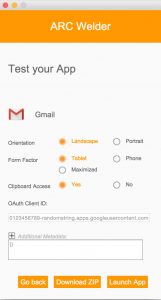
    Back in September, Google released a beta project ARC (App Runtime for Chrome) that allowed Android apps to run on Chrome OS. Now the news has surfaced that speaks of its compatibility on every desktop version of Chrome. This means any user running the latest Chrome browser can download and run the Android apps on different platforms like Windows, Mac OS X, and Linux.

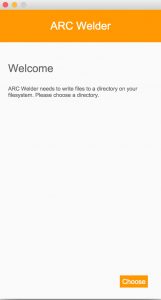
    As aforementioned, the project is in beta stage and is officially designed for developers only. But one can download the .apk file of any Android app and install it on their desktops. All you need to download is the ARC Welder tool where you can find the official .apk files of all the Android applications from Play Store.

    The ARC project is a double benefit initiative targeted at customers and developers alike. Customers can port any Android-powered app to the desktops, developers can test any app by submitting it on ARC. The application to run softwares is based on Android 4.4 KitKat, giving users access to a range of standalone apps like Twitter, Facebook, Facebook Messenger and a wide variety games.

    It’s a nice push by Google to make every laptop or Macbook running Windows, Mac OS X, and Linux its platform. Through the project, the internet giant has given folks an easy way to peek into the gigantic Android world and experience it.

  • Microsoft Brings Document Scanning App ‘Office Lens’ to Android and iOS

    Microsoft Brings Document Scanning App ‘Office Lens’ to Android and iOS

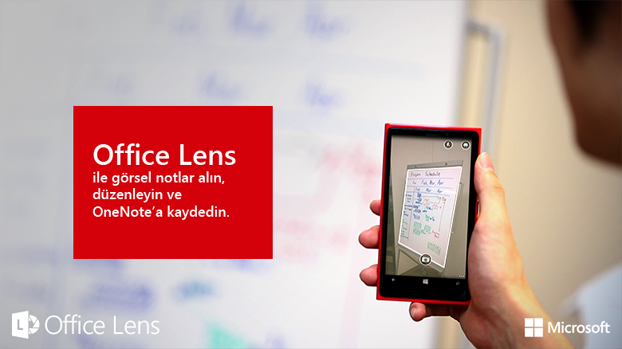
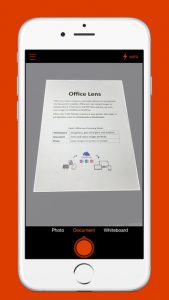
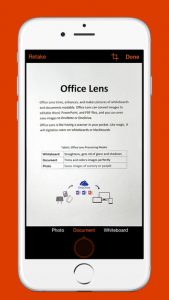
    Microsoft’s last year release ‘Office Lens’ was a big hit in the Windows app arena – and for good reason. The mobile scanning app is a handy tool that lets users take picture of a document and convert it into a editable file format. The same application has now arrived for Android and iOS smartphones, as confirmed by Microsoft.

    The hardware and software firm announced through its official blog post that it has released an Android Preview of the Office Lens on Google Play Store and a full-fledged version of the app for iOS users on the Apple Store. The app is free for download on both the platforms and one can start editing their pictures once the scanning tool is installed on the device.

    The uses of Office Lens are varied. As mentioned above, the tool turns a phone into a scanner and scans the picture of the required document, such as menus, receipts or business cards. The cropping feature is pre-installed within the app through which users can cut the required image and discard the rest. The desired image then converts into an editable file which can be saved it in any format of your choice, i.e. Word, PowerPoint presentation or PDF.

    Untitled1

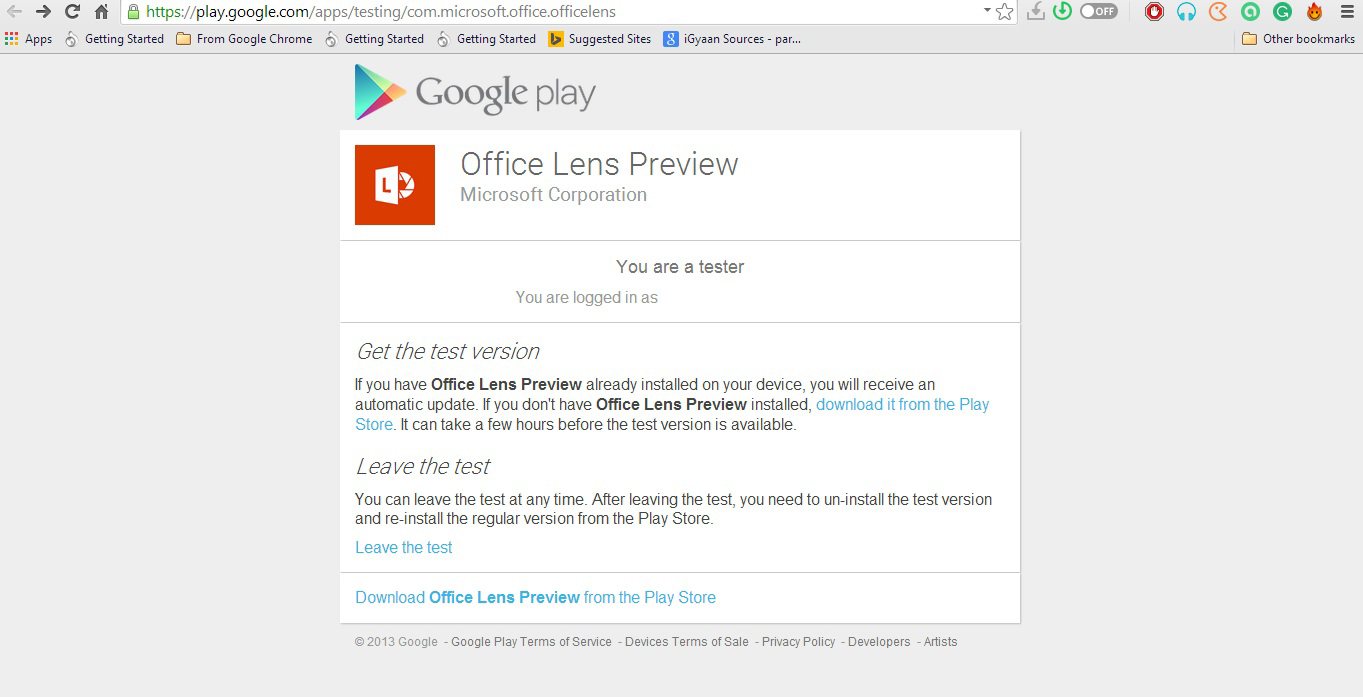
    Meanwhile, Android users have only received a preview of the app. Users can experience the amazing features of the app only when they join Microsoft Office Lens Android Preview community on Google+. However it’s easy to get the application, but the company could have shrinked the process to one-click download, as they have done for iOS users. For now, Android users have to follow these three steps: Join Community > Become a Tester > Download ‘Office Lens Preview’ from Play Store.

    Microsoft has made Office Lens a cross-platform productivity tool from a Windows-only app. The company is well aware of the reach of the Android and iOS platforms and, hence, is pushing the largely appreciated feature from the minute share of the Windows market to the colossal app communities.

  • Xiaomi is Currently Working on a Refreshed MIUI 7 That Will Debut on the Mi 5

    Xiaomi is Currently Working on a Refreshed MIUI 7 That Will Debut on the Mi 5

    The tussle to bring the finest product to the customers is getting meaner by the day. With many top-notch smartphones already present in the crowded market, there’s a need for every mobile brand to stand out of the pack. Xiaomi enjoys a large fan base in the world majorly because of its affordably priced devices and for the unique MIUI that makes the smartphones look different, not just externally. The Chinese brand is now considering giving its users a better experience with a brand new user interface.

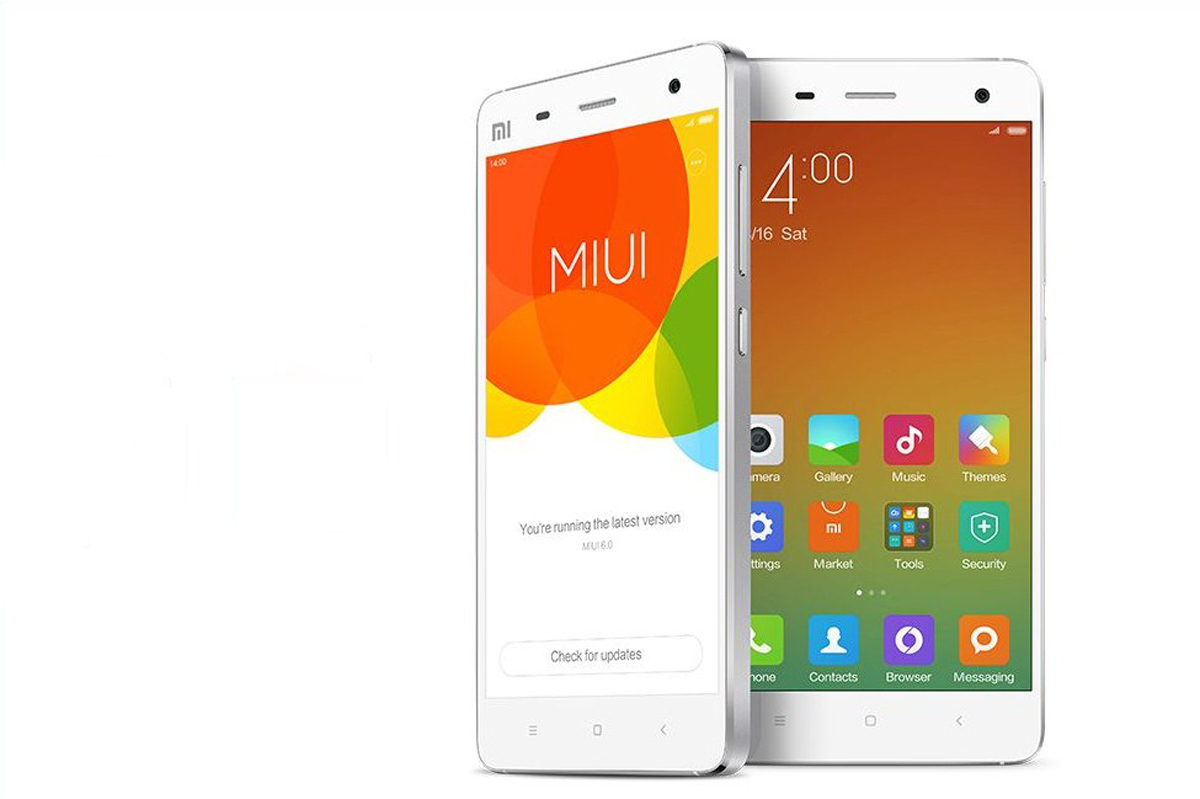
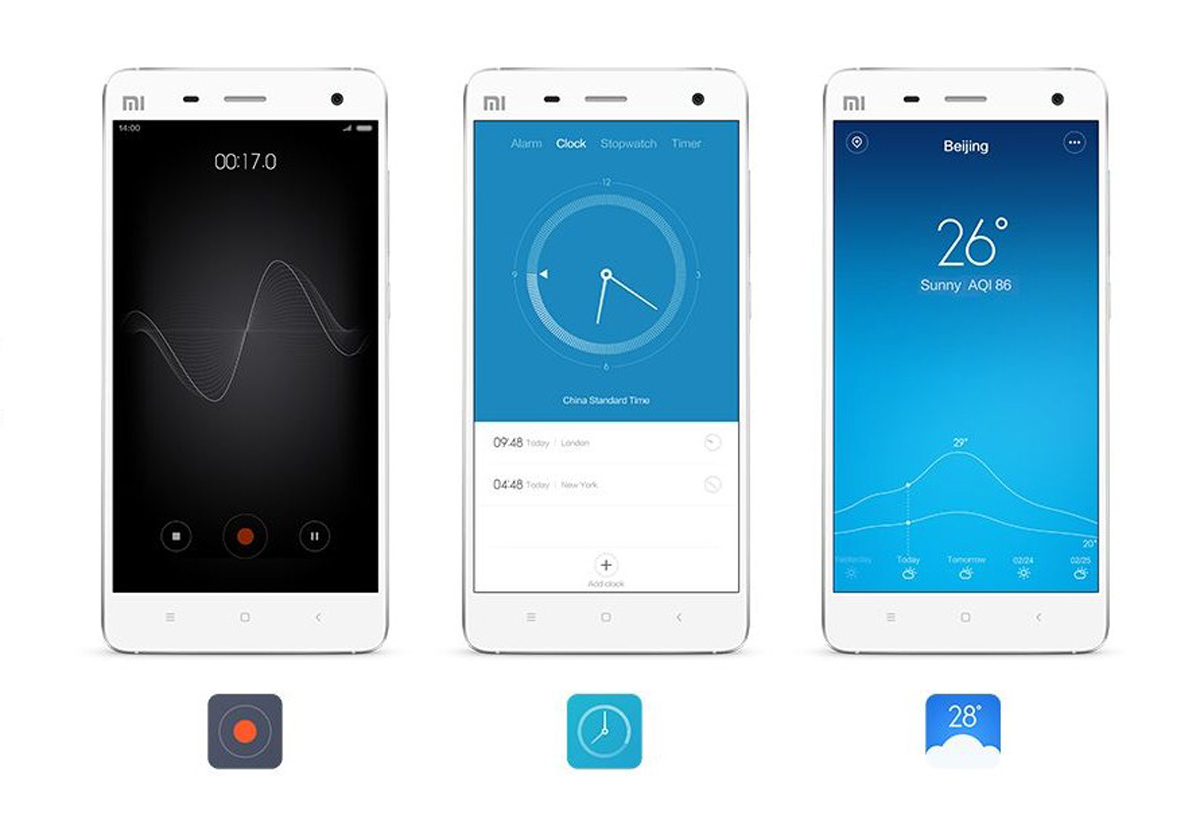
    The company is said to be working on the next instalment of MIUI which will debut with the upcoming Xiaomi smartphone Mi 5. The firm has teamed up with AOKP (Android Open Kang Project) to build the new UI. The latter company made public information about the new interface that gives us a fair idea of MIUI 7.

    Minimalistic Look with subtle graphics.
    Minimalistic Look with subtle graphics.ith

    According to the official AOKP blog, the forthcoming interface is codenamed MiKangy and will be based on Android 5.1 OS. It will be a whole new take on the Android UX and will combine the salient features of top ROMs like CM, PA, Omni and AOKP. MIUI 7 is stated to “create an experience which completely submerges the user in his own world.” The web page further reads that the UI will evolve with the user, and after a period of time, it will be different for every MI 5 user. Now that sounds innovative.

    The market of custom ROMs and user interface has lately grown to become a sizeable industry. There was a time when smartphones were mostly about bumped up specifications and features. The brawl between Micromax and OnePlus on Cyanogen that pushed them to the court room is an example that the tech domain is growing in every sector, largely and rapidly. We hope MIUI 7 turns out to be as good as its description.

  • Google Makes the Gmail App an Integrated Inbox for All Your Email Accounts

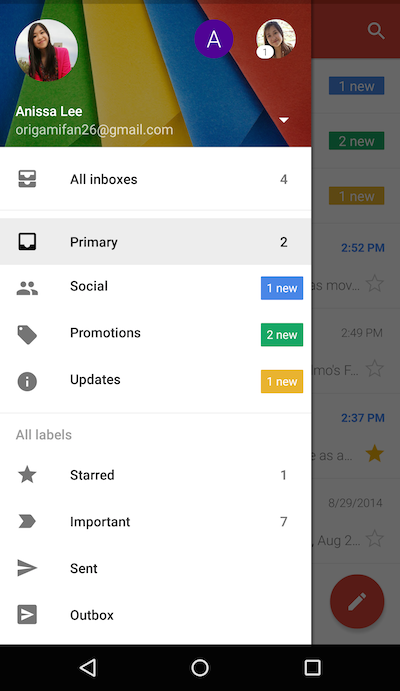
    Google understands the need of users to maintain several accounts at a time, and has found out a hassle-free solution to help  bring them all in one place. Google has announced a Gmail update for Android users that makes Inbox a unified place to access emails from your multiple accounts. Which simply means, whether you have a Yahoo account or an Outlook ID, you can add them all to send and receive messages through the consolidated Gmail app.

    The Gmail update holds a new option called ‘All Inboxes’. This option comprises of a list of all your added accounts and one can continue the conversation from different handles through ‘All Inboxes’. This upgrade relieves users from the inconvenience of hopping from one tab to another.

    gmail

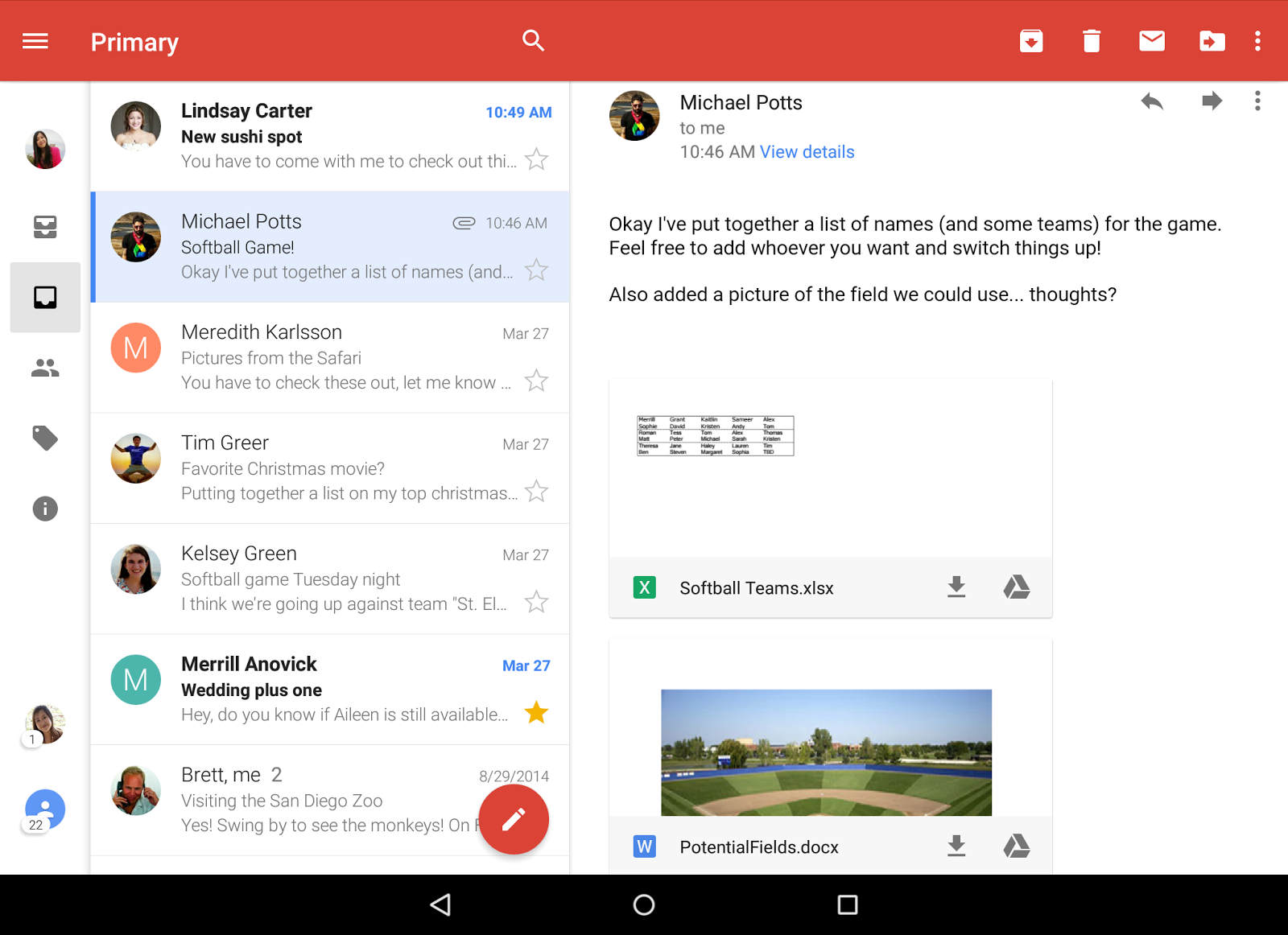
    Along with providing a combined Inbox, the internet giant has added a slew of other features too. Like Gmail, Google has added a threaded conversation support to other accounts as well, which keeps the emails in an organized manner. The messages remain stacked at a place as one conversation. Also, the upgrade opts for a smarter search tool. Users can find better results with the improved auto-complete feature which makes their search quicker.

    gmail update

    Followed by them are a few other inclusions like more responsive animations and larger attachment previews. A button of ‘Save to Drive’ can be spotted in the update where users can save the files with a single tap.

    The official blogpost of Gmail states that the upgrade was made available from yesterday onwards, and Android users can update Gmail to find the changes. Meanwhile, the company hasn’t notified about its roll out for iOS users as of now, but it is expected to arrive soon.

  • OnePlus Misses Oxygen OS Rollout Deadline, Will Compensate with Giveaways

    OnePlus Misses Oxygen OS Rollout Deadline, Will Compensate with Giveaways

    On March 18, we broke the news that OnePlus will be releasing the upgrades; CM 12S and OxygenOS. The Chinese electronics manufacturer promised the OnePlus One users that OxygenOS, the Lollipop-based ROM, will officially be made public on or before March 27, which is today. But OnePlus has missed the deadline leading to disappointed customers who were really looking forward to their Lollipop updates.

    oxygenos oneplus

    OnePlus notified its users saying that there will be further delay in the release of the update. The company representative David posted on Reddit –

    We are gonna be giving away the 5 devices sometime tomorrow, yes :(

    However the company is ready to give away five 64GB OnePlus One smartphones as promised, It is not the first time OnePlus missed a deadline for the launch of its new OS. It had previously declared that it will release its own new operating system Oxygen on February 12, but didn’t carry out the roll out.

    OnePlus is a young smartphone brand that has released just one smartphone till now. It is planning to expand its line of devices and is expected to launch a second smartphone soon. It’s certain that the delay would be because of the company’s efforts to bring out a stable version, and we appreciate its dedication. We hope that the firm will not keep its users waiting for long this time and will release OxygenOS as soon as possible.

  • Apple Might Play Spoilsport to Facebook’s Audacious Plans For Messenger

    Apple Might Play Spoilsport to Facebook’s Audacious Plans For Messenger

    At the Facebook F8 developers conference recently, the social media powerhouse announced a slew of new updates for the Messenger app to make it a formidable messaging tool. The addition of third party apps to the ecosystem is the most prominent upgrade to the new Messenger platform. But Apple might prove a major hindrance to Facebook’s plans.

    Facebook inducted third party apps on its Messenger platform to make it a more powere messaging tool.
    Facebook inducted third party apps on its Messenger platform to make it a more powerful messaging tool.

    Apple, the makers of iOS devices, have strict policies in place for apps on its App Store. Section 2.25 of the App Store Review Guidelines, states, “Apps that display Apps other than your own for purchase or promotion in a manner similar to or confusing with the App Store will be rejected.” The addition of support for third party apps on the Messenger platform puts it directly in conflict with the above app store policy.

    The gist of the policy is that Apple doesn’t allow apps to set up their own app store on their ecosystem. If the policy is enforced against the Messenger platform, it will be a major downer for Facebook. As of now Apple has given no indication about its policy towards the new messaging platform. But we might get to hear something soon as Apple might still be studying the situation. Considering the massive market for Apple devices, Facebook is likely to get a deal sorted out to prevent a rejection from the App store.

  • Facebook Gives an Adrenaline Boost To Messenger With Third-Party Apps

    Facebook Gives an Adrenaline Boost To Messenger With Third-Party Apps

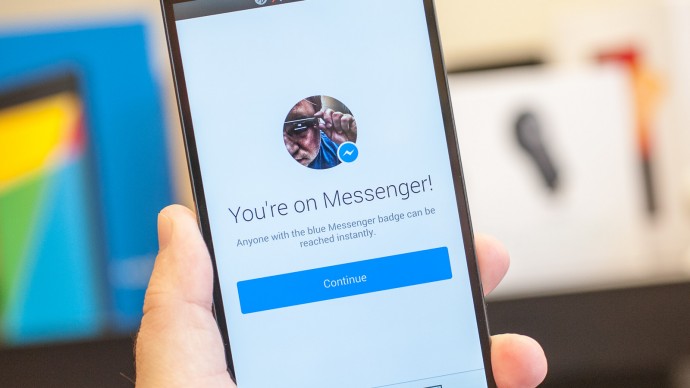
    At Facebook’s F8 Developer conference yesterday, the CEO of the company Mark Zuckerberg took the stage to announce the future of its Messenger Platform. The company recently spun off Messenger into its own independent app. Messenger will now become a superpowered messaging app that can become the most formidable competitor in the market.

    Mark Zuckerberg spoke about the new service at the conference –

    It’s a new platform that developers can use to build apps that help people connect.

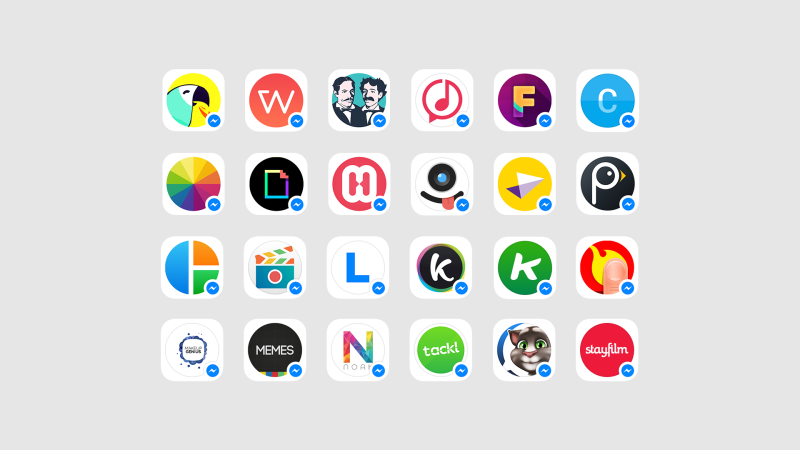
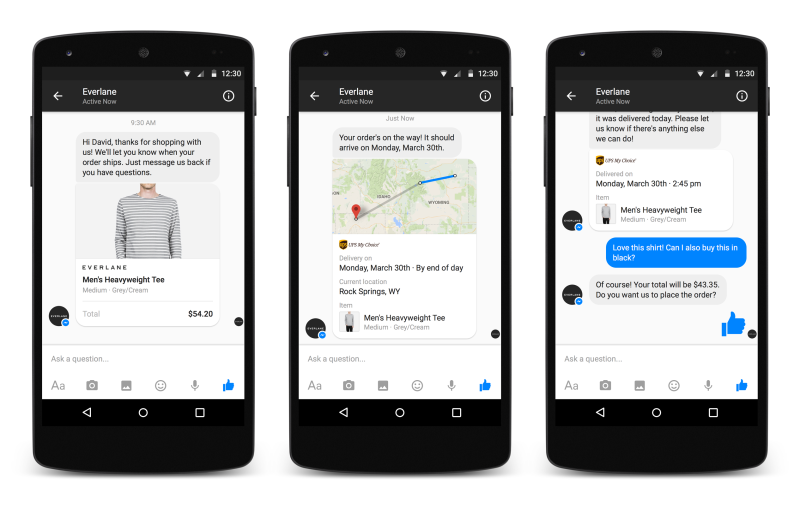
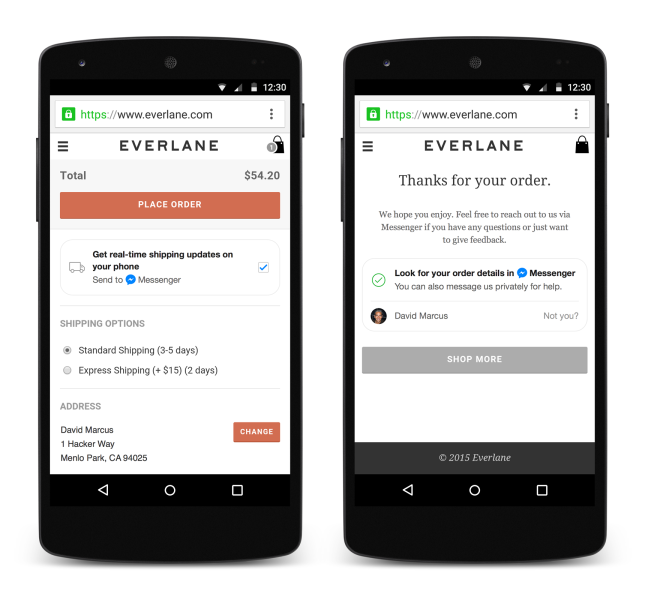
    facebook1Facebook introduced 40 new apps for the Messenger Platform. These apps come within the Messenger service and adds up to the vast ecosystem of apps on Android and iOS. The newly developed tools allow users to interact with businesses like online retail brands, where they can place their order directly and get details about the order through chat. Also, you would be able to send messages to the Messenger app store to download an application. Facebook can use its reach and introduce a Messenger tab on major websites to speak directly with businesses or content creators. facebookBy opening up Facebook Messenger platform, the social networking platform has given the third-party apps access to the millions of Facebook users. Besides, it has made Facebook Messenger a strong contender among other messaging platforms like WeChat and Line, who are all-round services that offer for gaming, e-commerce, and of course, communication. The new platform is said to be open for all the developers, but the company has already finalised 40 launch partners. Some of them includes ESPN, Imgur, The Weather Channel, and Giphy.

    facebook2A while back, Facebook detached Messenger from its smartphone app and asked the users to install the new independent app. The decision by the social networking giant led to mass disapproval at that time, but it has now begun to make sense. Facebook was preparing its user-base to explore the new developments of the Messenger store and its scope for business communication.

    Th company has been continuously building up its Messenger platform. Few days back, Facebook announced a new payment feature that allows you to send money via instant message. Messaging app will soon become the center of future communication and might replace tools like e-mails and become our primary mode of communication. Facebook also said that Messengers new features can act as a model for WhatsApp in the future. The future of messaging apps looks great.

iGyaan Network
Privacy Overview

This website uses cookies so that we can provide you with the best user experience possible. Cookie information is stored in your browser and performs functions such as recognising you when you return to our website and helping our team to understand which sections of the website you find most interesting and useful.