Category: Android

  • Android To Replace The Back Navigation Button With Gestures In Android Q

    Android To Replace The Back Navigation Button With Gestures In Android Q

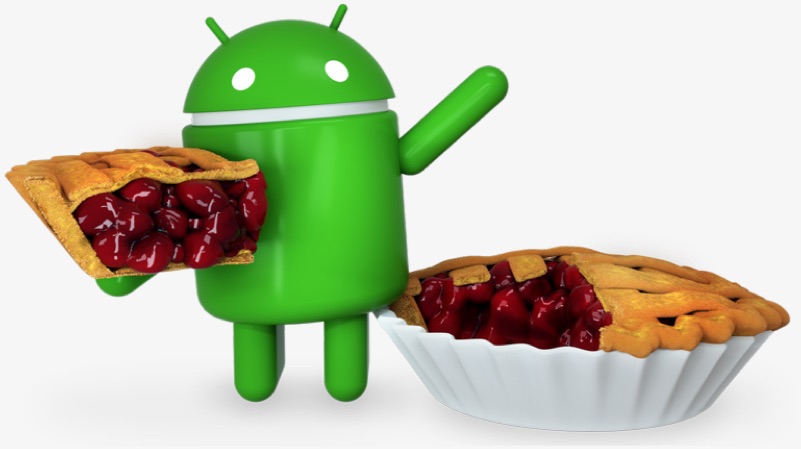
    The latest version of Google’s mobile operating system, Android 9 Pie was launched in August last year. The version included many changes in UI and introduced the long-awaited navigation gestures. The navigation gestures saw the removal of the multitasking navigation button from Android OS and instead it relied on just the ‘pill’ style navigation.
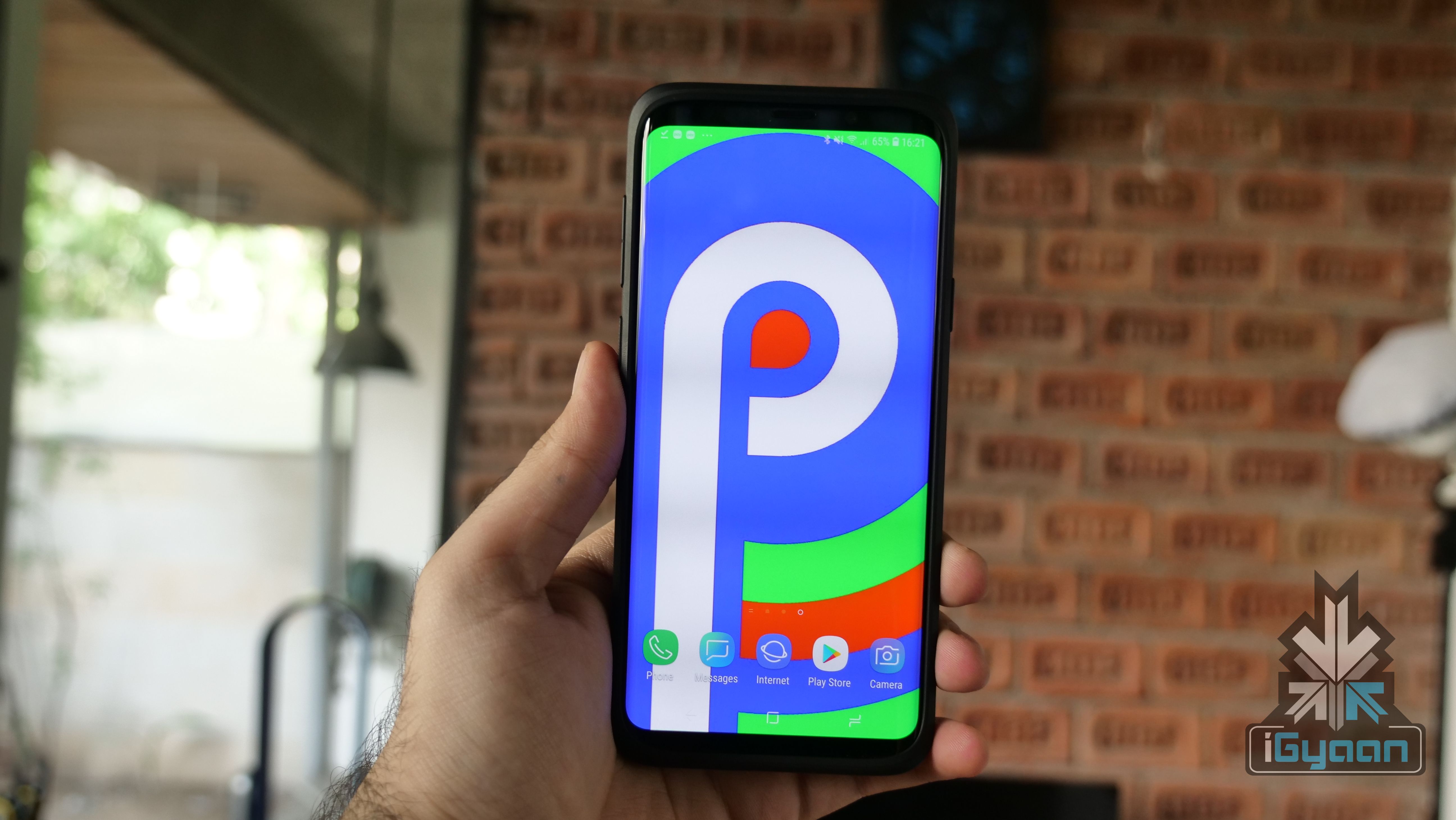
    Android One Android Go Stock AndroidThe back navigation button was still present on the OS and made an appearance whenever in an application. This half-baked approach turned out to be polarising with many people ending up liking the change; and many people straight-up hating it. Recent reports suggest Android will let go of the back navigation button completely and instead rely upon gestures in the upcoming Android Q.

    Android Q Gestures
    A device running a leaked version of Android Q revealed that Google may be planning to forego the back navigation button entirely in favour of one pill navigation. This would allow the users to go back with a single left swipe on the home ‘pill style’ button. This is expected to make Android easier to navigate and more intuitive. Notably, Google was inspired by Apple when it introduced gestures with the latest generation of Android. 
    Android Pie Android 9 Google

    Going by the release schedule Google follows while releasing the developer preview of the devices, the first developer preview of Android Q is expected to be out in a few weeks. It is, however not expected to introduce new gestures with the initial release. Google may wait for the second developer preview to reveal them, which will see the light of the day at the Google I/O 2019, a developer conference scheduled for the month of May. The new version of Android is also expected to bring in changes like a native dark mode, smoother transition animations, revamped app permissions and a new desktop mode. Earlier reports also claimed that Android Q may also support FaceID like face authentication.

    Also read: Sony Teases The Launch Of Xperia XZ4 In The New Teaser Video

    The new gestures that are speculated to arrive with the new version of Android, seem like a step in the positive direction for the operating system. The final, stable build of Android Q is expected to be out in August. It will be when Google also uncovers what desert this generation will be called.
  • Google Will Soon Remove Unapproved Apps That Use Call Log / SMS Permissions From Play Store

    Google Will Soon Remove Unapproved Apps That Use Call Log / SMS Permissions From Play Store

    Android as an operating system was developed with safety and security in mind. Over the years, operations within the OS have become very complex, the protection of sensitive user data has become a top priority. Late last year, Google announced a major update to boost security on apps available on the Play Store. The company found that certain types of applications do not need access to user data to function properly. Therefore, the company asked application developers to update respective applications to comply with new Play Store policies. 

    New Call Log/SMS Permission Policy

    The new Google Play Store policy is designed to ensure that an application that has access to Call Log/SMS is manually approved by the device administrator. The company granted a 90-day window to the developers to either update their apps as per the new policy or submit a permissions declaration. 

    Developers that fail to choose either option will result in removal of their application from the Play Store. Google has, however, provided an option even for the developers who fail to do so. Even after the removal from the play store, the developer has the following options available:

    • submit a new version of the application with these permissions.
    • submit a new version of your app that retains the permissions. Doing so will require you to complete a permissions declaration form inside the Play Console (coming soon) and will give developers an extension until March 9th to remove the permissions or receive approval for their use case.
    Benefits Of New Policy

    Also Read: Apple Replaced 11 Million iPhone Batteries In 2018 Up From 1-2 Million In The Past

    Apparently, Google has taken this step to improve the user’s confidence in the security of Android OS. The users will be able to manually select applications that have access to their sensitive data in the form of Call logs and SMS.  

  • Huawei Rolling Android 9 Pie-Based EMUI 9.0 In India

    Huawei Rolling Android 9 Pie-Based EMUI 9.0 In India

    Huawei like a lot of other smartphone manufacturers skins its Android phones with custom skin called EMUI. Late last year the company rolled out the latest Android 9.0 Pie-base EMUI 9.0 update for supported devices in several regions. Back then India specific units were restrained from the EMUI 9.0 update but now the company has announced that an OTA update for these devices will roll out shortly. In addition to Huawei devices, Honor devices that also run EMUI will also get the latest Android Pie update. 

    EMUI 9.0 Changelog
    •  Simple Navigation Gestures – The update adds easy to use navigation gestures to the compatible devices. After the update, the user can swipe up to return home, swipe from left and right to go back, and swipe up and pause to open task manager.
    • Performance Optimisation – The company has tweaked the software code on EMUI 9.0 which results in a faster and smoother hands-on experience. According to Huawei, the update increases application startup by up to 25.8% or 102 and overall system fluency is increased by 12.9%. 
    • Wireless Projection – This is a much-needed addition to powerful Android smartphones. Huawei devices can not only wirelessly project media content with the help of Miracast compliant TV or HDMI dongle, but the company has also developed a desktop-like user interface that is displayed on the screen upon wireless connection.
    • Gaming Optimisation – The company has equipped the software with a feature called GPU Turbo 2.0. The GPU Turbo 2.0 makes use of AI to predict allocation of resources to decrease maximum hot spots temperature and touch delays. The AI intelligently schedules processes to accomplish the end result.  
    Honor Play
    • One-Handed Mode – Applications on the EMUI 9.0 have been redesigned and aligned in a structured manner. This overhaul in application design helps in better device operability with one hand. 
    • Phone Clone – Another noteworthy addition, the update brings a new application called Phone Clone. As the name suggests, it helps users to easily transfer data on to their Huawei device in a simplified manner. 
    • HiVision –  It is an in-house developed application that intends to simplify the use of a smartphone in several ways possible. The app makes use of the smartphone’s camera to display details about the object. The user can take pictures of food and the device will turn up the macro calories of the dish. Additionally, it can be used for language translation and landmark detection. 
    • Digital Well Being – In the latest EMUI 9.0 Huawei has deeply integrated the digital well-being ethic introduced by Google. The feature allows the user to cut down excessive use of their smart devices and also track the amount of time they spend using a particular app.
    • Multiple Backups – After the update, the users can easily back up data from their smartphone on to an external storage card or even a  USB drive. Furthermore, the user can create multiple backups that would have been created during different time periods. 
    • Password Vault – This feature allows users to securely store their login credentials on a Huawei or Honor device. Most notably the data secured in the vault is encrypted and can only be accessed after proper authentication. 
    • Wireless Printing – EMUI 9.0 simplifies the process of wireless printing files and documents from the user’s smartphone. It has a one-click option that allows for easy and hassle-free printing. 
    Compatible Devices

    Also Read: The Upcoming Samsung Foldable Smartphone Will Have Dual Batteries

    The latest EMUI 9.0 based on Android 9.0 Pie is compatible with the following devices: 

    Huawei Devices Honor Devices
    Mate 10 Series Honor 10
    Mate P20 Series Honor View 10 
    Mate 20 Pro Series Honor Play

    The list of supported devices is expected to grow over time as Huawei readies EMUI 9.0 on other devices. 

  • App Of The Day : Island : Secure Your Data And Apps

    App Of The Day : Island : Secure Your Data And Apps

    Data security is a big concern not only for governments and big corporations but the average smart device users as well. There have been several incidents of a data breach that have affected people from around the globe. Both iOS and Android operating systems are quite good at securing user data but certain apps can steal sensitive information stored on the user’s smart device. Even though Android operating system uses a sandbox environment that restricts applications from accessing unauthorised data. Some applications, however, can get a hold of user data and send it to offshore locations for malign purposes.

    Island

    Click Here To Download Island App

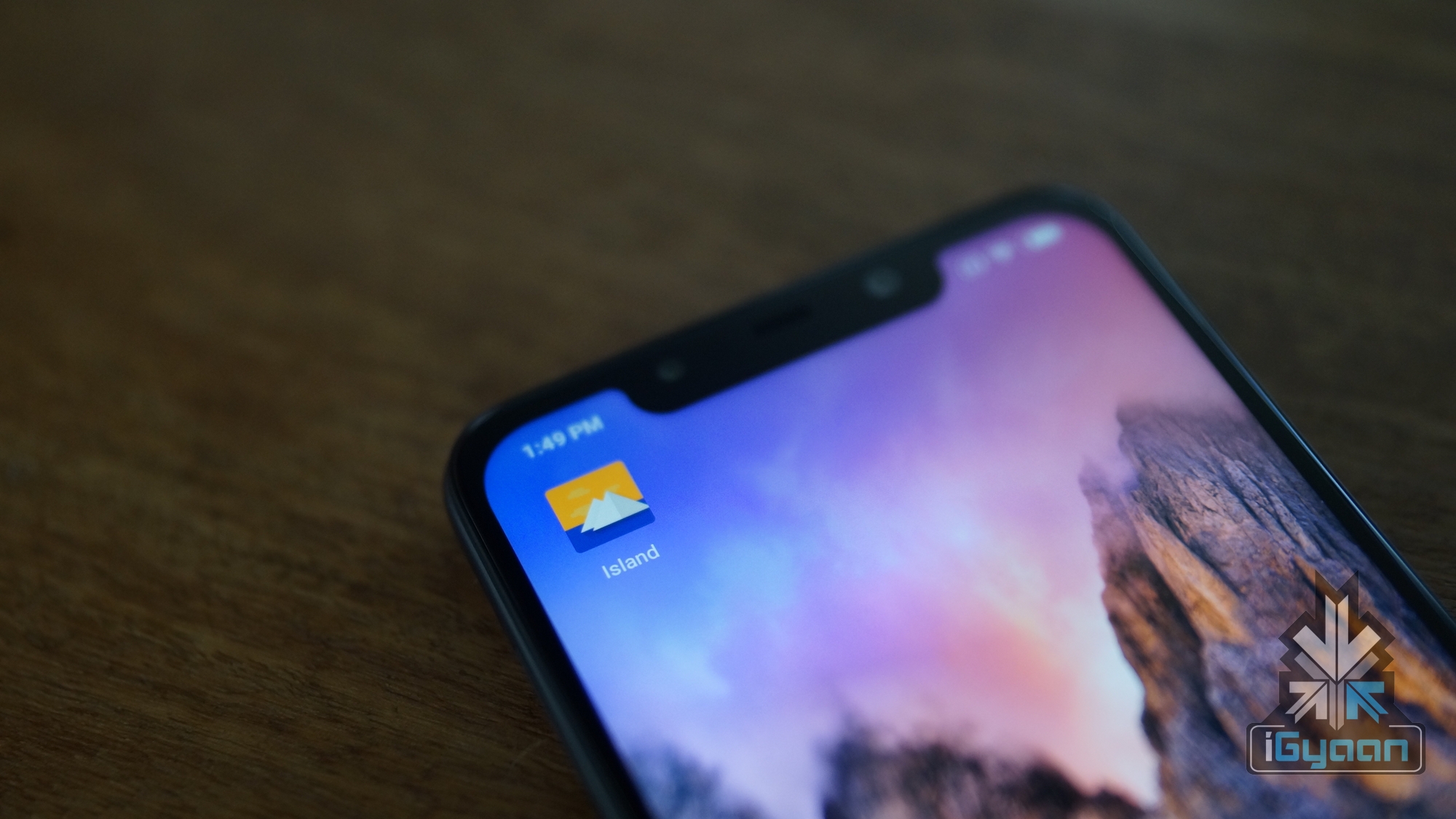
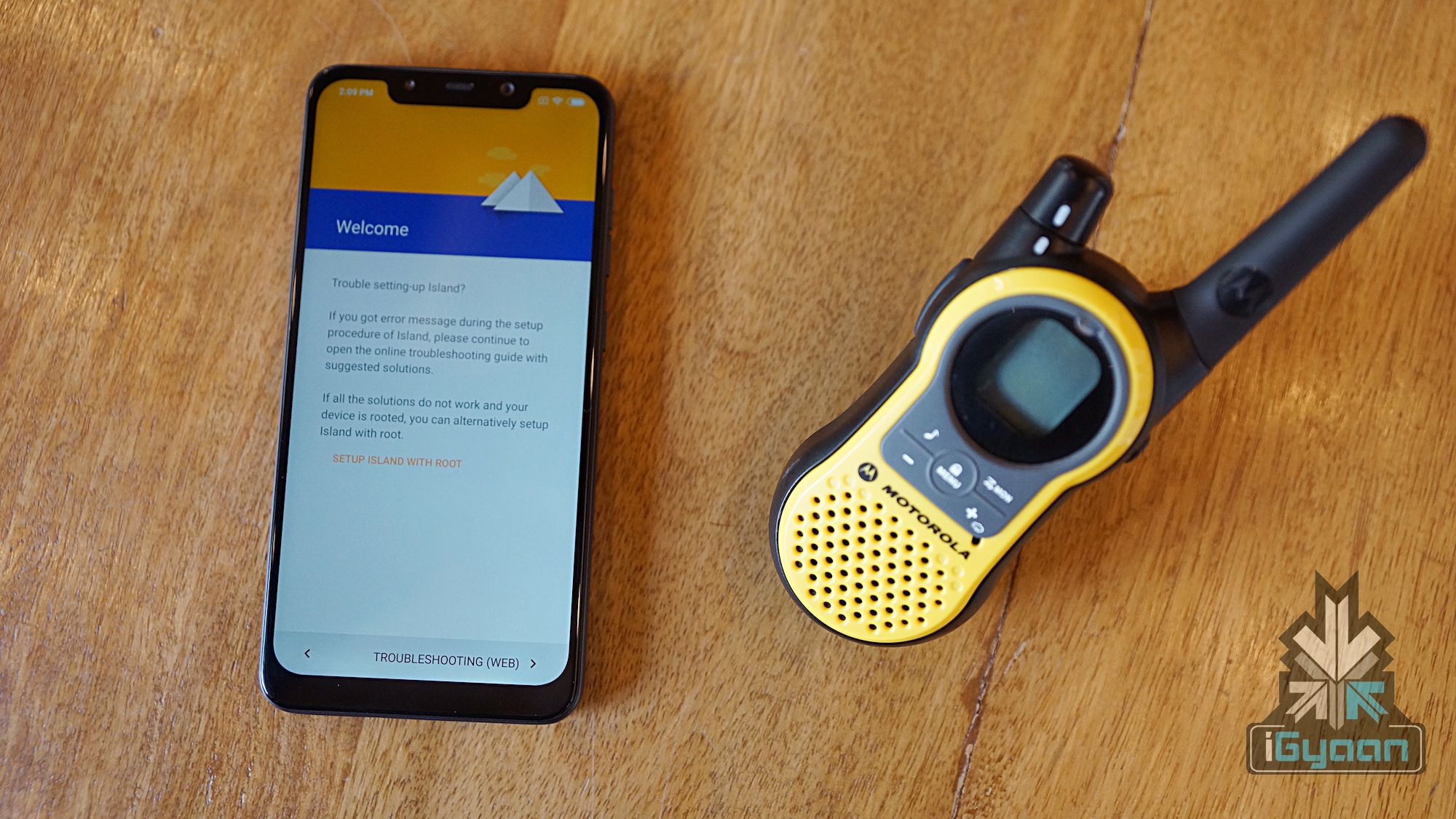
    Island is an application for the Android OS that allows users to manage data usage privileges of particular applications. The application is freely available from the Google Play store and it creates an isolated domain that the user can manage in accordance with their requirements.

    How Does It Work

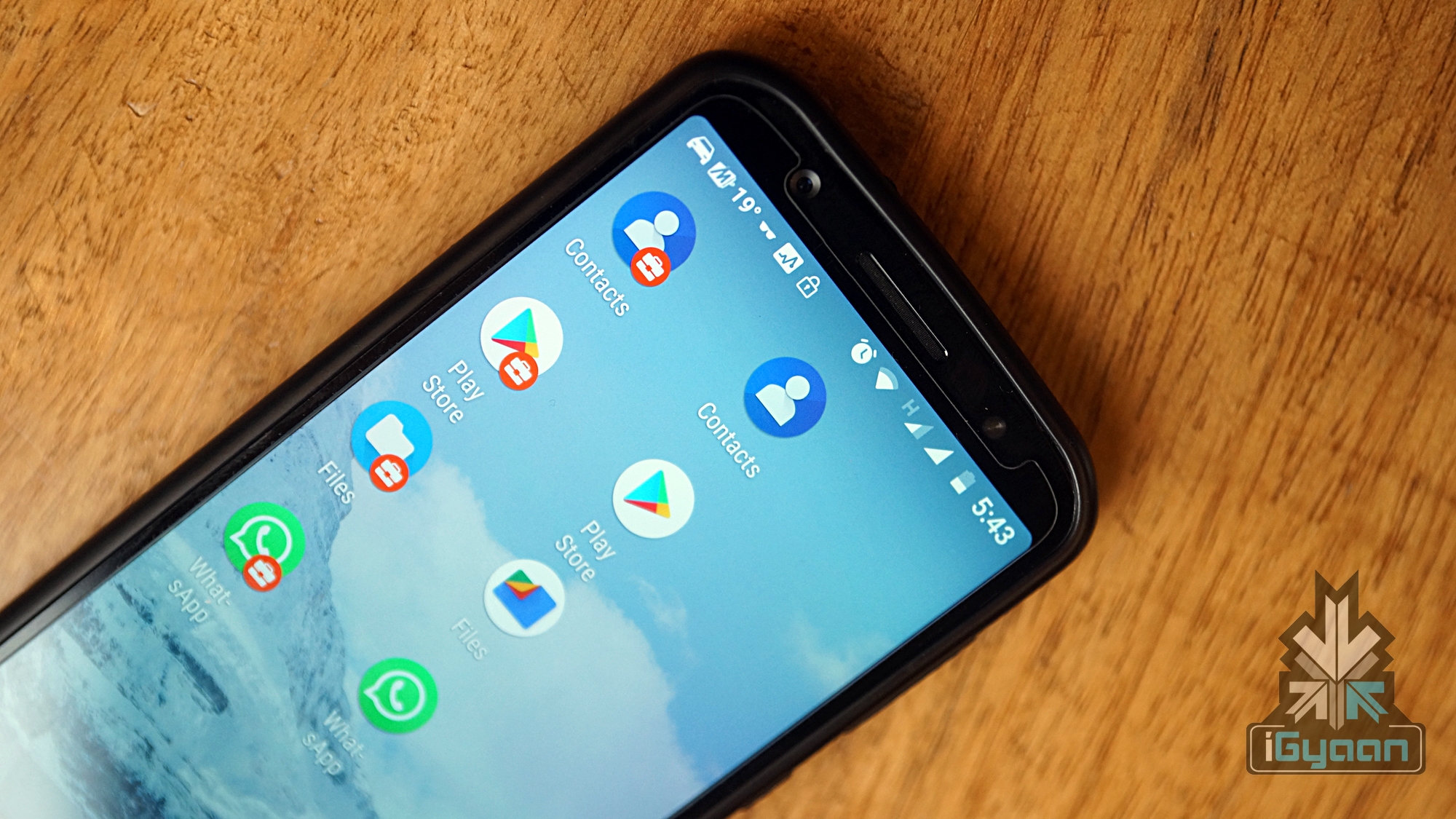
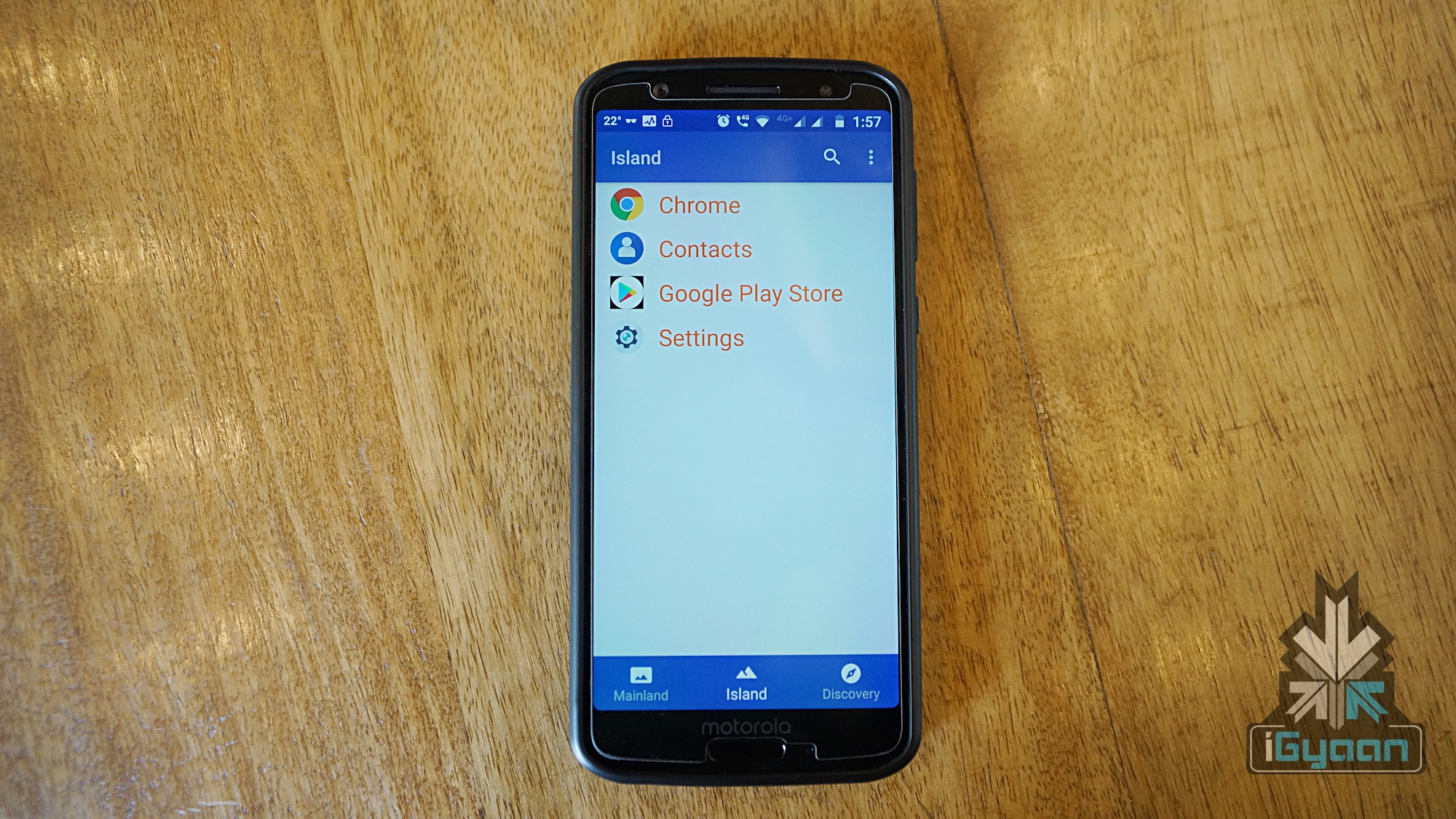
    The Island application for Android makes a clone of all the essential applications like the Play Store, file storage, and contacts. These applications reside within the same user account as the original applications however the data stored on both instances of application varies. The Island app has two tabs which are Mainland and Island. As the name suggests, the Mainland tab inhibits all the applications that are present on the device. Whereas, the Island tab only inhibit the applications that have been manually cloned by the user. The applications in the Island tab can only exchange data with other Island applications.

    The user can log into the Island Play Store with different mail id and download applications. The applications downloaded will only have access to the cloned apps that were also created by the Island app. Therefore, the user can store bogus contacts and files on the Island filesystem. This will allow the user to run potentially hazardous apps by providing them access to private user data.

    How Is It Different And Top Features

    Also Read: Samsung Galaxy A50 Will Feature A 4,000 mAh Battery And 24 MP Main Camera

    A lot of other applications like parallel space and dual space are also available on the Google Play Store. However, they do not provide the level of control that Island does. The list of top features is as follows:

    • It allows the user to manually freeze certain applications. The applications when in a frozen state will stay as is and cannot access the internet or perform any tasks in the background.
    • The bogus contact and file storage apps can trick applications to work smoothly. Other applications would not function normally if the user deprives an application from particular access rights.
    • Certain applications can be enforced to channelise data via a VPN server. Good use of this could be accessing a website from another region that is restricted in the user’s region. A lot of media corporations limit users from other regions to access their content.

    Additionally, Island app on a rooted device provides an even higher level of control in comparison to a non-rooted device.

  • Top Free Android Games For The Month Of December

    Top Free Android Games For The Month Of December

    The Google Play store is packed with an insane amount of mobile games. These games range across a wide variety of genres and categories. Finding the best games out of the bunch is hard but we have scoured the Play Store to give our readers our pick for the top Android games which are free to download and play. Following are the top free Android games for December.

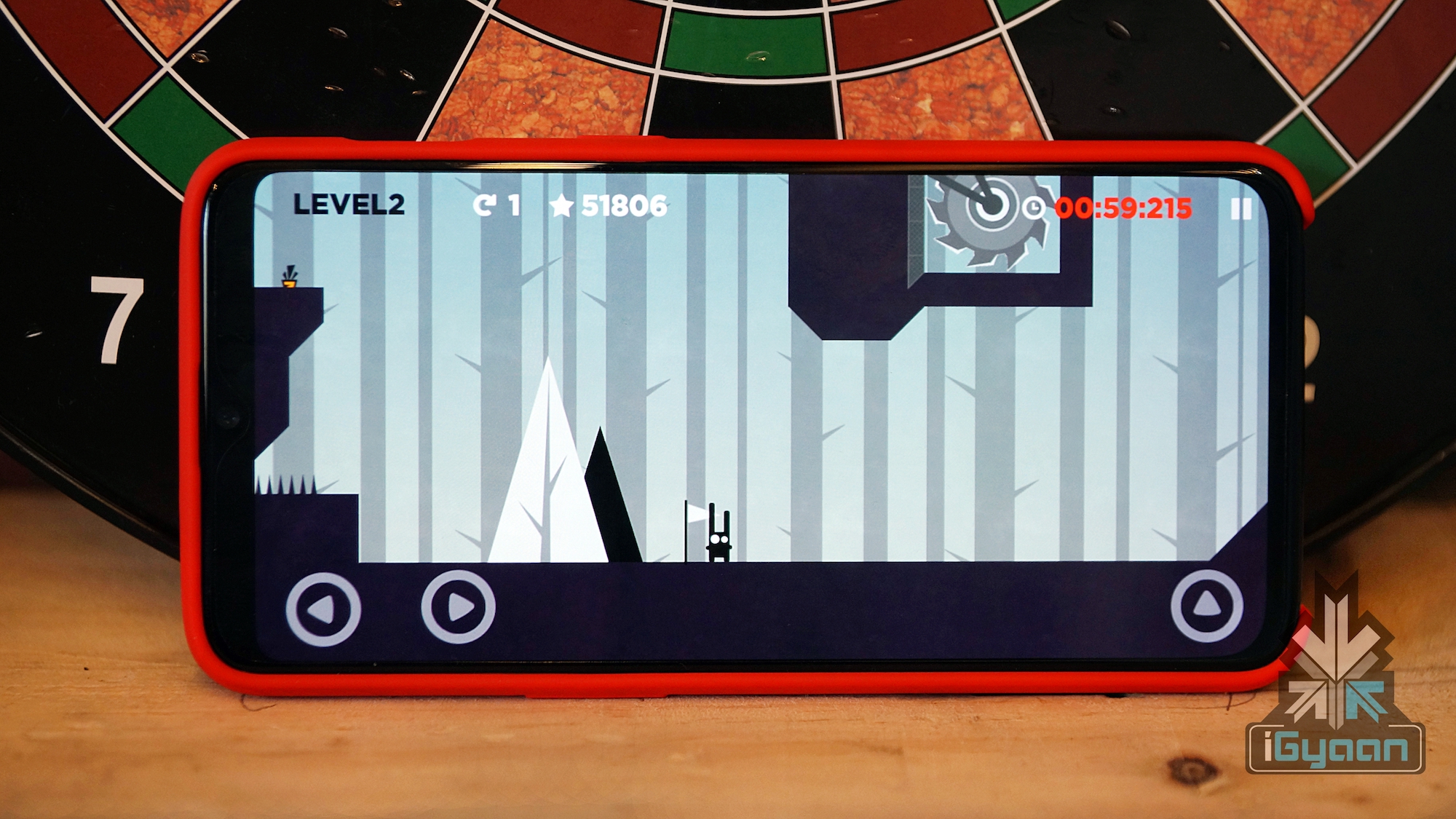
    Run Rabbit Run:

    The game is about a hungry rabbit who tries to collect the maximum number of carrots possible in a perilous environment. The player needs to control the speed and jumps of the bunny to save it from killer saws and spikes. The game requires a lot of concentration and instant reactions. Run Rabbit Run has onscreen left/right buttons to control the direction of the rabbit and a jump button which is placed on the right. Holding either of the direction control buttons make the rabbit dash which is necessary to take longer jumps.

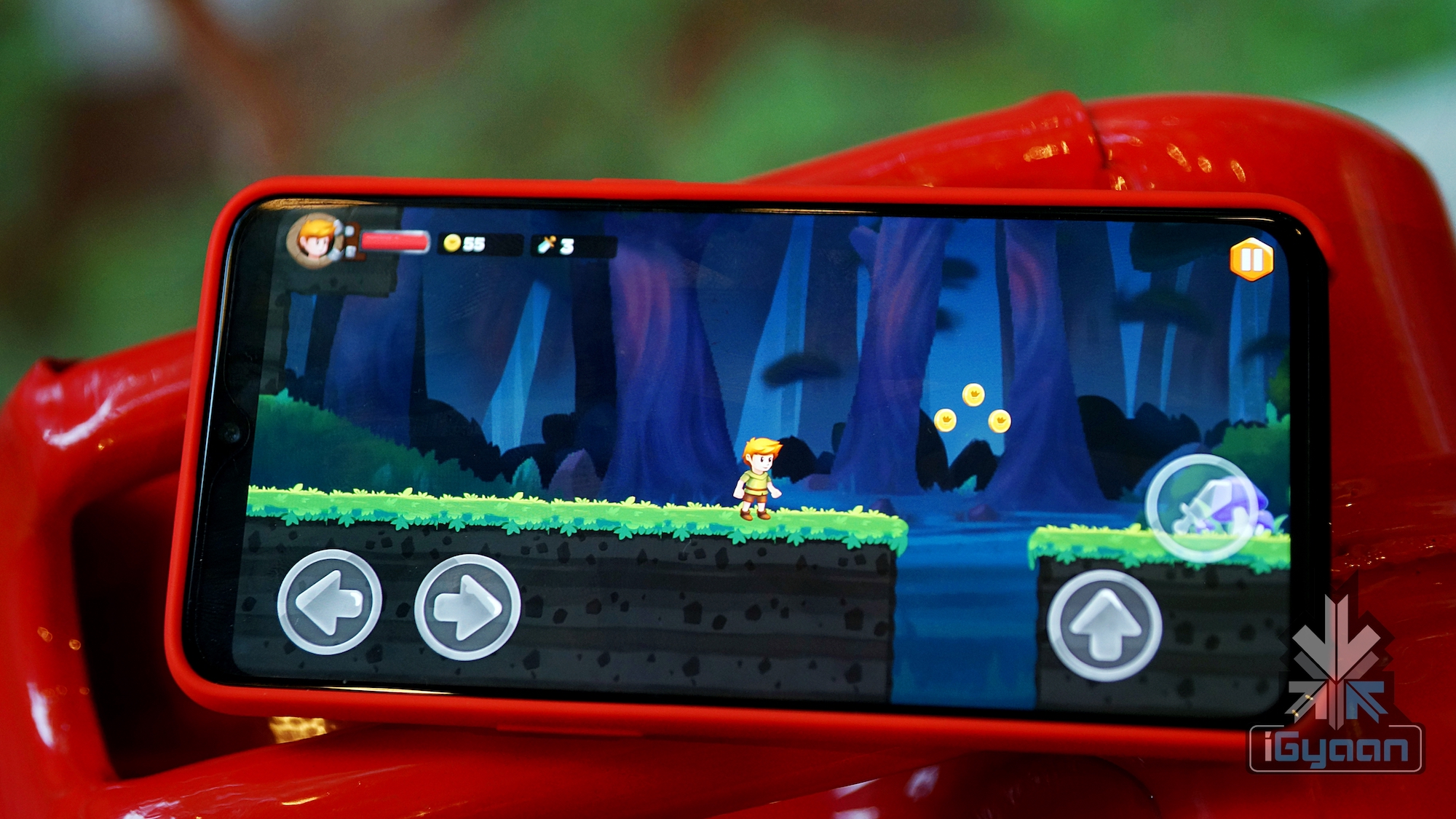
    Tiny Jack:

    Tiny Jack is an adventure style game that seems to draw inspiration from the classic Mario game. The game revolves around the escape journey of a young boy named Jack who is kidnapped by a wizard. The wizard takes the boy to his dungeon that is located in the middle of a jungle. One day when the wizard is not around, Jack manages to escape. But he must face all the hardships that come up on his journey back to his home. He must use his skills to kill monsters and avoid obstacles. Finally, he must kill the final boss to safely get out of the jungle.

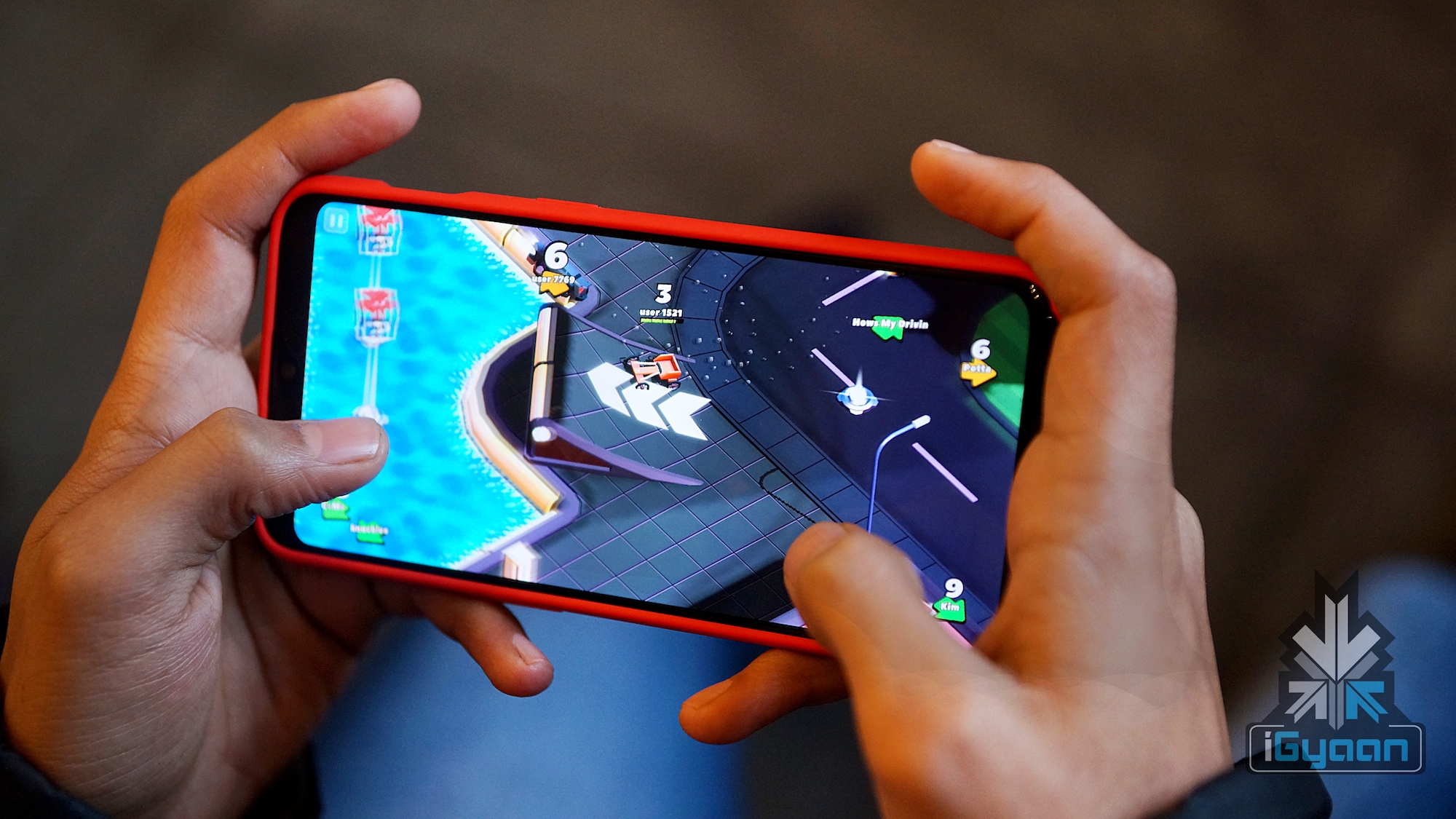
    Crash Of Cars:

    If you are a gamer who likes cars, drifting and shooting then this is a game you will definitely enjoy. The game has tiny animated cars which battle with each other for survival. The game has over 70 different cars and 8 different maps which the user can enjoy. It can be played both online and offline. In online mode, users can challenge other combatants and show off their skills. The cars in the game accelerate by themselves and the user needs to control the steering via the onscreen left or right buttons. Players can also pick up mystery boxes which contain different weapons like cannons and flamethrowers. These weapons can be used to kill the enemy cars.

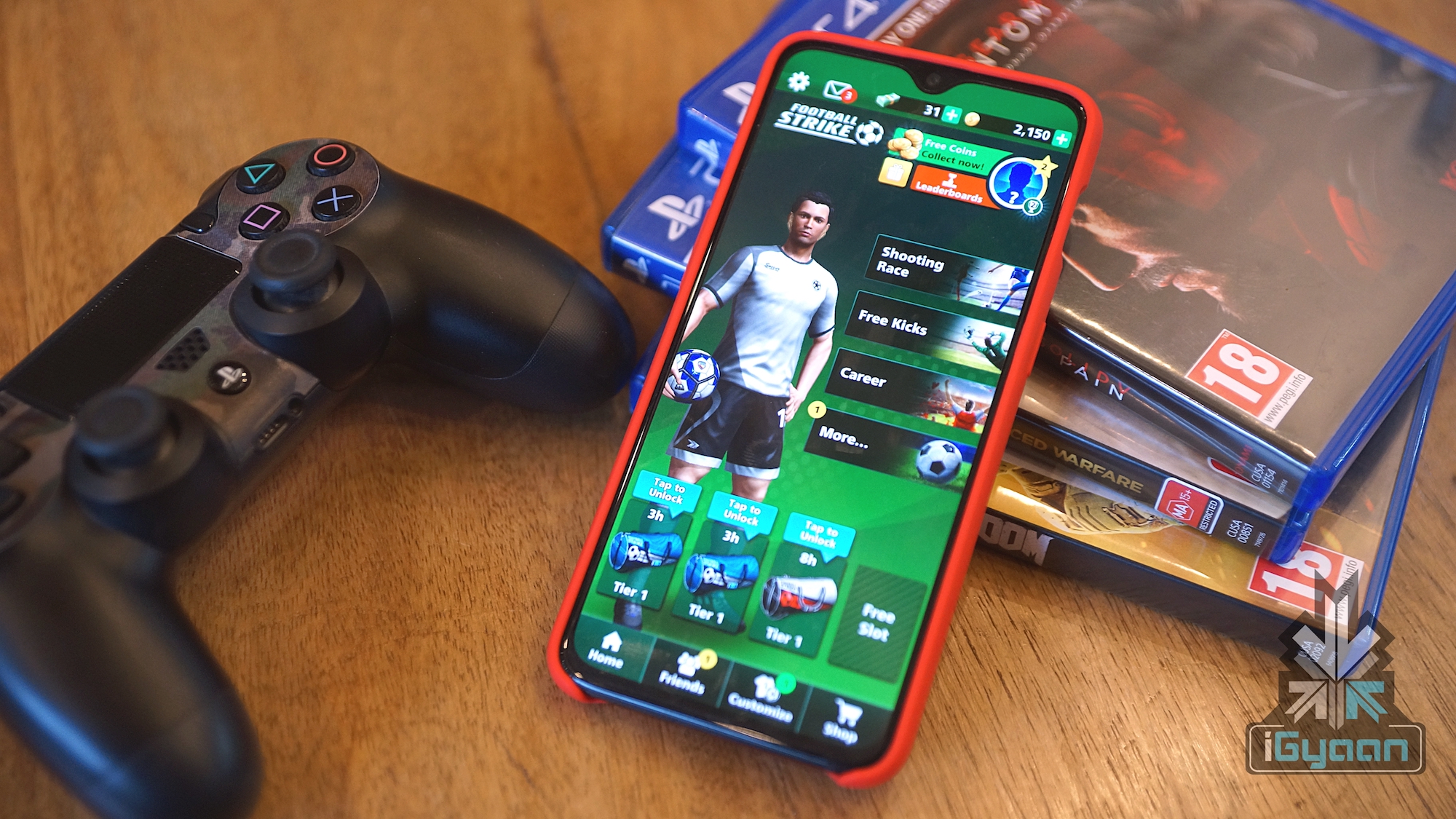
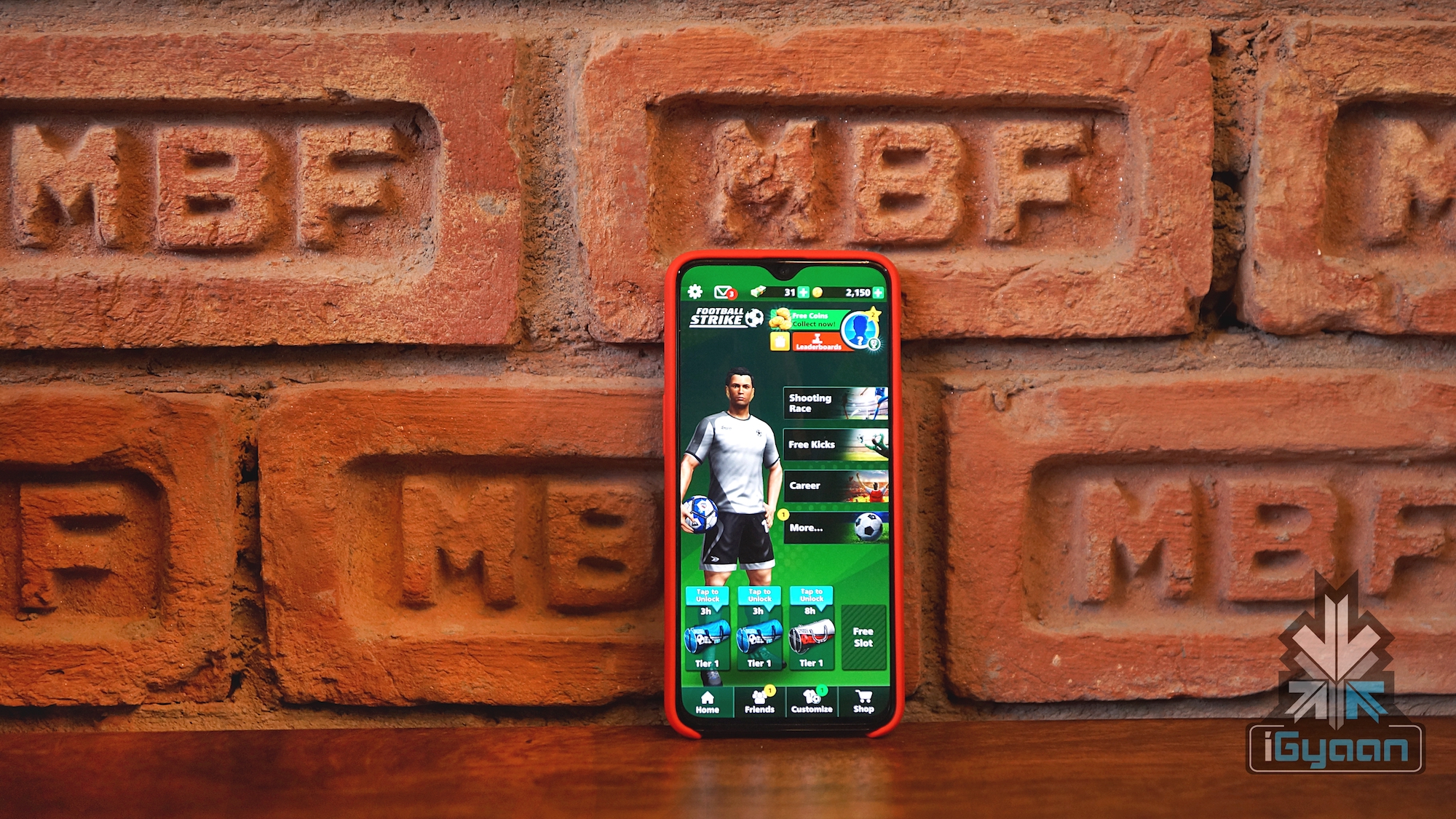
    Football Strike:

    At number four in the list is the game called Football Strike. The game is a lot of fun, especially if you’re a football fan. The user needs to shoot footballs by dragging their finger across the screen. The speed of the finger drag and curve also affect the speed and swing of the ball. It has multiple modes which include Shooting Race, Free Kicks, and Career mode. As the name suggests, in Shooting Race mode the user needs to score maximum number of goals in a limited time period. In the Free Kicks mode, the user needs to defend against other players who are shooting towards your net. And in Career Mode, the user advances through various levels of difficulties as he progresses through the gameplay.

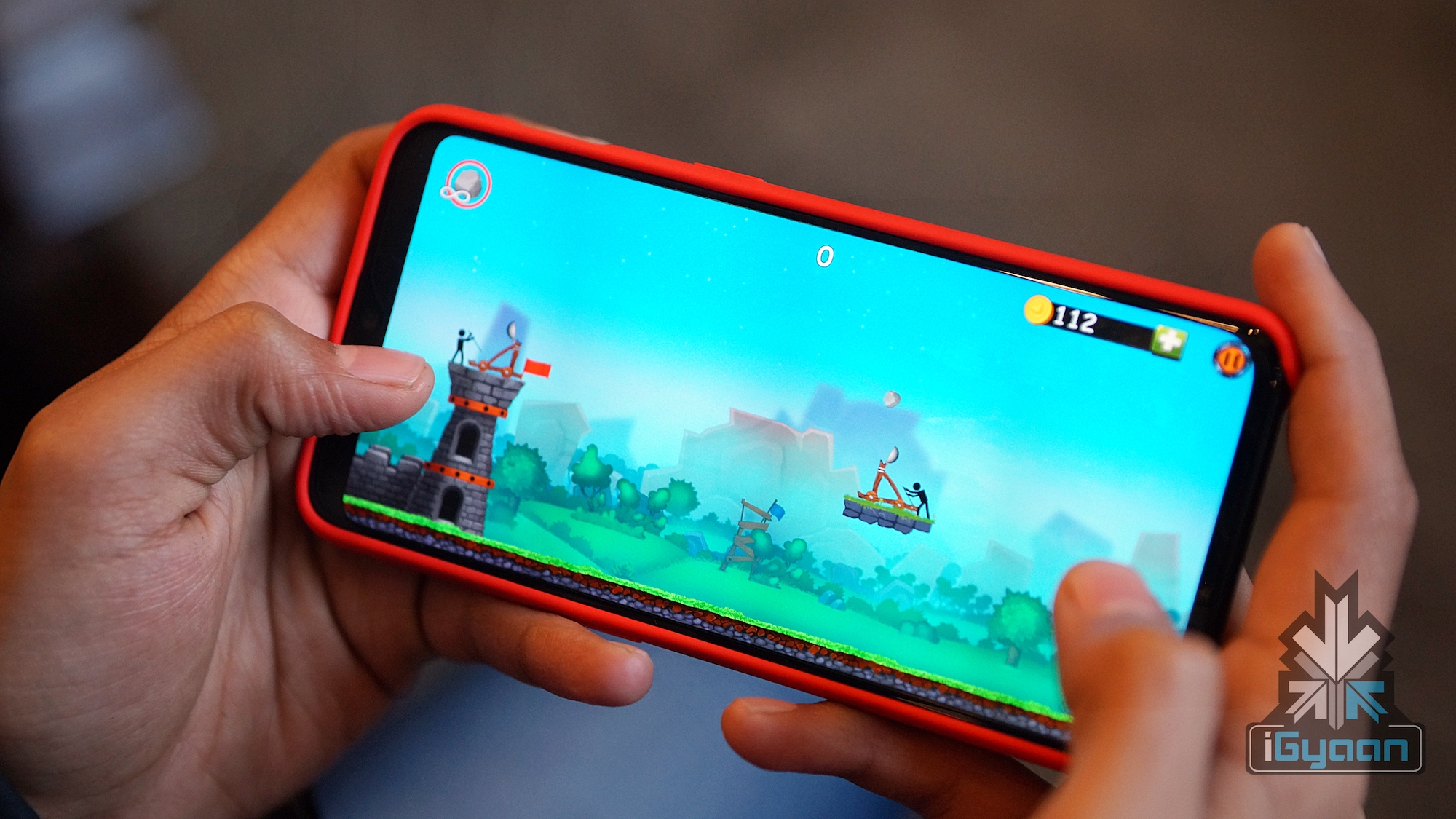
    The Catapult:

    The main character of this game is a stickman that guards a castle against enemies. The stickman operates a catapult that he uses to destroy the catapult of the enemy. During the initial stages the castle is easy to defend but as the game advances, it gets very difficult. Multiple enemies start firing from all directions and castle gets hard to defend. Upon killing enemies the user earns reward points which they can redeem to upgrade their catapult or purchase different helmets. Most notably, if you have played angry birds then your understanding of physics will come in handy.


  • Google Pixel 3 XL Running Android Q Spotted On Geekbench

    Google Pixel 3 XL Running Android Q Spotted On Geekbench

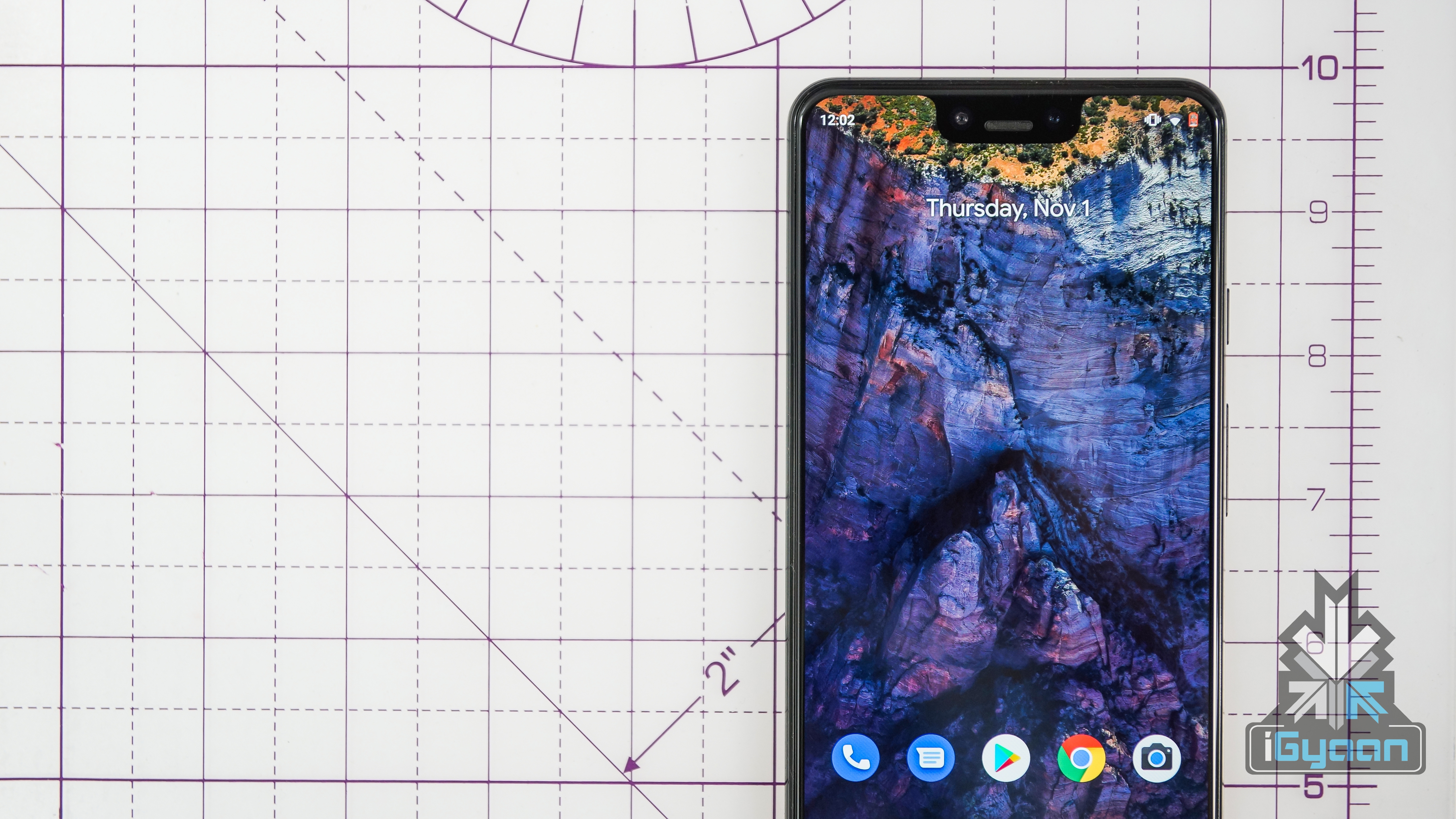
    With the smartphone cycle for 2018 almost coming to an end, all that we can look forward to as of now is software updates. Possibly the biggest software update in the mobile industry is that of the Android OS. Each year, users wait for the lates version of their beloved OS to see what changes it brings. And now, a Google Pixel 3 XL running on Android Q has been spotted on Geekbench.

    Android  Pie was announced back in June this year and starting rolling out to devices only around October. Even almost a month after the rollout started, few devices run the latest Android version. In fact, most of the new phones do not run Android 9 Pie out of the box, which is also very surprising. 

    Geekbench Scores

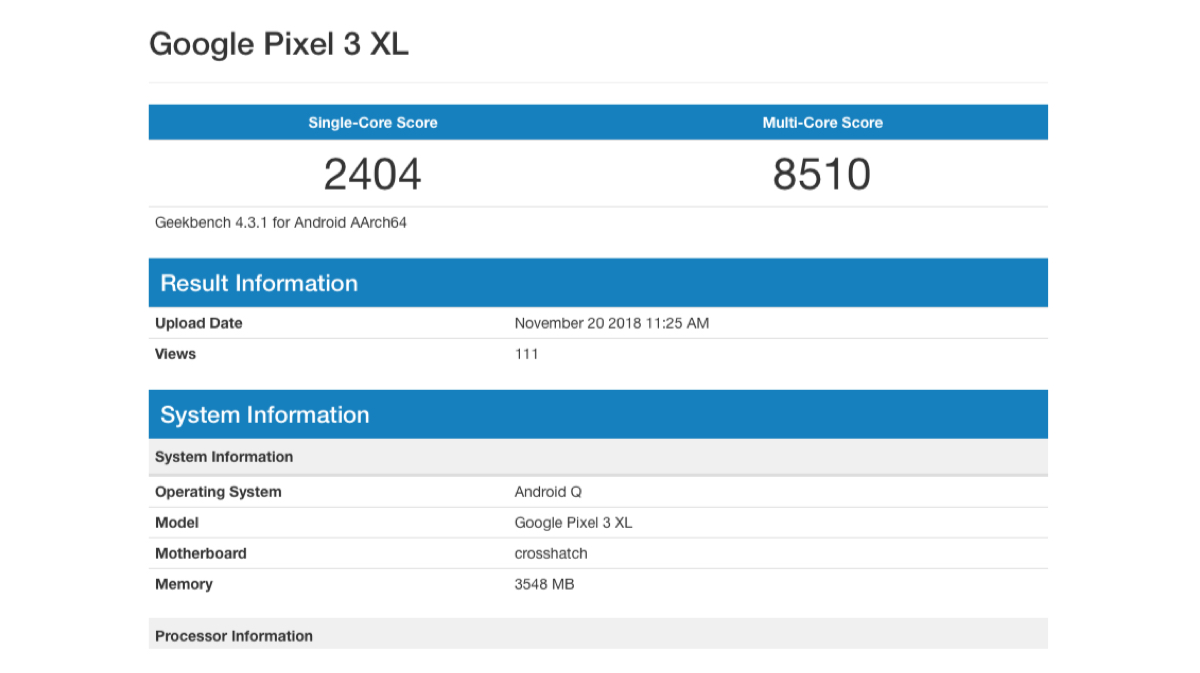
    The Geekbench listing revealed that a Google Pixel 3 XL device is being tested. Running the latest Android Q version with other regular specs. These include the Qualcomm Snapdragon 845 SoC and 4 GB of RAM. The device has a single core score of 2404 and a multi core score of 8510, which is a slight improvement over the scores with the previous OS.
    While nothing more about the OS is known as of now, it is expected that users with devices that were shipped with Android Pie will receive the update first. Reports also say that Google is considering letting users test Android Q before its Android Open Source Project release.

    Also Read: Huawei Mate 20 Pro To Launch In India On November 27

    This means that this version will not have any additional features which are meant for specific devices. Therefore, users will be able to use the OS as it is, and give better feedback. This also falls under the umbrella of project Treble which had promised access to future versions of Android.
  • Snapdragon 8150 Registers Highest AI Benchmark Score

    Snapdragon 8150 Registers Highest AI Benchmark Score

    American chipmaker Qualcomm is about to launch their latest Snapdragon 8150 processor. It will be the successor to the Snapdragon 845. The new processor will be manufactured using the 7 nm FinFET technology compared to its predecessor which is made using the 10 nm technology. Qualcomm claims that the new processor has better performance and consumes less power. Recently, the AI performance of the Snapdragon 8150 was registered on the AI-Benchmark application. The results reveal that the AI scores are about two times higher than the Snapdragon 845.

    AI-Benchmark
    Model CPU RAM Year Android AI-Score
    Qualcomm 8150 Dev Platform Snapdragon 8150 6GB 2018 9.0 22082
    MediaTek P80 Dev Platform MediaTek Helio P80 6GB 2018 9.0 19453
    OnePlus 6 Snapdragon 845 8GB 2018 9.0 12274
    Huawei Mate 20 Pro HiSilicon Kirin 980 (NPU) 6GB 2018 9.0 12026
    Huawei P20 Pro HiSilicon Kirin 970 (NPU) 6GB 2018 9.0 8921
    Google Pixel 3 XL Snapdragon 845 4GB 2018 9.0 6895
    MediaTek P60 Dev Platform MediaTek Helio P60 6GB 2018 8.1 5767

    The tests were performed on a developer platform (prototype board) and not a real-world device. But it gives a fair idea about what to expect from the new platform. The prototype board with 6 GB of RAM and Android 9.0 Pie scored 22082 points. This score allows it to place at the top of the AI-benchmark results.

    The Competition

    Surprisingly, the Qualcomm Snapdragon 815o is closely followed by the MediaTek P80 chipset. Again, the results from the Helio P80 were collected on a prototype board. It is able to fetch a score of 19453 points. The results are about 400% higher than the company’s Helio P60 which is featured on a lot of budget devices like the Oppo Realme 1.

    At number three in this list is the Snapdragon 845 which gets a score of 12,274 points. Shockingly the 7 nm Kirin 980 is at number four in the list which Huawei claimed would have 2 times higher AI-scores than its predecessor, the Kirin 970. But, it only manages to fetch 12,026 points which are only 33% faster than P70’s 8921 points. Another revelation that AI-benchmark reveals is that the Google Pixel 3 XL with the Snapdragon 845 only scores 6895 points. This is probably due to lower RAM capacity and inferior optimisation compared to the OnePlus’s Oxygen OS.

    Also Read: Google Pixel 3 Lite Camera Samples Posted Before Official Launch

    All in all, the upcoming Snapdragon 8150 will be an absolute beast and will definitely raise the bar for flagship smartphones.

  • All Android Pie 9.0 Devices Get Project Treble

    All Android Pie 9.0 Devices Get Project Treble

    Google held their Android Dev Summit last week in California. The company demonstrated multiple changes for current & future Android devices. One of them is a big announcement for a long pertaining issue.  For a long period of time, Android users have been complaining to OEM’s and Google for delayed updates on their devices. During the Dev Summit, Google developers showcased a solution to the problem in the shape of Project Treble. The company has declared that every upcoming Android 9.0 Pie devices will be Project Treble Compliant.

    What Is Project Treble?

    Project Treble was first introduced with Android 8.0 Oreo which has matured a lot since then. It is a mechanism that is concerned with pushing faster updates on an Android devices. Google developers demonstrated a common GSI (Generic System Image) running on devices from different manufacturers. Before this devices had a specific GSI engine per manufacturer, tweaked for compatibility with their devices. This uncommon GSI would increase the time for companies to modify the pure AOSP (Android Open Source Project) code that Google released. Now onwards Google will open GSI information for manufacturers so they directly modify pure AOSP code which was first sent to chip makers to enable their chipset compatibility.

    Android One Android Go Stock Android

    In the past, lastest updates used to go through multiple checkpoints in order to be capable of deploying onto an Android device. Previously when Google released an Android update it was first sent to chip makers like Qualcomm & Mediatek. The chip makers would optimise the code according to the architecture on their chipsets. The update was then forwarded to manufacturers who would tweak the same as per the need of their respective devices & also integrate their proprietary software bits. This  then leads to the OTA (Over The Air) update on their devices.

    What’s In It For The Users?

    Also Read: OnePlus 6T Thunder Purple Unboxing And First Look

    Post Project Treble compliance the users would be able to receive faster updates on their smart devices. It will enable them to make the most out of what the latest Android firmware has on offer. Google as Android has always been criticised when compared to its Apple iOS counterparts.


  • Android Q Will Have Multi-Resume Support For Apps

    Android Q Will Have Multi-Resume Support For Apps

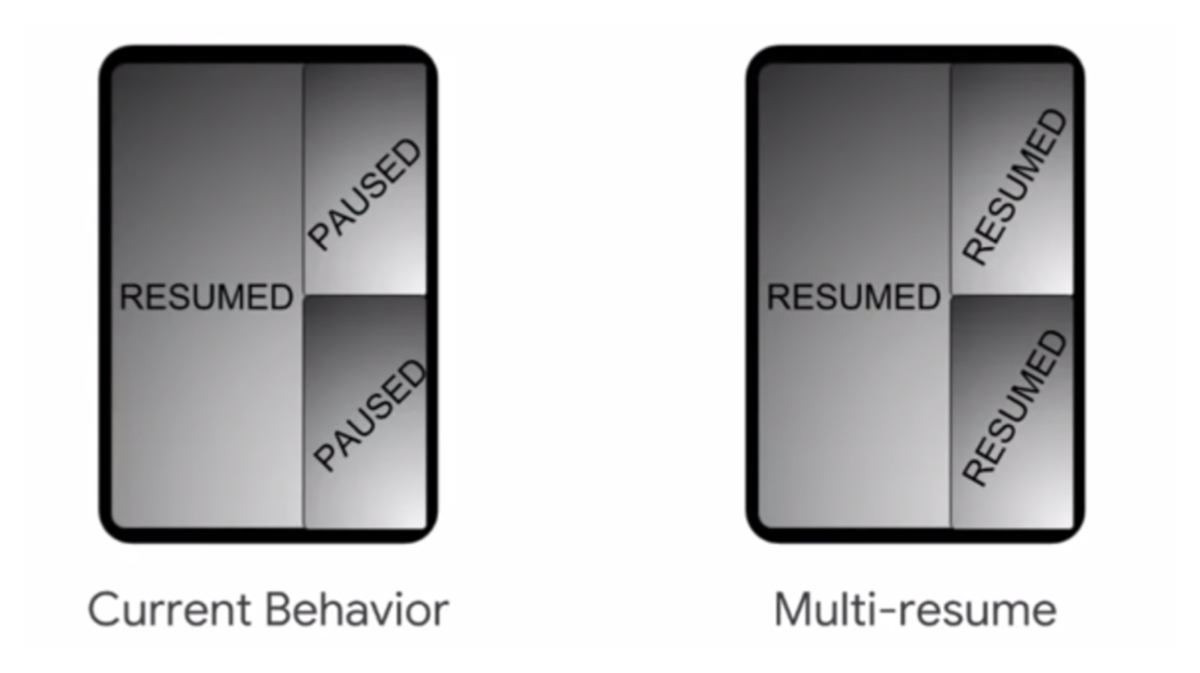
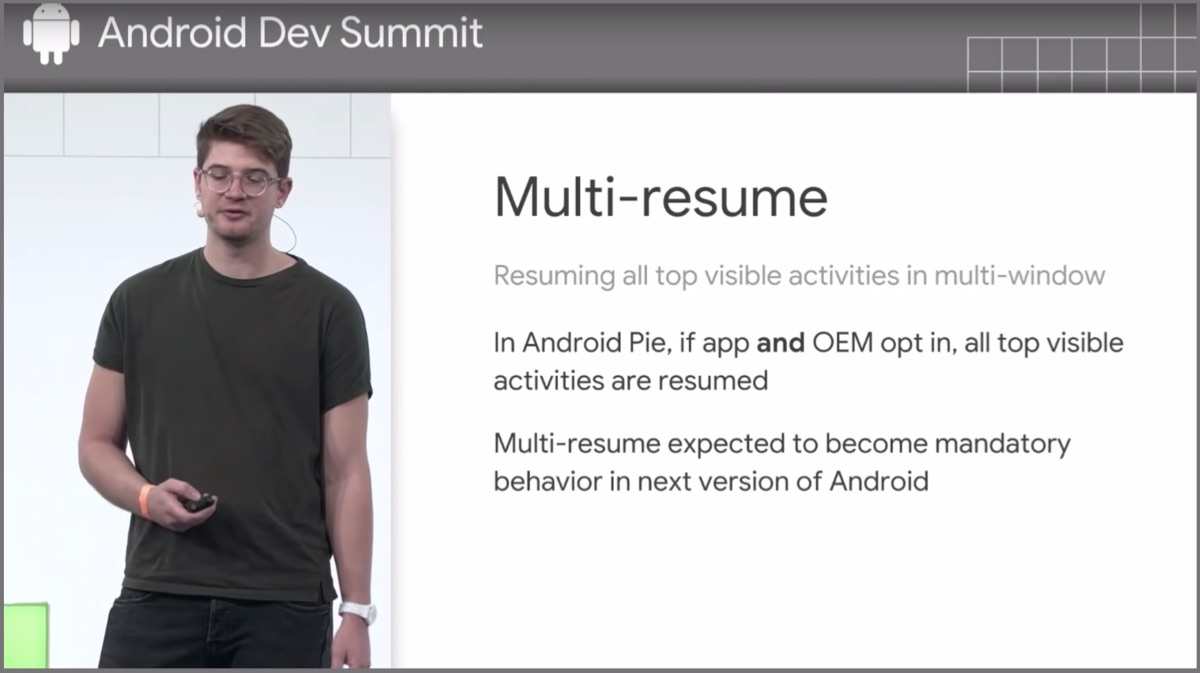
    Google’s Android Dev Summit 2018 was held in California during November 7 & 9. Lead Developers demonstrated a lot of changes the upcoming Android Q will have. One key change is Multi-Resume support for applications. The developers are provided with tools with which they can integrate the feature in Android 9.0 Pie apps as well but, it will be mandatory in Android Q.

    What Is Multi-Resume?

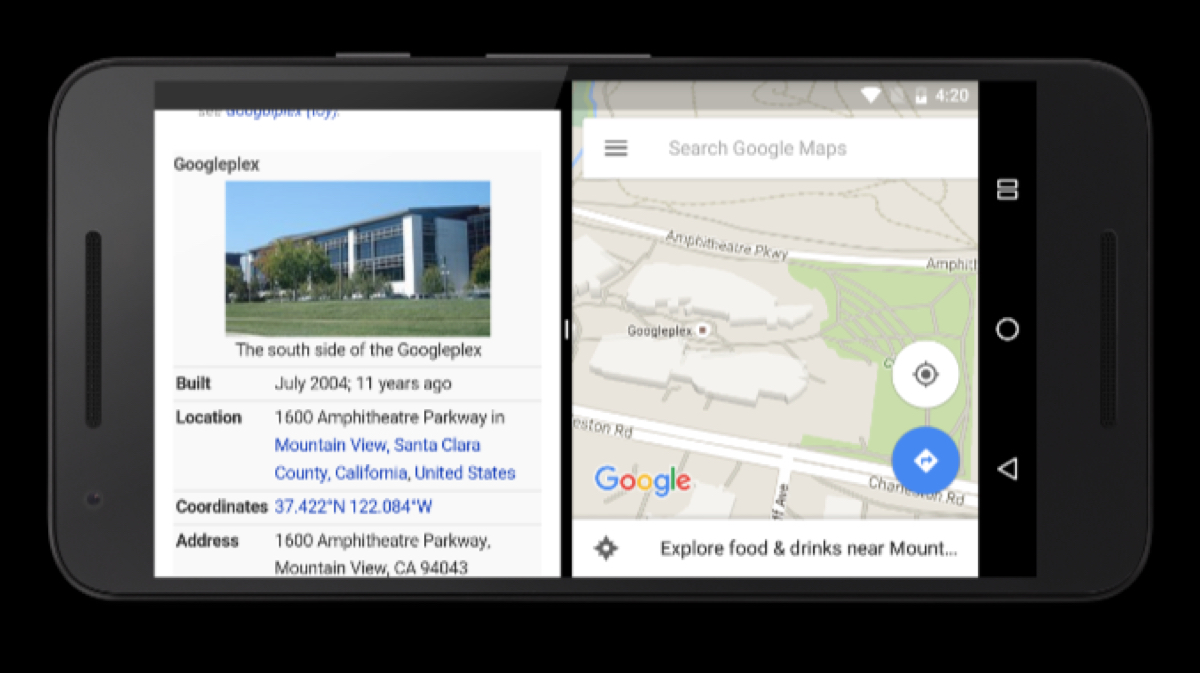
    Running simultaneous applications on an Android smartphone is not new. It has been available since the release on Android N (Nougat) in the form of split-screen. It allows users to run two simultaneous apps side-by-side. However, the feature has had limitations up till now. Earlier, the system would pause one app while the other is in use. But, it is soon going to change with the upcoming Multi-Resume feature.

    The new feature will allow users to keep multiple apps running live on-screen. It means the users will be able to interact with more than one app concurrently without having the system to pause the other app. This revolutionary feature will make it very much equivalent to a traditional desktop working environment. This feature might not be as useful on a small screen device but, will surely boost productivity on a larger screen tablet.

    Possibilities With Multi-Resume:
    • Video Conferencing: The new feature will open new possibilities for video conferencing. The users will be able to talk with their contacts while still having access to relevant content in another window. This will be beneficial for business personnel who are usually making online meetings via Skype or similar apps.
    • Drag & Drop Files: Although Google has not talked anything about the possibility of this feature. This can be another key advantage of Multi-Resume support.
    • Browsing & Maps: The user can even browse the web and search for relevant details with ongoing navigation.

    Also Read: OnePlus 6T Thunder Purple Edition To Launch In India

    To conclude, the possibilities of Multi-Resume on Android are innumerable and are only limited to the vision & skills of the developer.

  • Latest Google Findings Reveal Dark Mode Consumes 63% Less Battery

    Latest Google Findings Reveal Dark Mode Consumes 63% Less Battery

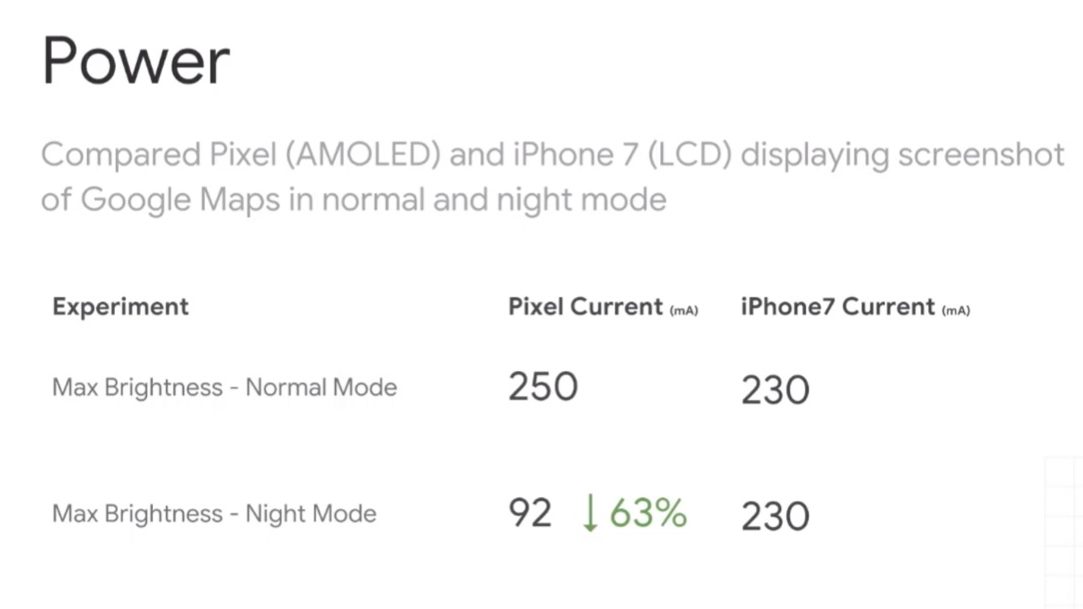
    Smartphone components are evolving at a rapid pace but, the lithium-ion batteries that power them are not able to keep up with the latest hardware specifications. Hence, in an effort to prolong battery life, companies are trying to make software and hardware more power efficient. Recently, at the Android Dev Summit, Google revealed some key findings that can boost battery life on smartphones. Display and screen brightness are the biggest battery drainers on any smartphone. Google’s findings reveal using darker colours and the dark mode can extend battery upto 63%.

    Google’s Findings

    The most interesting piece of information from the summit was, more brightness draws more power in an almost linear manner. Next, the developers shared their studies performed using the Google Pixel 1 smartphone. The study points out the power consumption on max brightness between normal mode and ‘dark Mode’ on the AMOLED screen on the Pixel 1. The study reveals that the Pixel 1 consumed 250 mA of battery on max brightness in Normal mode whereas max brightness on dark mode consumed only 92 mA . The power consumption on dark Mode is 63% less than the Normal Mode. While, Google also conducted a similar test on the iPhone 7 with LCD display and it showed no difference in power consumtion between two different modes.

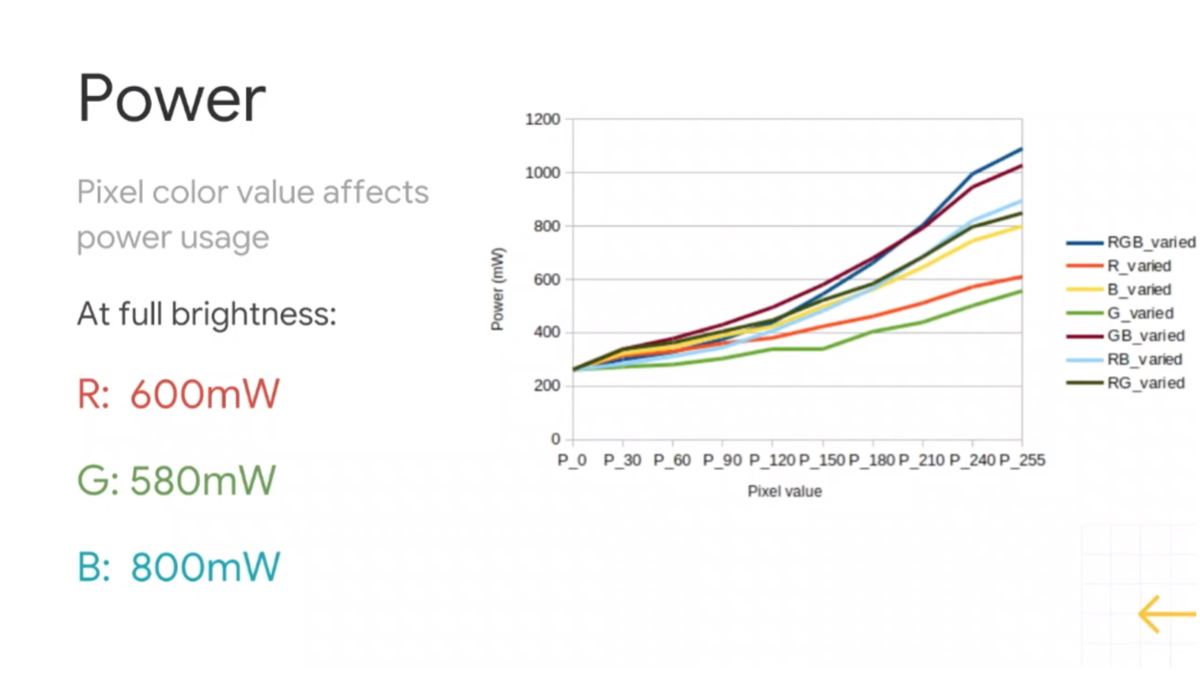
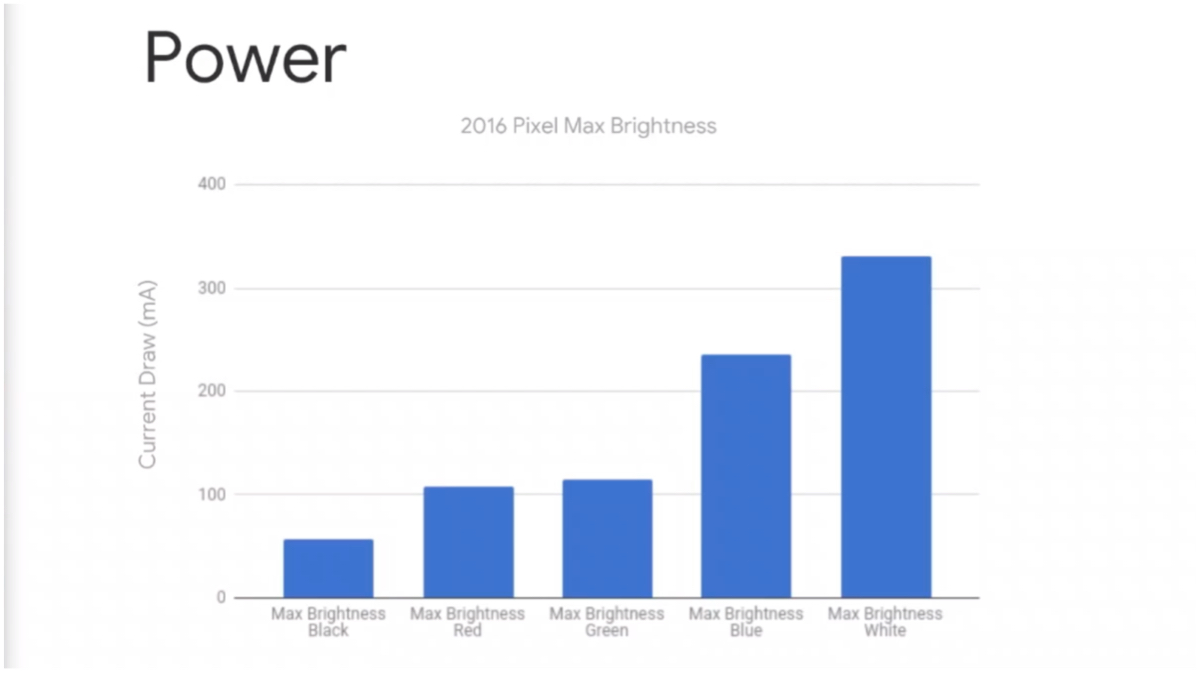
    Google also studied the impact that different screen colours have on power consumption. They found different colours draw different amounts of power from the source. For instance, Red consumes 600 miliWatts of power and Green consumes 580 miliWatts of power. While, Blue draws the highest power at 800 miliWatts out of the RGB colour gamut. The most important finding is that Black consumes the least power out of all the 65k colours that a display can produce. On the other hand, White draws max power out of the battery.

    Google Admits Their Mistake

    Google has admitted that they made a mistake in the past with their material design scheme. The company heavily encouraged developers to use white as their primary color for all applications and interfaces which apparently takes a jab at battery backup. 

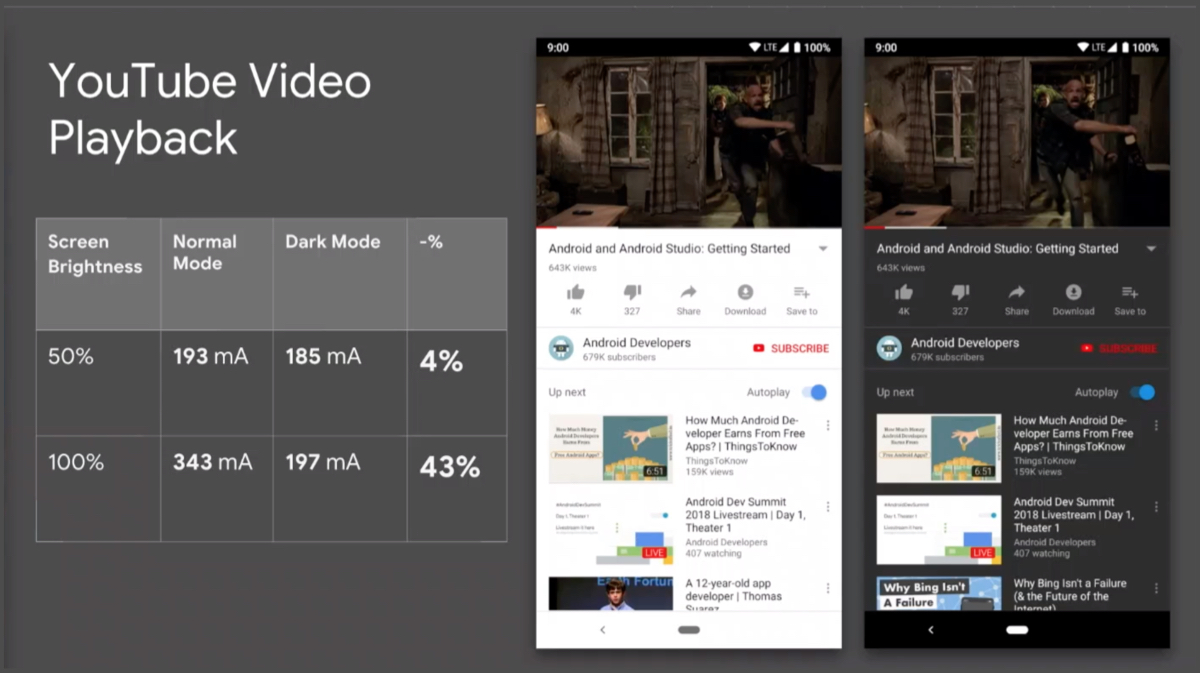
    Fortunately, Google explained how ‘Dark Mode’ can prolong the battery backup on a smartphone. Additionally, the latest YouTube with dark mode is an example that Google is learning from its mistakes and continue to bring this support to other apps as well. The company also demonstrated the comparison results that YouTube with dark mode has over normal mode. The YouTube video was paused on both the smartphones to pin point effects dark mode has on power drain. At 50% brightness, dark mode consumed 80 mA of power while normal mode consumes 93 mA of power from the battery. The biggest highlight in this study was the amount of power drawn on 100% screen brightness. YouTube in Dark Mode consumed 96 mA of max brightness which is higher than 50% at Normal Mode. But, Normal Mode on 100% brightness drew significantly higher power at 239 mA.

    Also Read: Android Adds Foldable Display Support

    To conclude, the study reveals that darker colours and options like Dark Mode can drastically reduce power consumption on phones with AMOLED displays.

  • Android Adds Foldable Display Support

    Android Adds Foldable Display Support

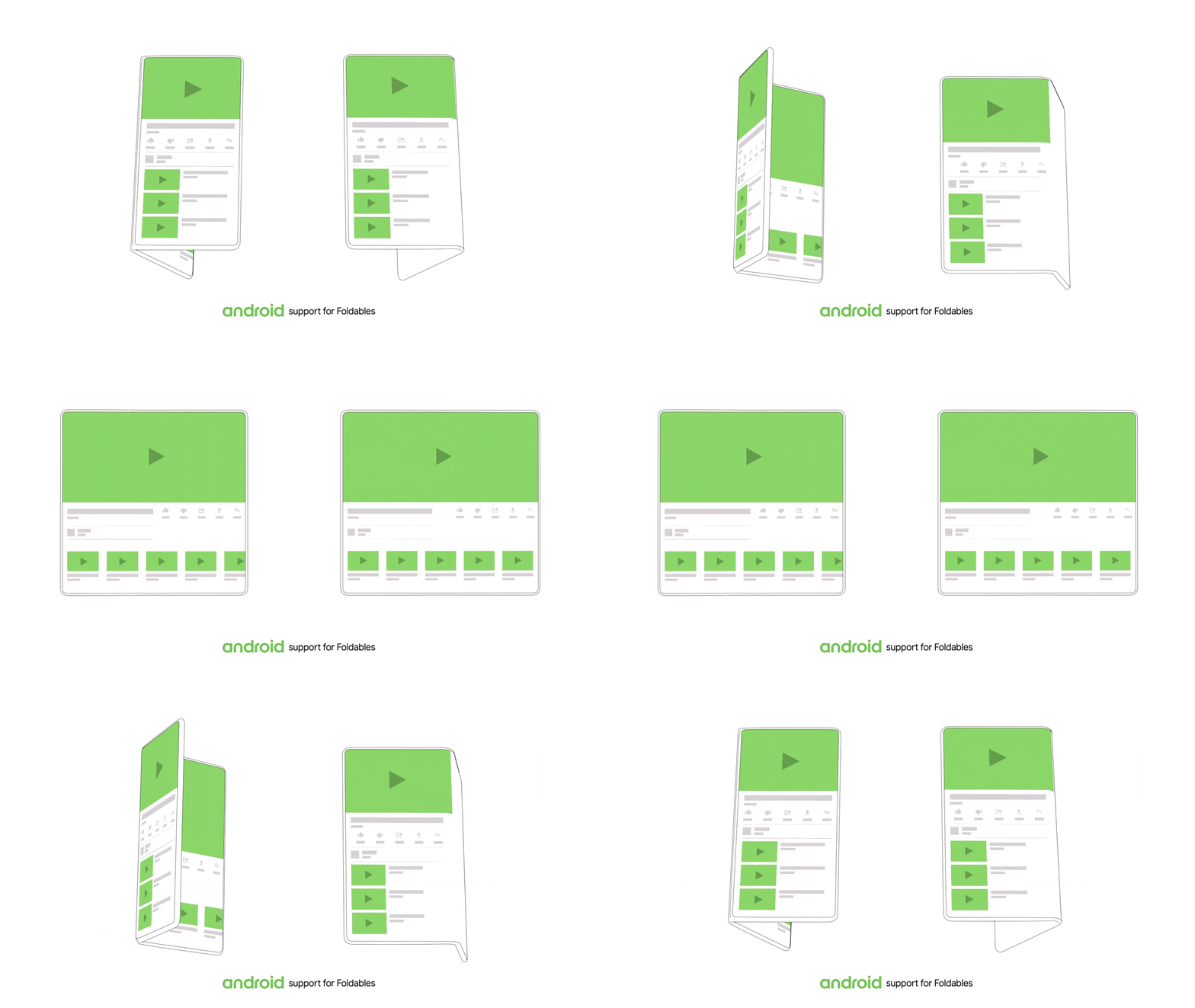
    As foldable displays come to the verge of becoming a reality, Android has announced it’s support towards this new tech. This was announced at the Android Dev Summit held at the Computer History Museum in Mountain View, CA. Android announced that they will be extending their hand to support foldable displays with their UI. According to the company, as early as Android 1.6, Android and it’s partners have contemplated different screen sizes and densities. They have since worked on several different form factors  to power a broad category and new experiences like Android TV, Android Auto, Wear OS and even Android apps on Chromebooks. The introduction of Phablets, which are phones with bigger screens set the benchmark for where smartphones are today.

    Android Optimisation For Folding Displays

    Foldable screens are the future where the screen folds into a phone and unfolds into a bigger screen for media consumption. Android is working towards making this transition from a phone to a media consumption device seamless and more immersive. Android states that when unfolding, the app seamlessly transfers to the bigger screen without missing a beat. They are optimising Android for this new form factor. According to the company, they are making changes to help developers everywhere take advantage of the possibilities this creates for amazing new experiences. It also opens up new ways to engage and delight the users, states the company.

    Also Read: Samsung Galaxy S9 and S9+ To Get Android 9 Pie Based On One UI

    Android also stated that there will be more manufacturers joining the folding screen bandwagon soon. Last year, ZTE displayed a phone that had two screens attached to a hinge. While Samsung’s new phone closes inward, but Royole’s FlexPai, another foldable phone, has an outward-folding screen. Other makers such as Huawei, LG, Xiaomi, Oppo, Lenovo and Motorola are also reportedly working on foldable phones. It will be interesting to see how Android optimises for different form factors and screen sizes from different manufacturers in future.

  • PrimeOS Equips Any Laptop Or PC With Android

    PrimeOS Equips Any Laptop Or PC With Android

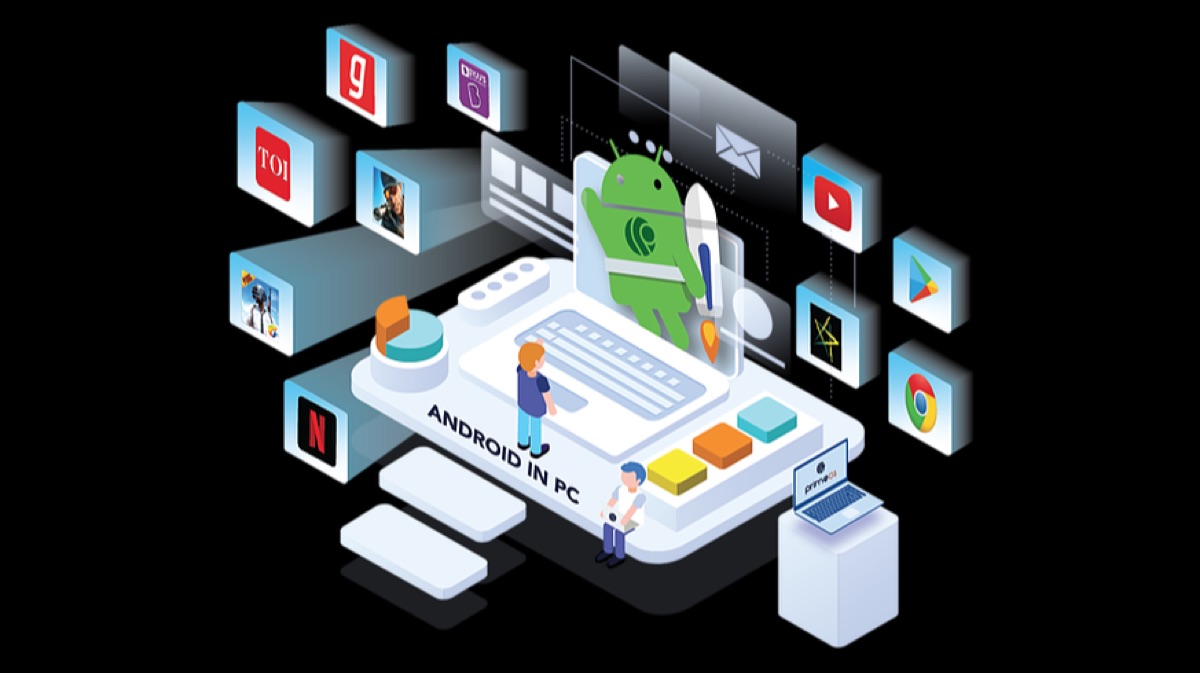
    With the advent of technology, E-sports and digital games are becoming increasingly popular. People from all age groups love playing video games which range across various genres like sports, strategy, action, and adventure. Earlier, games were limited to consoles and computers but now, they are readily available on smartphones. When we talk about a mobile operating system, the clear winners are Android and iOS. Apple’s iOS can only run on Apple mobile devices while Android being an open source software can work on a variety of platforms. One example this is the PrimeOS. It brings the complete Android gaming experience to desktops and laptops.

    The point worth mentioning is its compatibility with a variety of x86 based CPU’s. The x86 is a set of architecture instructions which most of the Intel and AMD CPU’s are based on. So, the PrimeOS can be set up on not only new but also on older PC’s that are otherwise discarded due to lack of software support.

    PrimeOS: What is it & Who is it for?

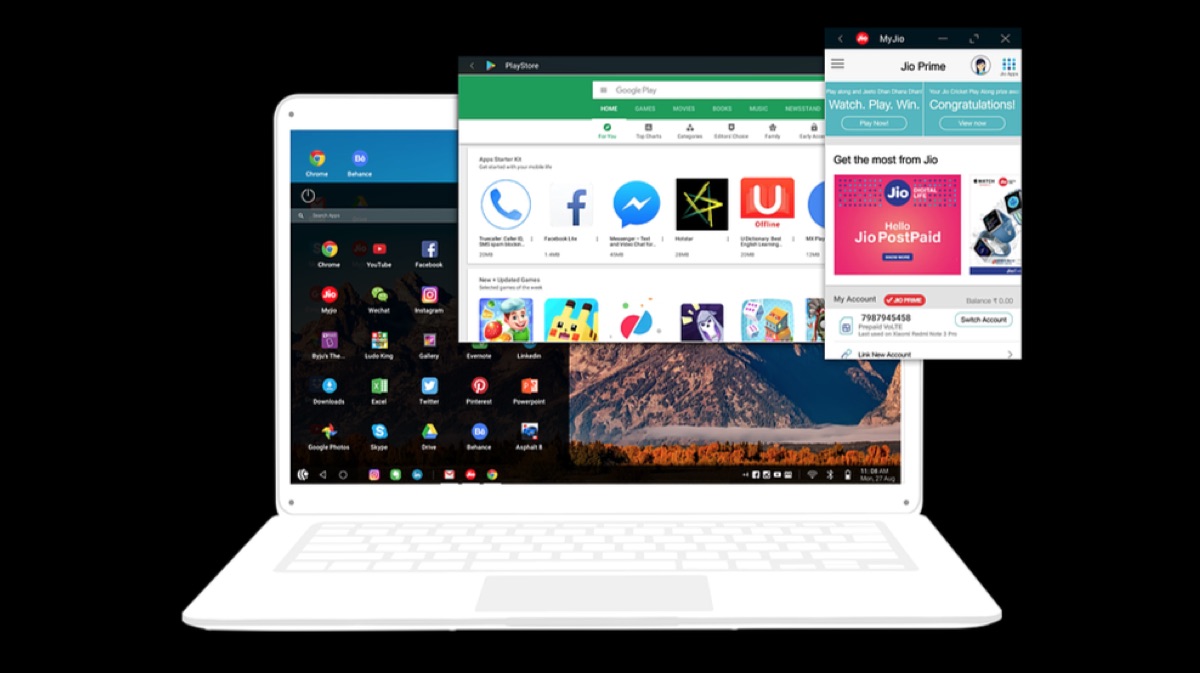
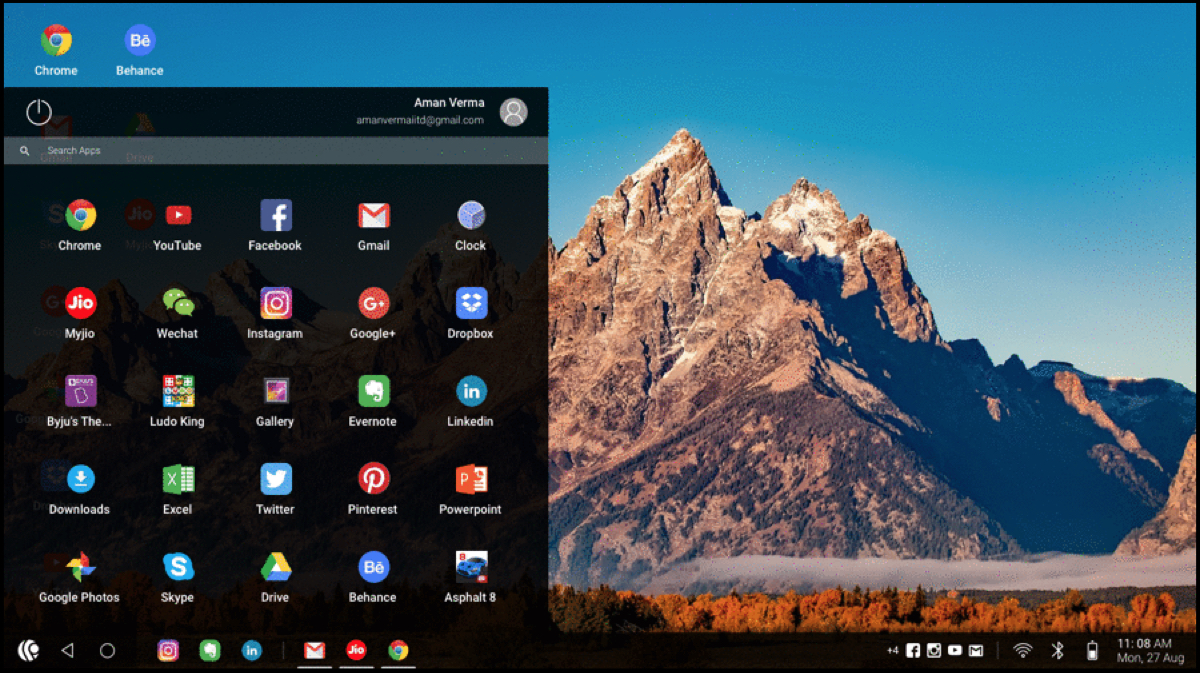
    PrimeOS is an operating system that gives a complete desktop experience like MacOS or Windows. Additionally, it provides access to millions of Android applications. It has been designed in a manner to combine the best features of both PC & Android. It has multiple features like a notification centre, taskbar, start menu and multi-tasking that eases the use of Android on a desktop environment.

    PrimeOS can be used to browse the internet, play games and even run business applications like MS Excel and Word.

    Android Gaming Machine!

    PrimeOS which is built on top of Android allows users to download and enjoy more than 2 million + apps and games. Most notably, the maximum number of Android games are free to install, unlike their gaming console counterparts.

    Top Android games including PUBG, Asphalt, Clash of Clans and many more titles can easily work on PrimeOS.  PrimeOS allows users to re-map touch controls to mouse and keyboard to enjoy a seamless experience.

    Limited Only To Gaming?

    PrimeOS is not only limited to gaming as it is a fully functional Android-based PC operating system. Hence, top productivity apps can be easily downloaded on PC’s running the OS.

    Also Read: OnePlus 6T Launched In India Starting At Rs 37,999

    The PrimeOS website provides a complete step by step guide to download and install it on PC.

    Click here to download and install PrimeOS


  • Xiaomi Announces Android Pie Update Schedule

    Xiaomi Announces Android Pie Update Schedule

    Xiaomi has become one of the biggest smartphone companies not only due to good hardware but also because of the long-term software support they offer. Except for the Android One devices they are usually one of the first companies to push the latest Android updates to their smartphones.

    Android vs iOS adoption

    Android Pie Android 9 Google

    Android definitely trumps iPhone in terms of device shipments but it is nowhere near Apple’s iOS adoption rate. The latest iOS 12 already runs on more than 50% of the supported devices whereas the latest Android 9.o Pie merely runs on 0.1% of Android devices.

    Talking about Android adoption rate, Android Nougat has the highest market share at 29.3%.  Followed by Marshmallow at 21.6% while Android Oreo is at number three with 19.2 % share. Xiaomi being a global smartphone seller does have an effect on the Android adoption rate. The following list provides information about when their smartphones will get the latest updates.

    Android Update Timeline


    Xiaomi Mi A1

    According to Xiaomi’s list, the Redmi 5, Redmi 5A, Redmi Note 5 Pro & the Redmi A1 will get the Android Oreo update in December 2018. Additionally, the company has provided a list of smartphones already running on Oreo.

    These are the smartphones have already received the Android Oreo update:

    • Mi 5, Mi 5s, Mi 5s Plus
    • Mi 6
    • Mi 8 SE, Mi 8 Youth Edition, Mi 8 screen fingerprint version
    • Mi MIX, Mi MIX 2
    • Mi Note 2, Mi Note 3

    The Mi MIX 2s, Mi8 & Mi 8 Explorer Edition have already received the Android 9.0 Pie update while the devices that will receive Android 9.0 Pie in December are as follows:

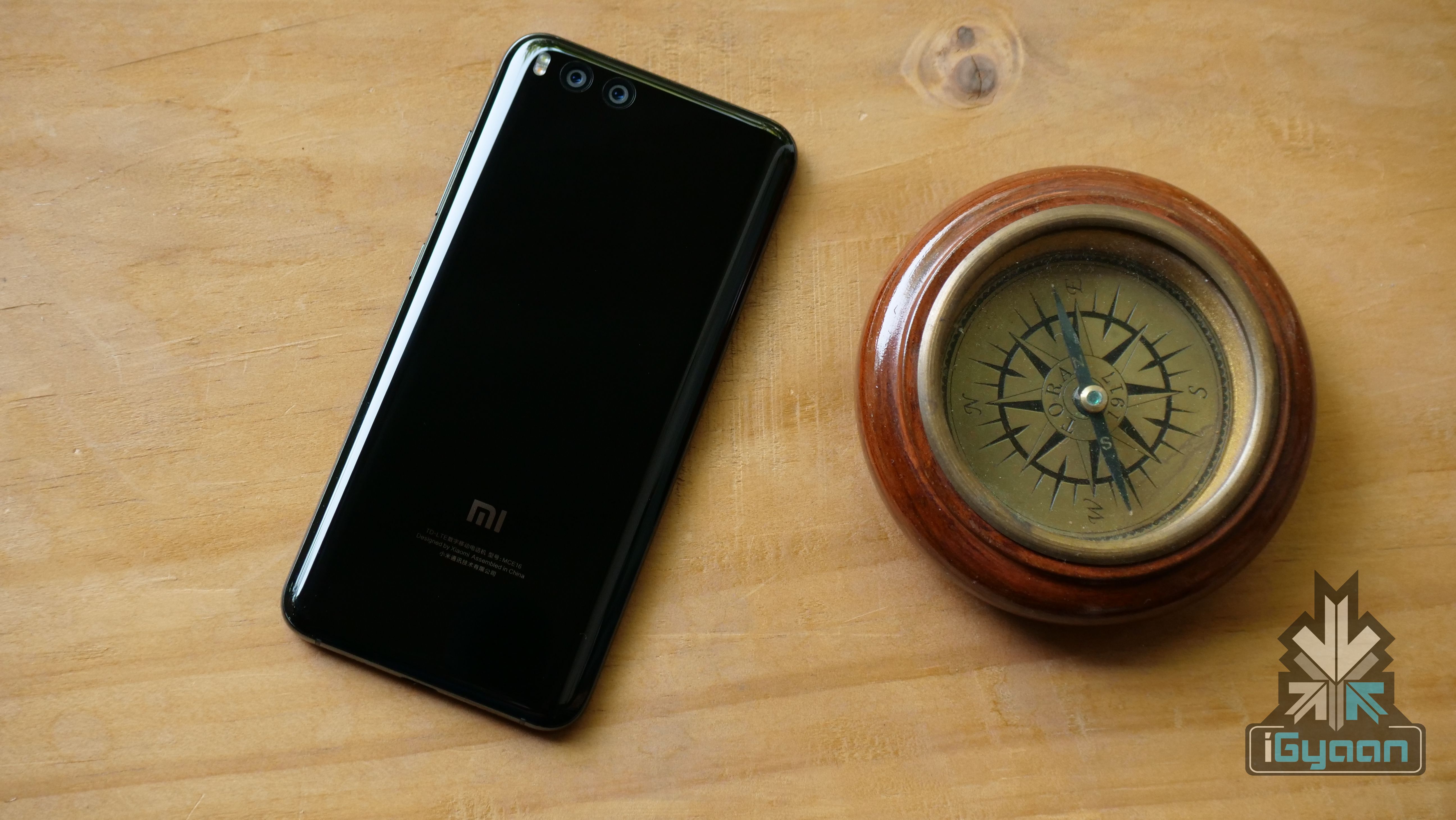
    Xiaomi Mi 6

    • Mi 8 fingerprint edition
    • Mi 8 SE
    • Max 3

    Also Read: Asus Zenfone 6 Leak Shows In-Display Camera

    To conclude, the flagship devices are receiving the latest Android 9.0 Pie and whereas with the mid-range & budget devices users will have to be content with the Android Oreo which was released on 21 August 2017.

  • Xiaomi Mi A1 To Get Android 9 Pie Soon

    Xiaomi Mi A1 To Get Android 9 Pie Soon

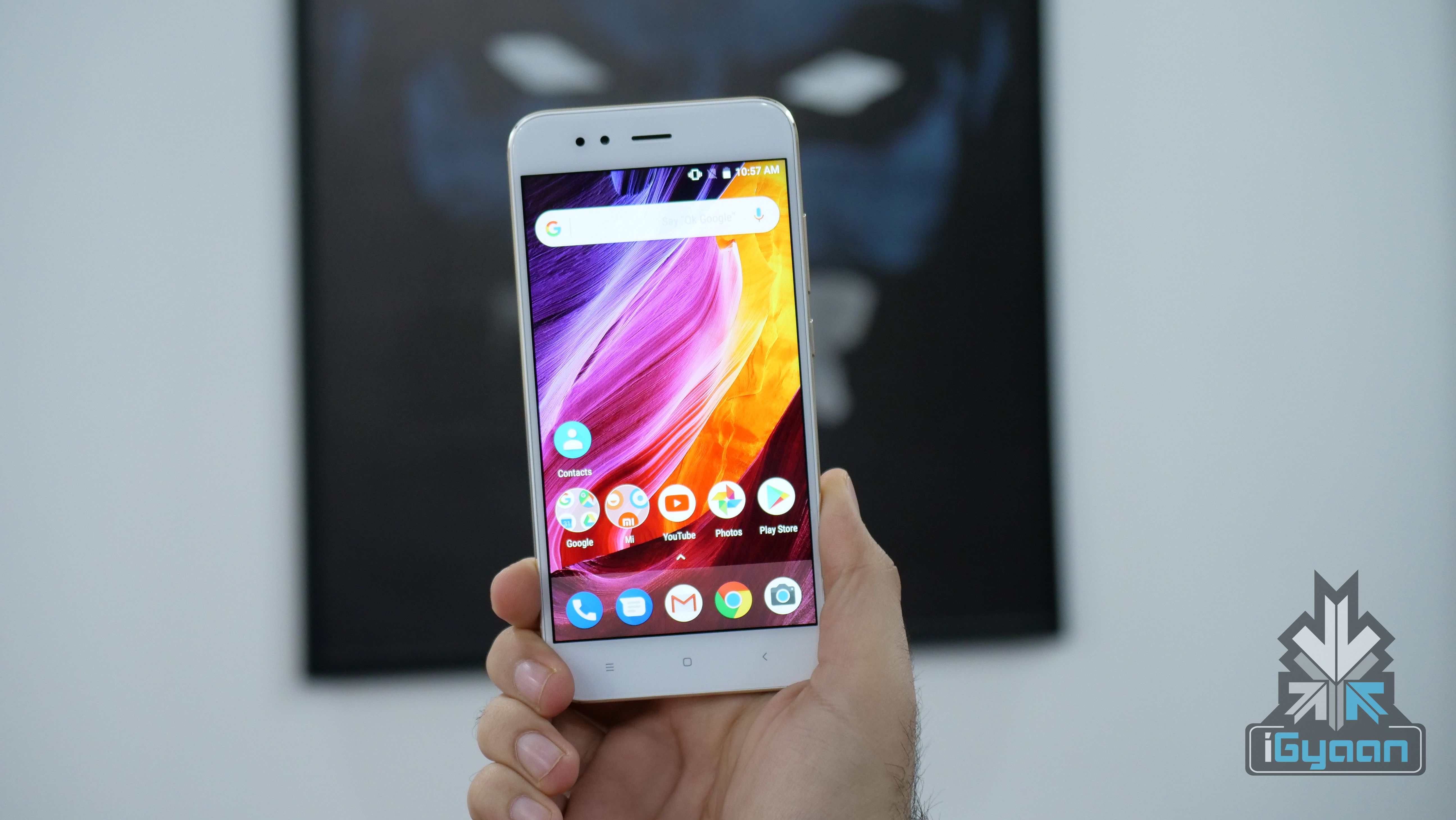
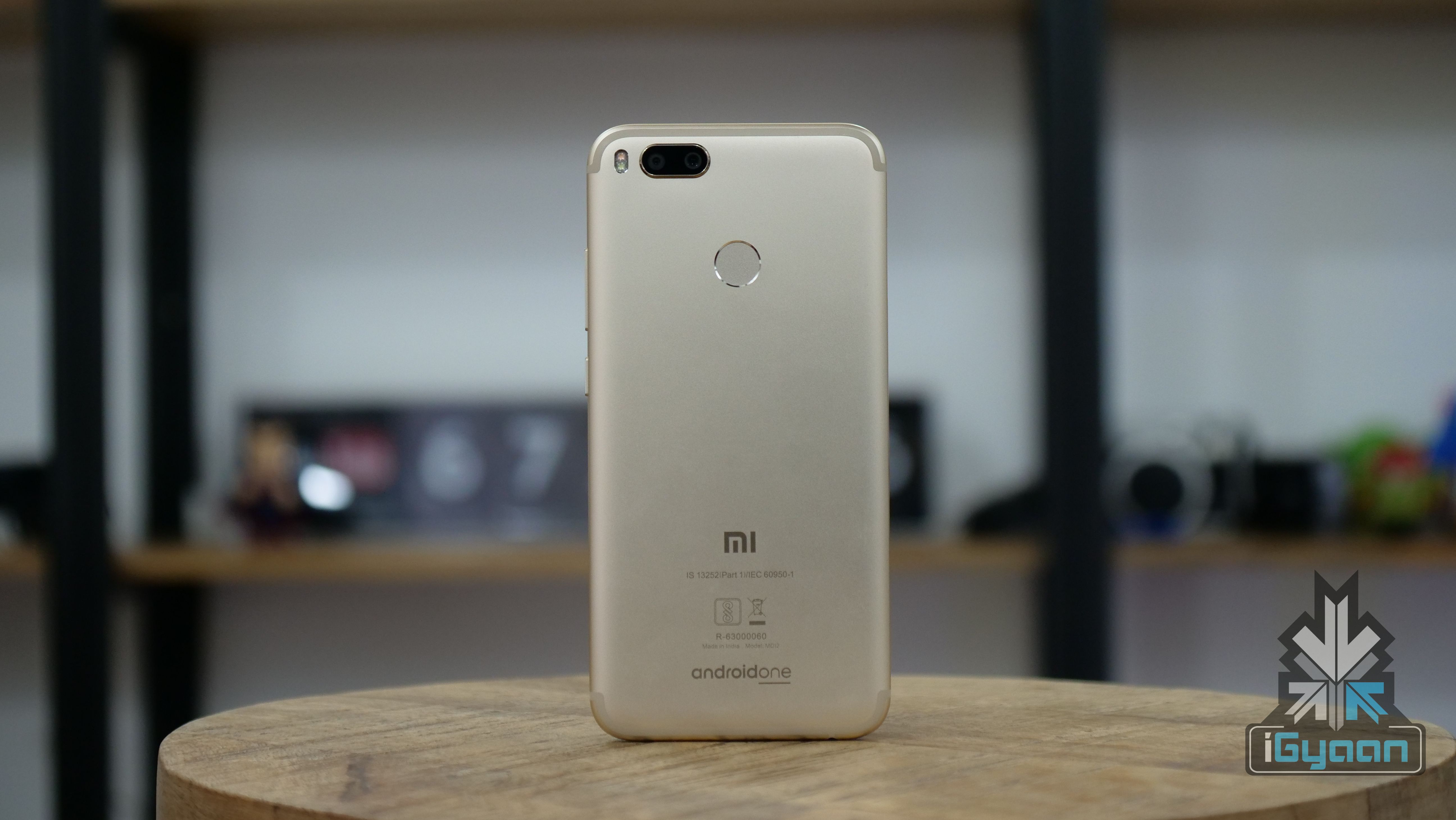
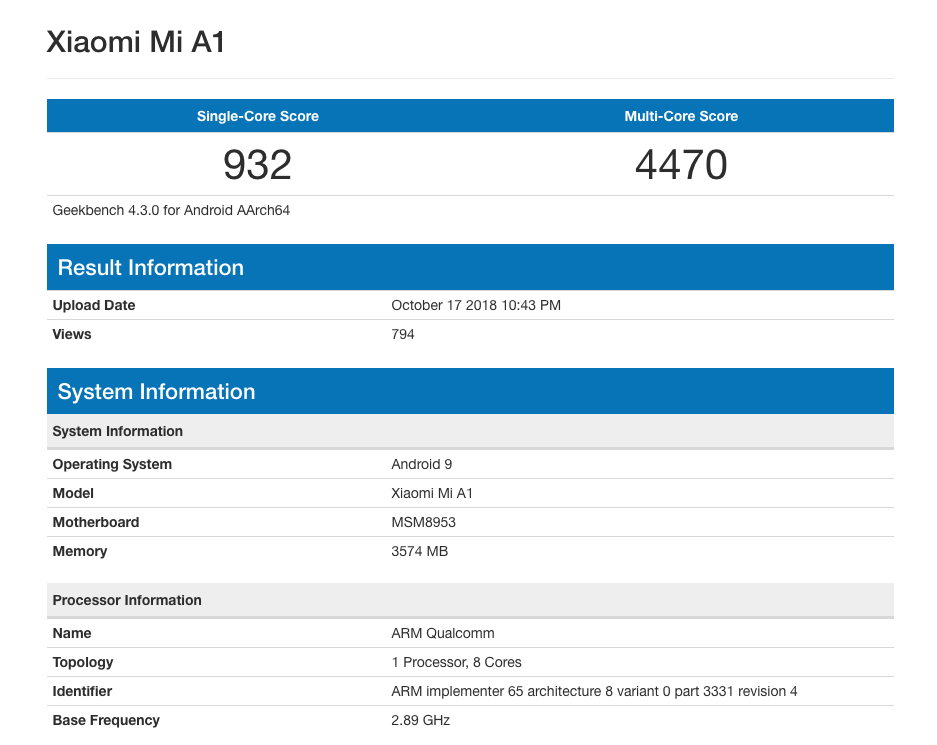
    Xiaomi’s stock Android phone Mi A1 is due for an update and it seems like the date is not too far away. As of now, the Mi Mix 2S is the only model in Xiaomi’s phone line up that has received the Android 9 update. The Mi A1 running an Android 9 Pie has been spotted on the GeekBench database. It is also noteworthy that the recently launched Mi A2, which also runs on Android One, features Android Oreo.

    Buy the Mi A1 here.

    The model that passed through GeekBench featuring the Android 9 Pie update has a Single Core score of 932 and a Multi Core score of 4470. Uploaded on October 17, the score seems to be slightly higher than the ones running older Android versions. Xiaomi is however yet to release any official statement on the update. Speculations are rife that the update may arrive in a few week’s time. The Android Pie brings with it several new features and User Interface changes. Some of the best features of Android Pie include full-screen gestures, Gesture navigation, Restyled recent apps interface, Improved text selection interface and redesigned notification drop down.

    Also Read: Honor 7X Vs Xiaomi Mi A1 – Best Smartphone Under Rs. 15000?

    Mi A1 Features

    The Mi A1 features 4 GB RAM coupled with 64 GB ROM which is expandable upto 128 GB. It also has a 5.5 inch Full HD display and two 12 MP primary cameras with a 5 MP front camera. The phone also features a 3,080 mAh Li-polymer Battery and is powered by the Qualcomm Snapdragon 625 64 bit Octa Core 2 GHz Processor. The Mi A1 also has a 3.5mm jack, IR Blaster, fingerprint sensor, USB Type C and all the standard features. The phone features Android Nougat 7.1.2 with Android Oreo update immediately available out of the box. It is available in Black, Gold, Rose Gold, and the Special Edition Red colour options. The Mi A1 is available for a price of Rs 13,999 on the official Mi website.

    Buy the Mi A1 here.

  • Fortnite for Android Now Open For All

    Fortnite for Android Now Open For All

    Following on the heels of PUBG, Fortnite has also has made the game available for everyone instead of an invite-only model of business. This Battle Royale game, first released in 2017 was previously available for Windows, macOS, PlayStation 4, and Xbox One.  With time, it has now been made available for Nintendo Switch, iOS and Android devices. The role playing game will take android users by storm. This move is to combat the likes of PUBG, which is trying to draw in more users using new maps, daily skin drops and more. First launched back in August exclusively for Samsung Galaxy devices, Fortnite has with its own installer. So it will not be available in the Play Store but one has to separately download the installer which will complete the installation process.

    Also Read: Fortnite Installs Strike 15 Million Mark On Android

    The game has won several gaming awards in its journey from 2017 till now. These include awards like The Game Award 2017, 14th British Academy Games Award, Golden Joystick Award, Game Critics Award and many more. With Battle Royale style games gaining importance, Call of Duty’s Blackout has also joined the bandwagon recently. These three games are going to fight it out in the gaming industry. We sincerely hope that COD4 Blackout reaches mobile devices as well! PUBG on the other hand is expanding slowly and surely as they opened a South American Server to gauge the interest from people in that area. The server will be available till October 15, 2018 as per reports.

    System Requirements And How to Download

    The minimum requirement for Fortnite to run on an android device is 64-bit Android 5.0 Lollipop or above, 3 GB free storage space and a minimum of 3 GB of RAM. It also requires a GPU with Adreno 530 or higher, Mali-G71 MP20, Mali-G72 MP12 or higher. The game is downloadable from Epic’s specific Fortnite website for Android but is available for iOS devices from the App Store. One can scan a QR code to get the installer directly on their devices.


iGyaan Network
Privacy Overview

This website uses cookies so that we can provide you with the best user experience possible. Cookie information is stored in your browser and performs functions such as recognising you when you return to our website and helping our team to understand which sections of the website you find most interesting and useful.