Tag: ios 9

  • Apple iOS 9.2.1- What’s New!

    Apple iOS 9.2.1- What’s New!

    Apple has released the first public build of iOS for 2016 in the form of 9.2.1, and it was made available to all iPhone, iPad and iTouch users.

    Before you get your hopes high, Apple in no way intends for this to be a blockbuster release. That title firmly will be bestowed upon iOS 9.3 when it finally hits devices across the globe. 9.3 a couple of days back was released to developers, and beta testers for feedback, and for those who missed the news of it, the particular releases promises to bring with itself a whole host of changes, and fancy tricks to makes users fall in love with their iOS devices all over again.

    Coming back to the build that has been made available to the public, 9.2.1 does not bring with it any new features, but rather comes packed with promise of security updates, and bug fixes.  The only specific thing mentioned in Apple’s release note for the iOS update is “a fix for an issue that could prevent the completion of app installation when using an MDM server.”

    iOS 9.2.1 comes weighing in at a slender 40MB, and is up on Apple servers for download. Keeping in mind its low size, and promise of bug fixes, this update comes highly recommended.

  • iOS 9.2 Adds Mail Drop and Siri Support for Arabic

    iOS 9.2 Adds Mail Drop and Siri Support for Arabic

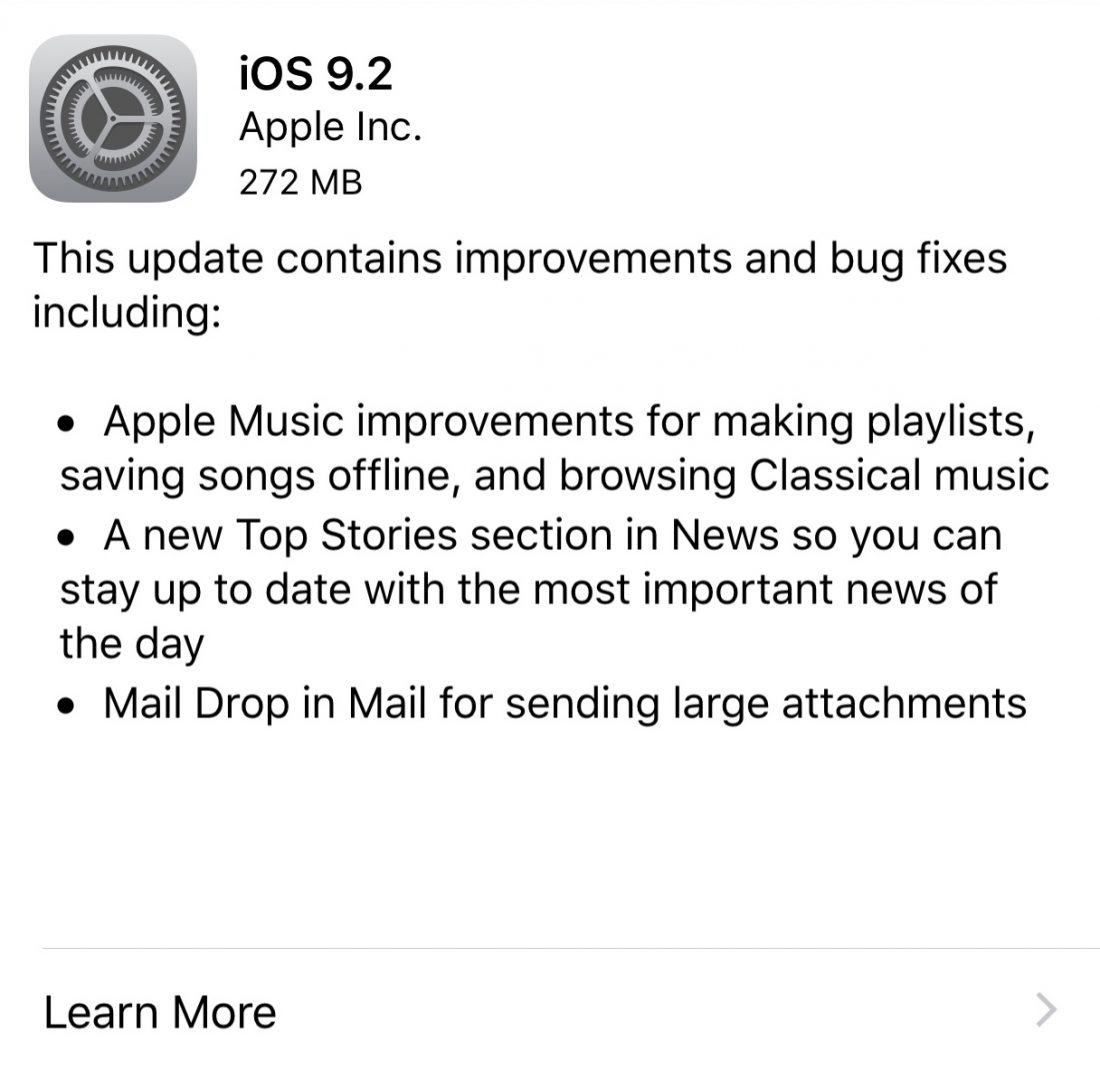
    Apple released iOS 9.2 update, which comes with a few handy improvements and bug fixes especially for Apple Music, News and Mail.

    Ios9.2.png

    Apple Music now lets you create new playlists when adding a song to a playlist. Earlier, you could only add to playlists that were already there before rather than letting you create new ones as and when you discover songs. The ‘Classical’ music section has been updated so you can browse works, composers and performers within the Apple Music catalog.

    Apple News is another app that gets a major update. You now have a new section called Top Stories a feature that enables users to “stay current with the most important news of the day, selected by the Apple News editorial team.” However, the app is yet to make itself available in India.

    The third major update goes to the Mail. Apple has finally increased the attachment size to 5GB for Mail Drop. In the past, the Mail Drop feature was limited to the Mail app for Mac.

    Slack for iOS Upload.png

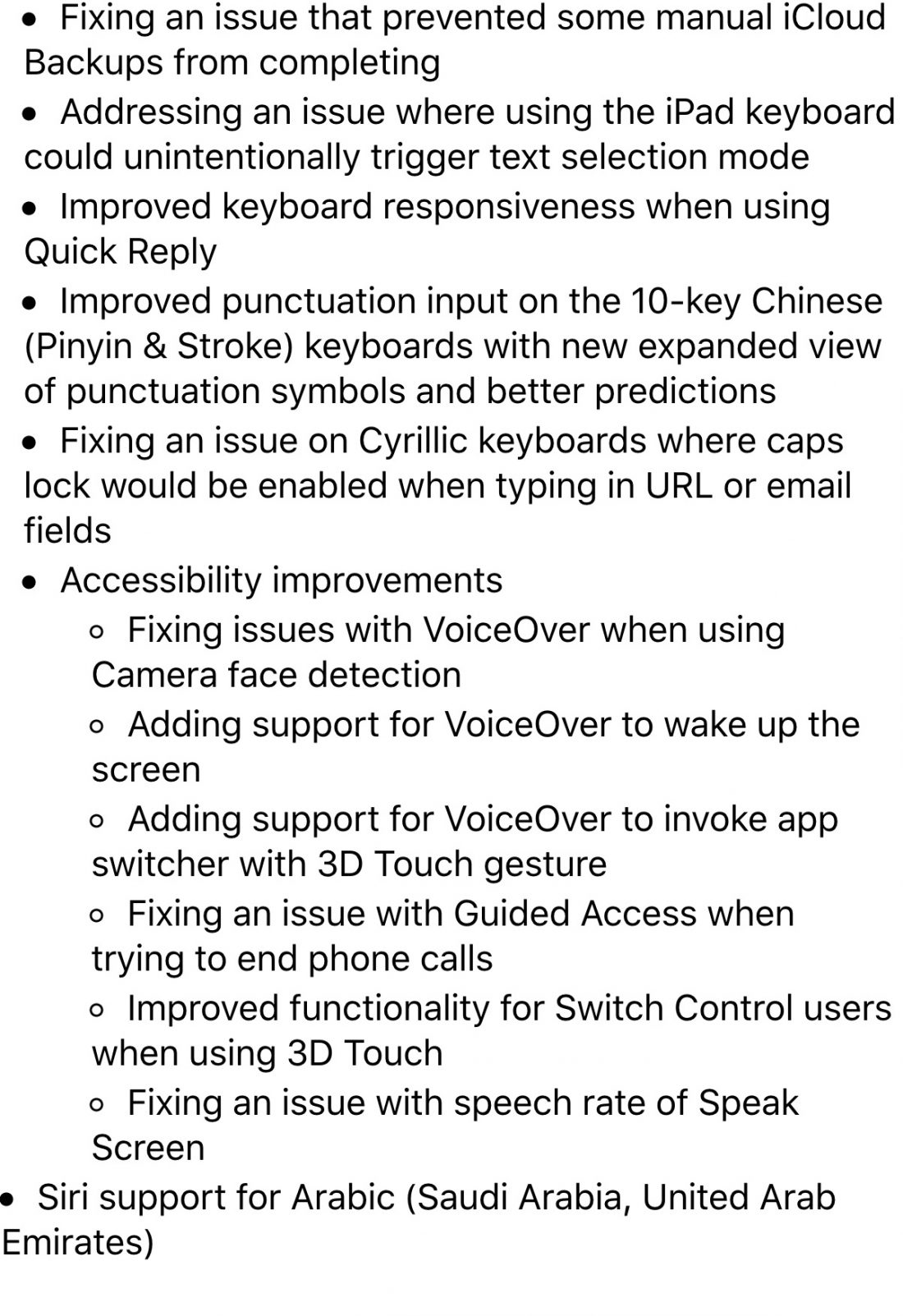
    There are also a host of minor add-ons like Arabic language support for Siri, 3D Touch functionality for iBooks and USB camera cable support for iPhone. The update is live right now so go ahead and update your Apple device(s).


  • Tips and Tricks to Survive With a 16 GB iPhone

    Tips and Tricks to Survive With a 16 GB iPhone

    So you have a 16 GB iPhone and you don’t really know why. You just do. Or you might be planning to go for the new iPhone 6s series, but you’re not sure whether a 16 GB storage is worth it. Well, even we don’t know why Apple hasn’t already killed off the 16 GB variant. But the fact is that they haven’t and there are people around the world who have to deal with living with a 16 GB iPhone.

    Moreover, it’s not really 16 GB, is it? It’s actually about 10 GB as Apple’s OS and pre-loaded apps like iBooks, Photo Booth and others eat up about one-third of your storage. So, considering all that, close to 10 GB is what you’re left with that you can actually call your own.

    With new technology comes new, faster ways to fill up your limited storage. A single graphic-intense game like GTA can take up 1-2 GB of storage. An HD movie can take up to 5 GB. So 16 GB users feel the storage blues at least once a month. But don’t worry, we’re here to give you some tips and tricks on how you can easily manage with your 16 GB device.

    1. HDR Comes With a Price

    If you have an iPhone 4 or higher, you have the ability to take amazing High Dynamic Range (HDR) images. Yes, the images are crisp and spectacular, but heavy on your storage. What HDR does is that it combines multiple pictures at different exposures and then combines them to give you one great shot. This is what makes the camera in your iPhone one to beat.

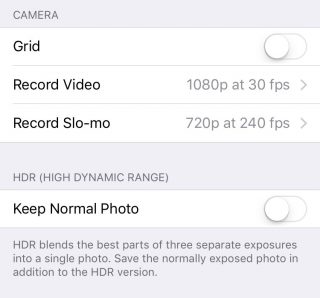
    But what HDR also does is that it saves the original picture as well, so that you can see and compare the detailing. Depending on whether the HDR has come out better or not, you can choose to keep the former and delete the latter, or vice versa. Either way, double photos take up double space, which is not good if you’re a 16 GB iPhone user. You can choose not to save your original photo if you know HDR images is what you want by going to Settings > Photos & Camera > Keep Normal Photo and unselecting it.
    HDR

    2. Thank God for Apple Music

    Say what you may about Apple Music, but it is definitely a godsend for 16 GB iPhone users. One of the major storage eaters is music. We tend to store a lot of music because we need it for our morning office trips, exercising, studying, everything. And we tend not to realise that in our excitement to store every new song that takes our fancy, we eat up that precious storage space.
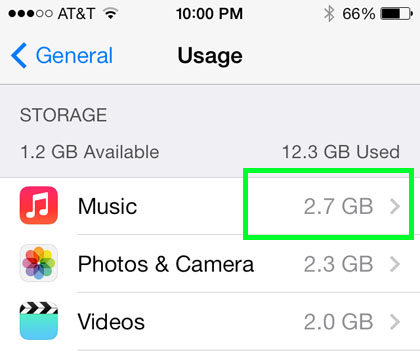
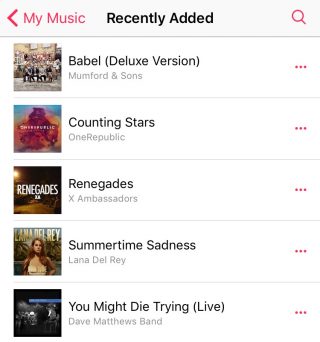
    Along came Apple Music to save the day. The music streaming service that began three months ago lets you stream unlimited music and lets you add as many songs and albums to your library without taking a single megabyte.
    Apple Music (4)

    To delete your stored music, head on over to Settings > General > Storage & iCloud Usage > Manage Storage > Music and left slide on artists you want to delete or delete them all together via All Songs. Once you’ve deleted all your songs, you can go nuts and start loading up your library with music from Apple Music that won’t leave a mark in your storage.

    3. Get Religious

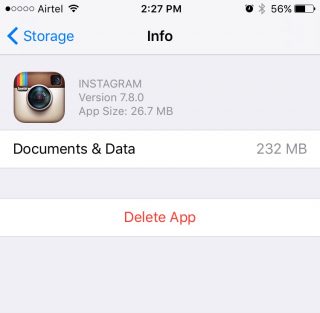
    iPhone users have to practice a specific religion. This religion requires you to check in on your storage every once in a while, see the apps that are consuming a lot of storage, delete them, and download the app(s) again.
    Storage-iPhone

    With a 16 GB storage, you can download any app you want. Go crazy with it as long as you remember to check back on them every once or twice a month. Apps like WhatsApp and Instagram take up a lot of space over time because of all media files that you end up downloading, or the hundreds of pictures you scroll through. When you find yourself approaching the 16 GB limit, head over to Settings > General > Usage > Manage Storage, find out whats bulking up and delete that app. You can always download the app again.

    4. Don’t Let Your iPhone Download Without Your Permission

    Apple tends to choose certain settings on your behalf. You may not even be aware of it until much later. One such setting is the Media Auto Download on WhatsApp, which is set on both Wi-Fi and Cellular by default. This means that any media file sent your way, be it in a group or individual, will automatically be downloaded to your media folder, whether you like it or not.

    WhatsApp-iOS (2)


    So, if you want to control the media you download, open WhatsApp and go to Setting > Chats and Calls > Media Auto-Download where you’ll find three separate options: Images, Audio and Video. You can then make the changes to each option accordingly.

    5. iCloud’s the Limit

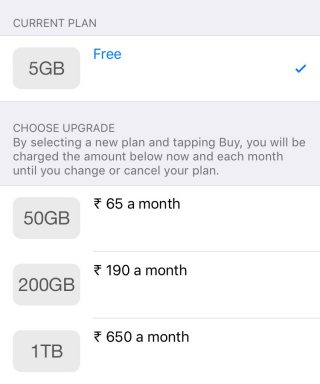
    The best way to beat storage woes is to pay for it. Along with the launch of iOS 9, Apple also bumped up the storage offered on iCloud as well as cut the prices of its plans. You can now get 50 GB of cloud storage at Rs. 65 ($0.99) per month, 200 GB at Rs 190 ($2.99) and 1 TB at Rs. 650 ($9.99). That comes to around Rs. 650 a year for a the base tier, which is not bad considering a 64 GB iPhone would cost around Rs. 10,000 more. You can purchase more storage by going to Setting > iCloud > Storage and click on ‘Buy More Storage’.
    iCloud

    To activate iCloud, all you have to do is go to Settings > iCloud and log in using your Apple ID. Once your Cloud is set up, you can choose the options like Photos, Mail, Contacts  and Calendars that you want stored in the Cloud. Next thing you’ll want to do is go to Photos via settings and turn on the ‘iCloud Photo Library’ option so that your entire library gets uploaded in iCloud.

    6. Stay Up-to-Date

    By this we mean always be on the latest update. iOS 9 has made some neat changes and the company has tried to focus on storage solutions more than ever before. Apple also introduced “app thinning”, which is a combination of enhancements that result in apps taking only as much space as they need in the moment. With this feature, developers are working on improving their apps so that it doesn’t take up unnecessary space.
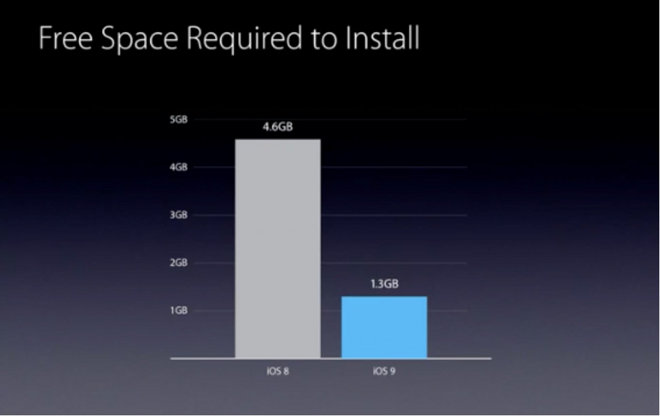
    Apple has also reduced the amount of storage space required by the iOS 9 OTA update from 4.6 GB to 1.3 GB. The difference won’t show in your storage, however. iOS 9 doesn’t free up storage for users, but it does make updating your iPhone easier with lighter files over the air.
  • Apple Gets Sued Over iOS 9 Wi-Fi Assist Feature

    Apple Gets Sued Over iOS 9 Wi-Fi Assist Feature

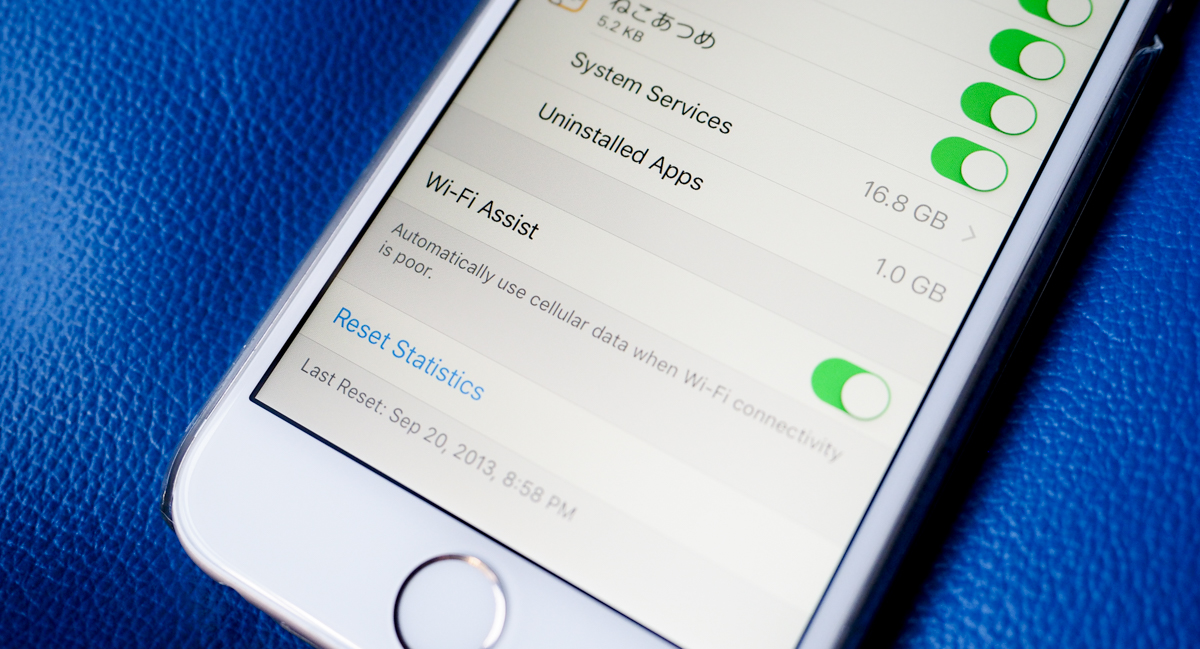
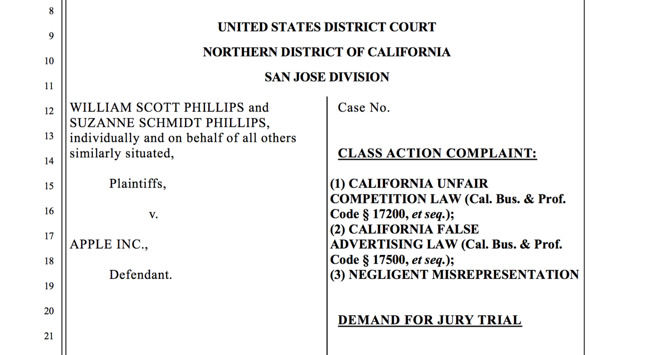
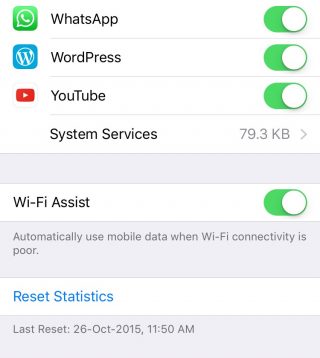
    It seems everyone loves to sue Apple left, right and center these days. And sometimes the lawsuits come from the most unexpected reasons possible. In one such case, a California-based couple has filed a class-action lawsuit accusing Apple for not informing iPhone owners of the potential data charges over Wi-Fi assist. The feature silently uses cellular data when Wi-Fi quality is poor. According to the plaintiffs, this feature has caused over $5 million in data charges to potentially affected customers.
    Lawsuit

    Apple has a tendency to add new features and set defaults without informing users. This is part of Apple’s philosophy of deciding features for users so that they don’t have to, and letting them discover the features on their own, if they can. While most features do not actually dip into your pockets and are quietly working in the background, others can cost you, if you’re not aware of it.

    WiFi Assist

    Wi-Fi Assist was added in iOS 9 to ensure that you get seamless internet connectivity at all times. But apparently, the feature does more harm than good, according to some people. The exact damage is not known, yet. The lawsuit doesn’t mention the amount of charges incurred with W-Fi Assist, though the couple believe that it exceeds $5 million. In the off chance that the couple actually do win the lawsuit, this could be potentially problematic for companies like Samsung as well, who have also implemented similar Wi-Fi boosts.

  • Facebook Admits its App is Sucking Your iPhone’s Battery Dry

    Facebook Admits its App is Sucking Your iPhone’s Battery Dry

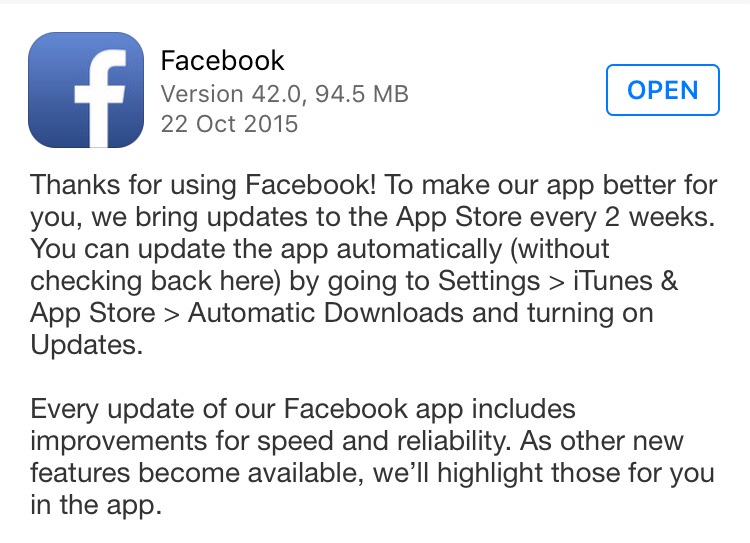
    Last week we had mentioned that the Facebook app for iOS may be the reason why your iPhone’s battery is draining faster than usual. Facebook has now confirmed that it is indeed their iOS app that is causing the battery issue. Many users have reported that the Facebook app in the battery menu shows as consuming quite a bit of battery even when usage is at a minimum.

    “We found a few key issues and have identified additional improvements, some of which are in the version of the app that was released today,” wrote Facebook’s Ari Grant yesterday.

    The first issue we found was a “CPU spin” in our network code. A CPU spin is like a child in a car asking, “Are we there yet? Are we there yet? Are we there yet?”with the question not resulting in any progress to reaching the destination. This repeated processing causes our app to use more battery than intended. The version released today has some improvements that should start making this better.

    Indeed, Facebook did come out with an iOS update yesterday (as it usually does every 2 weeks for improvement in speed and reliability). The update description did not mention any ‘bug’ fixes, but going by the word of Grant, you may start seeing some improvements once you’ve updated the app.

    Facebook Update

    Another issue for battery drain is due to the way Facebook handles audio playback. “If you leave the Facebook app after watching a video, the audio session sometimes stays open as if the app was playing audio silently. This is similar to when you close a music app and want to keep listening to the music while you do other things, except in this case it was unintentional and nothing kept playing. The app isn’t actually doing anything while awake in the background, but it does use more battery simply by being awake,” Grant said, promising that their new fixes will solve this issue and will remove background audio completely.

    You can download the update now, if you haven’t already. Don’t expect the update to solve all the battery issues at once. It may take a couple of more updates for Facebook to completely be rid of bugs that are sucking all the juice.

    Source: [tw-button size=”medium” background=”#07ABE2″ color=”” target=”_blank” link=”https://www.facebook.com/arig/posts/10105815276466163?pnref=story”]Facebook[/tw-button]

  • New iOS 9 Update Brings Tons of New Emojis, Live Photos Improvements

    New iOS 9 Update Brings Tons of New Emojis, Live Photos Improvements

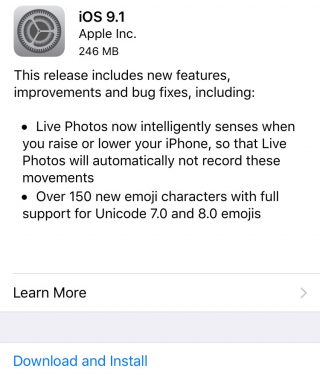
    It’s about time you got an emoji that lets you ‘flip the bird’. Wait, let’s rephrase that. It’s about time you got some new ways to express while messaging. Apple has released it’s latest iOS 9.1 update that comes with two major features.

    IMG_0035


    The first is related to Live Photos. Live Photos will now be able to sense when you move your hand higher or lower, and will ignore the movements.

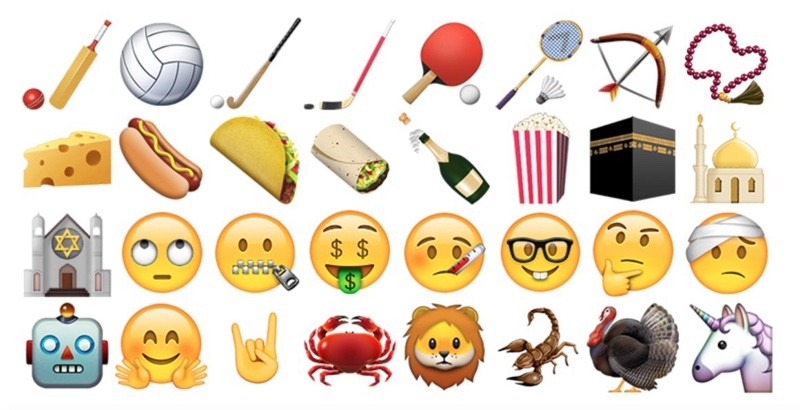
    The second new feature is a lot more exciting. The latest updates brings over 150 new emoji characters which include taco, burrito, cheese wedge, money eyes, and the middle finger. Yes, you read that right. There is now an emoji that lets you send a middle finger to anyone if you find yourself unable to express your feelings through the word.

    There is a catch, though. The new emojis can be sent only to those who have updated to the iOS 9.1. So, non-iOS users and iOS users still on the older version will not know when you’re giving them the finger. Some would say there is a certain evil joy in that too.

    ios9 emoji

    Apart from these changes, iOS 9.1 includes new features and compatibility updates for upcoming Apple products like the fourth-generation Apple TV and the iPad Pro. The new Apple TV requires iOS 9.1 for setting up. The new update also fixes a lot of bugs such as unresponsive Calendar, issues with Game Center and some issues with Mail search, among other things.

    In case you haven’t already updated your iPhone to the new iOS 9.1 update, you can do so now. For those who don’t know how to get it done, simply head over to Setting > General > Software Updates and hit on ‘Download and Install’. You can also connect your device to the computer and update via iTunes. Once installed, play around with all the new emojis and show some love to your friends by sending them the finger.


  • Why Apple Limited Functionality of 3D Touch

    Why Apple Limited Functionality of 3D Touch

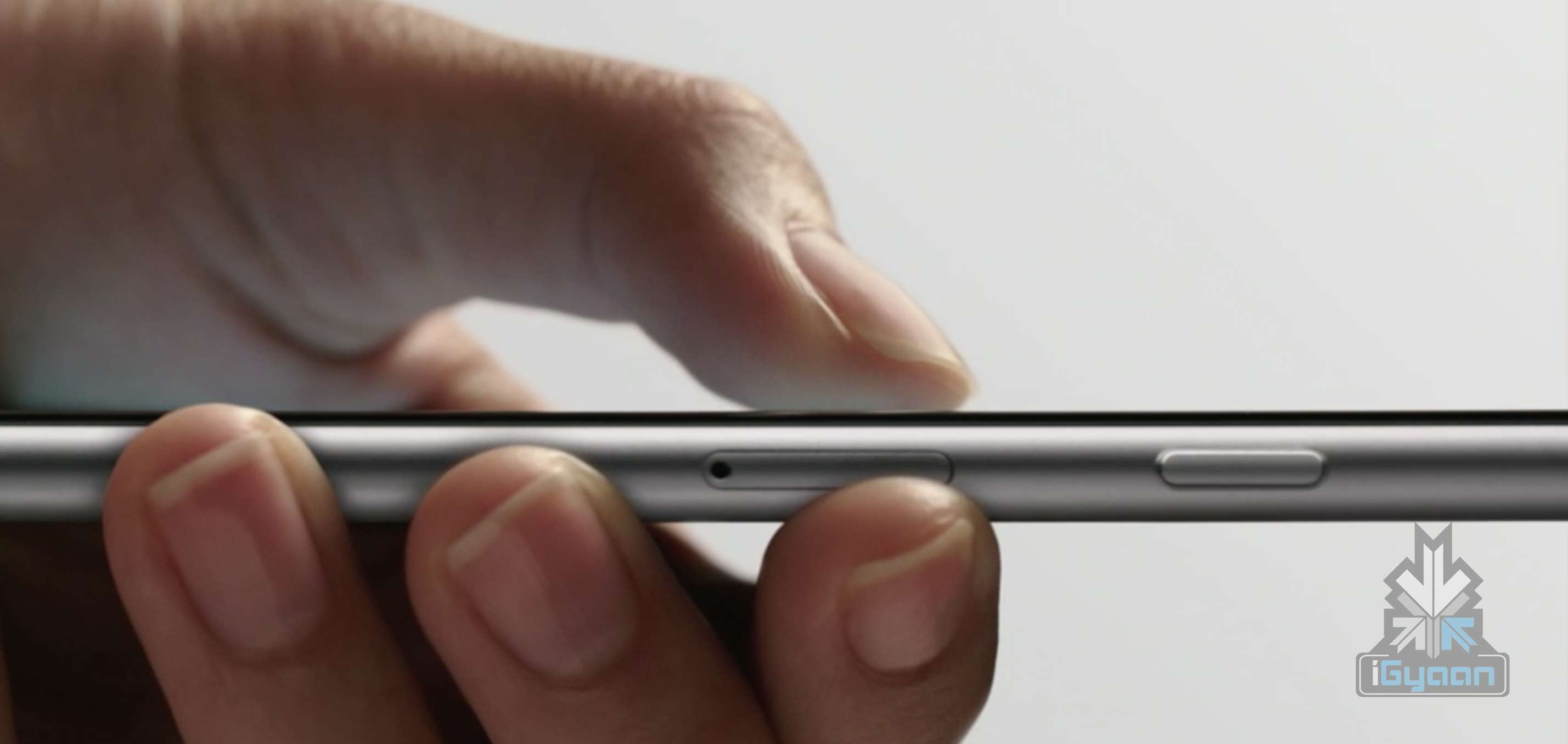
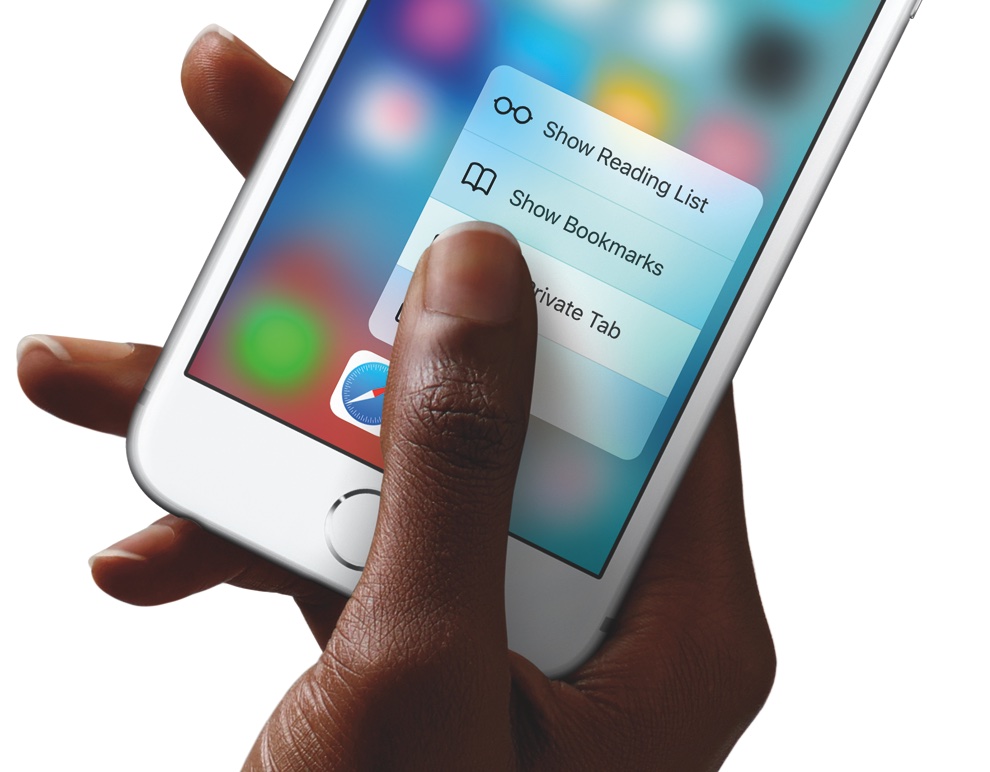
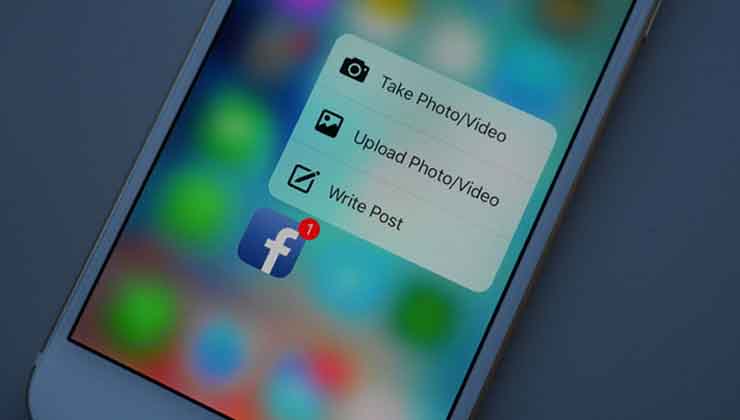
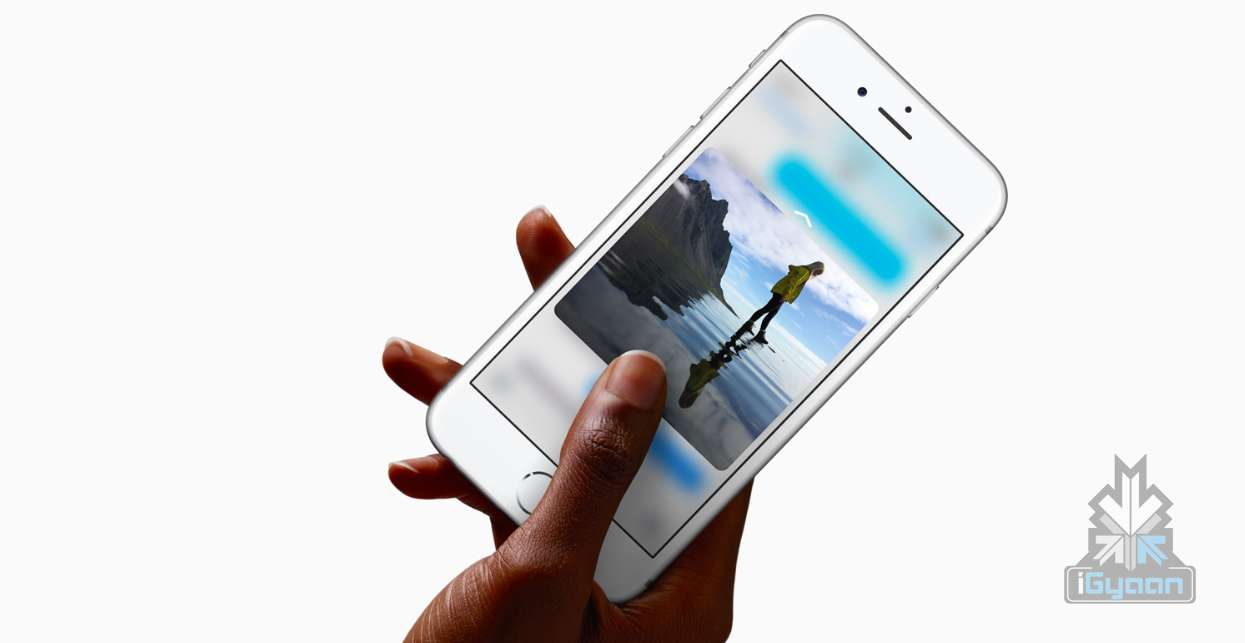
    3D Touch is definitely one of the most talked about features of the new iPhones. This is a highly sensitive touch technology which is able to differentiate between three different kinds of touch. In simpler terms it means easier, quicker shortcuts for the iPhone 6s and 6s Plus users.

    However, Apple deliberately limited the functionality of this new feature, according to sources. Developer Victor Baro says,

    “We need to take into account that, because 3D Touch is only available in iPhone 6S and 6S Plus, no action should be completed just by using this feature,” he said. “The user should be able to achieve any action without using 3D Touch (just like Peek & Pop does), and 3D Touch should only provide an extra level of interaction.”

    Similarly, other developers have also pointed out how 3D Touch would allow users an entire range of features likethe ability to apply filters to images only using force on the screen, being an example. Take a look at developer FlexMonkey’s blog post right here to see what else 3D Touch has to offer.facebook-3d-touch

    One of the main reasons why Apple didn’t introduce many features with 3D Touch this time is that the company wants users to be more familiar with the technology first. The introduction of 3D Touch to iPhone 6s and 6s Plus is an attempt to familiarise users before they can be introduced to a more complex technological advancement.

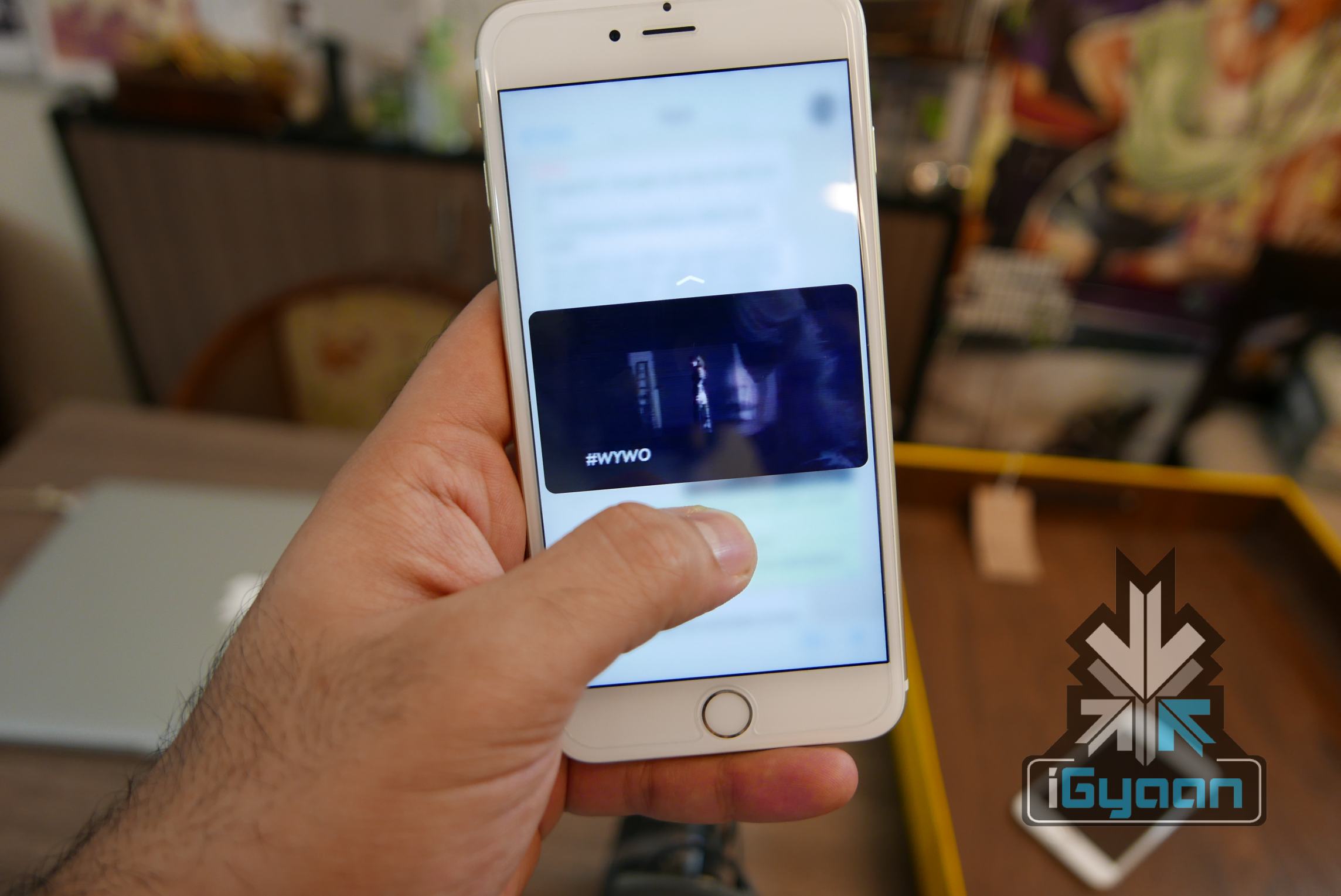
    Additionally, Apple also wants the same set of core features for all iOS users, irrespective of the device they’re using. Granted, all such devices are different from each other in many ways, but the essential requirements for apps to run is quite similar in all iOS 9 gadgets. Apple has thus made life easier for developers by making sure 3D Touch is only used for shortcuts at the moment.iPhone 6s and 6s plus igyaan 0

    iPhone 7 is the Apple device which is likely to bring in more 3D Touch features with it. Following from the rumours of getting rid of the home button we talked about yesterday, 3D Touch might be used to take care of tasks by replacing it. It seems like a long wait until iPhone 7 for us to find out more about 3D Force, but waiting is what we shall do for now.

  • Here’s How You Can Jailbreak Your iOS 9 iPhone Or iPad

    Here’s How You Can Jailbreak Your iOS 9 iPhone Or iPad

    Jailbreak for iOS 9 is now official thanks to the team at PanGu. For the uninitiated, Jailbreak is what you do when you want more from your operating software. Jailbreaking allows for more customization of your device and gives you apps that are otherwise not found in the app store. Jailbreak for iOS is especially useful because Apple has a tougher screening process when it comes to the apps it selects for the App Store.

    The name suggests that this is something that can involve some risks. With jailbreaking, you are in fact changing the way your iPhone or iPad functions in certain areas and you also have access to features that Apple has not incorporated. So, jailbreaking does come with its own set of risks, and it’s always advised to backup your data in iTunes before you proceed with jailbreaking your iPhone or iPad.

    How to Jailbreak iOS 9:

    1. Download an anti-bug/ bug-fixing app

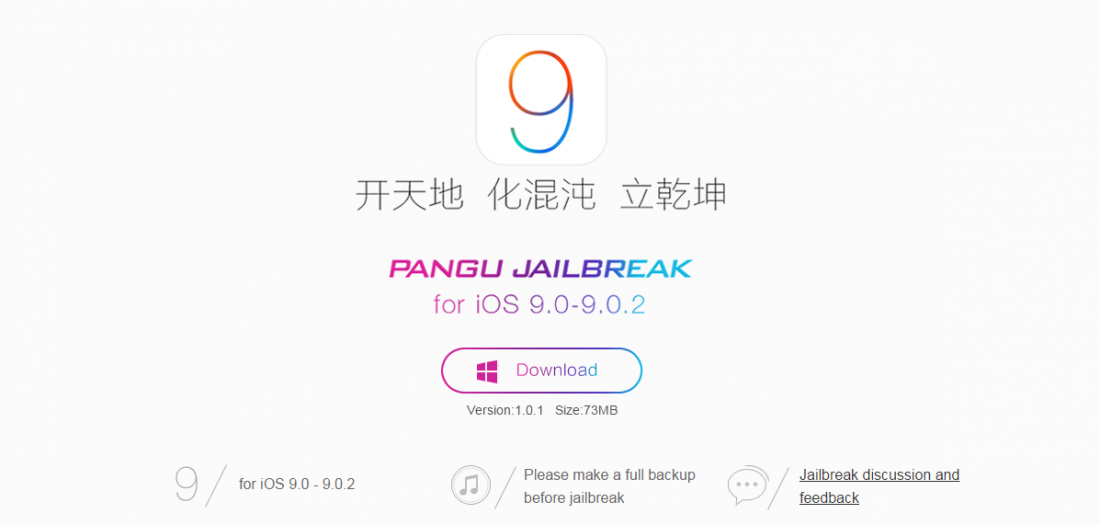
    Jailbreaks often have some bugs. Before jumping straight to jailbreaking your device, you should download a tool that fixes the various bugs. So the first thing you want to do is download Pangu’s jailbreak tool.

    Jailbreak

    2. Back up your device

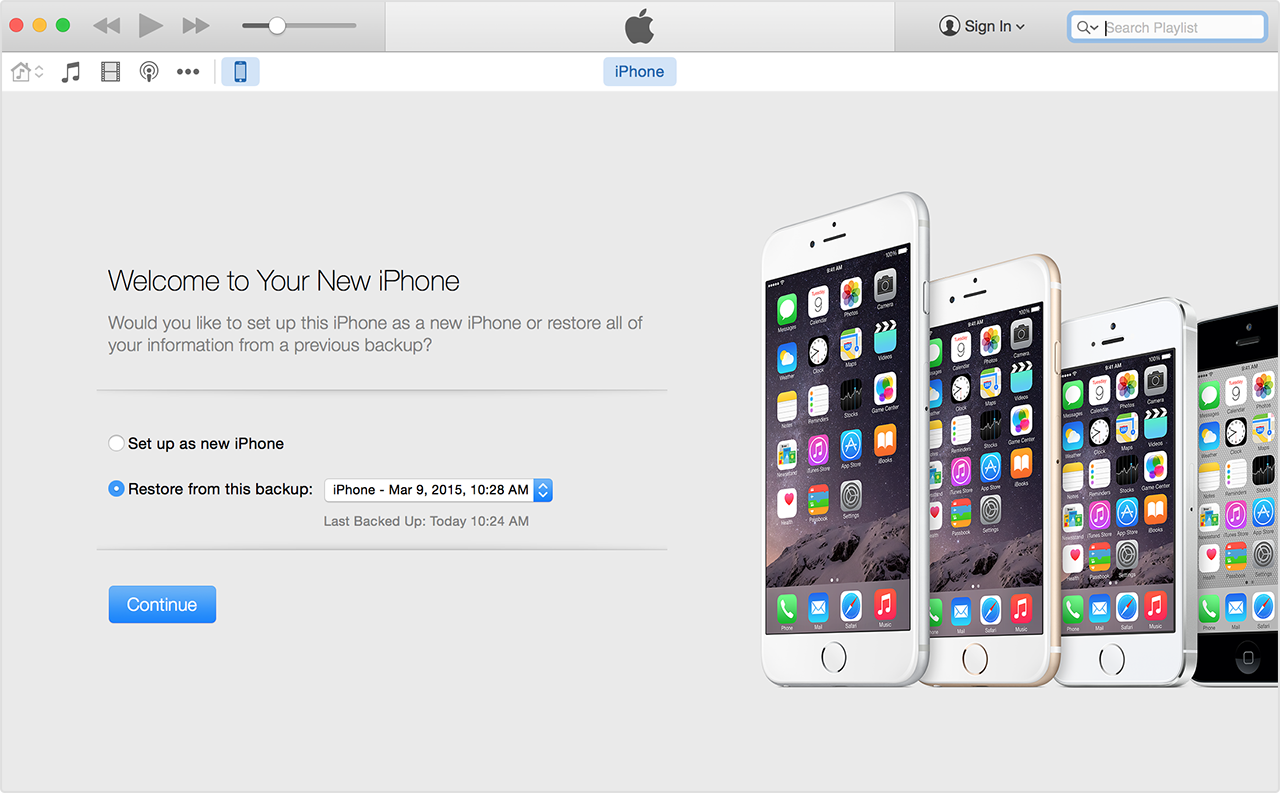
    While your tool downloads, you can use the time to backup your iPhone in iTunes. You need a fresh install of iOS 9.0.2  and set up your device as a new device to apply the jailbreak. So, you need to download iOS 9.0.2 through your PC via USB. It is advised that you shouldn’t download through Wi-Fi as that may cause some issues.  Once you’ve backed up your device, click ‘set up as new iPhone’.

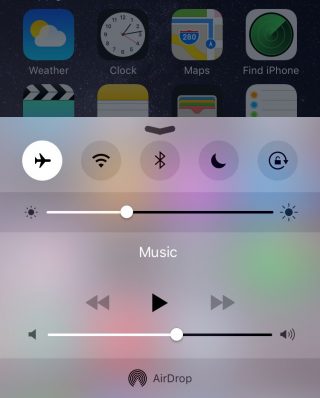
    A couple of more steps before you begin jailbreaking require you to switch off ‘Find my iPhone’ and Wi-Fi, disable passcode and switch to airplane mode.

    Airplane Mode

    3. Follow the instructions running on the PanGu tool

    Run the PanGu tool and the program will tell you if your phone is ready. Follow the instructions clearly when the program begins. After about 50 percent, the device will restart and you will have to unlock your phone and enable airplane mode once again as well as click on the PanGu icon on your device.

    4. Watch out for the Cydia icon

    You’ll know your jailbreak has worked when you see the Cydia icon in your device. If it’s there it means you’ve had a successful jailbreak and you may proceed to restore your backed up data. Once you restore your data, all your files will be there including Cydia.

    cydia

    5. Restore your device and check out the tweaks

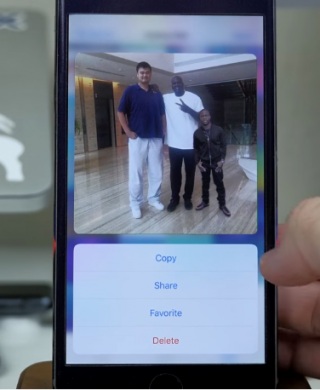
    There are some pretty neat tweaks offered here. A tweak called Universal Force brings the latest 3D Touch feature to your older devices. You won’t get the full features of the 3D Touch, though, but what Universal Force does offer is that it gives you the peek and pop functionality for your apps, pictures and mail. You can press and hold on a picture in your gallery for a quick peek along with options to Copy, Share, Favorite or Delete the picture all from your Photos grid.

    Jailbreak 1

    A Better5IconDock tweak lets you have 5 icons in your dock rather than just 4. So there is extra room to add your most frequented app.

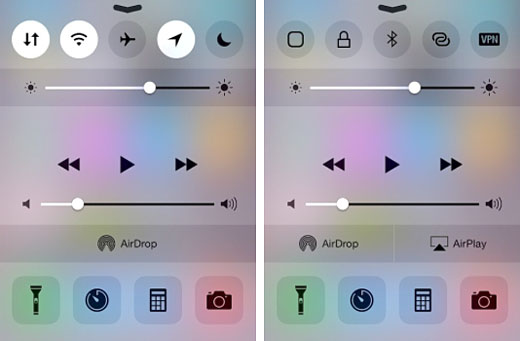
    Finally, CCSettings for iOS 8 gives you one of the best tweaks where you can now have a ton of different toggles in your Control Centre rather than the traditional 5 limit.  There are loads of other tweaks that give your iPhone and iPad some flavour and some fun features to play around with.

    Source: [tw-button size=”medium” background=”#07ABE2″ color=”” target=”_self” link=”http://www.forbes.com/sites/antonyleather/2015/10/18/how-to-jailbreak-your-ios-9-ipad-or-iphone/3/”]Forbes[/tw-button]

  • Facebook Launches Messenger App on Apple Watch OS2

    Facebook Launches Messenger App on Apple Watch OS2

    Facebook launched its Messenger app on the Apple watch, just as it had promised to do in September. The update was rolled out yesterday on October 8th and is capable of supporting iOS 9 features, universal search and multitasking for iPads.

    Facebook Messenger app

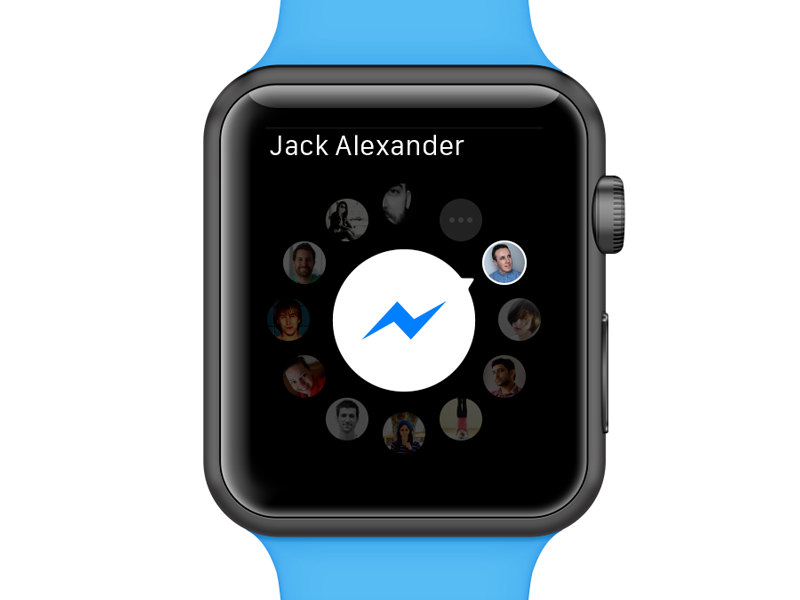
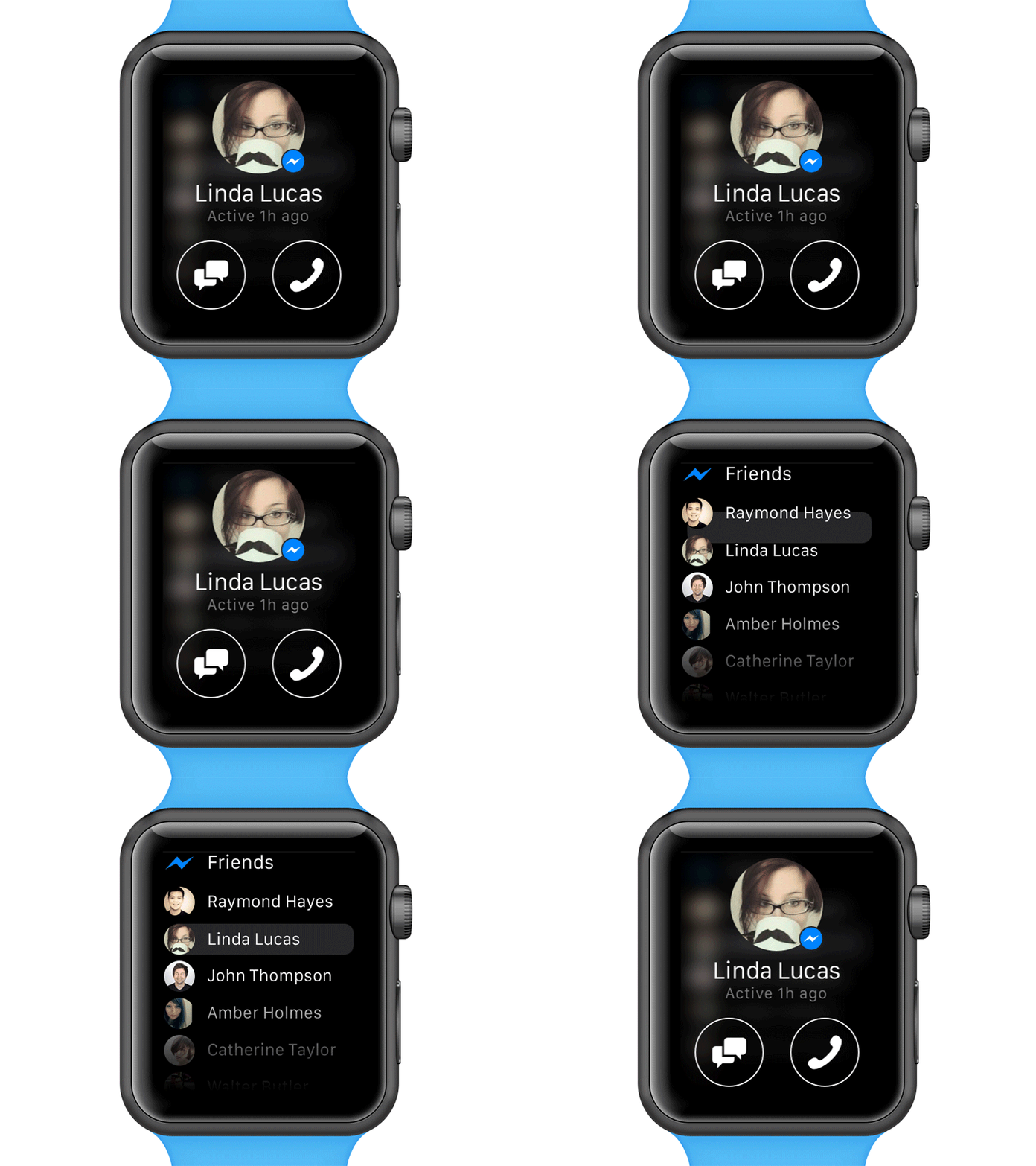
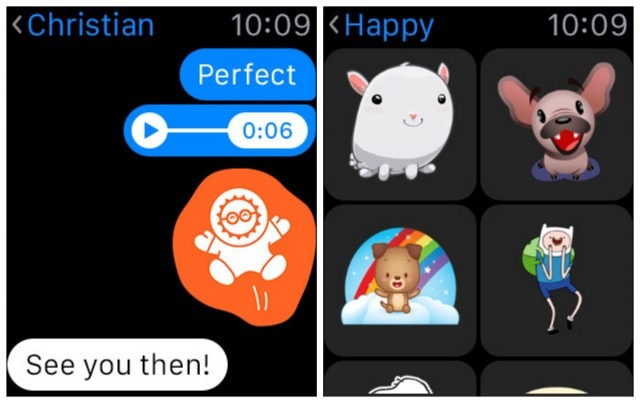
    The Apple Watch runs on the OS2 software and so the messenger app is also compatible with it. However, the messenger app is a little different from how it is on a smartphone. This means, that you won’t be able to type out full messages, but will be able to choose from a list of answers already available. You can send a “like”, post stickers and also record and send voice messages. Apart from the active sending actions of the app, you can open pictures, videos and voice messages on the receiving end.

    Messenger app on Apple Watch

    There is one small downside though, the app will support all the Facebook stickers but won’t be able to display them in their original GIF form. They’ll appear static on the watch.

    There’s some good news for Android users too, the Messenger app will also be compatible with Android Wear. Therefore, Facebook  has yet again ensured that everyone is happy and feels included at its party.

  • Hacking Trouble Continues for iOS 9

    Hacking Trouble Continues for iOS 9

    Heads up, iOS 9 users. In what seems to be another of the many disappointing updates about Apple, it has been revealed that your photos and contact details are open to access by others in seven basic steps. This comes in wake of the recent breach of security in Apple’s iOS App Store.

    iPhone 6s 0

    If you thought your iPhone’s lock code and TouchID can protect your data from hacking, it’s time to burst that little bubble with the following seven steps:

    1. The first step requires you to enter a wrong password four times on your PIN-protected Apple device which runs on iOS 9.
    2. Next, the fifth time that is, first three numbers should be entered, and then press and hold down the home button to launch Siri instantly. Right after this, enter the 4th digit.
    3. On getting a response, ask Siri for the time. Add a new Clock now by tapping on the Clock icon.
    4. Once the new clock has been added, write anything in the Choose a City field,  followed by a double tap to get the copy and paste option.
    5. Next you choose the ‘All’ option, followed by ‘Share’, and then the ‘Message’ icon in the Share option, where, once again you type anything.
    6. Now tap ‘Return’, and double tap on the top contact name.
    7. And finally, finish off by selecting ‘Create New Contact’, followed by ‘Add Photo’, and at the end ‘Choose Photo’.

    And in this manner, a hacker would have gained access to your entire phone library. However, there is a way to protect your data against this. Disabling Siri on the lock screen by going to the Settings Menu is a way to prevent it. From Settings, select Touch ID and Passcode and then disable Siri. The device would now have to be necessarily unlocked for Siri to work.

    While iOS 9 tries to set its feet amidst the quicksands of tech-glitches, it’s better to stay wary of hacking-threats looming overhead. Let’s see what is the next exciting piece of news we get to hear about Apple’s newest devices.

    Source: [tw-button size=”medium” background=”#07ABE2″ color=”” target=”_blank” link=”http://www.gizbot.com/apps-software/apple-ios-9-lets-anyone-bypass-security-code-access-photos-contacts-in-7-simple-steps-028384.html”]Gizbot[/tw-button]

  • Over 50% of All iPhones Upgrade to iOS 9

    Over 50% of All iPhones Upgrade to iOS 9

    Following its release on Wednesday, September 16th, iOS 9 has become the most successful and swiftly adopted iOS so far. The speed with which users went ahead to update their devices led Apple to affirm that more than half of all iPhones have iOS 9 now.

    ios-9-logo1

    The new operating system comes with a better, faster version of all characteristic Apple features, along with additions, which are bound to woo users. iOS 9 is equipped with a power-saving mode, a feature that allows you to place a FaceTime call and watch a video simultaneously, a smarter Siri, scribbling functions in the Notes app, and an improved Apple Maps that now includes transit directions.

    The update process has been made easier by Apple. Memory and storage issues, which have been a concern with the recent iPhones, have also been taken care of with this update. The iOS 9 takes no more than 1.3 GB of space as compared to the 4.6 GB of iOS 8. Users are also able to temporarily delete apps which will be restored once the update is complete.

    Apple wwdc ios 9 siri 0

    The new iPhone 6s and 6s Plus will be available for sale Friday onwards. iOS 9 is their operating system by default. Apple expects to set new records in its sales come the 25th of this month.

    All this seems to be comforting news for the company grappling with a series of problems in its software this week. Failed iOS updates were followed by a cyber attack on numerous apps in Apple’s App Store. However, the reduced update speed for Android users have inevitably made Apple’s stats look prettier than they are.The fact that different companies allow updates to OS Lollilop on their handsets at different times have allowed upgrades to iOS 9 to be the most to any OS in such a short period of time. Despite a few hiccups following the fancy Apple event earlier this month, Apple has managed to maintain its stable position in the tech world.

  • iOS 9 Soon to Beat Android Lollipop’s Adoption Rate

    iOS 9 Soon to Beat Android Lollipop’s Adoption Rate

    It’s just been a couple of days since its release and iOS 9 adoption rates are already threatening to take over Android Lollipop. We all know that the number of iOS devices doesn’t match up to Android’s dominance. As per the last official count, Android had reached 1 billion active users, while there are 800 million iOS devices. Android is the most widely used platform for smartphone and tablets today,  on the other hand iOS is exclusively used by Apple and is obviously lesser used.

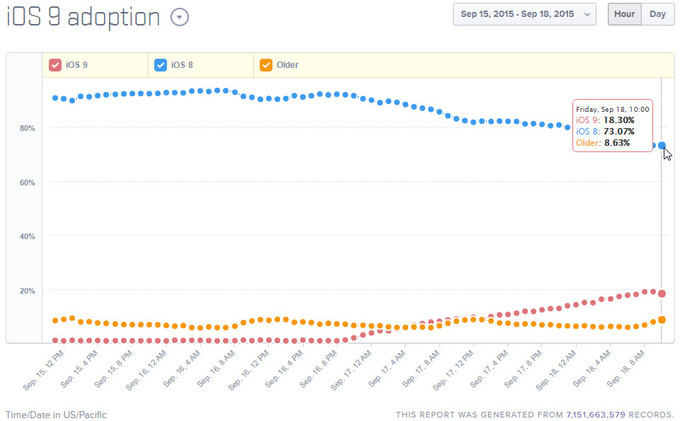
    New stats tell us that the iOS 9 adoption rates have reached over 18% in 3 days only and the numbers are expected to be on the rise.

    IOS 9

    Now Android Lollipop on the other hand, has reportedly only reached a 20% threshold with users still being stuck with the Android KitKat, which was made available some 2 years ago. Obviously, Android still have software update issues which Apple is conveniently taking advantage of.

    Well, so far so good. We all knew that Android needs to step it up sooner or later. So, let’s hope Marshmallow is the answer to their problems.

  • The iPhone 6s Finally Makes Its Tech Carpet Entry

    The iPhone 6s Finally Makes Its Tech Carpet Entry

    The moment has arrived, when Apple finally reveals its iPhone 6s smartphone. We have been covering all sorts of rumours and reports about this handset the moment we got wind of it. Price, display, specifications and software – we’ve heard it all, and now is that moment of truth where we find out what this hype is all about and most importantly, whether it’s been worth it. Their opening statement is this:

    “The only thing that’s changed is everything.”

    Let’s start with the most obvious – the price. Earlier reports suggested that the iPhone 6s would arrive at around 699 euros which is Rs.52,084 approximately, for the 16GB version, 799 euros which is Rs.59,529 approximately, for the 64GB version and 899 euros which is Rs.66,980 approximately for the 128GB version. Here are the final numbers: the 16GB version is priced at $199, the 64GB version is $299 and the 128GB version is $399.

    x iPhone 6s 3

    Few exciting things we now know about the new iPhone is that they will feature animated wallpapers and that the Rose Gold colour variant we were anticipating is here! Now it’s up to you if you think rose gold is fashionable enough for you, because the ‘cool’ new iPhone definitely thinks it is.

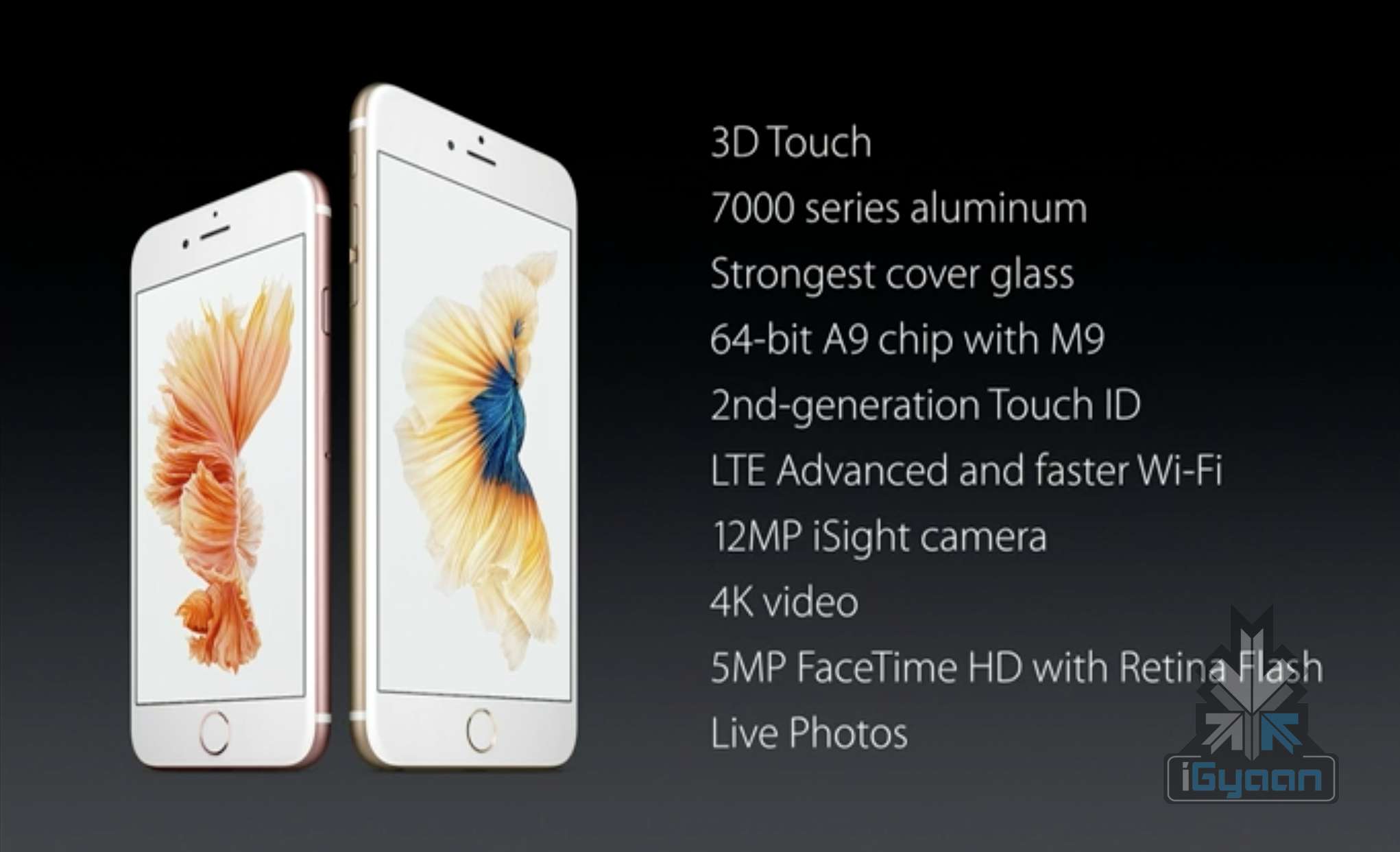
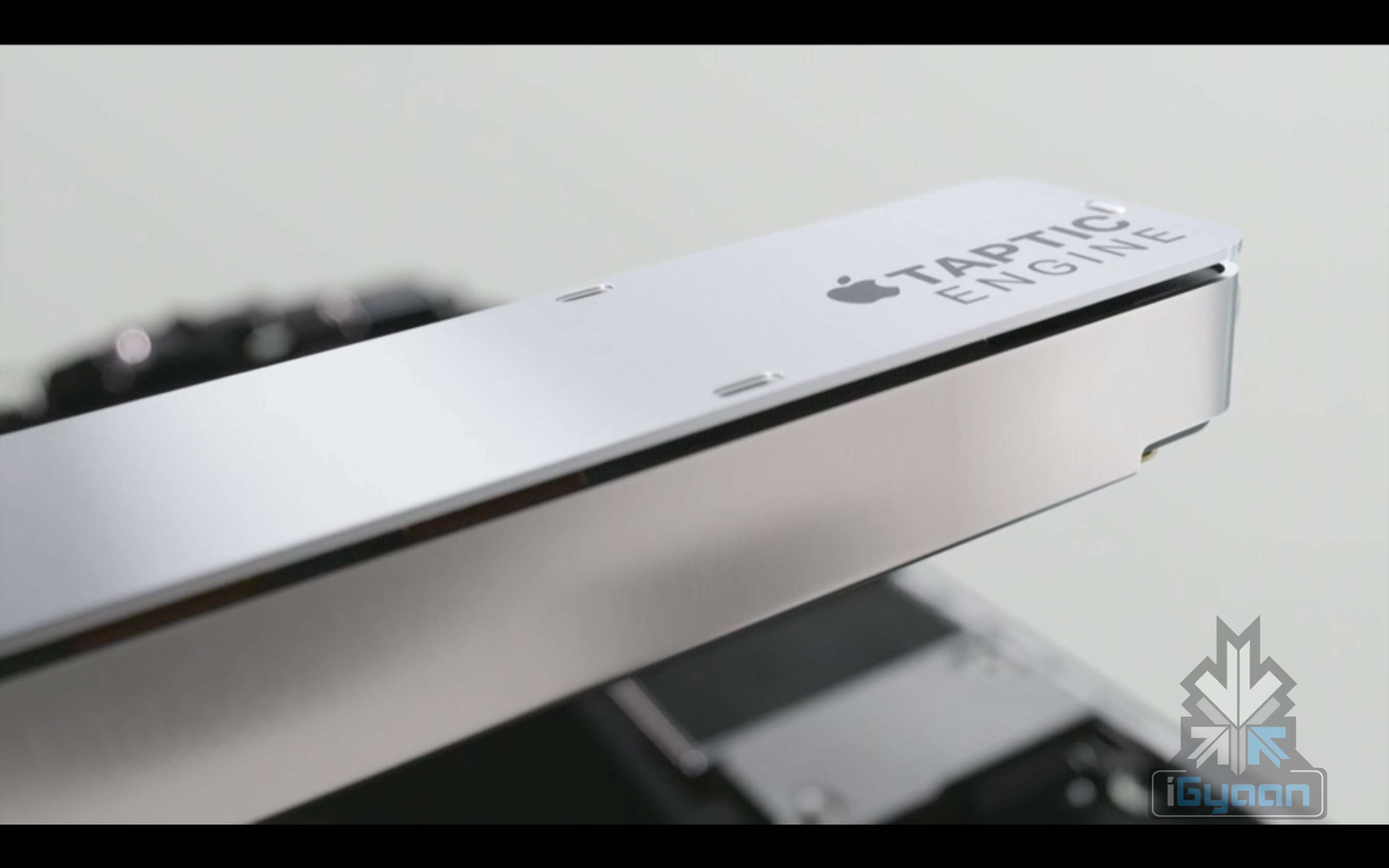
    It comes with a brand new glass encasing this time, with the Ion-X and not the usual Sapphire Glass, and a new Taptic Engine which can be used to navigate the UI.

    iPhone 6s 15

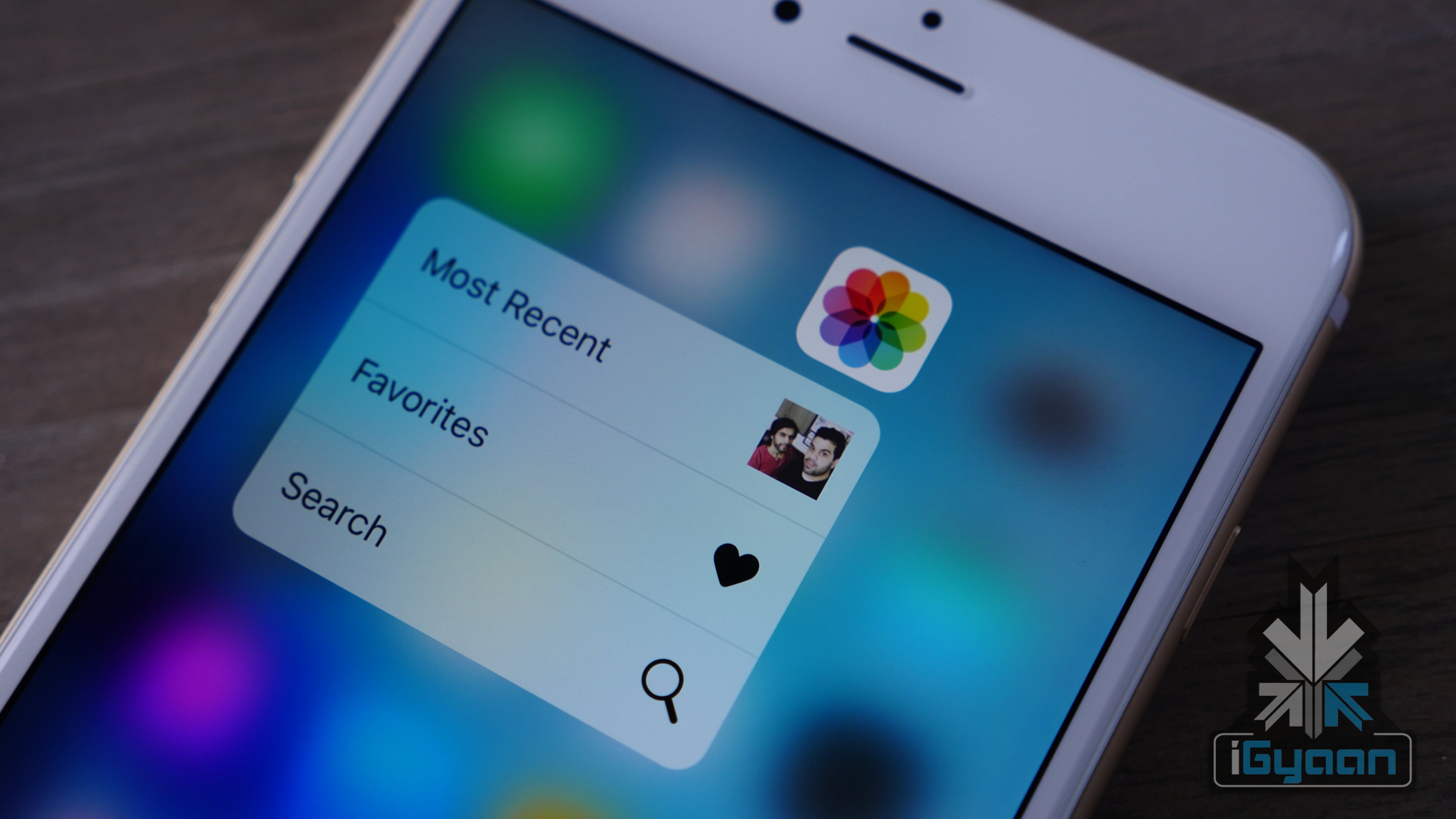
    So, it was said that the new iPhone will have an updated 3D Force Touch technology – meaning that the sensors would be taking into account three different types of touch rather than two. This is also true. Apple has confirmed the 3D Force Touch feature, that makes  photos, emails, Messages, etc pop up on your display. You just need to press on an app to jump right into a feature. This feature also allows you to use apps and be active on them without even opening them.

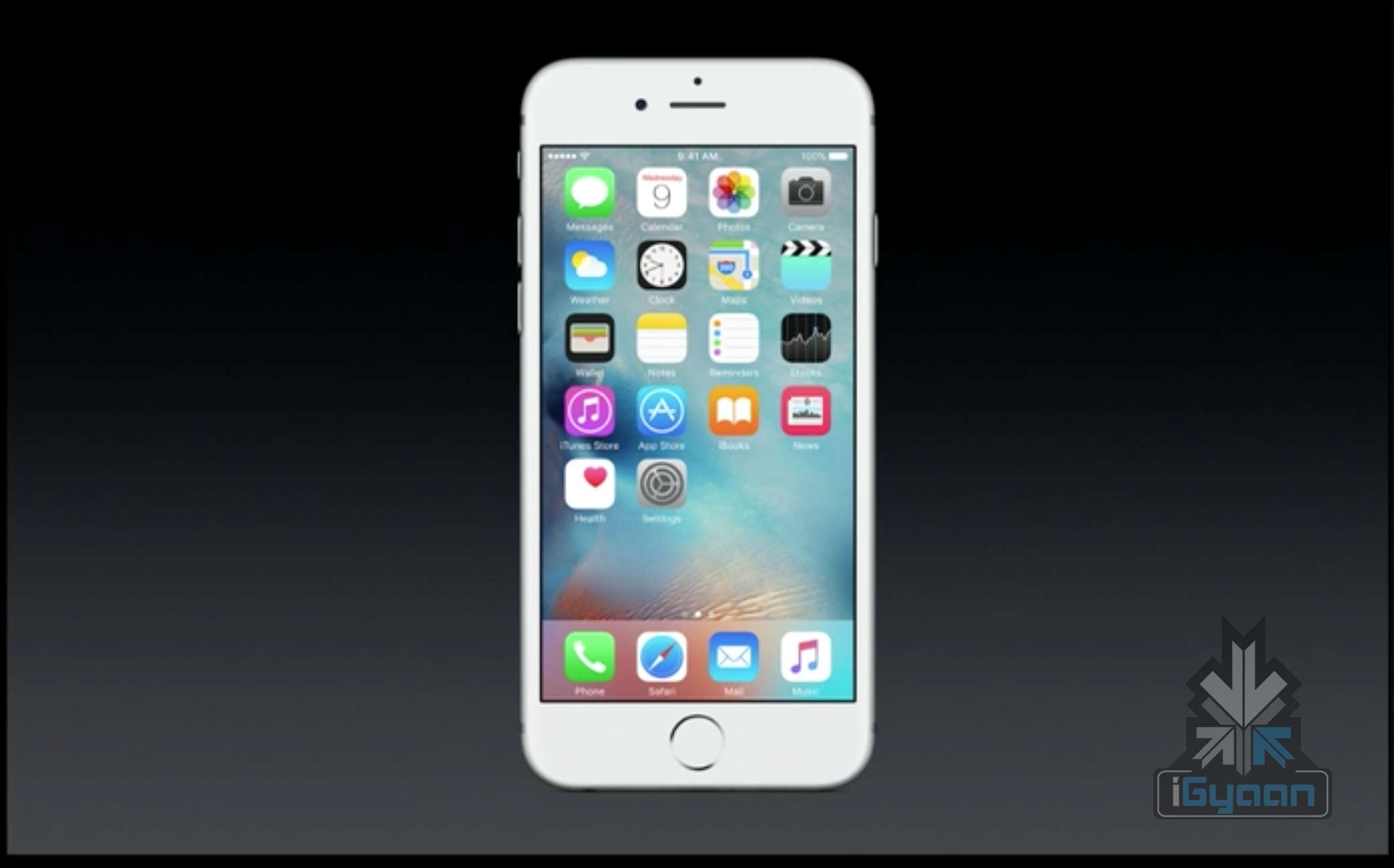
    They’ve also mentioned that the phone will be running on the new iOS 9 and the smartphone will come integrated with the new A9 chip.

    iPhone 6s 12

    Let’s talk about something that the iPhone is most applauded for – its camera. The iPhone 6 Plus has had an 8MP camera with an optical image stabilization feature that made it the phone with game changing photography abilities. Well, the iPhone 6s is better than that – it has an all new iSight 12MP camera with deep trench isolation. That’s it. iPhone just won. The 12MP camera will now allow you to record videos in 4K resolution.

    iPhone 6s 5

    That was the rear camera, but the iPhone’s front camera, which is as big a star as the primary camera, now comes at 5 megapixels and full HD resolution, allowing better FaceTime and selfie opportunities to users. The front camera also comes with a true tone Retina Flash feature. The 3D Touch feature also extends itself into the still camera pictures by animating the photos into video, called Live Photos, which can also have sound.

    “These are regular photos — we extend the capture moment just before and after.”

    Speaking about connectivity the iPhone 6s comes with 2X faster WiFi and 23 LTE bands. They’ve also mentioned that the new iCloud storage pricing will be as follows: 50gb for 99 cents a months, 200GB for 2.99/mot 1TB for 9.99/mo.

    iPhone 6s 20

    Now in the midst of all this they’ve also announced a small little ‘neighborly app’ that allows Android users to switch to the iPhone’s iOS.

    “You can recycle your Android phone for free at any Apple Store,” says the app.

    To conclude, we can accumulate all the major features and say that the iPhone 6s comes with the 3D Force Touch technology, is made with a 7000 series aluminum body and a new cover glass, a 64 bit A9 chip with M9, a second gen touch ID, has an advanced LTE and faster Wi-Fi, 12MP iSight camera with 4K Video, 5MP FaceTime HD resolution with retina flash and Live Photos. Phew.

    x iPhone 6s 2

    The iOS 9 will be available next week starting on the 16th of September 2015 and for Pre Order on the 12th of September.

    For now, that’s that about the iPhone 6s. Stay tuned. Here are the specifications:

    Specifications iPhone 6s
    Display Retina HD display with 3D Touch, 4.7-inch (diagonal) LED-backlit widescreen
    Resolution  1334 X 750-pixel resolution at 326 ppi
    Processor

     Embedded M9 motion coprocessor

    GPU  –
    Chipset A9 chip with 64-bit architecture,
    OS  iOS 9
    Internal Storage 16GB/64GB/128GB
    RAM  –
    Exapandibility  N/A
    Rear camera  12-megapixel iSight camera with 1.22µ pixels, ƒ/2.2 aperture
    Rear Camera Video  4K video recording (3840 by 2160) at 30 fps
    Front Camera  5-megapixel photos, ƒ/2.2 aperture, Retina Flash
    Front Camera Video  720p HD video recording
    Body Dimensions  143 grams,
    Special Features

    Fingerprint sensor, force touch, live photo

    Connectivity  23 LTE and faster Wi-Fi
    Variants Silver, Gold, Space Gray, Rose Gold
    USB  –
    Battery  –
    Price  $199, $299 and $399 respectively.


  • Tech Highlights of the Week: More OnePlus 2 Details, iOS 9 Beta Available for Public and Much More

    Tech Highlights of the Week: More OnePlus 2 Details, iOS 9 Beta Available for Public and Much More

    This week was loaded with new product releases and announcements from around the world. We have compiled a list of news that made the rounds.

    Here are the top highlights of the week:

    LG hints at Google Nexus Handset

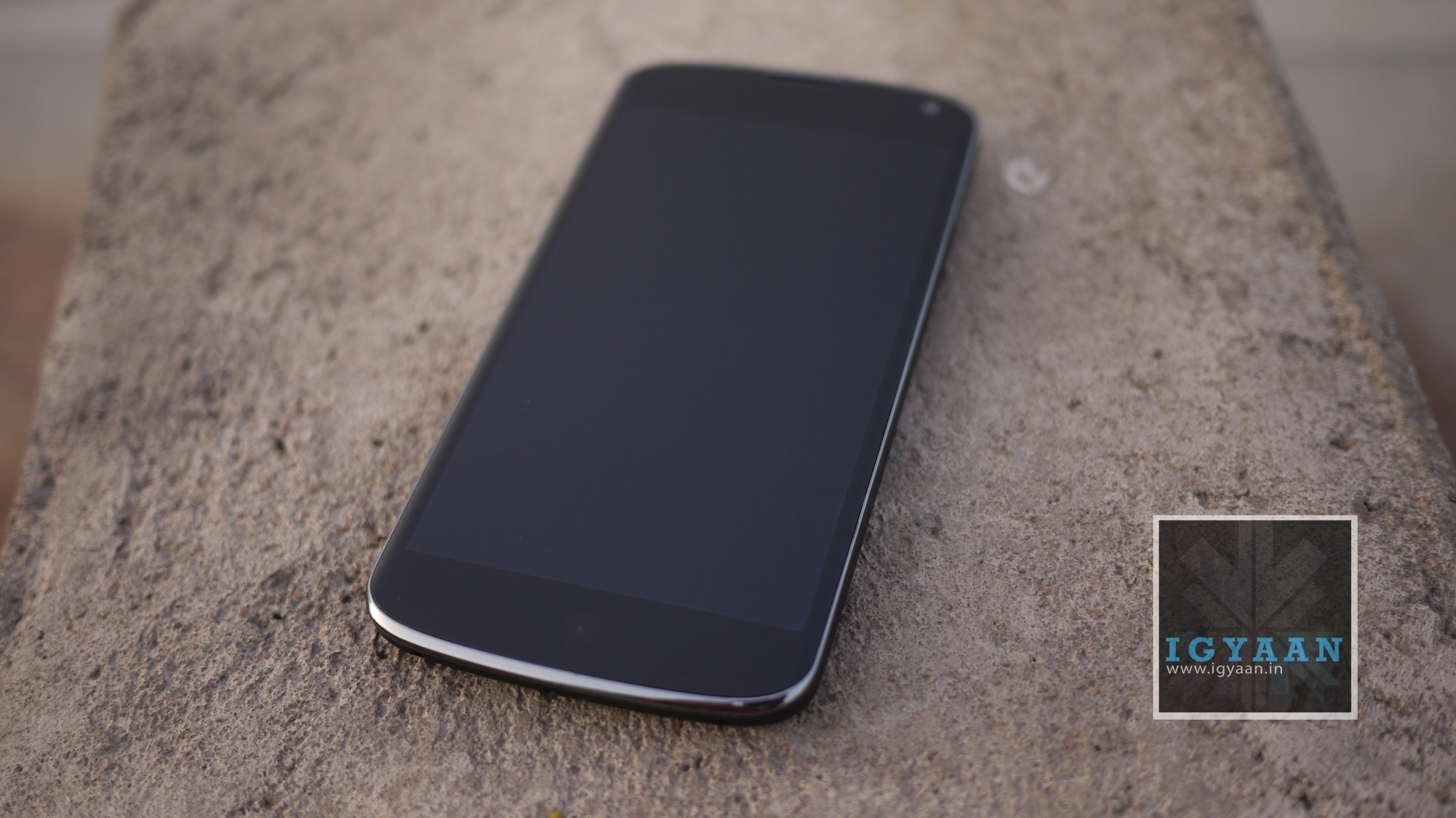
    LG Google Nexus 4 India Review iGyaan 48

    According to rumors, Google has teamed up with LG to produce the next Google Nexus handset. The device will reportedly sport a 5.2-inch screen display, six-core Snapdragon 808 processor by Qualcomm, and 2700mAh battery pack. It seems Google wants to recreate the success of Nexus 5, which was manufactured by LG.

    Instagram Now Allows 1080x1080p Squares

    instagram

    What’s the point of clicking photographs in HD if you can’t view it in Instagram? Instagram users can now rejoice as they can store images in HD resolution. The app has upgraded the resolution from 640 x 640 pixels to 1080×1080 pixels.

    Truecaller Launches Messaging App to Keep Your Inbox Spam Free

    truemessenger by truecaller

    Truecaller has launched its messaging app, Truemessenger, which basically serves the same function as its parent app – filter out spam and messages from unknown numbers.

    OnePlus Two Details

    oneplus two 810

    With just two weeks left for the OnePlus 2 launch, here are some of the key details that have been revealed about the upcoming phone –

    • The phone will not be priced more than Rs. 28,500, OnePlus confirmed on Twitter.
    • OnePlus 2 will arrive with a 4GB RAM and may sport a metal body.

    LG G4 Review

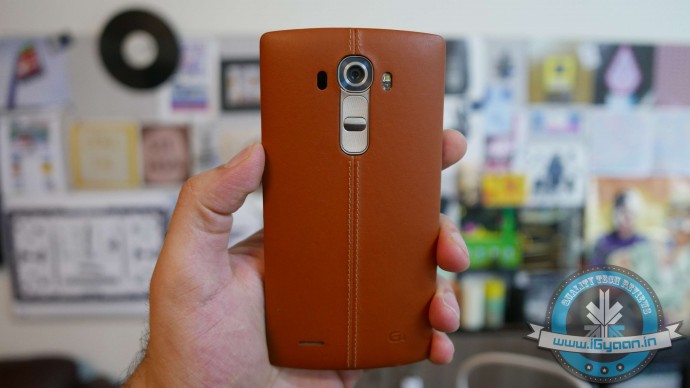
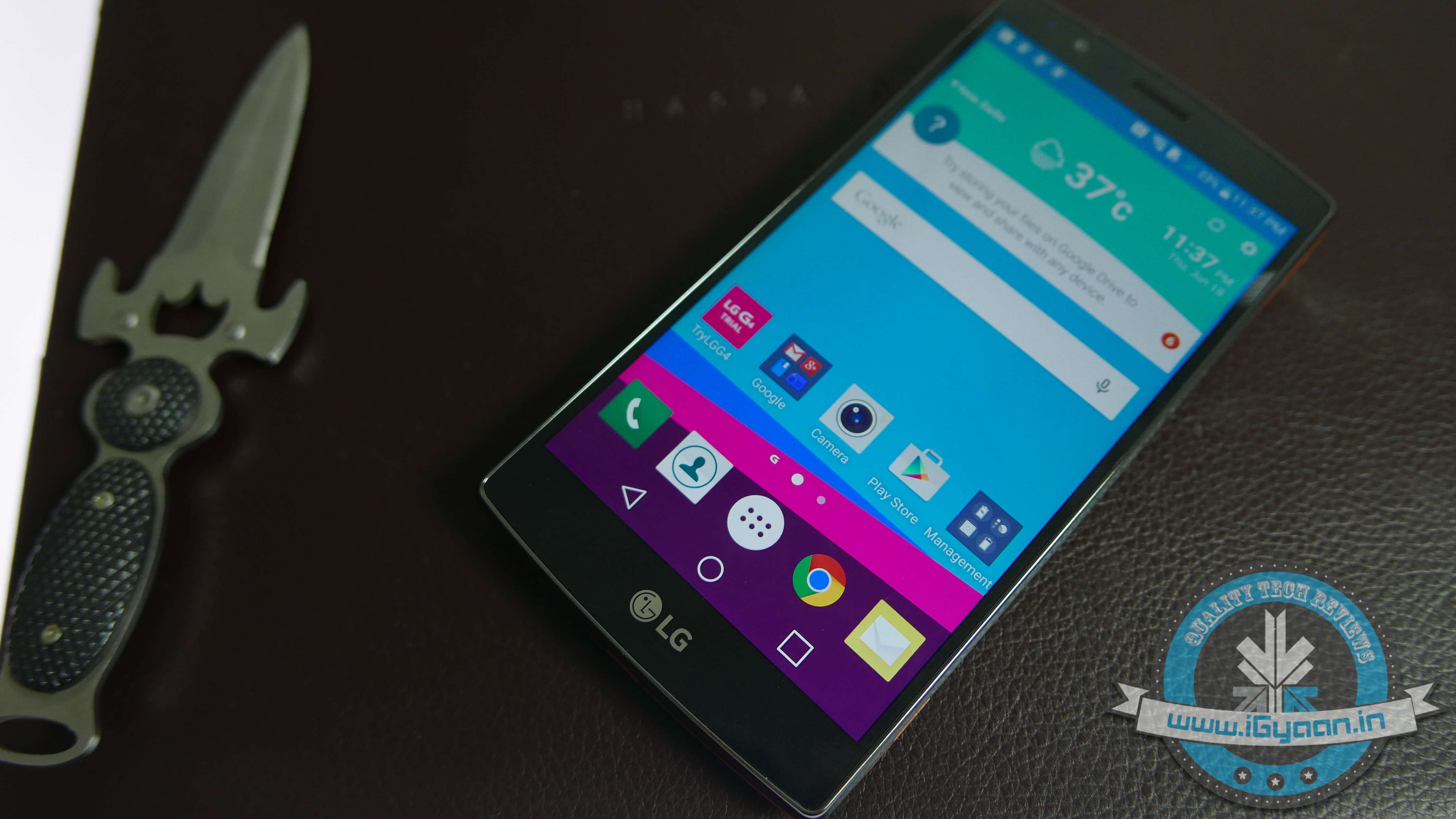
    Lg G4 Hands On 14

    Check out our review of the LG G4 and find out if it is worth a hole in your pocket.

    LG launches two new G4 variants

    LG G4

    LG has released two new variants in its G4 lineup, the LG G4 Stylus and the G4 Beat.

    Xolo Launches Black

    xolo black

    Xolo has launched “Black” through Flipkart priced at Rs. 12,999. The company hopes the phone will be able beat to rivals Motorola and Xiaomi.

    iOS 9 beta released for public

    iOS 9

    Apple has released the beta version of iOS 9 for the public. The company has introduced some new features such as separate folder for selfies and screenshots and Apple News.

    GoPro Is Back With the New Tinier GoPro Hero4 Session

    gopro

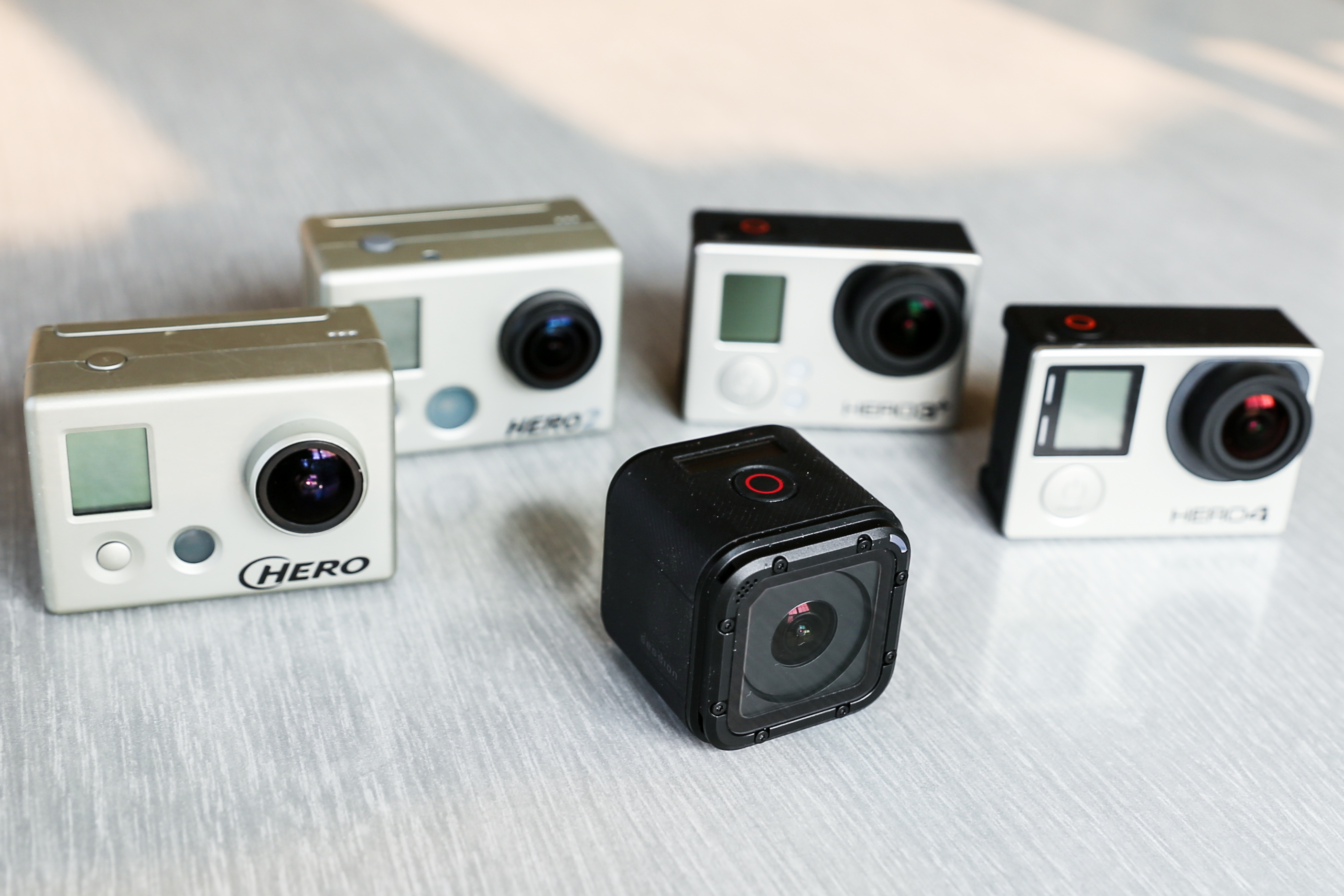
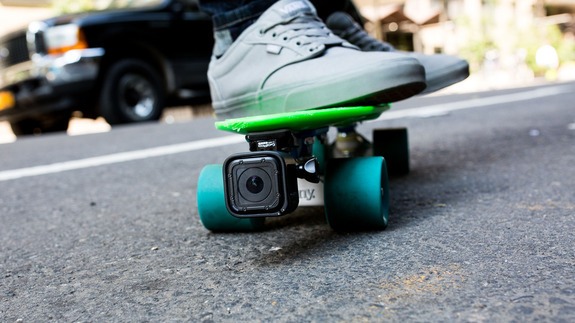
    GoPro, the company well known for making incredible cameras for adventure and sports terrain, has unleashed their newest and the smallest beast yet, the GoPro Hero4 Session. The new camera is the first significant redesign of the company’s omnipresent camera in nine years.

  • New Beta Version of iOS 9 Includes Apple News and Lots of New Features

    New Beta Version of iOS 9 Includes Apple News and Lots of New Features

    Apple has released a new beta version of iOS 9 to app developers, with several new features and changes being introduced. The beta version has been released to registered developers and is available for iPhone, iPad and iPod touch.

    ios 9 news 4
    Apple News

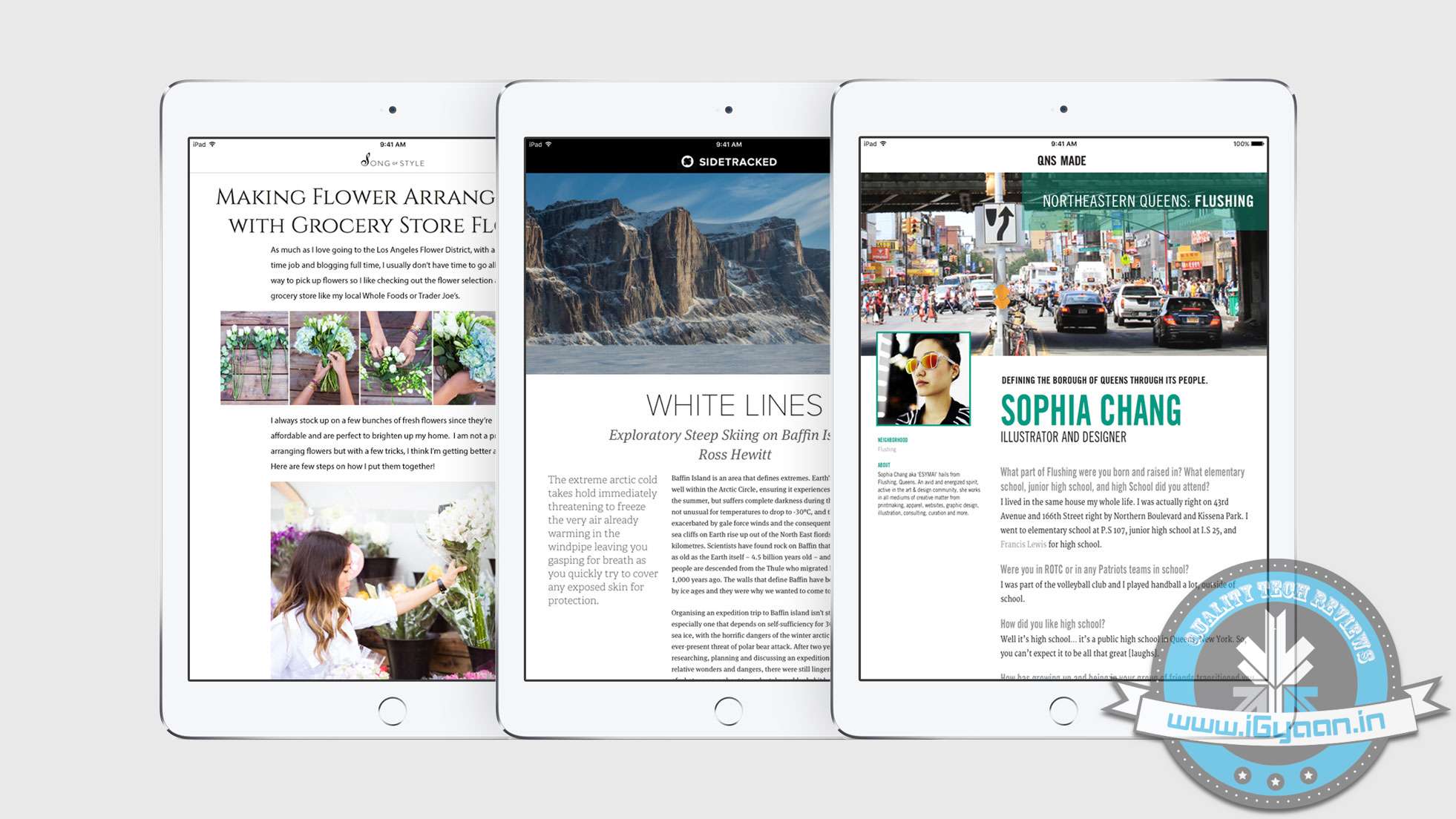
    Most notable features of the new iOS beta version include Apple News and a separate folder for screenshots and selfies. Apple News is a Flipboard like app that curates news from different publications like The New York Times and Entertainment Weekly. The feed will show news according to your liking and allows you to save and share an article you like. For now, Apple News will include content from The New York Times, CNN, ESPN, The Atlantic, and Slate.

    By segregating the selfies and screenshots folder, Apple has made it easier for users to organize and share the images. Under the current version, all photos clicked (screenshots, selfies, pictures) are stored in a single folder. Users prefer to send a screenshot rather than describe in a text. By separating images, it becomes easier to scroll through folders than a single folder.

    iOS 9 beta also includes a new 4×4 grid layout for folders in iPads, a new calendar icon and even Siri gets an improvement – Apple has dropped the famous ‘ding’ activation sound.

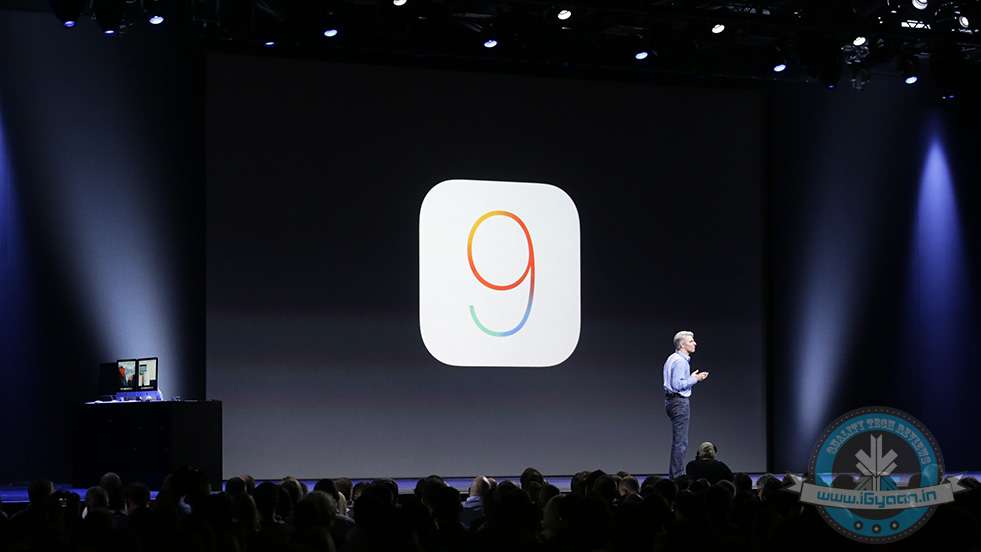
    Apple announced the latest version of iOS WWDC last month. The new software will be available to  iPhone and iPad users in September.

    The third beta version of iOS 9 is currently available to registered developers only and will be made available to public later this month.

    Source: [tw-button size=”small” background=”” color=”” target=”_blank” link=”http://9to5mac.com/2015/07/08/ios-9-beta-3-apple-music/”]9to5Mac[/tw-button]

    Additional Inputs from : [tw-button size=”small” background=”” color=”” target=”_blank” link=”http://www.bgr.in/news/apple-ios-9-3-brings-separate-folders-for-selfies-and-screenshots/”]BGR[/tw-button]

iGyaan Network
Privacy Overview

This website uses cookies so that we can provide you with the best user experience possible. Cookie information is stored in your browser and performs functions such as recognising you when you return to our website and helping our team to understand which sections of the website you find most interesting and useful.