Earlier this year, Apple quitely refreshed the iPad Air and the iPad Mini with updated innards. In addition to previously launched devices, it seems that the company has a number of other tablets in the pipeline.
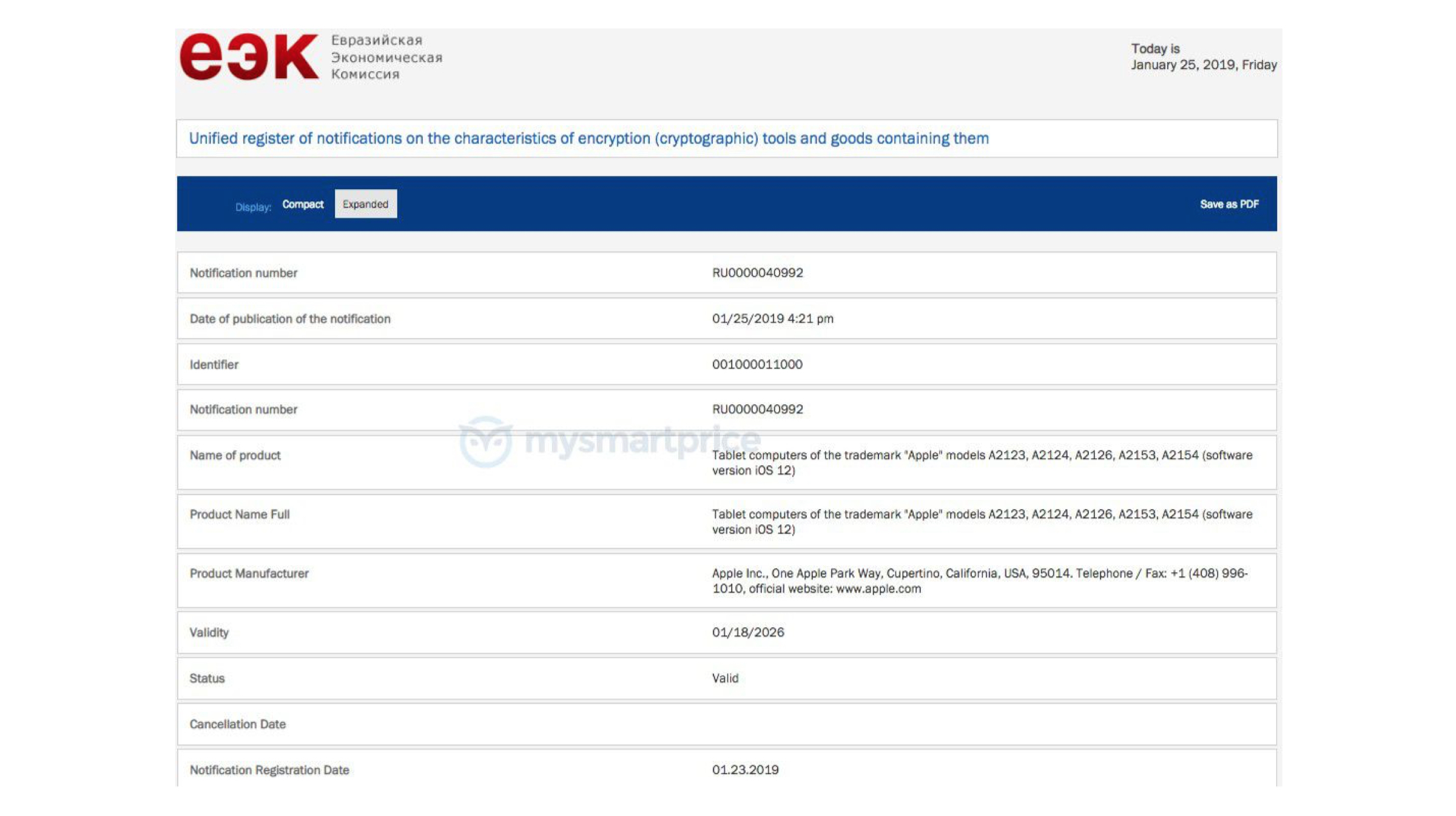
The company has freshly gained certification for five upcoming devices which are filed under the “tablet computer” category. Clearly, the upcoming devices will be iPads and they carry the following model numbers “A2068, A2198, A2230, A2197, and A2228”.
The certification was granted by Eurasian Economics Commission or EEC which is based Russia. The listings are critical as every device that can be sold in the region is needs to have the clearance certification from the supervising authority. Companies usually tend to get the devices registered with such bodies just before their launch when the device is ready for mass production. Therefore, the previously mentioned iPads could very well be finalided and they can launch in the near future.
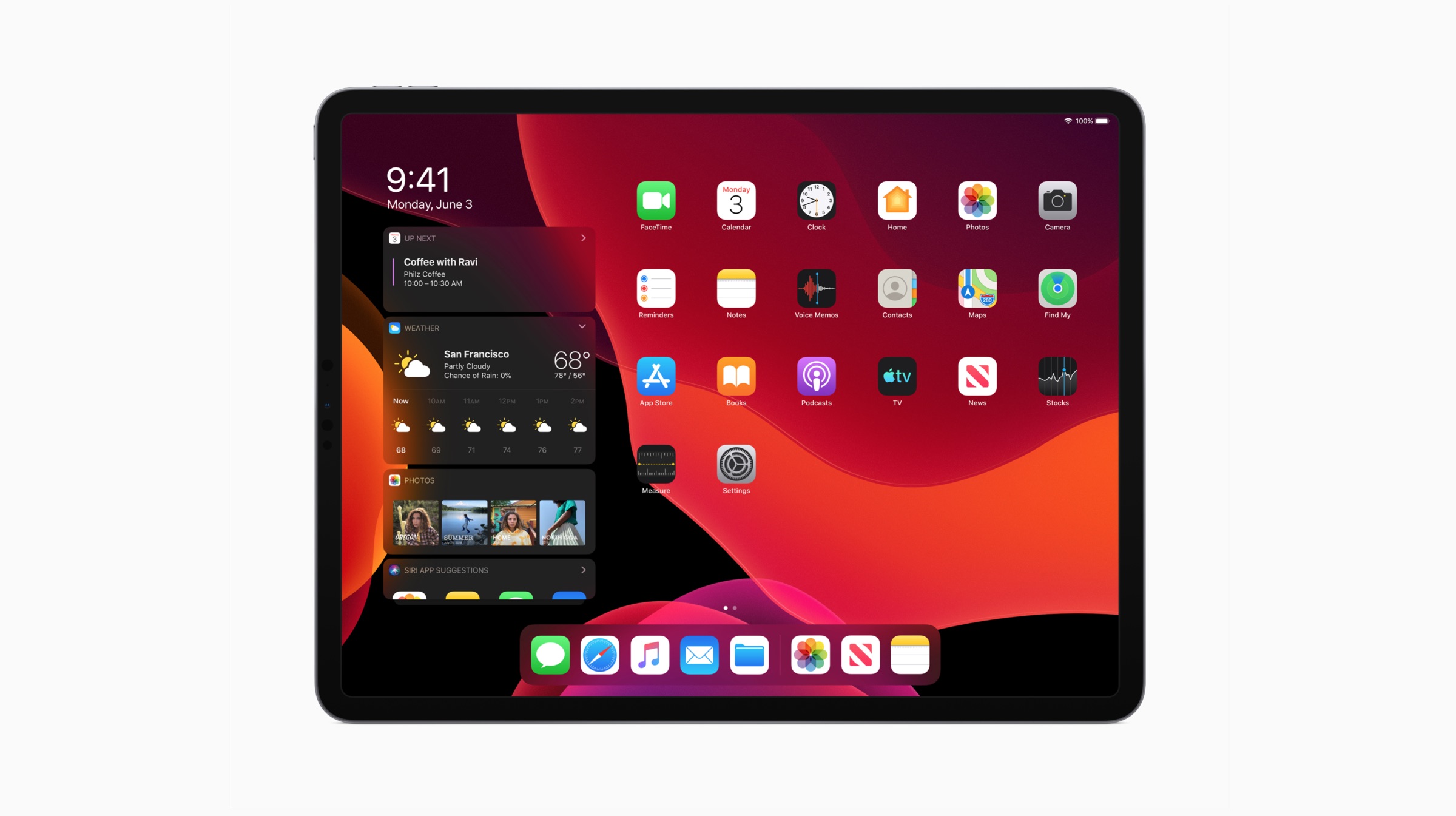
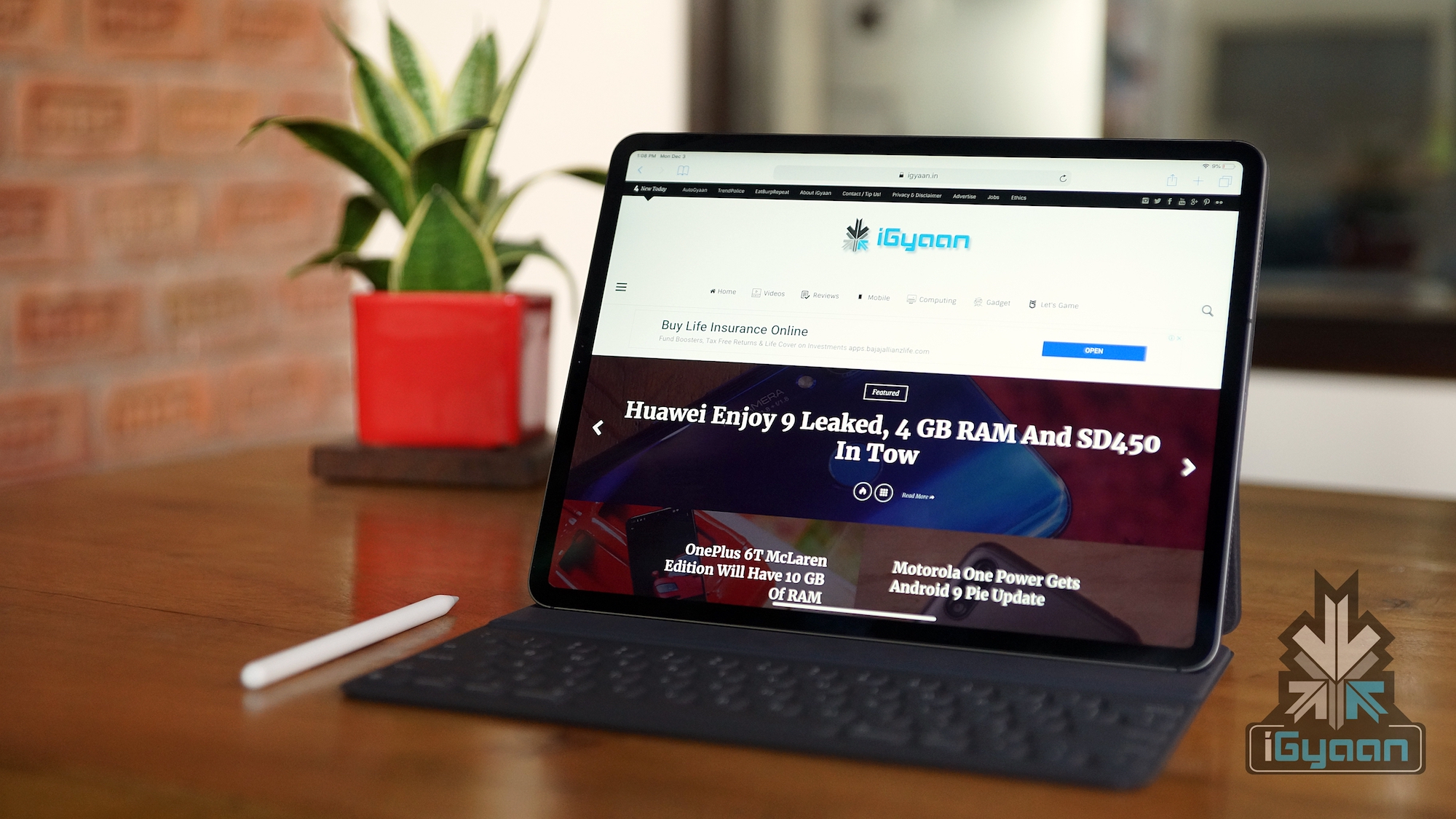
Moreover, the EEC filing also reveals that the future iPad models will run on iPadOS 13 which was revealed at the WWDC 2019 event. The new OS is intended to bridge the gap between a full fledged PC OS and a mobile OS. The newly unveiled OS allows iPad owners to control their devices with a mouse and keyboard with native support. Hence, the device can work as a mobile workstation, possibly replacing a laptop. The iPad OS is currently in the Beta testing stage and will roll out for the general public later this year.
Unfortunately, the EEC listing certification does not reveal any other details about future iPads. However, they are expected to either succed the iPad Pro duo from 2018 or they could be the rumoured 10.2 inch iPad. Though less likely, they could by the foldable iPad which was previously leaked.
As of now, nothing can be confirmed about the future tablets from Apple. Therefore, we will have to wait for the company to officially shine some light on the launch of the devices.
Apple announced the latest iterations of its operating systems for its devices earlier last month at the World Wide Developer’s Conference (WWDC). These include the new version of the iPhone operating system, iOS 13; a brand new OS for iPads, iPadOS and an upgraded MacOS called MacOS Catalina. The company released the first public betas of the software last month, which can be downloaded by following the guide here. Now, the second public betas of the iOS 13 and iPadOS have been released, which add some features that were seen in the developer’s beta 3 announced last week.
What’s New?
With the second public beta of iOS 13 and iPadOS, Apple has added a few stability improvements. These should improve the performance of the devices running the software and also result in fewer crashes. With the latest update, the FaceTime Attention Correction Feature has also been added to the public beta. Exclusive to the latest iPhones for now, the feature uses Apple’s ARKit to make it seem that the user is maintaining eye contact with other people on a video call via the Facetime application.
On the second public beta of the iPadOS, Apple has added a new animation; which is designed to help the users keep track of the Split View Windows that are active at a time. The animation also works while taking full-page screenshots and in some other elements of the User Interface. All the features seen on the Developer Beta 3 have not made their way into the iOS 13 and iPadOS public beta yet. It may be because they are not stable enough to be used by the majority and should make their way in the next update.
Users already running the first public beta of either the iOS 13 or the iPadOS should get an Over the Air (OTA) update on their device for the second public beta. If not, going to Settings then About and checking Software Updates should do the trick. If you haven’t installed a beta and want to try it out, know that they are not known to be stable and can experience random crashes; it is thus not recommended on one’s primary device. In that case, waiting for the stable release due later this year is recommended.
Apple announced new versions of its operating systems for all of its devices earlier this month at the World Wide Developer’s Conference (WWDC). These include the new version of the iPhone operating system, iOS 13; a brand new OS for iPads, iPadOS and an upgraded MacOS called MacOS Catalina.
While the aforementioned software were available to download in developers beta; it was only possible if the user was signed up to the Apple’s developer program. On 24th of June however, the company has released the first public betas for all the operating systems. This means they can be download by anyone owning a compatible device. Here is a step by step guide on how to download the beta software of the iOS 13, iPadOS and MacOS.
iOS 13 Public Beta
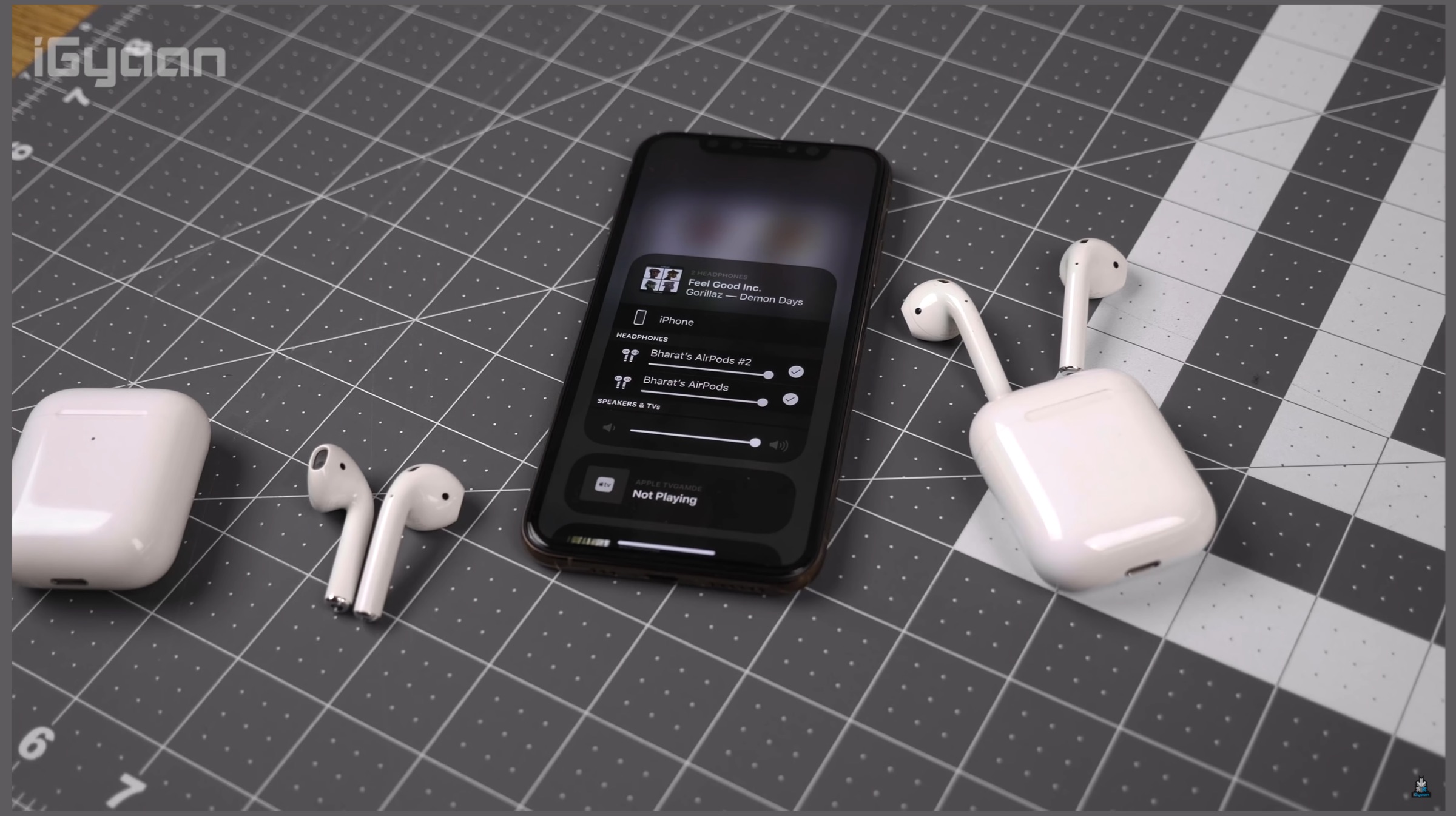
The iOS 13 as mentioned above, will be the latest software available for the Apple iPhone starting the iPhone 6s series. It promises many noticeable improvements over its predecessor, iOS 12. The latest software has a system-wide dark mode, which as the name suggests turns many areas of the User Interface dark. This is aimed at preserving battery life in OLED iPhones and will look more pleasing at night. It also supports multiple AirPods pairing to share music between iPhones.
More improvements on the iOS 13 include a new swipe gesture for keyboard, overhauled Reminders and Maps apps and performance improvements over iOS 12. Apple claims a 30 percent speed increase for FaceID in supported iPhones and smaller app update size. Overall, iOS 13 is a significant update for the software, however, if you plan on installing it; please be wary that it is still in beta and there may be some bugs that will be needed to iron out. Here is how you can install the iOS 13 Public Beta.
Head over to the Apple Beta Software Program by clicking here from Safari on your iPhone. (It doesn’t work with any other browser)
Sign in to your Apple account if you have not done it already.
Click on “Enroll Your Devices” on the top of the webpage.
Click on the “iOS” tab, this will make a reminder pop up on your screen to ensure your phone backup is complete. This will be needed if you plan on downgrading later.
Select the option “Download Profile” on the next page, this will bring another pop-up saying the website wants to download the file. Click on Allow.
Open the Settings app on your iPhone, select the section “Profile Downloaded” and then you can install the iOS 13 Beta.
iPadOS Public Beta
The iPadOS is an overhauled version of iOS 13 that is designed while keeping the iPad in mind. The iPadOS targets the iPad Pro and takes it one step closer to making it a full fledged computer. Many new features have been taken from the iOS 13 like the Dark Mode and new Reminders and Maps applications. It adds a redesigned home screen with widget support, new multi tasking features. The latency in the Apple Pencil has also been greatly reduced and there are new gestures for screenshots, editing text etc.
The biggest overhaul in the iPadOS that separates itself from iOS 13 is the new files app and external storage support. Both have been added to make the iPad more productive than before. There is also a new feature that is in sync with MacOS Catalina called Sidecar. It lets you use the iPad Pro as a secondary display to your Mac with minimal latency over wired or wireless connections. If you plan on installing the iPadOS beta, once again be wary of the bugs that will exist; until the stable update later this year. Here is how you can install the iPadOS public beta on your device.
Head over to the Apple Beta Software Program by clicking here from Safari on your iPad.
Sign in to your Apple account if you have not done it already.
Click on “Enroll Your Devices” on the top of the webpage.
Click on the “iPadOS” tab, this will make a reminder pop up on your screen to ensure your phone backup is complete. This will be needed if you plan on downgrading later.
Select the option “Download Profile” on the next page, this will bring another pop-up saying the website wants to download the file. Click on Allow.
Open the Settings app on your iPhone, select the section “Profile Downloaded” and you are all set to install the iPadOS Beta.
MacOS Catalina Public Beta
The MacOS Catalina is the latest version of the operating system for various computing devices from Apple. It features considerable changes over the last generation, MacOS Mojave. The latest OS boasts of the Catalyst feature, which was codenamed Marzipan and allows iPad developers to port applications over to MacOS. The sidecar feature as mentioned in the iPadOS above is also making its debut in the newest generation MacOS.
A major feature that MacOS Catalina is bringing about is the introduction of Voice Control. It is an accessibility feature that will allow users with limited motor skills to control their Mac enabled device with their voice. Again, the MacOS public beta, like the iOS 13 and iPadOS is still in beta stage; so there may be some bugs that may need squashing in the stable update due later this year.
Visit the Apple Beta Software Program by clicking here.
Sign in to your Apple account. (Ignore if already done)
Click on the MacOS option, this will make a reminder pop up saying to ensure you have a time machine backup; in case you want to downgrade to a previous version.
Click on the option “Download the MacOS Public Beta Access Utility”; which will download a .dmg file enrolling your computer in the beta program.
Open System Preferences and click on Software Update option to install the MacOS Catalina beta. One thing to note is that it might not be available to download instantly in some cases. Users will need to wait if that is the case.
The new iOS 13, iPadOS and MacOS are major software releases by Apple this year. It is also seen as a step by the company to combine some functionalities of all the three different products for the future; as demonstrated by the Catalyst feature in MacOS. What do you think about Apple’s latest releases? Tell us in the comments below.
The first day WWDC 2019 was a huge one for Apple. The company launched the much-awaited iOS 13 for iPhones and announced the all new redesigned Mac Pro, which packs top-of-the-line specifications for content creators. Apple was also rumoured to launch a dedicated operating system for iPads, and so it happened. For the first time, the iPad received its own Operating system, known as the iPadOS. It packs a set of helpful and features that aim to enhance the productivity of the device. Here are some of the major iPadOS features which will improve the user experience on the iPad.
A Redesigned Home Screen
The all new iPadOS has a refreshed home screen with widgets support. Users can expand the widgets on one side of the screen, while the application icons take up the rest of the display. A host of multitasking gestures has also been introduced in the new operating system, so that users can simply ‘glide’ through their task list. For instance, users can drag the applications they intend to use and drop them alongside other applications. This will increase the ease with which users perform multiple tasks over different applications.
The Revamped Files Application
One of the biggest additions to the new iPadOS is undoubtedly the new redesigned Files application. It has been tweaked with a column view that provides users with high-resolution previews of files without even opening them. The app has support for Quick Actions like mark up, rotate and create PDF. A local storage has been introduced where users can organize their files and zip/unzip documents. In order to make the iPad equally functional as notebooks, the iPadOS supports external drives (USBs, SD Cards). Lastly, improved iCloud Drive support implies that anyone with access to a shared folder on the iPad will be easily able to access the latest version of the same on his device.
Upgraded Safari Browser
Another intuitive upgrade in the iPad’s functionalities has been brought to the Safari browser, which automatically presents the desktop version of a website on the iPad. Apple claims that the webpage is aptly scaled as per the iPad’s display. Moreover, the website is optimized for touch usage, so that web applications such as WordPress are seamlessly accessible. Apple has also included a whole new download manager within the browser alongside 30 new keyboard shortcuts.
New Split View And Slide Over
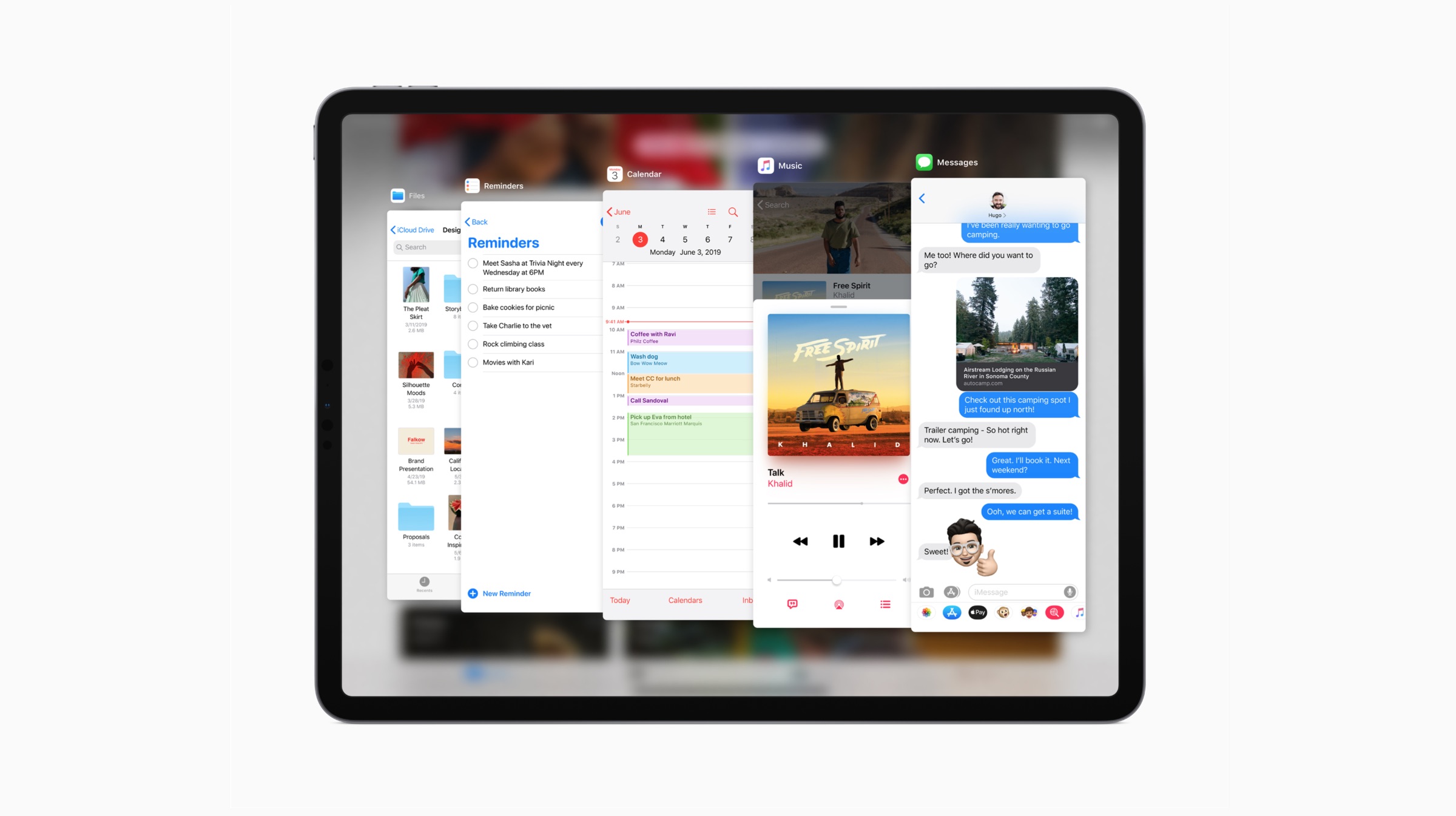
Apple claims that the all new Split view will enable users to work with multiple files from the same document at the same time. Using the slide over functionality, users can also view the window they want and smoothly switch between them. For instance, a user can jot down an email while looking at another email from the same application, all at the same time. Another feature called App Exposé helps the users in getting a quick view of any open windows with just a single tap.
Additional Features
Alongside the aforementioned features, Apple also introduced system-wide Dark Mode to the iPadOS that is applied across all applications. Users can install third party custom fonts which can be used while creating documents. Moreover, Apple’s iPad keyboard can now shrink down to a floating keyboard that can be moved across the screen. Pinching the regular keyboard will instantly convert it to the said floating mode. Performance boosts will ensure that users can launch their applications faster, unlock the iPad faster and reduce download sizes by up to 50 percent.
The developer preview of iPadOS is now available to members of the Apple Developer Program. The public beta program will be available to iPadOS users in the month of July 2019. The operating system will be available for iPad Air 2 and later, all iPad Pro models, iPad 5th generation and later and iPad mini 4 and later variants.
 Moreover, the EEC filing also reveals that the future iPad models will run on iPadOS 13 which was revealed at the WWDC 2019 event. The new OS is intended to bridge the gap between a full fledged PC OS and a mobile OS. The newly unveiled OS allows iPad owners to control their devices with a mouse and keyboard with native support. Hence, the device can work as a mobile workstation, possibly replacing a laptop. The iPad OS is currently in the Beta testing stage and will roll out for the general public later this year.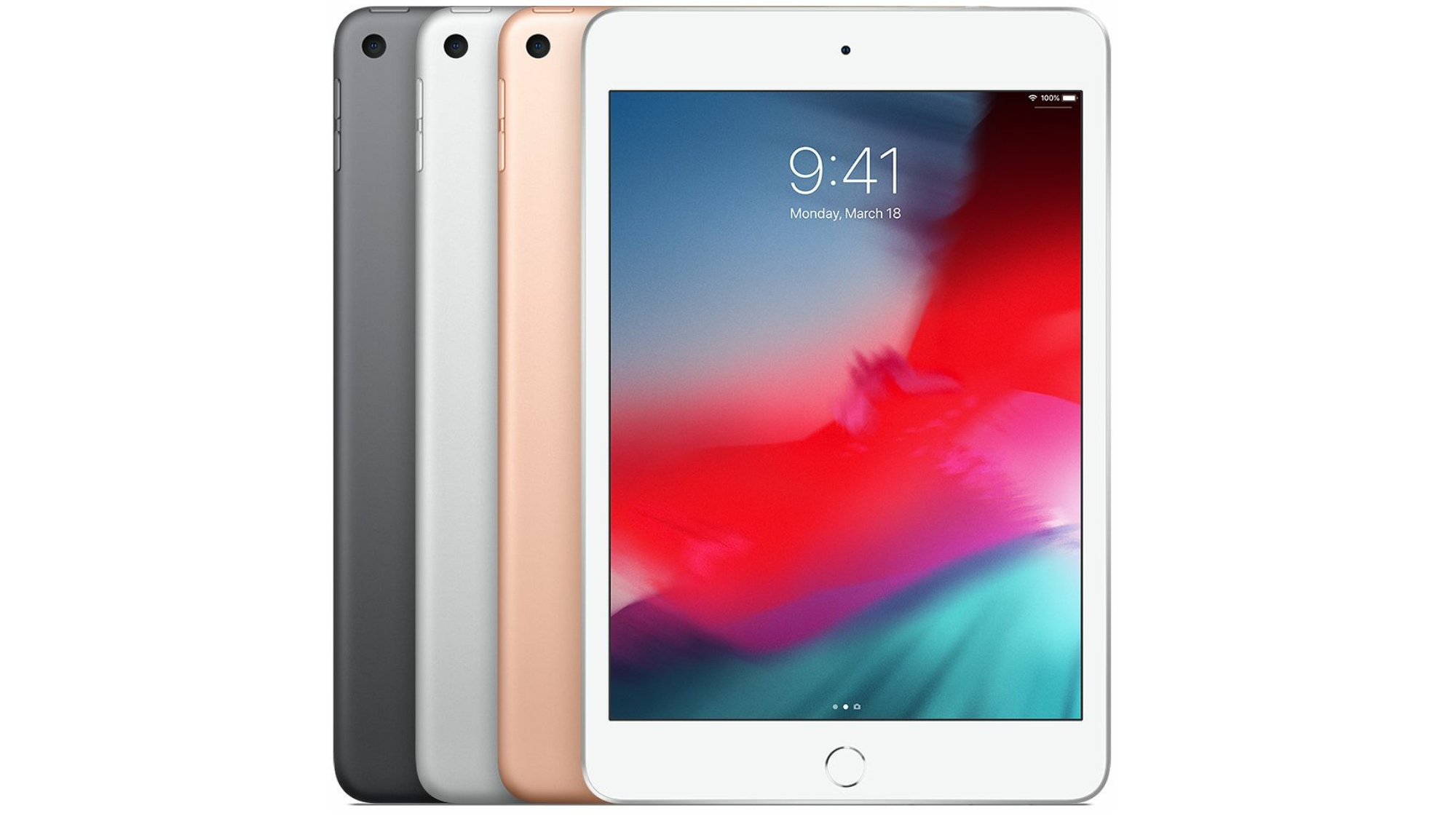


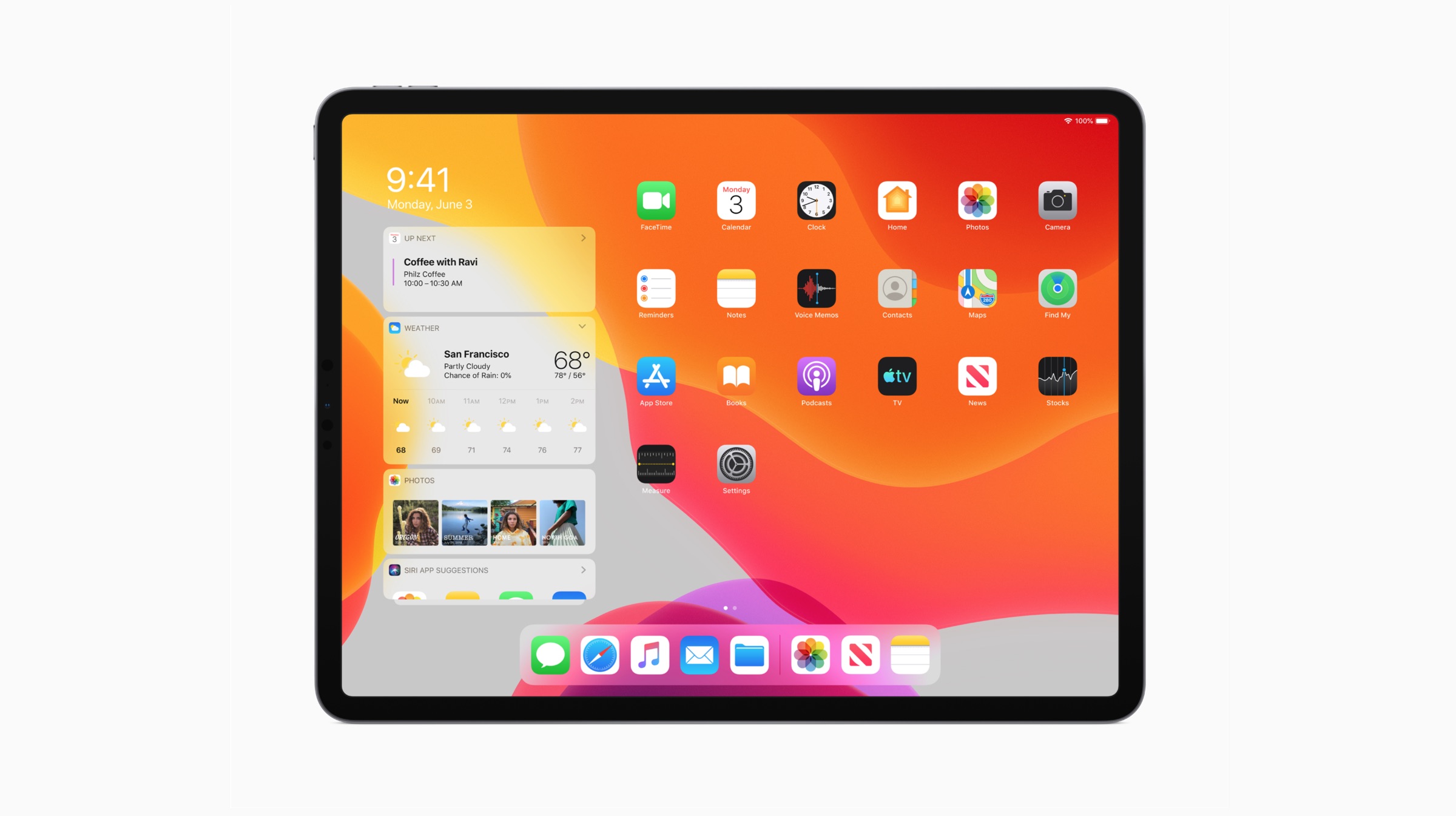 The all new iPadOS has a refreshed home screen with widgets support. Users can expand the widgets on one side of the screen, while the application icons take up the rest of the display. A host of multitasking gestures has also been introduced in the new operating system, so that users can simply ‘glide’ through their task list. For instance, users can drag the applications they intend to use and drop them alongside other applications. This will increase the ease with which users perform multiple tasks over different applications.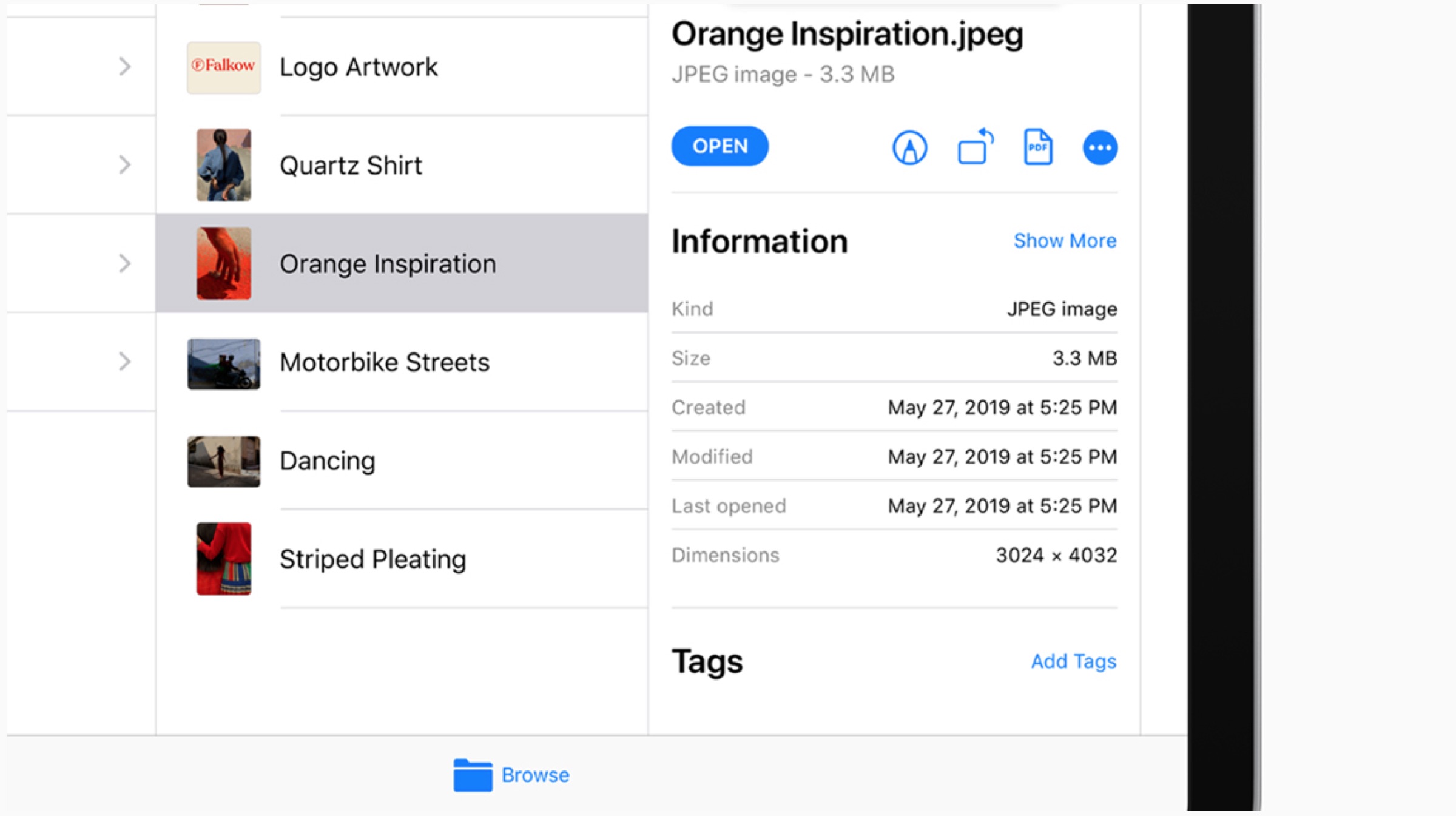

 Alongside the aforementioned features, Apple also introduced system-wide Dark Mode to the iPadOS that is applied across all applications. Users can install third party custom fonts which can be used while creating documents. Moreover, Apple’s iPad keyboard can now shrink down to a floating keyboard that can be moved across the screen. Pinching the regular keyboard will instantly convert it to the said floating mode. Performance boosts will ensure that users can launch their applications faster, unlock the iPad faster and reduce download sizes by up to 50 percent.