Category: Android

  • Android Popsicle May Be The Final Name Given To Android 9.0

    Android Popsicle May Be The Final Name Given To Android 9.0

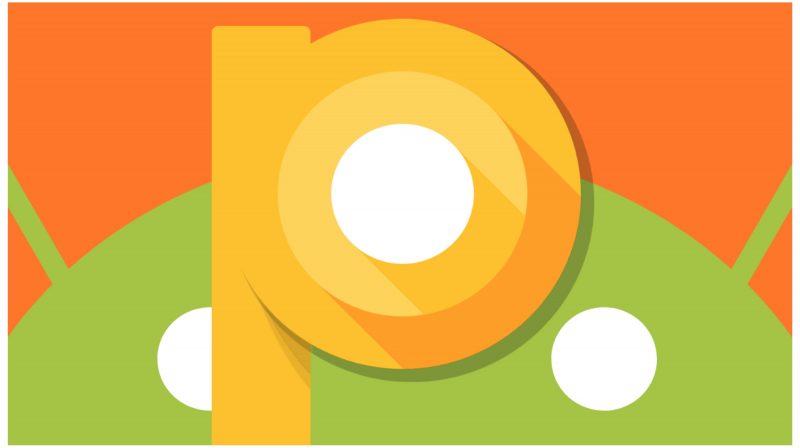
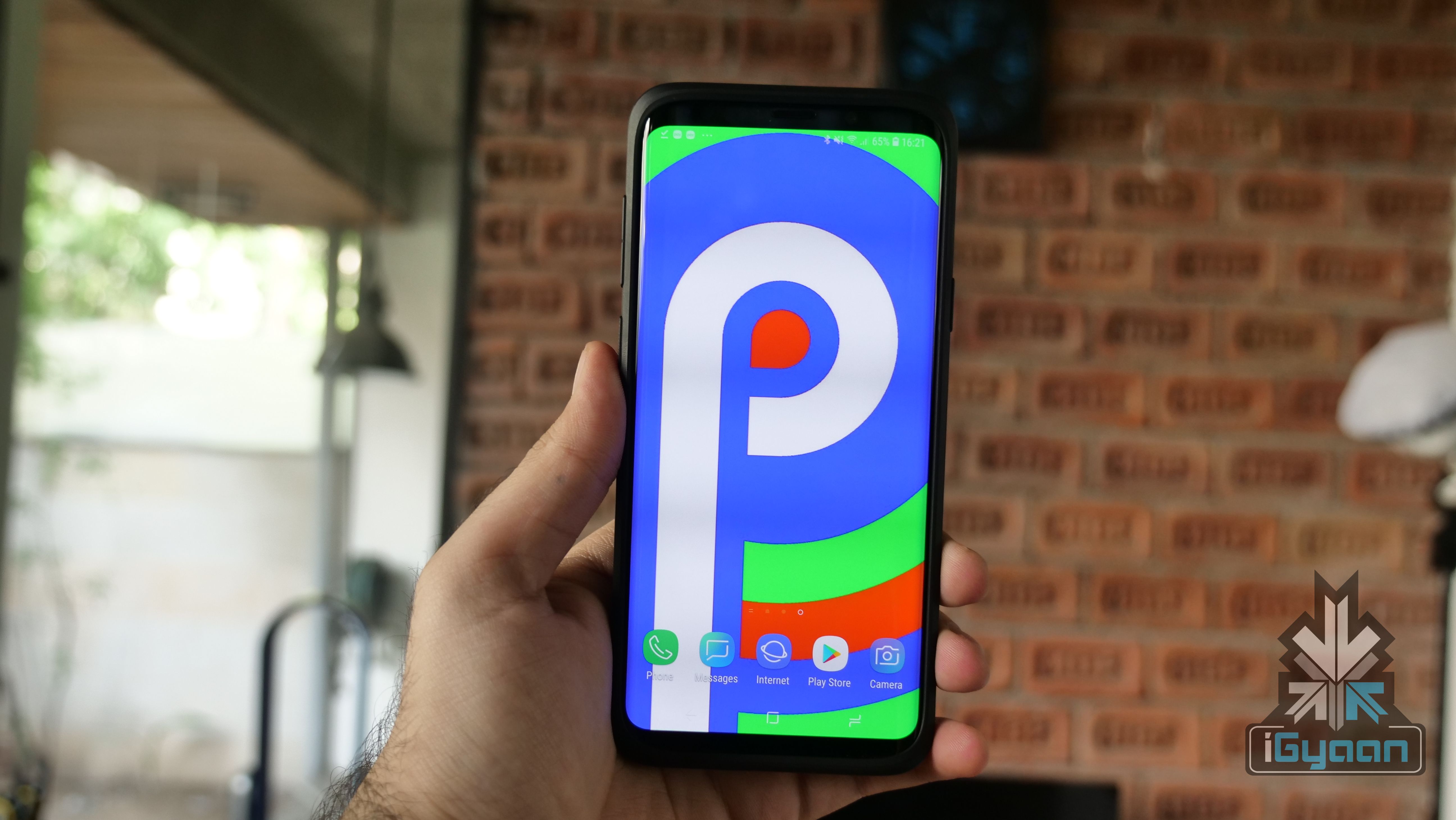
    Ever since Android’s inception in 2007, the mobile operating system has an interesting and fun naming pattern. Google has stuck to naming every iteration of Android after a type of dessert. The most recent version, Android 8 goes by the moniker of Oreo. The next in line is Android P which will be unveiled Google I/O 2018 and get an official release in the third quarter of 2018. While many desserts start with the letter P, Google appears to have dropped a major hint about the possible name of Android P and it may be Android Popsicle.

    On its official Instagram account, Google released a set of Spring wallpapers with a certain delicacy making an appearance. Of the five wallpapers released by Google, the last image was of different kinds of popsicles. You don’t need to be a rocket scientist to jump to the conclusion that Google might have just very blatantly hinted that the full name of Android P could be Android Popsicle.

    Over the years, Google has been known to have a bit of fun with its followers, especially when it comes to the names of new Android versions. Google always leaves subtle hints to mislead its fans into predicting a wrong name for the upcoming version of Android. With this Android Popsicle wallpaper trick, however, Google was anything but subtle. Now, it is completely possible that Google has just trolled its 6.2 million Instagram followers into believing that the next version will be called Android Popsicle.


    The first developer’s preview of “Android Popsicle” was released in March 2018 and had a few interesting features. Acknowledging the growing trend of notches, Google introduced the notch feature in the first preview of Android P. Once enabled, the clock moves to the left-hand side of the notch along with notification icons. Other icons like Wi-Fi, Bluetooth remain on the right side of the notch. Interestingly, different sizes of a notch can be emulated.

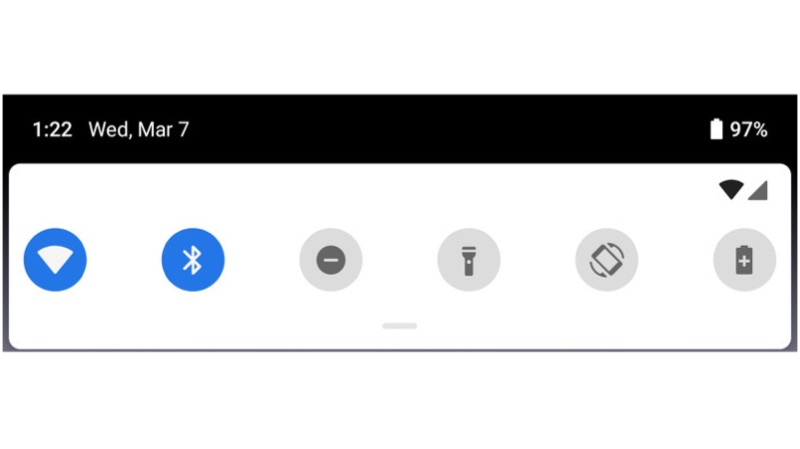
    Visually, other changes include a slight redesign of the notification panel. The icons in the quick settings pulldown have rounded corners now. If activated, the icons will be blue in colour and when inactive, it will turn grey. To access other quick settings toggle, the user has to pull down on the grey bar just underneath the initial menu.
  • What’s New In Wear OS Android P Developers Preview

    What’s New In Wear OS Android P Developers Preview

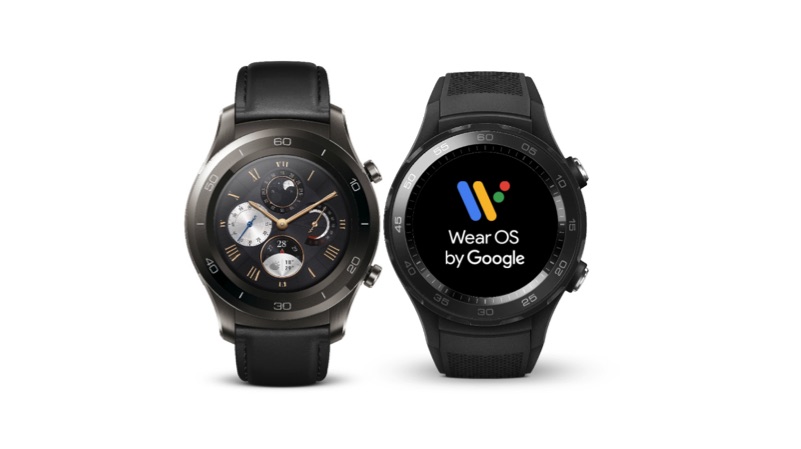
    Google recently released the first beta build of Android P for the Pixel smartphones. Similarly, the company has now released an Android P  Wear OS developer preview for the Huawei Watch 2, as there is no official Google smartwatch. Here are the top five features from the latest Android P beta preview for Wear OS.

    Dark Theme

    This is one of the features, that was long due. As most of the smartwatches have an OLED display, a dedicated dark theme will increase the battery life of the device. This feature will also increase the visibility of the content in low light conditions, without straining user’s eyes.

    Limited Background Activity

    As smartwatches come with a smaller battery, running multiple applications in the background can drain up the juice quickly. With this feature, no application will run on background, except for watch face and settings. Additionally, the watch can run multiple applications in the background when it is charging.

    Wear OS

    Turn off radios when off body

    Most of the smartwatches are capable of connecting to a smartphone via Bluetooth or Wi-Fi. In fact, some of the high-end watches do support LTE for standalone functionality. Being connected to an external network will consume a lot of power. With this update, the watch will get disconnected from a network as soon as the user removes the watch from his wrist.

    Wi-Fi will be off when Bluetooth is off

    If the watch is not connected to a smartphone using Bluetooth, then it cannot connect to a wireless Wi-Fi network. However, the device can connect to a Wi-Fi network while charging, without being connected to a smartphone. This means, most of the software updates happen, when the watch is charging or when it connected to a charging station.

    Restriction to non-SDK methods

    This feature is applicable for Wear OS app developers. Starting with the Android P based Wear OS, the app developers have to use official SDK to create newer apps. This will help optimise and increase the compatibility across the smartwatches running on Wear OS.

  • Android Users Can Now Try Out Apps Before Installing Them With Google Play Instant

    Android Users Can Now Try Out Apps Before Installing Them With Google Play Instant

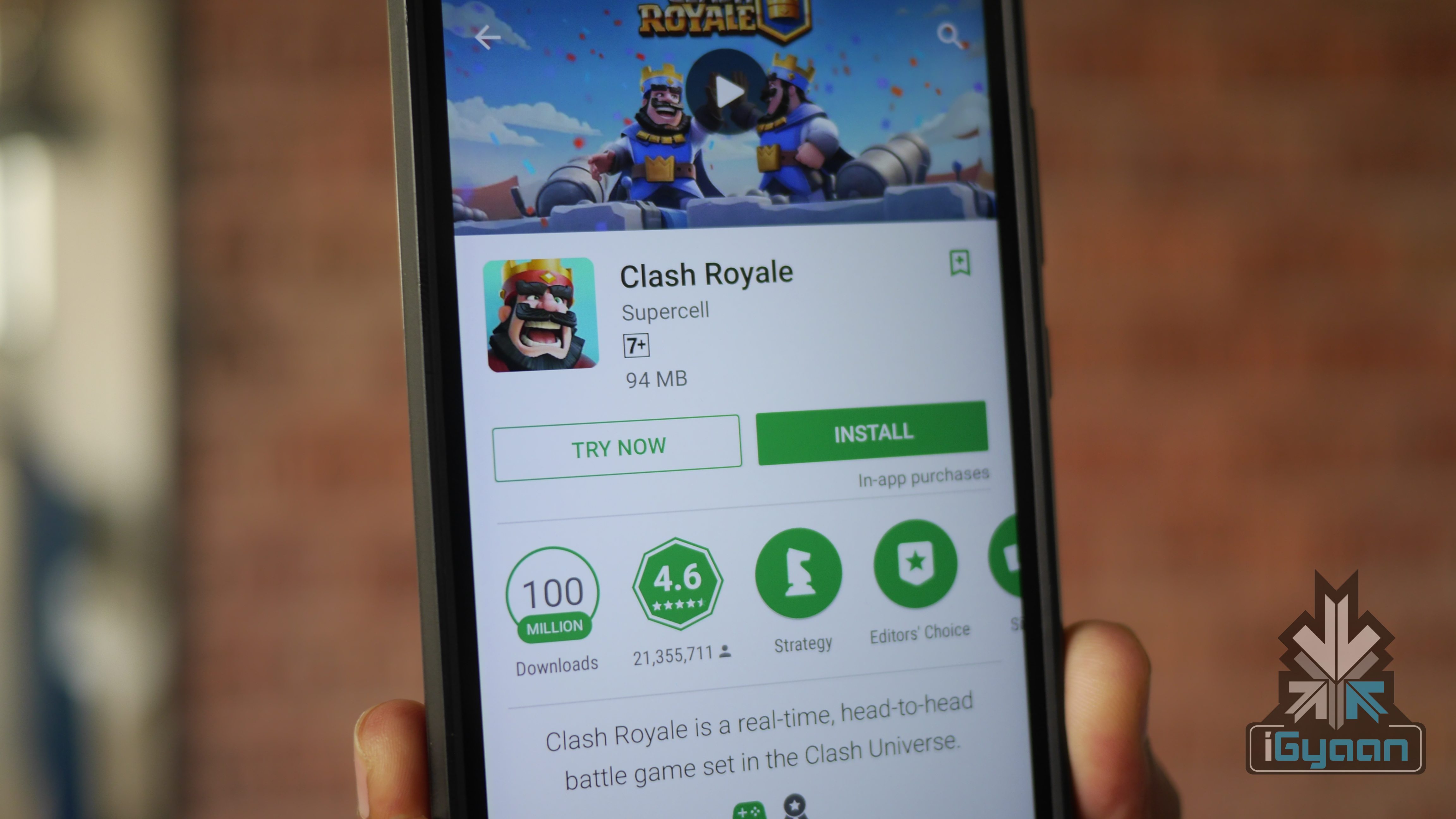
    Google has launched a new service called ‘Play Instant’. It essentially allows users to try out apps and games before downloading or purchasing them. Users don’t have to download a separate app for this service as it blends in with the new Play Store app. The feature will be compatible with all Android devices.

    This is another step by Google to save data and storage. The company recently announced Android Go as well. It is a much more toned down version of Android, meant to work on devices with less than 1GB RAM. The new service means that users can now try out new apps before wasting a lot of data. For people who are low on storage, they can analyse an app and decide whether they should free up space on their smartphone or not.

    Android Go

    While it sounds archaic to have a smartphone running out of storage, there are still a lot of people who use entry-level Android devices that have 8GB of onboard storage. For such people, Play Instant is a great service. Interestingly, there are a few games that are a part of this service right now. At the time of writing, Google had listed six games that can be tried out without installing.

    Simultaneously, Google has also introduced the new Play Games app. While it doesn’t have a UI overhaul, it now features an ‘Arcade’ tab. This is where users can discover new games by watching trailers of new and old games. The idea is for Play Games and Play Instant to tie in together and allow users to try out every game. That, however, is still in a distant future.

  • Samsung Galaxy S6 Edge+ To Get Android 7 Nougat Update

    Samsung Galaxy S6 Edge+ To Get Android 7 Nougat Update

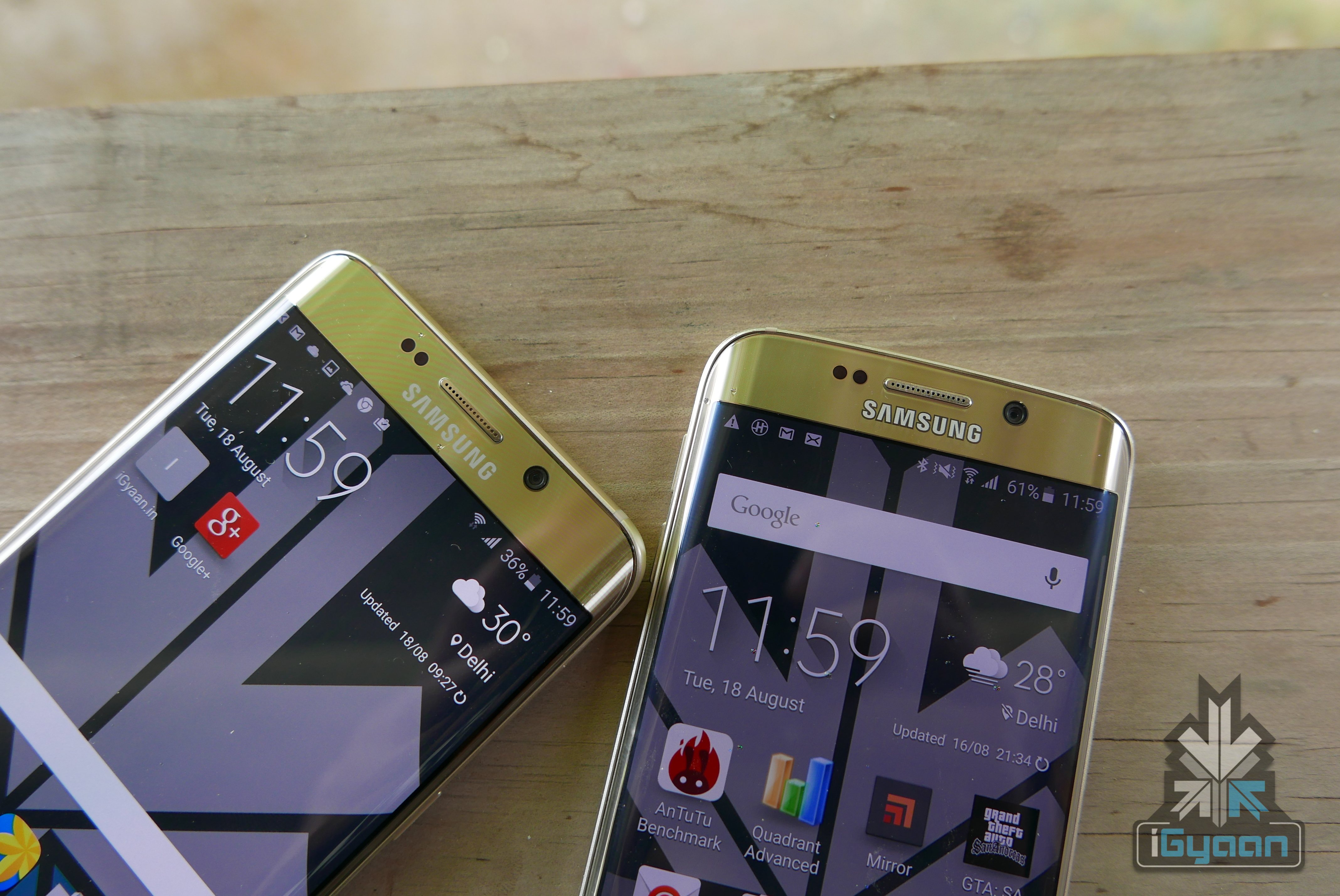
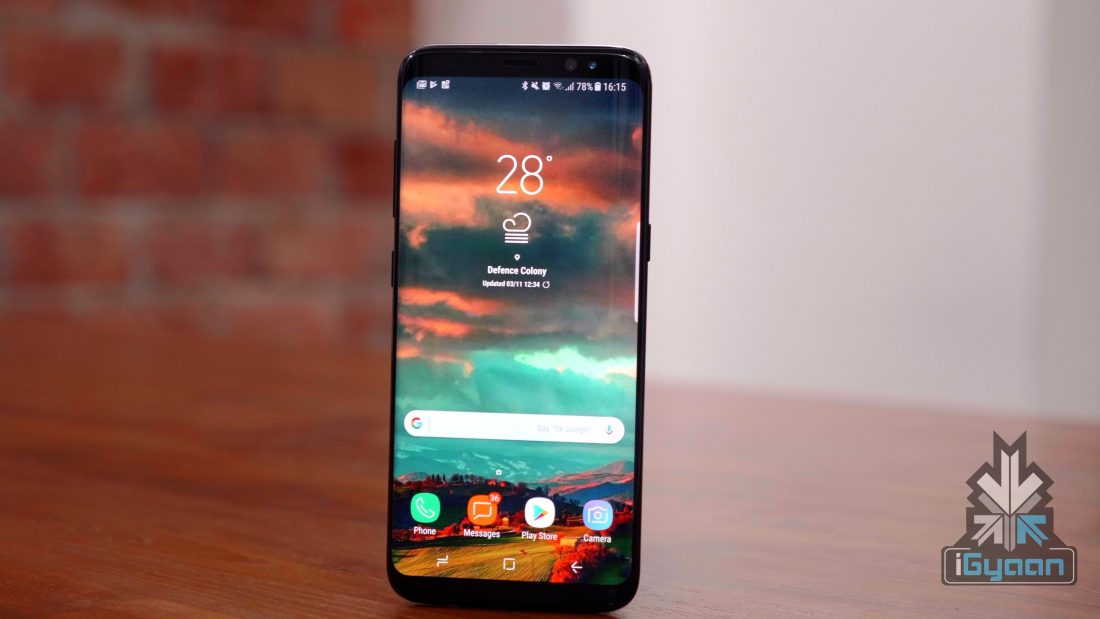
    Samsung recently launched the Galaxy S9 and the Galaxy S9+ in India. The smartphones resemble the Galaxy S8‘s design with a new camera setup with variable aperture. After launching its flagship series, the company is updating its older portfolio with the newer version of Android OS. Samsung follows the two-letter OS upgrade for its flagship smartphones. The Galaxy S8 was released with Android Nougat and the device has received an update for Android Oreo.

    According to an official document found on Samsung’s website, the company is planning to upgrade at least 6 devices, which have completed the two year’s OS cycle. However, unlike the S8 or the S7, these devices will not receive the latest Oreo update. Instead, these OS builds will be based on an older Android version with security patch and bug fixes. Though these devices are listed to receive the software update, no time frame is mentioned.

    Galaxy S6
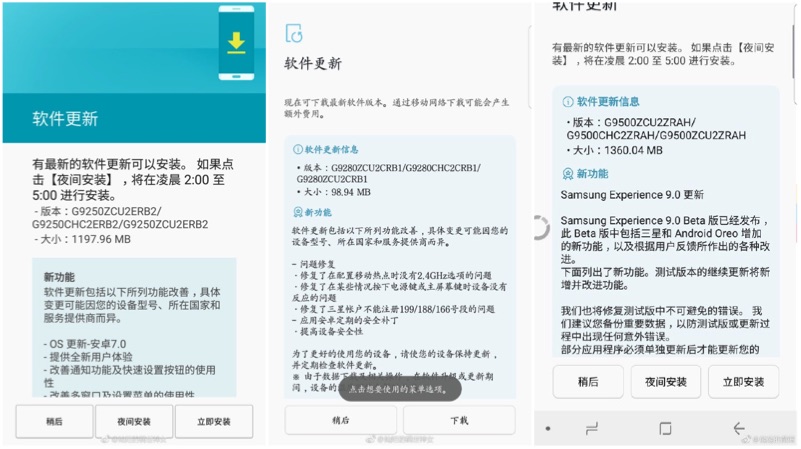
    Left to right: Update for Galaxy S6 Edge, Update for Galaxy S6 Edge+, Update for Galaxy S8

    According to the document, the Samsung Galaxy S6 Edge will receive Android 7 Nougat update G9250ZCU2ERB2. The update weights at 1233.30MB, which upgrades the smartphone from Android Marshmallow to Android Nougat. However, the Galaxy S6 Edge+ and the Galaxy Note 5 are expected to receive the incremental software update. The Samsung Galaxy S8 and the Note 8 will receive Android 8 Oreo update with Samsung Experience UI 9.0. In fact, the update for the Galaxy S8 and the Galaxy Note 8 is already live in most of the countries.

    Galaxy S6

    Samsung Devices Listed
    • Galaxy S6, S6 Edge
    • Samsung Galaxy S8, S8+
    • Galaxy Note 5, Note 8
  • Android P Might Have iPhone X Like Gesture-Based Navigation

    Android P Might Have iPhone X Like Gesture-Based Navigation

    Google recently released the first developer preview of Android P. Since this is the first preview, the official version will be very different and new features will be added and discarded.

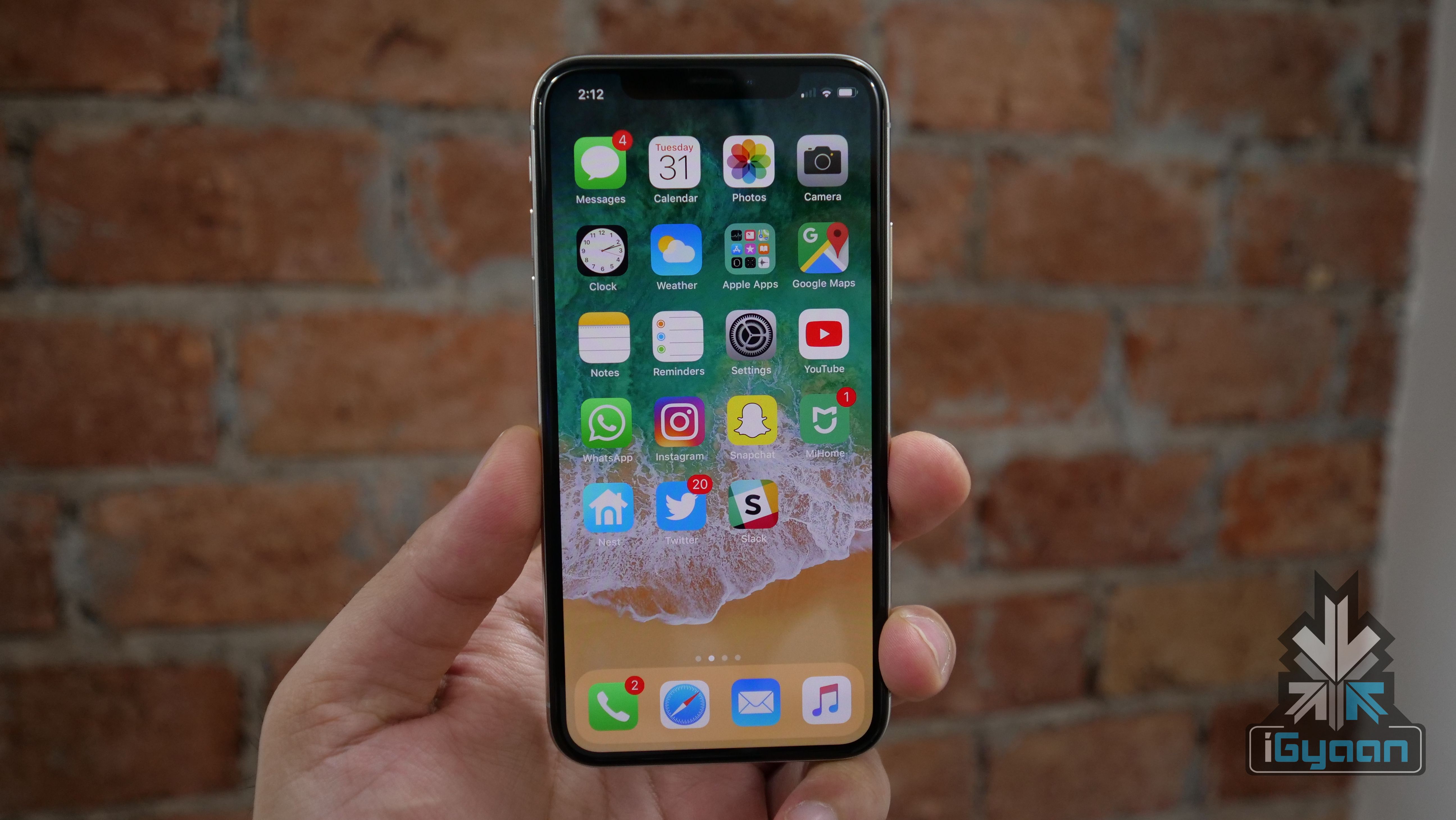
    Reported by 9to5Google, it is possible that Android P will have native gesture-based navigation, similar to the iPhone X. While it might seem a bit far-fetched, it is possible. Google has already conceded that the “notch” is here to stay. The developer preview has support for a notch. Sources have said that an internal build of Android P running the April or May security patch has an iPhone X-like user interface.

    OnePlus 5T Gestures

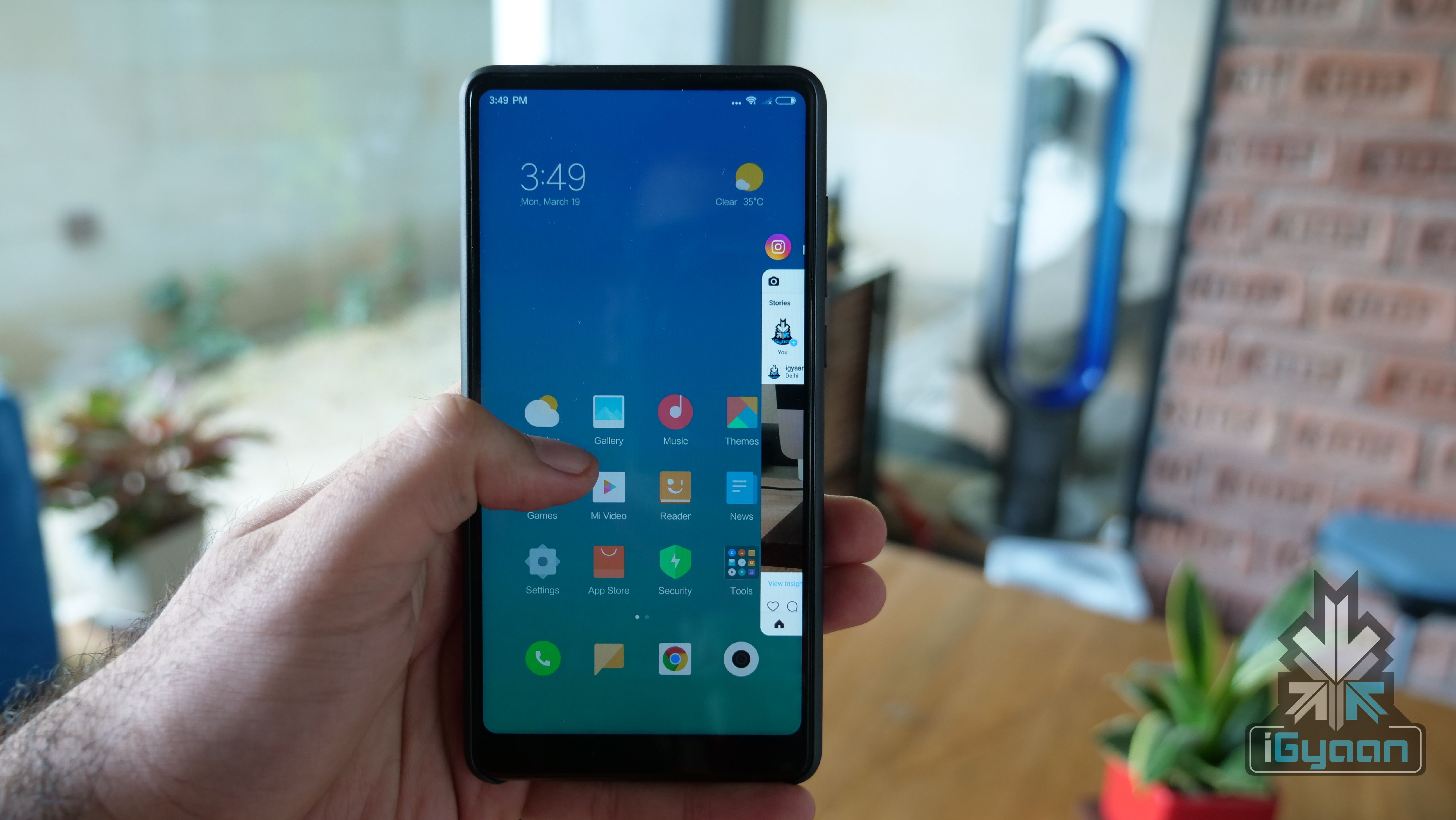
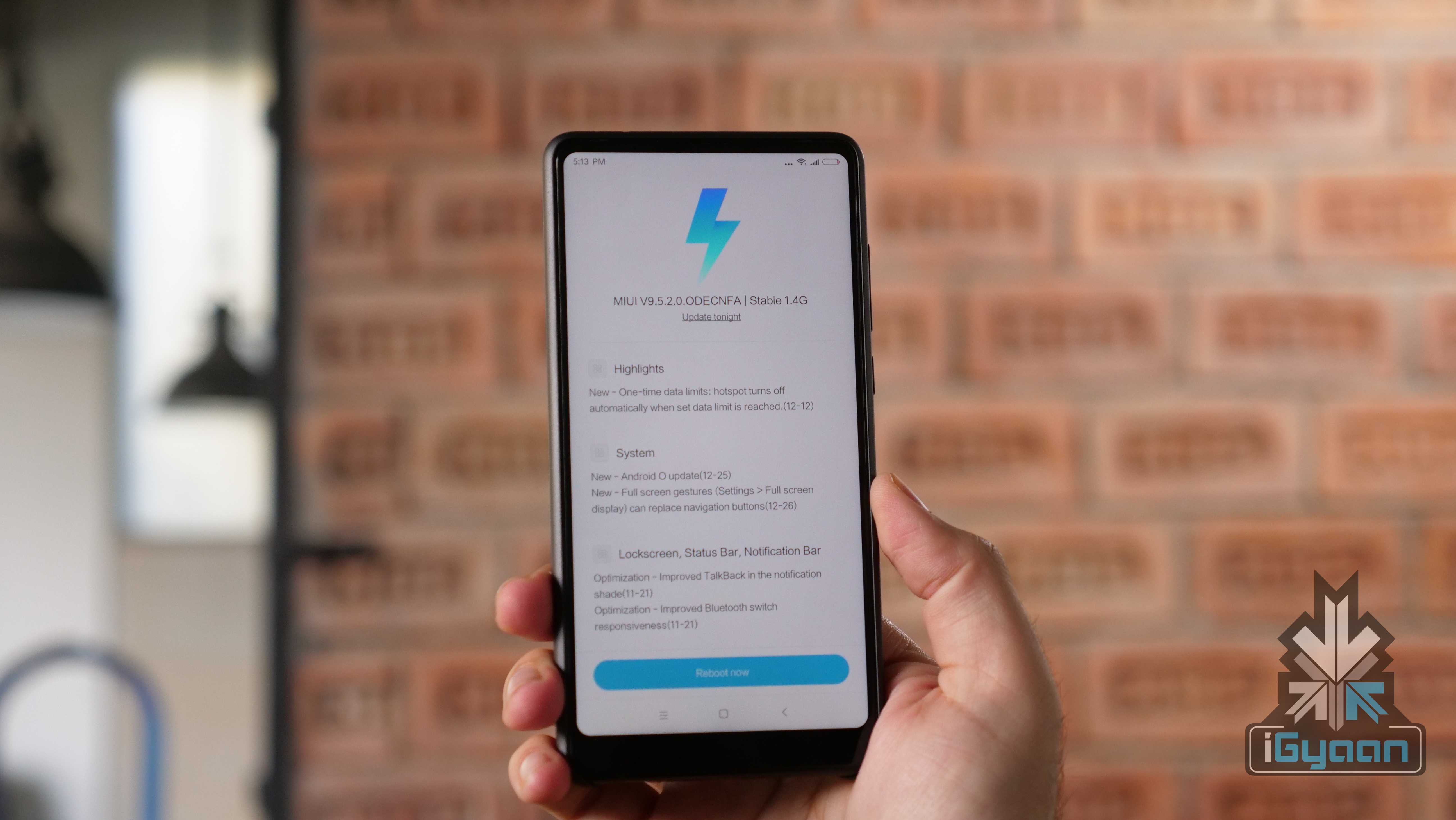
    If this turns out to be true, there will be a lot of debate around the “inspiration” for this decision. However, Xiaomi and OnePlus have already started moving on to gestures. However, OnePlus is still testing the feature in a Beta build. Xiaomi, on the other hand, introduced the feature with Android 8 Oreo for the Mi MIX 2. This means that the Mi MIX 2S will also have this feature out of the box.

    Over the years, stock Android OS, for all its stability and beauty, has lacked features that were readily available in custom skins. With a few smartphone makers adopting gestures, this could be a sign for Google. It is high time Google goes a step ahead and introduces a popular feature natively.

    With smartphones moving closer to a bezel-less design, it doesn’t make sense to lose out on a little screen real estate because of the navigation buttons. Also, Android’s navigation system needs a little refresh after being so stagnant since its inception.

  • Samsung Galaxy Note8 Android 8 Oreo Starts Seeding

    Samsung Galaxy Note8 Android 8 Oreo Starts Seeding

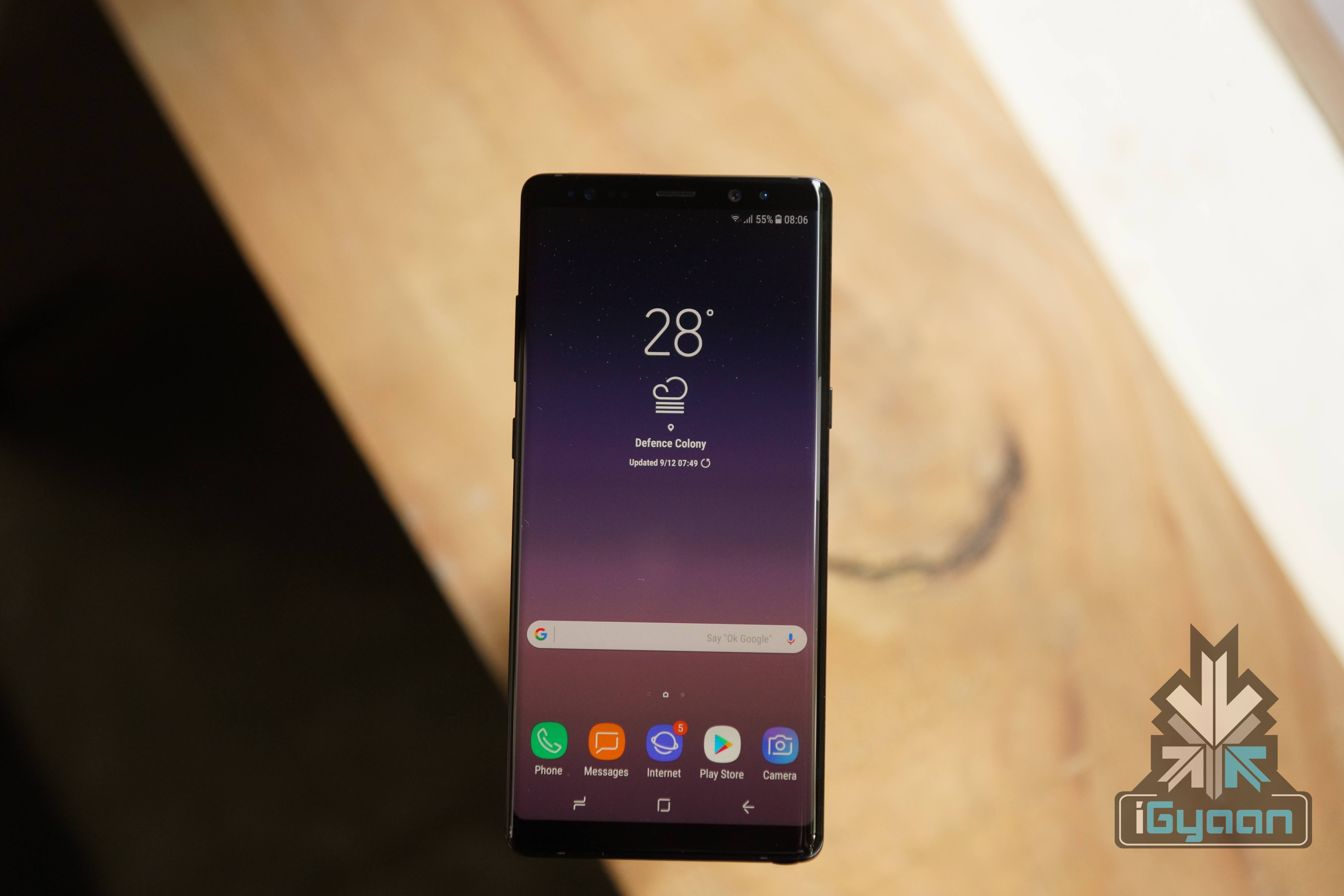
    Samsung launched the Galaxy S9 and the S9+ in India on the 6th of March and the devices went on sale on 16th of March. And now, the company has started updating their existing devices to Android 8 Oreo operating system. As the update was available for the Galaxy S8 and S8+, the Galaxy Note8 has started receiving the software update based on Android 8 Oreo.

    The update comes with the firmware version N950FXXU3CRC1, which includes security update for the month of March. The Android 8 Oreo update brings in some new features to the device with Samsung Experience UI 9.0. This update includes features like a customisable keyboard, new emojis, new stickers, and support for dual apps.

    Specifications of the Samsung Galaxy Note 8

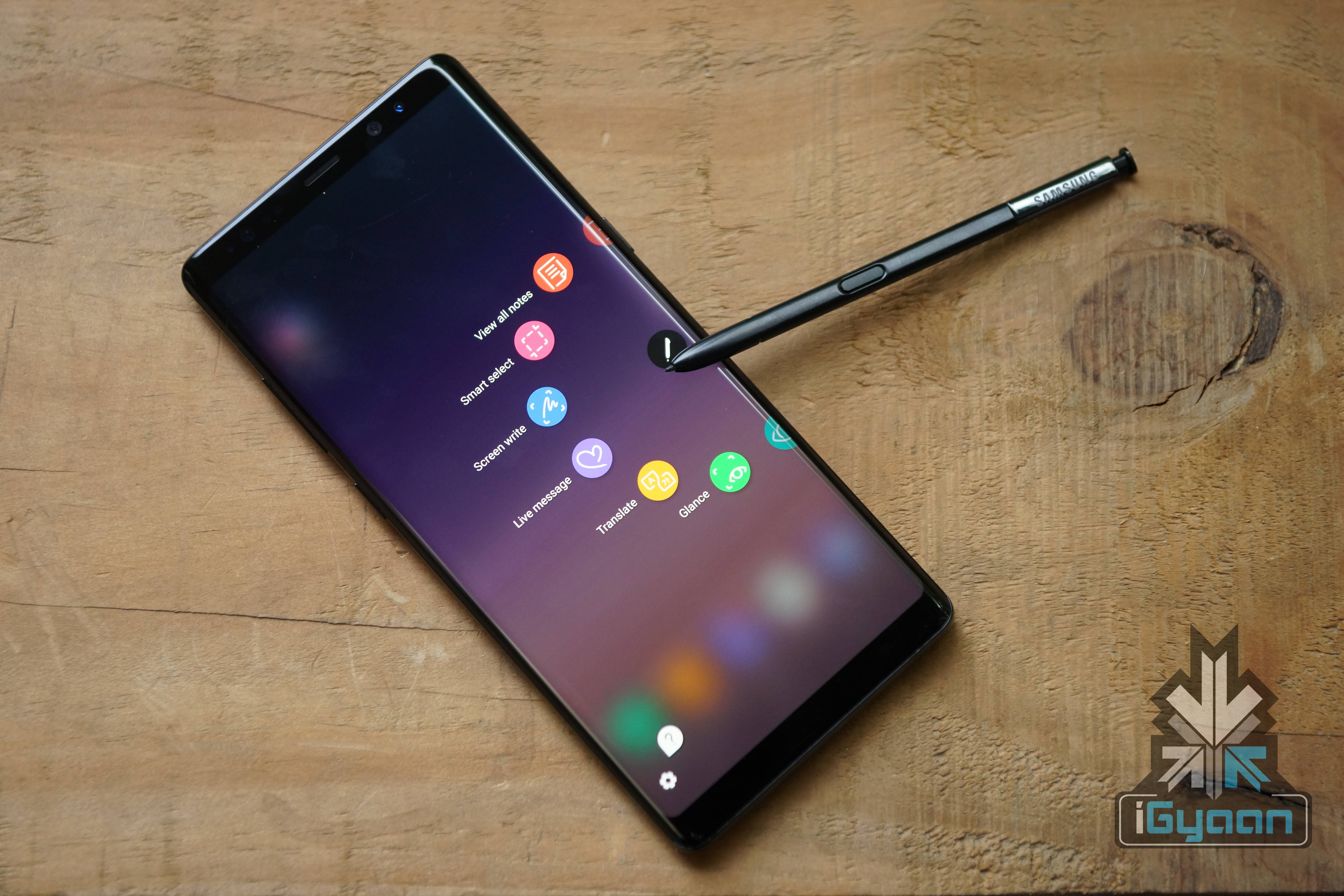
    The Galaxy Note8 has a 6.3 inch 2960 x 1440 px Super AMOLED display with an 18.5:9 aspect ratio with an all-glass body and a metal frame. Powering the device is a 3300 mAh battery with wireless charging capabilities. The device has the Exynos 8895 chipset, 6GB of RAM and 128GB onboard storage. The graphics are handled by the Mali-G71 MP20 GPU. The Galaxy Note8 and the S Pen are both IP68 certified water and dust resistant and will be available in Midnight Black and Maple Gold colour variants.

    Galaxy Note 8

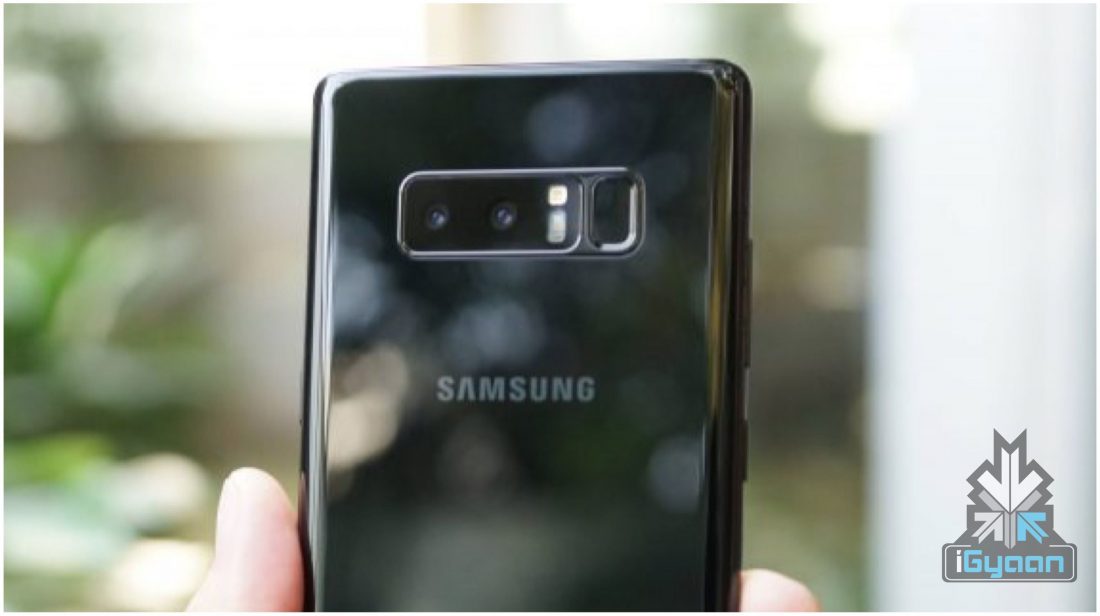
    The Galaxy Note8 is also the first Samsung smartphone to feature a dual-camera setup. The new Note8 has a 12MP dual-camera setup, one of which has a wide lens and the other a telephoto. The use of dual camera allows for the ability to blur out the background for bokeh effect shots. Samsung claims that the first smartphone to feature OIS in both the cameras at the back. The Samsung Galaxy Note8 also records 4K videos at 30 FPS along with high-speed video at a lower resolution. The front camera has an 8MP sensor with an f/1.7 aperture and also records 4K UHD videos at 30 FPS.

  • Google Assistant Now Chats In Hindi

    Google Assistant Now Chats In Hindi

    Google Assistant is one of the most used voice assistants in the world. The Google Assistant is available on Android smartphones running on Android 6 Marshmallow or newer versions. In fact, the company is also working to bring this feature to Android 5 Lollipop running devices.

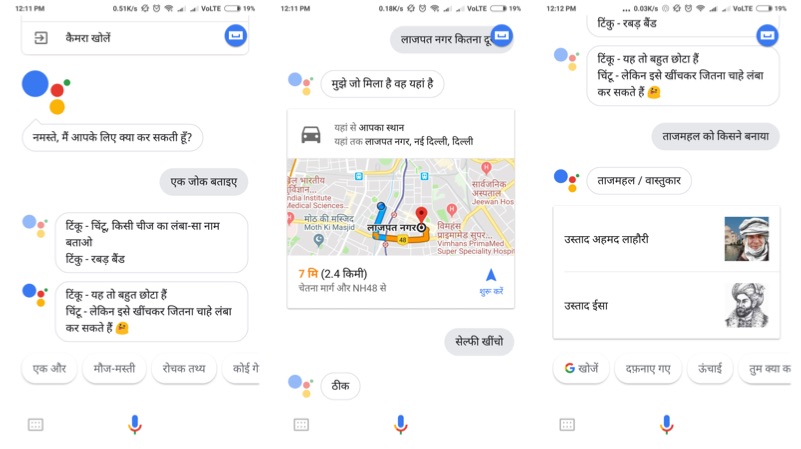
    It is also available for iOS, JioPhone, and Android Oreo Go edition smartphones as well. Google today announced that the Google Assistant will be now available in Hindi. Hindi is the first Indian language to support Google Assistant, which is the most commonly used language in India. Similarly, this will enable Google to onboard the next million users to use the Assistance, who cannot understand English.

    The Google Assistant will get better over time. With your permission, it can learn your preferences, your likes and your dislikes. All these things happen in a private and secure way, without sharing your details. To access the Google Assistant in Hindi, set your device language to Hindi and update your Google Search app to the latest version.

    Google Assistant

    Purvi Shah, Technical Program Manager, Assistant said:

    The Google Assistant is truly Indian, it’s your helpful dost that speaks our language and understands the things you care about, from finding biryani recipes, to pulling up the latest cricket score, or finding directions to the nearest ATM. In order to make it even more useful to Indians over time, developers and businesses can now build Actions for the Hindi Assistant through the developer platform Actions on Google. Once an action is built, you can just say “Ok Google, talk to” and access the service or content straight through your Google Assistant.

    Here are some examples of questions you can ask your Assistant
    • Sabse kareeb Punjabi restaurant kahaan hain?
    • Dadar tak pahunchne mein kitna samay lagega?
    • Cricket ka score kya hain?
    You can even instruct it
    • Kal subah mujhe saat baje jagaao
    • Selfie kheencho
    • Daddy ko SMS bhejo “5 minutes mein pahunchenge”
  • Android Enterprise Recommended Smartphones Explained

    Android Enterprise Recommended Smartphones Explained

    Recently, smartphone makers have started to promote their devices with a new terminology. Companies like Nokia and Motorola use the term, Android Enterprise Recommended. This new moniker holds a lot of significance. But, should you care? And is it relevant to the Indian market? Let’s find out!

     The Definition

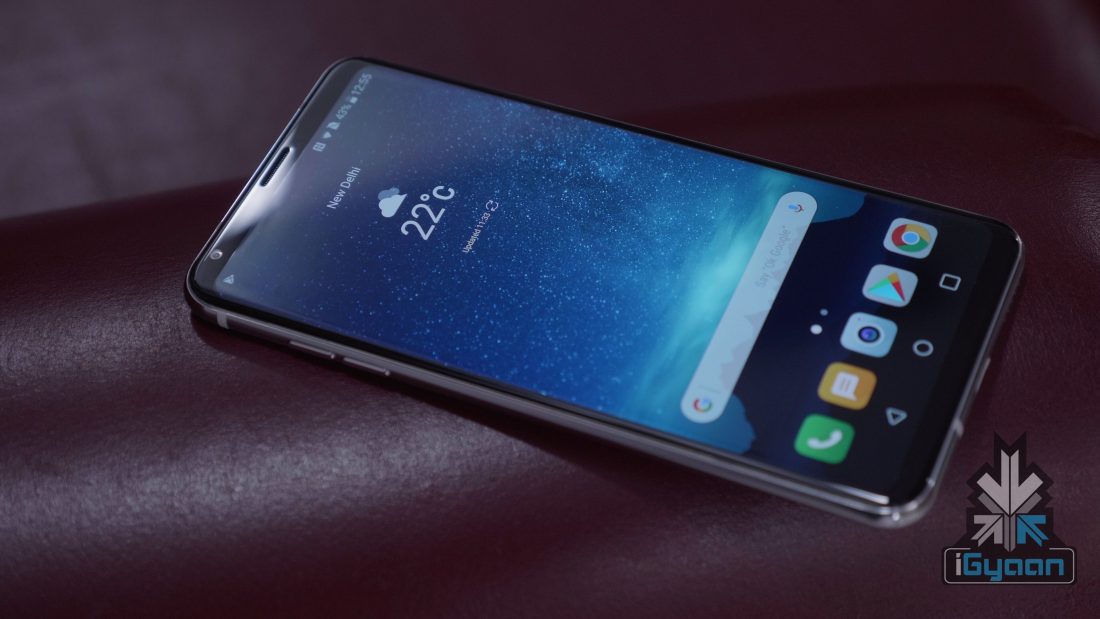
    Android Enterprise Recommended is a new certification given by Google for the Android-powered smartphones. Subsequently, the devices have to meet the elevated enterprise requirements validated by Google. Interestingly, this is applicable even for non-stock OS running smartphones.

    Android Enterprise Recommended
    LG V30+
    Minimum requirements to enrol under Android Enterprise Recommended?

    The device should be running on Android Nougat 7 or the newest version of Android OS. The device should have at least 2GB RAM and 32GB onboard storage. The smartphone should be powered by a chipset with at least 1.4 GHz clock speed with 64-bit architecture.

    Google has also mentioned the camera requirements to get this certification. The device should have a 2MP+ front-facing camera and a 10MP+ primary camera.

    The OEMs can enrol the devices using QR Code or Zero-touch enrollment. However, to make Zero-touch enrollment the device has to be running on Android 8 Oreo or the latest OS. The devices should receive the security update within 90 days of its release. Similarly, the phone should also receive one letter OS upgrade.

    Android Enterprise Recommended
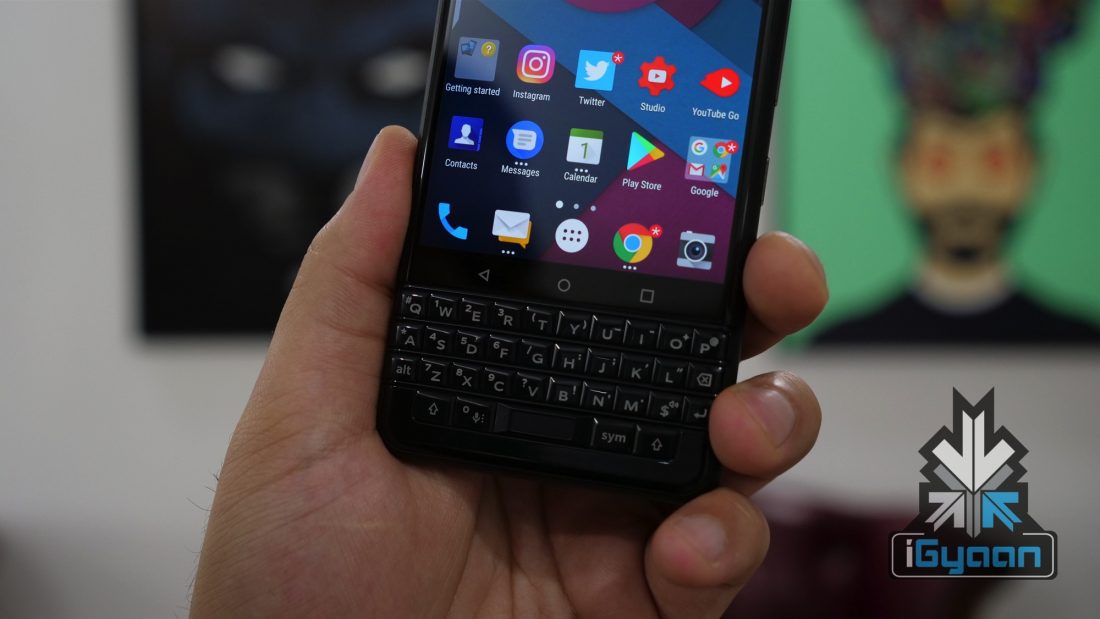
    BlackBerry KEYone
    Android Enterprise Recommended Devices in India
  • Five Hidden Features of Android 8 Oreo

    Five Hidden Features of Android 8 Oreo

    Android 8 Oreo is the latest mobile operating system from Google. The new iteration introduced features like notification dot, app shortcuts, and a smart text selection. In terms of UI, the OS looks similar to Android 7 Nougat. However, there are additional features that have gone unnoticed on Android 8 Oreo.

    Here are the top five hidden features of Android 8 Oreo. However, these features are only available on smartphones that run on stock Android OS.

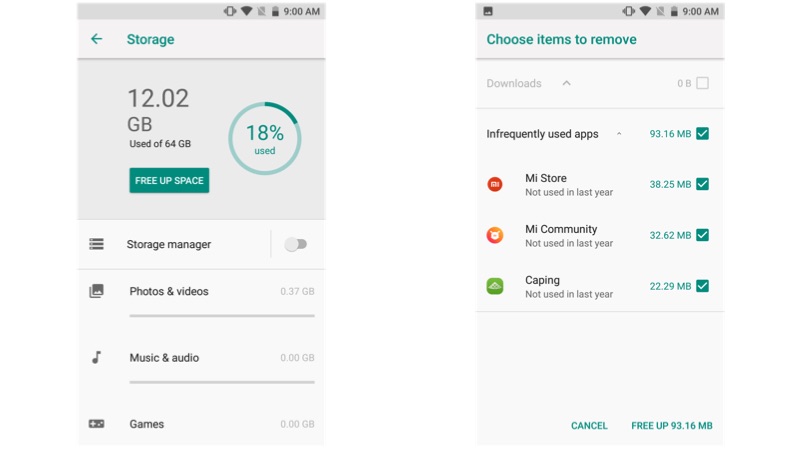
    Clearing phone’s storage

    For this task, most of us depend on an external application. Though multimedia files consume the majority of the storage space, app cache and other files consume a certain amount of space, which are not visible on a standard file manager. Go to storage in the settings option and press on the blue icon, that says free up some space. Bam, your device will remove the unwanted files to clear the storage space.

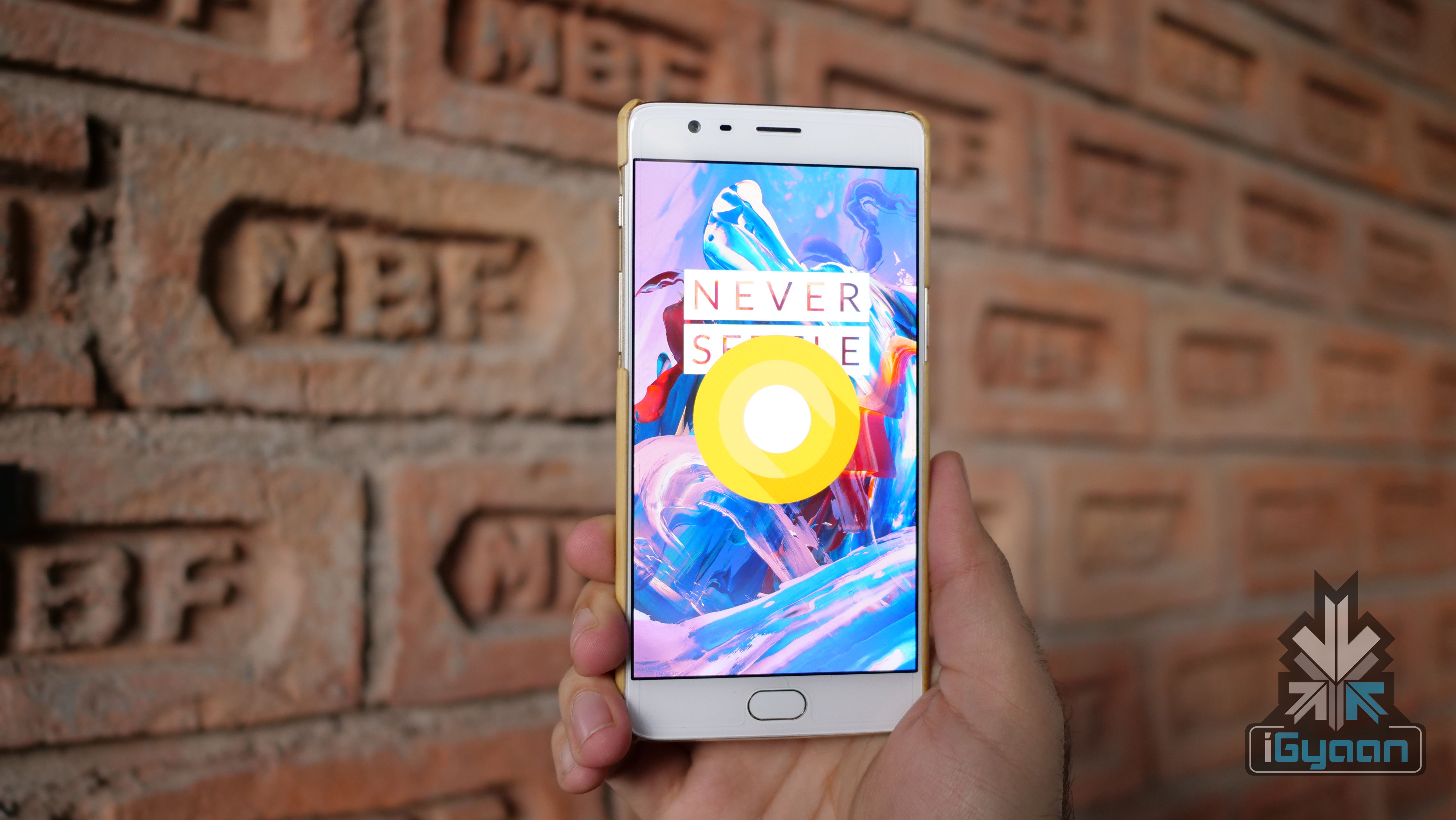
    Android 8 Oreo

    System UI tuner

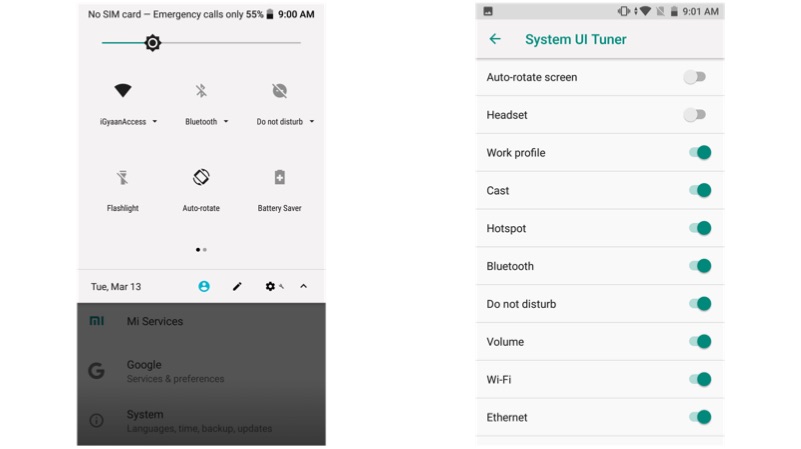
    This one is one of our favourite hidden features. In fact, this feature was originally launched in Android Marshmallow. The system UI tuner gives an additional control over the look and feel of the Android operating system. To enable system UI tuner, open your notification shade, tap and hold the gear icon until it starts vibrating. Using this feature, you can add or remove the app icons like Wi-Fi, Bluetooth, and Battery.

    Android 8 Oreo

    Turn on Wi-Fi automatically

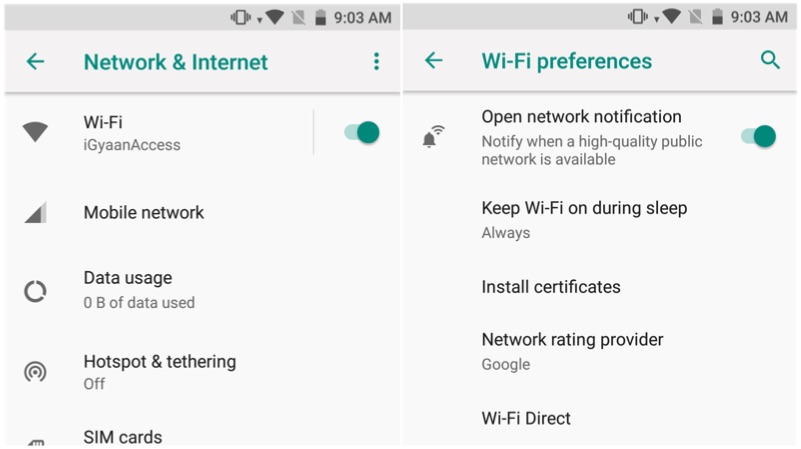
    Updating apps on a cellular network requires a lot of mobile data. Instead, make your smartphone to connect to an open Wi-Fi whenever it is available. To enable this, go to Settings, Wi-Fi, and Wi-Fi preferences and enable the first option. Similarly, enable the third option if you want to get notifications about the availability of open Wi-Fi networks.

    Android 8 Oreo


    Autofill

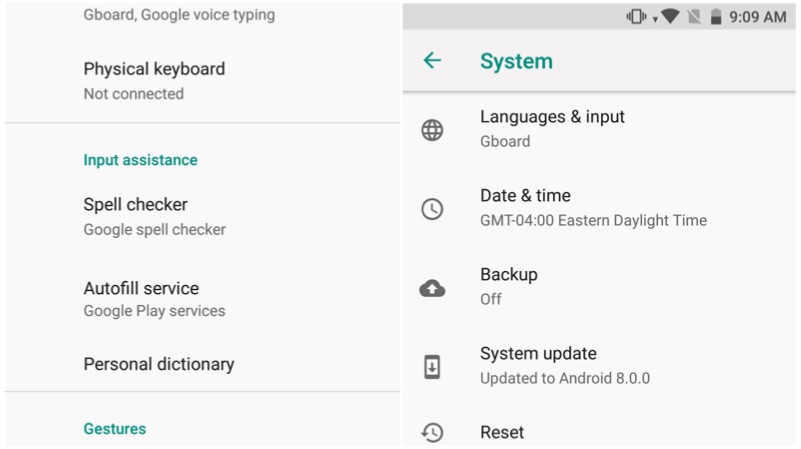
    Remembering various passwords for different applications is a cumbersome processor. However, the Android 8 Oreo has a solution for this. Go to Settings>System > Languages & input > Advanced > Autofill service and select Autofill with Google. This feature will prompt to remember your password and for the next time, it autofill the username and password on the specific application.

    Android 8 Oreo

    Snooze notifications

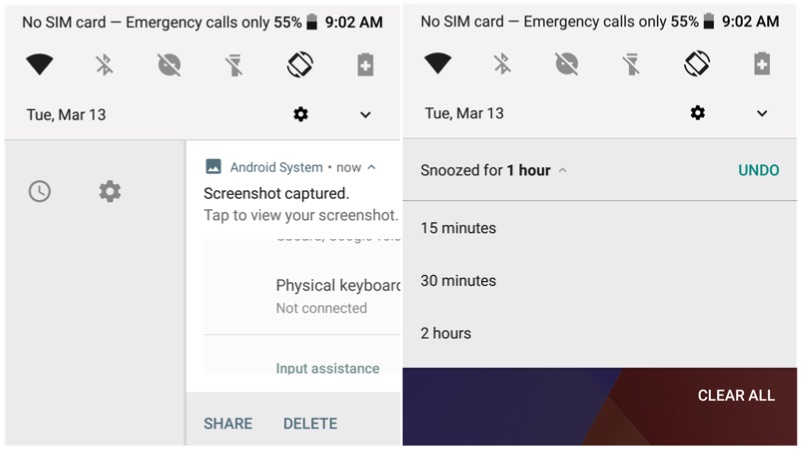
    Notifications are the best part of Android OS. However, when you are in a middle of a meeting, those notifications might just annoy you. With Android 8 Oreo you can snooze the notification for a fixed time period. Swipe from left to right and click on the time amount of time, that you want to snooze the notification. However, one can only choose between 15 minutes, 1 hours, or 2 hours of snooze time.

    Android 8 Oreo

  • Here’s A List of Samsung Smartphones To Get Android 8 Oreo Update

    Here’s A List of Samsung Smartphones To Get Android 8 Oreo Update

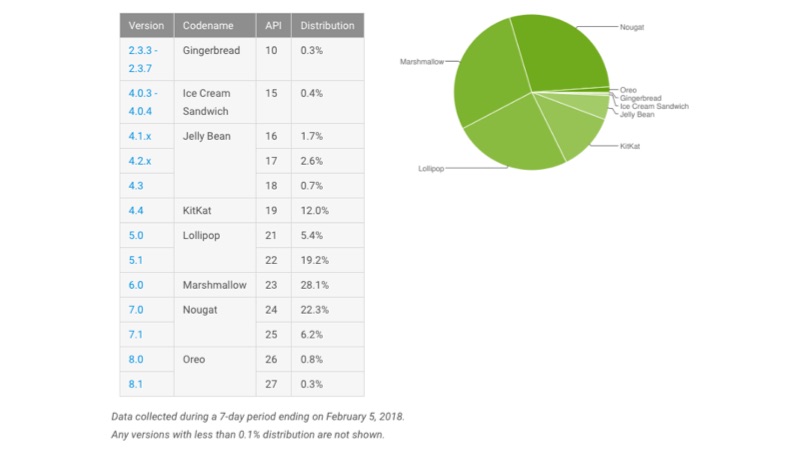
    Android and iOS are the two mobile operating systems that run on most of the smartphones. They do share a bunch of features, yet, they are unique in their own terms. When it comes to OS adoption rate, iOS has an upper hand over Android. In fact, 71.3% of the iOS devices are running on latest iOS 11.2 and less than 1.5% of Android devices are running on Android 8 Oreo. This is not Google’s fault, as Android smartphone makers customise the OS according to their liking. Not only that, the hardware fragmentation also makes it tough to push timely software updates.

    Android 8 Oreo
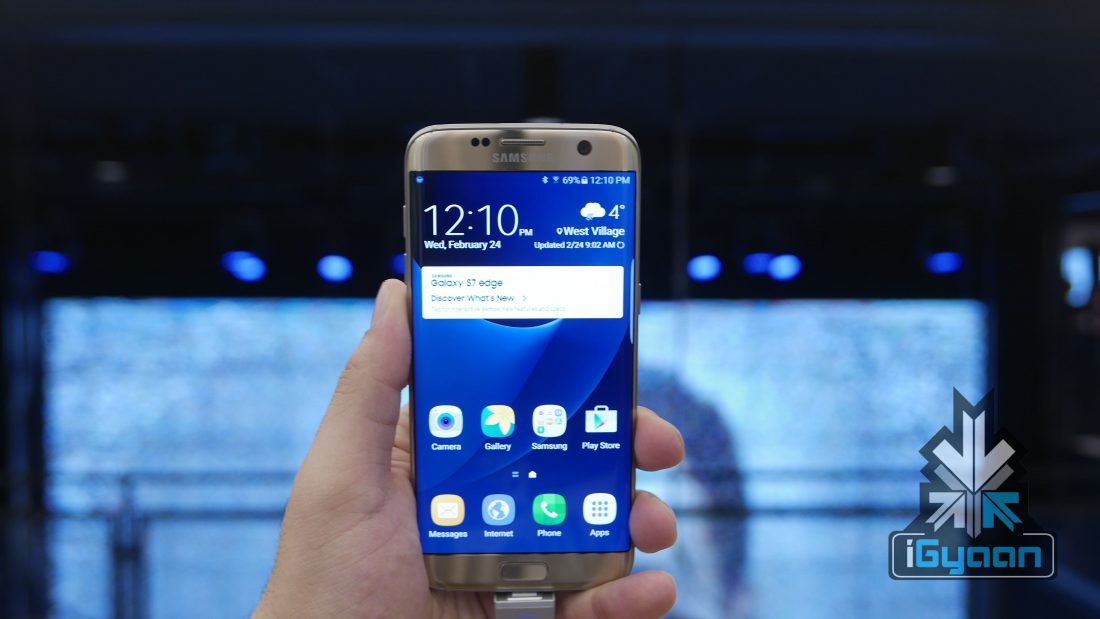
    Samsung Galaxy S7 Edge

    OEMs like Samsung and Xiaomi launches smartphones with custom UI which sits on the top of the Android OS. These custom skins offer additional features, at a cost of slower OS upgrades. In fact, the flagship Samsung Galaxy Note8 is yet to receive the Android 8 Oreo upgrade.

    Starting with 2018, Samsung might have taken the issue seriously, as the company has mentioned the list of smartphones that will receive Oreo update on Samsung Canada website.

    Android 8 Oreo
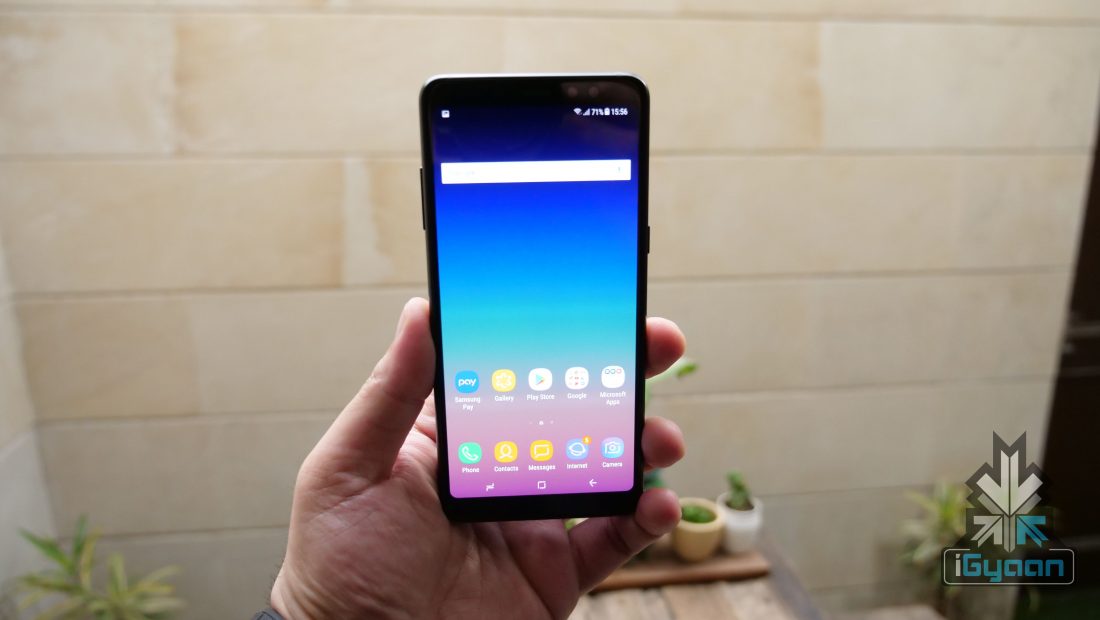
    Samsung Galaxy A8+
    List of Samsung smartphones to Receive Android 8 Oreo
    • The Samsung Galaxy S8 and S8+ will receive the update by the 18th of March. However, the Beta Android 8 Oreo is available for these models for the past two months
    • The Samsung Galaxy Note 8 will receive the update by the 28th of March
    • Galaxy S7, S7 Edge, A5 (2017), and the Tab S3 9.7 inch will receive Android 8 Oreo update by 2018 Summer
    • Galaxy A8 (2018), J3, Tab A (2017), Tab Active 2, and the Tab A (2016) will receive the update by the end of 2018
  • Android Has More Loyal Users Than iOS

    Android Has More Loyal Users Than iOS

    The debate of Android vs iOS always seems to reach an impasse. At the end of the day, comparing an iPhone X to a Galaxy S9 is like comparing apples and oranges. However, loyalty towards a smartphone or a platform can be measured and compared. A study has done exactly that and conceded that Android users are more loyal than iOS users.

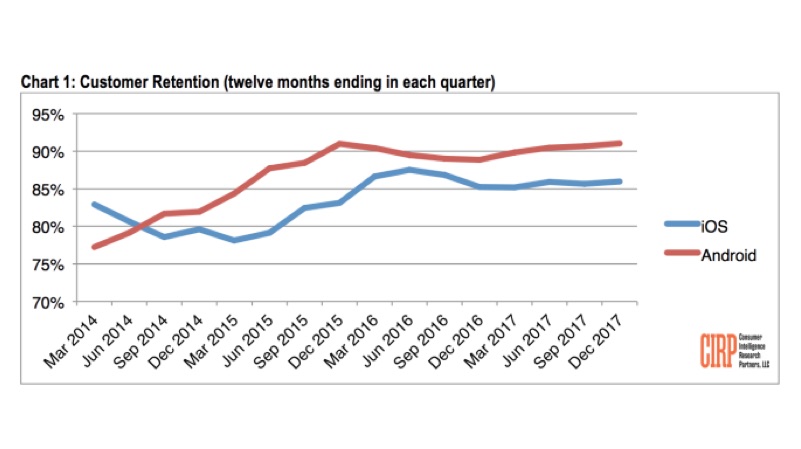
    A new report from Consumer Intelligence Research Partners has claimed that Android users do not switch to iPhones as frequently as they used to. The study has found out that Android has a 91% loyalty rate, compared with 86% for iOS. This is measured as the percentage of U.S. customers who retained their OS platform when they upgraded their smartphones in 2017.

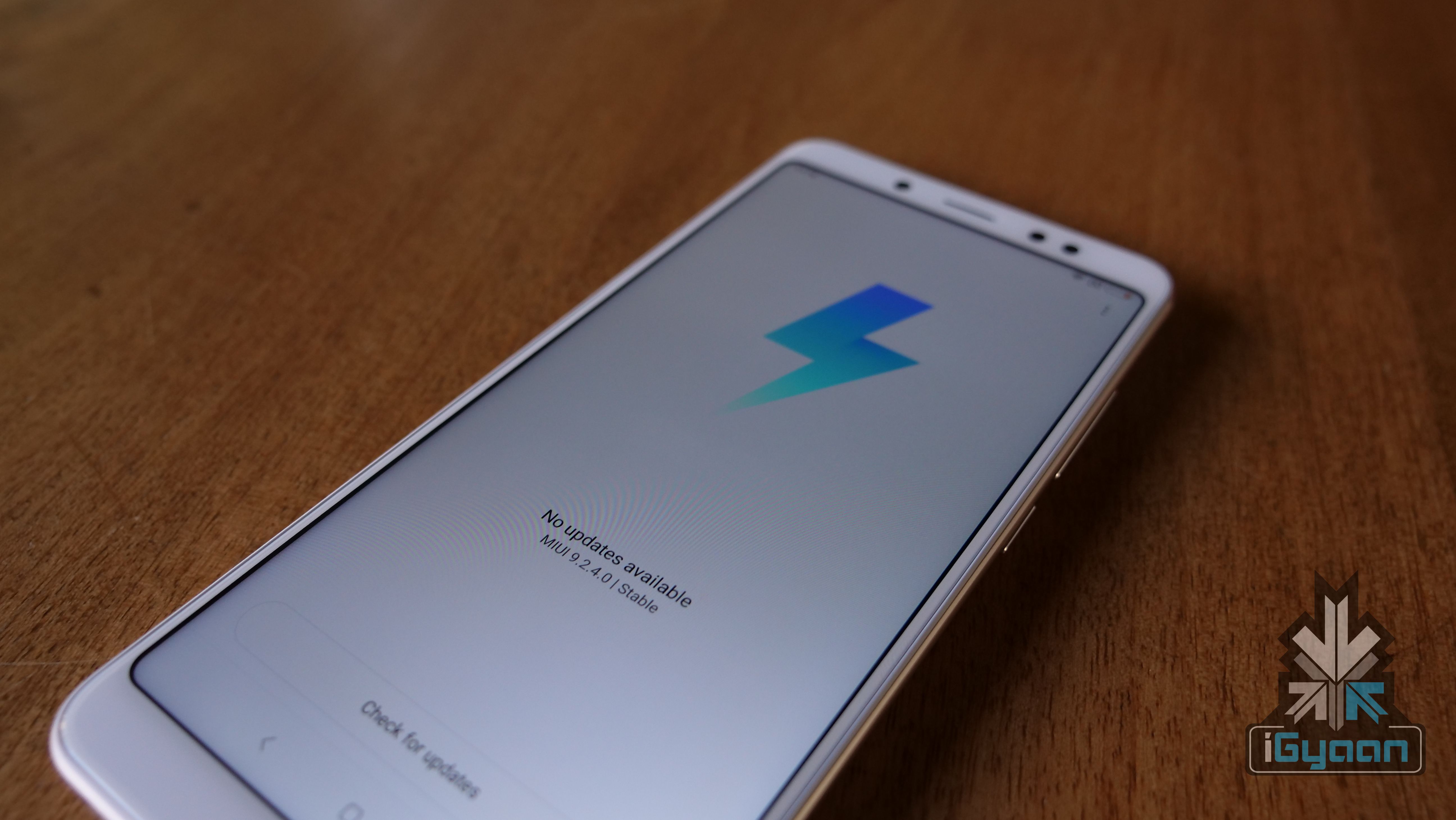
    MIUI On Redmi Note 5 Pro

    Mike Levin, partner and co-founder of CIRP explains:

    With only two mobile operating systems at this point, it appears users now pick one, learn it, invest in apps and storage, and stick with it. Now, Apple and Google need to figure out how to sell products and services to these loyal customer bases.

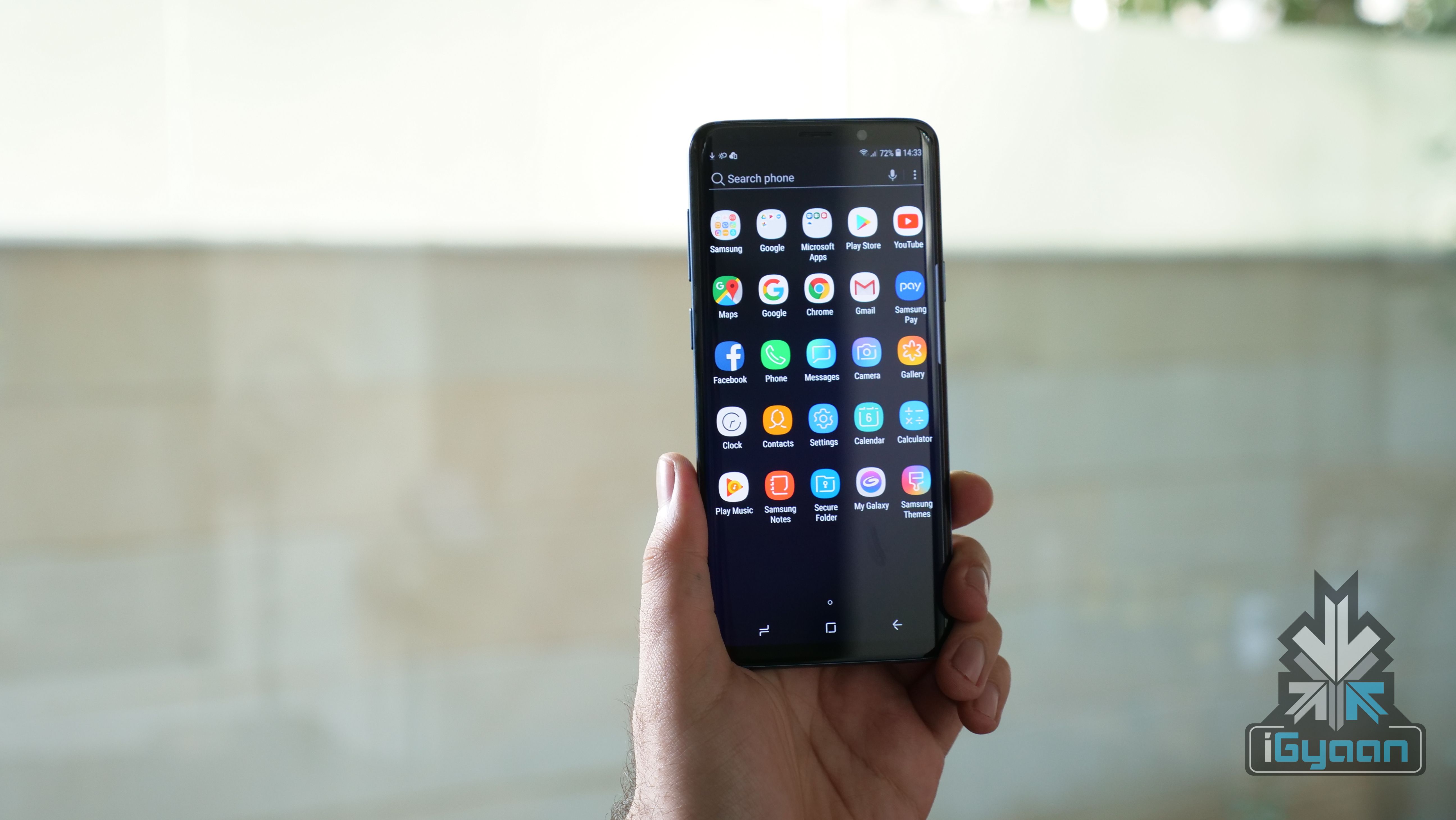
    Experience 9.0 On Galaxy S9+

    It is worth noting that the rate of switching is different from the total number of people switching. Levin said:

    We know Android has a larger base of users than iOS, and because of that larger base, the absolute number of users that switch to iOS from Android is as large or larger than the absolute number of users that switch to Android from iOS.

    Looking at the absolute number of users in this way tends to support claims that iOS gains more former Android users, than Android does former iOS users.

    This has become more obvious than ever. With the dwindling popularity of BlackBerry and feature phones a thing of past, Android and iOS are the only players left in the OS game. This explains the two companies’ behaviour as well. As smartphones now reach a saturation point, services these companies provide will play a major role in influencing consumer behaviour.

    That somehow explains the Apple HomePod. From the outside, the HomePod seems like an absurd smart speaker which can’t even connect to an iOS device. However, Apple is pushing its services to people who want a really good sounding smart speaker. With time, Apple will rely heavily on services for major revenue generation, services like Apple Music.

    For Android users, brand loyalty is evident thanks to the array of devices available. Users can move from one device to another and pick up from exactly where they left off. There are definitely more options to choose from for Android users which means they can get a better experience from a new device without changing their services.

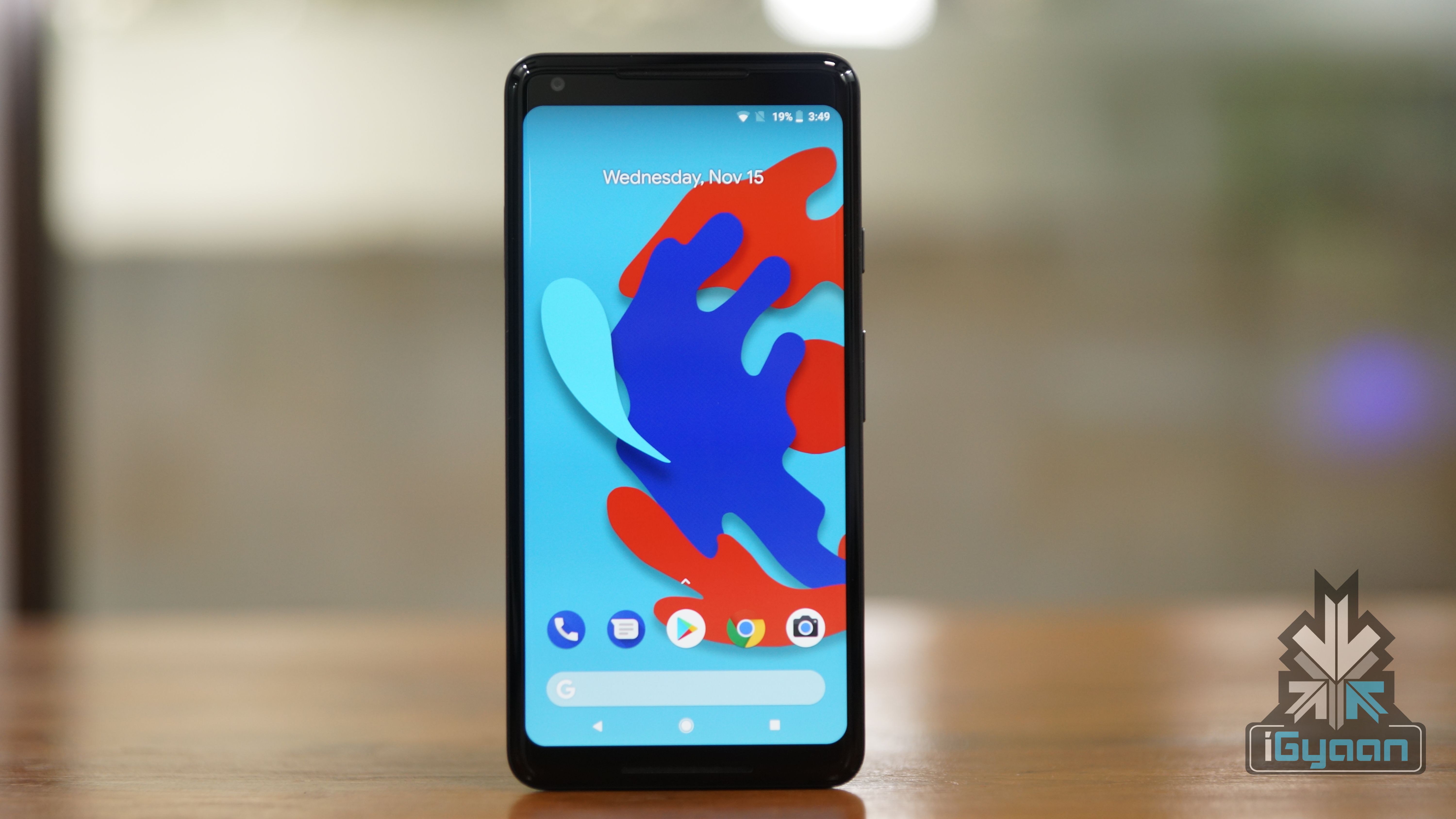
    Stock Android 8.1 Oreo On Pixel 2 XL

    However, it is worth noting that iOS was once the more loyal platform. Back in 2013, iPhone users were more loyal than Android users. But, ever since then, the loyalty of Android users has been on a rise.

    Conclusion

    With smartphones becoming more or less the same, at least in the flagship category, it seems like people have picked their preferred OS. Now, it is up to Google and Apple to maintain that customer base and keep innovating to provide more options to users part of their ecosystem. As for the debate of iOS vs Android, it will continue on for a long period of time.

  • Google Ends Software Support For Nexus 5X, 6P

    Google Ends Software Support For Nexus 5X, 6P

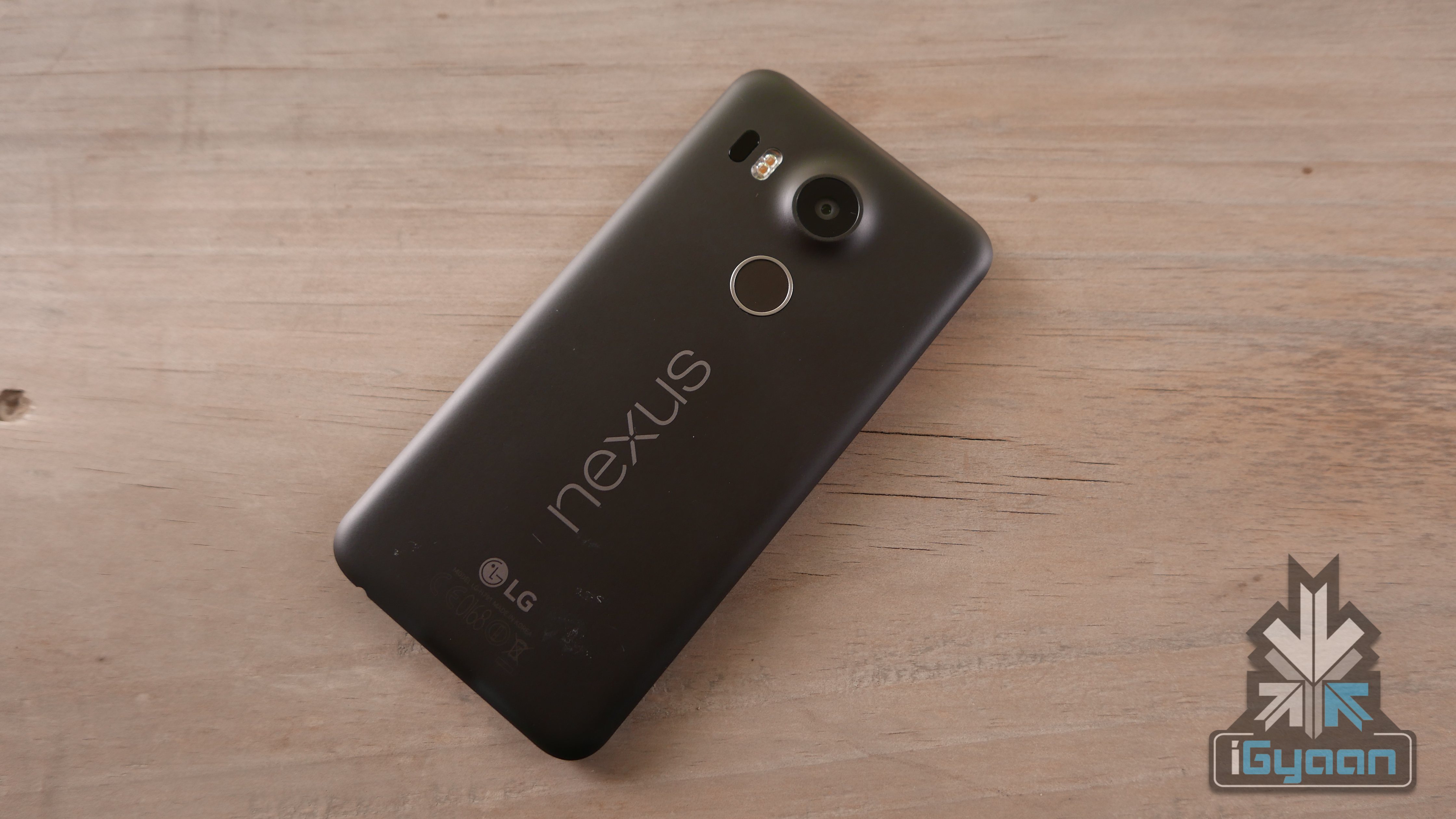
    Google released the first developer version of the Android P, which will be the successor of Android 8 Oreo. However, less than 1.5% of Android phones run on Android 8 Oreo right now. To improve this, Google introduced Project Treble which enables the faster Android updates, without interfering with the OEM.

    Google follows the 2 years update policy, where the smartphones and tablets will receive two major OS upgrades. However, this changed with the launch of the Pixel series of smartphones. To keep up with Apple (which offers four major OS upgrades), the Pixel devices will receive three major OS upgrades. Similarly, the Pixel will update to Android P and Android Q and the Pixel 2 will also be updated to Android R.Android P

    However, this is not applicable to the Pixel C tablet, Nexus 5X and the Nexus 6P. These devices have received two major software update and they are no more eligible to receive Android P. However, all three devices are eligible to receive monthly security updates until September 2018.

    As these devices are very popular amongst the developers, the devices might receive unofficial build of Android P via third-party developers. Android P

    Android P Features

    The Android P is expected to overhaul the user interface completely. In fact, the biggest change is the native support for the infamous notch. In fact, one can test these features by installing the developer version on a supported device.

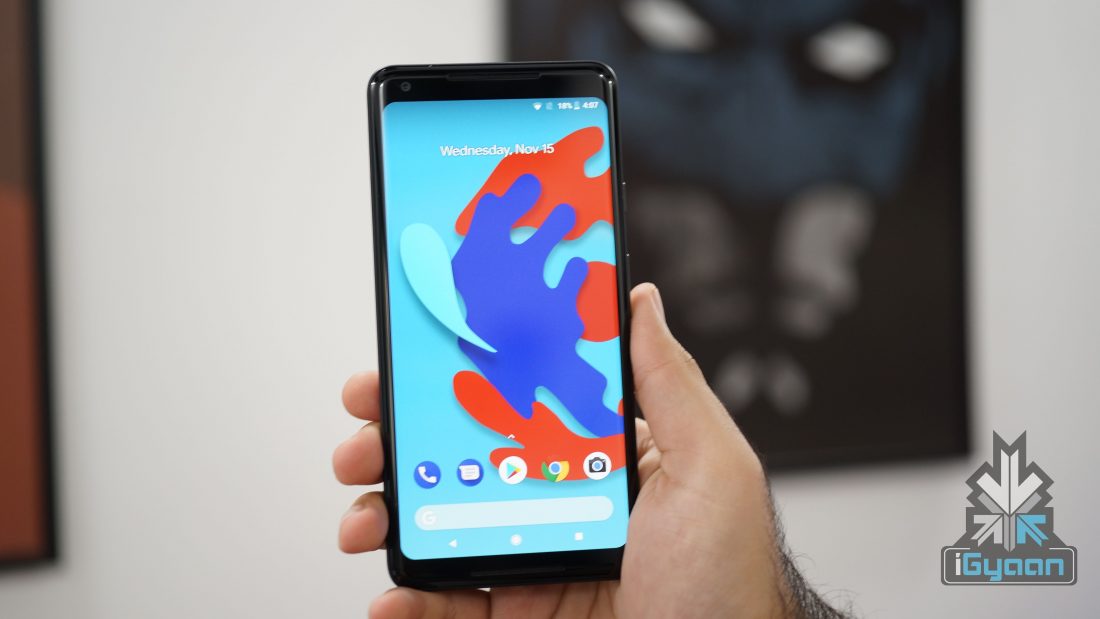
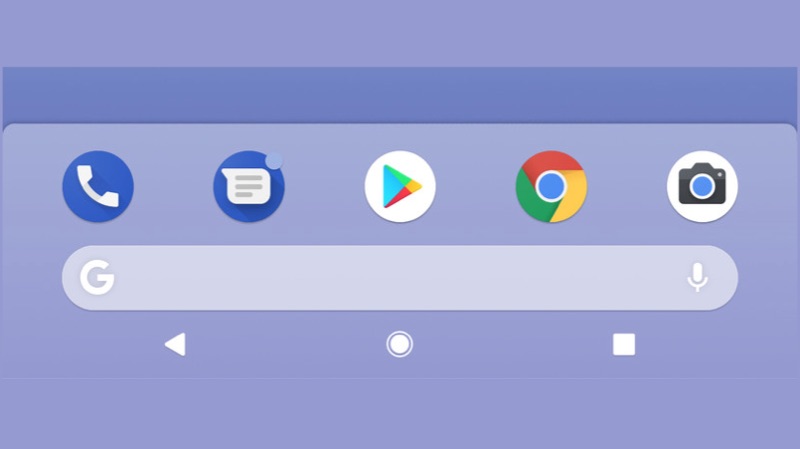
    The dock in Android P will also look like a dock now. The four app icons along with the Google Search bar will have a cloudy background, distinguishing it from the rest of the screen. A microphone icon has been added to the Google Search bar to access Google Assistant or do a quick voice search. The volume slider has been moved to the side of the screen and shrunk in size.

    Another feature added is something that has been there in custom skins for a while. A user can now take a screen from the power menu, that pops up by long pressing the lock/unlock button. This will come in handy during one handed usage. Visually, there are not many changes in the first developer preview of Android P. However, this can change by the time the official version rolls out. Google might introduce a few visual changes or keep it the way it is. Time will tell.


  • Android P Developer Preview 1: What’s New?

    Android P Developer Preview 1: What’s New?

    Google has released the first developer preview of its next version of Android OS, Android P. While there is enough time to discuss the possible names of the new version, a few interesting things need to be addressed first. The developer preview has only been made available to Pixel owners as of now. Since this is the first preview, it is advised to install it on a secondary device or if you’re an app developer.

    With Android P, a few things are already expected to be there. Better app management, battery efficiency, a few UI changes, these changes are made in every update. However, one of the most interesting new features is the support for a notch. With more and more Android devices launching with an iPhone X-like notch, Google seems to have given in on the trend.

    Once enabled, the clock moves to the left hand side of the notch along with notification icons. Other icons like Wi-Fi, Bluetooth remain on the right side of the notch. Interestingly, different sizes of a notch can be emulated. Visually, other changes include a slight redesign of the notification panel. The icons in the quick settings pull down have rounded corners now. If activated, the icons will be blue in colour and when inactive, it will turn gray. To access other quick settings toggle, the user has to pull down on the gray bar just underneath the initial menu.
    The dock in Android P will also look like a dock now. The four app icons along with the Google Search bar will have a cloudy background, distinguishing it from the rest of the screen. A microphone icon has been added to the Google Search bar to access Google Assistant or do a quick voice search. The volume slider has been moved to the side of the screen and shrunk in size.
    Another feature added is something that has been there in custom skins for a while. A user can now take a screen from the power menu, that pops up by long pressing the lock/unlock button. This will come in handy during one handed usage. Visually, there are not many changes in the first developer preview of Android P. However, this can change by the time the official version rolls out. Google might introduce a few visual changes or keep it the way it is. Time will tell.

    As expected, there are some behind-the-scenes changes that Google has made. For instance, Android P now restricts access to mic, camera, and all SensorManager sensors from apps that are idle. This means that you can finally prove that Facebook is not listening to your conversations, or vice versa. Other changes include better Autofill feature for people who don’t like typing their passwords often.

    Conclusion

    As is with every new Android version release, the changes will be welcomed. However, it is fair to assume that very few people outside the Pixel/Nexus ecosystem will receive an update to Android P. Although, initiatives like Project Treble guarantee sooner software updates, it will be far off from the adoption rate of iOS 12 expected to launch a month or so after Android P.

  • Florence Game Coming Soon To Android

    Florence Game Coming Soon To Android

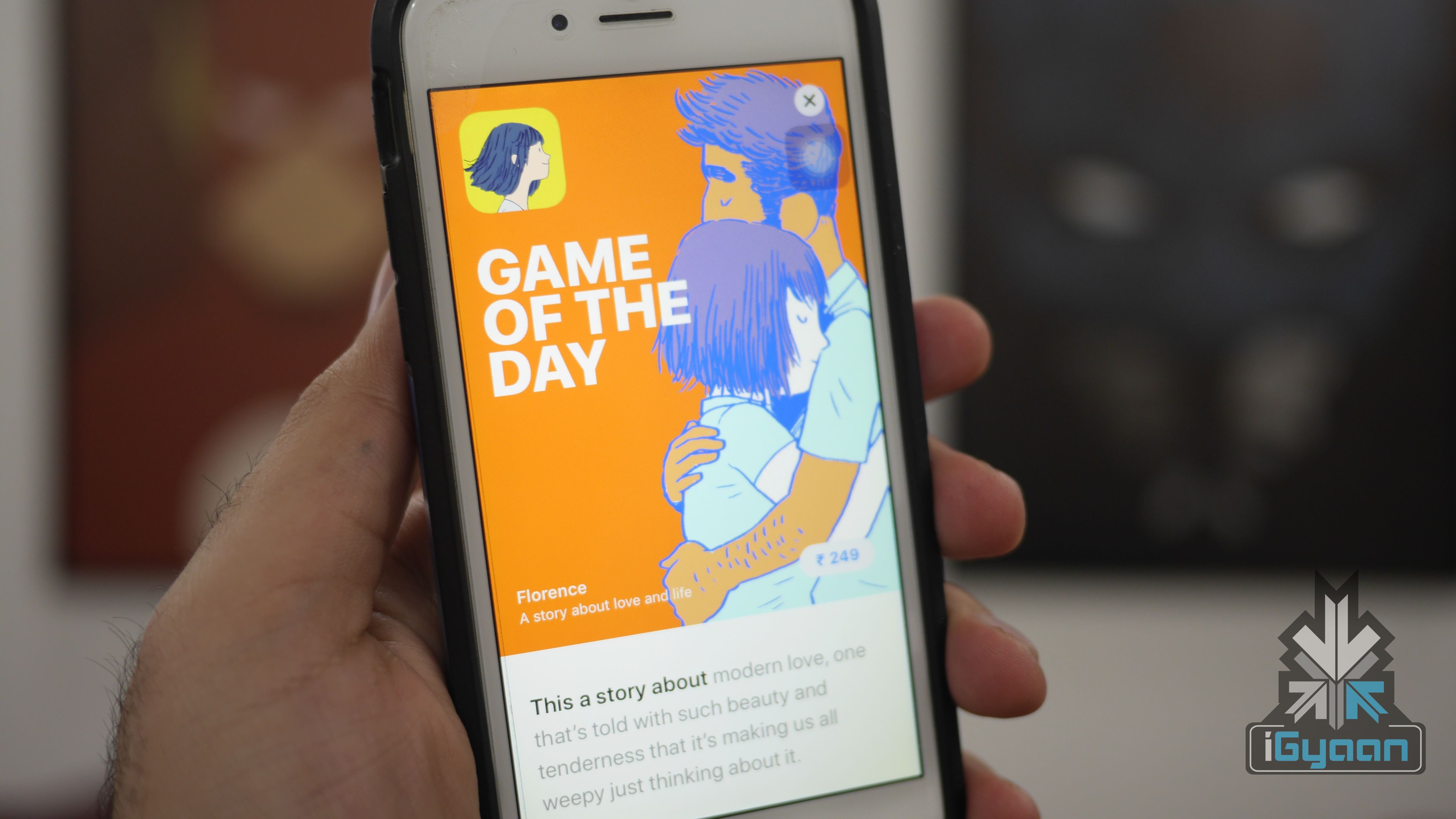
    Annapurna Studios is all set to launch it’s critically acclaimed Florence Android OS. The novel-like game is already available on iOS for US$ 2.99. The game is based on the romantic situations of the lead character Florence Yeoh. The app was originally released for iPhones and iPads on Valentine’s day. In fact, the game has received a positive response from users as well as reviewers.

     The studio behind “Florence”

    Florence

    Florence is the first gaming title from the Monument Valley designer Ken Wong’s Mountain studio. The concept has been brought to the mobile platform by Annapurna Interactive. In fact, this is the company that is behind the trending iOS titles like Flower and the puzzle game, Gorogoa. So, the company might launch the Android versions of these as well.

    The game has webcomic-like visuals which look really impressive. In fact, it looks similar to old-school oil paintings. The game is all about discovering yourself by solving simple puzzles. If you are looking for a game with a narrative screenplay, then this could be the game that you can consider.

    As of now, the company has not announced any launch date or pricing. However, it will be a paid app, just like the iOS counterpart.

  • Samsung Galaxy S9 Vs LG V30+ Vs Sony Xperia XZ1: Specs Comparison

    Samsung Galaxy S9 Vs LG V30+ Vs Sony Xperia XZ1: Specs Comparison

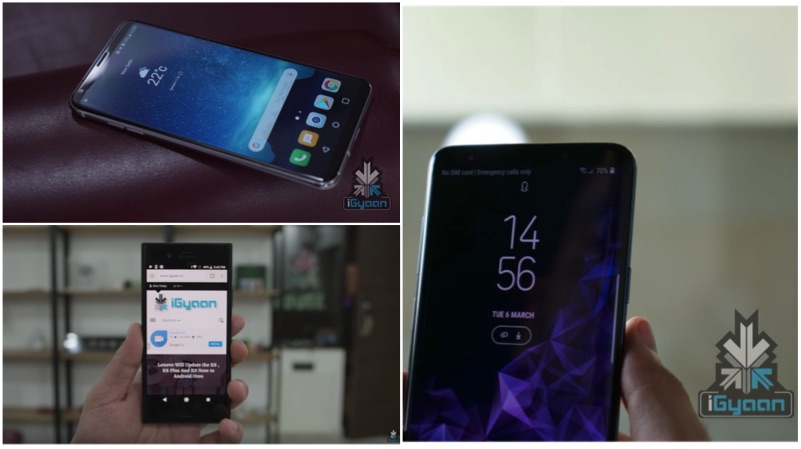
    Samsung launched the Galaxy S9 in India on the 6th of March, for the starting price of Rs 57,900. The latest flagship offering from Samsung has a premium glass design with new hardware. In fact, this is the first smartphone to have a camera with variable aperture. The smartphone is powered by the Exynos 9810 Octa-core chipset with 4GB RAM and 64GB or 256GB storage. Similarly, the storage is also expandable up to 400GB using a micro SD card.

    The LG V30+ is the one smartphone, that can match the premium Samsung flagship smartphone design. The smartphone is priced at Rs 44,990 and offers a premium glass design with an aluminium mid-frame. The LG V30+ is powered by the Qualcomm Snapdragon 835 chipset with 4GB RAM and 128GB storage. Just like the Galaxy S9, the storage of the V30+ is expandable using a micro SD card. One of the main features of the smartphone is its IP68 certification with MIL-STD 810G military certification.

    Another smartphone that is priced close to the LG V30+ is the Sony Xperia Xz1. Though the smartphone has an outdated boxy design, it has an impressive camera. The smartphone is powered by the same Qualcomm Snapdragon 835 chipset with 4GB RAM and 32GB storage. The Sony Xperia Xz1 is priced at Rs 44,200 and available across the e-commerce websites.

    Specifications
    Samsung Galaxy S9
    LG V30+
    Sony Xperia Xz1
    Price Starting at Rs 57,900 Rs 44,990 Rs 44,200
    Display 5.8 inch
    Super AMOLED
    6 inch
    POLED display
    5.2-inch
    HDR Display
    Resolution 2960 x 1440 px

    18.5:9

    570 ppi

    2880 x 1440 px

    18:9

    537 ppi

    1920 x 1080 px

    16:9

    424 ppi

    Chipset Exynos 9810 Snapdragon 835 Snapdragon 835
    RAM 4GB 4GB 4GB
    Storage 64GB
    256GB
    Expandable up to 400GB
    128GB

    Expandable up to 2TB

    32GB

    Expandable up to 256GB

    Battery 3000 mAh

    Fast charging

    3300 mAh

    QuickCharge 3.0

    2700 mAh

    QuickCharge 3.0

    Primary Camera 12MP Dual Pixel

    f/1.5 to f/2.4

    16MP f/1.6 Primary + 13MP f/1.9 wide-angle 19MP
    f/2.0 aperture
    Primary Camera Video 3840 x 2160 px @ 60fps
    1280 x 720 px@ 960fps
    1920 x 1080 px @ 240 fps
    3840 x 2160 px @ 30fps
    1920 x 1080 px @ 60fps
    3840 × 2160p @ 30fps
    1240 x 720p @ 960fps
    Secondary Camera 8MP f/1.7 5MP f/2.2 13MP f/2.0 aperture
    Ad-Ons Fingerprint Sensor
    IP68 Certification
    Wireless Charging
    Intelligent Scanner
    Samsung Pay
    Fingerprint sensor
    Facial and Voice Recognition
    Wireless charging
    ESS Quad DAC
    Fingerprint Sensor
    3D Scanning Mode


iGyaan Network
Privacy Overview

This website uses cookies so that we can provide you with the best user experience possible. Cookie information is stored in your browser and performs functions such as recognising you when you return to our website and helping our team to understand which sections of the website you find most interesting and useful.