The Pokemon Company which is the organisation responsible for licensing and managing the Pokemon franchise has announced three new applications for mobile devices. In a press conference held on the 28th of May, the company announced the future projects for the world famous franchise. These applications include the Pokemon Sleep, Pokemon Masters game and the Pokemon Home app.
Pokemon Home
The Pokemon games are known for their diverse nature. From the multitude of titles on the Nintendo consoles to games like Pokemon Go on mobile devices. With the upcoming Home app, trainers will be able to bring their Pokemon together. It is a cloud-based software that will let users manage their collected monsters across a variety of games. Additionally, the option of trading with friends or anyone around the world will also be provided. The Pokemon Home App is expected to launch early next year on Android, iOS and Nintendo Switch.
Pokemon Sleep
With Pokemon Sleep, users will be able to wake up with Pokemon every morning. With an accessory called Pokemon Go Plus, users will be able to track their sleep and be rewarded for good sleeping habits. For tracking the sleeping patterns, the device will use an embedded accelerometer to track the sleep times and then sends this information to a smartphone via Bluetooth. It will also be capable of being used to play Pokemon Go during the day. Pokemon Sleep is scheduled to launch for mobile devices in the year 2020.
One of the most exciting titles in the list, Pokemon Masters has also been announced for Android and iOS devices. It is made in a collaboration between the Pokemon Company and DeNA. In the upcoming game, players will able to fight alongside and with many famous trainers from the famous video games of the past. The company claims the gameplay will be optimised for mobile and touchscreen devices. The game will also seamlessly work with Pokemon Home, so the monsters caught will be transferrable. Pokémon Masters is scheduled to launch in 2019 with more details about this new mobile game expected next month.
American technology giant Apple is all set to begin the annual World Wide Developer Conference (WWDC) from the 3rd of June. The company uses the event to showcase its newest software to developers and enthusiasts. Like every year, it is expected that the next iteration of Apple’s operating system for its iPhones, iPads and iPods will be introduced at the event. Purportedly called the iOS 13, it is expected to bring about significant changes in the operating system, some details of which have leaked in the past. Now, a reputed source has obtained some screenshots alleged to be of the iOS 13. These confirm the presence of a native dark mode and an overhaul of the Reminders app.
iOS 13 Leaked Screenshots
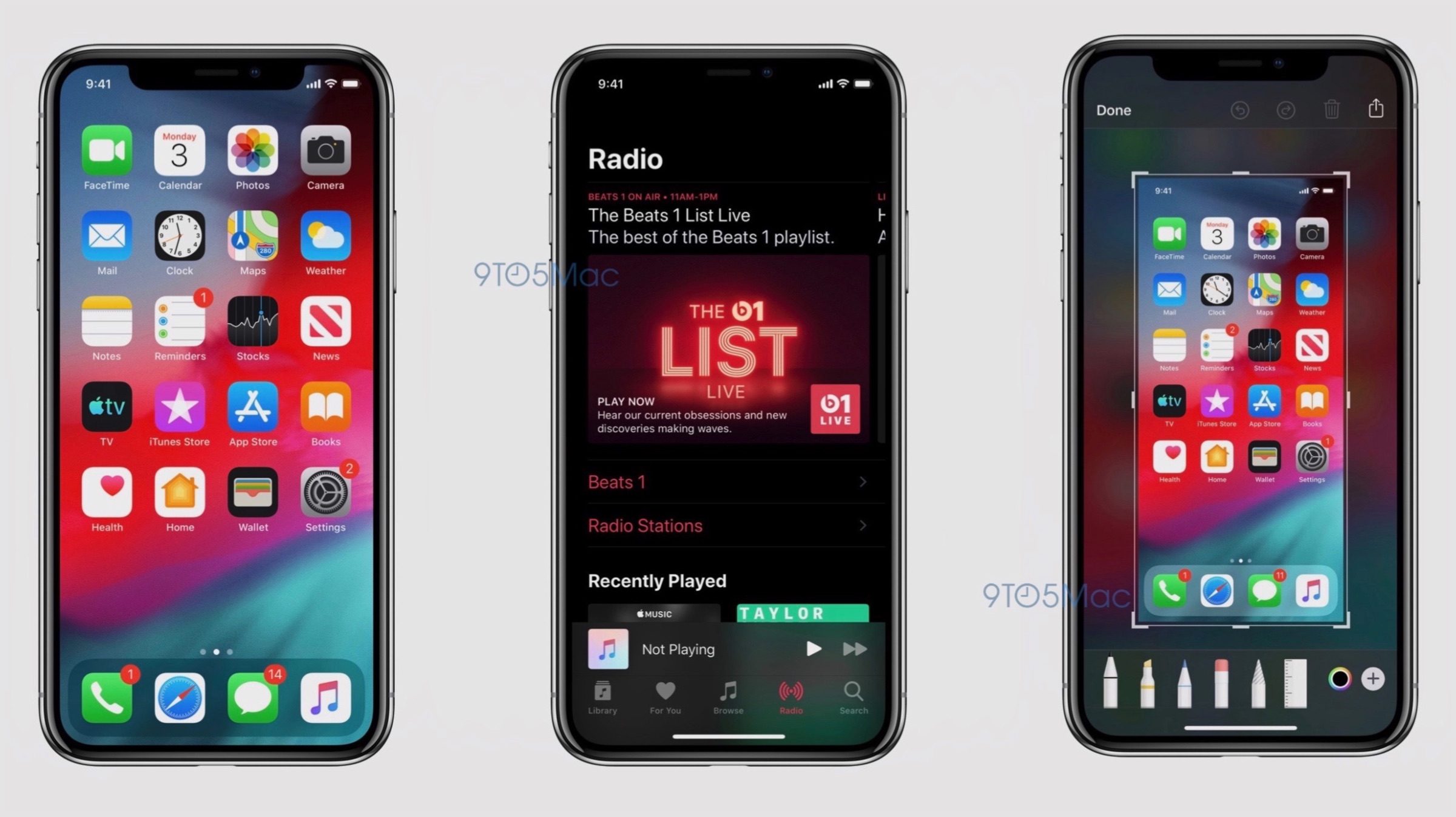
The leaked screenshots of the iOS 13 as mentioned above, confirm the presence of a native dark mode. While this feature has been leaked to be present in the software several times in the past, the images all but confirm it will be provided as an option. Turning on this setting will reportedly switch the system applications to a greyscale shade. Darker colours are easier to use at night and provide the device with a different appearance; so the feature has been highly anticipated in iOS for quite a while now. The second change visible from the leaked images is the new screenshot editor. Instead of showing a grey background after a screenshot, the upcoming iOS 13 will have a blurred version of the wallpaper; with more intuitive tools on the bottom. On iPad, this tray holding the tools can be dragged around the screen.
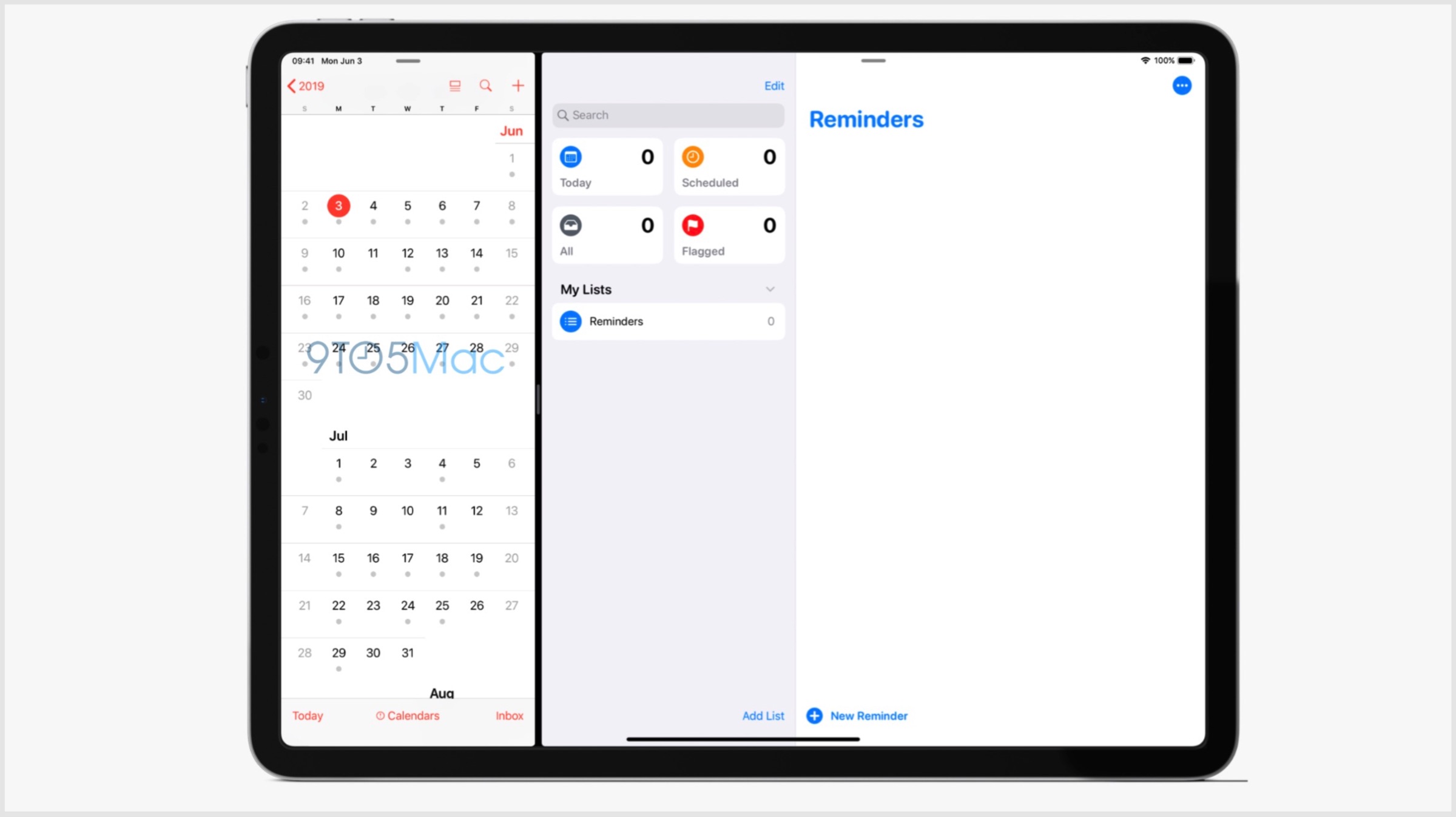
The Reminders application on iOS 13 will also be receiving a major design overhaul. On the iPad, it will have a large sidebar with boxes corresponding to “Today”, “Scheduled”, “Flagged” and “All”. This will also include a search box with a collection of the list of reminders. Apple is expected to announce the beta version of the software on the 3rd of June; with a wider rollout to follow later in the year. With iOS 13, the company may phase out devices older than 2015’s iPhone 6s.
Google’s latest blog post had focused on how depth perception works in videos where both the subject and the camera are in motion. A huge amount of data and footage was required for the study that aimed at training an AI. The foundation for the AI’s training was to detect scenes where the camera was in motion but the subject remained stationary.
Remarkable resourcefulness was shown as Google used its own source that was perfect for the job. YouTube (Google’s video sharing platform) had a vast amount of footage that fit the study’s required parameters. The Mannequin Challenge had a person and more often a group of people which stays perfectly still, anywhere from sitting to the bizarre handstands, while one person pans the camera around the still subjects (Mannequin’s) position.
To train the AI to detect human figures in various different scenes, Google used approximately 2000 videos from YouTube on the Mannequin Challenge. Interestingly, when depth perception comes into play multiple cameras are generally utilized from different angles to sense depth. Google, on the other hand, taught its AI to create depth maps from footage that only had one view, i.e perception from a single camera unit.
With the Pixel line up of Google smartphones, the company has already achieved similar results with its still images on portrait mode effect that produce the bokeh effect. The benefit of the study extends towards the augmented reality that the company is known to dabble with, Playmojis from Google’s Playground is one such example.
If the feature arrives on videos, it’ll open up new and previously impossible effects in video capture such as live bokeh effect similar to the one found in most smartphones. This may also one day lead to 3D images and 2D scenes being shot on smartphone cameras. Google’s progress on the software spectrum proves that just hardware improvements are not always what lead to great strides in photography and videography.
Gameloft announced a brand new LEGO game for Android and iOS, initially teased back in December, LEGO Legacy: Heroes unboxed releases this fall. Gameloft also announced of various teasers and trailers leading upto its eventual release, so keep on the lookout.
Set in the LEGO universe the game is said to be the first of its kind, the unique genre will breath new life to the 40-year-old LEGO figurines history and universe. LEGO Legacy: Heroes Unboxed is set in an epic new world where players go about collecting classic and modern LEGO figurines and sets after which they create new parties to engage in battles or go on quests and adventures together.
The game is also likely to have special appearances from many of the fan favourite and adored universes like the cinematic universe set in the game world in great detail. LEGO Legacy: Heroes Unboxed seeks to capture the nostalgic feelings of fun from the LEGO toys that were a part of most childhoods. The game will also cater to the younger audiences with its shiny and fun looking aesthetics.
Gameloft developers have reportedly spent their time studying vintage instruction manuals to recreate the details and make the LEGO experience more robust and authentic. A real faithful attempt at capturing the wonderful and family-friendly experience for everyone.
With the current popular trends adopted by publishing companies and developers for mobile games, LEGO is probably going to turn out as another Free-To-Play game with monetisation laid inside the whole experience. As long as the monetisation strategy sticks to the background with purchases based on strictly to cosmetics and appearances and not the game disrupting Pay-To-Win strategy, the game will be warmly welcomed by people of every age demographic.
It seems like information transferred via most applications is not secure anymore. Where local security was an important matter of concern some years back, privacy has lost its dignified spot with the advancements in technology. Conglomerates like Facebook were previously under scrutiny for indulging in activities that led to data leaks worldwide. The latest addition to the list includes Snapchat, a popular media sharing platform that has been allegedly accused of accessing private user data without consent.
It has been reported that the company consists of multiple departments, some of them with access to user data via dedicated tools. Former employees of Snapchat have divulged that multiple Snap employees misused their access privileges to pry on private Snapchat user data several years ago. The user data included location information, saved snaps, phone numbers and email addresses. All this information has been derived from a cache of internal company emails obtained by sources.
Reports also state that one of the aforementioned tools that the company employees were allegedly using was SnapLion. The original intended use of the tool was to make a database of information concerning users – all of this in response to valid law enforcement requests. Reportedly, this tool was only intended for use by select officials of Snapchat, but this was clearly not the result.
It is very unnerving to see that the application which relies on end-to-end message security as a central basis of its existence fall to internal security breaches like these. Snapchat has more than 180 million users worldwide who need to be aware of the same. Almost 5 years back in 2014, Snapchat was fined by the FTC (Federal Trade Commission) for failing to disclose the collection, transmission and storage of geolocation data derived from the users. Users need to know that behind the “secure” application which they use every day are actual people who can access their highly sensitive data at the press of a button.
Microsoft released its latest Windows 10 update that boasts of numerous improvements. However, the changes bring about a new form of security threat for the freshly updated Microsoft Windows 10 operating system. Since Microsoft had announced the aforementioned update on May 21st, it is safe to assume that the update would still need a couple of days to be more widespread.
The update brings new things to the table such as Windows Sandbox and refreshes the Start menu to be simpler on newer devices. Microsoft with this updated software brings a change in the manner Windows 10 handles reserved storage. Furthermore, Cortana has now been moved from the search tab as well.
Microsoft has been known to have a passive approach to the release of their software updates, hence most users would not be receiving the said update immediately. To check if the update is available clicking on the Windows Update option under Update and Security can be found in the System’s Settings.
Zero-Day vulnerability or 0-Day vulnerability, for those not aware of technical jargons, is a computer vulnerability that has not been discovered by the vendor or main party in concern (here Microsoft). The classification remains until the main party acknowledges the issue that can be abused by exploiters/hackers.
A researcher named SandboxEscaper published the exploit code on GitHub and released a video of how the exploit can be abused. SandboxEscaper has been known to have discovered other such zero-day exploits. The vulnerability in question targets the local privilege escalation (LPE) that allows third-party complete access to the machine by granting them administrator status over the actual user. In other words, a users computer may be remotely accessed by those who seek to gain access.
The zero-day cannot be exploited in and of itself but paves the way for other methods to have more of an effect when used simultaneously. SandboxEscaper reports that the Windows Task Scheduler is the vulnerability that makes the exploit possible. If the hacker used a particular .job file in the Windows Task Scheduler after gaining access to the computer, it grants administrator access to the system giving the hacker unwarranted power to change fundamental settings on the PC.
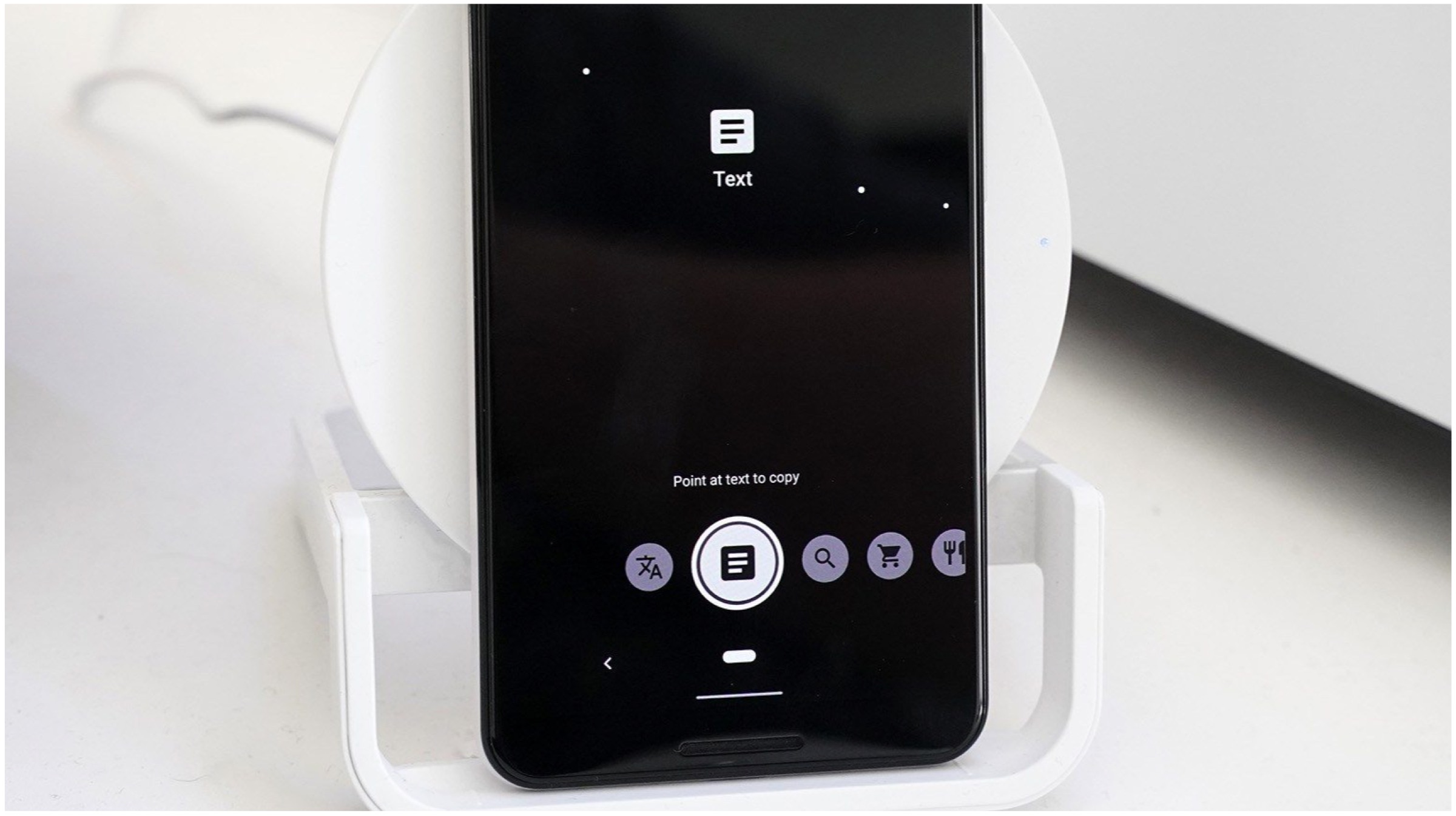
The American multinational technology company Google first announced an update to its popular utility application, Google Lens at the Developer’s Conference held 7 May onwards. The application is widely used for retrieving data based on a visual analysis of a product, test or the environment. The revamped version of the application will bring additional functionality, like dividing a food bill amongst a group of people and some informative features such as watch a recipe video. The updated Google lens has a new slide-up menu that houses circular buttons with a variety of functionalities. The older buttons that were previously used to scan barcodes/QR codes and Copy Text have been sacrificed to bring in new buttons. The first button will allow the user to directly overlay the translated text in their own language, without opening the Translate application. The second button is again familiar to a lot of users, which allows them to copy the text in an image and paste it elsewhere.
The third button is the standard Lens button, which will use the device’s camera to recognize everything displayed in the frame. For instance, if you point the camera towards different buildings in an area, it will provide the user with addresses and information regarding the same (provided it is available in the database). There’s a new “shopping” button which will open a mode where users can check the availability of products on e-commerce platforms. The last button is the “dining” button, which will allow users to highlight the most popular dishes in a dining area simply by pointing the camera towards the menu.
The new Google Lens update is reportedly available on Pixel Devices running the latest v9.91 build of the Google application. Furthermore, users who are currently using the latest beta version of the Google application can use the redesigned Google Lens features as well.
A Google Blog post disclosed a bug in the company’s G Suite platform that had caused a small portion of the user base to have their secure passwords being saved in a plain text format. The American tech giant reports that the bug has been in the system for the past fourteen years unchecked, although it claims that the bug has not been abused till now and that their investigation into the matter yielded no evidence that pointed towards unwarranted access. Google has reset any of the passwords that may have been affected by the bug. G Suite is the business/corporate version of Google’s Gmail and other Google related applications. Reportedly the bug was born out of a feature that was made specifically for companies, namely the Administrators to reset any user passwords or accounts for newly recruited employees. This process had the Admin console store the passwords in plain text instead of being encrypted. Google has since removed this function for Administrators.
Google thereon reassures how the unencrypted passwords were stored safely in the company’s own servers rather on the internet which is objectively easier to mediate. Google painstakingly explained the subtlety of cryptographic hashing to clear out all doubts surrounding the bug. Furthermore, all unchanged passwords will be reset automatically.
Google has a relatively good track record of detecting bugs and glitches in their system, but this bug points a finger towards a myriad of tech giants and social media companies as well such as Facebook which had also previously saved several hundreds of millions of passwords in plain text. It was accessible to its employees. Similarly, Twitter had also asked its entire user base to reset their passwords due to concerns regarding private data account access.
Along with the report of the bug and other technical jargon to it, Google also issued an official apology for this oversight and assured their users of their “industry leading” practices and control over the situation. Google concluded by explicitly stating the fact that the aforementioned bug went unchecked for 14 years was rather disconcerting to the company and equally disturbing for its users.
Valve a video game developer, digital distributor and publisher launched the Steam Gaming Platform in the year 2003. Since then, it has been the largest digital platform for game titles such as Counter Strike: Global Offensive and DOTA 2. The company has freshly released Steam Chat for iOS and Android, officially making it the counterpart of its Desktop variant.
Steam Chat: Features
The mobile version of Steam chat retains many features that the desktop application offers. Notably, the desktop application had a major overhaul in its design and functionality in the year 2018. Steam Chat does include the same Group chat functionality along with the smartphone tweaks like customizable notifications. As of now, the application does not support voice chat functionality. However, the developer states the feature will soon make its way to the application with future updates.
The mobile version of Steam chat has been released after Steam Link for iOS was launched. The said application allows users to beam Steam games from their desktop PC to their iPhones, iPads, or even the Apple TV. Noteworthy, the feature was almost skipped over by Apple entirely in 2018.
Not something that’ll whisk away Gamers from their adored Discord Voice Chat App, but a Steam Chat is an interesting take on the same formula of
Friend’s List: Users can see their friends’ activity, for instance, which game are they playing.
Invite Links: Steam Users can add new friends with an Invite Link.
Group Chats: Users can have their eSports teams together under a special group.
Streamlined Interface: The Steam Chat app provides an overall smoother experience than the past iterations by Valve via its Steam App on the mobile platform.
Essentially, all the features in the newly released Steam chat application are a take on Discord’s tried and a test set of features which made it a huge success. For those who do not know, Discord is one of the most popular VOIP application primarily used by developers and gamers. With the advent of Steam Chat and Steam Link on both Mobile platforms, Steam Guard (authentication method) should soon follow suit with one touch verifications/Login and even QR codes for increased security.
In latest reports, a huge database which contained contact information and other sensitive data of millions of Instagram accounts has been discovered online. Hosted online by AWS (Amazon Web Services), the database had no sort of security detail to encrypt the data. Previously, any user could simply access the database and peek into over 49 million records present inside. It was later traced back to a Mumbai-based social media marketing organization called Chtrbox.
The marketing firm pays Instagram and other social media influencers to post sponsored (ad-revenue generating) content on their feeds. The data stored in the database included the total number of followers per account, engagement, reach, likes, shares and other sensitive information such as private contact information. Using this information, the firm calculated the net worth of the account and then determined how much it can pay an Instagram celebrity to post an advertisement.
Sources state that the database contained info about high-profile influencers, including popular food bloggers and celebrities. When sources contacted some influencers present in the list, some of them responded saying that it was indeed the same contact number and email address that they used while signing up for the Instagram account. Also, they did not have any involvement with Chtrbox either, which confirmed that the aforementioned information was being used without the consent of the user.
As soon as sources reached out to Chatrbox, the marketing firm immediately took down the database from online servers and refused to respond to any forms of questions and queries whatsoever. The American social media company and the owner of Instagram, Facebook stated that it was investigating the matter of the security breach, and will reach out to the marketing organization to comprehend the source of the data and the public availability of the same.
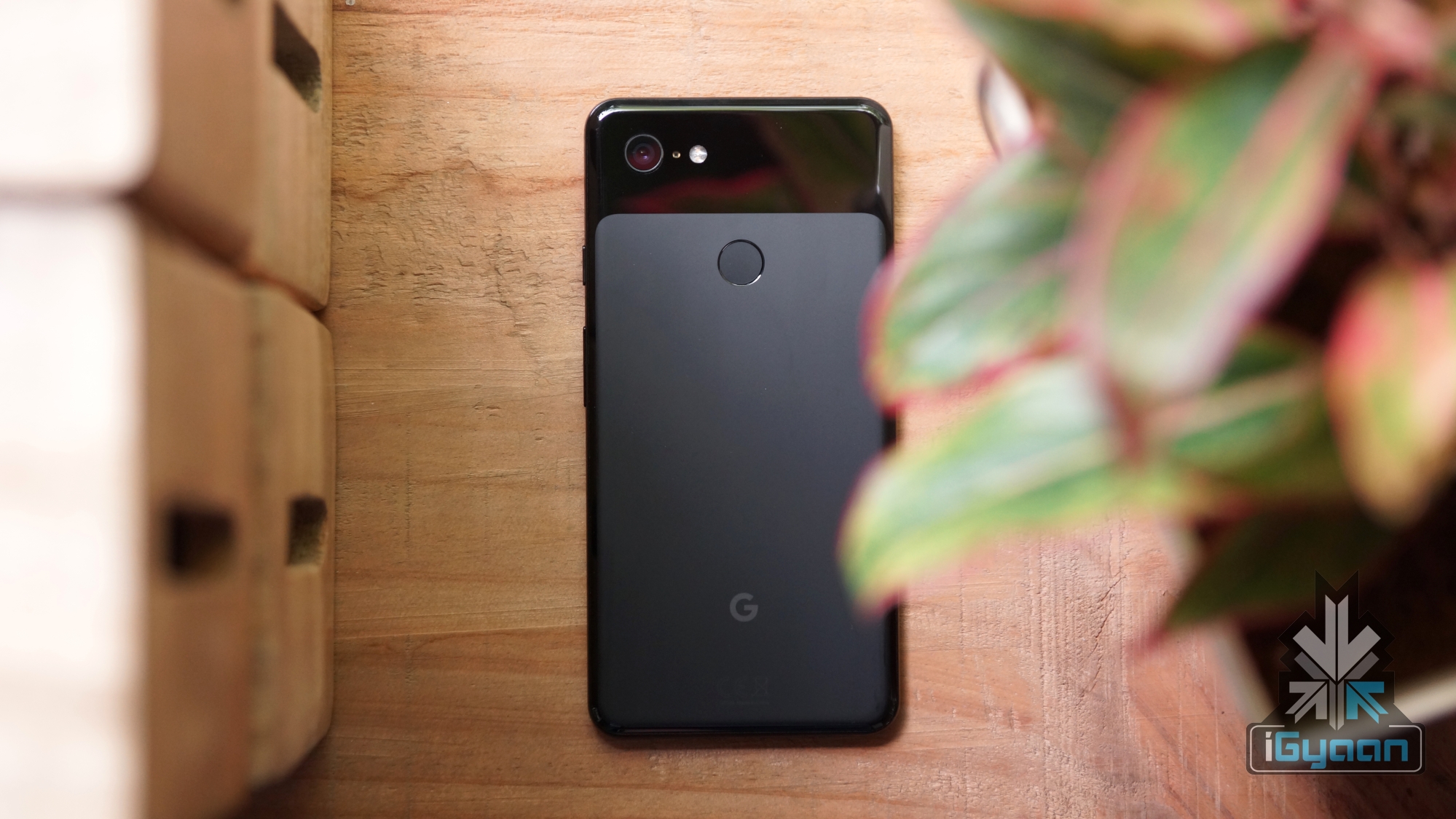
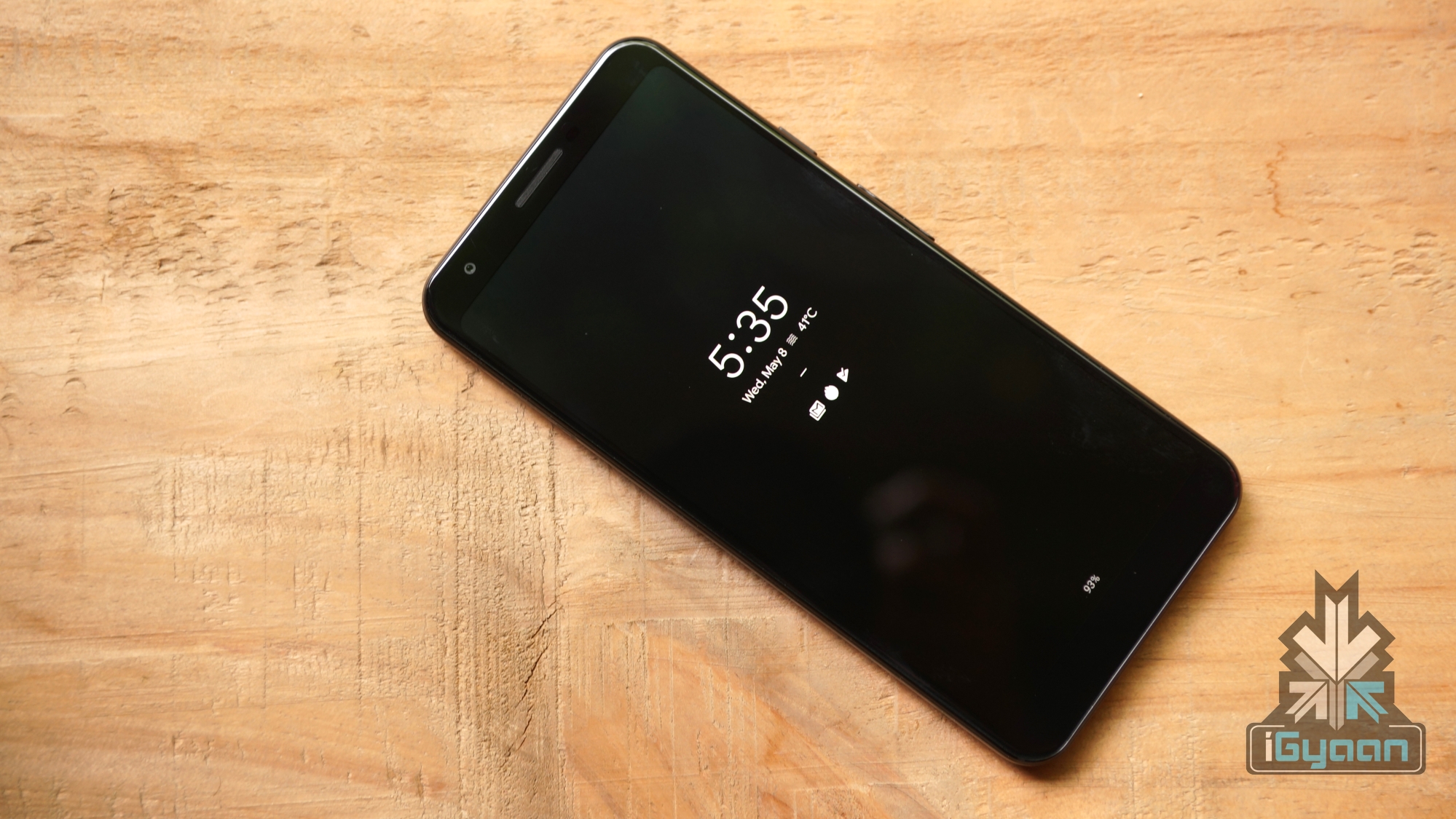
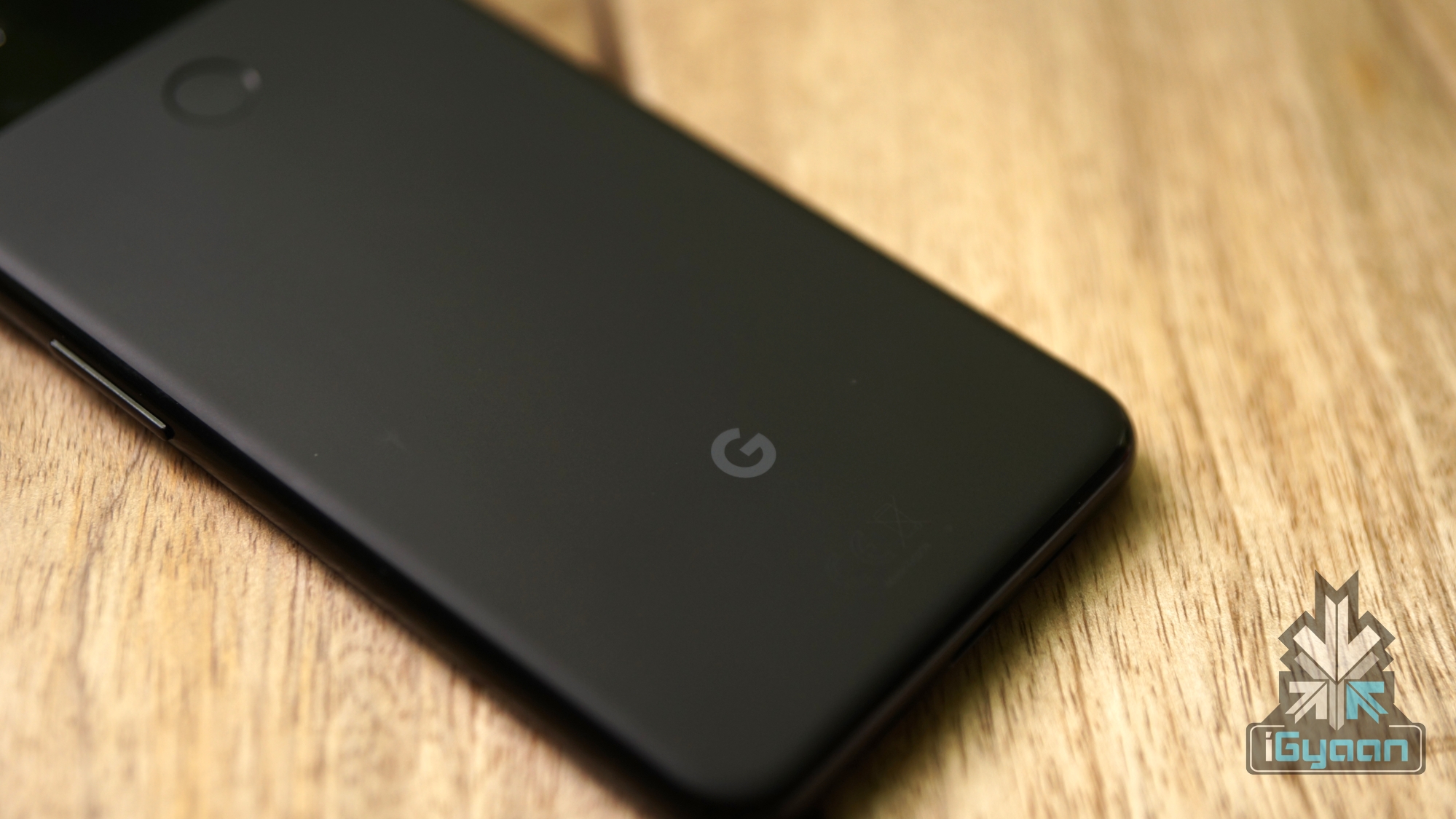
Google launched its flagship smartphones, the Pixel 3 and Pixel 3 XL last year in the month of October. The devices were praised for their camera and software experience but were also criticised heavily due to random lags and slowdowns. It is speculated that due to the company installing a meagre 4GB of RAM in the handsets, the issue was all but overdue. In a fresh report, users on social media website Reddit have claimed they have fixed the memory problems with the Pixel 3 smartphones; and its predecessors by disabling a feature known as Digital Wellbeing.
Slowdowns on Pixel Smartphones
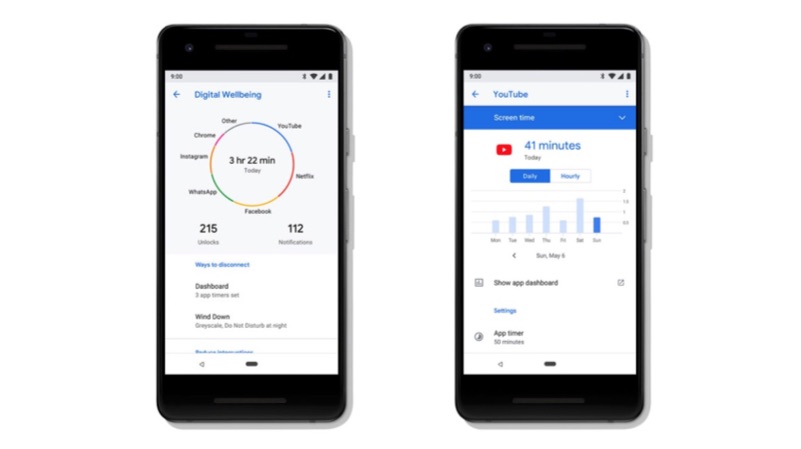
The thread on Reddit dedicated to the Google Pixel smartphones unanimously arrived at the conclusion; that the Digital Wellbeing feature is the culprit behind the slowdowns and lags that is plaguing Pixel smartphone since last year. While not confirmed by the company, users claim they have turned off the feature and saw a drastic change in the performance of their devices. It is not known what handsets are affected due to the issue, but users have reported improvements in performance up to the original Pixel smartphone when Digital Wellbeing is turned off. The cause of the slowdowns is reported to be the constant usage of the device’s RAM by the feature due to it running in the background at all times.
What Is Digital Wellbeing?
With the introduction of its latest Android 9 Pie Operating System in the year 2018; Google also announced a feature similar to the screen time on the iOS platform. Dubbed Digital Wellbeing, it helped the users track their smartphone and app usage and can restrict it remotely. It has been regarded as a useful feature and made available to all devices in the Pixel and Android One lineup since its launch. Notably, the feature is all set to be updated with new functionalities with Android Q. With the release of the next Android iteration, smartphones supporting Digital Wellbeing will gain access to the Focus Mode. It is claimed to work better at restricting the users at spending more time with smartphones.
But, with the problems of slowdowns and unexpected lags in Pixel 3 smartphones due to the Digital Wellbeing feature; it is considered the best move to turn it off. To turn off the feature from your device, follow the instructions below.
Open settings on your smartphone
Navigate to the Digital Wellbeing option
Touch the three-dot icon at the top right and pick the “Turn off usage access” button
Confirm the decision on the next “Usage access” screen by choosing Digital Wellbeing and toggling the “permit usage access” option to off.
Google is looking to replace the Android and ChromeOS platforms with a unified Operating System (OS). This OS, dubbed Fuchsia has been in development for the past few years. No information on how it will work or its functionalities have been shared by the company. However, on the last day of the Google I/O 2019 a senior Google executive revealed a few key details about the Fuchsia OS.
Fuchsia OS
The Fuchsia OS from Google has been reportedly in development since 2016 and is looking to unite all of Google’s software in one place. At Google I/O, the company’s executive said that it is looking at a new take on what operating systems can be like. He further added that Fuchsia is not about replacing Android or Chrome OS. It is about pushing the state of the art in terms of Operating Systems; and implementing it into other products. The team at Google working on the OS is also experimenting with different form factors, which insinuates Fuchsia may be designed for wearables, VR/AR headsets and smart home devices.
As mentioned above, Fuchsia OS has been in development by Google since the last few years. The OS has even been booted to smartphones like the Honor Play in the past. Known details about it unveil it will be an open source project, which is similar to the Android Open Source Project (AOSP). But unlike the latter, it will have the capability to run on a range of devices like smartwatches, laptop and smartphones. Unlike Android and Chrome OS, who are built on the Linux kernel; the Fuchsia OS will have its foundations in the new Google made kernel called ‘zircon’. A same Operating System for a range of devices can give way to a more unified experience, which is what the company intends to do with Fuchsia.
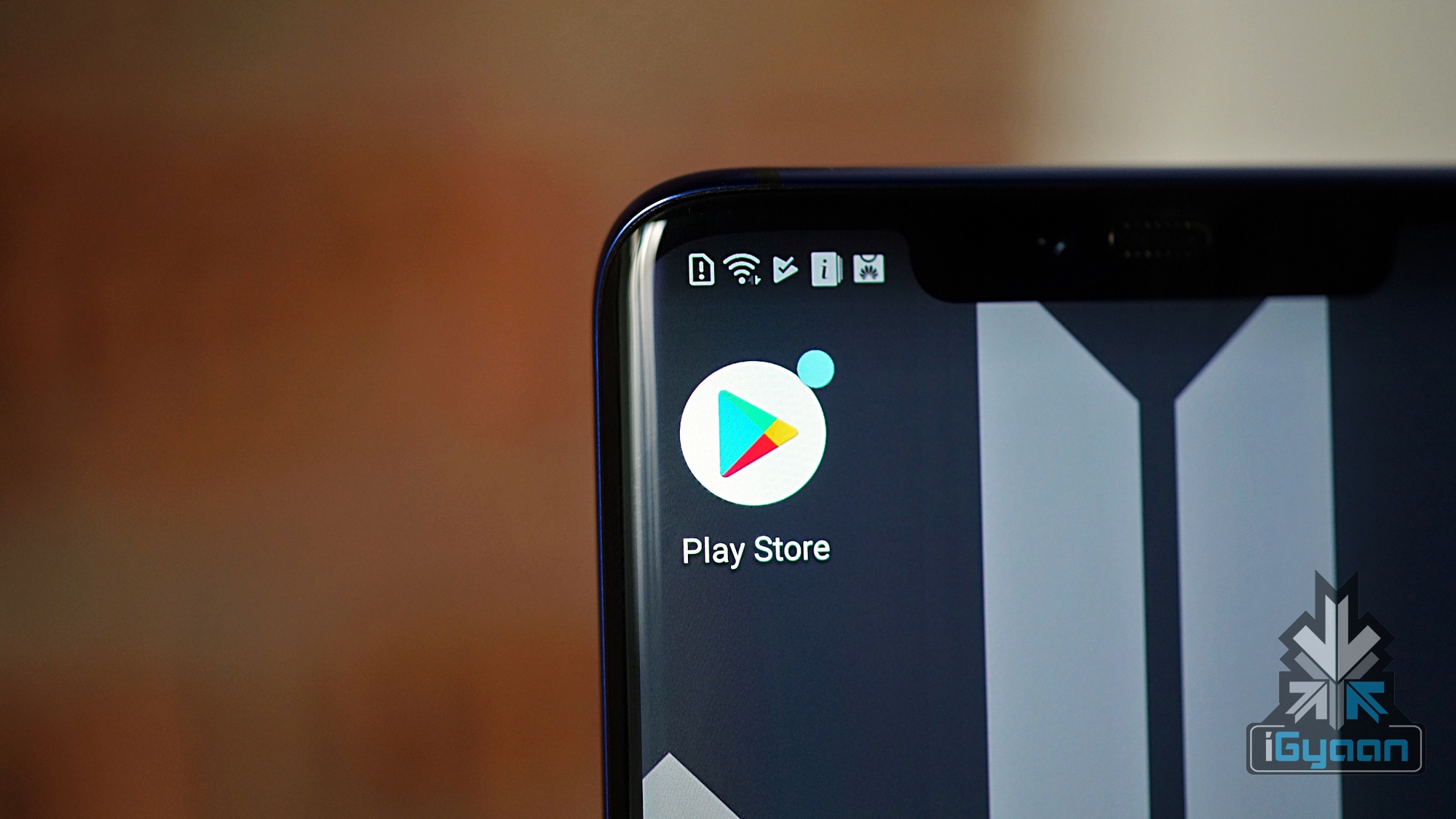
Google’s Play Store is a digital distribution service which houses millions of applications, games, books, movies and music files. It is used globally by several users of Android-enabled smartphones to download the aforementioned media. Now, in a bid to promote transparency in the ratings available for the applications on the Play Store, Google is changing how they work. At Google I/O 2019 developers conference, the search engine giant has announced it will now give importance to the latest rating given to an application to showcase its evaluation.
Google Play Store Ratings
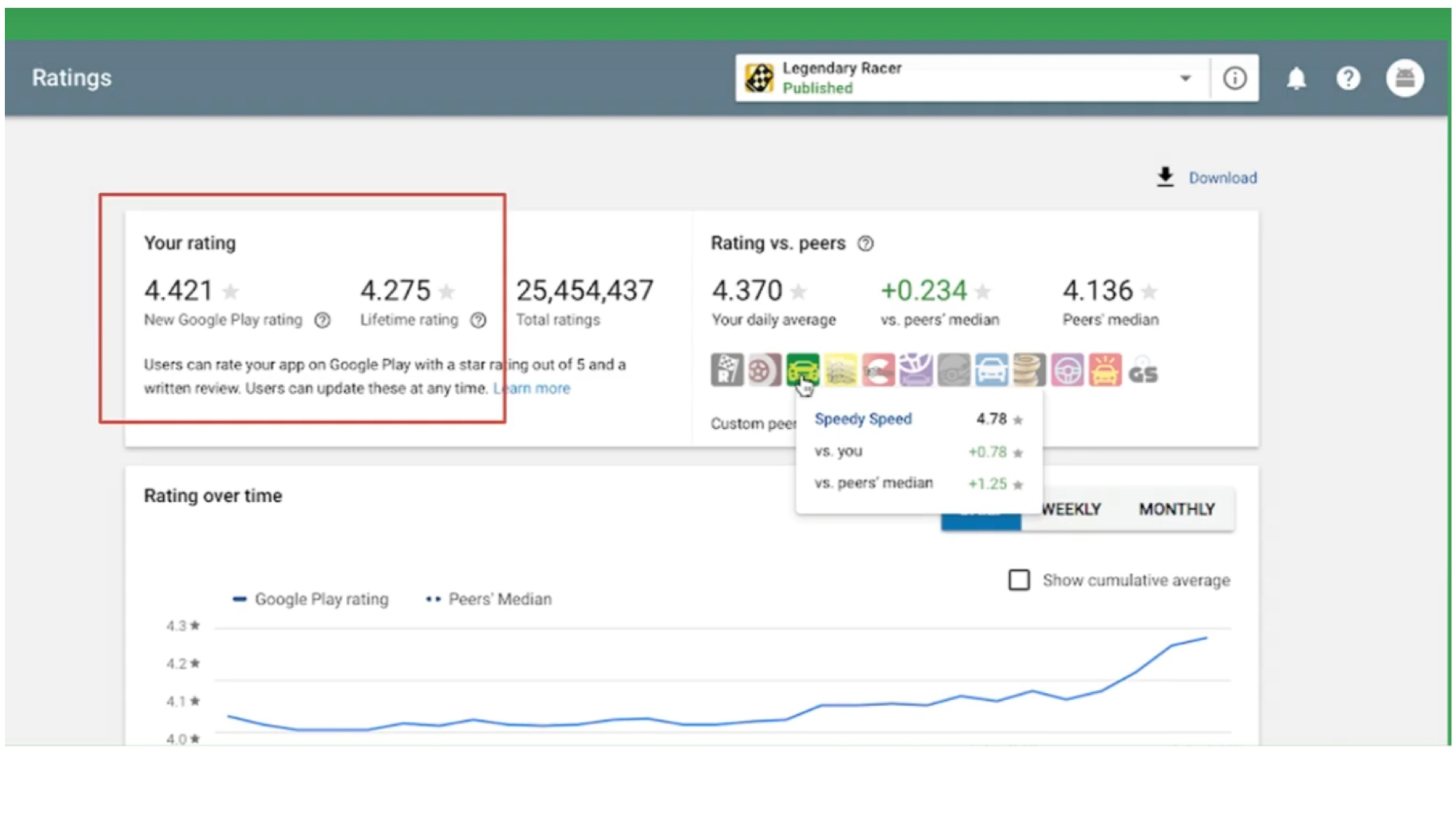
According to a senior Google executive, the move is being done due to high public demand. She is further noted saying that the current system of rating in the Play Store uses the collective lifetime value of an application’s rating. The system is scheduled for a change later this year, wherein more emphasis would be given to the latest ratings for the application. The company claims this will reflect the developer’s hard work and efforts as any update can change how an app is perceived among users. For example, if an app that has had negative reviews gets updated and the experience is more refined, the ratings will give weight to the latest ratings, which were given after the update. A similar feature was provided by Apple around two years ago when it gave the developers of the App Store a choice; to refresh the ratings of an application after each update.
The latest update to the Google Play Store is expected to be a great change for the developers. However, in the last few weeks, reports of fake ratings on an app by a significant number of people have surfaced online. With the updated version of the Play Store, this can mean the ratings of the app would plummet significantly. While Google has not provided a release date for the feature, it will roll out by the month of August. For Android developers, the feature should be available for preview in their Play Store Dashboard starting May 8.
On the 7th of May 2019, Google held the I/O developers conference in Mountain View, California. As expected, it unveiled the long-anticipated Pixel 3a smartphone duo. The other notable product launched at the event was the Nest Hub Max which is the companies second-generation smart display. Other than the aforementioned hardware and software announcement, the company showcased new features for Google Assistant which are nothing short of groundbreaking.
Offline Centric Update
With the latest update, Google has primarily focussed on providing the existing features of the Assistant application without the need for an active internet connection. The company states that the new update completely changes how the data processing on the assistant is achieved. Previously, the inputs provided to the assistant was computed on the company’s data centres. But, following the update, all the data will be processed locally on the device itself. Noteworthy, Google has managed to shrink 100 GB of speech recognition and language understanding data to a bite-size 0.5 GB. Therefore, it can be locally stored on a smartphone or tablet, resulting in a reduction of latency to a greater extent.
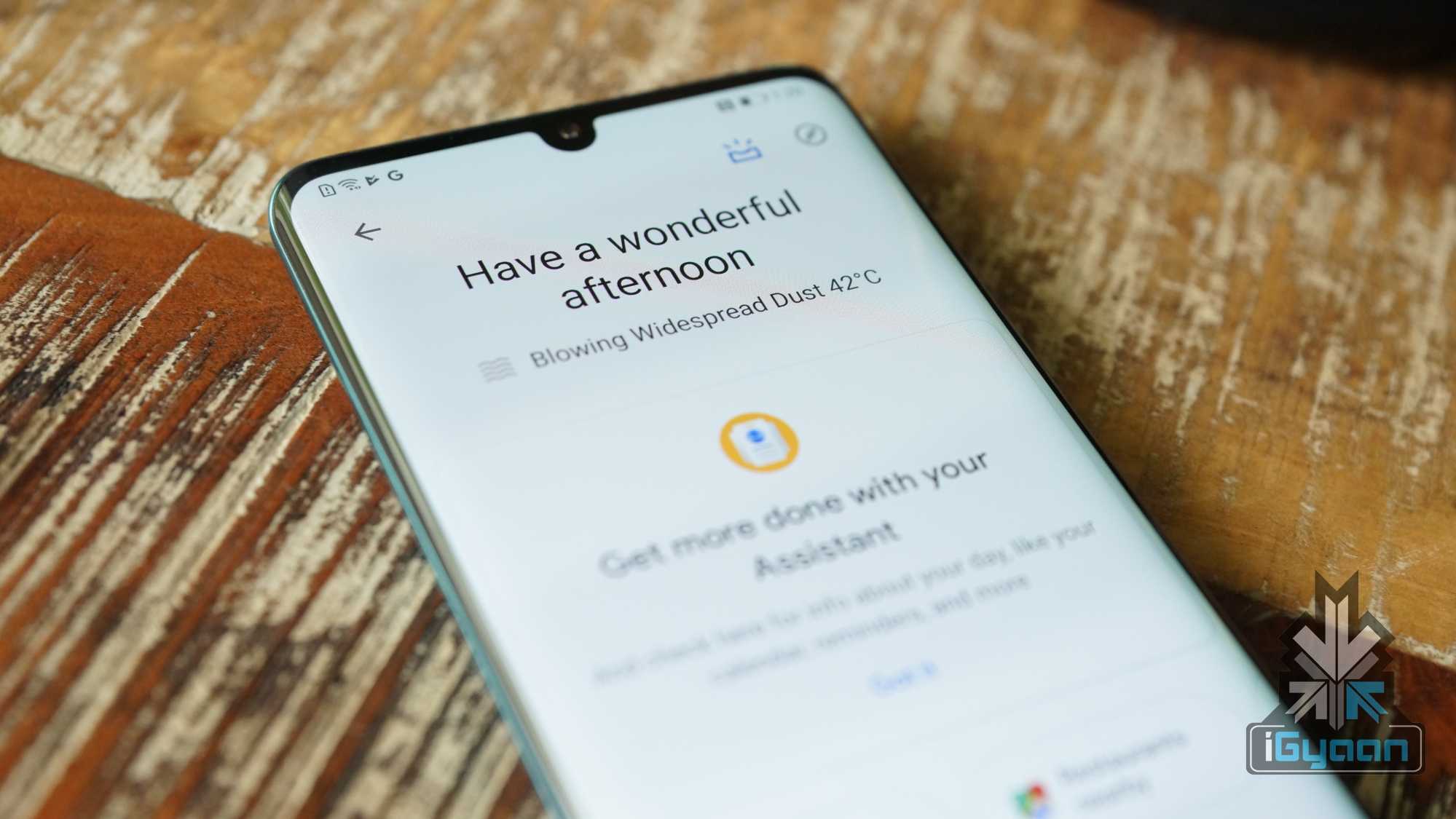
The company claims that the updated Assistant can process requests up to 10 times faster. Furthermore, users can even multitask across different applications with the help of the voice assistant. The requirement for saying ‘Hey Google’ prefix before every command has also been eliminated. Consequently, users can have a human-like conversation with a virtual assistant. However, the next generation Assistant which rolls out later this year will only be limited to Pixel phones for an uncertain period.
Duplex Makes Its Way To The Web
Last year Google introduced Duplex technology, which is intended towards simplifying tasks that are usually performed manually. Originally, it could make phone calls on behalf of the user which in itself is a praiseworthy feature. After the update, it will also be able to handle certain processes which are a common affair like buying movie tickets online or booking a taxi. Duplex is able to achieve the said tasks by auto-filling the details of the users which greatly reduce the effort and time that it normally requires. The updated abilities will make their way to the app later this year in the US and UK for Android devices.
Assistant Becomes More Up Close
As the title suggests, Google assistant, after the update will be able to provide answers or execute tasks based on the personal references of an individual. For example, if the assistant has been informed about a particular contact, the assistant can answer questions about events like birthday or other relevant events based on the provided information. Another reference could be asking whether details of a friend’s place. Given, the assistant is aware of their location.
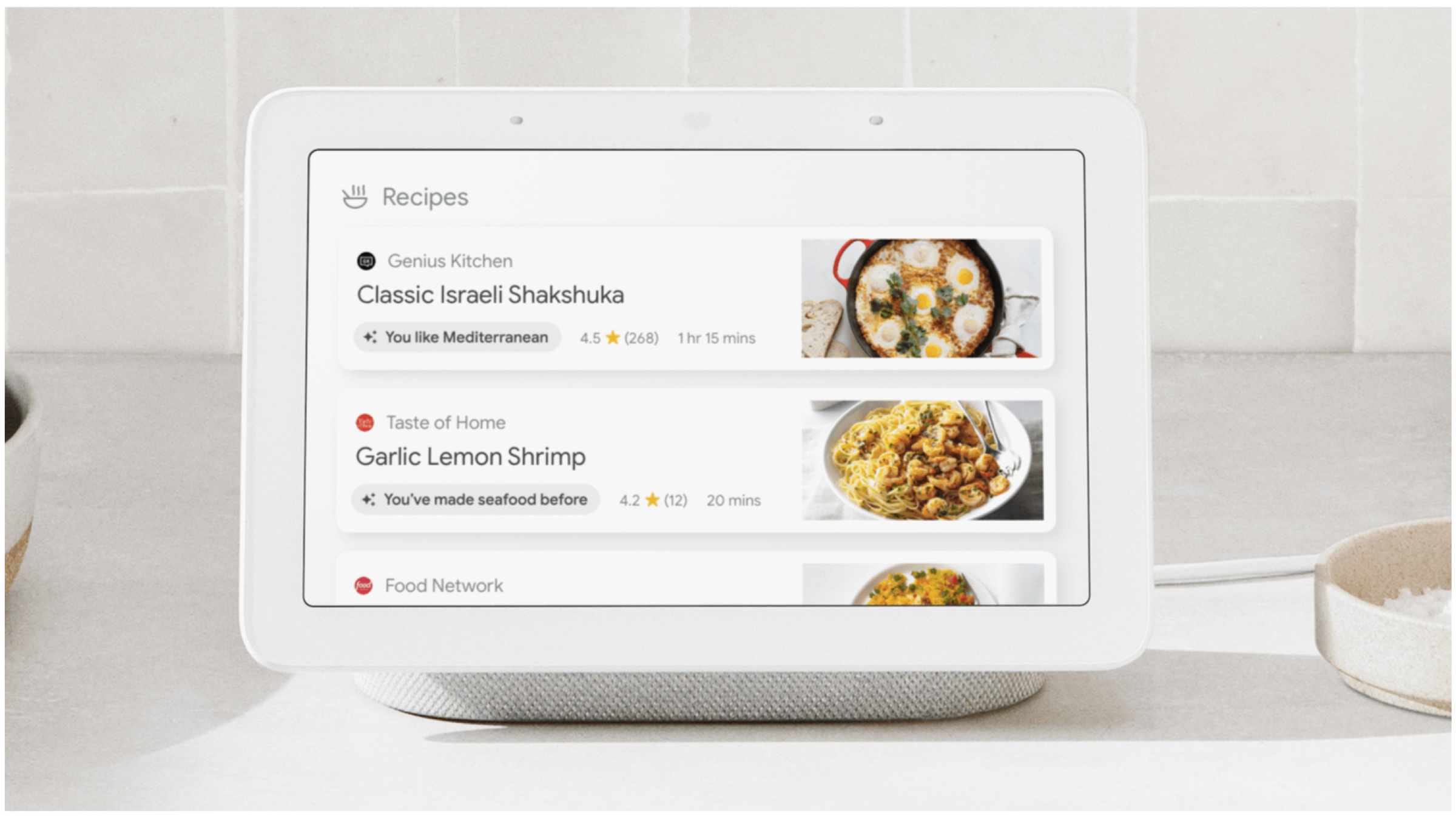
Furthermore, the assistant can also recommend suggestions based on past choices and decisions. The newly launched ‘Nest Smart Hub’ with the help of updated assistant will provide personalized suggestions starting with recipes, events and podcasts. For example, If a user asks for dinner recommendations, the assistant would answer based on past choices. Therefore, would suggest food dishes from a particular cuisine if the user had previously ordered a particular dish.
Driving Mode Built Into The Assistant
Even though driving mode has been available on Android devices for quite some time, its adaption has been rather limited. With the updated Google assistant, the company intends to change that. The driving mode built into the assistant can be easily toggled with the help of voice command “Hey Google, let’s drive”. The mode when turned on displays the on-screen content in a particular manner which custom tailored to the user.
Impressively, if a contact calls while driving, the assistant will speak aloud their details based on which the user can accept or decline the incoming call with a voice command. In addition, other tasks like messaging or asking for navigation can all be achieved with voice command, hands-free.
Furthermore, the updated Google assistant can turn on the air conditioner in the user’s car before they reach, implied the vehicle supports the functionality. Last but not least, an ongoing alarm can be turned off via the ‘stop’ voice command.
Micro-blogging website Twitter is known for introducing features that caters to the need of their users. The latest update from the company brings the ability to Retweet posts with a twist. Over 326 million Twitter users can now add images, GIFs and videos to their retweets. This feature has already been rolled out to both Android and iOS users, and is available on the mobile website as well.
As per Twitter support, users can express themselves better with the help of GIFs and images, which would enhance their reactions to a specific tweet. To do the same, users need to click on the “retweet with comment” option and then choose the respective image or GIF to go along with the tweet. Even though this is a small addition to the micro-blogging app, Twitter stated that the service was quite cumbersome to incorporate in the mobile application, since a lot of GIFs and images can make the Twitter timeline look cluttered.
Twitter spokesperson reported that the layout of the new retweet design resembles that of a stack. For the ease of users, the original tweet will be included in a smaller rectangular box alongside the user’s avatar, and all of it will be topped off by the GIF/image. Some creators are already making use of the new retweet functionality, which may not look the same on desktop websites, but will work just fine on the mobile application for both Android and iOS platforms.










 It has been reported that the company consists of multiple departments, some of them with access to user data via dedicated tools. Former employees of Snapchat have divulged that multiple Snap employees misused their access privileges to pry on private Snapchat user data several years ago. The user data included location information, saved snaps, phone numbers and email addresses. All this information has been derived from a cache of internal company emails obtained by sources.
 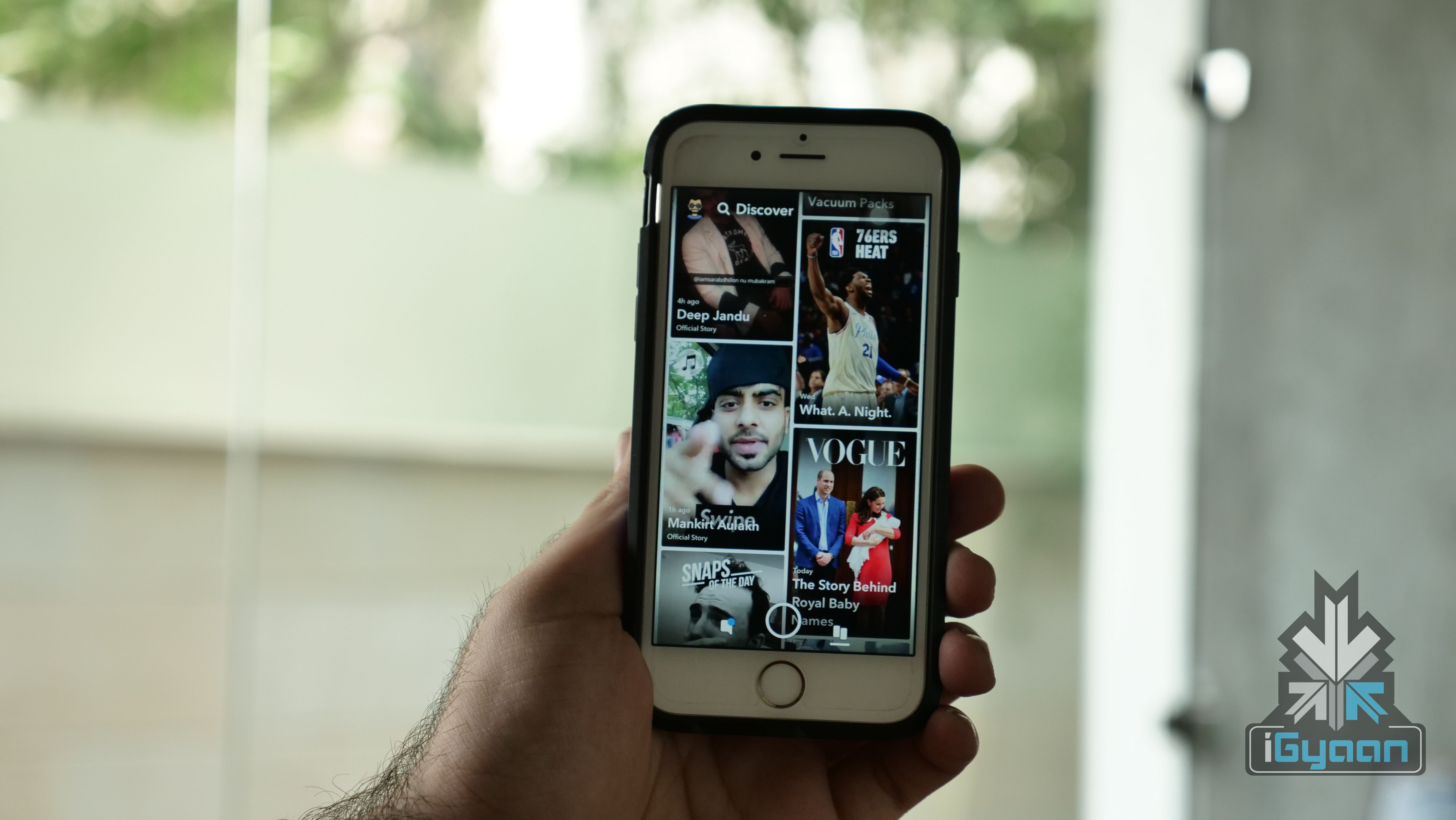 Reports also state that one of the aforementioned tools that the company employees were allegedly using was SnapLion. The original intended use of the tool was to make a database of information concerning users – all of this in response to valid law enforcement requests. Reportedly, this tool was only intended for use by select officials of Snapchat, but this was clearly not the result.
 Also Read:
 The update brings new things to the table such as Windows Sandbox and refreshes the Start menu to be simpler on newer devices. Microsoft with this updated software brings a change in the manner Windows 10 handles reserved storage. Furthermore, Cortana has now been moved from the search tab as well.
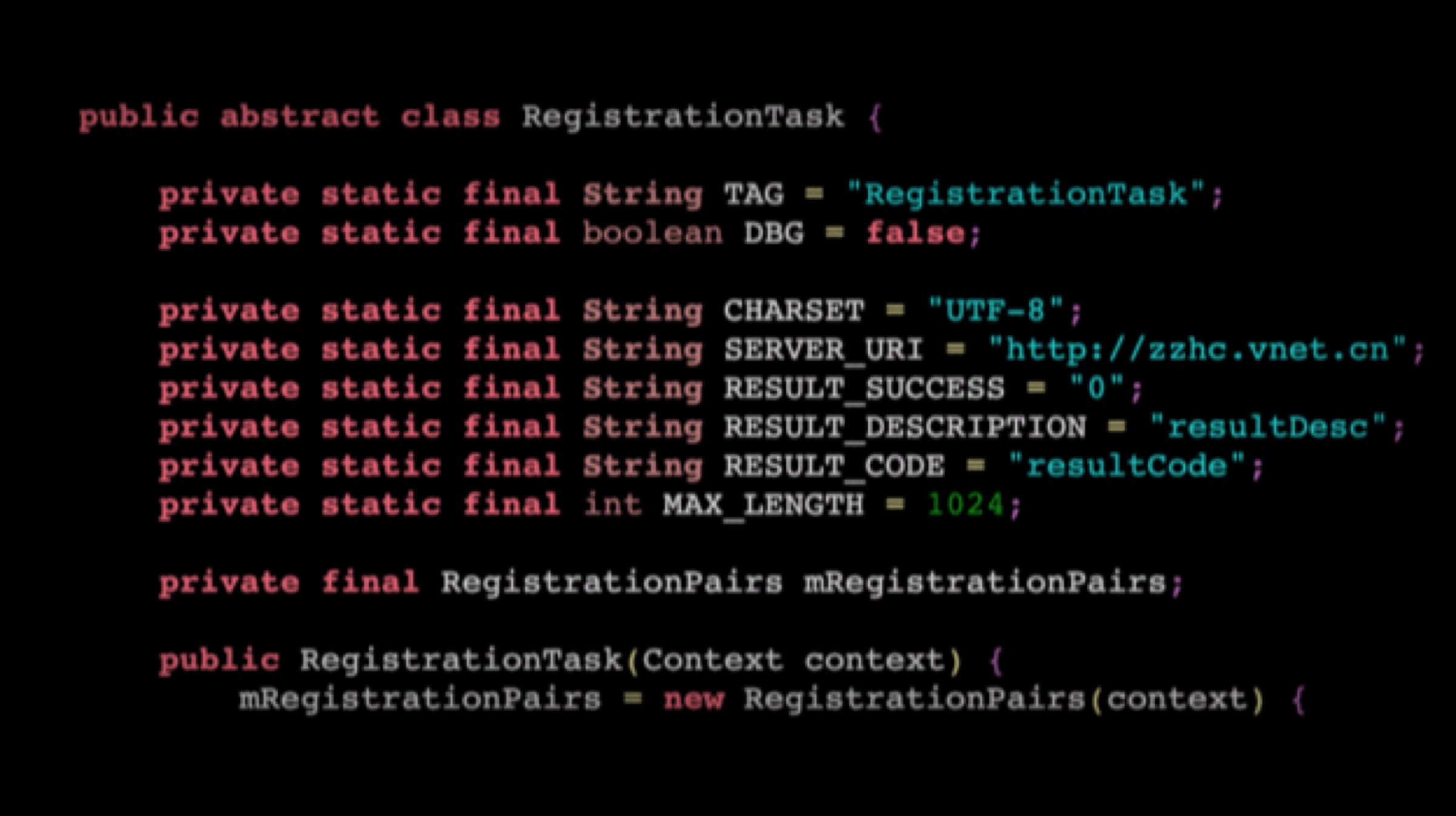

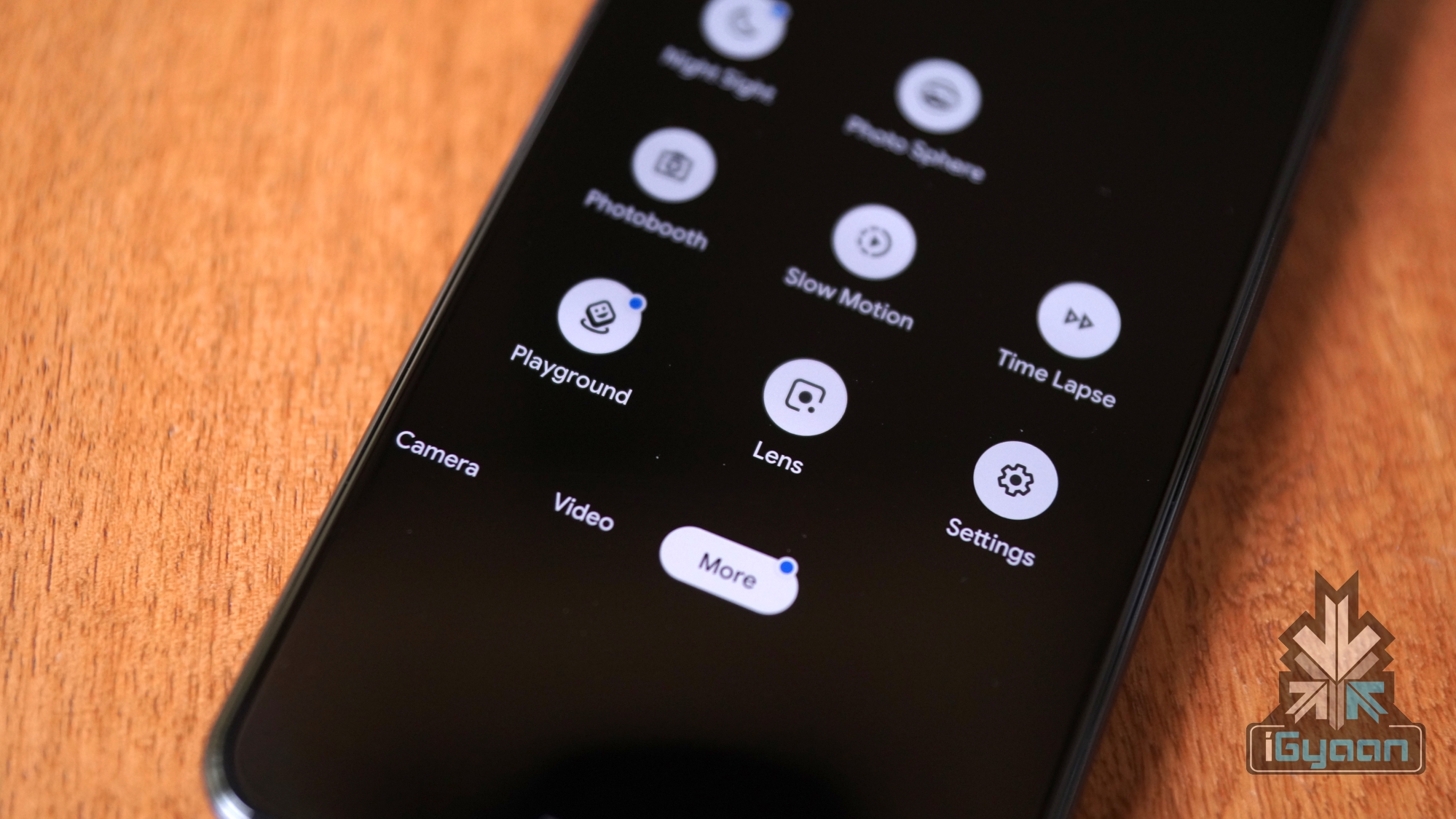 The updated Google lens has a new slide-up menu that houses circular buttons with a variety of functionalities. The older buttons that were previously used to scan barcodes/QR codes and Copy Text have been sacrificed to bring in new buttons. The first button will allow the user to directly overlay the translated text in their own language, without opening the Translate application. The second button is again familiar to a lot of users, which allows them to copy the text in an image and paste it elsewhere.
 Also Read:
 Google has a relatively good track record of detecting bugs and glitches in their system, but this bug points a finger towards a myriad of tech giants and social media companies as well such as

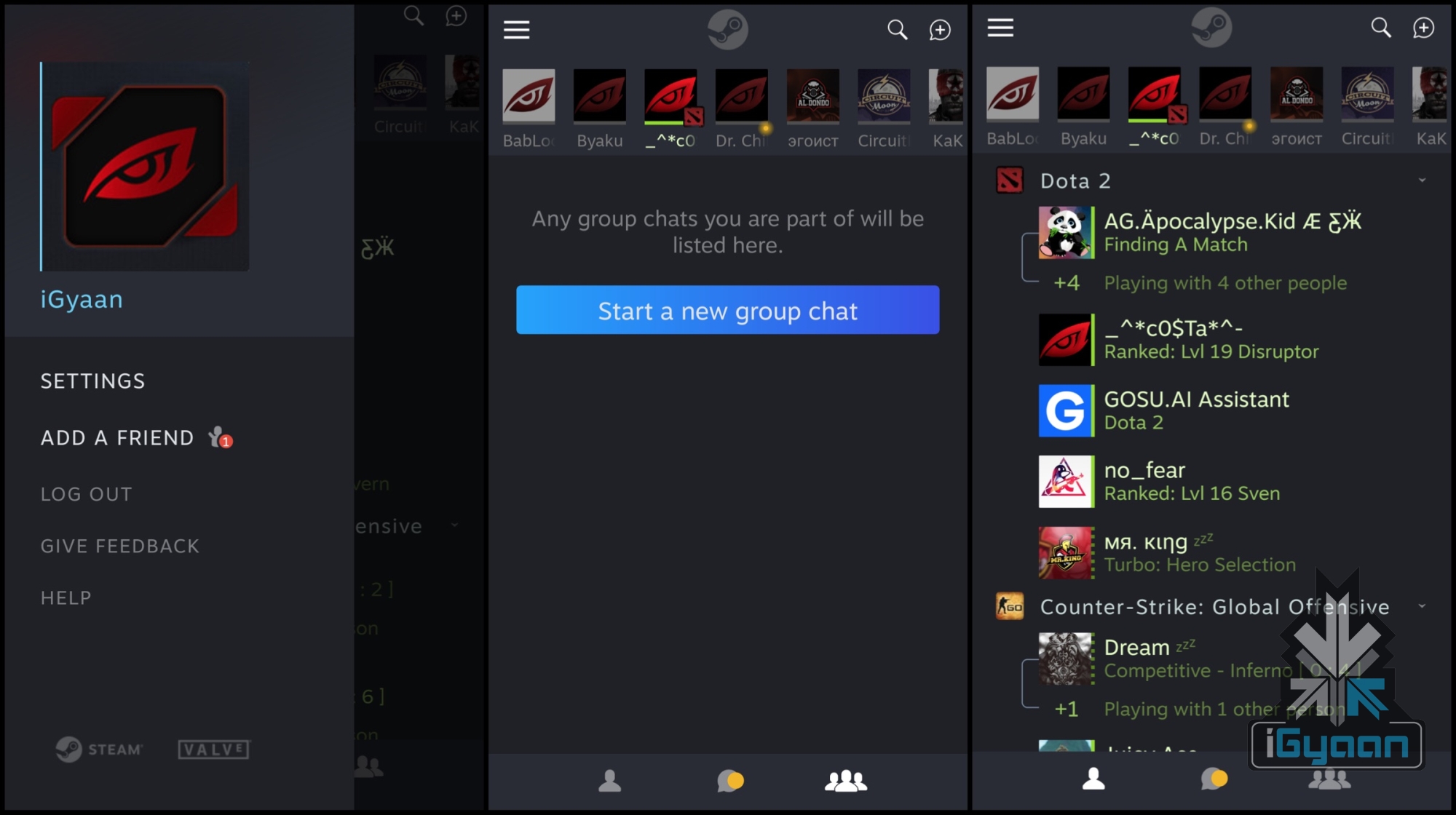 The mobile version of Steam chat retains many features that the desktop application offers. Notably, the desktop application had a major overhaul in its design and functionality in the year 2018. Steam Chat does include the same Group chat functionality along with the smartphone tweaks like customizable notifications. As of now, the application does not support voice chat functionality. However, the developer states the feature will soon make its way to the application with future updates.
 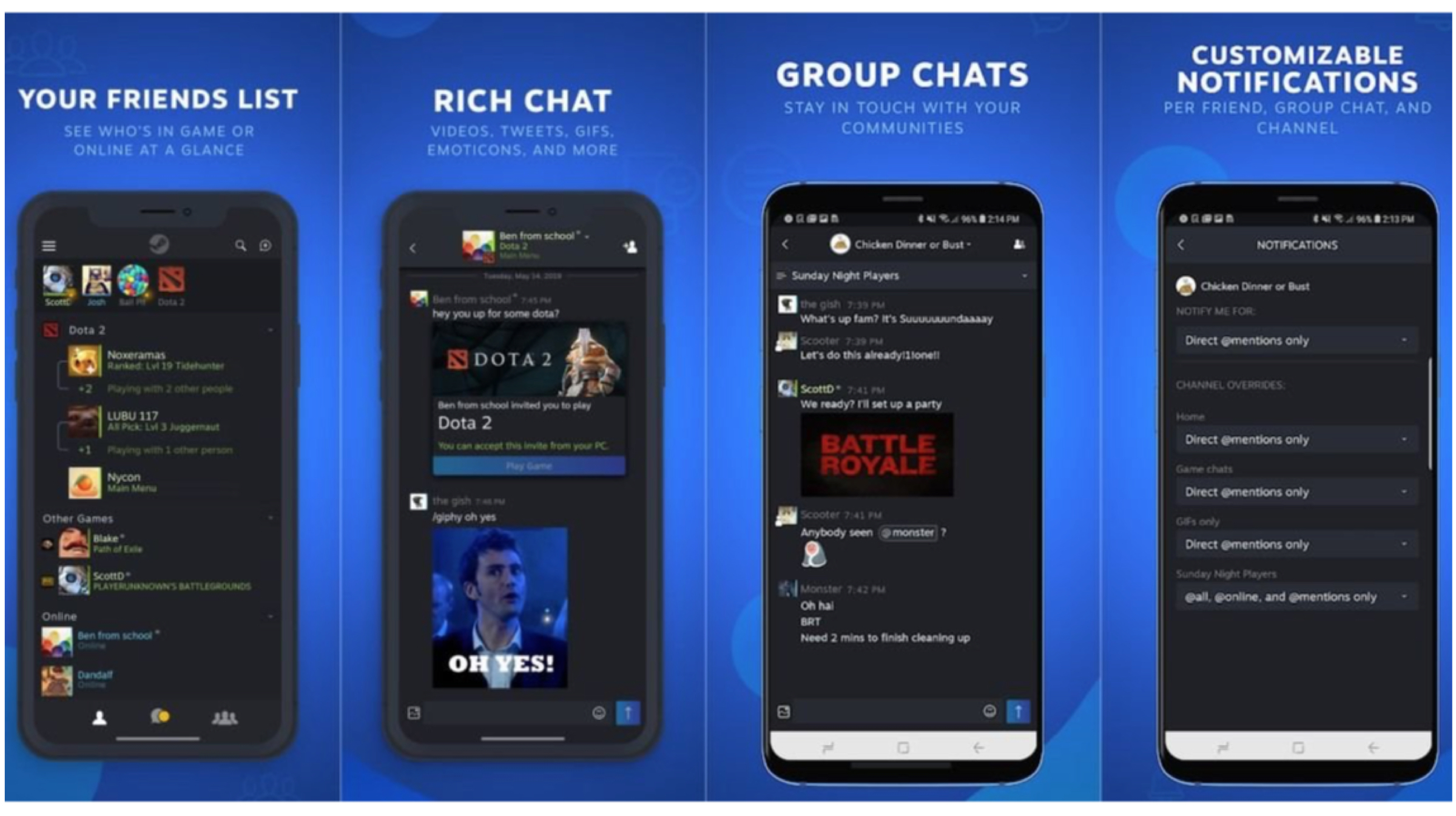 Not something that’ll whisk away Gamers from their adored Discord Voice Chat App, but a Steam Chat is an interesting take on the same formula of
 Also Read:
 The marketing firm pays Instagram and other social media influencers to post sponsored (ad-revenue generating) content on their feeds. The data stored in the database included the total number of followers per account, engagement, reach, likes, shares and other sensitive information such as private contact information. Using this information, the firm calculated the net worth of the account and then determined how much it can pay an Instagram celebrity to post an advertisement.
  Sources state that the database contained info about high-profile influencers, including popular food bloggers and celebrities. When sources contacted some influencers present in the list, some of them responded saying that it was indeed the same contact number and email address that they used while signing up for the Instagram account. Also, they did not have any involvement with Chtrbox either, which confirmed that the aforementioned information was being used without the consent of the user.
  Also Read: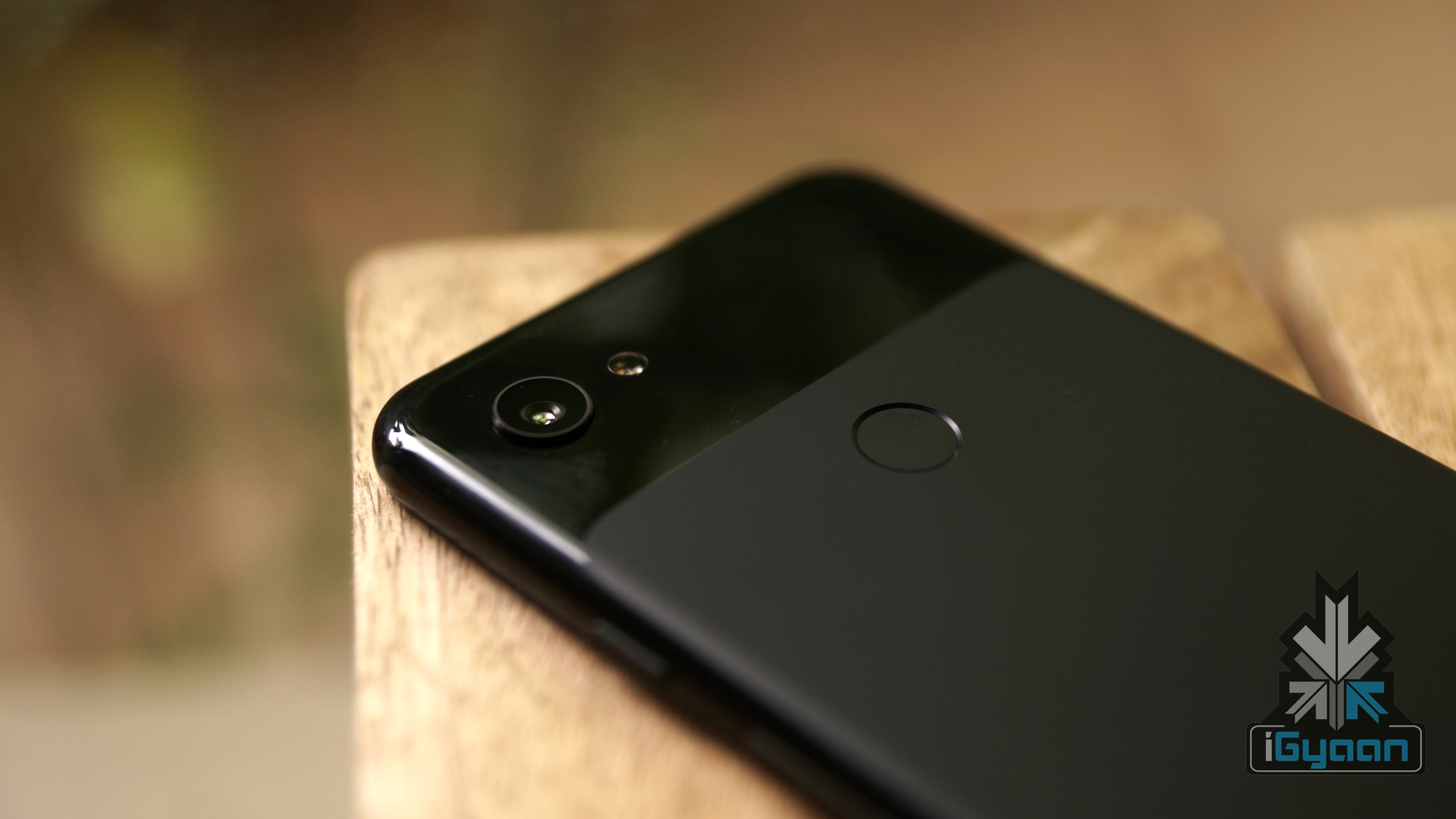


 As per Twitter support, users can express themselves better with the help of GIFs and images, which would enhance their reactions to a specific tweet. To do the same, users need to click on the “retweet with comment” option and then choose the respective image or GIF to go along with the tweet. Even though this is a small addition to the micro-blogging app, Twitter stated that the service was quite cumbersome to incorporate in the mobile application, since a lot of GIFs and images can make the Twitter timeline look cluttered.