Tag: iOS 13

  • Second Public Beta Of Apple’s iOS 13, iPadOS Released

    Second Public Beta Of Apple’s iOS 13, iPadOS Released

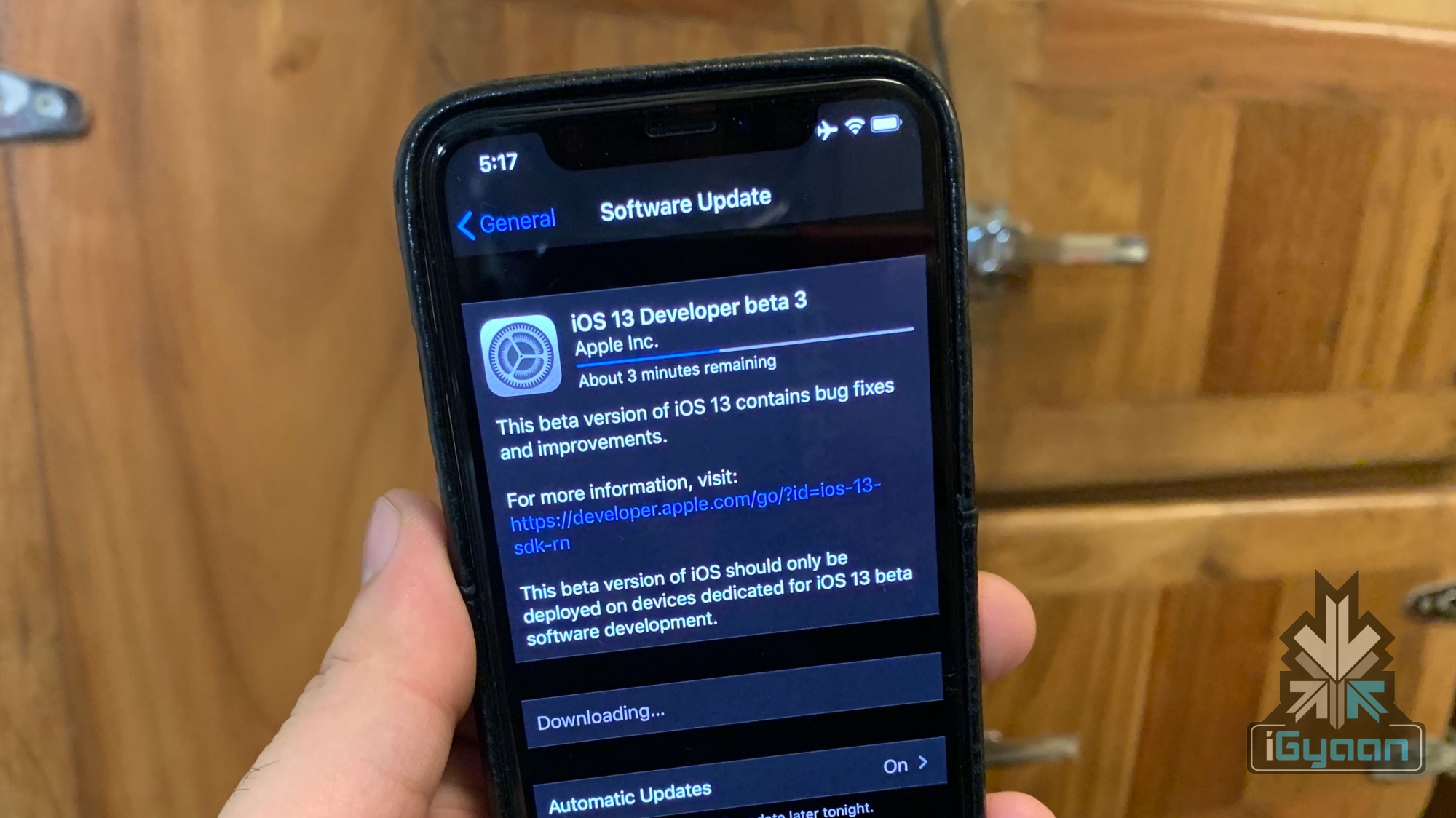
    Apple announced the latest iterations of its operating systems for its devices earlier last month at the World Wide Developer’s Conference (WWDC). These include the new version of the iPhone operating system, iOS 13; a brand new OS for iPads, iPadOS and an upgraded MacOS called MacOS Catalina. The company released the first public betas of the software last month, which can be downloaded by following the guide here. Now, the second public betas of the iOS 13 and iPadOS have been released, which add some features that were seen in the developer’s beta 3 announced last week.

    What’s New?
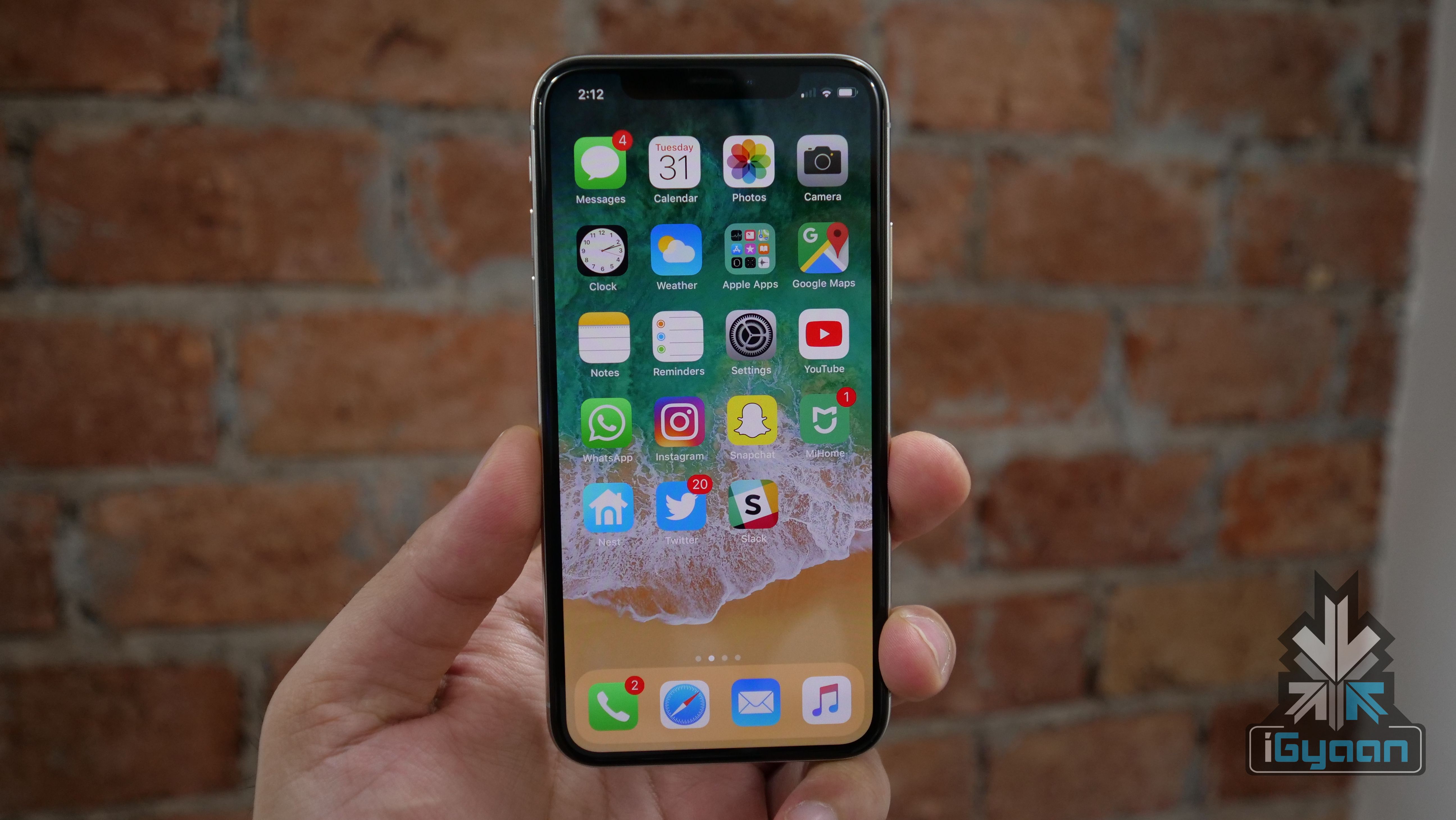
    Apple iOS 13

    With the second public beta of iOS 13 and iPadOS, Apple has added a few stability improvements. These should improve the performance of the devices running the software and also result in fewer crashes. With the latest update, the FaceTime Attention Correction Feature has also been added to the public beta. Exclusive to the latest iPhones for now, the feature uses Apple’s ARKit to make it seem that the user is maintaining eye contact with other people on a video call via the Facetime application.
    iOS 13

    On the second public beta of the iPadOS, Apple has added a new animation; which is designed to help the users keep track of the Split View Windows that are active at a time. The animation also works while taking full-page screenshots and in some other elements of the User Interface. All the features seen on the Developer Beta 3 have not made their way into the iOS 13 and iPadOS public beta yet. It may be because they are not stable enough to be used by the majority and should make their way in the next update.

    iPadOS

    Also read: Huawei’s HongMengOS May Launch On August 9 In China

    Users already running the first public beta of either the iOS 13 or the iPadOS should get an Over the Air (OTA) update on their device for the second public beta. If not, going to Settings then About and checking Software Updates should do the trick. If you haven’t installed a beta and want to try it out, know that they are not known to be stable and can experience random crashes; it is thus not recommended on one’s primary device. In that case, waiting for the stable release due later this year is recommended.
  • iOS 13 Beta 3 Features FaceTime Attention Correction Feature

    iOS 13 Beta 3 Features FaceTime Attention Correction Feature

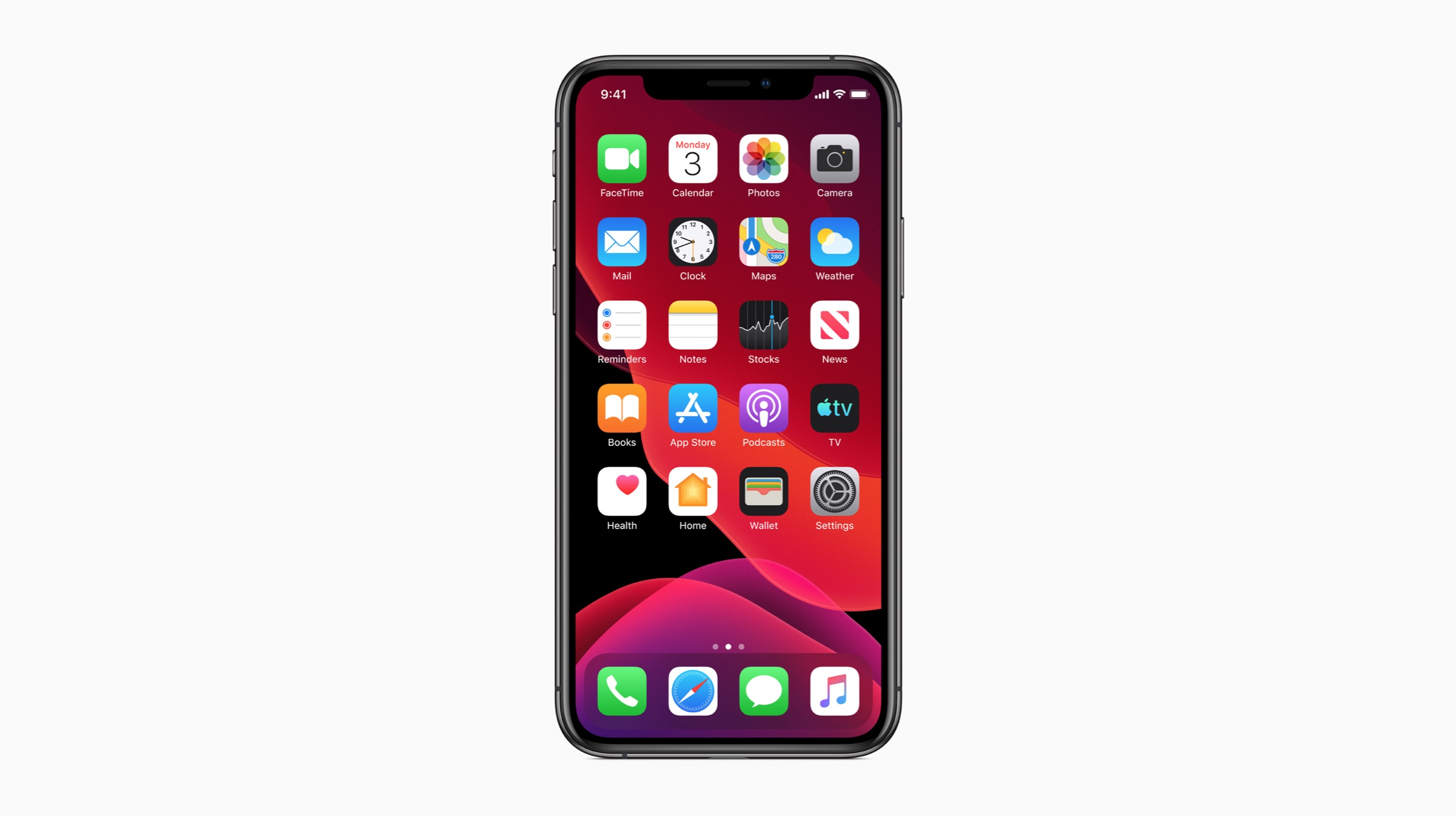
    Apple announced iOS 13 back at WWDC 2019 event in June 2019. The latest version of the OS for Apple’s mobile devices was touted to sport many new practical and quality of life changes within it. The company has since allowed users to opt into the beta program to experience the software first-hand for themselves. The third version of the beta program has introduced many useful new features like the FaceTime Attention Correction.

    Apple iOS 13

    Apple had released the public beta 1 alongside the developer beta 2 features for iOS 13 a couple of days ago. Betas for other products such as the iPadOS, watchOS 6, tvOS 13 and macOS Catalina have also been made available. Users who have already installed the previous versions of the iOS 13 beta will receive an update via OTA. It is only the third iterations of the beta so it will take a while before the live build is finally released.

    iOS 13

    FaceTime Attention Correction

    A tweet was shared on Twitter that had showcased the feature in action with a side by side comparison to for reference. The aforementioned feature makes it seem like a user is looking at the camera even if they are not. The new feature employs visual trickery that allows for a more streamlined conversation on Apple’s video calling solution.

    https://twitter.com/WSig/status/1146146914985009154?ref_src=twsrc^tfw|twcamp^tweetembed|twterm^1146146914985009154&ref_url=https%3A%2F%2Fwww.91mobiles.com%2Fhub%2Fios-13-beta-3-update-released-for-developers-how-to-download-install%2F

    The demonstration showcased both the reworked and untouched images side by side. In the right is the person actually staring at the screen. On the left users can see the edit making it appear like the person is staring into the front camera. The new feature basically corrects eye positioning to make conversations via FaceTime more organic. Unfortunately, the feature is currently exclusive to the iPhone XS and iPhone XS Max flagships from Apple.

    iOS 13

    Other New Features

    The iOS 13 arrives with an all new redesigned action buttons on the Apple keyboard. A new description is also available for the Headphone Audio Levels, full-page screenshots and ‘Me’ tab in Find My App. The update brought changes to the Noise cancellation button in the Control Centre as well with new opacity options in iOS markup tool. A lot more minor new features and improvement have also been added since.

    Apple

    Also ReadPUBG Lite PC Releases In India On 4th July With Hindi Support

    The final version of the iOS 13 is expected to be seen later in the year and will probably be launched alongside the upcoming iPhone. Apple’s new software technique will make video calling a lot more seamless. Users don’t need to consciously stare at the camera to hold a meaningful conversation for the other person. More updates regarding this will follow soon and should be available in the arriving weeks.

  • iOS 13 and iPadOS Public Beta Released: How To Install

    iOS 13 and iPadOS Public Beta Released: How To Install

    Apple announced new versions of its operating systems for all of its devices earlier this month at the World Wide Developer’s Conference (WWDC). These include the new version of the iPhone operating system, iOS 13; a brand new OS for iPads, iPadOS and an upgraded MacOS called MacOS Catalina.

    While the aforementioned software were available to download in developers beta; it was only possible if the user was signed up to the Apple’s developer program. On 24th of June however, the company has released the first public betas for all the operating systems. This means they can be download by anyone owning a compatible device. Here is a step by step guide on how to download the beta software of the iOS 13, iPadOS and MacOS.

    iOS 13 Public Beta

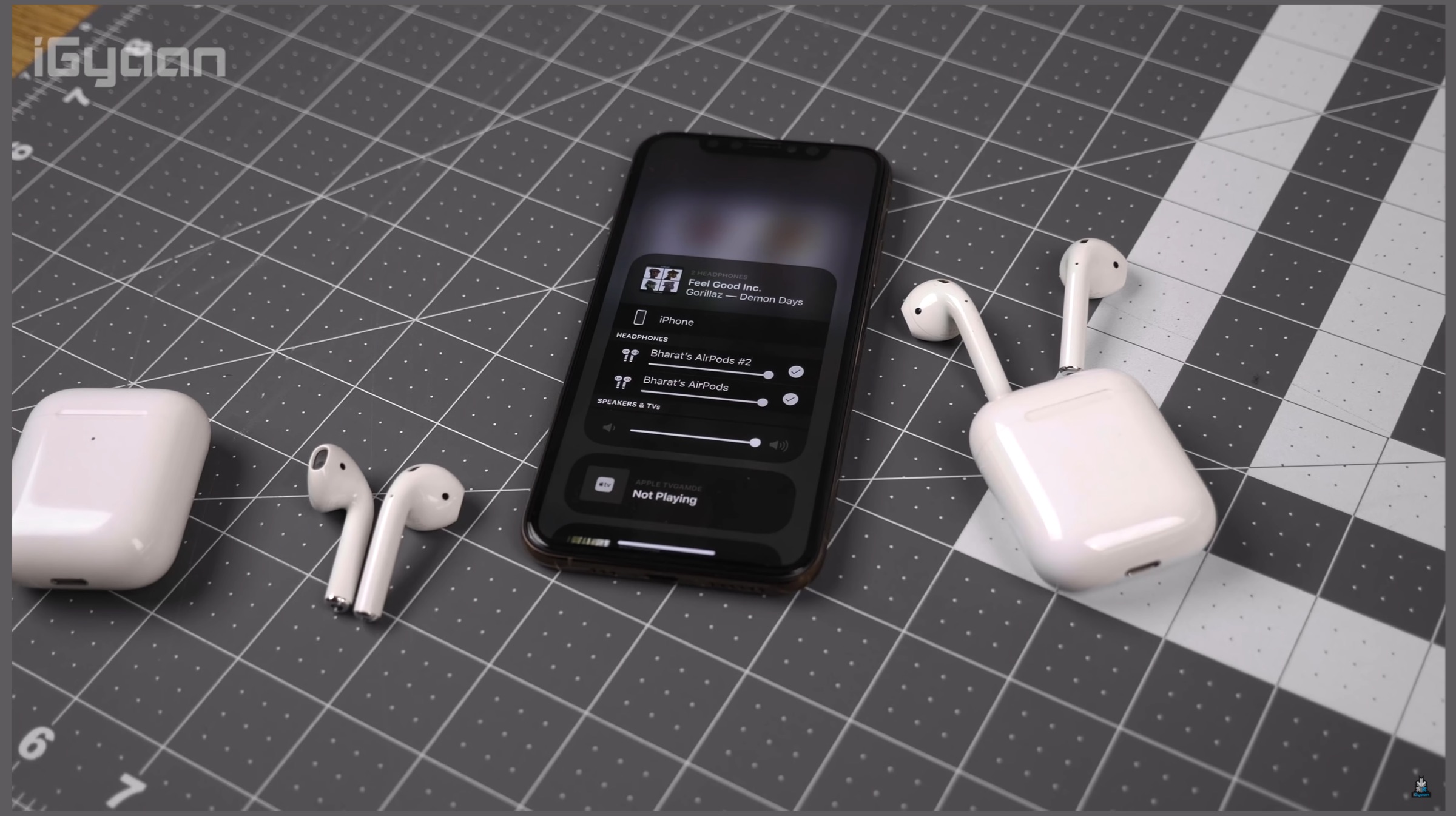
    The iOS 13 as mentioned above, will be the latest software available for the Apple iPhone starting the iPhone 6s series. It promises many noticeable improvements over its predecessor, iOS 12. The latest software has a system-wide dark mode, which as the name suggests turns many areas of the User Interface dark. This is aimed at preserving battery life in OLED iPhones and will look more pleasing at night. It also supports multiple AirPods pairing to share music between iPhones.

    iOS 13

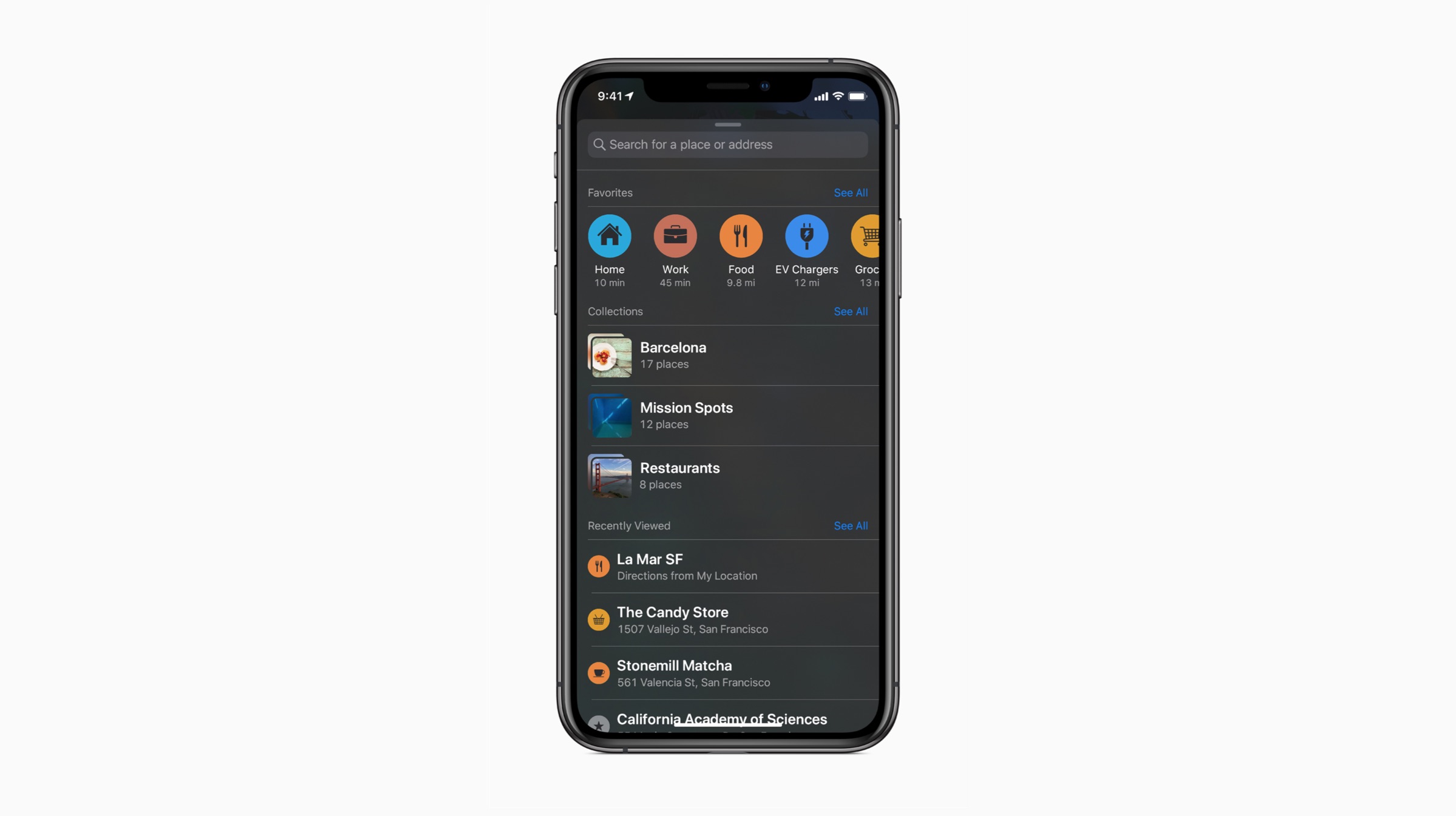
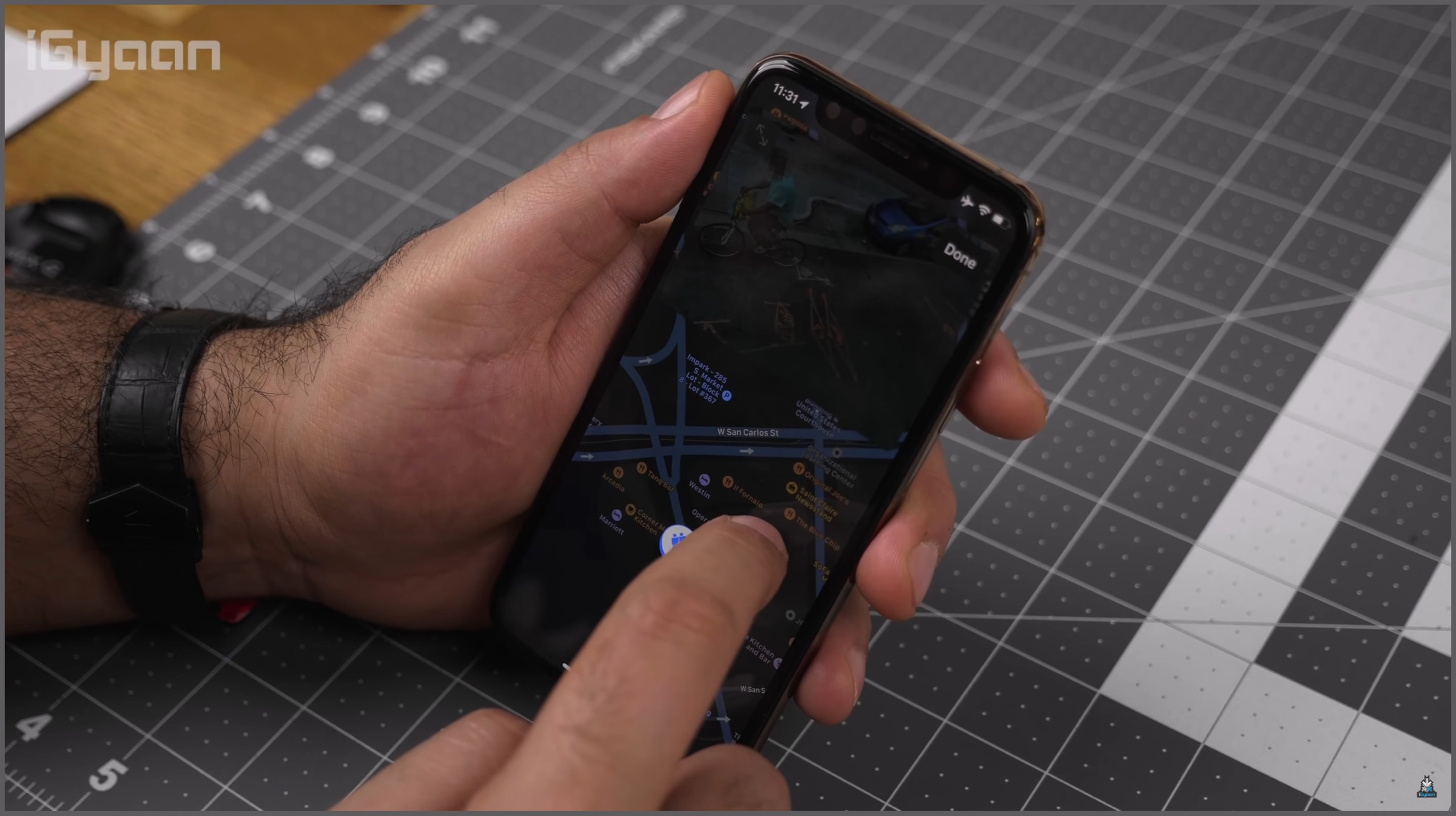
    More improvements on the iOS 13 include a new swipe gesture for keyboard, overhauled Reminders and Maps apps and performance improvements over iOS 12. Apple claims a 30 percent speed increase for FaceID in supported iPhones and smaller app update size. Overall, iOS 13 is a significant update for the software, however, if you plan on installing it; please be wary that it is still in beta and there may be some bugs that will be needed to iron out. Here is how you can install the iOS 13 Public Beta.

    • Head over to the Apple Beta Software Program by clicking here from Safari on your iPhone. (It doesn’t work with any other browser)
    • Sign in to your Apple account if you have not done it already.
    • Click on “Enroll Your Devices” on the top of the webpage.
    • Click on the “iOS” tab, this will make a reminder pop up on your screen to ensure your phone backup is complete. This will be needed if you plan on downgrading later.
    • Select the option “Download Profile” on the next page, this will bring another pop-up saying the website wants to download the file. Click on Allow.
    • Open the Settings app on your iPhone, select the section “Profile Downloaded” and then you can install the iOS 13 Beta.
    iPadOS Public Beta

    The iPadOS is an overhauled version of iOS 13 that is designed while keeping the iPad in mind. The iPadOS targets the iPad Pro and takes it one step closer to making it a full fledged computer. Many new features have been taken from the iOS 13 like the Dark Mode and new Reminders and Maps applications. It adds a redesigned home screen with widget support, new multi tasking features. The latency in the Apple Pencil has also been greatly reduced and there are new gestures for screenshots, editing text etc.

    Apple iPadOS

    The biggest overhaul in the iPadOS that separates itself from iOS 13 is the new files app and external storage support. Both have been added to make the iPad more productive than before. There is also a new feature that is in sync with MacOS Catalina called Sidecar. It lets you use the iPad Pro as a secondary display to your Mac with minimal latency over wired or wireless connections. If you plan on installing the iPadOS beta, once again be wary of the bugs that will exist; until the stable update later this year. Here is how you can install the iPadOS public beta on your device.

    • Head over to the Apple Beta Software Program by clicking here from Safari on your iPad.
    • Sign in to your Apple account if you have not done it already.
    • Click on “Enroll Your Devices” on the top of the webpage.
    • Click on the “iPadOS” tab, this will make a reminder pop up on your screen to ensure your phone backup is complete. This will be needed if you plan on downgrading later.
    • Select the option “Download Profile” on the next page, this will bring another pop-up saying the website wants to download the file. Click on Allow.
    • Open the Settings app on your iPhone, select the section “Profile Downloaded” and you are all set to install the iPadOS Beta.
    MacOS Catalina Public Beta

    MacOS

    The MacOS Catalina is the latest version of the operating system for various computing devices from Apple. It features considerable changes over the last generation, MacOS Mojave. The latest OS boasts of the Catalyst feature, which was codenamed Marzipan and allows iPad developers to port applications over to MacOS. The sidecar feature as mentioned in the iPadOS above is also making its debut in the newest generation MacOS.

    Apple MacOS

    A major feature that MacOS Catalina is bringing about is the introduction of Voice Control. It is an accessibility feature that will allow users with limited motor skills to control their Mac enabled device with their voice. Again, the MacOS public beta, like the iOS 13 and iPadOS is still in beta stage; so there may be some bugs that may need squashing in the stable update due later this year.

    • Visit the Apple Beta Software Program by clicking here.
    • Sign in to your Apple account. (Ignore if already done)
    • Click on the MacOS option, this will make a reminder pop up saying to ensure you have a time machine backup; in case you want to downgrade to a previous version.
    • Click on the option “Download the MacOS Public Beta Access Utility”; which will download a .dmg file enrolling your computer in the beta program.
    • Open System Preferences and click on Software Update option to install the MacOS Catalina beta. One thing to note is that it might not be available to download instantly in some cases. Users will need to wait if that is the case.

    Also read: Mysterious Samsung Tablet With Snapdragon 710, 4GB RAM Leaked Via Geekbench

    The new iOS 13, iPadOS and MacOS are major software releases by Apple this year. It is also seen as a step by the company to combine some functionalities of all the three different products for the future; as demonstrated by the Catalyst feature in MacOS. What do you think about Apple’s latest releases? Tell us in the comments below.

  • iOS 13 Launched By Apple, Features Dark Mode, Privacy Upgrades, Performance Boosts

    iOS 13 Launched By Apple, Features Dark Mode, Privacy Upgrades, Performance Boosts

    At WWDC 2019, Apple finally launched the highly-anticipated iOS 13 operating system for iPhones. The new update brings a ton of improvements to the Apple ecosystem. It is touted to be the next great release that will bring improvements all across the board for popular iPhones alongside various UI overhauls and apps revamps. Here are some of the major changes that Apple introduced with the all new iOS 13.

    Dark Mode
    Apple iOS 13 WWDC 2019

    The feature that had been long rumoured and asked for by iPhone users was finally showcased. This has been one of the single most anticipated changes ever occuring on the the iOS. It marks the second major aesthetic change to the UI after iOS 7. The true system-wide dark mode is supported by all Apple apps such as Photos, Calendar and multiple others.

    Reminders

    Apple iOS 13

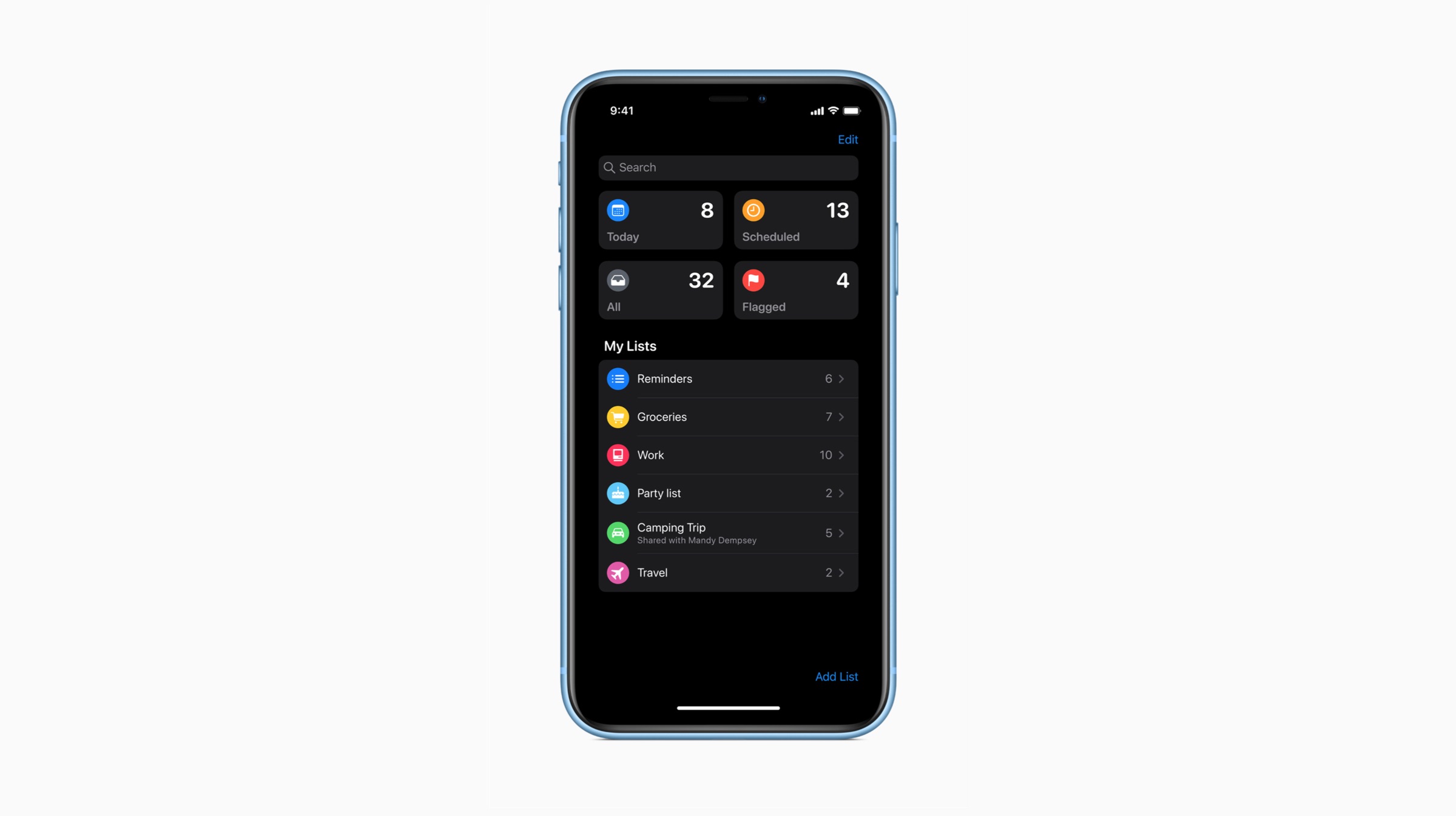
    Apple has introduced a new update to the Reminder application in iOS 13 at the WWDC 2019. Users can filter their tasks using various filtering options such as “Today”, “Scheduled” and “Flagged”. Additionally, the app has recieved a visual overhaul and will include AI integration, which will automatically suggest users when they would like to be reminded. Users can also tag their contacts and upon opening the respective thread in messages, they will be reminded of the same.

    Performance Boost

    WWDC 2019

    Similar to the iOS 12 update, the company has designed iOS 13 in order to upgrade the performance statistics of older devices as well as upcoming iPhones. Apple has stated that features such as FaceID will operate 30 percent faster with the new update. Also, applications will open twice as fast on iOS 13 as compared to iOS 12. New updates will also be 60% smaller, while downloads will be 50 percent smaller than the previous OS.

    Privacy

    Apple iOS 13 WWDC 2019

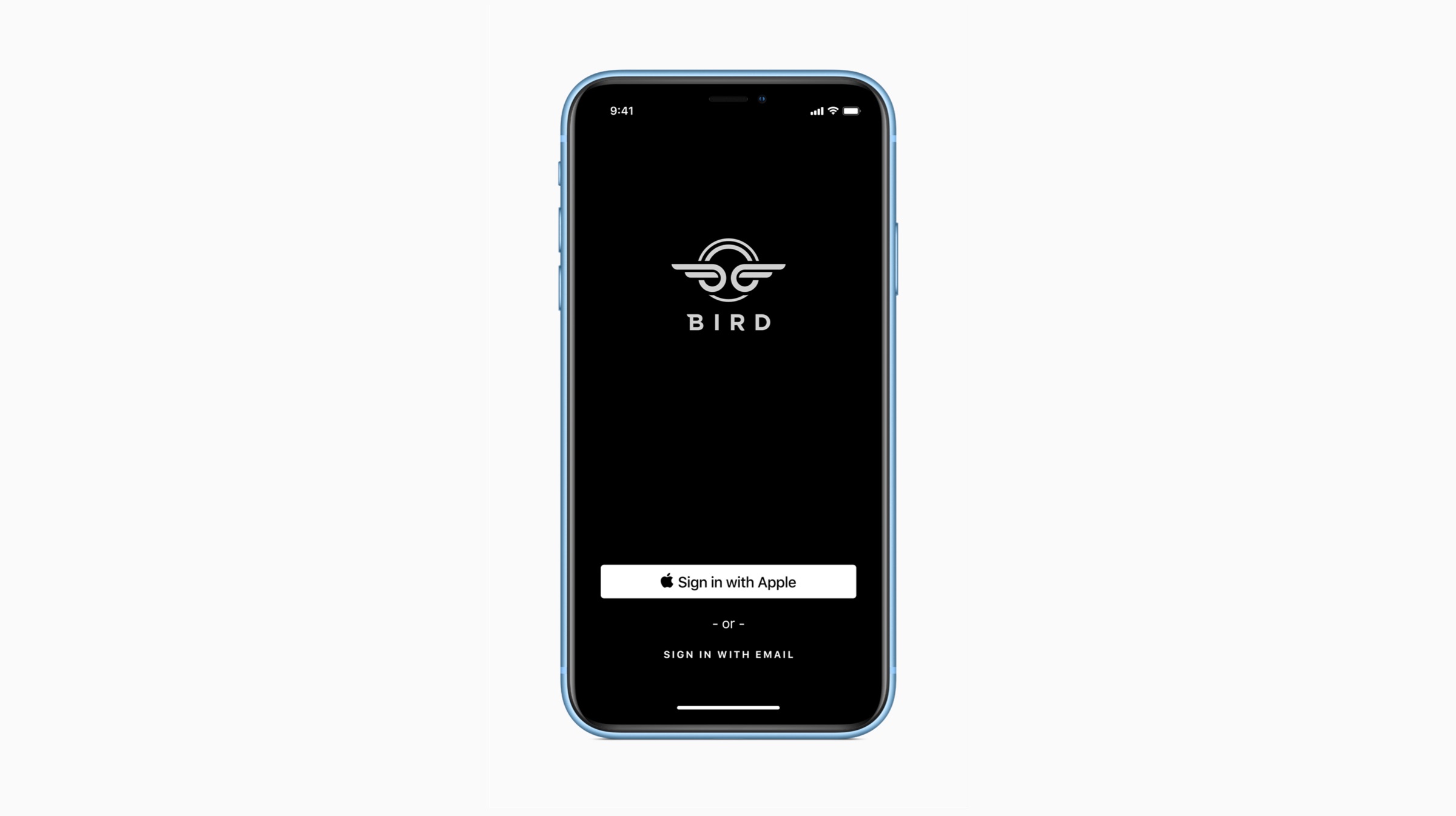
    Since privacy forms an integral basis of Apple’s ecosystem, the company has introduced a multitude of security features to iOS 13 at the WWDC 2019. For instance, users can decide to grant access to location services “just once”, which will not send their location data every time they use the concerned application. Also, using the “Sign in with Apple” feature, users can log into applications and services using their Face ID and simply create a new account without divulging personal data. Furthermore, users can get new private email addresses made every time they log into a new app using Apple Accounts, which will reduce the amount of spam emails accumulating in users’ inboxes.

    Revamped Photo And Video Editing Tools, External Storage


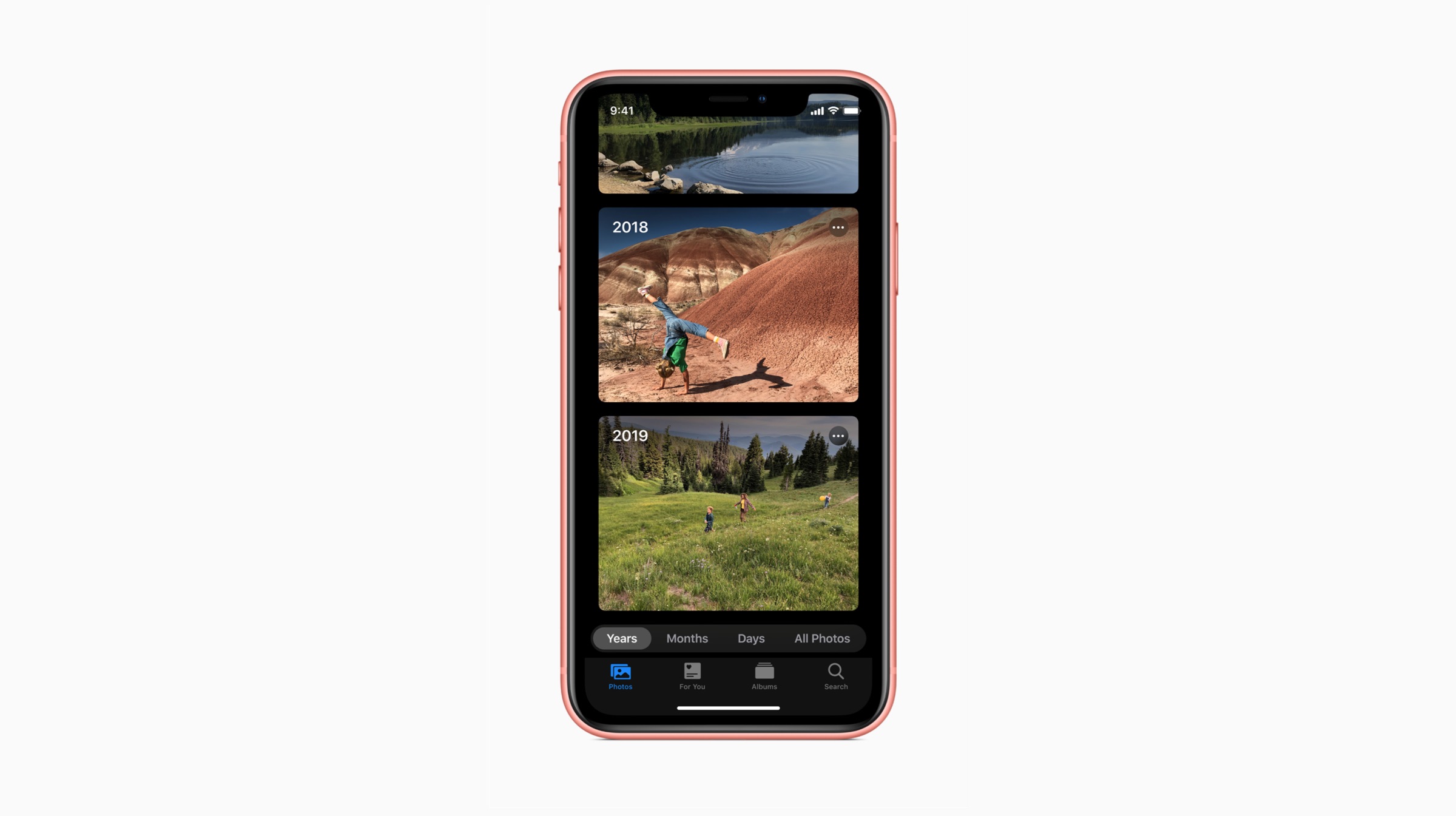
    The company has introduced a new editing interface to iOS 13 for photos and videos, which will allow the users to enhance their clicks and snaps in a much detailed scenario. Users can edit vignette, brilliance, shadows, contrast, saturation, white balance, sharpness, highlights, definition, and noise reduction in their images. Videos can now be rotated directly in the new operating system update. The refreshed Photos app UI will ensure that duplicates and clutter-like images will be automatically removed from the storage. Talking of storage, iOS 13 will enable users to directly copy files from SD cards and USB drives to the Files application.

    Swiping Keyboard And Memojis

    Apple iOS 13

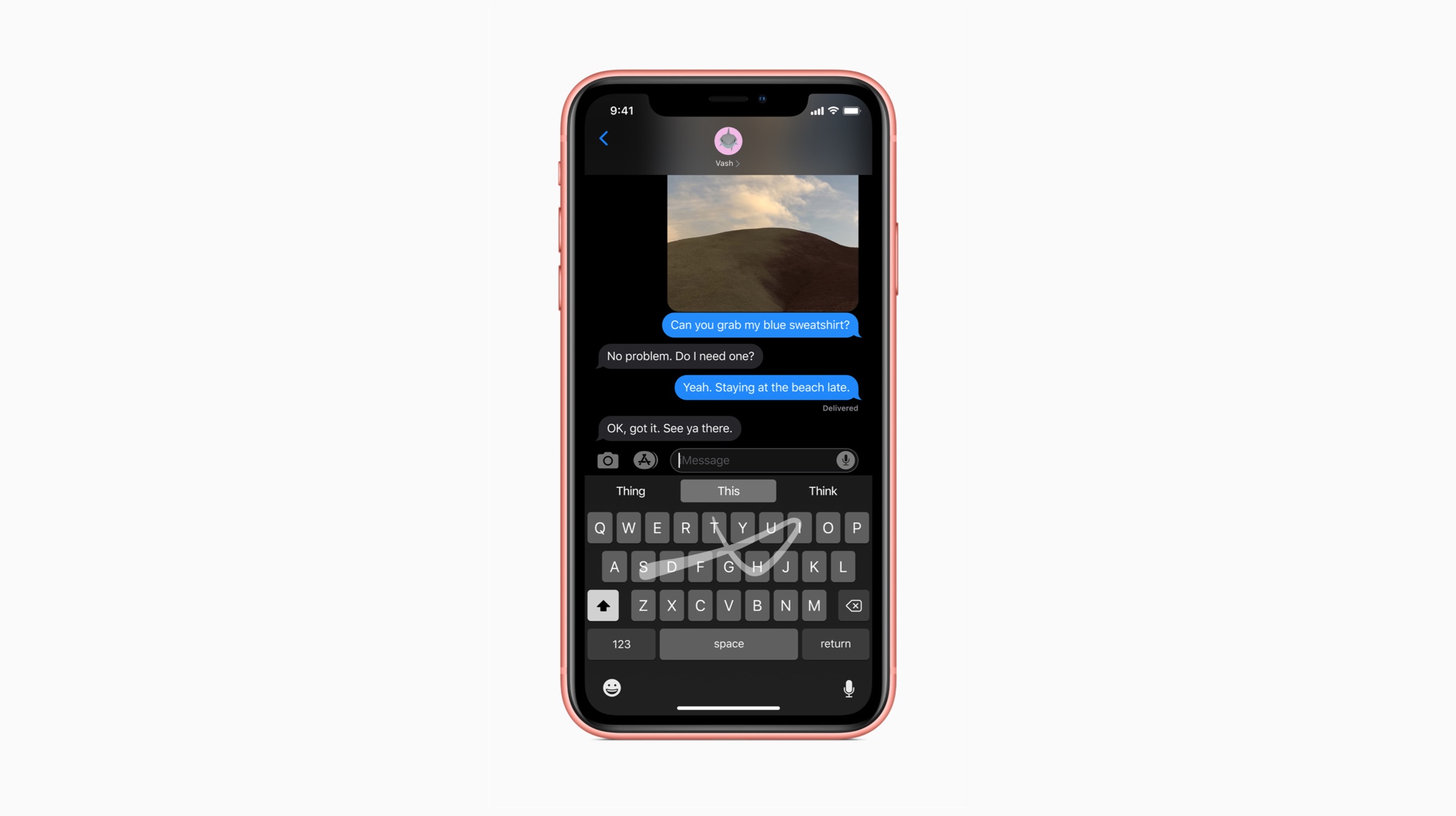
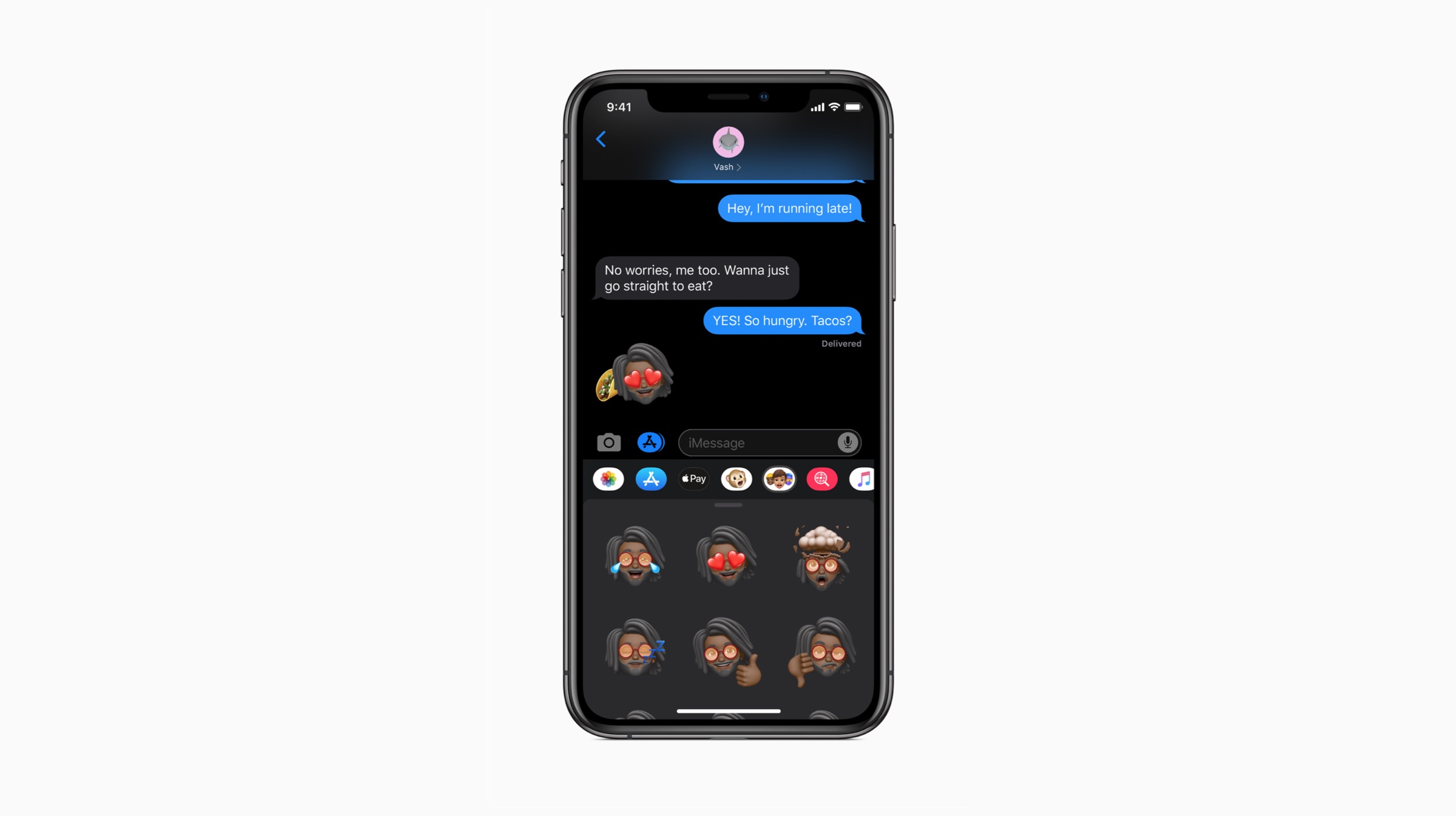
    Users familiar with third party keyboards like Swiftkey and Swype will be delighted to know that Apple has finally updated its own stock keyboard with a swiping functionality. Users can simply “glide” through the letters to draft a word and eventually, sentences. Apple calls the new keyboard the “Quick Path” keyboard, and it will help users replace any third party keyboards with the redefined Apple keyboard. Furthermore, Apple also added the option to use Memojis as a profile picture. Apple is also adding more options for customizing Memoji, as well as adding the ability to use Memojis as iMessage stickers in chat.

    Availability

    Apple iOS 13

    Also Read: Microsoft Teases A New Dual-Screen Surface Device

    The developer preview of iOS 13 is available to the members of the Apple Developer Program. Noteworthy, a public beta program will be also available to iOS users next month. iOS 13 will be available this Fall as a free software update for iPhone 6s and later iPhones. This rollout is expected to occur at the same time when the company will reportedly announce the next generation of iPhones.  

  • Leaked iOS 13 Screenshots Reveal Dark Mode, New Reminders App

    Leaked iOS 13 Screenshots Reveal Dark Mode, New Reminders App

    American technology giant Apple is all set to begin the annual World Wide Developer Conference (WWDC) from the 3rd of June. The company uses the event to showcase its newest software to developers and enthusiasts. Like every year, it is expected that the next iteration of Apple’s operating system for its iPhones, iPads and iPods will be introduced at the event. Purportedly called the iOS 13, it is expected to bring about significant changes in the operating system, some details of which have leaked in the past. Now, a reputed source has obtained some screenshots alleged to be of the iOS 13. These confirm the presence of a native dark mode and an overhaul of the Reminders app. 

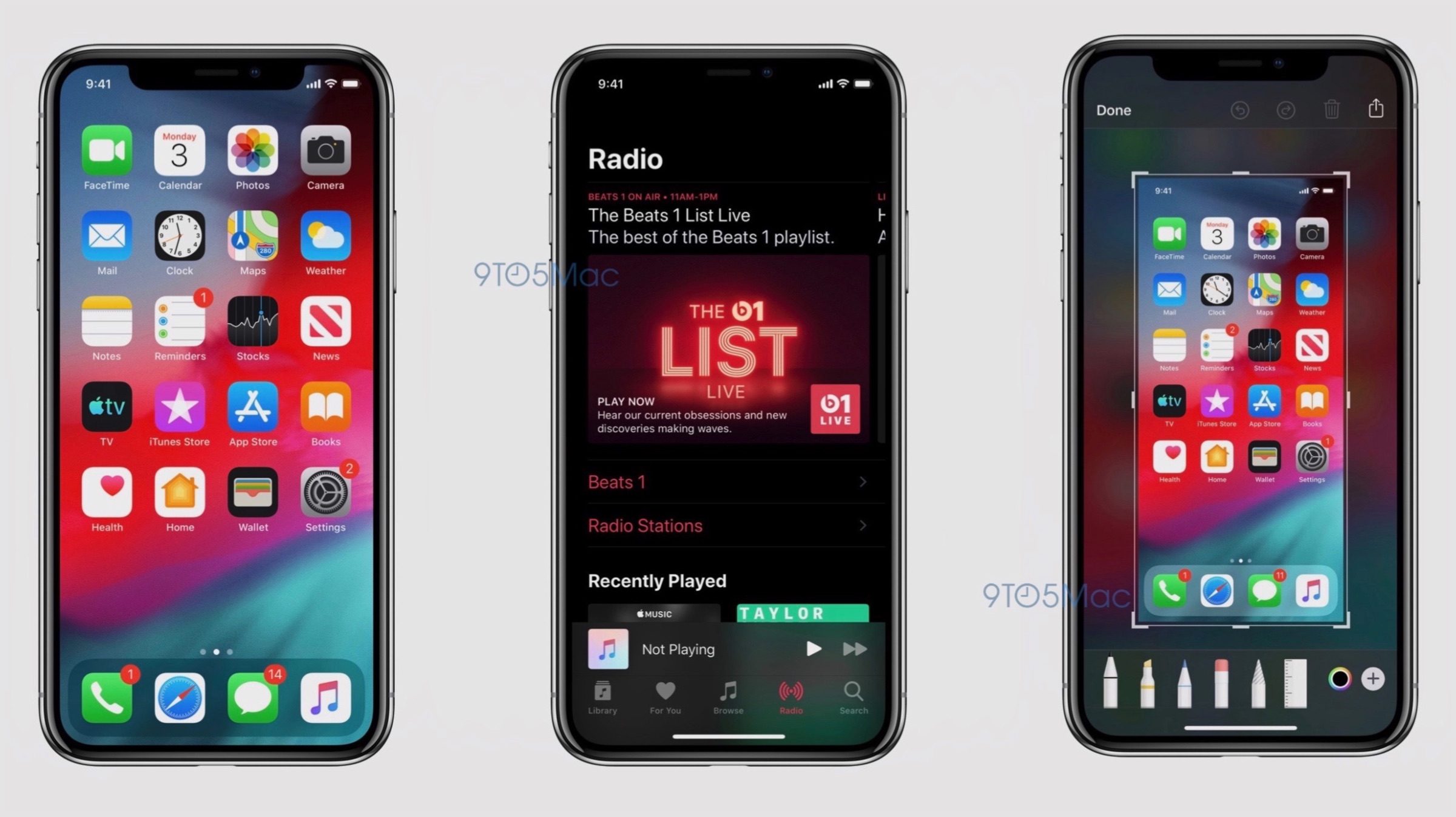
    iOS 13 Leaked Screenshots

    Apple iOS 13

    The leaked screenshots of the iOS 13 as mentioned above, confirm the presence of a native dark mode. While this feature has been leaked to be present in the software several times in the past, the images all but confirm it will be provided as an option. Turning on this setting will reportedly switch the system applications to a greyscale shade. Darker colours are easier to use at night and provide the device with a different appearance; so the feature has been highly anticipated in iOS for quite a while now. The second change visible from the leaked images is the new screenshot editor. Instead of showing a grey background after a screenshot, the upcoming iOS 13 will have a blurred version of the wallpaper; with more intuitive tools on the bottom. On iPad, this tray holding the tools can be dragged around the screen.

    Apple iOS 13

    Also read: Apple WWDC 2019, Launches, What To Expect

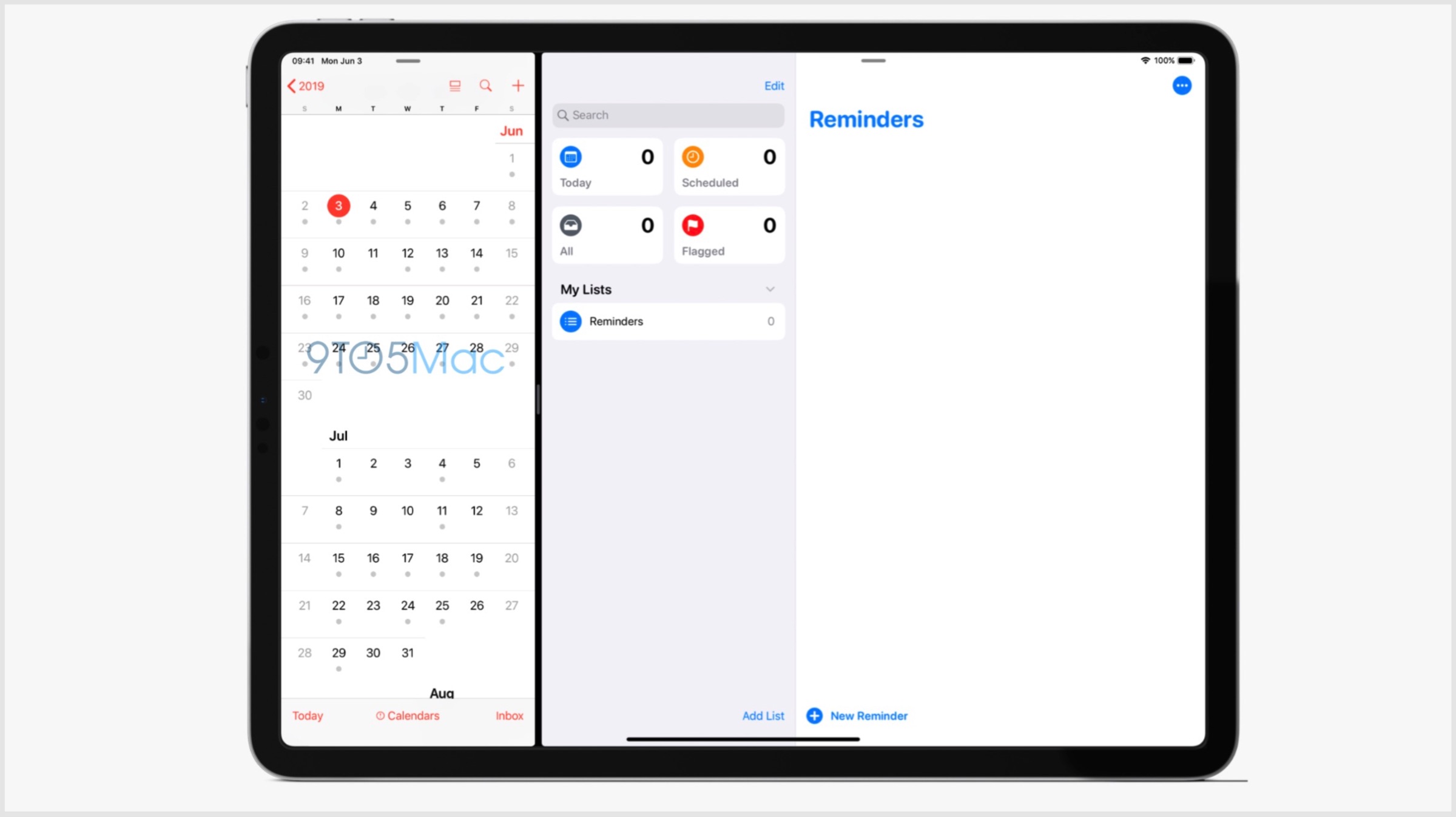
    The Reminders application on iOS 13 will also be receiving a major design overhaul. On the iPad, it will have a large sidebar with boxes corresponding to “Today”, “Scheduled”, “Flagged” and “All”. This will also include a search box with a collection of the list of reminders. Apple is expected to announce the beta version of the software on the 3rd of June; with a wider rollout to follow later in the year. With iOS 13, the company may phase out devices older than 2015’s iPhone 6s.

  • Apple Sends Out Invites For WWDC 2019, iOS 13 To Be Unveiled On June 3

    Apple Sends Out Invites For WWDC 2019, iOS 13 To Be Unveiled On June 3

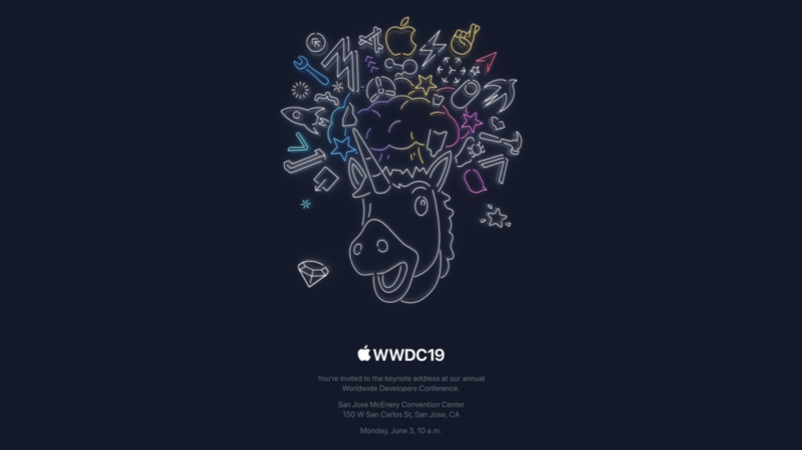
    American technology giant Apple holds its annual World Wide Developers Conference (WWDC) each year to showcase its software prowess to the world. Much like the Google I/O, it is also aimed at developers to create new applications for the company’s products. It was earlier known that the WWDC 2019 will be held from the 3rd of June to the 7th of June. Now, the company has sent out official invites confirming the same and it has been revealed the event will be held at the San Hose McEnery Convention Center, San Jose, California. On the first day of the event that is June 3, the release of Apple’s upcoming Operating System (OS) for iPhones and iPads, the iOS 13 is also expected.

    Apple WWDC 2019

    Apple WWDC 2019 iOS 13

    The 2019 edition of the WWDC event as mentioned above, will take place next month. Like each year of the conference, Apple is expected to showcase the advancements they have achieved with their software. The OS that the company is expected to showcase a new version of is the iOS for its mobile devices, macOS for its computing devices, watchOS for Apple Watch wearable and tvOS for Apple TV. It is also speculated that Apple will provide additional information regarding its new services namely its Credit Card, TV+ and Arcade game subscription service. In the past few years, the company has also launched hardware at the event. But, with the latest launch of updated MacBook Pro earlier this week, it is all but confirmed the WWDC 2019 will focus on software only.

    Apple WWDC 2019 iOS 13

    Also read: ARM Terminates All Ties With Huawei After US Ban

    Out of all the aforementioned software by Apple, the most anticipated remains to be the iOS 13. It will be a successor to the iOS 12 launched at the last year’s WWDC and is expected to bring out major changes to the design and usability. The changes that are expected in the iOS 13 is the introduction of Dark Mode, Undo Actions in the keyboard, a new multitasking switcher for iPads and an upgraded Mail app. The latest version of the OS is expected to be better optimised for one-handed use for the upcoming iPhones and iPads. Its Beta version may be announced on June 3 with a wider rollout to be followed later in the year.

  • iOS 13 To Add Dark Mode Support And Overhaul Several System Applications

    iOS 13 To Add Dark Mode Support And Overhaul Several System Applications

    Apple is set to kickstart its developer’s conference, called WWDC on the 3rd of June this year. Like previous years, the company will announce the latest version of iOS, the operating system used in the iPhones and iPads. Likely to be called iOS 13, it is supposed to bring about a ton of changes to the software. A freshly shared report by Bloomberg, details what alterations and additions to expect from the new OS. 

    iOS 13: Expectations?

    The upcoming iOS 13 as previously mentioned, will include a variety of changes in the operating system. One predominant change that the update will introduce is support for dark mode. However, this mode will be called ‘Black and Grey’ and the control for toggling the mode will reside in the control center. Other notable changes are expected to be as follows:

    • Updated Health App- With the upcoming iOS 13, the Health app will get a new screen that displays the daily health of the user. In addition, the application will also track new metrics including the loudness of the music the users listens and bring extensive support for menstrual cycling tracking.
    • Updated Reminders App- A simple addition yet an important one. The updated app will be redesigned to add a grid layout with sections which will reflect tasks for the day, flagged tasks and scheduled tasks.
    • iMessage Update- Even though Whatsapp, owned by Facebook is one of the largest internet messaging (IM) platform, the iMessage exclusive to Apple maintains its dominance. With iOS 13 update, the application will allow users to set a profile picture to their account which is unavailable as of now.

    Other notable features include sticker versions of Animojis and Memojis,  block incoming email from certain contacts in the Mail app, option for frequently visited locations in Maps. 

    The report also highlights that the company will launch a new sleep mode that will automatically darken the lock screen as the night falls. The clock alarm will get the new option for bedtime alarm which as the name suggests will work as a sleep reminder. 

    Apple Home app will have better integration with security cameras and allows users to view the past recording. Limited to the iPad, the iOS update may redesign the multitasking screen and multi-window support on the tablet. Noteworthy, iPhone’s inbuilt browser, Safari will get support for a dedicated download manager. 

    WatchOS 6 Changes

    Also Read: Google Pixel 3a XL Specs And Indian Pricing Leak

    WatchOS is the operating system that runs on the Apple watch, which is one of the most popular smartwatches in the world. The WatchOS 6 is also reported to bring a multitude of changes to the smart wearable. It will gain a dedicated App Store which will make it even more independent of the iPhone. The company will be proving a wide number of new apps the Apple Watch including Apple Books, Calculator, Voice Memos, and health apps ‘Dose’ and ‘Cycles’ for tracking medication.

  • Apple’s iOS 13 To Get Dark Mode, New Undo Actions And More: Reports

    Apple’s iOS 13 To Get Dark Mode, New Undo Actions And More: Reports

    Apple is scheduled to kickstart its developer’s conference, called WWDC on the 3rd of June this year. The company is expected to announce the latest version of iOS, the operating system used in the iPhones and iPads. Allegedly called the iOS 13, it is expected to bring about a plethora of changes to the software. Fresh reports claim the update will introduce the much awaited dark mode and a new undo action among many others.

    iOS 13: What To Expect?

    The upcoming iOS 13 from Apple as mentioned above, will introduce a host of changes in the operating system. The biggest change in the update will be the introduction of dark mode. According to reports, this will be a system-wide implementation and will be available as an option in settings. The final implementation may end up looking like the dark mode on the latest MacOS Mojave, which was rolled out last year. The second significant change will be applicable to the iPads running on iOS 13. With the new software, the ability for apps to have multiple windows will be added. These windows will contain individual sheets which can be attached/detached. The new update is expected to make multitasking better on the iPads.

    Bezel-Less
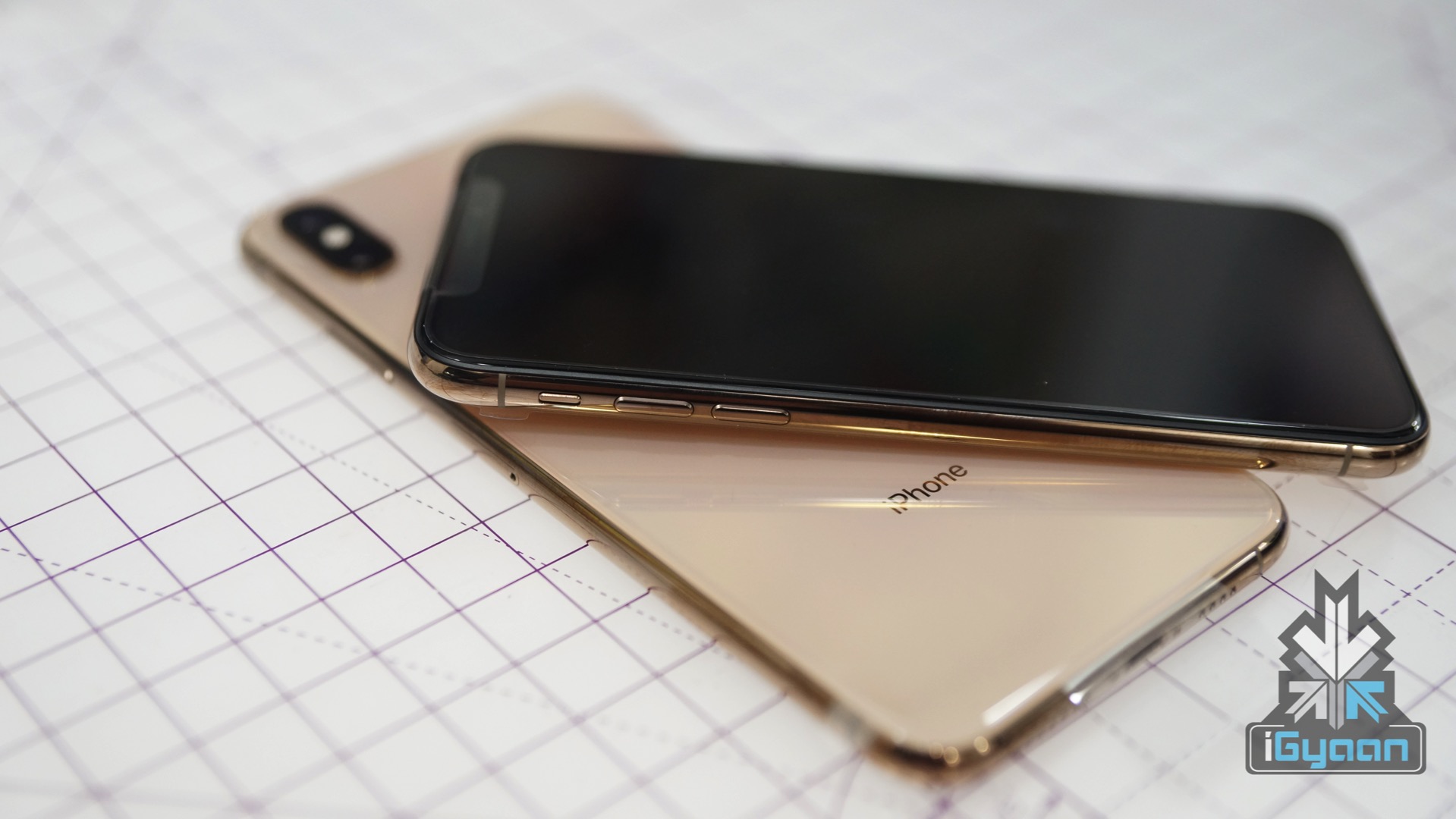
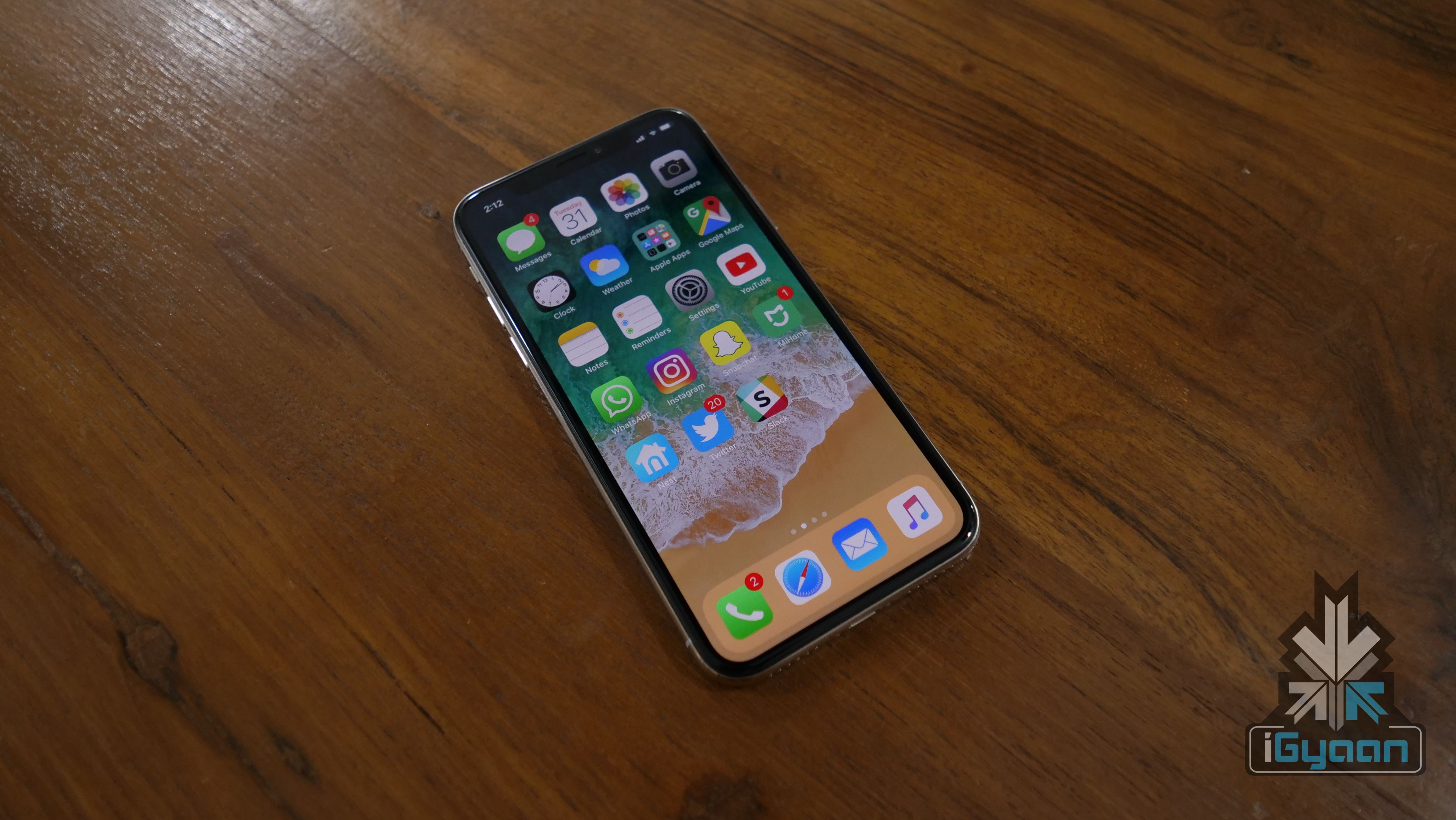
    iPhone X

    Another overhaul in the upcoming iOS 13 will be regarding the undo system. In previous generations, users could physically shake the device to undo the last typed characters on the keyboard. The latest update will change this as a new three-finger tap gesture will replace the aforementioned actions. With the new iteration, users will be able to slide left or right after the three fingers tap to undo or redo their actions respectively. With iOS 13, the company will also add a new font management panel to access font settings more easily.

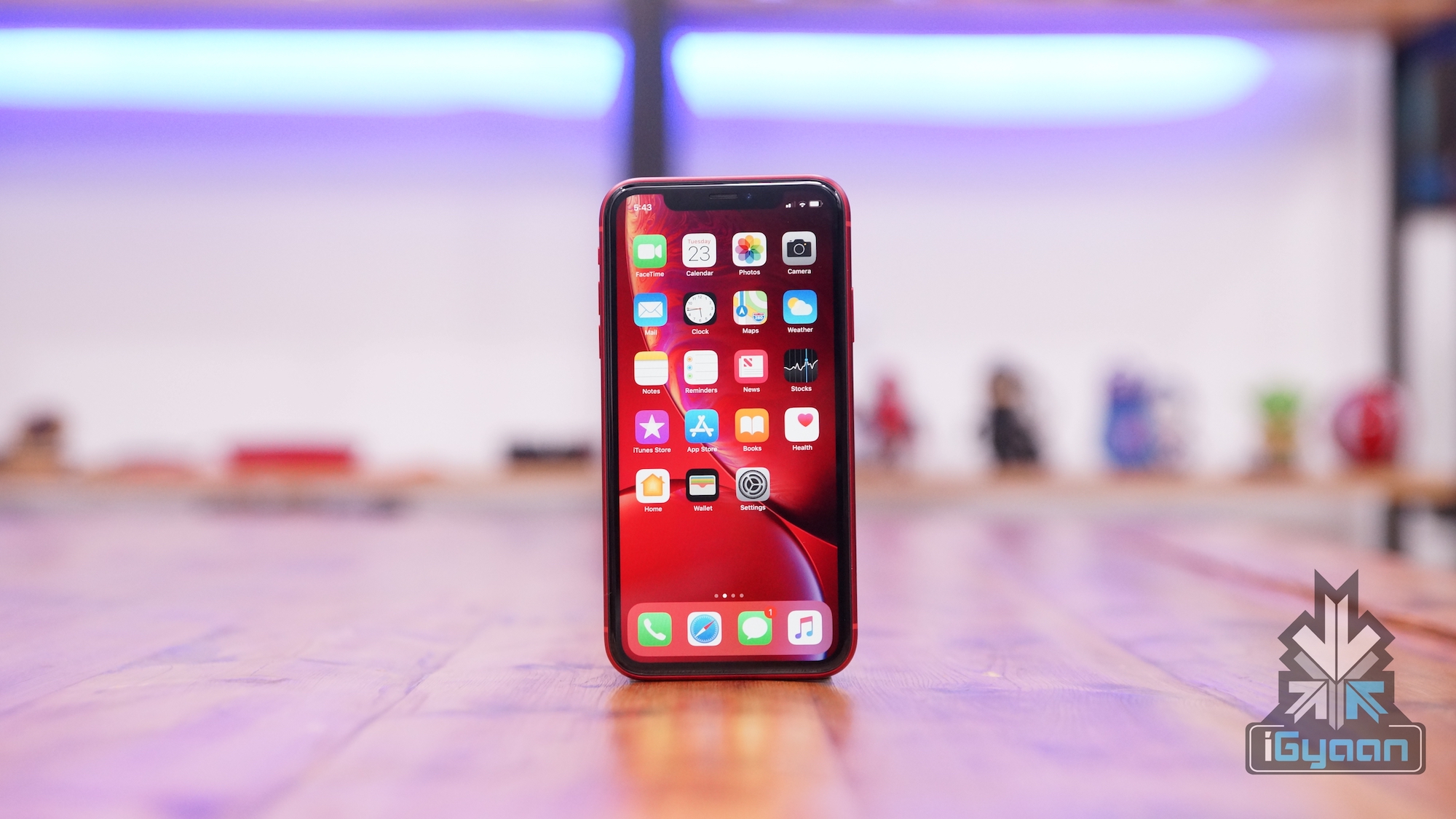
    iPhone XR

    Also read: PUBG Mobile v0.12.0 Update Introduces New Weapons, Enhanced Zombie Mode And More

    Other notable changes in the forthcoming iOS 13 will be an upgraded Mail app. The new app will be capable of organising messages into categories like marketing, travel or not important. Similar to third-party email apps, the new, updated Mail app will also be able to categorise messages as “read later”. Like the above-mentioned software, the Reminders app will also get a major overhaul. The voice assistant for Apple devices, Siri will also be better at rejecting noises such as laughter or crying babies with the iOS 13. The latest operating system will hit iPhones and iPads later this year. All the devices from iPhone 6s and above, iPad Mini 2 and above and the iPod touch 6th Gen is expected to receive the update.

  • Apple To End Support For iOS 13 On Older Devices

    Apple To End Support For iOS 13 On Older Devices

    One things Apple users have an advantage over any smartphone maker is the software. The brand has been consistent enough to update even some of its older devices seamlessly. But it looks like Apple will change things up a bit as a report from an Israeli website The Verifier. The report says that Apple is soon ending support for iOS 13 on older devices. The news comes after lower than expected sales of the newer iPhones. It was to the excellent software support on older devices to make it run like new. These two news may be related to each other more than you think.

    Possible Devices That May Be Affected

    Out of the current Apple devices, these are the devices that are expected to be affected by this change.

    iPhones:

    • iPhone 6s 
    • iPhone 6s Plus
    • iPhone 6
    • iPhone 6 Plus
    • iPhone SE
    • iPhone 5s

    iPads:

    • iPad Mini 2
    • iPad Mini 3
    • iPad Mini 4
    • iPad Air
    • iPad Air 2

    iPod:

    • iPod touch 6th generation

    This might be step on Apple’s part as the recent decline in iPhone sales has been attributed to the lack of the need to upgrade. Or it may be that Apple is phasing out these devices due to older hardware. Whatever may be the case, Apple might release the iOS 13 in the coming months. And the features it will bring would be most applicable to the newer devices, so the decision makes sense. But with Apple pushing updates to devices for as long as they do, makes them still the most backwards compatible OS makers.

    Also read: Samsung Galaxy A90 To Have A Pop Up Selfie Camera

    Apple has been pretty consistent with updating their older devices. The iOS 12 update reached to the iPhone 5s, a six year old device. This news may be a big deal for the people who have purchased an older Apple device recently. But this move by Apple may result in the increase of sales of the newer devices.


iGyaan Network
Privacy Overview

This website uses cookies so that we can provide you with the best user experience possible. Cookie information is stored in your browser and performs functions such as recognising you when you return to our website and helping our team to understand which sections of the website you find most interesting and useful.