Category: Apps and Software

Games, Apps, Softwares, Operating Systems and Software Hacks

  • OnePlus Found Recording Personal Data Of Users

    OnePlus Found Recording Personal Data Of Users

    In a yet another case of a Chinese smartphone maker recording sensitive data of its users, OnePlus has been found to do something similar. Normally, there is a certain level of information sent to the company like crashes, bugs and general issues that could be fixed by a software update. However, OnePlus was found to collect data that includes IMEI numbers, MAC addresses, mobile network names and IMSI prefixes, serial numbers, and more.

    Christopher Moore, a software engineer, made a post on his personal blog showing his discoveries. During a Hack Challenge, Moore began proxying the internet traffic from his OnePlus 2 using OWASP ZAP. What this means is that it essentially allowed him to view all incoming and outgoing internet traffic from his phone. Among the usual network activity, he noticed a large amount of requests to open.oneplus.net. Through deeper inspection, he found the domain name to be an Amazon AWS instance owned by OnePlus. He was able to decrypt the data (using the authentication key on the phone) which revealed that his OnePlus 2 was sending time-stamped information about locks, unlocks, and unexpected reboots.
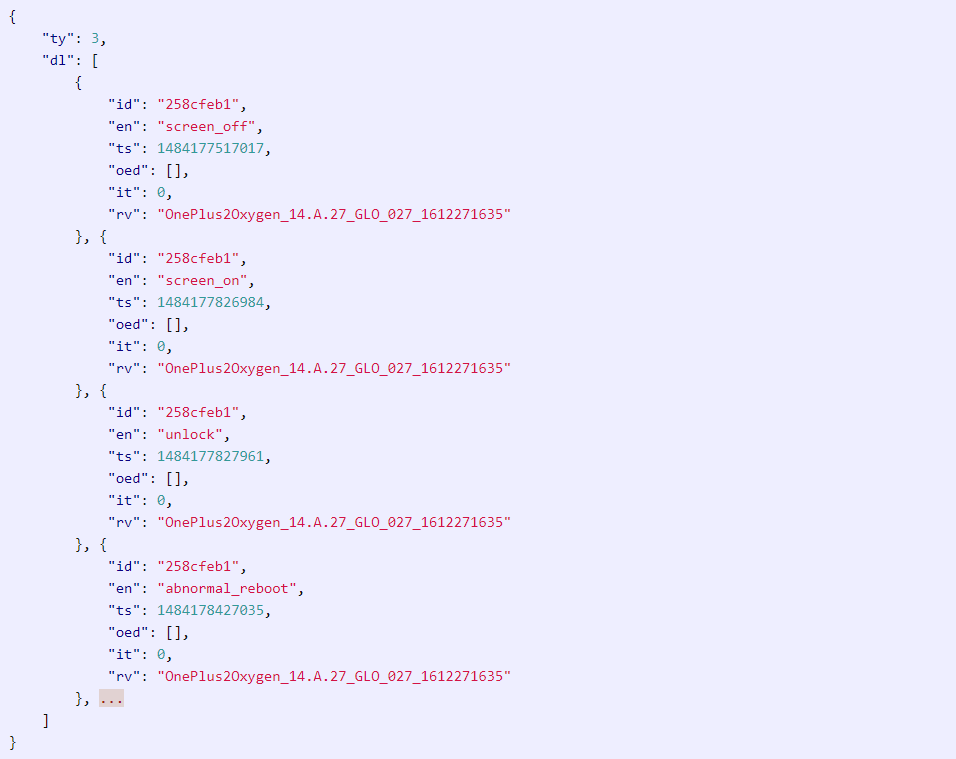
    It is quite usual for a phone to log OS crashes as it allows developers to find a fix for such bugs. But, as Moore notes in his blog, sending the data of every time the phone is locked or unlocked seems a bit intrusive. Moore discovered that some of the data being sent to OnePlus’ servers included the phone’s IMEI number, the phone number, MAC addresses, mobile network names and IMSI prefixes, Wi-Fi connection info, and the phone’s serial number. He later found out that the data included every time an app was opened.

    OnePlus had this to say in response:

    We securely transmit analytics in two different streams over HTTPS to an Amazon server. The first stream is usage analytics, which we collect in order for us to more precisely fine tune our software according to user behavior. This transmission of usage activity can be turned off by navigating to ‘Settings’ -> ‘Advanced’ -> ‘Join user experience program’. The second stream is device information, which we collect to provide better after-sales support.

    There are rumours that OnePlus is working on the OnePlus 5T which might be launched in November and it is to be seen if this information of sensitive data recording will have any repercussions on the company’s plans.
  • Windows 10 Mobile Is Done And Dusted

    Windows 10 Mobile Is Done And Dusted

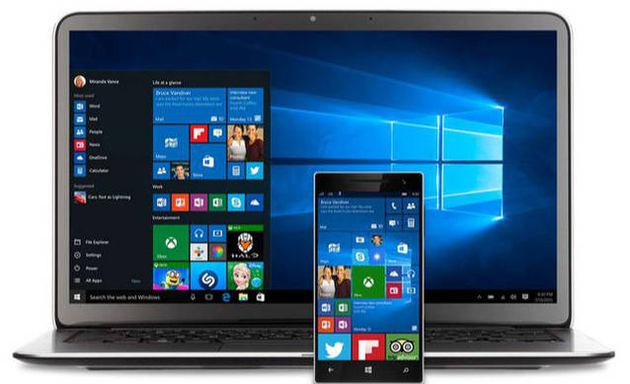
    Windows OS powered mobile phones have seen a decline in market share since the resurgence of iOS and Android. The Windows OS run mobile phones came into being way before Apple and Google unveiled their operating systems. Having been active in the smartphone industry even after seeing a considerable decline, Microsoft has finally seen the writing on the wall, that there aren’t enough people using Windows 10 Mobile or enough apps to make it viable.

    Corporate vice president of Windows 10 and head of Microsoft’s “PC-Tablet-Phone” division, Joe Belfiore, said took to Twitter Sunday to announce that Microsoft will continue to support Windows 10 Mobile with bug fixes and security updates, but new features and hardware are no longer a priority for the company.

    According to the most recent sales figures from Kantar Worldpanel, Windows phones account for just 1.3 percent of the market in the US, while BlackBerry is at 0.3 percent. Compare that with Android’s 64 percent share of new phone sales and 34 percent for iOS, and you can see why Microsoft has taken this step.

    Microsoft tried to leverage its legacy and dominance in the PC space by billing the Windows 10 smartphones to have the “everywhere OS” that would let users shift seamlessly between desktop, tablet and mobile. But, lack of apps and the increasing dominance of Android and Apple in the smartphone space didn’t let the Windows 10 platform flourish.

    Joe Belfiore continued to say on twitter that Microsoft has tried “very hard” to provide incentives for app developers to get apps onto Windows Mobile but, the “volume of users is too low for most companies to invest” in the ecosystem.


  • AIM To Shut Down On December 15th

    AIM To Shut Down On December 15th

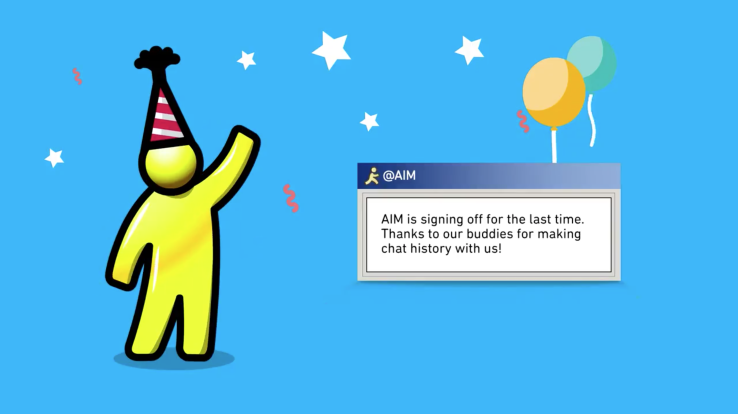
    One of the pioneers of the instant messaging apps, AOL Instant Messenger is shutting down on December 15th 2017. The news comes 20 years after the launch of AIM, which became a wildly popular feature of AOL, the largest internet provider at the time.

    Verizon acquired AOL in 2015 and merged it into a unit called Oath in 2017. VP of Oath said:

    AIM tapped into new digital technologies and ignited a cultural shift, but the way in which we communicate with each other has profoundly changed. As a result we’ve made the decision that we will be discontinuing AIM effective 15 December, 2017. We are more excited than ever to continue building the next generation of iconic brands and life-changing products for users around the world.

    AOL cut off access to AIM from third-party chat clients in March 2017, hinting that a shutdown is inevitable.With the likes of Facebook, WhatsApp and Snapchat taking over social media, it’s hard to imagine that many people are still using AIM. Keeping that in mind, it seems unlikely that this shutdown will affect anyone or anything.

    This is not the first time that a classic IM app has shut down. MSN Messenger shut down in 2014, and Yahoo Messenger shut down in 2016 however, Yahoo launched a new messaging service under the same name.

    One of the most widely used instant messenger back in ’90s and early 2000’s, AIM bridged the gap between friends who had moved to different places. With time, AIM fell down the pecking order as the era of smartphones reached the fore. Text messaging has taken over precedence over desktop instant messaging apps, and increasingly, social media apps like Snapchat and Instagram, are taking over text messaging in certain ways. Nowadays, everyone is connected to their long lost friends and relatives on Facebook which provides instant messaging solutions on the go.


  • Google Pixel 2 Will Not Disturb You With Notifications While You’re Driving

    Google Pixel 2 Will Not Disturb You With Notifications While You’re Driving

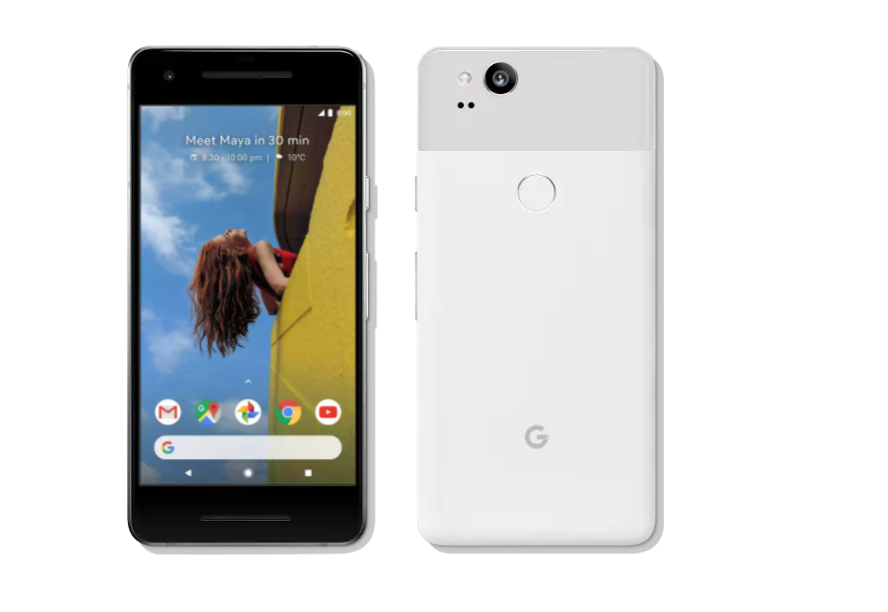
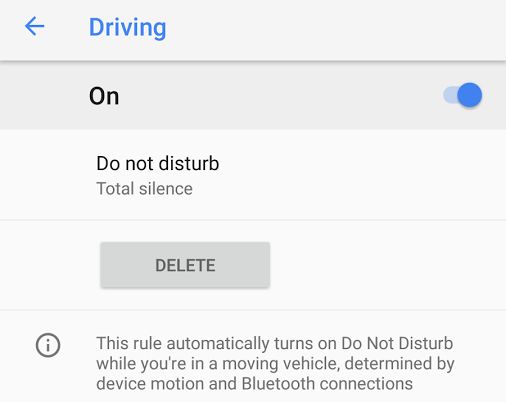
    The new Google Pixel 2 and Pixel 2 XL were unveiled on October 4th during the Google Launch Event. Sundar Pichai kicked off the event with Google’s growing focus on AI. When the Pixel 2 devices were unveiled, Google said that the device incorporates three key components – AI, software and hardware. The Pixel 2 devices have a lot of smart features and make use of the Google Assistant’s tight integration with the Pixel ecosystem. One more very useful feature is the Do not Disturb mode. It is not a new feature by any means but, what Google has done is that it eliminates your role of activating the feature. When the Pixel 2 phone senses that its in a moving vehicle, the feature gets automatically enabled.

    You may also like – Pixel 2 Vs The Competition 

    The new feature was found in the screenshots posted with the Pixel Ambient Services app, which is now available in the Google Play Store. The screenshot of the menu option says that this feature, when enabled, is automatically turned on when the phone senses it is in a moving vehicle. It uses the phone’s motion sensors, along with Bluetooth connections, to make that determination.

    One thing to factor in before enabling this feature is that the phone won’t distinguish if you’re the one driving the vehicle or if you’re just a passenger. The feature will be triggered as soon as the phone senses it is in motion. So, if you are someone who commutes via bus or a cab and doesn’t drive, it is best to disable this feature.

    You may also like – Pixel 2 Duo Will Have A Stronger Offline Presence In India

    The Pixel Ambient Services app will also be used to enable the active listening feature and as of now, the app is a Pixel 2 and Pixel 2 XL exclusive only. But, more devices might receive a compatible app update in the coming months.

  • Messenger Lite For Android Launched In US, Canada And Other Countries

    Messenger Lite For Android Launched In US, Canada And Other Countries

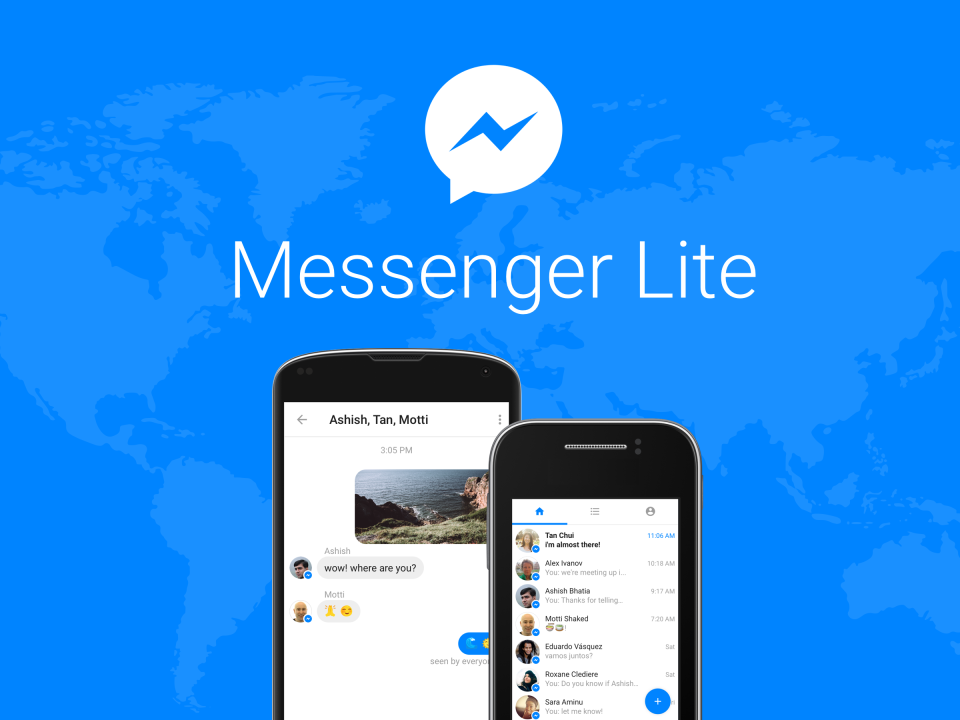
    Facebook has launched the ‘Lite’ version of its data inhaling app, Messenger for Facebook in the US, UK, Canada and Ireland. The app is an Android-only app so far and was primarily targeted at people who live in areas where the internet isn’t equipped enough to handle the data intensive tasks of the regular Messenger app. But, the expansion of the app to Facebook’s top developed markets mean that people who want to save data charges like teenagers can take advantage of the app. However, Facebook has no plans as of now to introduce the app for iOS devices.

    We’re excited to bring Messenger Lite to Android users in four new markets, including Canada, Ireland, the U.K. and the U.S. Messenger Lite is a slimmed-down version of Messenger that offers the core features of the app, while giving everyone the opportunity to stay connected to their friends and family, regardless of device or quality of internet connectivity.

    Lead by India and Brazil in terms of downloads, the Messenger Lite was first introduced in October 2016 in five countries before its near global expansion in April. As mentioned earlier, this rollout could be beneficial for Facebook as potential low data costs could help the company attract teenagers who are active on the social media platform and want to stay in touch at all times. The Messenger Lite app could help them make full use of the app’s core features while skimming out on the data charges.

    One of the main reasons cited by Facebook to introduce Messenger Lite was that there are over a billion people who still don’t have access to high speed 3G or 4G network. This move to bring the Lite app in developed markets with proven high speed internet means that the company can now target people who like to cut costs but, not necessarily like to give up using their phones for chatting.

  • Google Assistant Might Be Heading To Chromebooks

    Google Assistant Might Be Heading To Chromebooks

    Google is gearing up to launch a few marquee products at its 4th October launch. Along with the Pixel 2 and Pixel 2 XL, there are rumours of a new Google Home, and laptops being unveiled at the event. A new leak through a teardown of the Google Home app suggests that Google Assistant might be making its way to the new Chromebooks.

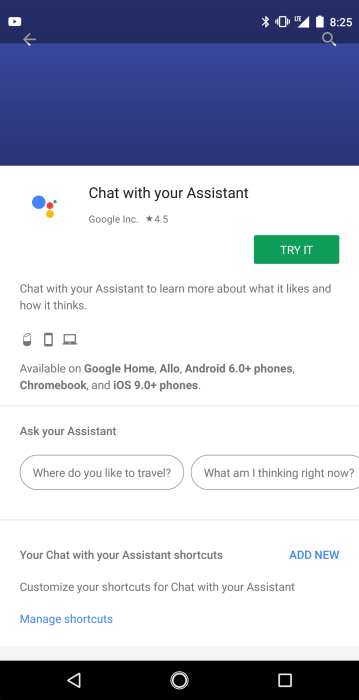
    According to a report by 9to5Google, hidden deep in the compatibility section of the app is the mention of Chromebooks:

    Listed in the compatibility section of the Chat with your Assistant ‘game’ right alongside phones, Google Home, and Allo is Chromebooks, clear as day.  Not only is the text listed out, but a Chromebook icon shows up right along with those for Home and phones, so it seems pretty concrete that this is something Google intended to do, but just slipped out a little early.

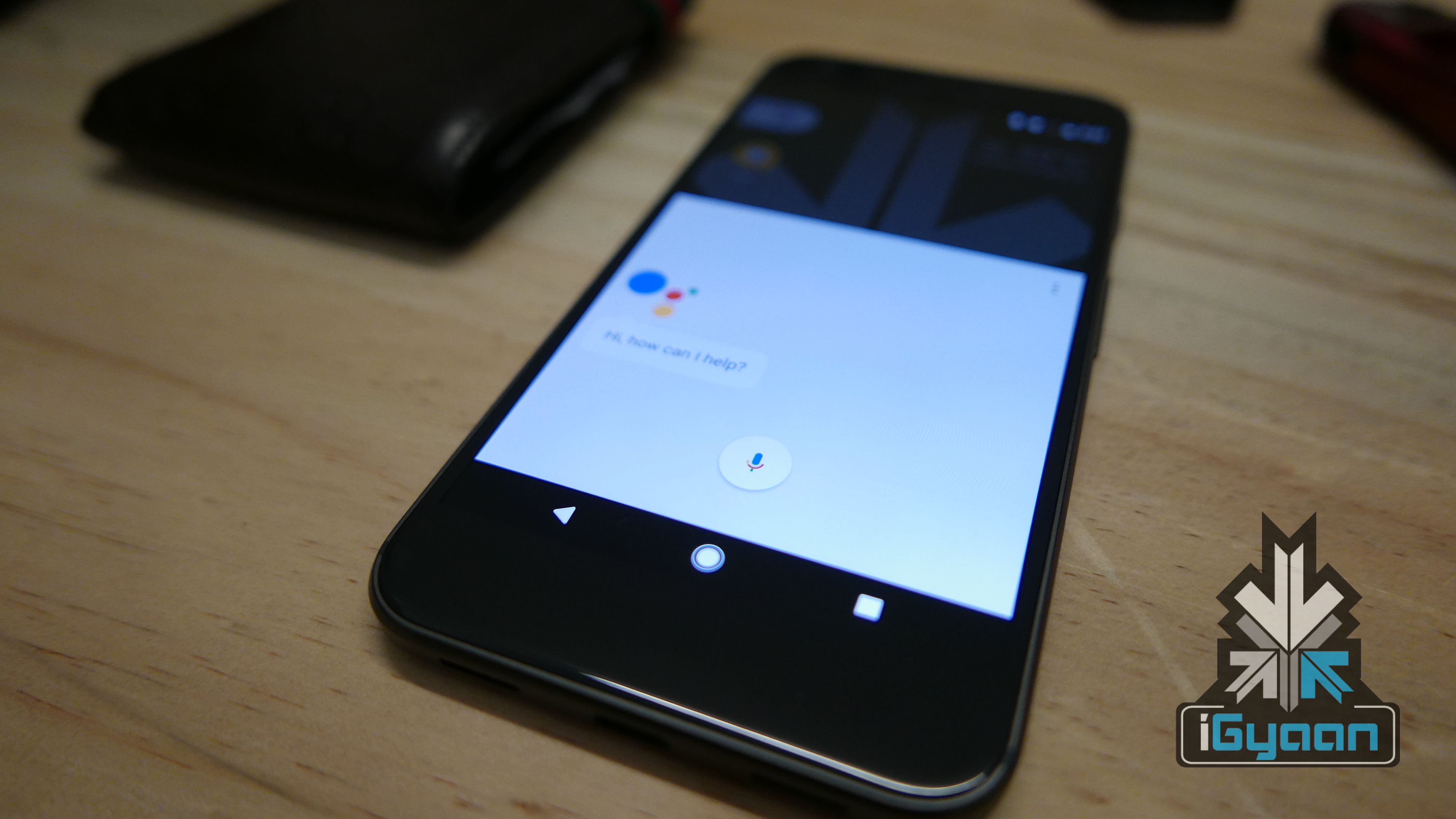
    It seems like introduction of Google Assistant to Google’s laptop range suggests that the Pixelbook might be launched on October 4th. There are also reports that the new Pixel phones will and Google Assistant will be more integrated than ever and this may be the theme of the October 4th launch. Google Assistant is also getting updates that makes the AI assistant capable of performing more complex tasks and with Google Home Mini also launching, Google might be looking towards making its consumers surrounded by Google Assistant.

    The launch event is two days away so stay tuned because iGyaan will bring you all the news from the event!

  • Siri Will Now Search Google For Answers Instead Of Bing

    Siri Will Now Search Google For Answers Instead Of Bing

    Apple is dropping Microsoft’s Bing as the default search platform for Siri, Search inside iOS, and Spotlight on Macs in favour of Google search.

    According Apple. this move is to create a more “consistent web search experience” for its users, since Google is currently the default search engine on its Safari browser thanks to a reported $3 billion annual deal between the two companies. Bing, however, will continue to search for images for queries through Siri. A statement by Apple about the decision read:

    Switching to Google as the web search provider for Siri, Search within iOS and Spotlight on Mac will allow these services to have a consistent web search experience with the default in Safari. We have strong relationships with Google and Microsoft and remain committed to delivering the best user experience possible.

    Bing has been iOS’ default search engine since iOS 7 in 2013. Microsoft has since held on to this position but, it looks like the $3 billion deal between Apple and Google may have played a part in this decision swaying towards Google. However, this cannot be said for sure without knowing the terms of the deal. The new macOS High Sierra version has now rolled out for download and after the installation, Mac owners will observe that their Spotlight search will be powered by Google, and not Bing like it was before. iOS device owners should have the update, too.

    The fact that image search on Siri will still show Bing results is a little odd but it looks like this feature will also be phased out of iOS in time and Google will become the sole search engine for all iOS and macOS devices.

  • OxygenOS v4.5.0 Update Rolling Out For OnePlus 3 And 3T

    OxygenOS v4.5.0 Update Rolling Out For OnePlus 3 And 3T

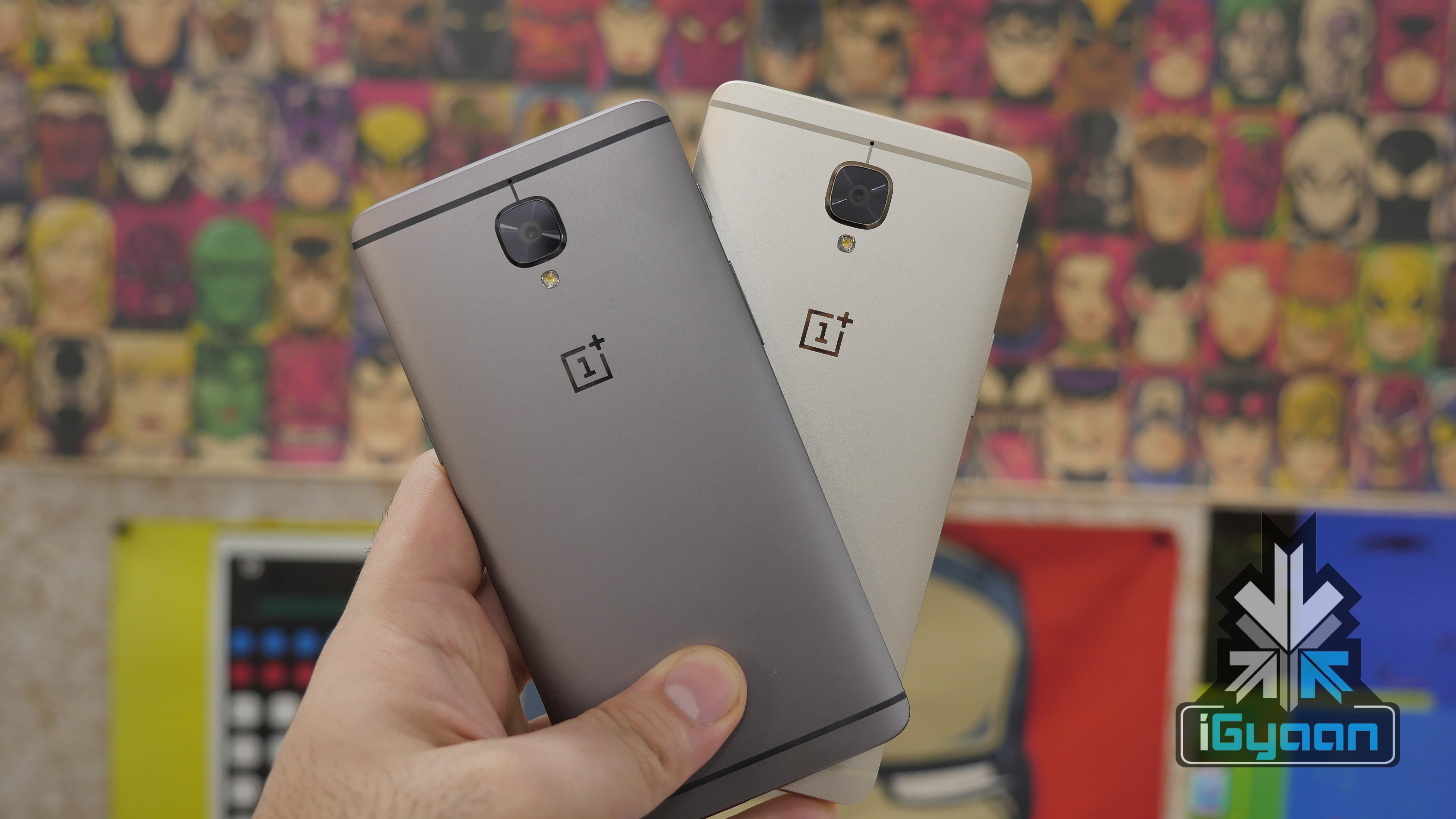
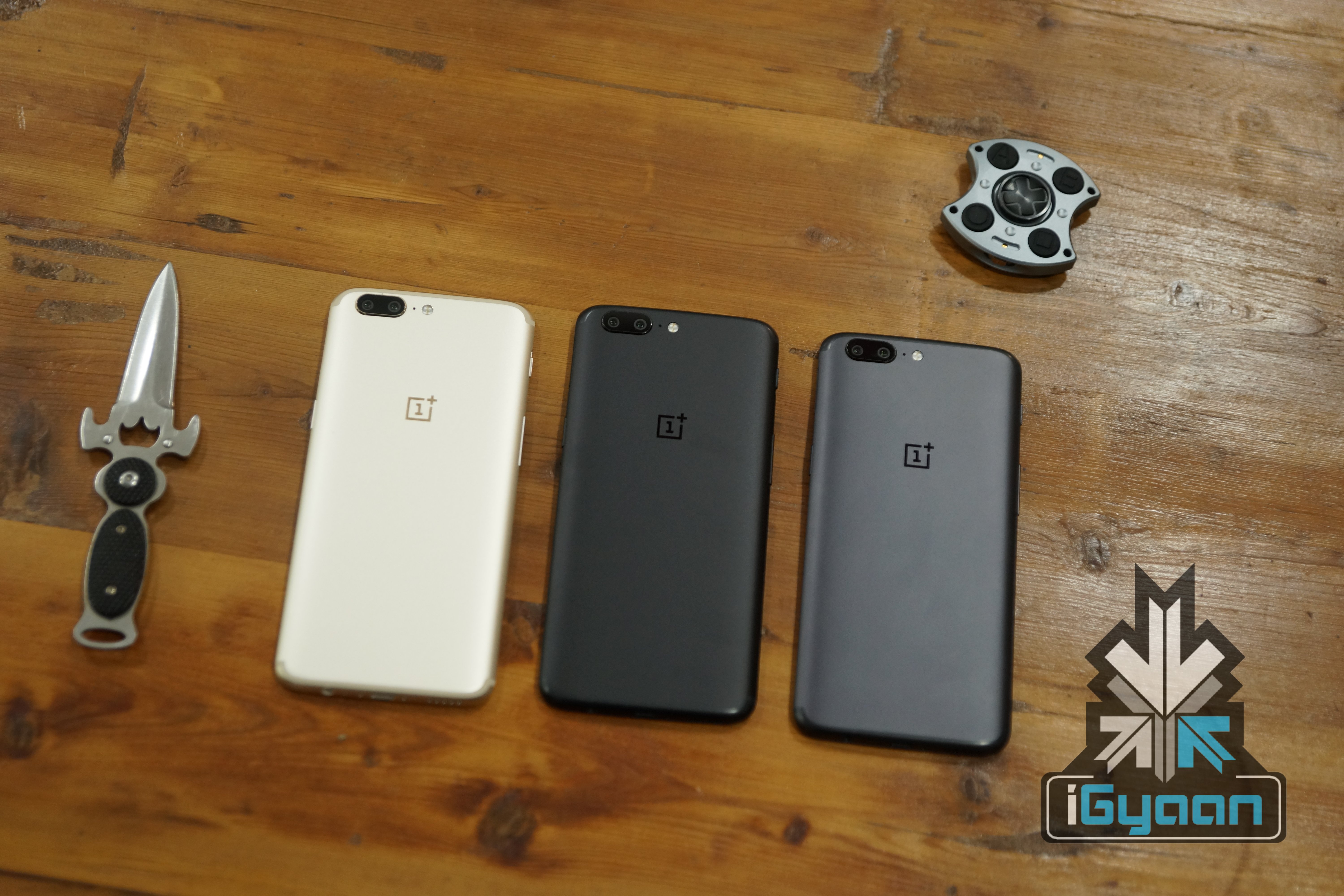
    OnePlus is known to drop support for its previous year flagships and concentrate solely on its new and shiny flagship of the year. The company did it with the OnePlus 2 when OnePlus 3 and 3t came to the fore. The support for the OnePlus 3 and 3T hasn’t died out yet, and a new update brings in a lot of features to the OnePlus 3/3T from the OnePlus 5.

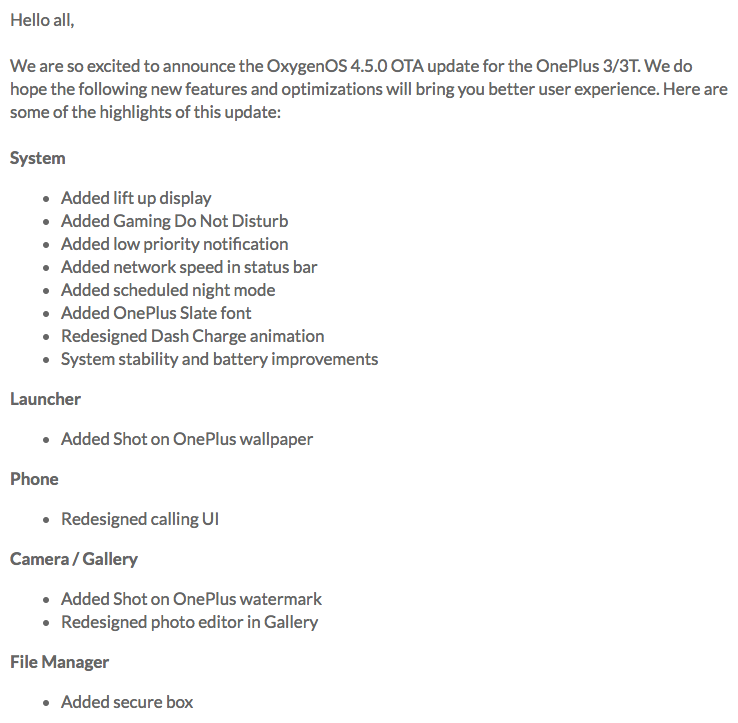
    The new update is 1.5GB in size and brings features like “lift up display,” Gaming Do Not Disturb, low priority notifications, and OnePlus’ Slate font. These features were restricted to the OnePlus 5 only but, have finally trickled down to the 2016 flagship devices. The most interesting features that the update brings, like the “lift up display” and gaming do not disturb mode can be activated from the settings app.

    The low priority notifications toggle is exactly what it sounds like. The low priority apps don’t trigger sounds, don’t peek, and don’t set the LED to start blinking. These notifications also won’t appear on the lock screen or the status bar. The ‘lift up display” allows you to glance at your phone’s lock screen by simply lifting it up, without double tapping the screen or pressing the lock/unlock button. Gaming Do Not Disturb mode can be turned on to mute all the notifications when you are gaming on your phone.

    The new Slate font introduced in the OnePlus 3 and 3T was first font is already available in OnePlus 5. The company has also brought the secure box to the File Manager app. There are some other minor UI redesigns like a redesigned calling UI in the Phone app, an improved photo editor in the Gallery, the ability to add a ‘Shot on OnePlus’ watermark, and the addition of ‘Shot on OnePlus’ wallpapers. However, the security patch level still remains at August.

    Post by OnePlus forum

    The new update will definitely keep the owners of OnePlus 3 and 3T happy especially after the social media backlash the company faced when it announced that the devices won’t receive a major software update after Android 8.0 Oreo.

  • iOS 11: Top 5 Features, Eligible Phones And How To Upgrade

    iOS 11: Top 5 Features, Eligible Phones And How To Upgrade

    On September 12, Apple launched the iPhone 8, 8 Plus and the much awaited iPhone X. Along with the high-profile launches, Apple also announced that the global rollout of iOS 11, which was announced at the WWDC 2017, will start seeding to compatible iPhones and iPads on September 19. Apple has always supported older devices unlike Android, and there is no surprise in the case of iOS 11 update as well, as the iPhone 5s will also updated to the new OS. A

    As the official rollout has now begun, let’s take a look at the Top 5 new features of iOS 11 that should get you excited:

    New Control Center

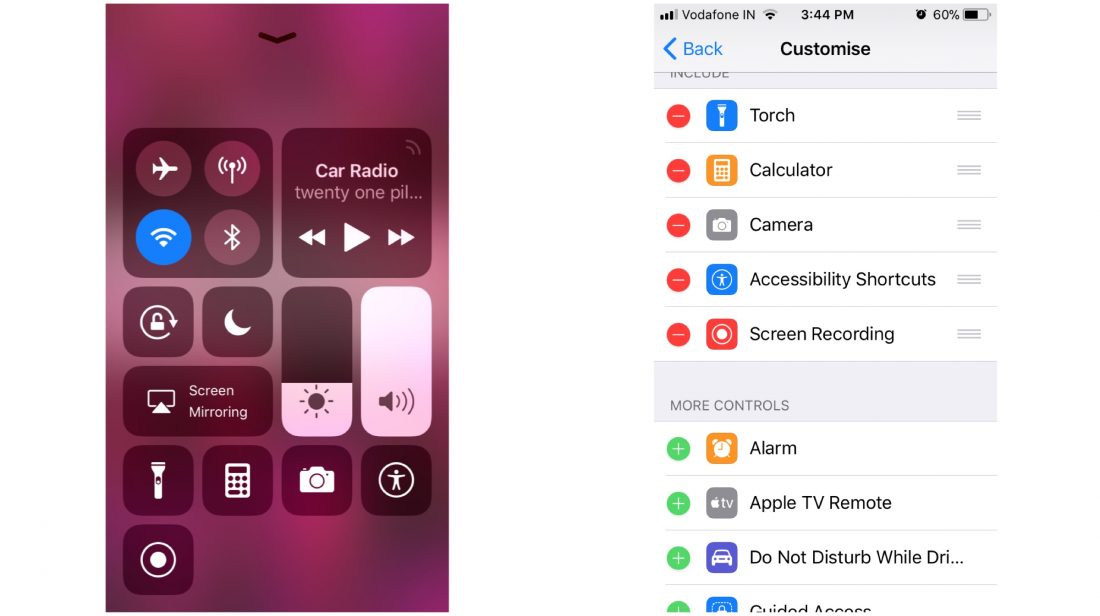
    The control center gets an overhaul here in iOS 11. You still have to swipe up from the bottom of the screen to bring up the control center, but, you have the ability to add or remove a lot of shortcuts and toggles. From the settings app, you can fill up the control center to the brim or keep it clean and empty. There are two vertical sliders, one for brightness and one for sound. You can tap and hold an icon for further settings even if your phone doesn’t have 3D touch. There is a new feature called screen recording which can be triggered directly from the control center. Tapping on the WiFi or Bluetooth icon disconnects you from the current device, rather than switching off the WiFi or Bluetooth.

    Siri

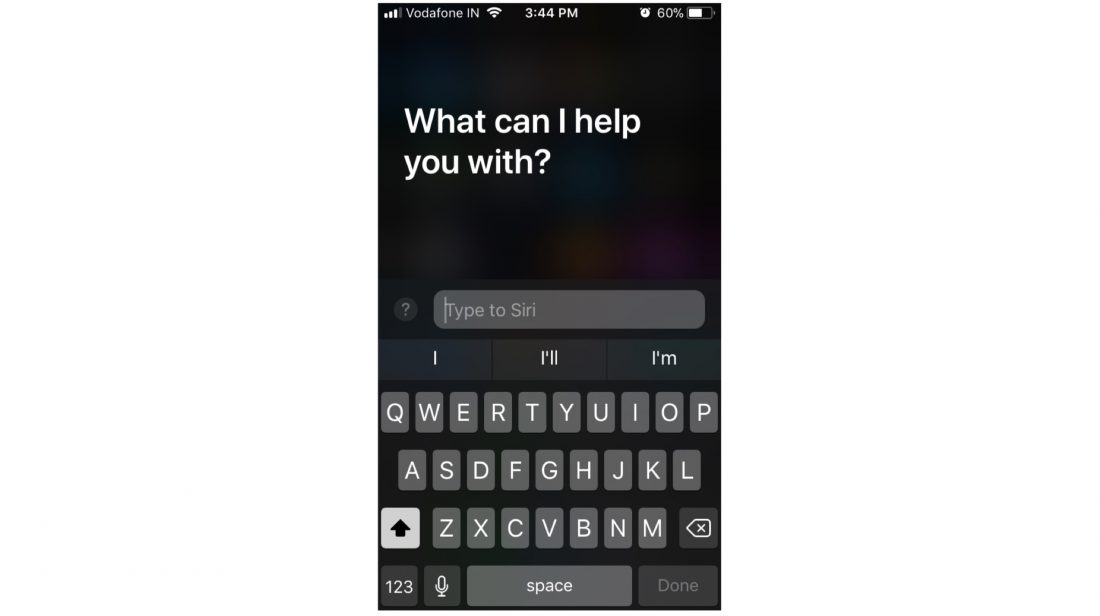
    Siri has received a massive overhaul as well. The Voice Assistant, since it was launched with the iPhone 4s, has become better with every iteration of iOS. In iOS 11, Siri is going to sound better, and it’ll have new capabilities, such as translating a lot of different languages, which can come in handy if you’re traveling to a foreign land. But, one of the most useful features Siri received in iOS 11 is the ability to respond to texts, which will come in handy when you can’t talk to the phone.

    Notes

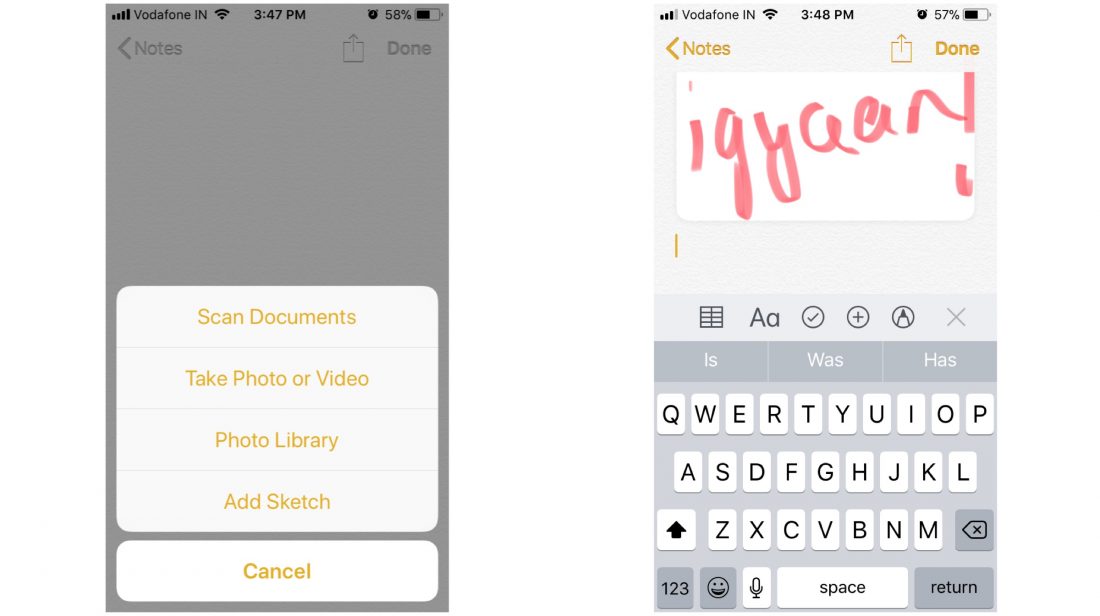
    One of the most used in-built apps is the Notes app. In iOS 11, Apple has added a lot of new features to the Notes app that can help the app stack up against other famous third-party note-taking apps. The notes app includes support for drag and drop, a built-in document scanner, markup tools (handwriting support included) and adding tables to your notes. These features will shine even more in the iPad because of a larger screen.

    Storage

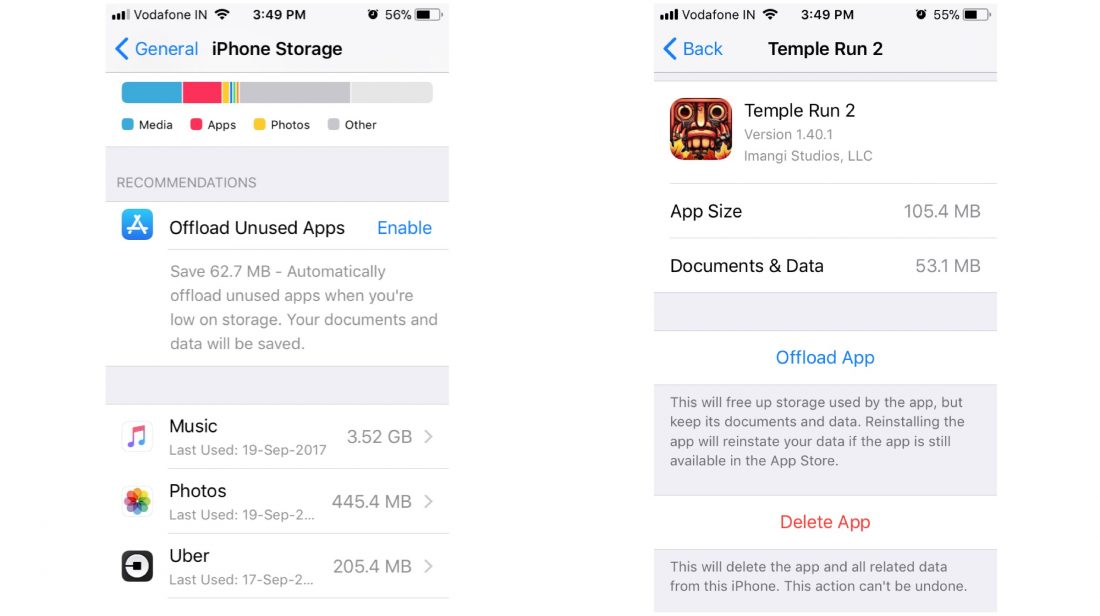
    The storage window in the settings app gets a new look as well. In addition to showing you what kind of data is cluttering your memory, the iPhone Storage menu in the Settings app will let you instantly free up space that you’re not actually using. At a glance, you’ll get suggestions for deleting old messages and pictures, as well as apps that you don’t really use. The menu also shows you all the videos and attachments you can remove to free up space, and lets you act on it.

    Files

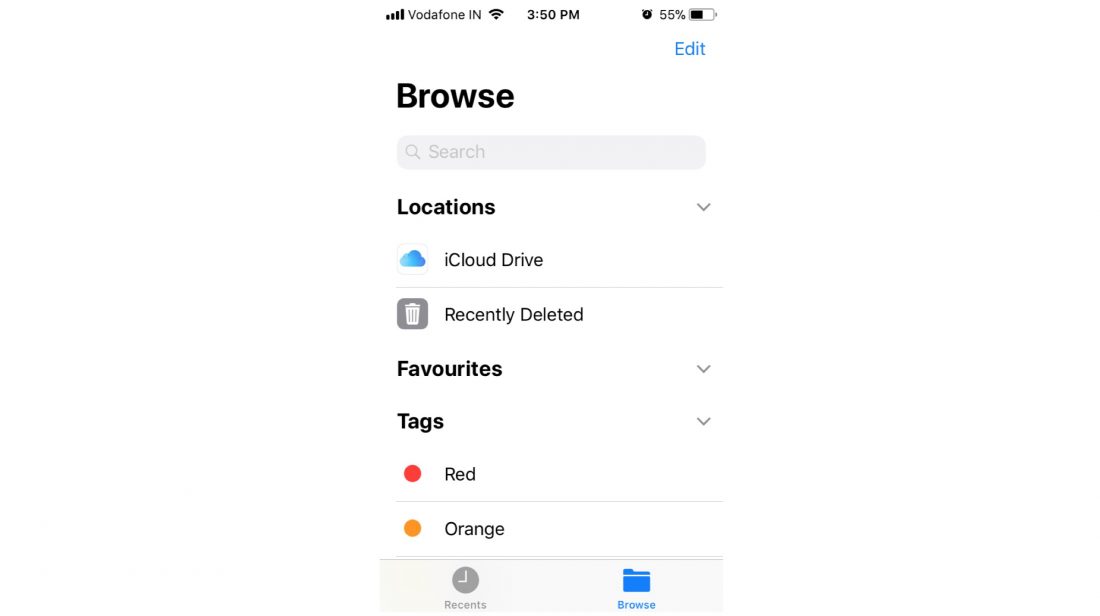
    Apple has introduced a new standalone Files app, which essentially replaces the iCloud Drive app. The Files app lets you browse the files stored in your devices locally and in your iCloud account. It is an app which has featured in Android devices for the longest time and now, iOS users will be able to manage their onboard storage better.

    All devices which will receive the iOS 11 update

    • iPhone 5s
    • iPhone 6/6 Plus
    • iPhone 6s/6s Plus
    • iPhone 7/7Plus
    • 12.9-inch iPad Pro (2017)
    • 12.9-inch iPad Pro (2016)
    • 10.5-inch iPad Pro
    • 9.7-inch iPad Pro
    • iPad Air 2
    • iPad Air
    • iPad (2017)
    • iPad Mini 4
    • iPad Mini 3
    • iPad Mini 2
    • iPod touch 6th generation

    How to install iOS 11:

    You need to back up your data before beginning the installation process. Connect your device to WiFi in order to download the software update file.

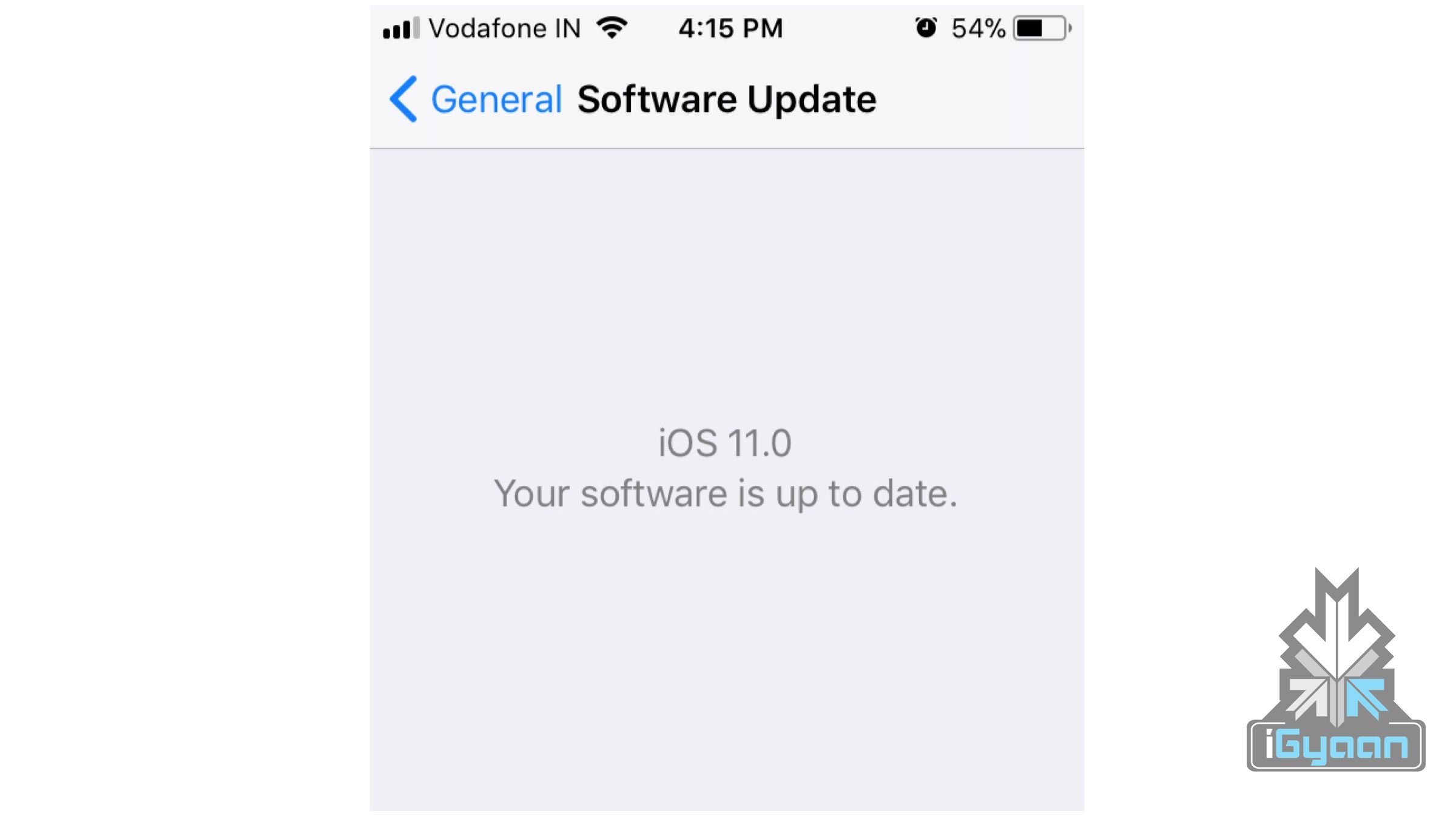
    • Go to Settings>General>Software Update. Your phone will now look for a software update and ask your permission to install the update.
    • Once downloaded, your phone will again ask permission to install the update.

    Once the necessary permissions are granted, your phone will restart and iOS11 will be installed.


  • This App Gives Your Android Device The iPhone X Notch

    This App Gives Your Android Device The iPhone X Notch

    Apple launched the much awaited iPhone X on September 12th. One of the most talked about features of the phone before and even after the launch is its display. The iPhone X’s design is a huge departure from the previous gen iPhones and looks like a 2017 flagship device with minimal bezels. A notch at the top of the display, which has already become synonymous with the iPhone houses all the sensors and the cameras. The iPhone X however, is not the first phone to have a notch, the Essential Ph-One also has a notch at the top which houses the front camera and looks like a cyborg’s eye.

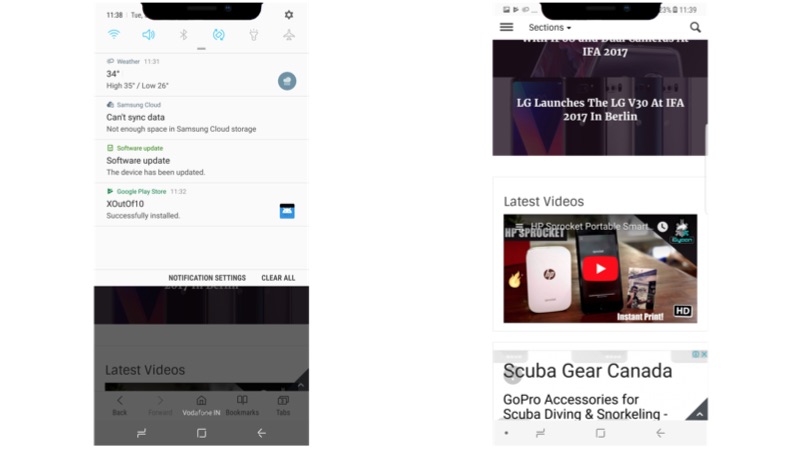
    If you are someone who is a fan of that notch on the iPhone X but, do not want to wait until November to see how a display with notch looks like, there is an app for you to experience it right now. Developed by Github user idoideas, XOutOf10 is an app that lets you simulate the iPhone X notch on practically any Android device. The developer believes that this app will save your $999.

    If you want to know how the iPhone X notch will look like on your Android device, you can download the app from here. You need Android 6.0 Marshmallow or above to run this app. The developer warns Marshmallow users that the notch will disappear when the status bar is expanded due to Android API limitations set by Google.

    This is how the notch looks like on the Samsung Galaxy Note8

  • Apple Pay Will Enter India By The End Of 2017

    Apple Pay Will Enter India By The End Of 2017

    On September 12, Apple launched the iPhone 8, 8 Plus, the eagerly awaited iPhone X along with Apple Watch Series 3 and Apple TV 4K. Apple also announced that the global rollout of iOS 11, which was announced at the WWDC 2017, will start seeding to compatible iPhones and iPads on September 19. One of the most popular features available on iOS devices is Apple Pay, which is not yet available in India. However, sources close to iGyaan tell us that Apple has begun testing Apple Pay in India and will be introduced in the country by the end of 2017. Sources tell us that Apple is in talks with several merchants like Starbucks and Croma stores, and banks like HDFC Bank, Standard Chartered, and Citi Bank to introduce the contactless payment machines compatible with Apple Pay at their outlets. 

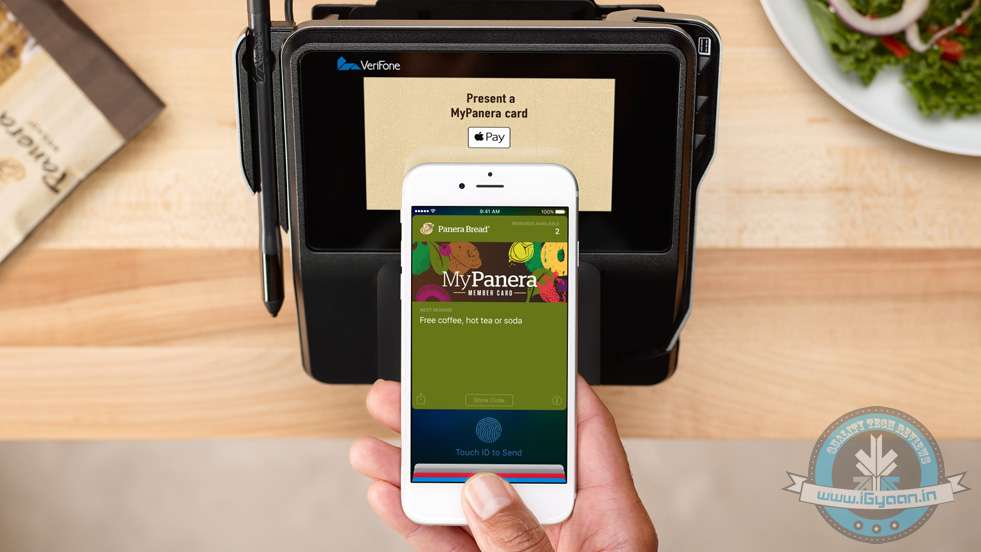
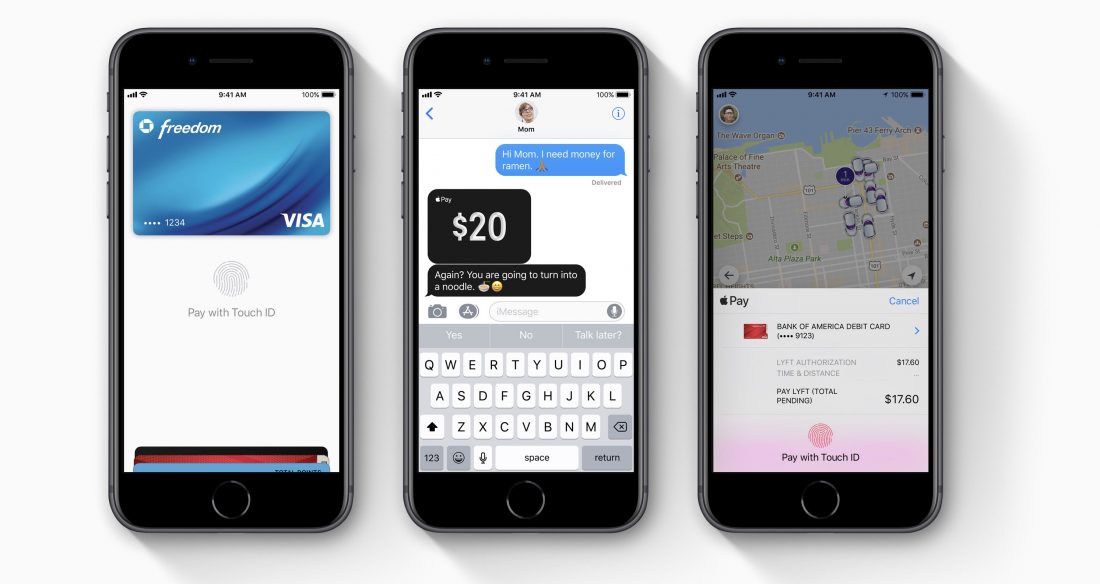
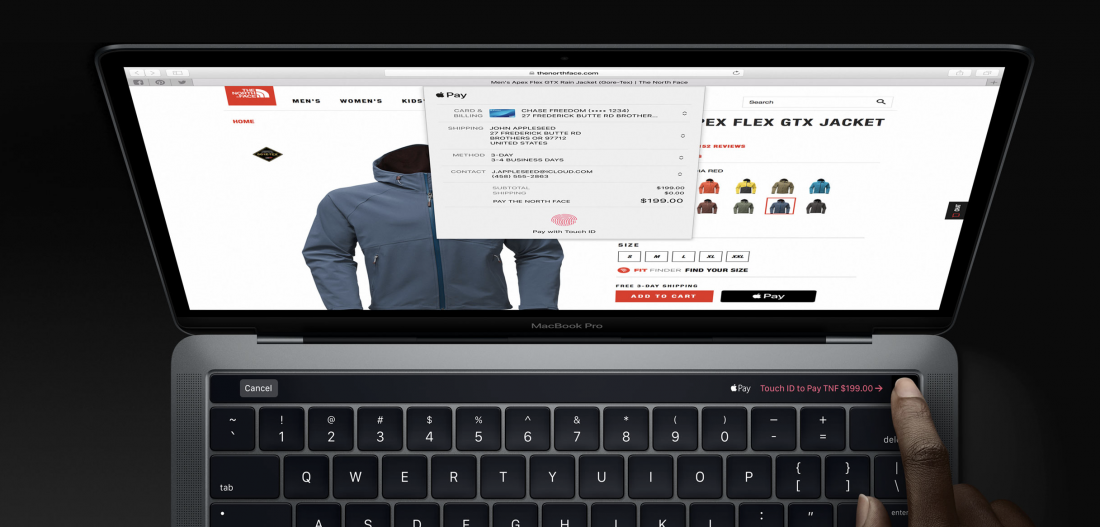
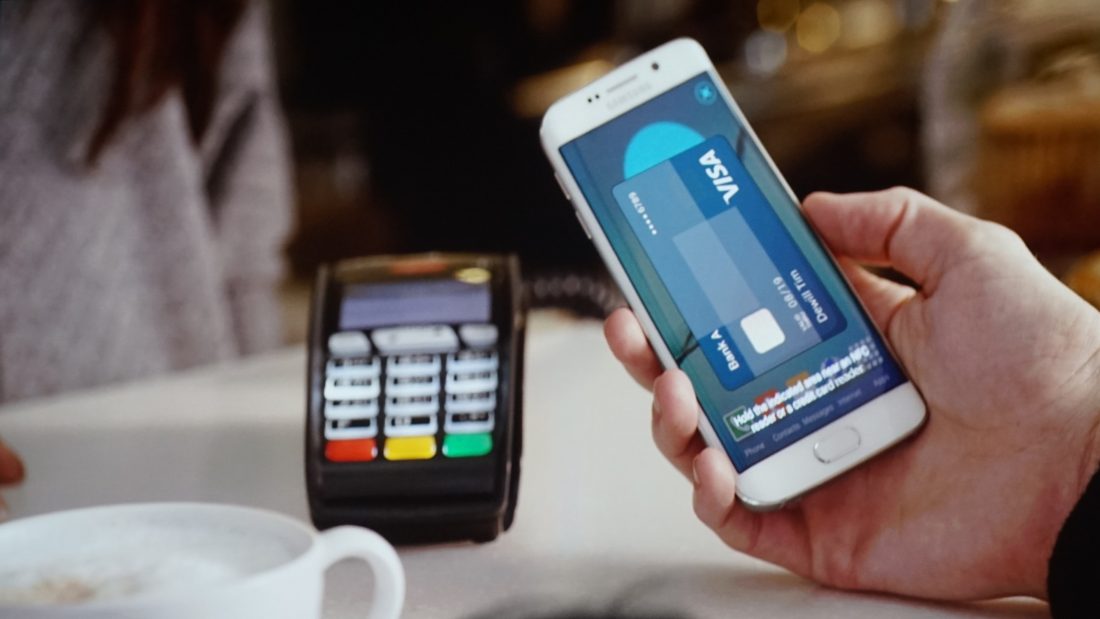
    Apple Pay securely stores credit cards, debit cards, or other sensitive payment information from the Wallet app and lets the user pay for goods directly from their mobile device. For Apple Pay to work, the merchant needs to have a contactless machine which is compatible with Apple Pay. During the transaction, TouchID or FaceID is required to authenticate the payment. Once the authentication is successful, a subtle vibration confirms that the transaction was successful.

    The cardless payment service works on the new MacBook with TouchID and all iOS devices launched after iPhone 6, including the iPhone SE which is one of the most popular iOS devices in India and also the only Apple product currently being manufactured in India at the company’s Bengaluru Campus. Devices compatible with Apple Pay are:

    • iPhone 6/6 Plus
    • iPhone6s/6s Plus
    • iPhone SE
    • iPhone 7/7 Plus
    • iPhone 8/8 Plus
    • iPhone X
    • iPad Pro
    • iPad Air 2/iPad Air 3
    • iPad Mini 3/iPad Mini 4
    • Apple Watch Series 1/ Series 2/ Series 3
    • MacBook Pro 2017 with TouchID

    Samsung has already introduced Samsung Pay in India which works exactly like Apple Pay, except that it doesn’t need a compatible contactless machine to work. Samsung Pay works with any card payment machine, giving it an advantage over Apple Pay. Other online payment apps like PayTM also allow its users to make cardless payments directly through the PayTM app, although, you need to top up your PayTM balance before making any transactions. In the case of Samsung and Apple Pay, transactions are made directly from the credit or debit card synced with your account.

    Google also launched its own UPI based mobile payments app, Tez in India on September 18th. The app has a widespread support of banks and the Finance Minister of India, Mr. Arun Jaitley himself launched the app and even made the first ever Tez transaction. It will be interesting to see how many banks come on board with Apple Pay and how Indian consumers react to the service as the convenience of PayTM and a surge of Google Tez by December may hamper the popularity of Apple Pay. However, considering Apple is India’s second largest premium smartphone maker along with Apple Pay’s integration with iOS 11 and the Apple ecosystem may persuade iPhone and other Apple product owners to switch to Apple Pay.

  • Google Tez, A UPI Mobile Payments App Launched In India

    Google Tez, A UPI Mobile Payments App Launched In India

    Google has announced the launch of its new India-centric UPI based mobile payments app, Tez. The search engine giant’s new app will let users link their smartphones to their bank accounts to pay for goods securely in physical and online stores, and for person-to-person money transfers.

    The information portal of Tez reads

    Send money home to your family, split a dinner bill with friends, or pay the neighbourhood chaiwala. Make all payments big or small, directly from your bank account with Tez, Google’s new digital payment app for India

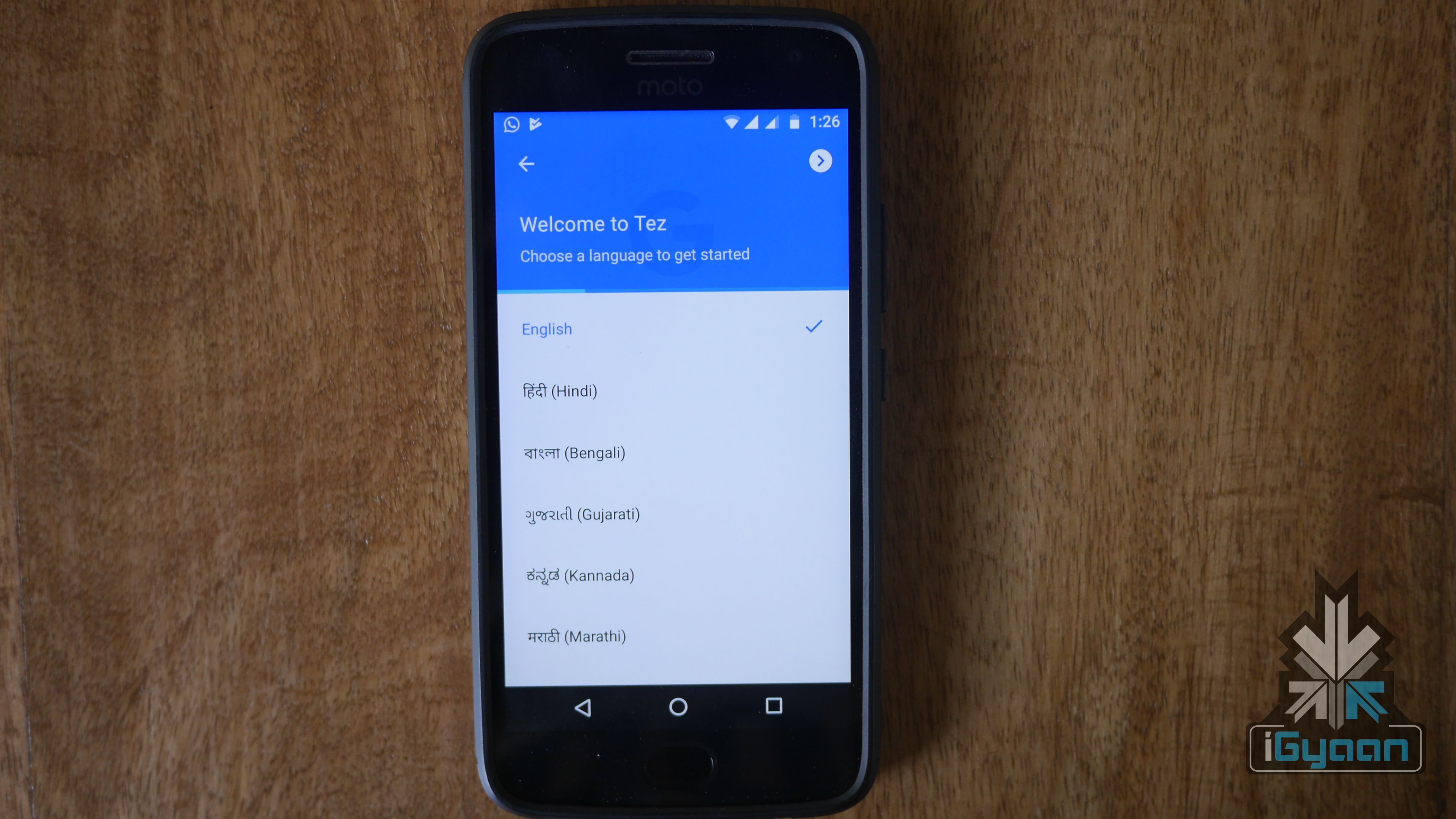
    The app will be available to download on all iOS and Android devices. The payments app will tie up with several banks through Unified payments Interface (UPI), a payment system backed by the government in its push to bring more integrated banking services in the Indian market. Supported banks include Axis, HDFC Bank, ICICI and State Bank of India and other banks that support UPI. Online payment partners include food chains like Dominos, transport services like RedBus, and Jet Airways. To help address one of the most important factors that make or break an online service in the Indian market, the app has support for English, Hindi,  Gujarati, Kannada, Marathi, Bengali, Tamil, and Telugu. Tez features a technology called audio QR that allows users to transfer money using sounds to pair two devices. Called the “cash mode option,” phones negotiate a connection using audio to identify the payer and payee.

    It is worth noting that the app is not a digital ‘wallet’ like PayTM wherein the money is stored in the app and is topped up for purchases. The Google Tez is more like Apple Pay where the app links your phone with your bank accounts to let you use your phone as a way to deduct payments from those accounts. There is also has a separate business portal for sellers to register themselves and accept payments through Tez itself.

    India has seen a fast growth of online payment apps like PayTm in the past few years and last year’s demonetization further fueled this growth. UPI is a payment system launched by the National Payments Corporation of India (NPCI) and regulated by the Reserve Bank of India which makes the instant fund transfer between two bank accounts on the mobile platform possible. There have been reports suggesting that the infrastructure of digital payments in India is expected to grow three-fold by the end 2017. Talking about the meteoric growth of online payments in India, Secretary of the Ministry of Electronics and IT said

    We expect that by December, the number will actually go up to five million PoS(Point of Sales), which means that the infrastructure for digital payments is going to grow three times in the short span of one year.

    Tez enters the Indian market at a time when the online payment industry has just started seeing an exponential rise. The app offers a different service than PayTM, the most successful UPI payments app in India right now and might be able tp differentiate itself from PayTM but it may take a while before people accept Tez as their primary mobile payments app.

  • Motorola Releases List of Phones To Get Android Oreo Update

    Motorola Releases List of Phones To Get Android Oreo Update

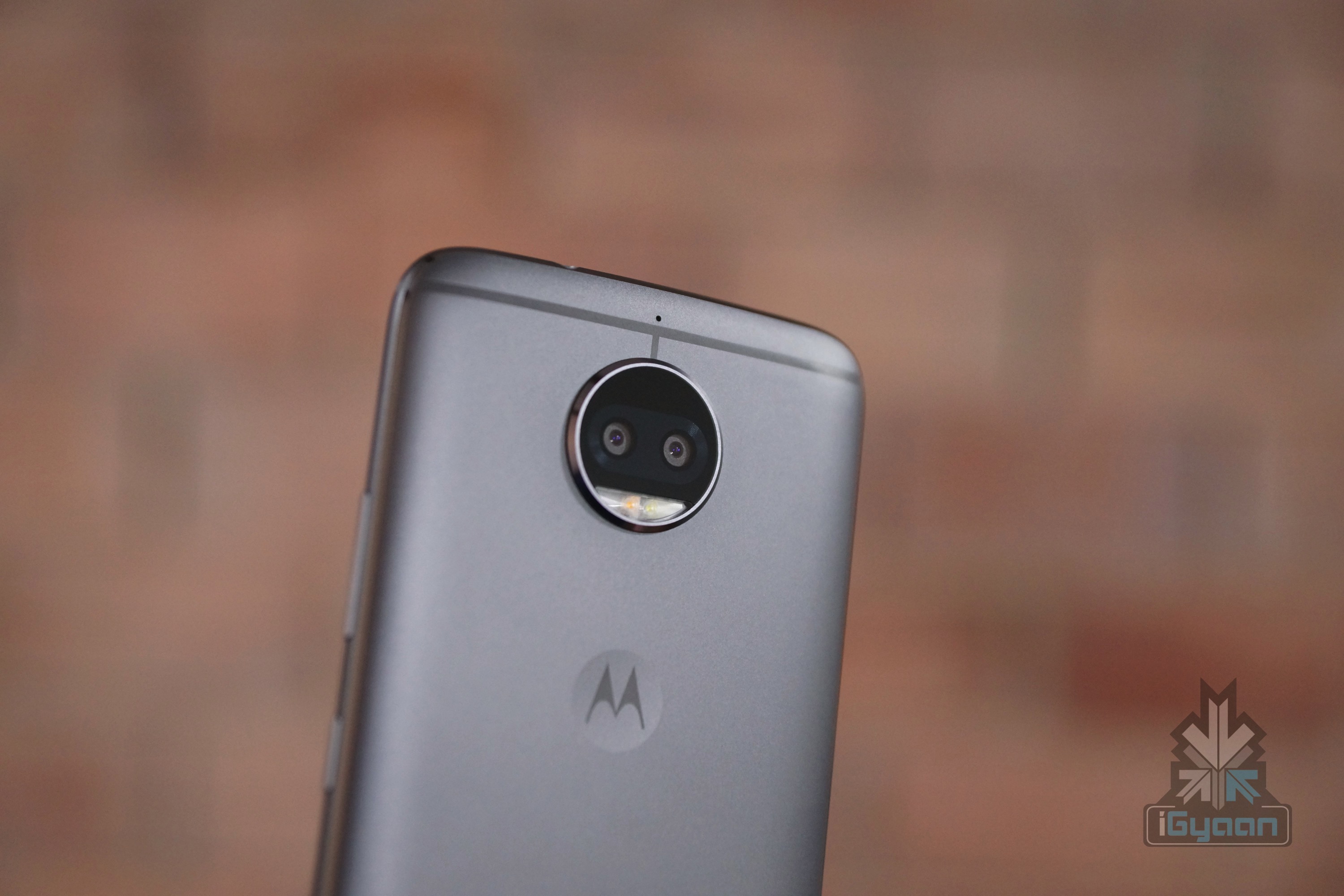
    Lenovo-owned Motorola has released a list of phones to receive Android 8.0 Oreo update. Motorola has long promised that most of its new smartphones will receive an update to Android 8.0 Oreo. Here’s the list of phones that Motorola launched

    A noteworthy omission here is the Moto G4 Plus which the company promised will get an Android O update. So much so that the promotional images specifically said that the Moto G4 Plus will receive the said update. This resulted in social media outburst and the promotional images from Motorola were shared extensively. However, Motorola did reply to a few people confirming that the Moto G4 Plus will receive the update. This begs the question then why was it omitted from the official list?

    https://twitter.com/motorolaindia/status/908590594070519808

    A lot of other smartphones makers have confirmed that their smartphones will receive the updates in the coming months. HTC announced that the U11, HTC 10 and U Ultra will be the first HTC smartphones to be updated to Android 8.0 Oreo. Budget smartphones like the Lenovo K8 Note and Nokia’s Android lineup will also receive the update. OnePlus also announced that the OnePlus 3, 3T and 5 will receive Oreo update, and that this will be the last major software update for the 3 and 3T.

    Motorola seems to have delivered on its promise of fast software updates and after some misunderstanding, it looks like the G4 Plus won’t be left out of the list. The smartphone maker insists that the updates will start rolling out this fall, which means somewhere between October and December.

  • You Will Soon Be Able To Recall Sent Messages On WhatsApp

    You Will Soon Be Able To Recall Sent Messages On WhatsApp

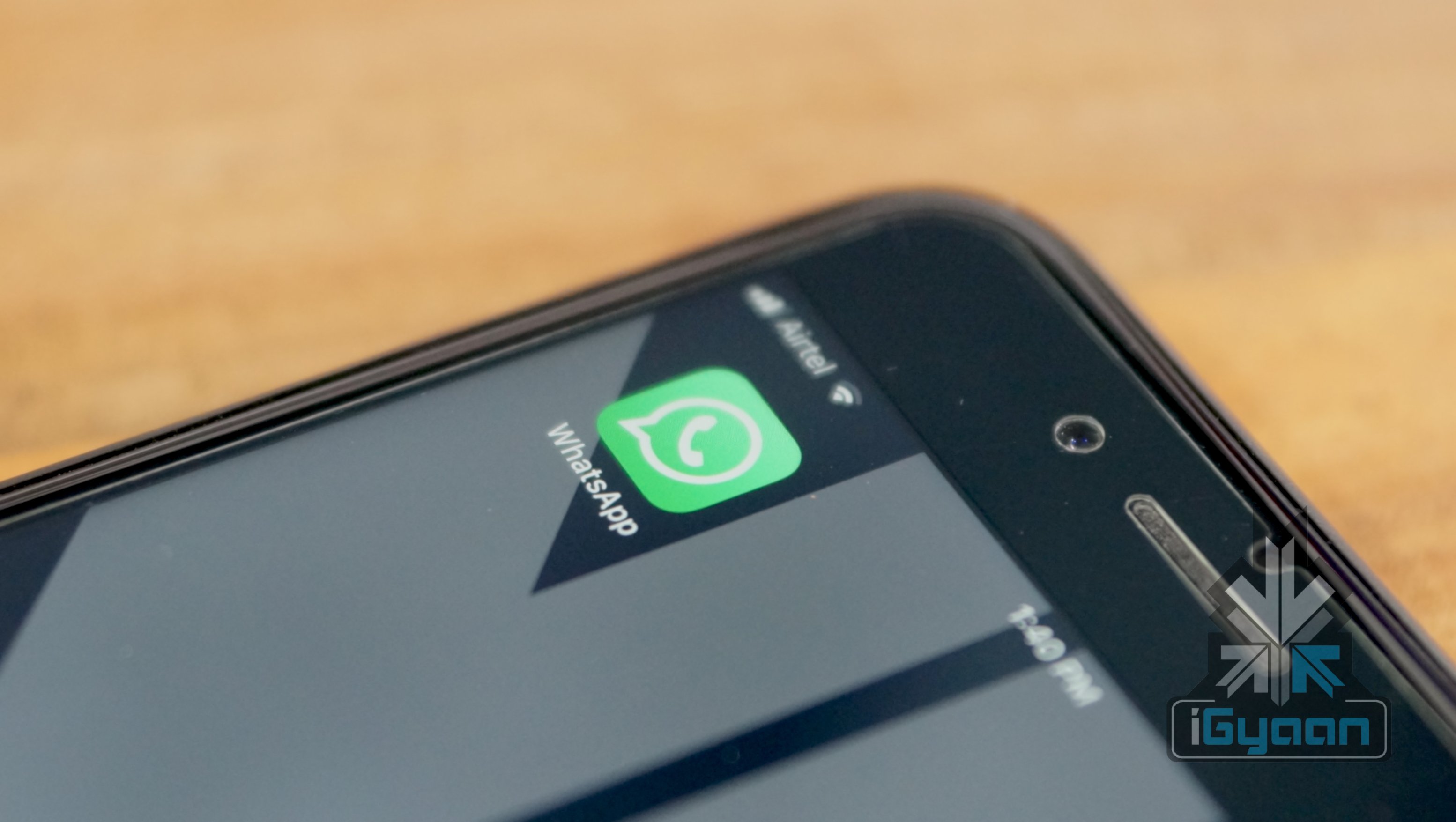
    The instant messaging app WhatsApp has long been a fan favourite and the most successful IM app in the world right now. WhatsApp has added a lot of new features in 2017 to keep the consumers interested and the latest feature spotted might be the most important of them all. WhatsApp will finally add an ‘Unsend’ feature to recall sent messages. A WhatsApp fan site that tests new features of the app tweeted that the Facebook-owned company is testing this feature and will enable the feature worldwide in the coming months.

    A report about the same feature reveals that users will be able to ‘unsend’ the message within 5 minutes of sending it. The feature will be applicable for images, videos and GIFs as well. However, it is worth noting that the feature will only work if the message is not read by the recipient in that time frame of 5 minutes.

    The news of WhatsApp testing this long awaited feature is not new. WABetaInfo had said that the feature will roll out in WhatsApp version 2.17.30 onwards. Even though this version is already available on App Store, the recall feature is nowhere to be seen. Let’s hope the Beta testing is a success and this new feature makes its way to our smartphones soon. We could all make full use of this feature!

  • YouTube Starts Rolling Out HDR Support To Select Android Devices

    YouTube Starts Rolling Out HDR Support To Select Android Devices

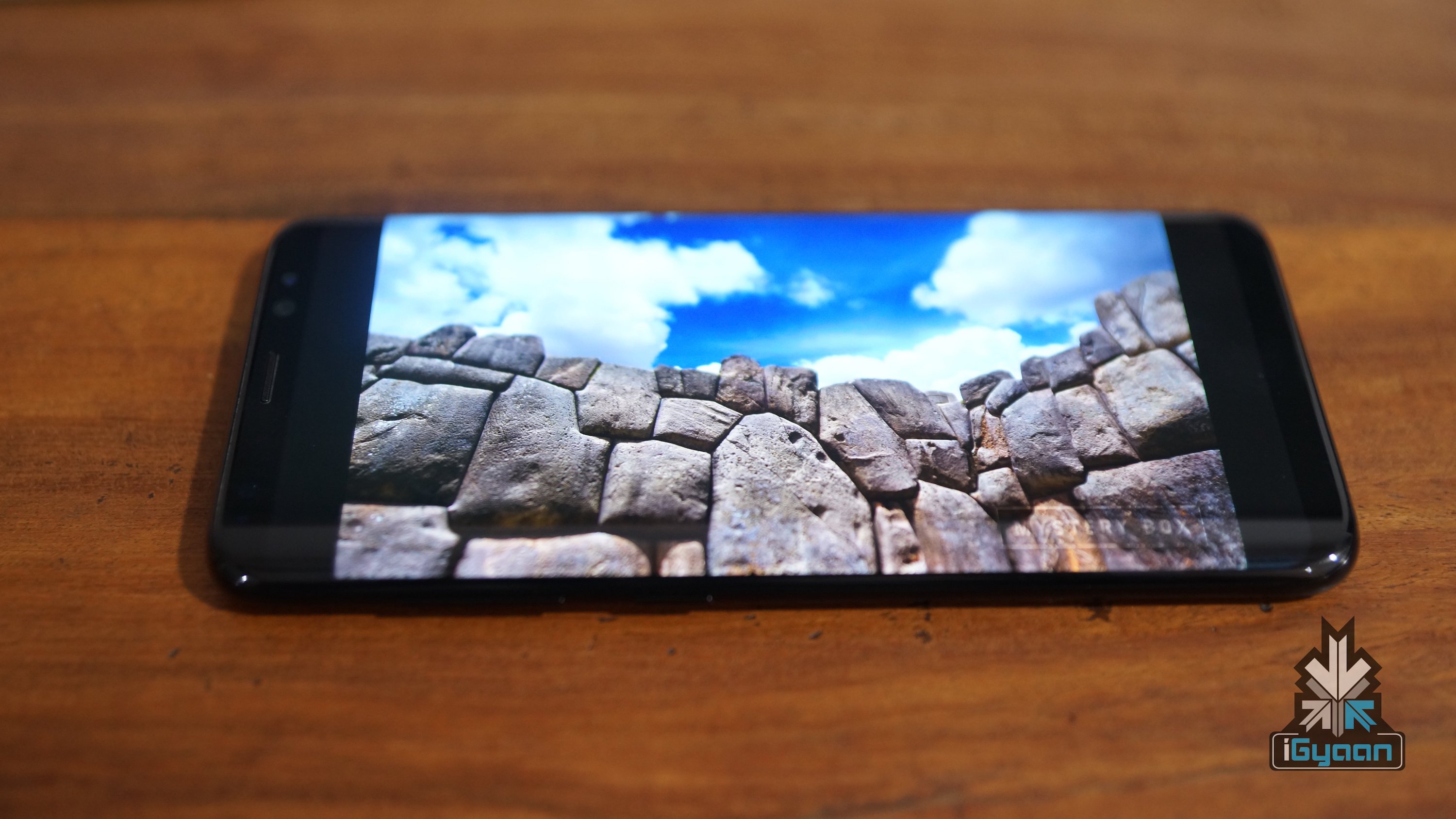
    High Dynamic Range (HDR) is not new in the world of tech, but, it is no longer restricted to high-end Televisions anymore. YouTube has started rolling out an update for HDR support to select Android devices.

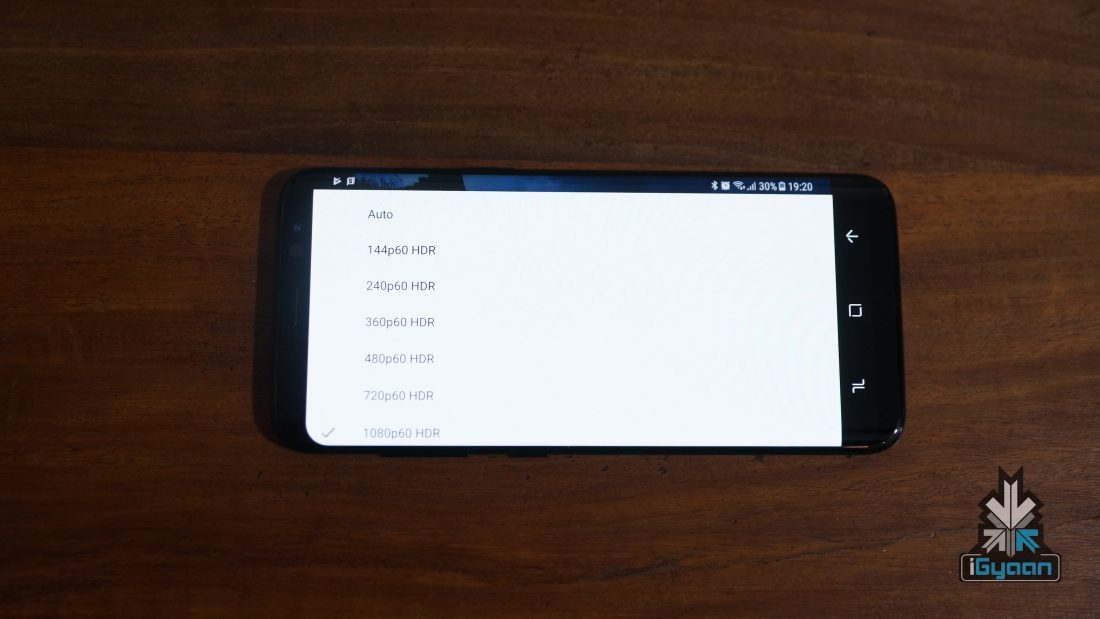
    The feature was made available to HDR televisions last year and now phones like the Google Pixel, Samsung Galaxy S8 and S8+, Galaxy Note8, Sony Xperia XZ Premium, and the LG V30 will have HDR support as well. Since YouTube has not officially announced the update yet, there are doubts over other handsets getting the update. The feature was observed to be available in videos starting 144p resolution.

    Even though the update is a useful upgrade and will surely bump up the video viewing experience, all doesn’t seem rosy for the users of aforementioned devices, According to SlashGear, Reddit users are reporting stuttering videos and battery-draining brightness levels. Some users have also claimed that the update gets rid of the option to switch to full screen.

    HDR videos have a wider colour gamut with the shadows having more details than the usual non-HDR video formats. HDR images are supported a more accurate representation of what a human-eye can see. Netflix has also jumped this ship and the Netflix CEO said, “Starting with the LG G6 phones that support both Dolby Vision and HDR 10 streams, Netflix would be supporting HDR on mobile devices” during the 2017 Mobile World Congress.

    A more aggressive push with fixed bugs expected to be rolled out by Google to more devices in the future, but, as of now, if you own any of the devices currently supported, click on the three dots while playing a video and select the desired resolution.

iGyaan Network
Privacy Overview

This website uses cookies so that we can provide you with the best user experience possible. Cookie information is stored in your browser and performs functions such as recognising you when you return to our website and helping our team to understand which sections of the website you find most interesting and useful.