Tag: Android P

  • Google Pixel 3 XL Running Android Q Spotted On Geekbench

    Google Pixel 3 XL Running Android Q Spotted On Geekbench

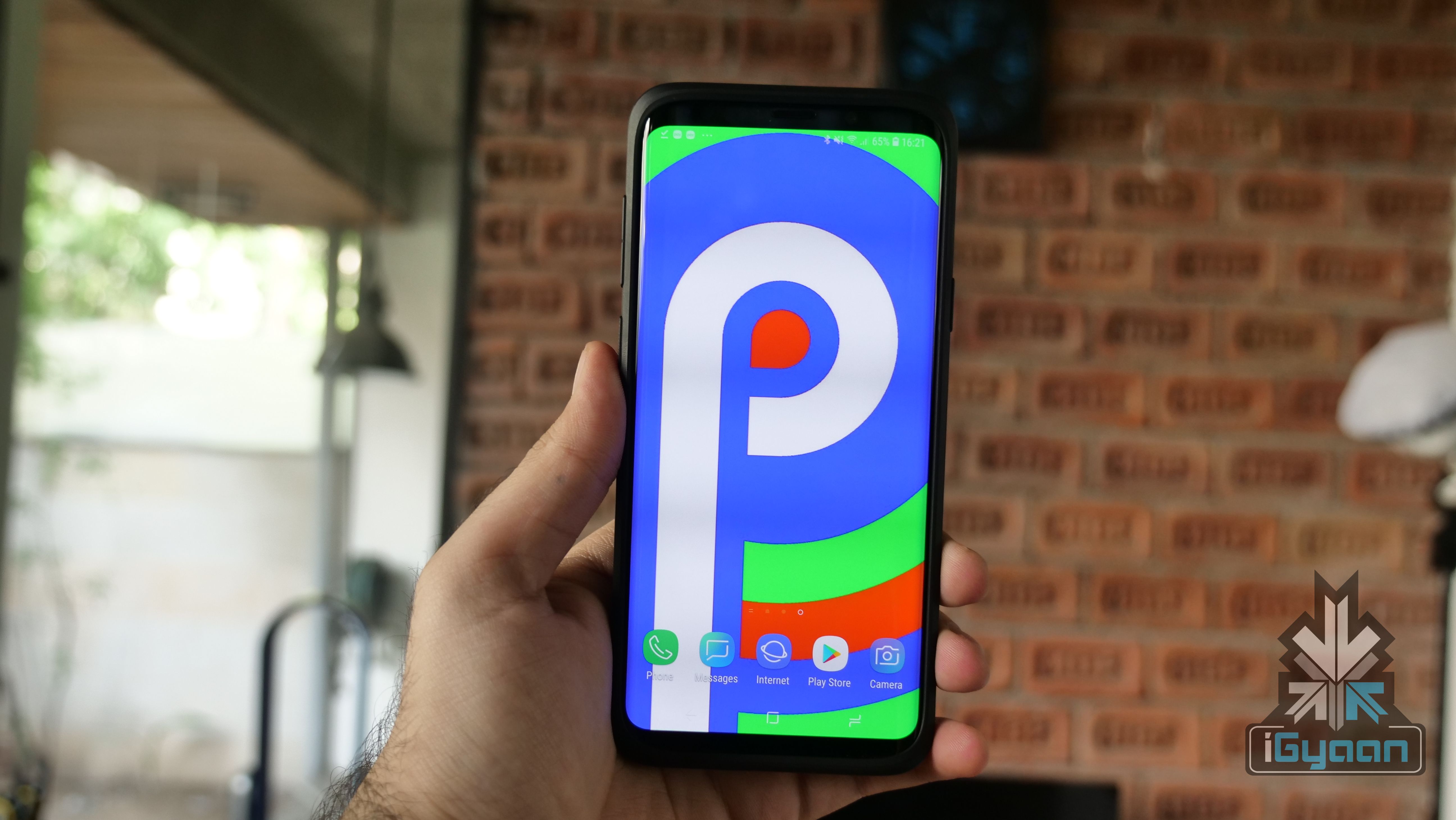
    With the smartphone cycle for 2018 almost coming to an end, all that we can look forward to as of now is software updates. Possibly the biggest software update in the mobile industry is that of the Android OS. Each year, users wait for the lates version of their beloved OS to see what changes it brings. And now, a Google Pixel 3 XL running on Android Q has been spotted on Geekbench.

    Android  Pie was announced back in June this year and starting rolling out to devices only around October. Even almost a month after the rollout started, few devices run the latest Android version. In fact, most of the new phones do not run Android 9 Pie out of the box, which is also very surprising. 

    Geekbench Scores

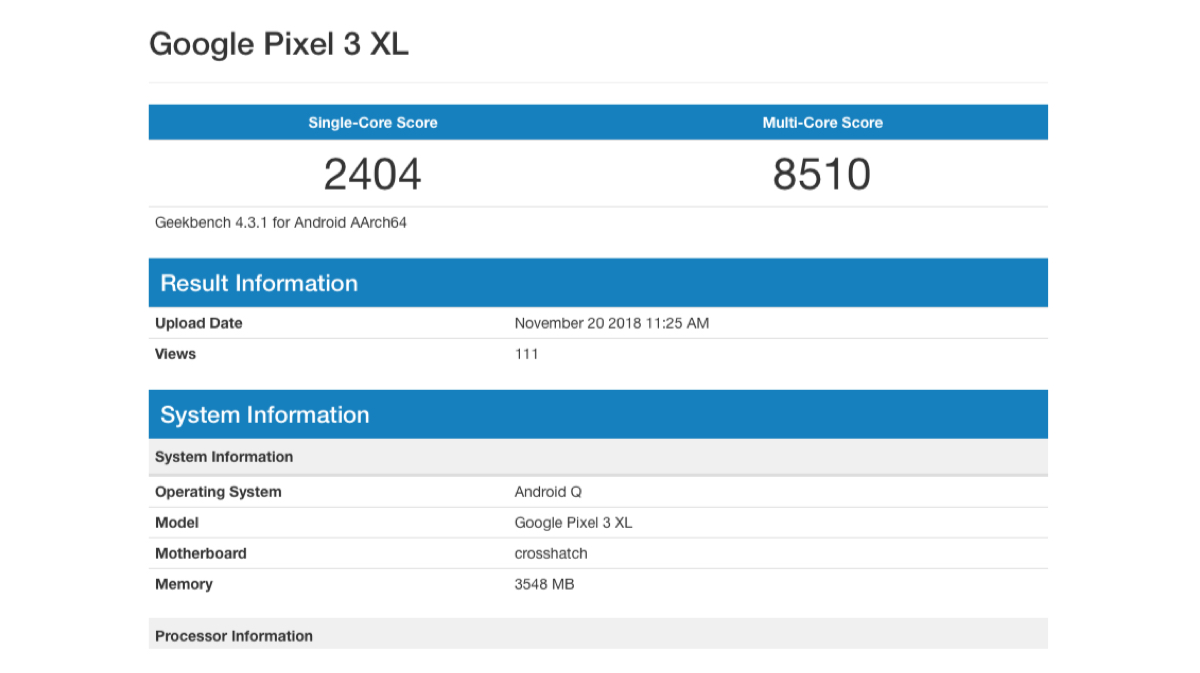
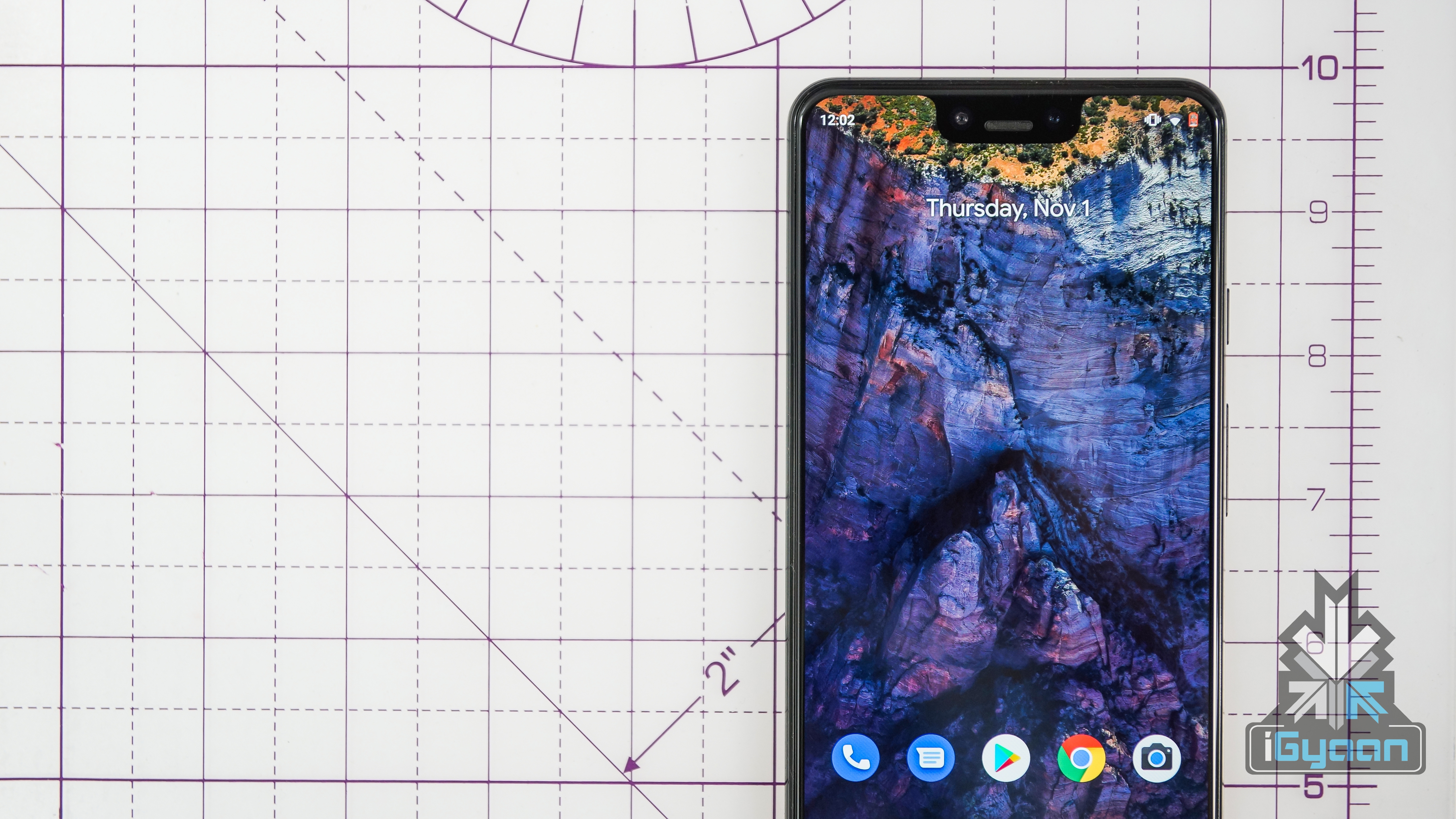
    The Geekbench listing revealed that a Google Pixel 3 XL device is being tested. Running the latest Android Q version with other regular specs. These include the Qualcomm Snapdragon 845 SoC and 4 GB of RAM. The device has a single core score of 2404 and a multi core score of 8510, which is a slight improvement over the scores with the previous OS.

    While nothing more about the OS is known as of now, it is expected that users with devices that were shipped with Android Pie will receive the update first. Reports also say that Google is considering letting users test Android Q before its Android Open Source Project release.

    Also Read: Huawei Mate 20 Pro To Launch In India On November 27

    This means that this version will not have any additional features which are meant for specific devices. Therefore, users will be able to use the OS as it is, and give better feedback. This also falls under the umbrella of project Treble which had promised access to future versions of Android.

  • Google Has Announced The Android 9 Pie Go Edition

    Google Has Announced The Android 9 Pie Go Edition

    It was in the year 2007 when Google officially introduced the Android ecosystem to the world. Android got its name from a Latin word “Androides”, meaning, human-like robot. The term Android also shares some resemblance with the ex-CEO and founder, Andy Rubin. Android is an operating system primarily designed for devices with touchscreen. Android has evolved not only in terms of versions but also in terms of its varieties. The latest version of the Android OS is the Android 9 Pie. The recent years gave us Android One and Android Go in addition to stock Android. Google announced Android Go as a watered-down version of Android 8 (Oreo) for low-end smartphones. It seems that now the company wants to continue the Android Go series with the Android 9 Pie Go edition.

    Also Read: POCOPHONE F1 Leaked Ahead Of 22nd August India Launch

    Android Pie Android 9 Google Android 9 Pie Go Edition

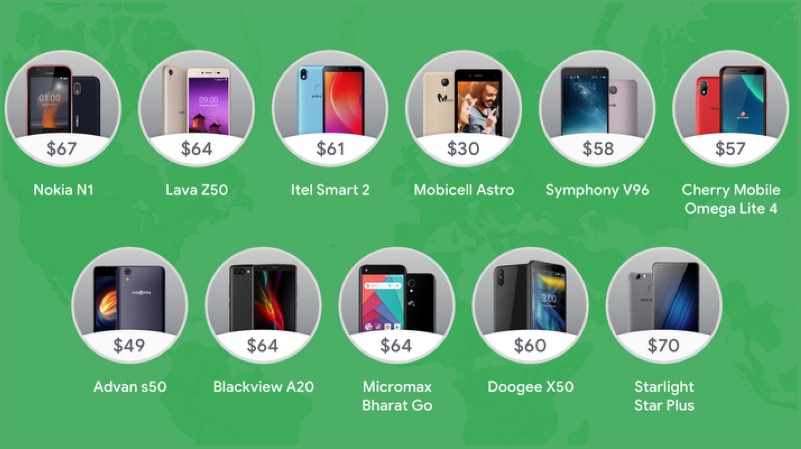
    Android Go delivers the latest OS to devices with RAM as low as 512MB. Android Go is the watered-down build of the Android Oreo (8.0). This OS is built to work on low-powered devices without any jitters. With Android Go, users will find that the OS takes significantly less amount of space than even Android Nougat, which released before Oreo. The OS also offers lite versions of Google apps like YoutTube Go, Gmail Go, and Files Go. This allows it to run smoothly on smartphones with storage space as small as 8GB. The latest smartphone to launch with Android Go out of the box is the Nokia 1. In a blog post from Google, the company announced that it will also launch the Android 9 Pie Go edition as a continuation of the current series. 

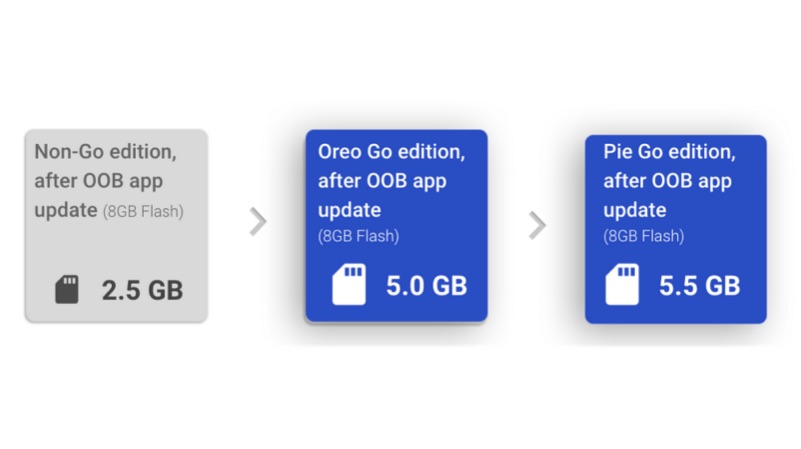
    Android 9 Pie Go EditionThe Android 9 Pie Go edition would share a lot in common with the Android Go (Oreo). However, Google claims that the Pie Go edition would take up even lesser space and provide faster device boot times for smartphones. The Android 9 Pie Go edition will also cater to the low-end devices like the Android Oreo Go edition. The company promises top-of-the-line security features and an accessible dashboard for tracking and monitoring data consumption. Companies like Nokia, Micromax, and Lava are already on the list of smartphone brands to receive Android 9 Pie Go edition.

    Android 9 Pie Go Edition

    It is reassuring to see that Google wants to keep the low-end low-budget smartphones just as relevant as the flagship Android devices. With the Android 9 Pie Go edition, it will allow users on a tight budget to enjoy a fast, smooth, and the latest Android experience.

    Have something to add? Leave a Comment Below!


  • It’s Official : Android 9 Is Android Pie : Top 10 Features

    It’s Official : Android 9 Is Android Pie : Top 10 Features

    It was in the year 2007 when Google officially introduced the Android ecosystem to the world. The first commercially available Android smartphone, the HTC Dream released in the September 2008. The smartphone was available globally from 2009 and ran on the version 1.5 (Cupcake) of the OS. Google has followed an alphabetical order of naming convention with each new version of Android. Starting with the first version, Android Cupcake (1.5) debuting with the HTC Dream in 2009, with Donut (1.6) to follow, in the same year. Android has evolved not only in terms of versions but also in terms of its varieties. The latest version of the OS available for all the smartphones is Android 8.0 (Oreo). However, Google has announced the latest version, Android 9 and its official name is Android Pie.

    Also Read: Dual SIM Apple iPhone With A 6.1-inch Display Is Launching But You Can’t Have It

    Our previous speculation was that Android 9 might roll out as the Android Pistachio. However, Google usually uses sweet treats or desserts to name its Android versions. Thus, it makes a lot more sense for Google to call Android 9, Android Pie. Although its official now, Android Pie was already available as a beta preview for many smartphones. In the list of manufacturers who signed up for the beta program, OnePlus, Nokia, and Xiaomi are some of the top brands. This time around, the new version of the OS is bringing some major changes to the way it works. 

    Features
    1. Gesture-Based Navigation
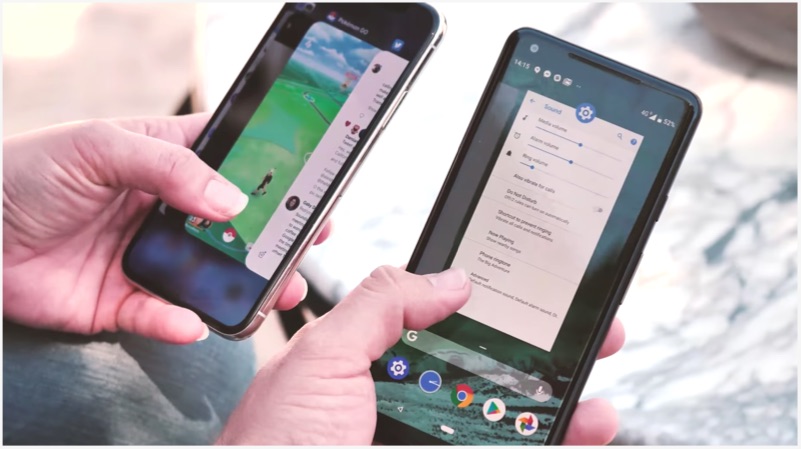
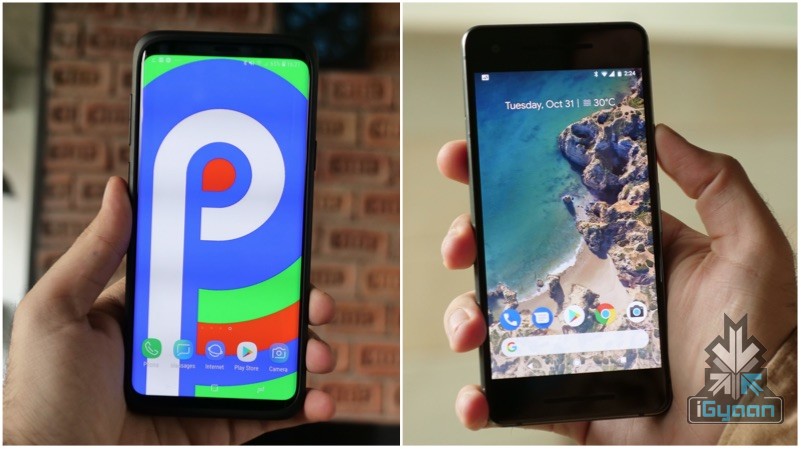
    Image: iPhone X Recent Apps VS Pixel 2 Recent Apps On Android Pie

    With Android 9, the OS has changed aesthetically, along with several major feature additions. The most noticeable of them all is the new gesture-based navigation. Although turned off by default, the gesture-based navigation system allows for a new way to interact with Android. In Android Pie, a simple swipe to the left or right will allow users to switch between the recently opened apps. While swiping up would reveal all the opened apps along with a few suggested apps with the OS thinks the user frequently opens. 

    2. App Slices
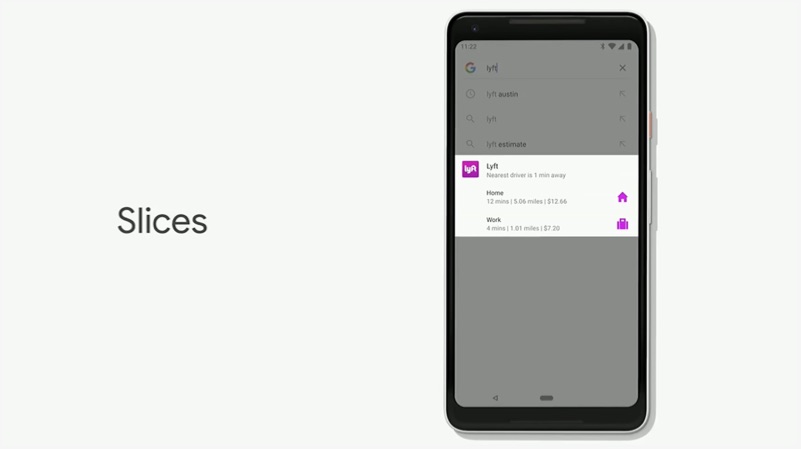
    This new Android Pie feature seems very familiar to users who have had experience with Google’s Instant Apps. Instant Apps was Google’s way of allowing users to access an app without needing to download it. However, in the case of Slices, the similar idea of Instant Apps targets a whole different set of problems. For instance, if a user searches for Hawaii on Google, then the OS might show them photos from the time when he or she visited Hawaii.

    3. Indoor User Positioning
    Android Pie Android 9 Google

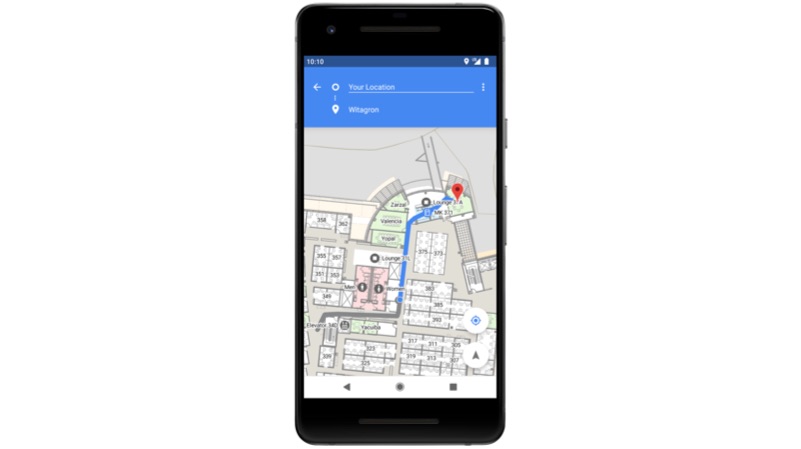
    In previous Android versions, if a user sitting inside a building wants to locate himself on the map, then his or her estimated location using GPS was shown. With Android 9, Googles uses Wi-Fi for indoor positioning with an accuracy of up to 1 or 2 meters.

    4.  Support For Notches
    Android Pie Android 9 Google

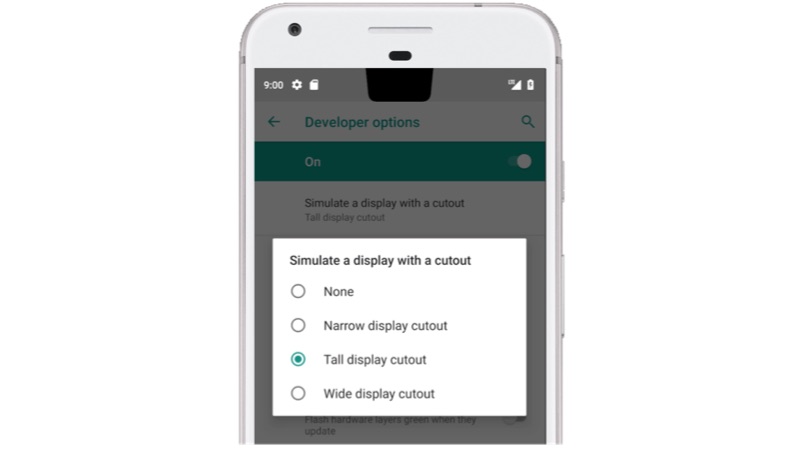
    With Android 9, users will get content in an edge-to-edge format which also supports the presence of the notch. Android Pie will allow developers to build apps in such a way that their app supports the cut-outs on a smartphone’s display.

    5. Intuitive Notifications
    Android Pie Android 9 Google

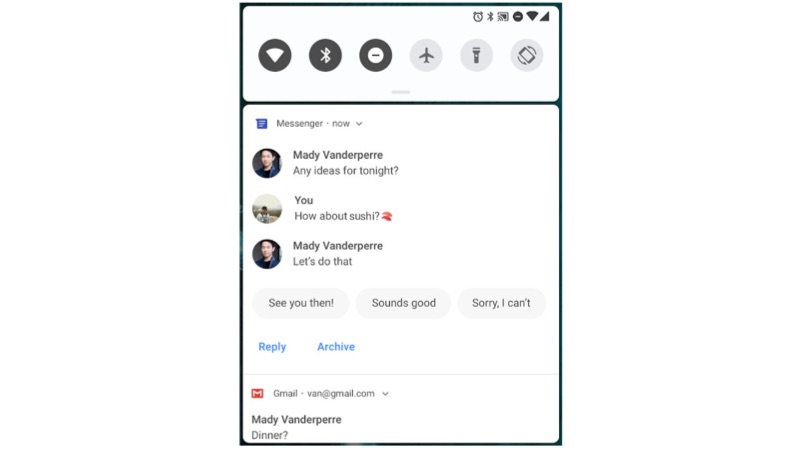
    Google has been focussing on integrating AI deeply with its OS. It is with Android 9 that users see some of the AI functionalities in the foreground. For instance, on Android Pie, a predicted response will be ready for certain message notifications which you receive. You can either choose to respond to the message with the suggested text or write your own directly from the notification tray.

    6. Adaptive Battery & Adaptive Brightness

    Another AI-dependent feature which Google has introduced with Android 9 is the Adaptive Battery and Adaptive Brightness. With this feature, the OS will understand the smartphone user’s device usage behaviour and adjust the battery settings accordingly. This adjustment is also dependent on the time of the day or the user’s location.

    7. Digital Wellbeing
    Android Pie Android 9 Google

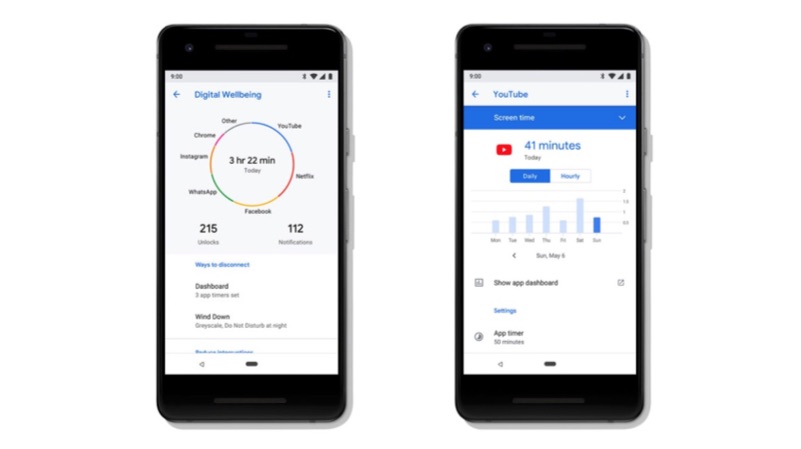
    Android Pie or Android 9 will monitor the user’s daily smartphone usage. Google is calling this feature the “Digital Wellbeing” which will provide an analytical report of the time the user has spent on the device and the number of times the device was unlocked.

    8. The Material Theme
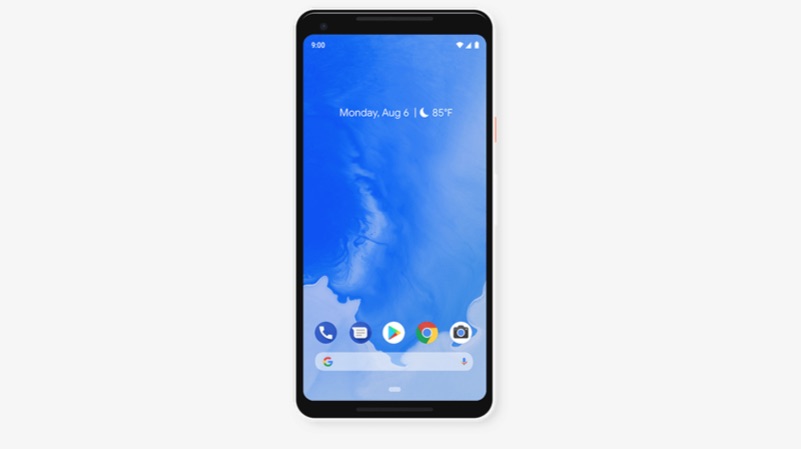
    Along with the new feature, Google has also introduced some subtle changes to the UI with Android 9. In this version of the OS, the most noticeable changes are with the notification tray icons, which are more rounded than the ones on Android Oreo. The materialistic theme also translates to the way the recent apps are shown. One could say Android Pie takes subtle hints from Apple’s iOS.

    9. Rotation Toggle
    Android Pie Android 9 Google

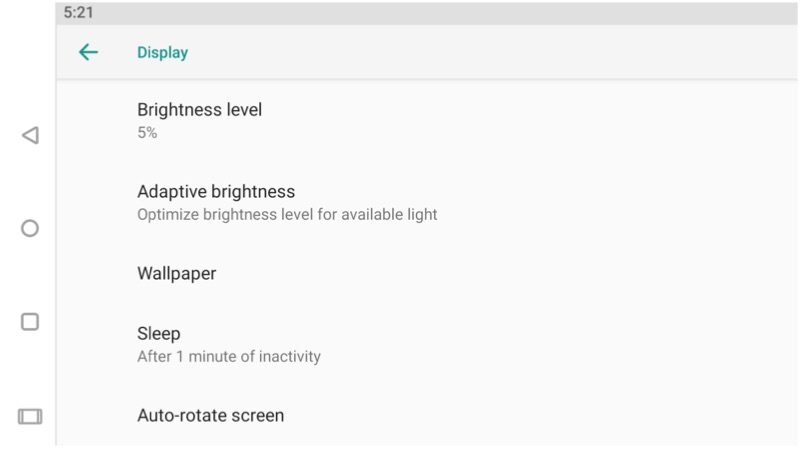
    The rotation toggle is a nifty feature in the Android 9 which tackles the problem of accidental screen rotation. When you turn off auto rotation on the smartphone, an extra icon will appear in the navigation bar, which upon clicking, will change the orientation of the smartphone’s display. This is especially useful for the lazy users who like to use their smartphones in bed.

    10. A Total Of 157 New Emojis

    With a more gender-neutral approach, Android Pie will bring a total of 157 new emojis to the platform. Some of these emojis include lobsters and alpacas.

    Android P is the ninth installation of Google’s Android OS. Many devices including the OnePlus 6 have already received a Developer Preview of the Android P. This new version brings subtle UI changes like the redesigned notification panel when triggered by the volume rockers. The new update also brings better battery optimization, dark and light theme modes, and the ability to toggle between multiple wallpapers. The Android Pie update will initially be available on the Pixel devices first with other manufacturers who signed up for the Beta program to follow. It is safe to say that with every new version, the Android ecosystem keeps evolving, and the trend will continue until either Google runs out of letters in the Alphabet or Android is discontinued.

    Have something to add? Leave a Comment Below!
     

  • OnePlus will Bring Android P To OnePlus 3 and 3T

    OnePlus will Bring Android P To OnePlus 3 and 3T

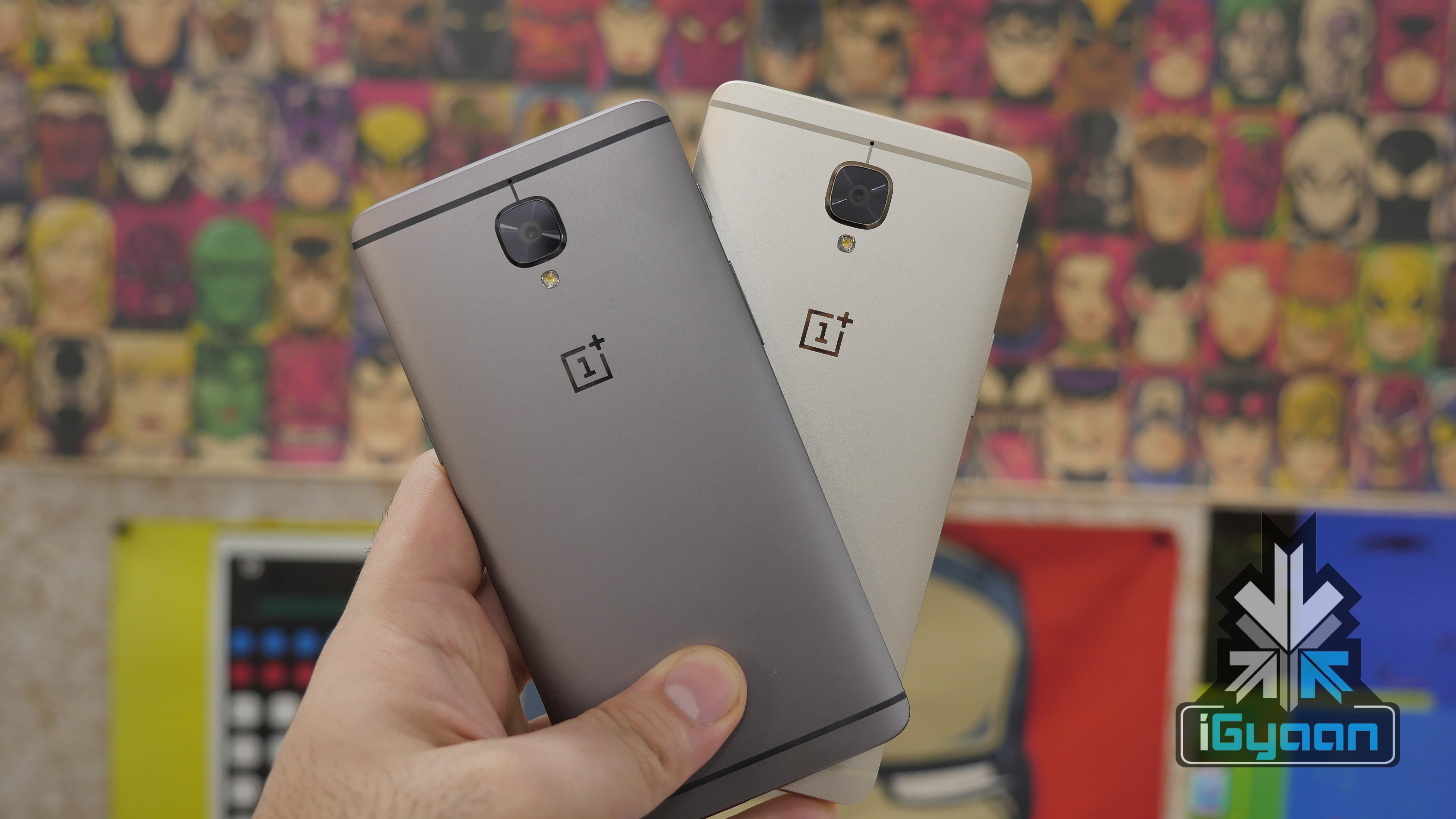
    OnePlus in a post on their forums has confirmed that the company will provide the Android P update to phones as old as the OnePlus 3 all the way upto the OnePlus 6. The company also says that the updates will be available in the coming months. With Google expected to officially roll out Android P during the Pixel 3 and Pixel 3XL launch, most manufacturers working towards the Android P update will follow soon after.

    OnePlus has been focusing a lot on community conversation, and this shows that the company is ready to tackle the frustration of some of the owners of the older Oneplus devices in getting some of the key features. The company, earlier this year, enabled certain camera features  to their previous models via a software update.

    OnePlus has now rolled out several models of the OnePlus 6, including storage and Ram variations and limited edition models including the new colours. The company may launch a new phone later this year dubbed the “OnePlus 6T”. The next version is expected to launch with a all display front removing the notch from the device completely.

    [toggles behavior=”toggle”]
    [toggle title=”OnePlus’s Post”]Including our camera improvements and the latest Android security patch, the OxygenOS 5.0.4 update for OnePlus 3 and 3T was released worldwide last week. Since it was launched, we’ve been listening to questions asking about our next major update for the OnePlus 3 and 3T. After internal discussions and evaluation, we have decided to focus our development resources on the Android P project instead of upgrading the device to Android 8.1, so that we can offer more exciting features and improvements for our OnePlus 3 and 3T users. Over the past few months, we have been working closely with Google on the Android P Beta program. Thanks to everyone’s participation and continued feedback, the progress we have made together has been greatly accelerated. The Android P update will be available on the OnePlus 6, OnePlus 5/T and OnePlus 3/3T, in this order. We will keep you all updated in the coming months. [/toggle]
    [/toggles]

  • Leaks Suggest Android P Could Be Called Android Pistachio

    Leaks Suggest Android P Could Be Called Android Pistachio

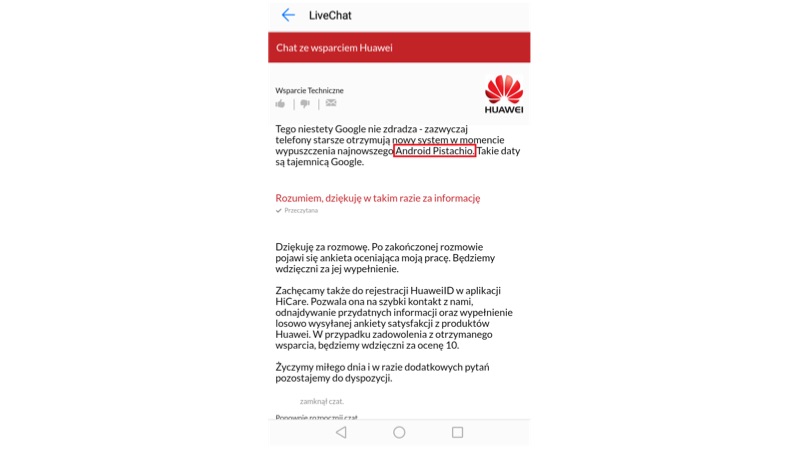
    Leaks have revealed the name of Android P and the fans are going nuts (pun intended). The leak was first posted on a Polish website. The website shared screenshots of a conversation between a Huawei representative and a customer. The customer was inquiring about the Android 8.0 Oreo update for the Huawei P9 Lite.

    Android Pistachio
    Huawei Live Chat Screenshot

    Though it is highly unlikely for Google to reveal the official name for its Android P. This news still steers the thought process and speculation to a new direction. Other rumors about the name suggest that the name could be Android Pistachio Ice-cream.

    Android Pistachio
    Android P

    Android usually uses names of sweet treats or desserts. For Google to use a “nutty” name will be quite surprising. In this case, the name Pistachio Ice-cream would make more sense. From Cupcake to the to Oreo the names have always been based on a candy or dessert. One should keep in mind that during its testing phase Android 8.0 was just called Android O.

    There is again a catch to Android Pistachio Ice-cream as the name “Ice-cream Sandwich” has already been used. This naming convention could sound redundant which further creates a doubt about the entire leak.

    Must Read: Only 1% Android Smartphones Are Running Android 8 Oreo

    Android P is the ninth installation of Google’s Android OS. Many devices including the OnePlus 6 have already received a Developer Preview of the Android P. This new version brings subtle UI changes like the redesigned notification panel when triggered by the volume rockers. The new update also brings better battery optimization, dark and light theme modes, and the ability to toggle between multiple wallpapers.

    Pistachio tastes quite good but, whether Google names Android P after “these nuts”, remains to be seen. With the official announcement about a month or so away, we will monitor this thread closely so stay tuned to iGyaan for any further updates.

  • YouTube Will Remind Users To ‘Take A Break’ With New Update

    YouTube Will Remind Users To ‘Take A Break’ With New Update

    At the Google I/O 2018 conference, the company unveiled a lot of new technological advancements including Google Duplex. One of the most anticipated announcements was that of Android P. The next iteration of the world’s most populat mobile OS will officially roll out later in the year but, Google gave us a glimpse of what’s in store for us. One of the main areas where Google has worked on is the digital well-being. YouTube appears to be a part of that initiative by Google as the new update to YouTube for Android brings a ‘Take A Break’ feature.

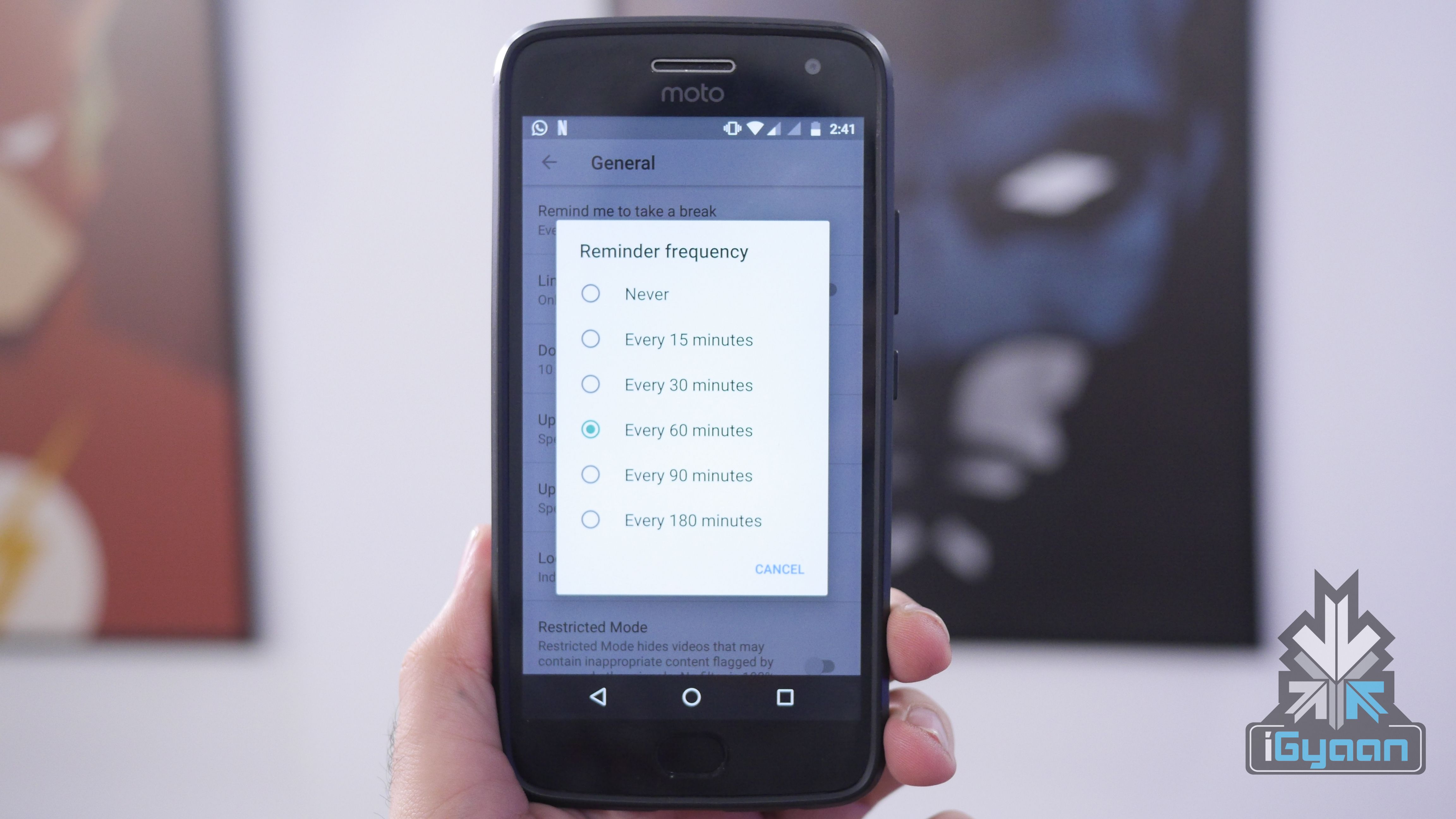
    The ‘Take A Break’ feature will allow users to keep a check on their YouTube habit and monitor their usage of the app. This is in line with what’s in store for Android P in the future. To start using the new feature, head over to the YouTube app’s setting and then click on general. There on, you can choose different ways to monitor your activity and work on your “Digital Well Being.”

    Must Read: Android 9 P: Google I/O 2018 New Features

    Users can set a reminder for 15, 30, 60, or 90 minutes. Once a user sets a reminder for a certain time, YouTube will automatically pause the video at those intervals. A user can decide whether continue to watch the video or dismiss the reminder. Another option available in “Disable sounds & vibrations’ for the app. This will essentially stop all notifications from the app to pop up on the screen. The idea here is that the app won’t try to grab your attention, and the user will be able to avoid getting distracted from constant notifications.

    The third feature available is the ‘Scheduled Digest’ and will again revolve around notifications. This feature lets users get all of their notifications from the app once a day at a time of their liking. Users can select the time they feel they can devote to YouTube and get all the notifications at that particular time.

    The feature is available in the latest version of YouTube app for Android. The version number is 13.17.55 and should be rolled out to all Android devices soon.

  • Android 9 P: Google I/O 2018 New Features

    Android 9 P: Google I/O 2018 New Features

    The Google I/O 2018 conference has concluded and hands down, the biggest unveiling was Android P. The new iteration of the largest mobile OS in the world, Android 9 P will be made available to all Android smartphones later in the year but, Google gave us a glimpse of what’s in store for Android users around the globe.

    The new Android Developer Preview version is now out for a lot of smartphones other than just the Google Pixel devices. Owners of Sony Xperia XZ2, Xiaomi Mi Mix 2S, Nokia 7 Plus, Oppo R15 Pro, Vivo X21, OnePlus 6, and Essential PH1 can enroll for the Android Beta program here.

    With Android P, Google is doing a lot to address the global conversation about distractions caused by smartphones. Android P will have a lot of features built around this theme, that Google is calling “Digital Well Being.” However, Google has claimed that this was not a contingency plan and that the company has been working on curbing this growing issue for years now.

    Wind Down is one of the features as part of Google’s efforts to reduce the use-time of smartphones. It is essentially an automatic Do Not Disturb mode that switches on Night Light when it gets dark. If a user has set their bedtime, the smartphone will turn all the colours on the screen to grayscale, once the clock hits the specified time. This should make using the phone a lot more boring, in turn making the user use their smartphone a lot less.

    Another feature called Shush was unveiled at the conference as well. It is a new gesture that lets users turn their smartphone screen-down and automatically enable the “Do Not Disturb” mode. As is with the Do Not Disturb mode, users can still choose certain contacts to continue to get messages and notifications from.

    There is no longer the circular home button and the square multitasking button is gone as well. What started out with the iPhone X has now been adopted by Google as well (sort of). With Android P, Google is changing the way users interact with the OS. The home button is replaced by this little pill sort of button that has a few functions. One little swipe up will open all the recent apps. What is interesting here is that the apps are live, which means that if you’re in WhatsApp and want to copy a phone number from the call log, you don’t have to open the specific app. By swiping up and opening the recent apps window, you can simply navigate to the Phone app and copy a number from the window itself, without opening the particular app. This feature will come in handy for serious multi-taskers. When on the home screen, a second swipe up will open the apps tray which will have all your installed apps laid out. You can also slide the pill button in the recent apps window to navigate through different apps which looks very cool and simple to use.

    The back button makes a return when you’re within an app and goes away once you’re no longer in an app, simple as. This use of gestures is very different from iOS’s. There is still a navigation bar at the bottom which means you’re still losing a bit of screen real estate. However, this change will be difficult for Android users than it was for iOS users. iOS has traditionally had a few gestures within the UI, while Android, so far, has solely relied on three buttons to navigate from anywhere within the UI.

    More changes are expected to be added to Android P before its final release later this year. The new changes are definitely eye-catching and we will be investigating the new Beta build in detail to find out all that is new with Android P. Google appears to have a lot of answers for questions raised against the growing overuse of smartphones. The only mystery that remains unanswered after the Google I/O 2018 conference is what does the “P” stand for? Maybe Google Assistant can tell us.

  • Android Popsicle May Be The Final Name Given To Android 9.0

    Android Popsicle May Be The Final Name Given To Android 9.0

    Ever since Android’s inception in 2007, the mobile operating system has an interesting and fun naming pattern. Google has stuck to naming every iteration of Android after a type of dessert. The most recent version, Android 8 goes by the moniker of Oreo. The next in line is Android P which will be unveiled Google I/O 2018 and get an official release in the third quarter of 2018. While many desserts start with the letter P, Google appears to have dropped a major hint about the possible name of Android P and it may be Android Popsicle.

    On its official Instagram account, Google released a set of Spring wallpapers with a certain delicacy making an appearance. Of the five wallpapers released by Google, the last image was of different kinds of popsicles. You don’t need to be a rocket scientist to jump to the conclusion that Google might have just very blatantly hinted that the full name of Android P could be Android Popsicle.

    Over the years, Google has been known to have a bit of fun with its followers, especially when it comes to the names of new Android versions. Google always leaves subtle hints to mislead its fans into predicting a wrong name for the upcoming version of Android. With this Android Popsicle wallpaper trick, however, Google was anything but subtle. Now, it is completely possible that Google has just trolled its 6.2 million Instagram followers into believing that the next version will be called Android Popsicle.

    The first developer’s preview of “Android Popsicle” was released in March 2018 and had a few interesting features. Acknowledging the growing trend of notches, Google introduced the notch feature in the first preview of Android P. Once enabled, the clock moves to the left-hand side of the notch along with notification icons. Other icons like Wi-Fi, Bluetooth remain on the right side of the notch. Interestingly, different sizes of a notch can be emulated.

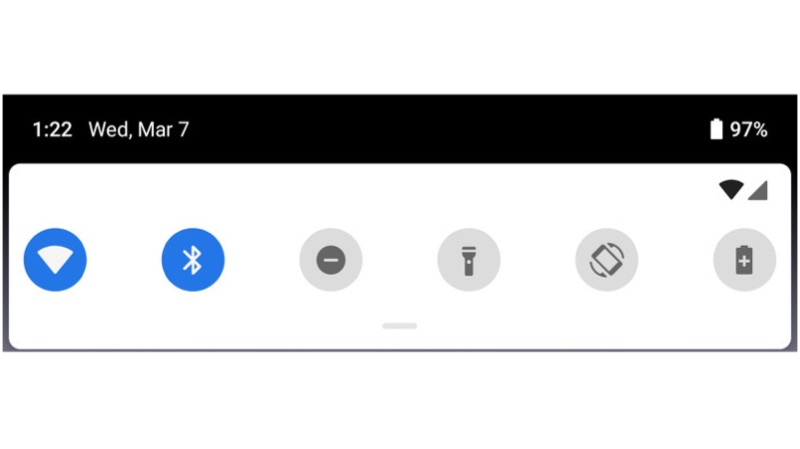
    Visually, other changes include a slight redesign of the notification panel. The icons in the quick settings pulldown have rounded corners now. If activated, the icons will be blue in colour and when inactive, it will turn grey. To access other quick settings toggle, the user has to pull down on the grey bar just underneath the initial menu.

  • Android P Might Have iPhone X Like Gesture-Based Navigation

    Android P Might Have iPhone X Like Gesture-Based Navigation

    Google recently released the first developer preview of Android P. Since this is the first preview, the official version will be very different and new features will be added and discarded.

    Reported by 9to5Google, it is possible that Android P will have native gesture-based navigation, similar to the iPhone X. While it might seem a bit far-fetched, it is possible. Google has already conceded that the “notch” is here to stay. The developer preview has support for a notch. Sources have said that an internal build of Android P running the April or May security patch has an iPhone X-like user interface.

    OnePlus 5T Gestures

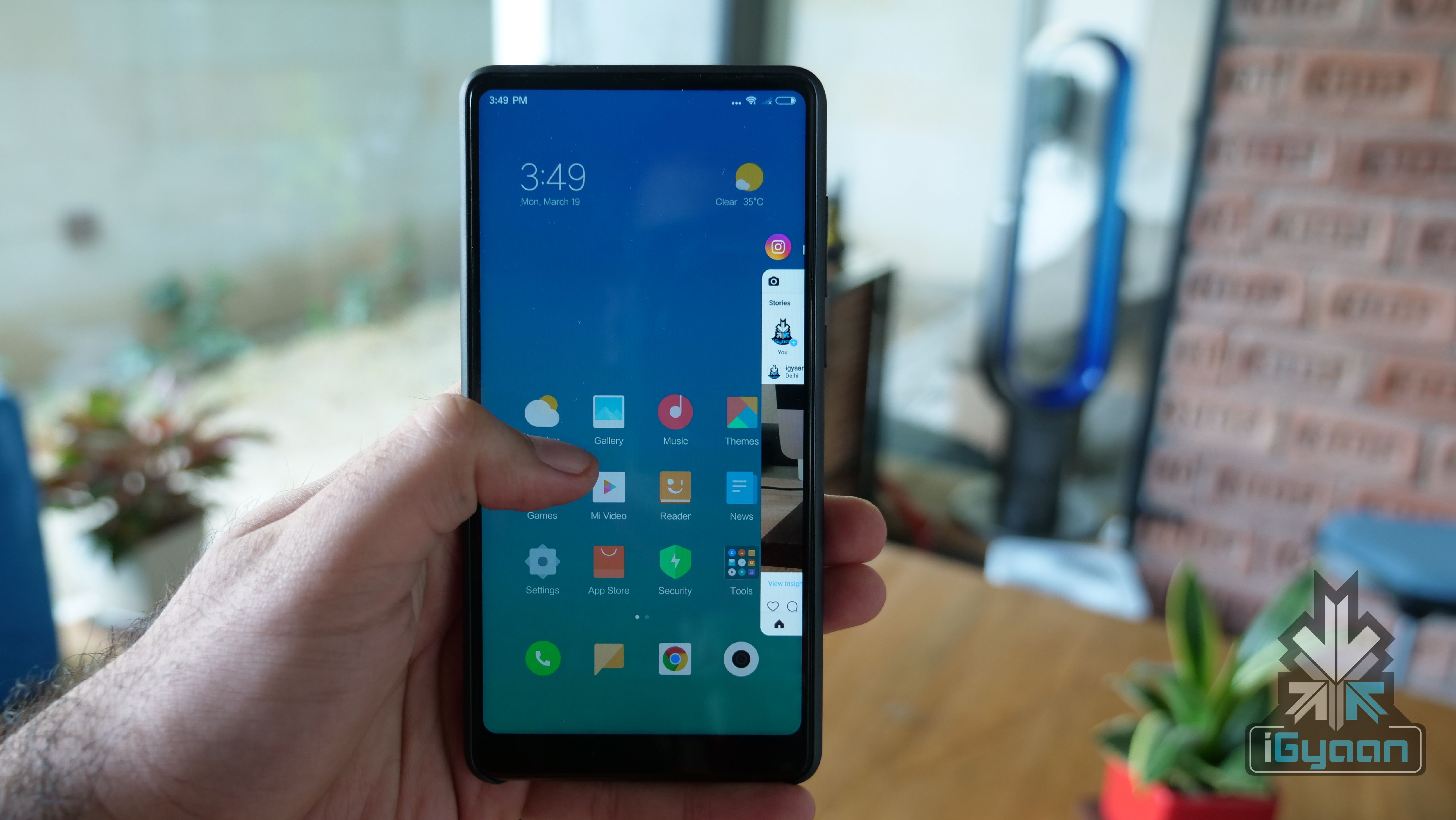
    If this turns out to be true, there will be a lot of debate around the “inspiration” for this decision. However, Xiaomi and OnePlus have already started moving on to gestures. However, OnePlus is still testing the feature in a Beta build. Xiaomi, on the other hand, introduced the feature with Android 8 Oreo for the Mi MIX 2. This means that the Mi MIX 2S will also have this feature out of the box.

    Over the years, stock Android OS, for all its stability and beauty, has lacked features that were readily available in custom skins. With a few smartphone makers adopting gestures, this could be a sign for Google. It is high time Google goes a step ahead and introduces a popular feature natively.

    With smartphones moving closer to a bezel-less design, it doesn’t make sense to lose out on a little screen real estate because of the navigation buttons. Also, Android’s navigation system needs a little refresh after being so stagnant since its inception.

  • Google Ends Software Support For Nexus 5X, 6P

    Google Ends Software Support For Nexus 5X, 6P

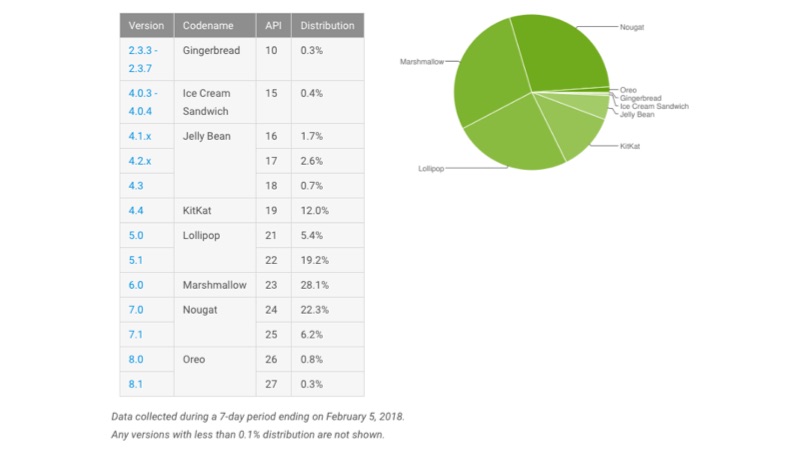
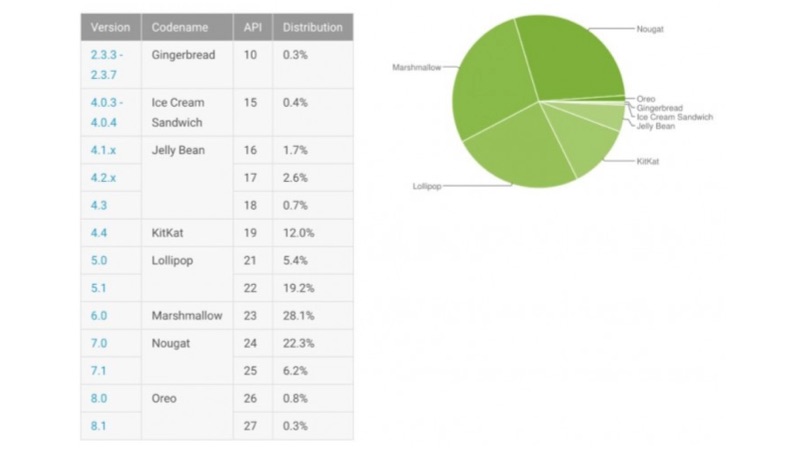
    Google released the first developer version of the Android P, which will be the successor of Android 8 Oreo. However, less than 1.5% of Android phones run on Android 8 Oreo right now. To improve this, Google introduced Project Treble which enables the faster Android updates, without interfering with the OEM.

    Google follows the 2 years update policy, where the smartphones and tablets will receive two major OS upgrades. However, this changed with the launch of the Pixel series of smartphones. To keep up with Apple (which offers four major OS upgrades), the Pixel devices will receive three major OS upgrades. Similarly, the Pixel will update to Android P and Android Q and the Pixel 2 will also be updated to Android R.Android P

    However, this is not applicable to the Pixel C tablet, Nexus 5X and the Nexus 6P. These devices have received two major software update and they are no more eligible to receive Android P. However, all three devices are eligible to receive monthly security updates until September 2018.

    As these devices are very popular amongst the developers, the devices might receive unofficial build of Android P via third-party developers. Android P

    Android P Features

    The Android P is expected to overhaul the user interface completely. In fact, the biggest change is the native support for the infamous notch. In fact, one can test these features by installing the developer version on a supported device.

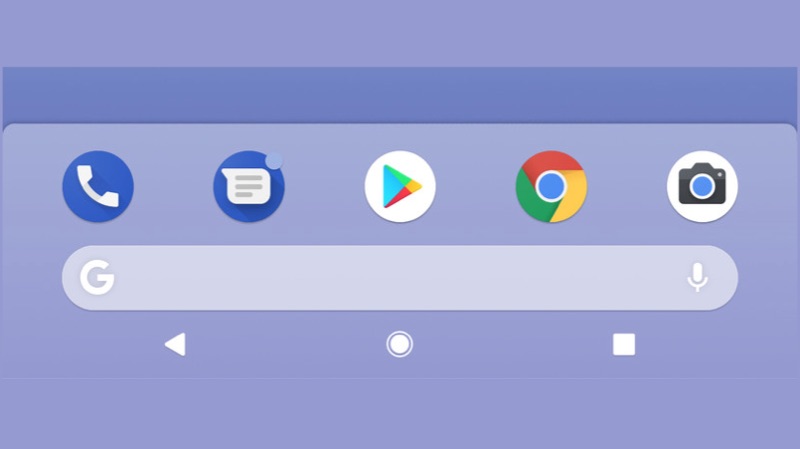
    The dock in Android P will also look like a dock now. The four app icons along with the Google Search bar will have a cloudy background, distinguishing it from the rest of the screen. A microphone icon has been added to the Google Search bar to access Google Assistant or do a quick voice search. The volume slider has been moved to the side of the screen and shrunk in size.

    Another feature added is something that has been there in custom skins for a while. A user can now take a screen from the power menu, that pops up by long pressing the lock/unlock button. This will come in handy during one handed usage. Visually, there are not many changes in the first developer preview of Android P. However, this can change by the time the official version rolls out. Google might introduce a few visual changes or keep it the way it is. Time will tell.


  • Android P Developer Preview 1: What’s New?

    Android P Developer Preview 1: What’s New?

    Google has released the first developer preview of its next version of Android OS, Android P. While there is enough time to discuss the possible names of the new version, a few interesting things need to be addressed first. The developer preview has only been made available to Pixel owners as of now. Since this is the first preview, it is advised to install it on a secondary device or if you’re an app developer.

    With Android P, a few things are already expected to be there. Better app management, battery efficiency, a few UI changes, these changes are made in every update. However, one of the most interesting new features is the support for a notch. With more and more Android devices launching with an iPhone X-like notch, Google seems to have given in on the trend.

    Once enabled, the clock moves to the left hand side of the notch along with notification icons. Other icons like Wi-Fi, Bluetooth remain on the right side of the notch. Interestingly, different sizes of a notch can be emulated. Visually, other changes include a slight redesign of the notification panel. The icons in the quick settings pull down have rounded corners now. If activated, the icons will be blue in colour and when inactive, it will turn gray. To access other quick settings toggle, the user has to pull down on the gray bar just underneath the initial menu.

    The dock in Android P will also look like a dock now. The four app icons along with the Google Search bar will have a cloudy background, distinguishing it from the rest of the screen. A microphone icon has been added to the Google Search bar to access Google Assistant or do a quick voice search. The volume slider has been moved to the side of the screen and shrunk in size.

    Another feature added is something that has been there in custom skins for a while. A user can now take a screen from the power menu, that pops up by long pressing the lock/unlock button. This will come in handy during one handed usage. Visually, there are not many changes in the first developer preview of Android P. However, this can change by the time the official version rolls out. Google might introduce a few visual changes or keep it the way it is. Time will tell.

    As expected, there are some behind-the-scenes changes that Google has made. For instance, Android P now restricts access to mic, camera, and all SensorManager sensors from apps that are idle. This means that you can finally prove that Facebook is not listening to your conversations, or vice versa. Other changes include better Autofill feature for people who don’t like typing their passwords often.

    Conclusion

    As is with every new Android version release, the changes will be welcomed. However, it is fair to assume that very few people outside the Pixel/Nexus ecosystem will receive an update to Android P. Although, initiatives like Project Treble guarantee sooner software updates, it will be far off from the adoption rate of iOS 12 expected to launch a month or so after Android P.

  • Android P To Support Strict Call Blocking

    Android P To Support Strict Call Blocking

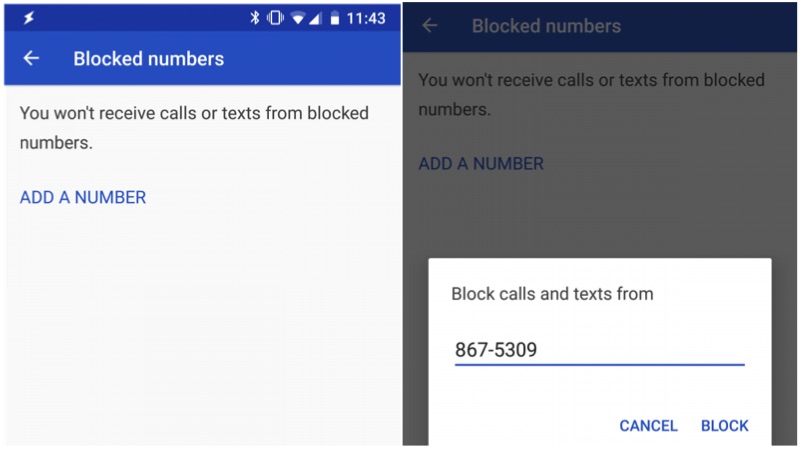
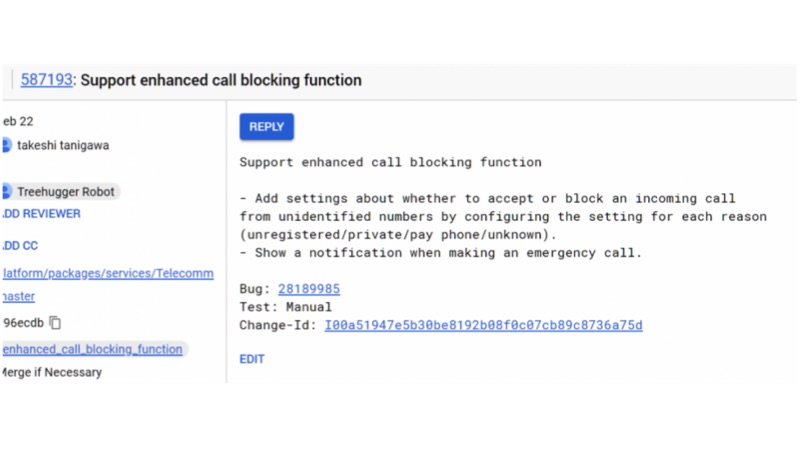
    Android P will be the next iteration of its Android OS from Google. Android P will add additional native features like support for the notch, Dark mode, and strict privacy controls. According to a new report, Android P might support native strict call blocking capability. In fact, these set of commands were noticed on an AOSP package.

    This feature will let a user block any call from an unknown number. By enabling this feature, one will not receive a phone call from that number. In fact, this will eliminate those telemarketing calls altogether. Similarly, this will also work in the following situations as well.

    • If the number is not in the contact list
    • The number not disclosed by the caller (private)
    • If the number is from a Payphone
    • If the number does not have a caller information (unidentified)

      call blocking
      Credits: XDA Developers

    The report also clarifies that this feature will not interrupt in the event of emergency calls.

    There is a catch in this process, the strict call blocking can be enabled or disabled by the service provider. Similarly, your service provider might incur additional charges to enable this feature.

    Conclusion

    This feature will give the freedom to the user regarding the call they like to receive. However, this feature might backfire if your friend/family tries to call you in an emergency situation.

  • Android P: What To Expect

    Android P: What To Expect

    With the launch of Android 8 Oreo, Google natively introduced features like notification dots and always on display. However, the upcoming Android P is expected to build upon that introduce more features:

    Five expected Features of Android P:

    Support for notch

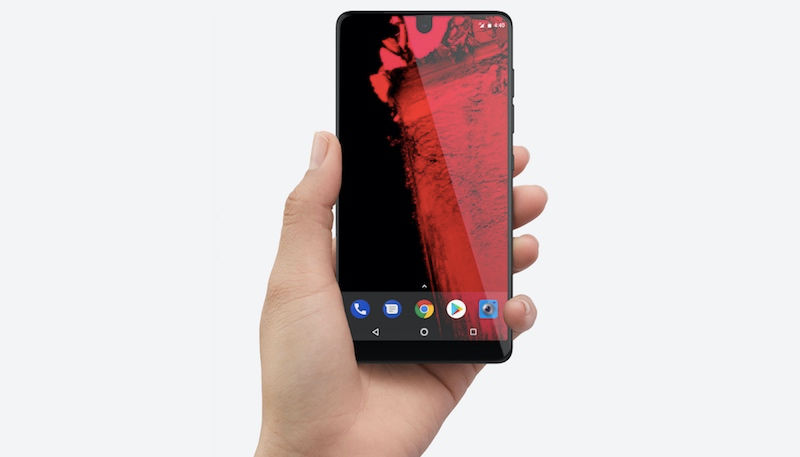
    Android P is expected to support smartphones with a notch. Though Android already have smartphones with the notch (Essential Ph-1) the inclusion of support for notch will have a major impact on the Apps and layouts. In fact, the upcoming Pixel 3 is also expected to embrace the notch.

    notch
    Essential Ph-1

    Dark mode

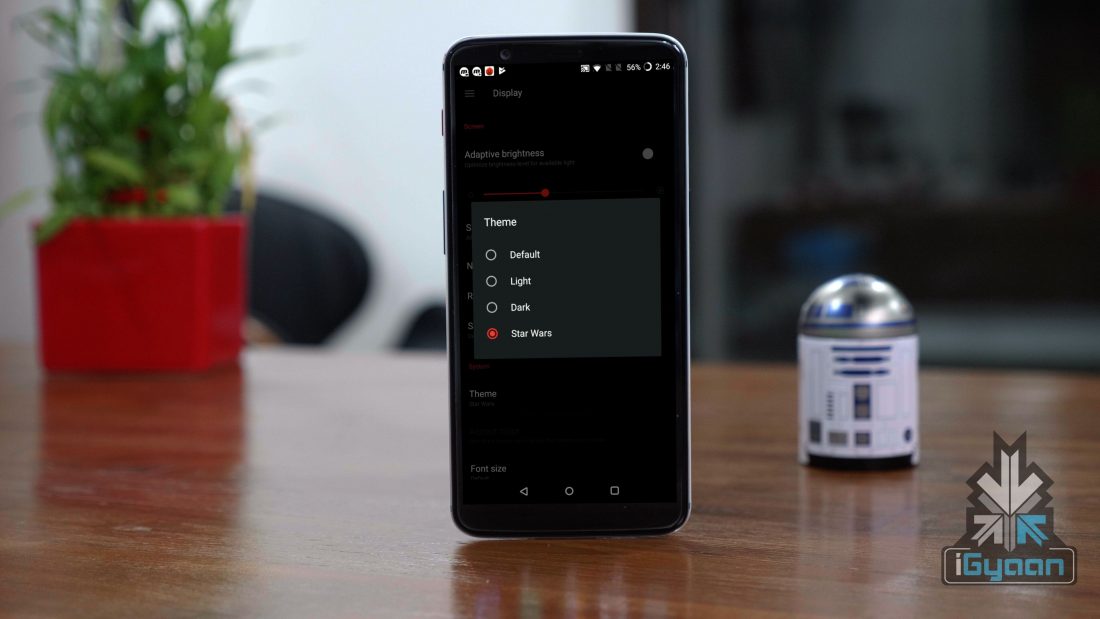
    This is probably the most anticipated feature of Android OS. In fact, few smartphone OEMs like Samsung and OnePlus does support dark mode, which has a huge impact on the battery life of the device, that too on a device with an OLED display.

    Strict privacy controls

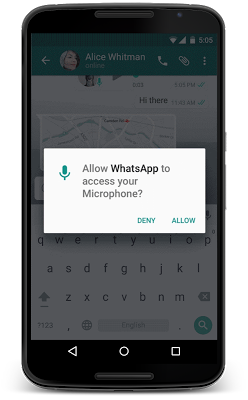
    Users security has been the biggest all-time concern for the smartphones powered by Android OS. The Android 6 Marshmallow came with the option to ask permission to use certain features of the phone. The Android P will take this to the next level with additional control over the microphone, camera, and internet accessibility. However, MIUI has this option from last four years.

    Solving the OS fragmentation issues

    Starting with the Android P with the help of Project Treble, Google will push faster OS updates to more smartphones. In fact, smartphones like the Honor View10 and the Xiaomi Redmi Note 5 Pro are expected to be the first set of smartphones to support Project Treble.

    More customisation options

    The Android P is expected to offer more customisations, compared to the earlier versions of the Android operating system. Google might release the Google Pixel launcher for the general public. As of now, the Pixel launcher is limited to a small number of smartphones. Though it is available on Google Play store, it is incompatible with most of the smartphones.

    Pixel 2 XL Runs Android 8 Oreo
  • Next Version Of Android Could be Named ‘Android Pie’

    Next Version Of Android Could be Named ‘Android Pie’

    Android 8.0 Oreo was officially launched back in August and for a lot of months, there were mere speculations around the name of the smartphone.Next year’s Android version, supposedly Android 9, will have a name starting with the letter ‘P’. While the official launch of Android P is far, we might have gotten a glimpse at what the official name of Android P will be.

    XDA Developer’s managing editor Mishaal Rahman recently found some strings of code within Android Open Source Project. The strings are said to refer the next Android version as ‘Android Pi’. It is known that Google names all the version of Android after a dessert and “Pi” is not a dessert. The closest thing to that is “Pie.”

    So far off the official launch of the next version of Android, these again, are only speculations. Google is known to keep everyone guessing when it comes to the names of Android versions. So far, there have been a few hints on the internet that the next version of Android will be called “Peppermint.”

    While the mention of “pi” has drawn some people towards the potential name of the version of Android, some people have different interpretations. According to certain people, this was an easter egg by Google and in fact, the indication that Google will launch the first developer preview on “pi date,” that is 3/14 or 14th of March. While it does quintessentially sound like Google, this interpretation seems a bit too straight-forward.

    Going by Google’s announcement pattern, the Android P Developer Preview is just a couple of months away. So, while the March date is a plausible explanation, it is a bit too easy.

    As far as the OS is concerned, there isn’t much known about upcoming Android P as of now. It is, however, believed that it will focus on reducing the app footprint and making it much more smoother on lower-end devices.

iGyaan Network
Privacy Overview

This website uses cookies so that we can provide you with the best user experience possible. Cookie information is stored in your browser and performs functions such as recognising you when you return to our website and helping our team to understand which sections of the website you find most interesting and useful.