














Logitech K120 Hindi Keyboard Officially Launched In India For Rs 659

Logitech has launched the Logitech K120 and the MK235 wireless mouse and keyboard combination in India. The Logitech K120 retails for Rs 659 and the MK235 retails for Rs 1995, respectively. These keyboards will be available on Amazon.in and offline retail stores from the 15th of April. The Logitech K120 Keyboard has a 3-year warranty and the Logitech MK wireless Keyboard + Mouse combo has a 1-year warranty.
These accessories are launched under the central government’s Digital India Initiative. The Logitech K120 and the Logitech MK235 are aimed at the 40-crore Hindi speaking people.
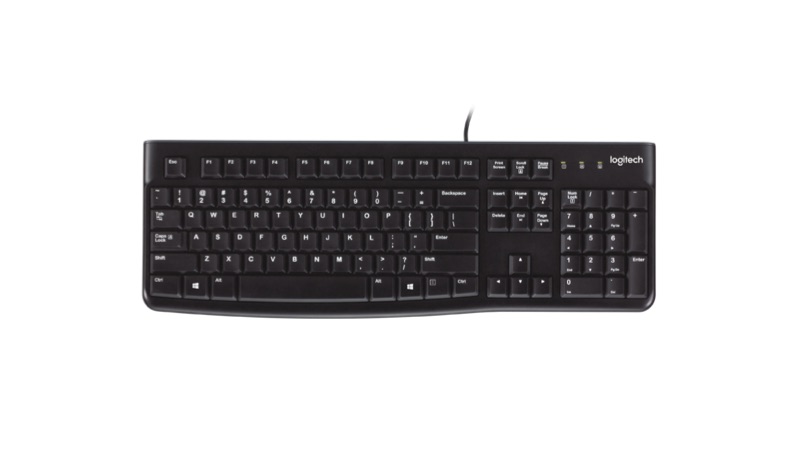
The Logitech K120 is an English plus Hindi keypad, which has Devanagari inscriptions. This keyboard has a spill-resistant design, which will let the liquid drain out of the keyboard. It has durable keys which can withstand up to 10 million keystrokes. Additionally, it also comes with adjustable legs, which can tilt the keyboard by 8 degrees. This is a plug and play device, which will work with most of the computers running on any operating system.
The Logitech MK235 wireless keypad plus mouse combo also has English and Hindi inscriptions. The keyboard works with different devices running on Windows OS, Chrome OS and macOS. The keypad requires two AAA sized batteries and the mouse require a single AA size battery. Both accessories have a dedicated power button with a wireless range of 10 meters.
Logitech MK235 Specs
| Dimensions and weight of Keyboard | 137.5 x 435.5 x 20.5 mm
475 Grams |
| Dimensions and weight of Mouse | 97.7 x 61.5 x 35.2 mm
70.5 Grams |
| Range | 10 Meters |
| Protocol | Logitech non-unifying 2.4GHz Protocol |
| Encryption | 128-bit Advanced Encryption Standard (AES) between devices and receiver |
| Battery Life | 36 Months |
| Special Keys | 15 function keys accessible through “fn” key |
| System Requirements | USB Port |