Category: Computing

All the Computer and Laptop news, bundled with all add ons including Printers and Peripherals.

  • Building The Ultimate, Stupid Fast SSD RAID Setup: iGyaan Beast PC Build

    Building The Ultimate, Stupid Fast SSD RAID Setup: iGyaan Beast PC Build

    When we at iGyaan started to build the ultimate “Beast” gaming PC, a lot of people had questions about our processor of choice. The Intel Core i9 9980XE did not do much to please the people and they were quick to point out that we were wrong in our choice. While the chipset maybe not the perfect choice for gaming, our primary goal was to build a machine fit for all tasks. For those interested, click here to read the first assembly of the gaming PC build.

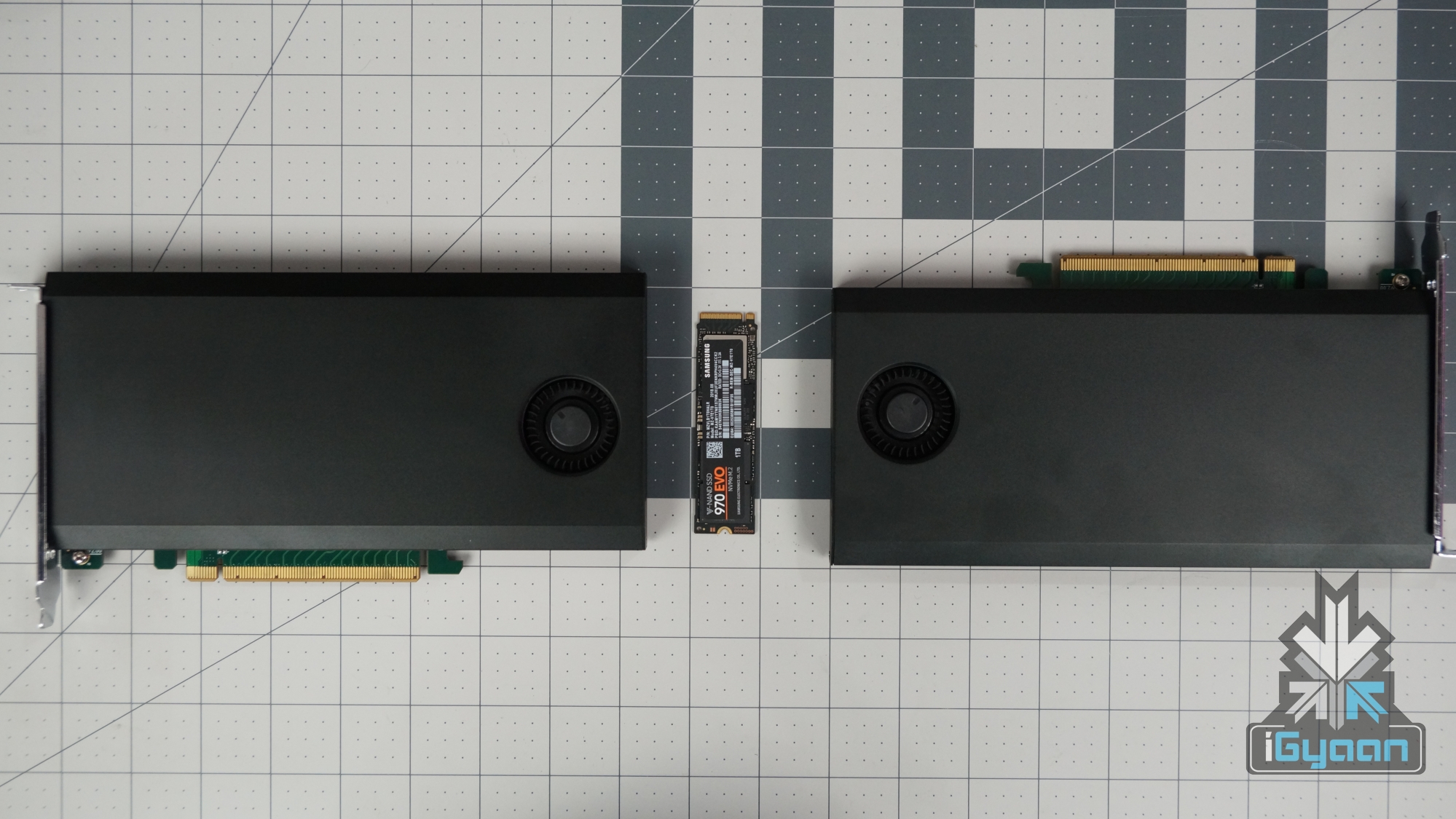
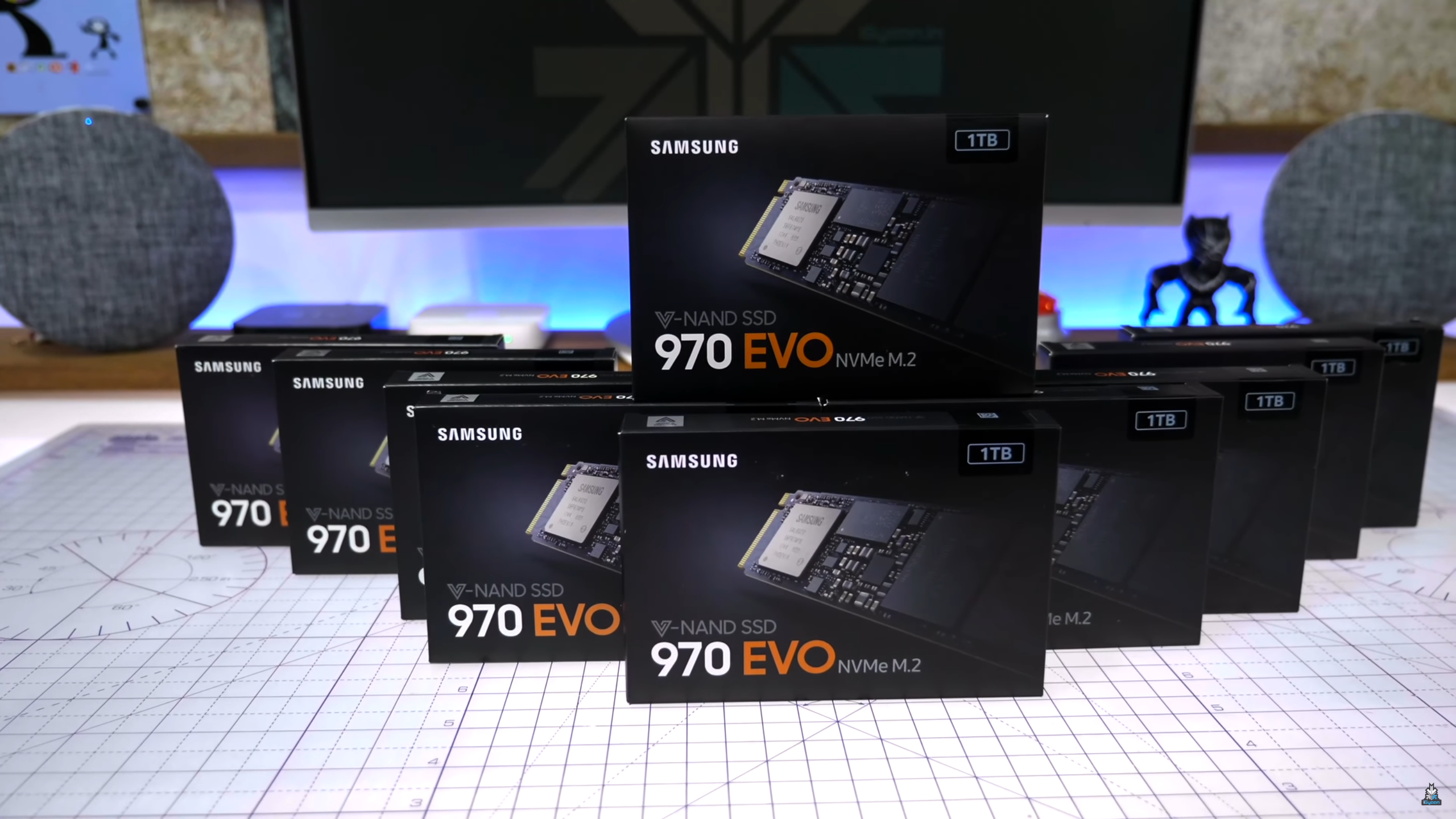
    Whether it be gaming or serious editing, the PC should meet our requirements. For that, we also bought ten (that’s right!) Samsung 970 EVO SSDs and two Asus Hyper M.2 X16 cards for a RAID setup. For those of you who do not know, RAID or Redundant Array of Independent Disks is a way to store data that uses multiple disks which increases performances and decreases chances of drive failures.

    Click here to buy the Asus Hyper M.2 X16
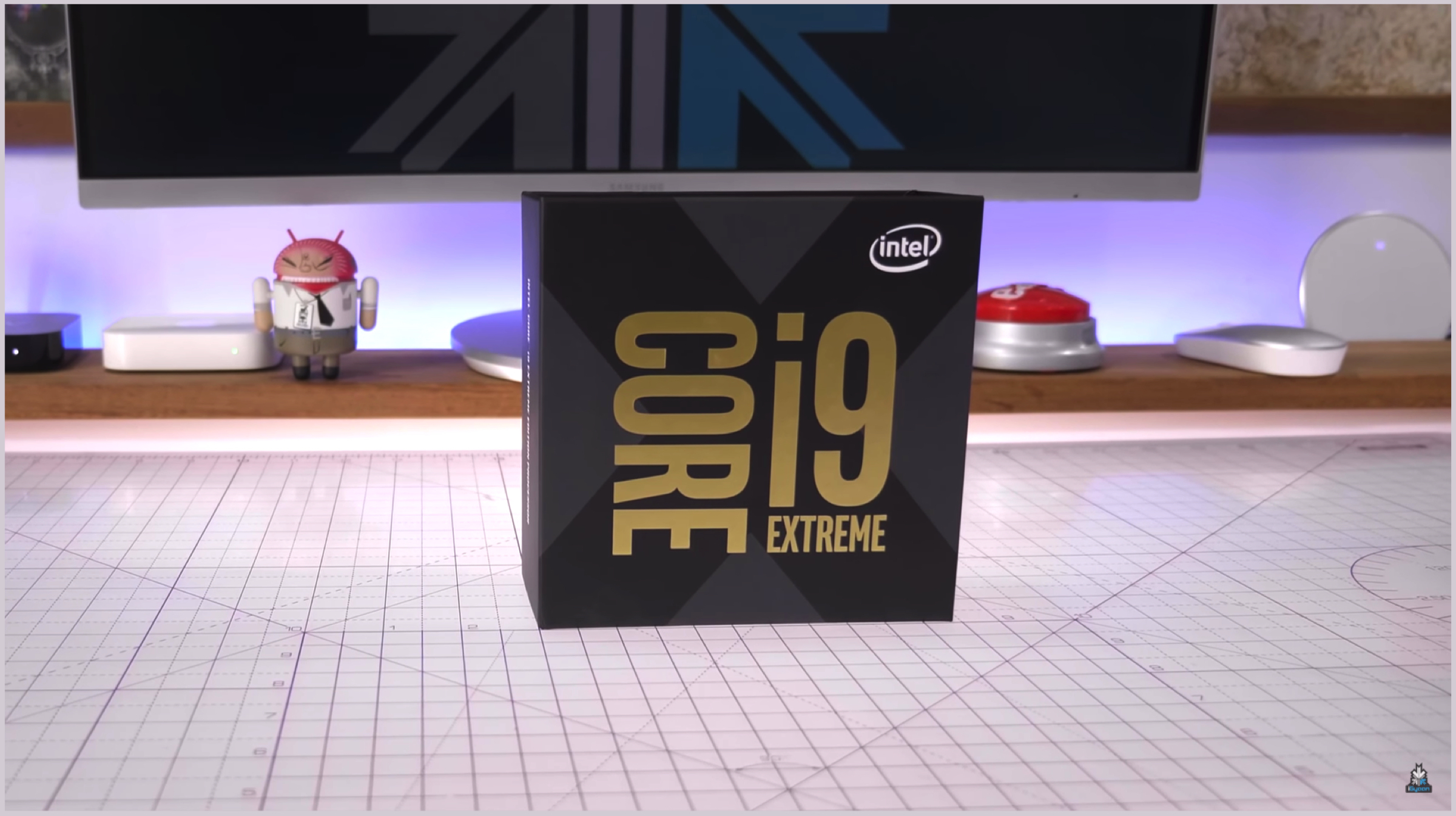
    Also, the major advantage of using the aforementioned CPU was the abundant 44 PCIe lanes present on it. These lanes are important for adding the necessary PCIe components on it, like GPUs and of course the SSD RAID setup. There was a problem though, that the Asus M.2 X16 cards were not compatible with our Gigabyte X299 Designare motherboard; as they are mostly harmonious with Asus’ motherboard.

    Click here to buy the Gigabyte X299 Designare Ex
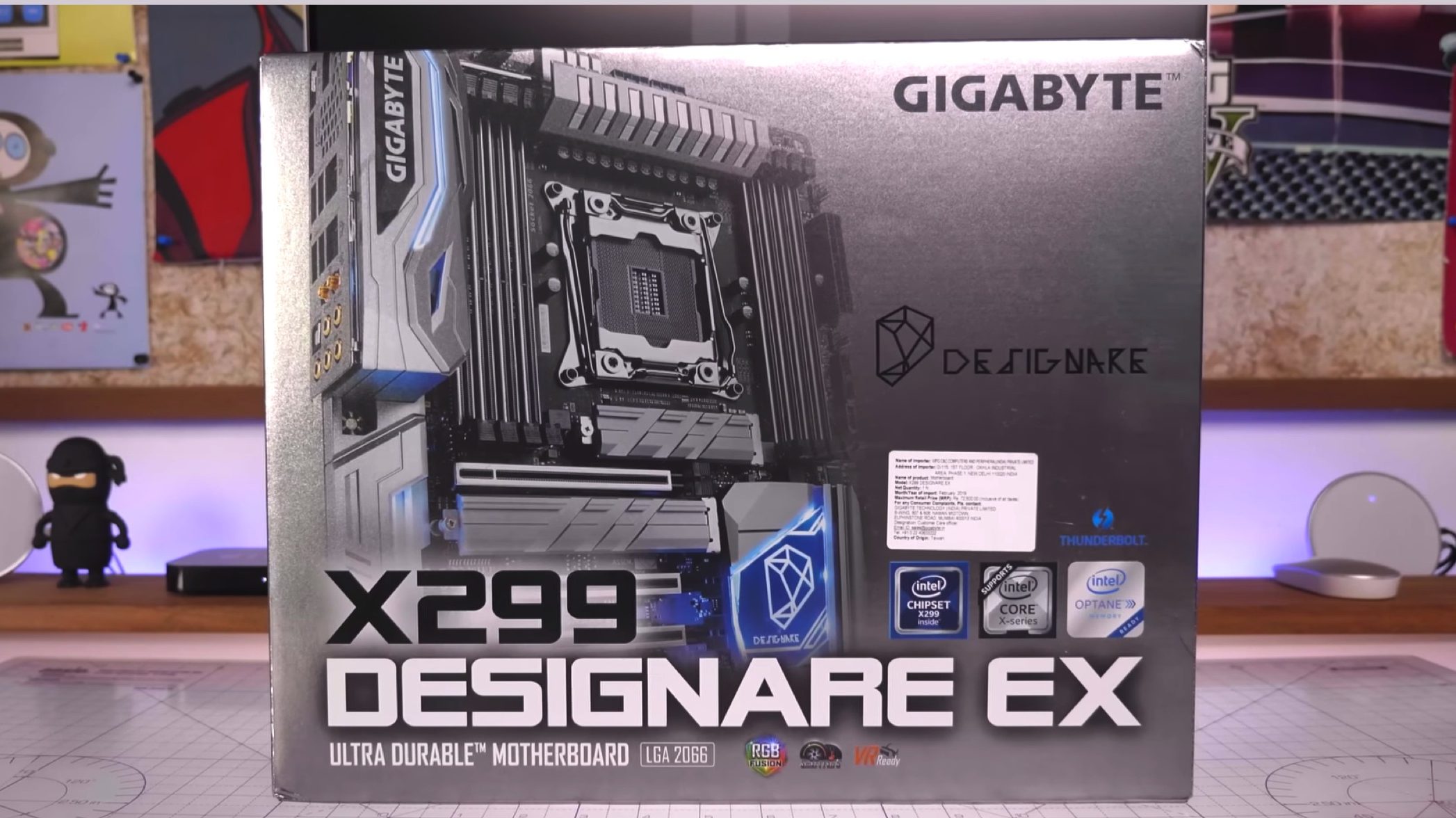
    Our motherboard of choice also did not support the slot bifurcation feature; which lets you use the Asus card, which supports an x16 PCIe slot, to behave has four individual x4 slots. While this is a good feature, it is no good to us since neither our Gigabyte motherboard supports it or the Asus M.2 X16 cards. We then had to find an alternative to the card which will be of use to us. Lucky for us; we found that an American manufacturer by the name High Point makes such cards, which do not use the slot bifurcation feature but still uses the x16 lanes as four x4 lanes, which increases speed.

    Click here to buy the Samsung 970 EVO SSD
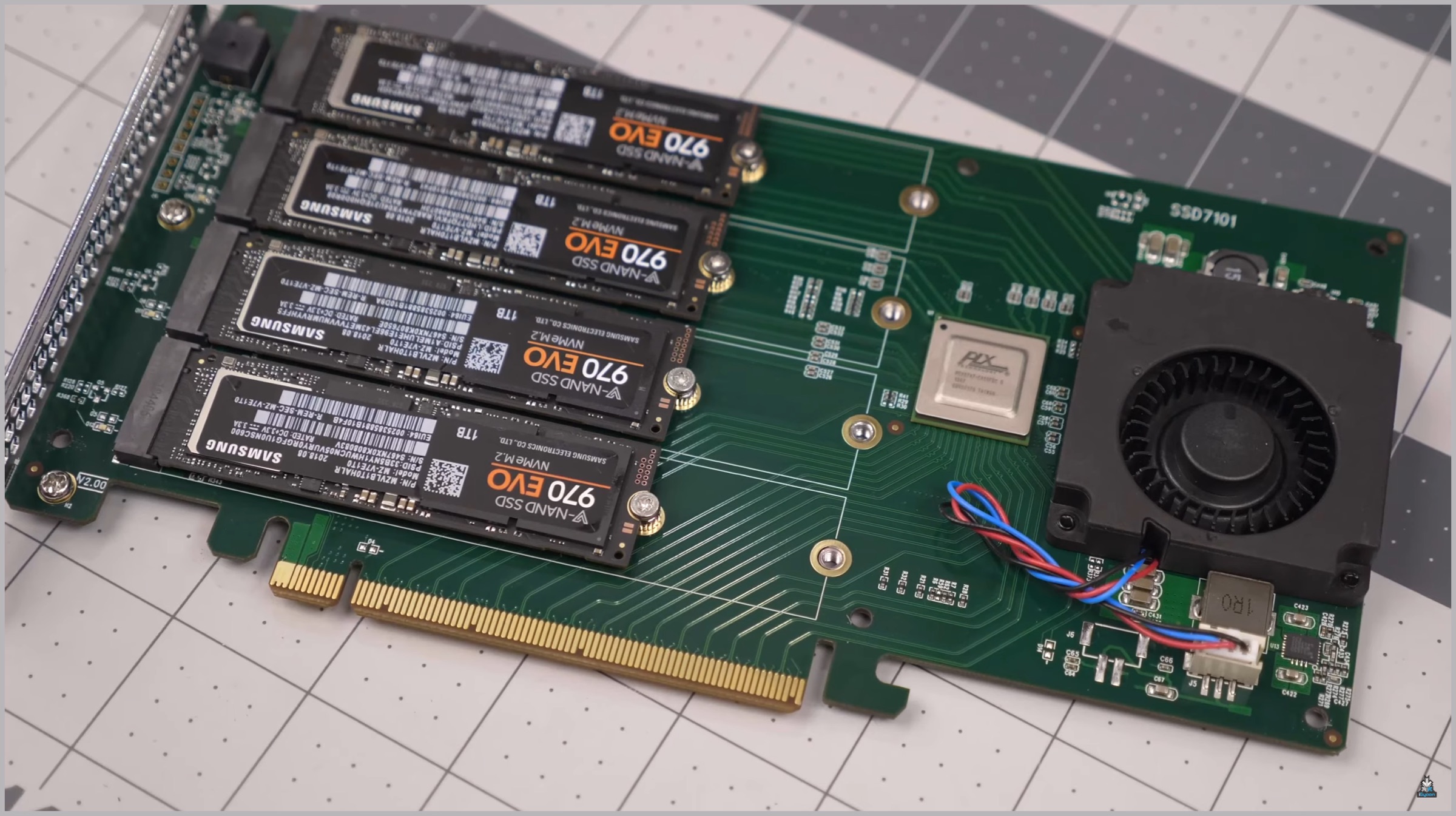
    High Point RAID Cards

    One point to note though, while the High Point RAID cards work perfectly fine; they are not available in India are up to eight times as expensive than the Asus one. Transferring the SSDs from the Asus card to the new one was quite simple, with us placing four SSDs in either one of the two to make two RAID cards. The High Point cards also have a very good thermal management feature, which uses a fan and various heat sinks for heat dissipation.

    Click here to buy the Zotac GeForce 2080Ti
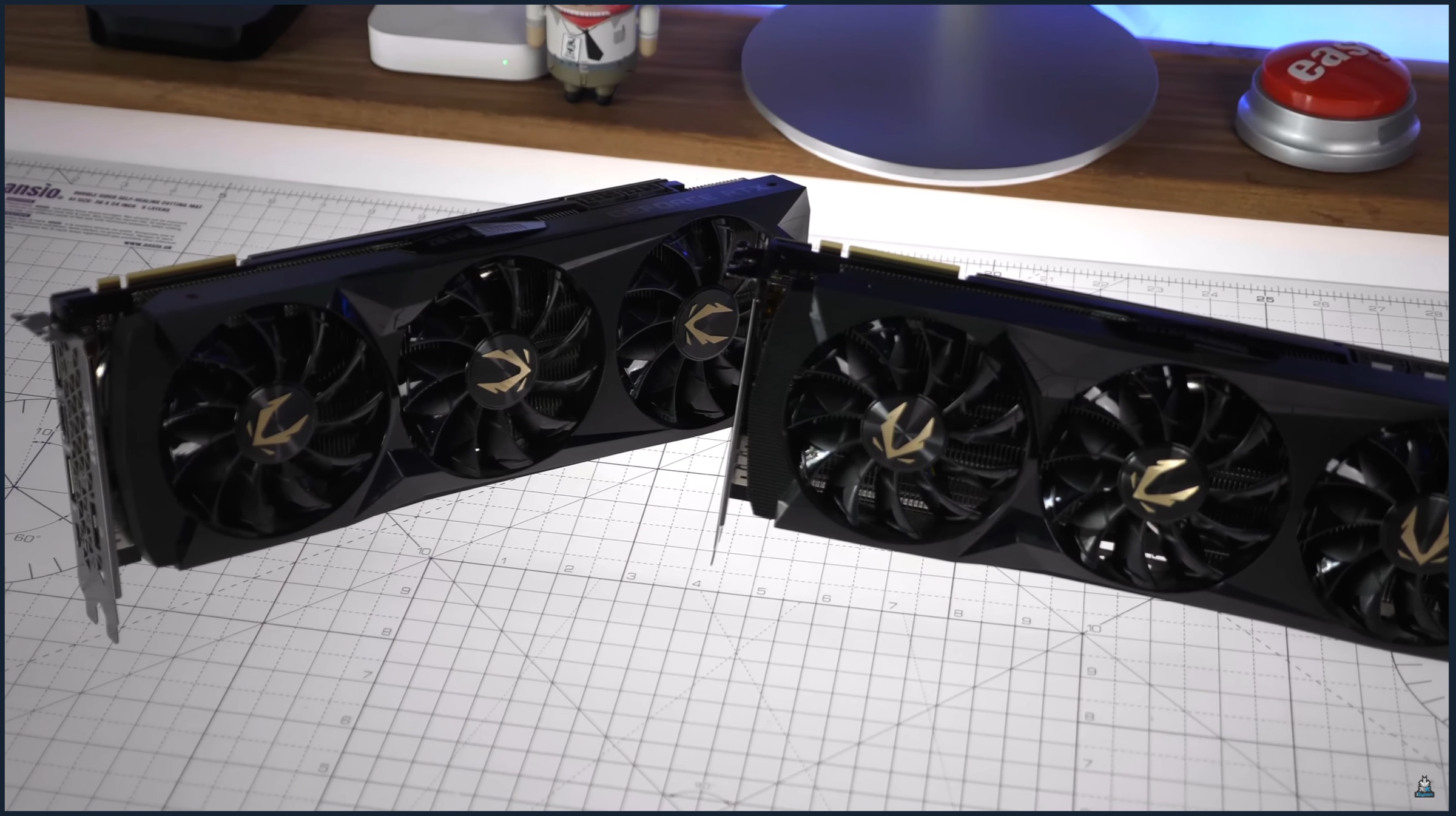
    So while placing the RAID cards, we had to remove one out of our two NVIDIA 2080Ti GPUs. This was done because out of the 44 PCIe lanes available, 32 in total were taken up by the two GPUs and there were not enough lanes left for the cards to draw power from. Removing one GPU allowed us to install one High Point card with four SSDs inside after which we booted the machine up. After that, creating a storage pool using Windows Storage Space was no problem, but the speeds achieved on ATTO disk benchmark, as a result, were not as amazing as we hoped. Turns out Windows was just linking the SSDs together and not creating a RAID setup, which was a hurdle.
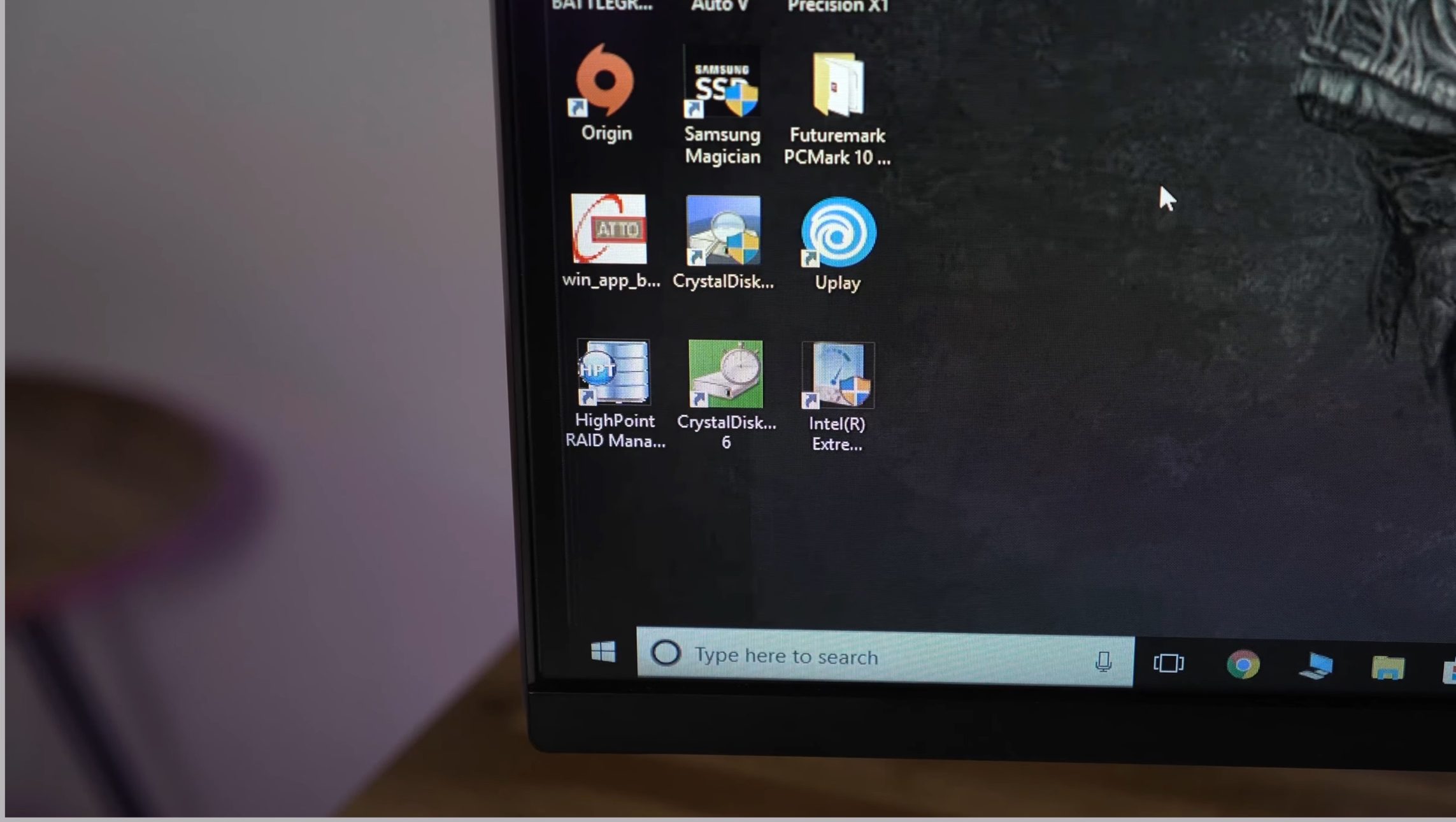
    To fix that, we installed the High Point RAID utility and drivers for its cards. This allowed us to build a storage array inside its software, allowing us to create a RAID 0 drive. After creating the drive in Windows drive management and creating a simple partition, the ATTO benchmark test was finally showing a speed of 10GBps to 12GBps; with four SSDs inside the High Point card.
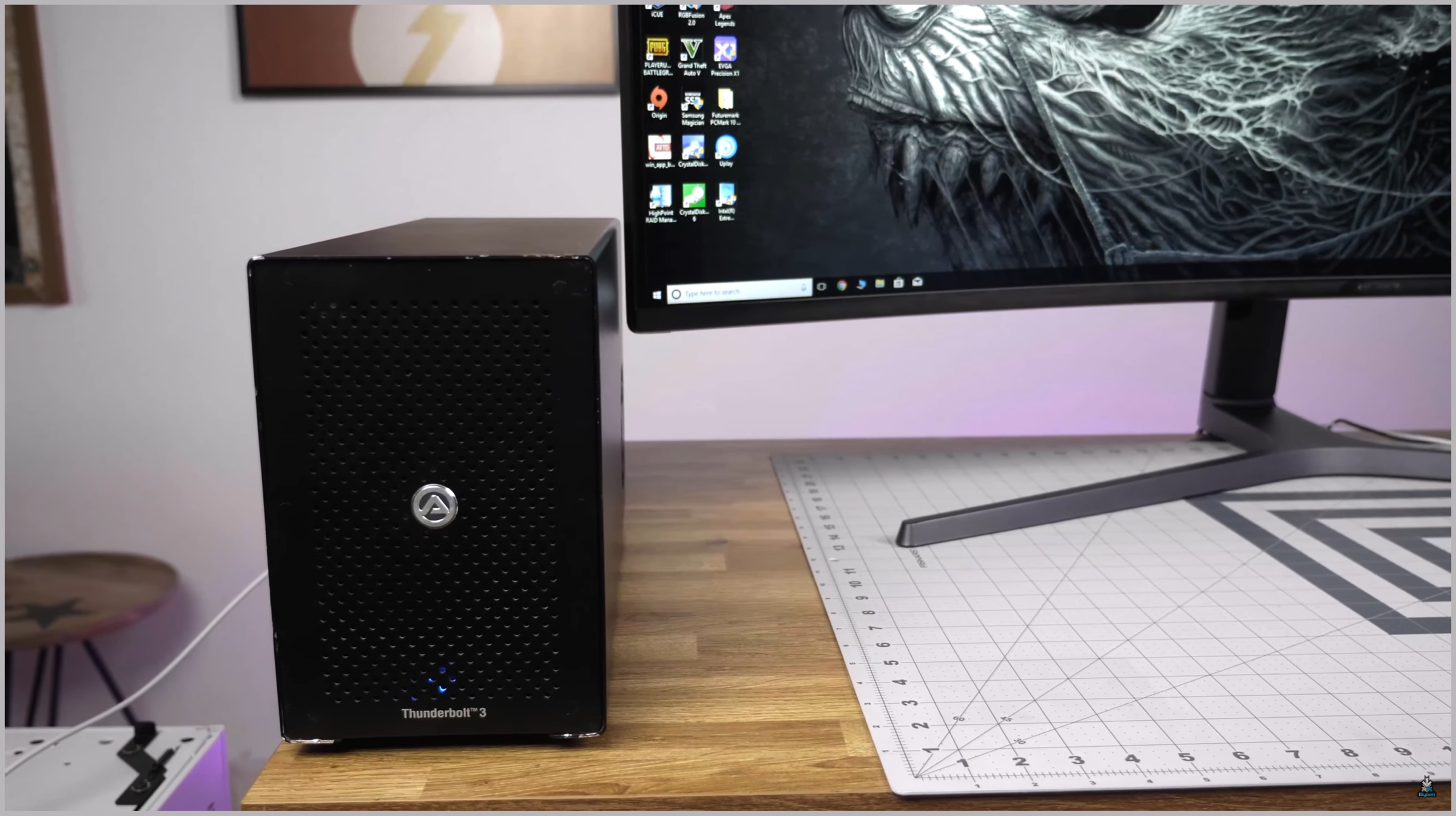
    AKiTiO Node RAID setup

    Following the success of our first test, we installed the second RAID card on our fifth PCIe slot; as recommended by our motherboard’s manufacturer. However, the speeds on ATTO were not improved by much, as it still was showing us a speed between 13GBps to 14GBps. This was because the card was using 8 PCIe slots instead of the required 16, reducing its speed. Luckily, at iGyaan, we have a lot of spare hardware, and the Gigabyte X299 Designare supports Thunderbolt 3. This lets us connect an external GPU inside an AKiTiO Node using Thunderbolt. We could finally remove the GPU from inside the motherboard and install the RAID card on it instead.
    RAID

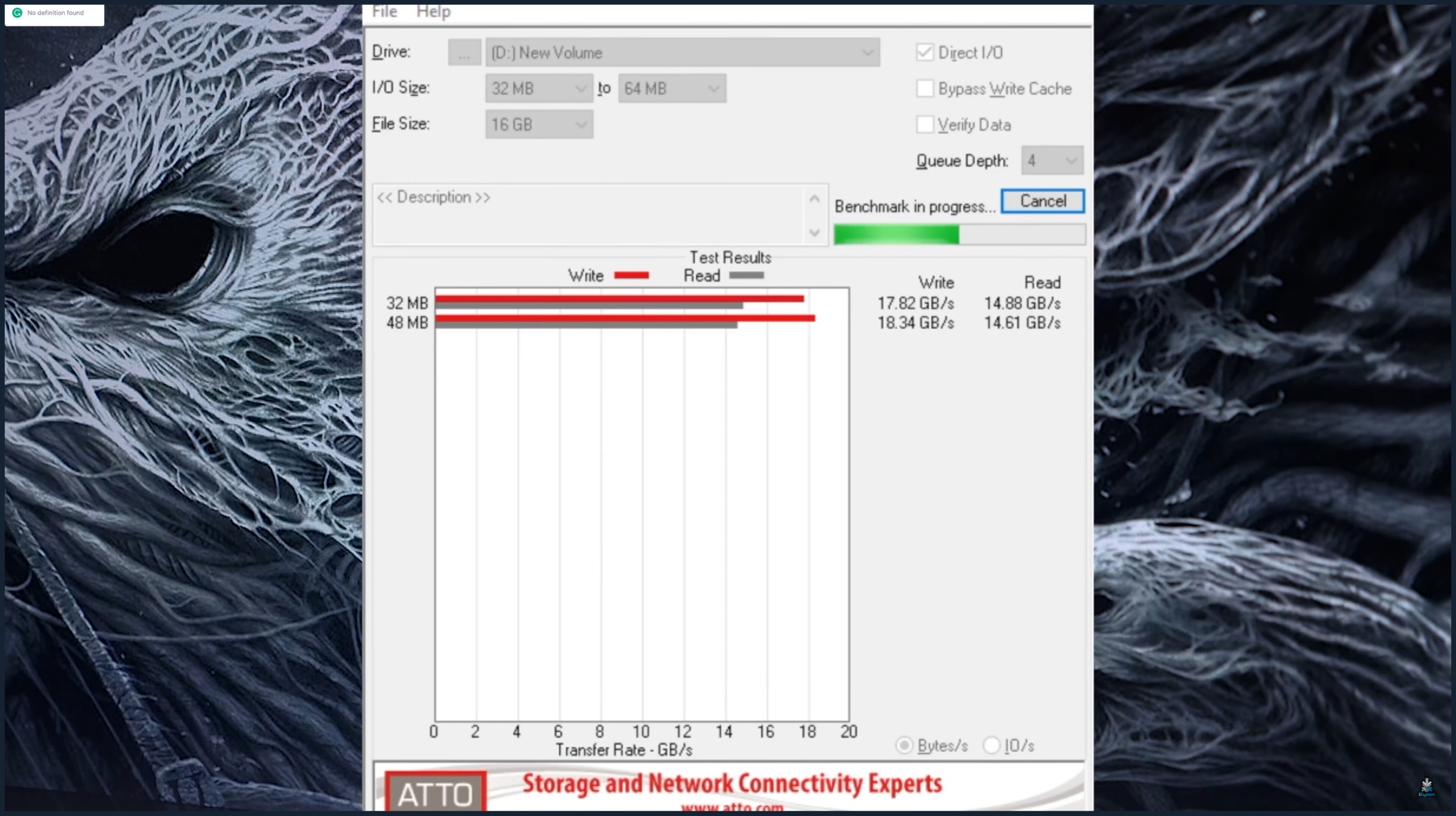
    Now, both the cards, consisting of eight SSDs in total, had access to x16 PCIe lanes which should give us the theoretical read and write speeds. Running the ATTO disk benchmark test gave us a whopping speed of 18GBps, which is not quite the double we were asking for; but we will take it. It is expected that the benchmarks are not precise enough to display the RAID’s full potential so, in the real world, we should get a speed closer to 20GBps.
    Also read: New PUBG Game Announced By The Developer Of Call of Duty, Dead Space

    While we have achieved was we set out to do; which was making the ultimate RAID setup which delivered stupid fast speeds, the “Beast” gaming PC is a long way from being complete. We still have the two NVIDIA GeForce 2080Ti GPUs that had to be removed from the build. But, again lucky for us, we have two Thunderbolt slots and two AKiTiO Nodes which will be a handy item in the near future. Also, if you are asking what will we do with all this speed, we will have to show you in a quick game of, Minesweeper!

    Check out our PC Build parts video below:

    And check out the Assembly of the Beast here:
  • MediaTek Helio P65 Chipset Launched, Supports 21:9 Display

    MediaTek Helio P65 Chipset Launched, Supports 21:9 Display

    While the premium smartphone segment is dominated by chipsets from Qualcomm and Samsung, Taiwan based MediaTek with its affordable SoCs mainly targets the budget and mid range handset segment.

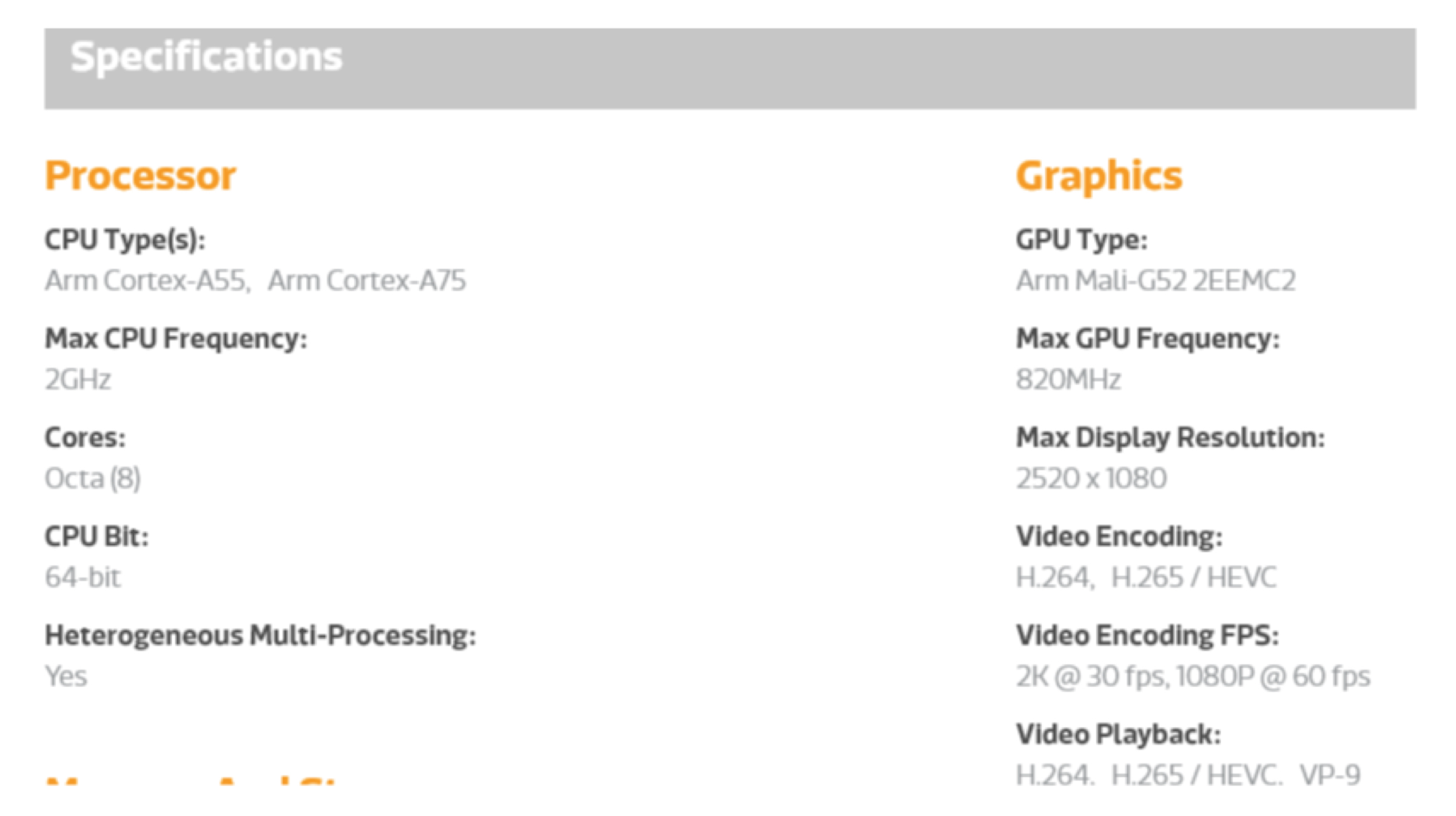
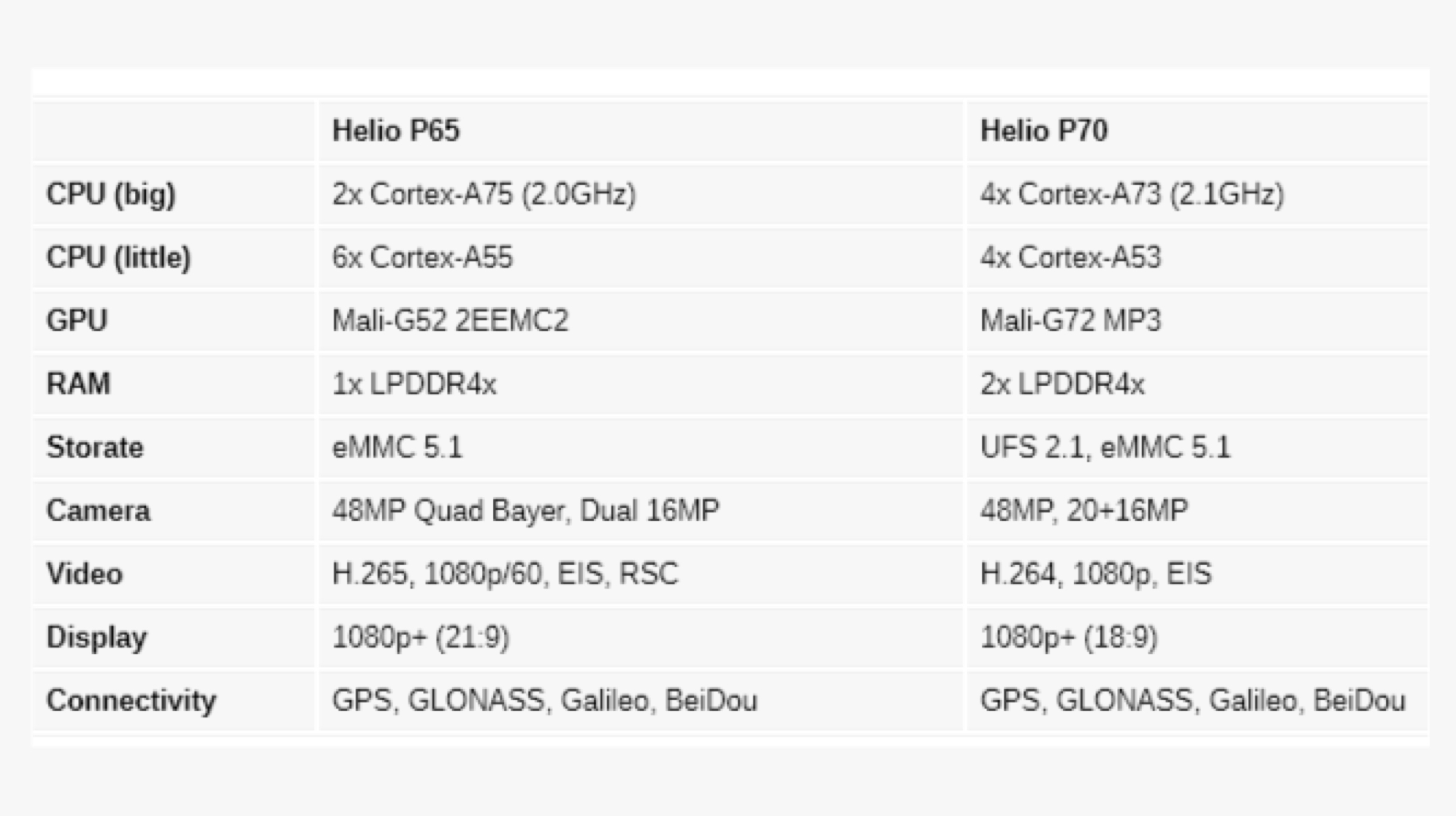
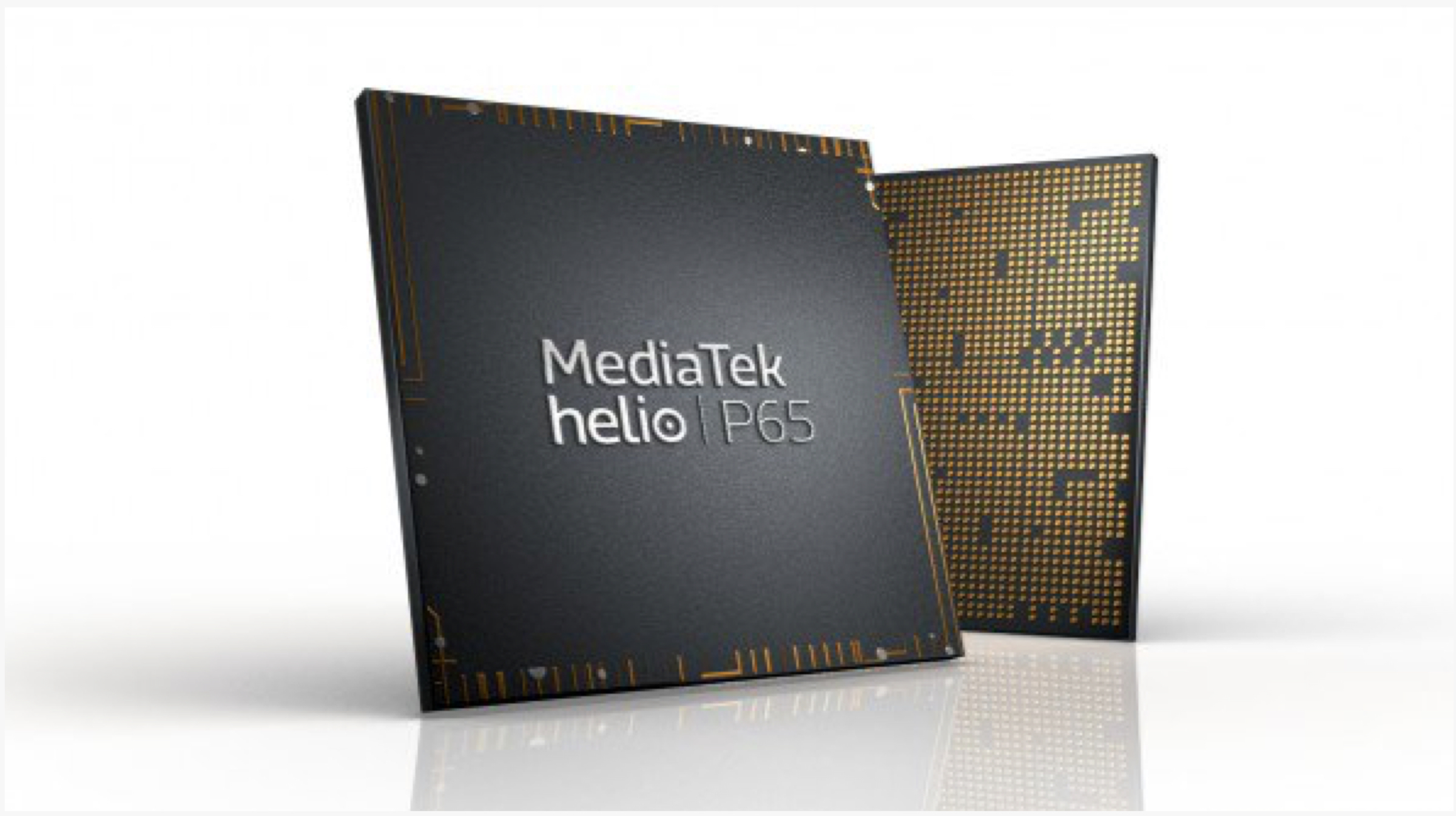
    The company has unveiled a new chipset called the Helio P65 which features a handful of improvements over the Helio P60 and the Helio P70. The latest SoC consists of the Mali G52 GPU and 64 bit Octa Core CPU which is divided into two separate clusters. MediaTek Helio P65 CPU

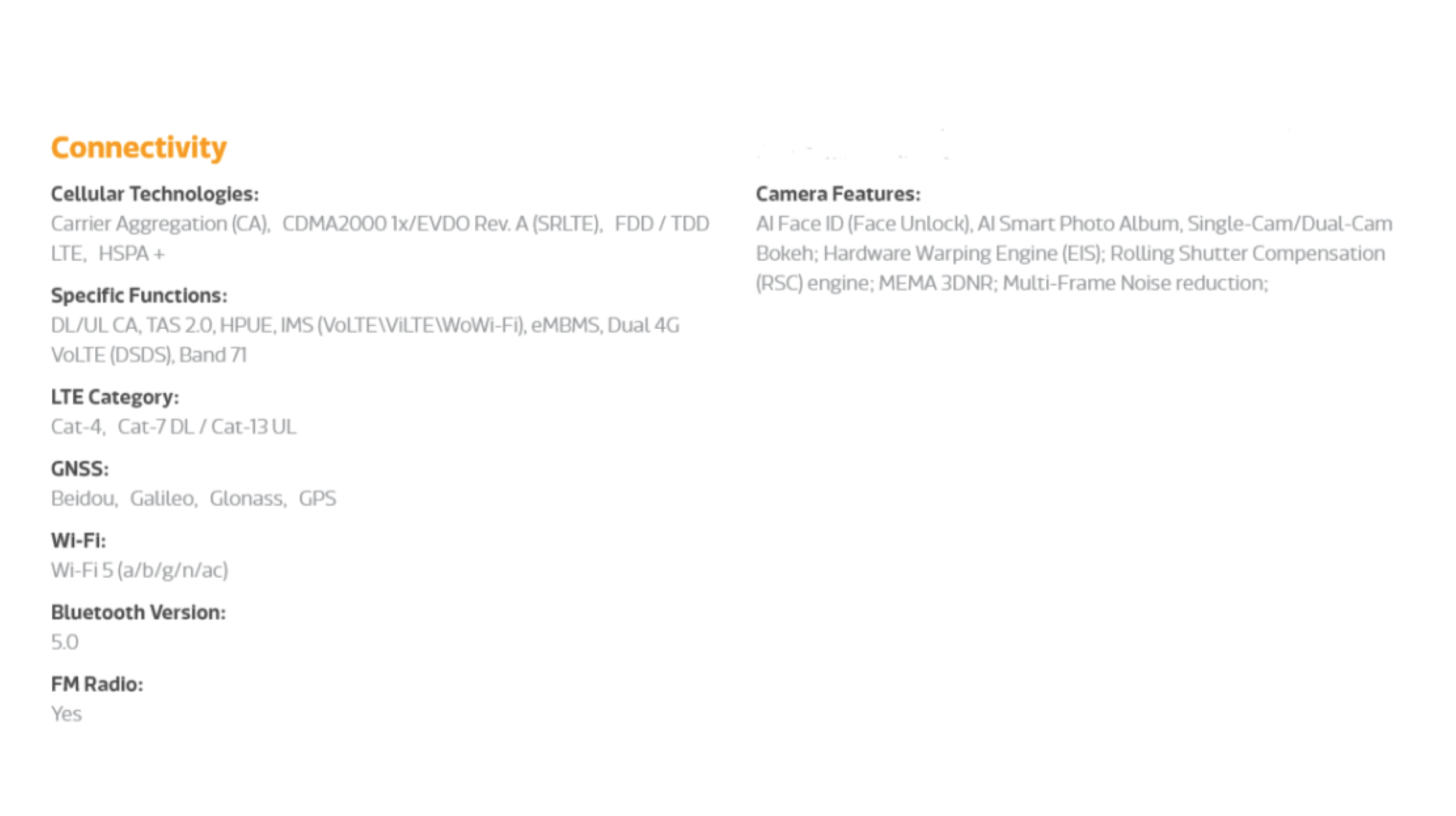
    The Octa Core CPU on the Helio P65 is comprised of 2x Cortex A75 cores which are clocked at 2 GHz and 6x Cortex A55 cores that have an unspecified clock speed. This combination of two CPU core groups with different architecture and clock frequency helps in providing the best of both worlds i.e battery life and performance on smartphones that employ the chip. MediaTek Helio P65 Connectivity

    When the user is running resource hungry tasks like games on their device with the Helio P65 chipset, the two Cortex A75 cores come into play. Inversely, when the device is put to sleep or is being used to run lightweight tasks like making phone calls or messaging, the 6 core Cortex A55 will be put to the use which will help in prolonging the battery backup. Do note that this is not a proprietary technology as most chipsets in the modern era have this type of architecture.

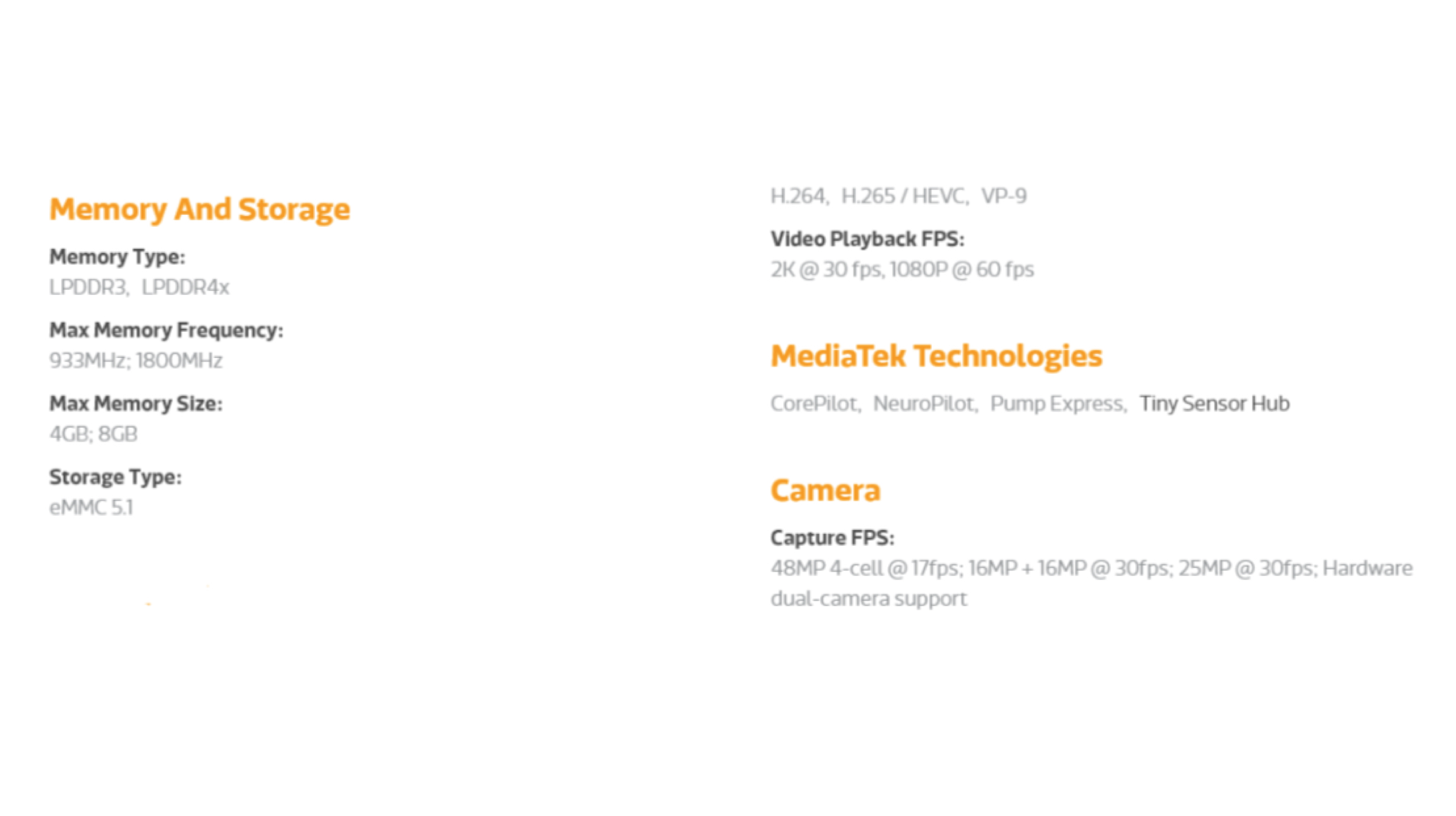
    Smartphones kitted with the Helio P65 chipset are capable of supporting upto 8 GB of LPDDR4x RAM (fastest memory standard available as of now). However, unlike the Helio P70 which supports dual memory modules, the new chipset only supports a single RAM module, therefore, limiting the full potential highest capacity of supported memory. MediaTek Helio P65 Comparison With Helio P70

    In terms of memory, the Helio P65 only supports eMMC 5.1 (embedded multimedia card) storage and lacks support for faster UFS. However, most devices that feature chipsets from MediaTek’s affordable lineup would rarely incorporate this fast storage standard. Usually, flagship grade devices including OnePlus 7 Pro and Galaxy Fold use UFS which is considerably more expensive than eMMC.

    Redmi Note 7 With 48 MP Camera

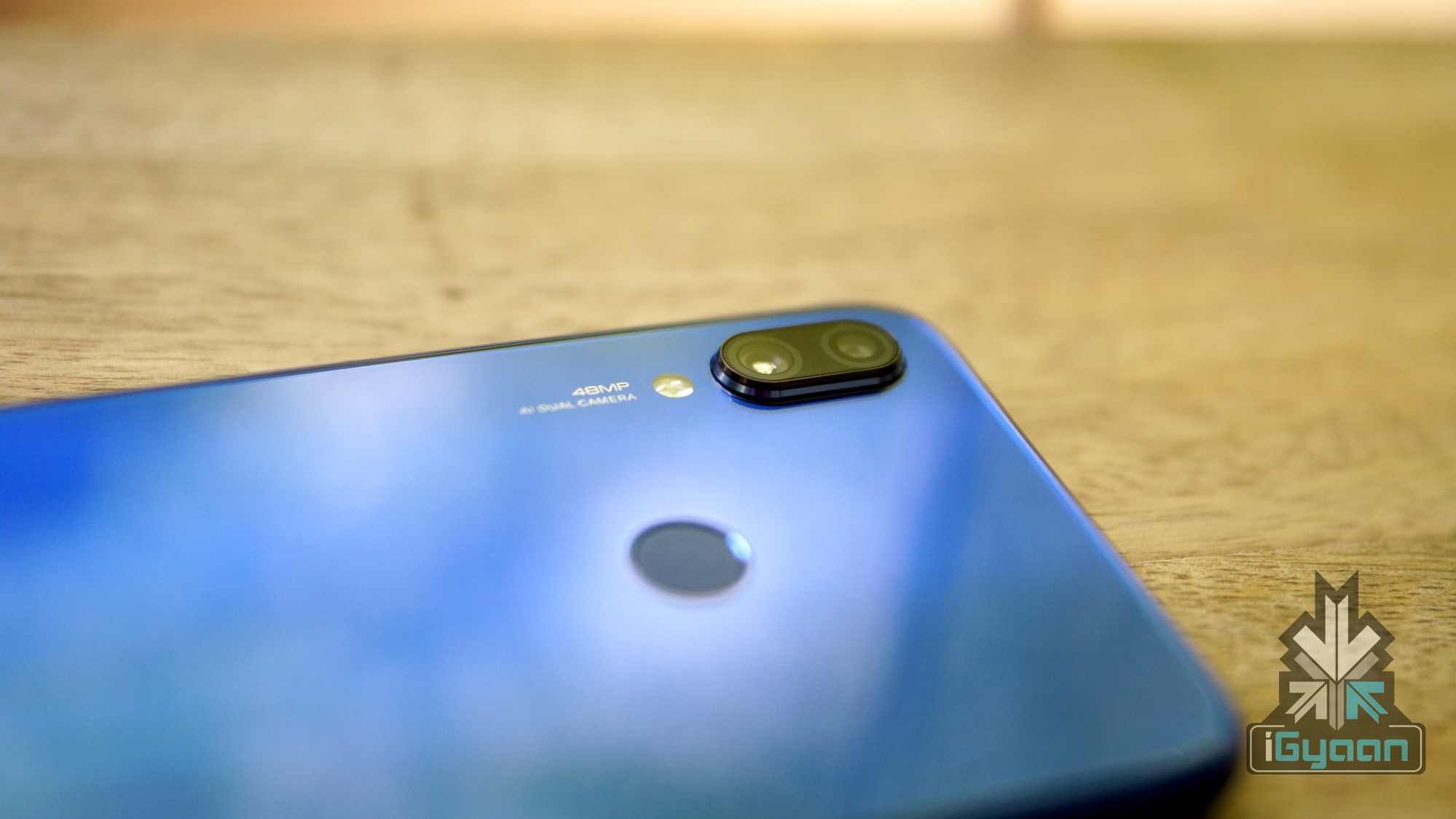
    Xiaomi with its Redmi Note 7 Pro that features a 48 MP camera turned a lot of heads around the globe. However, in order for a smartphone to be able to process images of this high resolution, the chipset should be developed with this feature. Taking into consideration the demand for budget smartphones high res cameras, MediaTek has added support for such sensors in the new Helio P65.

    Moto One Vision With 21:9 Display

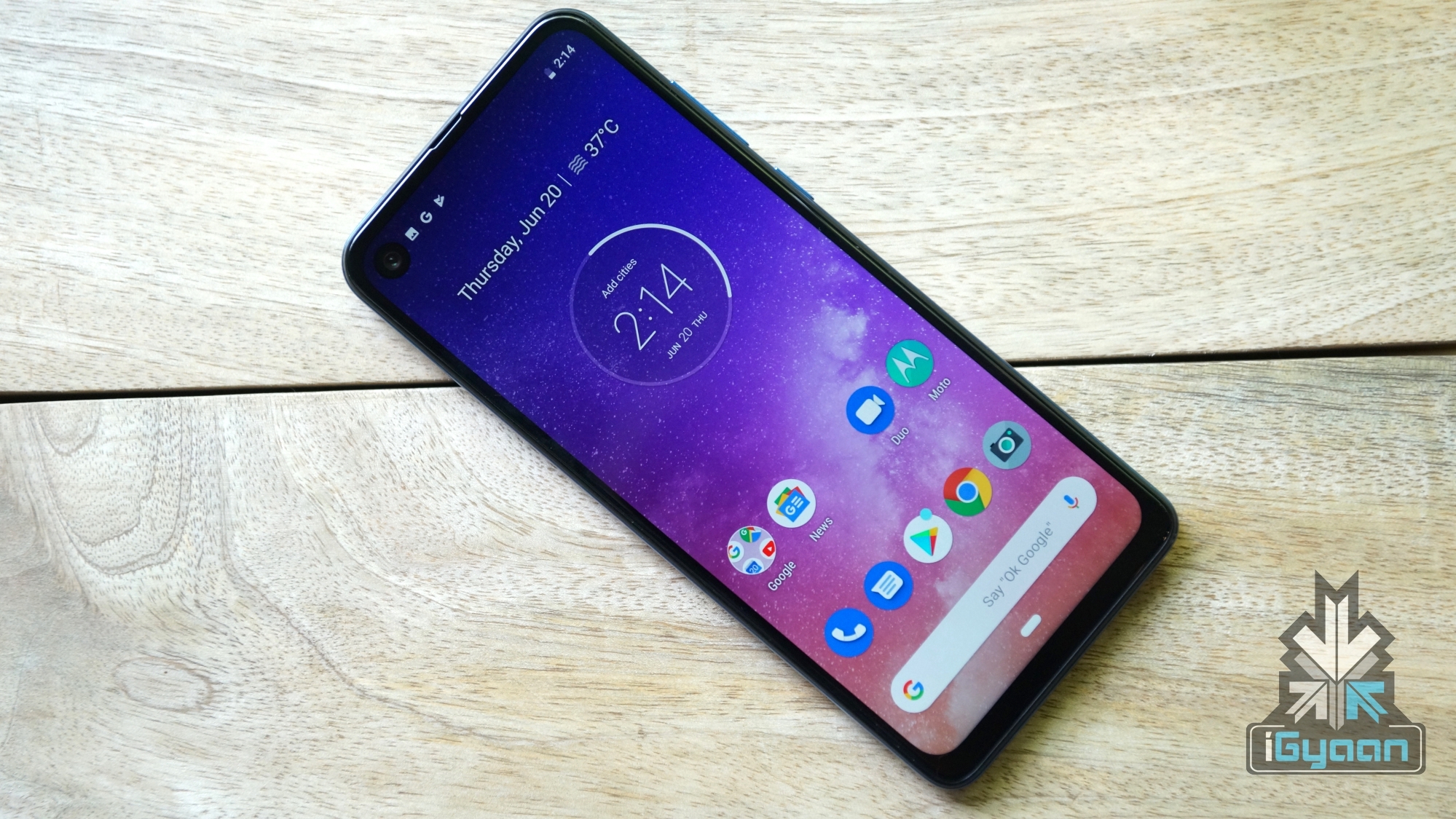
    Another notable feature that the Helio P65 brings to the table is support for 21:9 display. An aspect ratio which is slowly gaining popularity as seen with the Moto One Vision and Sony Xperia 1

    All in all, MediaTek has designed and developed the Helio P65 chipset after thoroughly researching the budget smartphone market while also studying the features that consumers like to see in such devices.

    Also Read: Xiaomi Mi CC9 Design Revealed In Official Images

    As of now, no details about a smartphone launching with the chipset has been revealed. Though, going by past experiences, companies like Realme and Oppo will be one of the first ones to launch a handset that employ the Helio P65 


  • Raspberry Pi 4 Launched With 4GB RAM, 4K Video Output

    Raspberry Pi 4 Launched With 4GB RAM, 4K Video Output

    The Raspberry Pi foundation is a UK based charity that is known for making affordable personal computers (PC). Continuing the tradition, it has now launched the fourth iteration of its Raspberry Pi PC. The latest iteration is the successor to the Raspberry Pi 3B+ which was unveiled in the month of May last year. The latest generation of the computer, the Raspberry Pi 4 model B; carries on with the same form factor and adds on considerable improvements in specifications while keeping the identical price tag intact.

    Raspberry Pi 4

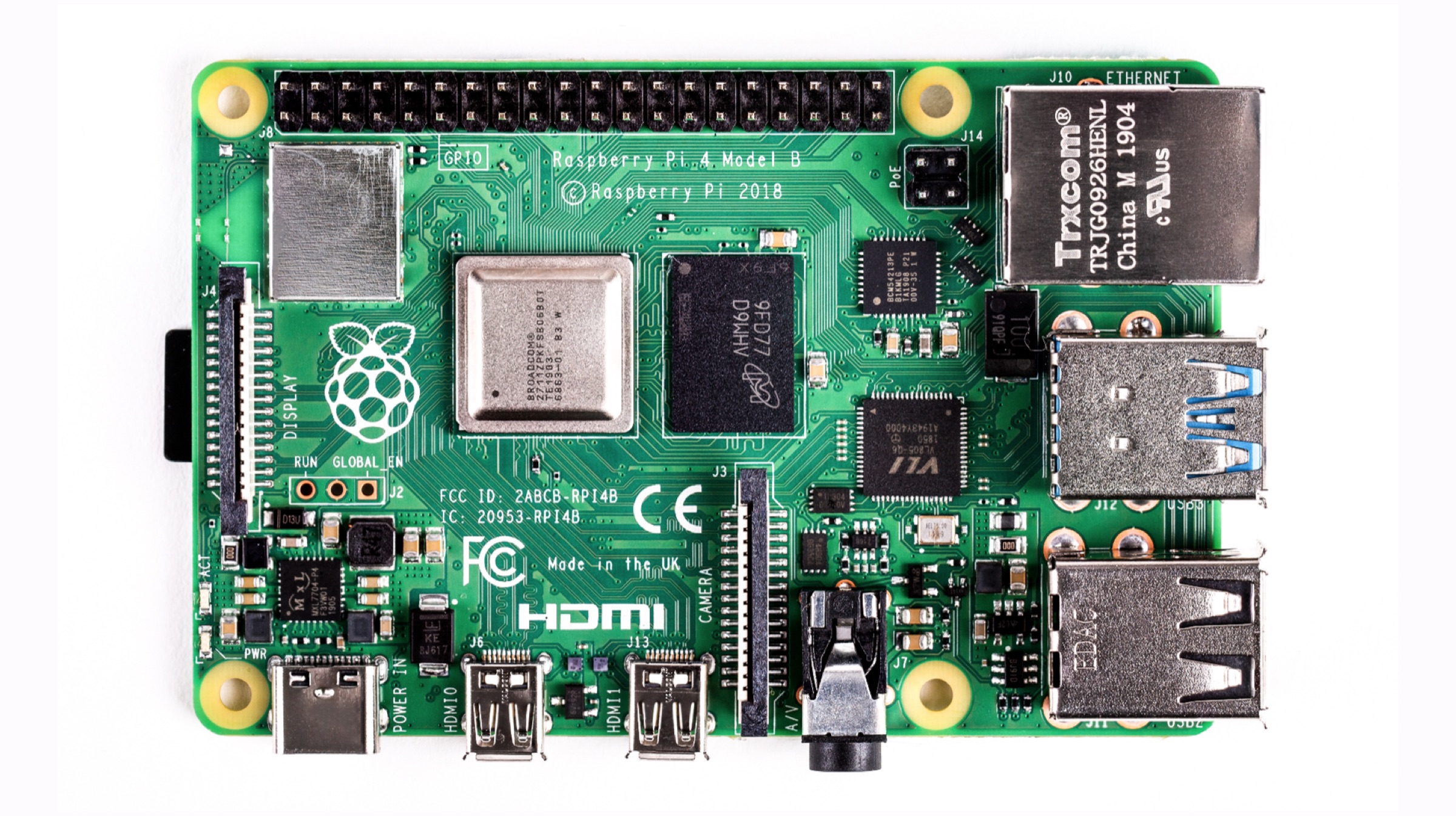
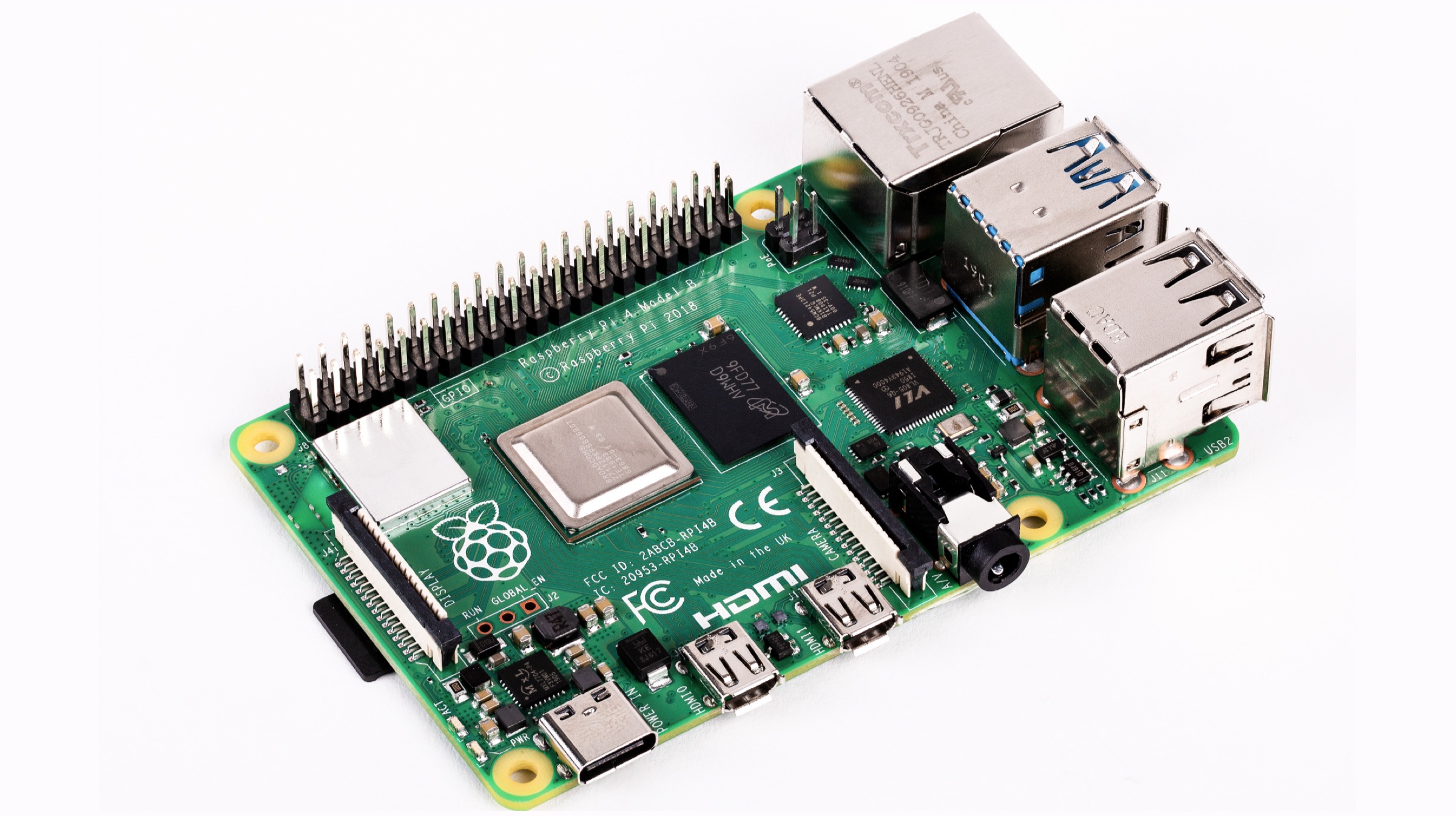
    The Raspberry Pi 4, as mentioned above, is the latest in the line of affordable PCs that were introduced back in the year 2012. The latest generation of the computer now arrives with up to 4GB of RAM. This is four times the amount of RAM than its predecessor. It also has a faster CPU and GPU; while the Raspberry Pi 3 uses a Quad-core CPU at 1.4GHz clock speeds, the newest model has the same amount of cores in a 1.5GHz Broadcom 2711, Cortex A72 Processor. The GPU has been upgraded to a 500MHz VideoCore VI from a 400MHz found in the previous generation. In a surprising move, the device now uses a USB Type C port for power, rather than a Micro USB found in the Raspberry Pi 3 which is a welcome change.

    Raspberry Pi 4

    Also read: The New Apple 16-inch MacBook Pro May Launch In September

    Other ports in the Raspberry Pi 4 include two Micro HDMI ports which are capable of powering two 4K monitors; at 30 fps or a single 4K monitor at 60fps alongside a 1080p display. Also present are two USB 3.0 ports and two USB 2.0 ports; with a Gigabit Ethernet port and microSD storage card. Connectivity options on the device include support for Bluetooth 5.0, up from version 4.1 in the previous generation; and Dual-Band Wi-Fi 802.11ac. In terms of pricing and availability, the Raspberry Pi 4 will be available to purchase starting June 24 from certified online stores. It has been priced starting US$ 35 (Rs. 2,400) for the variant with 1GB RAM configuration; the 2GB RAM version has been priced at US$ 45 (Rs. 3,100) while the top end 4GB RAM Pi will cost US$ 55 (3,800).


  • Microsoft Working On A Foldable Surface Device That Runs Android Apps

    Microsoft Working On A Foldable Surface Device That Runs Android Apps

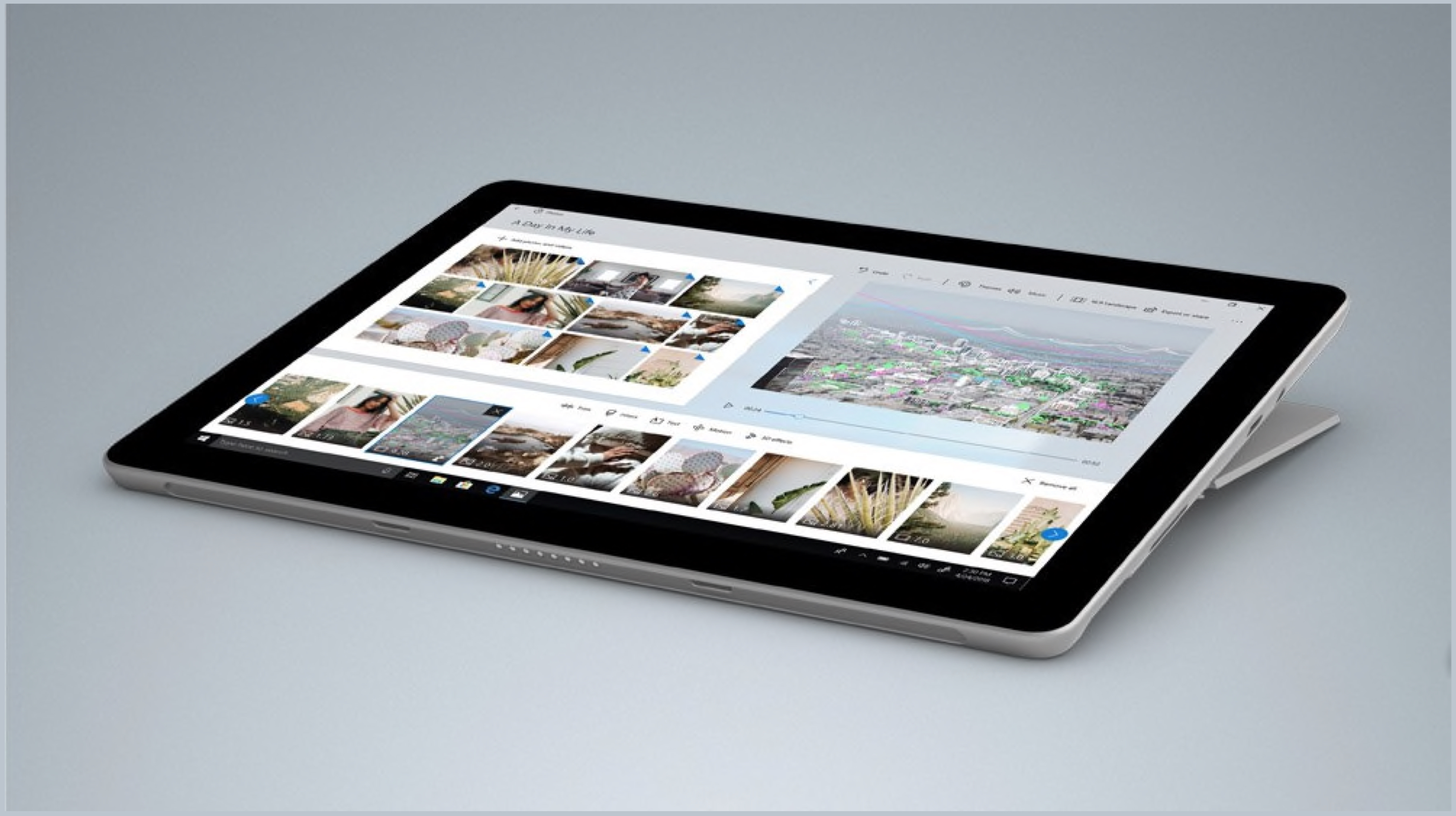
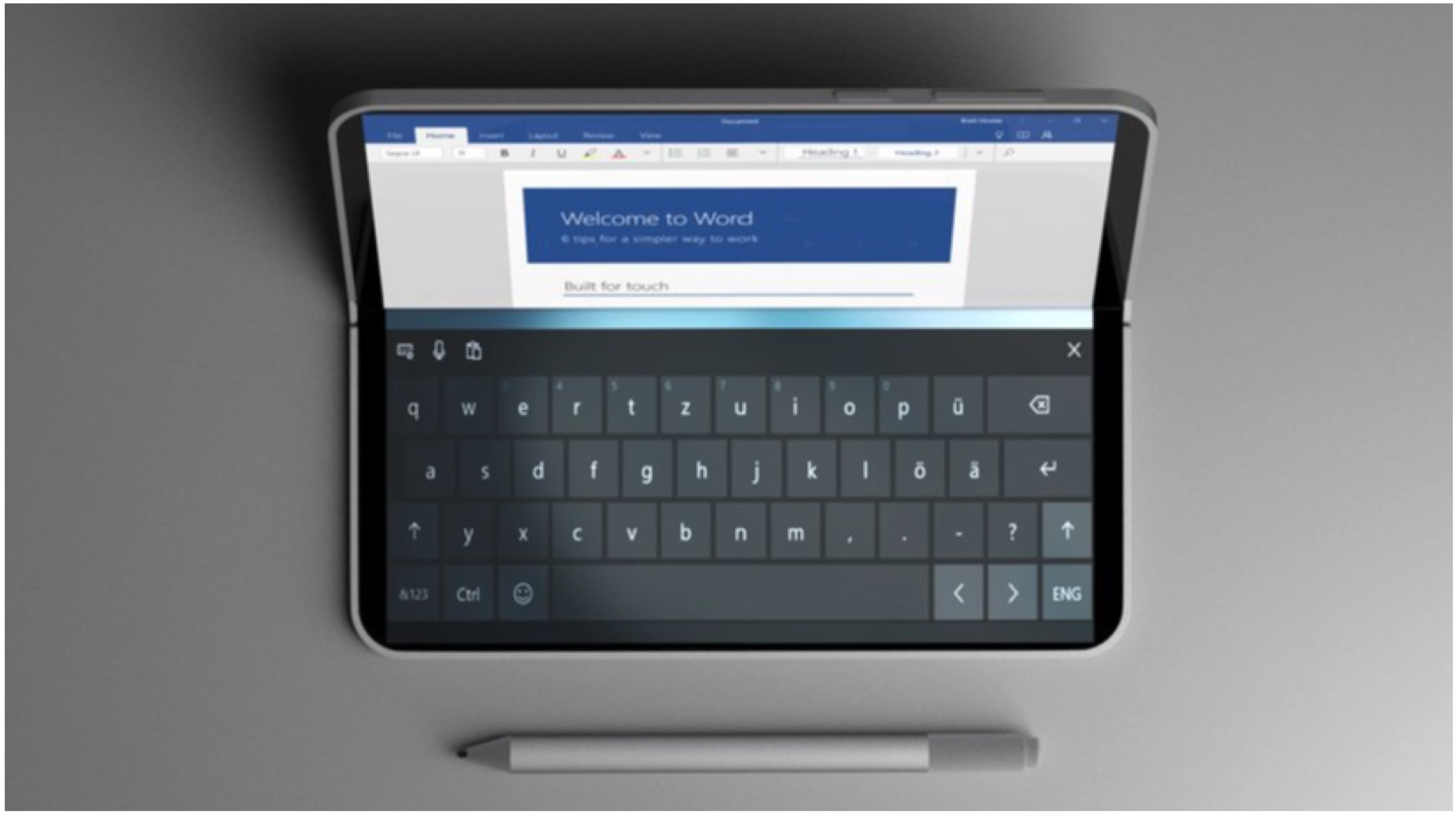
    American technology behemoth Microsoft launched devices under its Surface brand starting the year 2012. The company has launched a slew of laptops, tablets under the brand and has been long rumoured to be working on a foldable Surface device. While the device has been confirmed to be in development, no other details about it were known. Now, a report claims that Microsoft is planning to launch a compact foldable Surface mobile device in the first half of next year.

    Microsoft Foldable Surface

    As mentioned above, Microsoft may be planning to launch a foldable Surface device next year. While it is not confirmed precisely when the announcement will take place; the source claims it may be as early as the first quarter of the year 2020 or by the first half of the year. It has been revealed that the device will have two 9 inch displays with a 4:3 aspect ratio. Interestingly, other Microsoft Surface products such as the Surface Laptops or the Surface Book use a 3:2 aspect ratio on their displays.

    Microsoft Foldable Surface

    Other details about the upcoming foldable Microsoft Surface as claimed in the report; are that it will use a new version of the Windows 10 operating system. This has been rumoured to be called the Windows Core OS (WCOS) and will be able to natively support the dual display user interface. It may also adopt the 10nm SoC by Intel which will be called Lakefield.

    Also read: Samsung Galaxy Note 10 To Retain 3.5 MM Jack Claims Report

    In a surprising move, it has also been claimed that the Microsoft Surface foldable will also be able to run Android apps and Apple’s iCloud service. As it is a mobile device, it may feature LTE or 5G for always-on connectivity to the internet. Unfortunately, more information like the pricing is not available as of now but is expected to be revealed as we move closer to the launch date.

  • Snapdragon 865 Details Leaked, To Arrive In Two Variants

    Snapdragon 865 Details Leaked, To Arrive In Two Variants

    American technology giant Qualcomm is best known for making mobile processors. Its latest flagship smartphone System on Chip (SoC) was the Snapdragon 855 which was launched last year. It was also the first chipset from the company to be manufactured on the 7nm fabrication process. Now, details about its successor, purportedly called the Snapdragon 865 have started to surface. According to a noted gadget tipster on microblogging website Twitter, the upcoming processor from Qualcomm for top tier devices will arrive in two variants.

    Snapdragon 865
    Qualcomm 865
    Snapdragon 855

    According to the tipster, the Qualcomm employees refer the company’s next-generation flagship chipset by the name Snapdragon 865. It carries a model number SM8250, which falls in line with the lineup as the Snapdragon 855 was codenamed SM8150. The chipset is likely to be manufactured on the 7nm fabrication process like its predecessor. As mentioned above, the Snapdragon 865 will arrive in two variants, with one supporting 5G; the next generation of mobile connectivity, with the help of an integrated modem. The other variant will not have an integrated modem and should natively support 4G LTE networks and not 5G. The different variants are code-named Kona and Huracan, but it is not known which one carries the 5G modem.

    Qualcomm Snapdragon 865

    Also read: Huawei Might Opt For Sailfish OS For Its Future Smartphones

    The 5G modem inside the Snapdragon 865 will be the Qualcomm Snapdragon X55; which will be an upgrade over the existing Snapdragon X50 modem which is in use today. The tipster claims that the upcoming mobile SoC will also support LPDDR5X RAM and UFS 3.0 storage similar to the Snapdragon 855. Like the previous generations, it is expected that Qualcomm may announce the Snapdragon 865 in the month of December. The first smartphone to sport the latest flagship chipset from the company has been a Samsung smartphone since the last two years; so the upcoming processor may debut with the Galaxy S11 due next year.

  • Apple Registers Seven New MacBook Models In EEC Database

    Apple Registers Seven New MacBook Models In EEC Database

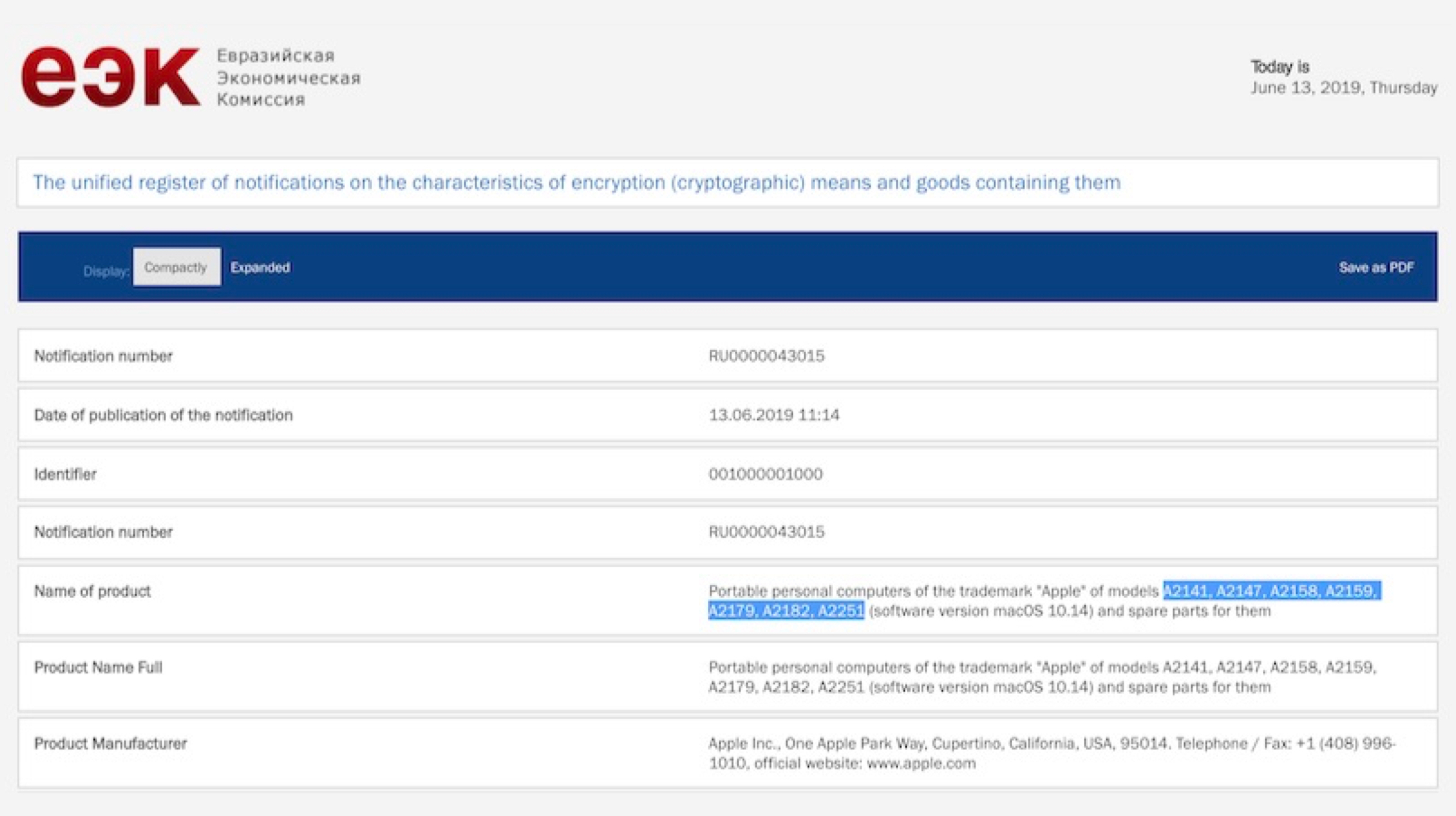
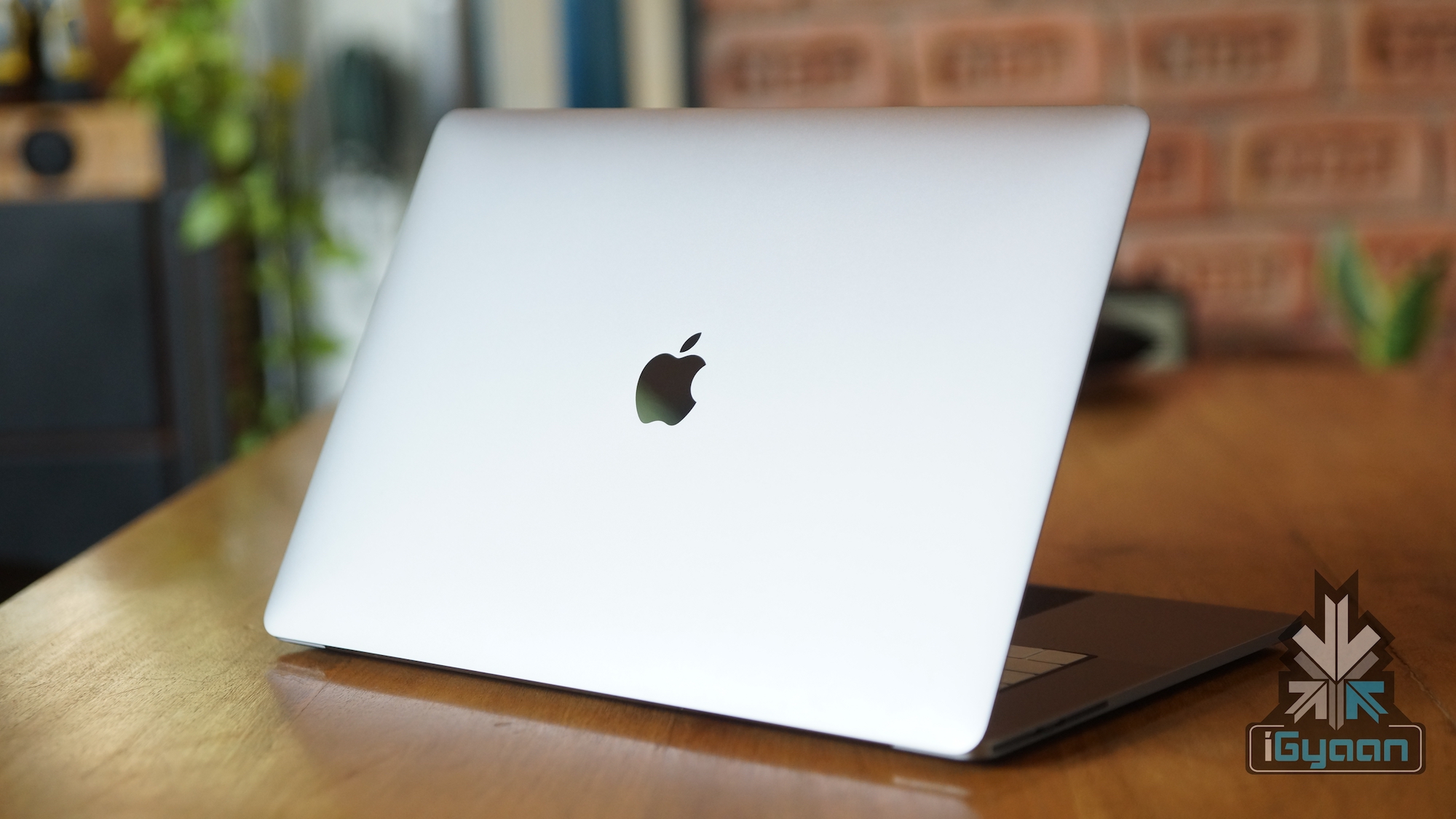
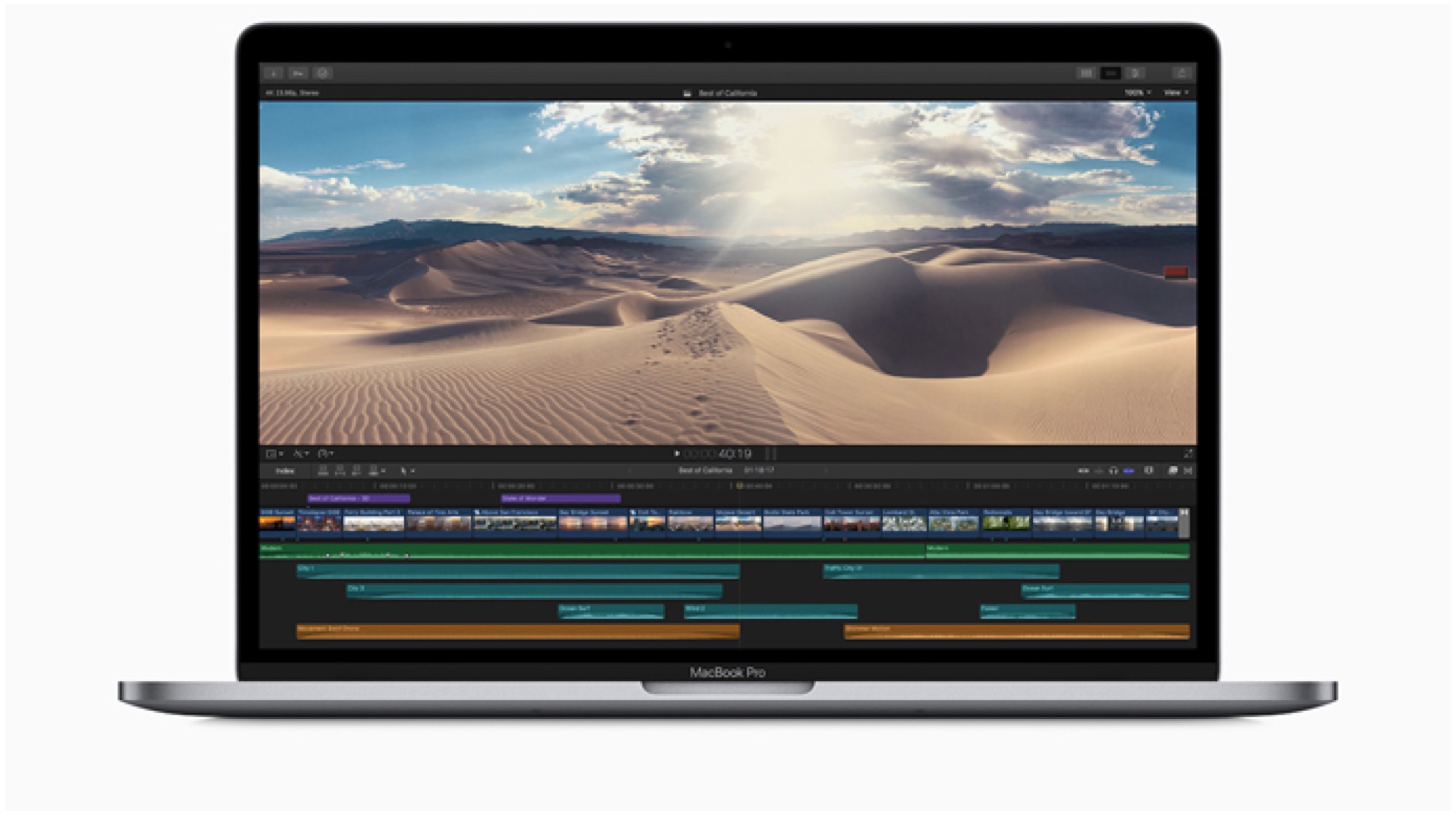
    Earlier this month, American tech giant, Apple held the WWDC event where it unveiled the updated Mac Pro computer in addition to the latest software iterations for its electronic devices (1,2,). Intriguingly, the company has freshly registered seven unreleased Mac models in the Eurasian Economic Commission which point towards an upcoming launch. Besides the said devices, Apple in the month of May had launched the updated 15 inch MacBook Pro which can be configured with 8 core Intel i9 processors. EEC listings like these in the past have foreshadowed the release of new Apple products in numerous instances.MacBook EEC Listing

    A few examples of EEC listing that have turned into actual commercially available products include multiple Mac, iPhone, iPad Pro and AirPod models. The filings are legally required for any encrypted electronic device which is sold in select countries including Russia.

    Models Registered

    MacBook 2018According to the listing, the seven Mac models registered by Apple include A2141, A2147, A2158, A2159, A2179, A2182, and A2251 which are described as “Portable” computers that suggest new MacBook laptop computers. Reportedly, the new device lineup will be comprised of 12 inch MacBook, 13 inch MacBook Pro and also the MacBook Air.

    Also, Apple is said to be working on a brand new 16 inch MacBook Pro with an overhauled design. However, the company is yet to provide any information about the launch or existence of the computing device. Adding further to the predictions and rumours, the company launch the upcoming models with optional LTE connectivity. This feature will make the MacBook a perfect companion for users who are always on the go and want a machine to tag along that has high speed internet connectivity. 

    Also Read: Researchers Have Successfully Converted Type A Blood To Type O

    To conclude, we will have to wait for Apple to reveal more details about the previously mentioned MacBook computers. As no other details about them are currently available except for the EEC listing. 


  • AMD Reveals Prices Of Top End Ryzen CPU And Radeon GPU

    AMD Reveals Prices Of Top End Ryzen CPU And Radeon GPU

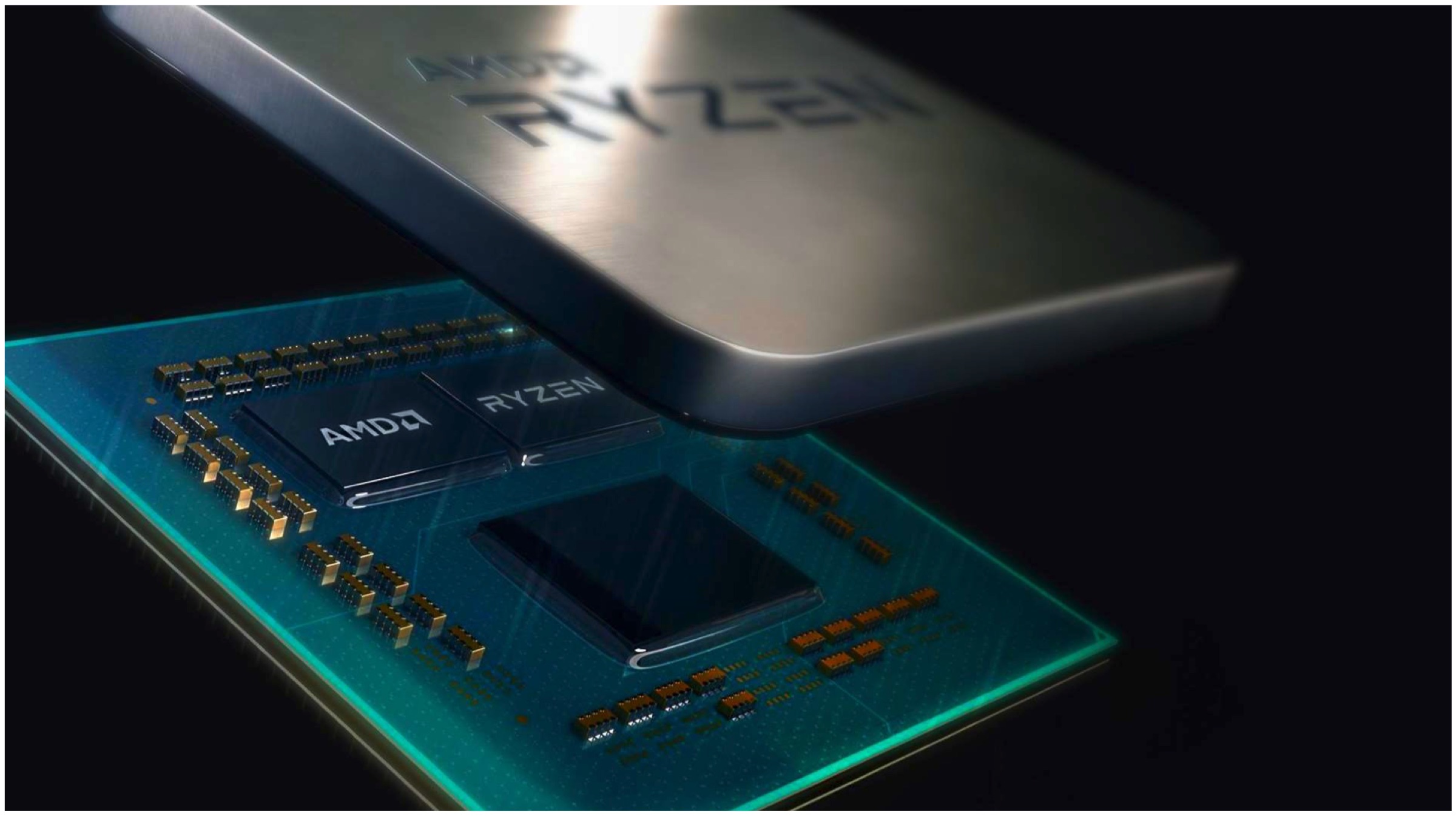
    AMD has taken the computing world by storm with its announcements of various new generation CPUs and GPUs. The American company’s latest lineup have spurred its competitors such as NVIDIA and Intel. Both companies’ have seen a downfall in their respective stocks post-AMD’s announcement two-weeks prior at Computex 2019. Team red went on stage about the pricing of some of its top-notch products at E3 gaming expo 2019.

    Ryzen 9 3950X

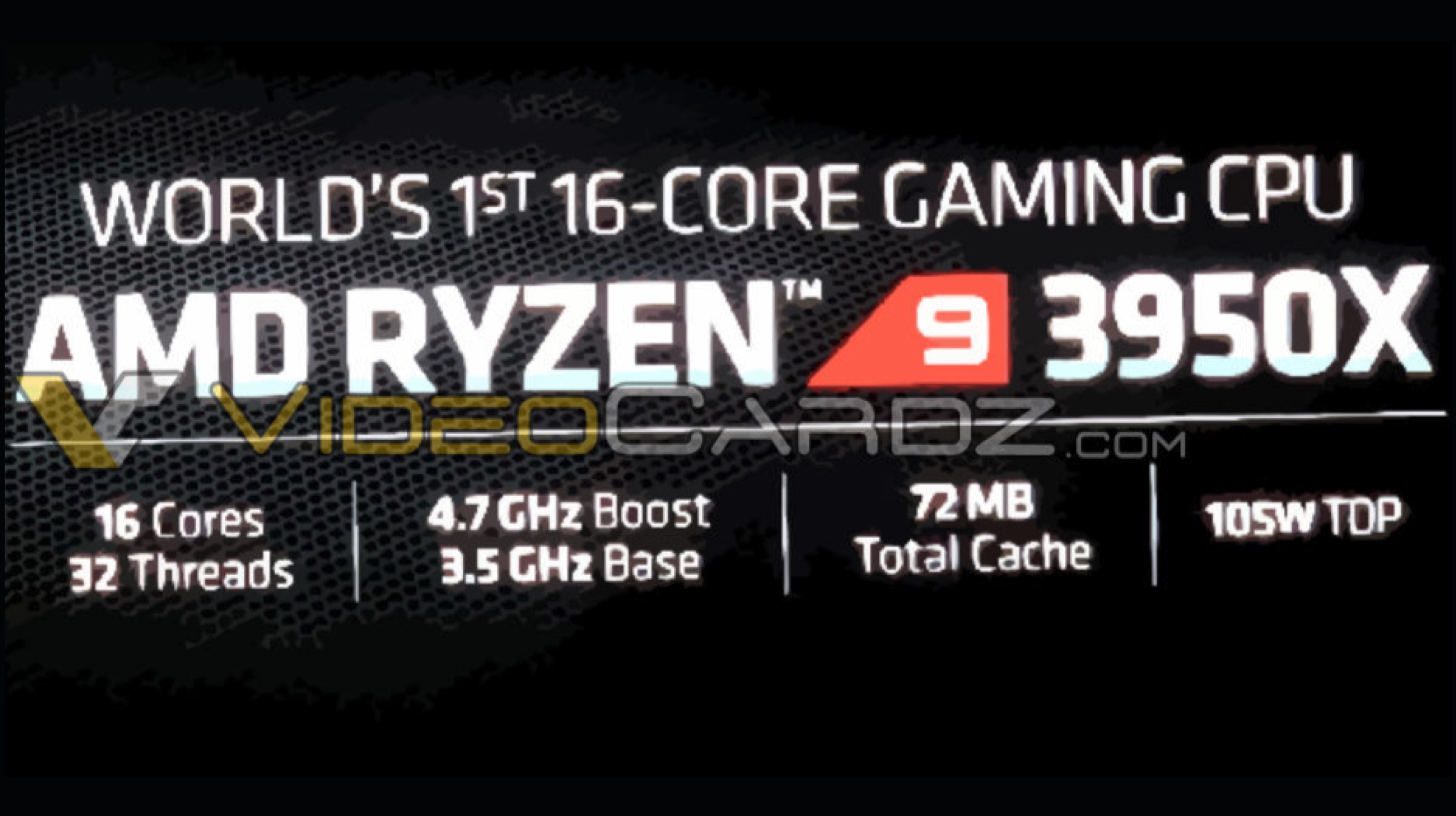
    AMD’s Next Horizon Gaming Event at E3 2019 gaming expo unveiled the pricing of the worlds only gaming-centric CPU with 16 cores. Ryzen 9 3950X is priced at $750 (approx. Rs.52,000). The 16-core/ 32-thread CPU chipset has a base clock of 3.5GHz base clock and a boost clock of 4.7GHz. The cache is a massive 72MB and a relatively low 105W TDP for a 16-core processor. Even a 16-core Threadripper from AMD is rated at 180 watts; Intel’s very own 16-core has a 165W TDP.

    The 7nm processors are proving to be much more power efficient and cheaper, not only in workloads for creators but for gaming performance as well. Apart from being the only 16-core gaming CPU, it is also compatible with an AM4 motherboard, becoming a Threadripper class capable CPU fully operational in a consumer grade small motherboards. Both Intel’s and AMD’s 16-core CPU draw a lot more power from expensive and large motherboards that harbour larger sockets.

    AMD

    Alongside the announcement, pricing was also revealed for its other lower-specced Ryzen 3000 series lineup. 

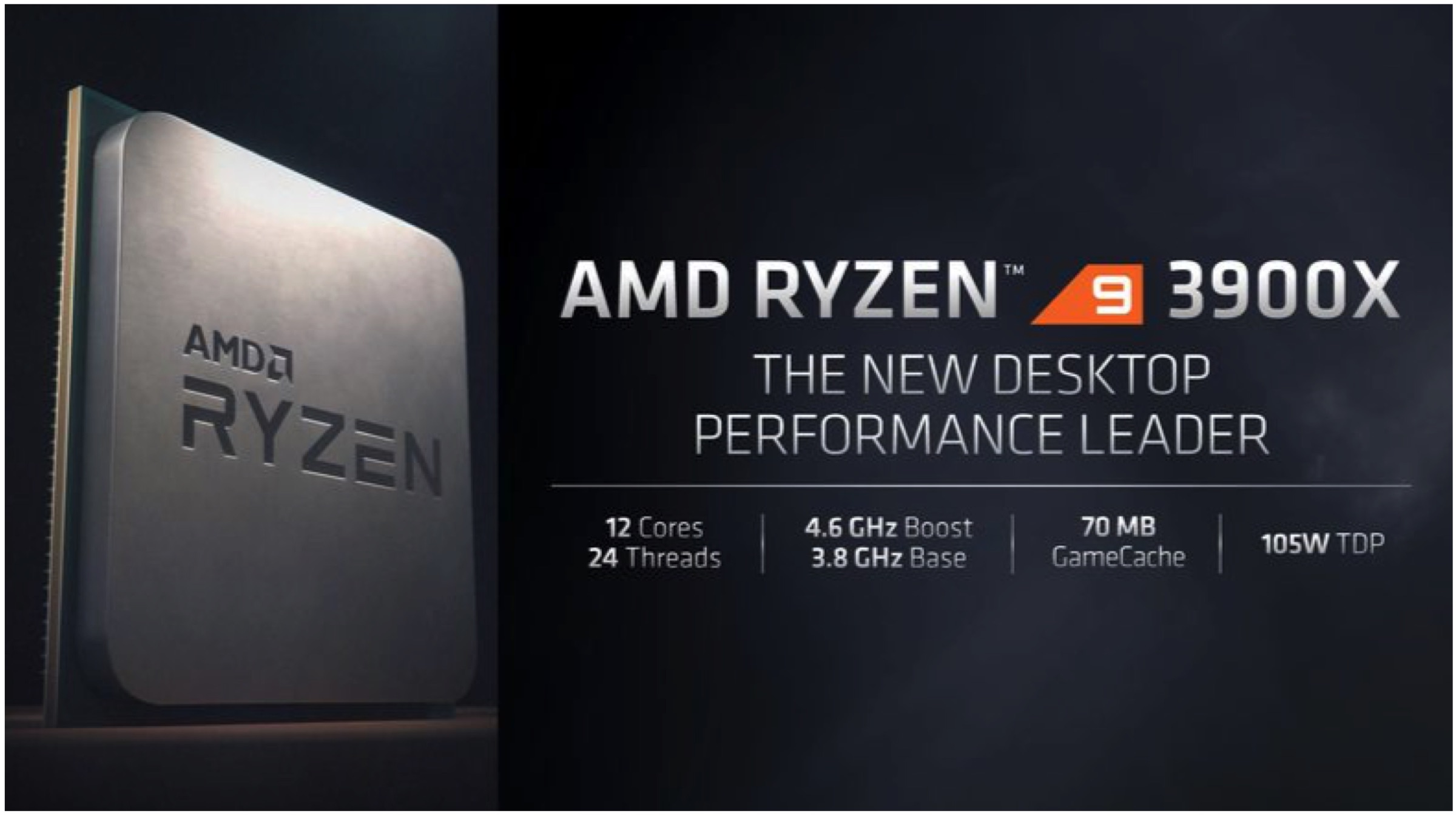
    • Ryzen 9 3900X – $499
    • Ryzen 7 3800X – $399
    • Ryzen 7 3700X – $329
    • Ryzen 5 3600X – $249
    • Ryzen 5 3600 – $199
    • Ryzen 5 3400G – $149
    • Ryzen 3 3200G – $99
    Radeon RX 5700 Series

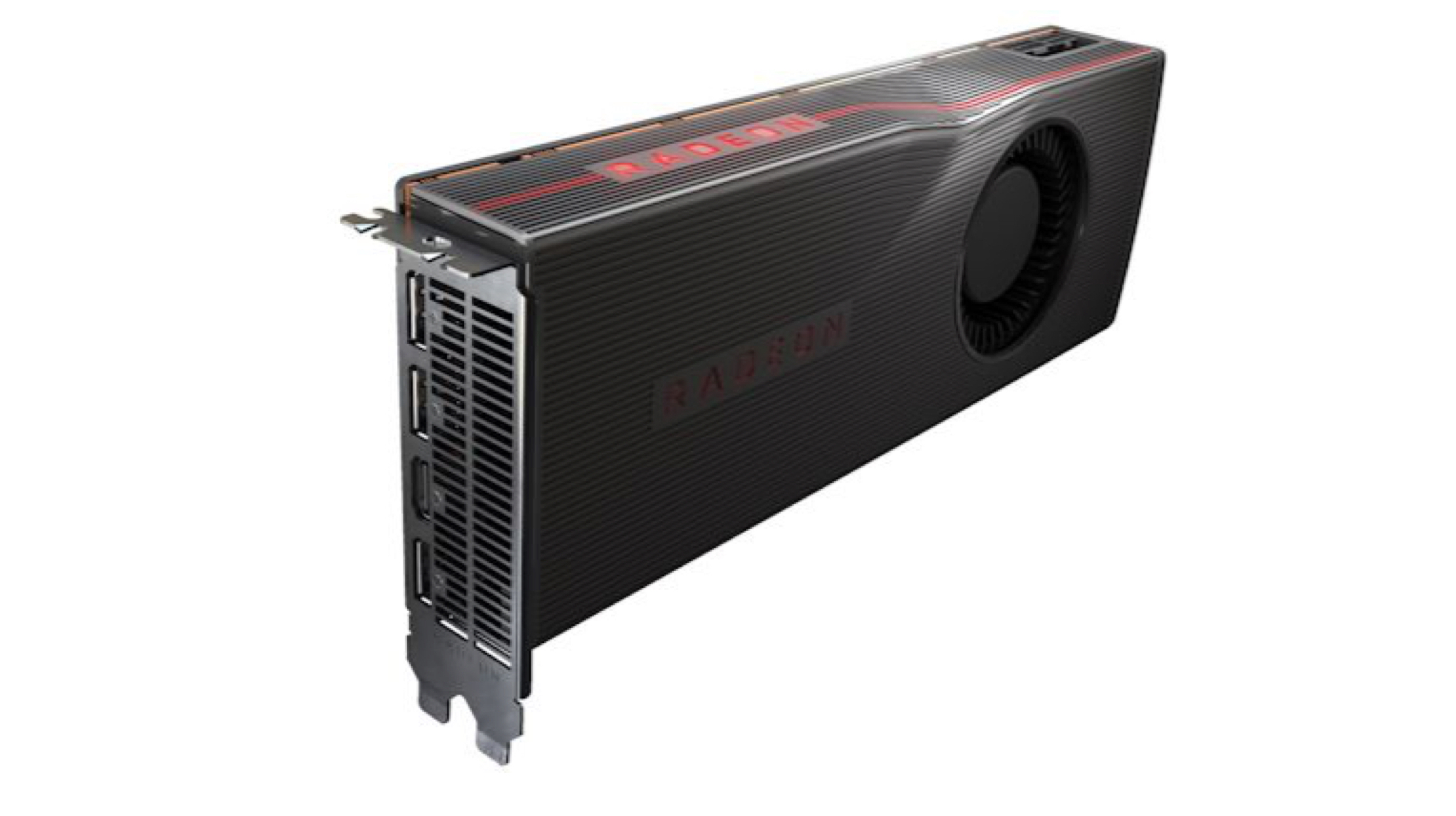
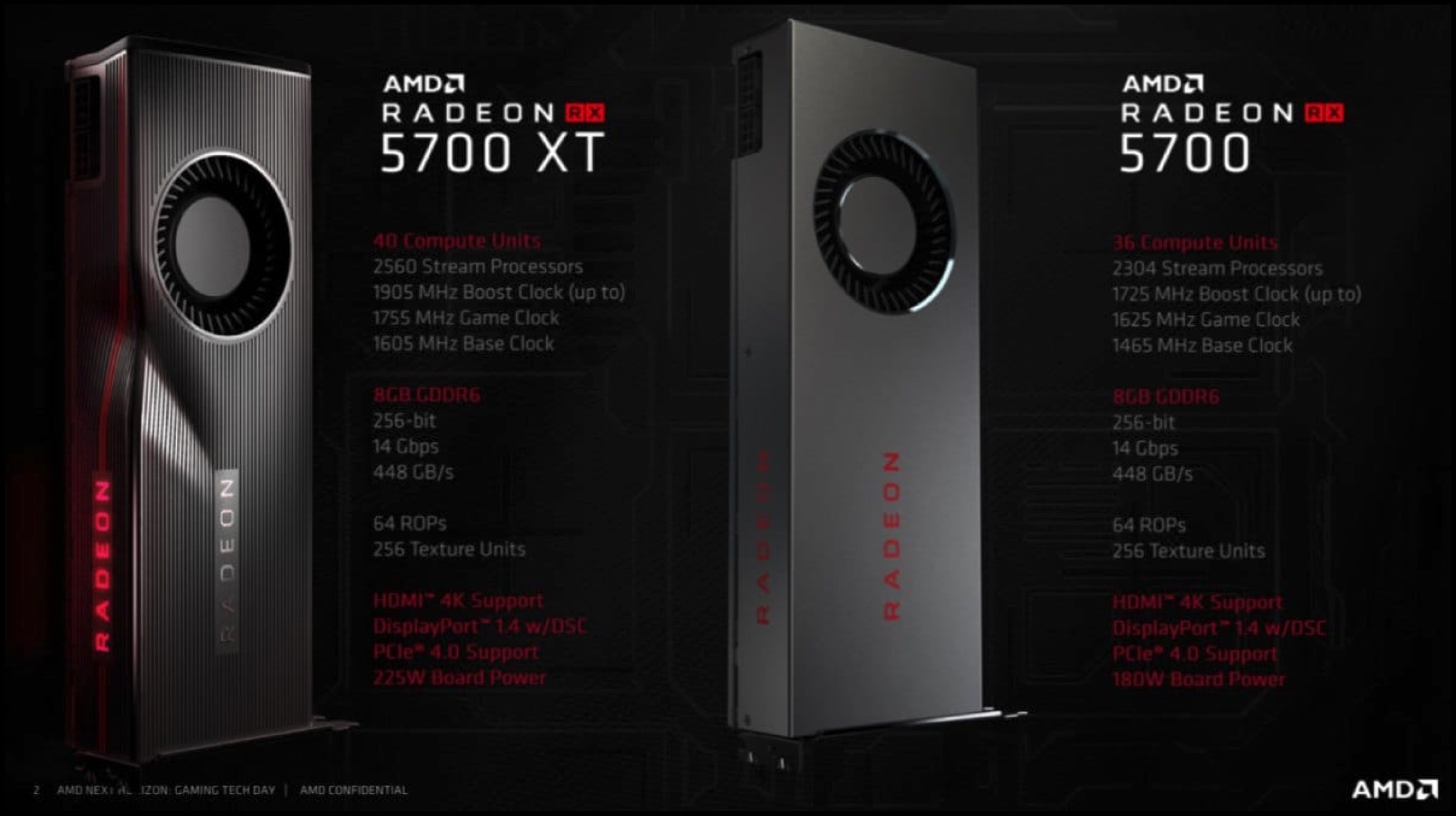
    AMD announced two variants of its upper-mid-price range GPUs that will compete with NVIDIA’s RTX series GeForce graphics card. The company is focusing on the price range that is more accessible to gamers and focuses on beating NVIDIA at a lower price bracket. RX 5700 will cost $380 (approx. Rs.26,500) and provide noticeably better performance compared to the RTX 2060 GPU priced at $350 (approx. Rs.24,500). The higher variant RX 5700 XT is priced at $450 (approx. Rs.31,000) and also bests the RTX 2070 priced at $500 (approx. Rs.35,000). 

    Additionally, AMD unveiled a new proprietary Radeon Image Sharpening that will be supported by almost every game without requiring developers’ support. This technique barely has an impact on performance and framerate while improving the overall visual fidelity. RIS was seen in demos at E3 and is technically capable of being adopted by other GPU manufacturers. The new software is exclusive to the RX 5700 series for now, while generic version called Contrast Adaptive Sharpening is being prepared for developers to directly integrate into their games. A new Radeon Anti-Lag has also been announced, that reduces input lag during stressful computations faced by the GPU. This will help give an advantage during competitive games with faster response times.

    AMD

    Also ReadUbisoft Roundup At E3

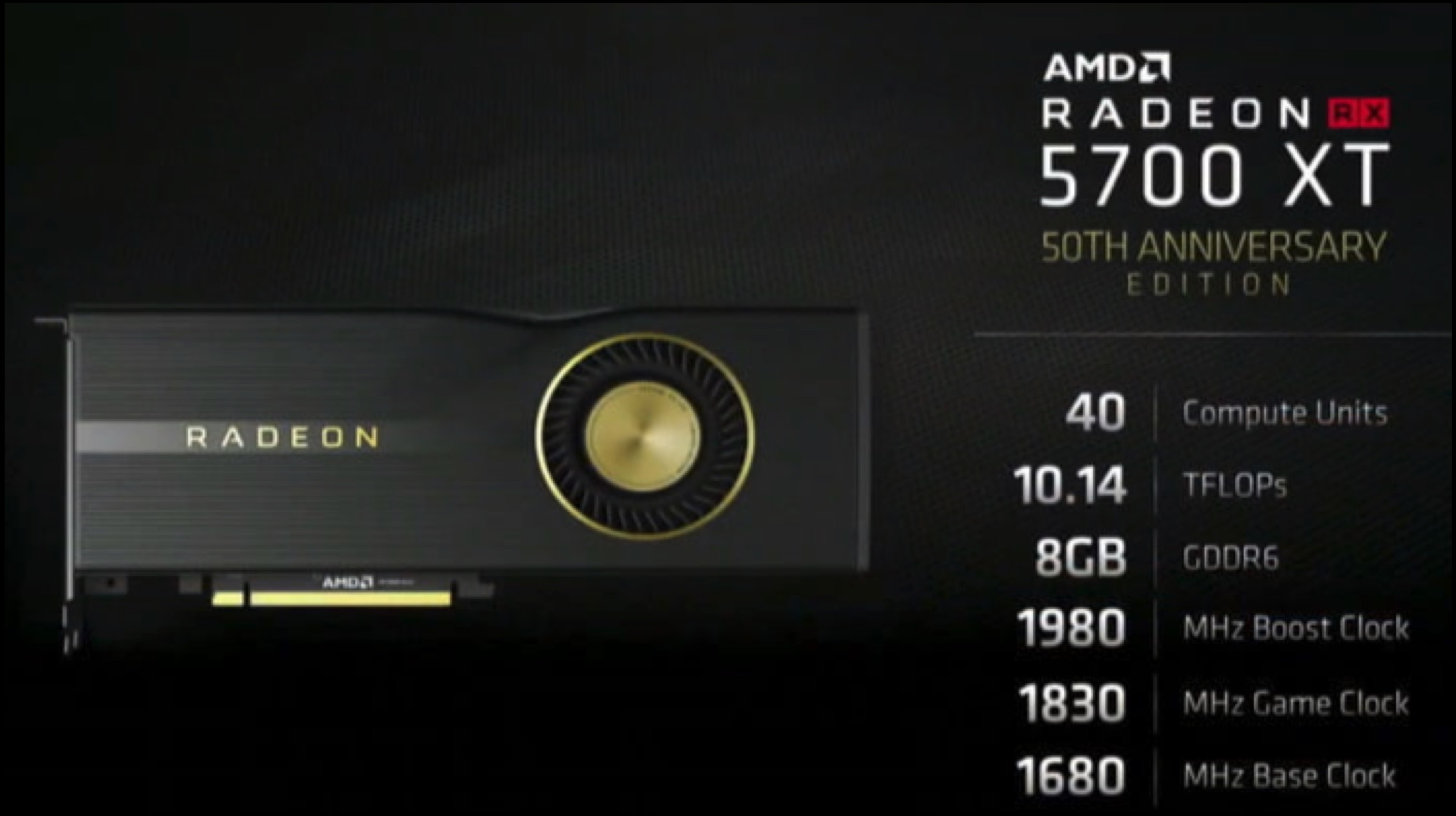
    The new AMD graphics card will be available on 7th July 2019 (7th day of the 7th month with the 7nm processor chips), along with a special 50th Anniversary Edition Radeon RX 5700 XT. The special edition features black chassis and higher clocks that allow the card to go over 10TFLOPs. AMD still has time before taking on NVIDIA’s current top-end GPUs with its upcoming NAVI GPU in 2020. 

  • AMD Ryzen 9 3950X And Radeon RX 5700XT Leaked

    AMD Ryzen 9 3950X And Radeon RX 5700XT Leaked

    AMD is having its share in the spotlight after its various announcements in Computex 2019. The American chip manufacturer company impressed the global audience with its new lineup of CPUs and GPUs, with many rumours and leaks surrounding the much-awaited products. In a new report, detailed specifications on AMD’s Radeon RX 5700 XT and confirmed existence of a 16-core Ryzen 3000 processor was uncovered.

    Ryzen 9 3950X

    The leaked 16-core CPU processor is being dubbed the Ryzen 9 3950X and will be the flagship Zen 2 product available for consumers. The AMD chipset features a 16 core/ 32 threads with a boost clock of 4.7Ghz (base 3.5Ghz) and a TDP of 105W. Gaming is the main focus of the new chipset that runs on the existing 3000 motherboards. AMD Ryzen 9 3950X is essentially a 3900X with all of its cores on both chiplets enabled for more raw output in performance with 16 cores. Ryzen

    The top-end consumer chipset will most probably be announced along with the new Navi GPUs. AMD Ryzen 9 3900X currently has no competition, with the closest being the high-end Intel Core i9-9900K Coffee Lake chipset for gaming. The Ryzen 9 is the first gaming dedicated CPU that crosses the 8-core milestone and should, on paper, outperform the Core i9 CPU.

    Radeon

    Radeon RX 5700 XT

    AMD’s reveal of its RDNA graphical architecture based Radeon RX 5000 GPUs at the Horizon Next Gaming event might be offset with a new leak. The leakster apparently got his hands on the slides meant for the show. Images leaked show the details of the GPU, including the picture of the RX 5700XT. The new generation Radeon is expected to go up against NVIDIA’s GeForce RTX 2070 GPU.

    AMD

    Also ReadHTC To Launch A Mid Range Smartphone Called The U19e On The 11th Of June

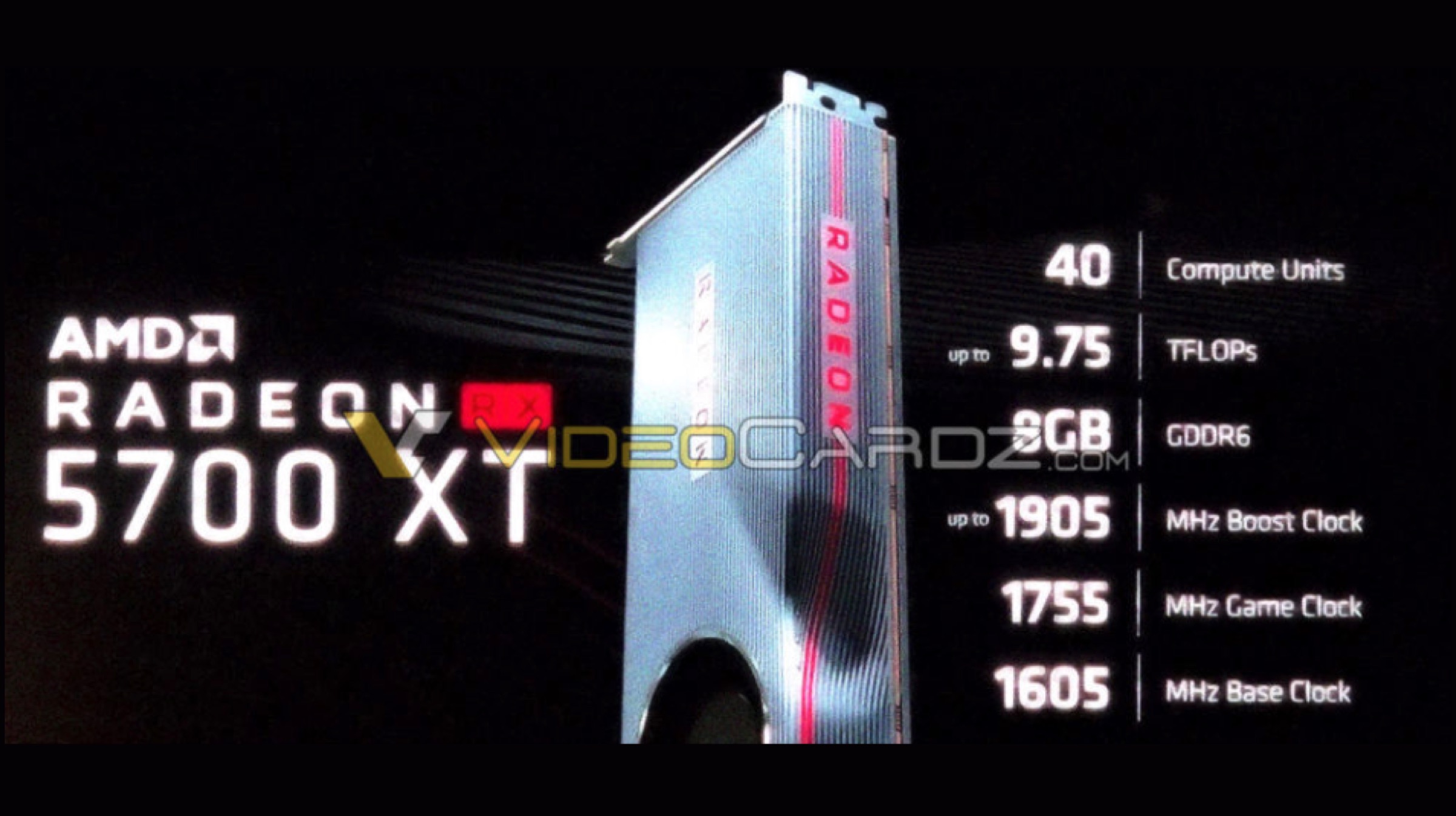
    AMD Radeon RX 5700XT features 40 compute units or 2560 streaming processors that deliver 9.75 TFLOPs of FP32 performance. The 7nm GPU will sport 8GB of GDDR6 VRAM with a core clock of 1606MHz and a boost clock of 1905 MHz. This is by far the highest clockspeed seen in any AMD GPU, all thanks to its new RDNA architecture and 7nm process. Apparently, a ‘Game Clock’ is also planned which will probably be a hybrid state between boost and base clocks for when the entire GPU is not being fully utilized.

  • Apple Mac Pro Is The Productivity Machine Apple Promised

    Apple Mac Pro Is The Productivity Machine Apple Promised

    When Apple launched the previous version of the Mac Pro a lot of prospective buyers were excited for the new “trash can” design. However, even though it turned out to be an exciting device for pro-consumers, professionals didn’t like the design or the lack of expandability. Especially since Mac Pro’s originally offered expansion and flexibility. 

    Apple last year clarified that they were working on a redesigned Mac Pro that would live up to the name, and boy has Apple delivered. The new 2019 Mac Pro offers a pro focused approach towards productivity.

    The Mac Pro will have Xeon processors up to 28 cores with 64 PCI lanes that will allow for ample expansion for improved graphics cards, capture cards or fast storage. Users can also use the six lane memory which is expandable up to a whopping 1.5TB. 

    The new pro includes an option for the Radeon Pro Vega II, and Duo cards which were also debuted with the Mac Pro. Users can utilize the dual MPX Modules for 2 Vega II Duos to achieve 56 Teraflops of Graphics performance and upto 128 GB of Graphics Memory. 

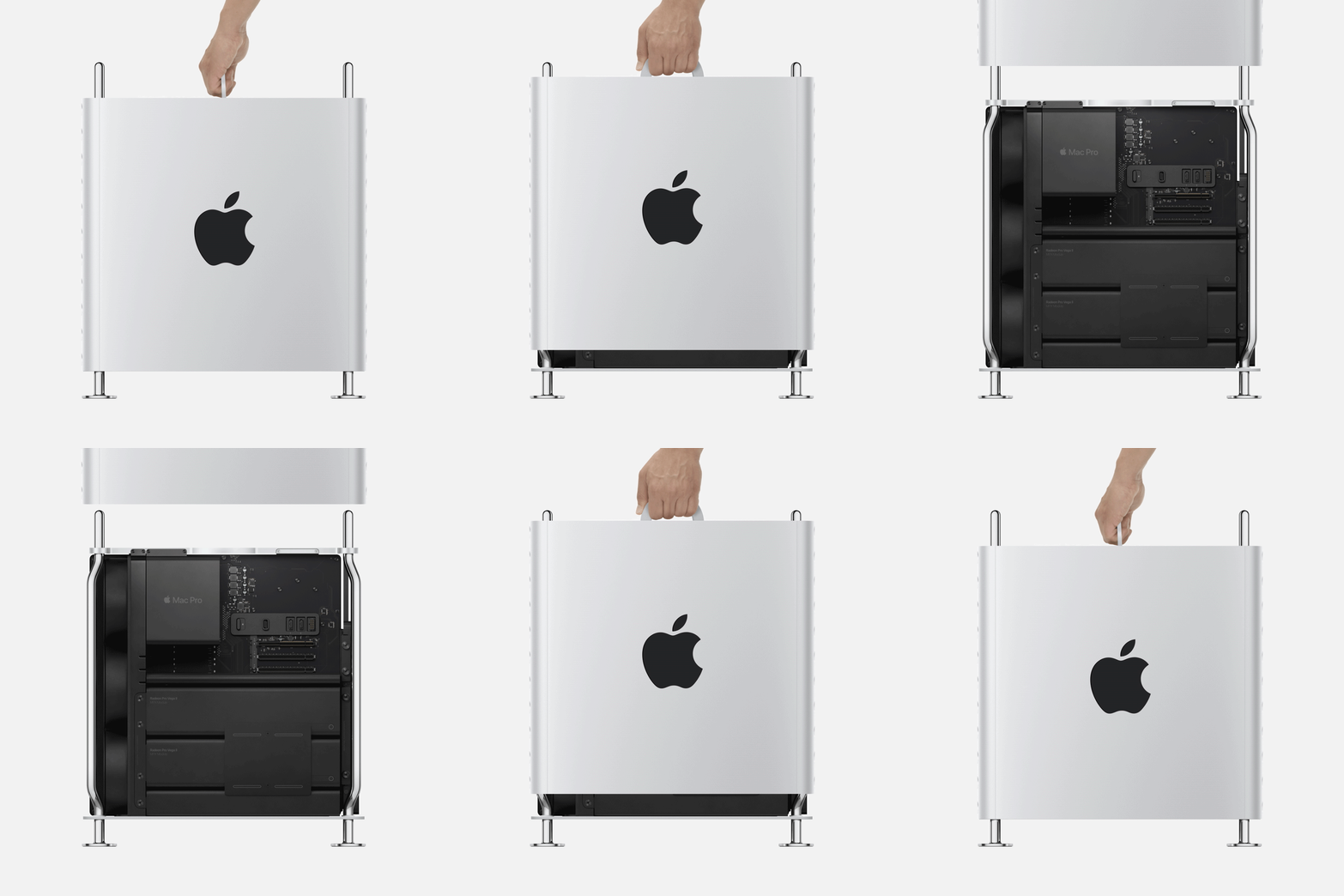
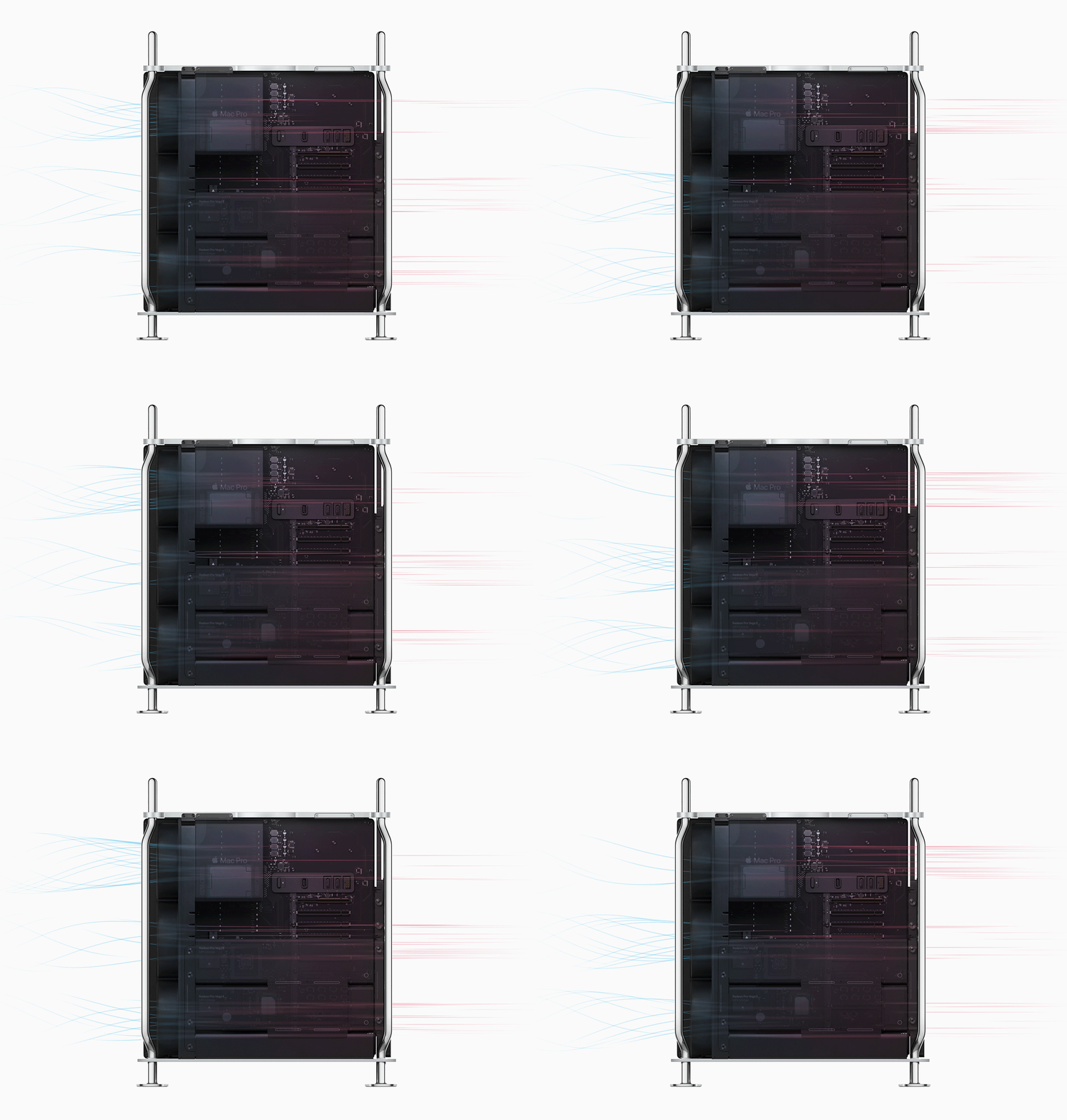
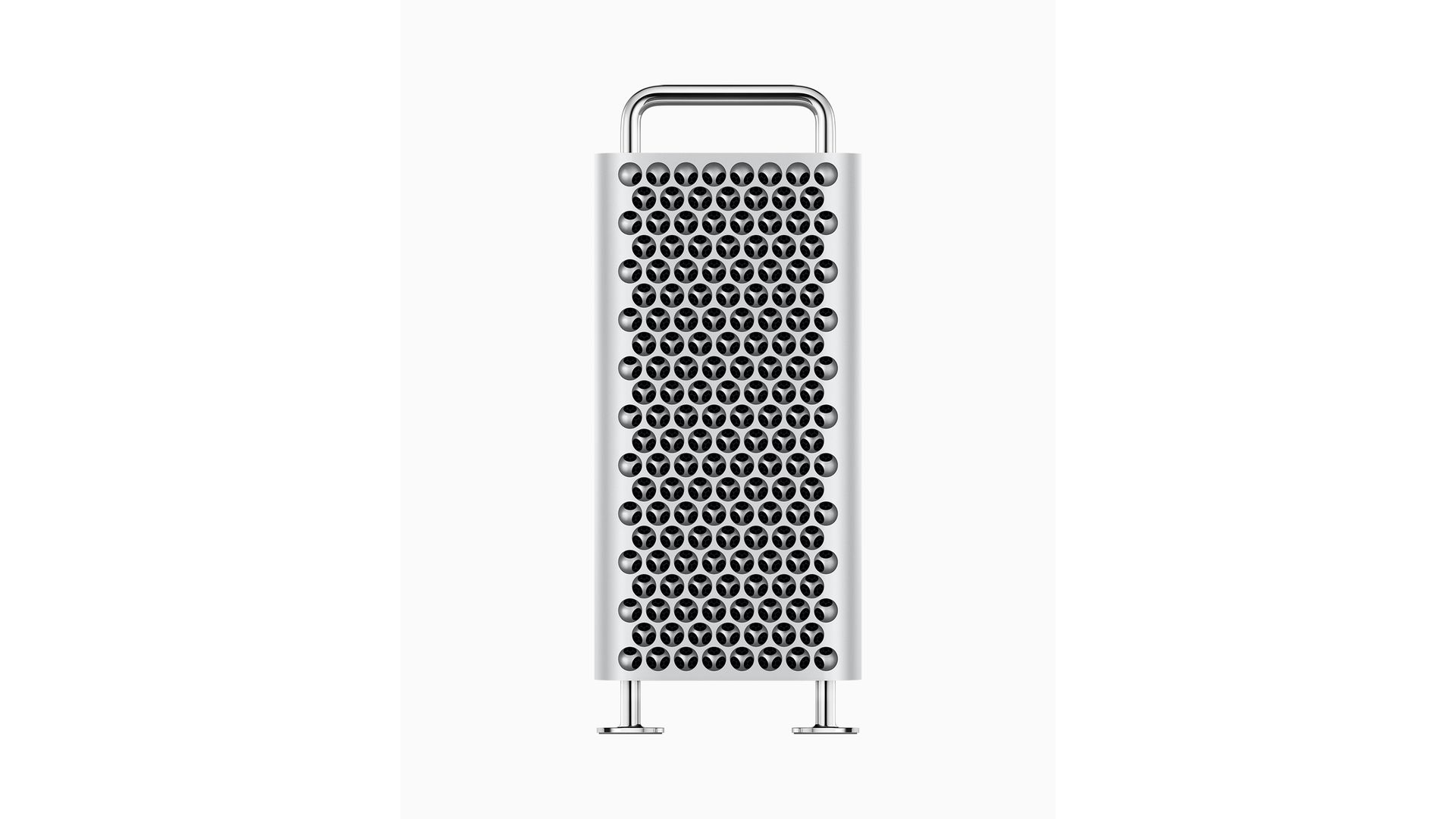
    But all these specifications are only an added plus to the new design of the Mac Pro which is clearly one of the best cpu case designs for pro usage. While aesthetically pleasing the case is designed with cooling in mind . A fully vented front and three fans at the back mean that air moves through the Mac Pro in a singular direction at all times. The open nature of the machine means users will be able to add Liquid cooling into the mix and that may end up in some improved throttle free performance. 

    The case design also allows for quick all around access the machined aluminum frame sits on solid pipe frame which while reminding us of the original “cheese grater” Mac Pro, is much more simpler to access and customize. 

    Apple has not held back with performance and expandability and it is evident that the company wants the professionals, movie makers and pro consumers to accept the Mac Pro back into their workflow. Expansion options will also include thunderbolt 3 ports which will allow for EGPUs and displays including the new 6K Apple Pro Display XDR. 

    The Mac Pro’s Afterburner is also another feature designed to lure big video creators and movie makers. The programmable ASIC is capable of decoding up to 6.3 billion pixels per second. Which means it can live decode upto three 8K Pro Res streams. This also translates to 12 4K streams, means that production houses won’t have to rely on fast proxy media, eliminating production storage costs. 

    The Apple Mac Pro is more a legend reborn, almost like a cult classic revamped. Ever since the first Mac Pro was introduced it became a staple for video editors and movie producers. Major motion pictures were created on these machines and that legacy may continue yet again for the foreseeable future.

    Needless to say Apple will also allow full customization and professionals are already drooling over their favorite specification builds. The Mac Pro will ship in fall and will be available to customize from Apple’s website. In India the Apple Mac Pro will be available in certain pre-configured builds, but Apple is working on bringing full  customization to India, and we might see that soon. 

  • Apple Launches The All New Revamped Mac Pro Alongside The Pro Display XDR 6K Monitor

    Apple Launches The All New Revamped Mac Pro Alongside The Pro Display XDR 6K Monitor

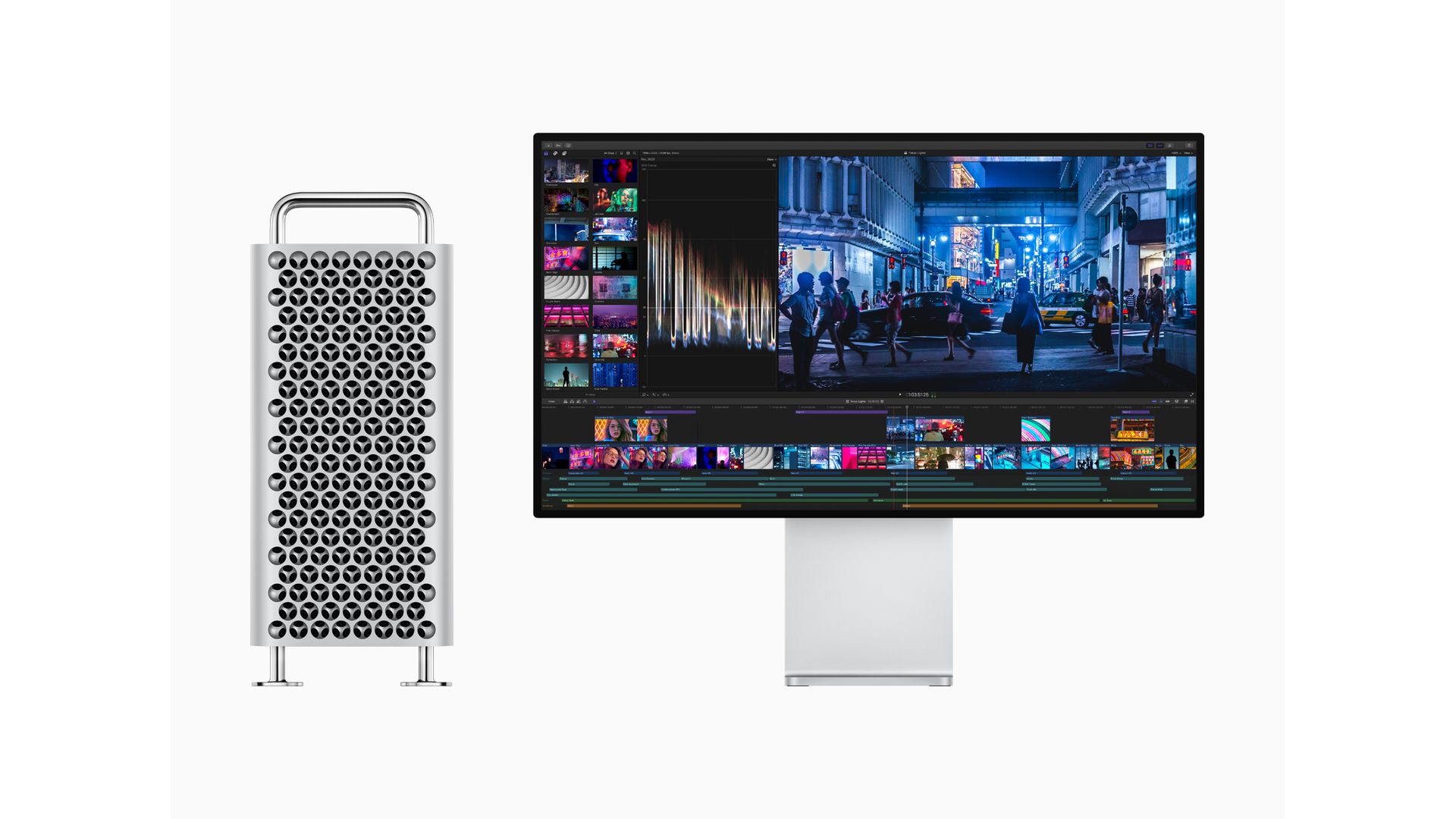
    Alongside the launch of the highly-anticipated iOS 13 operating system, Apple finally unveiled the long-promised Mac Pro with a modular design. The company also announced the 32-inch Pro Display XDR 6K monitor. The first look of the Mac Pro can be very clearly attributed to Apple’s classic “Cheese grater” design. Since the trash can design (previously released in 2013) wasn’t previously accepted very warmly by Apple consumers, the company has decided to choose a much more elegant and modern design. The company claims that the Mac Pro is designed to focus on modular computing and ease of expansion.

    Apple Mac Pro: Features & Specifications

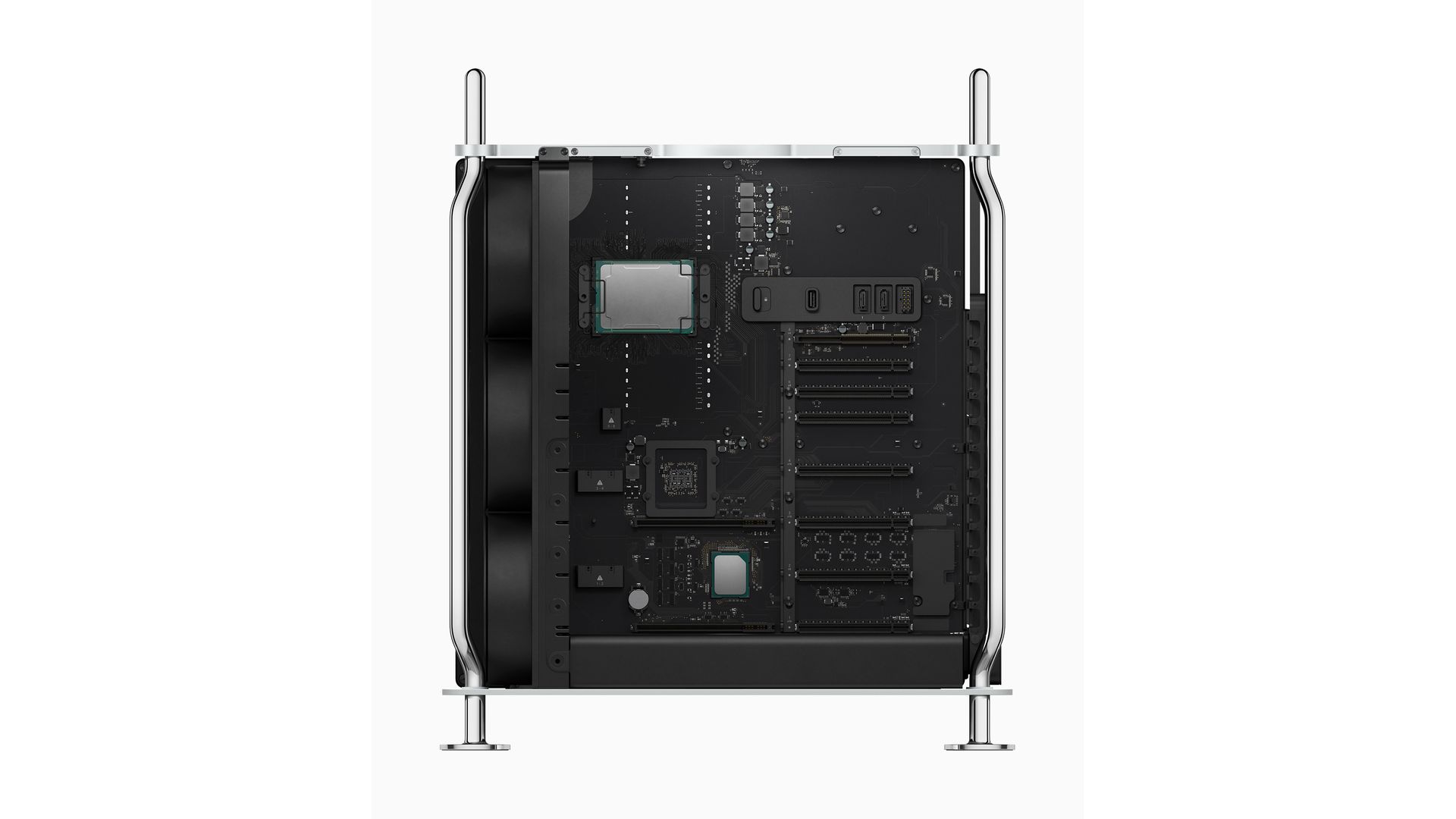
    Apple Mac Pro The Apple Mac Pro runs on the 28 core Intel Xeon processor with 300W of power and state-of-the-art cooling. Apple claims that the cooling system will enable the system to run at maximum power and efficiency. In terms of memory, the Mac Pro supports up to 1.5TB of RAM, which is staggering at the least. Expansion can be done via six-channel memory across 12 DIMM (Dual In-Line Memory Module) slots.

    Apple Mac Pro Another highlighting feature of the machine is the presence of eight PCI Express slots. Four out of those eight slots are double-wide, implying that they can house larger expansion cards. Regarding connectivity, the Mac Pro sports 2 USB-C/Thunderbolt 3 ports and two USB-A ports that are present on the front of the case.
    Pro Display XDRAdditionally, Apple also launched the MPX module, which is a custom expansion module. In order to provide the components with more power and connectivity speeds, the MPX utilizes the dedicated Thunderbolt 3 module embedded in the motherboard. It can accommodate two graphics cards and sports a custom Thunderbolt connector to plug into the backbone of the motherboard. It also has its own dedicated heat sink for effective heat management.

    In terms of graphics, the MPX module can be kitted with AMD’s Radeon Pro Vega 2 or Radeon Pro Vega 2 Duo cards. This will consequently add a total of 4 GPU chips to the Mac Pro, summing up to around 128GB of High Bandwidth Memory graphics. Alongside the MBX module, Apple will also sell an I/O module that will equip the Mac Pro with two more Thunderbolt 3 ports and two USB-A ports, in addition to the 3.5mm headphone jack. A special feature of the I/O module is the “Afterburner”, which is a dedicated video card for graphics and editing. It uses the FPGA (field-programmable gate array) that enables it to process up to 6 billion pixels a second.
    The components of the Mac Pro are powered by a 1400W power supply. Apple claims that the the three large fans present at the front cool the system at the rate of 300 cubic feet per minute. The case can be fitted with optional wheels to enable mobility of the system.

    Apple Pro Display XDR

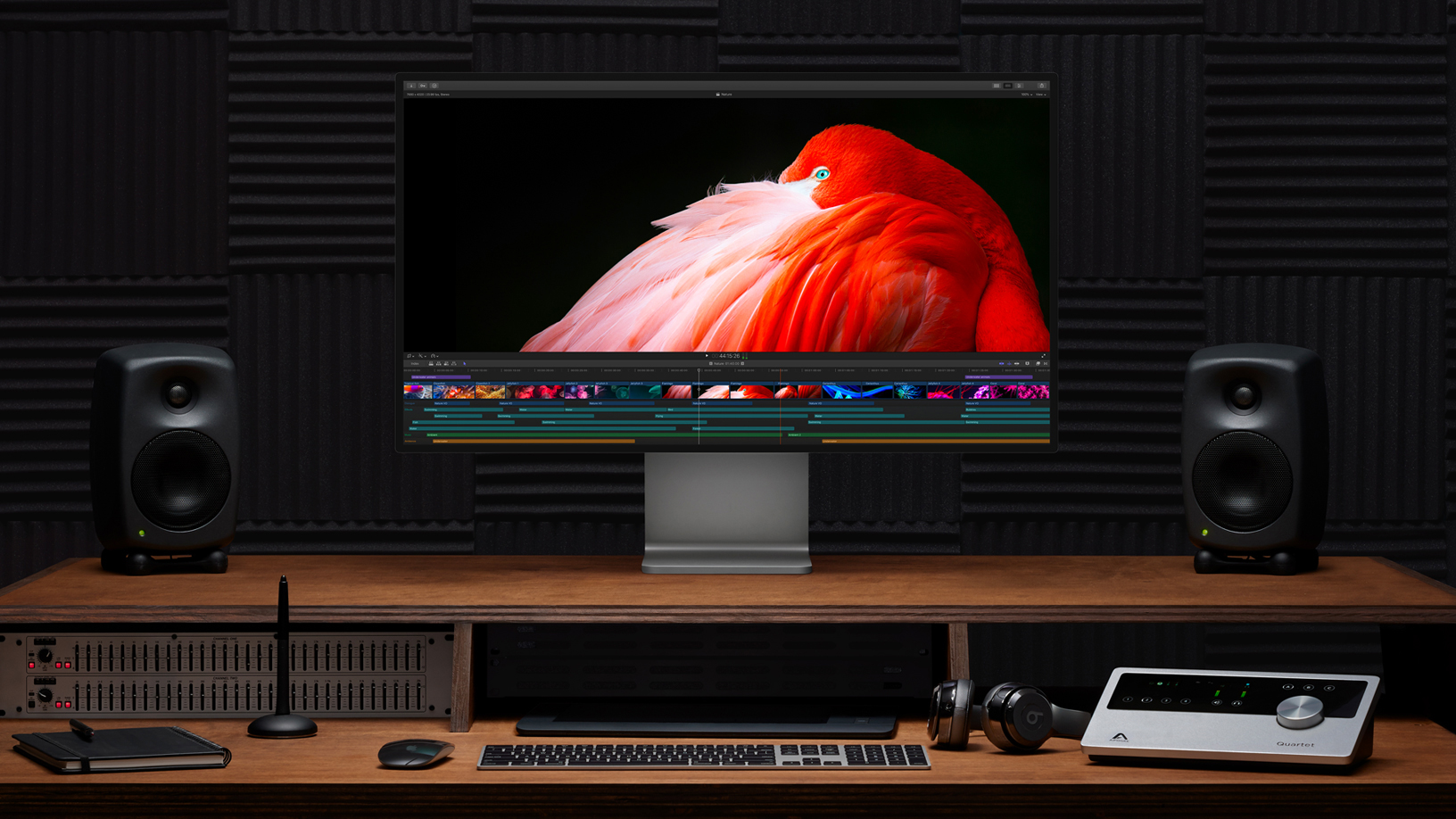
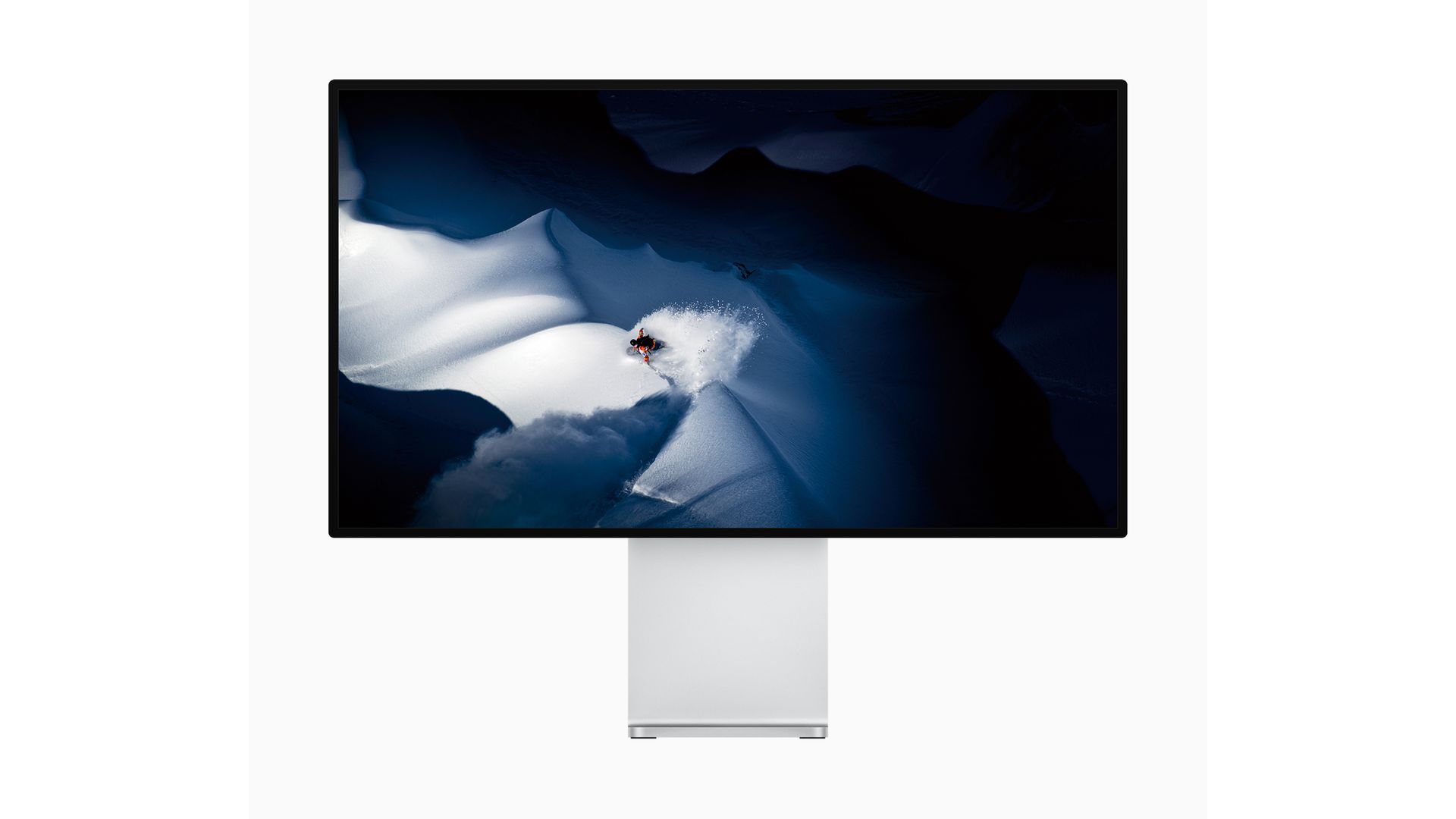
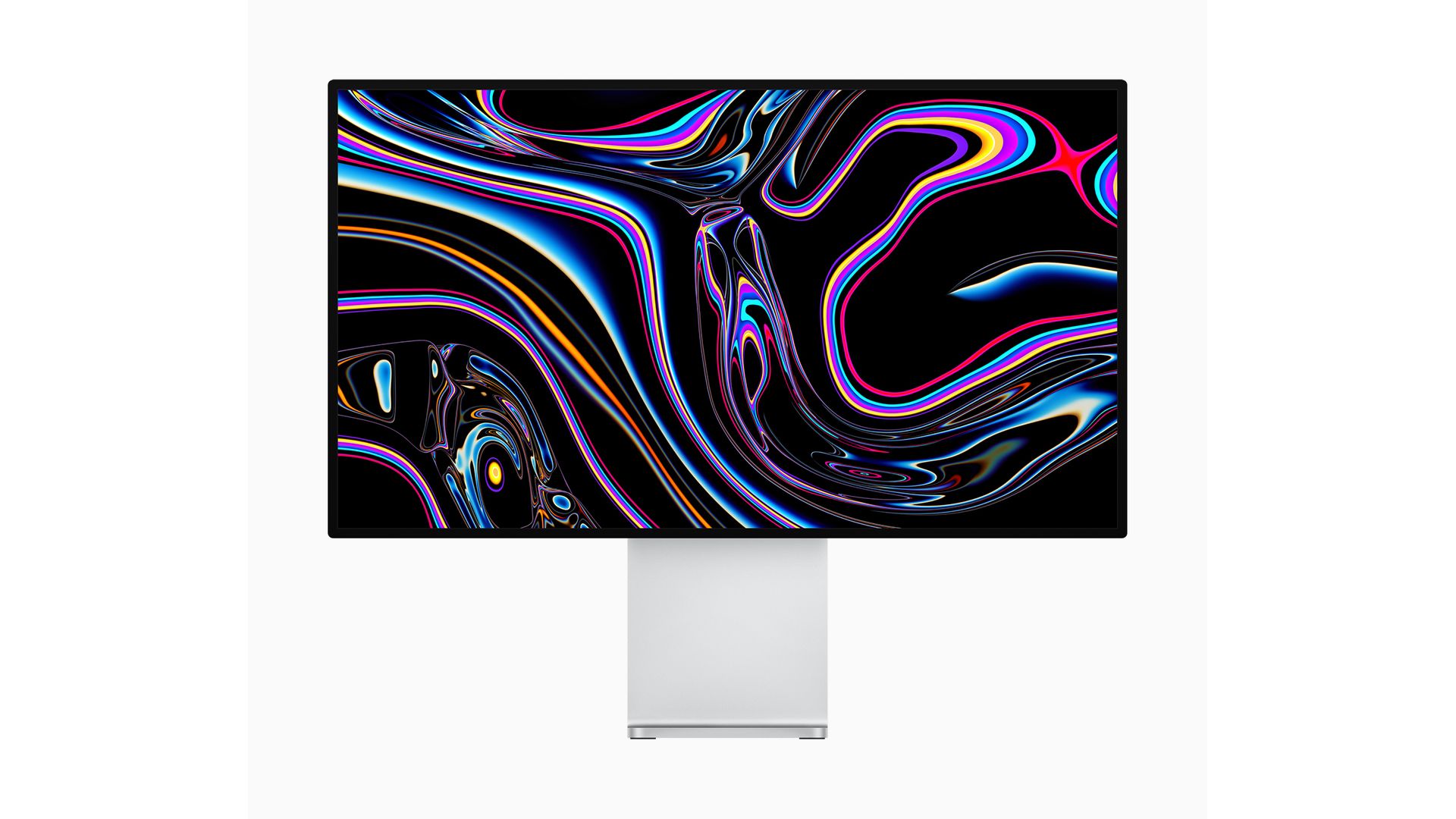
    Pro Display XDRThe company also unveiled a 6K monitor at the WWDC, which is named the Pro Display XDR. The 32-inch LCD display has a 6016 x 3384 px Retina HD screen. The monitor has ultra narrow 9mm bezels. The XDR stands for Extreme Dynamic Range. The display supports Apple’s True Tone automatic colour adjustment for ambient lighting.
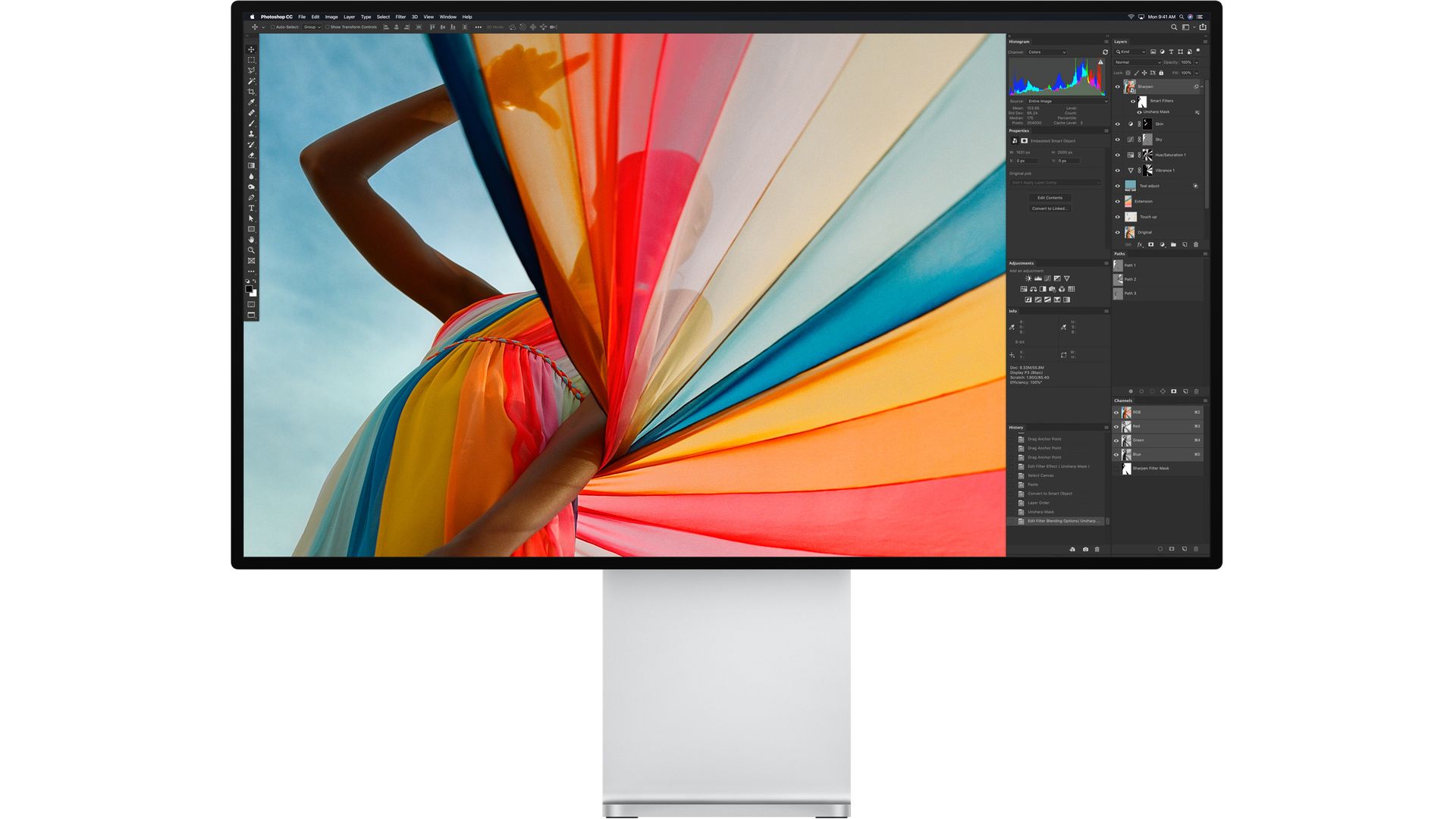
    Pro Display XDRThe display is 40 percent larger than the 5K display present in the iMac. It has a matte variant called Nanotexture and features an anti-reflective coating. The back of the monitor has a similar design to the Mac Pro, which acts as a heatsink. Apple claims that the screen can hit brightness levels of 1600 nits which will assist during the editing of HDR content. It connects to the Mac Pro via a Thunderbolt 3 cable. Moreover, the Pro Stand included with the monitor is extremely modular and functional. The display can be rotated into vertical mode using the Pro Stand.

    The Apple Pro Display XDR is priced at US$ 4,999, whereas the Pro Stand will be sold separately for US$ 999.

    Apple Mac Pro: Availability And Price

    Apple Mac Pro

    Also Read: LG 88Z9, The World’s First Commercial 8K OLED TV Up For Pre Orders

    The Mac Pro will be available in Fall 2019 at a starting price of US$ 5,999 for the most toned down variant. The aforementioned variant will pack an 8-core Intel Xeon CPU, 32GB of RAM, Radeon Pro 580X GPU and 256 gigs of SSD.

  • Microsoft Teases A New Dual-Screen Surface Device

    Microsoft Teases A New Dual-Screen Surface Device

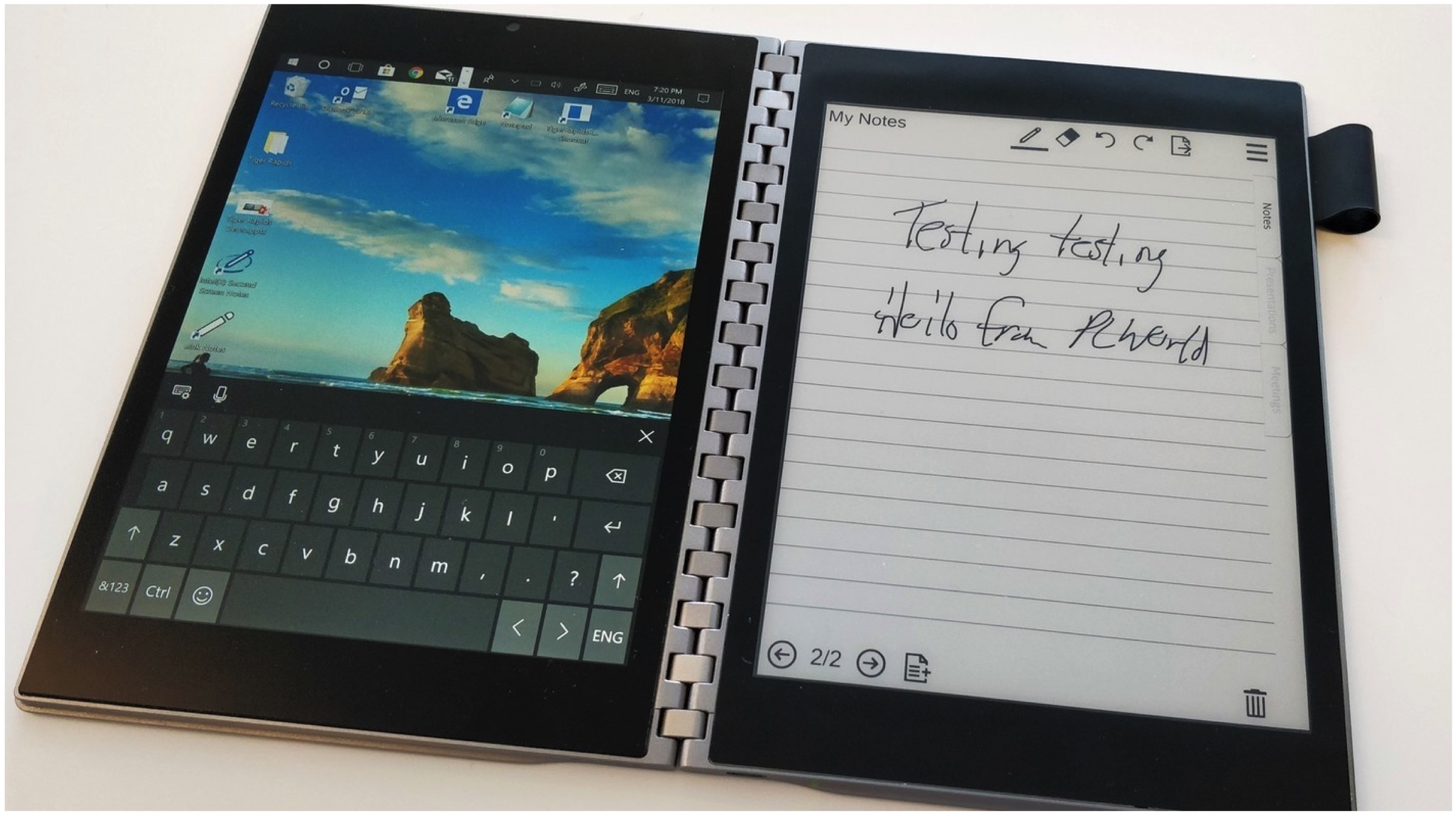
    Sources have uncovered that Microsoft has showcased a new dual-screen Surface device within the company. The device was demonstrated to the team working on the new 2 in 1 with the help of a video reel showcasing the new Microsoft Surface with dual-screen prototype hardware. 

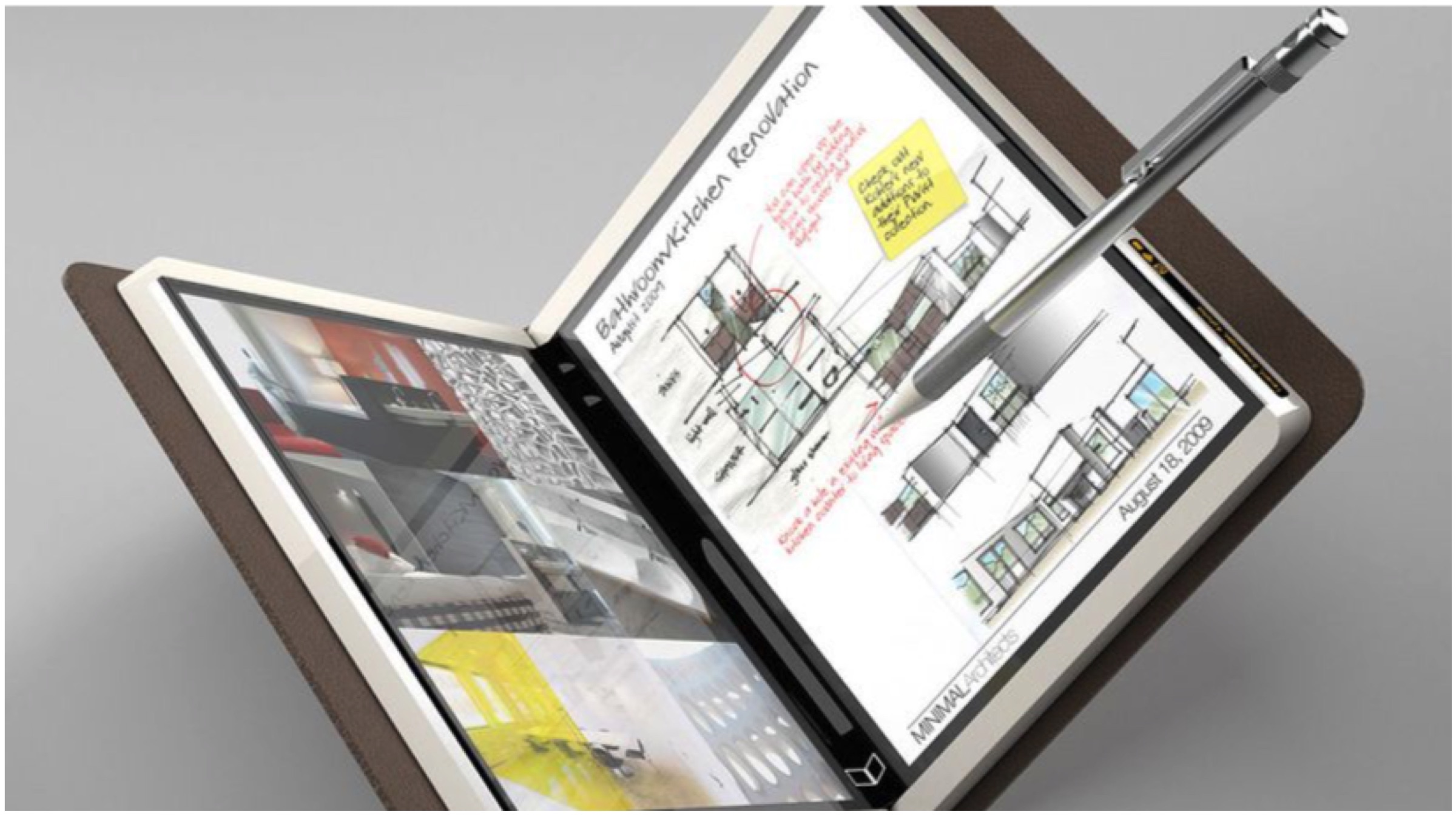
    Codenamed Centaurus, Microsoft has been hard at work regarding the upcoming dual-screen device for about 2 years now. Microsoft Surface is set to pave the way for a new breed of dual-screen tablet and laptop hybrids with its unique new designs. The company had also had plans for a smaller pocketable Surface variant, code-named Andromeda, that had its development halted for Centaurus. The dual-screen laptop prototype (Centaurus) was first heard of in December 2018 with similarities drawing it closer to Microsoft’s Courier tablet concept.

    The Surface team at Microsoft demonstrated the hardware, long before any official announcements, showcasing various dual-screen prototypes for it. Centaurus being openly shown to the employees does point at the possibility of the development stages reaching its final cycles with estimates putting the release by year-end or early 2020.

    Microsoft’s Centaurus (latest version of Surface) will also be receiving the Microsoft Windows Lite version, making it one of the first devices to run on the Operating System. Windows Lite is a new slimmed down version of Windows for dual-screen devices and Chromebook competitors. Intel’s new stance on ultrabooks and push towards dual-screened devices with more added functionality and productive uses much like the Lenovo Yoga Book C930 is expected to popularise the idea of a dual display device.

    Also ReadXiaomi To Launch The Redmi K20, K20 Pro In India Within The Next Six Weeks

    Microsoft besides the Centaurus has also showcased the fully functional xCloud, the cloud game streaming platform. More details on the online gaming platform will come on E3 2019 on the 8th of June. The company pitches the cloud gaming service, not as a replacement for Xbox consoles but rather a way to resume the games users were playing on any device, with these upcoming light and portable dual-screened devices.

  • Samsung Launches The Notebook 7 and Notebook 7 Force Laptops With Intel 8th Generation Processors

    Samsung Launches The Notebook 7 and Notebook 7 Force Laptops With Intel 8th Generation Processors

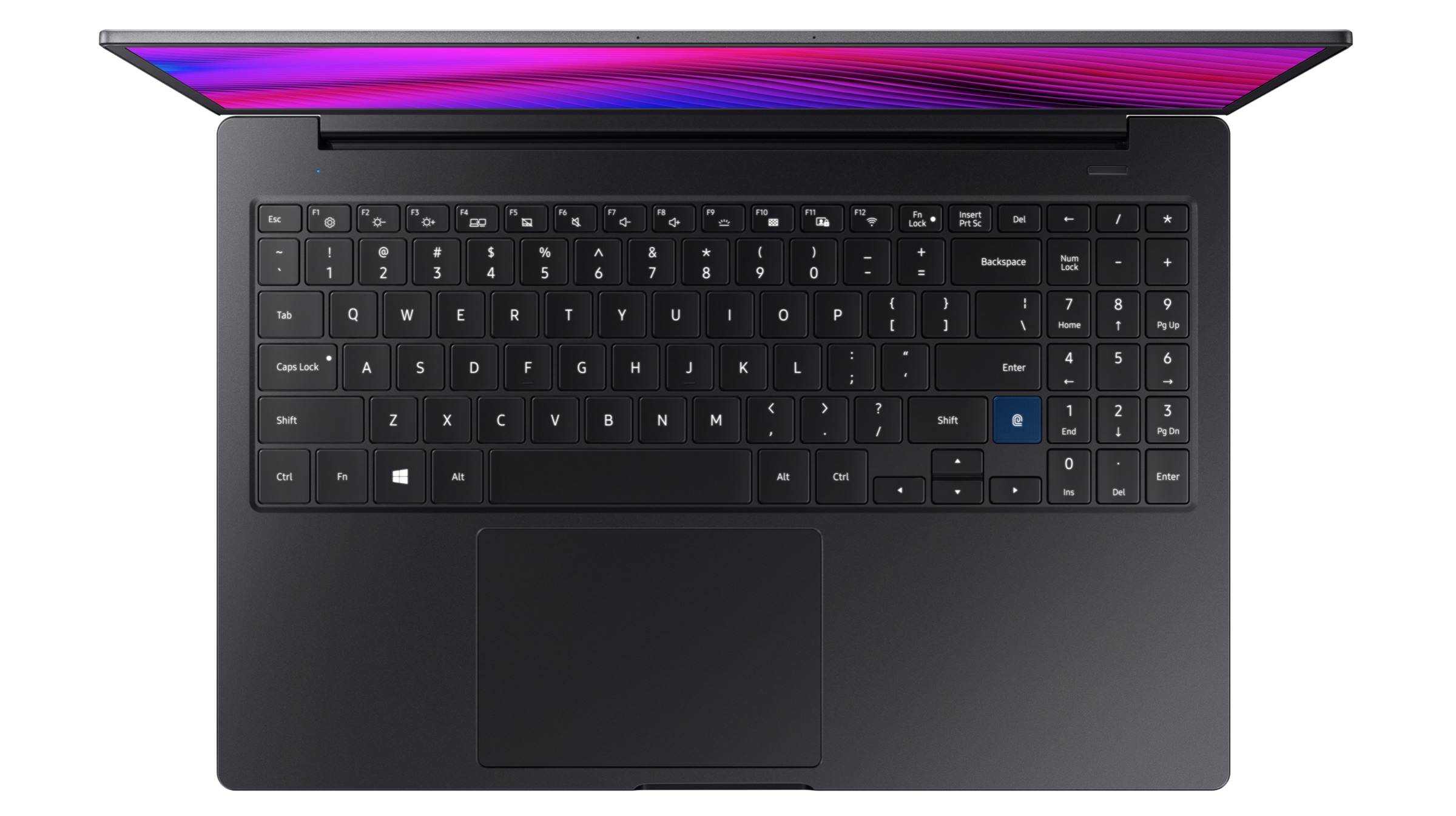
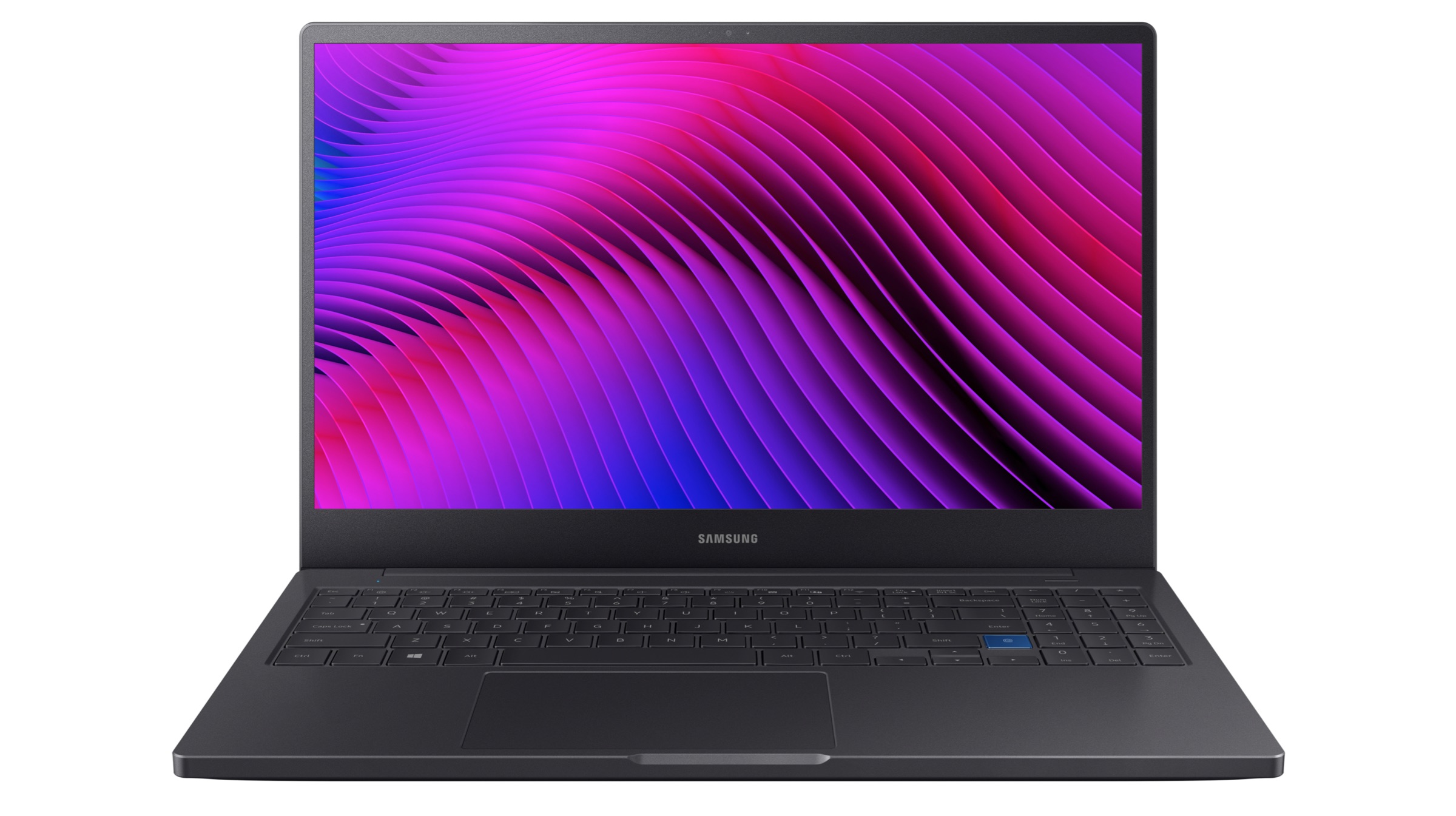
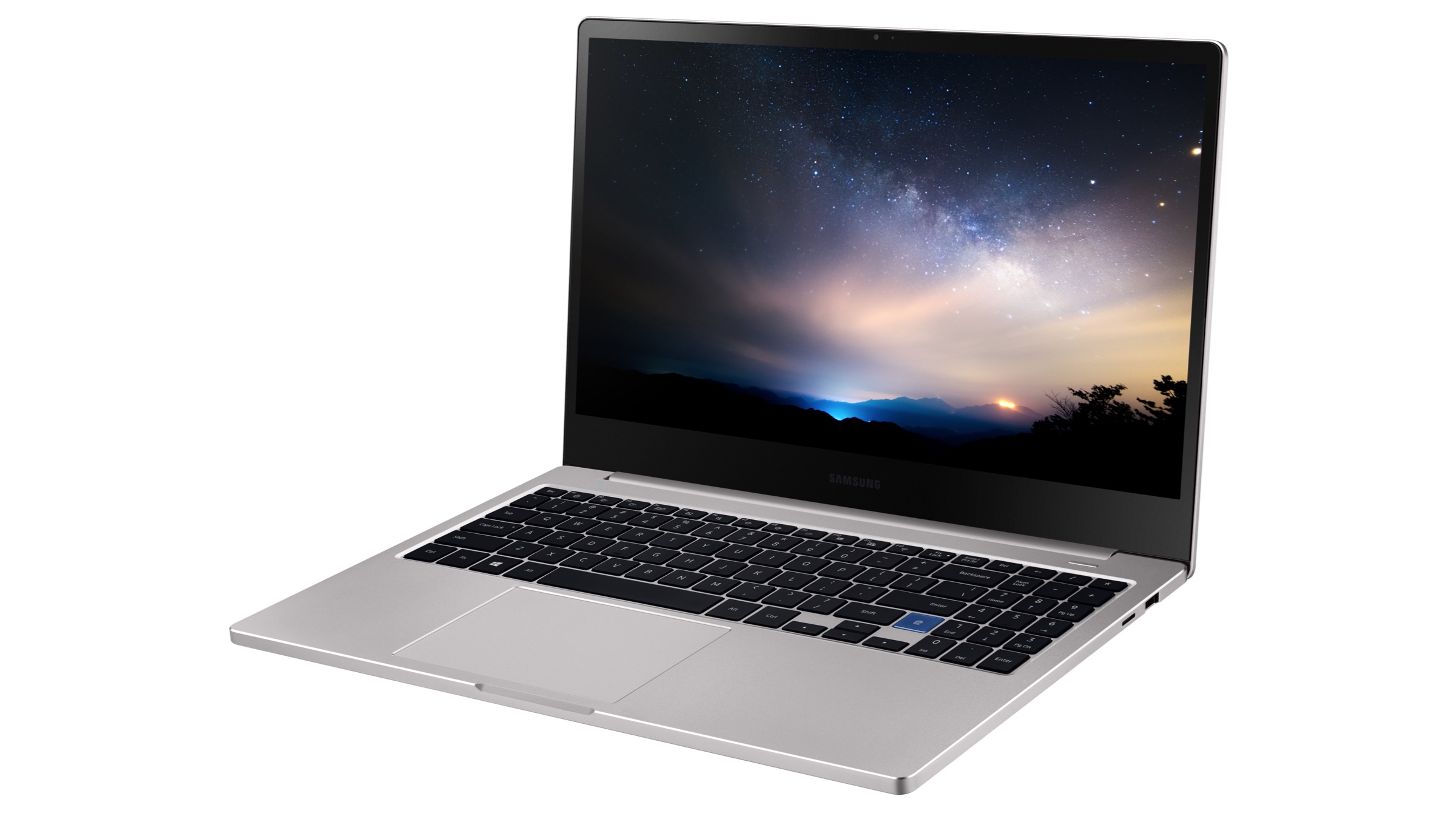
    Korean electronics giant Samsung has announced new laptops, called the Notebook 7 and Notebook 7 Force on the 3rd of June. The devices are the latest entrant in the company’s Notebook 7 lineup and feature updated specifications and features over their predecessors. While the Notebook 7 Force has been launched in only a 15.6-inch display option, the regular Notebook 7 will be available in two sizes, 13 and 15 inches respectively.

    Samsung Notebook 7, 7 Force

    Samsung Notebook 7

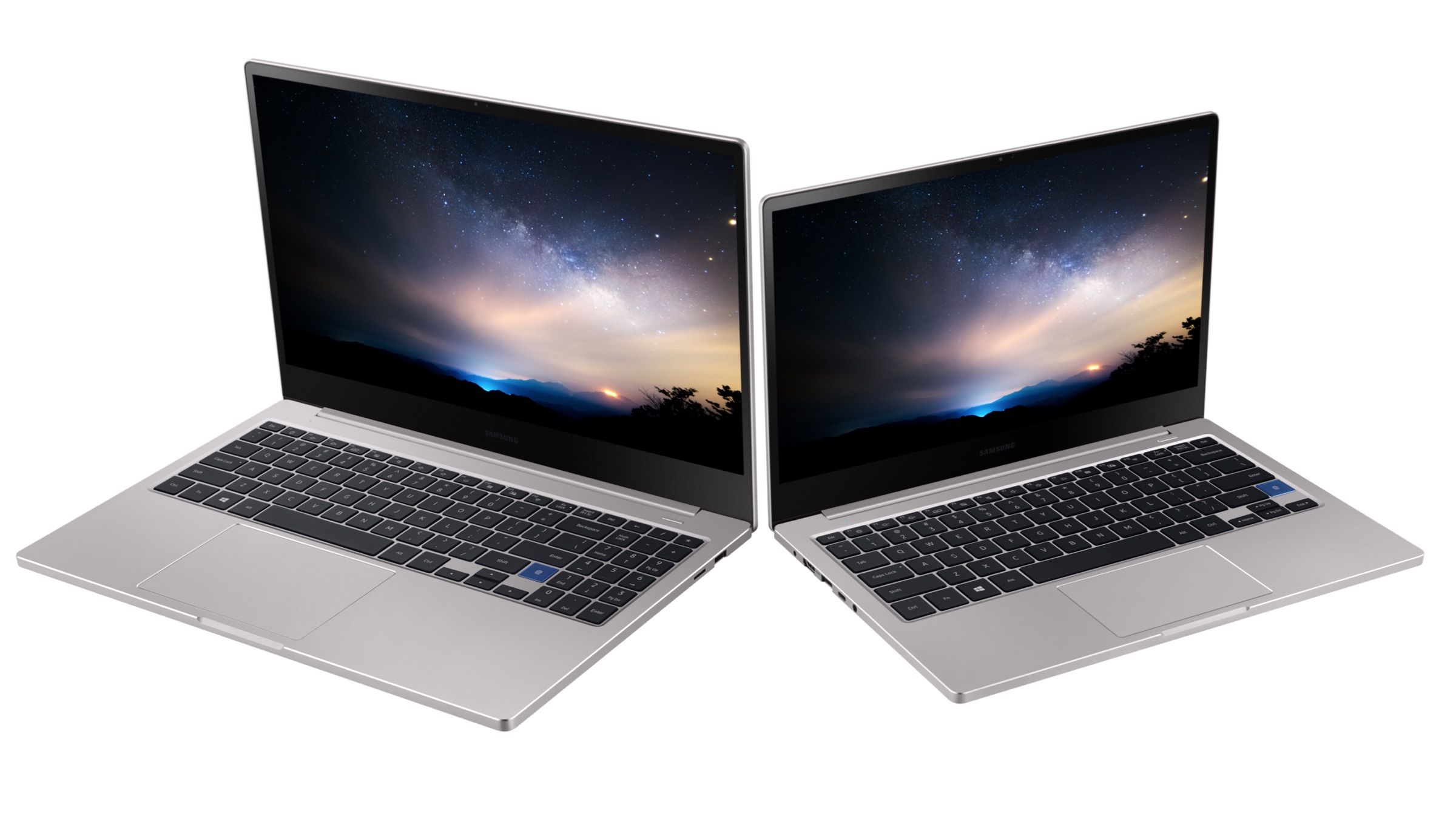
    The Notebook 7 by Samsung feature metal construction with a design that is reminiscent of Apple’s MacBook lineup. As mentioned above, the devices have been launched with displays measuring 13.3 and 15.6 inches. Irrespective of the display size, its resolution is capped at 1920 x 1080 px. In terms of connectivity, the laptop features a variety of ports, including two USB 3.0 ports, USB Type C port, an HDMI port and a microSD slot. All the devices in the lineup also have a 720p HD webcam with Dual Array Microphones for video calls.

    All the devices in the Samsung Notebook 7 lineup run on Intel’s 8th Generation Processors and support up to 16GB LPDDR3 RAM and 512GB NVMe SSD. In terms of graphics, the base variants feature Intel UHD graphics, but there is an option of upgrading to the NVIDIA GeForce MX250 as well. All the variants have fingerprint sensors for Windows Hello authentication and have a backlit keyboard.

    Samsung Notebook 7 Force

    The Notebook 7 Force, on the other hand, is a more premium offering in the lineup. It has a similar design to the rest of the Notebook 7 series but is available only in black colour. The laptop also runs on 8th generation Intel Core processors, has a backlit keyboard, and a fingerprint sensor. In terms of graphics, it has the NVIDIA GeForce 1650 GPU for better gaming performance than the rest of the lineup.

    Samsung Notebook 7

    Also read: Spotify Tests New ‘Social Listening’ Feature That Lets Users Listen To Music Together

    All the devices in the Notebook 7 series will be initially sold in Hong Kong and Korea and later made available in the US and Brazil in late 2019. While the 13.3-inch Notebook 7 is priced at US$ 999(Rs. 69,400), the 15.6 inch will cost US$ 1,099 (Rs. 76,400). The Notebook 7 Force has been priced at US$ 1,499 (Rs. 1,04,100).

  • Gigabyte Launches PCIe 4.0 NVMe SSDs With 4.88 Gbps Read Speeds

    Gigabyte Launches PCIe 4.0 NVMe SSDs With 4.88 Gbps Read Speeds

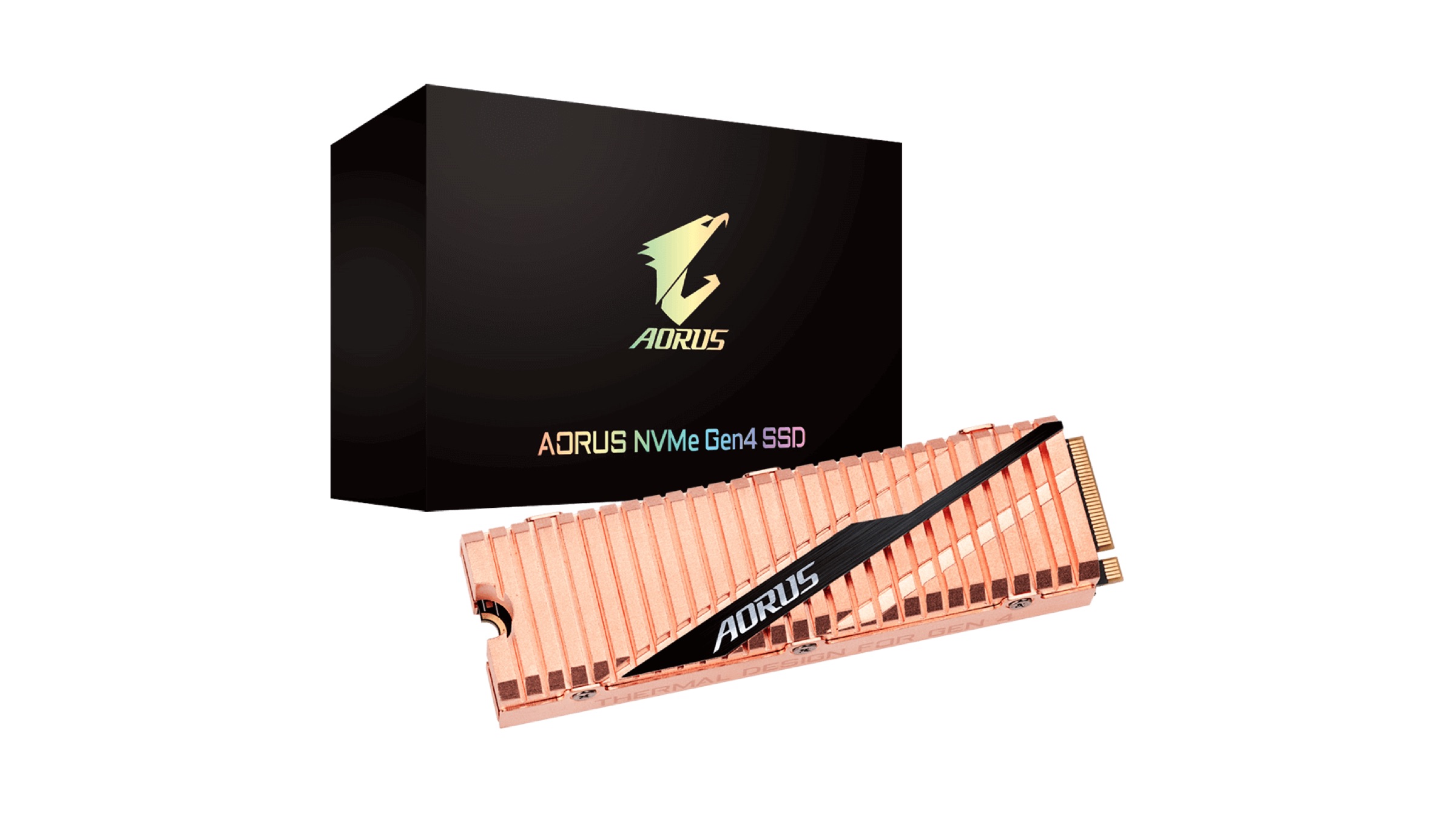
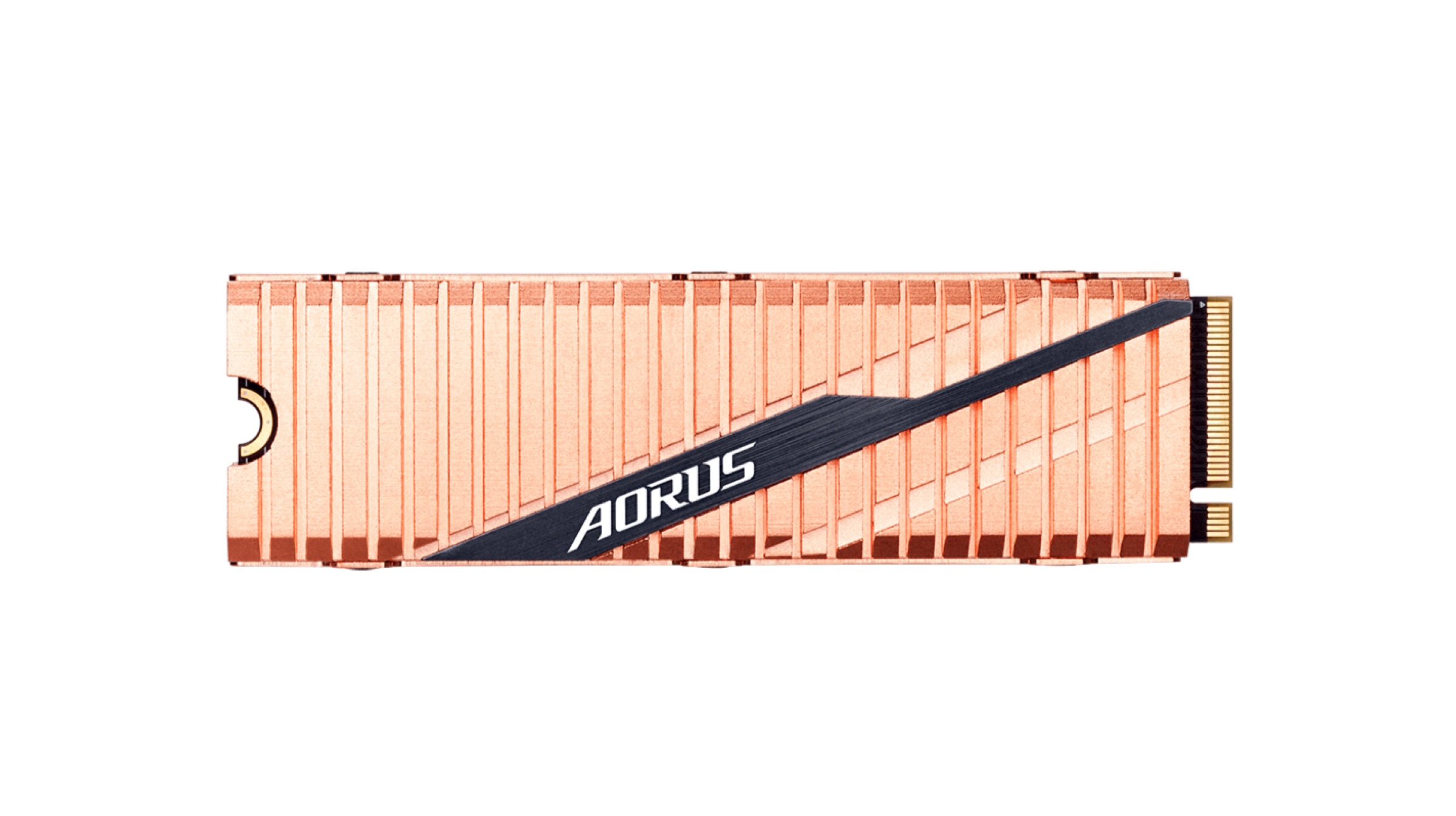
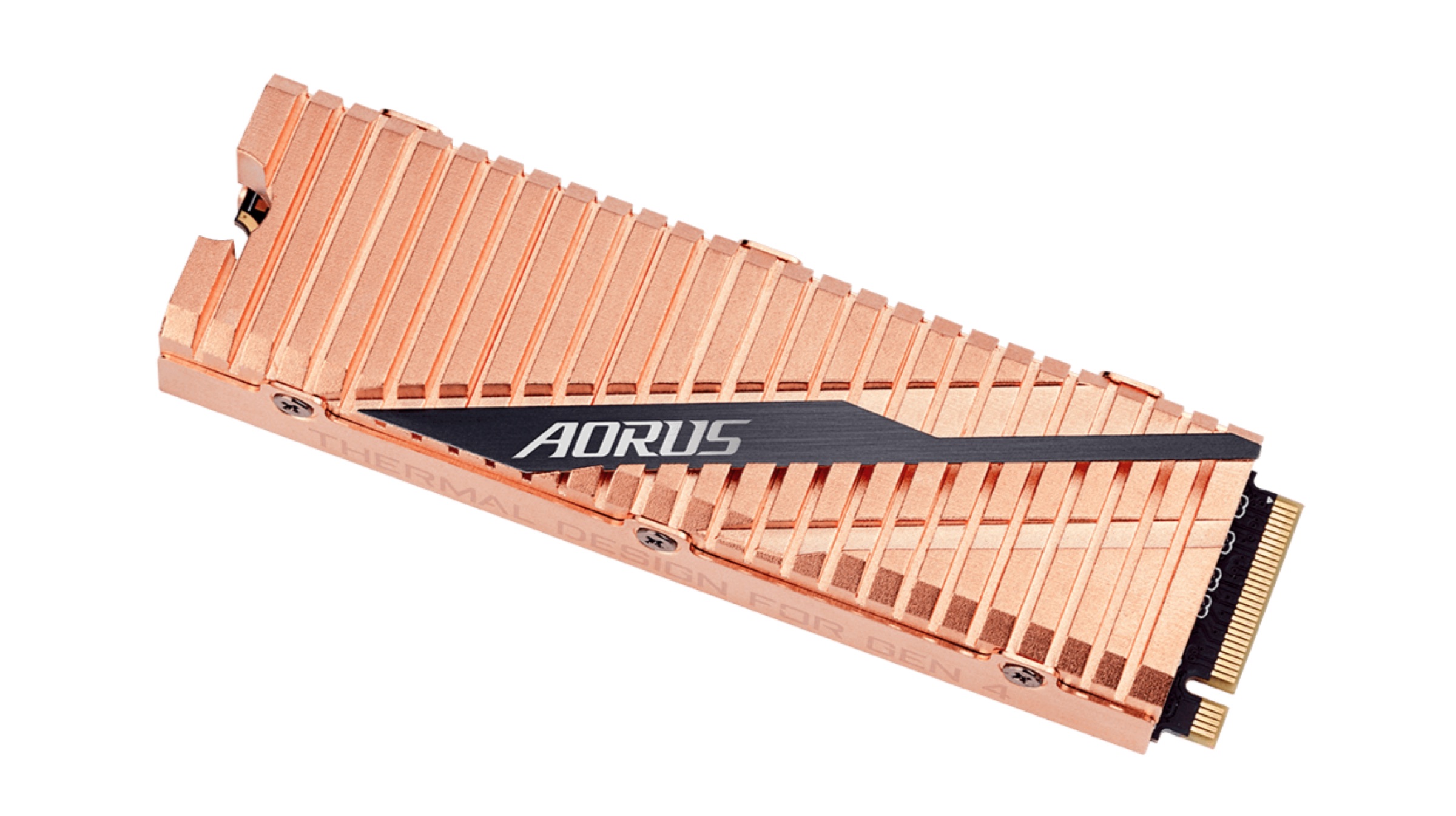
    Taiwanese technology company Gigabyte has unveiled the first PCIe 4.0 NVMe SSD that hits an incredible read speed of 5,000 MB/s, or 4.88 GBps. At the same time, the SSD can reach write speeds of 4,400 MB/s. 

    However, Corsair also launched its own Generation PCIe SSD on May 27, 2019. It can achieve a read speed of 4950 MB/s, which falls merely 50MB/s short of Gigabyte’s SSD. Both the SSDs offer almost 56% faster read speeds than the Samsung 970 nvme Solid State Drive, which is one of the fastest available SSDs in the market. The Gigabyte PCIe 4.0 utilizes the Phison PS5016-E16 controller and 3D Triple Level Cells (TLC) NAND flash memory chips manufactured by Japanese manufacturer Toshiba. 
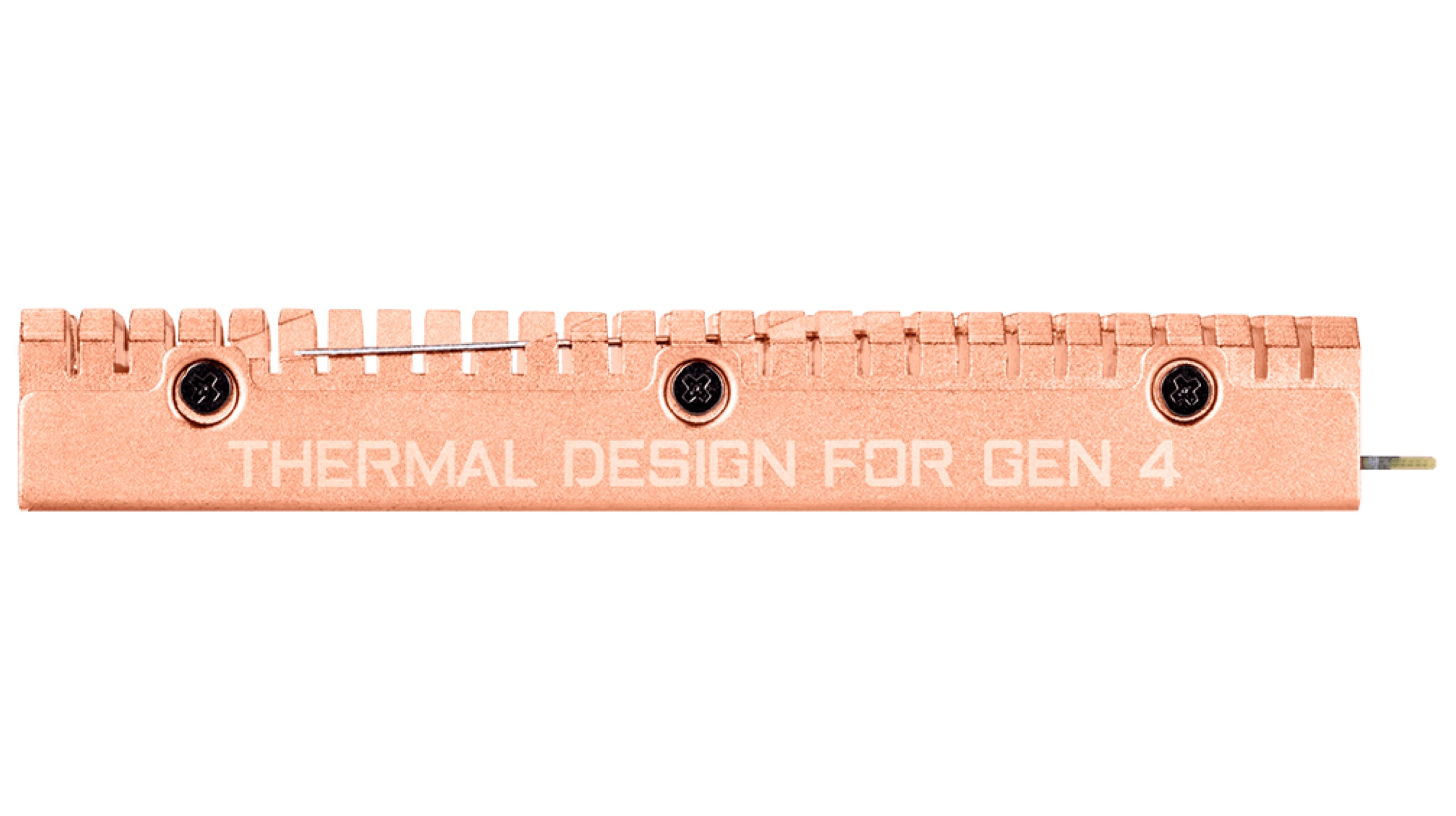
    A full body copper heat spreader engulfs the AORUS NVMEe Gen4 SSD, so that the generated heat can be managed at higher read/write speeds. Since the temperature can increase drastically during operation, Gigabyte states that using the heatsink can reduce the temperature of the SSD by almost 14 percent. 
    Also Read: Xiaomi Delays The Release Of Its Foldable Smartphone Over Market Insecurity

    As per reports, the NVMe SSD will be available in two storage variants, 1TB and 2TB. The company plans to roll out the SSDs in the month of July 2019. Interested users can get their hands on the Gigabyte X570 motherboard along with the SSD and the latest Ryzen processors in order to test out the insane Gen4 transfer speeds. Since Gigabyte has not unveiled the price of the NVMe Gen4 PCIe SSDs, an official announcement is awaited regarding the same. 

  • Microsoft Teases A New Operating System With AI Integration

    Microsoft Teases A New Operating System With AI Integration

    Amidst major announcements in Computex 2019, Microsoft let a teaser out for its future plans on the software front. The long-awaited lite version of Windows OS (for the likes of Chromebooks) may or may not be included in the definition of Microsoft’s “modern” operating system.

    This modern OS as stated by Microsoft is not just a software version and rather it is a benchmark that would define the future of operating systems. With the functionality of the OS at its essence, the ‘seamless’ word was used quite a lot by Microsoft on stage and seamless updates being at the centre of it. Windows updates have improved exponentially over the years as promised by Microsoft but the company is not stopping there. It is now seeking to make the entire process occur in the background, never requiring the user to actively check for updates.

    Microsoft

    Current iterations of Windows OS handle software updates very differently, with comments pointing towards the similarities in relation to Chrome OS. The ‘modern OS’ is also supposed to be highly secure from the ground up. “The state is separated from the operating system; compute is separated from the applications.” This line by Microsoft’s Spokesperson points towards cloud computing at a level the industry has not yet been comfortable with but is a step towards the future which the company has kept in mind. “Sustained performance” as Microsoft puts it that is “always connected” to have zero interruptions. Sharing the workload with cloud solutions online to enhance user experience on devices. 

    All of these “enablers’ will be supplemented by an AI. In other words prediction based algorithm to get end results faster for the User. Microsoft there on goes to mention other sci-fi, futuristic but not far-fetched input methods such as voice, touch, and gaze, apart from the conventional mouse and keyboard combo. All this in a light form factor that adds to the mobility of the machine on which the OS is loaded.

    Also ReadNew MediaTek SoC Is All Set To Bring 5G Network On Budget Devices

    No finer details have been revealed as of yet. All that anyone has to go on is the teaser dropped today. The concept may still seem far away but more concrete information should soon follow in the coming months either through official channels or in the form of leaks and rumours.

  • Intel’s Showcases Twin Screen Gaming Laptop At Computex 2019

    Intel’s Showcases Twin Screen Gaming Laptop At Computex 2019

    Intel, the chipmaking company has a lot of buzz going around its various announcements (such as Project Athena) and prototypes that have been making rounds all over the internet. The company was seen highlighting one of those prototypes in Computex 2019 all the way from its Santa Clara Lab in the headquarters. 

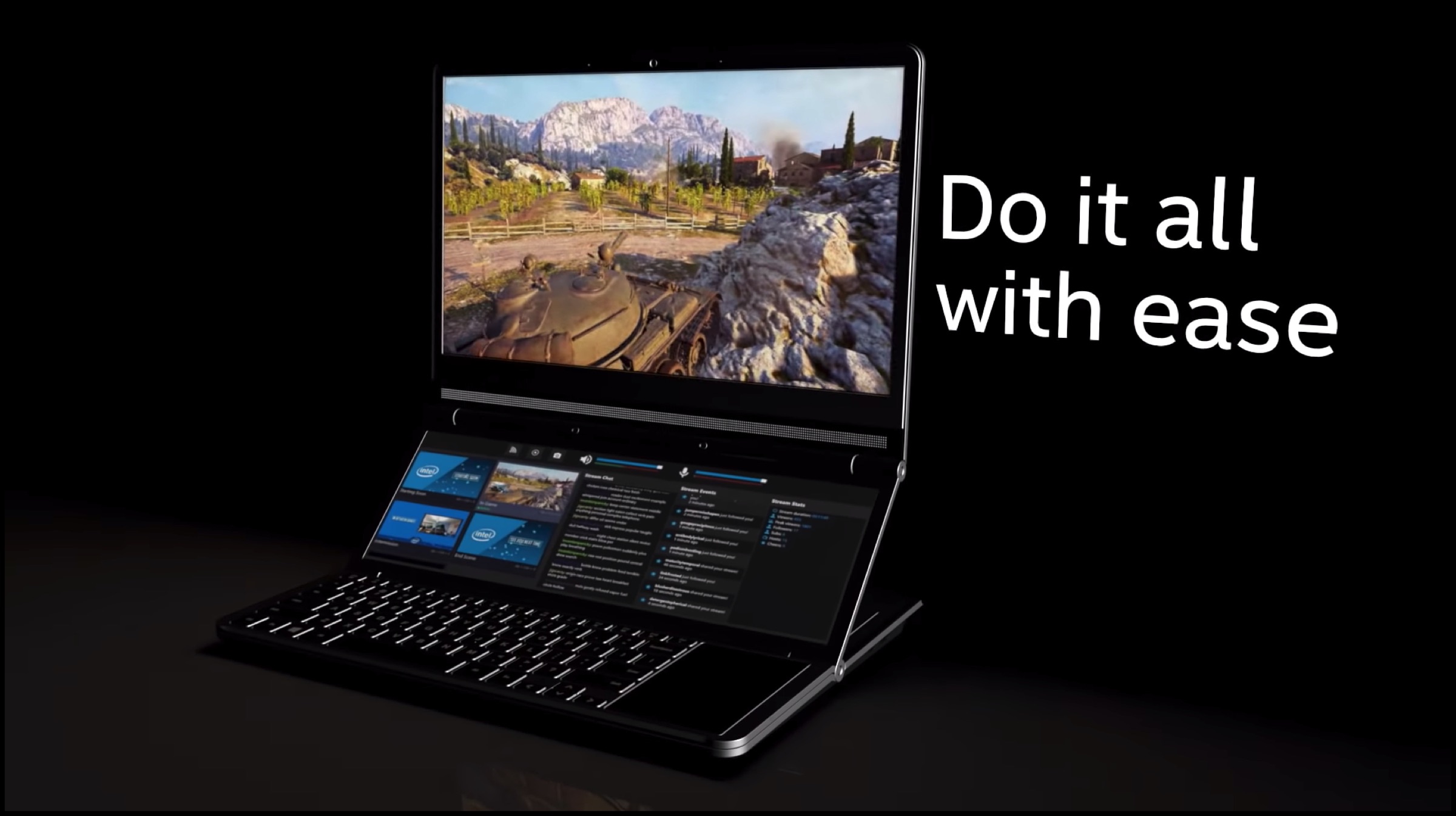
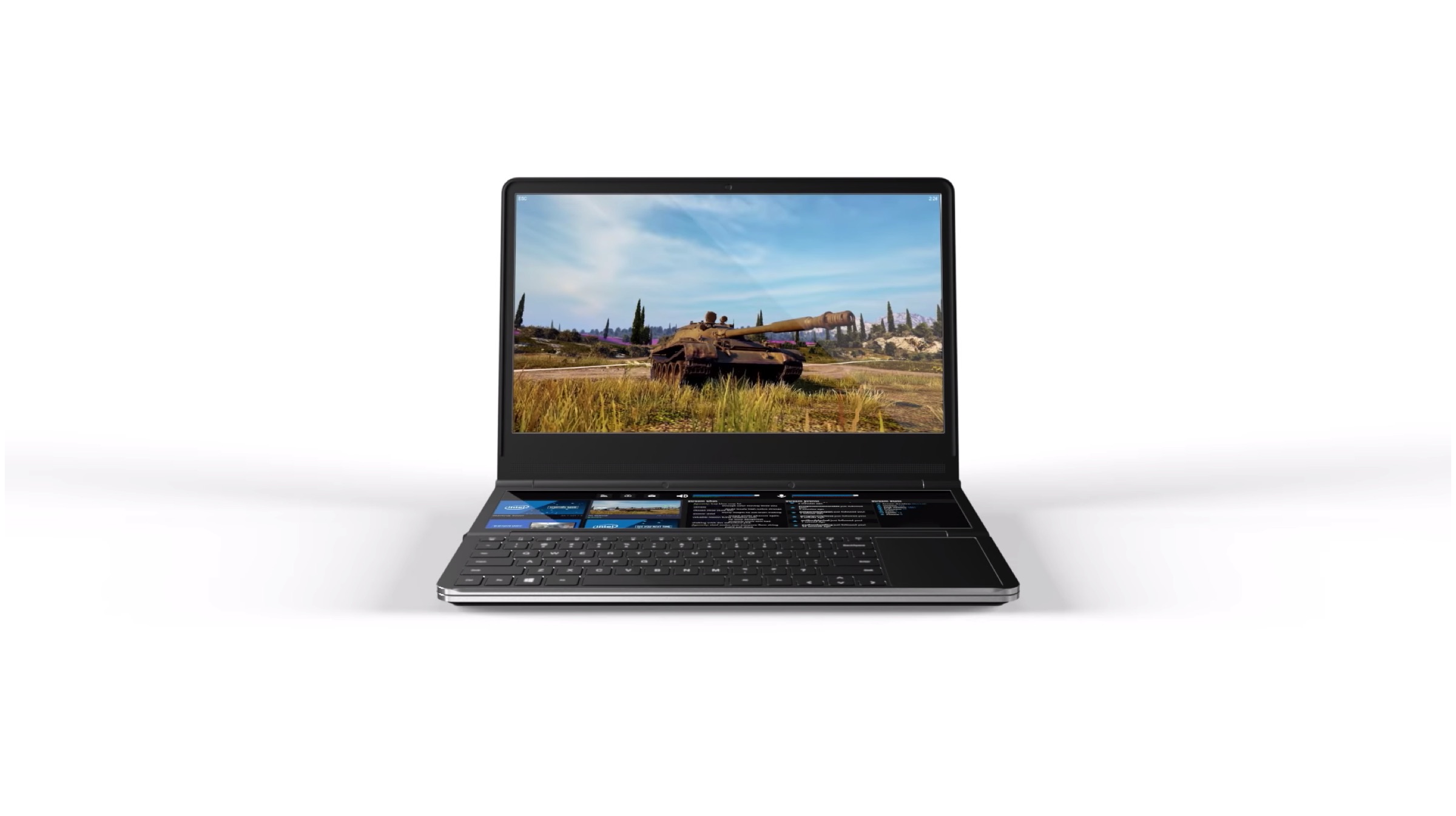
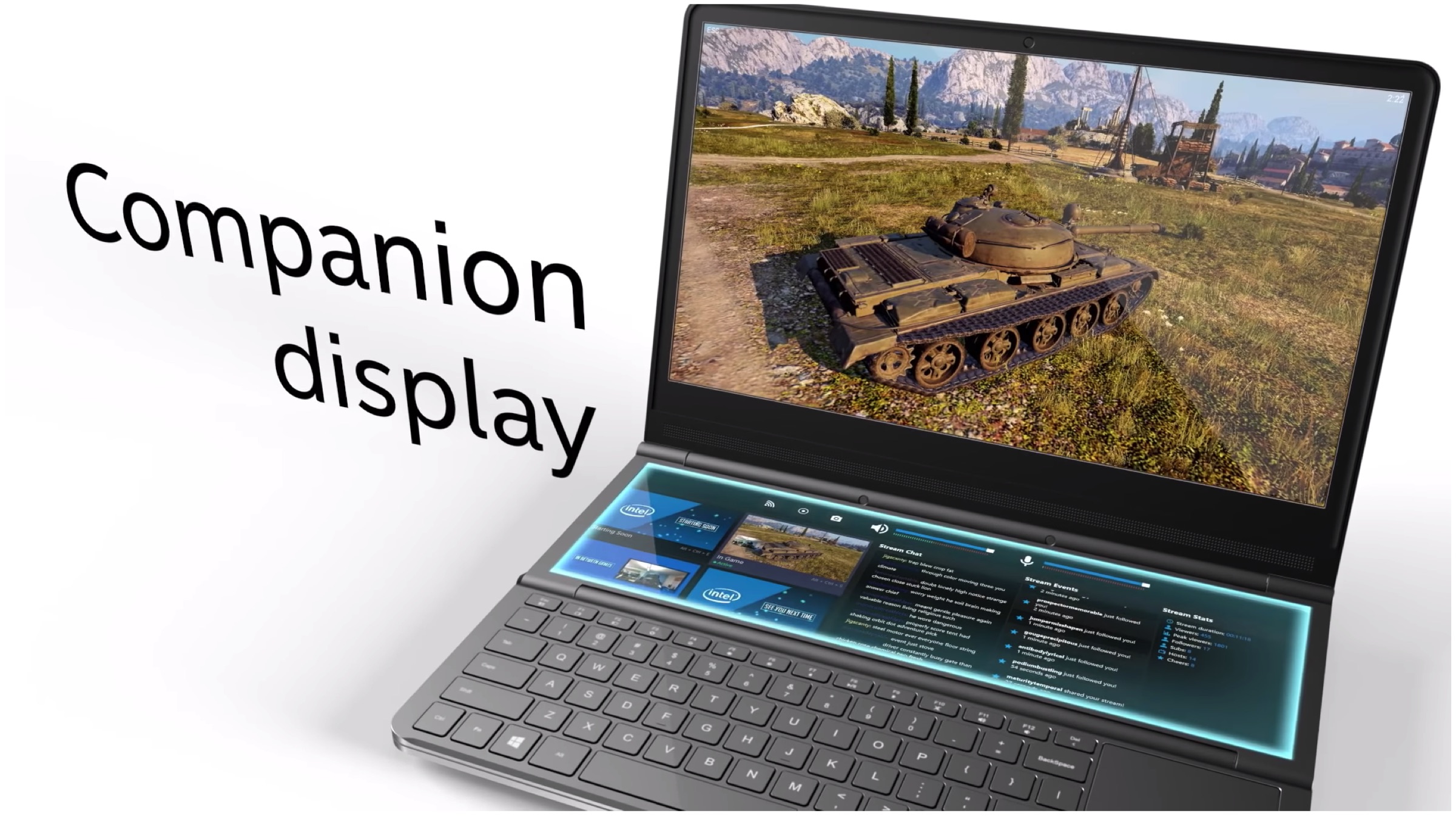
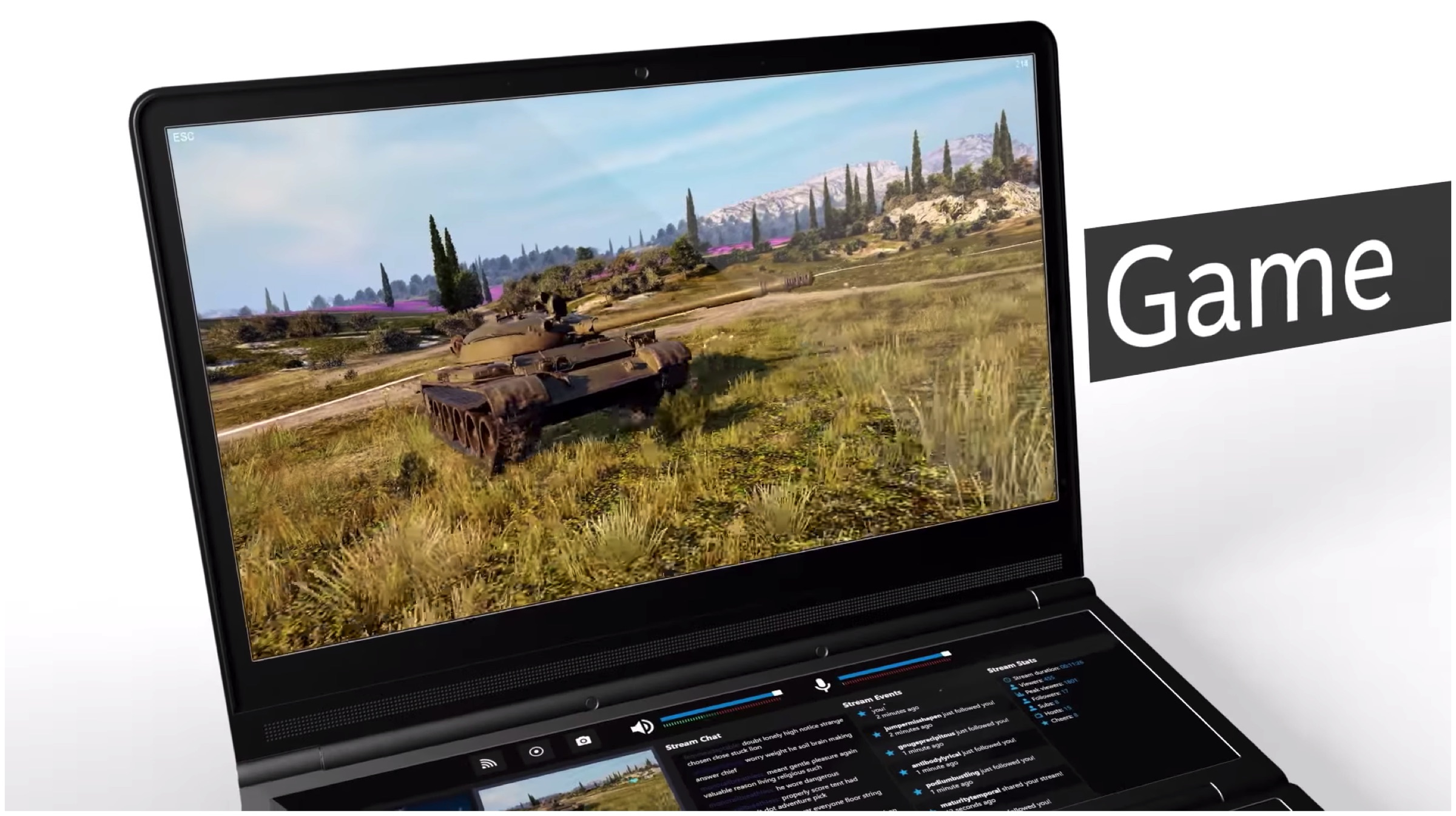
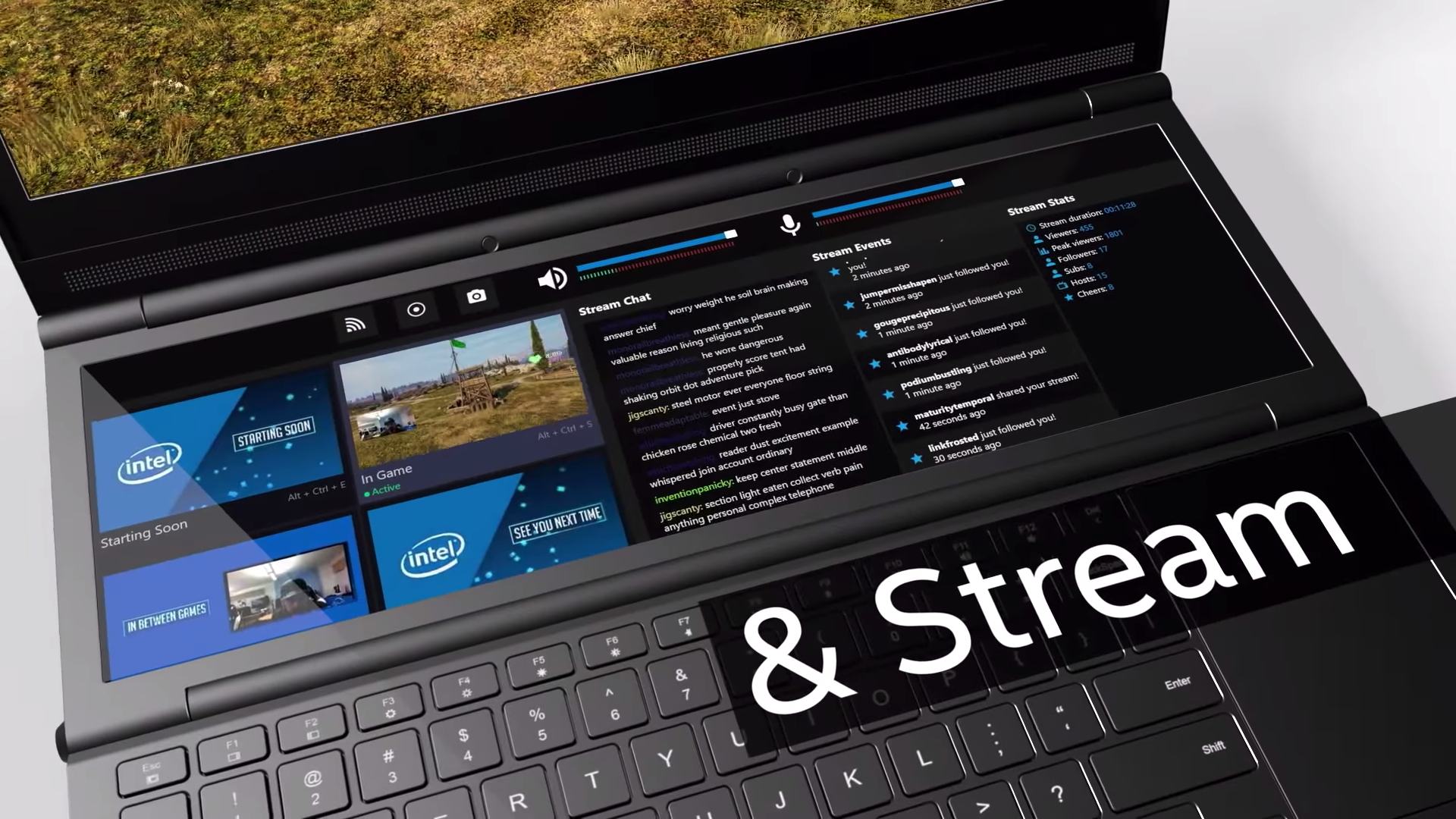
    Honeycomb Glacier may not seem like the name for a gaming system but Intel gets a pass on this for its innovation. Intel has supplied ample horsepower within this compact laptop. The key feature of this prototype is Intel’s attempt to place two full displays in the machine for an enhanced gaming experience.

    Intel

    The device is outfitted with a 1080p display panel for its main 15.6-inch screen while the secondary panel receives a 720p 12.3-inch 1920 x 720 display. Intel had partnered with Razer for the original Switchblade prototype back in 2011, the first laptop to have an entire screen as a touchpad, making this attempt their second endeavour for dual screens.

    Intel

    Intel sets itself apart from the numerous other OEMs, that have implemented a dual screen format, by actually having a second screen that does not necessitates having you look away from the primary screen. Users do not have to look down or divert their attention with a simple inclusion of a double hinge mechanism that raises the second screen to just below eye level that compliments the main screen.

    A unique hinge mechanism gives users the freedom of the elevation and angle that automatically stays in whatever position it was propped up on. This was achieved by one-way roller mechanical clutch. Pressing on a small black button on the left side disengages the clutch to fold the laptop. This special mechanism provides space for the cooling solution built specifically for the specially placed motherboard with a single fan.

    The prototype, Honeycomb Glacier had been reportedly running on a 45W 8-core i9 Intel CPU and NVIDIA GTX 1070, both units being overclocked. The near eye level hinge houses a Tobii eye-tracking camera, that enables smoother user interaction with the second screen interface in different applications like Discord and Twitch for gamers or Slack for work. Simply drawing your eye to the application puts it on focus.

    Also ReadKonami Celebrates 20 Years Of Contra With Anniversary Bundle

    Intel is optimistic about Honeycomb Glaciers new design and functionality that has generated much interest from other manufacturers seeking to derive from it. Dual-screen laptops are making their way into mainstream reality, soon becoming a common happenstance. 

iGyaan Network
Privacy Overview

This website uses cookies so that we can provide you with the best user experience possible. Cookie information is stored in your browser and performs functions such as recognising you when you return to our website and helping our team to understand which sections of the website you find most interesting and useful.